www.CrossroadsCareer.org
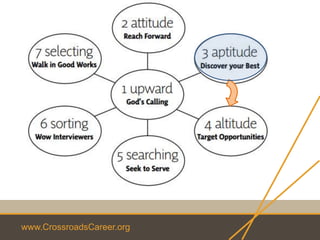
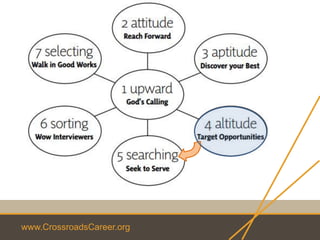
step 4 altitude
target opportunities
www.CrossroadsCareer.org
Prayer
www.CrossroadsCareer.org
Review
1. What part of Step 3 (Aptitude) was the most helpful?
www.CrossroadsCareer.org
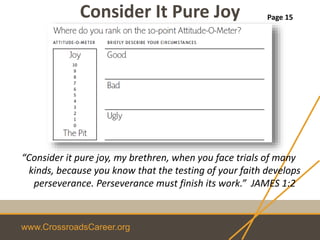
Consider It Pure Joy
“Consider it pure joy, my brethren, when you face trials of many
kinds, because you know that the testing of your faith develops
perseverance. Perseverance must finish its work.” JAMES 1:2
Page 15
www.CrossroadsCareer.org
Who needs most
what You do best?
“As each one has received a special gift, employ
it in serving one another as good stewards of
the manifold grace of God.”
1 PETER 4:10
Page 31
www.CrossroadsCareer.org
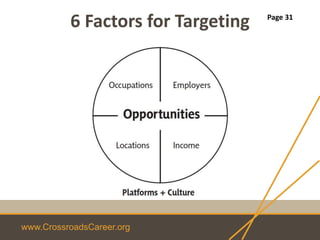
6 Factors for Targeting Page 31
www.CrossroadsCareer.org
Occupations
O*Net: online.onetcenter.org/find
• What are a few careers that you might pursue?
• Career Direct
Page 31
www.CrossroadsCareer.org
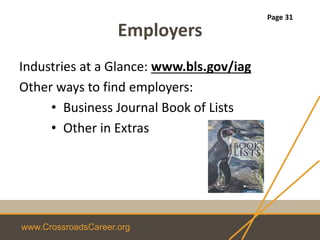
Employers
Industries at a Glance: www.bls.gov/iag
Other ways to find employers:
• Business Journal Book of Lists
• Other in Extras
Page 31
www.CrossroadsCareer.org
Locations
Best Places to Live / Work: www.bestplaces.net
• What factors play into your ability to relocate?
Page 31
www.CrossroadsCareer.org
Income
Salary Information: www.salary.com
• Research (get the facts)
• Also like Indeed.com
• Have two numbers in mind:
• Lowest or can’t afford to take the job
• What you would like
• Learn how to negotiate before the 1st phone
interview
Page 32
www.CrossroadsCareer.org
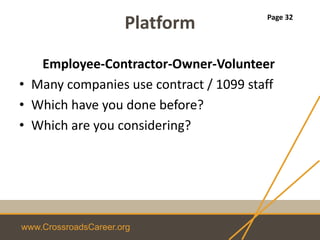
Platform
Employee-Contractor-Owner-Volunteer
• Many companies use contract / 1099 staff
• Which have you done before?
• Which are you considering?
Page 32
www.CrossroadsCareer.org
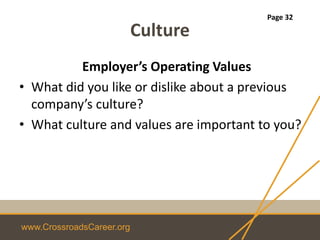
Culture
Employer’s Operating Values
• What did you like or dislike about a previous
company’s culture?
• What culture and values are important to you?
Page 32
www.CrossroadsCareer.org
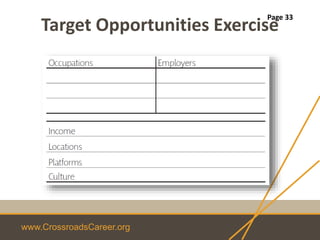
Target Opportunities Exercise
Page 33
www.CrossroadsCareer.org
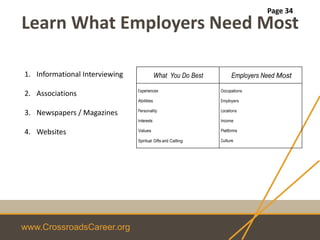
What You Do Best Employers Need Most
Experiences
Abilities
Personality
Interests
Values
Spiritual Gifts and Calling
Occupations
Employers
Locations
Income
Platforms
Culture
Learn What Employers Need Most
1. Informational Interviewing
2. Associations
3. Newspapers / Magazines
4. Websites
Page 34
www.CrossroadsCareer.org
Marketing Materials
Personal Brand Statement / Tag line
Elevator Pitch
Business Card
LinkedIn
Networking Guide
Cover Letter
Resume
www.CrossroadsCareer.org
Faith
• My steps have held to your paths; my feet
have not slipped. – Psalm 17:5
• Kings [Employers] take pleasure in honest lips,
they value a [person] who speaks the truth
- Proverbs 16:13
• Buy the truth and do not sell it; get wisdom,
discipline, and understanding. – Proverbs 23:23
www.CrossroadsCareer.org
Faith
• “Before I formed you in the womb I knew you,
before you were born I set you apart” says the
Lord.” – Jeremiah 1:5
www.CrossroadsCareer.org
Market Your Strengths
• Identify a single Occupation/Industry
Focus on just one
• Marketing Material Development
...3….2….1
Page 35-40
www.CrossroadsCareer.org
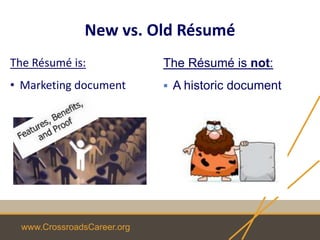
New vs. Old Résumé
The Résumé is:
• Marketing document
The Résumé is not:
 A historic document
www.CrossroadsCareer.org
www.wordle.net
Learn What Employers Want Most
Job Post Resume
www.CrossroadsCareer.org
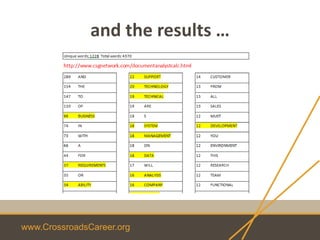
Word Counting Tool
• http://www.csgnetwork.com/documentanalys
tcalc.html
• Scroll down to "Document Information Tool"
and then just copy/paste in the document
• You can filter a couple of ways
www.CrossroadsCareer.org
and the results …
www.CrossroadsCareer.org
Elements of Your Brand
• Audience: (Part 1)
• Value: (Part 3)
• Uniqueness: (Part 2)
Page 35
www.CrossroadsCareer.org
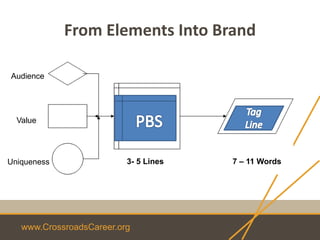
From Elements Into Brand
Audience
Value
Uniqueness 3- 5 Lines 7 – 11 Words
www.CrossroadsCareer.org
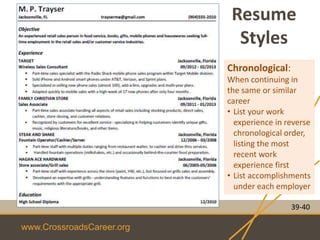
Resume
Styles
39-40
Chronological:
When continuing in
the same or similar
career
• List your work
experience in reverse
chronological order,
listing the most
recent work
experience first
• List accomplishments
under each employer
www.CrossroadsCareer.org
39-40
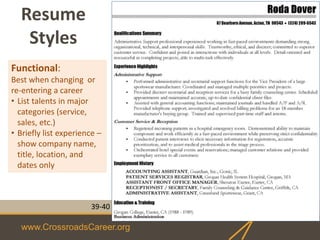
Functional:
Best when changing or
re-entering a career
• List talents in major
categories (service,
sales, etc.)
• Briefly list experience –
show company name,
title, location, and
dates only
Resume
Styles
www.CrossroadsCareer.org
39-40
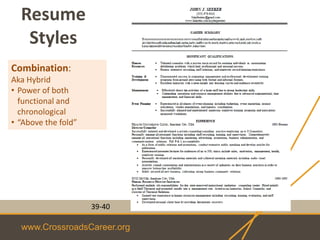
Combination:
Aka Hybrid
• Power of both
functional and
chronological
• “Above the fold”
Resume
Styles
www.CrossroadsCareer.org
Parts of the Résumé
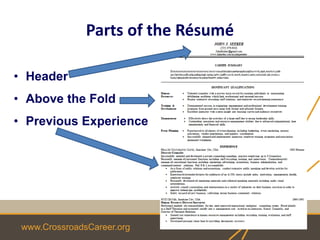
• Header
• Above the Fold
• Previous Experience
www.CrossroadsCareer.org
Header Information
• Name
• Phone
• E-Mail
• LinkedIn Address
• Second page: Name, Page 2
• Optional:
–Home / Mailing Address
–Certificates and Degree Acronyms
www.CrossroadsCareer.org
Above the Fold
• Get the reader’s interest
• “Read” in 8-12 seconds
• Summary vs. Objective
• Key Qualifications, Skills, Credentials
• Recent Graduates: include education
www.CrossroadsCareer.org
Key Qualifications
• Serves as the Executive Summary
• Emphasizes credentials, skills &
experiences you have based upon the 5 job
descriptions
• Don’t just use a “pick list”
• Should be supported by the resume
www.CrossroadsCareer.org
Previous Experience
• Information to include:
– Company Name, Location, Dates
– Job Title / Position and Dates
– Job Description – Paragraph format
– Accomplishments (STARs) – Bulleted
format
• Education
• Anything relevant to getting the job
www.CrossroadsCareer.org
Overall
• File name
• File format
• One job per resume
• Spell out first instance of non-common
acronyms
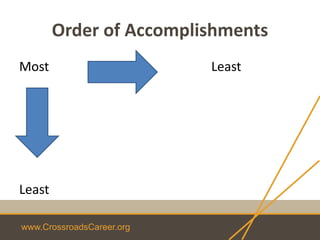
• List items from most important to least
important
www.CrossroadsCareer.org
Order of Accomplishments
Most Least
Least
www.CrossroadsCareer.org
Overall
• Consistent, complete, correct, and quality
– Spelling
– Grammar
– Font
– Format
– Spacing
– Bullets size and style & use of periods after
bullets
– Your name
– Indentation
• Include a cover letter as the first page
www.CrossroadsCareer.org
Tips
• Use only 1 phone number, professional e-mail
address
• Do not need to preface phone or e-mail with
title
• Get a new e-mail address if currently using
AOL or hotmail
• Use Google Voice number to supplement out
of state number
www.CrossroadsCareer.org
Don’ts
• Do not include a picture
• Do not add “references available upon request”
• Do not include personal information (martial
status, children, politics, religion, etc.)
• Do not use pronouns
www.CrossroadsCareer.org
Don’ts
• Do not use colored paper
• Do NOT overdo font styles
• Do not include reason for leaving
• Do not send references or salary information
• Do not use company or industry jargon
• Do not use fluffy words
www.CrossroadsCareer.org
Altitude Review
Identify a single Occupation/Industry
Marketing Material Development
This is not a 1-time event
We are in the “Me, Inc.” generation, so develop a strategy to
keep your career, resume, and branding current and engaging
www.CrossroadsCareer.org
Action Items
• Continue documenting your STARs
• Complete worksheets in workbook
• Develop DRAFT resume and e-mail it for
feedback
• Define elements for PBS
• Look over extras
• Review Step 5 on-line
www.CrossroadsCareer.org
Next Week
Step 5 – Searching
Seek to serve
Networking
• Online
• In-person
And more
www.CrossroadsCareer.org
Questions?
www.CrossroadsCareer.org
Extras
www.CrossroadsCareer.org
Finding Companies
www.CrossroadsCareer.org
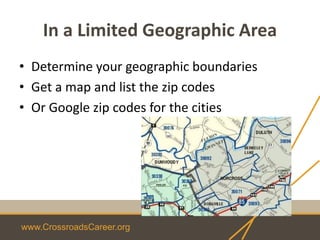
In a Limited Geographic Area
• Determine your geographic boundaries
• Get a map and list the zip codes
• Or Google zip codes for the cities
www.CrossroadsCareer.org
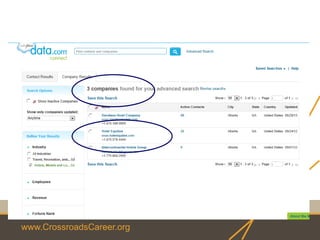
Data.com/connect
(previously known as Jigsaw)
www.CrossroadsCareer.org
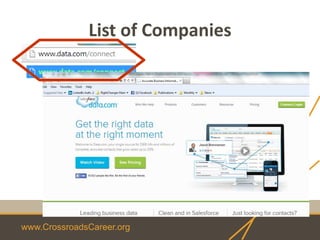
List of Companies
www.CrossroadsCareer.org
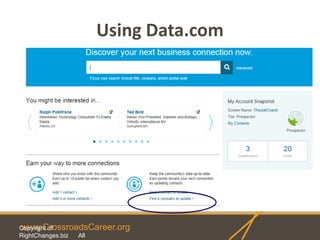
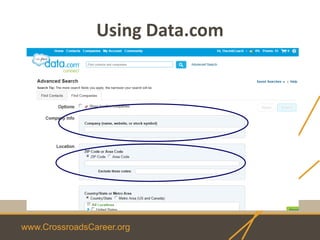
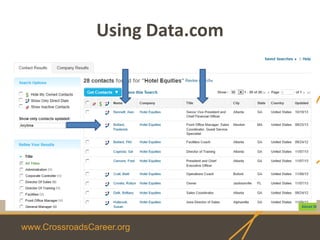
Using Data.com
Copyright of
RightChanges.biz All
www.CrossroadsCareer.org
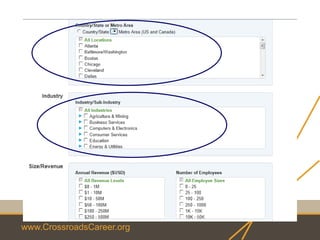
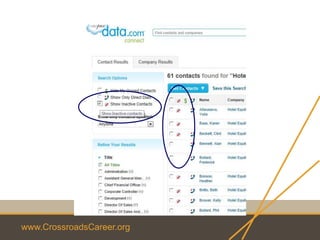
Using Data.com
www.CrossroadsCareer.org
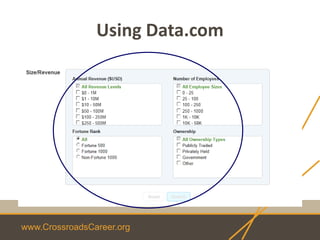
Using Data.com
www.CrossroadsCareer.org
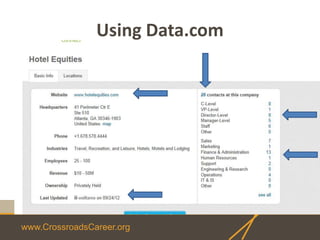
Using Data.com
www.CrossroadsCareer.org
Using Data.com
www.CrossroadsCareer.org
Free Ends Here!
www.CrossroadsCareer.org
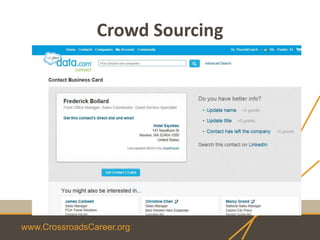
Crowd Sourcing
www.CrossroadsCareer.org
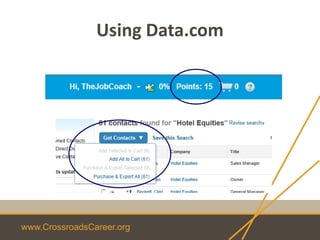
Using Data.com
www.CrossroadsCareer.org
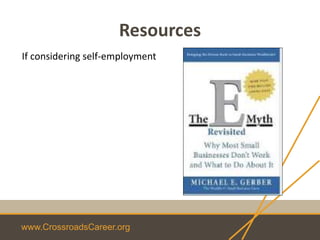
Resources
If considering self-employment
www.CrossroadsCareer.org
Other Resume Tips
www.CrossroadsCareer.org
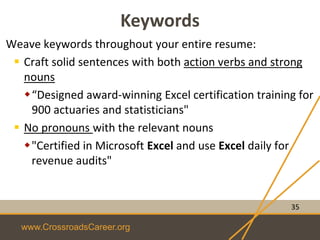
Keywords
Weave keywords throughout your entire resume:
 Craft solid sentences with both action verbs and strong
nouns
“Designed award-winning Excel certification training for
900 actuaries and statisticians"
 No pronouns with the relevant nouns
"Certified in Microsoft Excel and use Excel daily for
revenue audits"
35
www.CrossroadsCareer.org
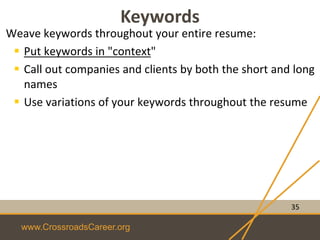
Keywords
Weave keywords throughout your entire resume:
 Put keywords in "context"
 Call out companies and clients by both the short and long
names
 Use variations of your keywords throughout the resume
35
www.CrossroadsCareer.org
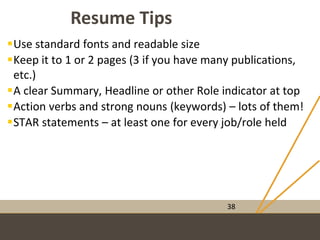
Resume Tips
38
Use standard fonts and readable size
Keep it to 1 or 2 pages (3 if you have many publications,
etc.)
A clear Summary, Headline or other Role indicator at top
Action verbs and strong nouns (keywords) – lots of them!
STAR statements – at least one for every job/role held
www.CrossroadsCareer.org
Resume Tips
38
Check for format issues, grammar issues, spelling errors
Pick one date format and stick with it for every date used
Education at the end (except for new graduate or
educator)
Use generic titles if specific job title is uncommon /
confusing
www.CrossroadsCareer.org
Resume Tips
38
List active and relevant industry certificates after
education
 List job history back 8-12 years…not more than 15 years
 Once you have a good resume, work on a LinkedIn
profile
www.CrossroadsCareer.org
Personal Brand
Statement & Tag
Example
www.CrossroadsCareer.org
Personal Brand Statement (PBS)
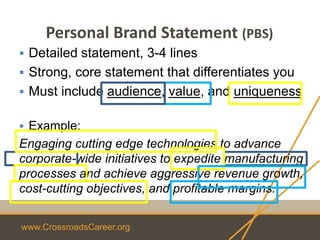
 Detailed statement, 3-4 lines
 Strong, core statement that differentiates you
 Must include audience, value, and uniqueness
 Example:
Engaging cutting edge technologies to advance
corporate-wide initiatives to expedite manufacturing
processes and achieve aggressive revenue growth,
cost-cutting objectives, and profitable margins.
www.CrossroadsCareer.org
Tag Lines
When it absolutely, positively has to
be there overnight
www.CrossroadsCareer.org
The Other
Marketing Materials
(ahead of time)
www.CrossroadsCareer.org
Elevator Pitch
www.CrossroadsCareer.org
The Basic Elevator Pitch
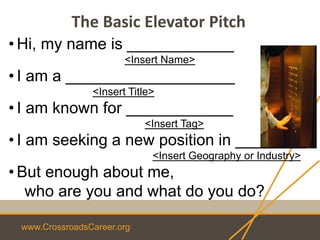
• Hi, my name is ____________
<Insert Name>
• I am a ___________________
<Insert Title>
• I am known for ____________
<Insert Tag>
• I am seeking a new position in ________
<Insert Geography or Industry>
• But enough about me,
who are you and what do you do?
www.CrossroadsCareer.org
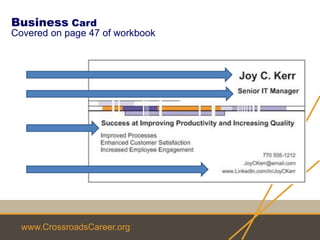
Business Card
Covered on page 47 of workbook
www.CrossroadsCareer.org
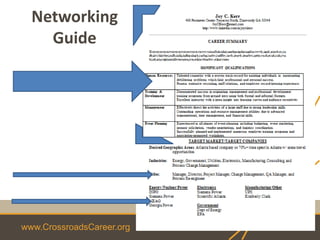
Networking
Guide
www.CrossroadsCareer.org
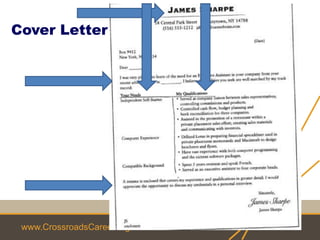
Cover Letter
www.CrossroadsCareer.org
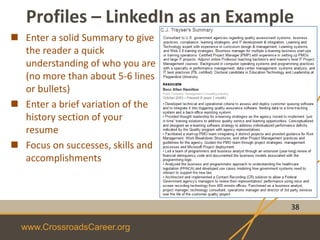
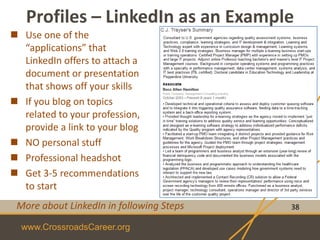
Profiles – LinkedIn as an Example
38
 Enter a solid Summary to give
the reader a quick
understanding of who you are
(no more than about 5-6 lines
or bullets)
 Enter a brief variation of the
history section of your
resume
 Focus on successes, skills and
accomplishments
www.CrossroadsCareer.org
Profiles – LinkedIn as an Example
38
 Use one of the
“applications” that
LinkedIn offers to attach a
document or presentation
that shows off your skills
 If you blog on topics
related to your profession,
provide a link to your blog
 NO personal stuff
 Professional headshot
 Get 3-5 recommendations
to start
More about LinkedIn in following Steps
www.CrossroadsCareer.org
Other
• Professional signature block on e-mails
www.CrossroadsCareer.org
Information
Interviews
www.CrossroadsCareer.org
Information Interviews
• Don’t call it an informational interview.
Instead asking for input or opinions.
• DO NOT ask for a job or ask if they are hiring
• Have questions written before contacting
• Always ask
• What else should I know?
• Who else do you recommend I speak to?
www.CrossroadsCareer.org
Other Tips
www.CrossroadsCareer.org
• Find associations using Google:
<industry> association <state>
• Read Business Journal EVERY week (library)
• Myth in casting a wider net
• Pull 5 job descriptions for use in identifying
keywords / skills to emphasize in resume

Step 4 altitude