Staying Current: alerts and feeds
       and more, oh my!
         Mimi Smith-DeCoster
                   &
          Beth Filar-Williams
A check-in poll
• Which of these have you used?
  A Google Reader or other RSS feed options

  B Alerts from databases and/or journals

  C Both of the above

  D Neither, tell me more!
RSS Feeds: what’s up with them?
• RSS=Really Simple Syndication
• Most blogs, news sites, etc. have an RSS feed
• You can “subscribe” to that feed through a
  “reader” like Google Reader
• Google reader aggregates all of those feeds
  into one place—you read that instead of going
  and checking each place
Getting set up with RSS
• If you’re at UNCG, you already have Google
  Reader available (more > even more > under
  social)

• Sending RSS to email is also an option
Video intro to RSS feeds
            “RSS in Plain English”
From 2004(!!) but still a great basic explanation

         http://youtu.be/0klgLsSxGsU
Adding things to your
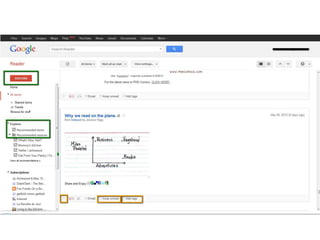
• Click orange Subscribe button
• 2 options:
  – 1) Search from Google Reader
  – 2) From the blog or other source, click the RSS
    Icon, copy the URL and paste it into that box that
    the Subscribe button gives you
• Read what you want without hunting for it!
• Organize: star, keep unread, tags
Demo of Google Reader
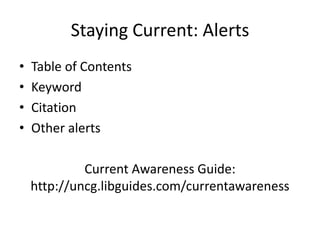
Staying Current: Alerts
•   Table of Contents
•   Keyword
•   Citation
•   Other alerts

             Current Awareness Guide:
    http://uncg.libguides.com/currentawareness
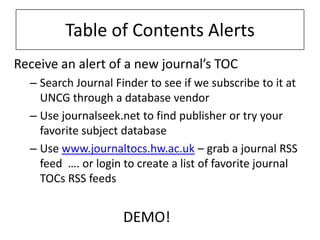
Table of Contents Alerts
Receive an alert of a new journal’s TOC
  – Search Journal Finder to see if we subscribe to it at
    UNCG through a database vendor
  – Use journalseek.net to find publisher or try your
    favorite subject database
  – Use www.journaltocs.hw.ac.uk – grab a journal RSS
    feed …. or login to create a list of favorite journal
    TOCs RSS feeds


                     DEMO!
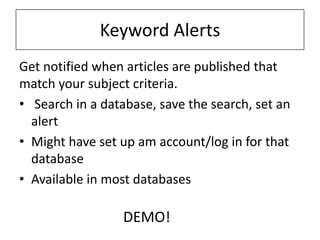
Keyword Alerts
Get notified when articles are published that
match your subject criteria.
• Search in a database, save the search, set an
  alert
• Might have set up am account/log in for that
  database
• Available in most databases

                  DEMO!
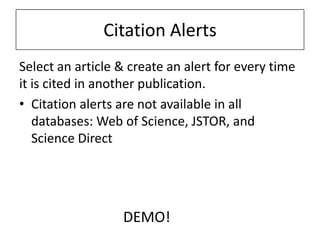
Citation Alerts
Select an article & create an alert for every time
it is cited in another publication.
• Citation alerts are not available in all
   databases: Web of Science, JSTOR, and
   Science Direct


                  DEMO!
Staying alert
• Beside RSS in a Google Reader…
  – Email alerts
  – Follow using Twitter

• Also, Google alerts, blogs, newspaper alerts,
  new books alerts, and more!
Visit the Current Awareness Libguide

http://uncg.libguides.com/currentawareness
Q&A

Staying Current: With Google Reader & RSS

  • 1.
    Staying Current: alertsand feeds and more, oh my! Mimi Smith-DeCoster & Beth Filar-Williams
  • 2.
    A check-in poll •Which of these have you used? A Google Reader or other RSS feed options B Alerts from databases and/or journals C Both of the above D Neither, tell me more!
  • 3.
    RSS Feeds: what’sup with them? • RSS=Really Simple Syndication • Most blogs, news sites, etc. have an RSS feed • You can “subscribe” to that feed through a “reader” like Google Reader • Google reader aggregates all of those feeds into one place—you read that instead of going and checking each place
  • 4.
    Getting set upwith RSS • If you’re at UNCG, you already have Google Reader available (more > even more > under social) • Sending RSS to email is also an option
  • 5.
    Video intro toRSS feeds “RSS in Plain English” From 2004(!!) but still a great basic explanation http://youtu.be/0klgLsSxGsU
  • 7.
    Adding things toyour • Click orange Subscribe button • 2 options: – 1) Search from Google Reader – 2) From the blog or other source, click the RSS Icon, copy the URL and paste it into that box that the Subscribe button gives you • Read what you want without hunting for it! • Organize: star, keep unread, tags
  • 8.
  • 9.
    Staying Current: Alerts • Table of Contents • Keyword • Citation • Other alerts Current Awareness Guide: http://uncg.libguides.com/currentawareness
  • 10.
    Table of ContentsAlerts Receive an alert of a new journal’s TOC – Search Journal Finder to see if we subscribe to it at UNCG through a database vendor – Use journalseek.net to find publisher or try your favorite subject database – Use www.journaltocs.hw.ac.uk – grab a journal RSS feed …. or login to create a list of favorite journal TOCs RSS feeds DEMO!
  • 11.
    Keyword Alerts Get notifiedwhen articles are published that match your subject criteria. • Search in a database, save the search, set an alert • Might have set up am account/log in for that database • Available in most databases DEMO!
  • 12.
    Citation Alerts Select anarticle & create an alert for every time it is cited in another publication. • Citation alerts are not available in all databases: Web of Science, JSTOR, and Science Direct DEMO!
  • 13.
    Staying alert • BesideRSS in a Google Reader… – Email alerts – Follow using Twitter • Also, Google alerts, blogs, newspaper alerts, new books alerts, and more!
  • 14.
    Visit the CurrentAwareness Libguide http://uncg.libguides.com/currentawareness
  • 15.

Editor's Notes

  • #11 Journal of Library Administration - Alert me – email or rssOne we do not subscribe to: Journal of Library & Information Services in Distance LearningTry in journal seek and drill down to RSSTry in Journaltocs and show the RSS
  • #12  Library Literature & Information Science Full Text (H.W. Wilson)“assessing distance education students”