NEWSFEEDS AND MORE …. A mini-workshop presented by Ingrid Thomson, UCT Libraries
IS THIS WHAT YOU FEEL LIKE?/                     http://blog.vecci.org.au/2010/10/20/surviving-the-information-deluge
/OUTLINE OF WORKSHOPSOME STRATEGIES FOR STAYING ABREAST OF CURRENT INFORMATION   (A brief discussion)WHAT ARE NEWSFEEDS?  WHY USE NEWSFEEDS?FINDING NEWSFEEDSHOW TO GET STARTED (and getting started) FINDING THE ‘GOOD STUFF’
Use the technology which is available to turn the latest  online content into a subscription which can be delivered to one place.SO HOW TO STAY ABREAST
RSS  = Really Simple Syndication or Rich Site Summary or Atom or XML or Feeds or Newsfeed or Webfeed or Channel or Blogfeeds or  Ready for Some Stories.    AND THE TECHNOLOGY IS …
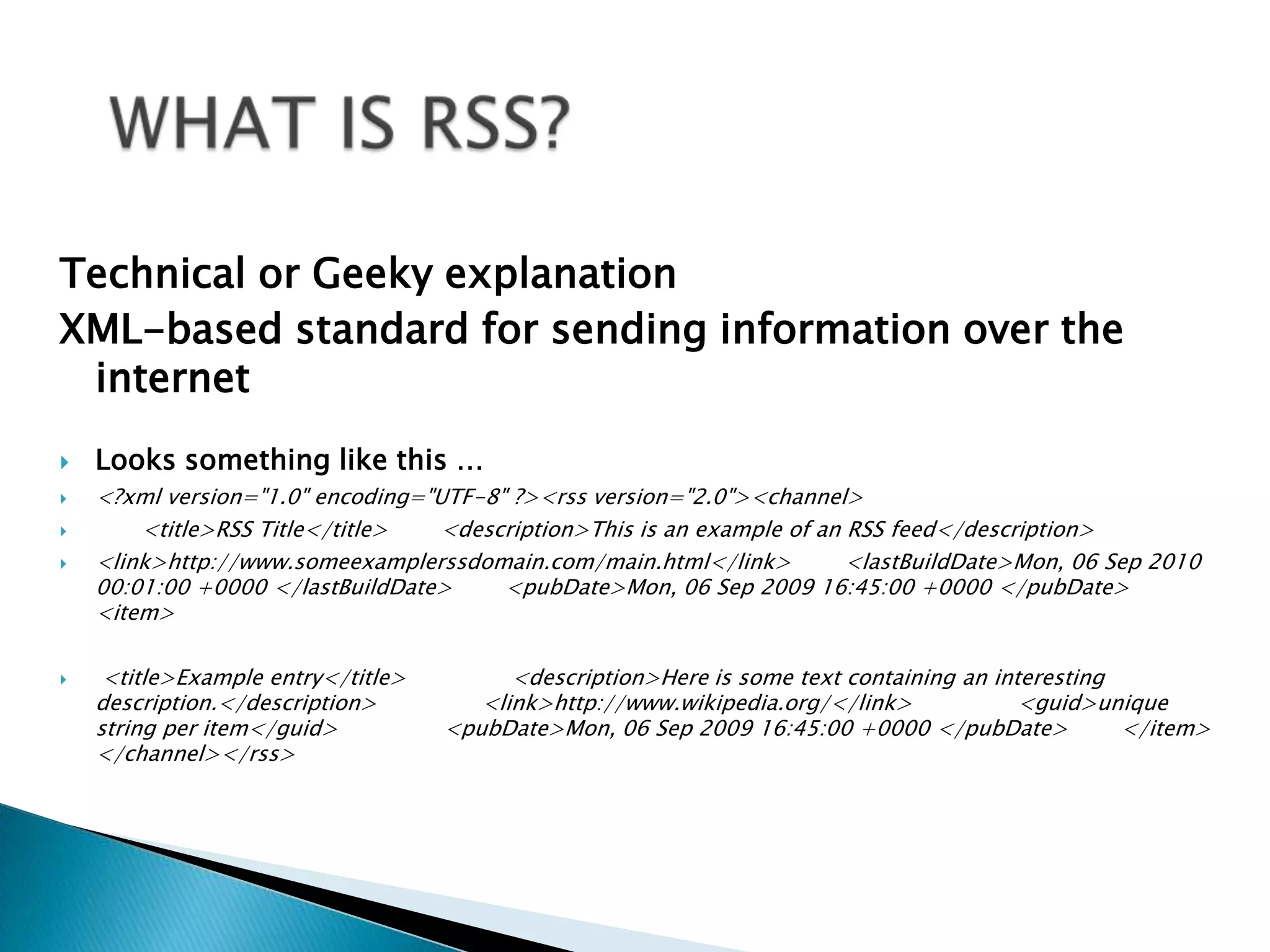
WHAT IS RSS? Technical or Geeky explanationXML-based standard for sending information over the internetLooks something like this …<?xml version="1.0" encoding="UTF-8" ?><rss version="2.0"><channel>           <title>RSS Title</title>        <description>This is an example of an RSS feed</description>        <link>http://www.someexamplerssdomain.com/main.html</link>        <lastBuildDate>Mon, 06 Sep 2010 00:01:00 +0000 </lastBuildDate>        <pubDate>Mon, 06 Sep 2009 16:45:00 +0000 </pubDate>         <item>                <title>Example entry</title>                <description>Here is some text containing an interesting description.</description>                <link>http://www.wikipedia.org/</link>                <guid>unique string per item</guid>                <pubDate>Mon, 06 Sep 2009 16:45:00 +0000 </pubDate>        </item> </channel></rss>
WHAT INFO CAN I GET VIA FEEDS?Many bookmarked web sites that you check regularlyNews headlines, weather and any other news – real time newsLatest podcasts, videosWeb search engines and databases you use provide feeds for your search resultsJournals in your research fields or areas of interest provide feeds to new issues as they are published.
ADVANTAGES OF USING FEEDSFewer emails in your email boxUsers do not disclose their email address when subscribing to a feed and so no spam, viruses, phishing, and identity theft.  Users do not have to send an unsubscribe request to stop receiving news. They simply remove the feed from their aggregator.Keep the items you want to keep,  share the items you want to shareYou choose when to look at your feeds.
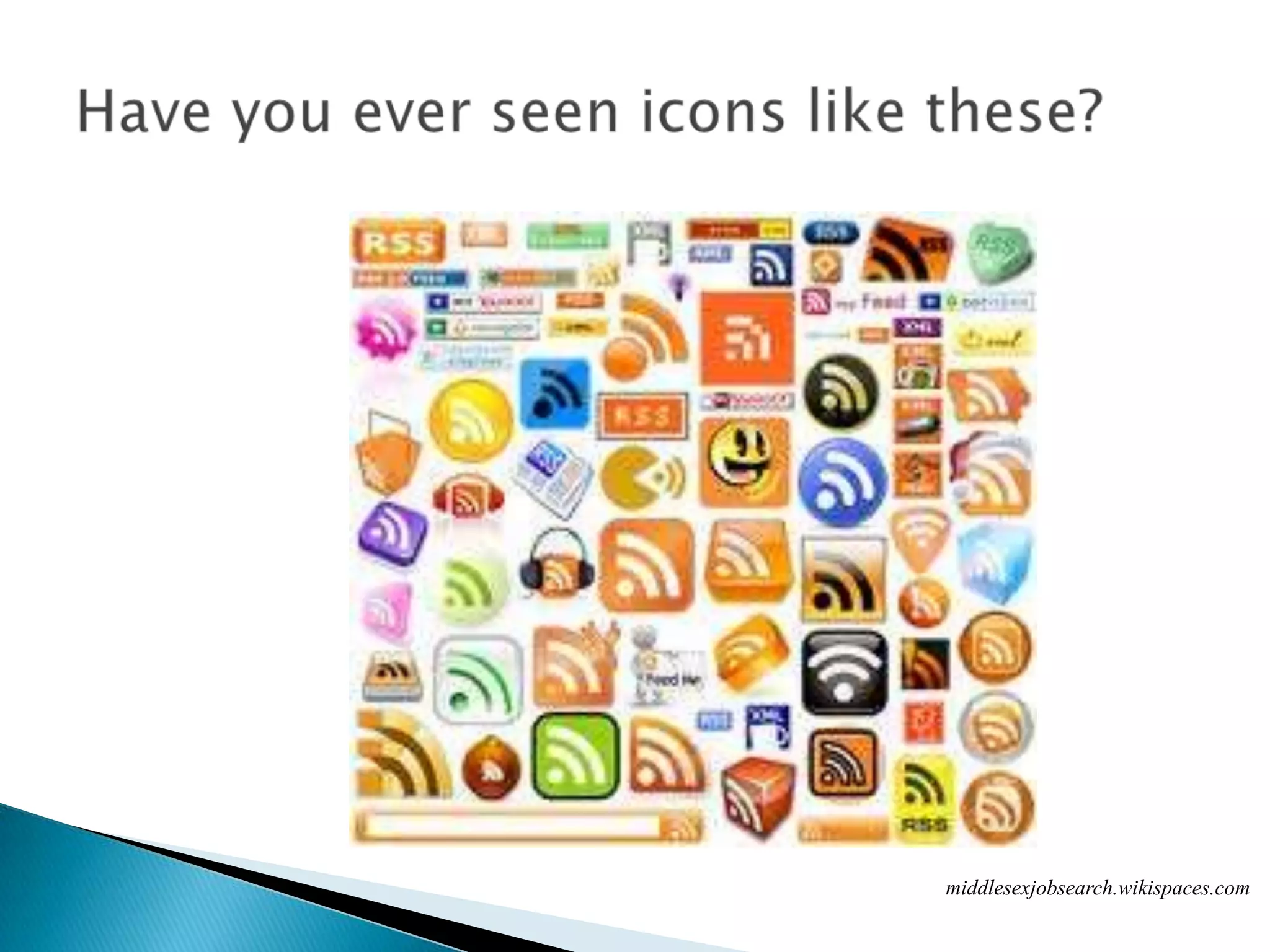
Have you ever seen icons like these?middlesexjobsearch.wikispaces.com
GET A FEED OR RSS READER OR AGGREGATORDifferent types of readers from desktop based,  internet based or mobile-phone based. Windows, OS,  Linux,  mobile phones,  and web-based. Browsers like IE can be used as readers as well.Check out the Ultimate RSS Toolbox at http://mashable.com/2007/06/11/rss-toolbox/.
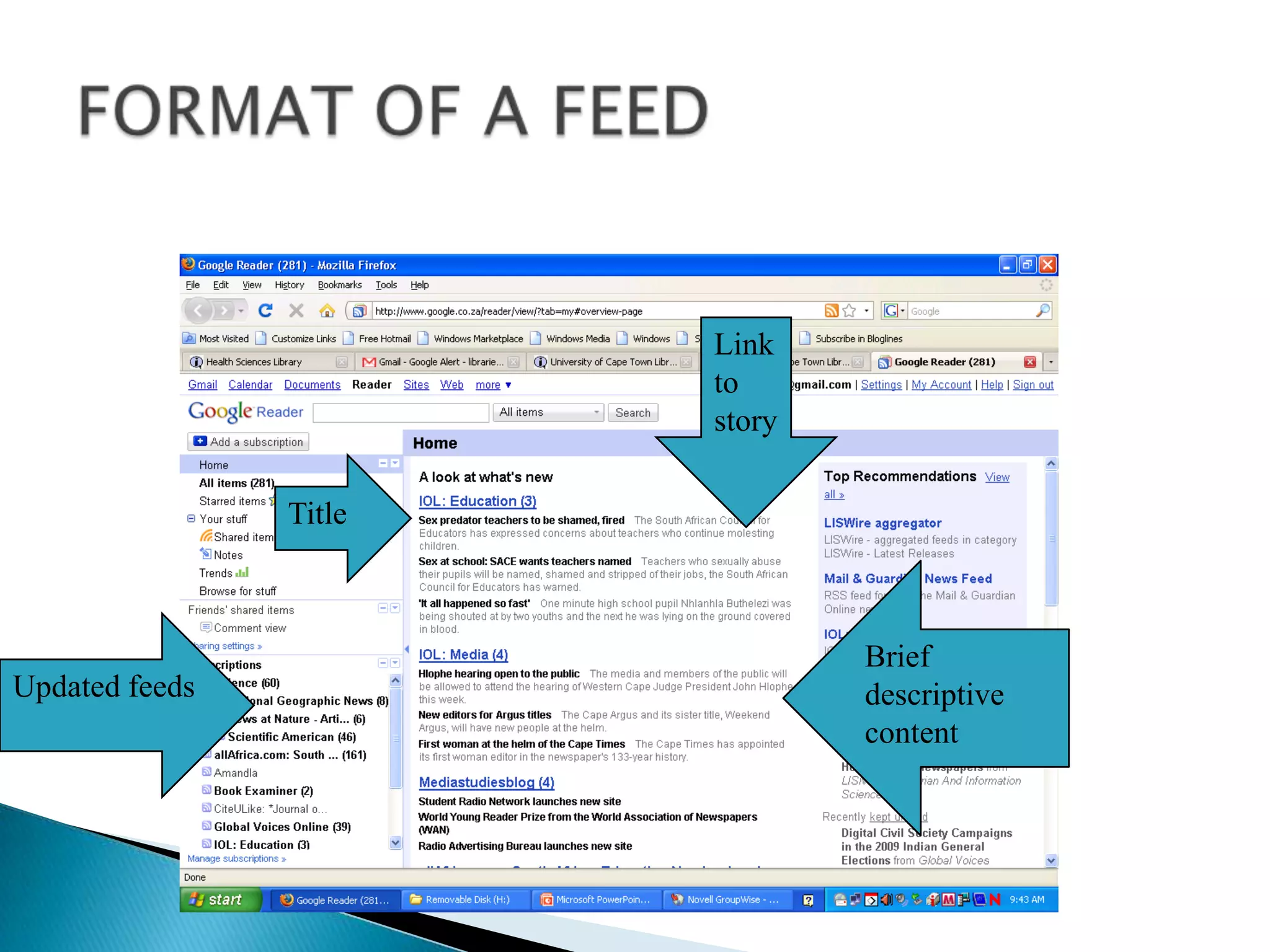
FORMAT OF A FEEDLink to storyTitleBrief descriptive contentUpdated feeds
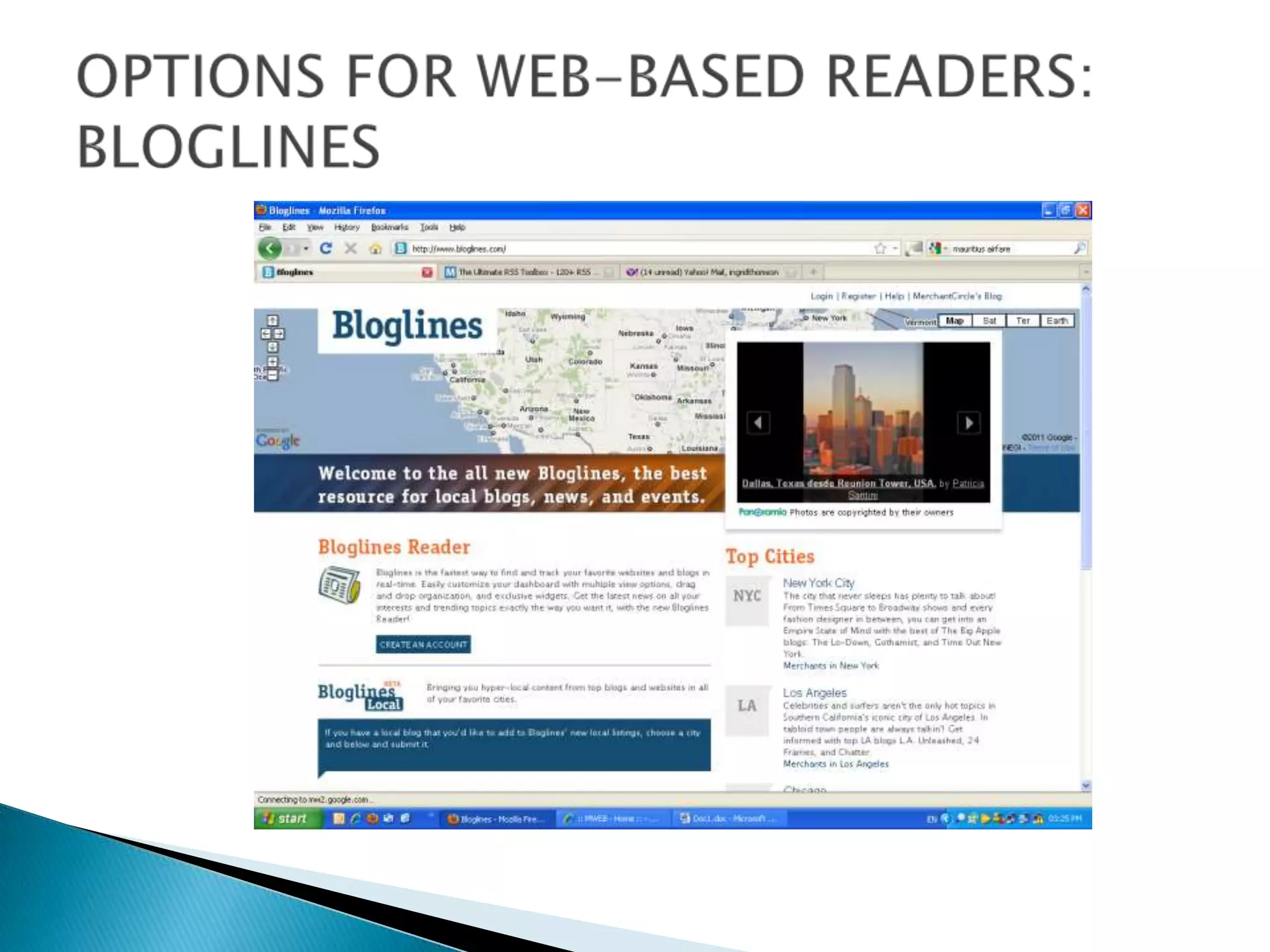
OPTIONS FOR WEB-BASED READERS:  BLOGLINES
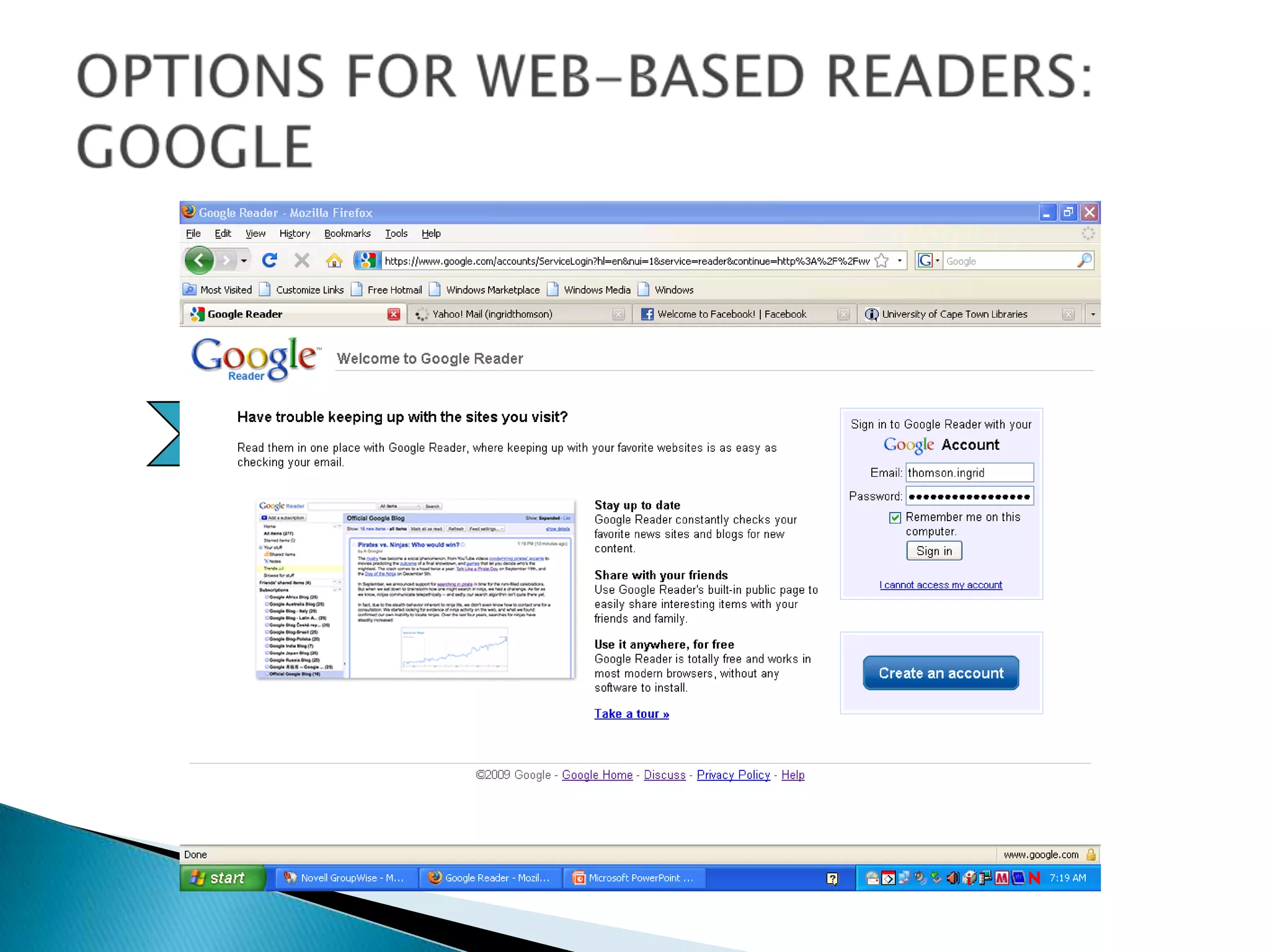
OPTIONS FOR WEB-BASED READERS: GOOGLELoginGoogle Reader
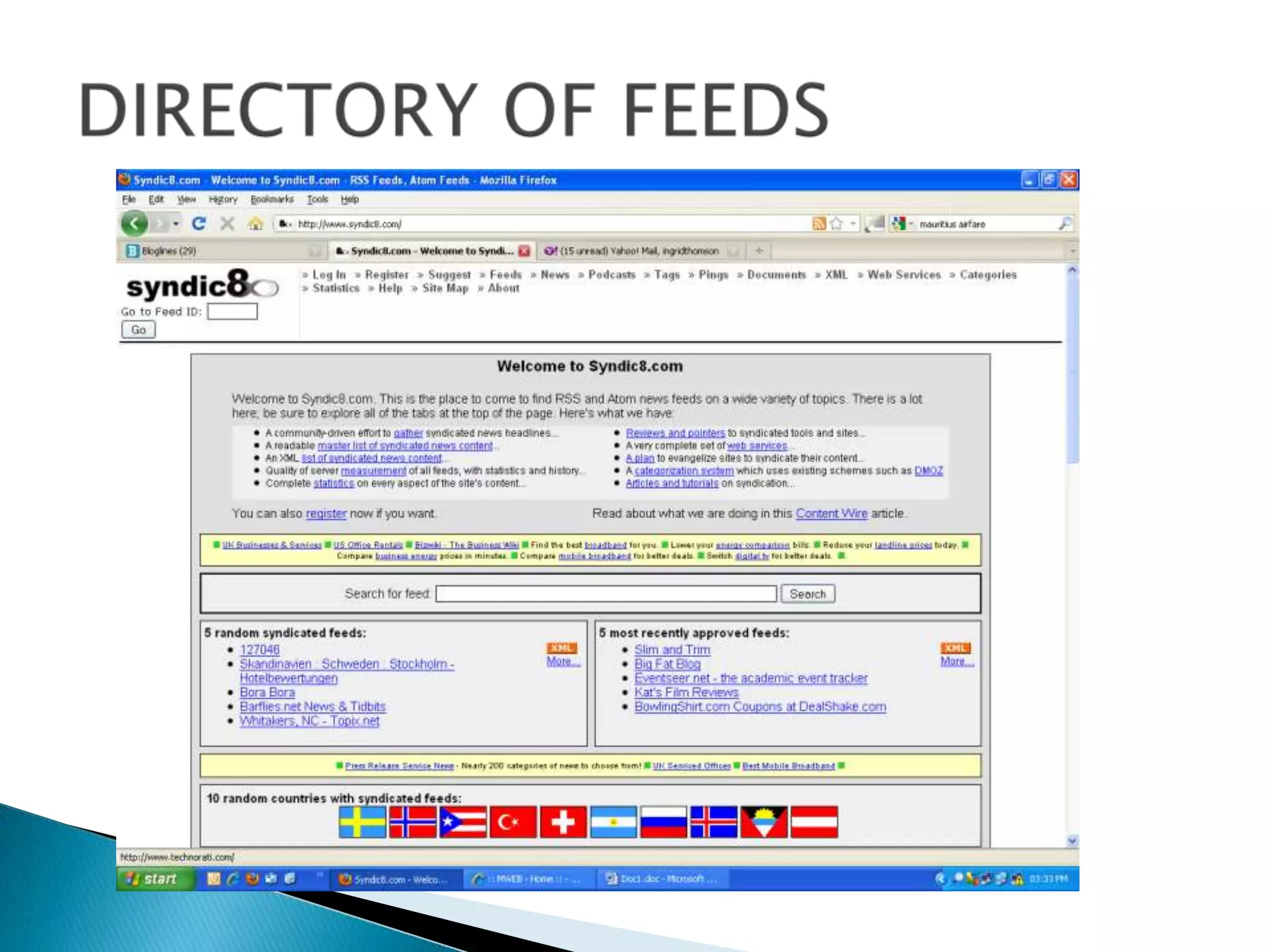
SO WHERE DO I FIND FEEDS?Two places:-Many internet browsers e.g. Firefox, IE, Google Chrome now have the ability to find and subscribe to RSS feeds built right into them.   On websites  (which could be search engines, directories of feeds [e.g. Syndic8.com], academic databases amongst other places).
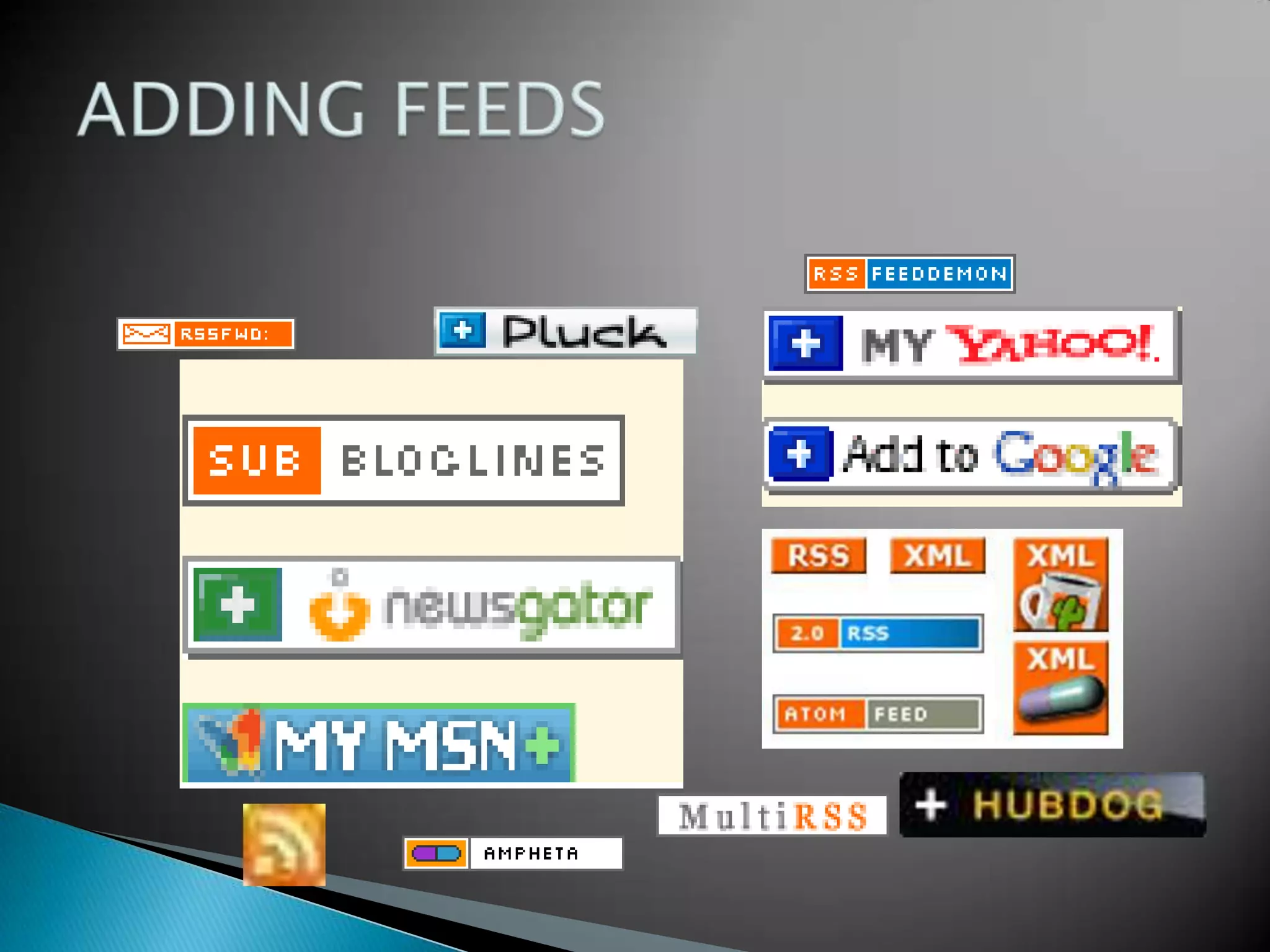
ADDING FEEDS
BROWSERSGoogle ChromeInternet ExplorerFirefox
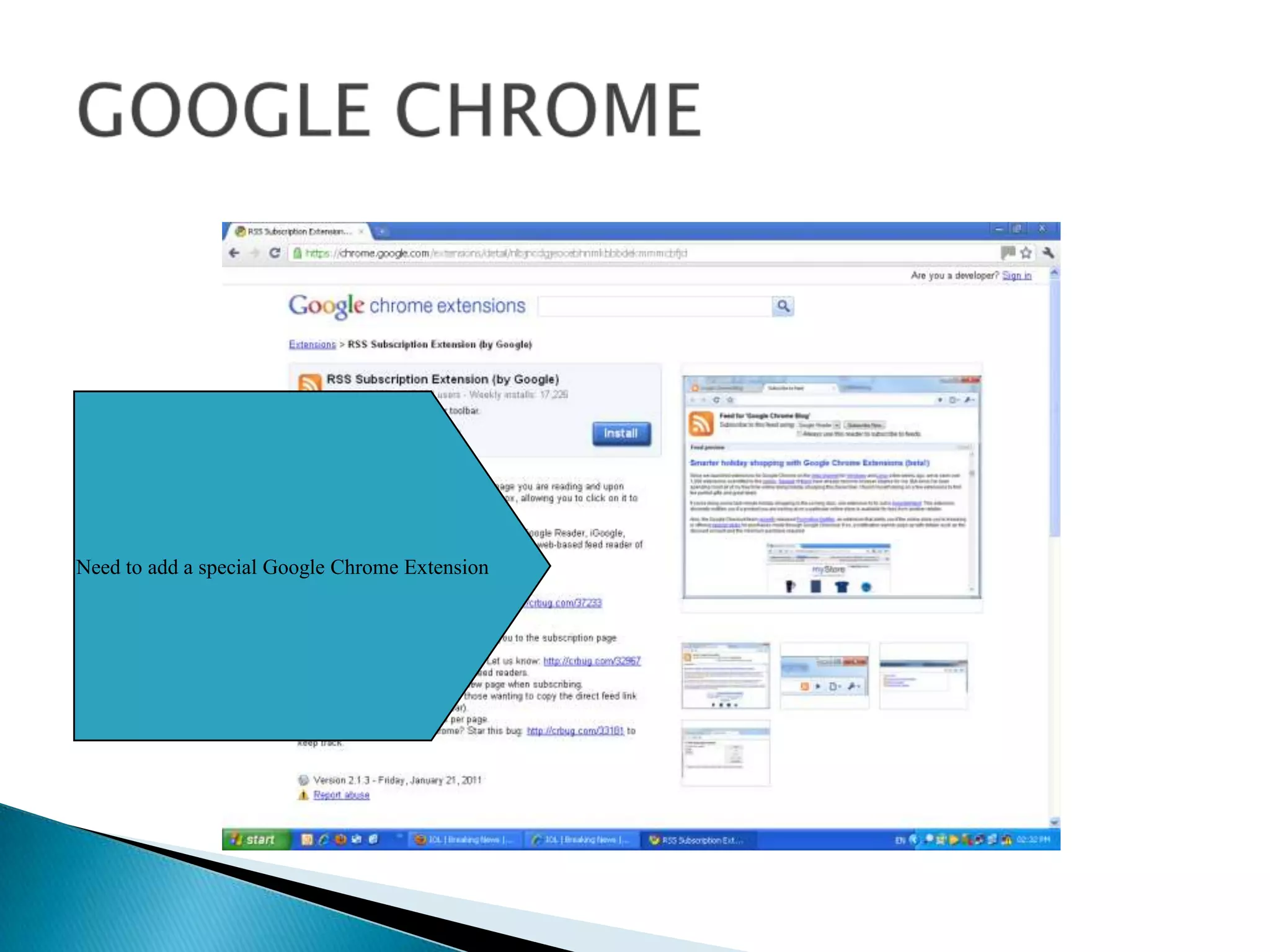
GOOGLE CHROMENeed to add a special Google Chrome Extension
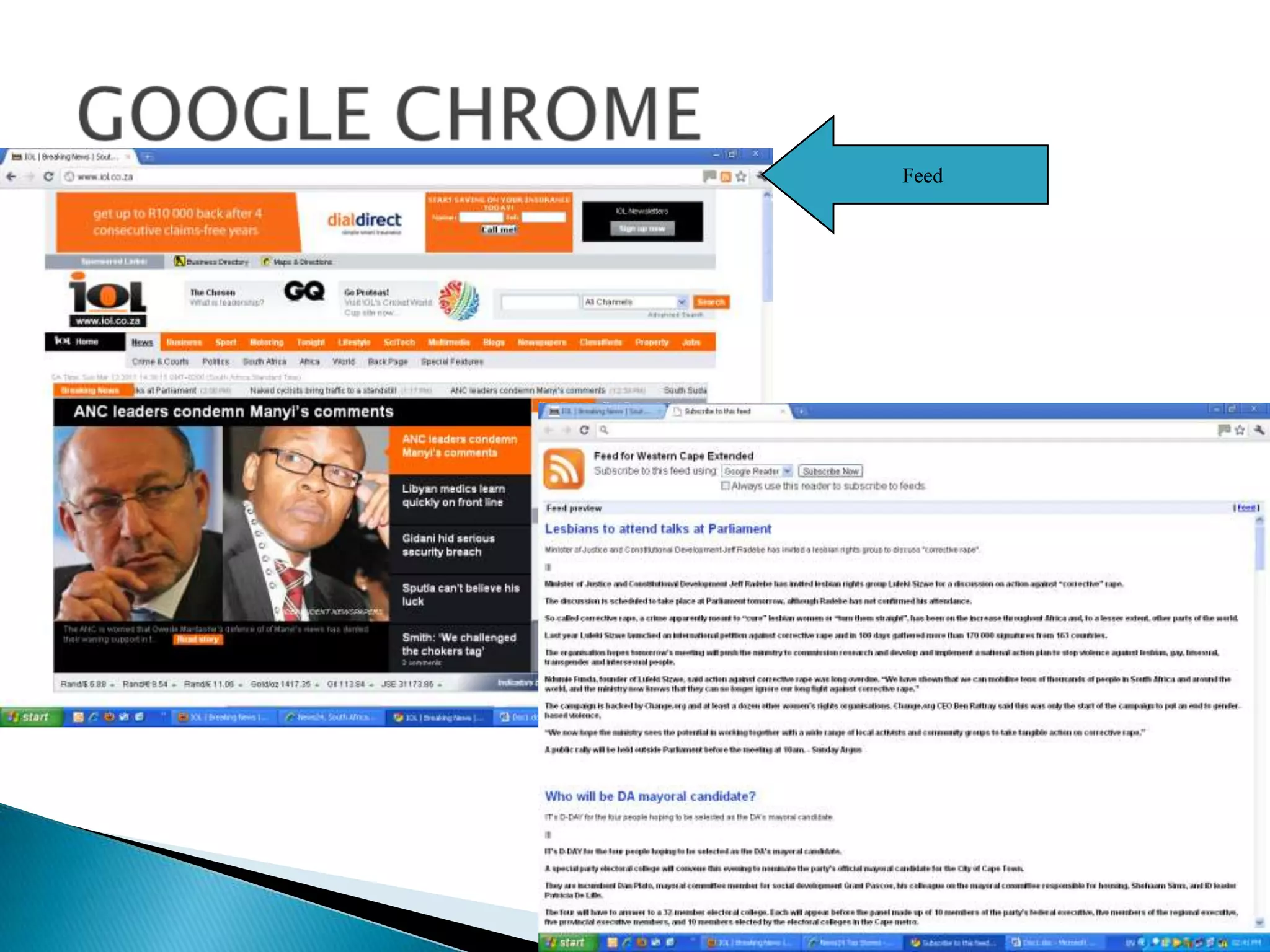
GOOGLE CHROMEFeed
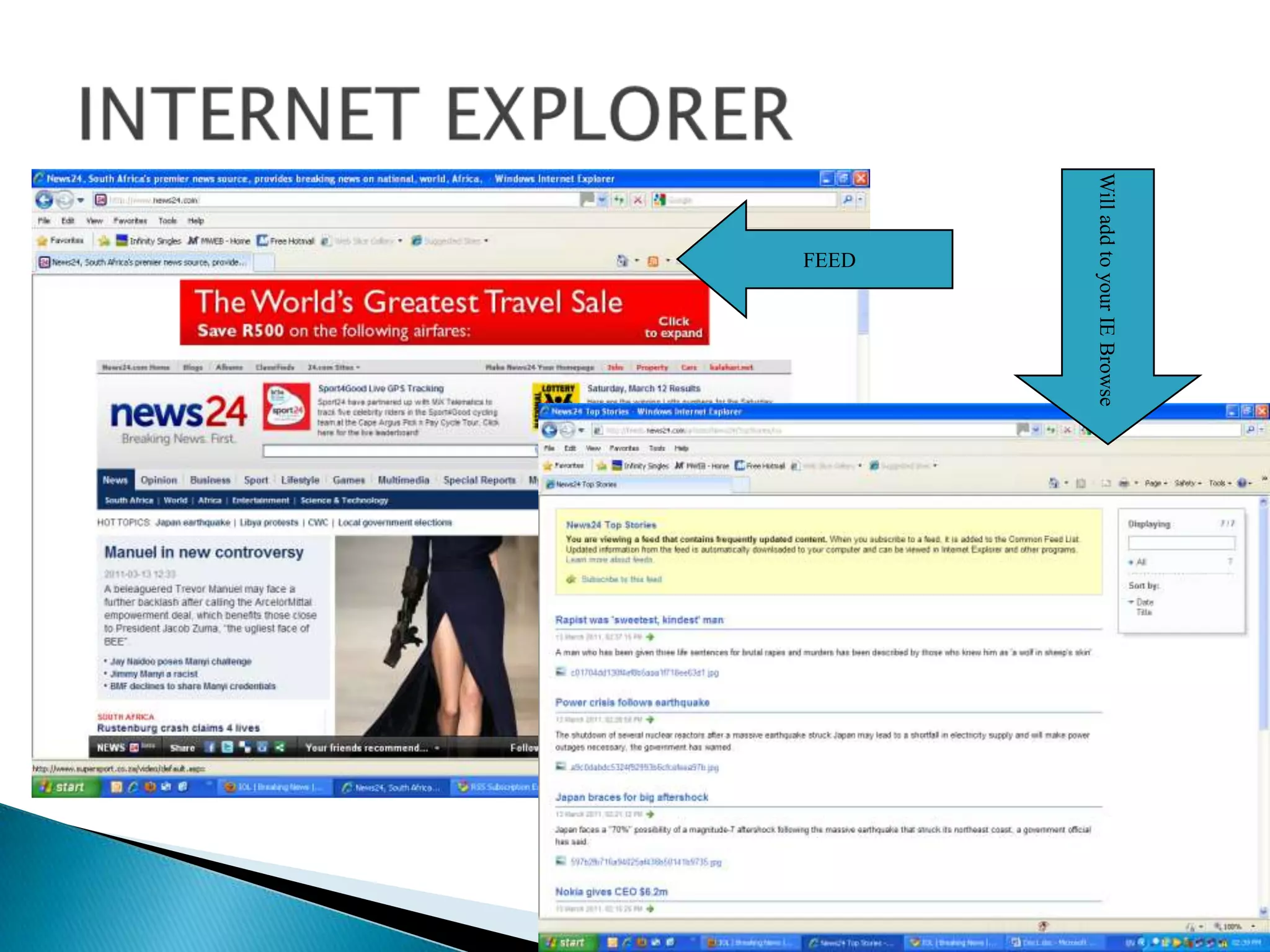
INTERNET EXPLORERWill add to your IE BrowseFEED
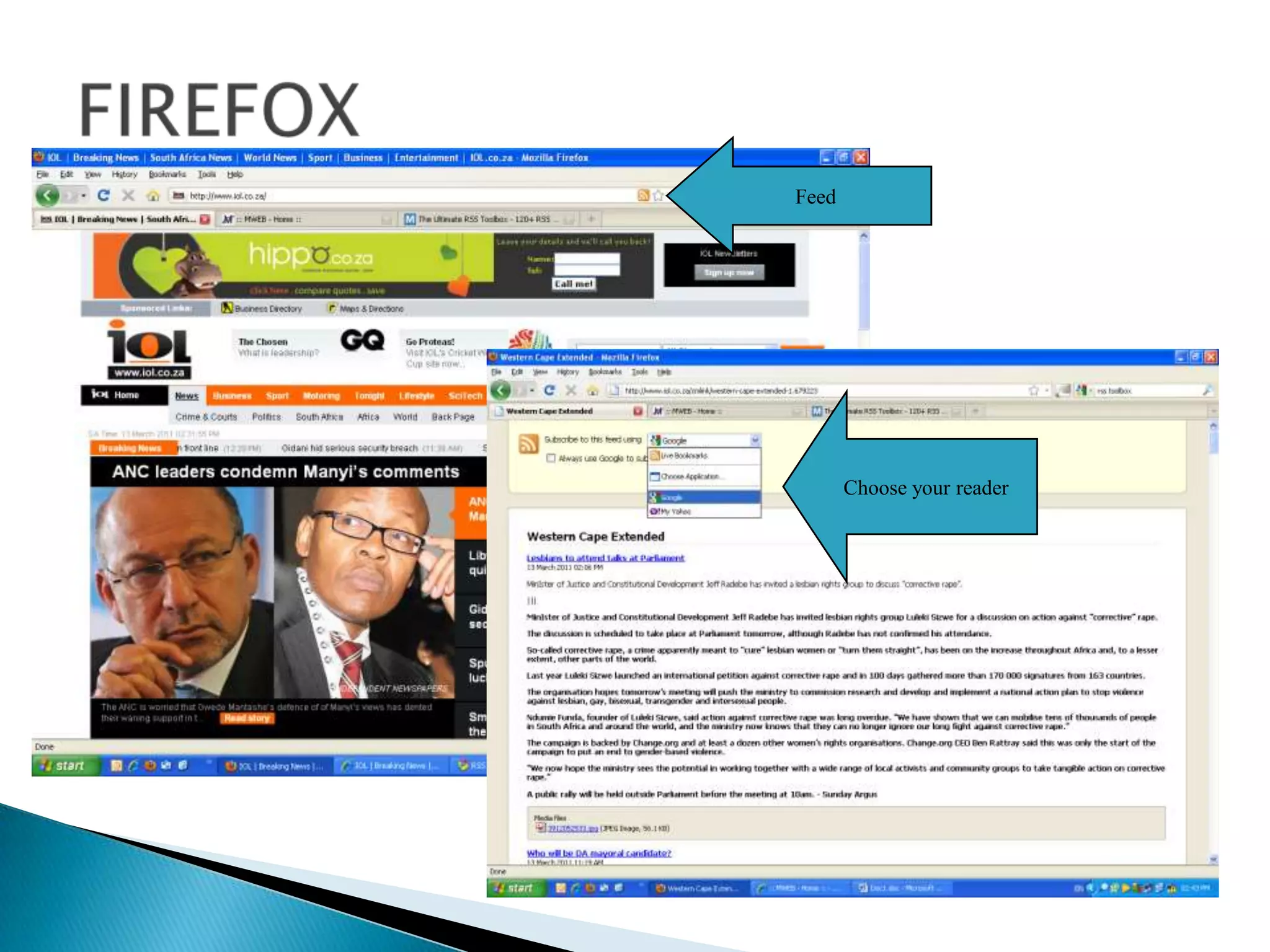
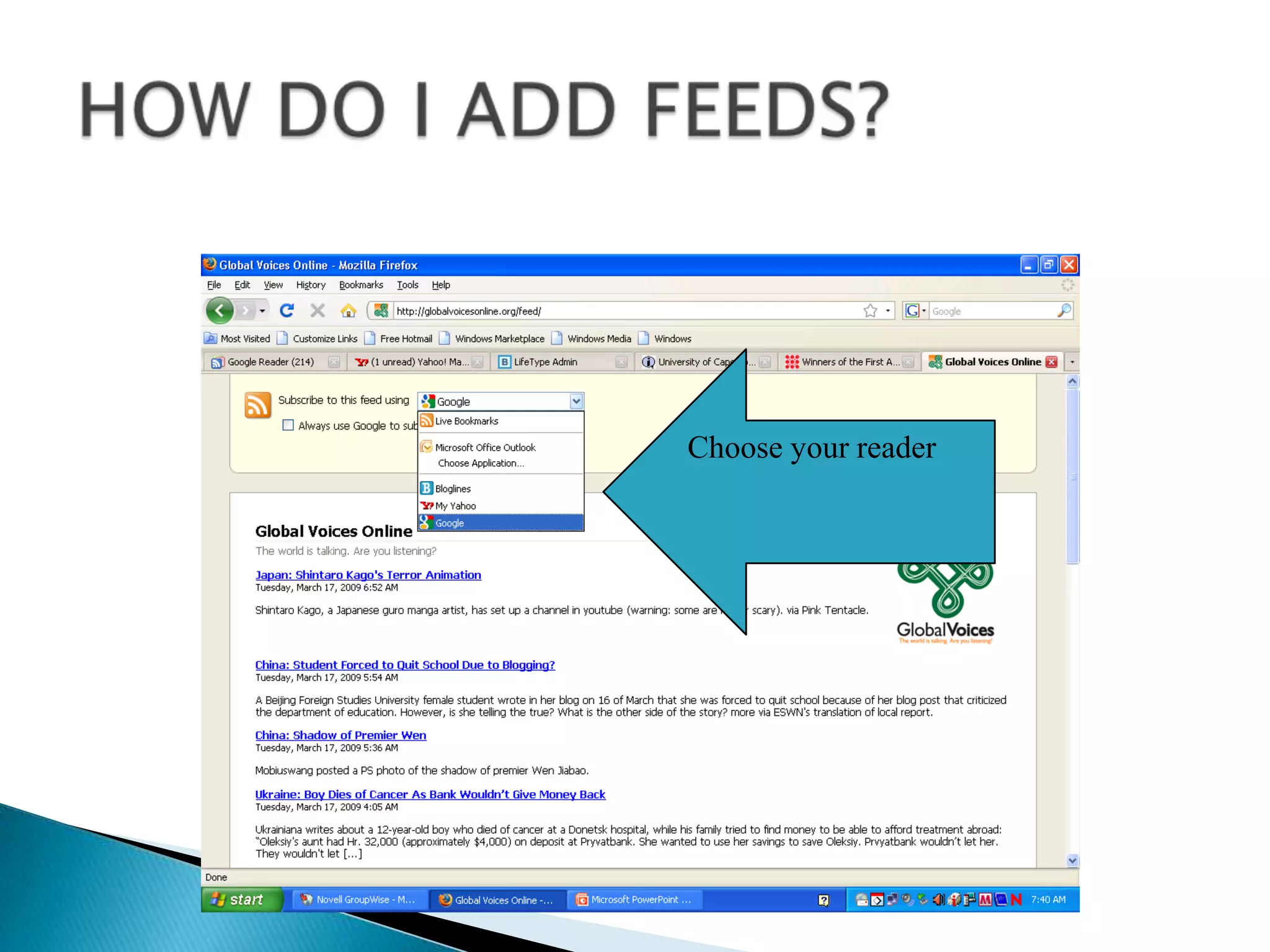
FIREFOXFeedChoose your reader
DIRECTORY OF FEEDS
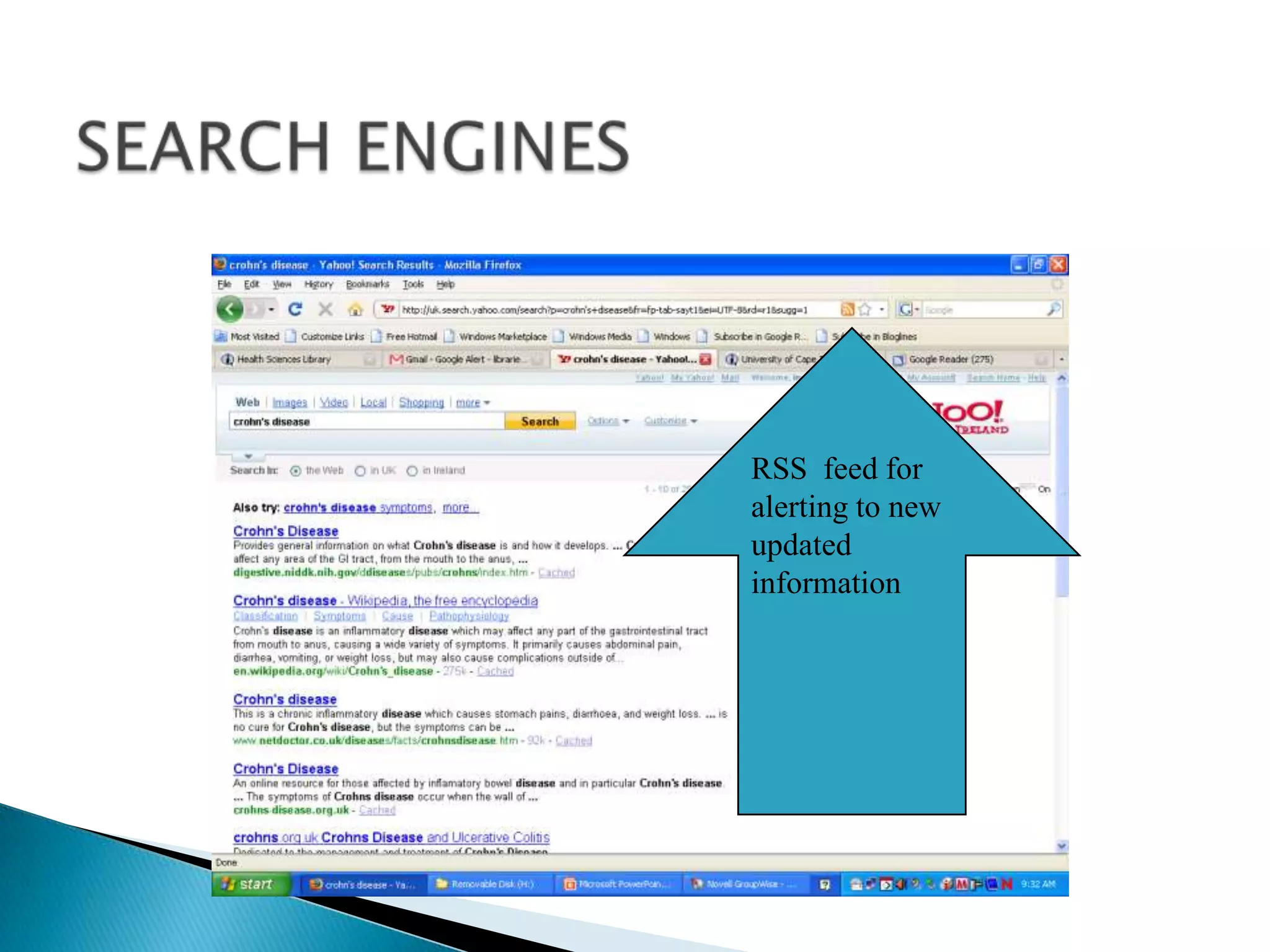
SEARCH ENGINESRSS  feed for alerting to new updated information
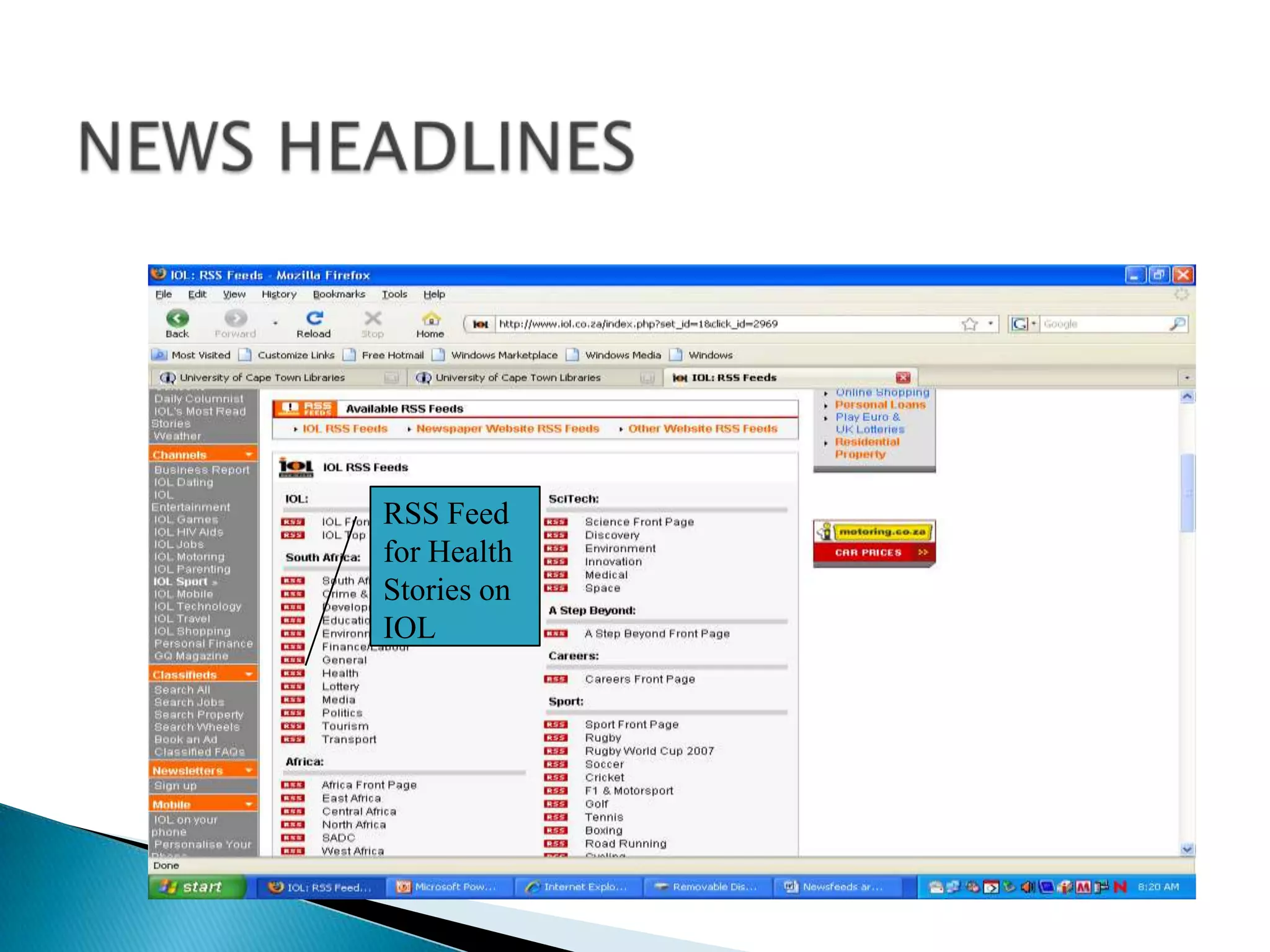
NEWS HEADLINESRSS Feed for Health Stories on IOL
HOW DO I ADD FEEDS?Choose your reader
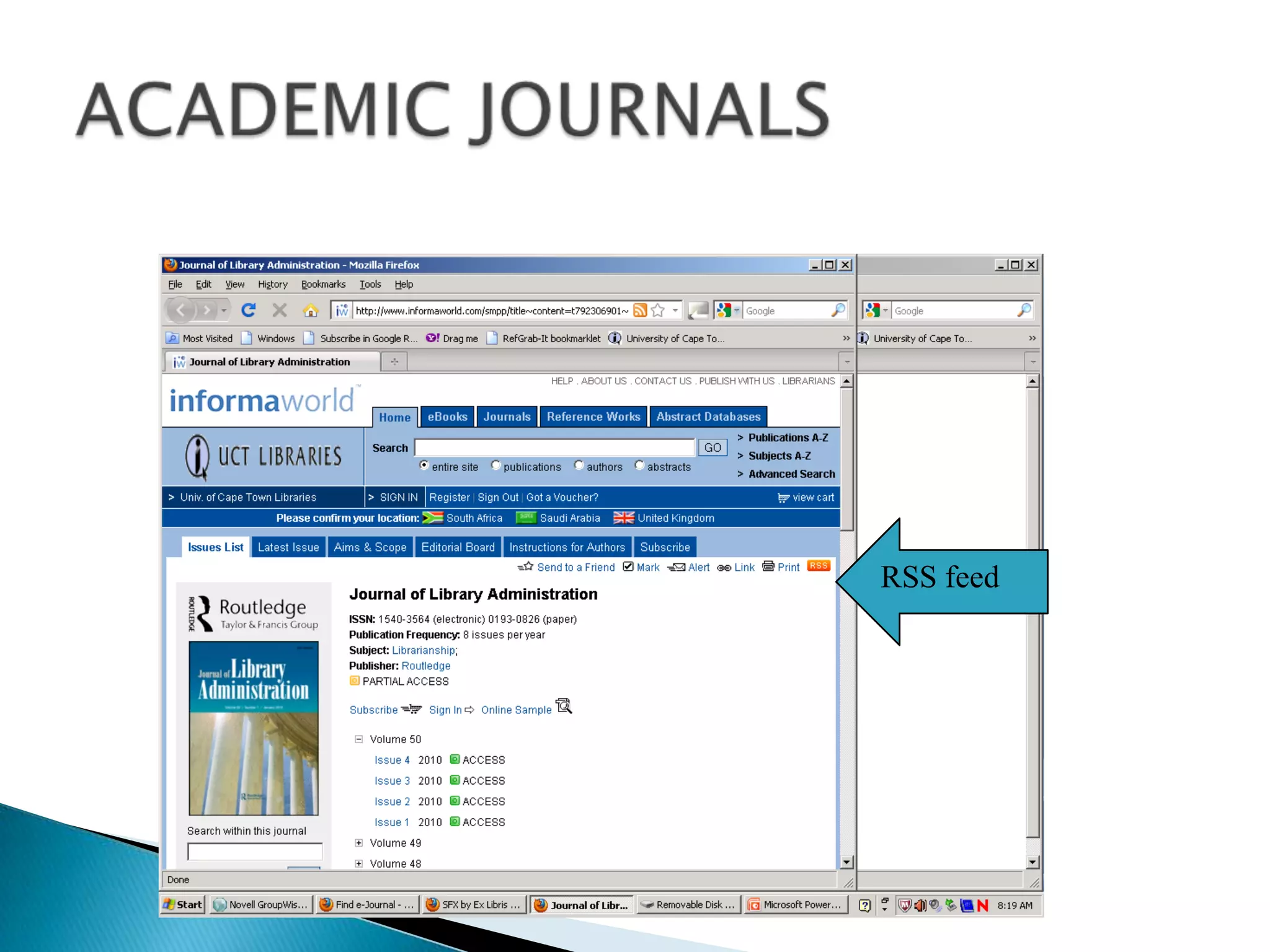
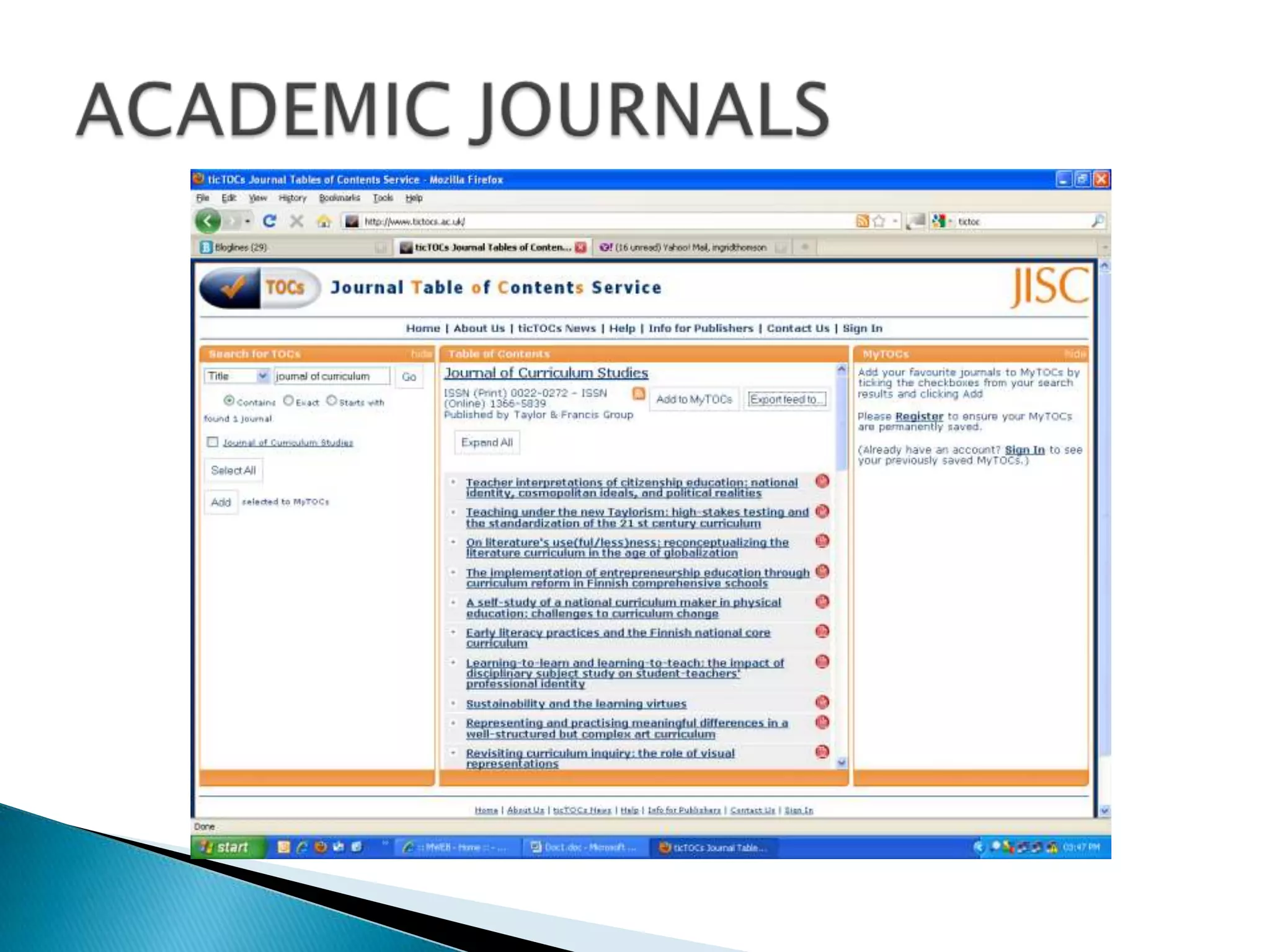
Table of ContentsUse library resources such as Ulrich’s Periodicals Database or the Journal Portal or individual databases to locate RSS feeds for latest table of contents OR check out TicTocs.OR look up the title on Google and add the words “RSS feed” ACADEMIC JOURNALS
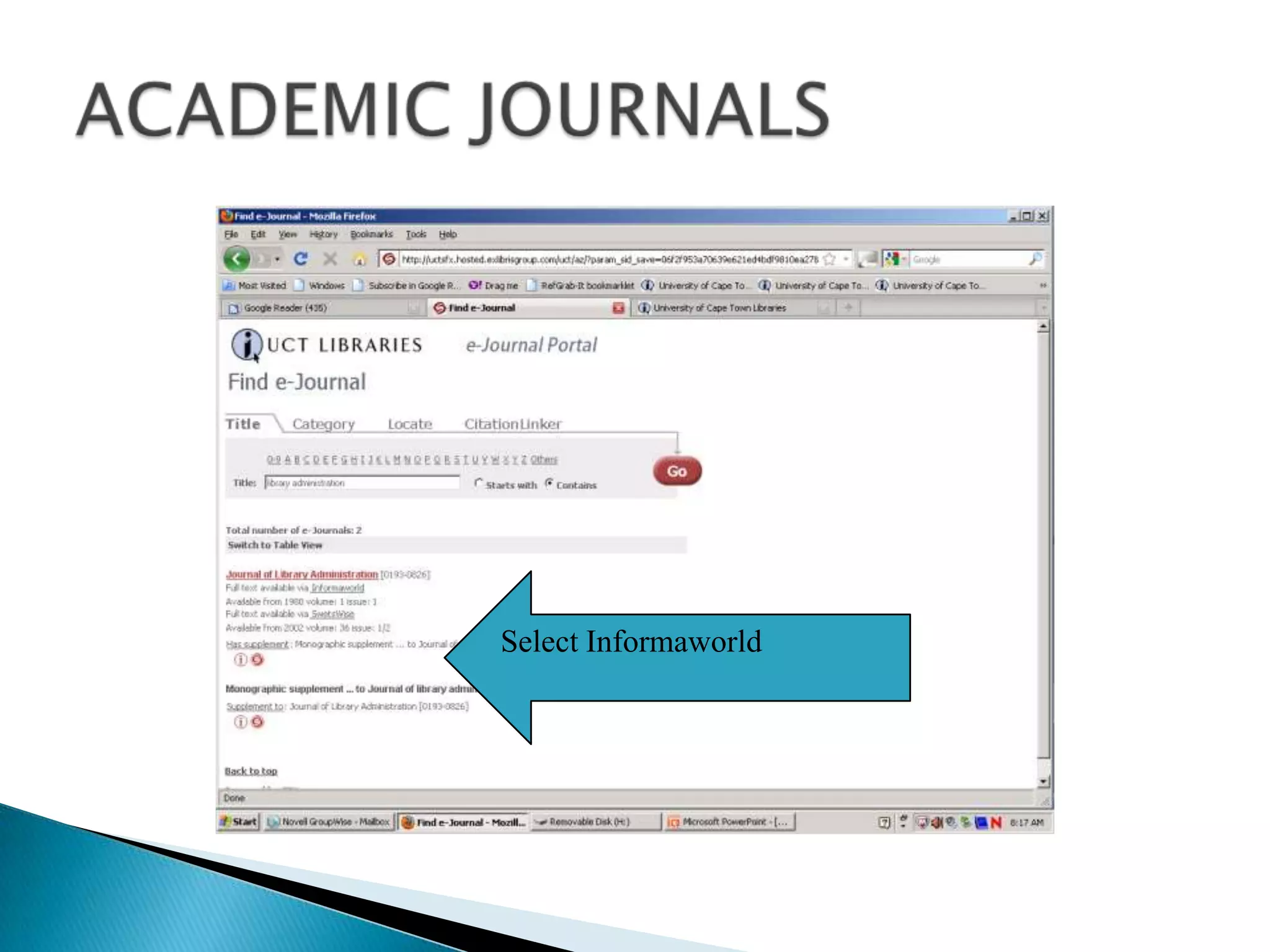
ACADEMIC JOURNALSSelect Informaworld
ACADEMIC JOURNALSRSS feed
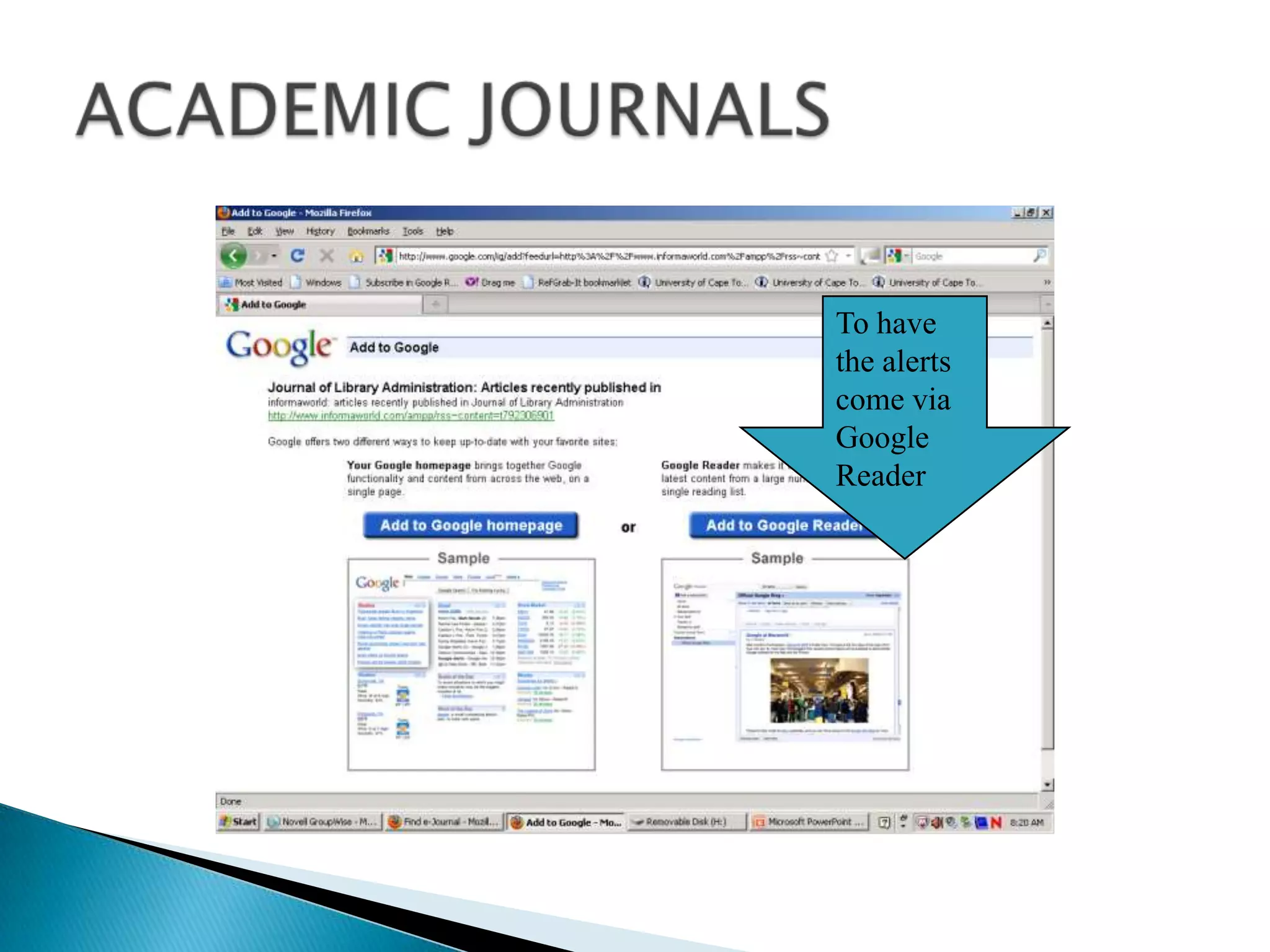
ACADEMIC JOURNALSTo have the alerts come via Google Reader
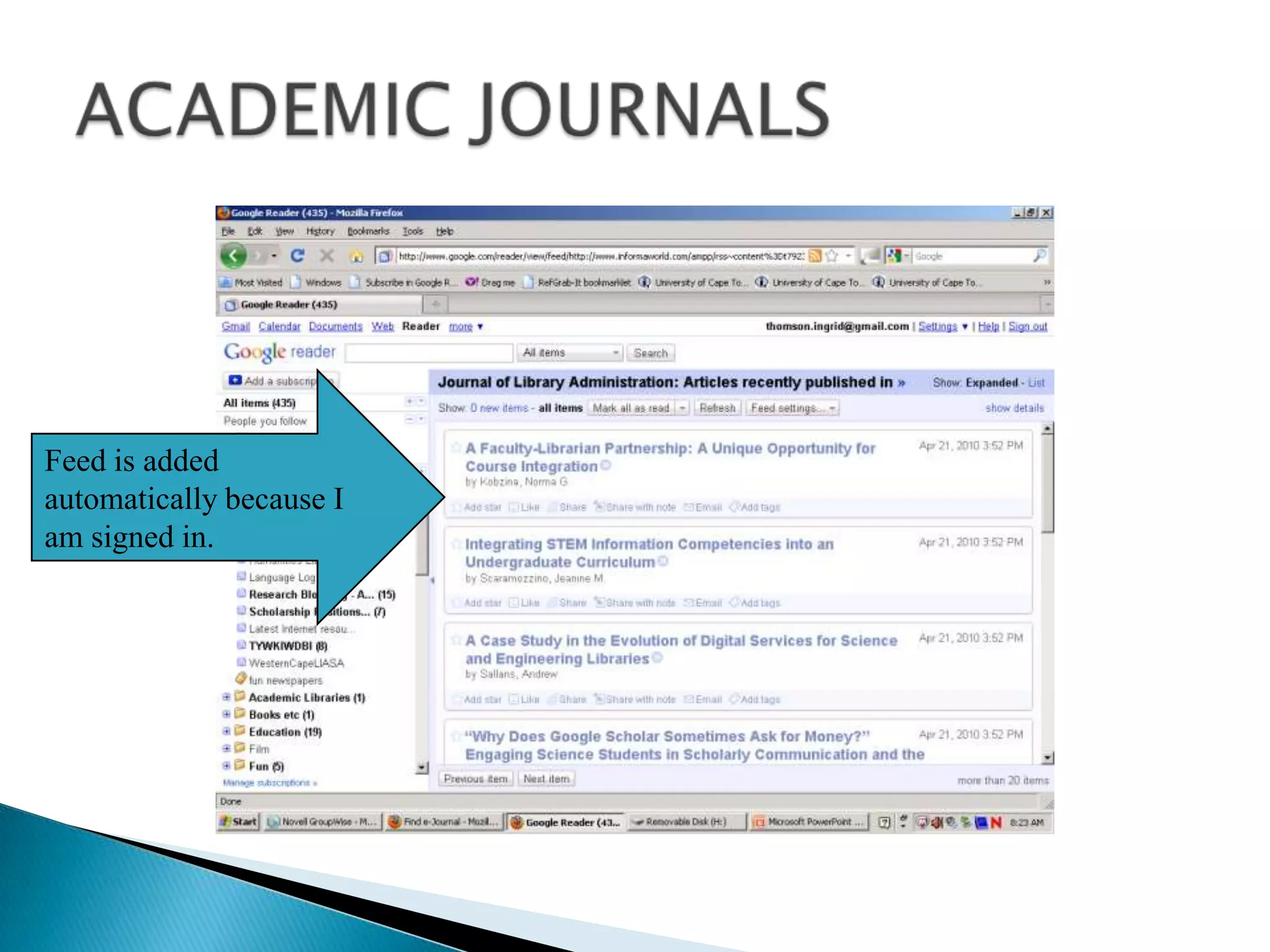
ACADEMIC JOURNALSFeed is added automatically because I am signed in.
ACADEMIC JOURNALS
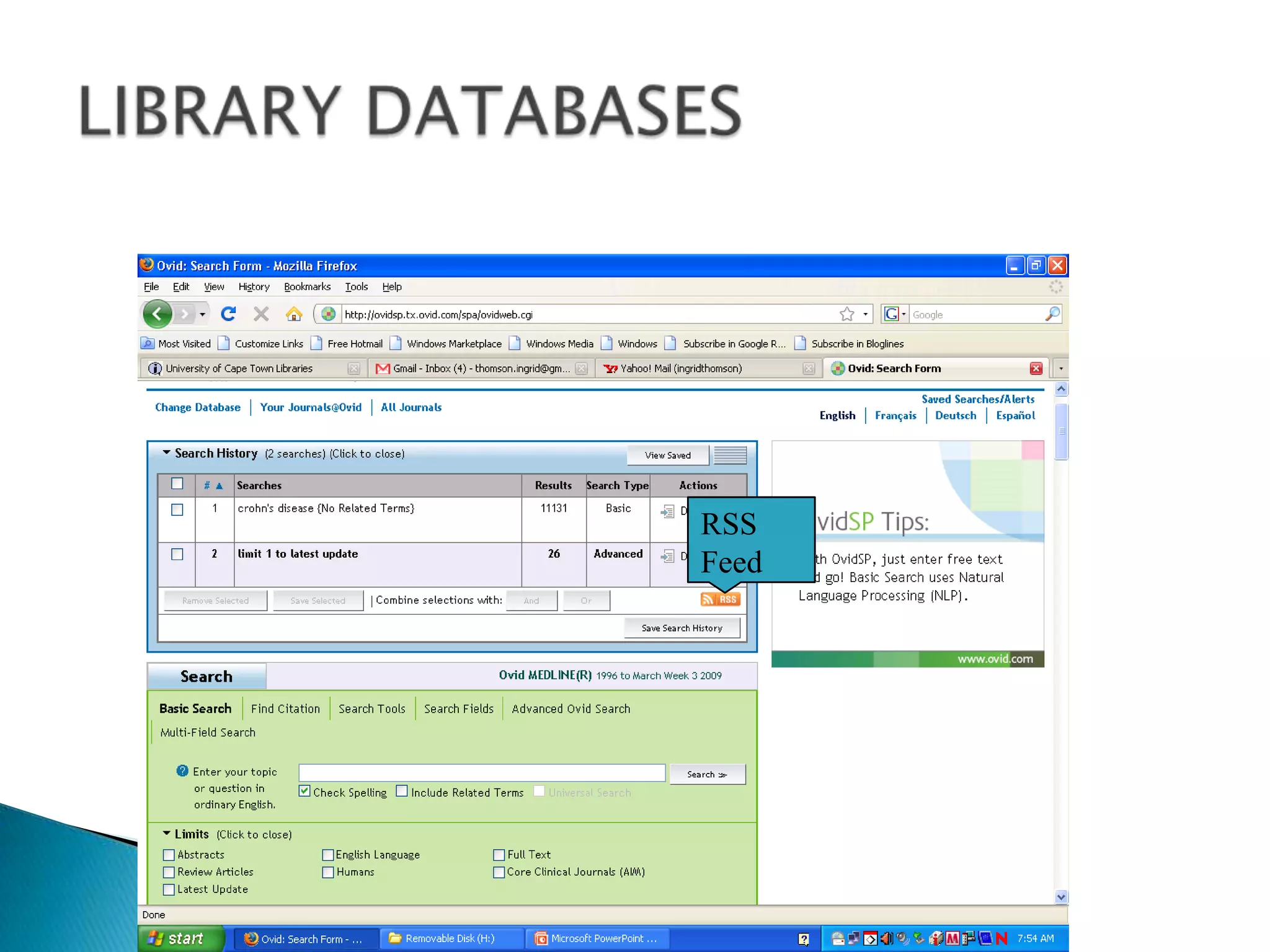
DATABASES Two ways to use databasesCreate journal alerts on journal titles available from that databaseSearch-based alerts EBSCO,  PROQUEST,  PubMed, OvidLIBRARY DATABASES
LIBRARY DATABASESRSSFeed
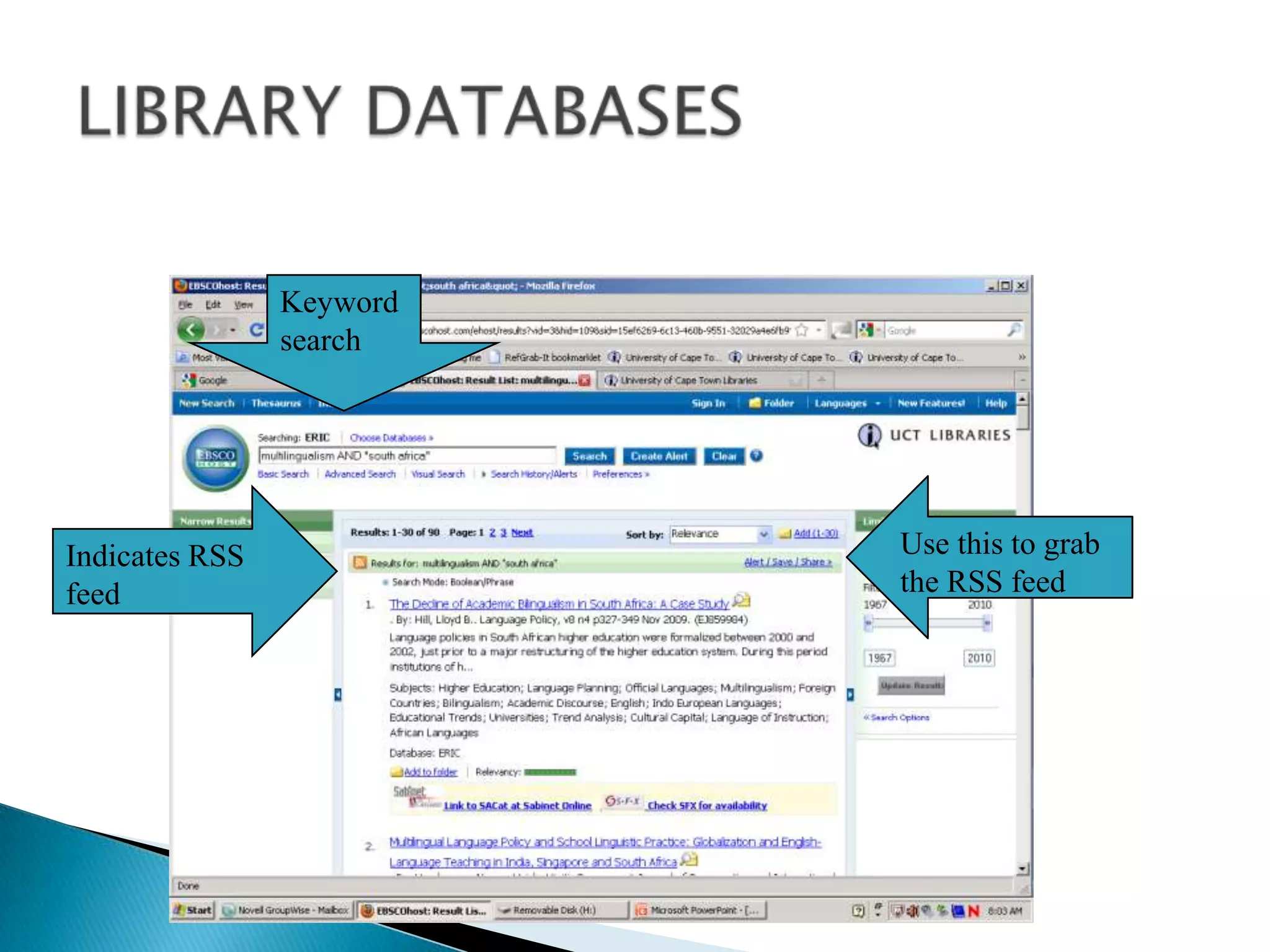
LIBRARY DATABASESKeyword searchUse this to grab the RSS feedIndicates RSS feed
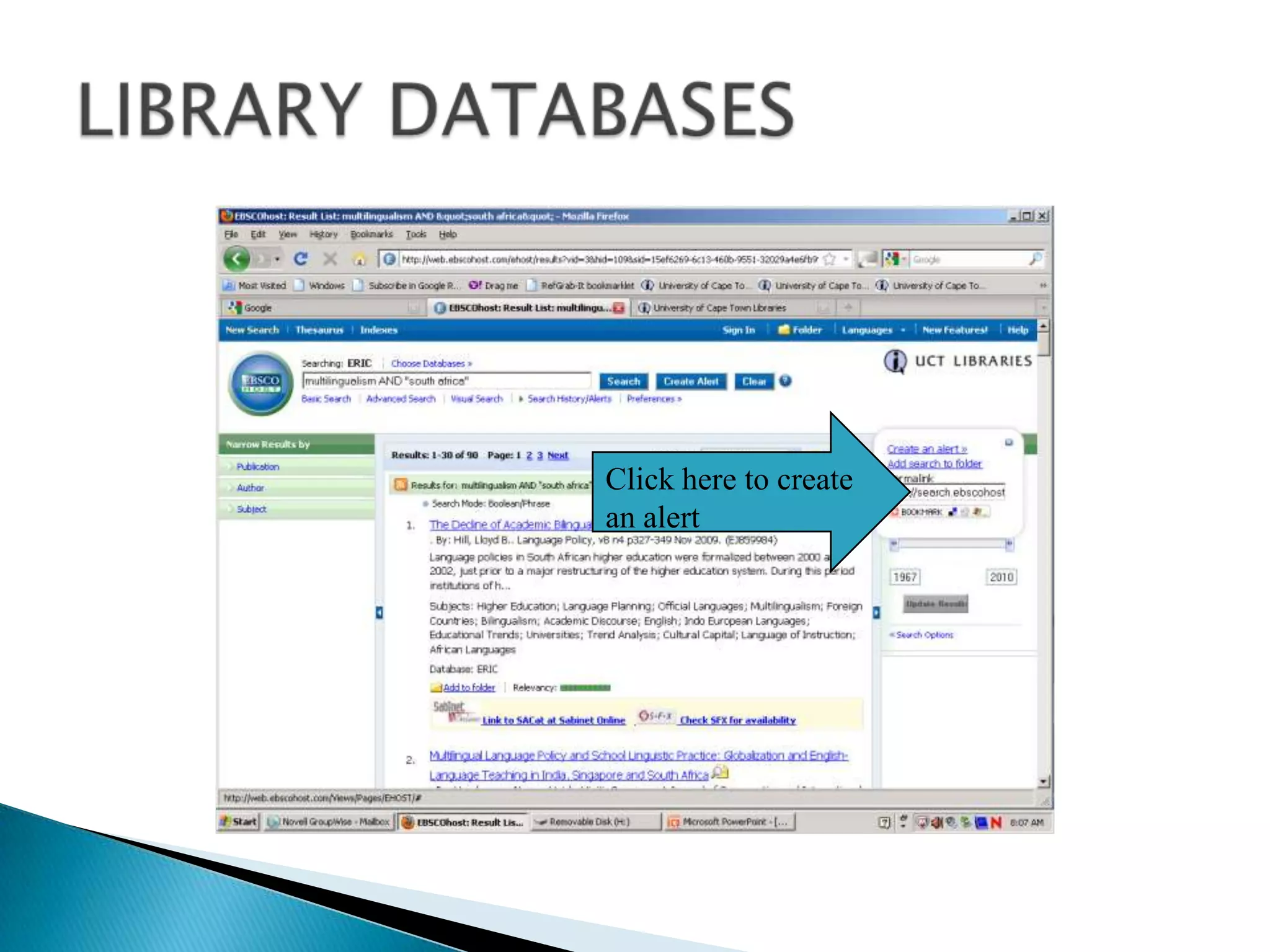
LIBRARY DATABASESClick here to create an alert
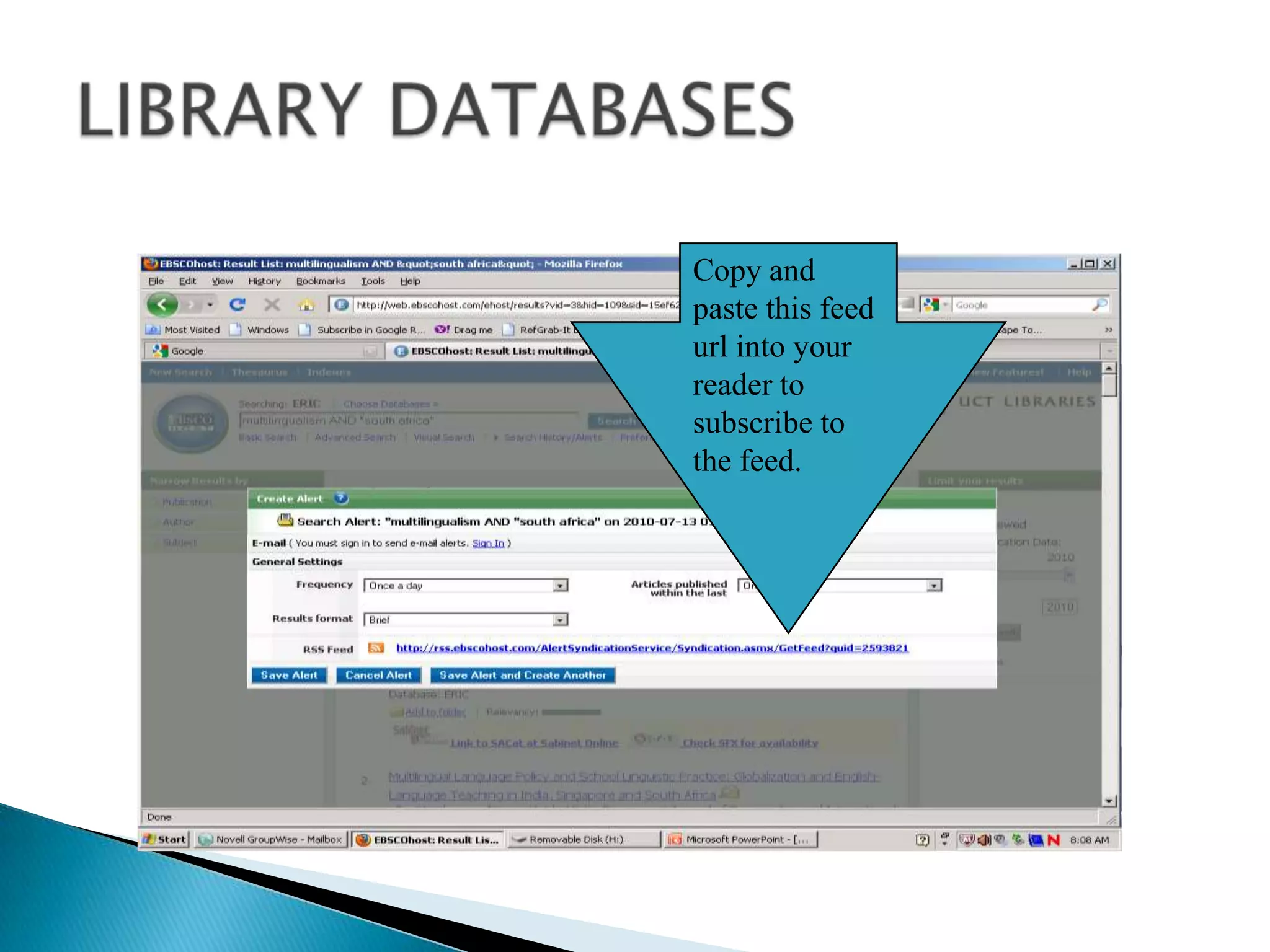
LIBRARY DATABASESCopy and paste this feed url into your reader to subscribe to the feed.
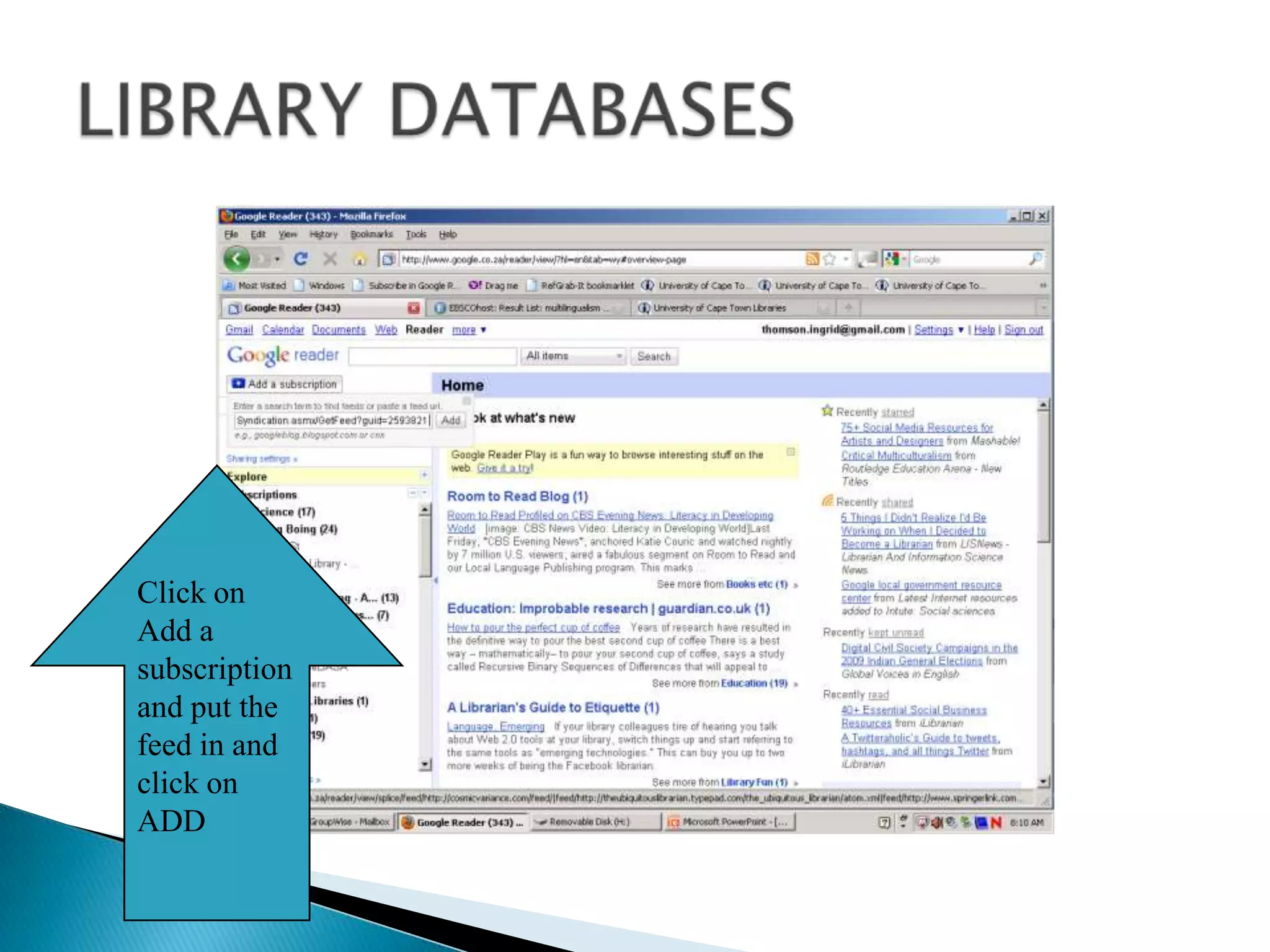
LIBRARY DATABASESClick on Add a subscription and put the feed in and click on ADD
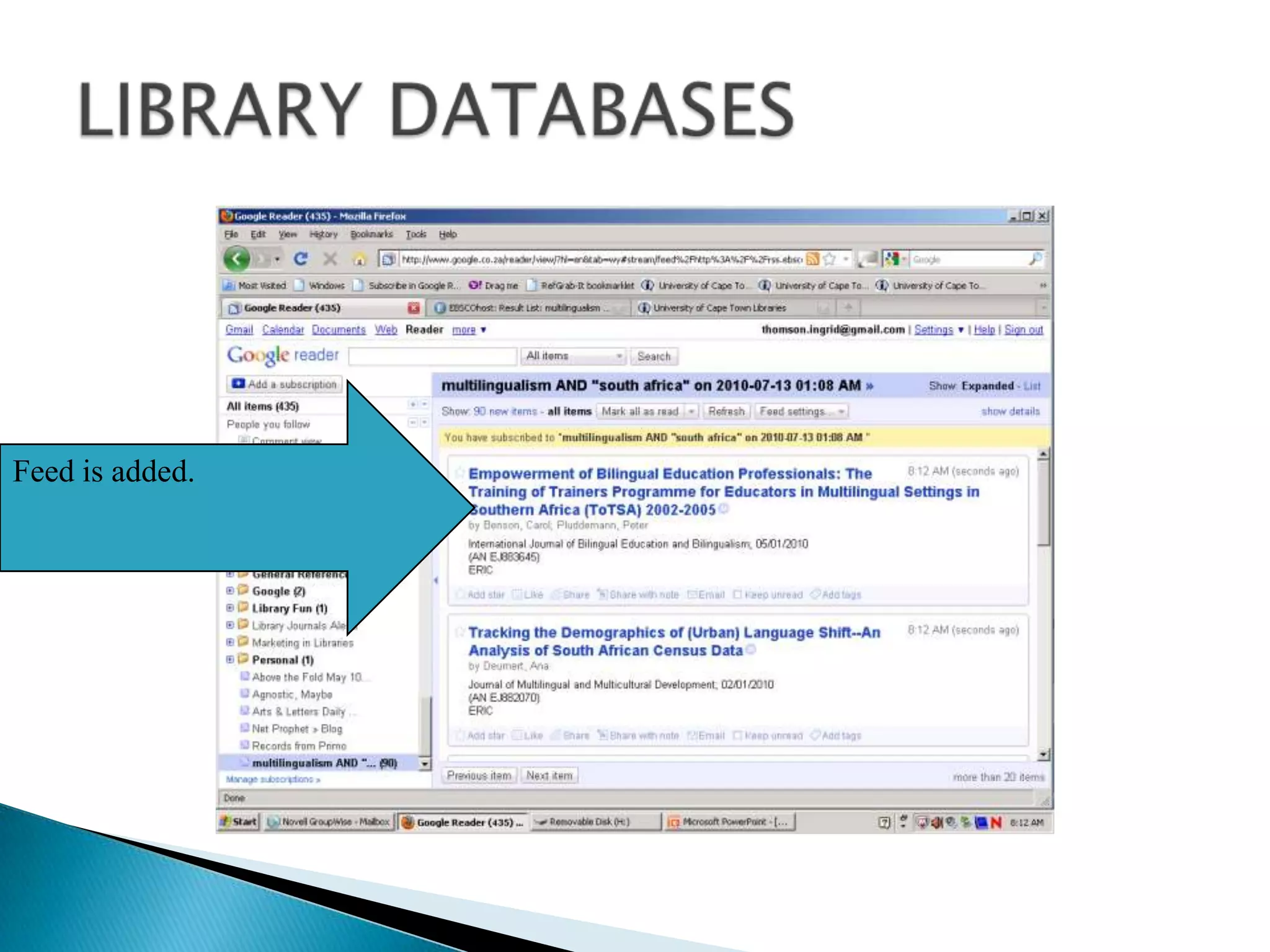
LIBRARY DATABASESFeed is added.
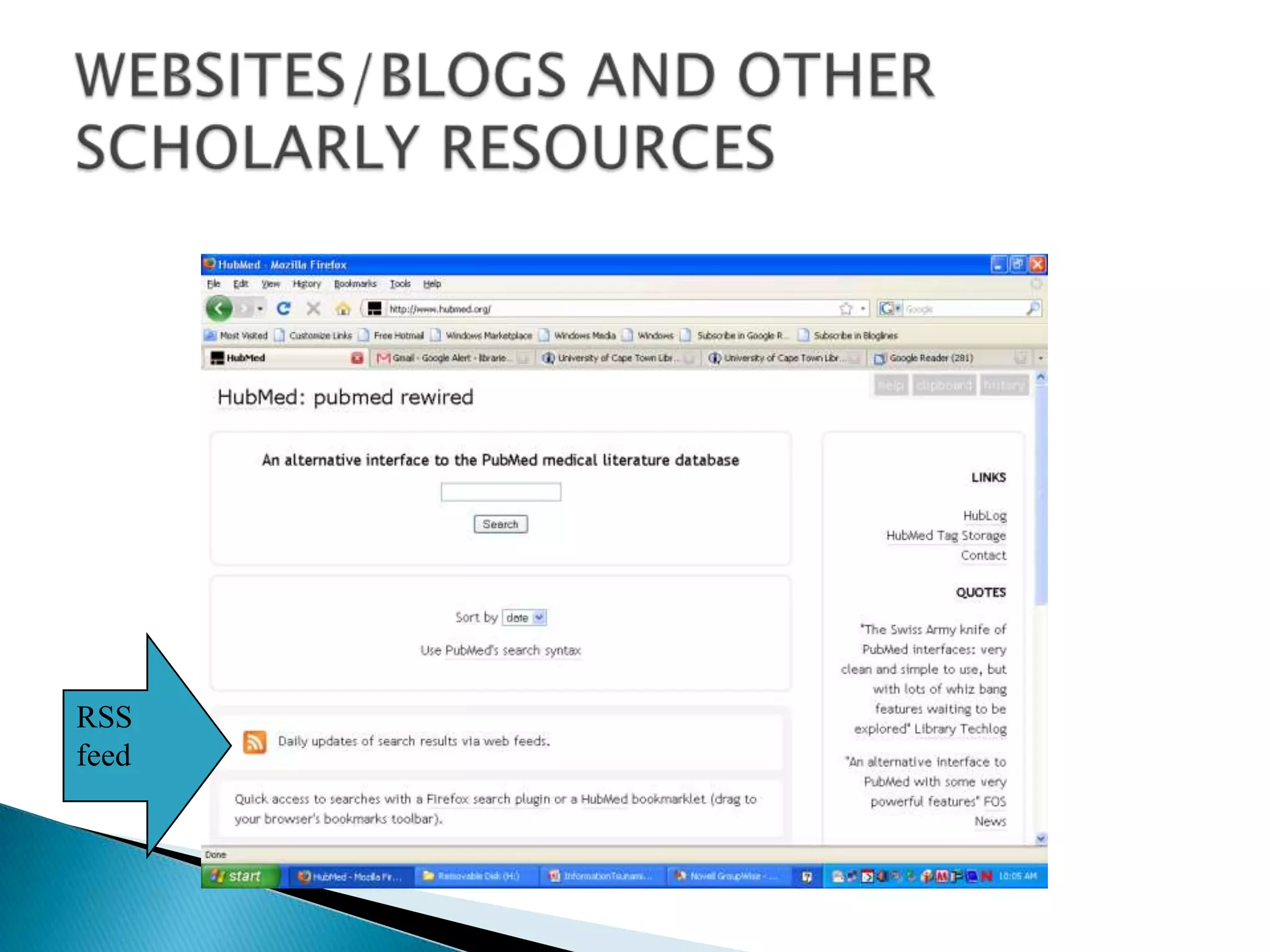
WEBSITES/BLOGS AND OTHER SCHOLARLY RESOURCESRSS feed
REFWORKS AND RSS. Using RefWorks?   RefWorks has an intergrated RSS Feed Reader.Simply add the feed URL which will be added to your RefWorks database
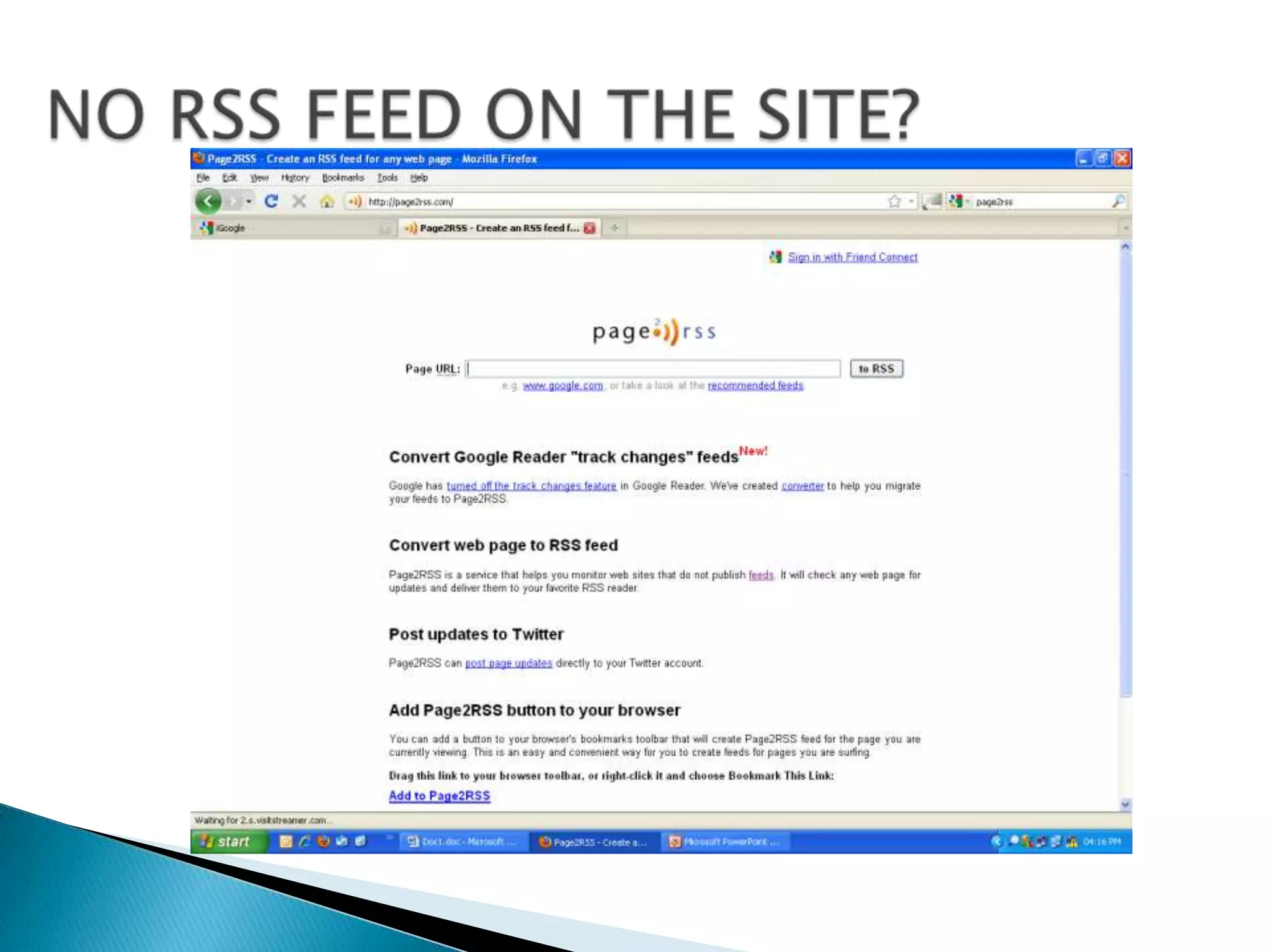
NO RSS FEED ON THE SITE?
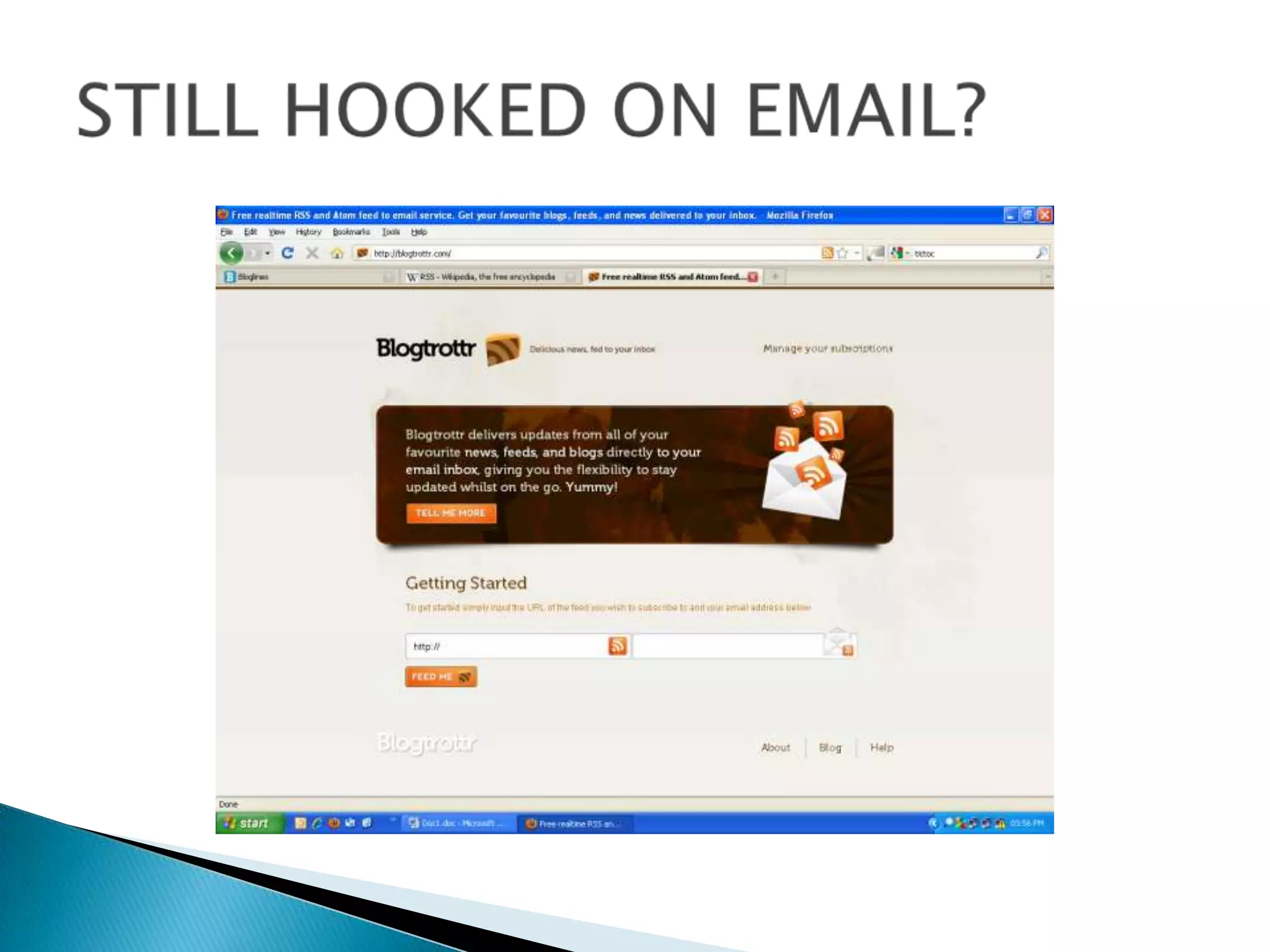
STILL HOOKED ON EMAIL?
 SOME USEFUL TIPS TO STAY IN CONTROL Results that have nothing to do with your keywords  -  use site called Feed Rinse, add the feed and get the posts blocked that have that word in the post or title.

Newsfeeds and More: a mini-workshop

  • 1.
    NEWSFEEDS AND MORE…. A mini-workshop presented by Ingrid Thomson, UCT Libraries
  • 2.
    IS THIS WHATYOU FEEL LIKE?/ http://blog.vecci.org.au/2010/10/20/surviving-the-information-deluge
  • 3.
    /OUTLINE OF WORKSHOPSOMESTRATEGIES FOR STAYING ABREAST OF CURRENT INFORMATION (A brief discussion)WHAT ARE NEWSFEEDS? WHY USE NEWSFEEDS?FINDING NEWSFEEDSHOW TO GET STARTED (and getting started) FINDING THE ‘GOOD STUFF’
  • 4.
    Use the technologywhich is available to turn the latest online content into a subscription which can be delivered to one place.SO HOW TO STAY ABREAST
  • 5.
    RSS =Really Simple Syndication or Rich Site Summary or Atom or XML or Feeds or Newsfeed or Webfeed or Channel or Blogfeeds or Ready for Some Stories. AND THE TECHNOLOGY IS …
  • 6.
    WHAT IS RSS?Technical or Geeky explanationXML-based standard for sending information over the internetLooks something like this …<?xml version="1.0" encoding="UTF-8" ?><rss version="2.0"><channel> <title>RSS Title</title> <description>This is an example of an RSS feed</description> <link>http://www.someexamplerssdomain.com/main.html</link> <lastBuildDate>Mon, 06 Sep 2010 00:01:00 +0000 </lastBuildDate> <pubDate>Mon, 06 Sep 2009 16:45:00 +0000 </pubDate> <item> <title>Example entry</title> <description>Here is some text containing an interesting description.</description> <link>http://www.wikipedia.org/</link> <guid>unique string per item</guid> <pubDate>Mon, 06 Sep 2009 16:45:00 +0000 </pubDate> </item> </channel></rss>
  • 7.
    WHAT INFO CANI GET VIA FEEDS?Many bookmarked web sites that you check regularlyNews headlines, weather and any other news – real time newsLatest podcasts, videosWeb search engines and databases you use provide feeds for your search resultsJournals in your research fields or areas of interest provide feeds to new issues as they are published.
  • 8.
    ADVANTAGES OF USINGFEEDSFewer emails in your email boxUsers do not disclose their email address when subscribing to a feed and so no spam, viruses, phishing, and identity theft. Users do not have to send an unsubscribe request to stop receiving news. They simply remove the feed from their aggregator.Keep the items you want to keep, share the items you want to shareYou choose when to look at your feeds.
  • 9.
    Have you everseen icons like these?middlesexjobsearch.wikispaces.com
  • 10.
    GET A FEEDOR RSS READER OR AGGREGATORDifferent types of readers from desktop based, internet based or mobile-phone based. Windows, OS, Linux, mobile phones, and web-based. Browsers like IE can be used as readers as well.Check out the Ultimate RSS Toolbox at http://mashable.com/2007/06/11/rss-toolbox/.
  • 11.
    FORMAT OF AFEEDLink to storyTitleBrief descriptive contentUpdated feeds
  • 12.
    OPTIONS FOR WEB-BASEDREADERS: BLOGLINES
  • 13.
    OPTIONS FOR WEB-BASEDREADERS: GOOGLELoginGoogle Reader
  • 14.
    SO WHERE DOI FIND FEEDS?Two places:-Many internet browsers e.g. Firefox, IE, Google Chrome now have the ability to find and subscribe to RSS feeds built right into them. On websites (which could be search engines, directories of feeds [e.g. Syndic8.com], academic databases amongst other places).
  • 15.
  • 16.
  • 17.
    GOOGLE CHROMENeed toadd a special Google Chrome Extension
  • 18.
  • 19.
    INTERNET EXPLORERWill addto your IE BrowseFEED
  • 20.
  • 21.
  • 22.
    SEARCH ENGINESRSS feed for alerting to new updated information
  • 23.
    NEWS HEADLINESRSS Feedfor Health Stories on IOL
  • 24.
    HOW DO IADD FEEDS?Choose your reader
  • 25.
    Table of ContentsUselibrary resources such as Ulrich’s Periodicals Database or the Journal Portal or individual databases to locate RSS feeds for latest table of contents OR check out TicTocs.OR look up the title on Google and add the words “RSS feed” ACADEMIC JOURNALS
  • 26.
  • 27.
  • 28.
    ACADEMIC JOURNALSTo havethe alerts come via Google Reader
  • 29.
    ACADEMIC JOURNALSFeed isadded automatically because I am signed in.
  • 30.
  • 31.
    DATABASES Two waysto use databasesCreate journal alerts on journal titles available from that databaseSearch-based alerts EBSCO, PROQUEST, PubMed, OvidLIBRARY DATABASES
  • 32.
  • 33.
    LIBRARY DATABASESKeyword searchUsethis to grab the RSS feedIndicates RSS feed
  • 34.
    LIBRARY DATABASESClick hereto create an alert
  • 35.
    LIBRARY DATABASESCopy andpaste this feed url into your reader to subscribe to the feed.
  • 36.
    LIBRARY DATABASESClick onAdd a subscription and put the feed in and click on ADD
  • 37.
  • 38.
    WEBSITES/BLOGS AND OTHERSCHOLARLY RESOURCESRSS feed
  • 39.
    REFWORKS AND RSS.Using RefWorks? RefWorks has an intergrated RSS Feed Reader.Simply add the feed URL which will be added to your RefWorks database
  • 40.
    NO RSS FEEDON THE SITE?
  • 41.
  • 42.
    SOME USEFULTIPS TO STAY IN CONTROL Results that have nothing to do with your keywords - use site called Feed Rinse, add the feed and get the posts blocked that have that word in the post or title.
  • 43.
    Subscribe only tothe category’s feeds where that is an option.
  • 44.
    Review your feedsregularly - you want to stay in control not the feeds

Editor's Notes

  • #40 Getting Information From RSS Feeds Into RefWorksRefWorks has integrated a RSS (Really Simple Syndication) Feed Reader so you can easily:- add your favorite RSS Feeds from publishers and websites- view the information  - import data into your RefWorks databaseRSS feeds can include headlines, short descriptions of the feed, and other information.To Add a RSS Feed:1. Locate the RSS feed you wish to include.2. Right mouse click on the RSS icon and select Copy Shortcut3. From within RefWorks select RSS Feed from the Search Menu4. Paste the shortcut into the text bar and click the Add RSS Feed button5. Your feeds will be listed alphabetically by the title of the feed which has been provided by the feed itself.  The list will also include the feed provider’s description.To View RSS Data and Import:1. Launch the RSS Feed by clicking on the name link.  Your feed results will be displayed in a separate window2. Select the records you wish to import by clicking on the appropriate checkboxes.3. Select a folder to import your records to in the Put in Folder drop-down.4. After the import you will be taken to the Import view in RefWorks. (or whatever you are using for this page).  Click on View Last Imported to see the feeds.To Delete a RSS Feed:1. Click on the delete link to the right of your feed nameTo Edit the Information Displayed on the RSS Feed Page:1. Click on the edit link to the right of your feed name2. Make any changes to the URL, Name or Description3. Click Save