SQL Server Service Broker
Scale out by Reliable Messaging
• Scalability – what does Scale Out means?
• Sharding
• Problems of sharding
• How does Service Broker help?
Agenda
• Is the ability of a system to handle growing
amount of work in a capable manner
• or its ability to be enlarged to accommodate
that growth
http://en.wikipedia.org/wiki/Scalability
Scalability
• Scale up – scale vertically
• Scale out – scale horizontally
Scalability Methods
• means vertically
• add resources to a single node in a system
– CPU
– memory
– storage
– etc
Scaling Up
• means horizontally
• add more nodes to a system
• in databases that’s called Sharding
• Microsoft used another term in SQL Azure -
Federations
Scaling Out
• Twitter Gizzard -
https://github.com/twitter/gizzard
• written in Scala
Sharding Frameworks
Sharding involves two technologies:
• Partitioning
• Replication
Sharding
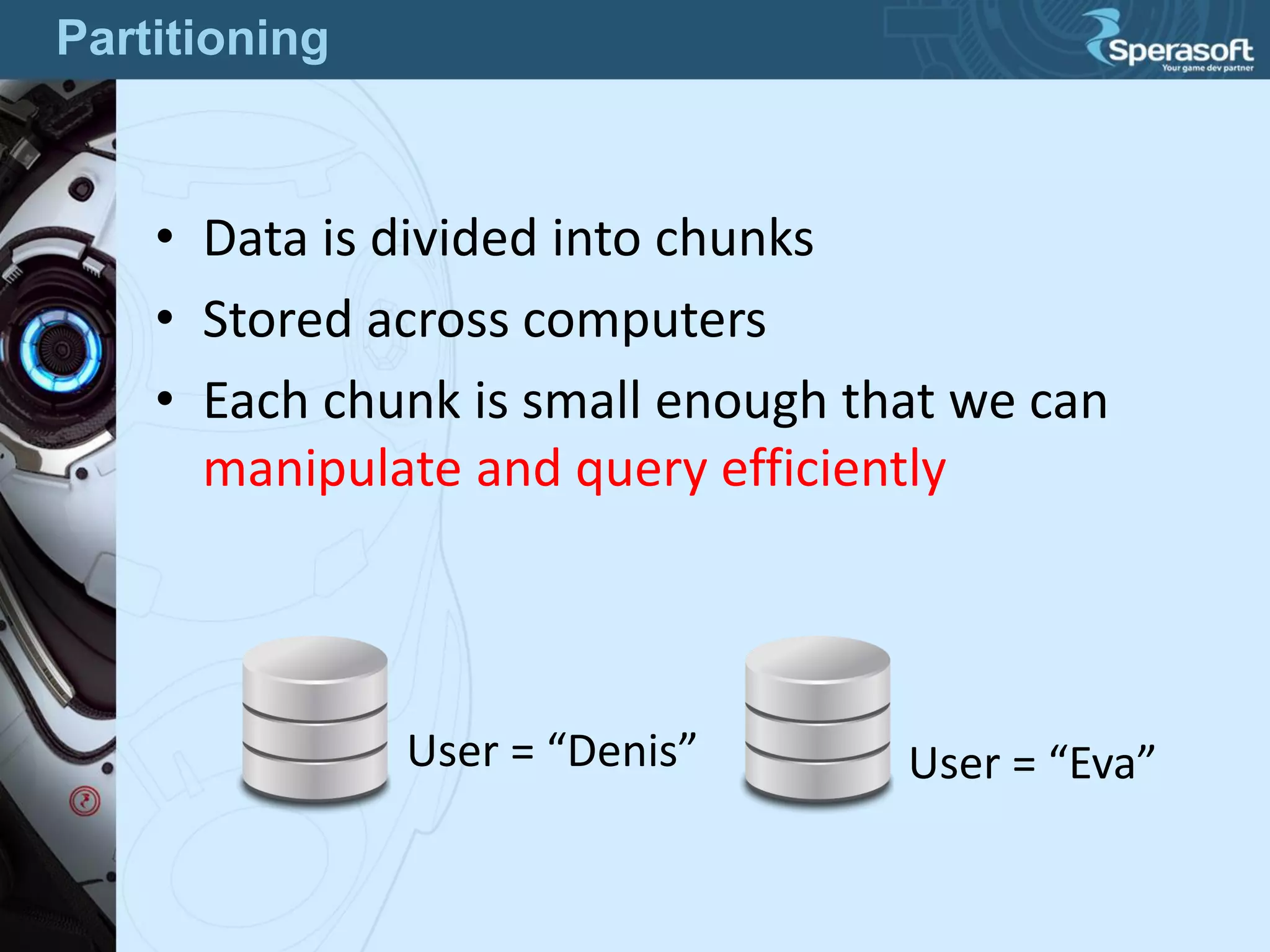
• Data is divided into chunks
• Stored across computers
• Each chunk is small enough that we can
manipulate and query efficiently
User = “Denis” User = “Eva”
Partitioning
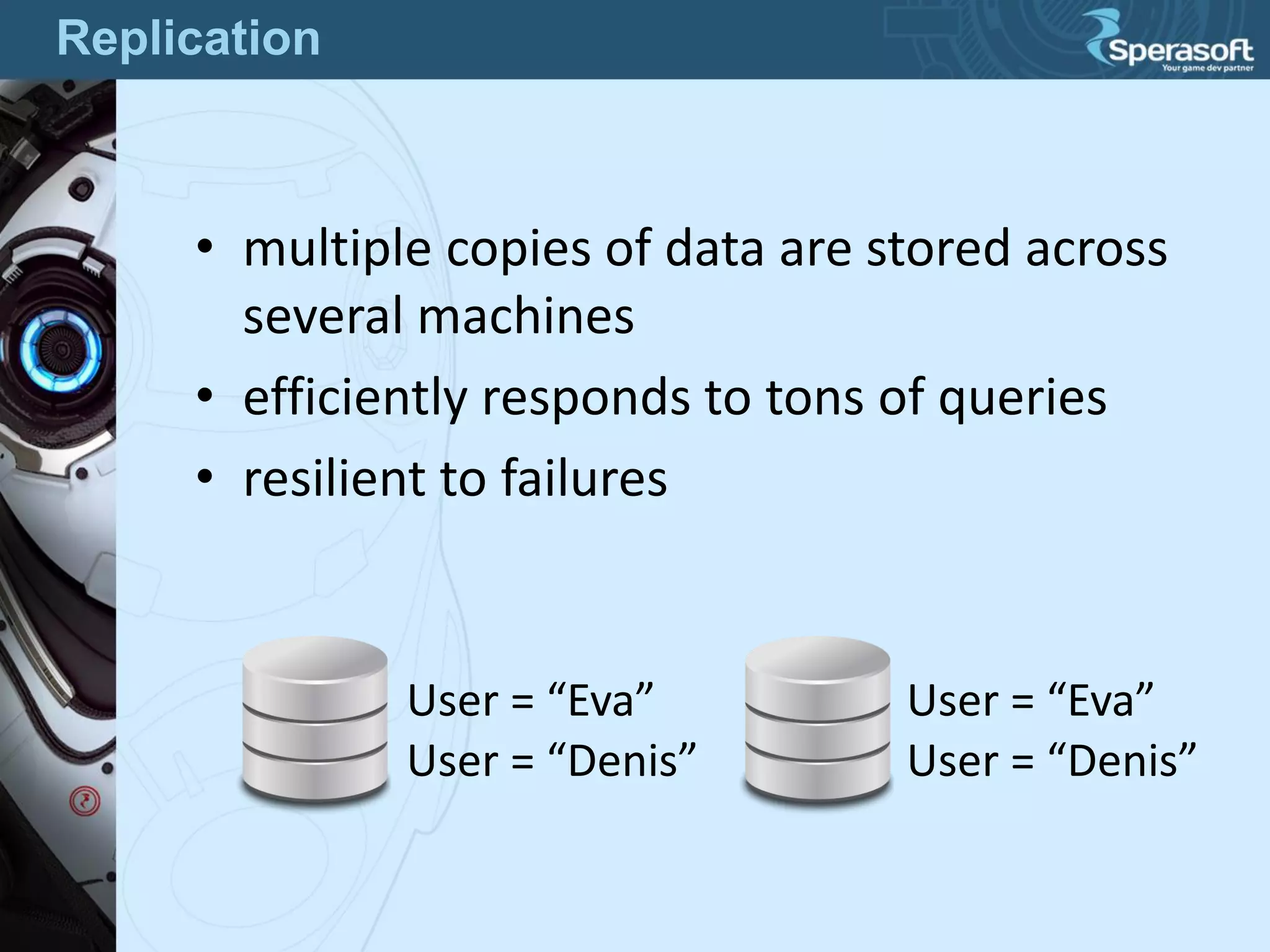
• multiple copies of data are stored across
several machines
• efficiently responds to tons of queries
• resilient to failures
User = “Denis”
User = “Eva”
User = “Denis”
User = “Eva”
Replication
Besides Scaling Out:
• Disaster Recovery strategies have You to make
database backups
• Replicated shards are working copies
• Need a new backup? Replicate a new Shard!
Benefits of Sharding
• Yes! Sharding is difficult!
• We have to think of how to partition our data
correctly
• How to ensure that all copies of data are
consistent?
• Write conflicts – no guarantee that operations
will apply in order
Are there any Problems?
• “Shared Nothing Architecture”
• no ongoing need to retain shared access
between shards
• each Shard can live in a totally separate
– instance
– database server
– data center
– continent
Design Principle
• Orders table is partitioned by Region
• Orders references to Users
• Users is not partitioned, it is replicated
• How to maintain Users in a consistent state?
Users (not partitioned)
Orders [Region = “US”]
Users (not partitioned)
Orders [Region = “Russia”]
Partitioning Problem
Wall Statuses
User [Name = “Denis”]
Wall Statuses
User [Name = “Eva”]
Front-End
POST
Denis writes a new Status
GET
We should see that status
on Eva’s wall
How do we get Denis’ statuses?
Facebook Sample
Wall Statuses
User [Name = “Denis”]
Wall Statuses
User [Name = “Eva”]
Front-End
POST
Denis writes a new Status
POST
Duplicate the status?
No benefit from Shards then! Wrong!
Possible Solution 1
Wall Statuses
User [Name = “Denis”]
Wall Statuses
User [Name = “Eva”]
Front-End
POST
Denis writes a new Status
GET
Gets a user data
No benefit from Shards then! Wrong!
Possible Solution 2
Wall Statuses
User [Name = “Denis”]
Wall Statuses
User [Name = “Eva”]
Front-End
POST
Denis writes a new Status
POST
Propogate the status
GET
All OK
Real Solution
• custom application which reads from one
Shard and writes to the others
• add all Shards as Linked servers, write stored
procedures to write a new record to each
remote server
• SQL Server Service Broker
Possible Technologies
• allows Internal and External processes to send
and receive guaranteed asynchronous
messages
• messages are sent to Queues in the same
database, same instance, same server,
another database, another instance, remote
server
Service Broker
the largest known implementation is in MySpace
• 440 SQL Server instances
• over 1,000 databases
• 1 Petabyte of data (1 million gigabytes)
Performance:
• 5,000 messages/second in Labs
• 18,000 messages/second in MySpace
Implementations
• Always Transactional
• Asynchronous
• Queued
• All messages are in XML format
• Routing
• Multicast messages in SQL Server 2012
Advantages
• No Administration Tools – not a lack - no at all
• Queue is a Table in database – index
fragmentation when we cannot empty queue
• complicated T-SQL syntax and object model
Disadvantages
• Message Types
• Contracts
• Queues
• Services
• Routes
• Activation
• Remote Service Bindings
• Dialog Conversation
• Conversation Groups
Service Broker Concepts
• Dialog Security – between two Services
– encrypts messages in a dialog conversation
– provides the remote authorization
• Transport Security
– establishes an authenticated network connection
between two Databases
Service Broker Security
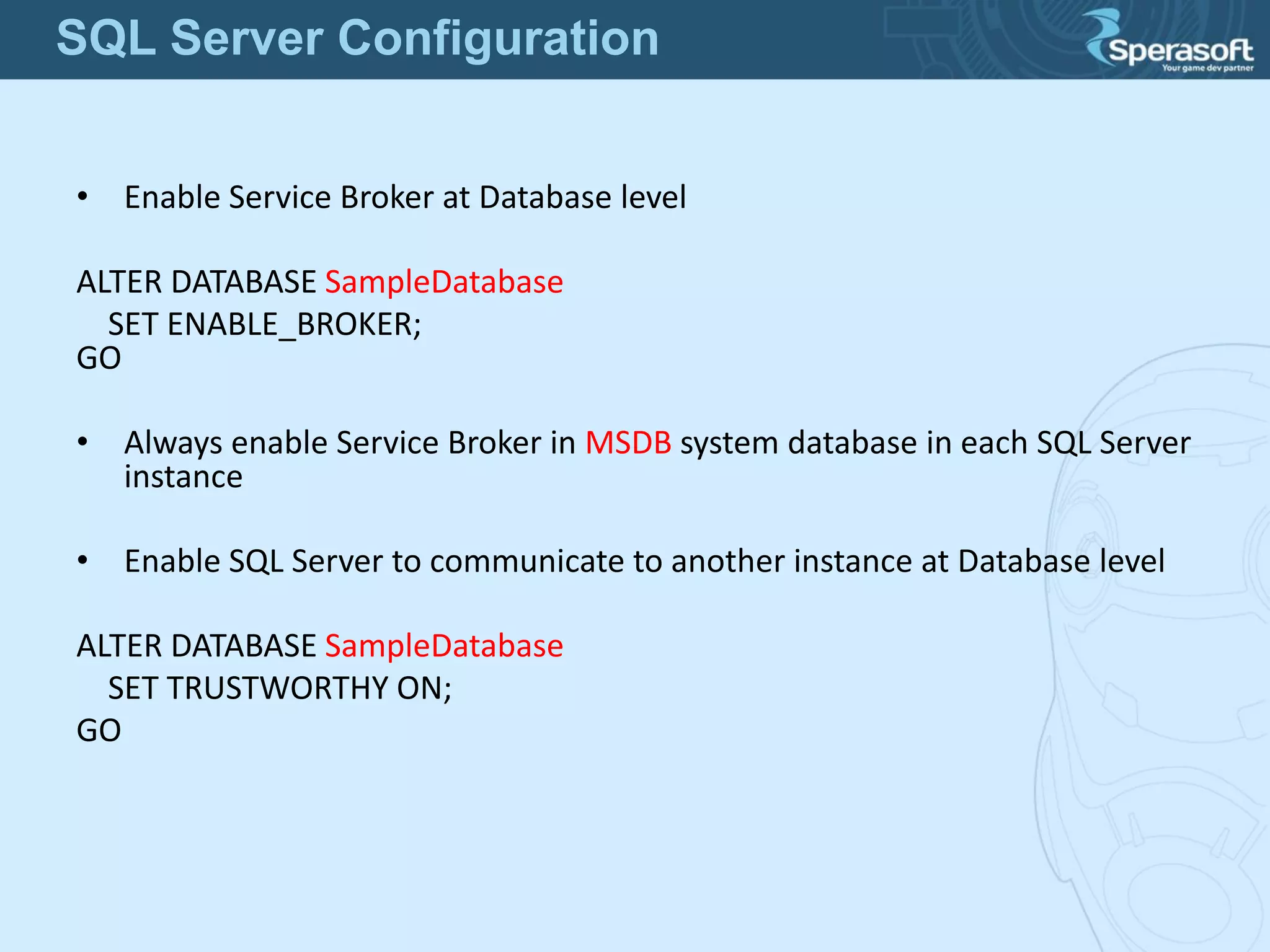
• Enable Service Broker at Database level
ALTER DATABASE SampleDatabase
SET ENABLE_BROKER;
GO
• Always enable Service Broker in MSDB system database in each SQL Server
instance
• Enable SQL Server to communicate to another instance at Database level
ALTER DATABASE SampleDatabase
SET TRUSTWORTHY ON;
GO
SQL Server Configuration
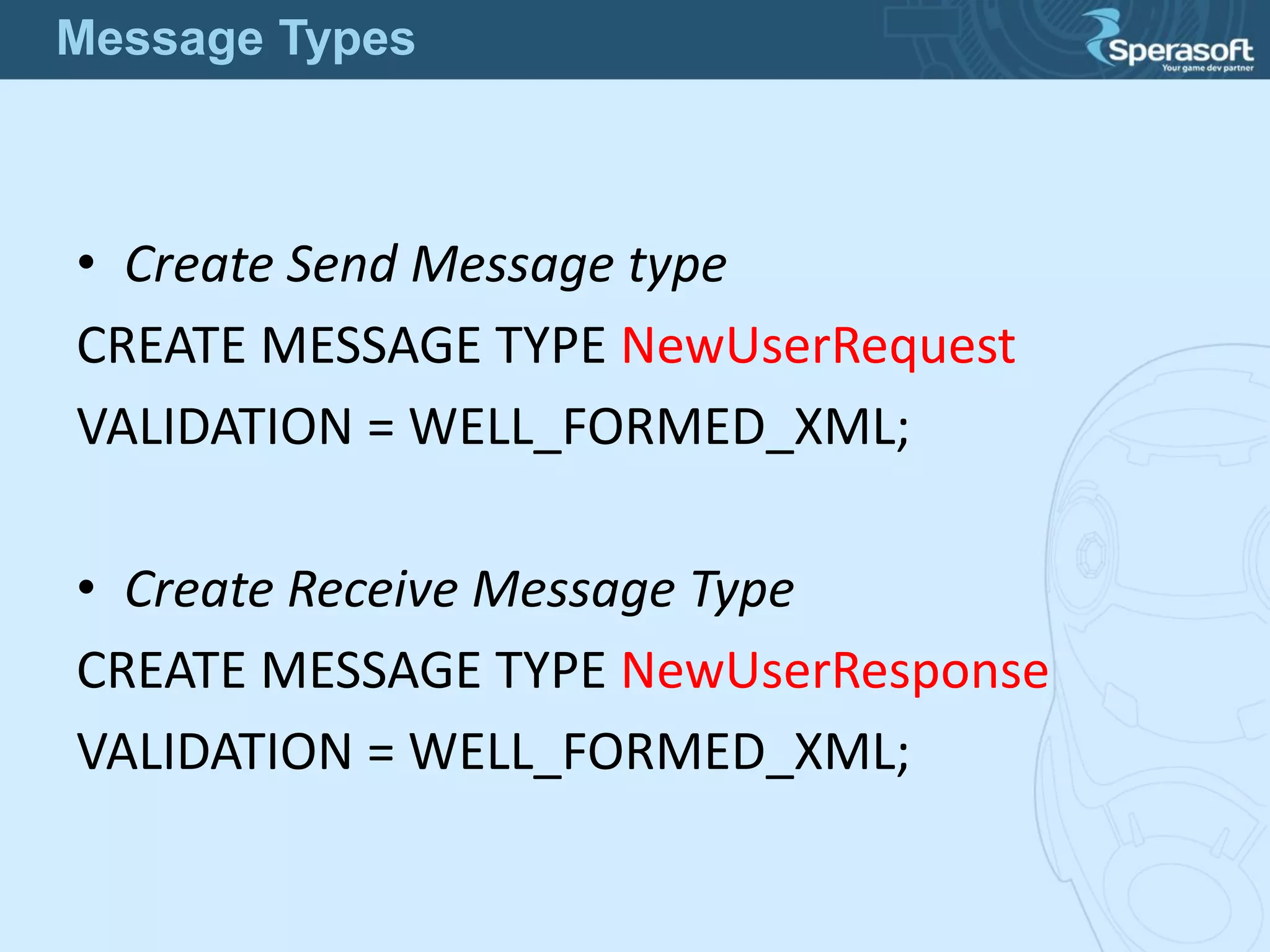
• Create Send Message type
CREATE MESSAGE TYPE NewUserRequest
VALIDATION = WELL_FORMED_XML;
• Create Receive Message Type
CREATE MESSAGE TYPE NewUserResponse
VALIDATION = WELL_FORMED_XML;
Message Types
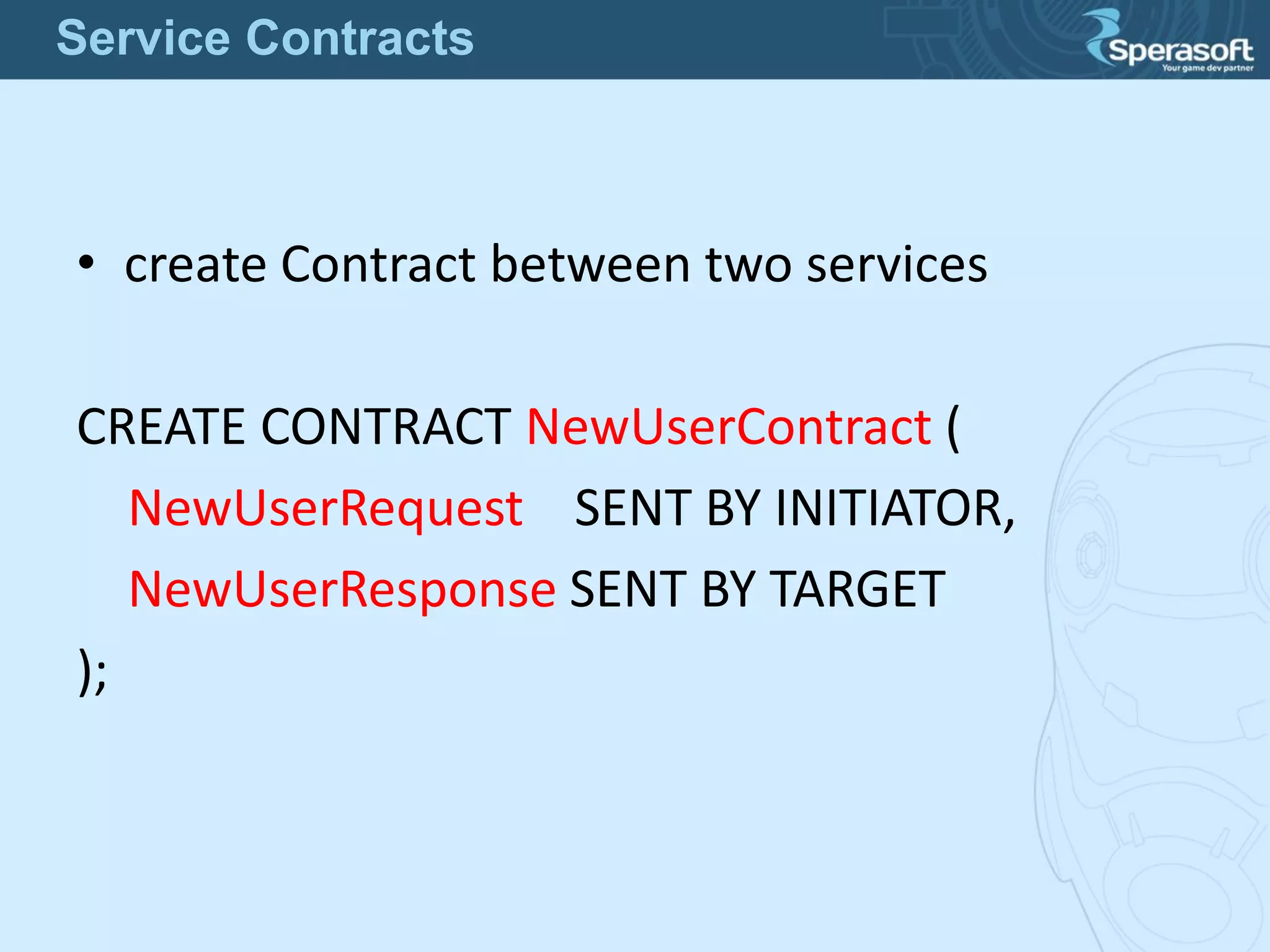
• create Contract between two services
CREATE CONTRACT NewUserContract (
NewUserRequest SENT BY INITIATOR,
NewUserResponse SENT BY TARGET
);
Service Contracts
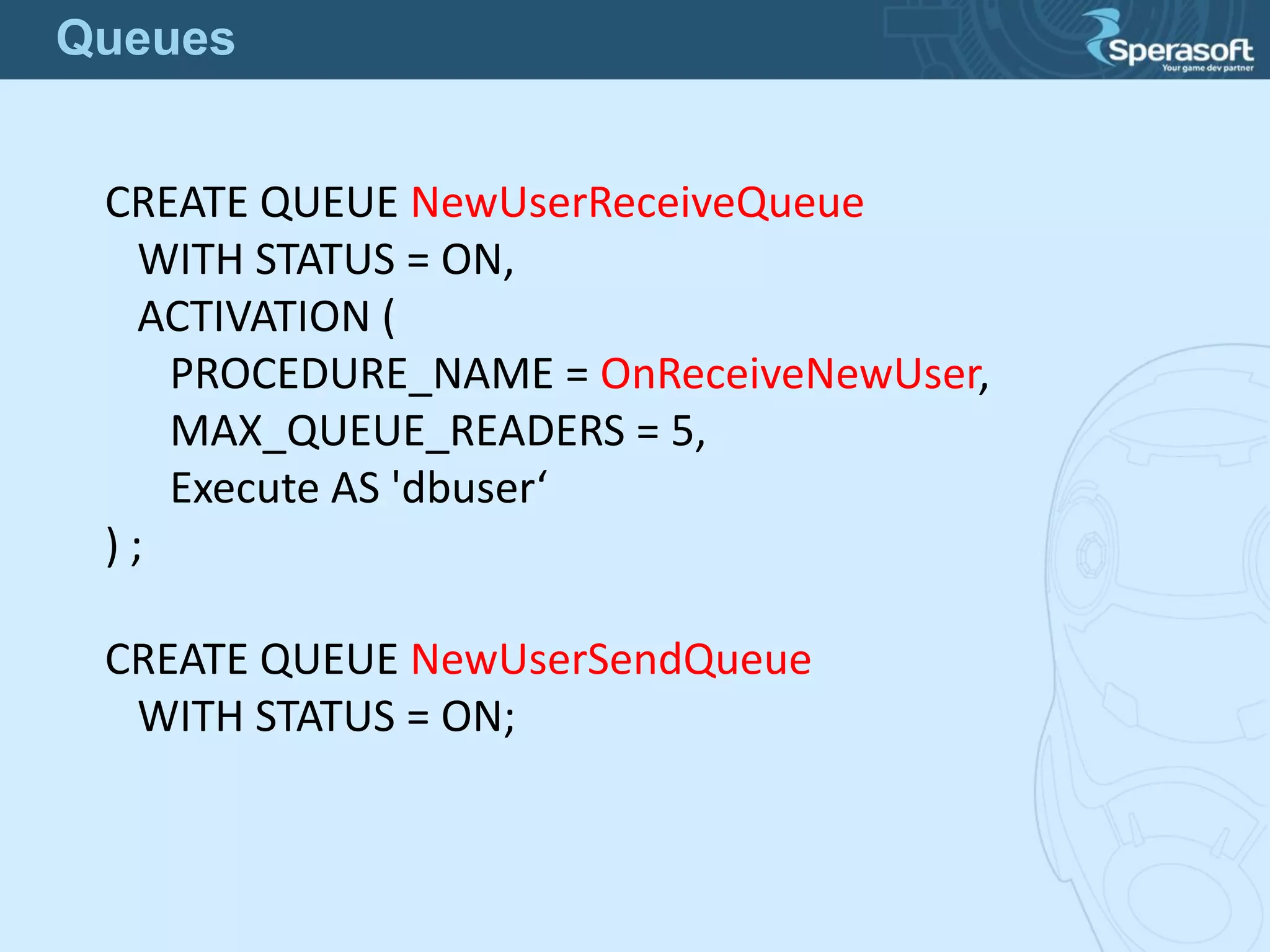
CREATE QUEUE NewUserReceiveQueue
WITH STATUS = ON,
ACTIVATION (
PROCEDURE_NAME = OnReceiveNewUser,
MAX_QUEUE_READERS = 5,
Execute AS 'dbuser‘
) ;
CREATE QUEUE NewUserSendQueue
WITH STATUS = ON;
Queues
• Service will be listening for messages in a queue and react
only on those which apply to the spicified contract
CREATE SERVICE NewUserSendService
ON QUEUE NewUserSendQueue (
[NewUserContract]
);
CREATE SERVICE NewUserReceiveService
ON QUEUE NewUserReceiveQueue (
[NewUserContract]
);
Services
Sender:
• begins a transaction
• begins a dialog conversation from
NewUserSendService to NewUserReceiveService
• sends one or more XML messages to that dialog
• commits a transaction
• Waits for a Reply message
• Processes Reply messages when arrived
Sending a Messgae
Receiver (Target):
• when a new message is delivered to Receiver's
NewUserReceiveQueue the OnReceiveNewUser stored
procedure is activated by Service Broker
• Stored procedure begins a transaction
• receives messages out of the NewUserReceiveQueue
queue
• sends Reply messages
• ends a dialog conversation
• Do what you want with that message
• commits a transaction
Receiving a Message

SQL Server -Service Broker - Reliable Messaging

  • 1.
    SQL Server ServiceBroker Scale out by Reliable Messaging
  • 2.
    • Scalability –what does Scale Out means? • Sharding • Problems of sharding • How does Service Broker help? Agenda
  • 3.
    • Is theability of a system to handle growing amount of work in a capable manner • or its ability to be enlarged to accommodate that growth http://en.wikipedia.org/wiki/Scalability Scalability
  • 4.
    • Scale up– scale vertically • Scale out – scale horizontally Scalability Methods
  • 5.
    • means vertically •add resources to a single node in a system – CPU – memory – storage – etc Scaling Up
  • 6.
    • means horizontally •add more nodes to a system • in databases that’s called Sharding • Microsoft used another term in SQL Azure - Federations Scaling Out
  • 7.
    • Twitter Gizzard- https://github.com/twitter/gizzard • written in Scala Sharding Frameworks
  • 8.
    Sharding involves twotechnologies: • Partitioning • Replication Sharding
  • 9.
    • Data isdivided into chunks • Stored across computers • Each chunk is small enough that we can manipulate and query efficiently User = “Denis” User = “Eva” Partitioning
  • 10.
    • multiple copiesof data are stored across several machines • efficiently responds to tons of queries • resilient to failures User = “Denis” User = “Eva” User = “Denis” User = “Eva” Replication
  • 11.
    Besides Scaling Out: •Disaster Recovery strategies have You to make database backups • Replicated shards are working copies • Need a new backup? Replicate a new Shard! Benefits of Sharding
  • 12.
    • Yes! Shardingis difficult! • We have to think of how to partition our data correctly • How to ensure that all copies of data are consistent? • Write conflicts – no guarantee that operations will apply in order Are there any Problems?
  • 13.
    • “Shared NothingArchitecture” • no ongoing need to retain shared access between shards • each Shard can live in a totally separate – instance – database server – data center – continent Design Principle
  • 14.
    • Orders tableis partitioned by Region • Orders references to Users • Users is not partitioned, it is replicated • How to maintain Users in a consistent state? Users (not partitioned) Orders [Region = “US”] Users (not partitioned) Orders [Region = “Russia”] Partitioning Problem
  • 15.
    Wall Statuses User [Name= “Denis”] Wall Statuses User [Name = “Eva”] Front-End POST Denis writes a new Status GET We should see that status on Eva’s wall How do we get Denis’ statuses? Facebook Sample
  • 16.
    Wall Statuses User [Name= “Denis”] Wall Statuses User [Name = “Eva”] Front-End POST Denis writes a new Status POST Duplicate the status? No benefit from Shards then! Wrong! Possible Solution 1
  • 17.
    Wall Statuses User [Name= “Denis”] Wall Statuses User [Name = “Eva”] Front-End POST Denis writes a new Status GET Gets a user data No benefit from Shards then! Wrong! Possible Solution 2
  • 18.
    Wall Statuses User [Name= “Denis”] Wall Statuses User [Name = “Eva”] Front-End POST Denis writes a new Status POST Propogate the status GET All OK Real Solution
  • 19.
    • custom applicationwhich reads from one Shard and writes to the others • add all Shards as Linked servers, write stored procedures to write a new record to each remote server • SQL Server Service Broker Possible Technologies
  • 20.
    • allows Internaland External processes to send and receive guaranteed asynchronous messages • messages are sent to Queues in the same database, same instance, same server, another database, another instance, remote server Service Broker
  • 21.
    the largest knownimplementation is in MySpace • 440 SQL Server instances • over 1,000 databases • 1 Petabyte of data (1 million gigabytes) Performance: • 5,000 messages/second in Labs • 18,000 messages/second in MySpace Implementations
  • 22.
    • Always Transactional •Asynchronous • Queued • All messages are in XML format • Routing • Multicast messages in SQL Server 2012 Advantages
  • 23.
    • No AdministrationTools – not a lack - no at all • Queue is a Table in database – index fragmentation when we cannot empty queue • complicated T-SQL syntax and object model Disadvantages
  • 24.
    • Message Types •Contracts • Queues • Services • Routes • Activation • Remote Service Bindings • Dialog Conversation • Conversation Groups Service Broker Concepts
  • 25.
    • Dialog Security– between two Services – encrypts messages in a dialog conversation – provides the remote authorization • Transport Security – establishes an authenticated network connection between two Databases Service Broker Security
  • 26.
    • Enable ServiceBroker at Database level ALTER DATABASE SampleDatabase SET ENABLE_BROKER; GO • Always enable Service Broker in MSDB system database in each SQL Server instance • Enable SQL Server to communicate to another instance at Database level ALTER DATABASE SampleDatabase SET TRUSTWORTHY ON; GO SQL Server Configuration
  • 27.
    • Create SendMessage type CREATE MESSAGE TYPE NewUserRequest VALIDATION = WELL_FORMED_XML; • Create Receive Message Type CREATE MESSAGE TYPE NewUserResponse VALIDATION = WELL_FORMED_XML; Message Types
  • 28.
    • create Contractbetween two services CREATE CONTRACT NewUserContract ( NewUserRequest SENT BY INITIATOR, NewUserResponse SENT BY TARGET ); Service Contracts
  • 29.
    CREATE QUEUE NewUserReceiveQueue WITHSTATUS = ON, ACTIVATION ( PROCEDURE_NAME = OnReceiveNewUser, MAX_QUEUE_READERS = 5, Execute AS 'dbuser‘ ) ; CREATE QUEUE NewUserSendQueue WITH STATUS = ON; Queues
  • 30.
    • Service willbe listening for messages in a queue and react only on those which apply to the spicified contract CREATE SERVICE NewUserSendService ON QUEUE NewUserSendQueue ( [NewUserContract] ); CREATE SERVICE NewUserReceiveService ON QUEUE NewUserReceiveQueue ( [NewUserContract] ); Services
  • 31.
    Sender: • begins atransaction • begins a dialog conversation from NewUserSendService to NewUserReceiveService • sends one or more XML messages to that dialog • commits a transaction • Waits for a Reply message • Processes Reply messages when arrived Sending a Messgae
  • 32.
    Receiver (Target): • whena new message is delivered to Receiver's NewUserReceiveQueue the OnReceiveNewUser stored procedure is activated by Service Broker • Stored procedure begins a transaction • receives messages out of the NewUserReceiveQueue queue • sends Reply messages • ends a dialog conversation • Do what you want with that message • commits a transaction Receiving a Message