SQL Commands
(Part 3)
By: Ms. Rubab For DIT
Delete Statement(DML Statement)
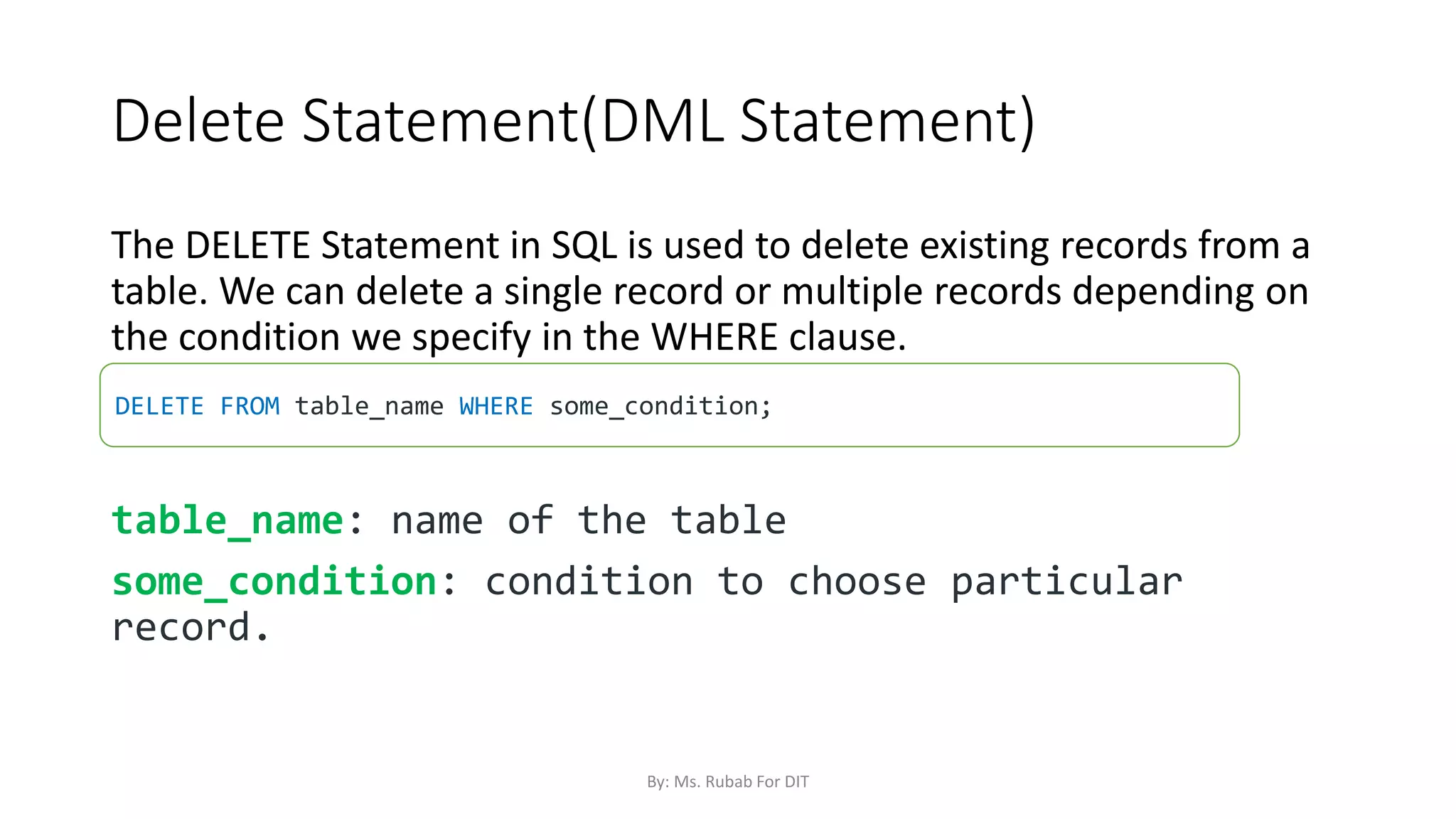
The DELETE Statement in SQL is used to delete existing records from a
table. We can delete a single record or multiple records depending on
the condition we specify in the WHERE clause.
table_name: name of the table
some_condition: condition to choose particular
record.
DELETE FROM table_name WHERE some_condition;
By: Ms. Rubab For DIT
DELETE Stataement
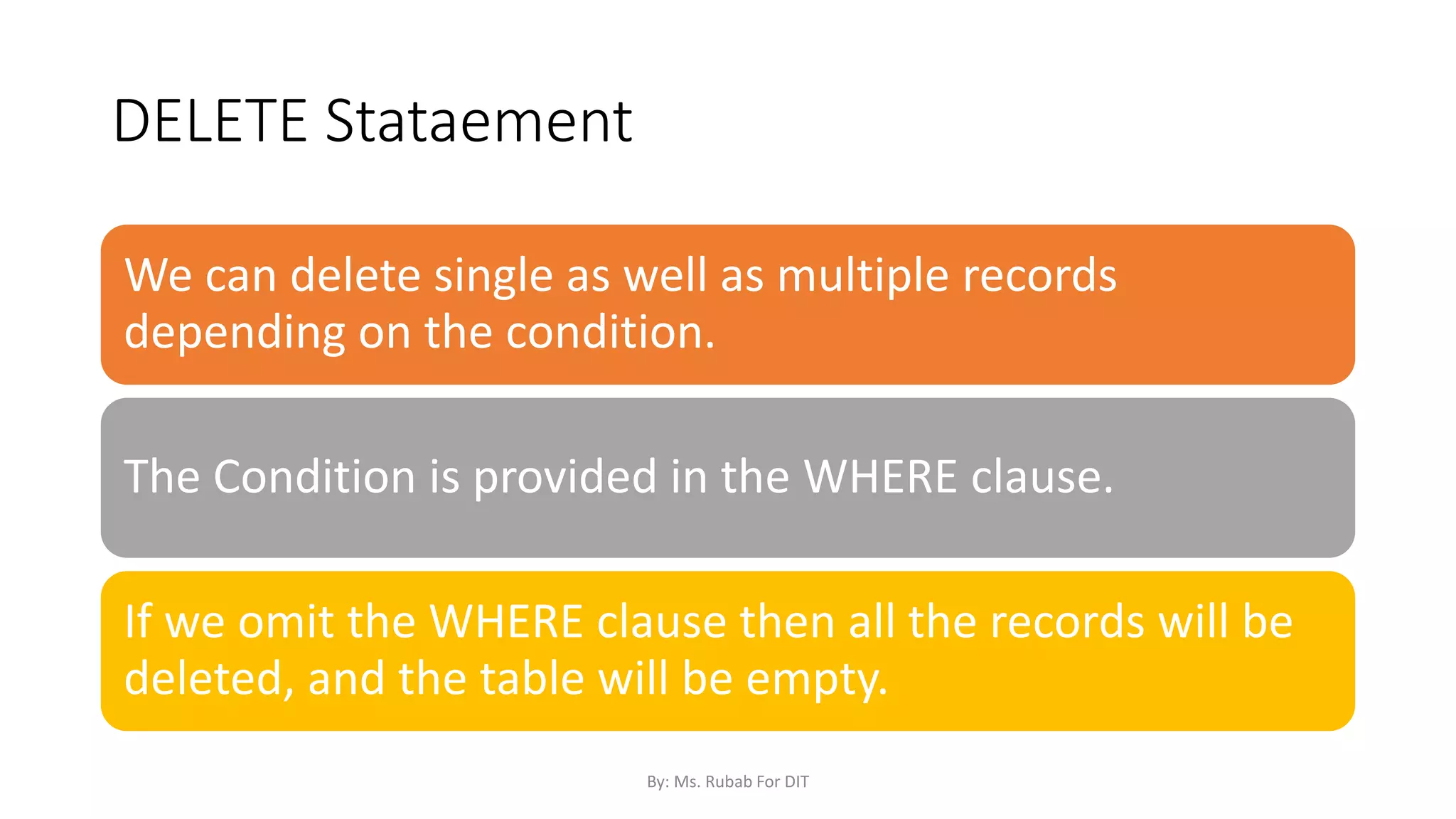
We can delete single as well as multiple records
depending on the condition.
The Condition is provided in the WHERE clause.
If we omit the WHERE clause then all the records will be
deleted, and the table will be empty.
By: Ms. Rubab For DIT
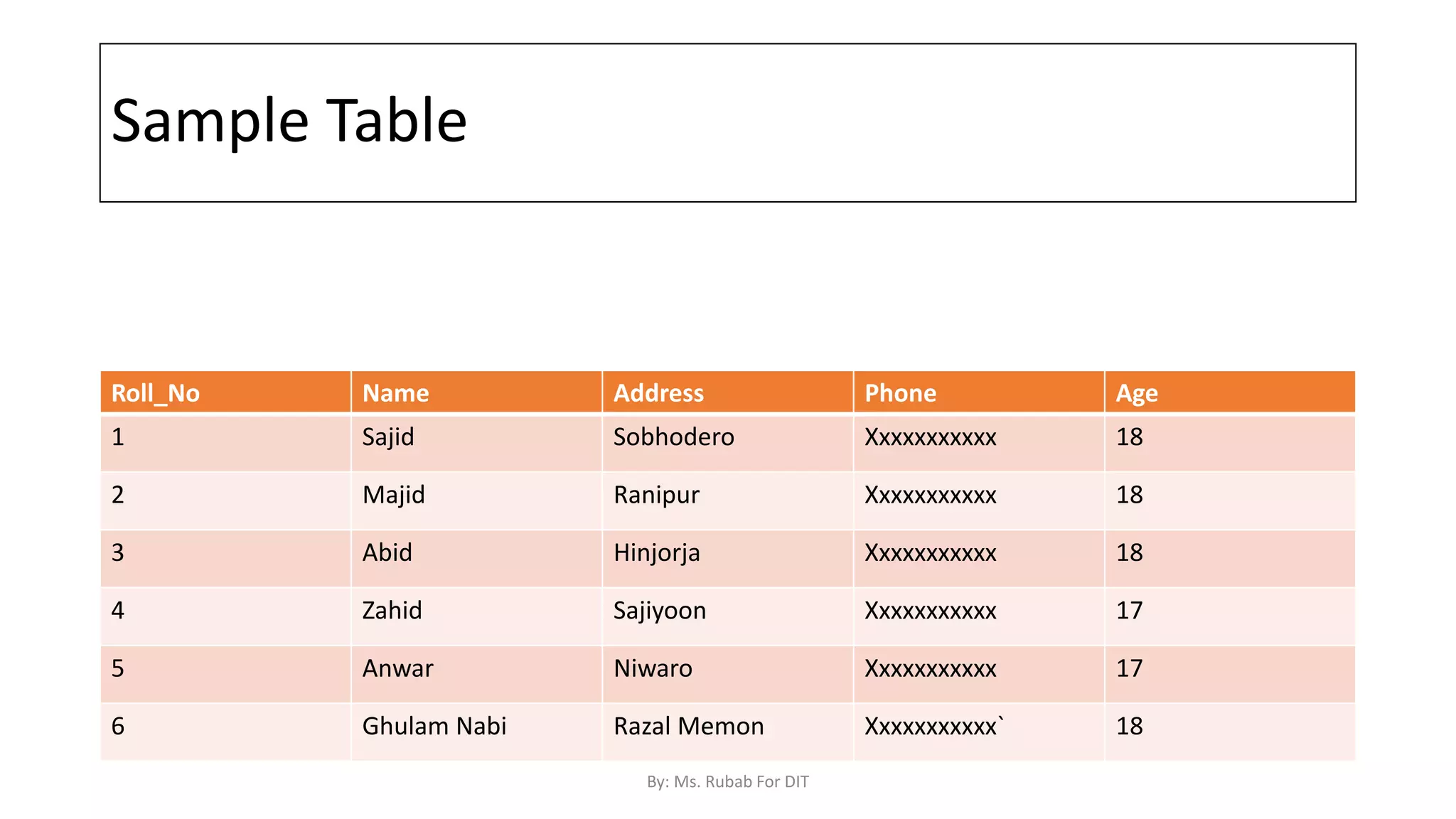
Sample Table
Roll_No Name Address Phone Age
1 Sajid Sobhodero Xxxxxxxxxxx 18
2 Majid Ranipur Xxxxxxxxxxx 18
3 Abid Hinjorja Xxxxxxxxxxx 18
4 Zahid Sajiyoon Xxxxxxxxxxx 17
5 Anwar Niwaro Xxxxxxxxxxx 17
6 Ghulam Nabi Razal Memon Xxxxxxxxxxx` 18
By: Ms. Rubab For DIT
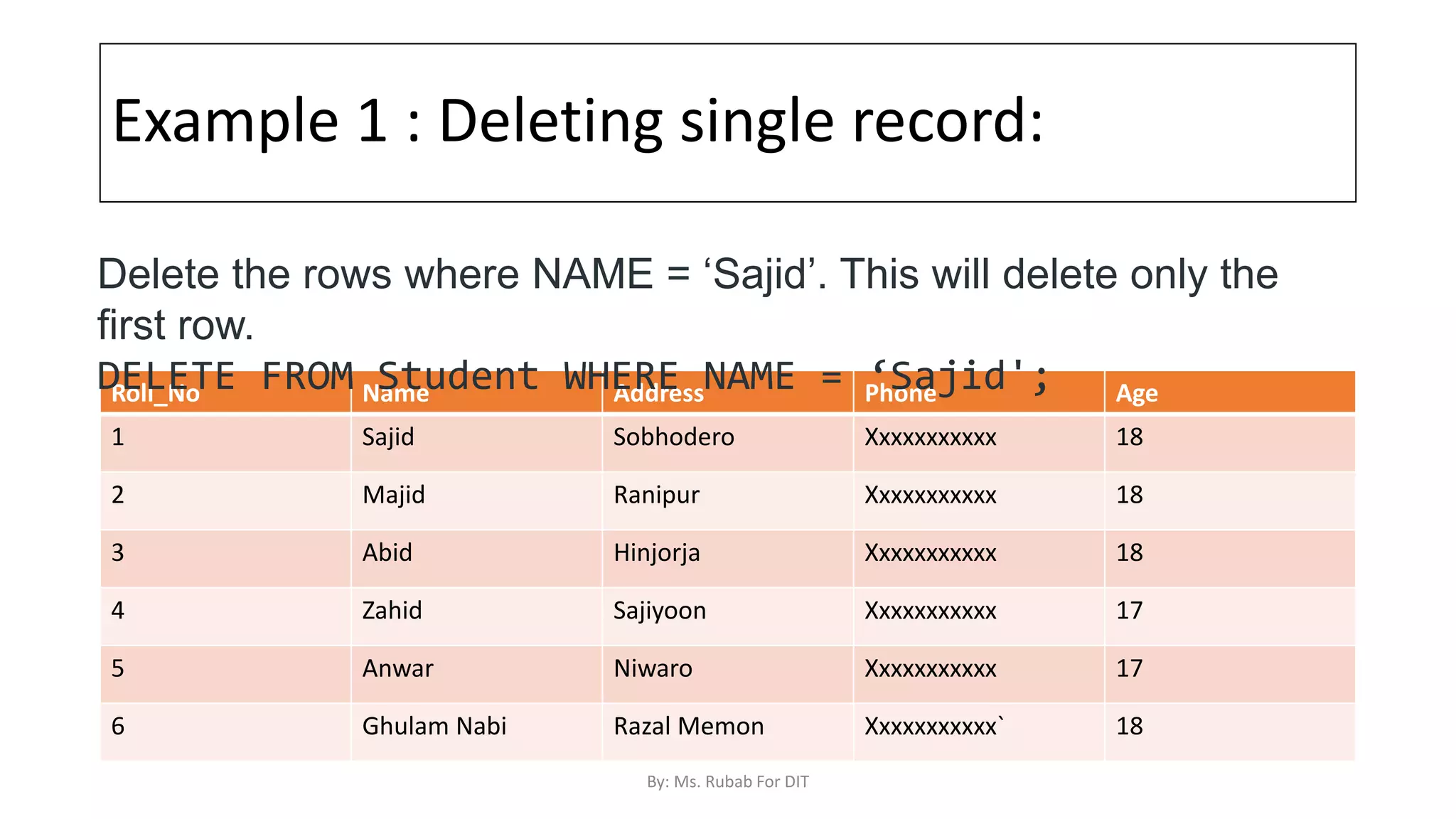
Example 1 : Deleting single record:
Roll_No Name Address Phone Age
1 Sajid Sobhodero Xxxxxxxxxxx 18
2 Majid Ranipur Xxxxxxxxxxx 18
3 Abid Hinjorja Xxxxxxxxxxx 18
4 Zahid Sajiyoon Xxxxxxxxxxx 17
5 Anwar Niwaro Xxxxxxxxxxx 17
6 Ghulam Nabi Razal Memon Xxxxxxxxxxx` 18
Delete the rows where NAME = ‘Sajid’. This will delete only the
first row.
DELETE FROM Student WHERE NAME = ‘Sajid';
By: Ms. Rubab For DIT
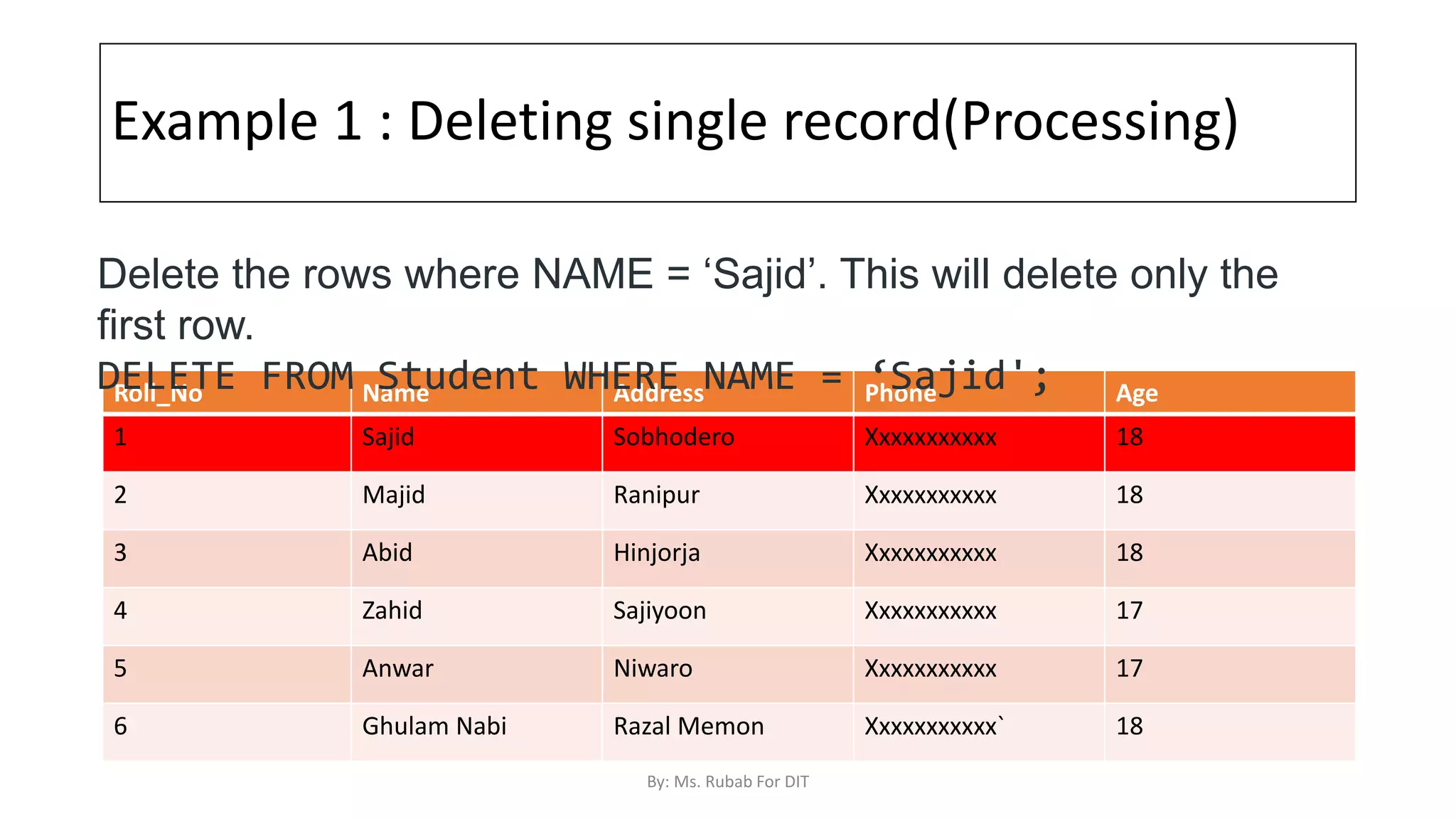
Example 1 : Deleting single record(Processing)
Roll_No Name Address Phone Age
1 Sajid Sobhodero Xxxxxxxxxxx 18
2 Majid Ranipur Xxxxxxxxxxx 18
3 Abid Hinjorja Xxxxxxxxxxx 18
4 Zahid Sajiyoon Xxxxxxxxxxx 17
5 Anwar Niwaro Xxxxxxxxxxx 17
6 Ghulam Nabi Razal Memon Xxxxxxxxxxx` 18
Delete the rows where NAME = ‘Sajid’. This will delete only the
first row.
DELETE FROM Student WHERE NAME = ‘Sajid';
By: Ms. Rubab For DIT
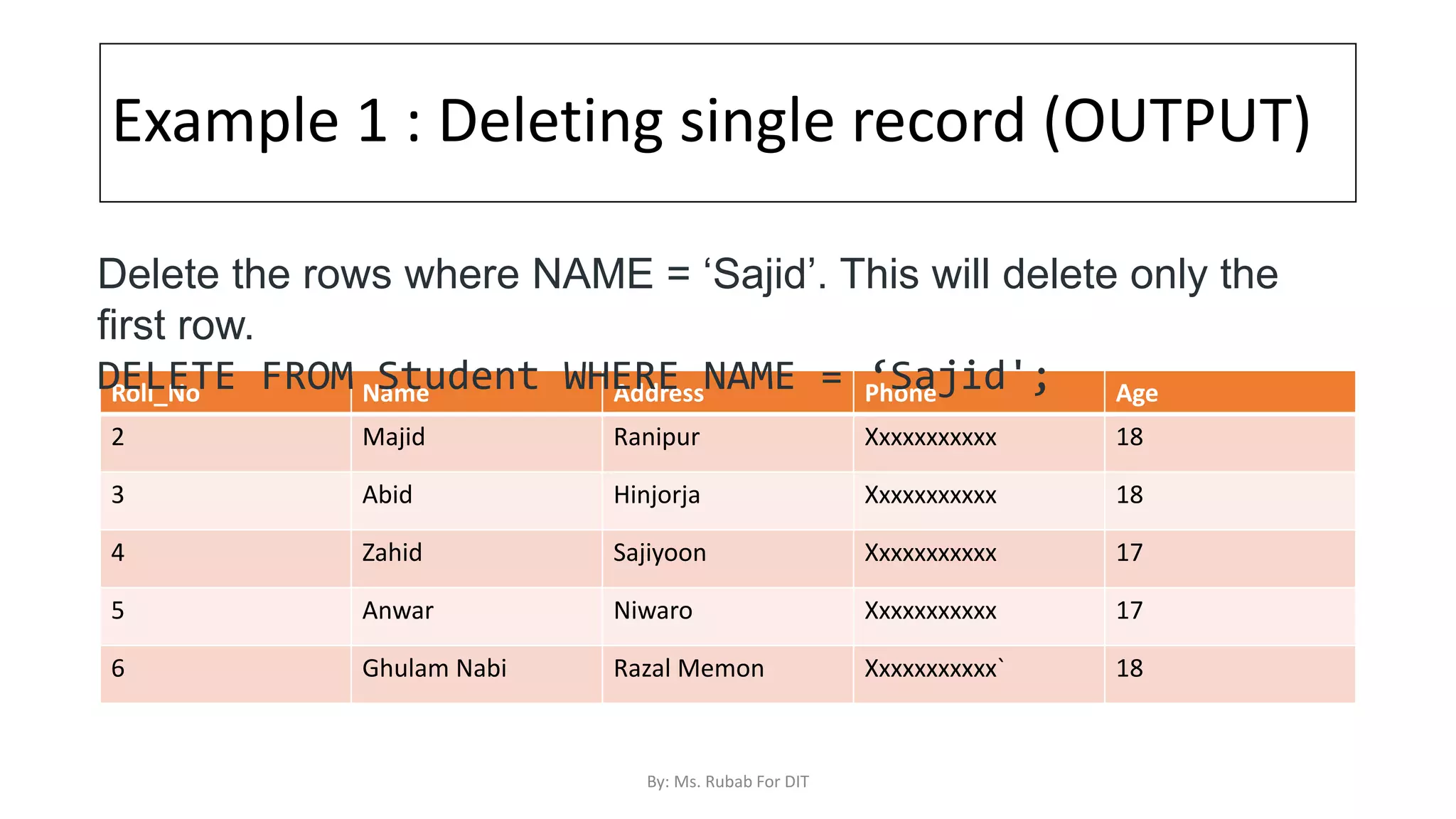
Example 1 : Deleting single record (OUTPUT)
Roll_No Name Address Phone Age
2 Majid Ranipur Xxxxxxxxxxx 18
3 Abid Hinjorja Xxxxxxxxxxx 18
4 Zahid Sajiyoon Xxxxxxxxxxx 17
5 Anwar Niwaro Xxxxxxxxxxx 17
6 Ghulam Nabi Razal Memon Xxxxxxxxxxx` 18
Delete the rows where NAME = ‘Sajid’. This will delete only the
first row.
DELETE FROM Student WHERE NAME = ‘Sajid';
By: Ms. Rubab For DIT
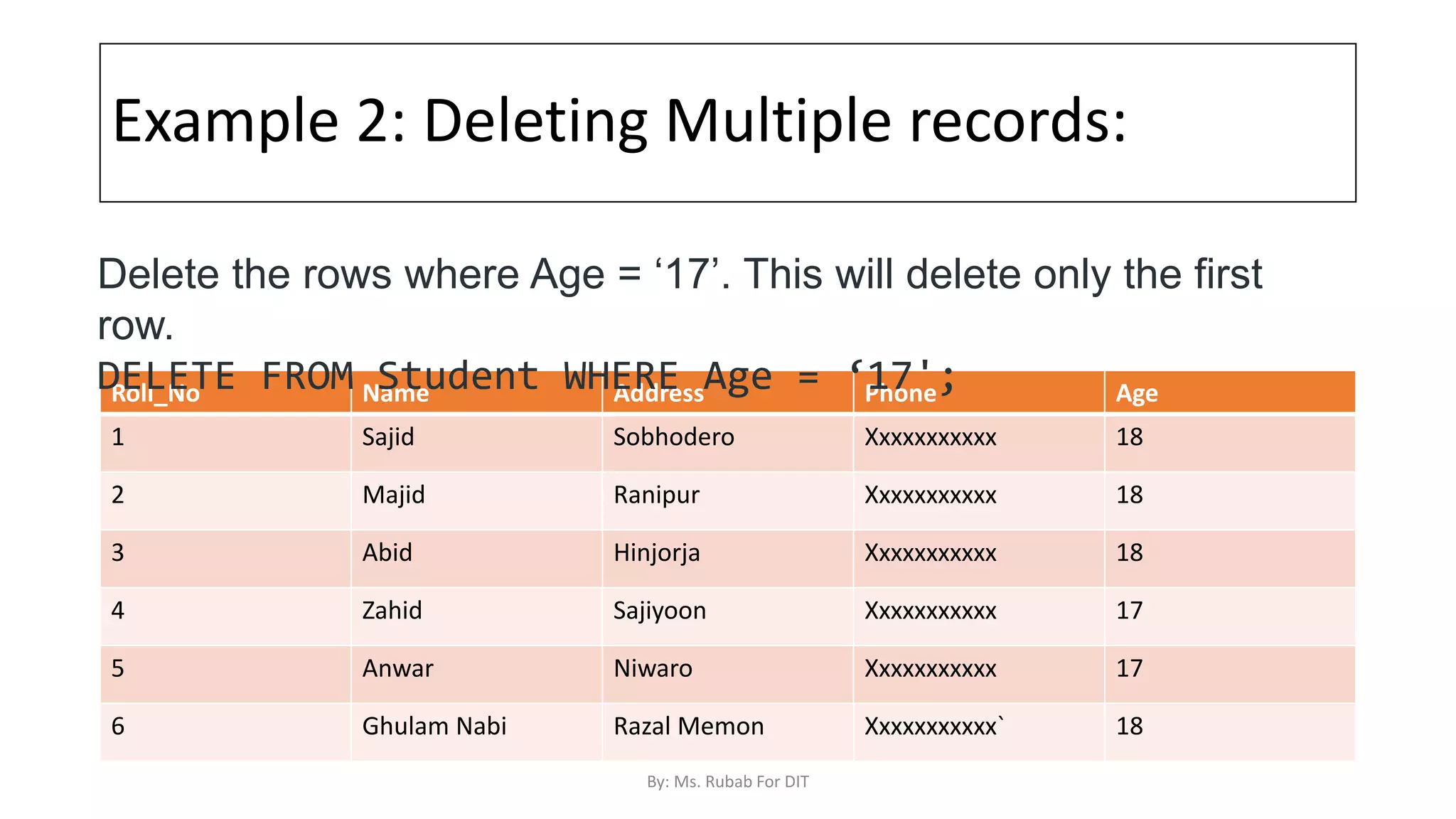
Example 2: Deleting Multiple records:
Roll_No Name Address Phone Age
1 Sajid Sobhodero Xxxxxxxxxxx 18
2 Majid Ranipur Xxxxxxxxxxx 18
3 Abid Hinjorja Xxxxxxxxxxx 18
4 Zahid Sajiyoon Xxxxxxxxxxx 17
5 Anwar Niwaro Xxxxxxxxxxx 17
6 Ghulam Nabi Razal Memon Xxxxxxxxxxx` 18
Delete the rows where Age = ‘17’. This will delete only the first
row.
DELETE FROM Student WHERE Age = ‘17';
By: Ms. Rubab For DIT
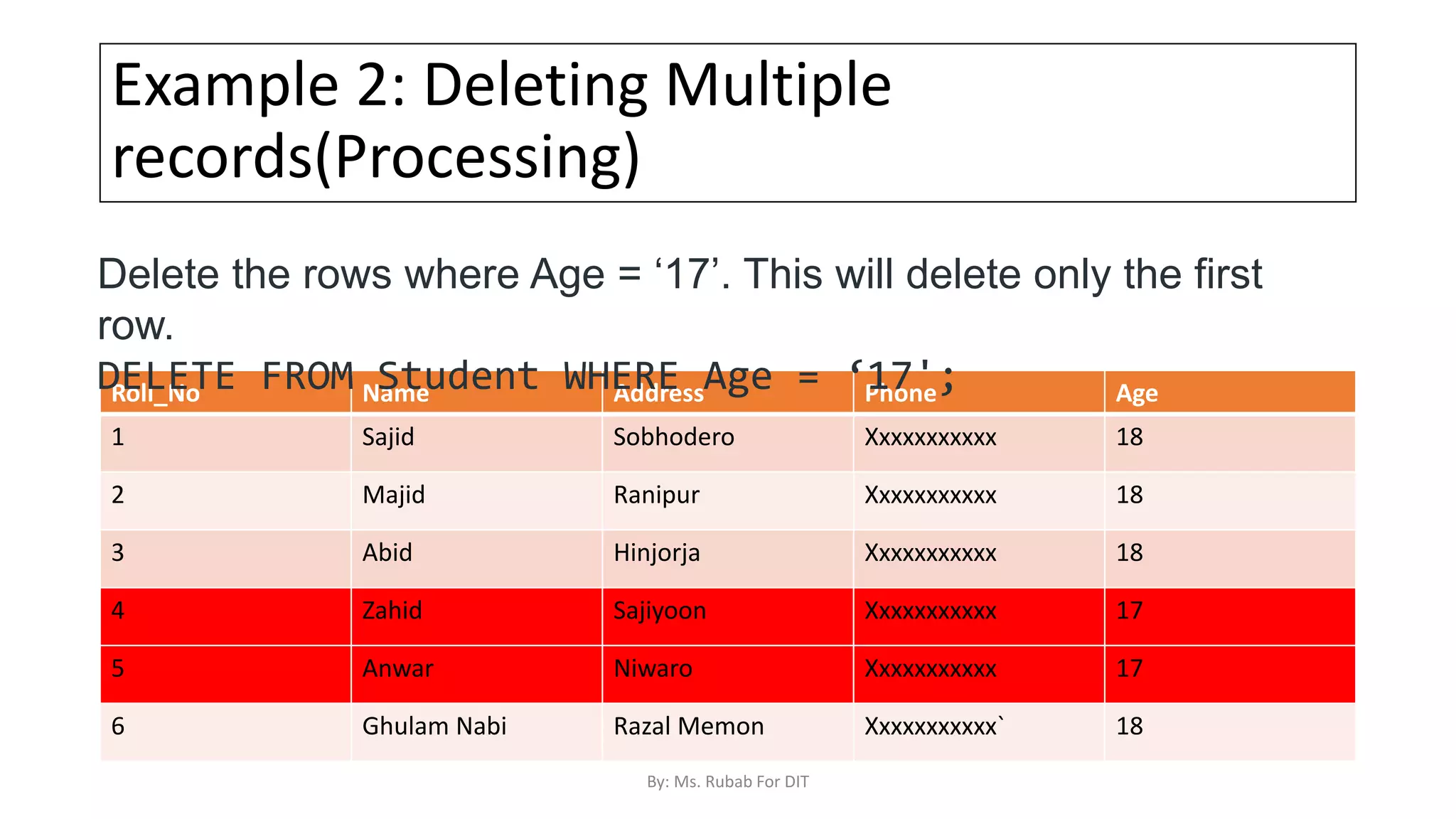
Example 2: Deleting Multiple
records(Processing)
Roll_No Name Address Phone Age
1 Sajid Sobhodero Xxxxxxxxxxx 18
2 Majid Ranipur Xxxxxxxxxxx 18
3 Abid Hinjorja Xxxxxxxxxxx 18
4 Zahid Sajiyoon Xxxxxxxxxxx 17
5 Anwar Niwaro Xxxxxxxxxxx 17
6 Ghulam Nabi Razal Memon Xxxxxxxxxxx` 18
Delete the rows where Age = ‘17’. This will delete only the first
row.
DELETE FROM Student WHERE Age = ‘17';
By: Ms. Rubab For DIT
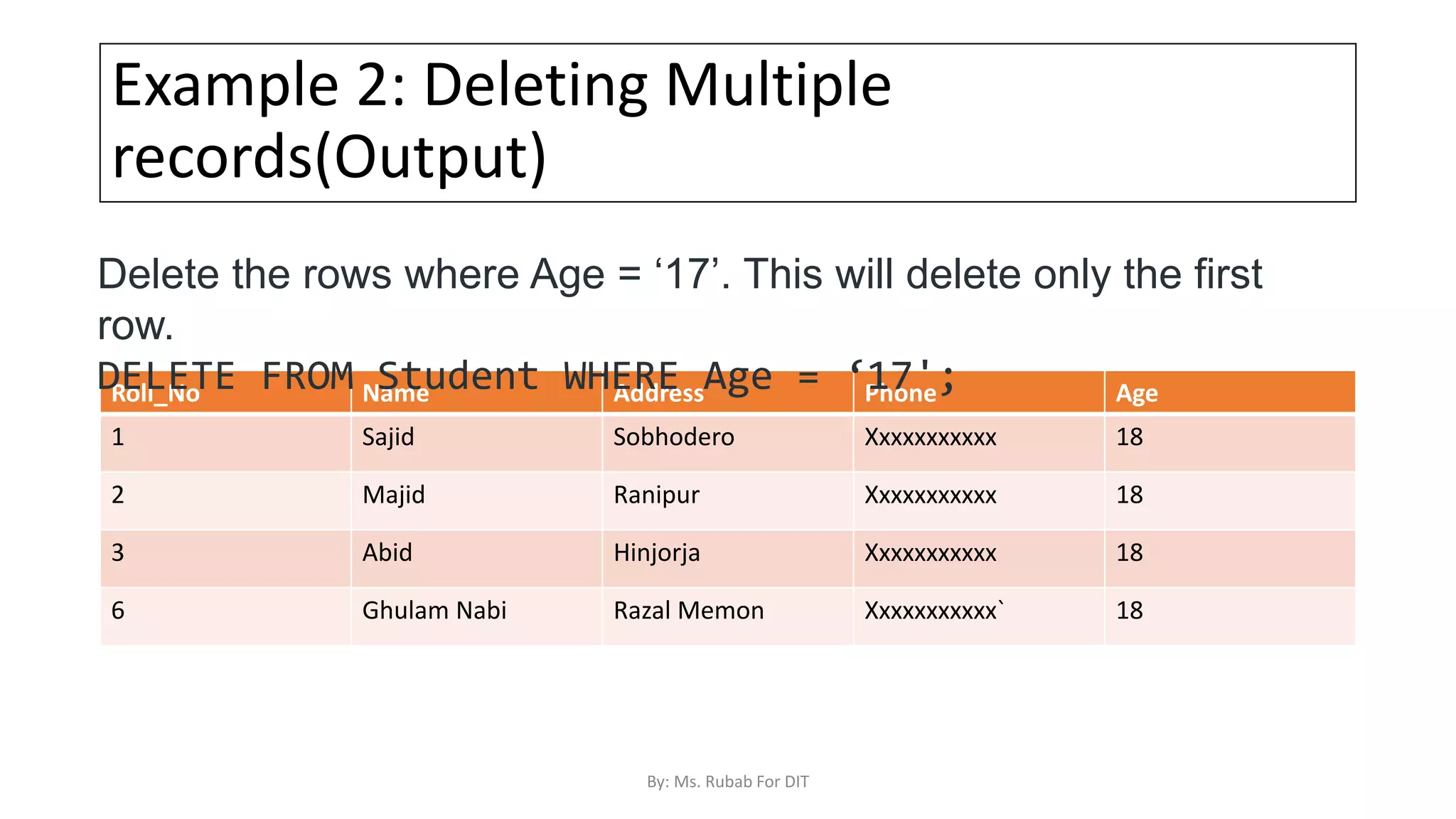
Example 2: Deleting Multiple
records(Output)
Roll_No Name Address Phone Age
1 Sajid Sobhodero Xxxxxxxxxxx 18
2 Majid Ranipur Xxxxxxxxxxx 18
3 Abid Hinjorja Xxxxxxxxxxx 18
6 Ghulam Nabi Razal Memon Xxxxxxxxxxx` 18
Delete the rows where Age = ‘17’. This will delete only the first
row.
DELETE FROM Student WHERE Age = ‘17';
By: Ms. Rubab For DIT
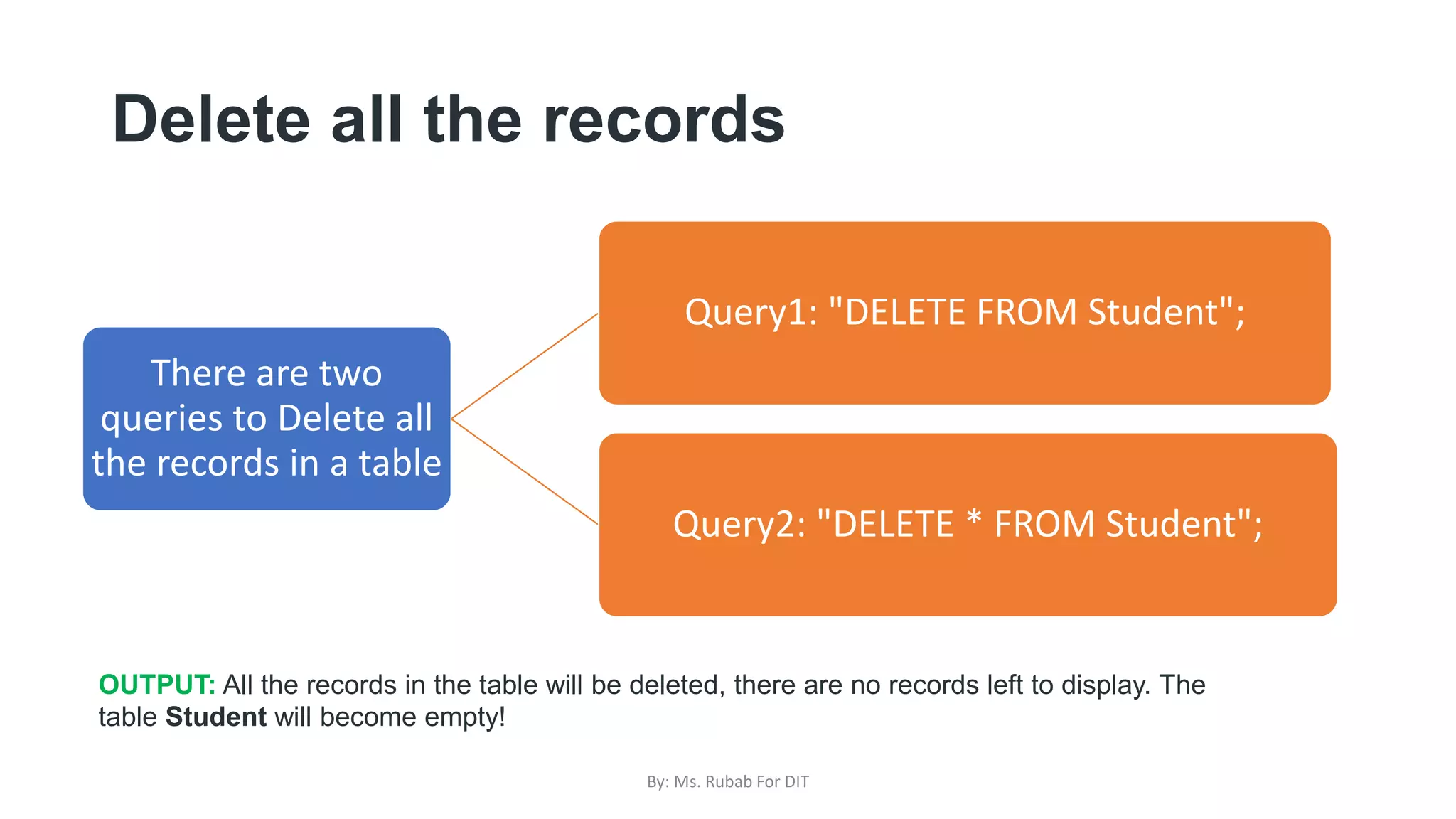
Delete all the records
There are two
queries to Delete all
the records in a table
Query1: "DELETE FROM Student";
Query2: "DELETE * FROM Student";
OUTPUT: All the records in the table will be deleted, there are no records left to display. The
table Student will become empty!
By: Ms. Rubab For DIT
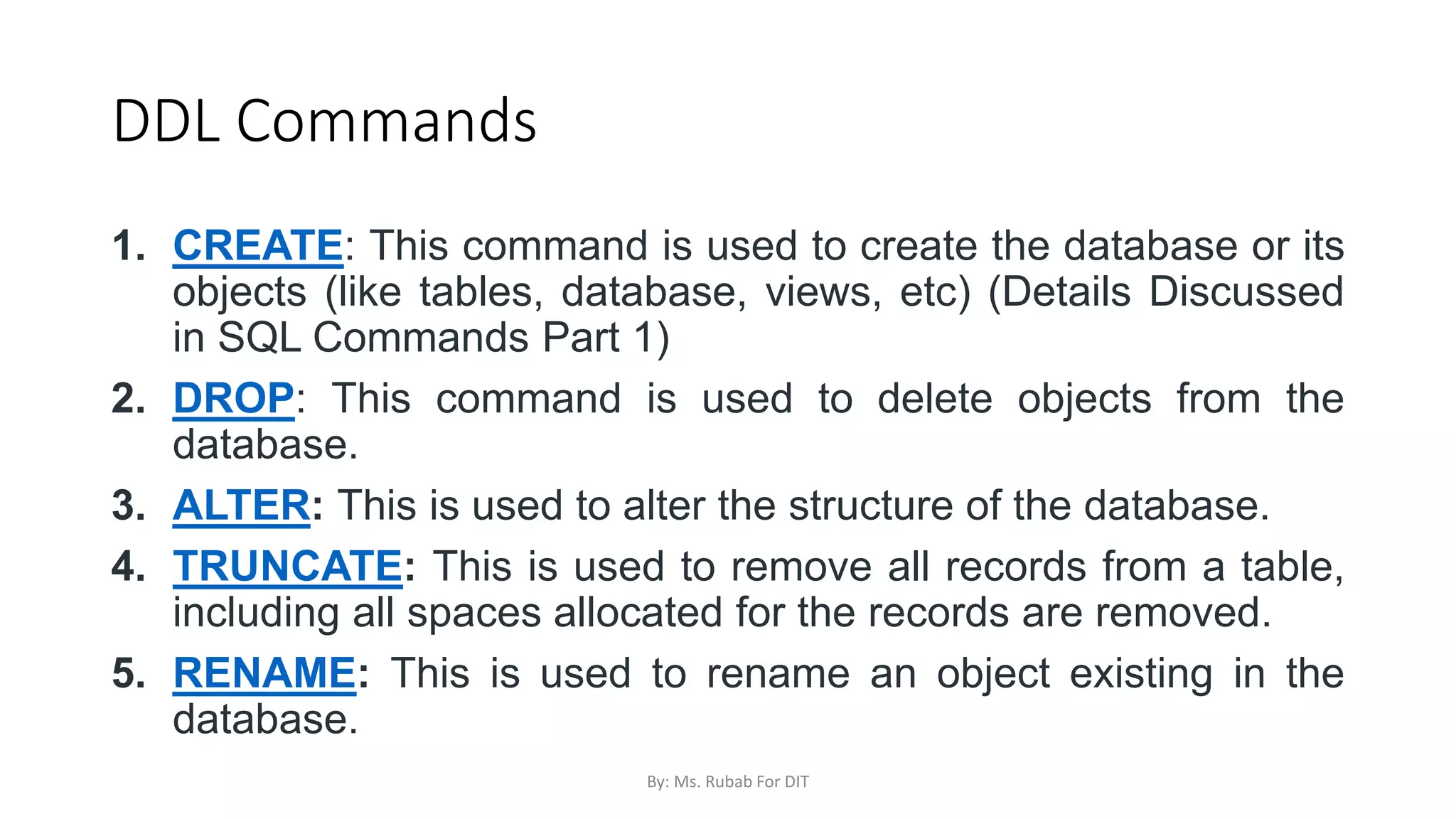
DDL Commands
1. CREATE: This command is used to create the database or its
objects (like tables, database, views, etc) (Details Discussed
in SQL Commands Part 1)
2. DROP: This command is used to delete objects from the
database.
3. ALTER: This is used to alter the structure of the database.
4. TRUNCATE: This is used to remove all records from a table,
including all spaces allocated for the records are removed.
5. RENAME: This is used to rename an object existing in the
database.
By: Ms. Rubab For DIT
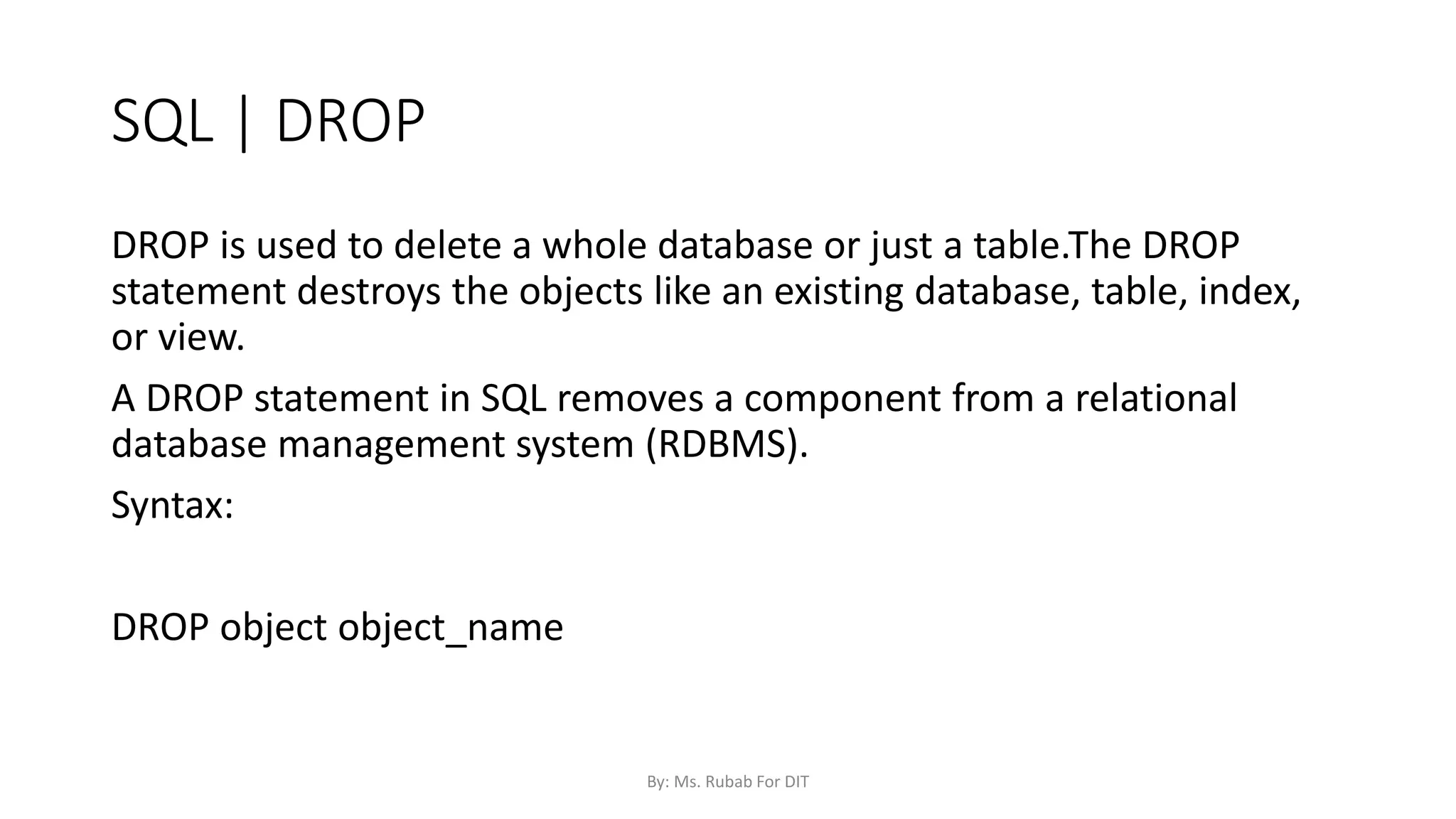
SQL | DROP
DROP is used to delete a whole database or just a table.The DROP
statement destroys the objects like an existing database, table, index,
or view.
A DROP statement in SQL removes a component from a relational
database management system (RDBMS).
Syntax:
DROP object object_name
By: Ms. Rubab For DIT
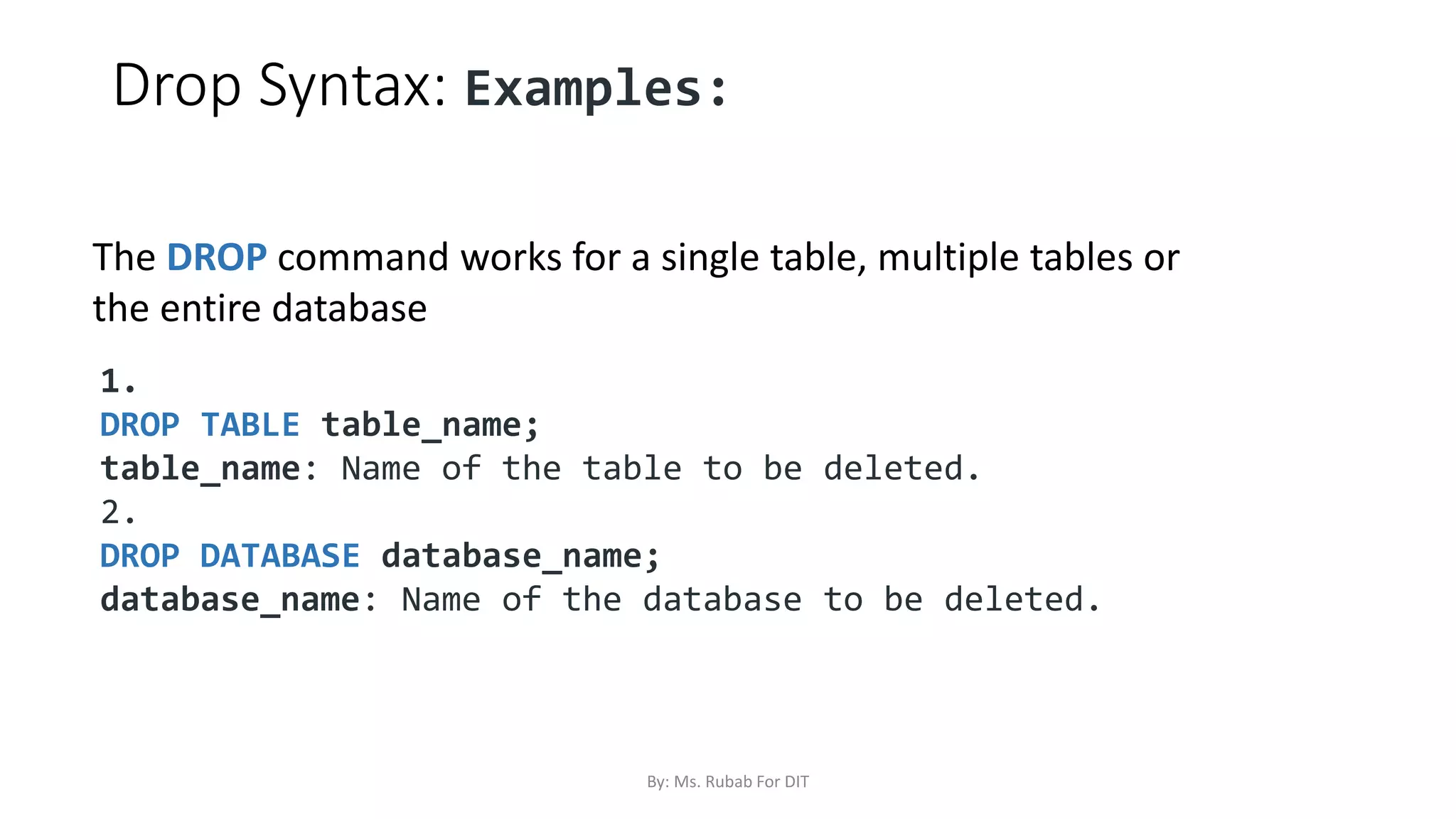
Drop Syntax: Examples:
1.
DROP TABLE table_name;
table_name: Name of the table to be deleted.
2.
DROP DATABASE database_name;
database_name: Name of the database to be deleted.
The DROP command works for a single table, multiple tables or
the entire database
By: Ms. Rubab For DIT
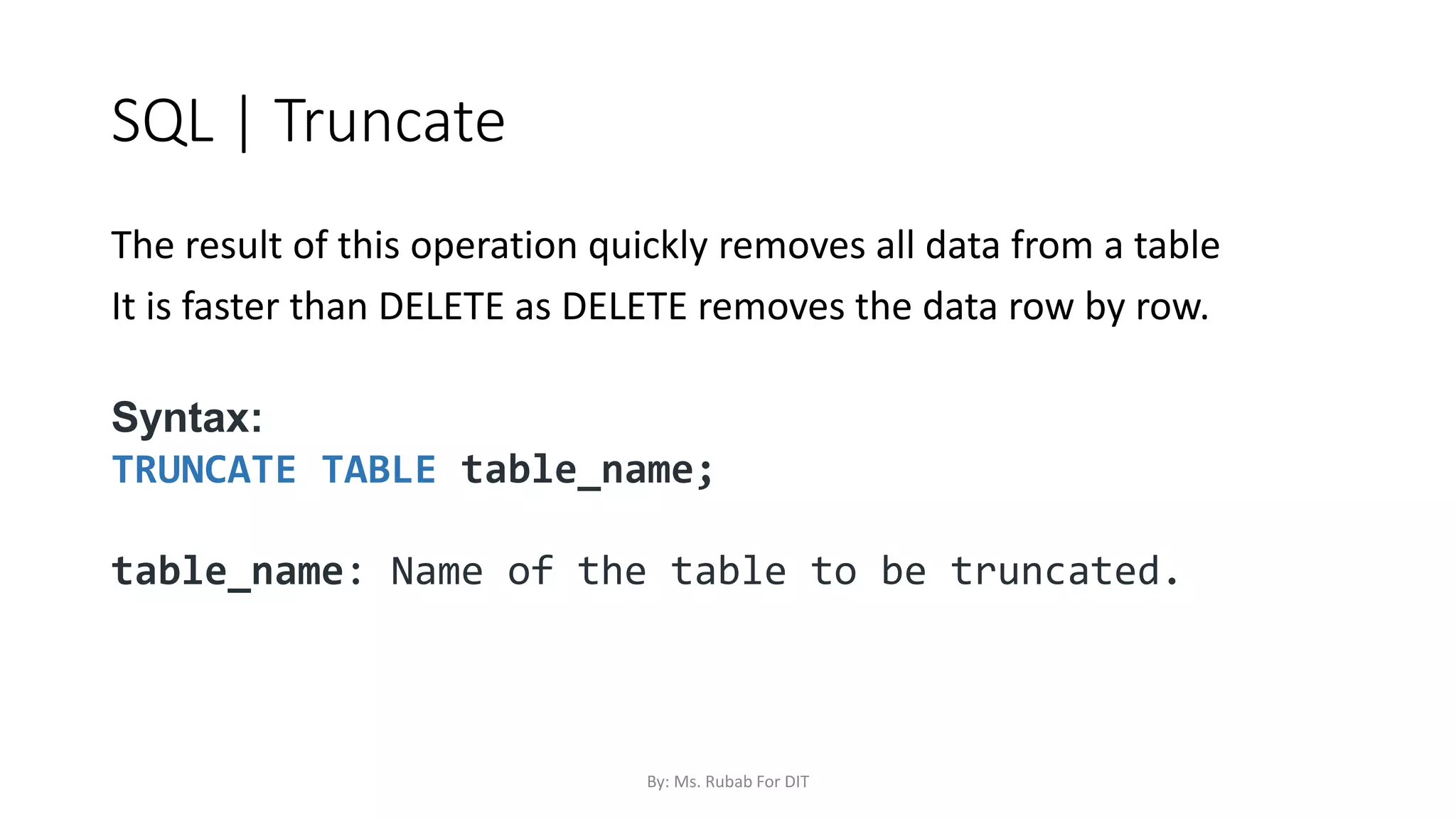
SQL | Truncate
The result of this operation quickly removes all data from a table
It is faster than DELETE as DELETE removes the data row by row.
Syntax:
TRUNCATE TABLE table_name;
table_name: Name of the table to be truncated.
By: Ms. Rubab For DIT
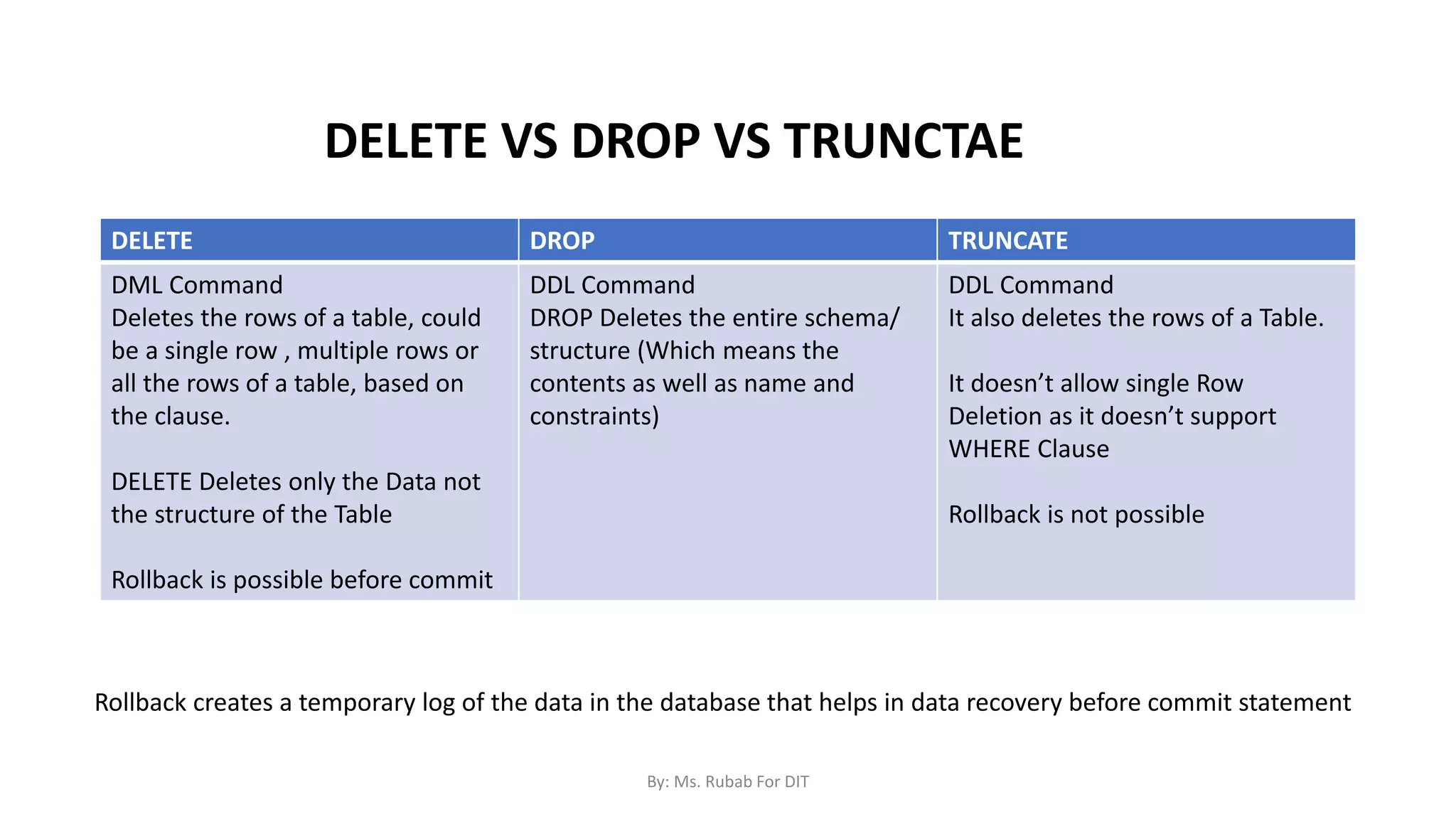
DELETE DROP TRUNCATE
DML Command
Deletes the rows of a table, could
be a single row , multiple rows or
all the rows of a table, based on
the clause.
DELETE Deletes only the Data not
the structure of the Table
Rollback is possible before commit
DDL Command
DROP Deletes the entire schema/
structure (Which means the
contents as well as name and
constraints)
DDL Command
It also deletes the rows of a Table.
It doesn’t allow single Row
Deletion as it doesn’t support
WHERE Clause
Rollback is not possible
Rollback creates a temporary log of the data in the database that helps in data recovery before commit statement
DELETE VS DROP VS TRUNCTAE
By: Ms. Rubab For DIT
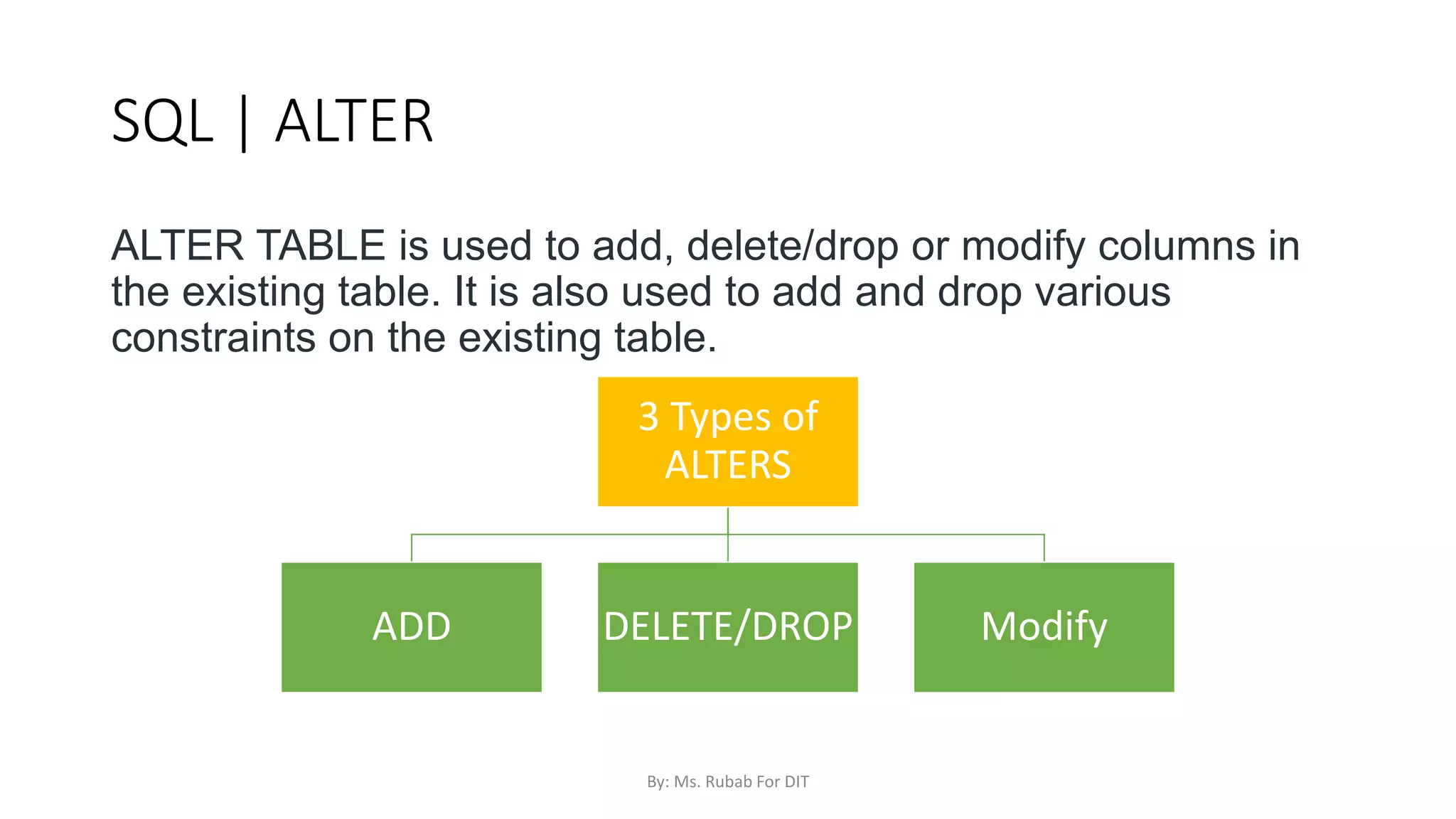
SQL | ALTER
ALTER TABLE is used to add, delete/drop or modify columns in
the existing table. It is also used to add and drop various
constraints on the existing table.
3 Types of
ALTERS
ADD DELETE/DROP Modify
By: Ms. Rubab For DIT
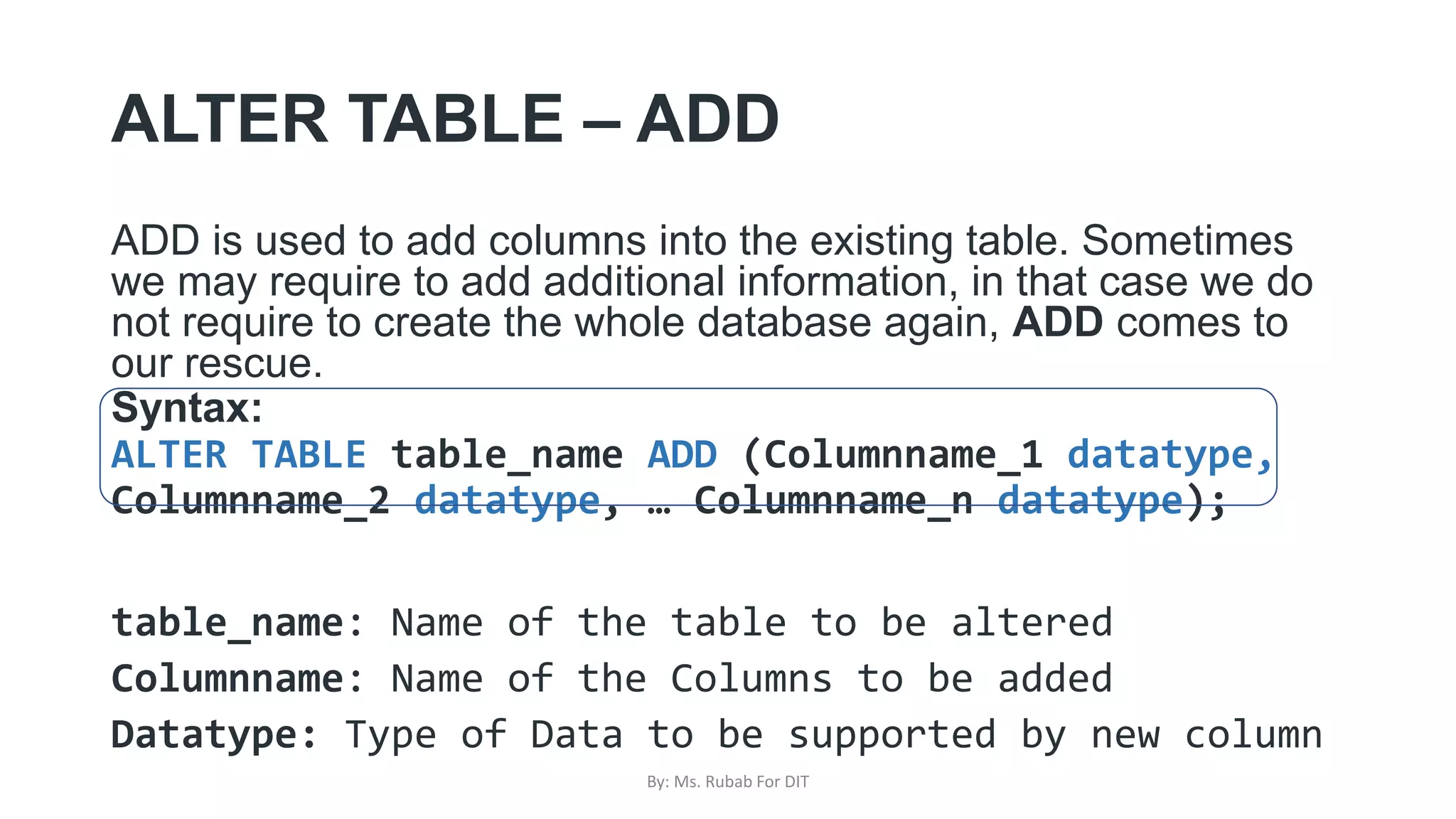
ALTER TABLE – ADD
ADD is used to add columns into the existing table. Sometimes
we may require to add additional information, in that case we do
not require to create the whole database again, ADD comes to
our rescue.
Syntax:
ALTER TABLE table_name ADD (Columnname_1 datatype,
Columnname_2 datatype, … Columnname_n datatype);
table_name: Name of the table to be altered
Columnname: Name of the Columns to be added
Datatype: Type of Data to be supported by new column
By: Ms. Rubab For DIT
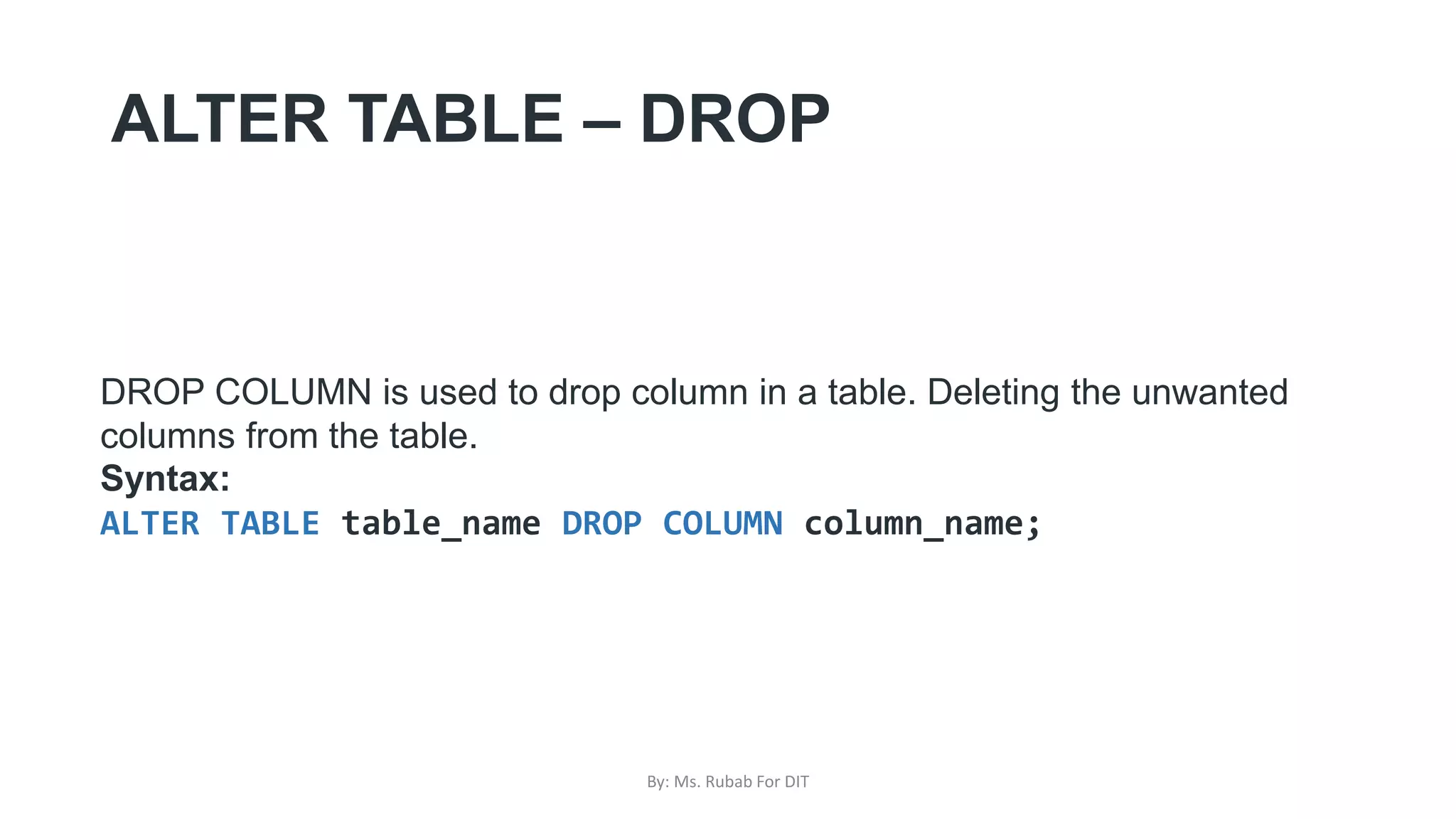
ALTER TABLE – DROP
DROP COLUMN is used to drop column in a table. Deleting the unwanted
columns from the table.
Syntax:
ALTER TABLE table_name DROP COLUMN column_name;
By: Ms. Rubab For DIT
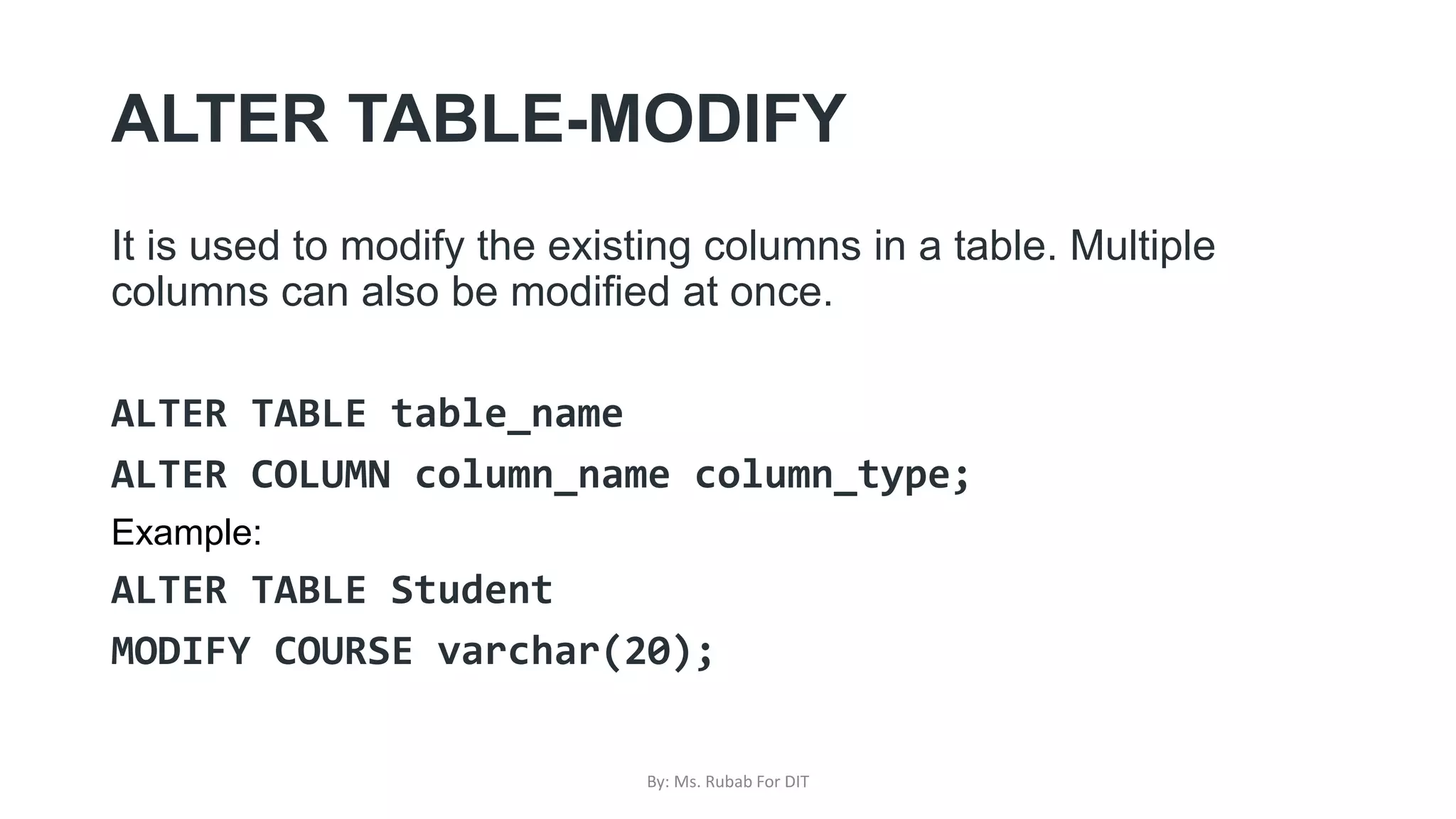
ALTER TABLE-MODIFY
It is used to modify the existing columns in a table. Multiple
columns can also be modified at once.
ALTER TABLE table_name
ALTER COLUMN column_name column_type;
Example:
ALTER TABLE Student
MODIFY COURSE varchar(20);
By: Ms. Rubab For DIT
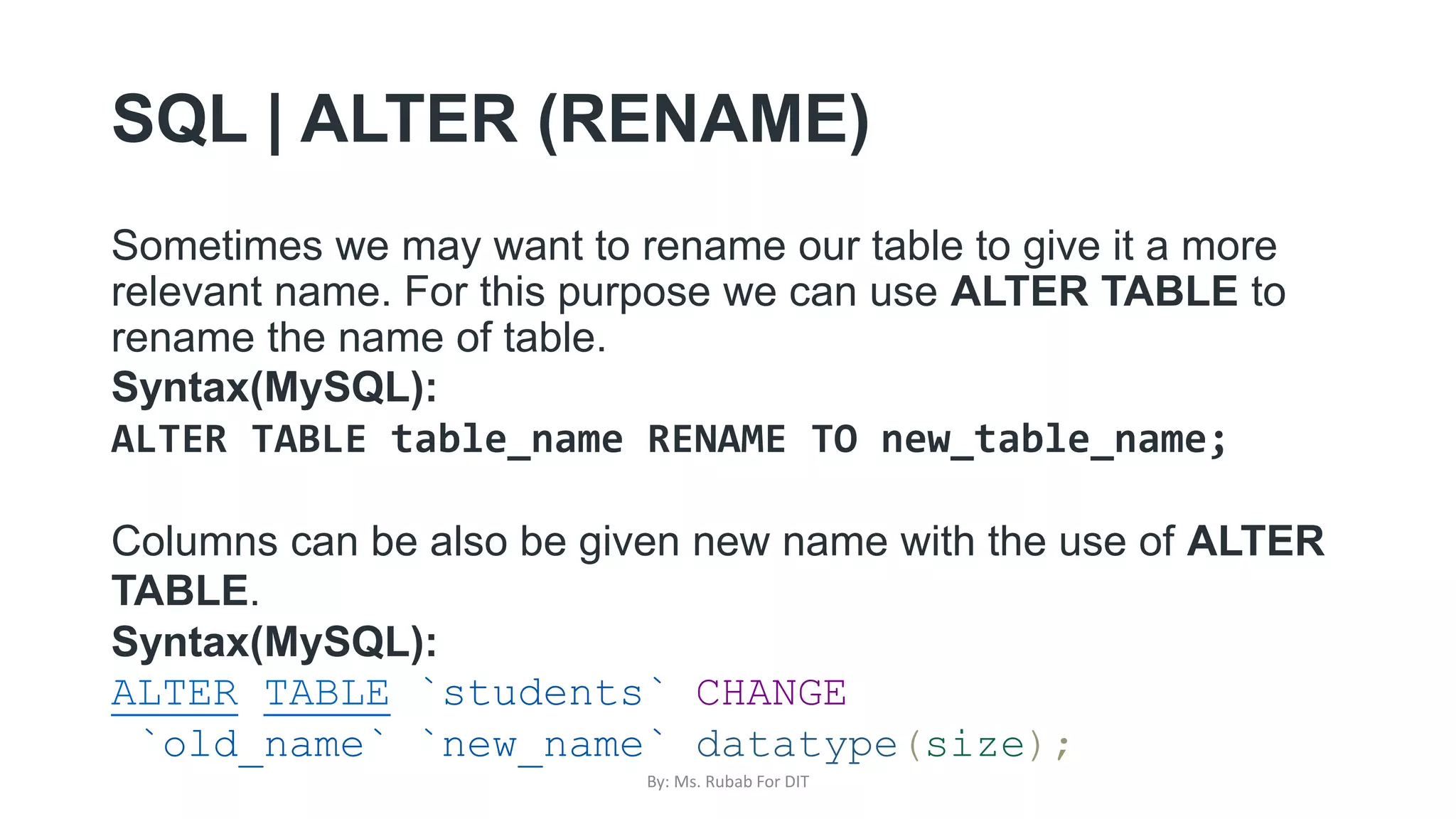
SQL | ALTER (RENAME)
Sometimes we may want to rename our table to give it a more
relevant name. For this purpose we can use ALTER TABLE to
rename the name of table.
Syntax(MySQL):
ALTER TABLE table_name RENAME TO new_table_name;
Columns can be also be given new name with the use of ALTER
TABLE.
Syntax(MySQL):
ALTER TABLE `students` CHANGE
`old_name` `new_name` datatype(size);
By: Ms. Rubab For DIT
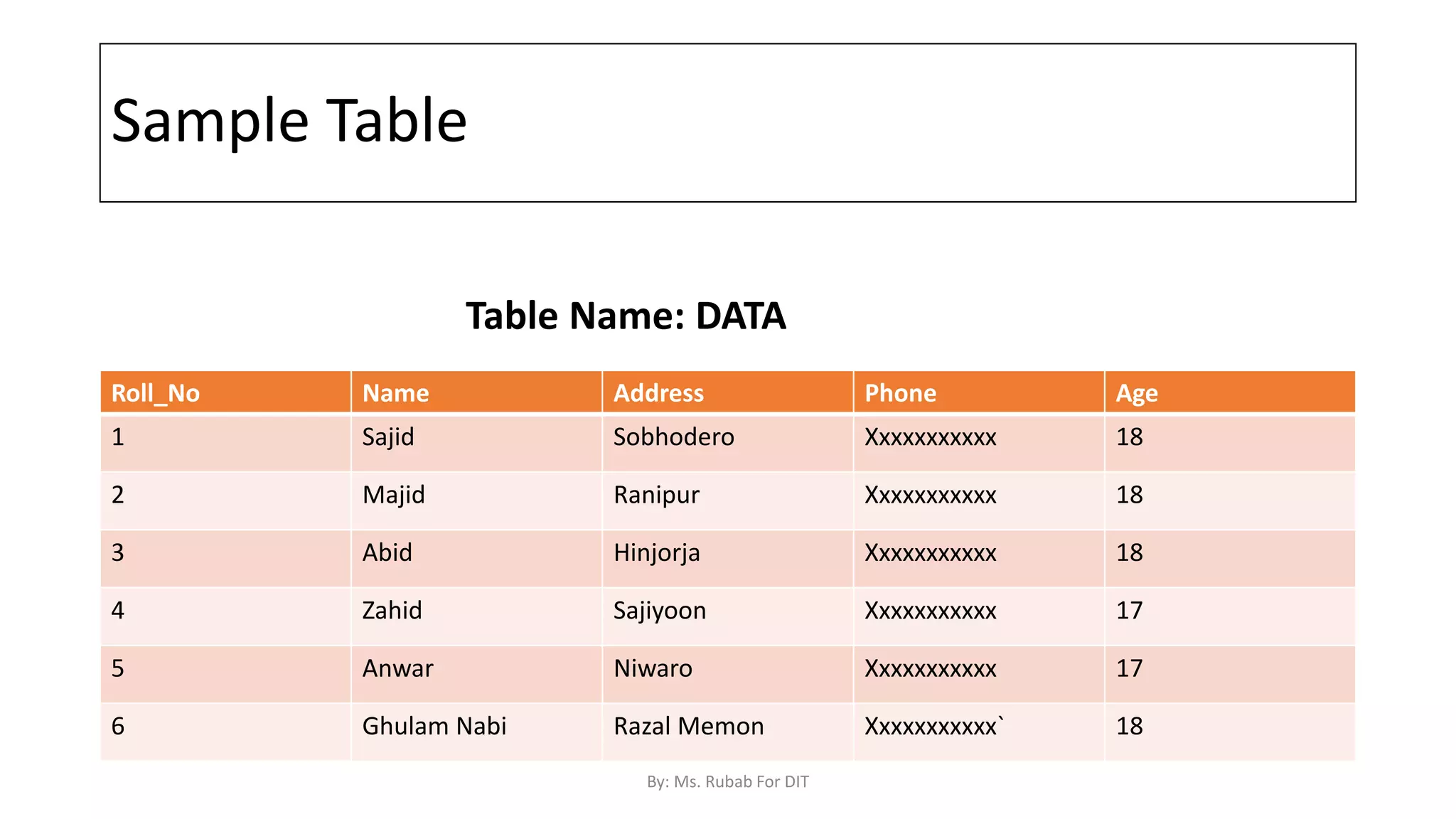
Sample Table
Roll_No Name Address Phone Age
1 Sajid Sobhodero Xxxxxxxxxxx 18
2 Majid Ranipur Xxxxxxxxxxx 18
3 Abid Hinjorja Xxxxxxxxxxx 18
4 Zahid Sajiyoon Xxxxxxxxxxx 17
5 Anwar Niwaro Xxxxxxxxxxx 17
6 Ghulam Nabi Razal Memon Xxxxxxxxxxx` 18
Table Name: DATA
By: Ms. Rubab For DIT
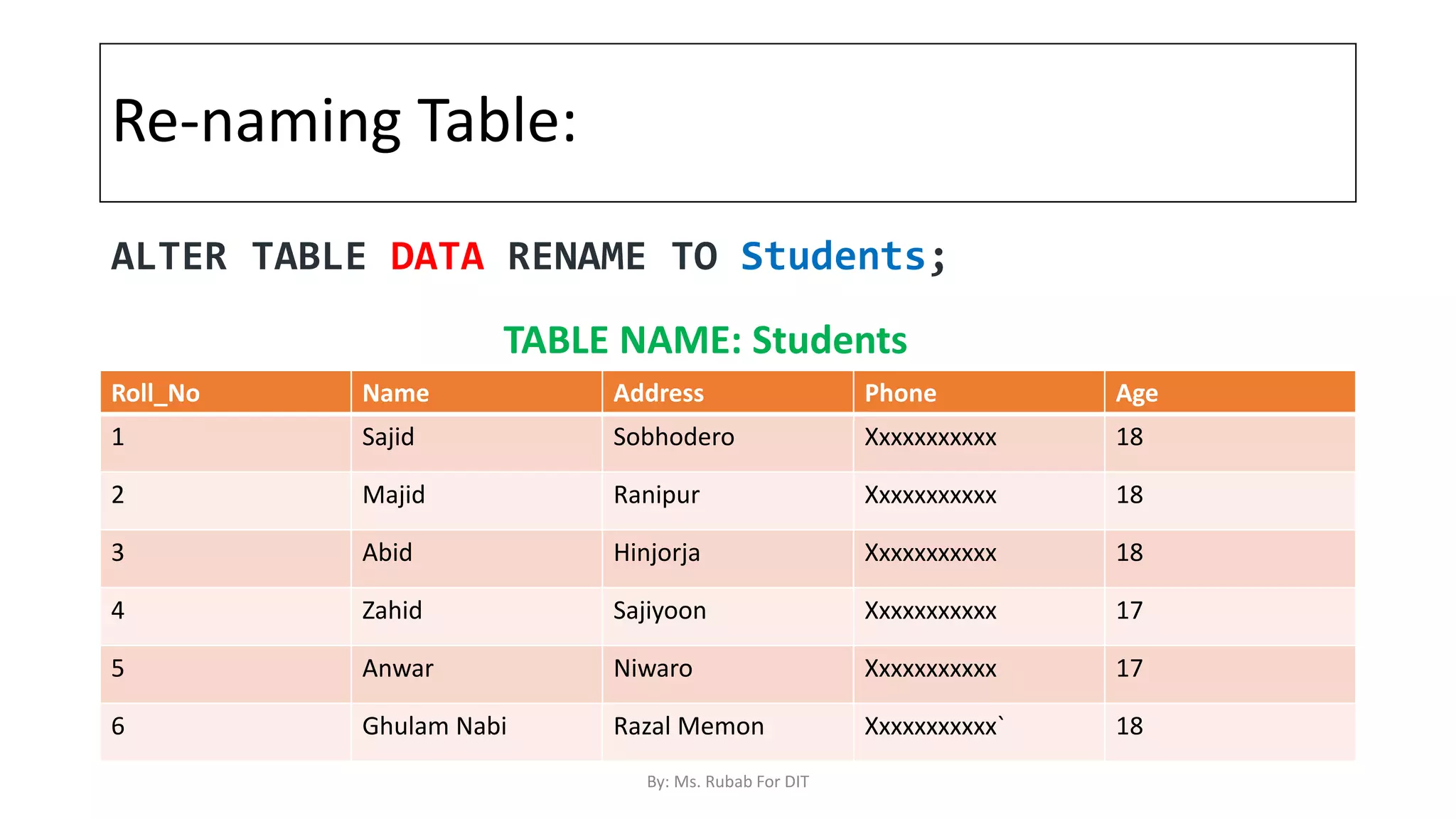
Re-naming Table:
Roll_No Name Address Phone Age
1 Sajid Sobhodero Xxxxxxxxxxx 18
2 Majid Ranipur Xxxxxxxxxxx 18
3 Abid Hinjorja Xxxxxxxxxxx 18
4 Zahid Sajiyoon Xxxxxxxxxxx 17
5 Anwar Niwaro Xxxxxxxxxxx 17
6 Ghulam Nabi Razal Memon Xxxxxxxxxxx` 18
ALTER TABLE DATA RENAME TO Students;
TABLE NAME: Students
By: Ms. Rubab For DIT
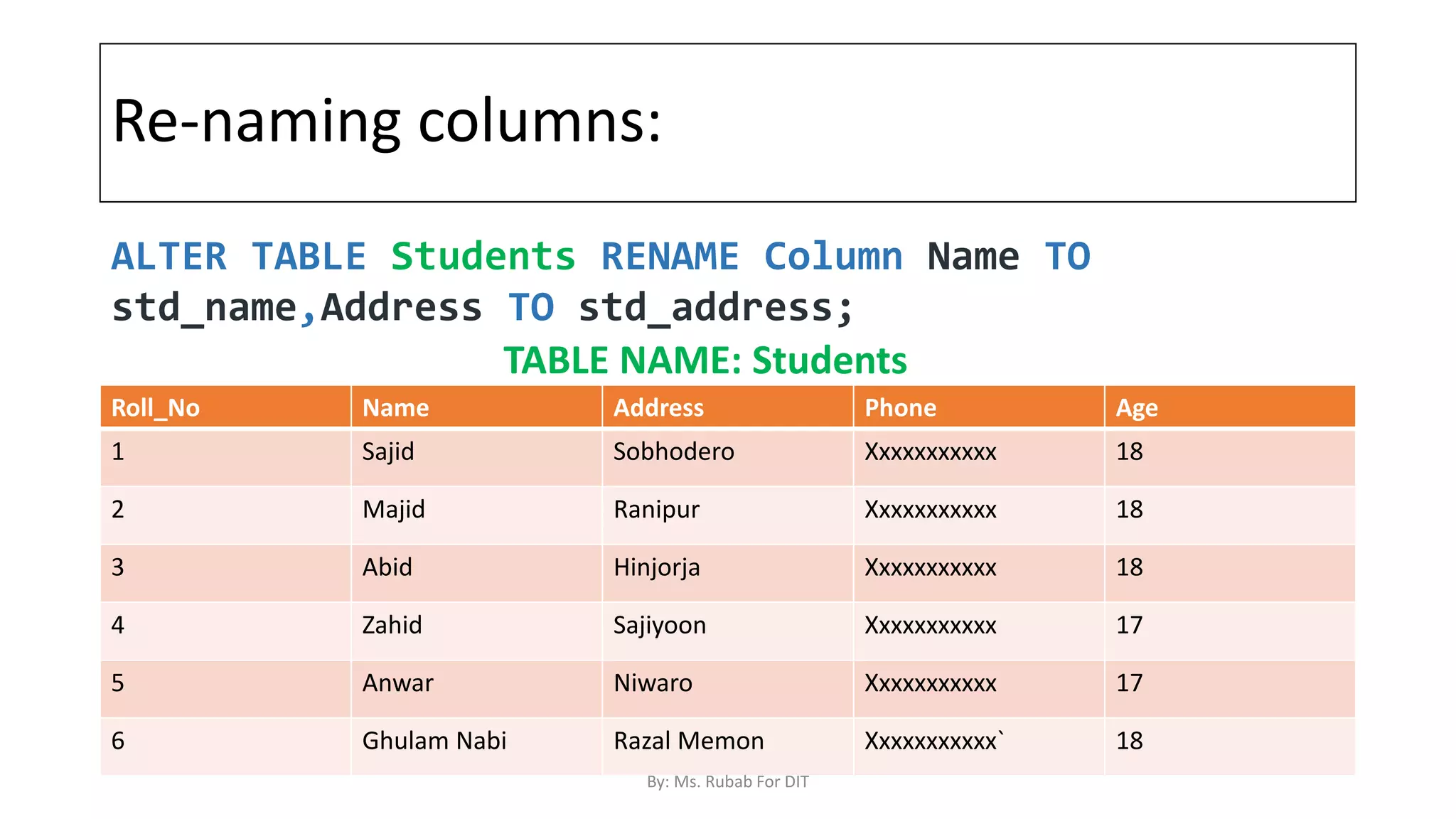
Re-naming columns:
Roll_No Name Address Phone Age
1 Sajid Sobhodero Xxxxxxxxxxx 18
2 Majid Ranipur Xxxxxxxxxxx 18
3 Abid Hinjorja Xxxxxxxxxxx 18
4 Zahid Sajiyoon Xxxxxxxxxxx 17
5 Anwar Niwaro Xxxxxxxxxxx 17
6 Ghulam Nabi Razal Memon Xxxxxxxxxxx` 18
ALTER TABLE Students RENAME Column Name TO
std_name,Address TO std_address;
TABLE NAME: Students
By: Ms. Rubab For DIT
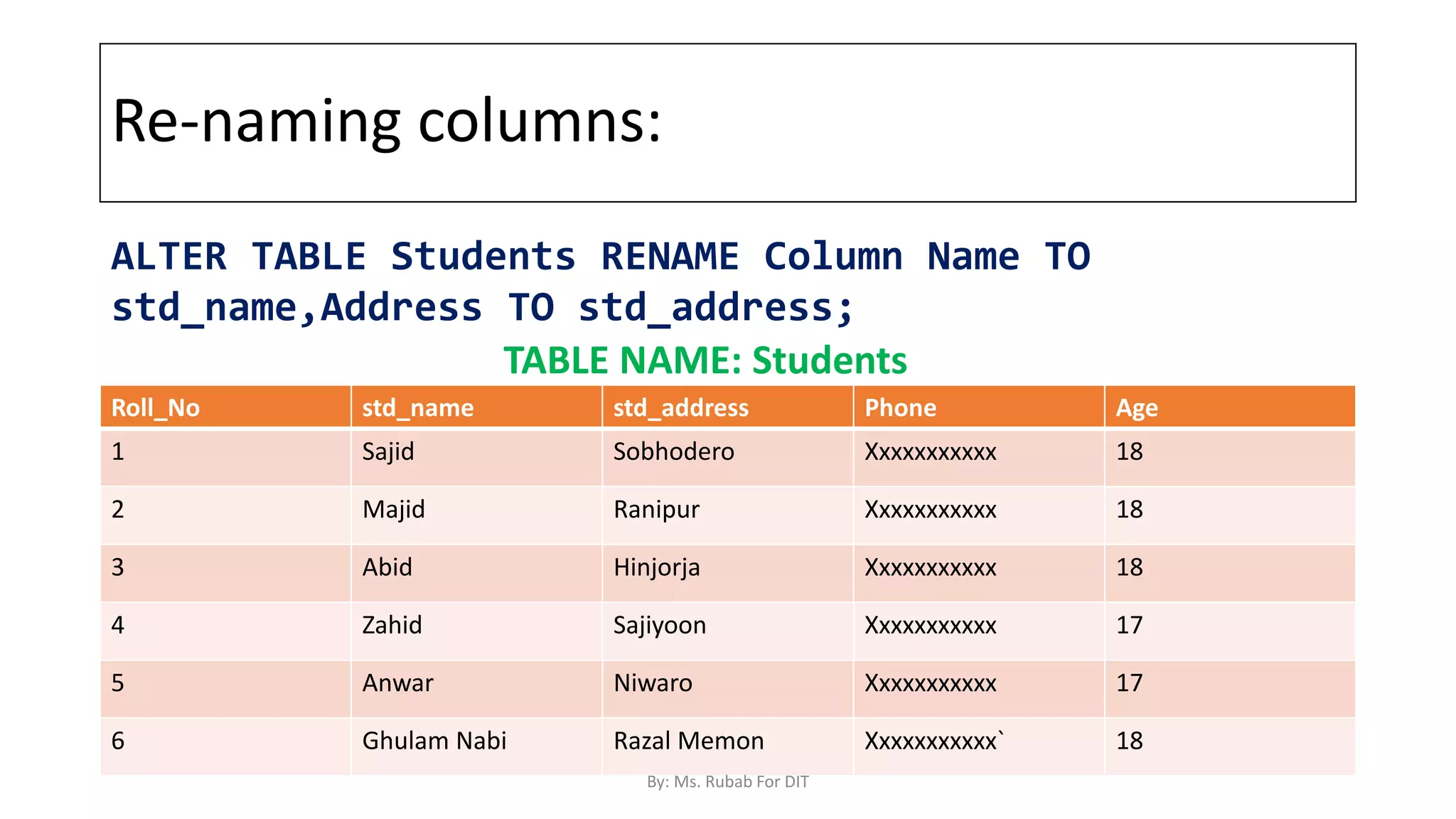
Re-naming columns:
Roll_No std_name std_address Phone Age
1 Sajid Sobhodero Xxxxxxxxxxx 18
2 Majid Ranipur Xxxxxxxxxxx 18
3 Abid Hinjorja Xxxxxxxxxxx 18
4 Zahid Sajiyoon Xxxxxxxxxxx 17
5 Anwar Niwaro Xxxxxxxxxxx 17
6 Ghulam Nabi Razal Memon Xxxxxxxxxxx` 18
ALTER TABLE Students RENAME Column Name TO
std_name,Address TO std_address;
TABLE NAME: Students
By: Ms. Rubab For DIT

SQL Commands Part 3.pptx

  • 1.
    SQL Commands (Part 3) By:Ms. Rubab For DIT
  • 2.
    Delete Statement(DML Statement) TheDELETE Statement in SQL is used to delete existing records from a table. We can delete a single record or multiple records depending on the condition we specify in the WHERE clause. table_name: name of the table some_condition: condition to choose particular record. DELETE FROM table_name WHERE some_condition; By: Ms. Rubab For DIT
  • 3.
    DELETE Stataement We candelete single as well as multiple records depending on the condition. The Condition is provided in the WHERE clause. If we omit the WHERE clause then all the records will be deleted, and the table will be empty. By: Ms. Rubab For DIT
  • 4.
    Sample Table Roll_No NameAddress Phone Age 1 Sajid Sobhodero Xxxxxxxxxxx 18 2 Majid Ranipur Xxxxxxxxxxx 18 3 Abid Hinjorja Xxxxxxxxxxx 18 4 Zahid Sajiyoon Xxxxxxxxxxx 17 5 Anwar Niwaro Xxxxxxxxxxx 17 6 Ghulam Nabi Razal Memon Xxxxxxxxxxx` 18 By: Ms. Rubab For DIT
  • 5.
    Example 1 :Deleting single record: Roll_No Name Address Phone Age 1 Sajid Sobhodero Xxxxxxxxxxx 18 2 Majid Ranipur Xxxxxxxxxxx 18 3 Abid Hinjorja Xxxxxxxxxxx 18 4 Zahid Sajiyoon Xxxxxxxxxxx 17 5 Anwar Niwaro Xxxxxxxxxxx 17 6 Ghulam Nabi Razal Memon Xxxxxxxxxxx` 18 Delete the rows where NAME = ‘Sajid’. This will delete only the first row. DELETE FROM Student WHERE NAME = ‘Sajid'; By: Ms. Rubab For DIT
  • 6.
    Example 1 :Deleting single record(Processing) Roll_No Name Address Phone Age 1 Sajid Sobhodero Xxxxxxxxxxx 18 2 Majid Ranipur Xxxxxxxxxxx 18 3 Abid Hinjorja Xxxxxxxxxxx 18 4 Zahid Sajiyoon Xxxxxxxxxxx 17 5 Anwar Niwaro Xxxxxxxxxxx 17 6 Ghulam Nabi Razal Memon Xxxxxxxxxxx` 18 Delete the rows where NAME = ‘Sajid’. This will delete only the first row. DELETE FROM Student WHERE NAME = ‘Sajid'; By: Ms. Rubab For DIT
  • 7.
    Example 1 :Deleting single record (OUTPUT) Roll_No Name Address Phone Age 2 Majid Ranipur Xxxxxxxxxxx 18 3 Abid Hinjorja Xxxxxxxxxxx 18 4 Zahid Sajiyoon Xxxxxxxxxxx 17 5 Anwar Niwaro Xxxxxxxxxxx 17 6 Ghulam Nabi Razal Memon Xxxxxxxxxxx` 18 Delete the rows where NAME = ‘Sajid’. This will delete only the first row. DELETE FROM Student WHERE NAME = ‘Sajid'; By: Ms. Rubab For DIT
  • 8.
    Example 2: DeletingMultiple records: Roll_No Name Address Phone Age 1 Sajid Sobhodero Xxxxxxxxxxx 18 2 Majid Ranipur Xxxxxxxxxxx 18 3 Abid Hinjorja Xxxxxxxxxxx 18 4 Zahid Sajiyoon Xxxxxxxxxxx 17 5 Anwar Niwaro Xxxxxxxxxxx 17 6 Ghulam Nabi Razal Memon Xxxxxxxxxxx` 18 Delete the rows where Age = ‘17’. This will delete only the first row. DELETE FROM Student WHERE Age = ‘17'; By: Ms. Rubab For DIT
  • 9.
    Example 2: DeletingMultiple records(Processing) Roll_No Name Address Phone Age 1 Sajid Sobhodero Xxxxxxxxxxx 18 2 Majid Ranipur Xxxxxxxxxxx 18 3 Abid Hinjorja Xxxxxxxxxxx 18 4 Zahid Sajiyoon Xxxxxxxxxxx 17 5 Anwar Niwaro Xxxxxxxxxxx 17 6 Ghulam Nabi Razal Memon Xxxxxxxxxxx` 18 Delete the rows where Age = ‘17’. This will delete only the first row. DELETE FROM Student WHERE Age = ‘17'; By: Ms. Rubab For DIT
  • 10.
    Example 2: DeletingMultiple records(Output) Roll_No Name Address Phone Age 1 Sajid Sobhodero Xxxxxxxxxxx 18 2 Majid Ranipur Xxxxxxxxxxx 18 3 Abid Hinjorja Xxxxxxxxxxx 18 6 Ghulam Nabi Razal Memon Xxxxxxxxxxx` 18 Delete the rows where Age = ‘17’. This will delete only the first row. DELETE FROM Student WHERE Age = ‘17'; By: Ms. Rubab For DIT
  • 11.
    Delete all therecords There are two queries to Delete all the records in a table Query1: "DELETE FROM Student"; Query2: "DELETE * FROM Student"; OUTPUT: All the records in the table will be deleted, there are no records left to display. The table Student will become empty! By: Ms. Rubab For DIT
  • 12.
    DDL Commands 1. CREATE:This command is used to create the database or its objects (like tables, database, views, etc) (Details Discussed in SQL Commands Part 1) 2. DROP: This command is used to delete objects from the database. 3. ALTER: This is used to alter the structure of the database. 4. TRUNCATE: This is used to remove all records from a table, including all spaces allocated for the records are removed. 5. RENAME: This is used to rename an object existing in the database. By: Ms. Rubab For DIT
  • 13.
    SQL | DROP DROPis used to delete a whole database or just a table.The DROP statement destroys the objects like an existing database, table, index, or view. A DROP statement in SQL removes a component from a relational database management system (RDBMS). Syntax: DROP object object_name By: Ms. Rubab For DIT
  • 14.
    Drop Syntax: Examples: 1. DROPTABLE table_name; table_name: Name of the table to be deleted. 2. DROP DATABASE database_name; database_name: Name of the database to be deleted. The DROP command works for a single table, multiple tables or the entire database By: Ms. Rubab For DIT
  • 15.
    SQL | Truncate Theresult of this operation quickly removes all data from a table It is faster than DELETE as DELETE removes the data row by row. Syntax: TRUNCATE TABLE table_name; table_name: Name of the table to be truncated. By: Ms. Rubab For DIT
  • 16.
    DELETE DROP TRUNCATE DMLCommand Deletes the rows of a table, could be a single row , multiple rows or all the rows of a table, based on the clause. DELETE Deletes only the Data not the structure of the Table Rollback is possible before commit DDL Command DROP Deletes the entire schema/ structure (Which means the contents as well as name and constraints) DDL Command It also deletes the rows of a Table. It doesn’t allow single Row Deletion as it doesn’t support WHERE Clause Rollback is not possible Rollback creates a temporary log of the data in the database that helps in data recovery before commit statement DELETE VS DROP VS TRUNCTAE By: Ms. Rubab For DIT
  • 17.
    SQL | ALTER ALTERTABLE is used to add, delete/drop or modify columns in the existing table. It is also used to add and drop various constraints on the existing table. 3 Types of ALTERS ADD DELETE/DROP Modify By: Ms. Rubab For DIT
  • 18.
    ALTER TABLE –ADD ADD is used to add columns into the existing table. Sometimes we may require to add additional information, in that case we do not require to create the whole database again, ADD comes to our rescue. Syntax: ALTER TABLE table_name ADD (Columnname_1 datatype, Columnname_2 datatype, … Columnname_n datatype); table_name: Name of the table to be altered Columnname: Name of the Columns to be added Datatype: Type of Data to be supported by new column By: Ms. Rubab For DIT
  • 19.
    ALTER TABLE –DROP DROP COLUMN is used to drop column in a table. Deleting the unwanted columns from the table. Syntax: ALTER TABLE table_name DROP COLUMN column_name; By: Ms. Rubab For DIT
  • 20.
    ALTER TABLE-MODIFY It isused to modify the existing columns in a table. Multiple columns can also be modified at once. ALTER TABLE table_name ALTER COLUMN column_name column_type; Example: ALTER TABLE Student MODIFY COURSE varchar(20); By: Ms. Rubab For DIT
  • 21.
    SQL | ALTER(RENAME) Sometimes we may want to rename our table to give it a more relevant name. For this purpose we can use ALTER TABLE to rename the name of table. Syntax(MySQL): ALTER TABLE table_name RENAME TO new_table_name; Columns can be also be given new name with the use of ALTER TABLE. Syntax(MySQL): ALTER TABLE `students` CHANGE `old_name` `new_name` datatype(size); By: Ms. Rubab For DIT
  • 22.
    Sample Table Roll_No NameAddress Phone Age 1 Sajid Sobhodero Xxxxxxxxxxx 18 2 Majid Ranipur Xxxxxxxxxxx 18 3 Abid Hinjorja Xxxxxxxxxxx 18 4 Zahid Sajiyoon Xxxxxxxxxxx 17 5 Anwar Niwaro Xxxxxxxxxxx 17 6 Ghulam Nabi Razal Memon Xxxxxxxxxxx` 18 Table Name: DATA By: Ms. Rubab For DIT
  • 23.
    Re-naming Table: Roll_No NameAddress Phone Age 1 Sajid Sobhodero Xxxxxxxxxxx 18 2 Majid Ranipur Xxxxxxxxxxx 18 3 Abid Hinjorja Xxxxxxxxxxx 18 4 Zahid Sajiyoon Xxxxxxxxxxx 17 5 Anwar Niwaro Xxxxxxxxxxx 17 6 Ghulam Nabi Razal Memon Xxxxxxxxxxx` 18 ALTER TABLE DATA RENAME TO Students; TABLE NAME: Students By: Ms. Rubab For DIT
  • 24.
    Re-naming columns: Roll_No NameAddress Phone Age 1 Sajid Sobhodero Xxxxxxxxxxx 18 2 Majid Ranipur Xxxxxxxxxxx 18 3 Abid Hinjorja Xxxxxxxxxxx 18 4 Zahid Sajiyoon Xxxxxxxxxxx 17 5 Anwar Niwaro Xxxxxxxxxxx 17 6 Ghulam Nabi Razal Memon Xxxxxxxxxxx` 18 ALTER TABLE Students RENAME Column Name TO std_name,Address TO std_address; TABLE NAME: Students By: Ms. Rubab For DIT
  • 25.
    Re-naming columns: Roll_No std_namestd_address Phone Age 1 Sajid Sobhodero Xxxxxxxxxxx 18 2 Majid Ranipur Xxxxxxxxxxx 18 3 Abid Hinjorja Xxxxxxxxxxx 18 4 Zahid Sajiyoon Xxxxxxxxxxx 17 5 Anwar Niwaro Xxxxxxxxxxx 17 6 Ghulam Nabi Razal Memon Xxxxxxxxxxx` 18 ALTER TABLE Students RENAME Column Name TO std_name,Address TO std_address; TABLE NAME: Students By: Ms. Rubab For DIT