SQL Commands
(Part 1)
By: Ms. Rubab For DIT
SQL | CREATE
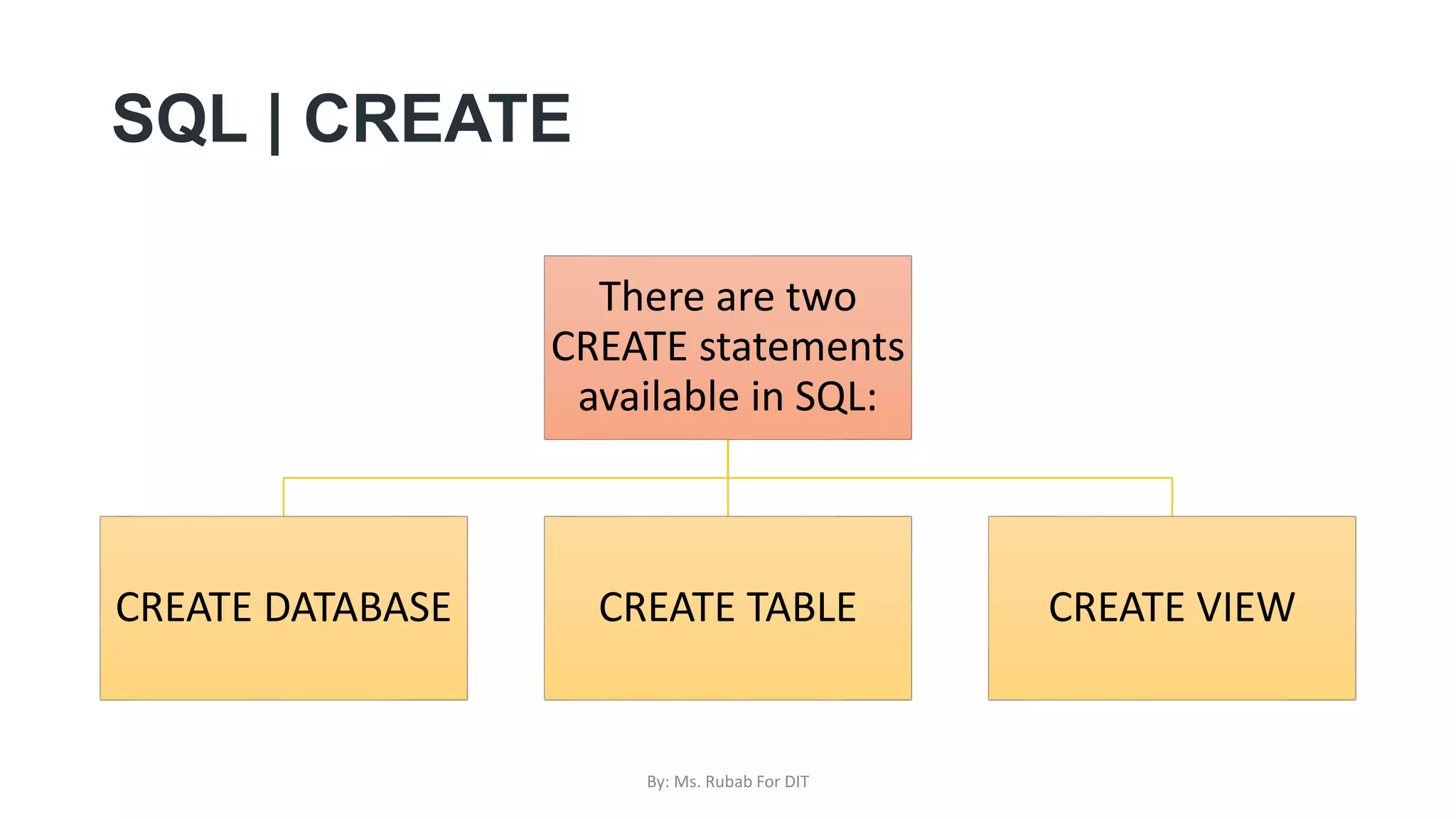
There are two
CREATE statements
available in SQL:
CREATE DATABASE CREATE TABLE CREATE VIEW
By: Ms. Rubab For DIT
CREATE DATABASE
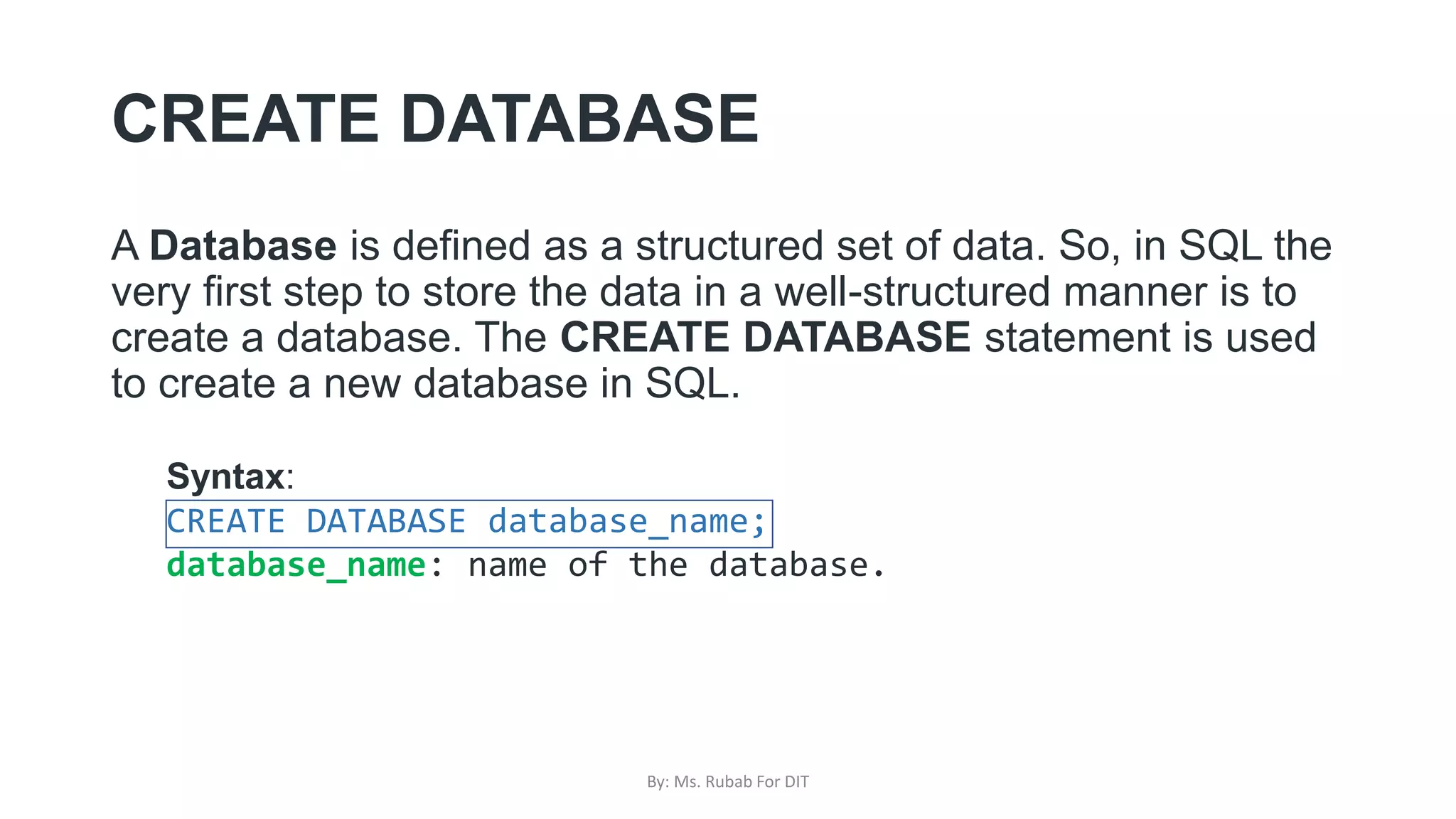
A Database is defined as a structured set of data. So, in SQL the
very first step to store the data in a well-structured manner is to
create a database. The CREATE DATABASE statement is used
to create a new database in SQL.
Syntax:
CREATE DATABASE database_name;
database_name: name of the database.
By: Ms. Rubab For DIT
Example Query:
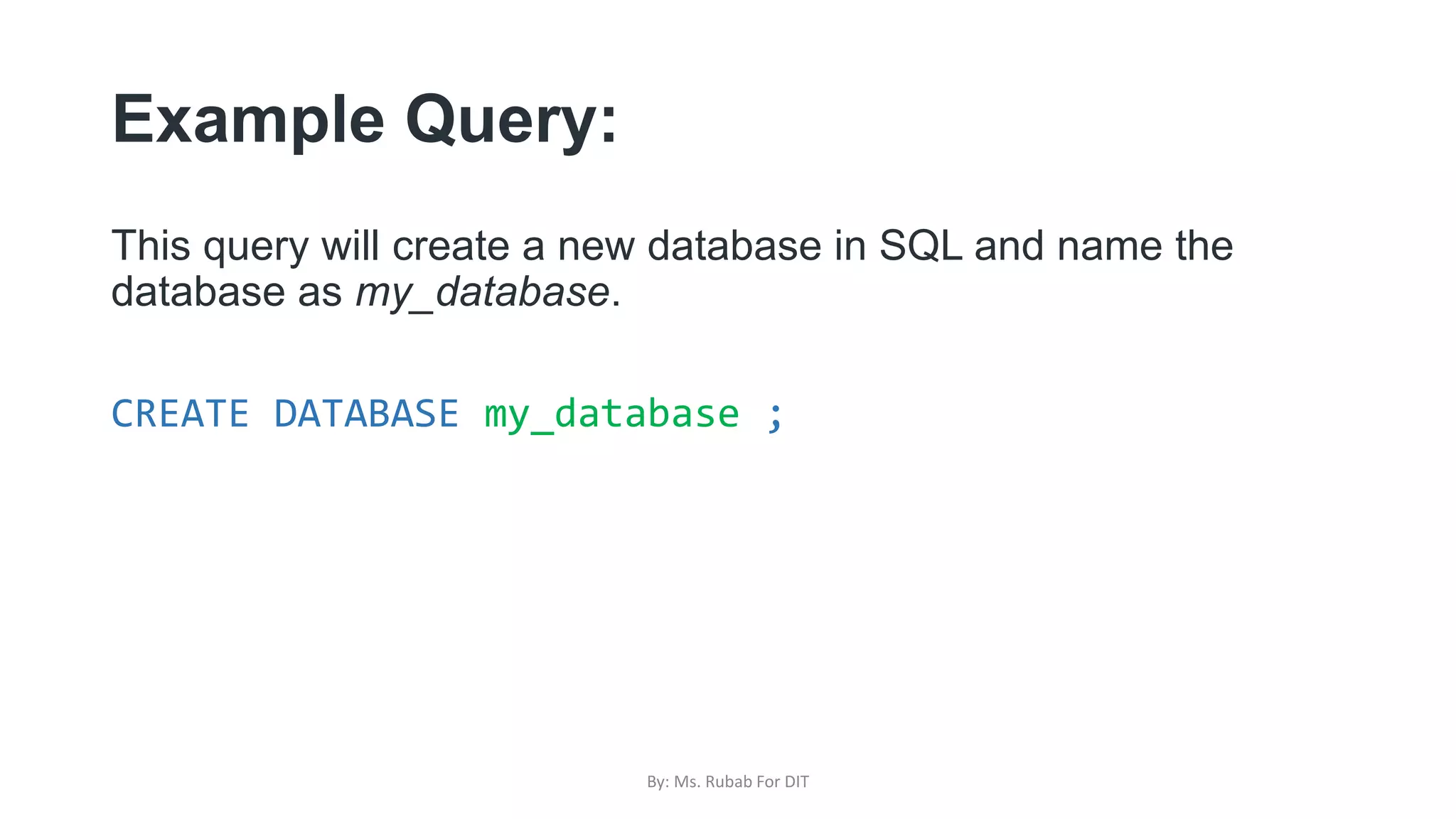
This query will create a new database in SQL and name the
database as my_database.
CREATE DATABASE my_database ;
By: Ms. Rubab For DIT
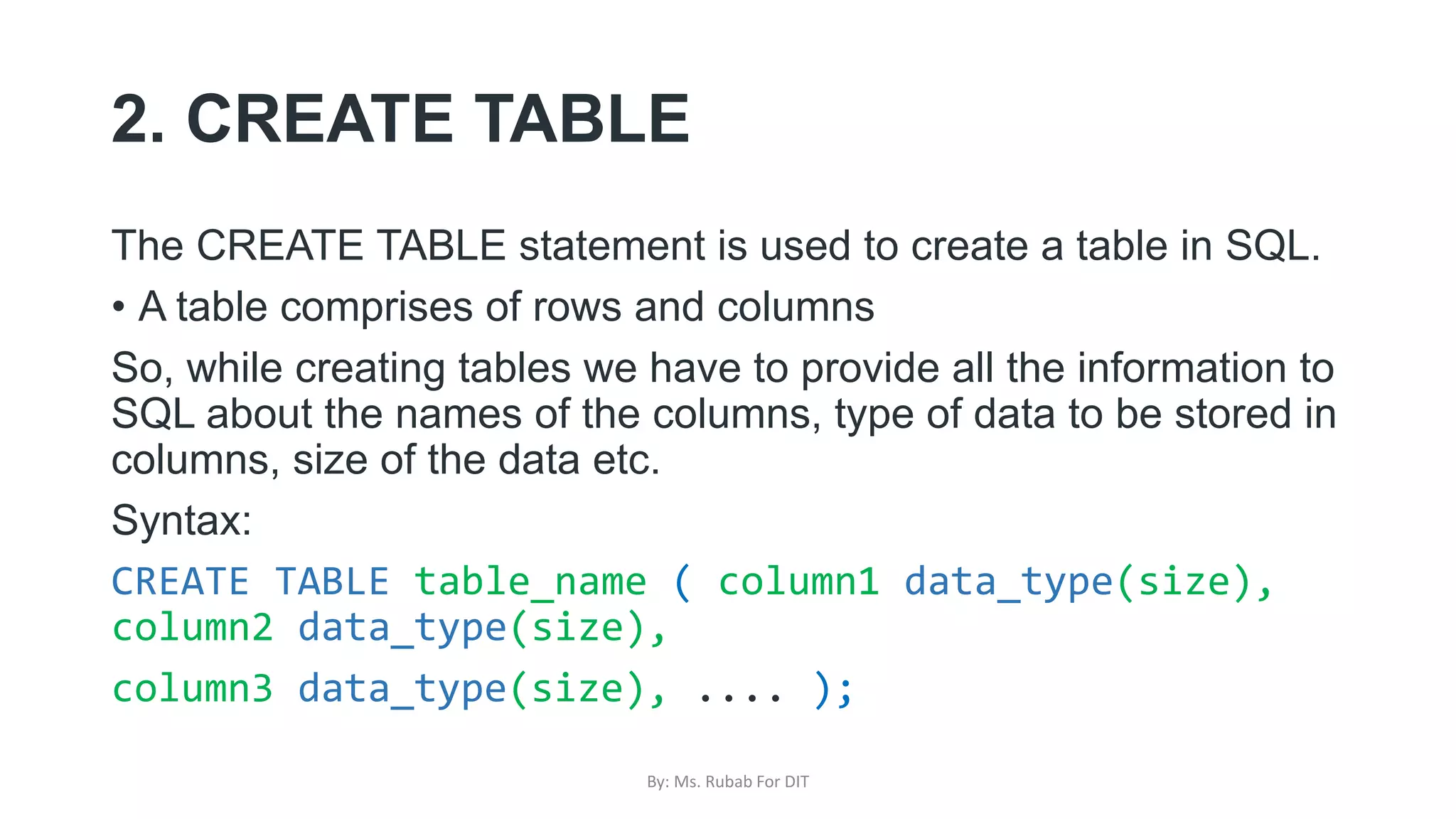
2. CREATE TABLE
The CREATE TABLE statement is used to create a table in SQL.
• A table comprises of rows and columns
So, while creating tables we have to provide all the information to
SQL about the names of the columns, type of data to be stored in
columns, size of the data etc.
Syntax:
CREATE TABLE table_name ( column1 data_type(size),
column2 data_type(size),
column3 data_type(size), .... );
By: Ms. Rubab For DIT
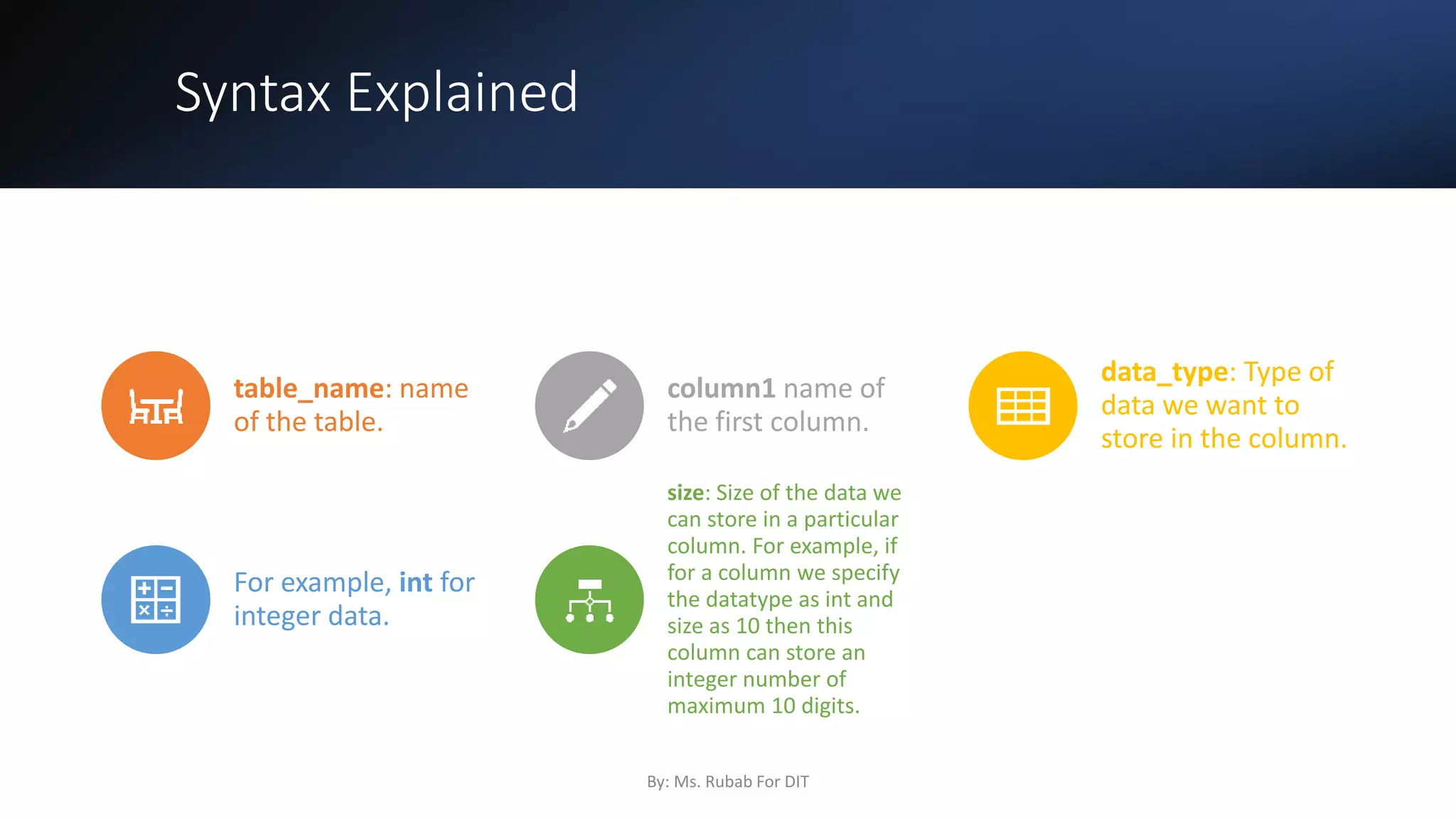
Syntax Explained
table_name: name
of the table.
column1 name of
the first column.
data_type: Type of
data we want to
store in the column.
For example, int for
integer data.
size: Size of the data we
can store in a particular
column. For example, if
for a column we specify
the datatype as int and
size as 10 then this
column can store an
integer number of
maximum 10 digits.
By: Ms. Rubab For DIT
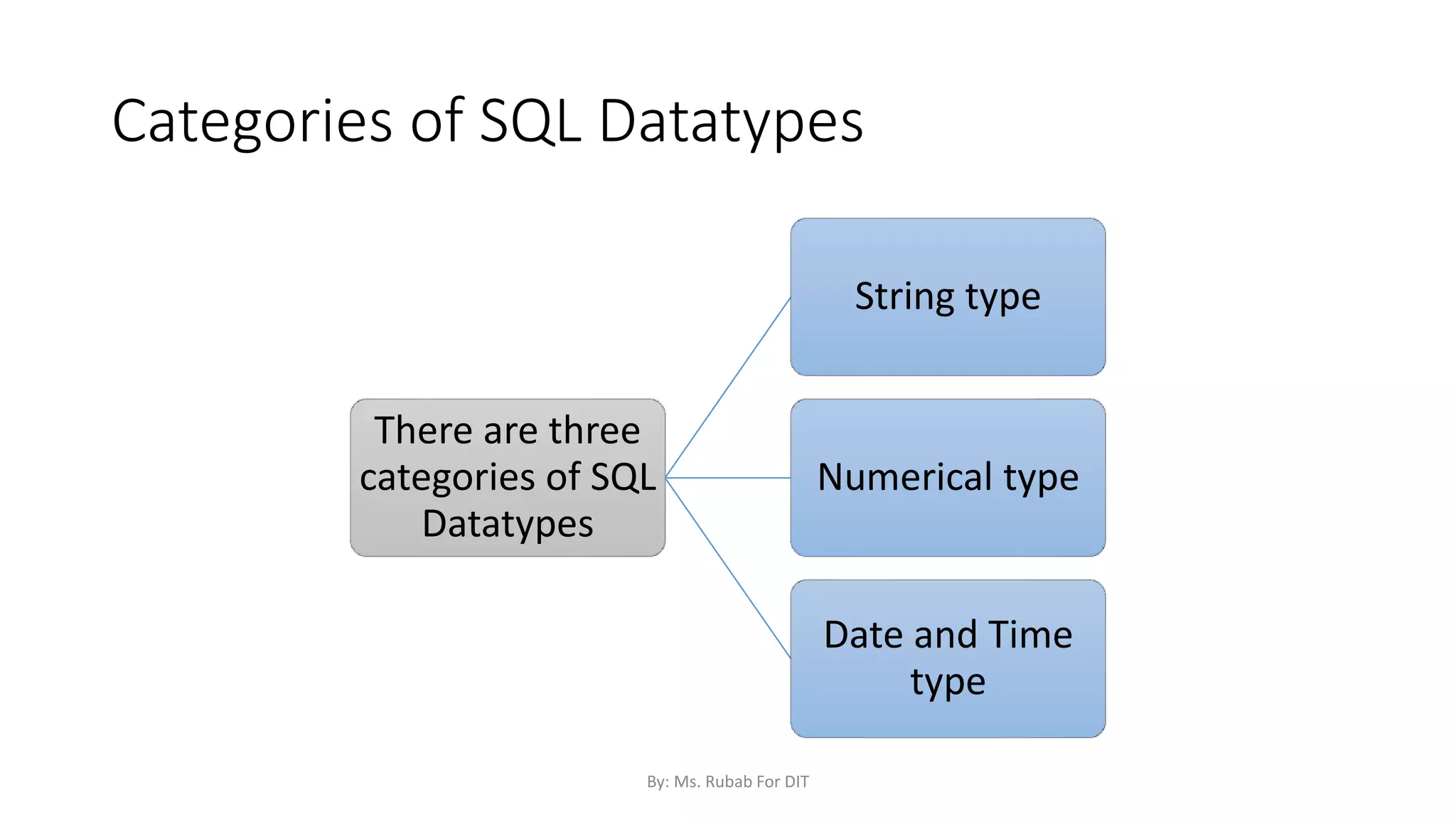
Categories of SQL Datatypes
There are three
categories of SQL
Datatypes
String type
Numerical type
Date and Time
type
By: Ms. Rubab For DIT
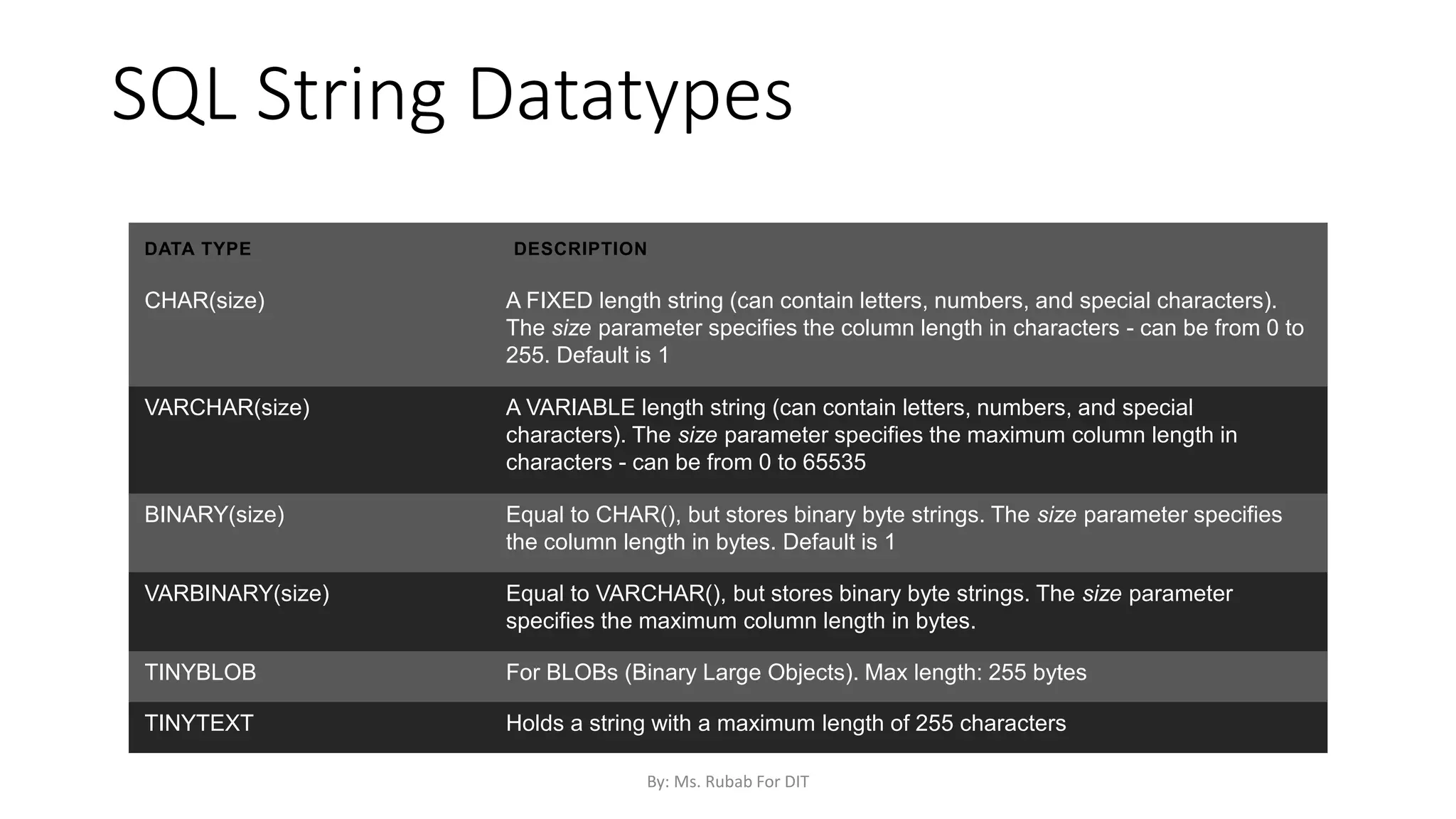
SQL String Datatypes
DATA TYPE DESCRIPTION
CHAR(size) A FIXED length string (can contain letters, numbers, and special characters).
The size parameter specifies the column length in characters - can be from 0 to
255. Default is 1
VARCHAR(size) A VARIABLE length string (can contain letters, numbers, and special
characters). The size parameter specifies the maximum column length in
characters - can be from 0 to 65535
BINARY(size) Equal to CHAR(), but stores binary byte strings. The size parameter specifies
the column length in bytes. Default is 1
VARBINARY(size) Equal to VARCHAR(), but stores binary byte strings. The size parameter
specifies the maximum column length in bytes.
TINYBLOB For BLOBs (Binary Large Objects). Max length: 255 bytes
TINYTEXT Holds a string with a maximum length of 255 characters
By: Ms. Rubab For DIT
SQL String Datatypes
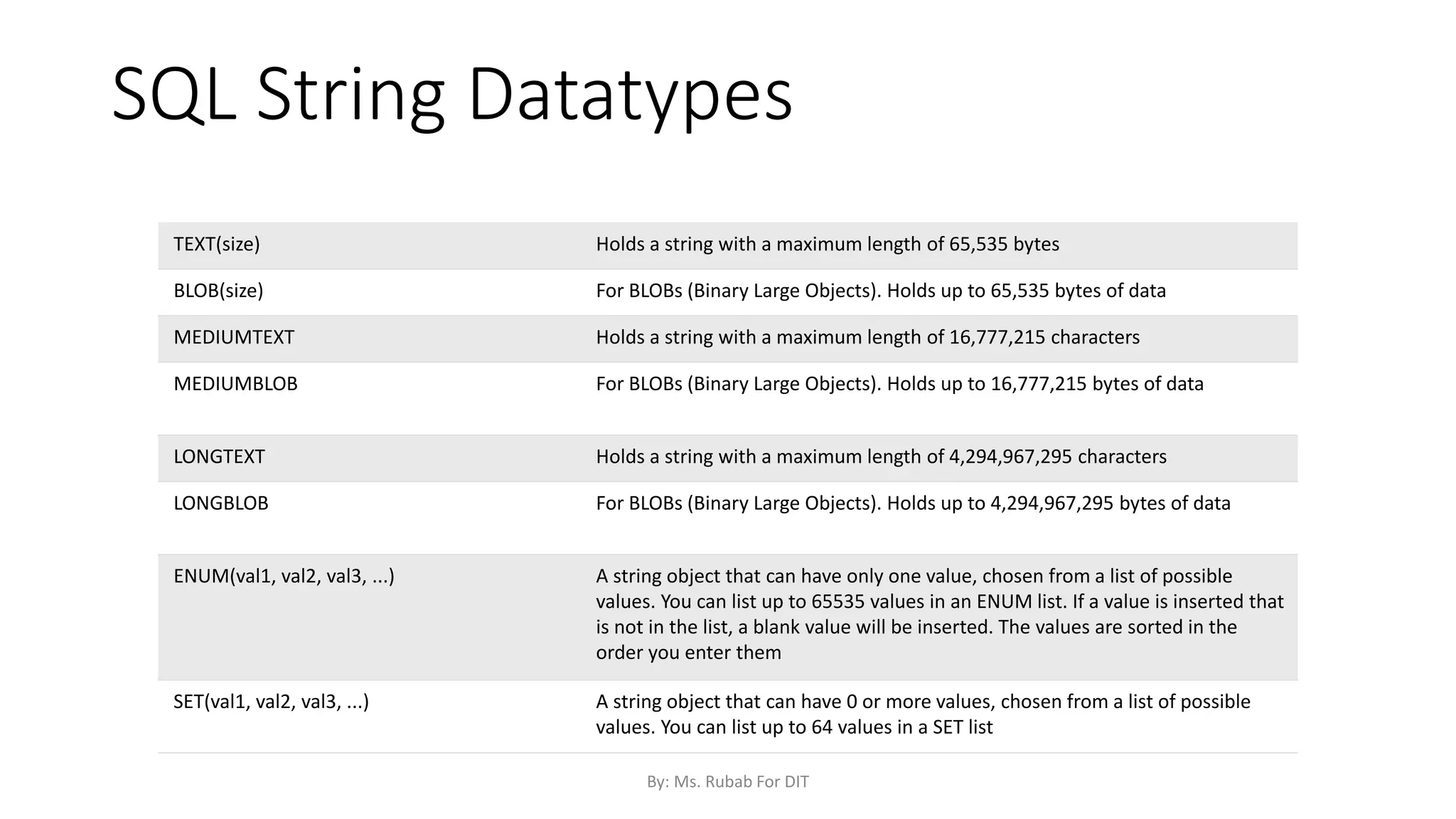
TEXT(size) Holds a string with a maximum length of 65,535 bytes
BLOB(size) For BLOBs (Binary Large Objects). Holds up to 65,535 bytes of data
MEDIUMTEXT Holds a string with a maximum length of 16,777,215 characters
MEDIUMBLOB For BLOBs (Binary Large Objects). Holds up to 16,777,215 bytes of data
LONGTEXT Holds a string with a maximum length of 4,294,967,295 characters
LONGBLOB For BLOBs (Binary Large Objects). Holds up to 4,294,967,295 bytes of data
ENUM(val1, val2, val3, ...) A string object that can have only one value, chosen from a list of possible
values. You can list up to 65535 values in an ENUM list. If a value is inserted that
is not in the list, a blank value will be inserted. The values are sorted in the
order you enter them
SET(val1, val2, val3, ...) A string object that can have 0 or more values, chosen from a list of possible
values. You can list up to 64 values in a SET list
By: Ms. Rubab For DIT
SQL Numeric Data Types
Data type Description
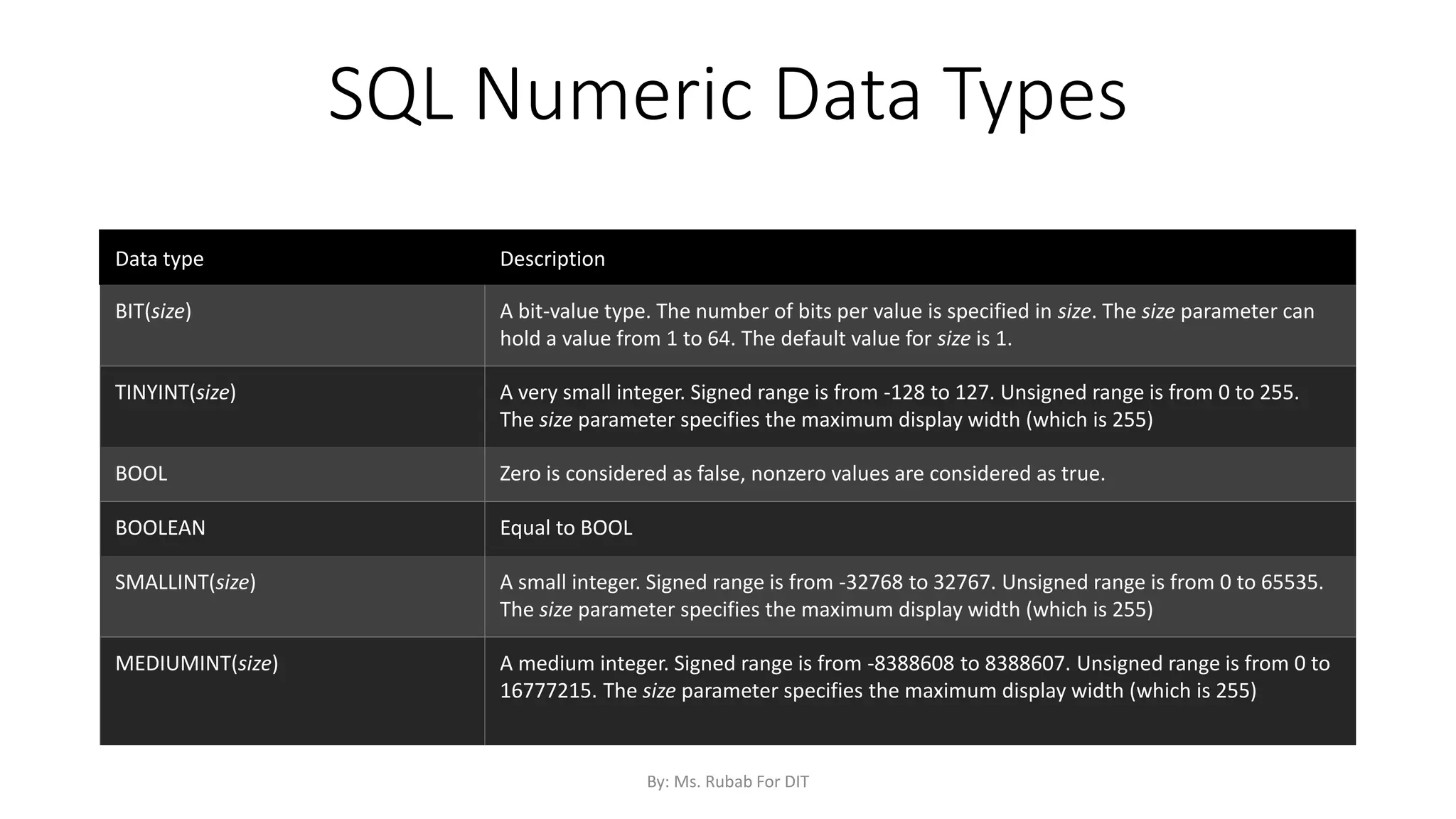
BIT(size) A bit-value type. The number of bits per value is specified in size. The size parameter can
hold a value from 1 to 64. The default value for size is 1.
TINYINT(size) A very small integer. Signed range is from -128 to 127. Unsigned range is from 0 to 255.
The size parameter specifies the maximum display width (which is 255)
BOOL Zero is considered as false, nonzero values are considered as true.
BOOLEAN Equal to BOOL
SMALLINT(size) A small integer. Signed range is from -32768 to 32767. Unsigned range is from 0 to 65535.
The size parameter specifies the maximum display width (which is 255)
MEDIUMINT(size) A medium integer. Signed range is from -8388608 to 8388607. Unsigned range is from 0 to
16777215. The size parameter specifies the maximum display width (which is 255)
By: Ms. Rubab For DIT
SQL Numeric Datatypes
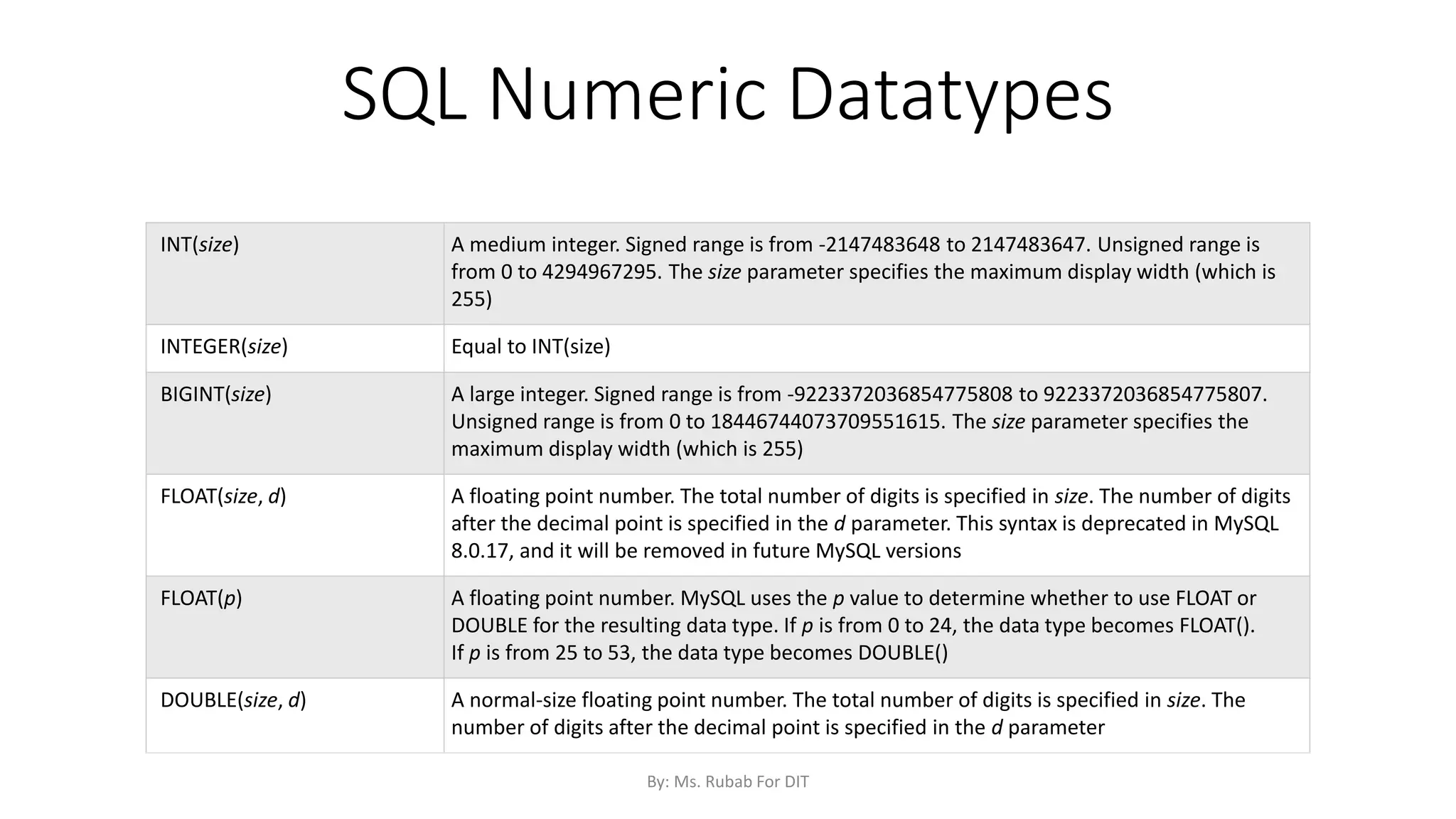
INT(size) A medium integer. Signed range is from -2147483648 to 2147483647. Unsigned range is
from 0 to 4294967295. The size parameter specifies the maximum display width (which is
255)
INTEGER(size) Equal to INT(size)
BIGINT(size) A large integer. Signed range is from -9223372036854775808 to 9223372036854775807.
Unsigned range is from 0 to 18446744073709551615. The size parameter specifies the
maximum display width (which is 255)
FLOAT(size, d) A floating point number. The total number of digits is specified in size. The number of digits
after the decimal point is specified in the d parameter. This syntax is deprecated in MySQL
8.0.17, and it will be removed in future MySQL versions
FLOAT(p) A floating point number. MySQL uses the p value to determine whether to use FLOAT or
DOUBLE for the resulting data type. If p is from 0 to 24, the data type becomes FLOAT().
If p is from 25 to 53, the data type becomes DOUBLE()
DOUBLE(size, d) A normal-size floating point number. The total number of digits is specified in size. The
number of digits after the decimal point is specified in the d parameter
By: Ms. Rubab For DIT
SQL Numeric Datatypes
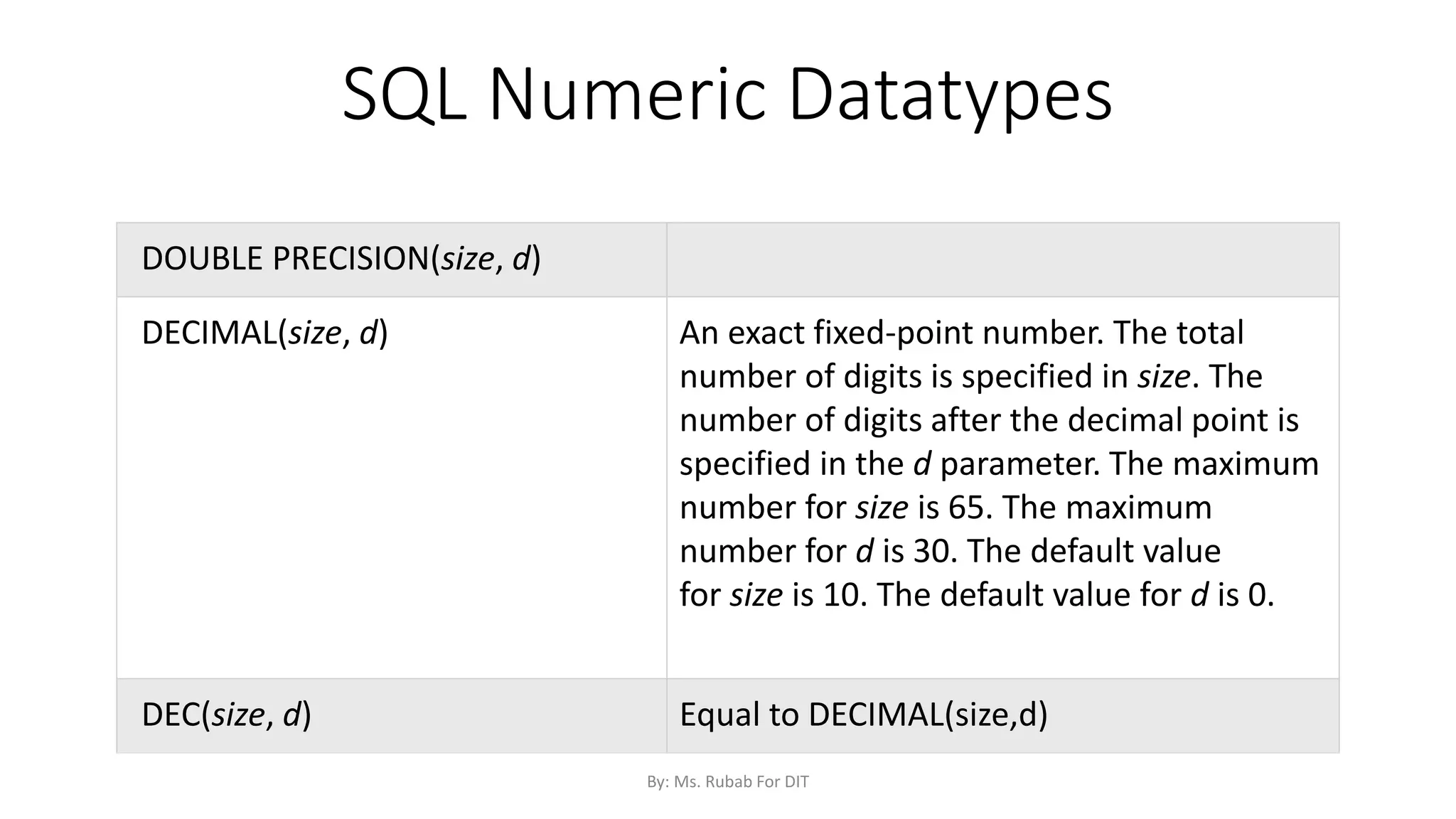
DOUBLE PRECISION(size, d)
DECIMAL(size, d) An exact fixed-point number. The total
number of digits is specified in size. The
number of digits after the decimal point is
specified in the d parameter. The maximum
number for size is 65. The maximum
number for d is 30. The default value
for size is 10. The default value for d is 0.
DEC(size, d) Equal to DECIMAL(size,d)
By: Ms. Rubab For DIT
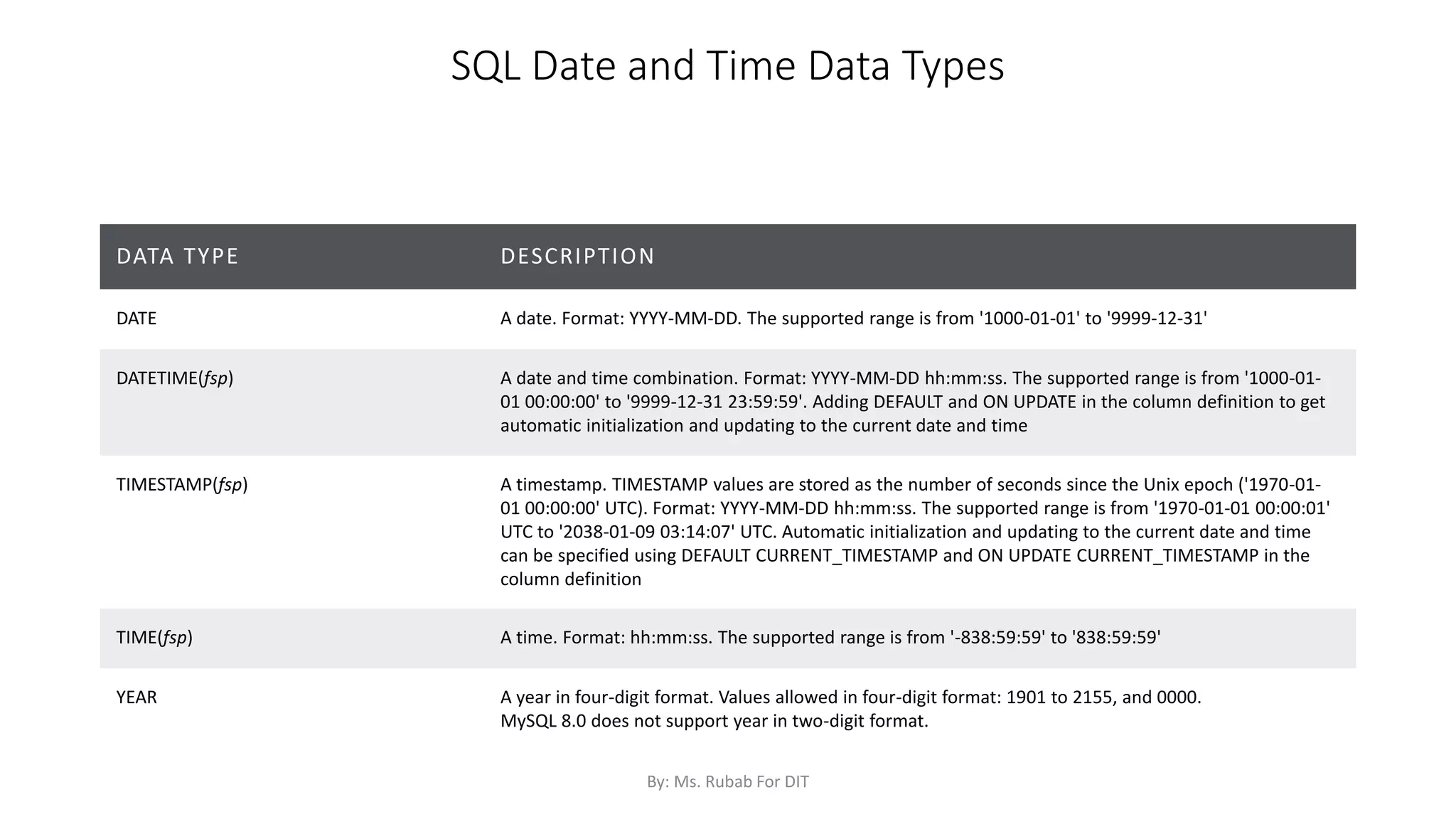
SQL Date and Time Data Types
DATA TYPE DESCRIPTION
DATE A date. Format: YYYY-MM-DD. The supported range is from '1000-01-01' to '9999-12-31'
DATETIME(fsp) A date and time combination. Format: YYYY-MM-DD hh:mm:ss. The supported range is from '1000-01-
01 00:00:00' to '9999-12-31 23:59:59'. Adding DEFAULT and ON UPDATE in the column definition to get
automatic initialization and updating to the current date and time
TIMESTAMP(fsp) A timestamp. TIMESTAMP values are stored as the number of seconds since the Unix epoch ('1970-01-
01 00:00:00' UTC). Format: YYYY-MM-DD hh:mm:ss. The supported range is from '1970-01-01 00:00:01'
UTC to '2038-01-09 03:14:07' UTC. Automatic initialization and updating to the current date and time
can be specified using DEFAULT CURRENT_TIMESTAMP and ON UPDATE CURRENT_TIMESTAMP in the
column definition
TIME(fsp) A time. Format: hh:mm:ss. The supported range is from '-838:59:59' to '838:59:59'
YEAR A year in four-digit format. Values allowed in four-digit format: 1901 to 2155, and 0000.
MySQL 8.0 does not support year in two-digit format.
By: Ms. Rubab For DIT
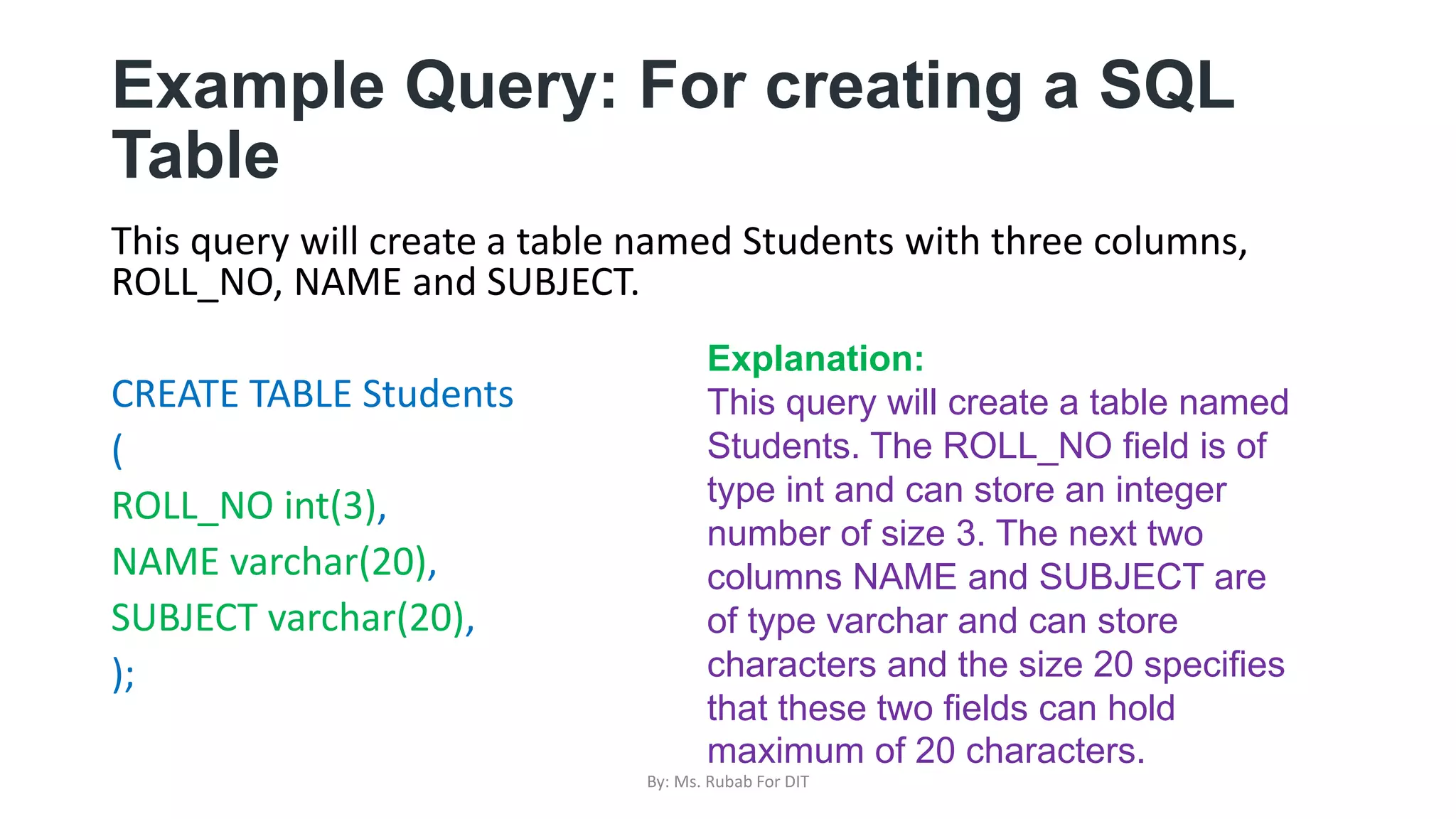
Example Query: For creating a SQL
Table
This query will create a table named Students with three columns,
ROLL_NO, NAME and SUBJECT.
CREATE TABLE Students
(
ROLL_NO int(3),
NAME varchar(20),
SUBJECT varchar(20),
);
Explanation:
This query will create a table named
Students. The ROLL_NO field is of
type int and can store an integer
number of size 3. The next two
columns NAME and SUBJECT are
of type varchar and can store
characters and the size 20 specifies
that these two fields can hold
maximum of 20 characters.
By: Ms. Rubab For DIT
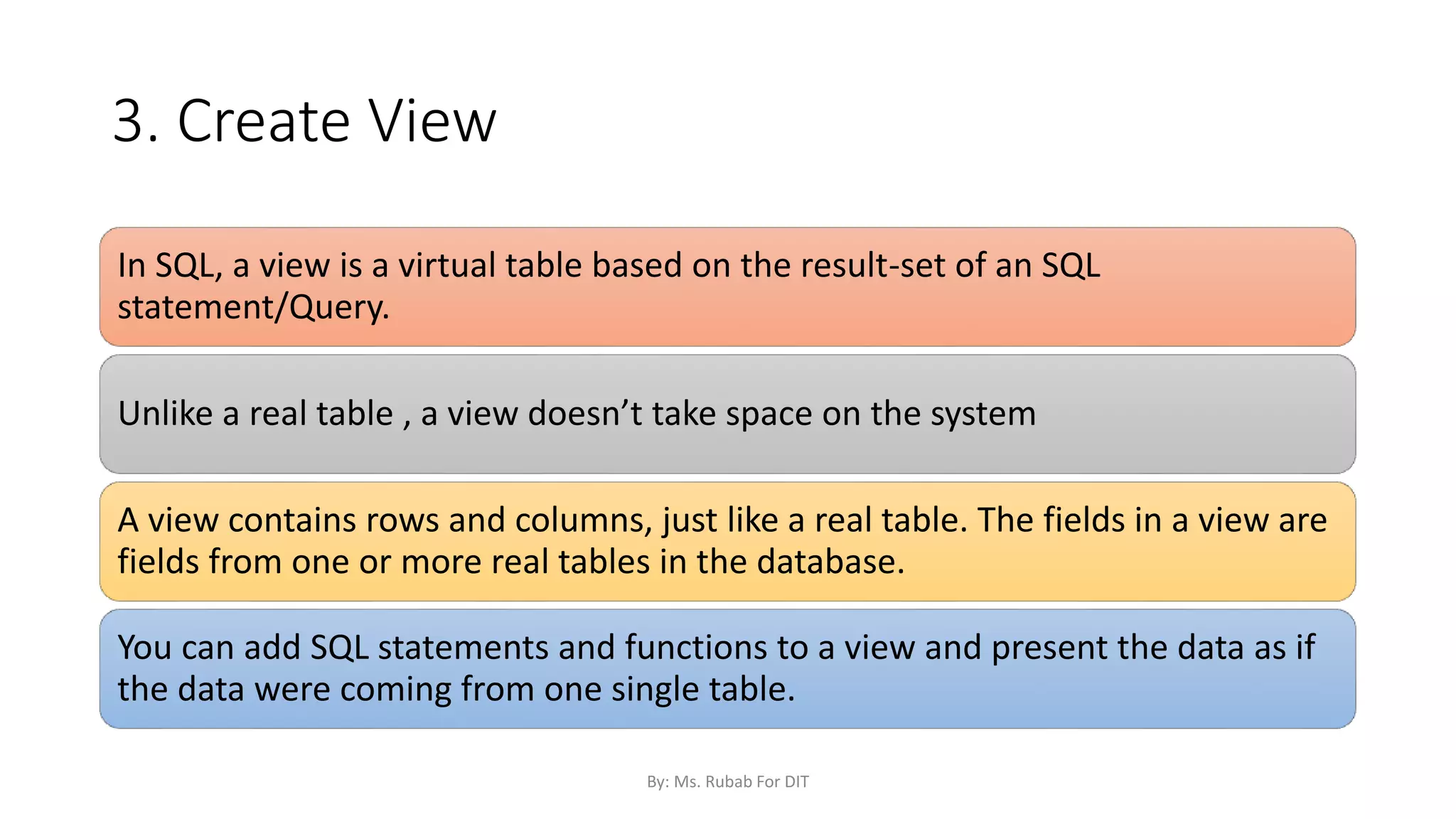
3. Create View
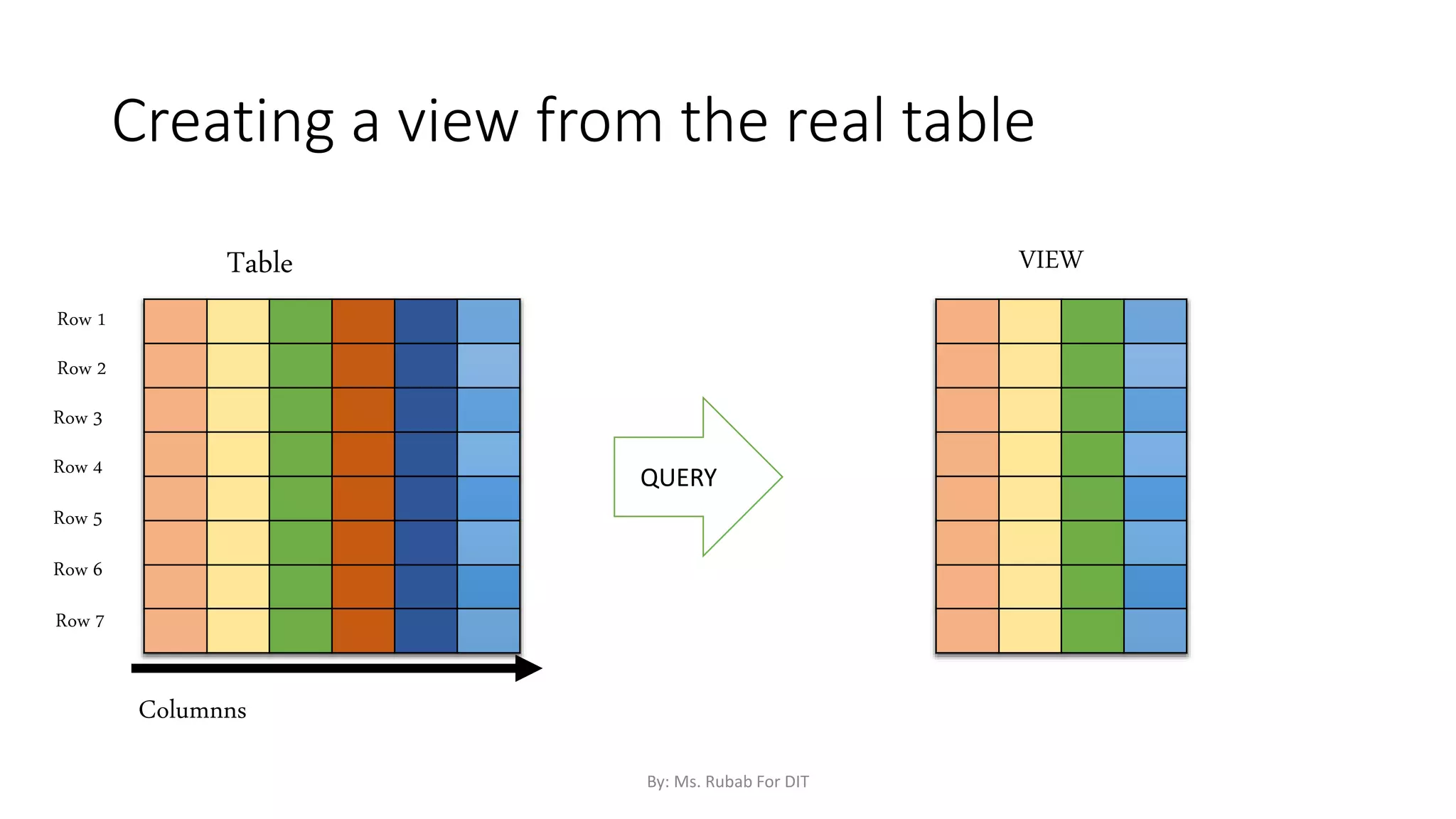
In SQL, a view is a virtual table based on the result-set of an SQL
statement/Query.
Unlike a real table , a view doesn’t take space on the system
A view contains rows and columns, just like a real table. The fields in a view are
fields from one or more real tables in the database.
You can add SQL statements and functions to a view and present the data as if
the data were coming from one single table.
By: Ms. Rubab For DIT
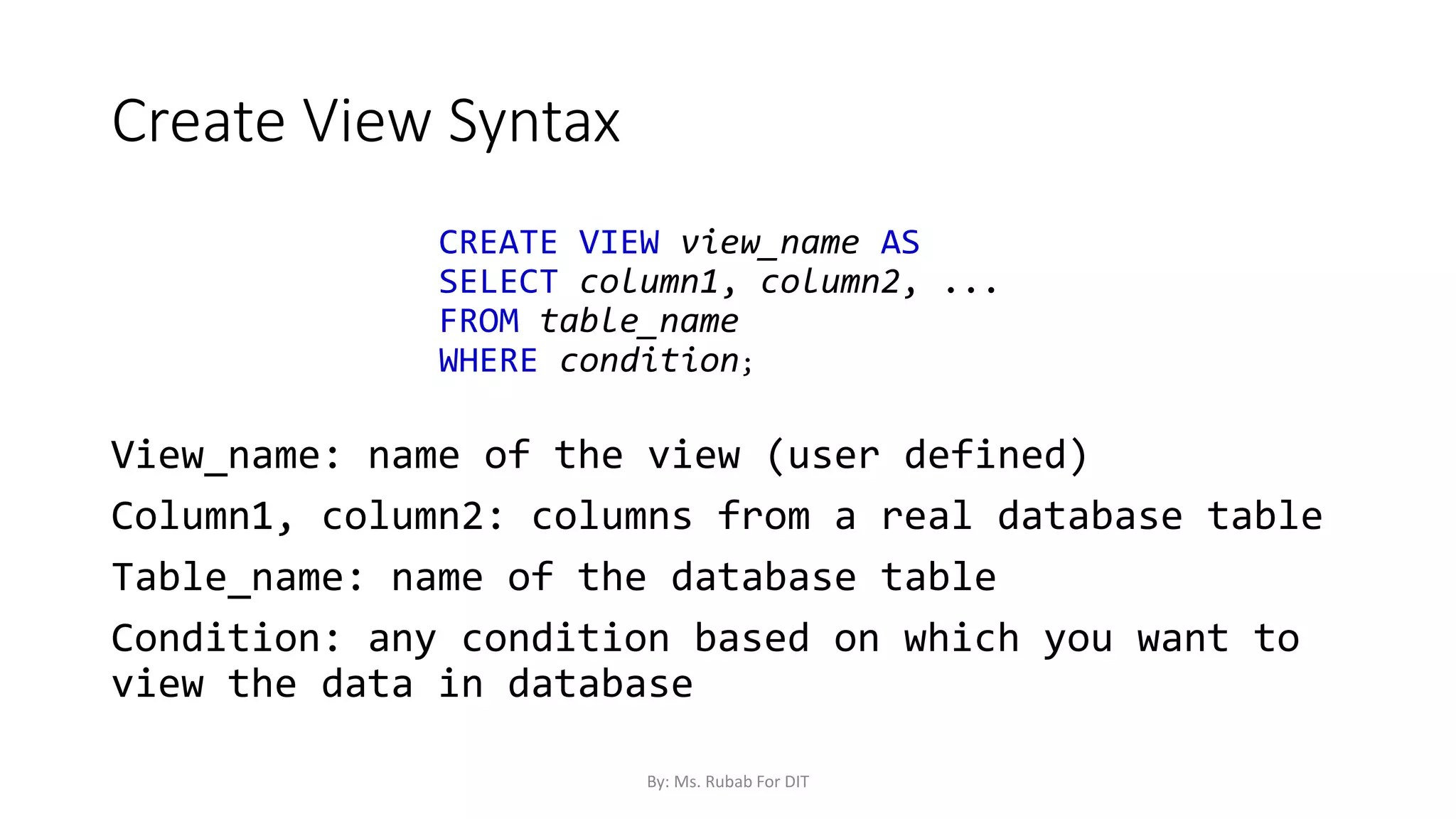
Create View Syntax
CREATE VIEW view_name AS
SELECT column1, column2, ...
FROM table_name
WHERE condition;
View_name: name of the view (user defined)
Column1, column2: columns from a real database table
Table_name: name of the database table
Condition: any condition based on which you want to
view the data in database
By: Ms. Rubab For DIT
VIEW
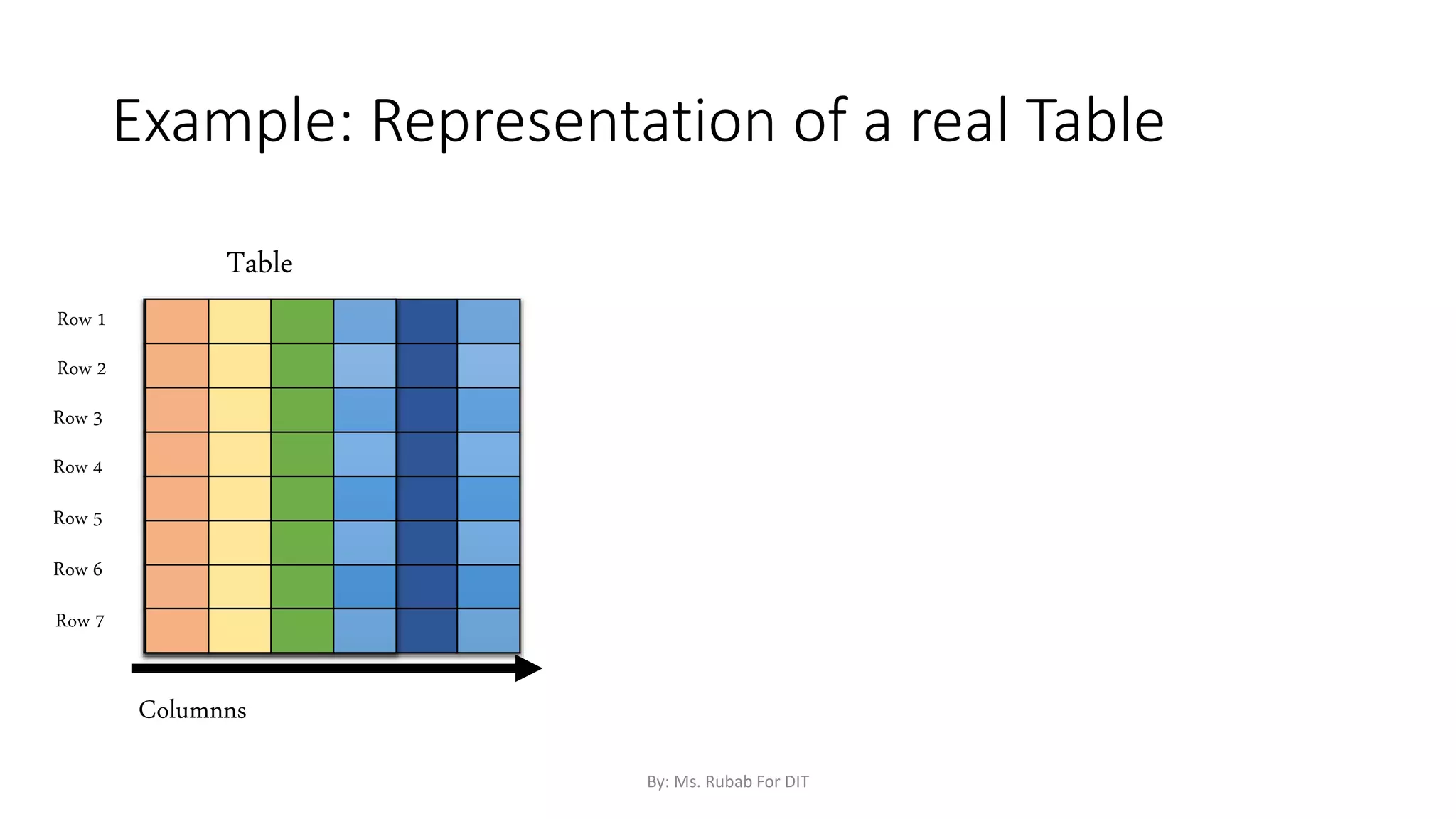
Example: Representation of a real Table
Row 1
Row 2
Row 3
Row 4
Row 5
Row 6
Row 7
Columnns
Table
By: Ms. Rubab For DIT
Creating a view from the real table
QUERY
Row 1
Row 2
Row 3
Row 4
Row 5
Row 6
Row 7
Columnns
Table VIEW
By: Ms. Rubab For DIT
Table vs View
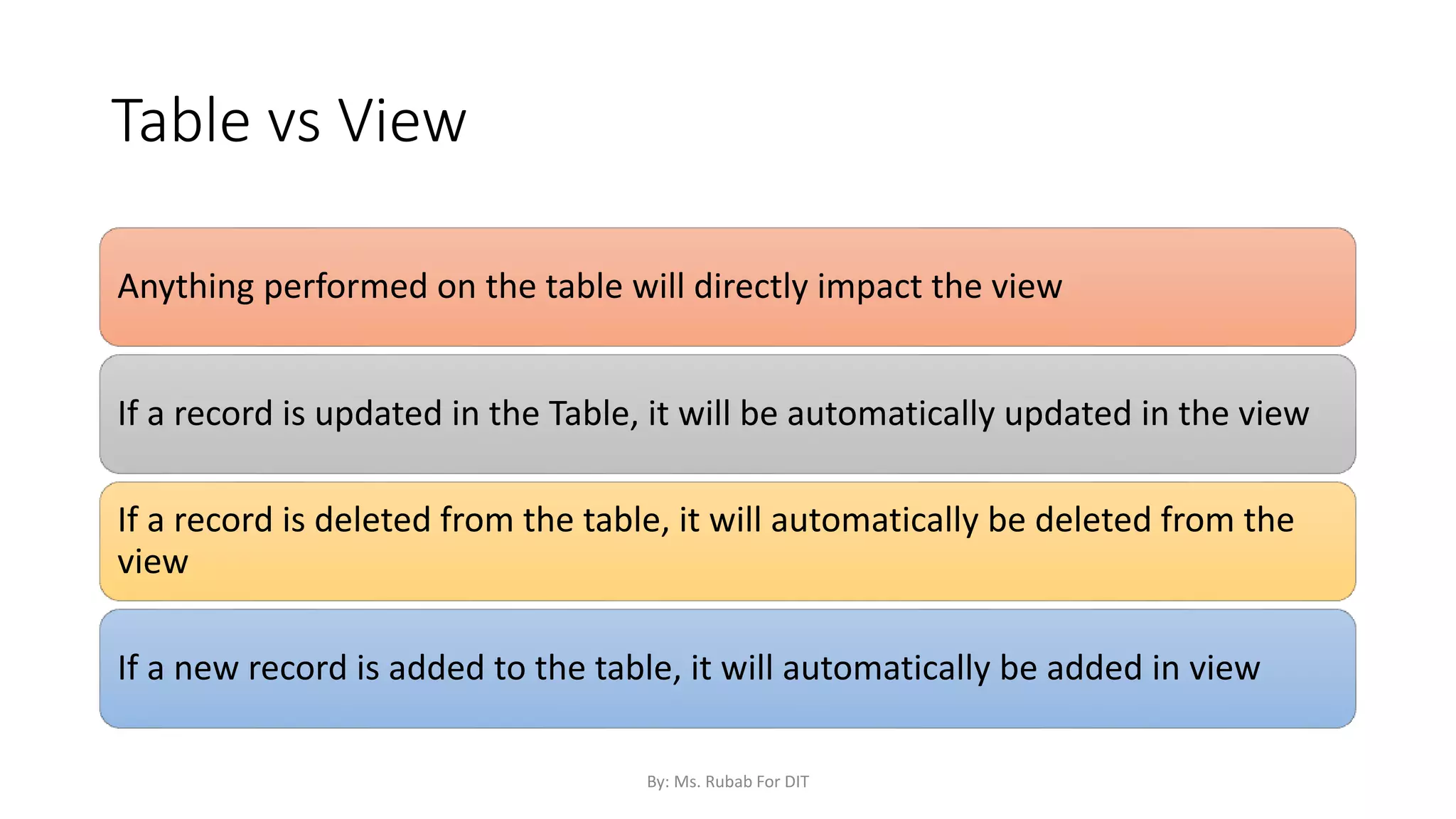
Anything performed on the table will directly impact the view
If a record is updated in the Table, it will be automatically updated in the view
If a record is deleted from the table, it will automatically be deleted from the
view
If a new record is added to the table, it will automatically be added in view
By: Ms. Rubab For DIT
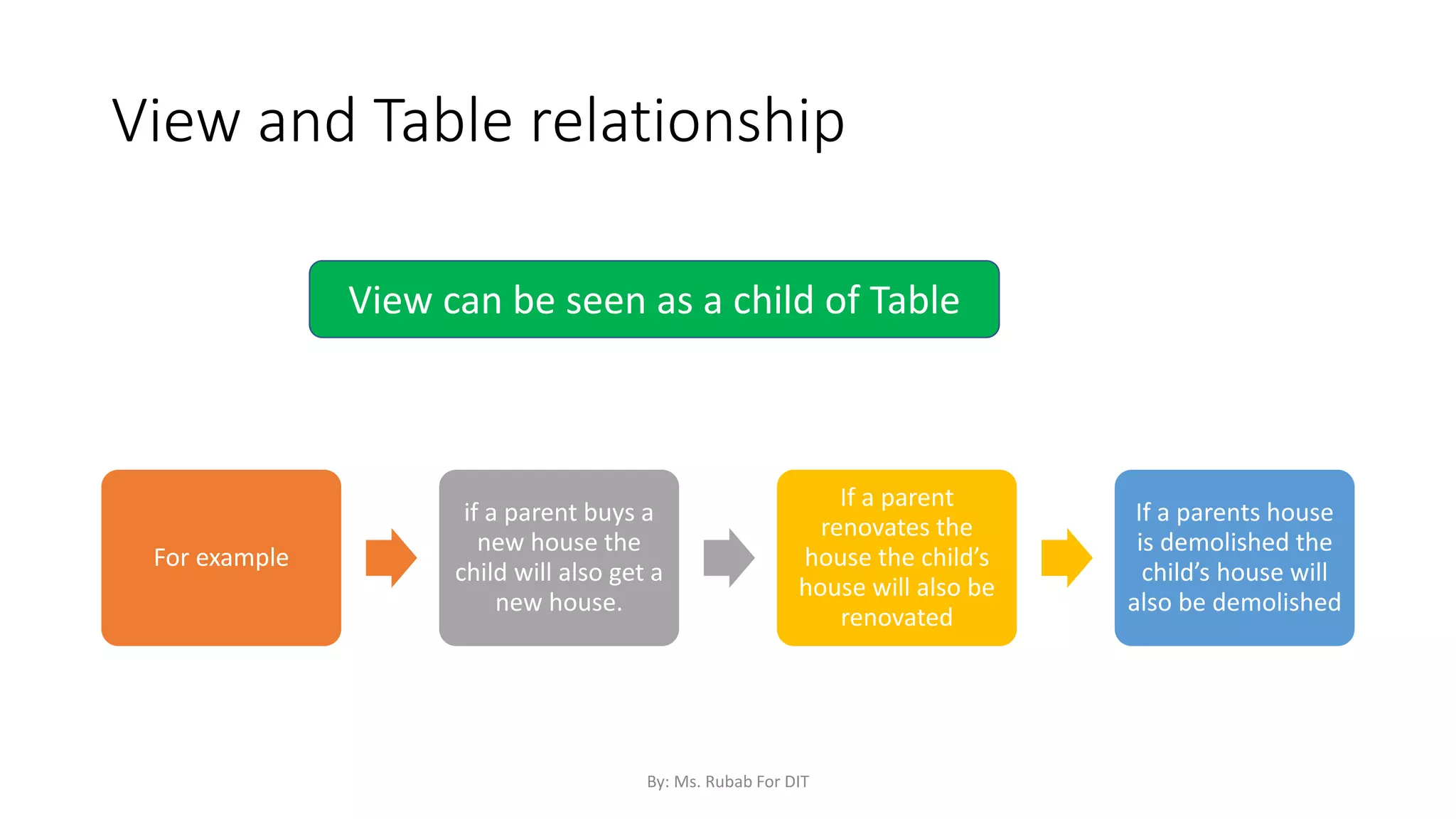
View and Table relationship
For example
if a parent buys a
new house the
child will also get a
new house.
If a parent
renovates the
house the child’s
house will also be
renovated
If a parents house
is demolished the
child’s house will
also be demolished
View can be seen as a child of Table
By: Ms. Rubab For DIT
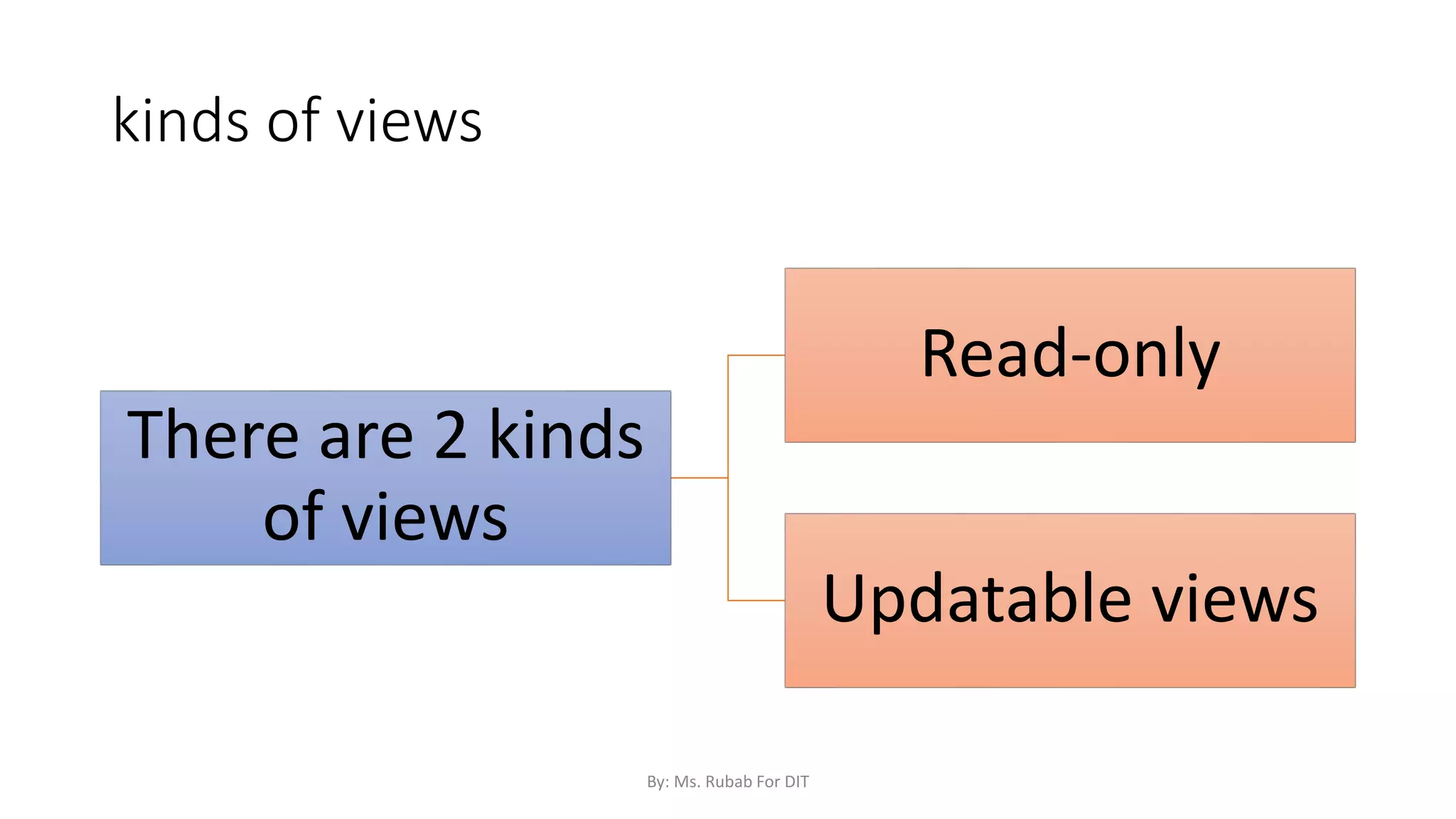
kinds of views
There are 2 kinds
of views
Read-only
Updatable views
By: Ms. Rubab For DIT
Updatable views
Any modifications, including UPDATE, INSERT, and DELETE
statements, must reference columns from only one base table.
The columns being modified in the view must directly reference
the underlying data in the table columns
Changes in Updatable VIEWS do not only affect the View but
also the underlying data in the table columns.
By: Ms. Rubab For DIT
Read-Only Views
We can create a view with read-only option to restrict access to the
view.
Means the view can not insert, update or delete data or make any kind
of changes that can change the data in real table.
Syntax:
CREATE or REPLACE FORCE VIEW view_name AS
SELECT column_name(s)
FROM table_name
WHERE condition WITH read-only;
The above syntax will create view for read-only purpose, we cannot
Update or Insert data into read-only view. It will throw an error.
By: Ms. Rubab For DIT
Types of views
There are two types of views
•Simple View
•Complex View
By: Ms. Rubab For DIT
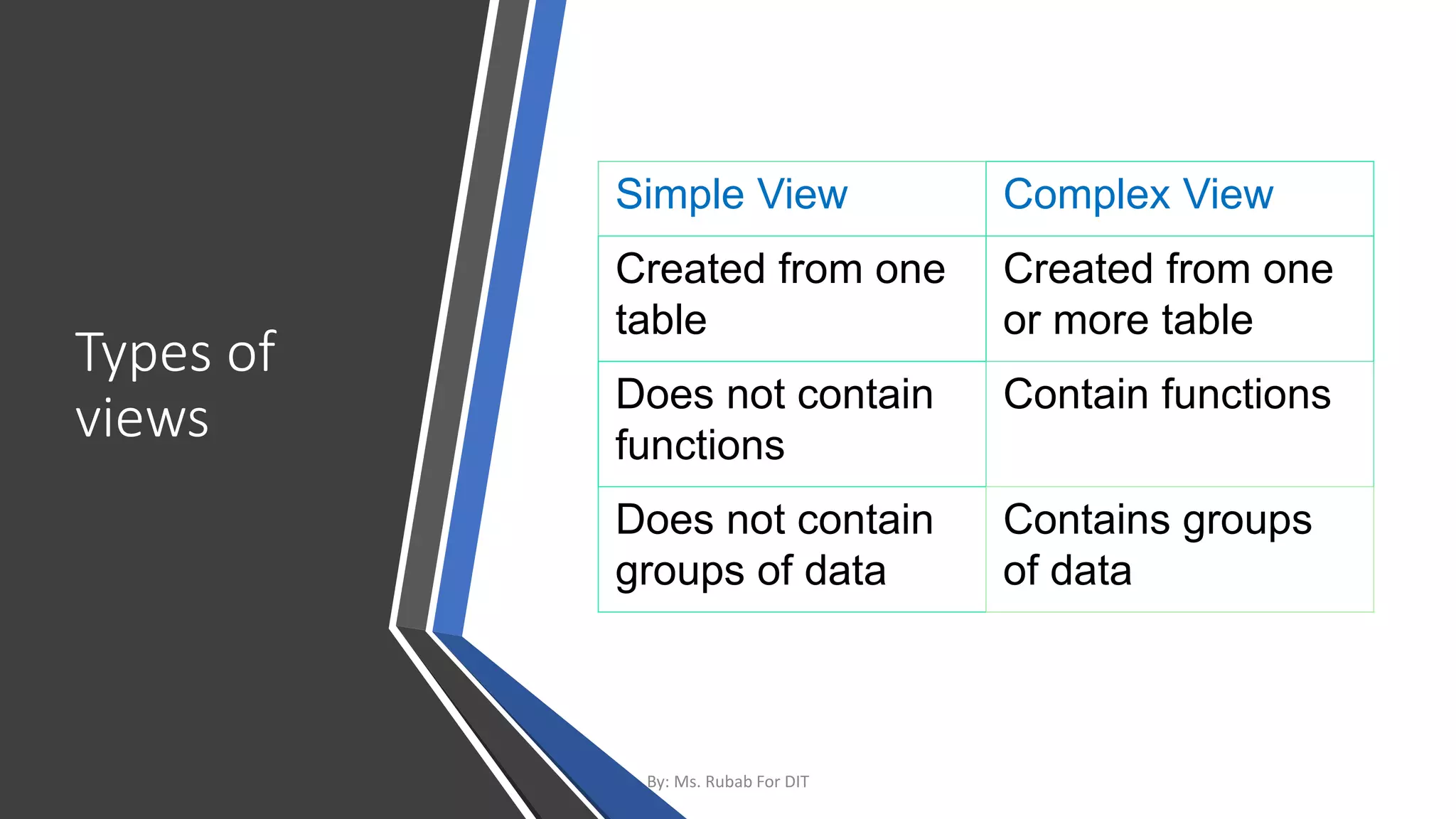
Types of
views
Simple View Complex View
Created from one
table
Created from one
or more table
Does not contain
functions
Contain functions
Does not contain
groups of data
Contains groups
of data
By: Ms. Rubab For DIT
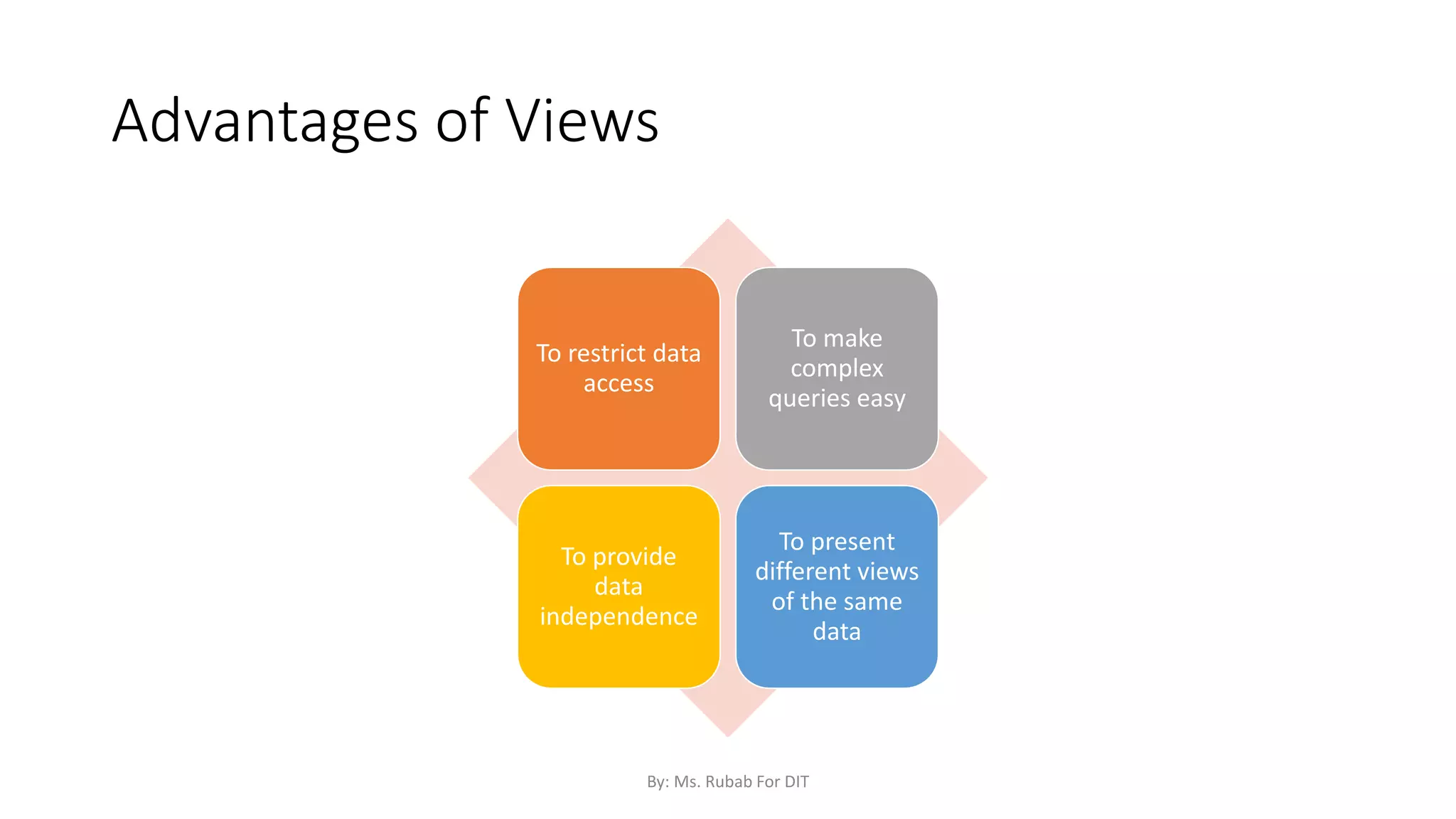
Advantages of Views
To restrict data
access
To make
complex
queries easy
To provide
data
independence
To present
different views
of the same
data
By: Ms. Rubab For DIT

SQL Commands Part 1.pptx

  • 1.
    SQL Commands (Part 1) By:Ms. Rubab For DIT
  • 2.
    SQL | CREATE Thereare two CREATE statements available in SQL: CREATE DATABASE CREATE TABLE CREATE VIEW By: Ms. Rubab For DIT
  • 3.
    CREATE DATABASE A Databaseis defined as a structured set of data. So, in SQL the very first step to store the data in a well-structured manner is to create a database. The CREATE DATABASE statement is used to create a new database in SQL. Syntax: CREATE DATABASE database_name; database_name: name of the database. By: Ms. Rubab For DIT
  • 4.
    Example Query: This querywill create a new database in SQL and name the database as my_database. CREATE DATABASE my_database ; By: Ms. Rubab For DIT
  • 5.
    2. CREATE TABLE TheCREATE TABLE statement is used to create a table in SQL. • A table comprises of rows and columns So, while creating tables we have to provide all the information to SQL about the names of the columns, type of data to be stored in columns, size of the data etc. Syntax: CREATE TABLE table_name ( column1 data_type(size), column2 data_type(size), column3 data_type(size), .... ); By: Ms. Rubab For DIT
  • 6.
    Syntax Explained table_name: name ofthe table. column1 name of the first column. data_type: Type of data we want to store in the column. For example, int for integer data. size: Size of the data we can store in a particular column. For example, if for a column we specify the datatype as int and size as 10 then this column can store an integer number of maximum 10 digits. By: Ms. Rubab For DIT
  • 7.
    Categories of SQLDatatypes There are three categories of SQL Datatypes String type Numerical type Date and Time type By: Ms. Rubab For DIT
  • 8.
    SQL String Datatypes DATATYPE DESCRIPTION CHAR(size) A FIXED length string (can contain letters, numbers, and special characters). The size parameter specifies the column length in characters - can be from 0 to 255. Default is 1 VARCHAR(size) A VARIABLE length string (can contain letters, numbers, and special characters). The size parameter specifies the maximum column length in characters - can be from 0 to 65535 BINARY(size) Equal to CHAR(), but stores binary byte strings. The size parameter specifies the column length in bytes. Default is 1 VARBINARY(size) Equal to VARCHAR(), but stores binary byte strings. The size parameter specifies the maximum column length in bytes. TINYBLOB For BLOBs (Binary Large Objects). Max length: 255 bytes TINYTEXT Holds a string with a maximum length of 255 characters By: Ms. Rubab For DIT
  • 9.
    SQL String Datatypes TEXT(size)Holds a string with a maximum length of 65,535 bytes BLOB(size) For BLOBs (Binary Large Objects). Holds up to 65,535 bytes of data MEDIUMTEXT Holds a string with a maximum length of 16,777,215 characters MEDIUMBLOB For BLOBs (Binary Large Objects). Holds up to 16,777,215 bytes of data LONGTEXT Holds a string with a maximum length of 4,294,967,295 characters LONGBLOB For BLOBs (Binary Large Objects). Holds up to 4,294,967,295 bytes of data ENUM(val1, val2, val3, ...) A string object that can have only one value, chosen from a list of possible values. You can list up to 65535 values in an ENUM list. If a value is inserted that is not in the list, a blank value will be inserted. The values are sorted in the order you enter them SET(val1, val2, val3, ...) A string object that can have 0 or more values, chosen from a list of possible values. You can list up to 64 values in a SET list By: Ms. Rubab For DIT
  • 10.
    SQL Numeric DataTypes Data type Description BIT(size) A bit-value type. The number of bits per value is specified in size. The size parameter can hold a value from 1 to 64. The default value for size is 1. TINYINT(size) A very small integer. Signed range is from -128 to 127. Unsigned range is from 0 to 255. The size parameter specifies the maximum display width (which is 255) BOOL Zero is considered as false, nonzero values are considered as true. BOOLEAN Equal to BOOL SMALLINT(size) A small integer. Signed range is from -32768 to 32767. Unsigned range is from 0 to 65535. The size parameter specifies the maximum display width (which is 255) MEDIUMINT(size) A medium integer. Signed range is from -8388608 to 8388607. Unsigned range is from 0 to 16777215. The size parameter specifies the maximum display width (which is 255) By: Ms. Rubab For DIT
  • 11.
    SQL Numeric Datatypes INT(size)A medium integer. Signed range is from -2147483648 to 2147483647. Unsigned range is from 0 to 4294967295. The size parameter specifies the maximum display width (which is 255) INTEGER(size) Equal to INT(size) BIGINT(size) A large integer. Signed range is from -9223372036854775808 to 9223372036854775807. Unsigned range is from 0 to 18446744073709551615. The size parameter specifies the maximum display width (which is 255) FLOAT(size, d) A floating point number. The total number of digits is specified in size. The number of digits after the decimal point is specified in the d parameter. This syntax is deprecated in MySQL 8.0.17, and it will be removed in future MySQL versions FLOAT(p) A floating point number. MySQL uses the p value to determine whether to use FLOAT or DOUBLE for the resulting data type. If p is from 0 to 24, the data type becomes FLOAT(). If p is from 25 to 53, the data type becomes DOUBLE() DOUBLE(size, d) A normal-size floating point number. The total number of digits is specified in size. The number of digits after the decimal point is specified in the d parameter By: Ms. Rubab For DIT
  • 12.
    SQL Numeric Datatypes DOUBLEPRECISION(size, d) DECIMAL(size, d) An exact fixed-point number. The total number of digits is specified in size. The number of digits after the decimal point is specified in the d parameter. The maximum number for size is 65. The maximum number for d is 30. The default value for size is 10. The default value for d is 0. DEC(size, d) Equal to DECIMAL(size,d) By: Ms. Rubab For DIT
  • 13.
    SQL Date andTime Data Types DATA TYPE DESCRIPTION DATE A date. Format: YYYY-MM-DD. The supported range is from '1000-01-01' to '9999-12-31' DATETIME(fsp) A date and time combination. Format: YYYY-MM-DD hh:mm:ss. The supported range is from '1000-01- 01 00:00:00' to '9999-12-31 23:59:59'. Adding DEFAULT and ON UPDATE in the column definition to get automatic initialization and updating to the current date and time TIMESTAMP(fsp) A timestamp. TIMESTAMP values are stored as the number of seconds since the Unix epoch ('1970-01- 01 00:00:00' UTC). Format: YYYY-MM-DD hh:mm:ss. The supported range is from '1970-01-01 00:00:01' UTC to '2038-01-09 03:14:07' UTC. Automatic initialization and updating to the current date and time can be specified using DEFAULT CURRENT_TIMESTAMP and ON UPDATE CURRENT_TIMESTAMP in the column definition TIME(fsp) A time. Format: hh:mm:ss. The supported range is from '-838:59:59' to '838:59:59' YEAR A year in four-digit format. Values allowed in four-digit format: 1901 to 2155, and 0000. MySQL 8.0 does not support year in two-digit format. By: Ms. Rubab For DIT
  • 14.
    Example Query: Forcreating a SQL Table This query will create a table named Students with three columns, ROLL_NO, NAME and SUBJECT. CREATE TABLE Students ( ROLL_NO int(3), NAME varchar(20), SUBJECT varchar(20), ); Explanation: This query will create a table named Students. The ROLL_NO field is of type int and can store an integer number of size 3. The next two columns NAME and SUBJECT are of type varchar and can store characters and the size 20 specifies that these two fields can hold maximum of 20 characters. By: Ms. Rubab For DIT
  • 15.
    3. Create View InSQL, a view is a virtual table based on the result-set of an SQL statement/Query. Unlike a real table , a view doesn’t take space on the system A view contains rows and columns, just like a real table. The fields in a view are fields from one or more real tables in the database. You can add SQL statements and functions to a view and present the data as if the data were coming from one single table. By: Ms. Rubab For DIT
  • 16.
    Create View Syntax CREATEVIEW view_name AS SELECT column1, column2, ... FROM table_name WHERE condition; View_name: name of the view (user defined) Column1, column2: columns from a real database table Table_name: name of the database table Condition: any condition based on which you want to view the data in database By: Ms. Rubab For DIT
  • 17.
    VIEW Example: Representation ofa real Table Row 1 Row 2 Row 3 Row 4 Row 5 Row 6 Row 7 Columnns Table By: Ms. Rubab For DIT
  • 18.
    Creating a viewfrom the real table QUERY Row 1 Row 2 Row 3 Row 4 Row 5 Row 6 Row 7 Columnns Table VIEW By: Ms. Rubab For DIT
  • 19.
    Table vs View Anythingperformed on the table will directly impact the view If a record is updated in the Table, it will be automatically updated in the view If a record is deleted from the table, it will automatically be deleted from the view If a new record is added to the table, it will automatically be added in view By: Ms. Rubab For DIT
  • 20.
    View and Tablerelationship For example if a parent buys a new house the child will also get a new house. If a parent renovates the house the child’s house will also be renovated If a parents house is demolished the child’s house will also be demolished View can be seen as a child of Table By: Ms. Rubab For DIT
  • 21.
    kinds of views Thereare 2 kinds of views Read-only Updatable views By: Ms. Rubab For DIT
  • 22.
    Updatable views Any modifications,including UPDATE, INSERT, and DELETE statements, must reference columns from only one base table. The columns being modified in the view must directly reference the underlying data in the table columns Changes in Updatable VIEWS do not only affect the View but also the underlying data in the table columns. By: Ms. Rubab For DIT
  • 23.
    Read-Only Views We cancreate a view with read-only option to restrict access to the view. Means the view can not insert, update or delete data or make any kind of changes that can change the data in real table. Syntax: CREATE or REPLACE FORCE VIEW view_name AS SELECT column_name(s) FROM table_name WHERE condition WITH read-only; The above syntax will create view for read-only purpose, we cannot Update or Insert data into read-only view. It will throw an error. By: Ms. Rubab For DIT
  • 24.
    Types of views Thereare two types of views •Simple View •Complex View By: Ms. Rubab For DIT
  • 25.
    Types of views Simple ViewComplex View Created from one table Created from one or more table Does not contain functions Contain functions Does not contain groups of data Contains groups of data By: Ms. Rubab For DIT
  • 26.
    Advantages of Views Torestrict data access To make complex queries easy To provide data independence To present different views of the same data By: Ms. Rubab For DIT