
Architecting a SharePoint
2013 Content Management
Solution
Patrick Tucker
Thanks To Our Sponsors!
SharePoint User Group


• SharePoint
    • End Users
    • Administrators
    • Architects
    • Developers
    • IT Pros
• Meetings: 2nd Tuesday of the month, Microsoft Malvern, 5:30-8 pm


WEB: www.TriStateSharePoint.org
EMAIL: info@TriStateSharePoint.org
TWITTER: @tristateSP
SharePoint Network
• Are you an independent consultant or remote worker who deals with
  SharePoint, Office or Office365?
• Do you sometimes feel cut off from the rest of the SharePoint world?
• Do you need help with technical or business issues, or just want the
  chance to socialize with others?

If so, then the SharePoint Network might be for you!
                       www.SharePointNetwork.org
Bio

 Patrick Tucker
    Strategic Data Systems, MS Gold Partner
    Principal Consultant, SharePoint
    MCT, MCTS, MCPD, MCITP, MCSD, MCAD, MCDBA
    Patrick.Tucker@sds-consulting.com | tuckersnet@live.com
    Blog: www.tuckersnet.com
    Twitter: @TuckersNet
Giveaways

 Wanna win a $25 NewEgg gift card?
  Give me a business card.
 Wanna win a free 2 hour consulting one-on-one?
  Write yes on the back!
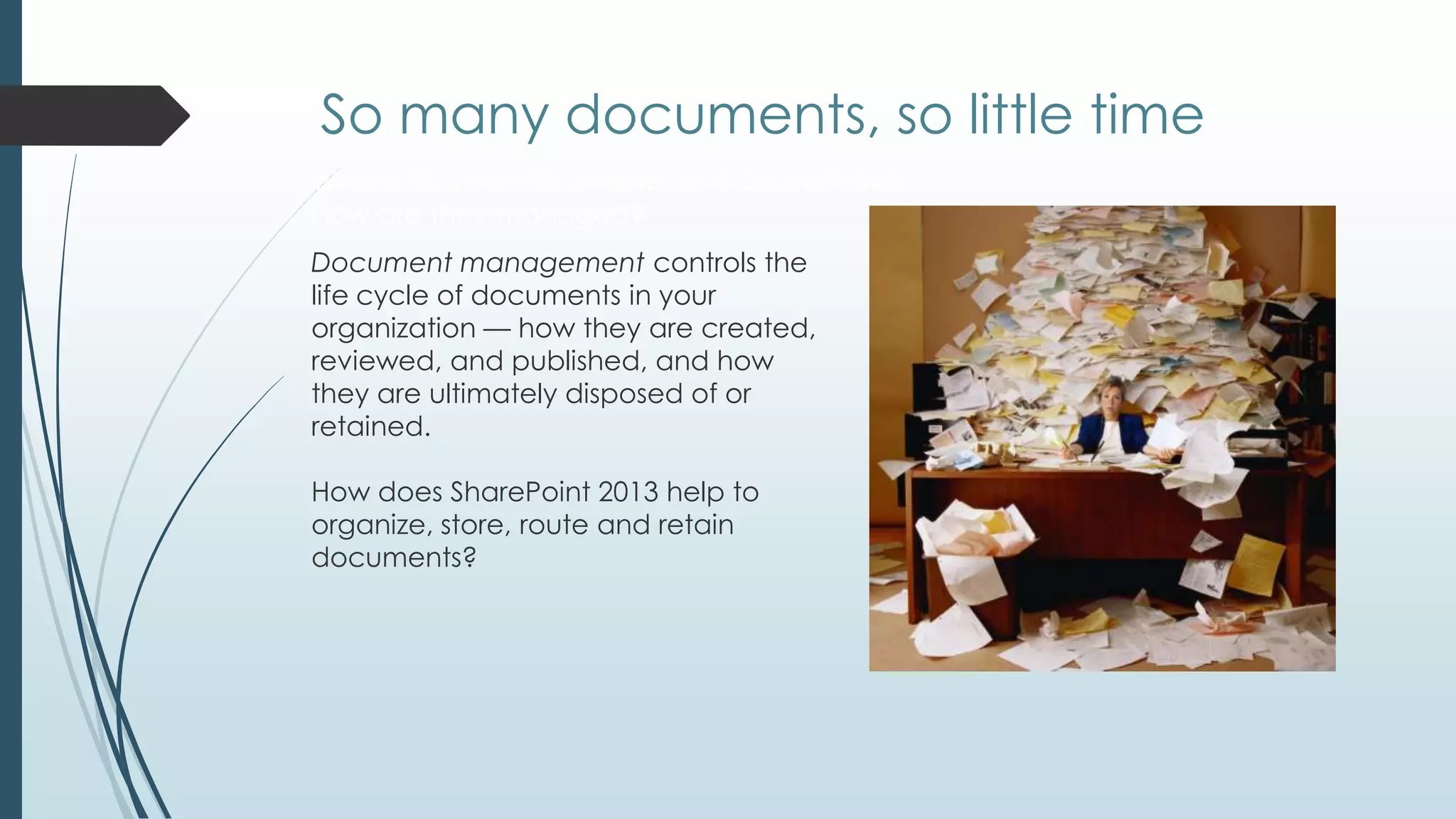
So many documents, so little time
Where do your documents go in SharePoint?
How are they managed?
Document management controls the
life cycle of documents in your
organization — how they are created,
reviewed, and published, and how
they are ultimately disposed of or
retained.

How does SharePoint 2013 help to
organize, store, route and retain
documents?
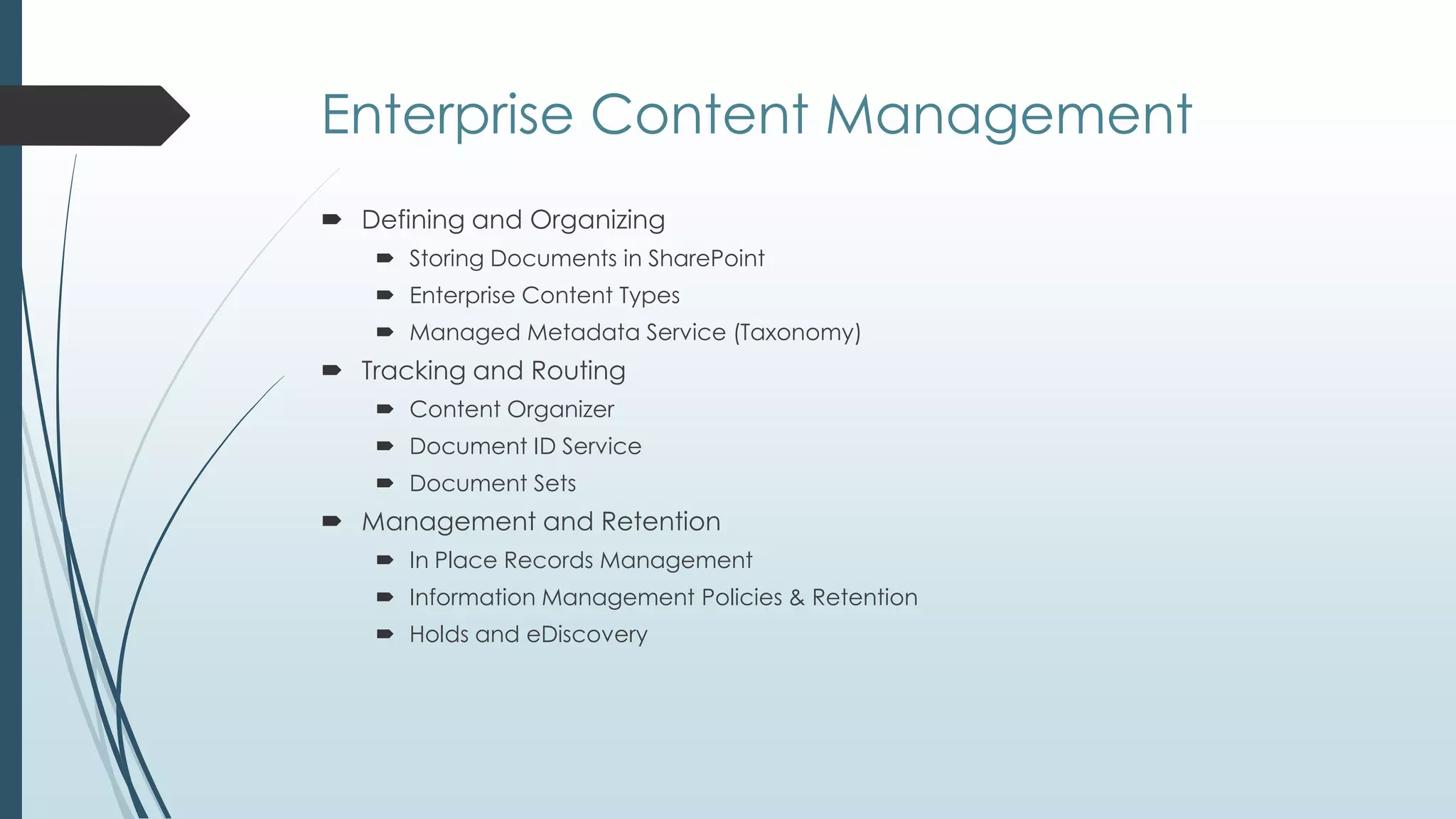
Enterprise Content Management
 Defining and Organizing
    Storing Documents in SharePoint
    Enterprise Content Types
    Managed Metadata Service (Taxonomy)
 Tracking and Routing
    Content Organizer
    Document ID Service
    Document Sets
 Management and Retention
    In Place Records Management
    Information Management Policies & Retention
    Holds and eDiscovery
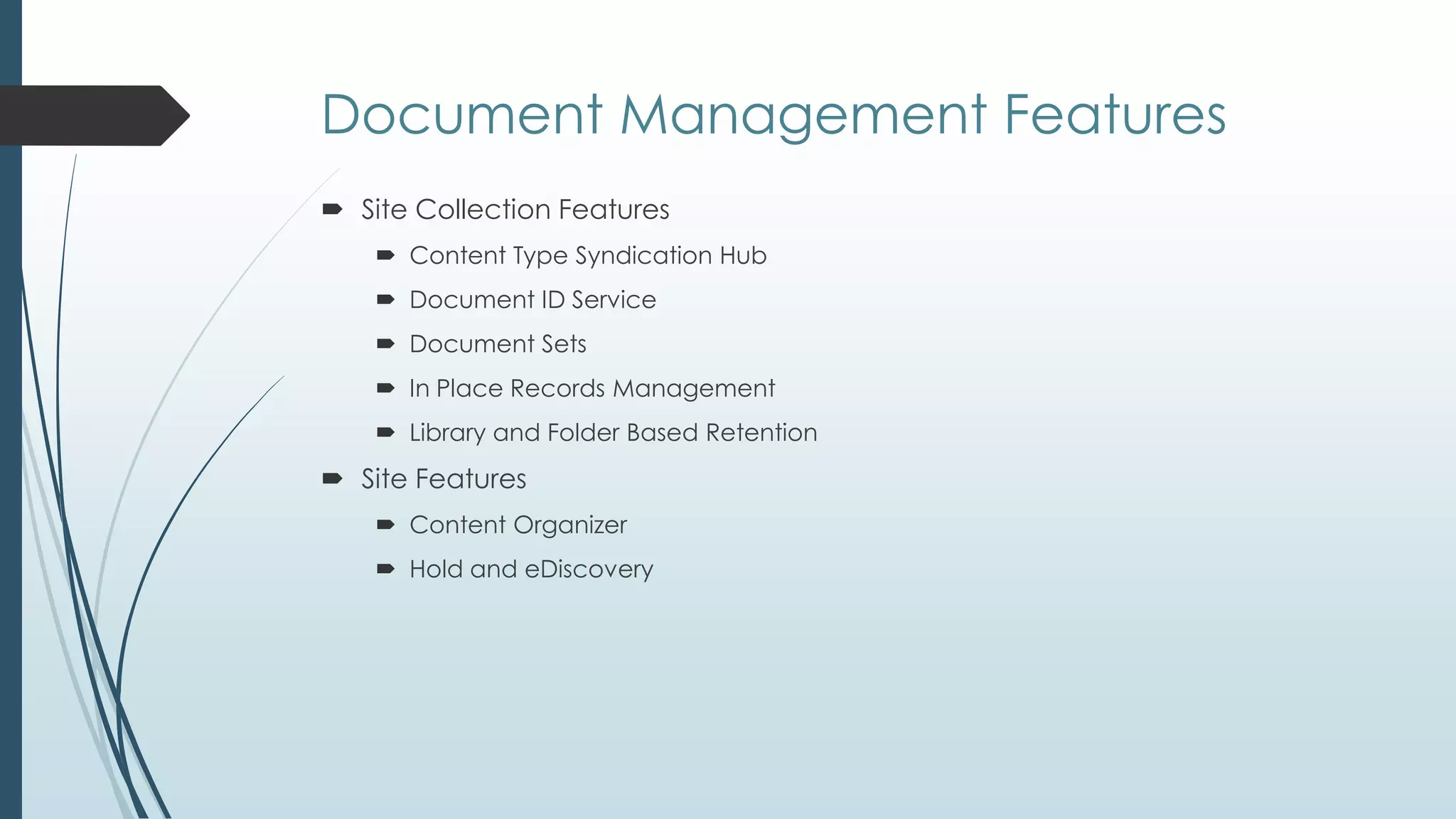
Document Management Features
 Site Collection Features
     Content Type Syndication Hub
     Document ID Service
     Document Sets
     In Place Records Management
     Library and Folder Based Retention
 Site Features
     Content Organizer
     Hold and eDiscovery
So, where do I put it?
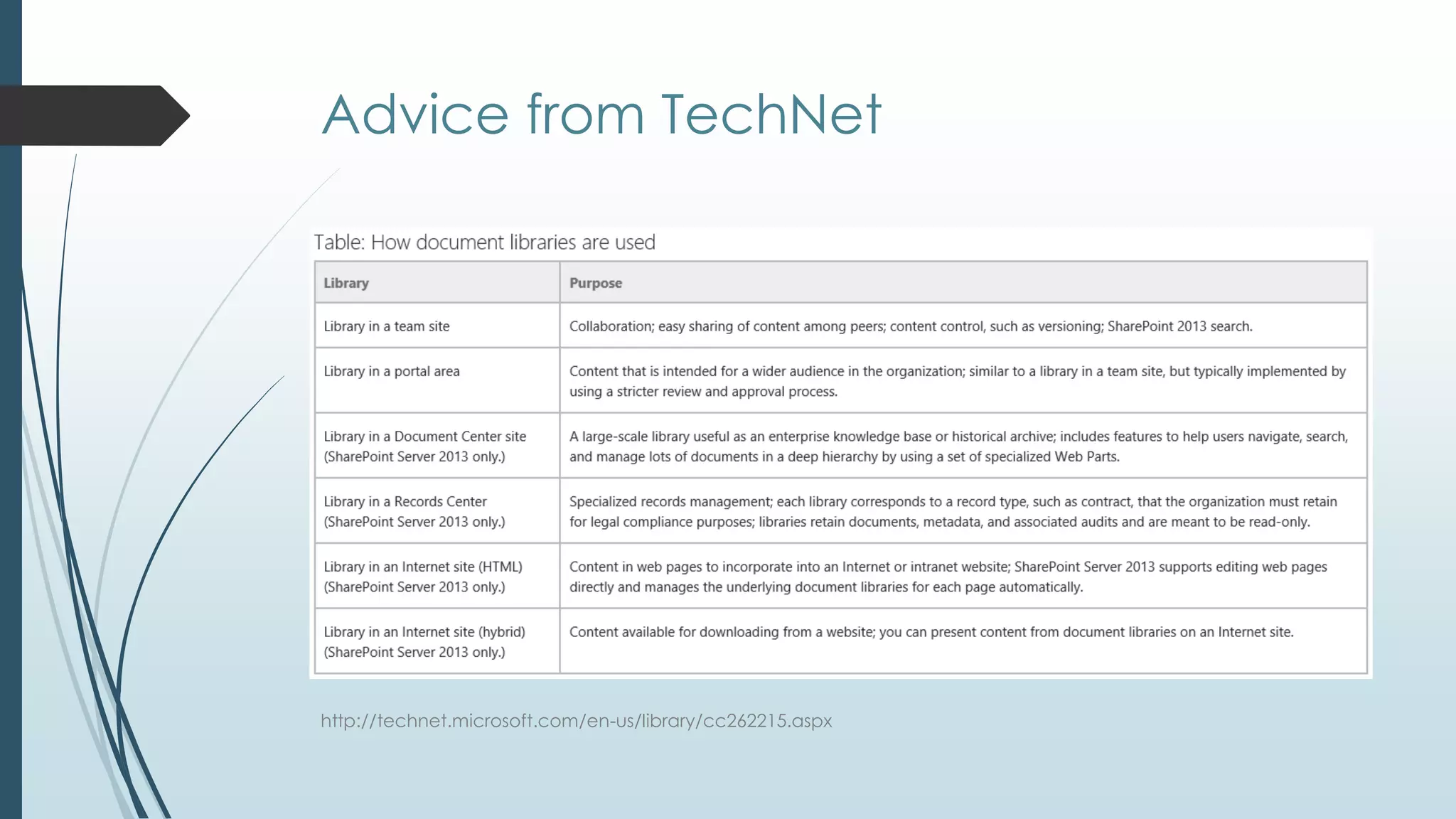
Advice from TechNet


http://technet.microsoft.com/en-us/library/cc262215.aspx
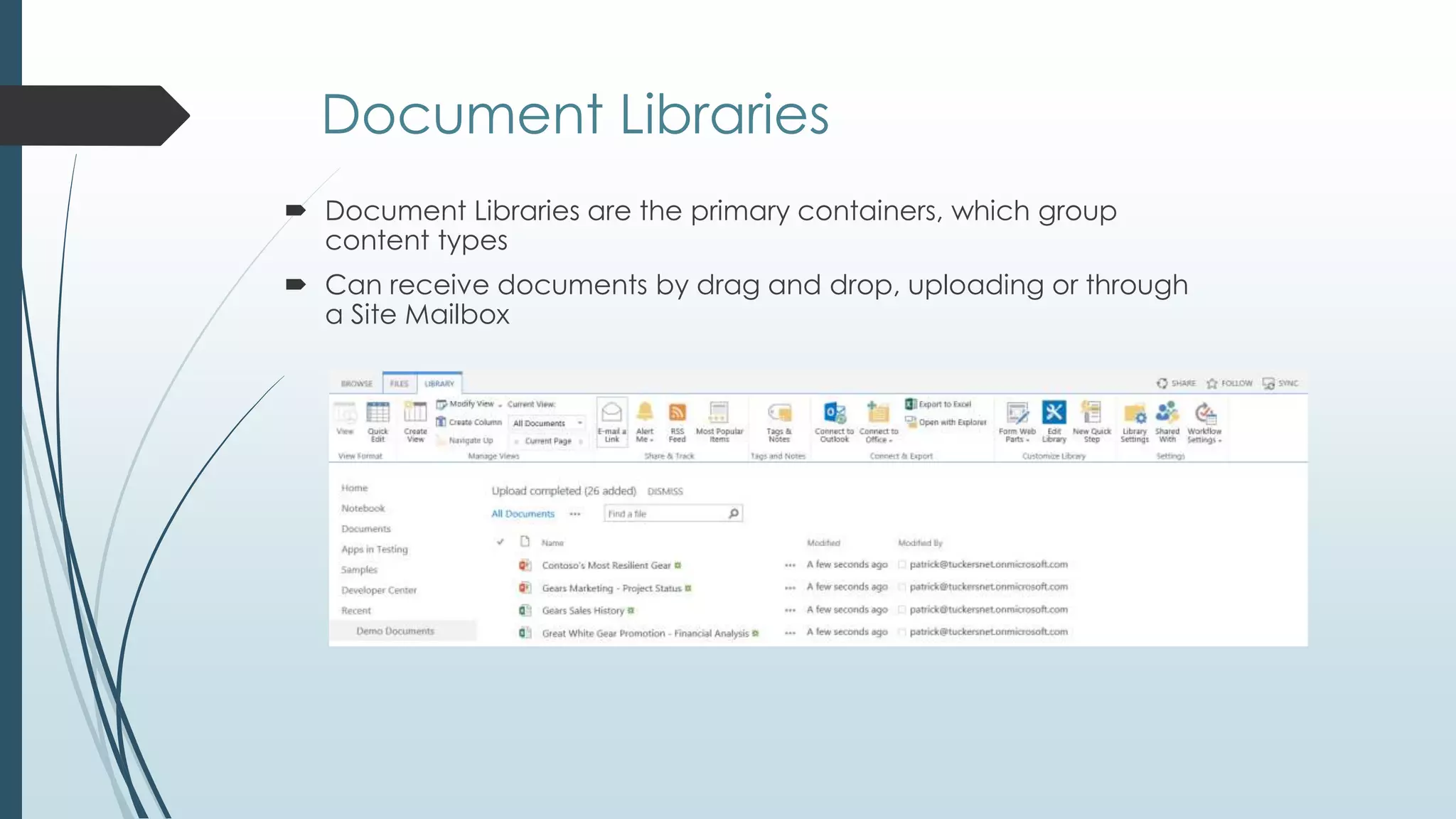
Document Libraries
 Document Libraries are the primary containers, which group
  content types
 Can receive documents by drag and drop, uploading or through
  a Site Mailbox
Offline and Social

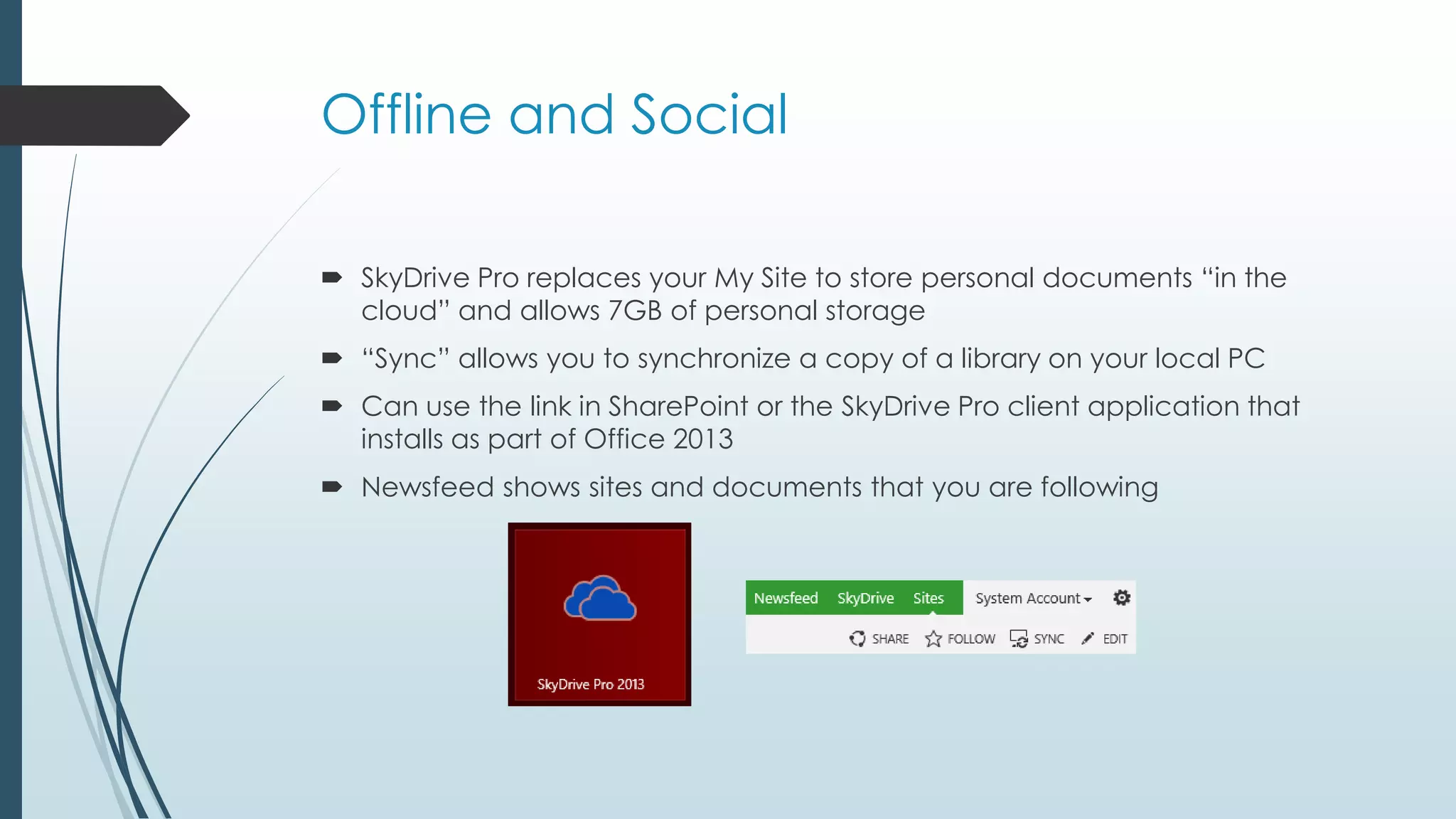
 SkyDrive Pro replaces your My Site to store personal documents ―in the
  cloud‖ and allows 7GB of personal storage
 ―Sync‖ allows you to synchronize a copy of a library on your local PC
 Can use the link in SharePoint or the SkyDrive Pro client application that
  installs as part of Office 2013
 Newsfeed shows sites and documents that you are following
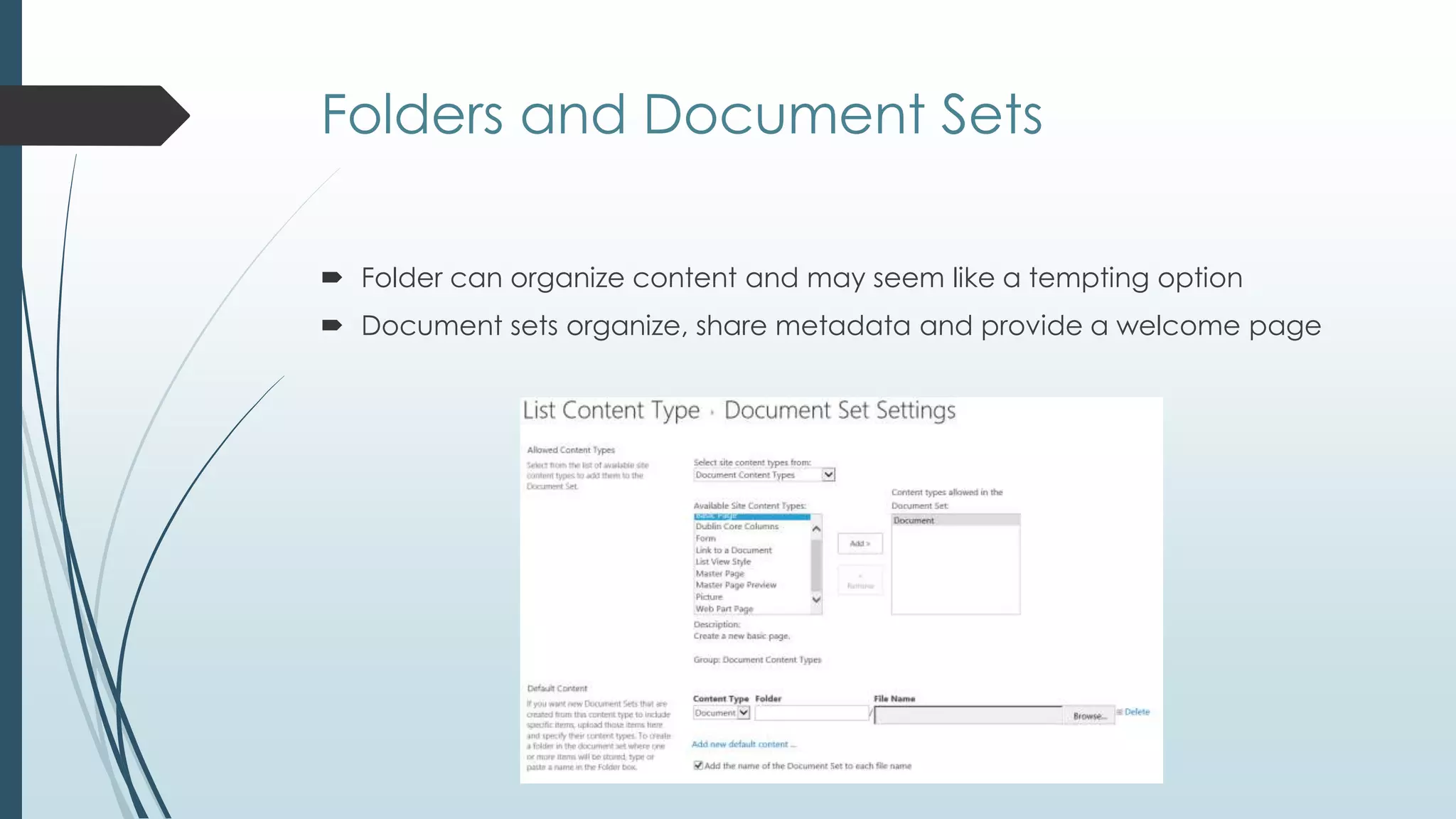
Folders and Document Sets

 Folder can organize content and may seem like a tempting option
 Document sets organize, share metadata and provide a welcome page
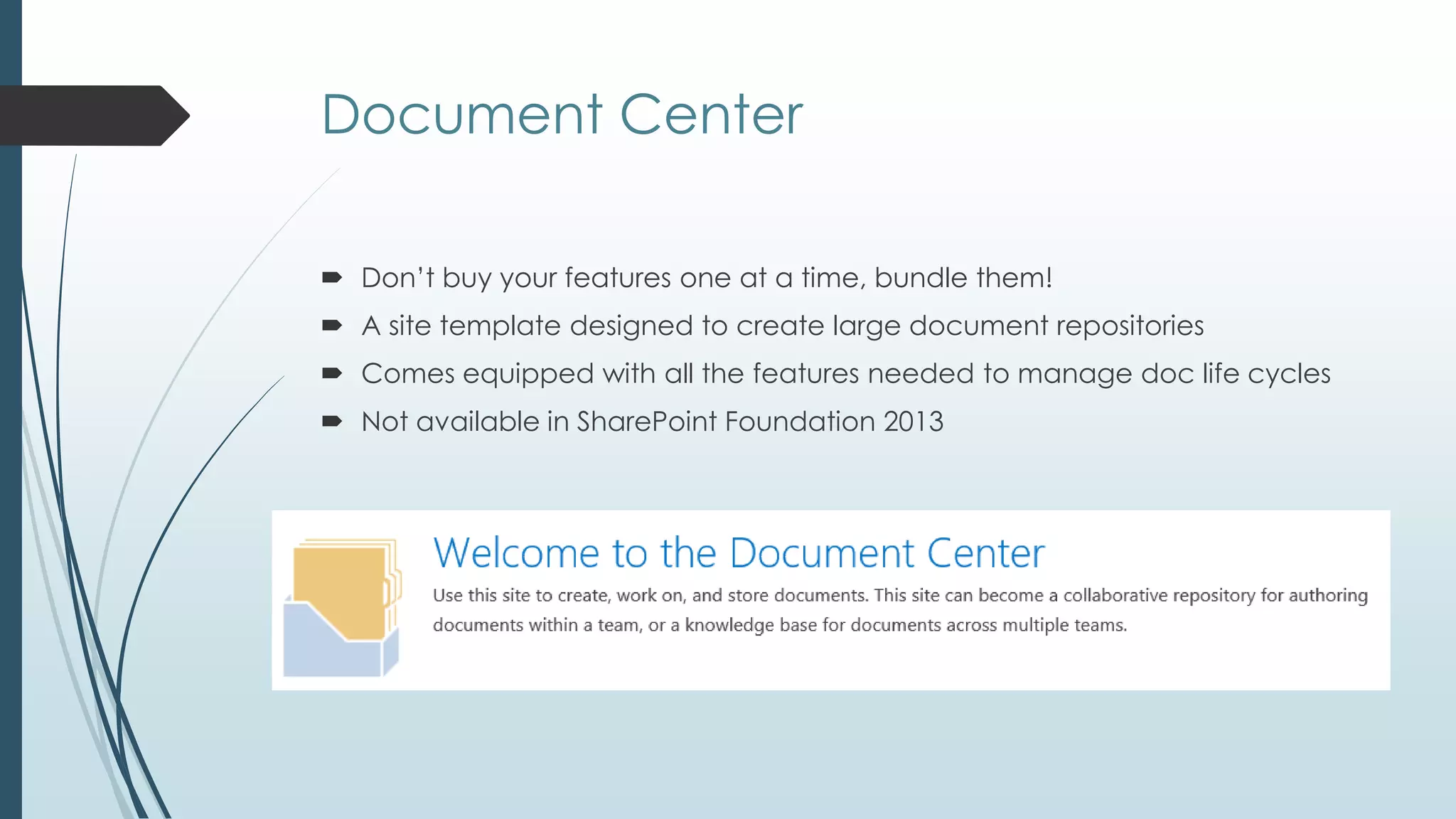
Document Center

 Don’t buy your features one at a time, bundle them!
 A site template designed to create large document repositories
 Comes equipped with all the features needed to manage doc life cycles
 Not available in SharePoint Foundation 2013
So, how do I organize it?
Metadata and Content Types

 Metadata is simply additional data
 List level - Columns associated with library
 Site level – shared content definitions
 Enterprise Level – Content Type Hub
 Values may be driven by taxonomy terms (think of choice fields on steroids)
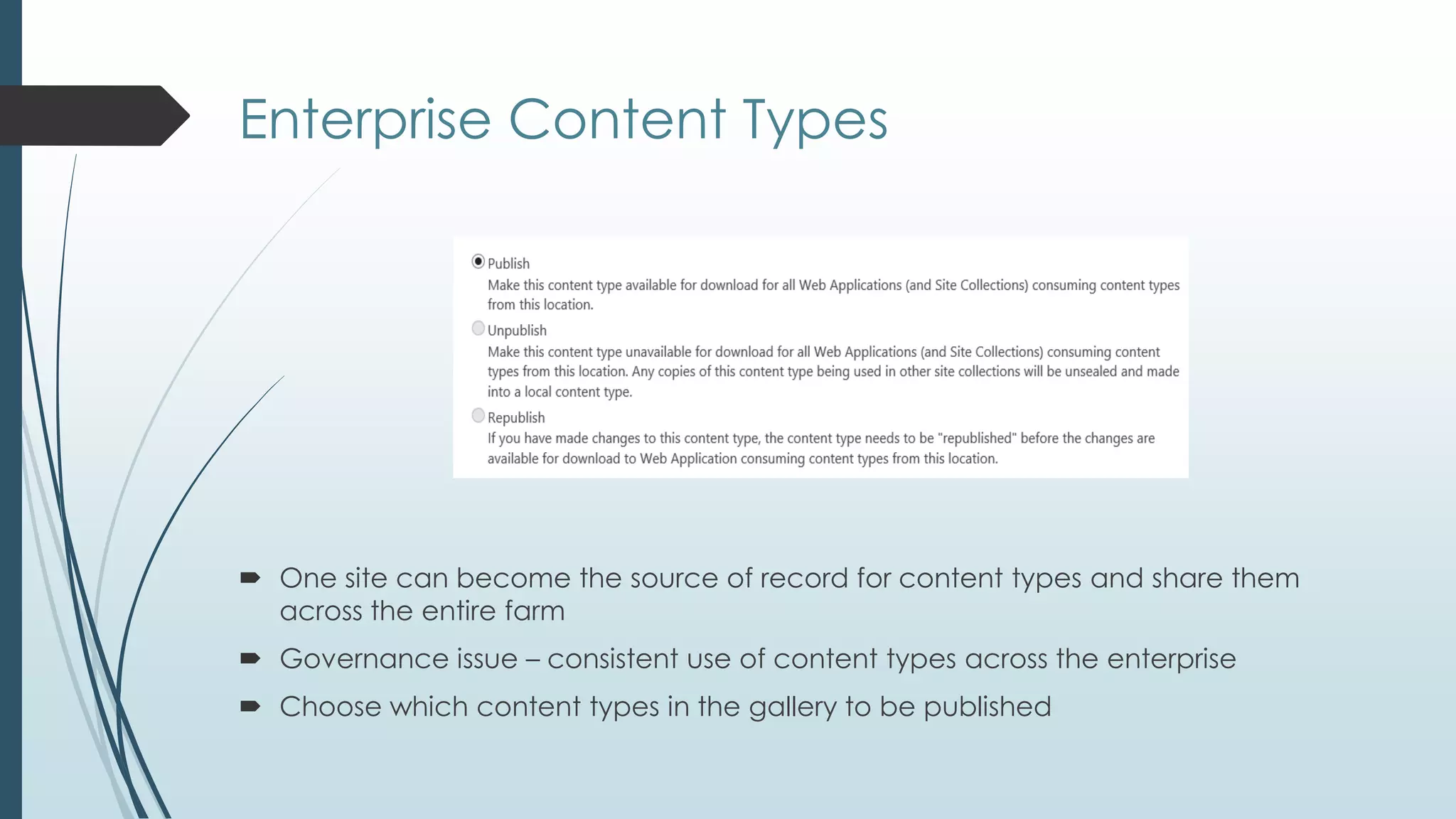
Enterprise Content Types


 One site can become the source of record for content types and share them
  across the entire farm
 Governance issue – consistent use of content types across the enterprise
 Choose which content types in the gallery to be published
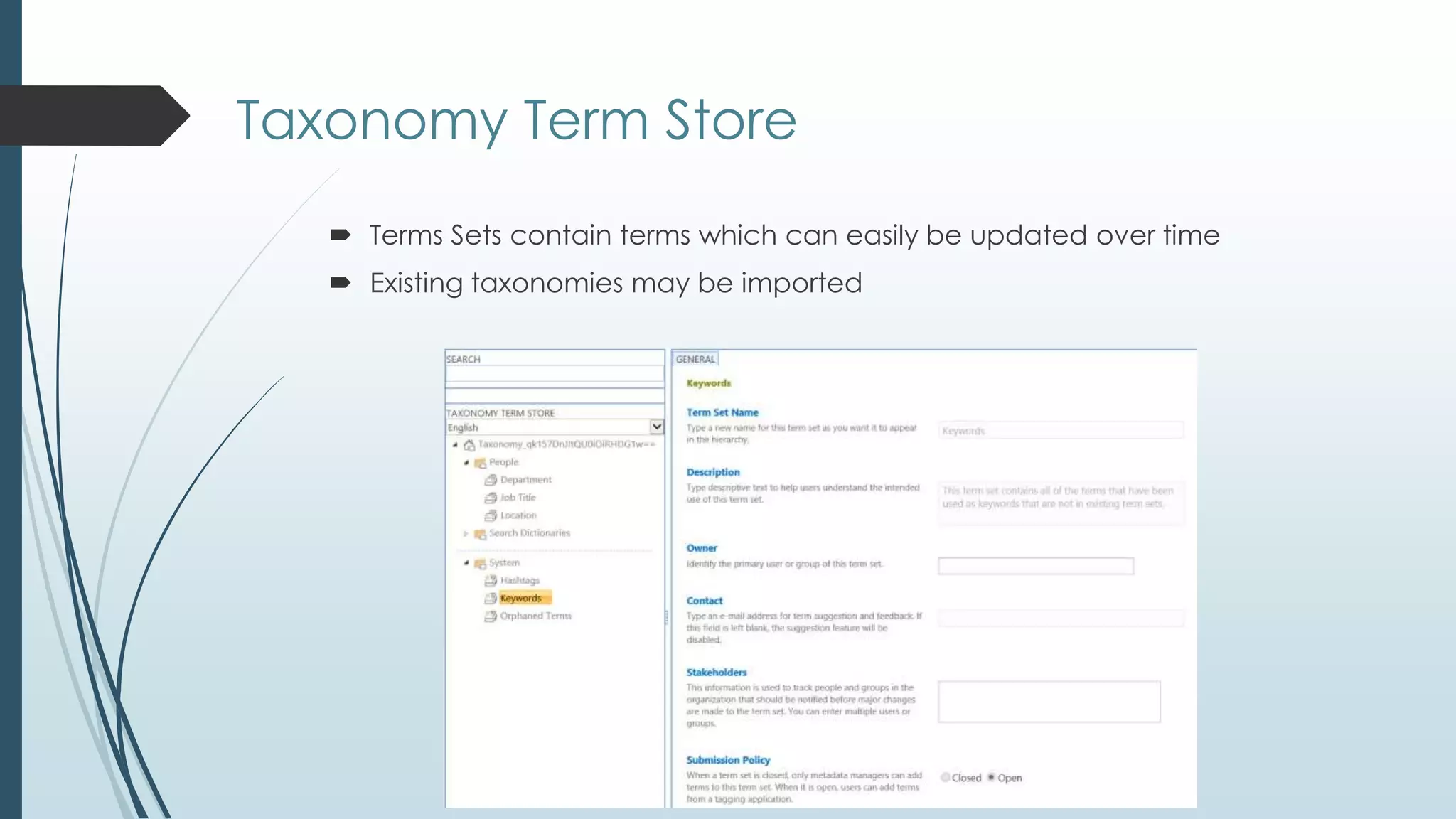
Taxonomy Term Store
    Terms Sets contain terms which can easily be updated over time
    Existing taxonomies may be imported
Tracking
and Routing
What happens to documents over time?


 What if documents need to move later on?
 What if documents need to be redirected to more specific libraries as they
  are added?
 How do I keep track of documents if they move?
 What if I need to group documents together in a more specific way?
Send To Connections

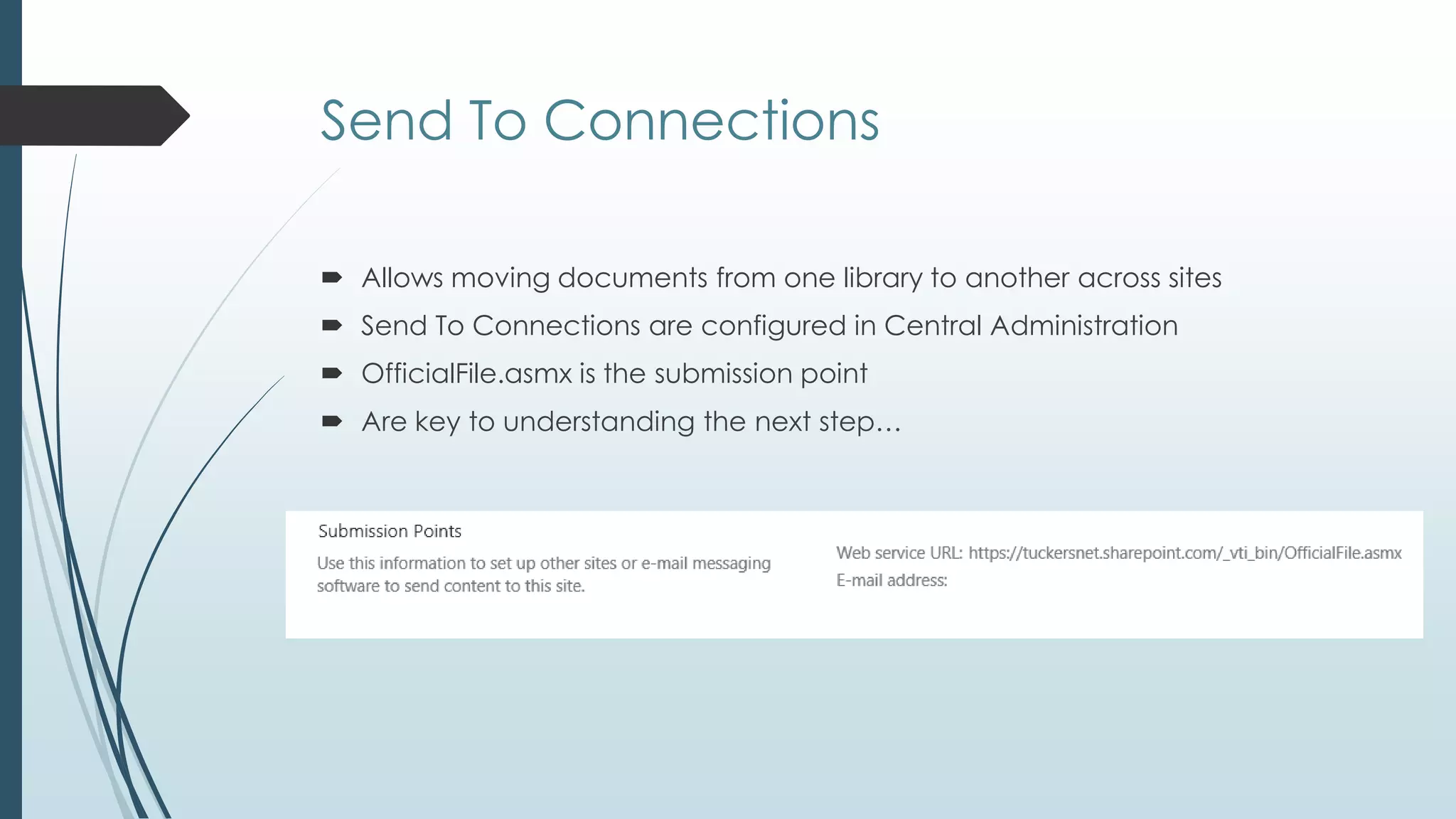
 Allows moving documents from one library to another across sites
 Send To Connections are configured in Central Administration
 OfficialFile.asmx is the submission point
 Are key to understanding the next step…
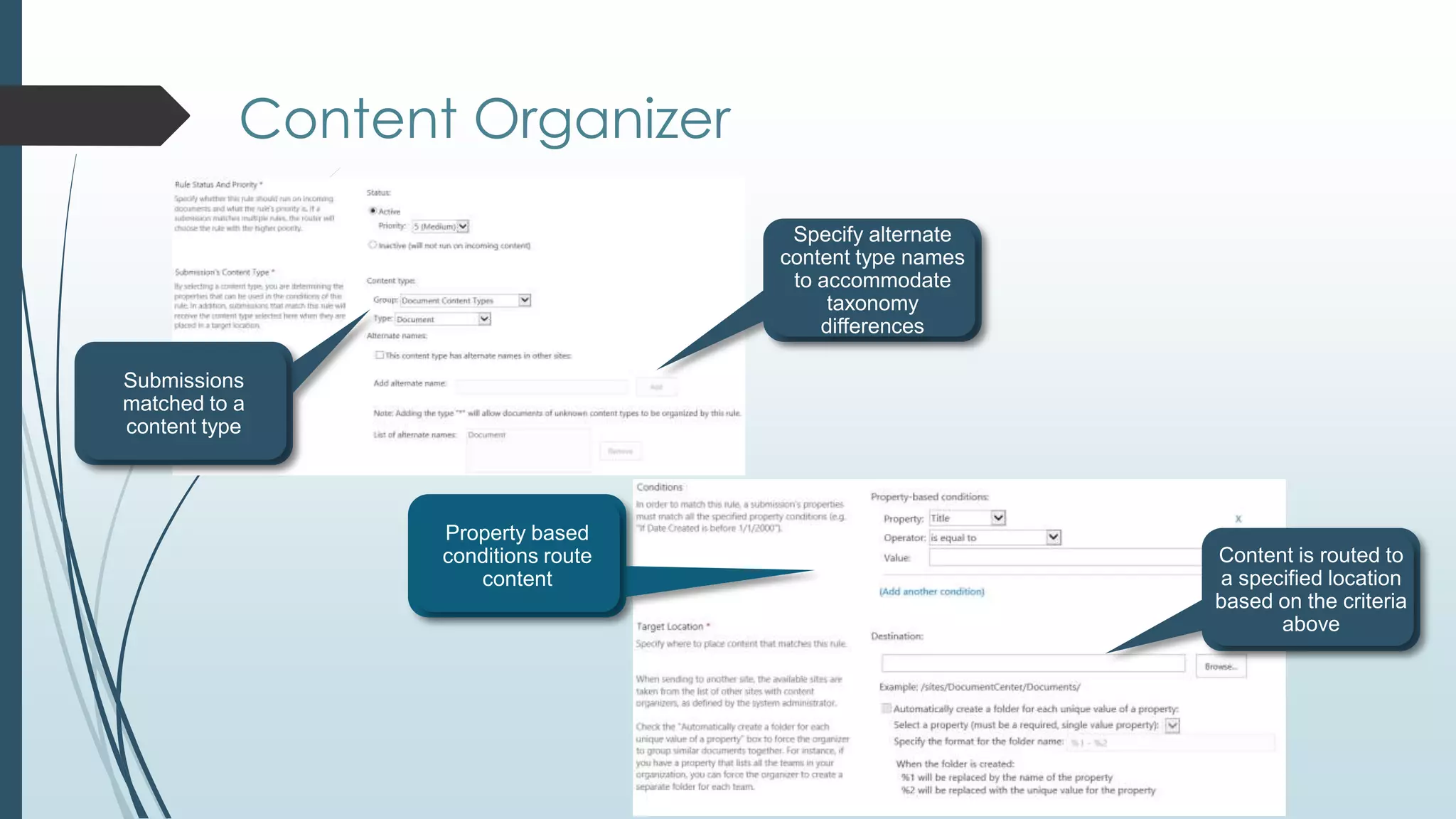
Content Organizer
Document ID Service

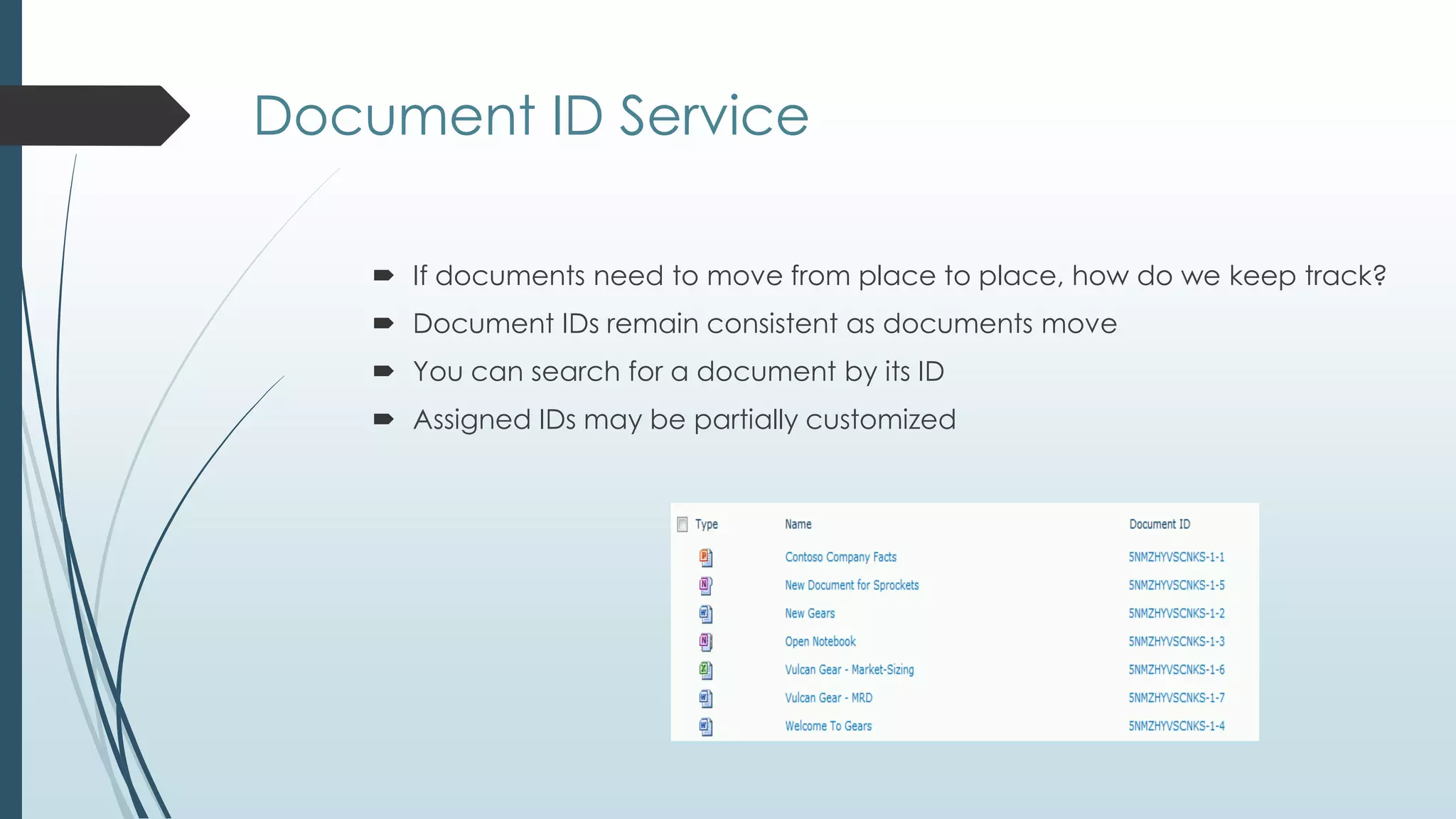
     If documents need to move from place to place, how do we keep track?
     Document IDs remain consistent as documents move
     You can search for a document by its ID
     Assigned IDs may be partially customized
Management
and Retention
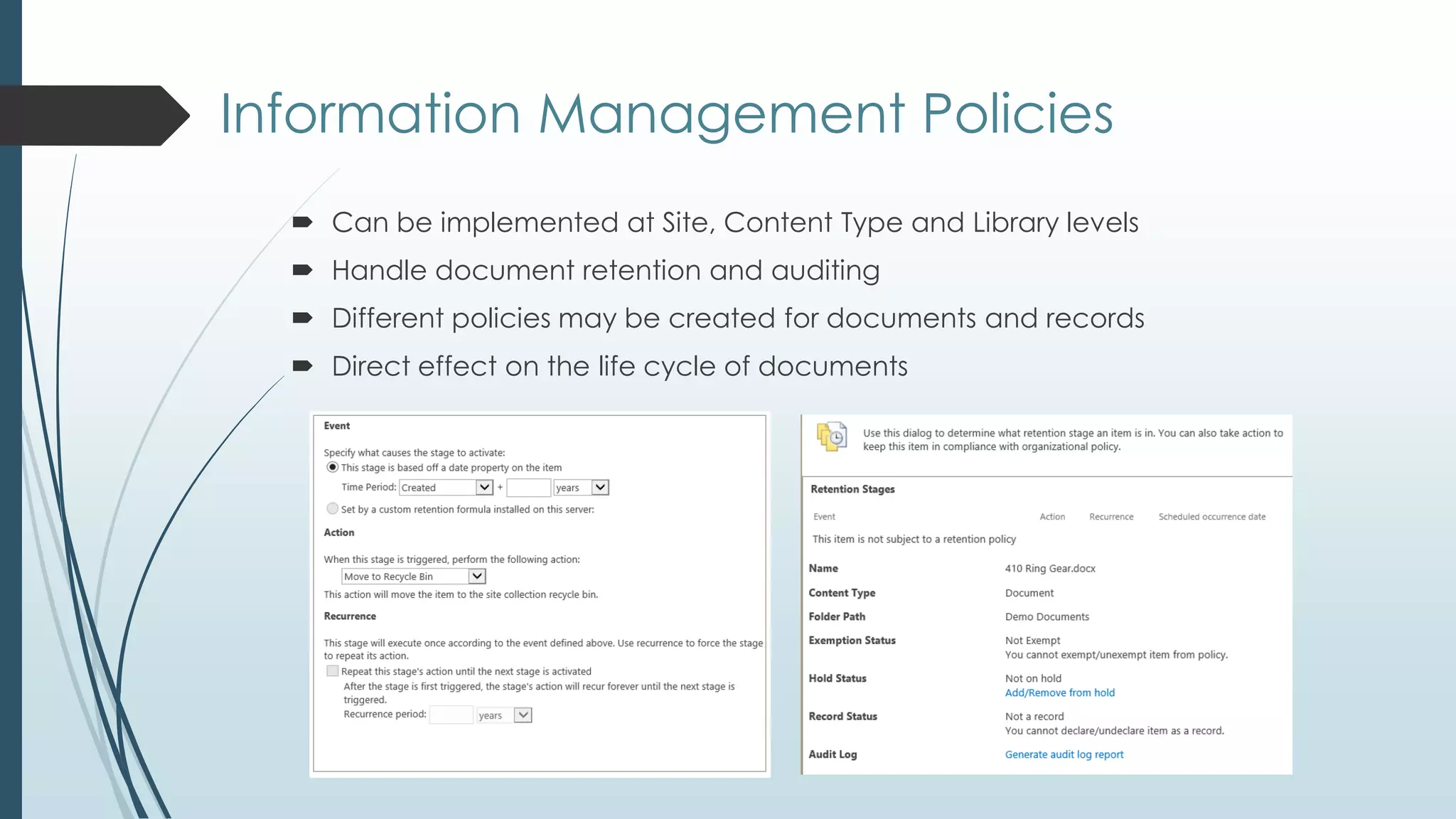
Information Management Policies
   Can be implemented at Site, Content Type and Library levels
   Handle document retention and auditing
   Different policies may be created for documents and records
   Direct effect on the life cycle of documents
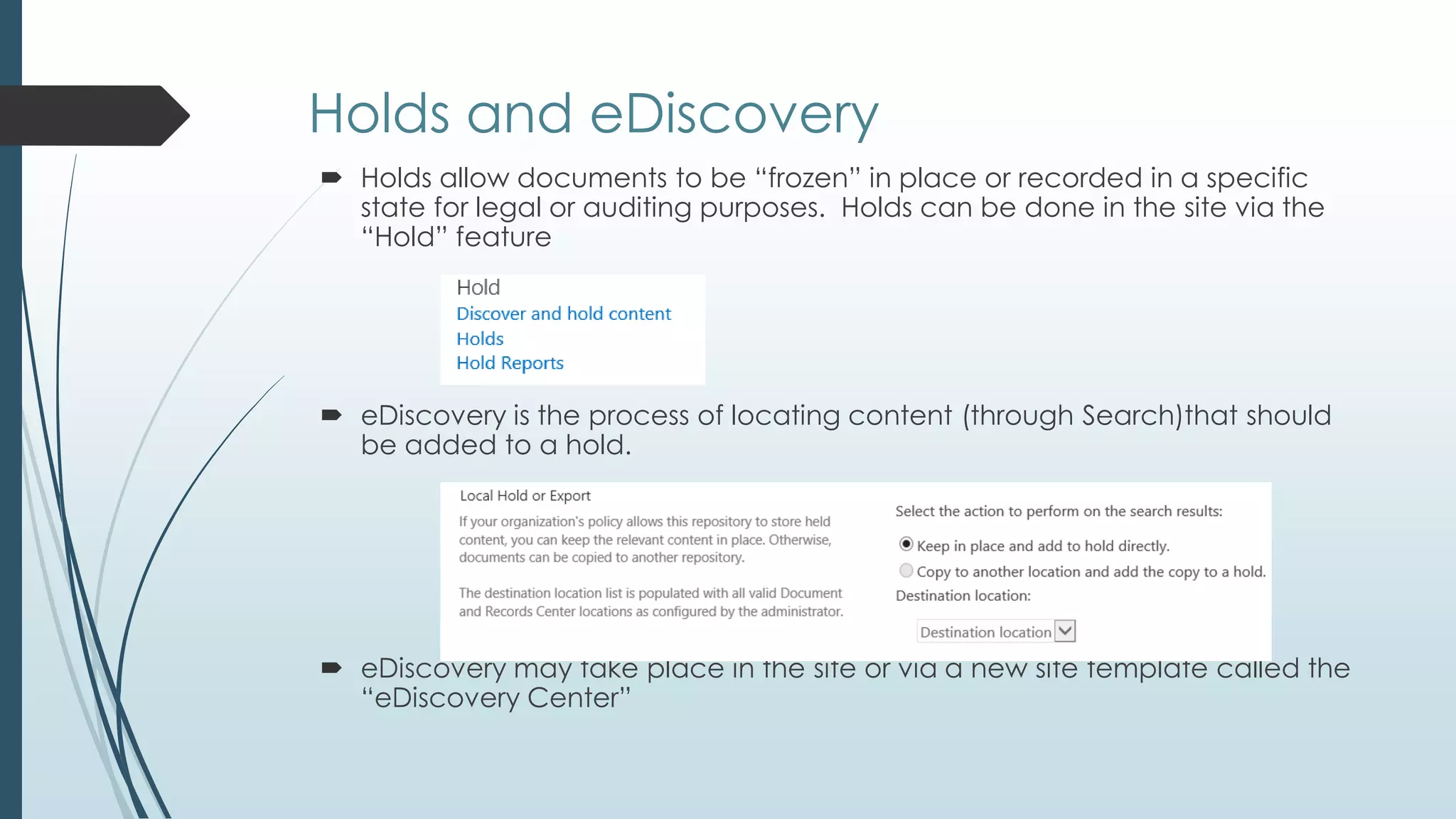
Holds and eDiscovery
 Holds allow documents to be ―frozen‖ in place or recorded in a specific
  state for legal or auditing purposes. Holds can be done in the site via the
  ―Hold‖ feature


 eDiscovery is the process of locating content (through Search)that should
  be added to a hold.


 eDiscovery may take place in the site or via a new site template called the
  ―eDiscovery Center‖
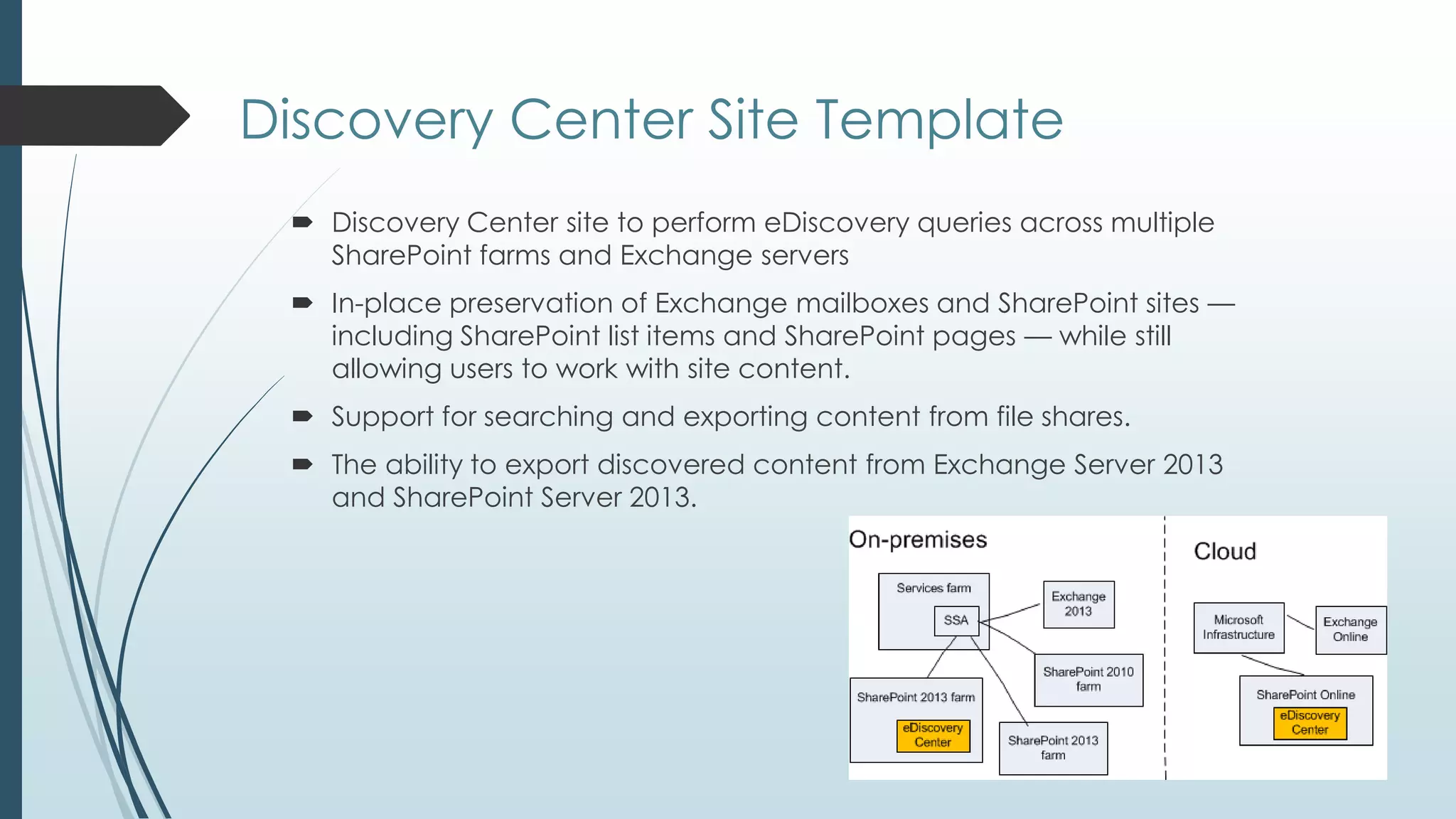
Discovery Center Site Template
  Discovery Center site to perform eDiscovery queries across multiple
   SharePoint farms and Exchange servers
  In-place preservation of Exchange mailboxes and SharePoint sites —
   including SharePoint list items and SharePoint pages — while still
   allowing users to work with site content.
  Support for searching and exporting content from file shares.
  The ability to export discovered content from Exchange Server 2013
   and SharePoint Server 2013.
What is a ―Record‖?
    A record is a document or other electronic or physical entity in an
    organization that serves as evidence of an activity or transaction
    performed by the organization and that requires retention for some time
    period.


     Holds are designed to be temporary. Records are designed to be
      permanent
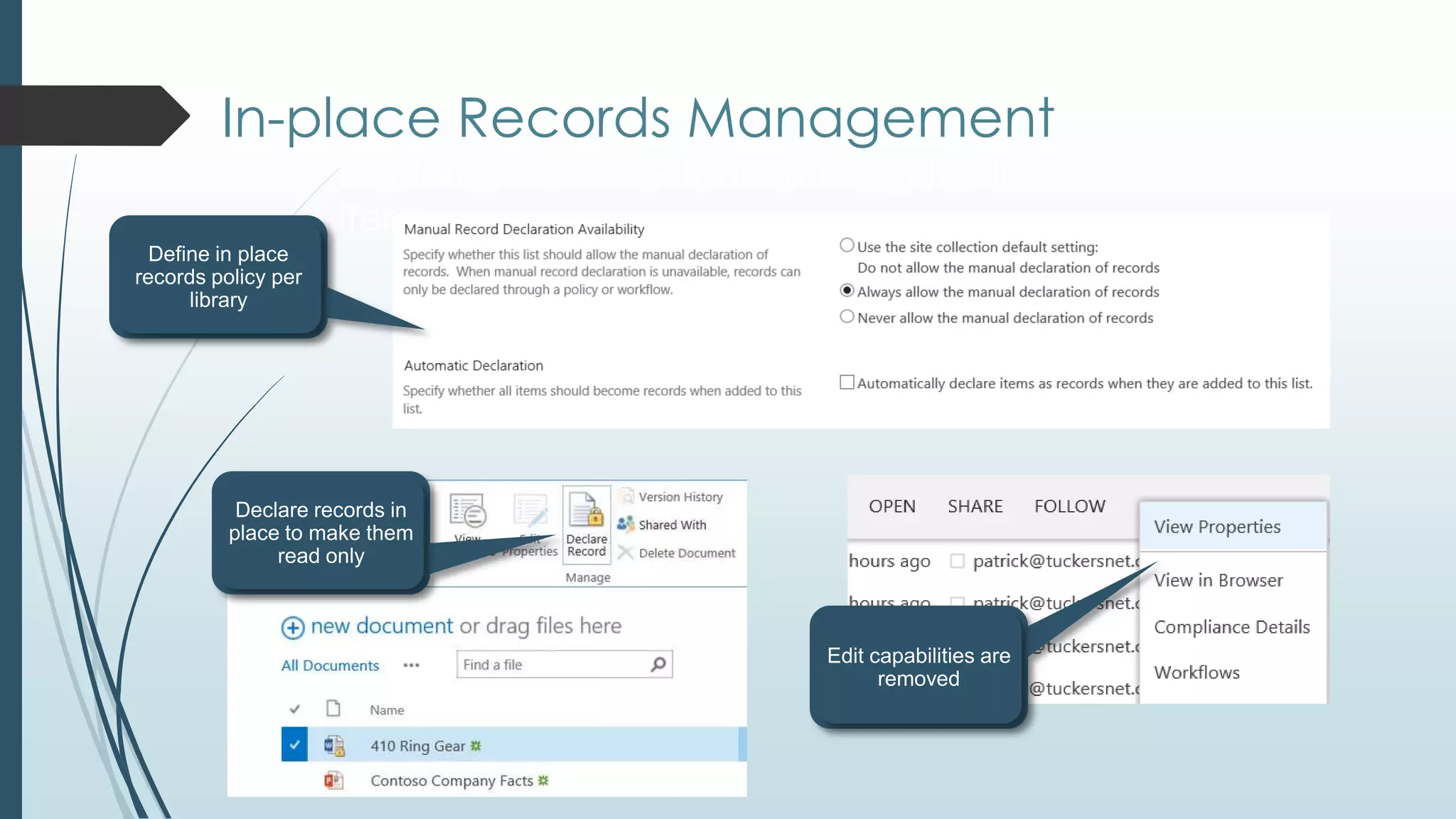
     Records may be declared in place or moved to a Record Center
     Records are locked down and can be read but no longer edited
In-place Records Management
   Declare Records without moving the list
   items
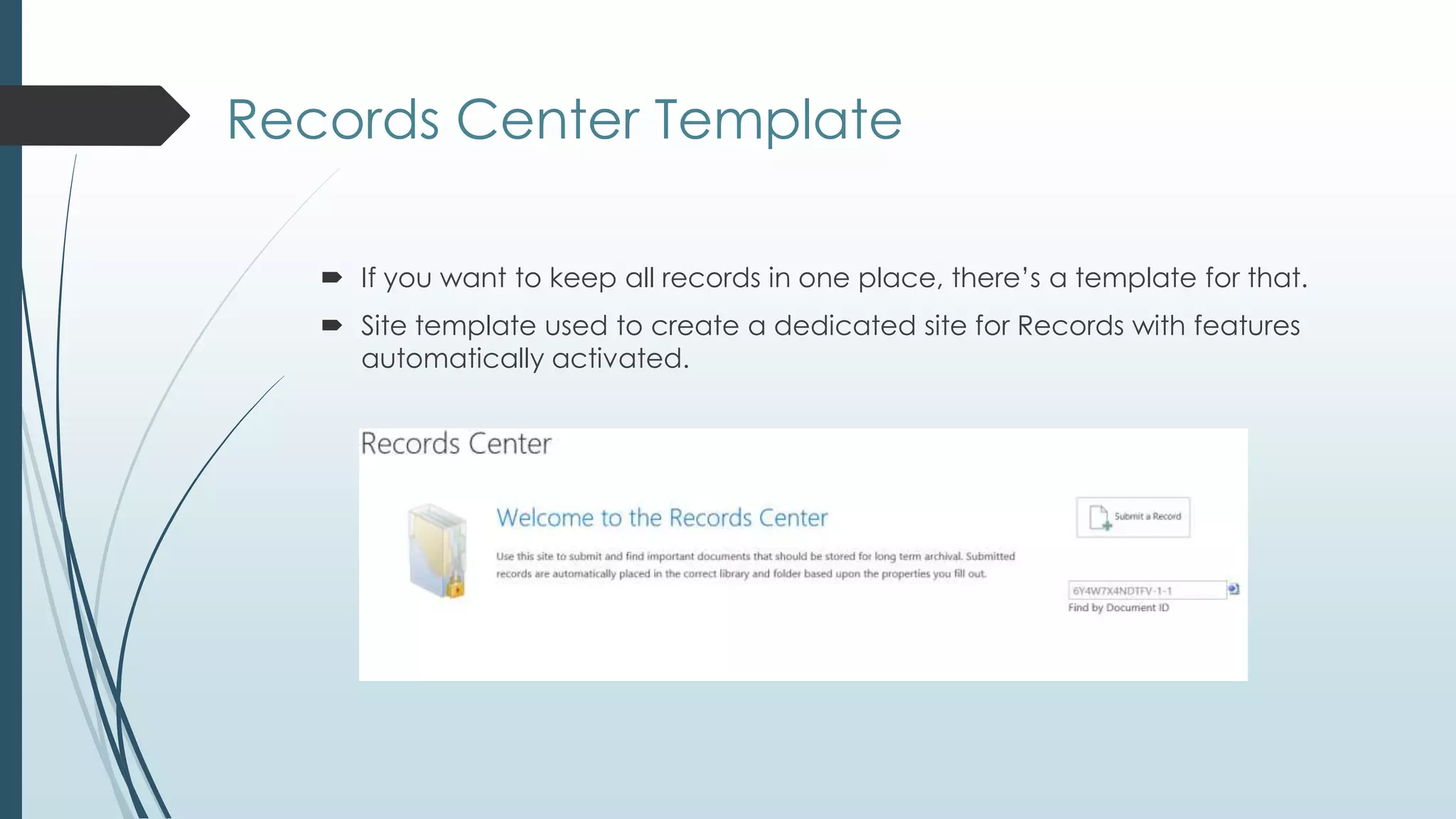
Records Center Template

    If you want to keep all records in one place, there’s a template for that.
    Site template used to create a dedicated site for Records with features
     automatically activated.
Publishing and Locating
       Documents
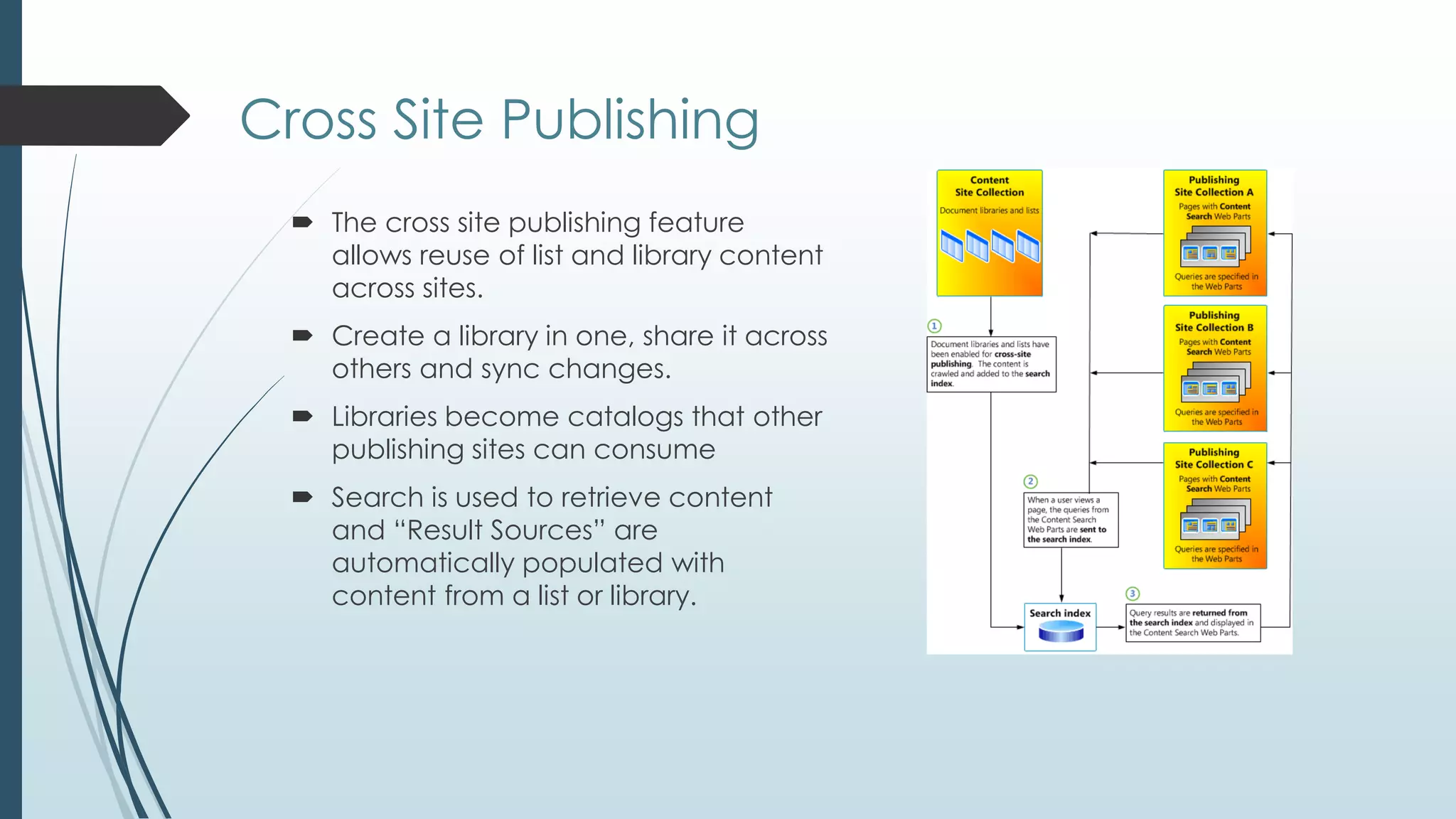
Cross Site Publishing
   The cross site publishing feature
    allows reuse of list and library content
    across sites.
   Create a library in one, share it across
    others and sync changes.
   Libraries become catalogs that other
    publishing sites can consume
   Search is used to retrieve content
    and ―Result Sources‖ are
    automatically populated with
    content from a list or library.
Search
  Search may be used to find documents wherever they live in one or
   more site collections
  Search may be narrowed to a specific content type or to locating all
   documents tagged with specific metadata
  The Search Center site template provides a one stop shop for all your
   search related needs
  The Content Search Web Part displays crawled content based on
   queries defined in web parts. Category pages contain these web
   parts to aggregate published content
Questions

     Patrick.Tucker@sds-consulting.com | tuckersnet@live.com
     Blog: www.tuckersnet.com
     Twitter: @TuckersNet

SPS Philly Architecting a Content Management Solution

  • 1.
    Architecting a SharePoint 2013Content Management Solution Patrick Tucker
  • 2.
    Thanks To OurSponsors!
  • 3.
    SharePoint User Group •SharePoint • End Users • Administrators • Architects • Developers • IT Pros • Meetings: 2nd Tuesday of the month, Microsoft Malvern, 5:30-8 pm WEB: www.TriStateSharePoint.org EMAIL: info@TriStateSharePoint.org TWITTER: @tristateSP
  • 4.
    SharePoint Network • Areyou an independent consultant or remote worker who deals with SharePoint, Office or Office365? • Do you sometimes feel cut off from the rest of the SharePoint world? • Do you need help with technical or business issues, or just want the chance to socialize with others? If so, then the SharePoint Network might be for you! www.SharePointNetwork.org
  • 5.
    Bio  Patrick Tucker  Strategic Data Systems, MS Gold Partner  Principal Consultant, SharePoint  MCT, MCTS, MCPD, MCITP, MCSD, MCAD, MCDBA  Patrick.Tucker@sds-consulting.com | tuckersnet@live.com  Blog: www.tuckersnet.com  Twitter: @TuckersNet
  • 6.
    Giveaways  Wanna wina $25 NewEgg gift card? Give me a business card.  Wanna win a free 2 hour consulting one-on-one? Write yes on the back!
  • 7.
    So many documents,so little time Where do your documents go in SharePoint? How are they managed? Document management controls the life cycle of documents in your organization — how they are created, reviewed, and published, and how they are ultimately disposed of or retained. How does SharePoint 2013 help to organize, store, route and retain documents?
  • 8.
    Enterprise Content Management Defining and Organizing  Storing Documents in SharePoint  Enterprise Content Types  Managed Metadata Service (Taxonomy)  Tracking and Routing  Content Organizer  Document ID Service  Document Sets  Management and Retention  In Place Records Management  Information Management Policies & Retention  Holds and eDiscovery
  • 9.
    Document Management Features Site Collection Features  Content Type Syndication Hub  Document ID Service  Document Sets  In Place Records Management  Library and Folder Based Retention  Site Features  Content Organizer  Hold and eDiscovery
  • 10.
    So, where doI put it?
  • 11.
  • 12.
    Document Libraries  DocumentLibraries are the primary containers, which group content types  Can receive documents by drag and drop, uploading or through a Site Mailbox
  • 13.
    Offline and Social SkyDrive Pro replaces your My Site to store personal documents ―in the cloud‖ and allows 7GB of personal storage  ―Sync‖ allows you to synchronize a copy of a library on your local PC  Can use the link in SharePoint or the SkyDrive Pro client application that installs as part of Office 2013  Newsfeed shows sites and documents that you are following
  • 14.
    Folders and DocumentSets  Folder can organize content and may seem like a tempting option  Document sets organize, share metadata and provide a welcome page
  • 15.
    Document Center  Don’tbuy your features one at a time, bundle them!  A site template designed to create large document repositories  Comes equipped with all the features needed to manage doc life cycles  Not available in SharePoint Foundation 2013
  • 16.
    So, how doI organize it?
  • 17.
    Metadata and ContentTypes  Metadata is simply additional data  List level - Columns associated with library  Site level – shared content definitions  Enterprise Level – Content Type Hub  Values may be driven by taxonomy terms (think of choice fields on steroids)
  • 18.
    Enterprise Content Types One site can become the source of record for content types and share them across the entire farm  Governance issue – consistent use of content types across the enterprise  Choose which content types in the gallery to be published
  • 19.
    Taxonomy Term Store  Terms Sets contain terms which can easily be updated over time  Existing taxonomies may be imported
  • 20.
  • 21.
    What happens todocuments over time?  What if documents need to move later on?  What if documents need to be redirected to more specific libraries as they are added?  How do I keep track of documents if they move?  What if I need to group documents together in a more specific way?
  • 22.
    Send To Connections Allows moving documents from one library to another across sites  Send To Connections are configured in Central Administration  OfficialFile.asmx is the submission point  Are key to understanding the next step…
  • 23.
  • 24.
    Document ID Service  If documents need to move from place to place, how do we keep track?  Document IDs remain consistent as documents move  You can search for a document by its ID  Assigned IDs may be partially customized
  • 25.
  • 26.
    Information Management Policies  Can be implemented at Site, Content Type and Library levels  Handle document retention and auditing  Different policies may be created for documents and records  Direct effect on the life cycle of documents
  • 27.
    Holds and eDiscovery Holds allow documents to be ―frozen‖ in place or recorded in a specific state for legal or auditing purposes. Holds can be done in the site via the ―Hold‖ feature  eDiscovery is the process of locating content (through Search)that should be added to a hold.  eDiscovery may take place in the site or via a new site template called the ―eDiscovery Center‖
  • 28.
    Discovery Center SiteTemplate  Discovery Center site to perform eDiscovery queries across multiple SharePoint farms and Exchange servers  In-place preservation of Exchange mailboxes and SharePoint sites — including SharePoint list items and SharePoint pages — while still allowing users to work with site content.  Support for searching and exporting content from file shares.  The ability to export discovered content from Exchange Server 2013 and SharePoint Server 2013.
  • 29.
    What is a―Record‖? A record is a document or other electronic or physical entity in an organization that serves as evidence of an activity or transaction performed by the organization and that requires retention for some time period.  Holds are designed to be temporary. Records are designed to be permanent  Records may be declared in place or moved to a Record Center  Records are locked down and can be read but no longer edited
  • 30.
    In-place Records Management Declare Records without moving the list items
  • 31.
    Records Center Template  If you want to keep all records in one place, there’s a template for that.  Site template used to create a dedicated site for Records with features automatically activated.
  • 32.
  • 33.
    Cross Site Publishing  The cross site publishing feature allows reuse of list and library content across sites.  Create a library in one, share it across others and sync changes.  Libraries become catalogs that other publishing sites can consume  Search is used to retrieve content and ―Result Sources‖ are automatically populated with content from a list or library.
  • 34.
    Search  Searchmay be used to find documents wherever they live in one or more site collections  Search may be narrowed to a specific content type or to locating all documents tagged with specific metadata  The Search Center site template provides a one stop shop for all your search related needs  The Content Search Web Part displays crawled content based on queries defined in web parts. Category pages contain these web parts to aggregate published content
  • 35.
    Questions  Patrick.Tucker@sds-consulting.com | tuckersnet@live.com  Blog: www.tuckersnet.com  Twitter: @TuckersNet

Editor's Notes

  • #3 Please encourage folks to visit the sponsors in the lobby. Everyone should have a sponsor bingo card. If they get initials from each sponsor they can be entered in our drawings to win great prizes, including Kindles, and a Surface RT.
  • #4 This is the local Philly SharePoint user group. We cover a range of topics for all audiences.
  • #5 This is a local group that is just getting started as an adjunct to the user group. As the slide says, it is a support and social group for independent and remote workers in the Philly area. More information is available on the website.