

SharePoint 2013
Web Content Management
Joe Seguin, Director of Consulting
Services
Erik Moll, Business Development
Manager/Cloud Microsoft Canada
Peter Carson, President
Peter Mackenzie, VP Sales
Who Are We?
Agenda
Introductions
Office 365
SharePoint 2013 – What’s New Overview
What’s New in Web Content Management?
Demonstration
Licensing
Q&A
Focused on complex SharePoint solutions,
Envision IT is the “go-to” partner for Microsoft
SharePoint, building integrated public web sites,
Intranets, Extranets, and web applications that
leverage your existing systems anywhere over the
Internet.
Envision IT
Products
Transform how you run your
business with Office 365
What’s New in
SharePoint
2013
What’s New in Web
Content
Management
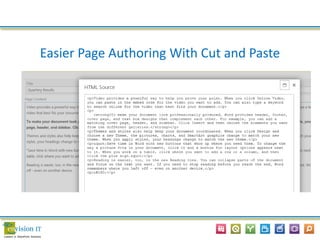
Easier Page Authoring With Cut and Paste
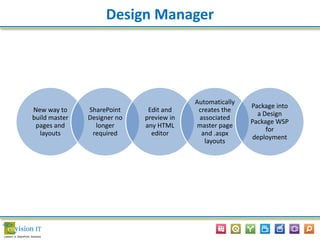
Design Manager
New way to
build master
pages and
layouts
SharePoint
Designer no
longer
required
Edit and
preview in
any HTML
editor
Automatically
creates the
associated
master page
and .aspx
layouts
Package into
a Design
Package WSP
for
deployment
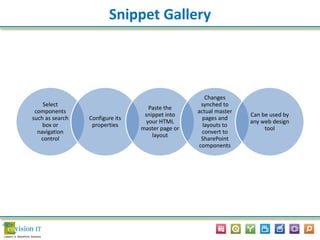
Snippet Gallery
Select
components
such as search
box or
navigation
control
Configure its
properties
Paste the
snippet into
your HTML
master page or
layout
Changes
synched to
actual master
pages and
layouts to
convert to
SharePoint
components
Can be used by
any web design
tool
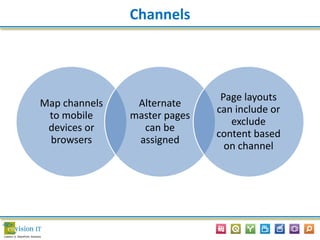
Channels
Map channels
to mobile
devices or
browsers
Alternate
master pages
can be
assigned
Page layouts
can include or
exclude
content based
on channel
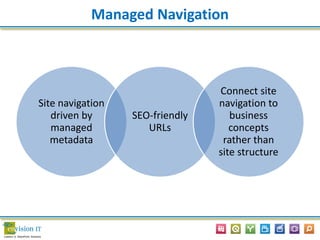
Managed Navigation
Site navigation
driven by
managed
metadata
SEO-friendly
URLs
Connect site
navigation to
business
concepts
rather than
site structure
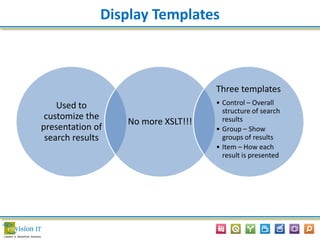
Display Templates
Used to
customize the
presentation of
search results
No more XSLT!!!
Three templates
• Control – Overall
structure of search
results
• Group – Show
groups of results
• Item – How each
result is presented
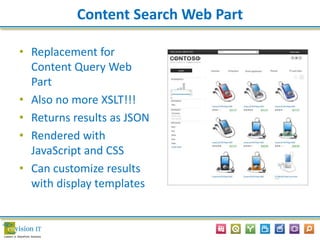
Content Search Web Part
• Replacement for
Content Query Web
Part
• Also no more XSLT!!!
• Returns results as JSON
• Rendered with
JavaScript and CSS
• Can customize results
with display templates
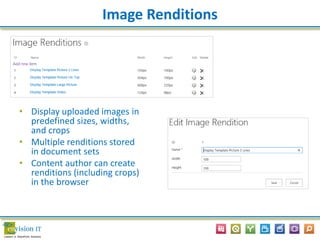
Image Renditions
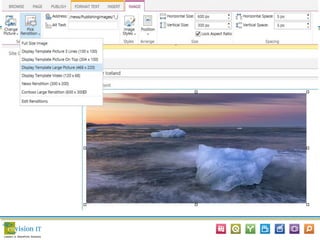
• Display uploaded images in
predefined sizes, widths,
and crops
• Multiple renditions stored
in document sets
• Content author can create
renditions (including crops)
in the browser
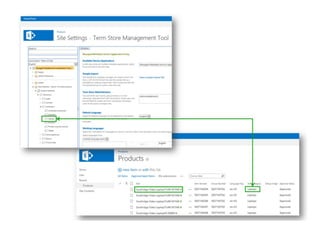
Cross-Site Publishing
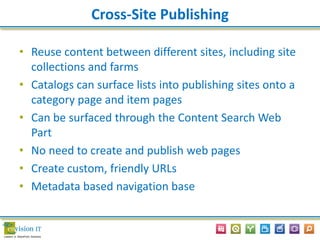
• Reuse content between different sites, including site
collections and farms
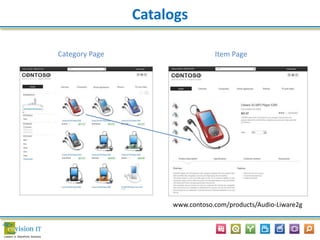
• Catalogs can surface lists into publishing sites onto a
category page and item pages
• Can be surfaced through the Content Search Web
Part
• No need to create and publish web pages
• Create custom, friendly URLs
• Metadata based navigation base
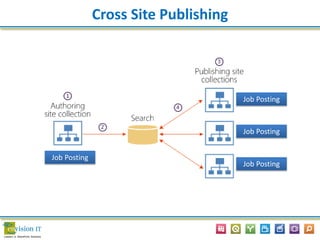
Cross Site Publishing
Job Posting
Job Posting
Job Posting
Job Posting
Catalogs
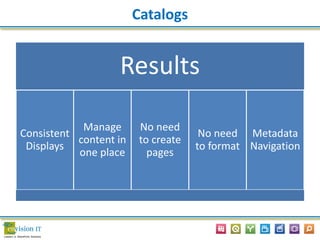
Results
Consistent
Displays
Manage
content in
one place
No need
to create
pages
No need
to format
Metadata
Navigation
Category Page Item Page
Catalogs
www.contoso.com/products/Audio-Liware2g
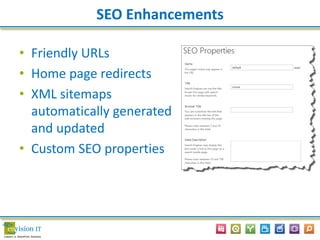
SEO Enhancements
• Friendly URLs
• Home page redirects
• XML sitemaps
automatically generated
and updated
• Custom SEO properties
Variations and Multi-Lingual
• Export and import content for translation in
XLIFF format
 Pages
 Labels
 List items
 Navigation
• Bing translation service comes with active
SharePoint 2013 license
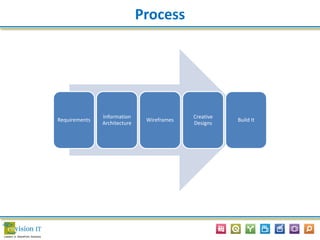
Process
Requirements
Information
Architecture
Wireframes
Creative
Designs
Build It
Search
Licensing
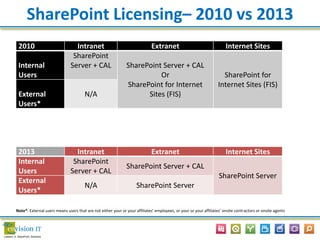
SharePoint Licensing– 2010 vs 2013
2013 Intranet Extranet Internet Sites
Internal
Users
SharePoint
Server + CAL
SharePoint Server + CAL
SharePoint Server
External
Users*
N/A SharePoint Server
2010 Intranet Extranet Internet Sites
Internal
Users
SharePoint
Server + CAL SharePoint Server + CAL
Or
SharePoint for Internet
Sites (FIS)
SharePoint for
Internet Sites (FIS)
External
Users*
N/A
Note*: External users means users that are not either your or your affiliates’ employees, or your or your affiliates’ onsite contractors or onsite agents
Questions?
Thank You!
…and Go Leafs!

Envision IT - SharePoint 2013 Web Content Managment

  • 1.
  • 2.
    Joe Seguin, Directorof Consulting Services Erik Moll, Business Development Manager/Cloud Microsoft Canada Peter Carson, President Peter Mackenzie, VP Sales Who Are We?
  • 3.
    Agenda Introductions Office 365 SharePoint 2013– What’s New Overview What’s New in Web Content Management? Demonstration Licensing Q&A
  • 4.
    Focused on complexSharePoint solutions, Envision IT is the “go-to” partner for Microsoft SharePoint, building integrated public web sites, Intranets, Extranets, and web applications that leverage your existing systems anywhere over the Internet. Envision IT
  • 5.
  • 6.
    Transform how yourun your business with Office 365
  • 7.
  • 8.
    What’s New inWeb Content Management
  • 9.
    Easier Page AuthoringWith Cut and Paste
  • 10.
    Design Manager New wayto build master pages and layouts SharePoint Designer no longer required Edit and preview in any HTML editor Automatically creates the associated master page and .aspx layouts Package into a Design Package WSP for deployment
  • 11.
    Snippet Gallery Select components such assearch box or navigation control Configure its properties Paste the snippet into your HTML master page or layout Changes synched to actual master pages and layouts to convert to SharePoint components Can be used by any web design tool
  • 12.
    Channels Map channels to mobile devicesor browsers Alternate master pages can be assigned Page layouts can include or exclude content based on channel
  • 13.
    Managed Navigation Site navigation drivenby managed metadata SEO-friendly URLs Connect site navigation to business concepts rather than site structure
  • 14.
    Display Templates Used to customizethe presentation of search results No more XSLT!!! Three templates • Control – Overall structure of search results • Group – Show groups of results • Item – How each result is presented
  • 15.
    Content Search WebPart • Replacement for Content Query Web Part • Also no more XSLT!!! • Returns results as JSON • Rendered with JavaScript and CSS • Can customize results with display templates
  • 16.
    Image Renditions • Displayuploaded images in predefined sizes, widths, and crops • Multiple renditions stored in document sets • Content author can create renditions (including crops) in the browser
  • 18.
    Cross-Site Publishing • Reusecontent between different sites, including site collections and farms • Catalogs can surface lists into publishing sites onto a category page and item pages • Can be surfaced through the Content Search Web Part • No need to create and publish web pages • Create custom, friendly URLs • Metadata based navigation base
  • 19.
    Cross Site Publishing JobPosting Job Posting Job Posting Job Posting
  • 20.
    Catalogs Results Consistent Displays Manage content in one place Noneed to create pages No need to format Metadata Navigation
  • 22.
    Category Page ItemPage Catalogs www.contoso.com/products/Audio-Liware2g
  • 23.
    SEO Enhancements • FriendlyURLs • Home page redirects • XML sitemaps automatically generated and updated • Custom SEO properties
  • 24.
    Variations and Multi-Lingual •Export and import content for translation in XLIFF format  Pages  Labels  List items  Navigation • Bing translation service comes with active SharePoint 2013 license
  • 26.
  • 27.
  • 32.
  • 33.
    SharePoint Licensing– 2010vs 2013 2013 Intranet Extranet Internet Sites Internal Users SharePoint Server + CAL SharePoint Server + CAL SharePoint Server External Users* N/A SharePoint Server 2010 Intranet Extranet Internet Sites Internal Users SharePoint Server + CAL SharePoint Server + CAL Or SharePoint for Internet Sites (FIS) SharePoint for Internet Sites (FIS) External Users* N/A Note*: External users means users that are not either your or your affiliates’ employees, or your or your affiliates’ onsite contractors or onsite agents
  • 34.
  • 35.