Copyright © 2015 Splunk, Inc.
Introducing Splunk
Enterprise 6.3
Jim Viegas Sr. SE SLED West
Copyright © 2015 Splunk, Inc.
Safe Harbor Statement
During the course of this presentation, we may make forward looking statements regarding future events
or the expected performance of the company. We caution you that such statements reflect our current
expectations and estimates based on factors currently known to us and that actual events or results could
differ materially. For important factors that may cause actual results to differ from those contained in our
forward-looking statements, please review our filings with the SEC. The forward-looking statements
made in this presentation are being made as of the time and date of its live presentation. If reviewed
after its live presentation, this presentation may not contain current or accurate information. We do not
assume any obligation to update any forward looking statements we may make. In addition, any
information about our roadmap outlines our general product direction and is subject to change at any
time without notice. It is for informational purposes only and shall not be incorporated into any contract
or other commitment. Splunk undertakes no obligation either to develop the features or functionality
described orto includeany suchfeatureor functionalityina futurerelease.
Copyright © 2015 Splunk, Inc.
Make machine data accessible,
usable and valuable to everyone.
333
Copyright © 2015 Splunk, Inc.
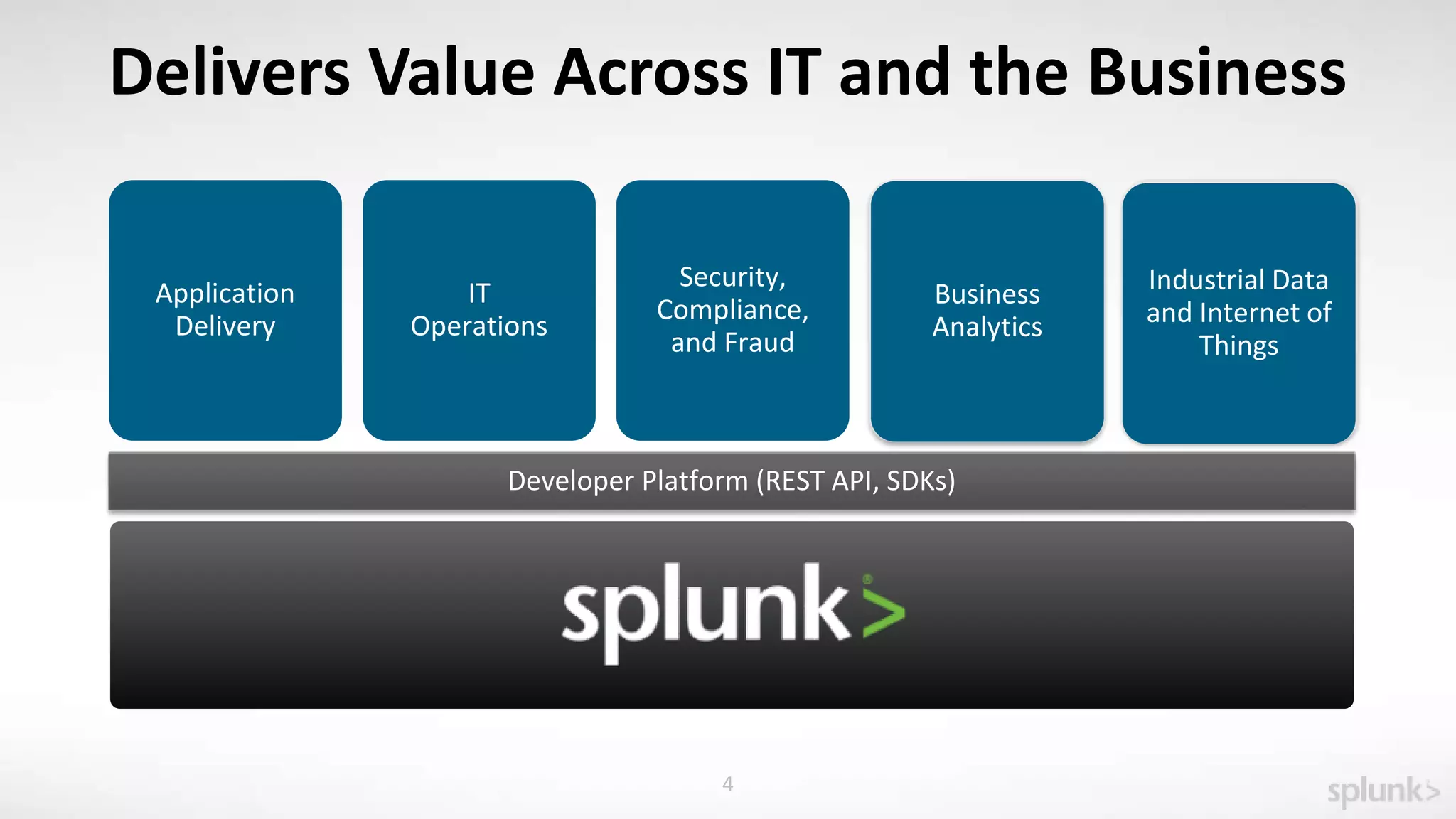
IT
Operations
Application
Delivery
Developer Platform (REST API, SDKs)
Business
Analytics
Industrial Data
and Internet of
Things
4
Delivers Value Across IT and the Business
Business
Analytics
Industrial Data
and Internet of
Things
Security,
Compliance,
and Fraud
Copyright © 2015 Splunk, Inc.
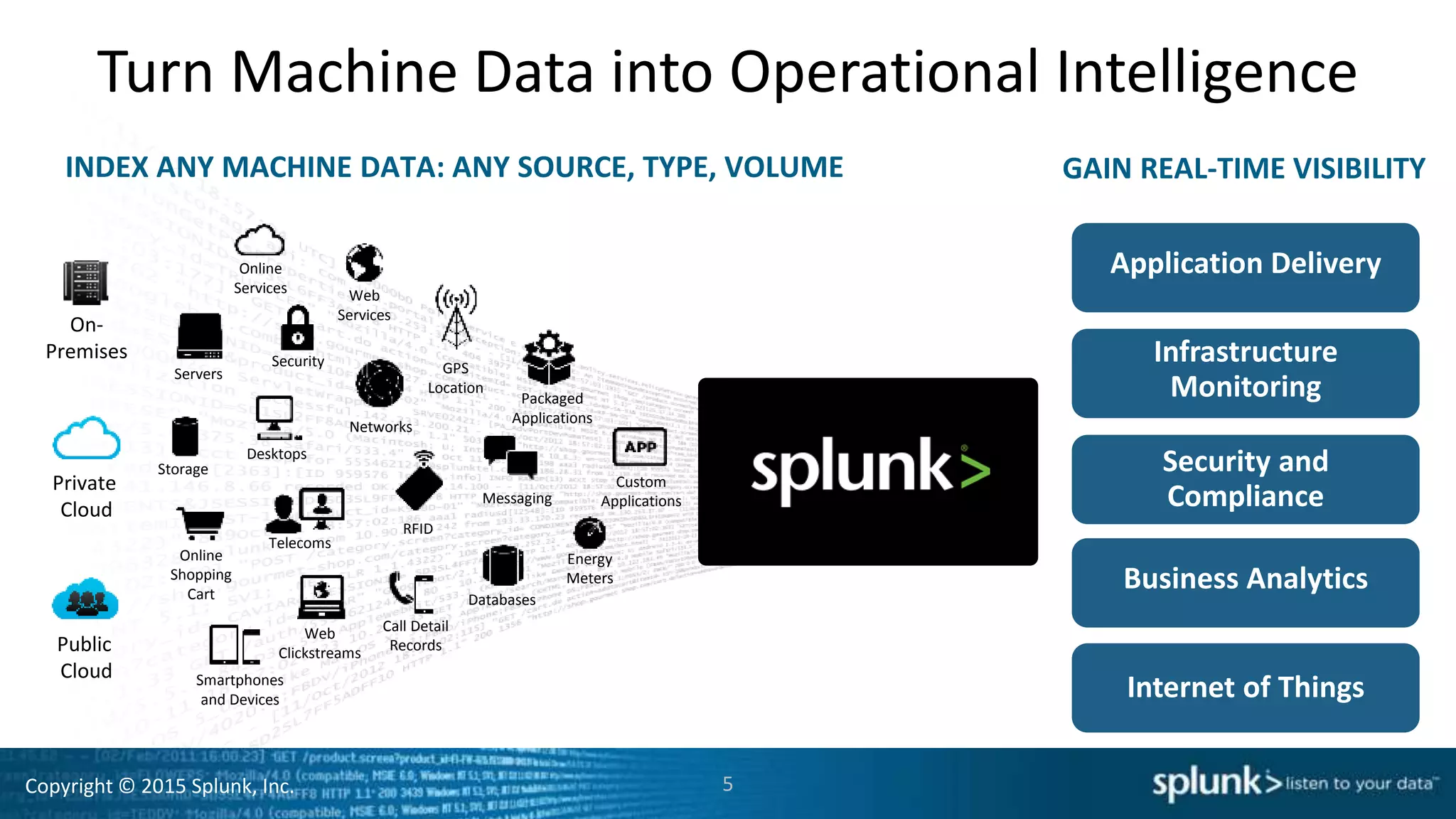
Turn Machine Data into Operational Intelligence
INDEX ANY MACHINE DATA: ANY SOURCE, TYPE, VOLUME
Online
Services Web
Services
Servers
Security GPS
Location
Storage
Desktops
Networks
Packaged
Applications
Custom
ApplicationsMessaging
Telecoms
Online
Shopping
Cart
Web
Clickstreams
Databases
Energy
Meters
Call Detail
Records
Smartphones
and Devices
RFID
On-
Premises
Private
Cloud
Public
Cloud
GAIN REAL-TIME VISIBILITY
Application Delivery
Security and
Compliance
Infrastructure
Monitoring
Business Analytics
Internet of Things
5
Copyright © 2015 Splunk, Inc.
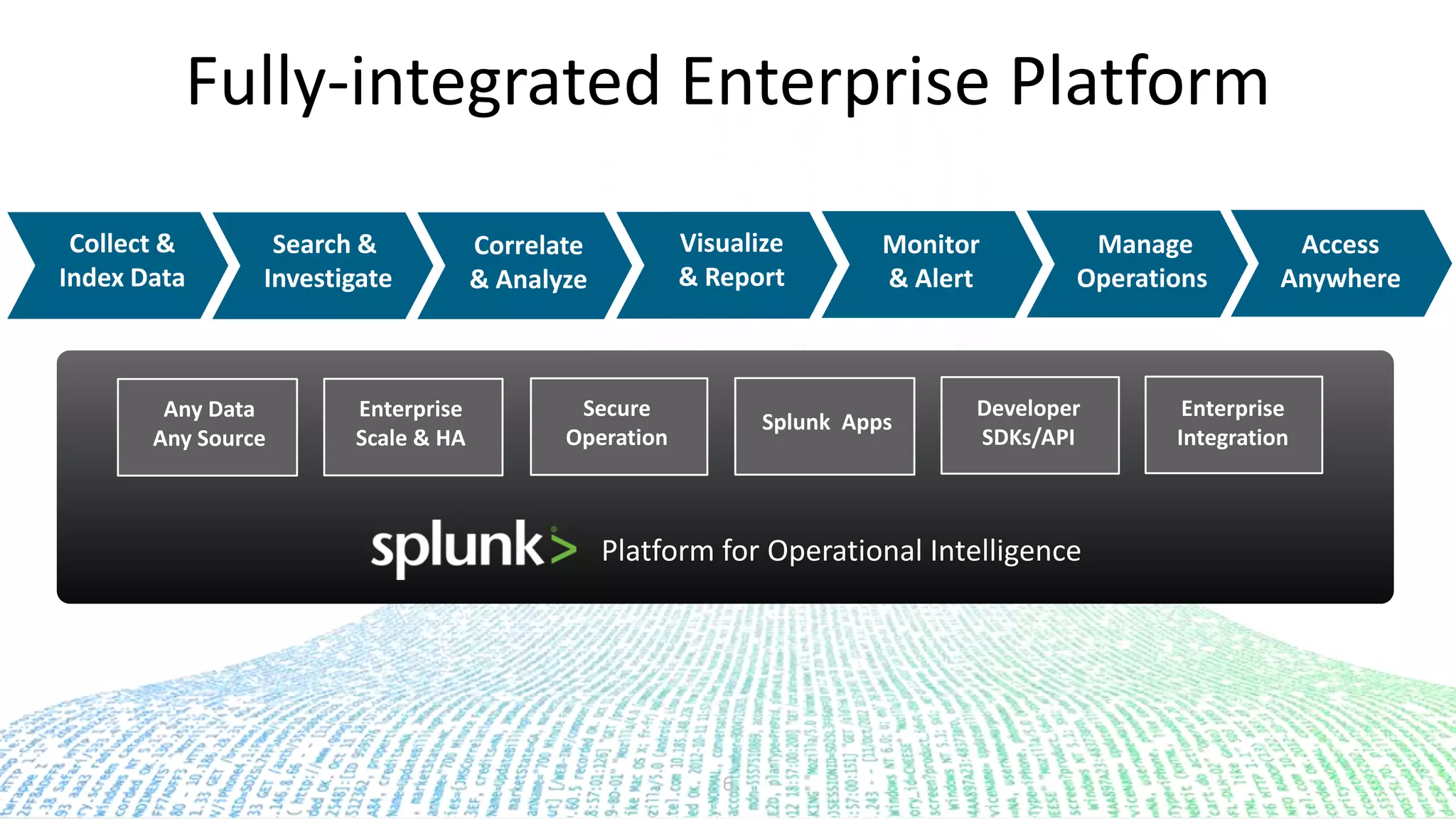
Fully-integrated Enterprise Platform
6
Enterprise
Scale & HA
Secure
Operation
Splunk Apps
Developer
SDKs/API
Enterprise
Integration
Any Data
Any Source
Collect &
Index Data
Search &
Investigate
Monitor
& Alert
Visualize
& Report
Correlate
& Analyze
Access
Anywhere
Manage
Operations
Platform for Operational Intelligence
Copyright © 2015 Splunk, Inc.
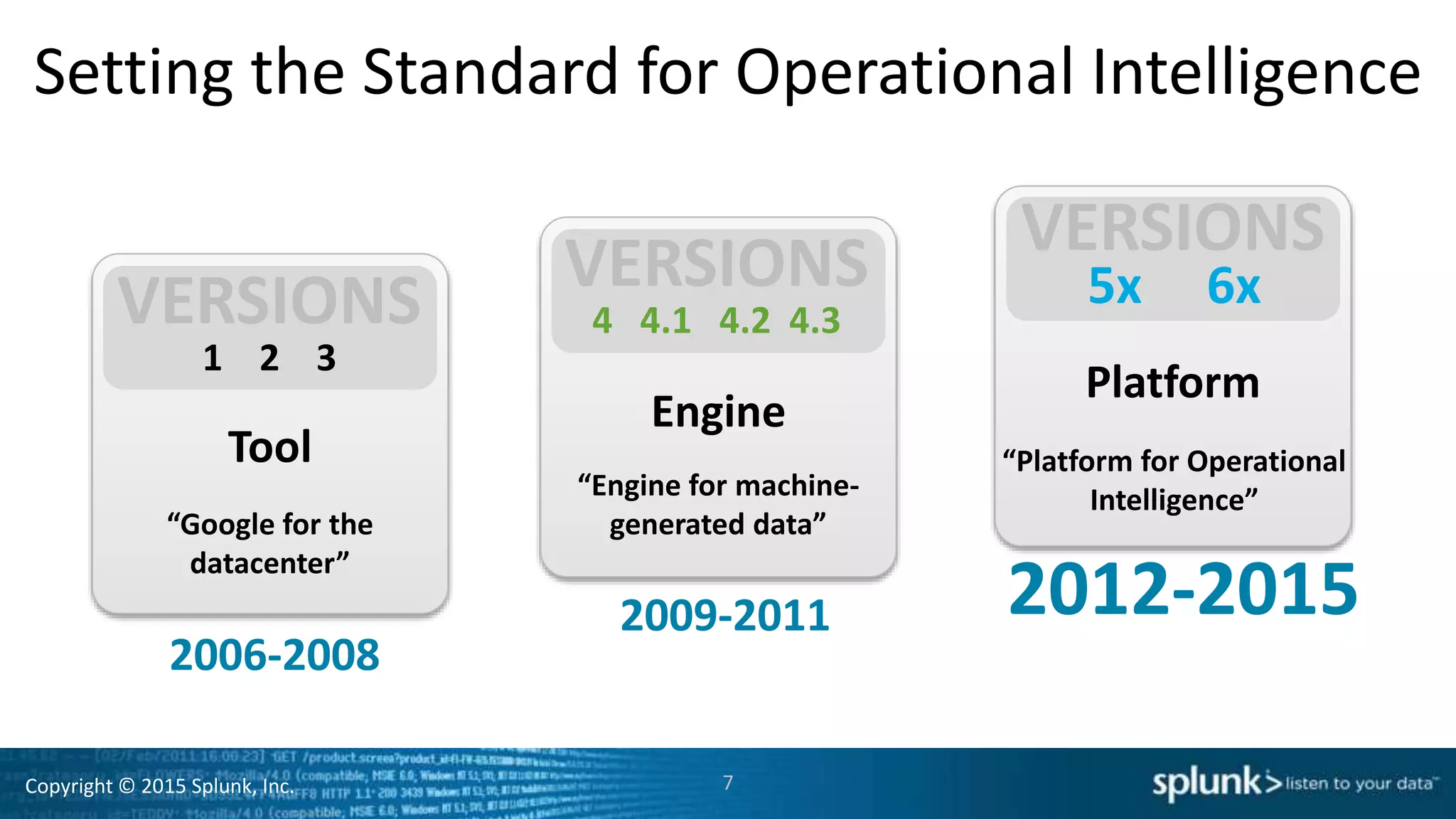
Setting the Standard for Operational Intelligence
Engine
Platform
1 2 3
2006-2008
Tool
2009-2011 2012-2015
4 4.1 4.2 4.3
5x 6x
“Google for the
datacenter”
“Engine for machine-
generated data”
“Platform for Operational
Intelligence”
7
Copyright © 2015 Splunk, Inc. 8
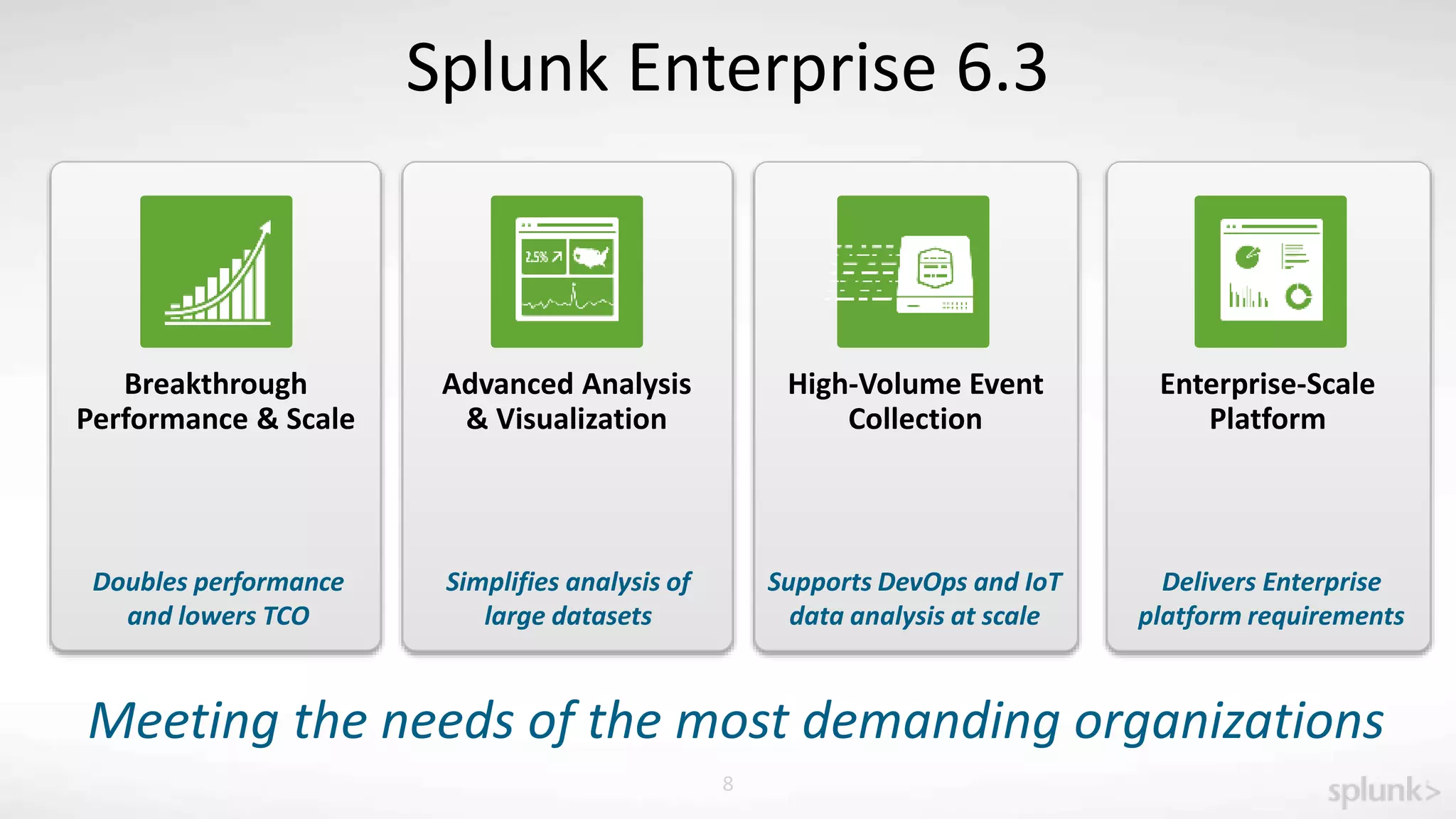
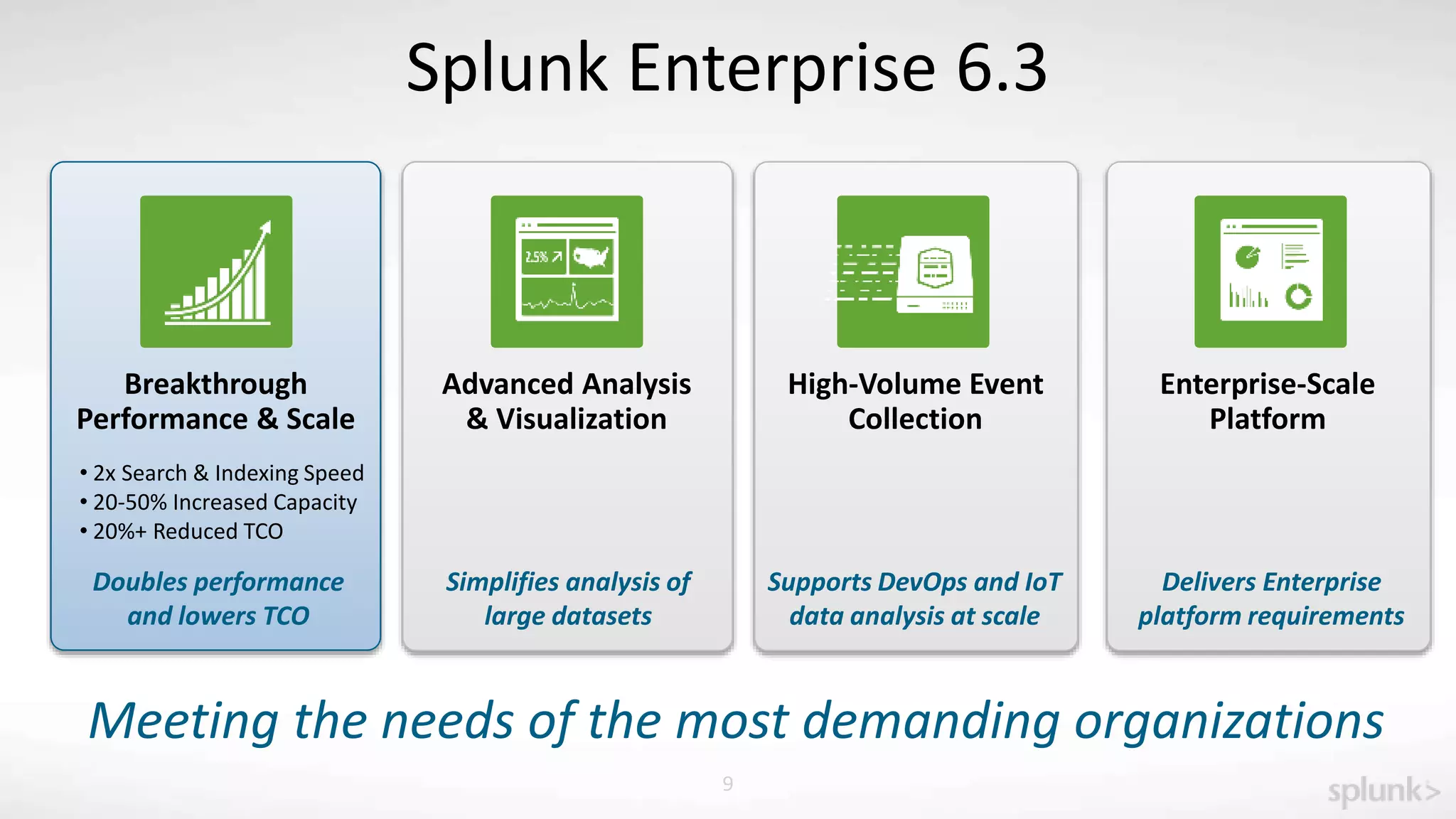
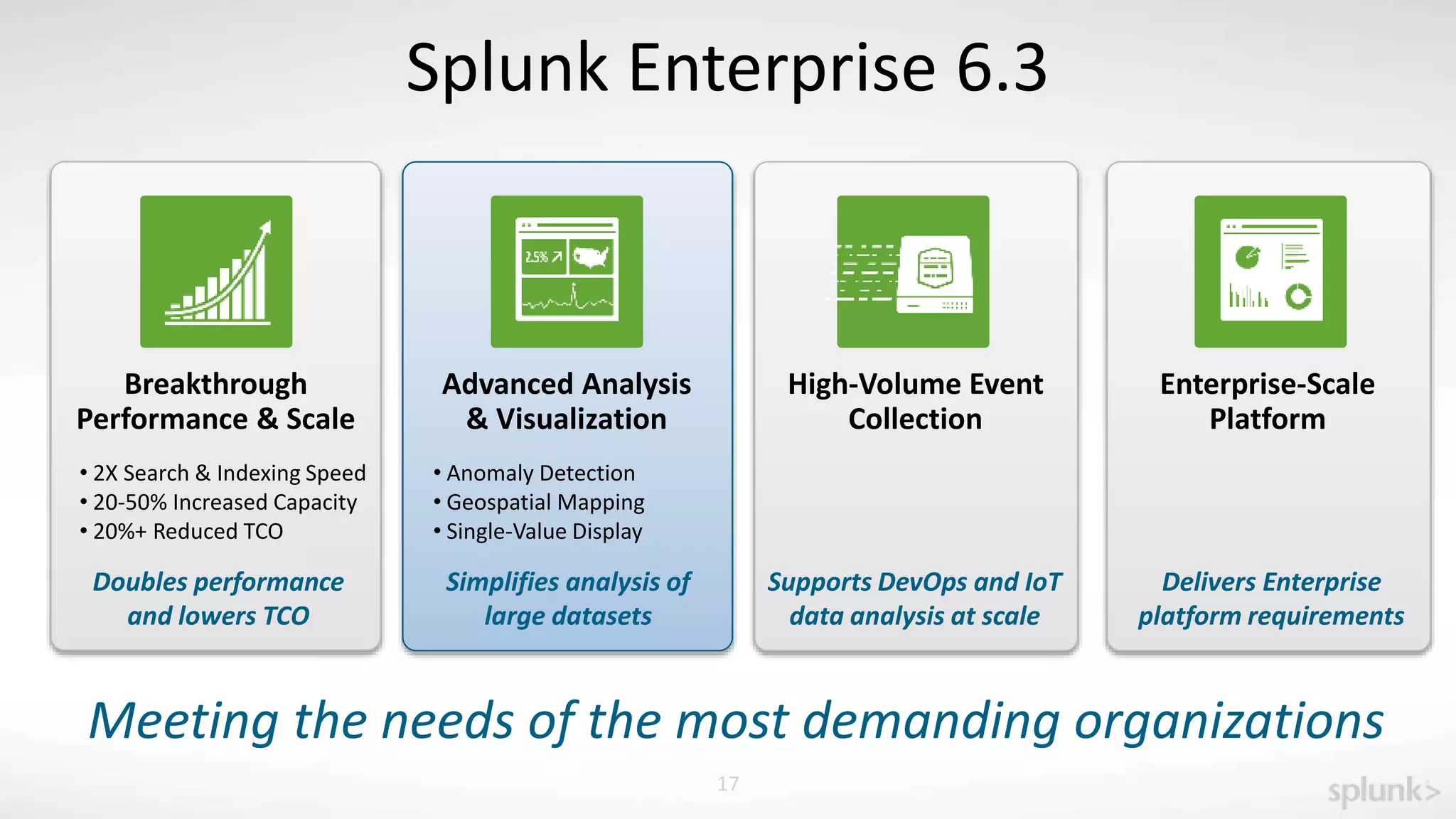
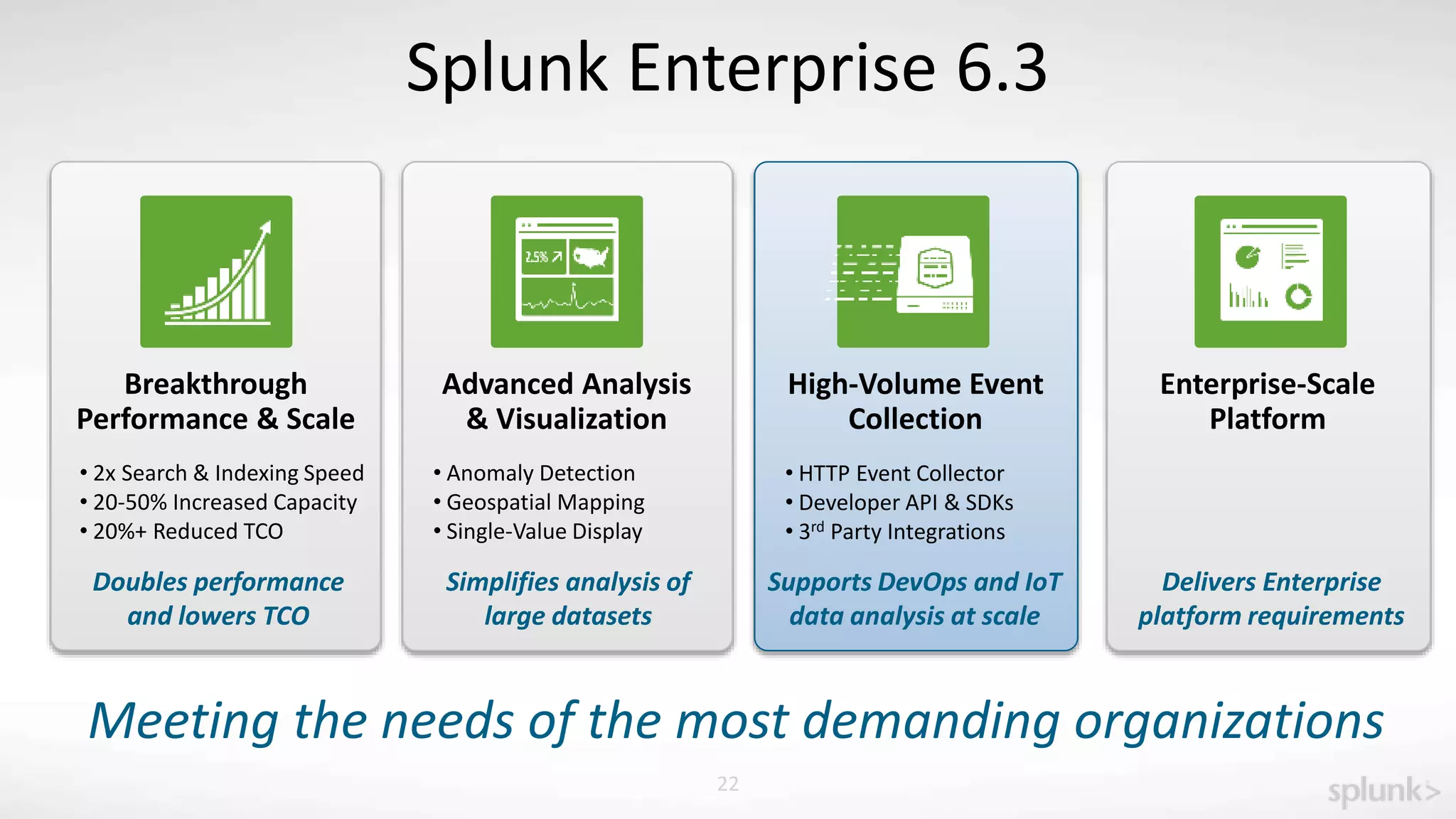
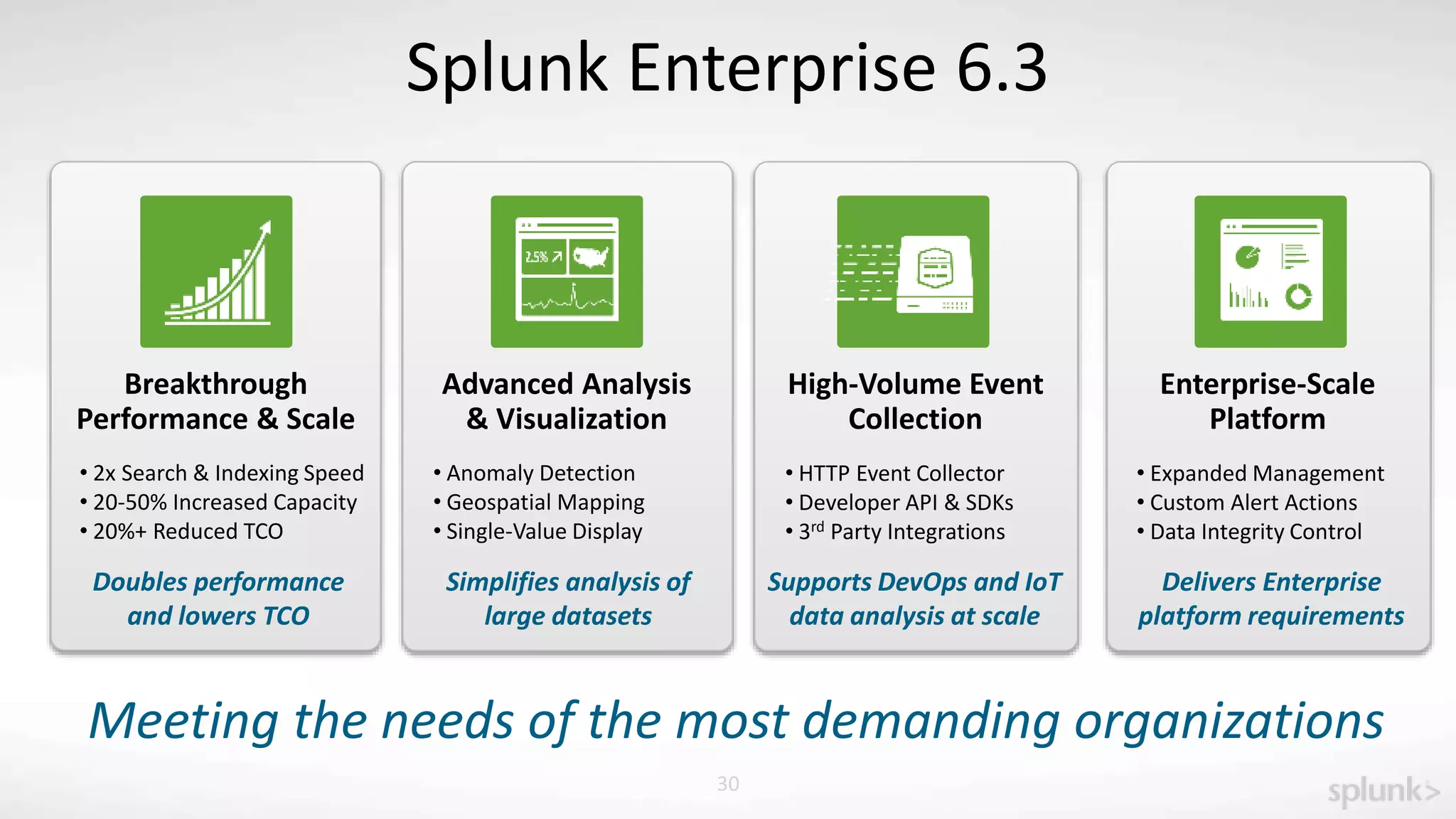
Splunk Enterprise 6.3
Breakthrough
Performance & Scale
Doubles performance
and lowers TCO
Meeting the needs of the most demanding organizations
Advanced Analysis
& Visualization
High-Volume Event
Collection
Enterprise-Scale
Platform
Supports DevOps and IoT
data analysis at scale
Simplifies analysis of
large datasets
Delivers Enterprise
platform requirements
Copyright © 2015 Splunk, Inc. 9
Splunk Enterprise 6.3
Advanced Analysis
& Visualization
Breakthrough
Performance & Scale
High-Volume Event
Collection
Enterprise-Scale
Platform
Supports DevOps and IoT
data analysis at scale
Simplifies analysis of
large datasets
Delivers Enterprise
platform requirements
Doubles performance
and lowers TCO
• 2x Search & Indexing Speed
• 20-50% Increased Capacity
• 20%+ Reduced TCO
Meeting the needs of the most demanding organizations
Copyright © 2015 Splunk, Inc.
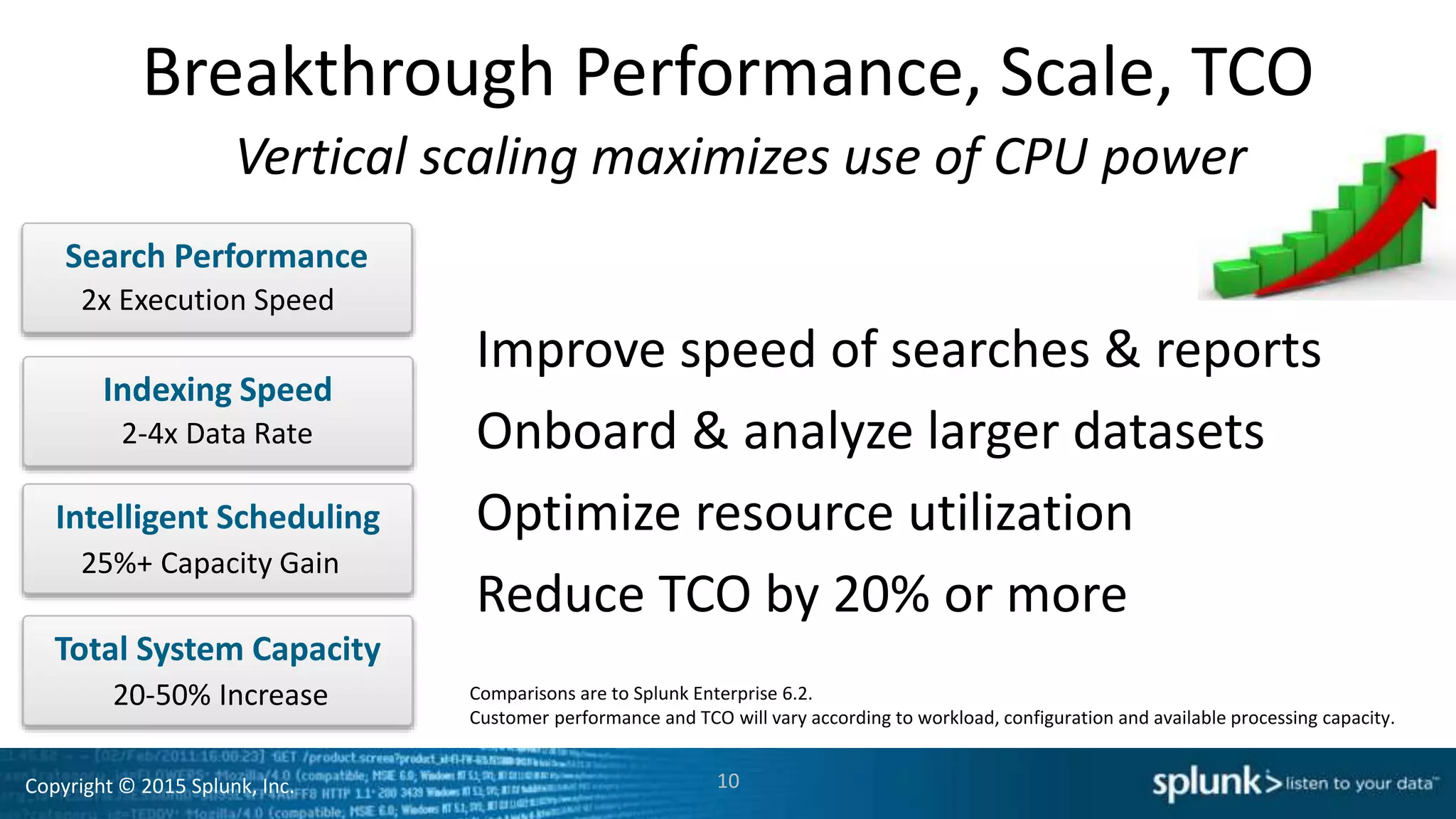
Breakthrough Performance, Scale, TCO
10
Search Performance
Indexing Speed
Intelligent Scheduling
25%+ Capacity Gain
2x Execution Speed
2-4x Data Rate
Vertical scaling maximizes use of CPU power
Total System Capacity
20-50% Increase
Improve speed of searches & reports
Onboard & analyze larger datasets
Optimize resource utilization
Reduce TCO by 20% or more
Comparisons are to Splunk Enterprise 6.2.
Customer performance and TCO will vary according to workload, configuration and available processing capacity.
Copyright © 2015 Splunk, Inc.
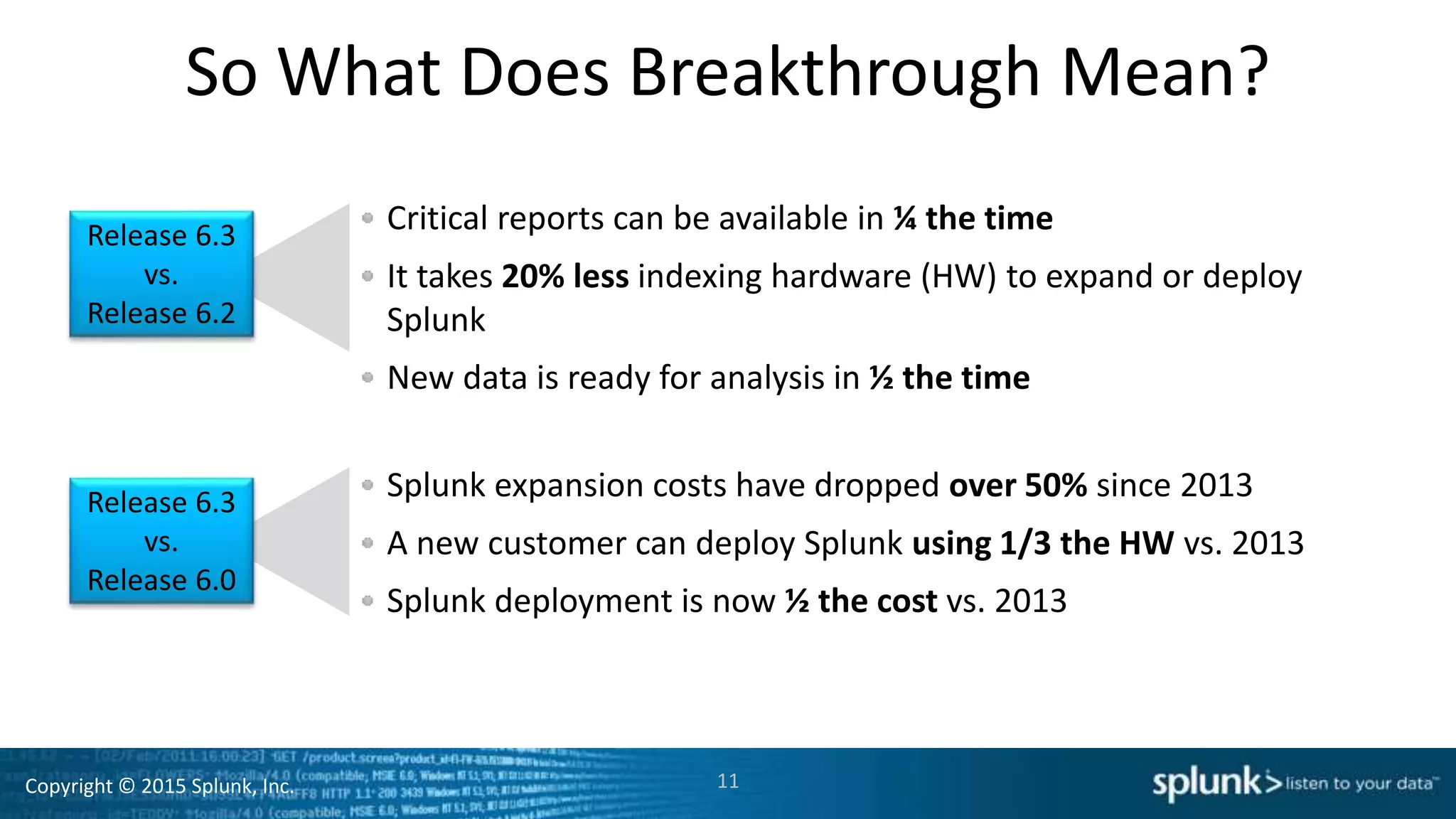
So What Does Breakthrough Mean?
Critical reports can be available in ¼ the time
It takes 20% less indexing hardware (HW) to expand or deploy
Splunk
New data is ready for analysis in ½ the time
11
Splunk expansion costs have dropped over 50% since 2013
A new customer can deploy Splunk using 1/3 the HW vs. 2013
Splunk deployment is now ½ the cost vs. 2013
Release 6.3
vs.
Release 6.2
Release 6.3
vs.
Release 6.0
Copyright © 2015 Splunk, Inc.
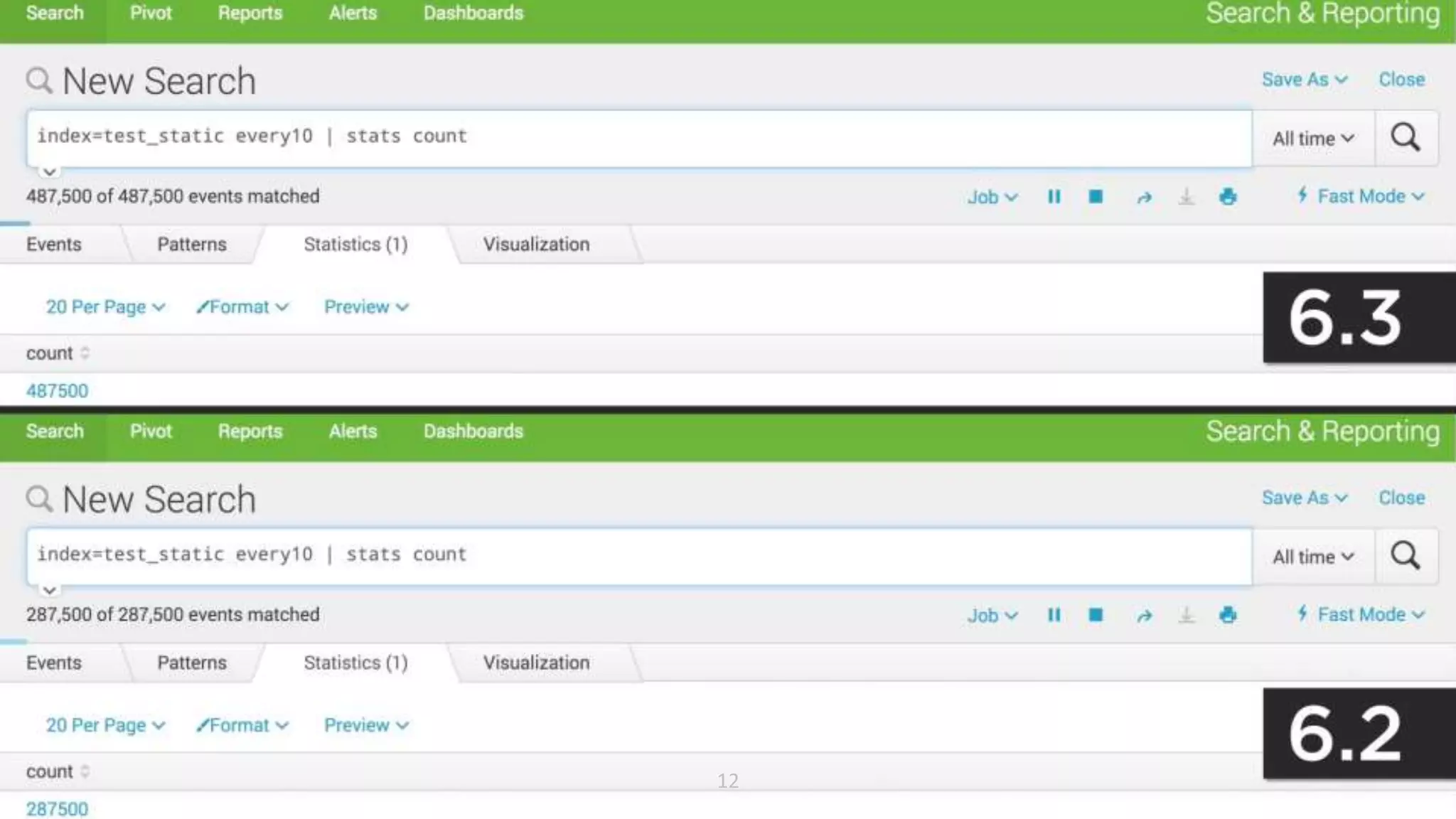
See for Yourself Release 6.2 Versus 6.3
12
Copyright © 2015 Splunk, Inc.
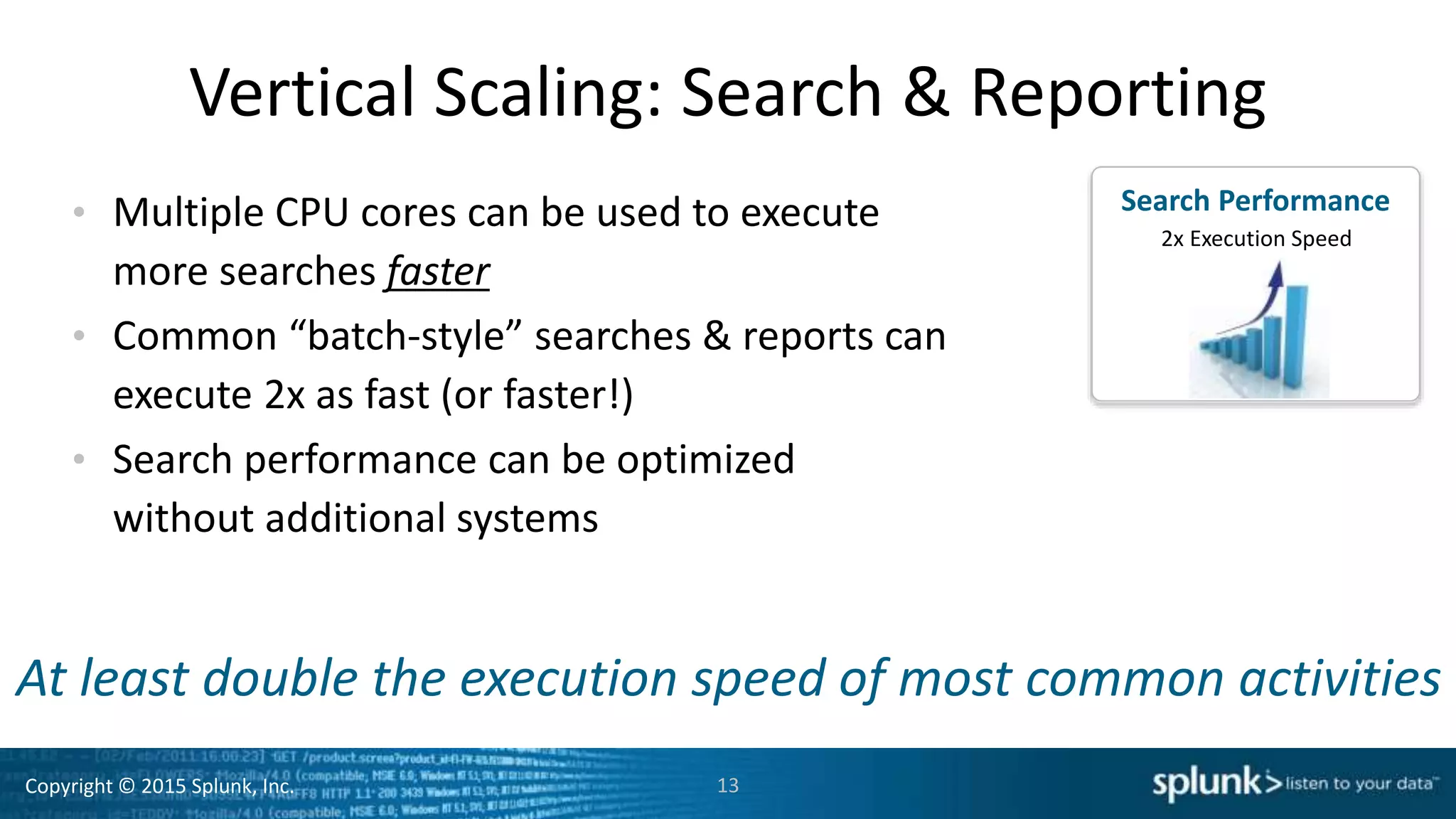
Vertical Scaling: Search & Reporting
• Multiple CPU cores can be used to execute
more searches faster
• Common “batch-style” searches & reports can
execute 2x as fast (or faster!)
• Search performance can be optimized
without additional systems
13
Search
Speed
Search Performance
2x Execution Speed
At least double the execution speed of most common activities
Copyright © 2015 Splunk, Inc.
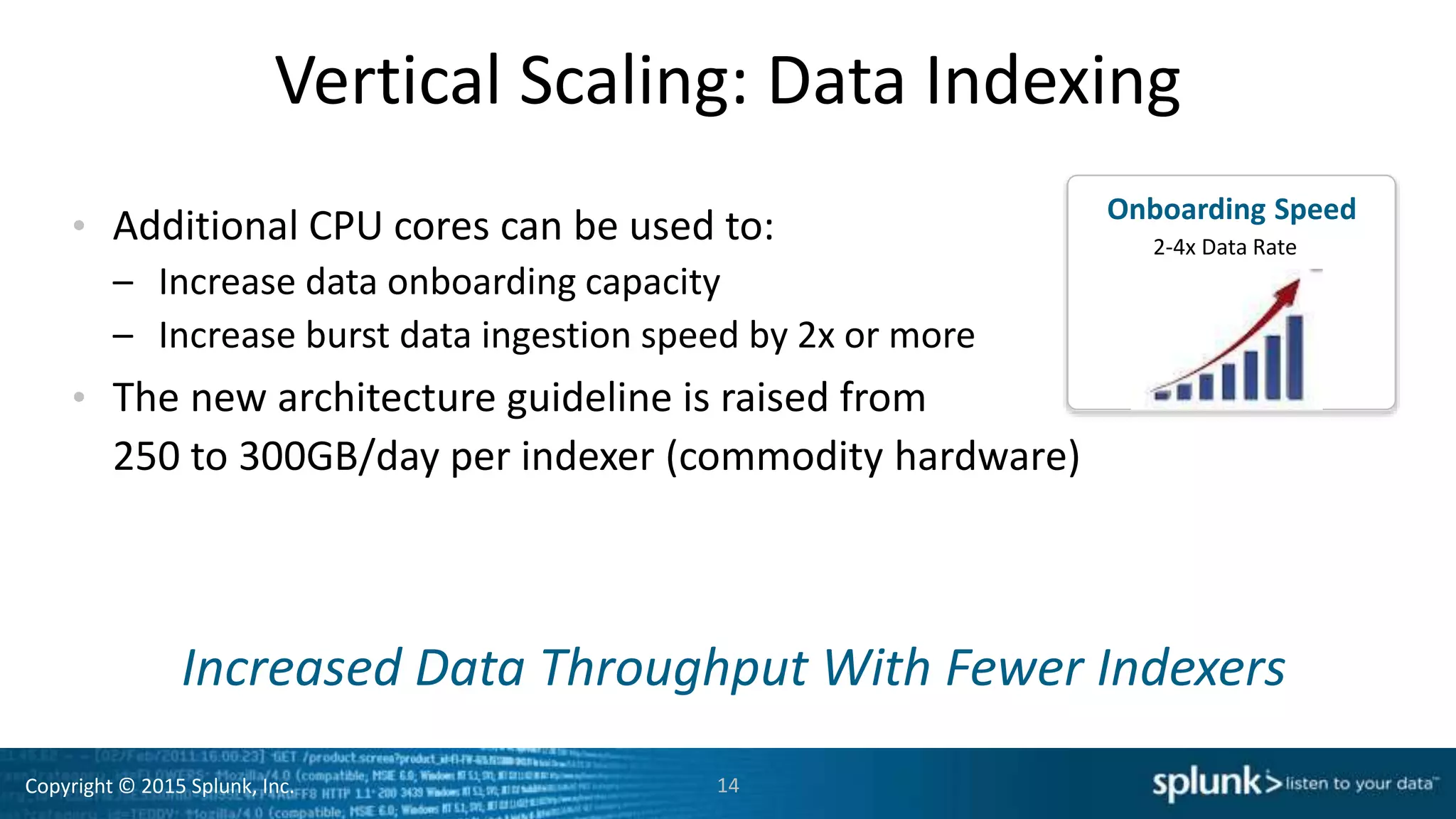
Vertical Scaling: Data Indexing
• Additional CPU cores can be used to:
– Increase data onboarding capacity
– Increase burst data ingestion speed by 2x or more
• The new architecture guideline is raised from
250 to 300GB/day per indexer (commodity hardware)
14
Increased Data Throughput With Fewer Indexers
Onboarding Speed
2-4x Data Rate
Copyright © 2015 Splunk, Inc.
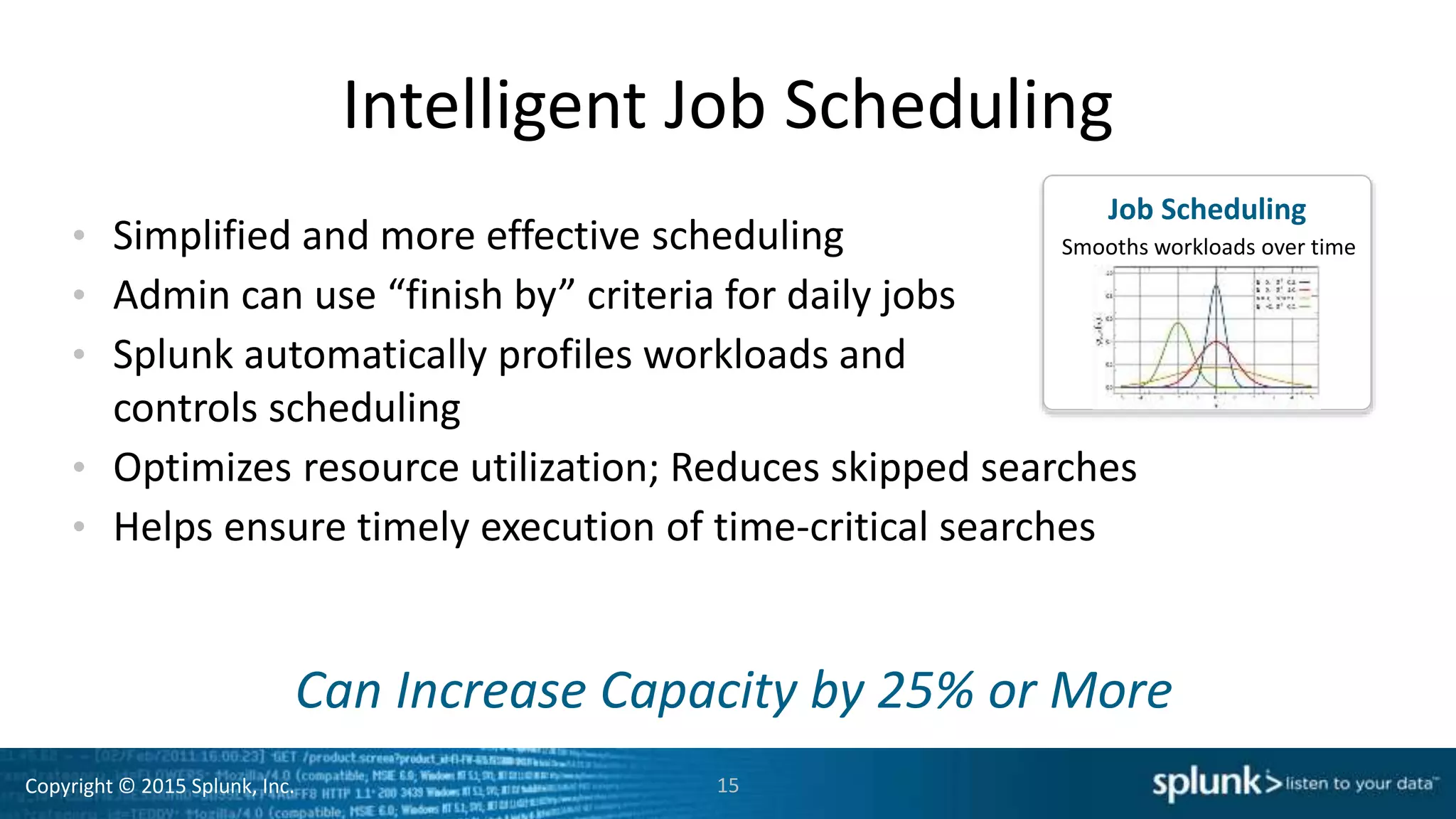
Intelligent Job Scheduling
• Simplified and more effective scheduling
• Admin can use “finish by” criteria for daily jobs
• Splunk automatically profiles workloads and
controls scheduling
• Optimizes resource utilization; Reduces skipped searches
• Helps ensure timely execution of time-critical searches
15
Can Increase Capacity by 25% or More
Job Scheduling
Smooths workloads over time
Copyright © 2015 Splunk, Inc.
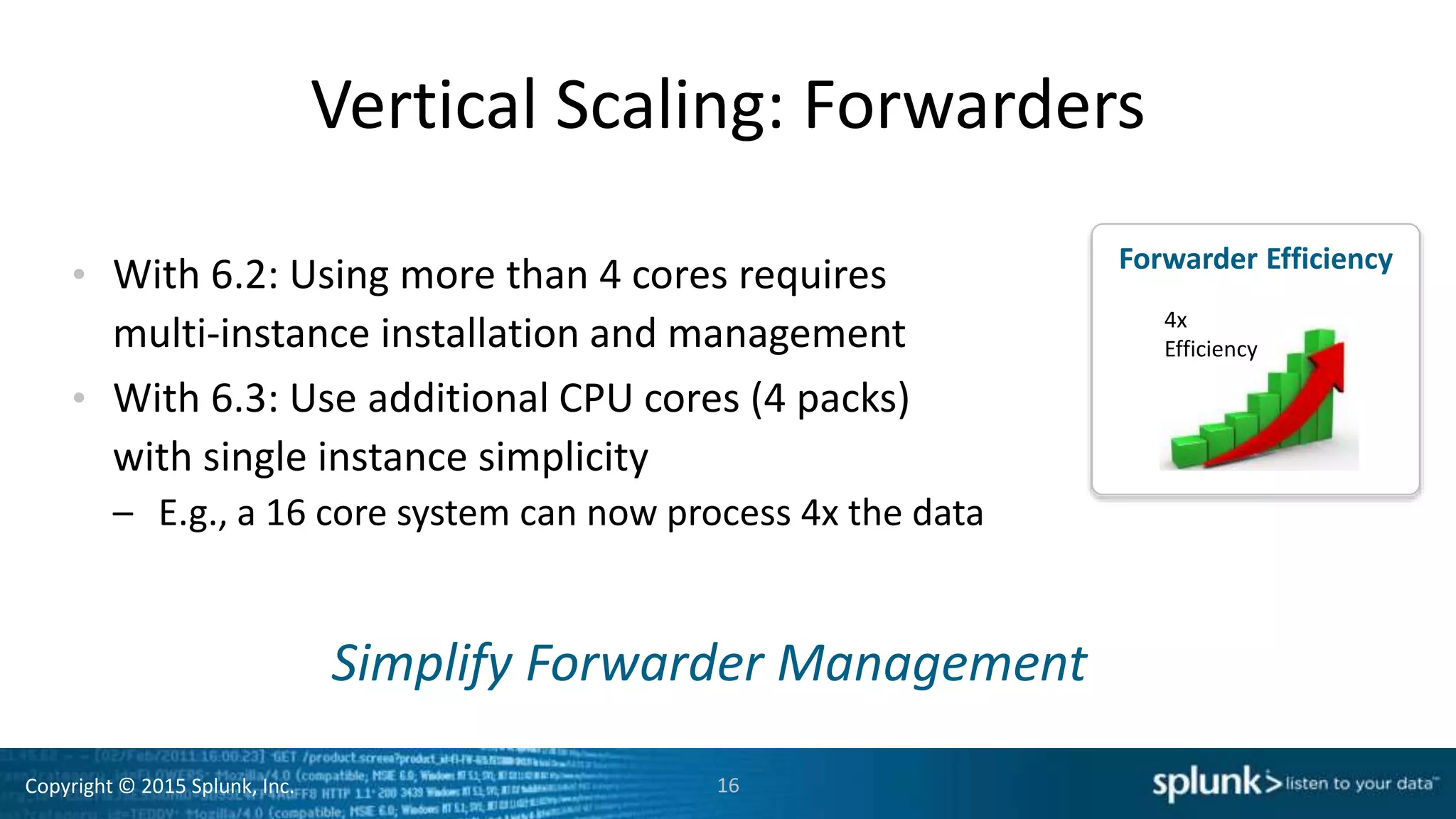
Forwarder Efficiency
Vertical Scaling: Forwarders
• With 6.2: Using more than 4 cores requires
multi-instance installation and management
• With 6.3: Use additional CPU cores (4 packs)
with single instance simplicity
– E.g., a 16 core system can now process 4x the data
16
Simplify Forwarder Management
4x
Efficiency
Copyright © 2015 Splunk, Inc. 17
Splunk Enterprise 6.3
Breakthrough
Performance & Scale
Doubles performance
and lowers TCO
• 2X Search & Indexing Speed
• 20-50% Increased Capacity
• 20%+ Reduced TCO
Meeting the needs of the most demanding organizations
Advanced Analysis
& Visualization
High-Volume Event
Collection
Enterprise-Scale
Platform
Supports DevOps and IoT
data analysis at scale
Simplifies analysis of
large datasets
Delivers Enterprise
platform requirements
• Anomaly Detection
• Geospatial Mapping
• Single-Value Display
Copyright © 2015 Splunk, Inc.
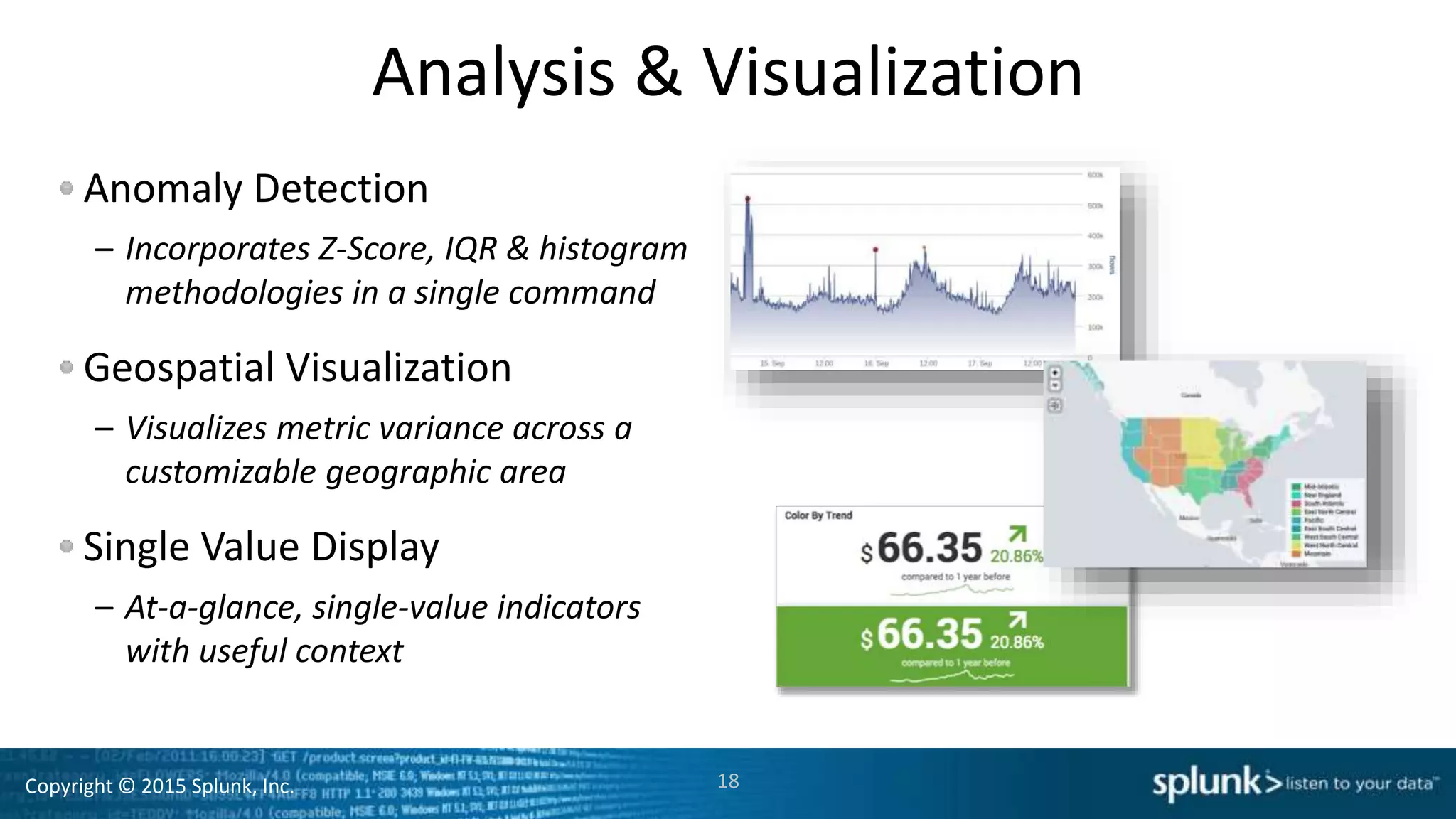
Analysis & Visualization
Anomaly Detection
– Incorporates Z-Score, IQR & histogram
methodologies in a single command
Geospatial Visualization
– Visualizes metric variance across a
customizable geographic area
Single Value Display
– At-a-glance, single-value indicators
with useful context
18
Copyright © 2015 Splunk, Inc.
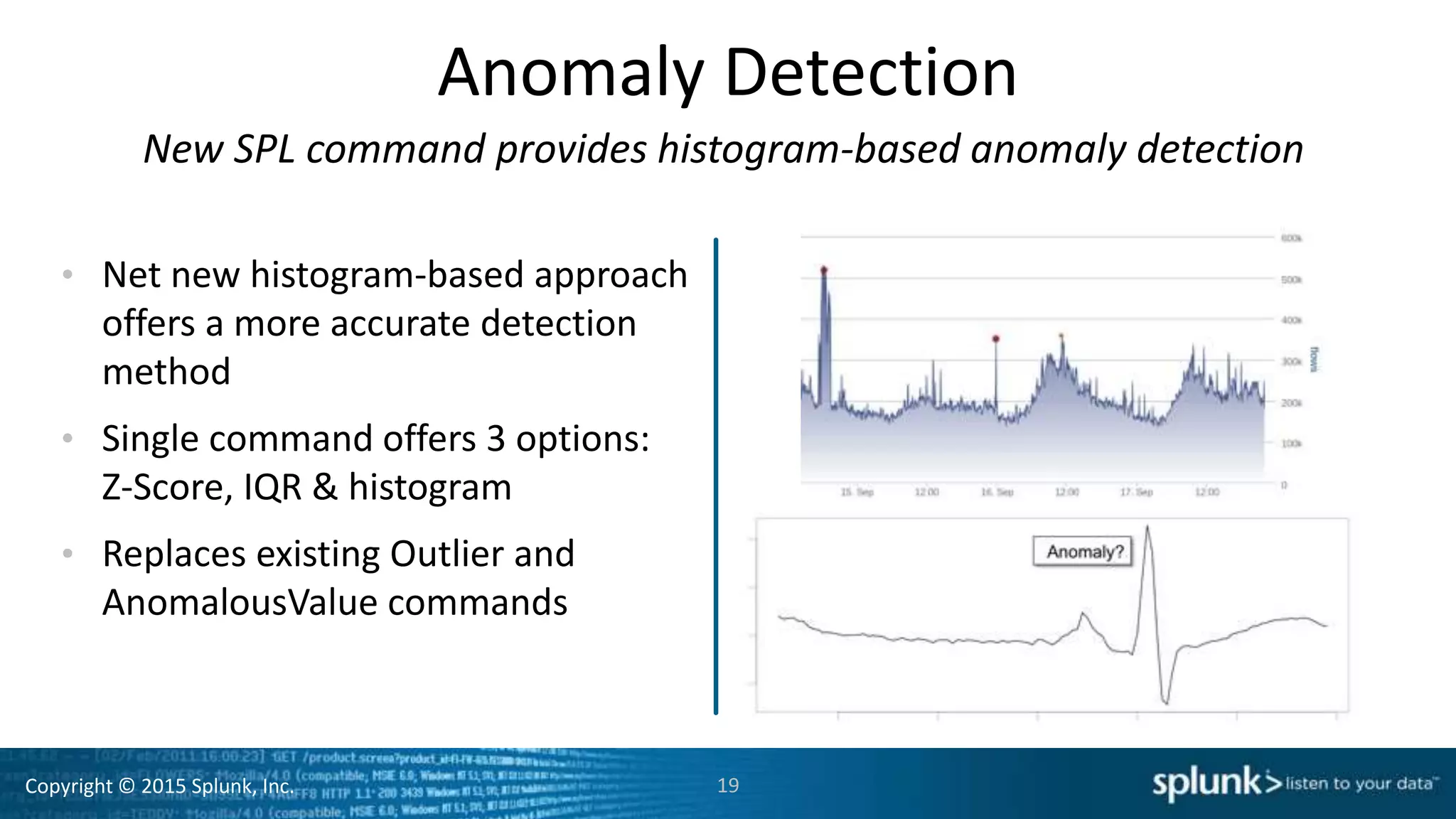
Anomaly Detection
New SPL command provides histogram-based anomaly detection
• Net new histogram-based approach
offers a more accurate detection
method
• Single command offers 3 options:
Z-Score, IQR & histogram
• Replaces existing Outlier and
AnomalousValue commands
19
Copyright © 2015 Splunk, Inc. 20
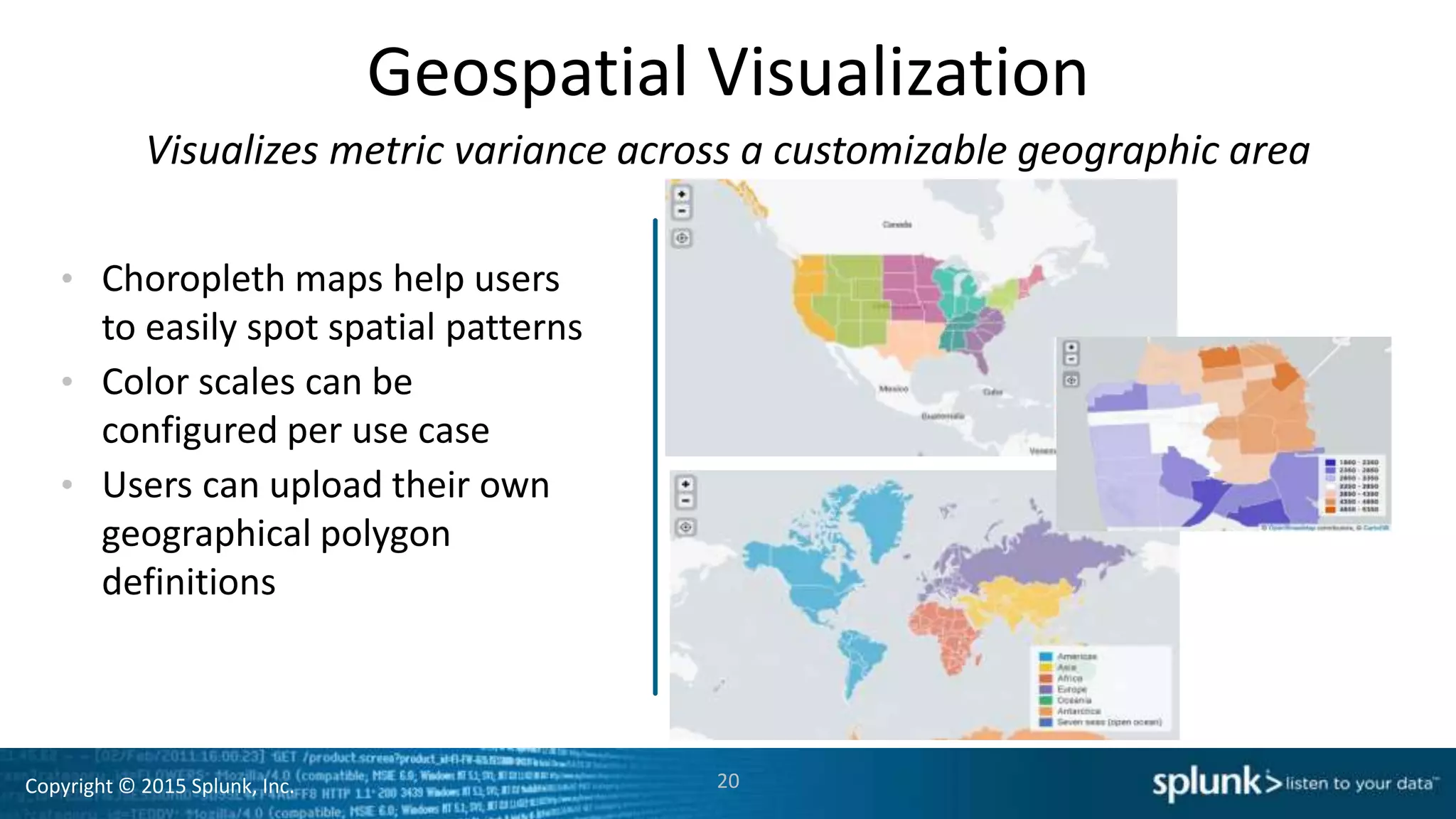
Geospatial Visualization
• Choropleth maps help users
to easily spot spatial patterns
• Color scales can be
configured per use case
• Users can upload their own
geographical polygon
definitions
Visualizes metric variance across a customizable geographic area
Copyright © 2015 Splunk, Inc. 21
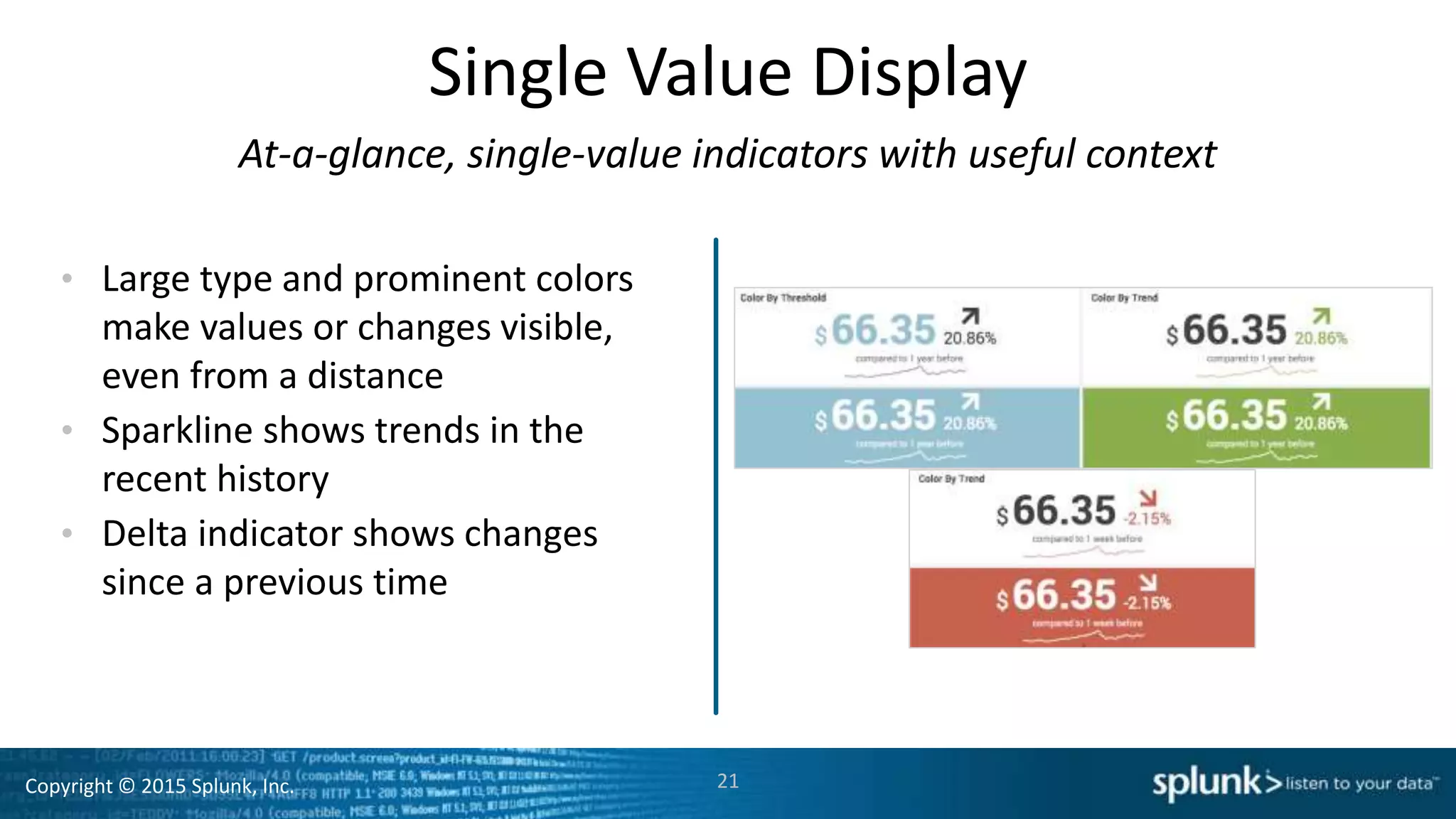
Single Value Display
• Large type and prominent colors
make values or changes visible,
even from a distance
• Sparkline shows trends in the
recent history
• Delta indicator shows changes
since a previous time
At-a-glance, single-value indicators with useful context
Copyright © 2015 Splunk, Inc. 22
Splunk Enterprise 6.3
Breakthrough
Performance & Scale
Doubles performance
and lowers TCO
• 2x Search & Indexing Speed
• 20-50% Increased Capacity
• 20%+ Reduced TCO
Meeting the needs of the most demanding organizations
Advanced Analysis
& Visualization
High-Volume Event
Collection
Enterprise-Scale
Platform
Supports DevOps and IoT
data analysis at scale
Simplifies analysis of
large datasets
Delivers Enterprise
platform requirements
• Anomaly Detection
• Geospatial Mapping
• Single-Value Display
• HTTP Event Collector
• Developer API & SDKs
• 3rd Party Integrations
Copyright © 2015 Splunk, Inc.
HTTP Event Collector
Supports DevOps and IoT data analysis needs at scale
23
DevOps &
Developers
IoT Devices
& Applications
1. Standard API and logging libraries send events directly to Splunk
2. Libraries integrated into popular platforms and services
Scales to Millions
of Events/Second
Copyright © 2015 Splunk, Inc. 24
Splunk Enterprise 6.3
Breakthrough
Performance & Scale
Doubles performance
and lowers TCO
• 2x Search & Indexing Speed
• 20-50% Increased Capacity
• 20%+ Reduced TCO
Meeting the needs of the most demanding organizations
Advanced Analysis
& Visualization
High-Volume Event
Collection
Enterprise-Scale
Platform
Supports DevOps and IoT
data analysis at scale
Simplifies analysis of
large datasets
Delivers Enterprise
platform requirements
• Anomaly Detection
• Geospatial Mapping
• Single-Value Display
• HTTP Event Collector
• Developer API & SDKs
• 3rd Party Integrations
• Expanded Management
• Custom Alert Actions
• Data Integrity Control
Copyright © 2015 Splunk, Inc.
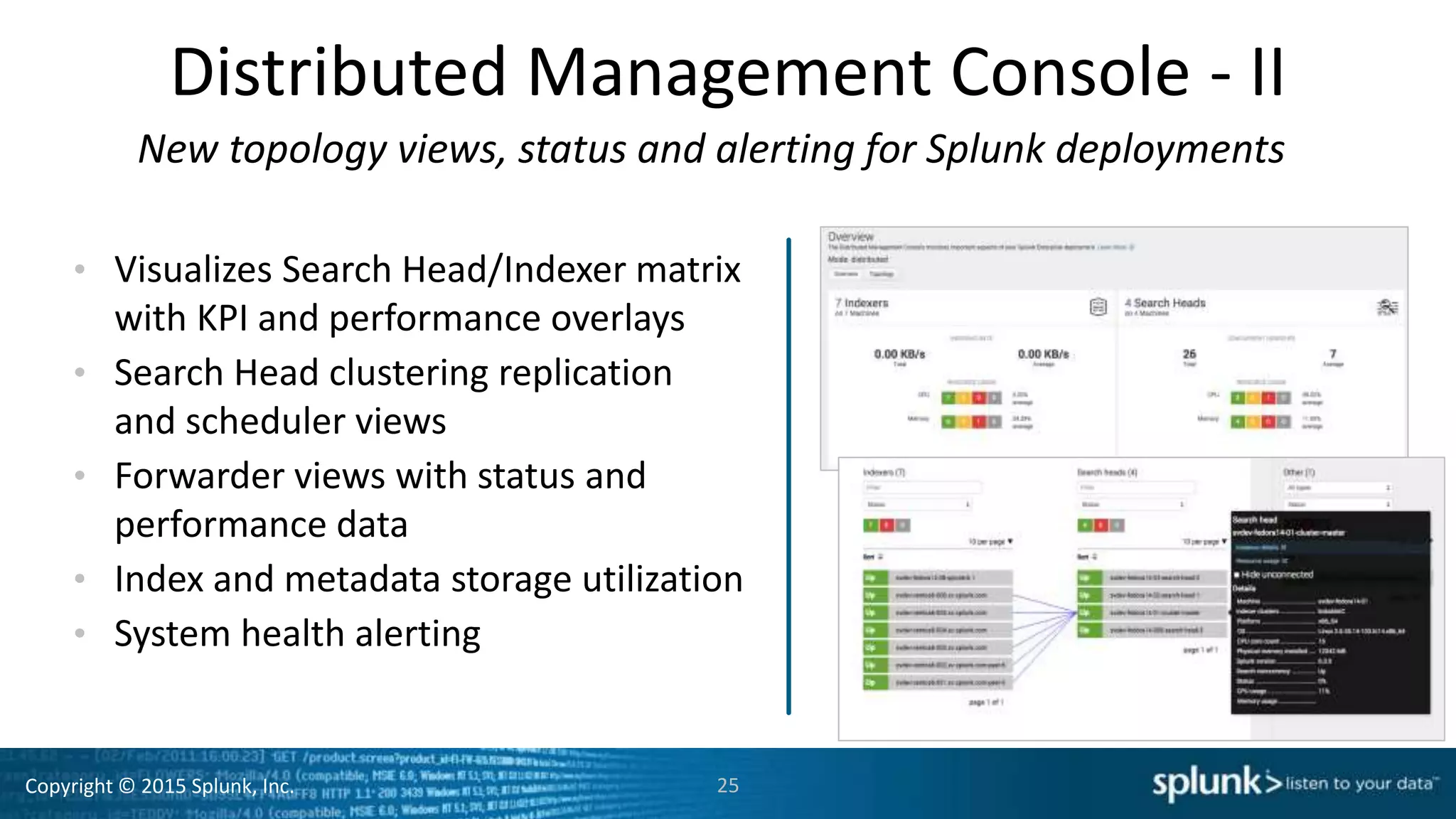
Distributed Management Console - II
New topology views, status and alerting for Splunk deployments
• Visualizes Search Head/Indexer matrix
with KPI and performance overlays
• Search Head clustering replication
and scheduler views
• Forwarder views with status and
performance data
• Index and metadata storage utilization
• System health alerting
25
Copyright © 2015 Splunk, Inc.
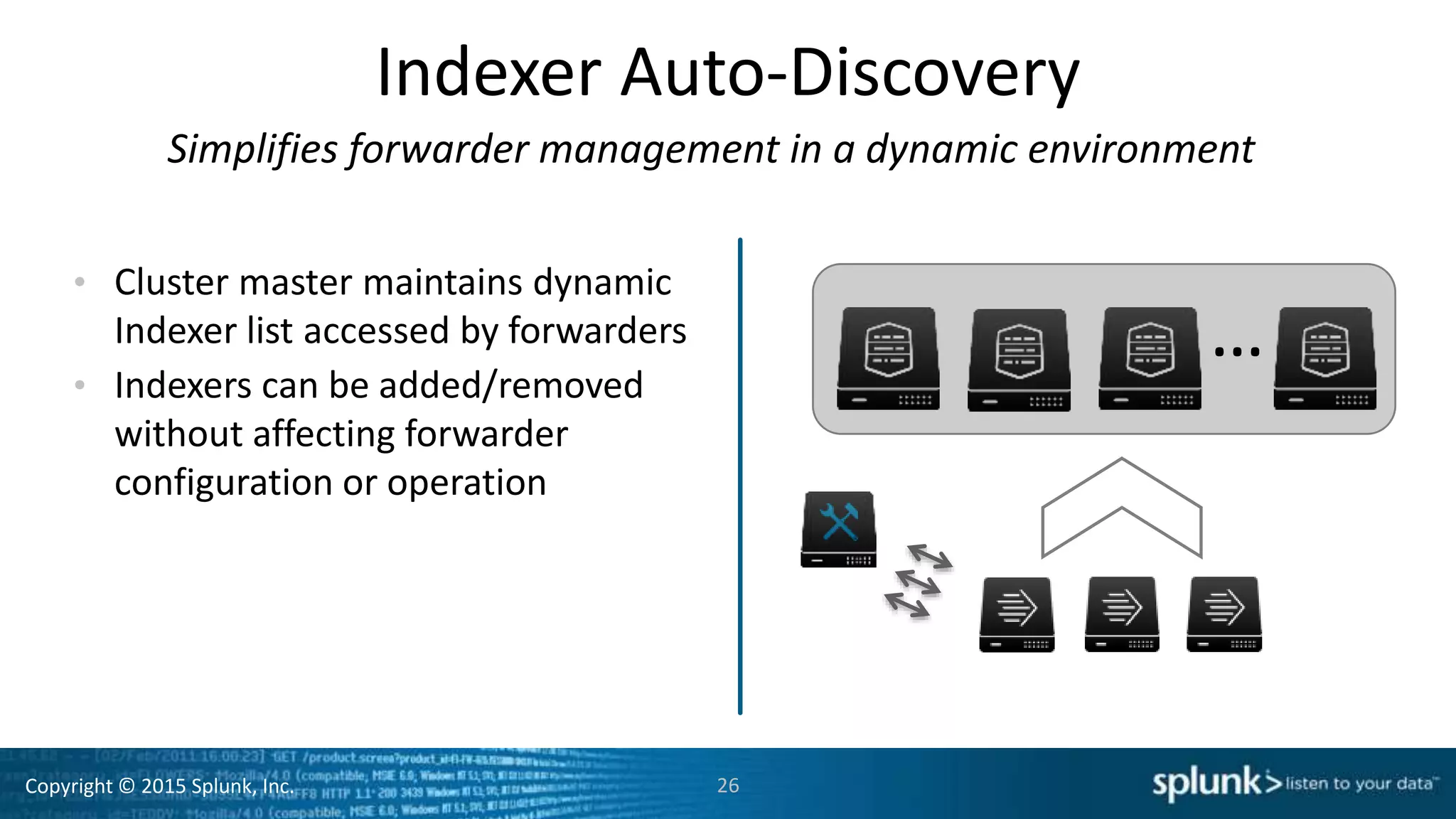
Indexer Auto-Discovery
Simplifies forwarder management in a dynamic environment
• Cluster master maintains dynamic
Indexer list accessed by forwarders
• Indexers can be added/removed
without affecting forwarder
configuration or operation
26
…
Copyright © 2015 Splunk, Inc.
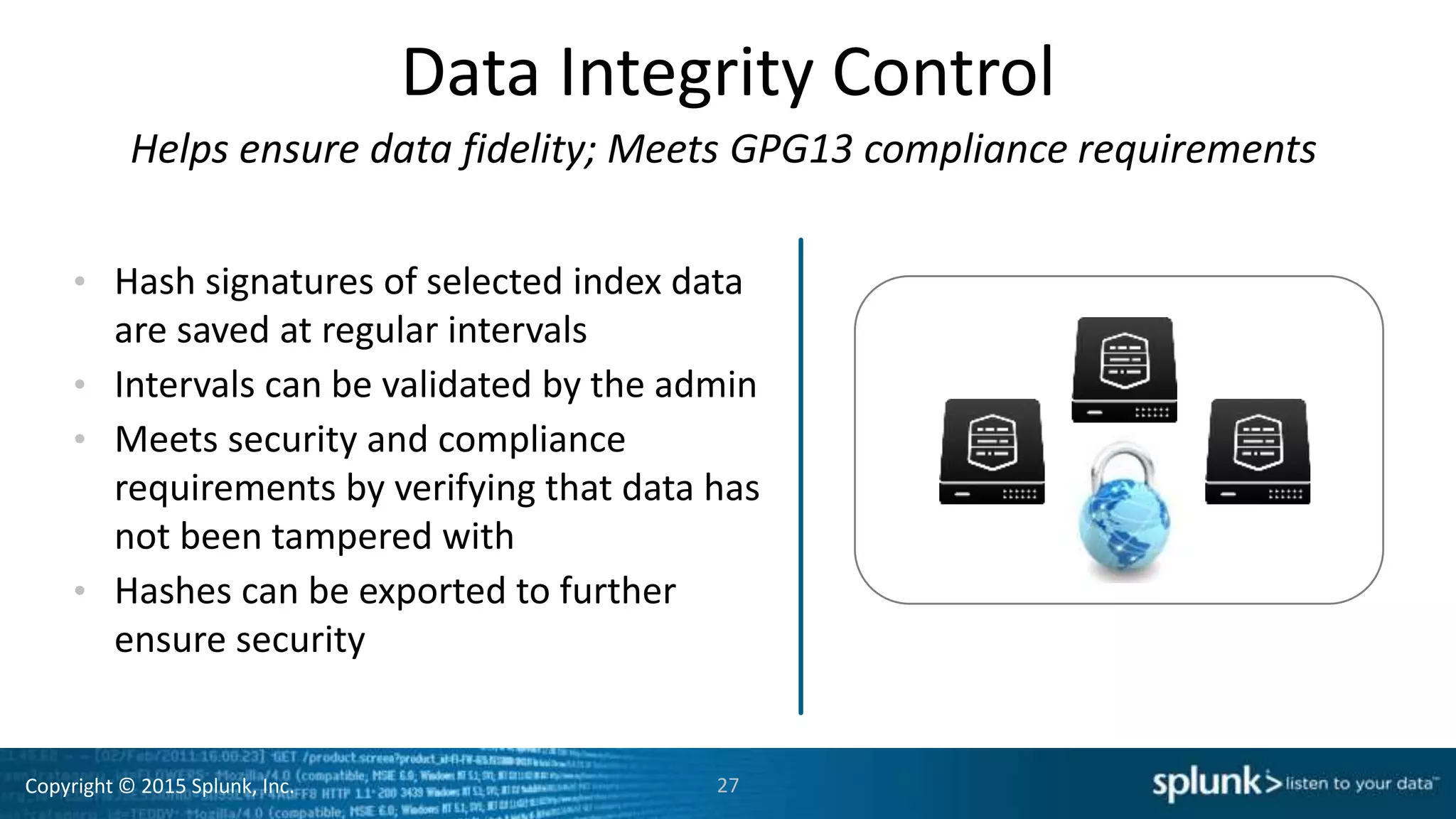
Data Integrity Control
Helps ensure data fidelity; Meets GPG13 compliance requirements
• Hash signatures of selected index data
are saved at regular intervals
• Intervals can be validated by the admin
• Meets security and compliance
requirements by verifying that data has
not been tampered with
• Hashes can be exported to further
ensure security
27
Copyright © 2015 Splunk, Inc.
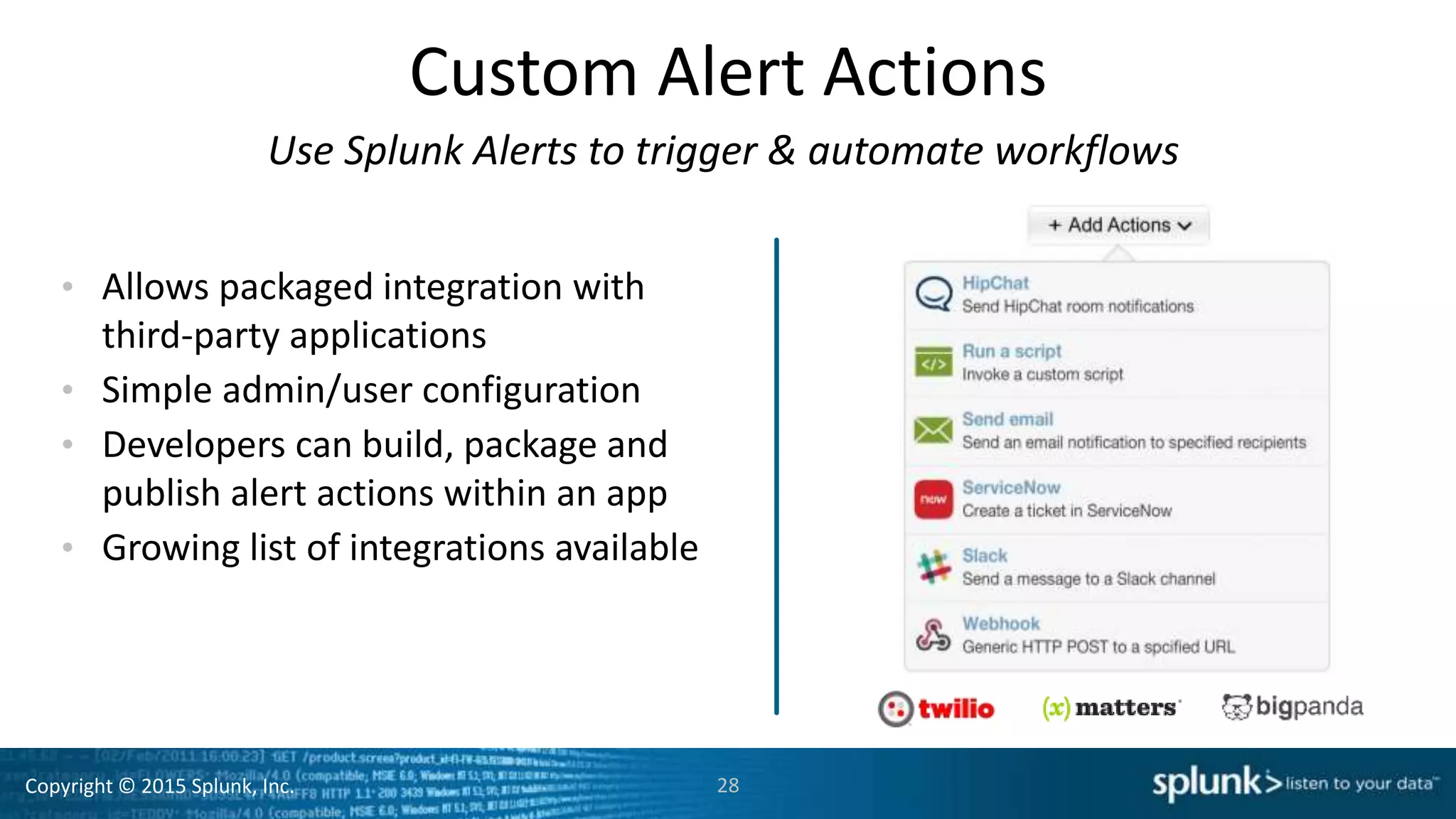
Custom Alert Actions
Use Splunk Alerts to trigger & automate workflows
• Allows packaged integration with
third-party applications
• Simple admin/user configuration
• Developers can build, package and
publish alert actions within an app
• Growing list of integrations available
28
Copyright © 2015 Splunk, Inc.
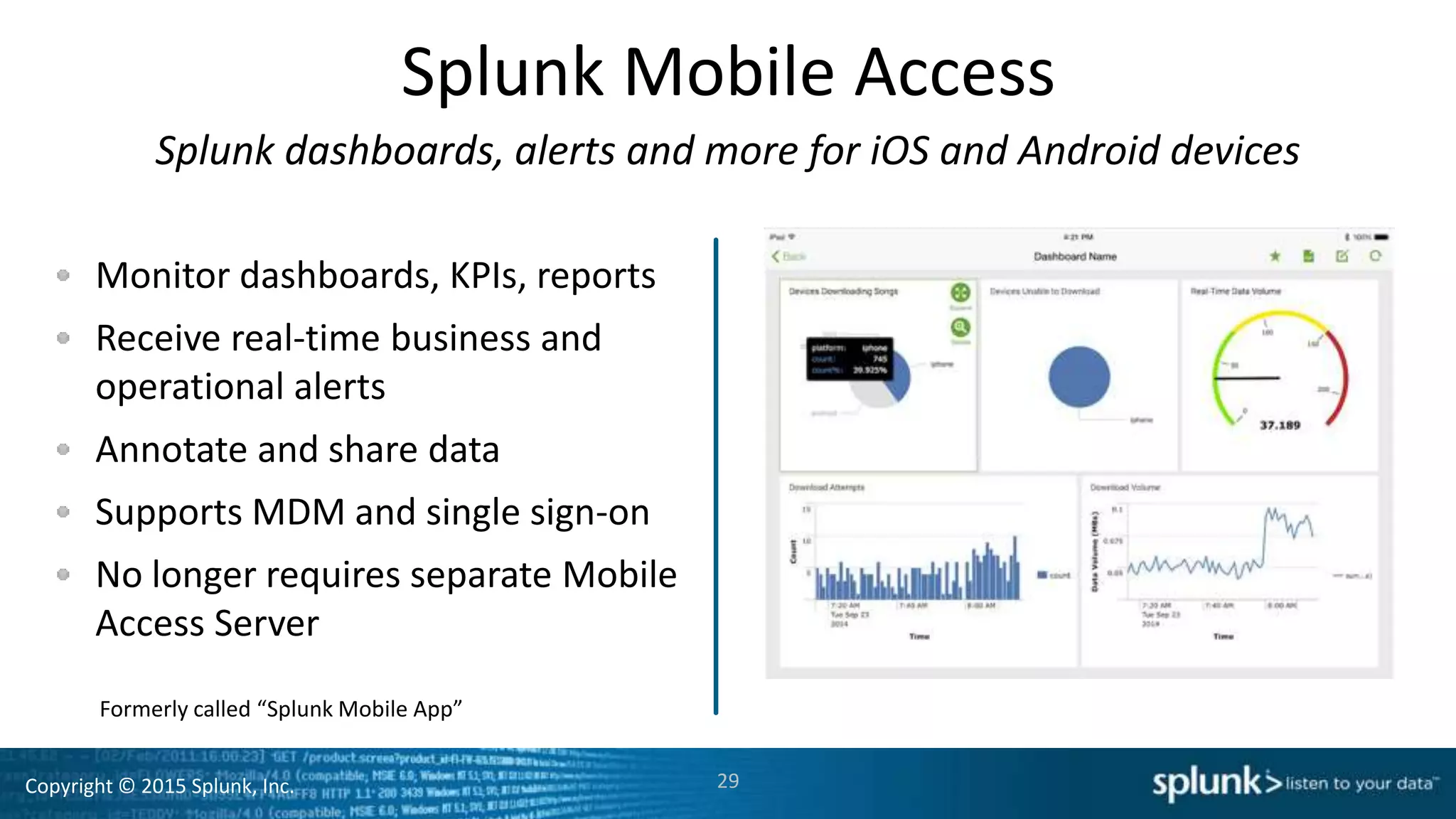
Splunk Mobile Access
Splunk dashboards, alerts and more for iOS and Android devices
Monitor dashboards, KPIs, reports
Receive real-time business and
operational alerts
Annotate and share data
Supports MDM and single sign-on
No longer requires separate Mobile
Access Server
29
Formerly called “Splunk Mobile App”
Copyright © 2015 Splunk, Inc. 30
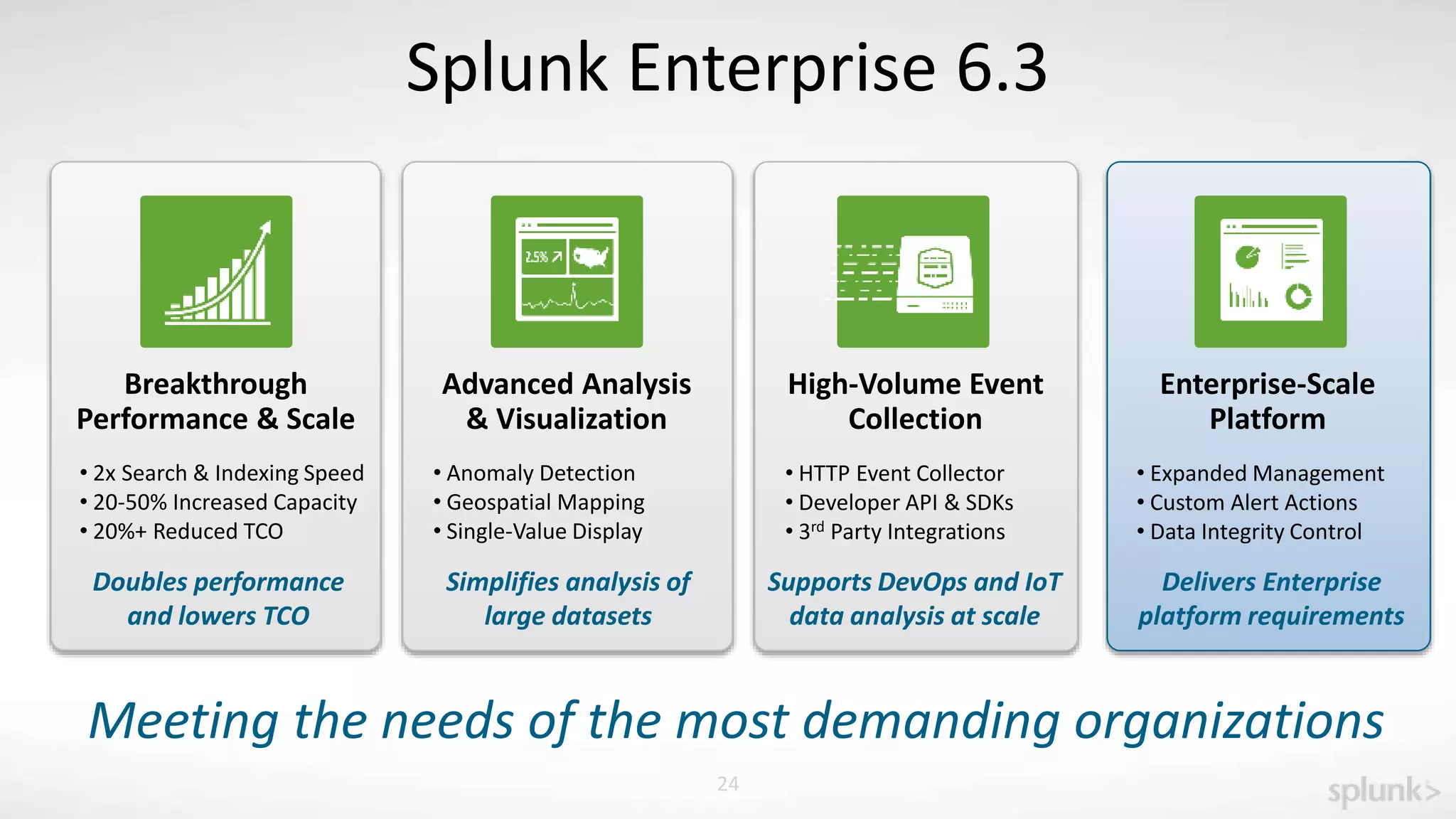
Splunk Enterprise 6.3
Breakthrough
Performance & Scale
Doubles performance
and lowers TCO
• 2x Search & Indexing Speed
• 20-50% Increased Capacity
• 20%+ Reduced TCO
Meeting the needs of the most demanding organizations
Advanced Analysis
& Visualization
High-Volume Event
Collection
Enterprise-Scale
Platform
Supports DevOps and IoT
data analysis at scale
Simplifies analysis of
large datasets
Delivers Enterprise
platform requirements
• Anomaly Detection
• Geospatial Mapping
• Single-Value Display
• HTTP Event Collector
• Developer API & SDKs
• 3rd Party Integrations
• Expanded Management
• Custom Alert Actions
• Data Integrity Control
Copyright © 2015 Splunk, Inc.
https://splunkbase.splunk.com/app/2828/
Copyright © 2015 Splunk, Inc.
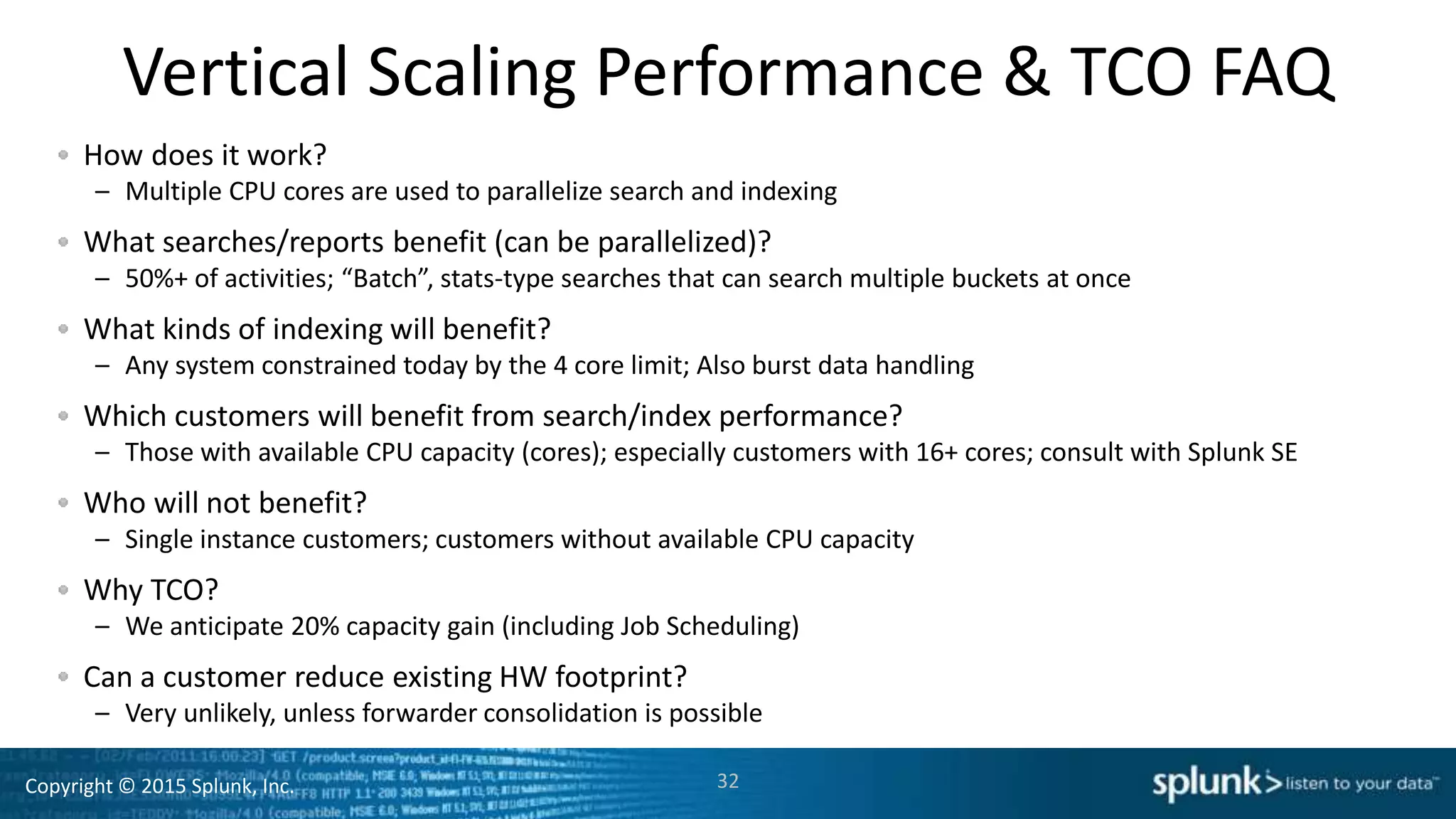
Vertical Scaling Performance & TCO FAQ
How does it work?
– Multiple CPU cores are used to parallelize search and indexing
What searches/reports benefit (can be parallelized)?
– 50%+ of activities; “Batch”, stats-type searches that can search multiple buckets at once
What kinds of indexing will benefit?
– Any system constrained today by the 4 core limit; Also burst data handling
Which customers will benefit from search/index performance?
– Those with available CPU capacity (cores); especially customers with 16+ cores; consult with Splunk SE
Who will not benefit?
– Single instance customers; customers without available CPU capacity
Why TCO?
– We anticipate 20% capacity gain (including Job Scheduling)
Can a customer reduce existing HW footprint?
– Very unlikely, unless forwarder consolidation is possible
32
Copyright © 2015 Splunk, Inc.
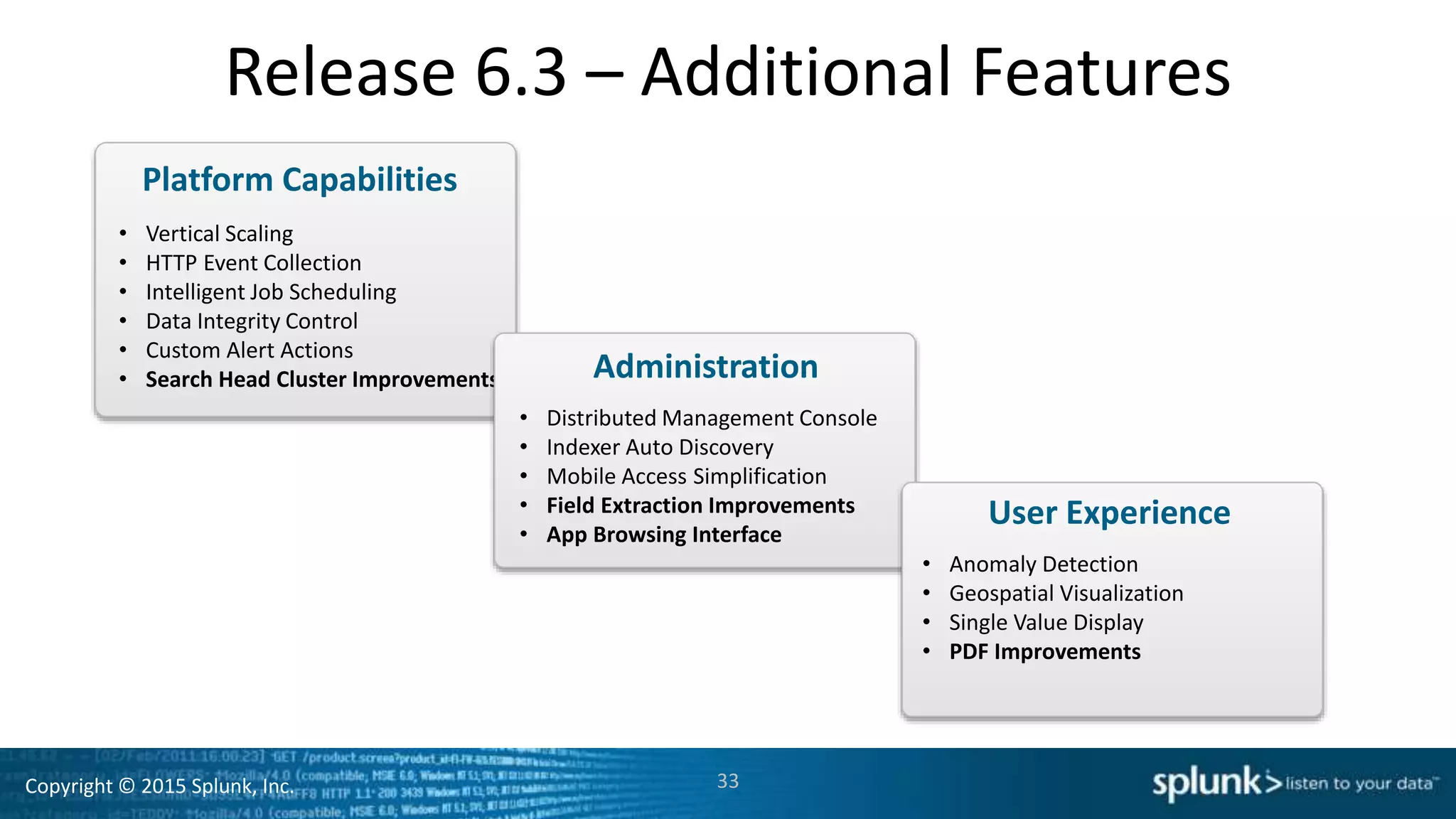
Release 6.3 – Additional Features
• Vertical Scaling
• HTTP Event Collection
• Intelligent Job Scheduling
• Data Integrity Control
• Custom Alert Actions
• Search Head Cluster Improvements
33
Platform Capabilities
• Distributed Management Console
• Indexer Auto Discovery
• Mobile Access Simplification
• Field Extraction Improvements
• App Browsing Interface
Administration
• Anomaly Detection
• Geospatial Visualization
• Single Value Display
• PDF Improvements
User Experience
Copyright © 2015 Splunk, Inc.
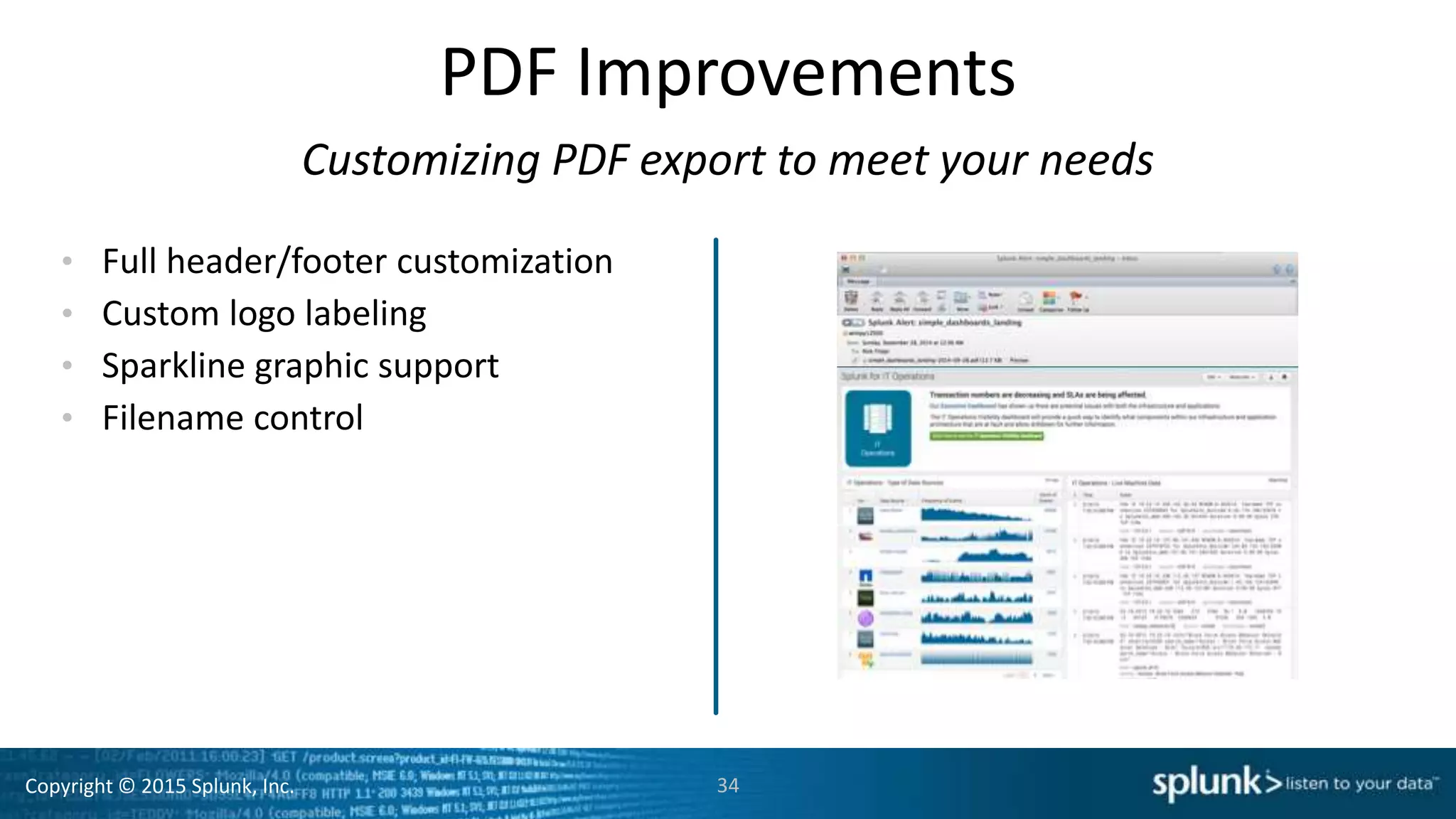
PDF Improvements
• Full header/footer customization
• Custom logo labeling
• Sparkline graphic support
• Filename control
34
Customizing PDF export to meet your needs
Copyright © 2015 Splunk, Inc.
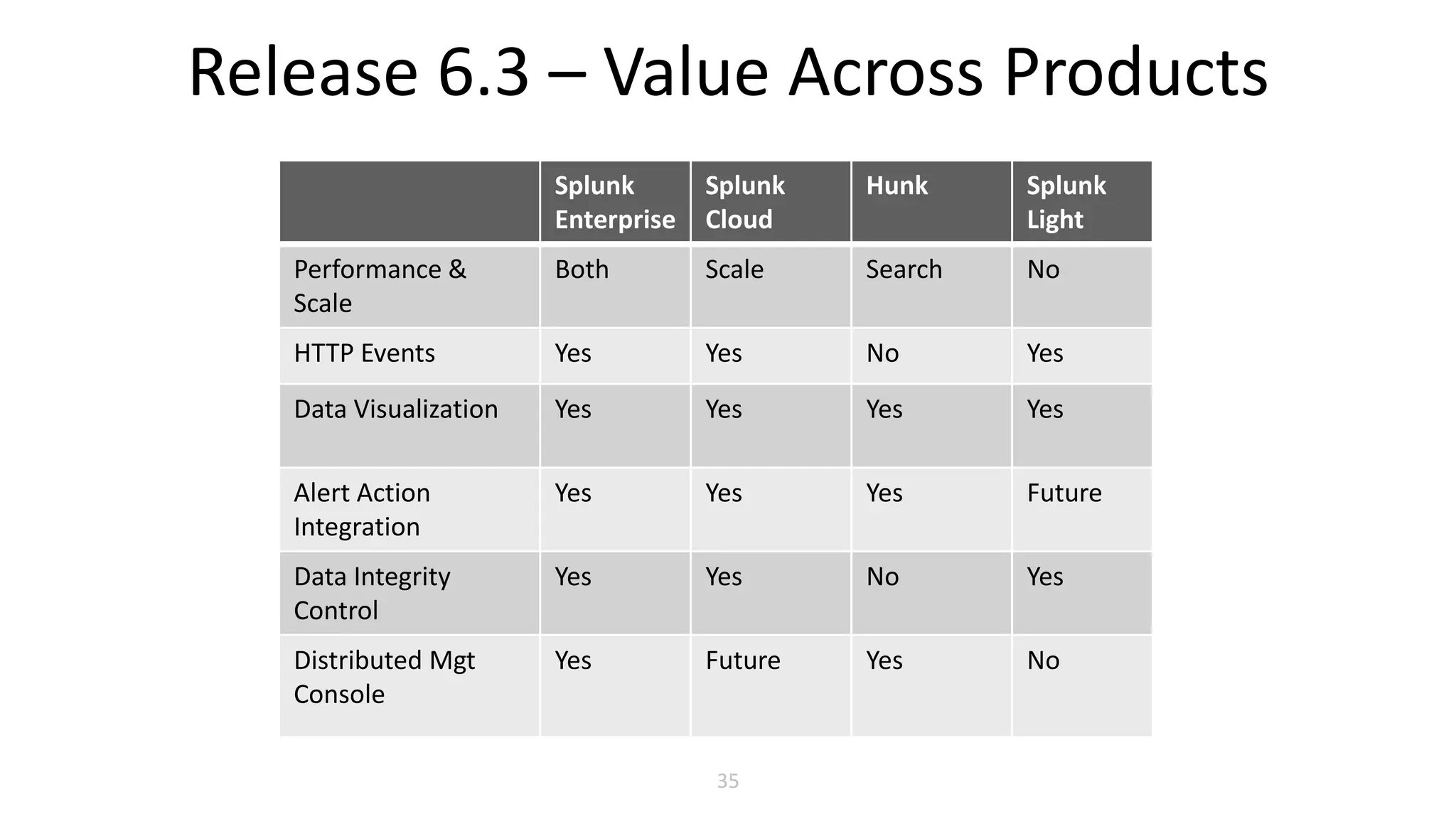
Release 6.3 – Value Across Products
35
Splunk
Enterprise
Splunk
Cloud
Hunk Splunk
Light
Performance &
Scale
Both Scale Search No
HTTP Events Yes Yes No Yes
Data Visualization Yes Yes Yes Yes
Alert Action
Integration
Yes Yes Yes Future
Data Integrity
Control
Yes Yes No Yes
Distributed Mgt
Console
Yes Future Yes No
Copyright © 2015 Splunk, Inc.
Company (NASDAQ: SPLK)
Founded 2004, first software release in 2006
HQ: San Francisco / Regional HQ: London, Hong Kong
Over 1,800 employees, based in 12 countries
Business Model / Products
Free download to massive scale
Splunk Enterprise, Splunk Cloud, Splunk Light
Hunk: Splunk Analytics for Hadoop
10,000+ Customers
Customers in 100 countries
80+ of the Fortune 100
Largest license: Over 400 Terabytes per day
36

Splunk Enterprise 6.3 - Splunk Tech Day

  • 1.
    Copyright © 2015Splunk, Inc. Copyright © 2015 Splunk, Inc. Introducing Splunk Enterprise 6.3 Jim Viegas Sr. SE SLED West
  • 2.
    Copyright © 2015Splunk, Inc. Safe Harbor Statement During the course of this presentation, we may make forward looking statements regarding future events or the expected performance of the company. We caution you that such statements reflect our current expectations and estimates based on factors currently known to us and that actual events or results could differ materially. For important factors that may cause actual results to differ from those contained in our forward-looking statements, please review our filings with the SEC. The forward-looking statements made in this presentation are being made as of the time and date of its live presentation. If reviewed after its live presentation, this presentation may not contain current or accurate information. We do not assume any obligation to update any forward looking statements we may make. In addition, any information about our roadmap outlines our general product direction and is subject to change at any time without notice. It is for informational purposes only and shall not be incorporated into any contract or other commitment. Splunk undertakes no obligation either to develop the features or functionality described orto includeany suchfeatureor functionalityina futurerelease.
  • 3.
    Copyright © 2015Splunk, Inc. Make machine data accessible, usable and valuable to everyone. 333
  • 4.
    Copyright © 2015Splunk, Inc. IT Operations Application Delivery Developer Platform (REST API, SDKs) Business Analytics Industrial Data and Internet of Things 4 Delivers Value Across IT and the Business Business Analytics Industrial Data and Internet of Things Security, Compliance, and Fraud
  • 5.
    Copyright © 2015Splunk, Inc. Turn Machine Data into Operational Intelligence INDEX ANY MACHINE DATA: ANY SOURCE, TYPE, VOLUME Online Services Web Services Servers Security GPS Location Storage Desktops Networks Packaged Applications Custom ApplicationsMessaging Telecoms Online Shopping Cart Web Clickstreams Databases Energy Meters Call Detail Records Smartphones and Devices RFID On- Premises Private Cloud Public Cloud GAIN REAL-TIME VISIBILITY Application Delivery Security and Compliance Infrastructure Monitoring Business Analytics Internet of Things 5
  • 6.
    Copyright © 2015Splunk, Inc. Fully-integrated Enterprise Platform 6 Enterprise Scale & HA Secure Operation Splunk Apps Developer SDKs/API Enterprise Integration Any Data Any Source Collect & Index Data Search & Investigate Monitor & Alert Visualize & Report Correlate & Analyze Access Anywhere Manage Operations Platform for Operational Intelligence
  • 7.
    Copyright © 2015Splunk, Inc. Setting the Standard for Operational Intelligence Engine Platform 1 2 3 2006-2008 Tool 2009-2011 2012-2015 4 4.1 4.2 4.3 5x 6x “Google for the datacenter” “Engine for machine- generated data” “Platform for Operational Intelligence” 7
  • 8.
    Copyright © 2015Splunk, Inc. 8 Splunk Enterprise 6.3 Breakthrough Performance & Scale Doubles performance and lowers TCO Meeting the needs of the most demanding organizations Advanced Analysis & Visualization High-Volume Event Collection Enterprise-Scale Platform Supports DevOps and IoT data analysis at scale Simplifies analysis of large datasets Delivers Enterprise platform requirements
  • 9.
    Copyright © 2015Splunk, Inc. 9 Splunk Enterprise 6.3 Advanced Analysis & Visualization Breakthrough Performance & Scale High-Volume Event Collection Enterprise-Scale Platform Supports DevOps and IoT data analysis at scale Simplifies analysis of large datasets Delivers Enterprise platform requirements Doubles performance and lowers TCO • 2x Search & Indexing Speed • 20-50% Increased Capacity • 20%+ Reduced TCO Meeting the needs of the most demanding organizations
  • 10.
    Copyright © 2015Splunk, Inc. Breakthrough Performance, Scale, TCO 10 Search Performance Indexing Speed Intelligent Scheduling 25%+ Capacity Gain 2x Execution Speed 2-4x Data Rate Vertical scaling maximizes use of CPU power Total System Capacity 20-50% Increase Improve speed of searches & reports Onboard & analyze larger datasets Optimize resource utilization Reduce TCO by 20% or more Comparisons are to Splunk Enterprise 6.2. Customer performance and TCO will vary according to workload, configuration and available processing capacity.
  • 11.
    Copyright © 2015Splunk, Inc. So What Does Breakthrough Mean? Critical reports can be available in ¼ the time It takes 20% less indexing hardware (HW) to expand or deploy Splunk New data is ready for analysis in ½ the time 11 Splunk expansion costs have dropped over 50% since 2013 A new customer can deploy Splunk using 1/3 the HW vs. 2013 Splunk deployment is now ½ the cost vs. 2013 Release 6.3 vs. Release 6.2 Release 6.3 vs. Release 6.0
  • 12.
    Copyright © 2015Splunk, Inc. See for Yourself Release 6.2 Versus 6.3 12
  • 13.
    Copyright © 2015Splunk, Inc. Vertical Scaling: Search & Reporting • Multiple CPU cores can be used to execute more searches faster • Common “batch-style” searches & reports can execute 2x as fast (or faster!) • Search performance can be optimized without additional systems 13 Search Speed Search Performance 2x Execution Speed At least double the execution speed of most common activities
  • 14.
    Copyright © 2015Splunk, Inc. Vertical Scaling: Data Indexing • Additional CPU cores can be used to: – Increase data onboarding capacity – Increase burst data ingestion speed by 2x or more • The new architecture guideline is raised from 250 to 300GB/day per indexer (commodity hardware) 14 Increased Data Throughput With Fewer Indexers Onboarding Speed 2-4x Data Rate
  • 15.
    Copyright © 2015Splunk, Inc. Intelligent Job Scheduling • Simplified and more effective scheduling • Admin can use “finish by” criteria for daily jobs • Splunk automatically profiles workloads and controls scheduling • Optimizes resource utilization; Reduces skipped searches • Helps ensure timely execution of time-critical searches 15 Can Increase Capacity by 25% or More Job Scheduling Smooths workloads over time
  • 16.
    Copyright © 2015Splunk, Inc. Forwarder Efficiency Vertical Scaling: Forwarders • With 6.2: Using more than 4 cores requires multi-instance installation and management • With 6.3: Use additional CPU cores (4 packs) with single instance simplicity – E.g., a 16 core system can now process 4x the data 16 Simplify Forwarder Management 4x Efficiency
  • 17.
    Copyright © 2015Splunk, Inc. 17 Splunk Enterprise 6.3 Breakthrough Performance & Scale Doubles performance and lowers TCO • 2X Search & Indexing Speed • 20-50% Increased Capacity • 20%+ Reduced TCO Meeting the needs of the most demanding organizations Advanced Analysis & Visualization High-Volume Event Collection Enterprise-Scale Platform Supports DevOps and IoT data analysis at scale Simplifies analysis of large datasets Delivers Enterprise platform requirements • Anomaly Detection • Geospatial Mapping • Single-Value Display
  • 18.
    Copyright © 2015Splunk, Inc. Analysis & Visualization Anomaly Detection – Incorporates Z-Score, IQR & histogram methodologies in a single command Geospatial Visualization – Visualizes metric variance across a customizable geographic area Single Value Display – At-a-glance, single-value indicators with useful context 18
  • 19.
    Copyright © 2015Splunk, Inc. Anomaly Detection New SPL command provides histogram-based anomaly detection • Net new histogram-based approach offers a more accurate detection method • Single command offers 3 options: Z-Score, IQR & histogram • Replaces existing Outlier and AnomalousValue commands 19
  • 20.
    Copyright © 2015Splunk, Inc. 20 Geospatial Visualization • Choropleth maps help users to easily spot spatial patterns • Color scales can be configured per use case • Users can upload their own geographical polygon definitions Visualizes metric variance across a customizable geographic area
  • 21.
    Copyright © 2015Splunk, Inc. 21 Single Value Display • Large type and prominent colors make values or changes visible, even from a distance • Sparkline shows trends in the recent history • Delta indicator shows changes since a previous time At-a-glance, single-value indicators with useful context
  • 22.
    Copyright © 2015Splunk, Inc. 22 Splunk Enterprise 6.3 Breakthrough Performance & Scale Doubles performance and lowers TCO • 2x Search & Indexing Speed • 20-50% Increased Capacity • 20%+ Reduced TCO Meeting the needs of the most demanding organizations Advanced Analysis & Visualization High-Volume Event Collection Enterprise-Scale Platform Supports DevOps and IoT data analysis at scale Simplifies analysis of large datasets Delivers Enterprise platform requirements • Anomaly Detection • Geospatial Mapping • Single-Value Display • HTTP Event Collector • Developer API & SDKs • 3rd Party Integrations
  • 23.
    Copyright © 2015Splunk, Inc. HTTP Event Collector Supports DevOps and IoT data analysis needs at scale 23 DevOps & Developers IoT Devices & Applications 1. Standard API and logging libraries send events directly to Splunk 2. Libraries integrated into popular platforms and services Scales to Millions of Events/Second
  • 24.
    Copyright © 2015Splunk, Inc. 24 Splunk Enterprise 6.3 Breakthrough Performance & Scale Doubles performance and lowers TCO • 2x Search & Indexing Speed • 20-50% Increased Capacity • 20%+ Reduced TCO Meeting the needs of the most demanding organizations Advanced Analysis & Visualization High-Volume Event Collection Enterprise-Scale Platform Supports DevOps and IoT data analysis at scale Simplifies analysis of large datasets Delivers Enterprise platform requirements • Anomaly Detection • Geospatial Mapping • Single-Value Display • HTTP Event Collector • Developer API & SDKs • 3rd Party Integrations • Expanded Management • Custom Alert Actions • Data Integrity Control
  • 25.
    Copyright © 2015Splunk, Inc. Distributed Management Console - II New topology views, status and alerting for Splunk deployments • Visualizes Search Head/Indexer matrix with KPI and performance overlays • Search Head clustering replication and scheduler views • Forwarder views with status and performance data • Index and metadata storage utilization • System health alerting 25
  • 26.
    Copyright © 2015Splunk, Inc. Indexer Auto-Discovery Simplifies forwarder management in a dynamic environment • Cluster master maintains dynamic Indexer list accessed by forwarders • Indexers can be added/removed without affecting forwarder configuration or operation 26 …
  • 27.
    Copyright © 2015Splunk, Inc. Data Integrity Control Helps ensure data fidelity; Meets GPG13 compliance requirements • Hash signatures of selected index data are saved at regular intervals • Intervals can be validated by the admin • Meets security and compliance requirements by verifying that data has not been tampered with • Hashes can be exported to further ensure security 27
  • 28.
    Copyright © 2015Splunk, Inc. Custom Alert Actions Use Splunk Alerts to trigger & automate workflows • Allows packaged integration with third-party applications • Simple admin/user configuration • Developers can build, package and publish alert actions within an app • Growing list of integrations available 28
  • 29.
    Copyright © 2015Splunk, Inc. Splunk Mobile Access Splunk dashboards, alerts and more for iOS and Android devices Monitor dashboards, KPIs, reports Receive real-time business and operational alerts Annotate and share data Supports MDM and single sign-on No longer requires separate Mobile Access Server 29 Formerly called “Splunk Mobile App”
  • 30.
    Copyright © 2015Splunk, Inc. 30 Splunk Enterprise 6.3 Breakthrough Performance & Scale Doubles performance and lowers TCO • 2x Search & Indexing Speed • 20-50% Increased Capacity • 20%+ Reduced TCO Meeting the needs of the most demanding organizations Advanced Analysis & Visualization High-Volume Event Collection Enterprise-Scale Platform Supports DevOps and IoT data analysis at scale Simplifies analysis of large datasets Delivers Enterprise platform requirements • Anomaly Detection • Geospatial Mapping • Single-Value Display • HTTP Event Collector • Developer API & SDKs • 3rd Party Integrations • Expanded Management • Custom Alert Actions • Data Integrity Control
  • 31.
    Copyright © 2015Splunk, Inc. https://splunkbase.splunk.com/app/2828/
  • 32.
    Copyright © 2015Splunk, Inc. Vertical Scaling Performance & TCO FAQ How does it work? – Multiple CPU cores are used to parallelize search and indexing What searches/reports benefit (can be parallelized)? – 50%+ of activities; “Batch”, stats-type searches that can search multiple buckets at once What kinds of indexing will benefit? – Any system constrained today by the 4 core limit; Also burst data handling Which customers will benefit from search/index performance? – Those with available CPU capacity (cores); especially customers with 16+ cores; consult with Splunk SE Who will not benefit? – Single instance customers; customers without available CPU capacity Why TCO? – We anticipate 20% capacity gain (including Job Scheduling) Can a customer reduce existing HW footprint? – Very unlikely, unless forwarder consolidation is possible 32
  • 33.
    Copyright © 2015Splunk, Inc. Release 6.3 – Additional Features • Vertical Scaling • HTTP Event Collection • Intelligent Job Scheduling • Data Integrity Control • Custom Alert Actions • Search Head Cluster Improvements 33 Platform Capabilities • Distributed Management Console • Indexer Auto Discovery • Mobile Access Simplification • Field Extraction Improvements • App Browsing Interface Administration • Anomaly Detection • Geospatial Visualization • Single Value Display • PDF Improvements User Experience
  • 34.
    Copyright © 2015Splunk, Inc. PDF Improvements • Full header/footer customization • Custom logo labeling • Sparkline graphic support • Filename control 34 Customizing PDF export to meet your needs
  • 35.
    Copyright © 2015Splunk, Inc. Release 6.3 – Value Across Products 35 Splunk Enterprise Splunk Cloud Hunk Splunk Light Performance & Scale Both Scale Search No HTTP Events Yes Yes No Yes Data Visualization Yes Yes Yes Yes Alert Action Integration Yes Yes Yes Future Data Integrity Control Yes Yes No Yes Distributed Mgt Console Yes Future Yes No
  • 36.
    Copyright © 2015Splunk, Inc. Company (NASDAQ: SPLK) Founded 2004, first software release in 2006 HQ: San Francisco / Regional HQ: London, Hong Kong Over 1,800 employees, based in 12 countries Business Model / Products Free download to massive scale Splunk Enterprise, Splunk Cloud, Splunk Light Hunk: Splunk Analytics for Hadoop 10,000+ Customers Customers in 100 countries 80+ of the Fortune 100 Largest license: Over 400 Terabytes per day 36

Editor's Notes

  • #3 Splunk safe harbor statement.
  • #4 That’s where we come in. Spunk’s mission is to make machine data accessible, usable, and valuable to everyone.
  • #5 Both IT and business professionals can analyze machine data to get real-time visibility and operational intelligence. With our platform for machine data, organizations can meaningfully improve their performance in a wide range of areas e.g. meet service levels, reduce costs, mitigate security risks, maintain compliance and gain insights.
  • #6 Our customers typically start with Splunk to solve a specific problem, and then expand from there to address a broad range of use cases, across application troubleshooting, IT infrastructure monitoring, security, business analytics, Internet of things, and many others that are entirely innovated by our customers. Here’s how it works. Splunk software and cloud services reliably collect and index machine data, from a single source to tens of thousands of sources. All in real time. - Once data is in Splunk, you can search, analyze, report-on and derive insights from all your data - across real-time or historical data that may be stored in Hadoop or other NoSQL data sources.
  • #7 Splunk software provides an open, fully integrated platform. That means you can collect, index, analyze, report and predict on machine-generated data from a single product. It’s enterprise-ready with high availability and disaster recovery features, role-based access control and scales to index hundreds of terabytes per day. It’s an open platform with over 500 Splunk Apps available and allows for custom development.
  • #8 Splunk Enterprise is the industry leading software for machine data analytics and has been driving innovation and setting the standard for Operational Intelligence since 2006. In the beginning, we were first to introduce the paradigm of ‘search’ to IT – to troubleshoot IT operations and application management issues much faster than ever before and to find the proverbial “needle in the haystack”. When asking customers, they often referred to it as “google for the datacenter”. As the product evolved, Splunk 4 - the engine for machine data - introduced enterprise-class features – dashboards and apps, real-time search and alerts, universal collection and indexing, enterprise controls and map-reduce for horizontal scalability on commodity servers. And then in 2012 we introduced Splunk 5 – this release represented the evolution of Splunk as an Enterprise Platform for Operational Intelligence. It introduced breakthrough innovations and platform features that included:   A new reporting architecture and transparent summarization technology delivering dramatically faster reports A new high availability architecture delivering enterprise-class scale and resilience, even while scaling on commodity servers and storage A robust developer API and SDKs available in mainstream programming languages to enable enterprise developers to leverage Splunk software Big data ecosystem integrations that included Splunk Hadoop Connect, Splunk DB Connect and the Splunk App for HadoopOps And continuing our strategy of delivering you the Platform for Operational Intelligence we introduce you to Splunk 6 - The most advanced version of Splunk software ever. Splunk 6 delivers new and powerful analytics features designed for broader use: non-technical and technical users alike. Splunk 6 is our most advanced version of Splunk software ever – the industry-leading machine data platform. Powerful Analytics: Splunk Enterprise 6 takes large-scale machine data analytics to the next level by introducing three breakthrough innovations: Pivot – opens up the power of analytics to non-technical users with an easy-to-use drag and drop interface to explore, manipulate and visualize data Data Model – defines meaningful relationships in underlying machine data and makes this data more useful to a broader base of users, in particular non-technical users Analytics Store – patent-pending technology that accelerates data models by delivering extremely high performance data retrieval for analytical processing, up to 1000x faster than Splunk Enterprise 5   The new Pivot interface, combined with Data Models and Analytics Store makes it dramatically easier for non-technical users and technical users alike to analyze and visualize data in Splunk. Now more users than ever are empowered by Splunk software to get insights from their machine data.   Intuitive User Experience: Splunk Enterprise 6 includes powerful productivity features for users with a more intuitive user experience: The new Home Experience – gives users instant access to the data, apps and content they care about The Enhanced Search Experience – brings search and reporting together – so users can author rich – dynamic reports - build visualizations – tables – and custom searches – faster than ever before Simplified Management We’ve made Splunk Enterprise 6 easier to deploy, configure and manage – even as customers expand their Splunk Enterprise deployments to the multi-terabyte scale Simplified Cluster Management – deliver easier management of mission-critical Splunk software deployments providing everything the Splunk admin needs to monitor high availability on a centralized dashboard Forwarder Management – support big data scale with easy configuration and management of thousands of forwarders across multiple geographies   Rich Developer Environment And now Splunk Enterprise 6 provides a more powerful developer environment with the integrated Web Framework. Developers can build custom Splunk Apps, customize dashboards, or add advanced functionality - using standard web technologies, such as JavaScript and Django. Splunk 6 represents a significant milestone in our mission to make machine data accessible, usable and valuable by everyone. Find out more at www.splunk.com/6
  • #9 Splunk is the industry-leading platform for Operational Intelligence, delivering both cloud and on-premise solutions tailored to meet the needs of any size organization. Splunk is increasingly being used as a mission-critical, enterprise-wide operational intelligence source, processing 100's of terabytes of data per day. Release 6.3 continues our journey to support the ever-expanding requirements of the most demanding organizations Release 6.3 is especially targeted to meet their needs for scalability and management, extended analysis features, analysis of high-volume data from application and IoT events, and new flexible connectivity options to their business and operational systems. Release 6.3 is a platform release. All 6.3 features are supported on Splunk Enterprise, most on Splunk Cloud, and select features are supported on the Hunk and Splunk Light products
  • #10 Splunk is the industry-leading platform for Operational Intelligence, delivering both cloud and on-premise solutions tailored to meet the needs of any size organization. Splunk is increasingly being used as a mission-critical, enterprise-wide operational intelligence source, processing 100's of terabytes of data per day. Release 6.3 continues our journey to support the ever-expanding requirements of the most demanding organizations Release 6.3 is especially targeted to meet their needs for scalability and management, extended analysis features, analysis of high-volume data from application and IoT events, and new flexible connectivity options to their business and operational systems. Release 6.3 is a platform release. All 6.3 features are supported on Splunk Enterprise, most on Splunk Cloud, and select features are supported on the Hunk and Splunk Light products
  • #11 Organizations are increasingly standardizing their datacenter operations on economically priced servers supporting 16 or more CPU cores. Splunk Enterprise Release 6.3 now supports vertical scaling capabilities to take better advantage of this available power to:   Improve search and reporting performance (Double the performance of most search and reporting activities) Increase data onboarding capacity (Double the peak data onboarding speed vs Double the data onboarding speed) Reduce operating costs (Reduce operating costs by 20% or more)   Previously, Splunk made use of available CPU cores to execute multiple simultaneous searches while indexing data. Release 6.3 vertical scaling uses allows both individual searches and the data indexing process to execute more efficiently by using multiple CPU cores per task. For systems with available CPU cores, the benefits are broad performance improvements in search processing, report generation, data on-boarding capacity and data forwarding efficiency. Why capacity gain overall? Intelligent scheduling should increase capacity somewhat by optimally scheduling jobs Allowing indexing to use additional cores means that burst data can be handled on the same system, and generally that more data/day overall can be processed. This does not necessarily require totally free CPUs to be permanently available, it can just use additional when needed If there is some available CPU capacity, then running searches faster may mean that more can be done We think most customers are not using their systems to full capacity today. Cores do not have to be otherwise idle in order for gains to be seen The net effect of all of this is a 20%+ gain. 50% for typical security scenarios TCO Influencers Indexer HW reduction System capacity gains – data/searches; job scheduling Standardization of datacenter HW configuration on higher core systems Simpler management: DMC, indexer auto discovery, single-instance indexers and forwarders
  • #12 Report 1H vs 10 mins – assumes 5 or 6 cores are used. (in next release you can control core usage per search) Data ready in half the time – this is moving from 4 to 8 cores for indexing – so a burst takes half 20% capacity reflects our guidance changing from 250 to 300 GB/day 20% indexing HW – same reasoning Tripled since 2013 is our guidance moving from 100 to 300 (6.0 was 100) Expansion drop 50% - reflects 1/3 less indexer HW, but overall TCO is more than that, so downgraded to 50% instead of saying 66% TCO reduction 1/3 less HW – based on 100 to 300 increase New cost 50% lower – same as expansion cost
  • #14 Today, Splunk can leverage available CPU cores to do more simultaneous searches. With 6.3, Splunk can also utilize available CPU cores to execute your searches faster. This means better performance for continuous time-sensitive activities such as monitoring of IT resources and security intelligence. It also enables more rapid search and reporting activities over increasingly large datasets. In 6.2, improving the execution speed of intensive search and reporting activities involved adding indexer systems and distributing data across the indexers. With 6.3, you can use more powerful indexers – increasing performance without increasing the number of systems under management, and without data indexing reconfiguration. Search and reporting tasks that can benefit from CPU parallelization are called “batch searches”. We estimate that batch searches/reports account for over 50% of typical system activities. The execution speed of batch searches and reports will be typically 2-3 times the 6.2 speed. Customer results will depend on configuration settings and available resources. How it works: Batch searches and reports can be divided into sub-tasks, each of which can be allocated to separate CPU cores and executed in parallel. This capability is dependent on the availability of CPU cores. A fully utilized system running 6.2 will not see significant overall performance gains with 6.3. The overall effects on a mixed search and indexing workload are highly dependent on customer configurations and workloads.
  • #15 4 cores – 22 MB/sec 8 cores – 47 MB/sec With 6.3, Splunk indexer systems can now utilize additional cores for data indexing, achieving 2-3 times the data on-boarding speed of 6.2, and allowing customers to: Reduce the indexing time of large datasets by 50% or more Handle burst data loads in a timely manner Handle pure-indexing loads using fewer indexer systems   With 6.2, an allocation of 4 cores for data indexing is the recommendation for most Splunk indexer systems. With 6.3, systems with sufficient power can allocate 8, 12, or more cores depending on their overall workload. Systems doing pure indexing or minimal search activities can use all available cores, achieving on-boarding capacities of 4x or more of today’s standard configuration guidelines The capacity increase for mixed search/indexing systems will depend on the particular customer workload, as increasing the data per system may naturally result in increased search and reporting CPU and I/O demands. However, when combined with the new 6.3 multi-core search capability, we estimate that typical customers can boost single system daily indexing capacity by at least 20%. In accordance, Splunk has increased its performance and capacity guidelines for the minimal recommended multi-use system: raising the burst rate data 20MB/sec to 50 MB/sec, and raising daily capacity guidelines from 250 to 300 GB per day – a 20% increase.
  • #16 Release 6.3 introduces a new intelligent job scheduler which improves system utilization and helps ensure predictable job performance Smooths workloads by spreading jobs through available time windows Uses running-time profiles and finish-by scheduling to optimize executions Helps ensure predictable execution of time-critical searches for security or other operations When combined with 6.3 parallel search capabilities, customers using the new intelligent scheduler may see Reduced or eliminate skipped searches Increased capacity of job execution
  • #18 Splunk is the industry-leading platform for Operational Intelligence, delivering both cloud and on-premise solutions tailored to meet the needs of any size organization. Splunk is increasingly being used as a mission-critical, enterprise-wide operational intelligence source, processing 100's of terabytes of data per day. Release 6.3 continues our journey to support the ever-expanding requirements of the most demanding organizations Release 6.3 is especially targeted to meet their needs for scalability and management, extended analysis features, analysis of high-volume data from application and IoT events, and new flexible connectivity options to their business and operational systems. Release 6.3 is a platform release. All 6.3 features are supported on Splunk Enterprise, most on Splunk Cloud, and select features are supported on the Hunk and Splunk Light products
  • #19 Splunk now offers a new set of visualization and analytics features that are targeted to help address user challenges of big data analysis. Enhanced Anomaly detection: Helps you rapidly discover events that merit further investigation Geospatial mapping: Lets you visualize and better communicate results using geographic or custom-defined areas Single value display: Gives you "at-a-glance" indicators and relevant contextual data for war-room displays and management discussions
  • #20 Superset of anamolousvalue and outlier commands. (These will eventually be deprecated.) Splunk has been providing commands to detect anomalous events in a set of search results. These commands, are the Outlier and the AnomalousValue commands. However, we think there are other more accurate ways to detect anomalous events., We have developed a new command to do that. In addition, we combine Outlier and AnomalousValue under the same roof with the new command, to make it convenient for the user.  | anomalydetection <action=filter|annotate|summary> <pthresh=num> <field list> None of the options is required. The default action is filter. If no fields are specified, then all fields will be used. There's no fixed default pthresh; if the user doesn't specify it, then it will be calculated during the command execution and the value depends on the data. If the user explicitly sets the threshold, then it will be used to detect anomalous events. One can invoke anomalousvalue and outlier using the new command, as follows. To run anomalousvalue: ... | anomalydetection method=zscore ... where the dots denote whatever options one would specify when running the old anomalousvalue command. To run outlier is similar: ... | anomalydetection method=iqr ...  
  • #21 Geospatial analysis of location tagged data often involves grouping and counting the data based on predefined spatial regions. This analysis is often accompanied by a visualization called a  choropleth which is form of heat map that used color shading to convey the relative quantity or density of data in each region.  Example: lookup, aggregate, visualize | lookup geo_us_states latitude as lat longitude as lon | stats count by featureId | geom geo_us_states
  • #22 Especially good for NOC and other big-board type uses
  • #23 Splunk is the industry-leading platform for Operational Intelligence, delivering both cloud and on-premise solutions tailored to meet the needs of any size organization. Splunk is increasingly being used as a mission-critical, enterprise-wide operational intelligence source, processing 100's of terabytes of data per day. Release 6.3 continues our journey to support the ever-expanding requirements of the most demanding organizations Release 6.3 is especially targeted to meet their needs for scalability and management, extended analysis features, analysis of high-volume data from application and IoT events, and new flexible connectivity options to their business and operational systems. Release 6.3 is a platform release. All 6.3 features are supported on Splunk Enterprise, most on Splunk Cloud, and select features are supported on the Hunk and Splunk Light products
  • #24 Now you can onboard data directly from any application or device– opening up new types of machine data to the benefits of Splunk analysis. The new Event Collector makes it simple and efficient to collect this data, scaling to millions of events per second, using a developer-friendly, standard HTTP/JSON API and logging libraries And NO FORWARDERS. Today it is possible to send data directly to Splunk using Modular Inputs or a TCP connection, however this is not an efficient or scalable solution. While log files and forwarders provide an efficient mechanism for typical log and syslog files, use of files and forwarders is not possible or necessarily a desired data collection method for the world of custom applications DevOps, Docker, and other packaged application environments. The same is true for the world of IoT event data, where devices/apps need have no local storage, and even intermediate event collection systems and partners would prefer to use a real-time interface to Splunk rather than create specific log files and use forwarders.   The HTTP Event Collector (EC) uses a standard API and high-volume Splunk endpoint to allow events to be directly sent/collected at extreme velocity. The HTTP/JSON API is a developer-standard, whose simple but powerful functionality will be attractive to DevOps and custom application developers and operations managers. Without requiring new system configuration, log creation or administration support, developers can instrument their applications to understand usage flows, performance, error conditions and more. The interface/functionality is also a fit for IoT software developers to connect their devices either directly or via intermediate collection services. The data volumes supported by Splunk are ideal for the transactional and diagnostic data of devices such as Point-Of-Sale systems, vending machines, gaming consoles, automobiles and other devices/systems – opening up a new world of machine data to the benefits of Splunk analysis
  • #25 Splunk is the industry-leading platform for Operational Intelligence, delivering both cloud and on-premise solutions tailored to meet the needs of any size organization. Splunk is increasingly being used as a mission-critical, enterprise-wide operational intelligence source, processing 100's of terabytes of data per day. Release 6.3 continues our journey to support the ever-expanding requirements of the most demanding organizations Release 6.3 is especially targeted to meet their needs for scalability and management, extended analysis features, analysis of high-volume data from application and IoT events, and new flexible connectivity options to their business and operational systems. Release 6.3 is a platform release. All 6.3 features are supported on Splunk Enterprise, most on Splunk Cloud, and select features are supported on the Hunk and Splunk Light products
  • #26 Interactive, topology-oriented display with mouse-overs for status Today, a large Splunk deployment can include 100’s of individual system components. The new Distributed Management Console (DMC) provides a complete monitoring console, including topology views, system status, and health alerting, for all components of an on-premise deployment. DMC creates a single interface to view the status, performance, capacity, and interconnectivity of these components, allowing the admin to optimize solution operation and efficiency
  • #28 Data integrity control meets security and compliance requirements by ensuring the fidelity of the Splunk datastore over time. Now companies can verify that sensitive Splunk-indexed data or results have not been tampered with. This feature is especially important in highly regulated markets (e.g., Germany, France, UK, Singapore) and industries (Financial Services, Government, Healthcare, Energy). Hash signatures of selected indexed data are calculated and stored at regular intervals Uses SHA-256 hash methodology
  • #29 Custom Alert Actions provide the ability to use Splunk Alerts to trigger custom actions or pre-packaged integrations with 3rd party products such as trouble ticketing or support systems. Developers can build and publish integrations or custom action packages that users or admins can use via a simple menu within the Splunk Alert Interface. Splunk and partners provide a growing set of integrations including, ServiceNow, xMatters, Webhooks and more. Previously these integrations were complex, ad-hoc efforts requiring custom scripts. The new scheme makes it simple for partners (and customers) to create and contribute out-of-the-box integration templates, and for customers to use them via a simple pull-down menu. Notification Services Send message to IM clients (HipChat, Slack) Send SMS Incident Remediation / Ticketing Automate the creation of tickets (ServiceNow, Jira) IT Monitoring Send incident/alert into monitoring tools (xMatters, BigPanda) Security Take action or send events to firewalls, devices, management consoles Internet-of-Things Trigger device-level actions (change lights, sounds an alarm, send action to device) Custom Action Trigger any organization-specific action (restart application, integrate with homegrown service, and more)
  • #30 Monitor key performance indicators from iOS and Android devices Receive and act on real-time business and operational alerts Easily view and analyze dashboards and reports Annotate and share performance data with colleagues The new version no longer requires a separate access server and now supports Splunk Cloud Installation of an add-on is required to support certain functions Product renamed. Splunk Mobile App is now just the device app downloaded from a store. The whole thing together is Mobile Access.
  • #31 Splunk is the industry-leading platform for Operational Intelligence, delivering both cloud and on-premise solutions tailored to meet the needs of any size organization. Splunk is increasingly being used as a mission-critical, enterprise-wide operational intelligence source, processing 100's of terabytes of data per day. Release 6.3 continues our journey to support the ever-expanding requirements of the most demanding organizations Release 6.3 is especially targeted to meet their needs for scalability and management, extended analysis features, analysis of high-volume data from application and IoT events, and new flexible connectivity options to their business and operational systems. Release 6.3 is a platform release. All 6.3 features are supported on Splunk Enterprise, most on Splunk Cloud, and select features are supported on the Hunk and Splunk Light products
  • #35 Key features: Header and footer customization Ability to configure the content of both the header and footer of the PDF Available parameters include: Logo, Title, Description, Timestamp, Page Number Ability to modify left, center, and right positions Logo customization Configure a custom logo to be used in PDF export By default, the SPlunk logo is used for PDF export Syntax for this follows <app>:<path> To specify a logo store in "$SPLUNK_HOME/etc/apps/splunk_6_3_overview/appserver/static/images/splunk_conf_2015_logo.png" Set "splunk_6_3_overview:images/splunk_conf_2015_logo.png" Image tag support (html img) Splunk now supports image <img /> tags included in an html element on a dasboard PDF export will now render this image Advanced sparkline options support PDF export now closely matches in PDF those sparkline options used in the dashboard. PDF Settings Manager UI Page Configuration for the above PDF customizations are now available in the Email settings manager UI page Located in "Settings > Server settings > Email settings" Filename export name convention As an advanced setting, Splunk now supports the ability to customize the naming convention for pdf exports. Configured in alert_actions.conf