Splunk Education Services
Advanced Splunk 5.0 AdministrationThis nine hour course follows the Splunk Administration course. The
focus in this class is the knowledge, best practices, and
configuration details for Splunk administration in a medium to large
deployment environment. In this class you will learn advanced input
configuration options, Splunk's data processing flow, optimized
indexing configurations, alternative authentication methods,
security, and troubleshooting.
Course Topics
 Splunk hardware and topology options
 Advanced use and configuration of Splunk forwarders
 Splunk’s Deployment Server
 Advanced data input options
 Data inputs advanced configuration
 Advanced configuration of Splunk data stores
 Authentication
 How and what to secure in Splunk
 Where to get help
Course Prerequisites
 Using Splunk
 Administrating Splunk
Class Format
Instructor-led lecture with labs. Delivered via virtual classroom or at
your site.
Course Objectives
Lesson 1 – Hardware and Topology
 Identify Splunk hardware recommendations
 Explore Splunk topology recommendations
 Describe distributed search and search head pooling
Lesson 2 – Forwarders
 Configure Splunk forwarders using outputs.conf
 Configure load balancing
 Secure and compress forwarder feeds and set cache size
 Enable indexer acknowledgement
 Leverage 3rd party systems
Lesson 3 – Deployment Server
 Understand Deployment Server terminology and topology
 Use server classes to send custom config files to all types of
Splunk installs
 Configure deployment clients
 Create and distribute deployment bundles
Lesson 4 – Inputs
 Use wildcards
 Use whitelists and blacklists to limit monitor data inputs
 Configure scripted inputs
 Understand file system change monitoring
Lesson 5 - Data Processing
 Describe how data moves through Splunk
 Understand default processing
 Optimize and configure event line breaking
 Explain how Splunk determines and assigns time zones
 Use the Data Preview feature to configure a custom data input
Lesson 6 - Event-level Data Transformations
 Explain how data transformations are defined and invoked
 Identify and explain how keys are used in transforms.conf
 Dynamically set source type based on values
 Automatically route events to an index based on values
 Prevent unwanted events from being indexed
 Mask data values within events
Lesson 7 - Index Replication
 Describe index replication
 Define the terms: replication factor and search factor
 Explain how data flows in a replicated environment
 Explain what happens if an indexer goes off-line
 Explain how to configure and deploy a cluster
Lesson 8 - Authentication
 Review native Splunk authentication
 Use LDAP
 Use Active Directory
 Configure SSO
Lesson 9 - Security
 Identify what you can secure in Splunk
 Understand SSL and Splunk
 Learn about user group and index security
 Identify and secure the audit log
 Understand archive data signing
Lesson 10 - Troubleshooting
 Set specific internal logging levels
 Identify and solve common issues
 Learn how to get community help with Splunk
 Understand how to contact Splunk Support
Splunk Education Services
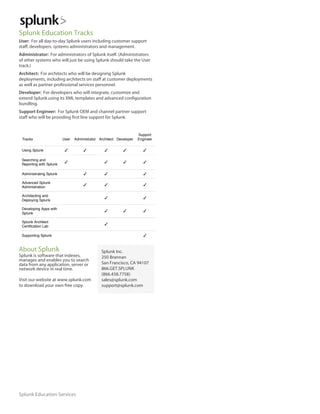
Splunk Education Tracks
User: For all day-to-day Splunk users including customer support
staff, developers, systems administrators and management.
Administrator: For administrators of Splunk itself. (Administrators
of other systems who will just be using Splunk should take the User
track.)
Architect: For architects who will be designing Splunk
deployments, including architects on staff at customer deployments
as well as partner professional services personnel.
Developer: For developers who will integrate, customize and
extend Splunk using its XML templates and advanced configuration
bundling.
Support Engineer: For Splunk OEM and channel partner support
staff who will be providing first line support for Splunk.
Tracks User Administrator Architect Developer
Support
Engineer
Using Splunk ✓ ✓ ✓ ✓ ✓
Searching and
Reporting with Splunk
✓ ✓ ✓ ✓
Administrating Splunk ✓ ✓ ✓
Advanced Splunk
Administration
✓ ✓ ✓
Architecting and
Deploying Splunk
✓ ✓
Developing Apps with
Splunk
✓ ✓ ✓
Splunk Architect
Certification Lab
✓
Supporting Splunk ✓
About Splunk
Splunk is software that indexes,
manages and enables you to search
data from any application, server or
network device in real time.
Visit our website at www.splunk.com
to download your own free copy.
Splunk Inc.
250 Brannan
San Francisco, CA 94107
866.GET.SPLUNK
(866.438.7758)
sales@splunk.com
support@splunk.com

Advanced Splunk Administration

  • 1.
    Splunk Education Services AdvancedSplunk 5.0 AdministrationThis nine hour course follows the Splunk Administration course. The focus in this class is the knowledge, best practices, and configuration details for Splunk administration in a medium to large deployment environment. In this class you will learn advanced input configuration options, Splunk's data processing flow, optimized indexing configurations, alternative authentication methods, security, and troubleshooting. Course Topics  Splunk hardware and topology options  Advanced use and configuration of Splunk forwarders  Splunk’s Deployment Server  Advanced data input options  Data inputs advanced configuration  Advanced configuration of Splunk data stores  Authentication  How and what to secure in Splunk  Where to get help Course Prerequisites  Using Splunk  Administrating Splunk Class Format Instructor-led lecture with labs. Delivered via virtual classroom or at your site. Course Objectives Lesson 1 – Hardware and Topology  Identify Splunk hardware recommendations  Explore Splunk topology recommendations  Describe distributed search and search head pooling Lesson 2 – Forwarders  Configure Splunk forwarders using outputs.conf  Configure load balancing  Secure and compress forwarder feeds and set cache size  Enable indexer acknowledgement  Leverage 3rd party systems Lesson 3 – Deployment Server  Understand Deployment Server terminology and topology  Use server classes to send custom config files to all types of Splunk installs  Configure deployment clients  Create and distribute deployment bundles Lesson 4 – Inputs  Use wildcards  Use whitelists and blacklists to limit monitor data inputs  Configure scripted inputs  Understand file system change monitoring Lesson 5 - Data Processing  Describe how data moves through Splunk  Understand default processing  Optimize and configure event line breaking  Explain how Splunk determines and assigns time zones  Use the Data Preview feature to configure a custom data input Lesson 6 - Event-level Data Transformations  Explain how data transformations are defined and invoked  Identify and explain how keys are used in transforms.conf  Dynamically set source type based on values  Automatically route events to an index based on values  Prevent unwanted events from being indexed  Mask data values within events Lesson 7 - Index Replication  Describe index replication  Define the terms: replication factor and search factor  Explain how data flows in a replicated environment  Explain what happens if an indexer goes off-line  Explain how to configure and deploy a cluster Lesson 8 - Authentication  Review native Splunk authentication  Use LDAP  Use Active Directory  Configure SSO Lesson 9 - Security  Identify what you can secure in Splunk  Understand SSL and Splunk  Learn about user group and index security  Identify and secure the audit log  Understand archive data signing Lesson 10 - Troubleshooting  Set specific internal logging levels  Identify and solve common issues  Learn how to get community help with Splunk  Understand how to contact Splunk Support
  • 2.
    Splunk Education Services SplunkEducation Tracks User: For all day-to-day Splunk users including customer support staff, developers, systems administrators and management. Administrator: For administrators of Splunk itself. (Administrators of other systems who will just be using Splunk should take the User track.) Architect: For architects who will be designing Splunk deployments, including architects on staff at customer deployments as well as partner professional services personnel. Developer: For developers who will integrate, customize and extend Splunk using its XML templates and advanced configuration bundling. Support Engineer: For Splunk OEM and channel partner support staff who will be providing first line support for Splunk. Tracks User Administrator Architect Developer Support Engineer Using Splunk ✓ ✓ ✓ ✓ ✓ Searching and Reporting with Splunk ✓ ✓ ✓ ✓ Administrating Splunk ✓ ✓ ✓ Advanced Splunk Administration ✓ ✓ ✓ Architecting and Deploying Splunk ✓ ✓ Developing Apps with Splunk ✓ ✓ ✓ Splunk Architect Certification Lab ✓ Supporting Splunk ✓ About Splunk Splunk is software that indexes, manages and enables you to search data from any application, server or network device in real time. Visit our website at www.splunk.com to download your own free copy. Splunk Inc. 250 Brannan San Francisco, CA 94107 866.GET.SPLUNK (866.438.7758) sales@splunk.com support@splunk.com