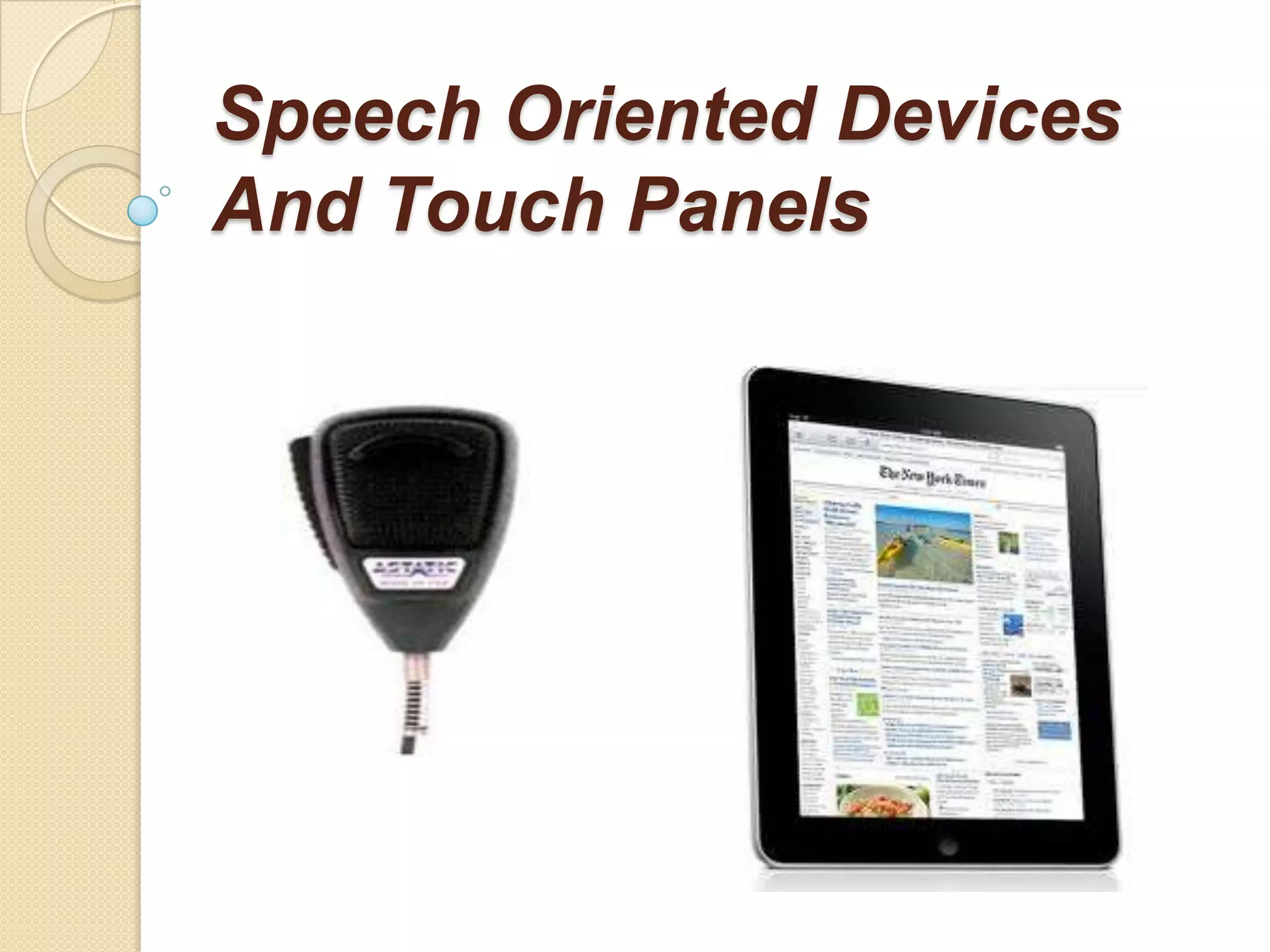
Speech Oriented Devices
And Touch Panels
What is touch screen??
A touchscreen is an electronic visual
 display that can detect the presence
 and location of a touch within the
 display area
Touch Panels
How does a touch screen work???
A basic touch screen has three main
   components:
   1 Touch sensor;
   2 Controller;
   3 Software driver.
   The touch screen is an input device, so
   it needs to be combined with a display
   and a PC or other device to make a
   complete touch input system
Touch panels
   A touch screen sensor is a clear glass
    panel with a touch responsive surface. The
    touch sensor/panel is placed over a display
    screen so that the responsive area of the
    panel covers the viewable area of the video
    screen.
Touch panels
   The sensor generally has an electrical
    current or signal going through it and
    touching the screen can cause a voltage or
    signal change. This change is used to
    determine the location of the touch to the
    screen.
Touch Screen Technology
 Resistive touch screen
 Capacitive touch screen
 Infrared touch screen
 Surface acoustic wave (SAW) touch
  screen
 Strain gauge touch screen
 Optical imaging touch screen
 Dispersive signal technology touch
  screen
RESISTIVE TOUCH SCREEN
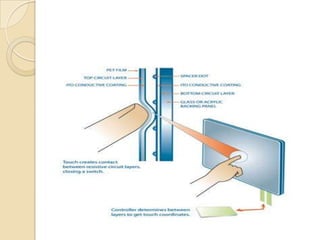
   The resistive system consists of a normal glass
    panel that is covered with a conductive and a
    resistive metallic layer. These two layers are held
    apart by spacers, and a scratch-resistant layer is
    placed on top of the whole setup.
    An electrical current runs through the two layers
    while the monitor is operational. When a user
    touches the screen, the two layers make contact in
    that exact spot.
    The change in the electrical field is noted and the
    coordinates of the point of contact are calculated
    by the computer.
    Once the coordinates are known, a special driver
    translates the touch into something that
    the operating system can understand, much as a
    computer mouse driver translates a mouse's
    movements into a click or a drag.
Capacitive Screen
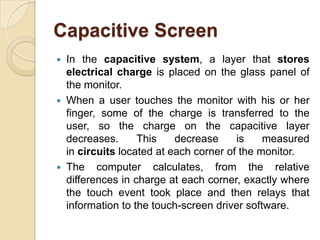
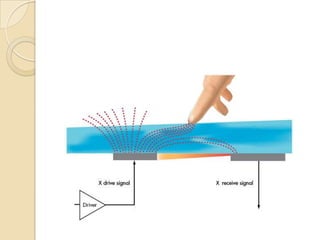
   In the capacitive system, a layer that stores
    electrical charge is placed on the glass panel of
    the monitor.
   When a user touches the monitor with his or her
    finger, some of the charge is transferred to the
    user, so the charge on the capacitive layer
    decreases.      This    decrease     is    measured
    in circuits located at each corner of the monitor.
   The computer calculates, from the relative
    differences in charge at each corner, exactly where
    the touch event took place and then relays that
    information to the touch-screen driver software.
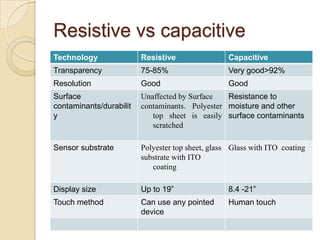
Resistive vs capacitive
Technology               Resistive                 Capacitive
Transparency             75-85%                    Very good>92%
Resolution               Good                      Good
Surface                  Unaffected by Surface   Resistance to
contaminants/durabilit   contaminants. Polyester moisture and other
y                           top sheet is easily surface contaminants
                            scratched

Sensor substrate         Polyester top sheet, glass Glass with ITO coating
                         substrate with ITO
                            coating

Display size             Up to 19”                 8.4 -21”
Touch method             Can use any pointed       Human touch
                         device
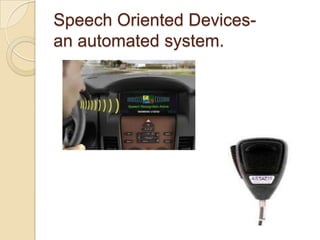
Speech Oriented Devices-
an automated system.
Categeries:
   Small-vocabulary/many-users
    These systems are ideal for
    automated telephone answering. The
    users can speak with a great deal of
    variation in accent and speech
    patterns, and the system will still
    understand them most of the time.
Large-vocabulary/limited-
users
  These systems work with a good
 degree of accuracy (85 percent or
 higher with an expert user) and have
 vocabularies in the tens of thousands.
Conversion of speech to on-
screen text or a computer
command:
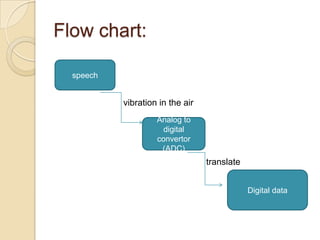
Flow chart:

    speech

             vibration in the air
                      Analog to
                        digital
                      convertor
                       (ADC)
                                    translate


                                                Digital data
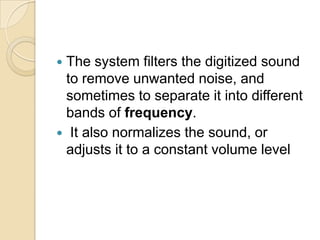
The system filters the digitized sound
 to remove unwanted noise, and
 sometimes to separate it into different
 bands of frequency.
 It also normalizes the sound, or
 adjusts it to a constant volume level
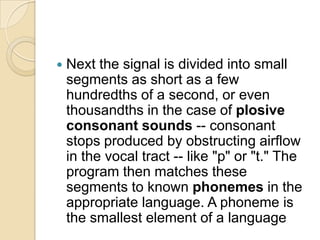
   Next the signal is divided into small
    segments as short as a few
    hundredths of a second, or even
    thousandths in the case of plosive
    consonant sounds -- consonant
    stops produced by obstructing airflow
    in the vocal tract -- like "p" or "t." The
    program then matches these
    segments to known phonemes in the
    appropriate language. A phoneme is
    the smallest element of a language
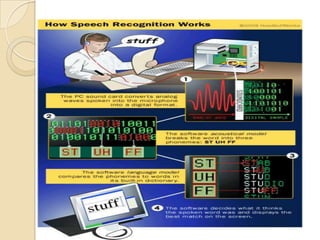
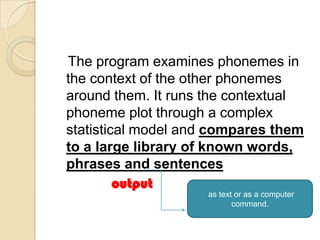
The program examines phonemes in
the context of the other phonemes
around them. It runs the contextual
phoneme plot through a complex
statistical model and compares them
to a large library of known words,
phrases and sentences
         output
                    as text or as a computer
                           command.
Weaknesses and Flaws:
 Low signal-to-noise ratio(quality of
  sound)
 Overlapping speech
 Intensive use of computer power
  (requires the computer's processor
  to do a lot of heavy work)
 Homonyms (have different
  meanings but sound the same.)

Speech oriented devices and touch panels

  • 1.
  • 2.
    What is touchscreen?? A touchscreen is an electronic visual display that can detect the presence and location of a touch within the display area
  • 3.
    Touch Panels How doesa touch screen work??? A basic touch screen has three main components: 1 Touch sensor; 2 Controller; 3 Software driver. The touch screen is an input device, so it needs to be combined with a display and a PC or other device to make a complete touch input system
  • 4.
    Touch panels  A touch screen sensor is a clear glass panel with a touch responsive surface. The touch sensor/panel is placed over a display screen so that the responsive area of the panel covers the viewable area of the video screen.
  • 5.
    Touch panels  The sensor generally has an electrical current or signal going through it and touching the screen can cause a voltage or signal change. This change is used to determine the location of the touch to the screen.
  • 6.
    Touch Screen Technology Resistive touch screen  Capacitive touch screen  Infrared touch screen  Surface acoustic wave (SAW) touch screen  Strain gauge touch screen  Optical imaging touch screen  Dispersive signal technology touch screen
  • 7.
    RESISTIVE TOUCH SCREEN  The resistive system consists of a normal glass panel that is covered with a conductive and a resistive metallic layer. These two layers are held apart by spacers, and a scratch-resistant layer is placed on top of the whole setup.  An electrical current runs through the two layers while the monitor is operational. When a user touches the screen, the two layers make contact in that exact spot.  The change in the electrical field is noted and the coordinates of the point of contact are calculated by the computer.  Once the coordinates are known, a special driver translates the touch into something that the operating system can understand, much as a computer mouse driver translates a mouse's movements into a click or a drag.
  • 9.
    Capacitive Screen  In the capacitive system, a layer that stores electrical charge is placed on the glass panel of the monitor.  When a user touches the monitor with his or her finger, some of the charge is transferred to the user, so the charge on the capacitive layer decreases. This decrease is measured in circuits located at each corner of the monitor.  The computer calculates, from the relative differences in charge at each corner, exactly where the touch event took place and then relays that information to the touch-screen driver software.
  • 11.
    Resistive vs capacitive Technology Resistive Capacitive Transparency 75-85% Very good>92% Resolution Good Good Surface Unaffected by Surface Resistance to contaminants/durabilit contaminants. Polyester moisture and other y top sheet is easily surface contaminants scratched Sensor substrate Polyester top sheet, glass Glass with ITO coating substrate with ITO coating Display size Up to 19” 8.4 -21” Touch method Can use any pointed Human touch device
  • 12.
    Speech Oriented Devices- anautomated system.
  • 13.
    Categeries:  Small-vocabulary/many-users These systems are ideal for automated telephone answering. The users can speak with a great deal of variation in accent and speech patterns, and the system will still understand them most of the time.
  • 14.
    Large-vocabulary/limited- users Thesesystems work with a good degree of accuracy (85 percent or higher with an expert user) and have vocabularies in the tens of thousands.
  • 15.
    Conversion of speechto on- screen text or a computer command:
  • 16.
    Flow chart:  speech  vibration in the air Analog to digital convertor (ADC) translate Digital data
  • 17.
    The system filtersthe digitized sound to remove unwanted noise, and sometimes to separate it into different bands of frequency.  It also normalizes the sound, or adjusts it to a constant volume level
  • 18.
    Next the signal is divided into small segments as short as a few hundredths of a second, or even thousandths in the case of plosive consonant sounds -- consonant stops produced by obstructing airflow in the vocal tract -- like "p" or "t." The program then matches these segments to known phonemes in the appropriate language. A phoneme is the smallest element of a language
  • 20.
    The program examinesphonemes in the context of the other phonemes around them. It runs the contextual phoneme plot through a complex statistical model and compares them to a large library of known words, phrases and sentences output as text or as a computer command.
  • 21.
    Weaknesses and Flaws: Low signal-to-noise ratio(quality of sound)  Overlapping speech  Intensive use of computer power (requires the computer's processor to do a lot of heavy work)  Homonyms (have different meanings but sound the same.)