Numerical Methods For Engineers
Lecture 5: Solving of Simultaneous Linear Equations
in Matlab
By
MD Irfan Ali
Thermal & Aerospace Program
School of Mechanical Chemical & Materials
Engineering
1
Contents
1) Introduction to Matlab environment.
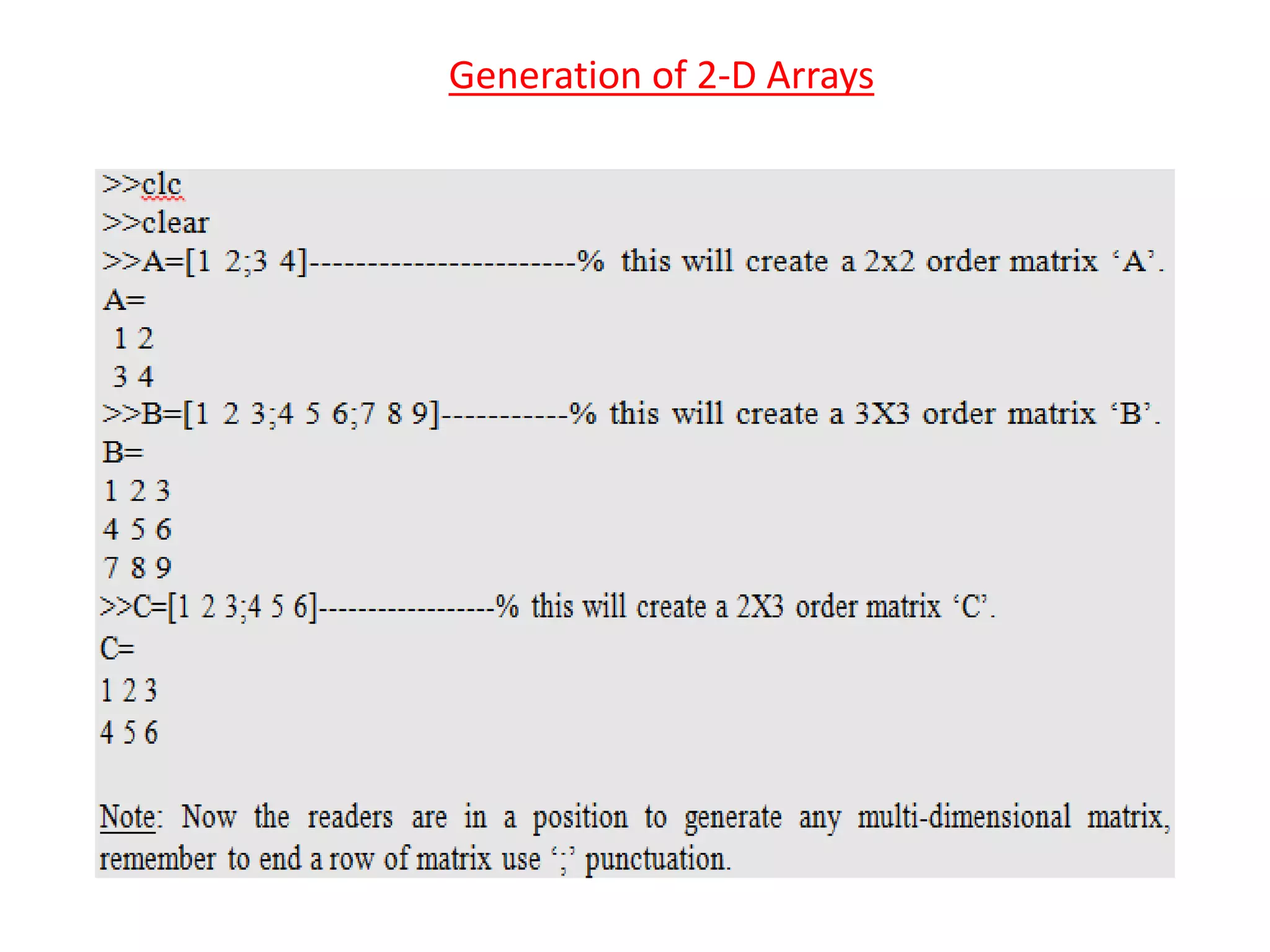
2) Introduction to generation of matrices in Matlab.
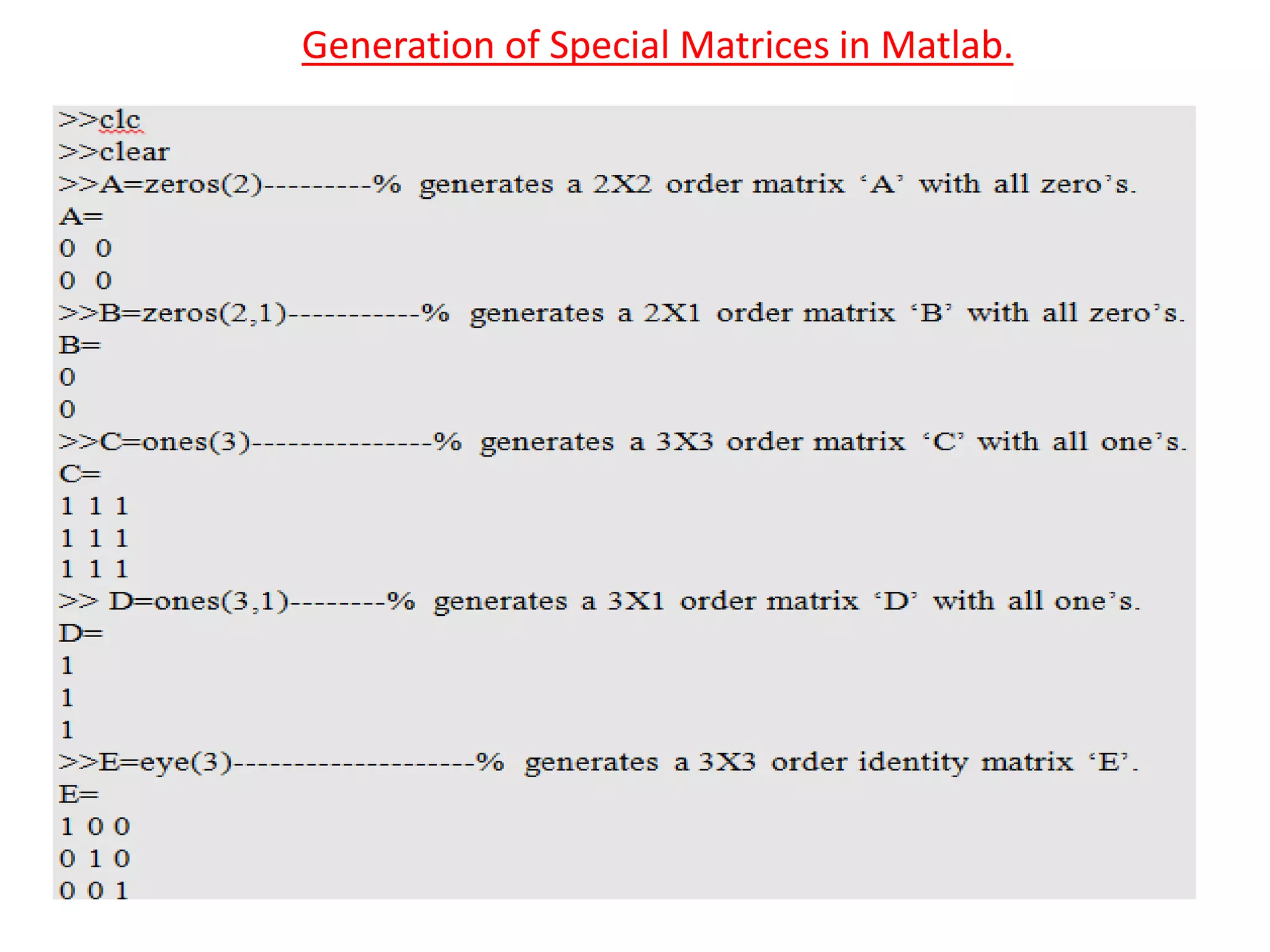
3) Generation of special matrices.
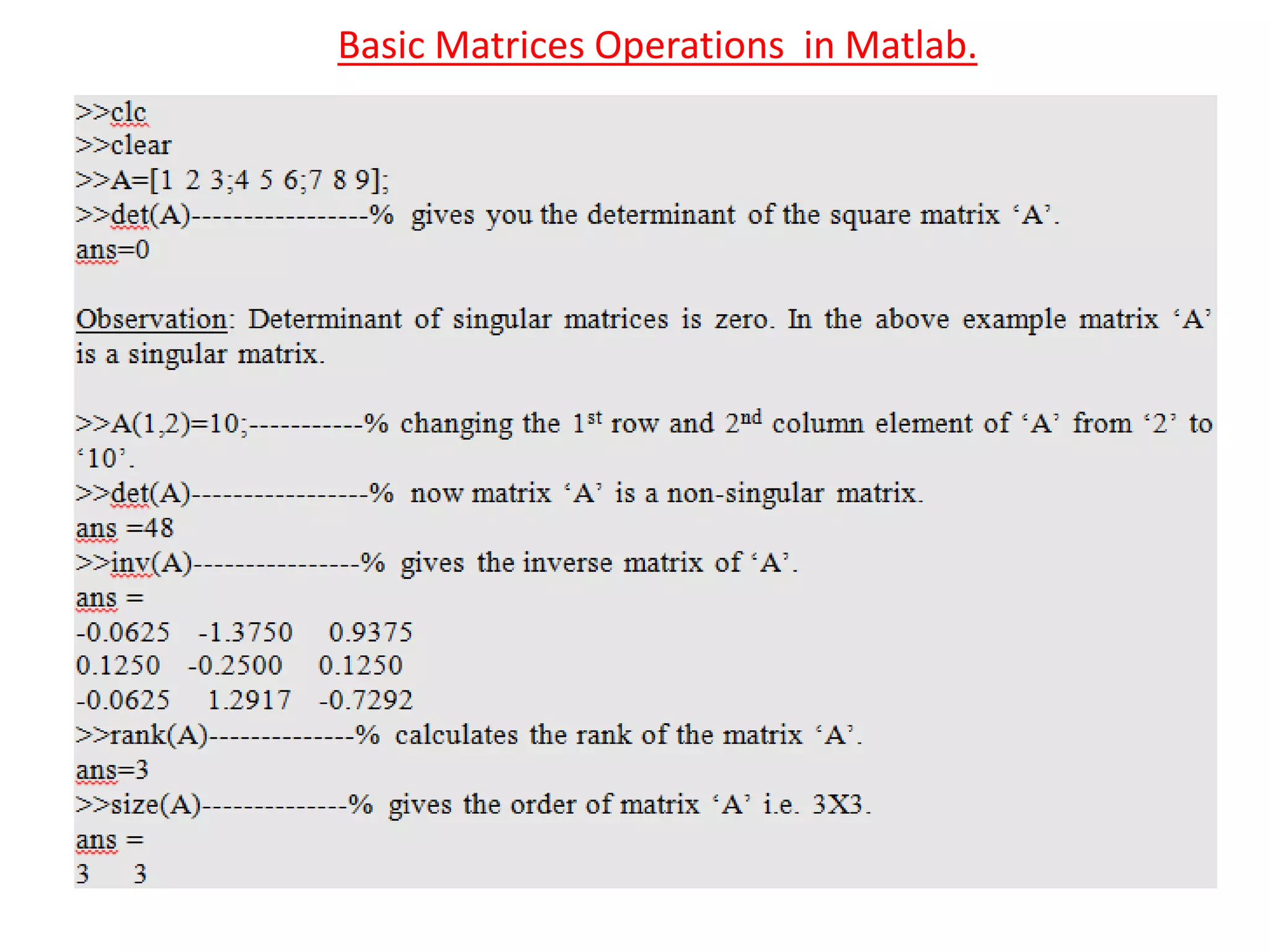
4) Basic Matrix operations.
5) Solving of system of linear equations in Matlab.
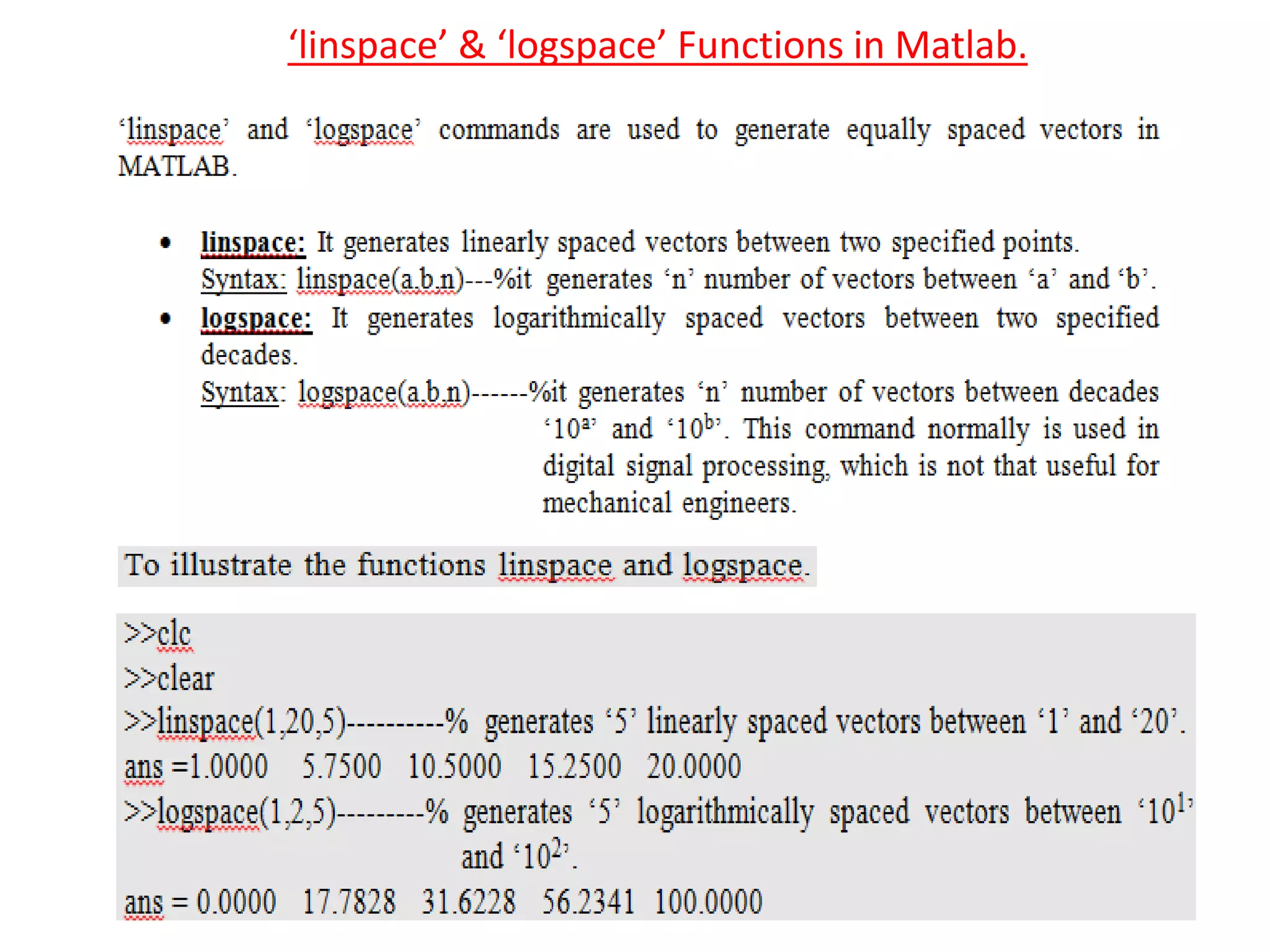
6) Usage of ‘linspace’ and ‘logspace’ commands.
‘help’ and ‘doc’ commands
‘help’ command: Provides help for the MATLAB functions in the command
window.
‘doc’ command: Opens reference page in help browser for the MATLAB
functions.
3
Commands For Managing Command Window And
Workspace Window
‘clc’ command: This command clears command window screen.
‘clear’ command: This command removes all the variables from the
workspace window and frees up the system memory.
‘who’ command: This command lists in alphabetical order all the variables in
the currently active workspace window.
‘whos’ command: This command lists in alphabetical order all the variables
in the currently active workspace window along with their size and type.
4
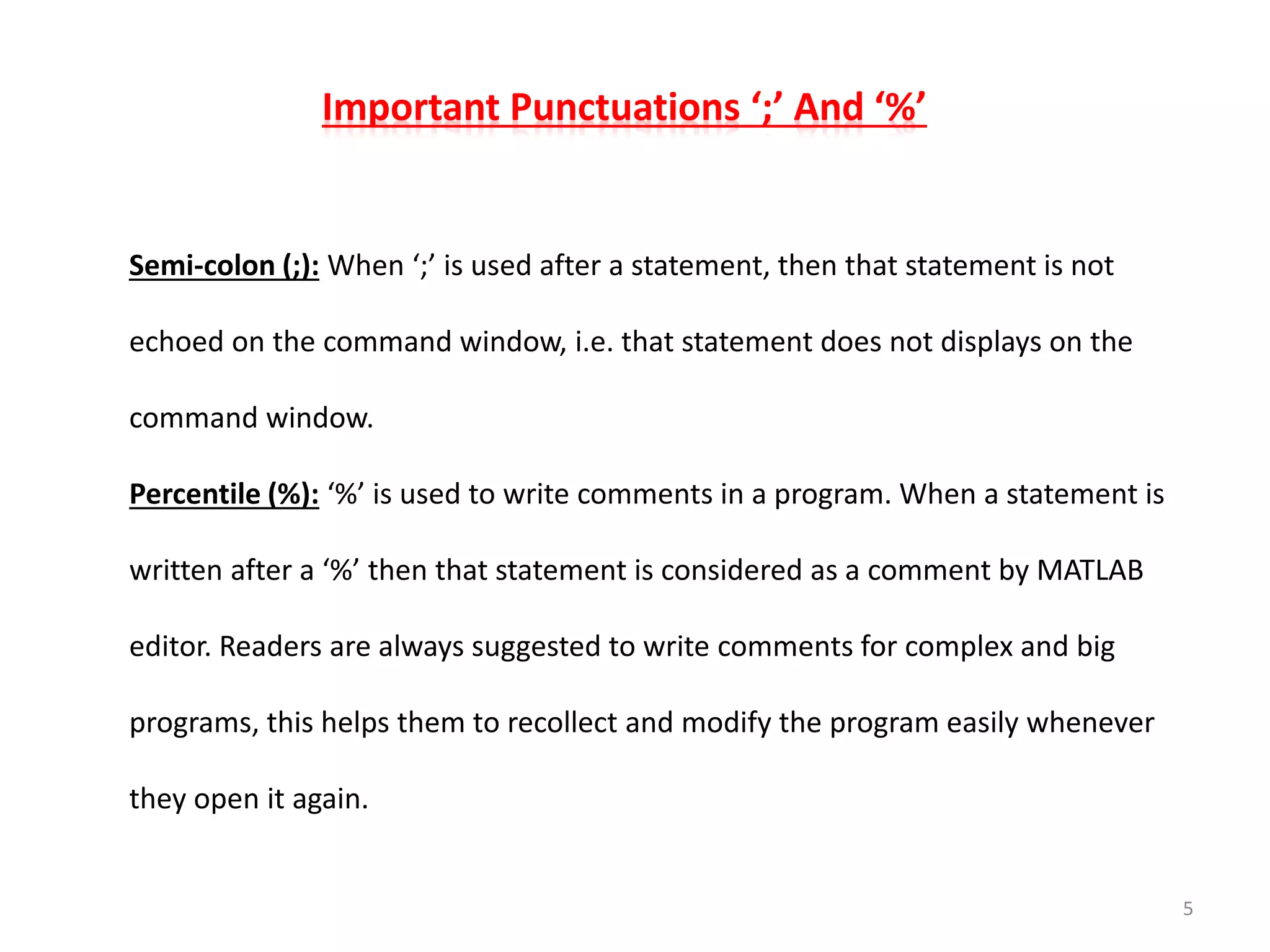
Important Punctuations ‘;’ And ‘%’
Semi-colon (;): When ‘;’ is used after a statement, then that statement is not
echoed on the command window, i.e. that statement does not displays on the
command window.
Percentile (%): ‘%’ is used to write comments in a program. When a statement is
written after a ‘%’ then that statement is considered as a comment by MATLAB
editor. Readers are always suggested to write comments for complex and big
programs, this helps them to recollect and modify the program easily whenever
they open it again.
5
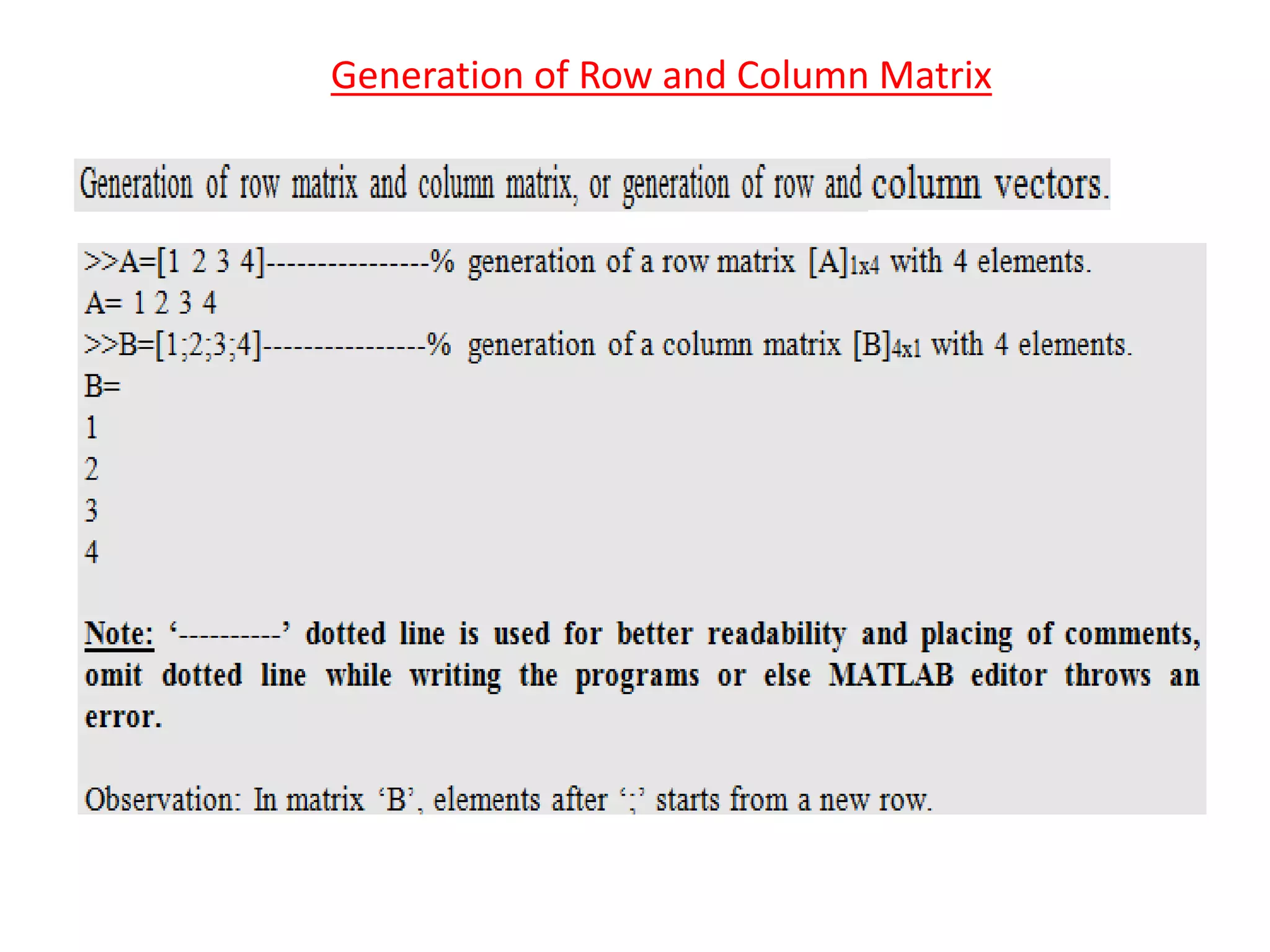
Generation of Row and Column Matrix
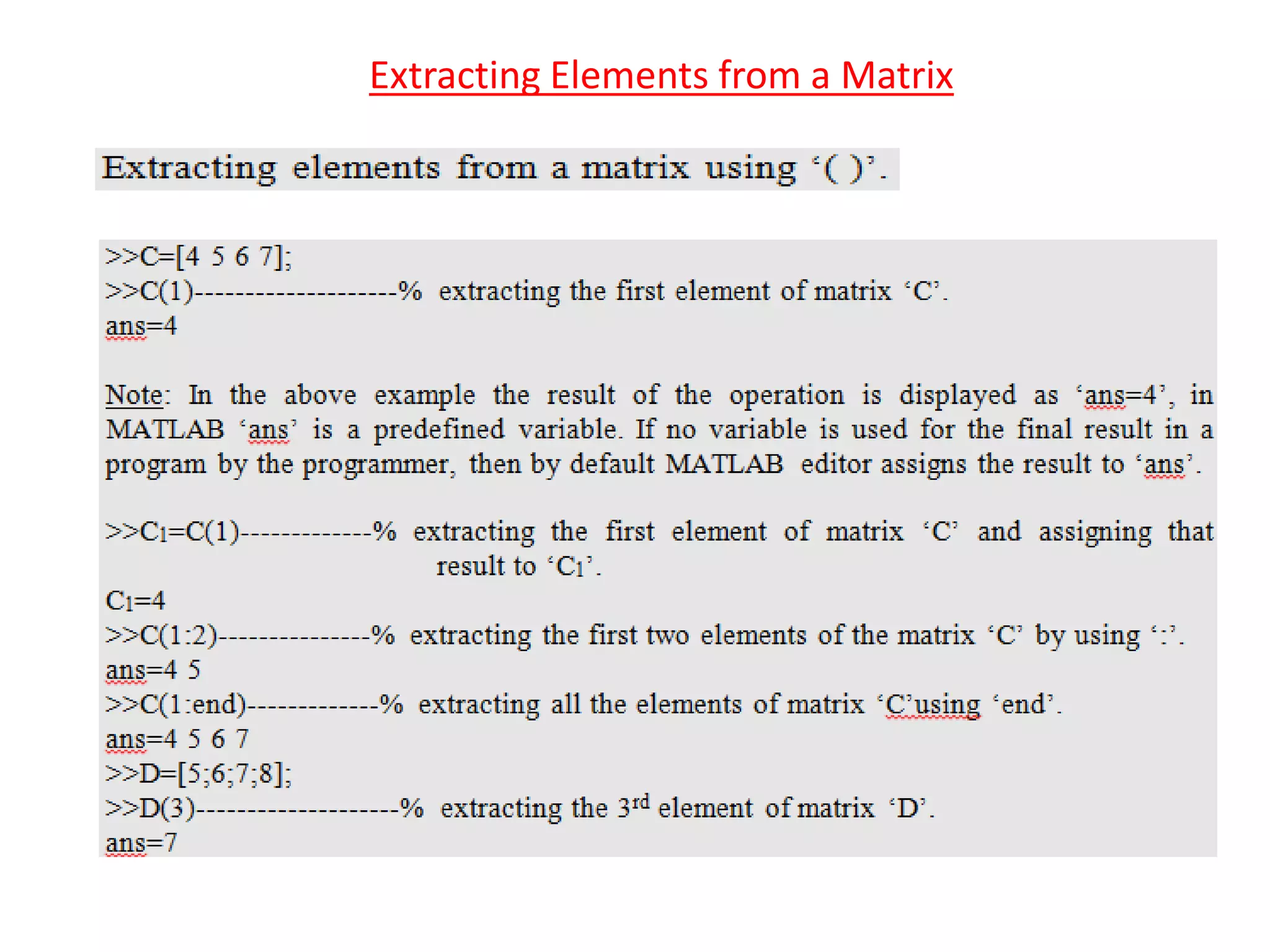
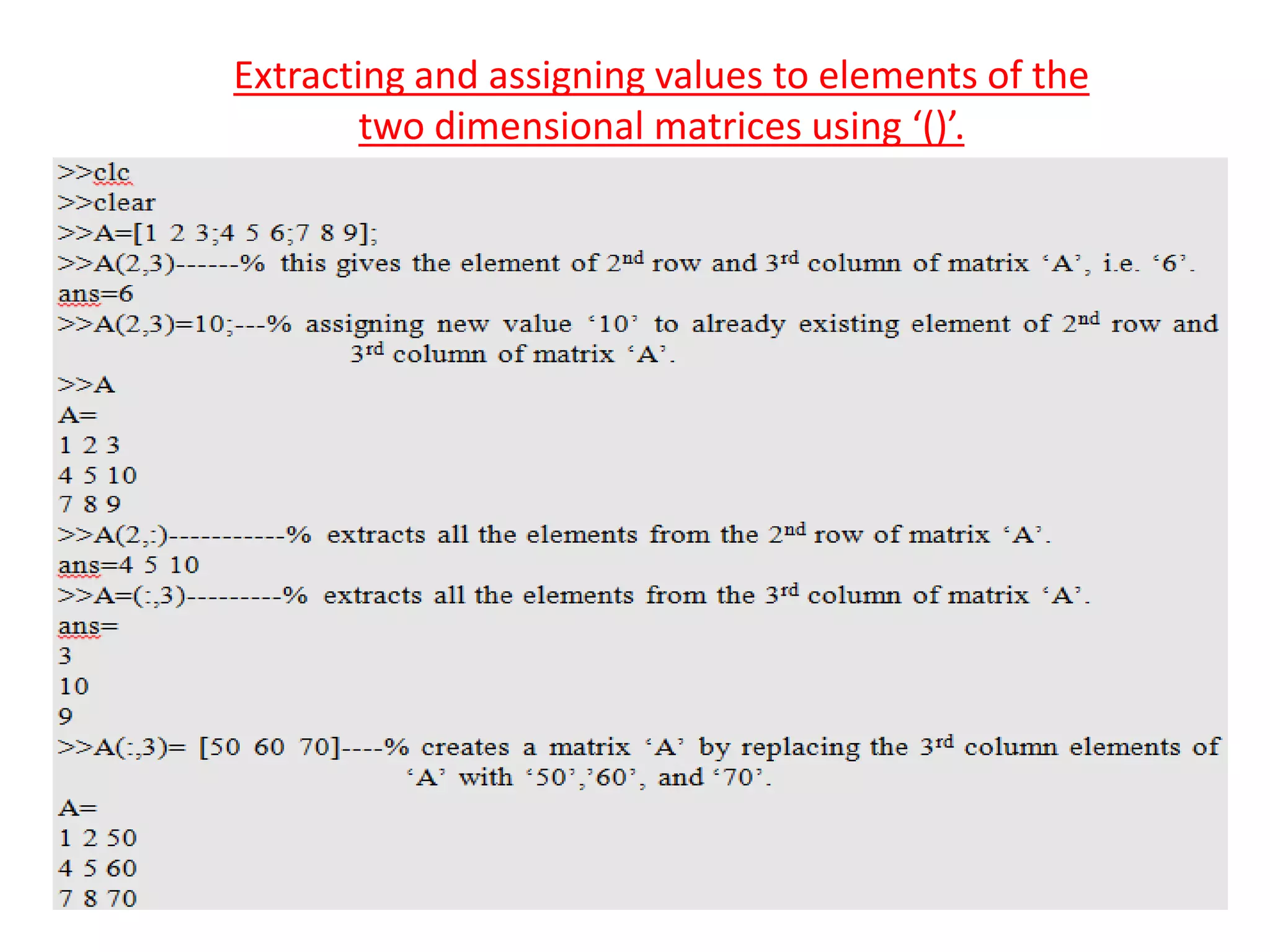
Extracting Elements from a Matrix
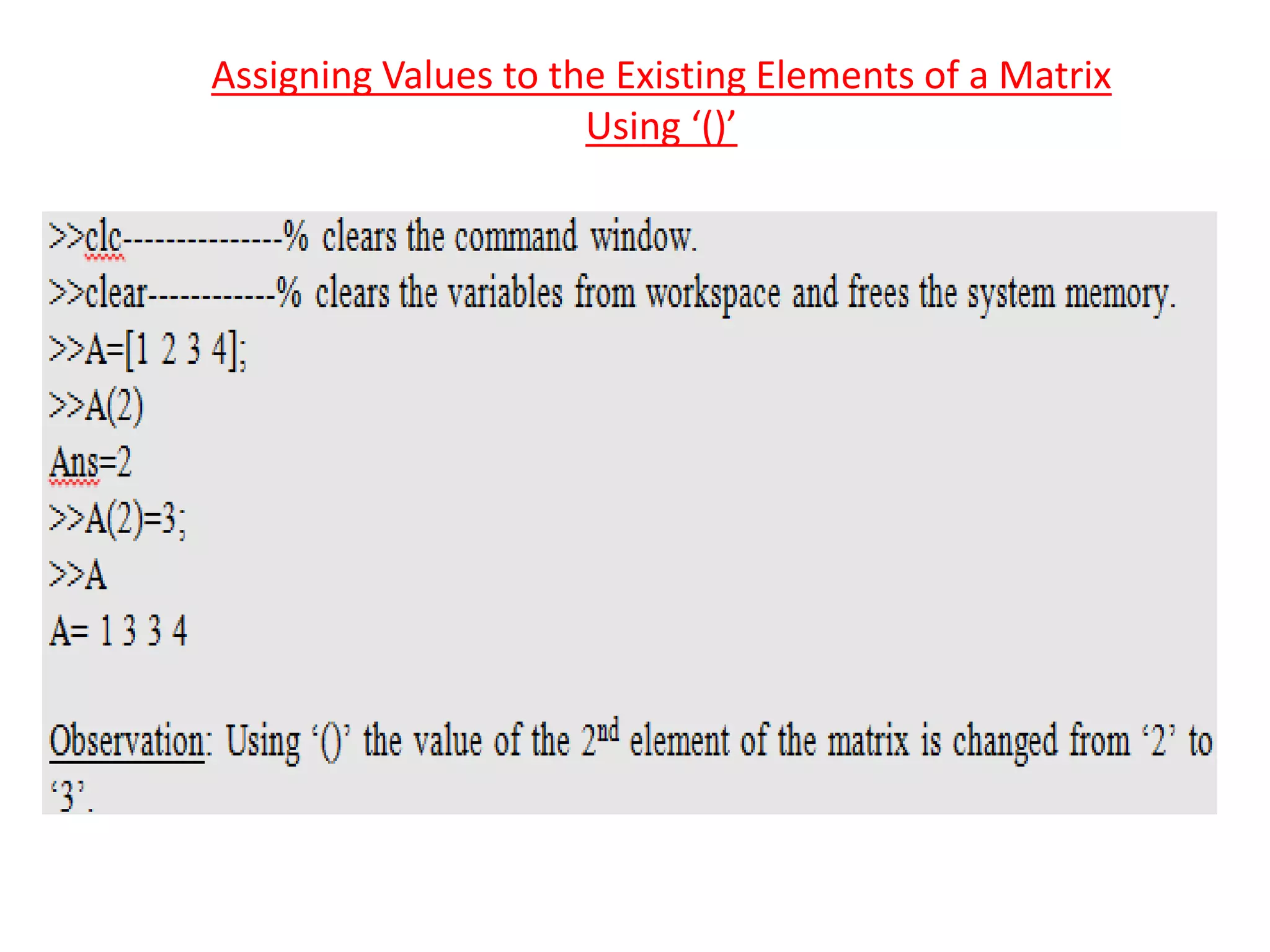
Assigning Values to the Existing Elements of a Matrix
Using ‘()’
Generation of 2-D Arrays
Extracting and assigning values to elements of the
two dimensional matrices using ‘()’.
Generation of Special Matrices in Matlab.
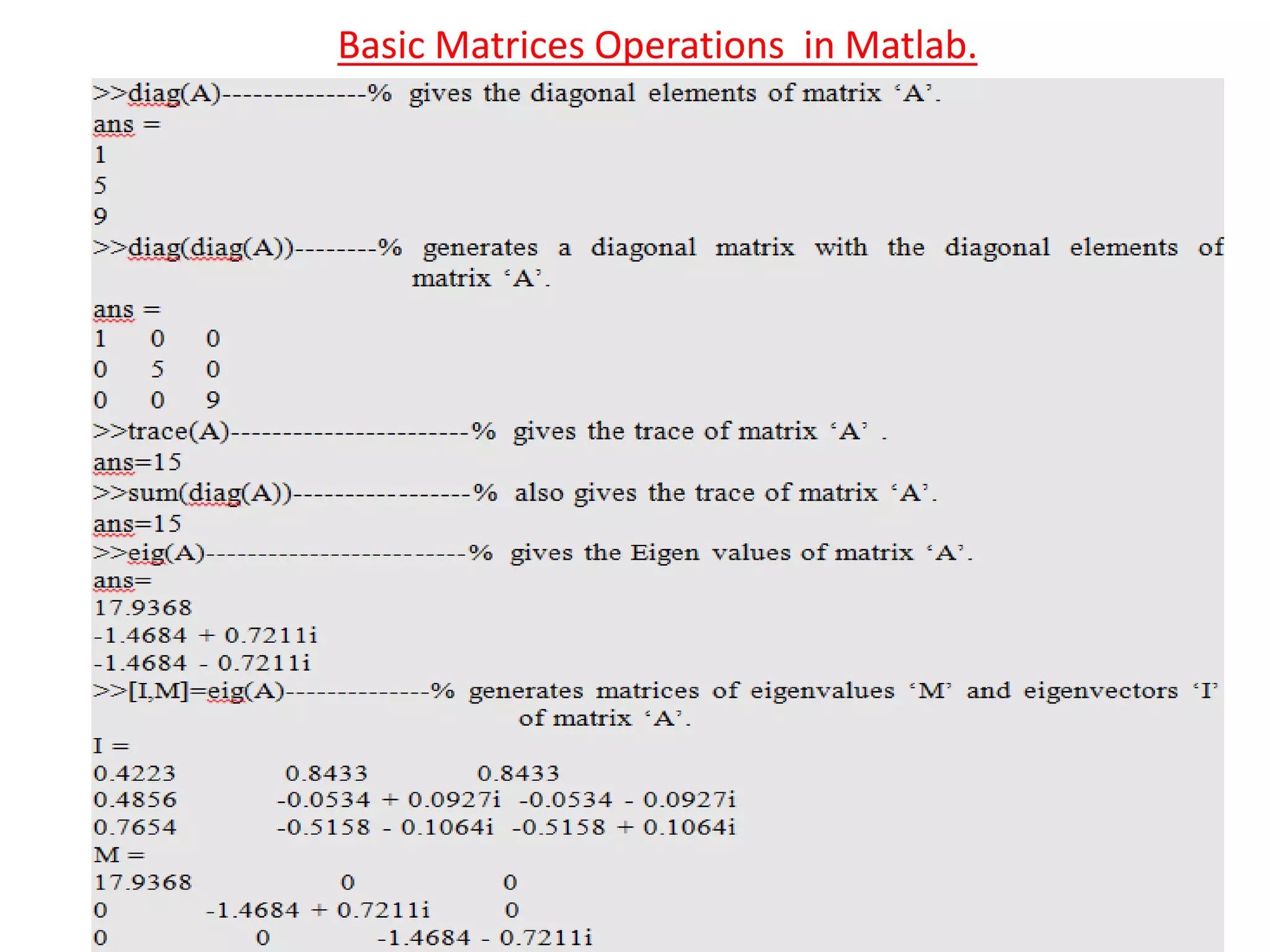
Basic Matrices Operations in Matlab.
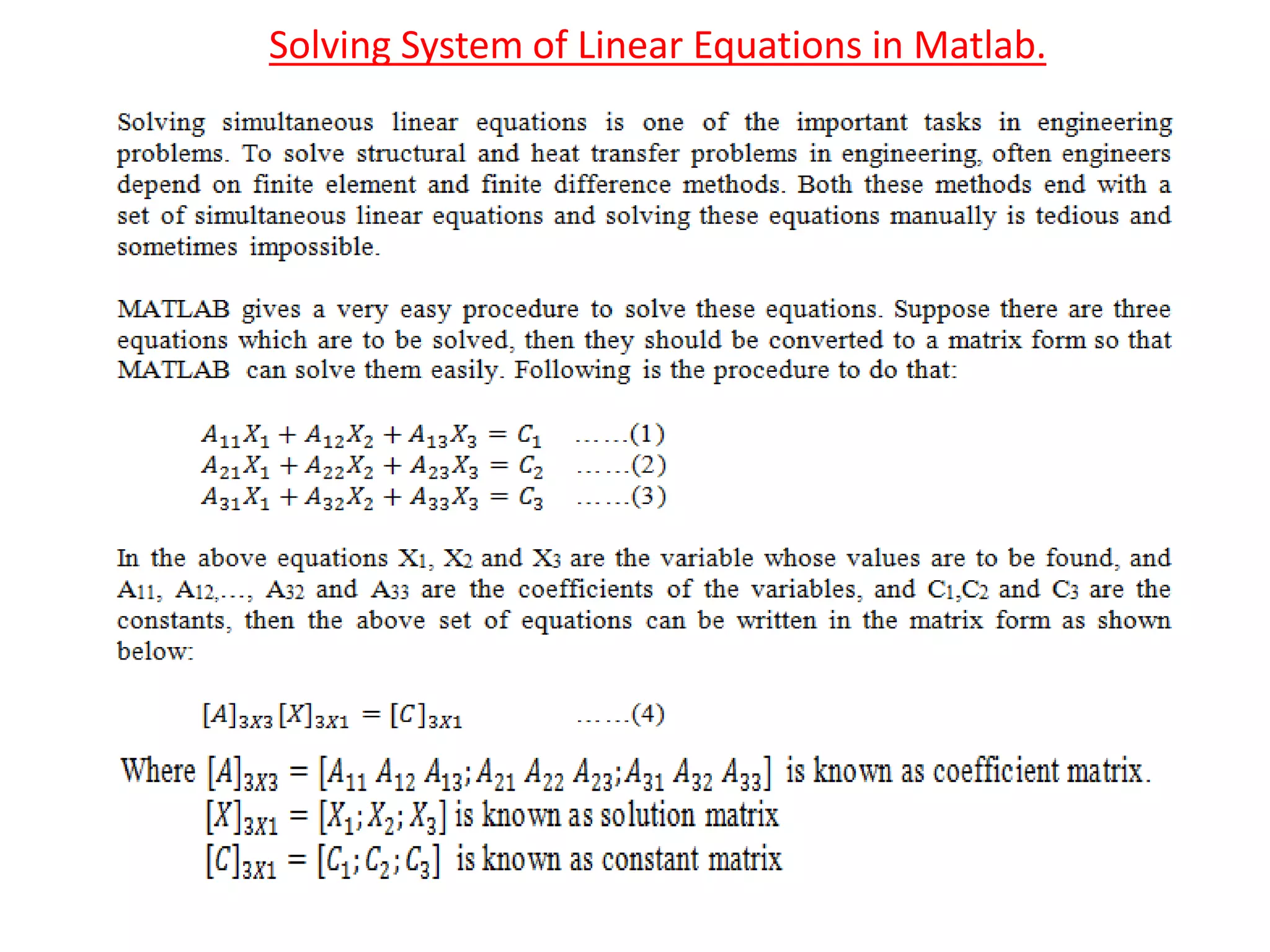
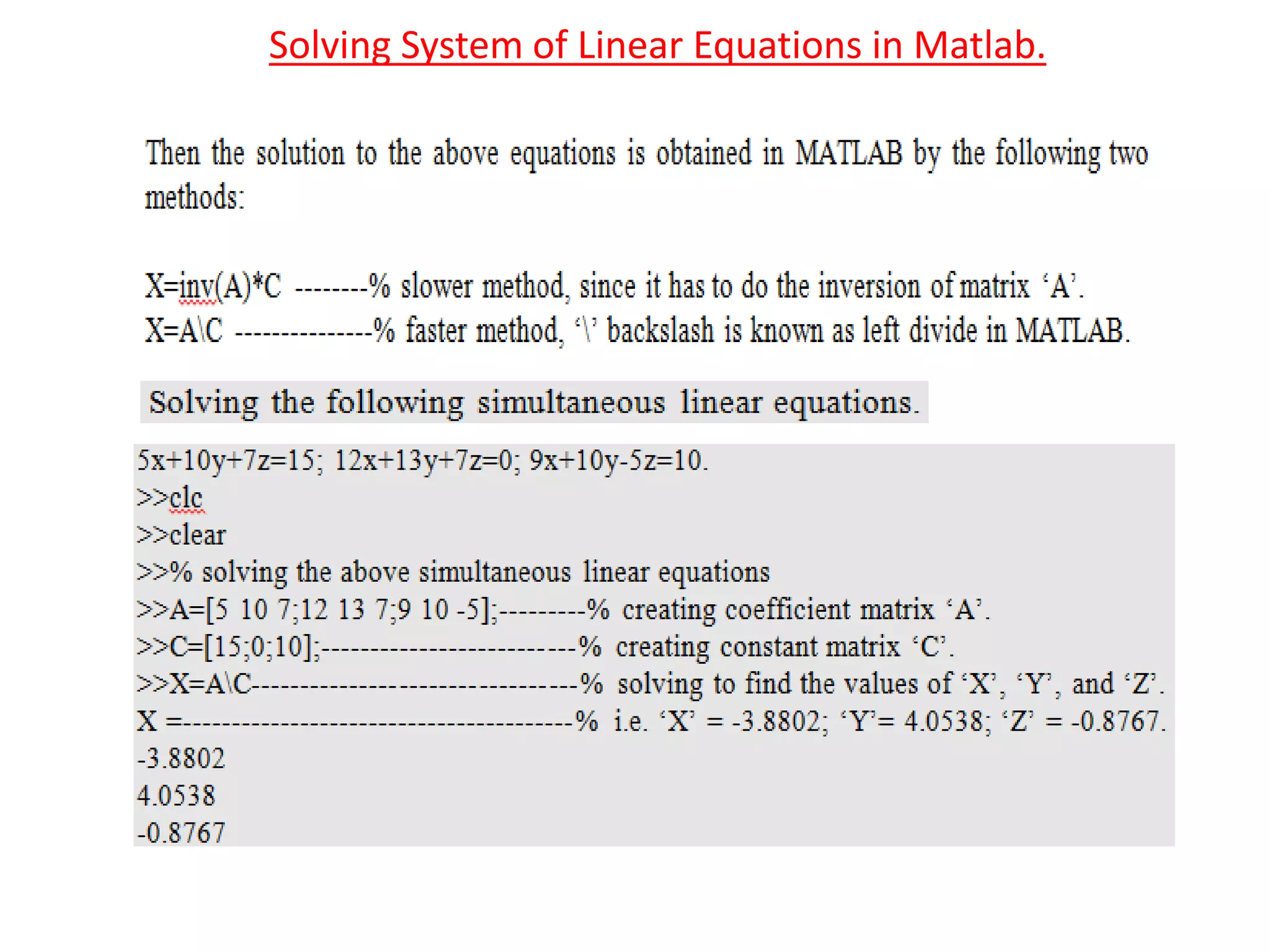
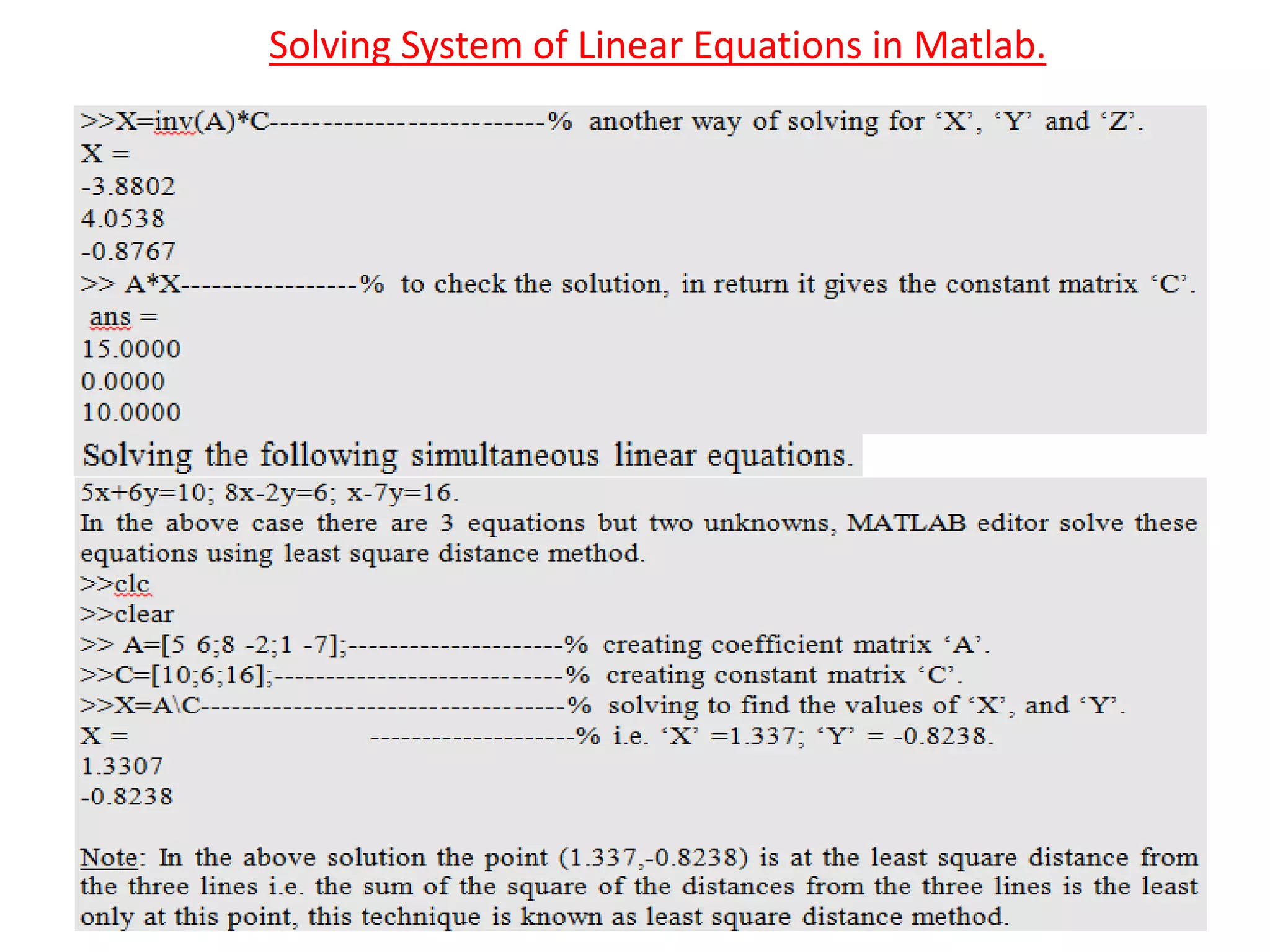
Solving System of Linear Equations in Matlab.
‘linspace’ & ‘logspace’ Functions in Matlab.
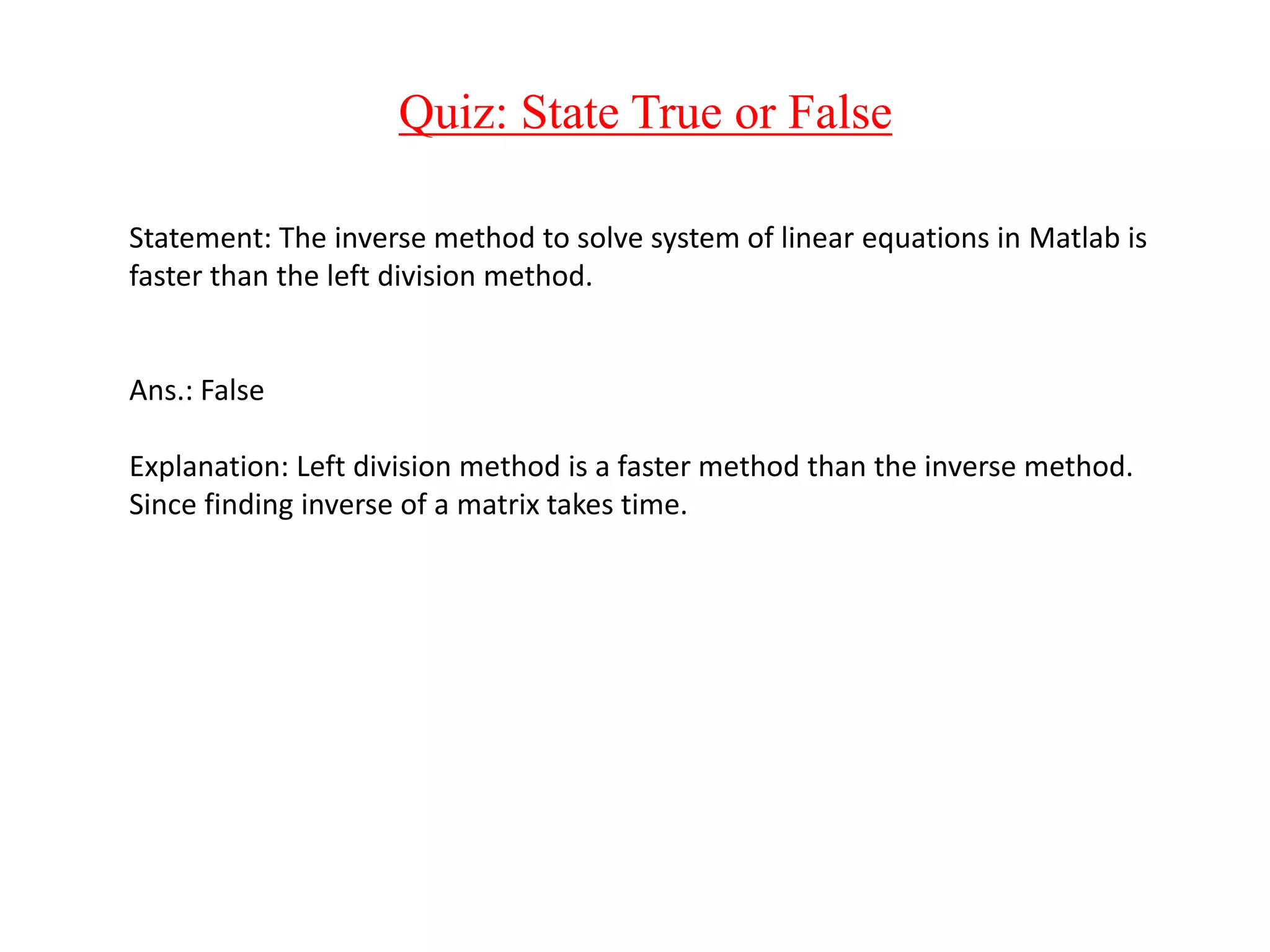
Quiz: State True or False
Statement: The inverse method to solve system of linear equations in Matlab is
faster than the left division method.
Ans.: False
Explanation: Left division method is a faster method than the inverse method.
Since finding inverse of a matrix takes time.
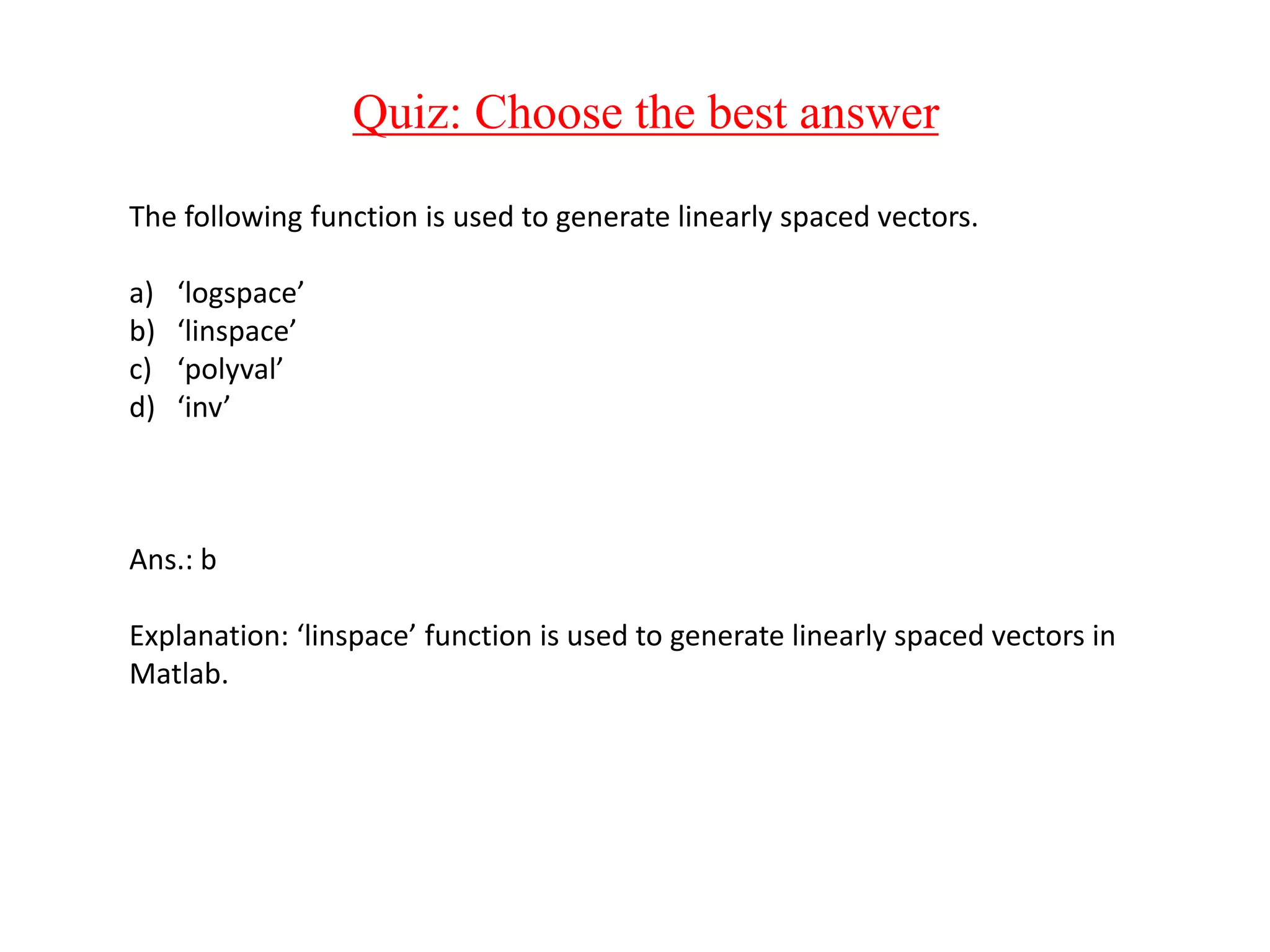
Quiz: Choose the best answer
The following function is used to generate linearly spaced vectors.
a) ‘logspace’
b) ‘linspace’
c) ‘polyval’
d) ‘inv’
Ans.: b
Explanation: ‘linspace’ function is used to generate linearly spaced vectors in
Matlab.
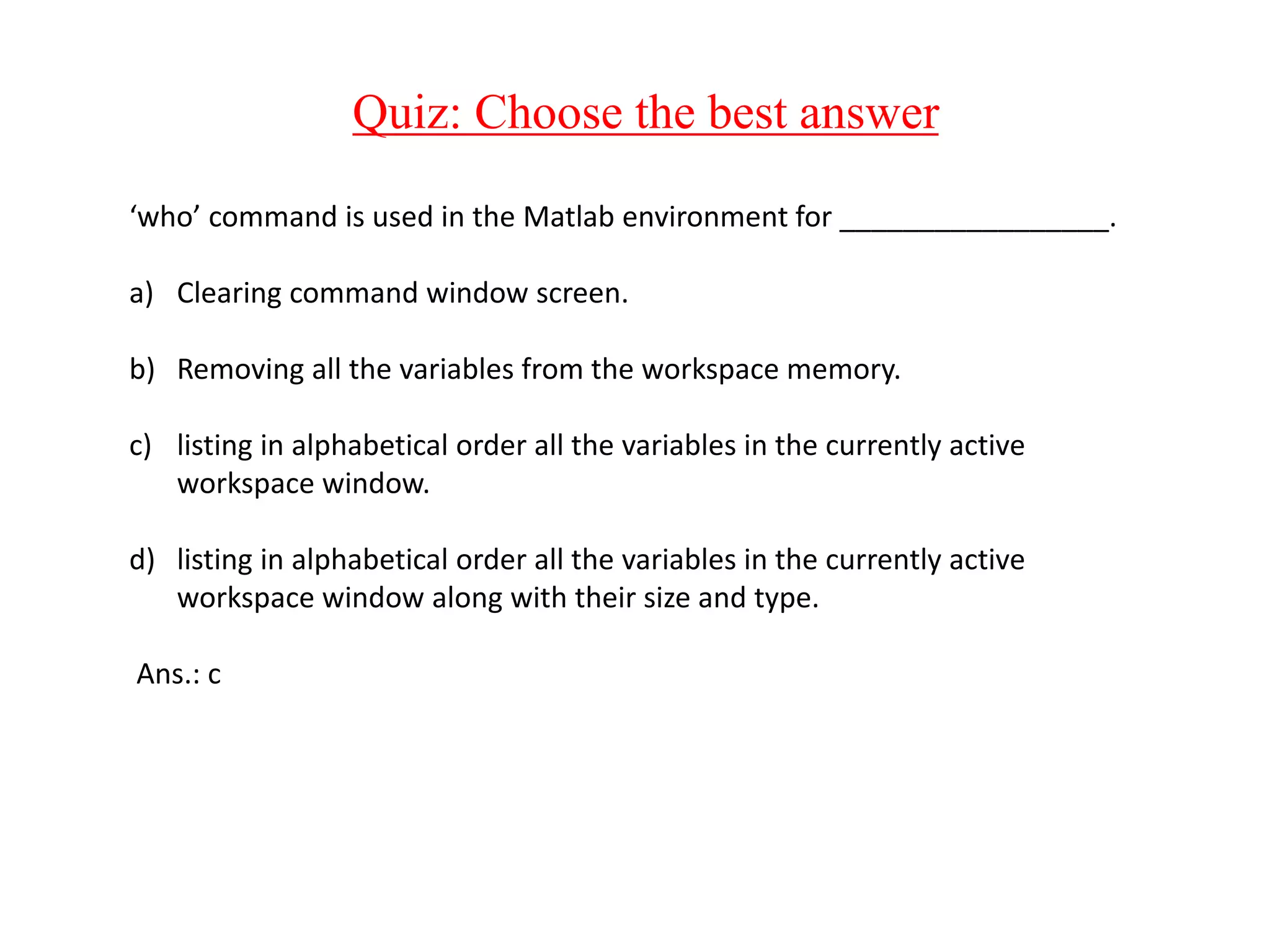
Quiz: Choose the best answer
‘who’ command is used in the Matlab environment for _________________.
a) Clearing command window screen.
b) Removing all the variables from the workspace memory.
c) listing in alphabetical order all the variables in the currently active
workspace window.
d) listing in alphabetical order all the variables in the currently active
workspace window along with their size and type.
Ans.: c
Summary
1) Introduction to Matlab environment.
2) Introduction to generation of matrices in Matlab.
3) Generation of special matrices.
4) Basic Matrix operations.
5) Solving of system of linear equations in Matlab.
6) Usage of ‘linspace’ and ‘logspace’ commands.

Solving Simultaneous Linear Equations-1.pptx

  • 1.
    Numerical Methods ForEngineers Lecture 5: Solving of Simultaneous Linear Equations in Matlab By MD Irfan Ali Thermal & Aerospace Program School of Mechanical Chemical & Materials Engineering 1
  • 2.
    Contents 1) Introduction toMatlab environment. 2) Introduction to generation of matrices in Matlab. 3) Generation of special matrices. 4) Basic Matrix operations. 5) Solving of system of linear equations in Matlab. 6) Usage of ‘linspace’ and ‘logspace’ commands.
  • 3.
    ‘help’ and ‘doc’commands ‘help’ command: Provides help for the MATLAB functions in the command window. ‘doc’ command: Opens reference page in help browser for the MATLAB functions. 3
  • 4.
    Commands For ManagingCommand Window And Workspace Window ‘clc’ command: This command clears command window screen. ‘clear’ command: This command removes all the variables from the workspace window and frees up the system memory. ‘who’ command: This command lists in alphabetical order all the variables in the currently active workspace window. ‘whos’ command: This command lists in alphabetical order all the variables in the currently active workspace window along with their size and type. 4
  • 5.
    Important Punctuations ‘;’And ‘%’ Semi-colon (;): When ‘;’ is used after a statement, then that statement is not echoed on the command window, i.e. that statement does not displays on the command window. Percentile (%): ‘%’ is used to write comments in a program. When a statement is written after a ‘%’ then that statement is considered as a comment by MATLAB editor. Readers are always suggested to write comments for complex and big programs, this helps them to recollect and modify the program easily whenever they open it again. 5
  • 6.
    Generation of Rowand Column Matrix
  • 7.
  • 8.
    Assigning Values tothe Existing Elements of a Matrix Using ‘()’
  • 9.
  • 10.
    Extracting and assigningvalues to elements of the two dimensional matrices using ‘()’.
  • 11.
    Generation of SpecialMatrices in Matlab.
  • 12.
  • 13.
  • 14.
    Solving System ofLinear Equations in Matlab.
  • 15.
    Solving System ofLinear Equations in Matlab.
  • 16.
    Solving System ofLinear Equations in Matlab.
  • 17.
    ‘linspace’ & ‘logspace’Functions in Matlab.
  • 18.
    Quiz: State Trueor False Statement: The inverse method to solve system of linear equations in Matlab is faster than the left division method. Ans.: False Explanation: Left division method is a faster method than the inverse method. Since finding inverse of a matrix takes time.
  • 19.
    Quiz: Choose thebest answer The following function is used to generate linearly spaced vectors. a) ‘logspace’ b) ‘linspace’ c) ‘polyval’ d) ‘inv’ Ans.: b Explanation: ‘linspace’ function is used to generate linearly spaced vectors in Matlab.
  • 20.
    Quiz: Choose thebest answer ‘who’ command is used in the Matlab environment for _________________. a) Clearing command window screen. b) Removing all the variables from the workspace memory. c) listing in alphabetical order all the variables in the currently active workspace window. d) listing in alphabetical order all the variables in the currently active workspace window along with their size and type. Ans.: c
  • 21.
    Summary 1) Introduction toMatlab environment. 2) Introduction to generation of matrices in Matlab. 3) Generation of special matrices. 4) Basic Matrix operations. 5) Solving of system of linear equations in Matlab. 6) Usage of ‘linspace’ and ‘logspace’ commands.