Social Media Strategy.

                         It’s all in the planning
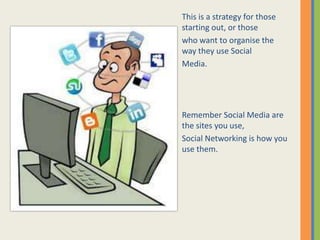
This is a strategy for those
starting out, or those
who want to organise the
way they use Social
Media.


Remember Social Media are
the sites you use,
Social Networking is how you
use them.
1


2


3


    Why do I need
4
     Social
     Media?
5
    Pick 5 top reasons you need Social Media
1


2


3


4
    Who are my
     audience?
    Pick 5 top audience groups (There may only
5        be one)
1


2


3


4
    What do I
     want to
5    tell them?
    Pick 5 top Messages you want to get out
1


2


3


4
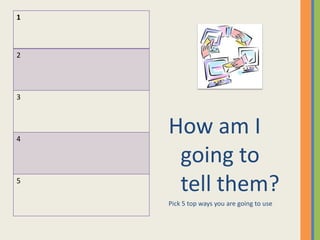
    How am I
     going to
5
     tell them?
    Pick 5 top ways you are going to use
1


2


3


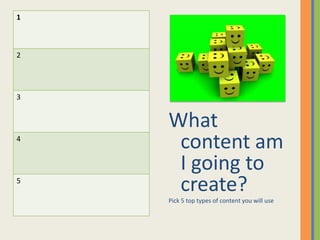
    What
4
     content am
     I going to
5
     create?
    Pick 5 top types of content you will use
1


2


3


4
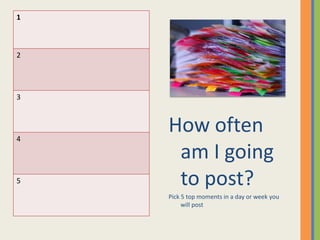
    How often
     am I going
5    to post?
    Pick 5 top moments in a day or week you
         will post
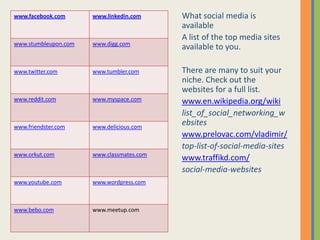
www.facebook.com      www.linkedin.com     What social media is
                                           available
                                           A list of the top media sites
www.stumbleupon.com   www.digg.com
                                           available to you.

www.twitter.com       www.tumbler.com      There are many to suit your
                                           niche. Check out the
                                           websites for a full list.
www.reddit.com        www.myspace.com      www.en.wikipedia.org/wiki
                                           list_of_social_networking_w
www.friendster.com    www.delicious.com
                                           ebsites
                                           www.prelovac.com/vladimir/
                                           top-list-of-social-media-sites
www.orkut.com         www.classmates.com
                                           www.traffikd.com/
                                           social-media-websites
www.youtube.com       www.wordpress.com


www.bebo.com          www.meetup.com
1


2


3


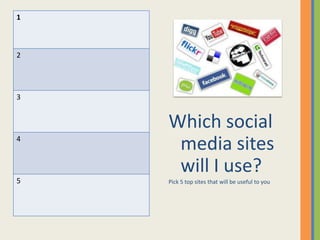
    Which social
4
     media sites
     will I use?
5   Pick 5 top sites that will be useful to you
How am I going to
                                   measure the impact
                                   Tools available to
                                   measure impact


Again there are many tools available – here are some.
              Insight (within facebook)
                   Google Analytics
                    Google Alerts
                     Feedburner
                       Backtype
                     Sproutsocial
                   Blog Comments
          Number of fans/likes/visitors etc.
                    Tweetburner
                Keyword rank checker
1


2


3


    Which tools am I
4    going to use to
    measure my success
    Pick 5 top tools. (You may only decide
5       to use one)
1


2


3


    Who is
4    responsible
     for my Social
5   Neworking?
    Pick the person/people taking responsibilitye)
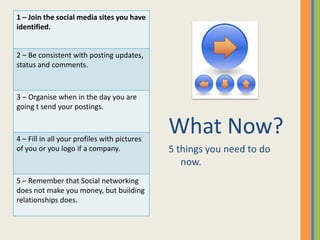
1 – Join the social media sites you have
identified.


2 – Be consistent with posting updates,
status and comments.


3 – Organise when in the day you are
going t send your postings.


4 – Fill in all your profiles with pictures
                                              What Now?
of you or you logo if a company.              5 things you need to do
                                                 now.
5 – Remember that Social networking
does not make you money, but building
relationships does.
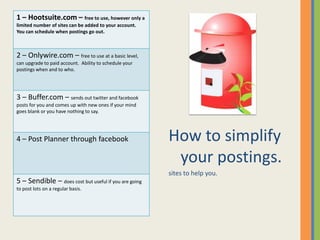
1 – Hootsuite.com – free to use, however only a
limited number of sites can be added to your account.
You can schedule when postings go out.


2 – Onlywire.com – free to use at a basic level,
can upgrade to paid account. Ability to schedule your
postings when and to who.


3 – Buffer.com – sends out twitter and facebook
posts for you and comes up with new ones if your mind
goes blank or you have nothing to say.


4 – Post Planner through facebook                       How to simplify
                                                         your postings.
                                                        sites to help you.
5 – Sendible – does cost but useful if you are going
to post lots on a regular basis.
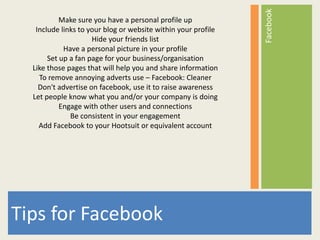
Facebook
           Make sure you have a personal profile up
   Include links to your blog or website within your profile
                     Hide your friends list
            Have a personal picture in your profile
       Set up a fan page for your business/organisation
  Like those pages that will help you and share information
    To remove annoying adverts use – Facebook: Cleaner
    Don't advertise on facebook, use it to raise awareness
  Let people know what you and/or your company is doing
           Engage with other users and connections
              Be consistent in your engagement
    Add Facebook to your Hootsuit or equivalent account


Tips for Facebook
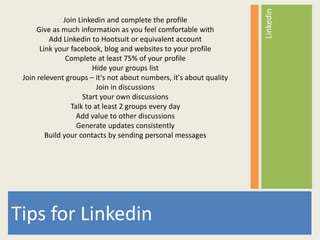
Linkedin
               Join Linkedin and complete the profile
      Give as much information as you feel comfortable with
          Add Linkedin to Hootsuit or equivalent account
       Link your facebook, blog and websites to your profile
                Complete at least 75% of your profile
                        Hide your groups list
 Join relevent groups – it's not about numbers, it's about quality
                          Join in discussions
                     Start your own discussions
                 Talk to at least 2 groups every day
                   Add value to other discussions
                   Generate updates consistently
         Build your contacts by sending personal messages


Tips for Linkedin
Blogs
                        Tips for Blogs
                    Set up your blog sites
     Decide on the subject you are going to blog about
            Be consistent with new information
           Give added value within your articles
  Link your blog to your other sites and Social media sites
      Share your blog with as many people as possible


Tips for Blogs
Platforms
Social Networks – Facebook, Twitter, Linkedin, Youtube

Social Bookmarketing – Digg, Delicious, Stumbleupon, Reddit, Mixx

Video Sharing – Youtube, Vimeo, Google Video

Blogging – Wordpress, Tumblr, Blogger, Posterous, Squidoo
Management tools – Hootsuite, Tweetdeck, Seesmic, Onlywire

Photo sharing – Facebook, Flickr


Platforms
Remember
                    Build your community
                 Engage with your community
                   Target your community
             Connect with leaders in your industry
               Be consistent - Update regularly
   Do not overload with promotional material or advertising
              Create useful and relevant content
           Track how your content is being received
 Note what you need to learn next and look for experts to help
                             you.


Remember
For further information or help contact:
Bev Hepting
bevhepting@mac.com
http://www.communityengagement.co.uk
http://www.3rdsectortoolbox.com
Facebook
http://www.facebook.com/notforprofitso
cialfunding

Social Media Strategy Template

  • 1.
    Social Media Strategy. It’s all in the planning
  • 2.
    This is astrategy for those starting out, or those who want to organise the way they use Social Media. Remember Social Media are the sites you use, Social Networking is how you use them.
  • 3.
    1 2 3 Why do I need 4 Social Media? 5 Pick 5 top reasons you need Social Media
  • 4.
    1 2 3 4 Who are my audience? Pick 5 top audience groups (There may only 5 be one)
  • 5.
    1 2 3 4 What do I want to 5 tell them? Pick 5 top Messages you want to get out
  • 6.
    1 2 3 4 How am I going to 5 tell them? Pick 5 top ways you are going to use
  • 7.
    1 2 3 What 4 content am I going to 5 create? Pick 5 top types of content you will use
  • 8.
    1 2 3 4 How often am I going 5 to post? Pick 5 top moments in a day or week you will post
  • 9.
    www.facebook.com www.linkedin.com What social media is available A list of the top media sites www.stumbleupon.com www.digg.com available to you. www.twitter.com www.tumbler.com There are many to suit your niche. Check out the websites for a full list. www.reddit.com www.myspace.com www.en.wikipedia.org/wiki list_of_social_networking_w www.friendster.com www.delicious.com ebsites www.prelovac.com/vladimir/ top-list-of-social-media-sites www.orkut.com www.classmates.com www.traffikd.com/ social-media-websites www.youtube.com www.wordpress.com www.bebo.com www.meetup.com
  • 10.
    1 2 3 Which social 4 media sites will I use? 5 Pick 5 top sites that will be useful to you
  • 11.
    How am Igoing to measure the impact Tools available to measure impact Again there are many tools available – here are some. Insight (within facebook) Google Analytics Google Alerts Feedburner Backtype Sproutsocial Blog Comments Number of fans/likes/visitors etc. Tweetburner Keyword rank checker
  • 12.
    1 2 3 Which tools am I 4 going to use to measure my success Pick 5 top tools. (You may only decide 5 to use one)
  • 13.
    1 2 3 Who is 4 responsible for my Social 5 Neworking? Pick the person/people taking responsibilitye)
  • 14.
    1 – Jointhe social media sites you have identified. 2 – Be consistent with posting updates, status and comments. 3 – Organise when in the day you are going t send your postings. 4 – Fill in all your profiles with pictures What Now? of you or you logo if a company. 5 things you need to do now. 5 – Remember that Social networking does not make you money, but building relationships does.
  • 15.
    1 – Hootsuite.com– free to use, however only a limited number of sites can be added to your account. You can schedule when postings go out. 2 – Onlywire.com – free to use at a basic level, can upgrade to paid account. Ability to schedule your postings when and to who. 3 – Buffer.com – sends out twitter and facebook posts for you and comes up with new ones if your mind goes blank or you have nothing to say. 4 – Post Planner through facebook How to simplify your postings. sites to help you. 5 – Sendible – does cost but useful if you are going to post lots on a regular basis.
  • 16.
    Facebook Make sure you have a personal profile up Include links to your blog or website within your profile Hide your friends list Have a personal picture in your profile Set up a fan page for your business/organisation Like those pages that will help you and share information To remove annoying adverts use – Facebook: Cleaner Don't advertise on facebook, use it to raise awareness Let people know what you and/or your company is doing Engage with other users and connections Be consistent in your engagement Add Facebook to your Hootsuit or equivalent account Tips for Facebook
  • 17.
    Linkedin Join Linkedin and complete the profile Give as much information as you feel comfortable with Add Linkedin to Hootsuit or equivalent account Link your facebook, blog and websites to your profile Complete at least 75% of your profile Hide your groups list Join relevent groups – it's not about numbers, it's about quality Join in discussions Start your own discussions Talk to at least 2 groups every day Add value to other discussions Generate updates consistently Build your contacts by sending personal messages Tips for Linkedin
  • 18.
    Blogs Tips for Blogs Set up your blog sites Decide on the subject you are going to blog about Be consistent with new information Give added value within your articles Link your blog to your other sites and Social media sites Share your blog with as many people as possible Tips for Blogs
  • 19.
    Platforms Social Networks –Facebook, Twitter, Linkedin, Youtube Social Bookmarketing – Digg, Delicious, Stumbleupon, Reddit, Mixx Video Sharing – Youtube, Vimeo, Google Video Blogging – Wordpress, Tumblr, Blogger, Posterous, Squidoo Management tools – Hootsuite, Tweetdeck, Seesmic, Onlywire Photo sharing – Facebook, Flickr Platforms
  • 20.
    Remember Build your community Engage with your community Target your community Connect with leaders in your industry Be consistent - Update regularly Do not overload with promotional material or advertising Create useful and relevant content Track how your content is being received Note what you need to learn next and look for experts to help you. Remember
  • 21.
    For further informationor help contact: Bev Hepting bevhepting@mac.com http://www.communityengagement.co.uk http://www.3rdsectortoolbox.com Facebook http://www.facebook.com/notforprofitso cialfunding

Editor's Notes

  • #4 If you don’t see the Elements Gallery, click View>Elements Gallery.To see a description of a slide layout in the Elements Gallery, rest the pointer over the layout thumbnail.Placeholder buttons indicate the type of object that you can add, for example, a picture, table, or chart.
  • #5 If you don’t see the Elements Gallery, click View>Elements Gallery.To see a description of a slide layout in the Elements Gallery, rest the pointer over the layout thumbnail.Placeholder buttons indicate the type of object that you can add, for example, a picture, table, or chart.
  • #6 If you don’t see the Elements Gallery, click View>Elements Gallery.To see a description of a slide layout in the Elements Gallery, rest the pointer over the layout thumbnail.Placeholder buttons indicate the type of object that you can add, for example, a picture, table, or chart.
  • #7 If you don’t see the Elements Gallery, click View>Elements Gallery.To see a description of a slide layout in the Elements Gallery, rest the pointer over the layout thumbnail.Placeholder buttons indicate the type of object that you can add, for example, a picture, table, or chart.
  • #8 If you don’t see the Elements Gallery, click View>Elements Gallery.To see a description of a slide layout in the Elements Gallery, rest the pointer over the layout thumbnail.Placeholder buttons indicate the type of object that you can add, for example, a picture, table, or chart.
  • #9 If you don’t see the Elements Gallery, click View>Elements Gallery.To see a description of a slide layout in the Elements Gallery, rest the pointer over the layout thumbnail.Placeholder buttons indicate the type of object that you can add, for example, a picture, table, or chart.
  • #11 If you don’t see the Elements Gallery, click View>Elements Gallery.To see a description of a slide layout in the Elements Gallery, rest the pointer over the layout thumbnail.Placeholder buttons indicate the type of object that you can add, for example, a picture, table, or chart.
  • #13 If you don’t see the Elements Gallery, click View>Elements Gallery.To see a description of a slide layout in the Elements Gallery, rest the pointer over the layout thumbnail.Placeholder buttons indicate the type of object that you can add, for example, a picture, table, or chart.
  • #14 If you don’t see the Elements Gallery, click View>Elements Gallery.To see a description of a slide layout in the Elements Gallery, rest the pointer over the layout thumbnail.Placeholder buttons indicate the type of object that you can add, for example, a picture, table, or chart.
  • #15 If you don’t see the Elements Gallery, click View>Elements Gallery.To see a description of a slide layout in the Elements Gallery, rest the pointer over the layout thumbnail.Placeholder buttons indicate the type of object that you can add, for example, a picture, table, or chart.
  • #16 If you don’t see the Elements Gallery, click View>Elements Gallery.To see a description of a slide layout in the Elements Gallery, rest the pointer over the layout thumbnail.Placeholder buttons indicate the type of object that you can add, for example, a picture, table, or chart.