Social Media
Improve your social media
skills!
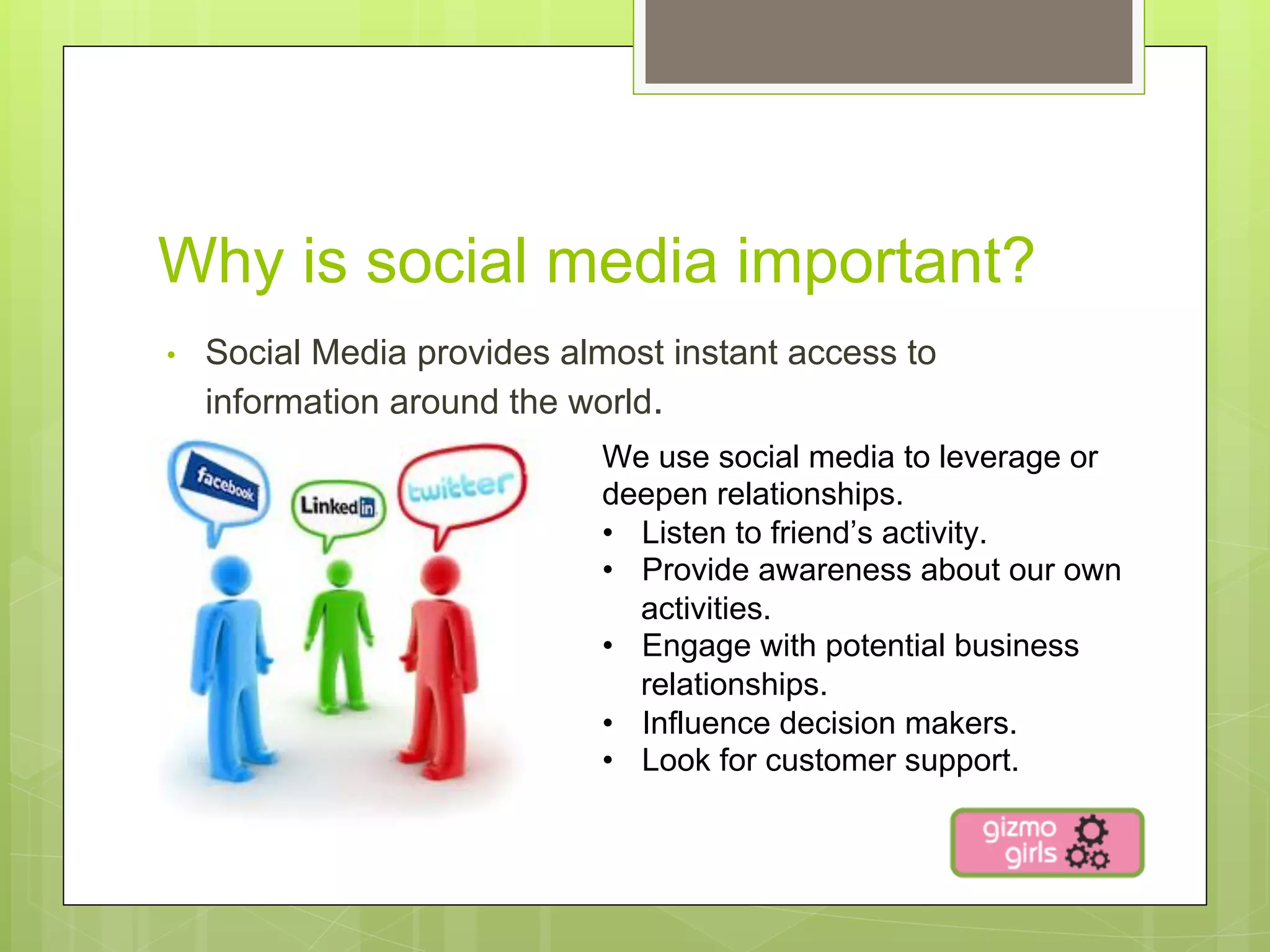
Why is social media important?
•    Social Media provides almost instant access to
     information around the world.
                             We use social media to leverage or
                             deepen relationships.
                             •  Listen to friend’s activity.
                             •  Provide awareness about our own
                                activities.
                             •  Engage with potential business
                                relationships.
                             •  Influence decision makers.
                             •  Look for customer support.
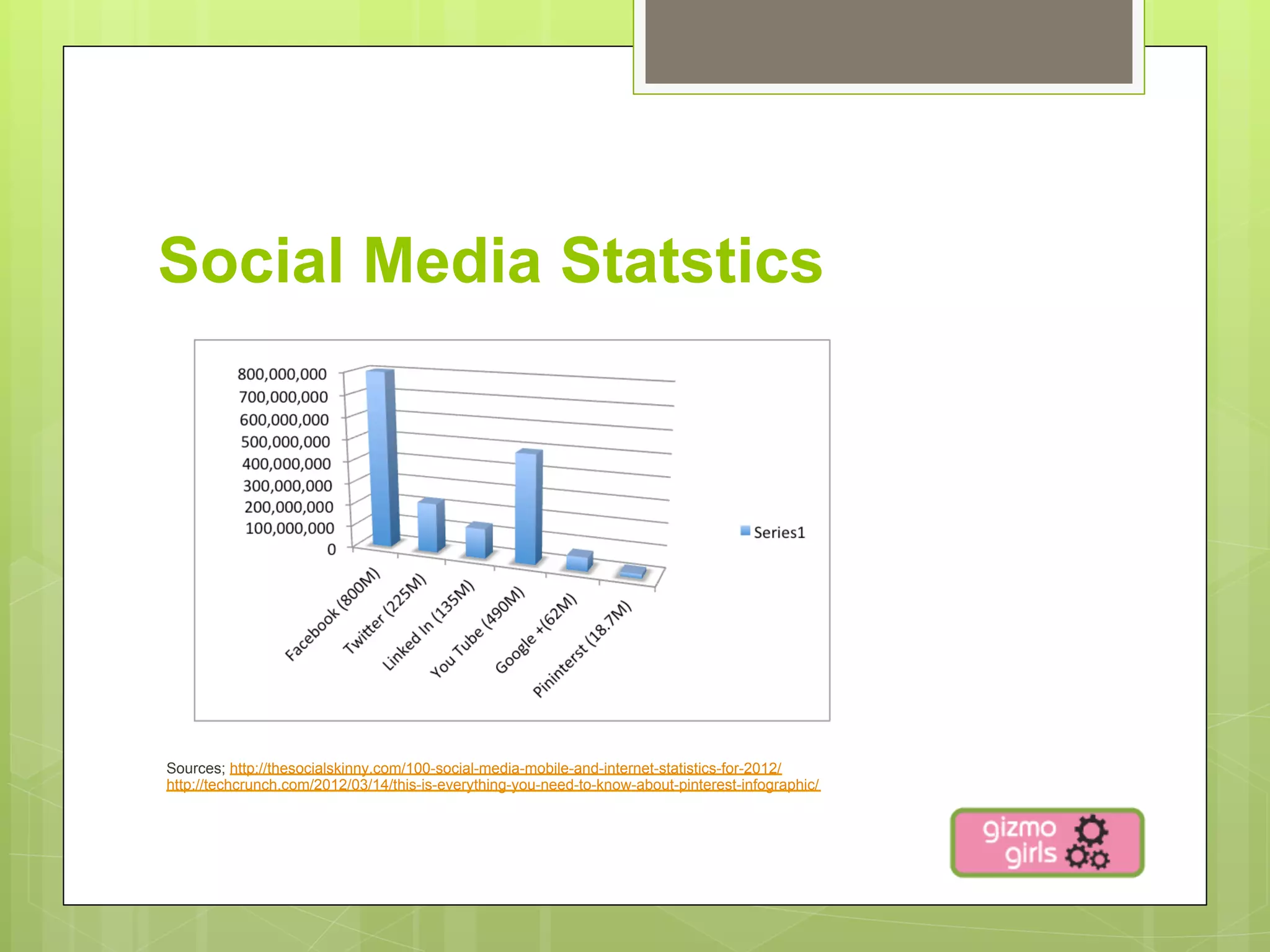
Social Media Statstics


Sources; http://thesocialskinny.com/100-social-media-mobile-and-internet-statistics-for-2012/
http://techcrunch.com/2012/03/14/this-is-everything-you-need-to-know-about-pinterest-infographic/
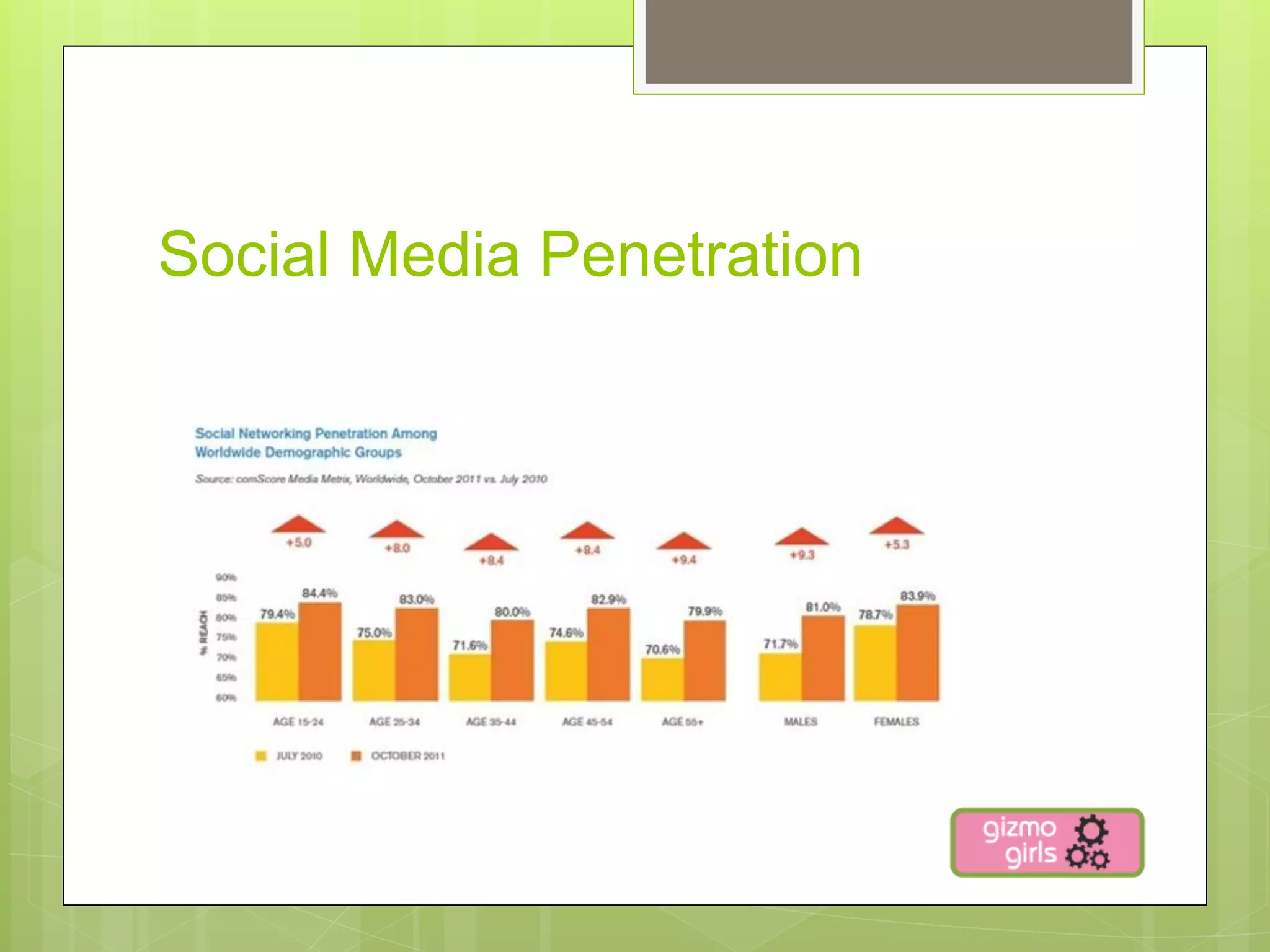
Social Media Penetration
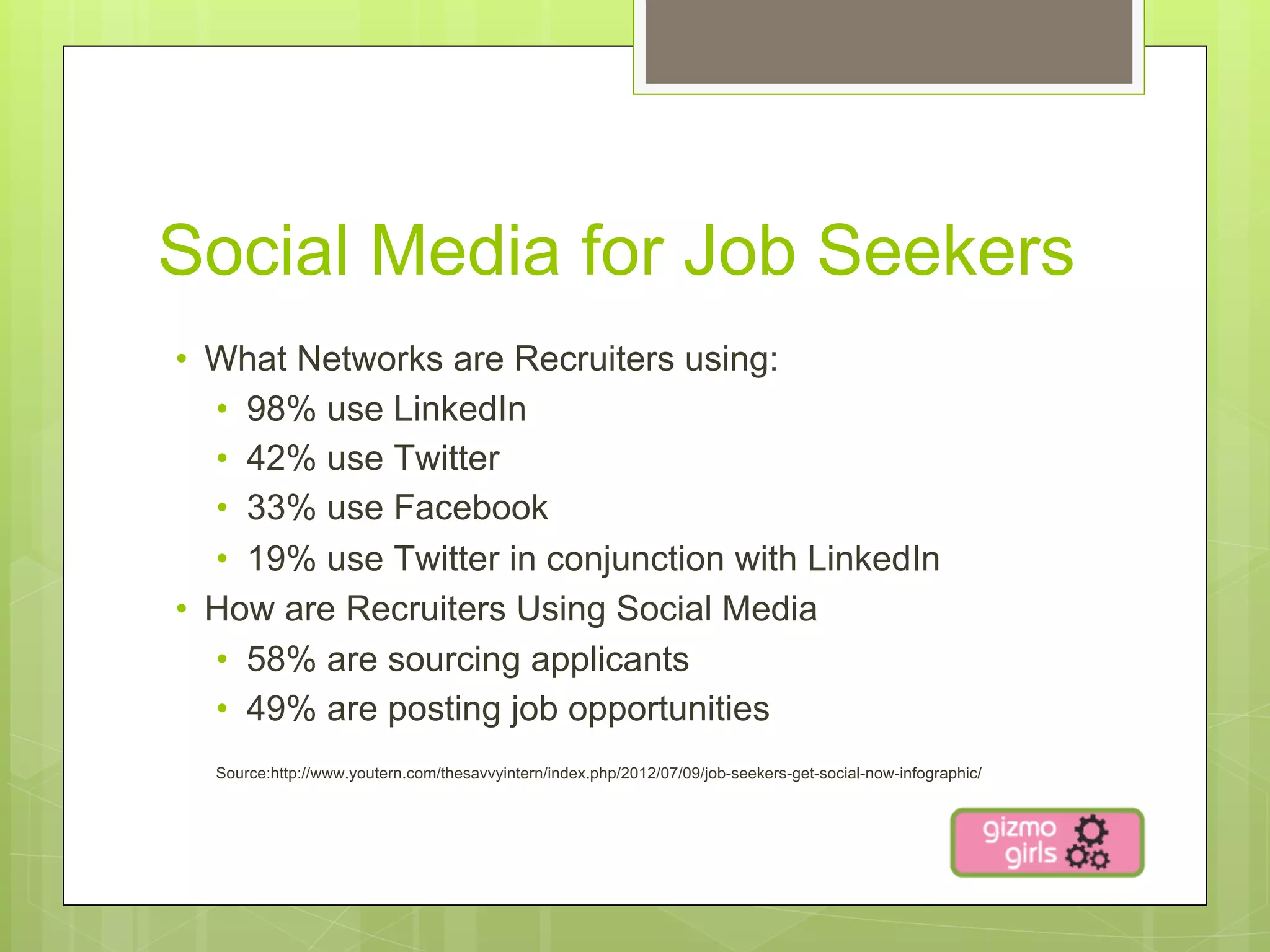
Social Media for Job Seekers
•  What Networks are Recruiters using:
   •  98% use LinkedIn
   •  42% use Twitter
   •  33% use Facebook
   •  19% use Twitter in conjunction with LinkedIn
•  How are Recruiters Using Social Media
   •  58% are sourcing applicants
   •  49% are posting job opportunities
  Source:http://www.youtern.com/thesavvyintern/index.php/2012/07/09/job-seekers-get-social-now-infographic/
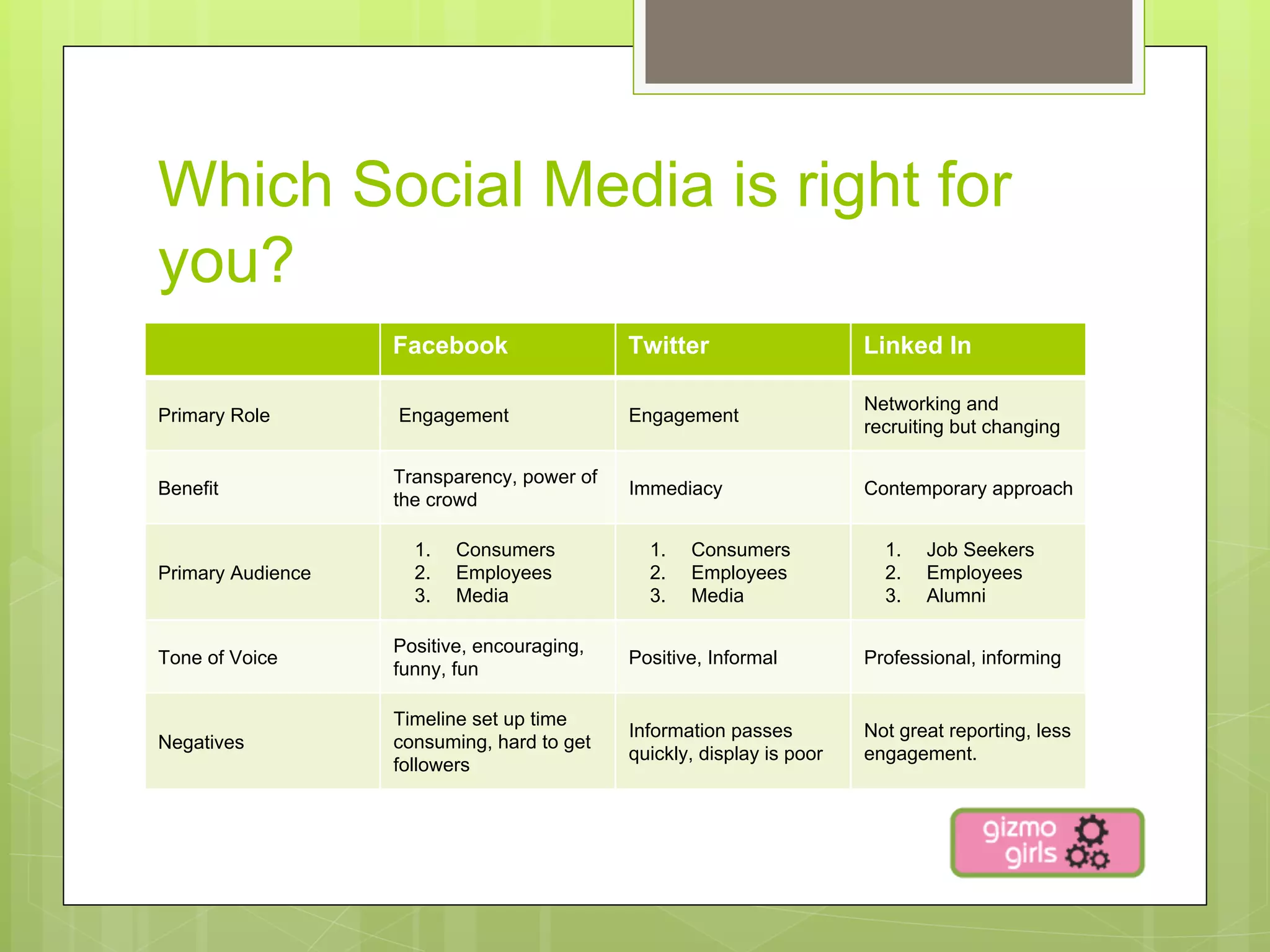
Which Social Media is right for
you?
                   Facebook                 Twitter                    Linked In

                                                                       Networking and
Primary Role       Engagement               Engagement
                                                                       recruiting but changing

                   Transparency, power of
Benefit                                     Immediacy                  Contemporary approach
                   the crowd

                     1.    Consumers          1.    Consumers            1.    Job Seekers
Primary Audience     2.    Employees          2.    Employees            2.    Employees
                     3.    Media              3.    Media                3.    Alumni

                   Positive, encouraging,
Tone of Voice                               Positive, Informal         Professional, informing
                   funny, fun

                   Timeline set up time
                                            Information passes         Not great reporting, less
Negatives          consuming, hard to get
                                            quickly, display is poor   engagement.
                   followers
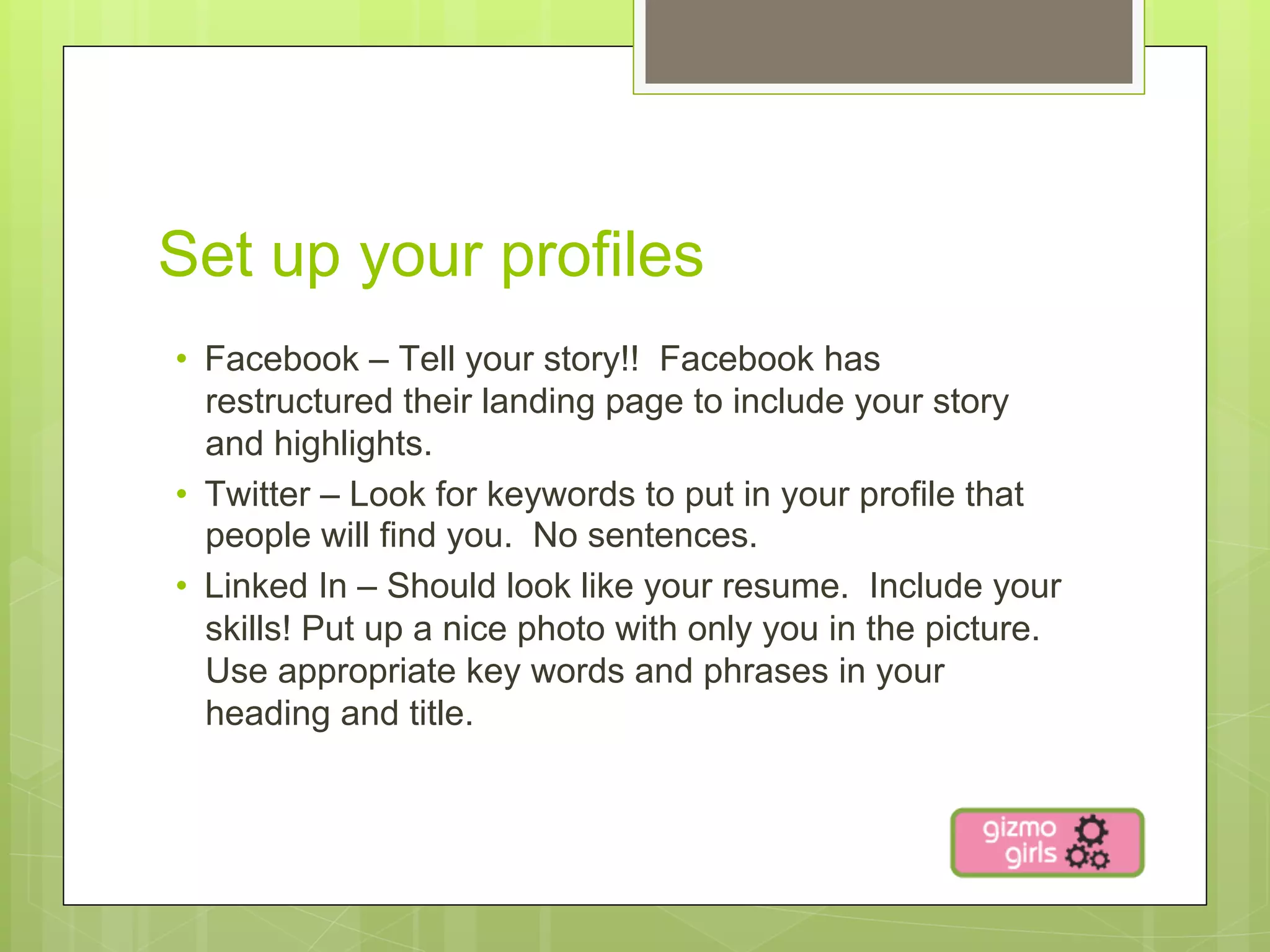
Set up your profiles
•  Facebook – Tell your story!! Facebook has
   restructured their landing page to include your story
   and highlights.
•  Twitter – Look for keywords to put in your profile that
   people will find you. No sentences.
•  Linked In – Should look like your resume. Include your
   skills! Put up a nice photo with only you in the picture.
   Use appropriate key words and phrases in your
   heading and title.
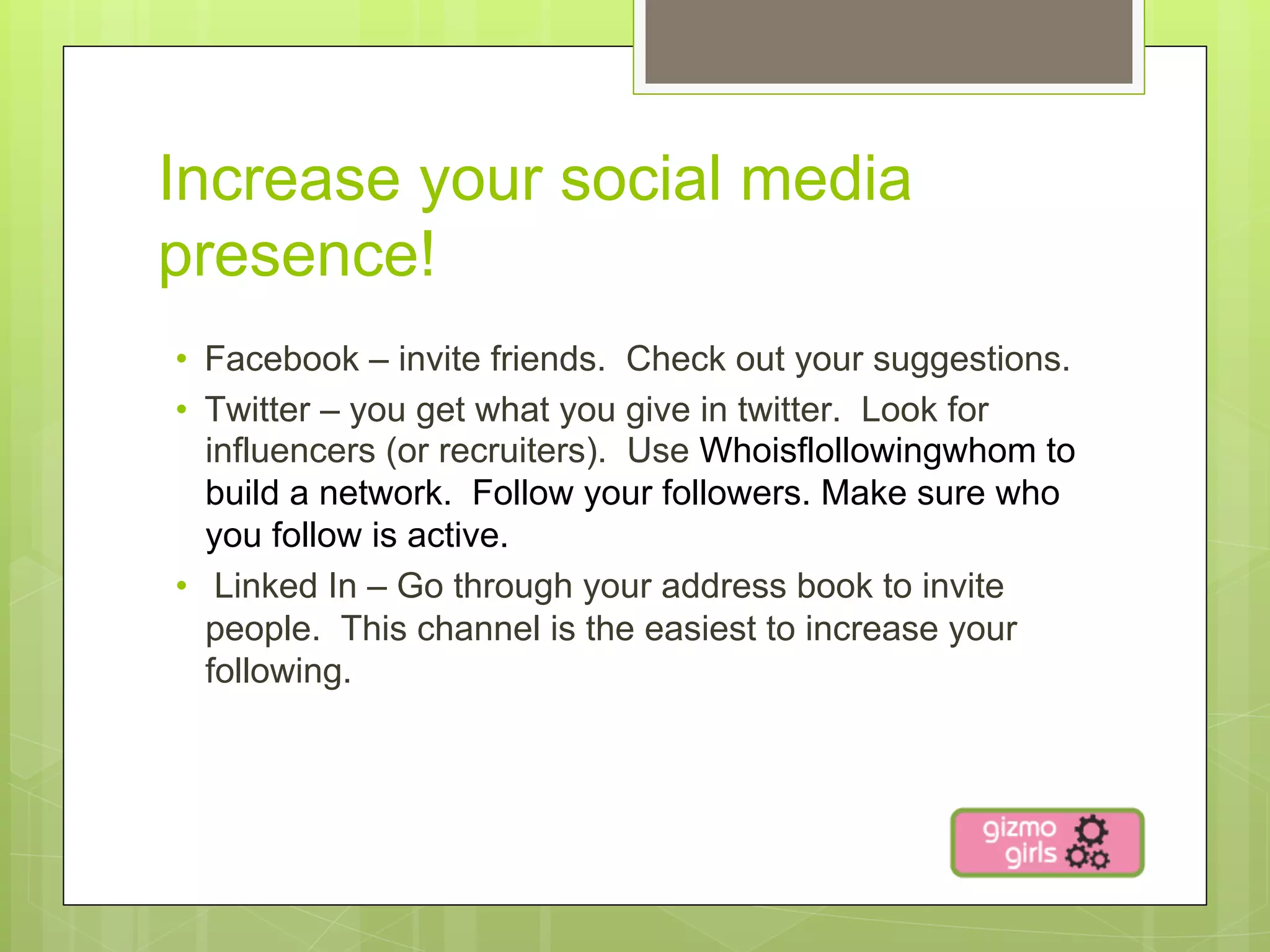
Increase your social media
presence!
•  Facebook – invite friends. Check out your suggestions.
•  Twitter – you get what you give in twitter. Look for
   influencers (or recruiters). Use Whoisflollowingwhom to
   build a network. Follow your followers. Make sure who
   you follow is active.
•  Linked In – Go through your address book to invite
   people. This channel is the easiest to increase your
   following.
Ways to Engage
•    Share pictures
•    Ask questions
•    Respond to questions, comments and mentions
•    Share content that you read that is interesting
•    Create light stories
     •  Always be positive
•  Share events or places you visit
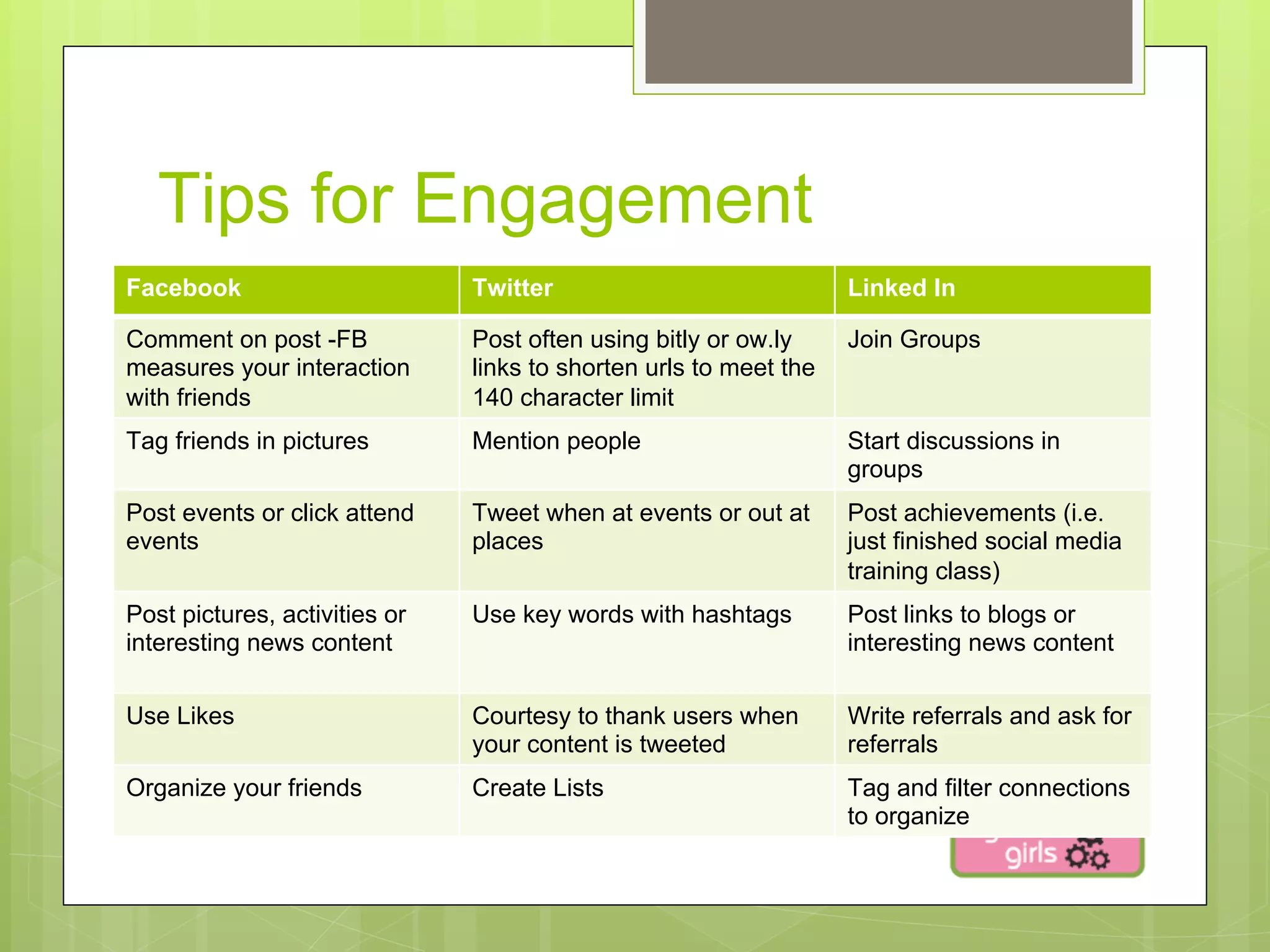
Tips for Engagement
Facebook                       Twitter                             Linked In

Comment on post -FB            Post often using bitly or ow.ly     Join Groups
measures your interaction      links to shorten urls to meet the
with friends                   140 character limit
Tag friends in pictures        Mention people                      Start discussions in
                                                                   groups
Post events or click attend    Tweet when at events or out at      Post achievements (i.e.
events                         places                              just finished social media
                                                                   training class)
Post pictures, activities or   Use key words with hashtags         Post links to blogs or
interesting news content                                           interesting news content

Use Likes                      Courtesy to thank users when        Write referrals and ask for
                               your content is tweeted             referrals
Organize your friends          Create Lists                        Tag and filter connections
                                                                   to organize
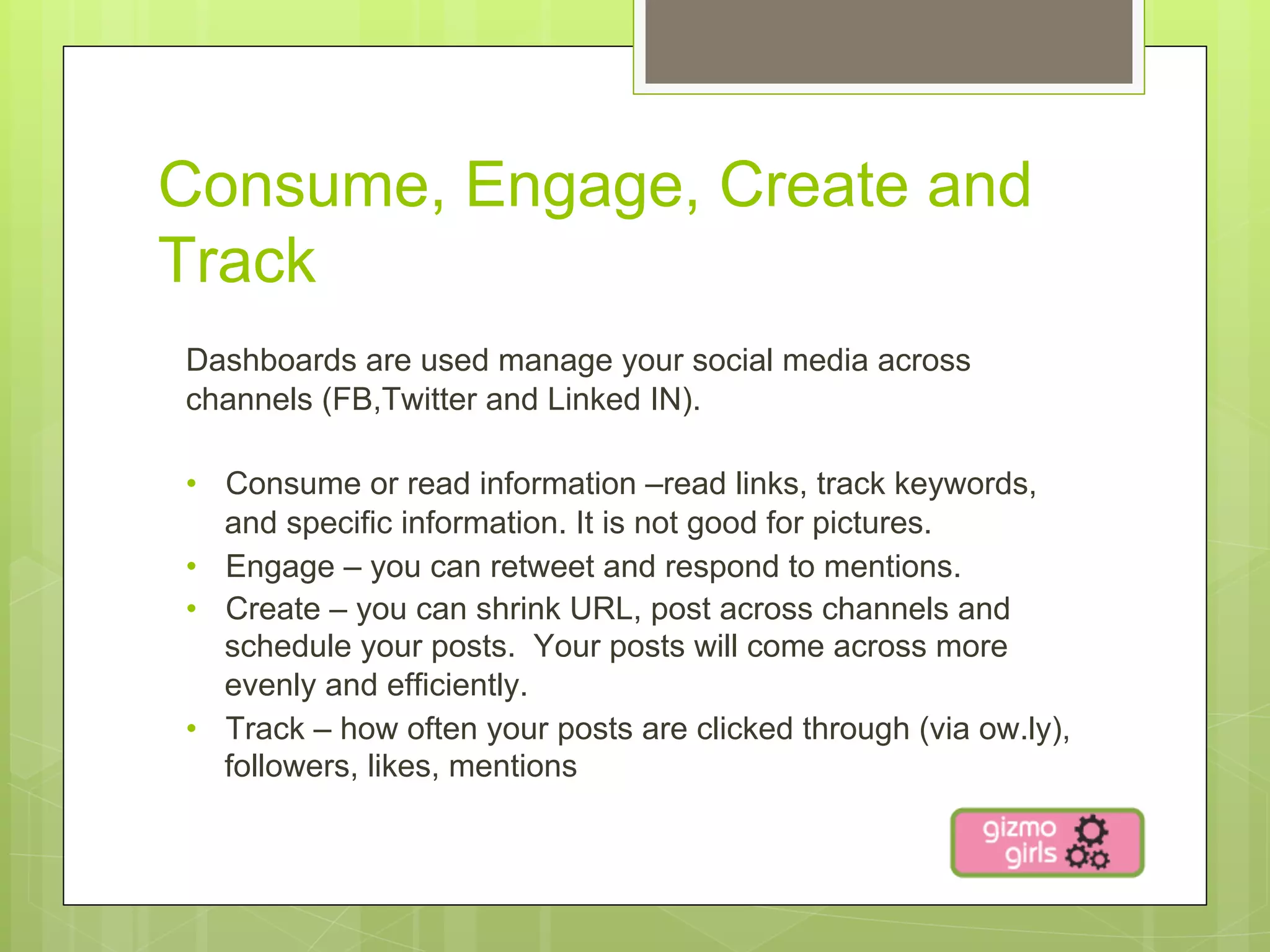
Consume, Engage, Create and
Track
Dashboards are used manage your social media across
channels (FB,Twitter and Linked IN).

•  Consume or read information –read links, track keywords,
   and specific information. It is not good for pictures.
•  Engage – you can retweet and respond to mentions.
•  Create – you can shrink URL, post across channels and
   schedule your posts. Your posts will come across more
   evenly and efficiently.
•  Track – how often your posts are clicked through (via ow.ly),
   followers, likes, mentions
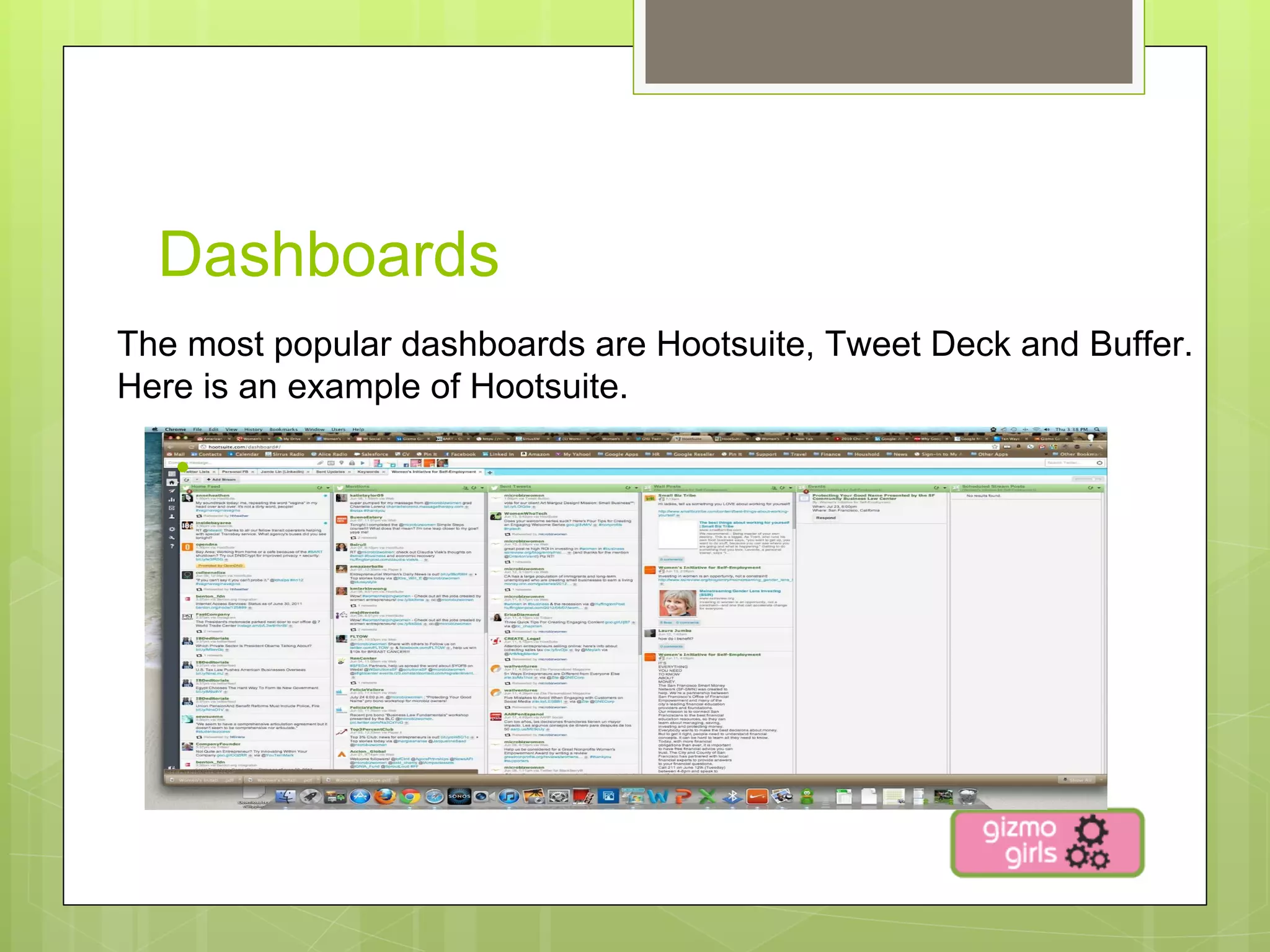
Dashboards
The most popular dashboards are Hootsuite, Tweet Deck and Buffer.
Here is an example of Hootsuite.

   • 
Next Steps:
•  Facebook
  •  Review you profile and update your cover photo.
  •  Add highlights with pictures to the timeline.
  •  Engage with your pages that you like.
•  Twitter
   •  Find influencers (people that you find interesting). Start by
      reviewing lists.
   •  Create lists of your followers. These can be private or
      public.
   •  Use hashtags for your keywords in your postings.
Next Steps
•  Linked In
  •  Join Groups that are relevant to you.
  •  Engage is conversations by asking or responding to
     questions.
  •  Ask for a referral.
•  Dashboard
   •  Set up Hootsuite.
   •  Import your Twitter lists.
   •  Schedule your first posting.
Links to use:

•    http://www.facebook.com
•    https://twitter.com
•    http://www.linkedin.com/
•    http://hootsuite.com
•    http://bufferapp.comhttp://
•    ifttt.com/dashboard
•    http://klout.com
•    http://socdir.com/

UC Davis Susan Abplanalp Design

  • 1.
    Social Media Improve yoursocial media skills!
  • 2.
    Why is socialmedia important? •  Social Media provides almost instant access to information around the world. We use social media to leverage or deepen relationships. •  Listen to friend’s activity. •  Provide awareness about our own activities. •  Engage with potential business relationships. •  Influence decision makers. •  Look for customer support.
  • 3.
    Social Media Statstics Sources;http://thesocialskinny.com/100-social-media-mobile-and-internet-statistics-for-2012/ http://techcrunch.com/2012/03/14/this-is-everything-you-need-to-know-about-pinterest-infographic/
  • 4.
  • 5.
    Social Media forJob Seekers •  What Networks are Recruiters using: •  98% use LinkedIn •  42% use Twitter •  33% use Facebook •  19% use Twitter in conjunction with LinkedIn •  How are Recruiters Using Social Media •  58% are sourcing applicants •  49% are posting job opportunities Source:http://www.youtern.com/thesavvyintern/index.php/2012/07/09/job-seekers-get-social-now-infographic/
  • 6.
    Which Social Mediais right for you? Facebook Twitter Linked In Networking and Primary Role Engagement Engagement recruiting but changing Transparency, power of Benefit Immediacy Contemporary approach the crowd 1.  Consumers 1.  Consumers 1.  Job Seekers Primary Audience 2.  Employees 2.  Employees 2.  Employees 3.  Media 3.  Media 3.  Alumni Positive, encouraging, Tone of Voice Positive, Informal Professional, informing funny, fun Timeline set up time Information passes Not great reporting, less Negatives consuming, hard to get quickly, display is poor engagement. followers
  • 7.
    Set up yourprofiles •  Facebook – Tell your story!! Facebook has restructured their landing page to include your story and highlights. •  Twitter – Look for keywords to put in your profile that people will find you. No sentences. •  Linked In – Should look like your resume. Include your skills! Put up a nice photo with only you in the picture. Use appropriate key words and phrases in your heading and title.
  • 8.
    Increase your socialmedia presence! •  Facebook – invite friends. Check out your suggestions. •  Twitter – you get what you give in twitter. Look for influencers (or recruiters). Use Whoisflollowingwhom to build a network. Follow your followers. Make sure who you follow is active. •  Linked In – Go through your address book to invite people. This channel is the easiest to increase your following.
  • 9.
    Ways to Engage •  Share pictures •  Ask questions •  Respond to questions, comments and mentions •  Share content that you read that is interesting •  Create light stories •  Always be positive •  Share events or places you visit
  • 10.
    Tips for Engagement Facebook Twitter Linked In Comment on post -FB Post often using bitly or ow.ly Join Groups measures your interaction links to shorten urls to meet the with friends 140 character limit Tag friends in pictures Mention people Start discussions in groups Post events or click attend Tweet when at events or out at Post achievements (i.e. events places just finished social media training class) Post pictures, activities or Use key words with hashtags Post links to blogs or interesting news content interesting news content Use Likes Courtesy to thank users when Write referrals and ask for your content is tweeted referrals Organize your friends Create Lists Tag and filter connections to organize
  • 11.
    Consume, Engage, Createand Track Dashboards are used manage your social media across channels (FB,Twitter and Linked IN). •  Consume or read information –read links, track keywords, and specific information. It is not good for pictures. •  Engage – you can retweet and respond to mentions. •  Create – you can shrink URL, post across channels and schedule your posts. Your posts will come across more evenly and efficiently. •  Track – how often your posts are clicked through (via ow.ly), followers, likes, mentions
  • 12.
    Dashboards The most populardashboards are Hootsuite, Tweet Deck and Buffer. Here is an example of Hootsuite. • 
  • 13.
    Next Steps: •  Facebook •  Review you profile and update your cover photo. •  Add highlights with pictures to the timeline. •  Engage with your pages that you like. •  Twitter •  Find influencers (people that you find interesting). Start by reviewing lists. •  Create lists of your followers. These can be private or public. •  Use hashtags for your keywords in your postings.
  • 14.
    Next Steps •  LinkedIn •  Join Groups that are relevant to you. •  Engage is conversations by asking or responding to questions. •  Ask for a referral. •  Dashboard •  Set up Hootsuite. •  Import your Twitter lists. •  Schedule your first posting.
  • 15.
    Links to use: •  http://www.facebook.com •  https://twitter.com •  http://www.linkedin.com/ •  http://hootsuite.com •  http://bufferapp.comhttp:// •  ifttt.com/dashboard •  http://klout.com •  http://socdir.com/