Going online to
enhance your
employability
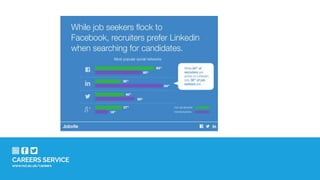
The big change
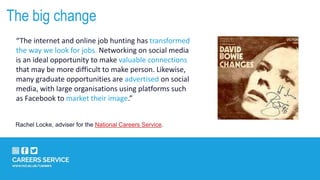
“The internet and online job hunting has transformed
the way we look for jobs. Networking on social media
is an ideal opportunity to make valuable connections
that may be more difficult to make person. Likewise,
many graduate opportunities are advertised on social
media, with large organisations using platforms such
as Facebook to market their image.”
Rachel Locke, adviser for the National Careers Service.
Your digital identity
6
Write in 140 characters….
“Twitter has transformed recruitment practice, helping to identify
candidates who wouldn’t have been found otherwise. It enables
quick , direct access to candidates.”
 Tell us who you are.
 Write a summary of your experiences and unique
attributes.
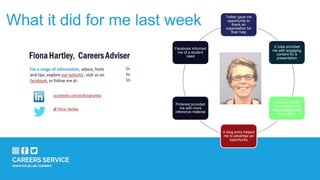
What it did for me last week Twitter gave me
opportunity to
thank an
organisation for
their help
U tube provided
me with engaging
content for a
presentation
LinkedIn helped
me identify and
make contact with
a speaker
A blog entry helped
me to advertise an
opportunity
Pinterest provided
me with more
reference material
Facebook informed
me of a student
need
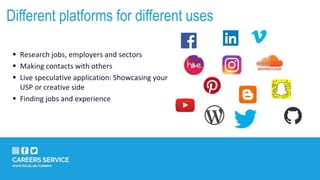
 Research jobs, employers and sectors
 Making contacts with others
 Live speculative application: Showcasing your
USP or creative side
 Finding jobs and experience
Different platforms for different uses
Twitter
Pros:
 Powerful research tool
 Follow & chat to employers, professional bodies, influential people and news sources for your sector
 Search for opportunities (www.twitjobsearch.com/)
 Don’t make your account private – it’s harder to follow you
 Make use of the lists facility to manage your interests
Cons:
 Can be time intensive (and addictive?)
 Will need to sort the relevant from the irrelevant
Verdict:
Direct access to hugely influential network but take the time to build up your profile and be mindful of Twitter ‘netiquette’.
Linked In
Pros:
 Create, maintain and expand a professional network
 Present and manage your online interactive ‘CV’
 Research organisations, roles and staff
 Find advertised vacancies
Cons:
 Can be intimidating – early career professionals can be outnumbered by senior professionals
 Out-of-date profiles can be common
 Only one version of your CV, so can’t tailor too much
Verdict:
Great way to showcase your experience, skills and talent, but don’t expect a job to fall in your lap.
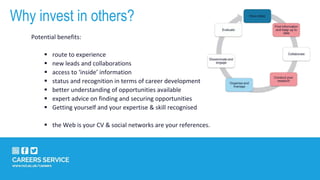
Why invest in others?
Potential benefits:
 route to experience
 new leads and collaborations
 access to ‘inside’ information
 status and recognition in terms of career development
 better understanding of opportunities available
 expert advice on finding and securing opportunities
 Getting yourself and your expertise & skill recognised
 the Web is your CV & social networks are your references.
Gain followers – CrowdBuster analyses engagement
 What’s trending?: #
 <100 characters: 17% more engagement. To help minimise word
count, use Ow.ly which can shorten long URLs into something
shorter.
 Follow people, companies, job boards, news sites, professional
bodies
 Join groups and communities
 GROW your followers: follow, re-share, actively connecting
 Example handles to follow: @jobonline, @intern_UK,
@graduatejobsUK - who are they following? Who else is following
them?
Your profile: active speculative application
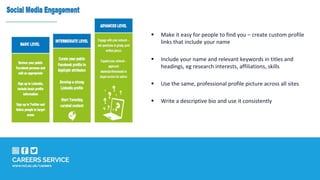
 Make it easy for people to find you – create custom profile
links that include your name
 Include your name and relevant keywords in titles and
headings, eg research interests, affiliations, skills
 Use the same, professional profile picture across all sites
 Write a descriptive bio and use it consistently
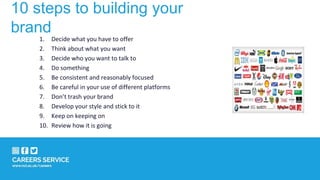
10 steps to building your
brand
1. Decide what you have to offer
2. Think about what you want
3. Decide who you want to talk to
4. Do something
5. Be consistent and reasonably focused
6. Be careful in your use of different platforms
7. Don’t trash your brand
8. Develop your style and stick to it
9. Keep on keeping on
10. Review how it is going
Going online: skills development
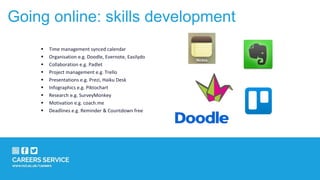
 Time management synced calendar
 Organisation e.g. Doodle, Evernote, Easilydo
 Collaboration e.g. Padlet
 Project management e.g. Trello
 Presentations e.g. Prezi, Haiku Desk
 Infographics e.g. Piktochart
 Research e.g. SurveyMonkey
 Motivation e.g. coach.me
 Deadlines e.g. Reminder & Countdown free
 Subject knowledge -
 New subjects/skills – Learn to Code
 Employability teaching –
fundamentals of networking
 ‘Life-skills’ – Managing your money
 Industry awareness - University of
Leeds: The Fashion Industry
 MOOCS (Massive Online Open Courses)
 iTunesU
 YouTube
Going online to: Learn more
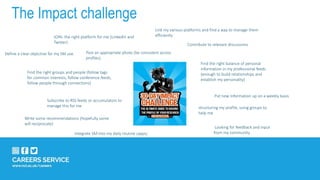
JOIN- the right platform for me (LinkedIn and
Twitter)
Find the right groups and people (follow tags
for common interests, follow conference feeds,
follow people through connections)
Post an appropriate photo (be consistent across
profiles)
Define a clear objective for my SM use.
Looking for feedback and input
from my community
Link my various platforms and find a way to manage them
efficiently
Contribute to relevant discussions
structuring my profile, using groups to
help me
Find the right balance of personal
information in my professional feeds
(enough to build relationships and
establish my personality)
Write some recommendations (hopefully some
will reciprocate)
Integrate SM into my daily routine (apps)
Put new information up on a weekly basis
Subscribe to RSS feeds or accumulators to
manage this for me
The Impact challenge
To summarise, the internet is…’your
calling card’
 a career resource library through which individuals can find information that informs and relates to their
informational needs
 an opportunity marketplace where individuals can transact with opportunity providers (employers and
learning providers)
 a space for the exchange of social capital within which conversations can be undertaken, contacts
identified and networks maintained
 a democratic media channel through which individuals and groups can communicate
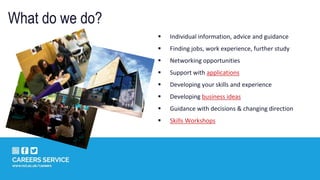
What do we do?
 Individual information, advice and guidance
 Finding jobs, work experience, further study
 Networking opportunities
 Support with applications
 Developing your skills and experience
 Developing business ideas
 Guidance with decisions & changing direction
 Skills Workshops
Career Compass
Receive your personalised report with ideas, suggestions and resources to help you on your career journey.
The world of careers can be confusing and it’s understandable that you may feel you lack direction.
Career Compass addresses the most frequently asked queries, concerns or dilemmas students experience
when faced with career options.
Whether you are in your first year unsure of how to make best use of your time, or in your final year
concerned about options beyond your studies, Career Compass can help get you on track.
Find your next steps by launching www.ncl.ac.uk/careers/compass
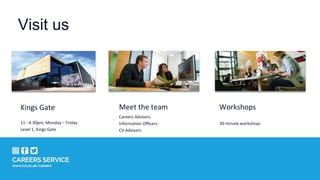
Visit us
Kings Gate
11 - 4:30pm, Monday – Friday
Level 1, Kings Gate
Meet the team
Careers Advisers
Information Officers
CV Advisers
Workshops
30 minute workshops
For a range of information, advice, hints
and tips, explore our website , visit us on
facebook, or follow me at:
uk.linkedin.com/in/fionahartley
Drop-in and speak to an adviser.
No appointment necessary.
Mon – Fri, 11am – 4.30pm
Fiona Hartley, Careers Adviser
@ Fiona_hartley

Social media for career development

  • 1.
    Going online to enhanceyour employability
  • 4.
    The big change “Theinternet and online job hunting has transformed the way we look for jobs. Networking on social media is an ideal opportunity to make valuable connections that may be more difficult to make person. Likewise, many graduate opportunities are advertised on social media, with large organisations using platforms such as Facebook to market their image.” Rachel Locke, adviser for the National Careers Service.
  • 6.
  • 7.
    Write in 140characters…. “Twitter has transformed recruitment practice, helping to identify candidates who wouldn’t have been found otherwise. It enables quick , direct access to candidates.”  Tell us who you are.  Write a summary of your experiences and unique attributes.
  • 8.
    What it didfor me last week Twitter gave me opportunity to thank an organisation for their help U tube provided me with engaging content for a presentation LinkedIn helped me identify and make contact with a speaker A blog entry helped me to advertise an opportunity Pinterest provided me with more reference material Facebook informed me of a student need
  • 11.
     Research jobs,employers and sectors  Making contacts with others  Live speculative application: Showcasing your USP or creative side  Finding jobs and experience Different platforms for different uses
  • 12.
    Twitter Pros:  Powerful researchtool  Follow & chat to employers, professional bodies, influential people and news sources for your sector  Search for opportunities (www.twitjobsearch.com/)  Don’t make your account private – it’s harder to follow you  Make use of the lists facility to manage your interests Cons:  Can be time intensive (and addictive?)  Will need to sort the relevant from the irrelevant Verdict: Direct access to hugely influential network but take the time to build up your profile and be mindful of Twitter ‘netiquette’.
  • 13.
    Linked In Pros:  Create,maintain and expand a professional network  Present and manage your online interactive ‘CV’  Research organisations, roles and staff  Find advertised vacancies Cons:  Can be intimidating – early career professionals can be outnumbered by senior professionals  Out-of-date profiles can be common  Only one version of your CV, so can’t tailor too much Verdict: Great way to showcase your experience, skills and talent, but don’t expect a job to fall in your lap.
  • 14.
    Why invest inothers? Potential benefits:  route to experience  new leads and collaborations  access to ‘inside’ information  status and recognition in terms of career development  better understanding of opportunities available  expert advice on finding and securing opportunities  Getting yourself and your expertise & skill recognised  the Web is your CV & social networks are your references.
  • 15.
    Gain followers –CrowdBuster analyses engagement  What’s trending?: #  <100 characters: 17% more engagement. To help minimise word count, use Ow.ly which can shorten long URLs into something shorter.  Follow people, companies, job boards, news sites, professional bodies  Join groups and communities  GROW your followers: follow, re-share, actively connecting  Example handles to follow: @jobonline, @intern_UK, @graduatejobsUK - who are they following? Who else is following them? Your profile: active speculative application
  • 16.
     Make iteasy for people to find you – create custom profile links that include your name  Include your name and relevant keywords in titles and headings, eg research interests, affiliations, skills  Use the same, professional profile picture across all sites  Write a descriptive bio and use it consistently
  • 17.
    10 steps tobuilding your brand 1. Decide what you have to offer 2. Think about what you want 3. Decide who you want to talk to 4. Do something 5. Be consistent and reasonably focused 6. Be careful in your use of different platforms 7. Don’t trash your brand 8. Develop your style and stick to it 9. Keep on keeping on 10. Review how it is going
  • 18.
    Going online: skillsdevelopment  Time management synced calendar  Organisation e.g. Doodle, Evernote, Easilydo  Collaboration e.g. Padlet  Project management e.g. Trello  Presentations e.g. Prezi, Haiku Desk  Infographics e.g. Piktochart  Research e.g. SurveyMonkey  Motivation e.g. coach.me  Deadlines e.g. Reminder & Countdown free
  • 19.
     Subject knowledge-  New subjects/skills – Learn to Code  Employability teaching – fundamentals of networking  ‘Life-skills’ – Managing your money  Industry awareness - University of Leeds: The Fashion Industry  MOOCS (Massive Online Open Courses)  iTunesU  YouTube Going online to: Learn more
  • 20.
    JOIN- the rightplatform for me (LinkedIn and Twitter) Find the right groups and people (follow tags for common interests, follow conference feeds, follow people through connections) Post an appropriate photo (be consistent across profiles) Define a clear objective for my SM use. Looking for feedback and input from my community Link my various platforms and find a way to manage them efficiently Contribute to relevant discussions structuring my profile, using groups to help me Find the right balance of personal information in my professional feeds (enough to build relationships and establish my personality) Write some recommendations (hopefully some will reciprocate) Integrate SM into my daily routine (apps) Put new information up on a weekly basis Subscribe to RSS feeds or accumulators to manage this for me The Impact challenge
  • 21.
    To summarise, theinternet is…’your calling card’  a career resource library through which individuals can find information that informs and relates to their informational needs  an opportunity marketplace where individuals can transact with opportunity providers (employers and learning providers)  a space for the exchange of social capital within which conversations can be undertaken, contacts identified and networks maintained  a democratic media channel through which individuals and groups can communicate
  • 22.
    What do wedo?  Individual information, advice and guidance  Finding jobs, work experience, further study  Networking opportunities  Support with applications  Developing your skills and experience  Developing business ideas  Guidance with decisions & changing direction  Skills Workshops
  • 23.
    Career Compass Receive yourpersonalised report with ideas, suggestions and resources to help you on your career journey. The world of careers can be confusing and it’s understandable that you may feel you lack direction. Career Compass addresses the most frequently asked queries, concerns or dilemmas students experience when faced with career options. Whether you are in your first year unsure of how to make best use of your time, or in your final year concerned about options beyond your studies, Career Compass can help get you on track. Find your next steps by launching www.ncl.ac.uk/careers/compass
  • 24.
    Visit us Kings Gate 11- 4:30pm, Monday – Friday Level 1, Kings Gate Meet the team Careers Advisers Information Officers CV Advisers Workshops 30 minute workshops
  • 25.
    For a rangeof information, advice, hints and tips, explore our website , visit us on facebook, or follow me at: uk.linkedin.com/in/fionahartley Drop-in and speak to an adviser. No appointment necessary. Mon – Fri, 11am – 4.30pm Fiona Hartley, Careers Adviser @ Fiona_hartley