Email Marketing 1-2-3
How to Get Started, Get Results
and Get Growing
@VR4SmallBiz
Agenda
• Email Marketing Basics
• Email Best Practices
• Email + Website = Better Results
• Tools and Resources to Get You Started
• Q&A
@VR4SmallBiz
Email Marketing Basics
Purpose:
• Inform/educate
• Talk about your company,
product or service
• Stay in front of your audience
• Establish yourself as an expert
• Build relationships
• Drive traffic to your website
@VR4SmallBiz
@VR4SmallBiz
Email Marketing Basics
How to Build an Email List
@VR4SmallBiz
Online:
• Sign up form on your website, blog, etc.
• Link to sign up form in your email
signature
• E-commerce retailer: post-purchase
thank you page
• Social media
Offline:
• Sign up sheet at counter, event, etc.
• Business card fish bowl
Mobile
Over 50% of emails are read on a mobile device.
Use a responsive template to ensure your emails
look great no matter where they’re read.
@VR4SmallBiz
@VR4SmallBiz
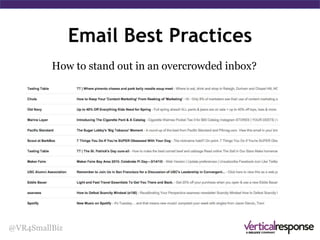
How to stand out
in an overcrowded
inbox?
Standing Out in the Inbox
“I get 100 emails a day. Why
should I open yours?”
@VR4SmallBiz
Standing Out in the Inbox
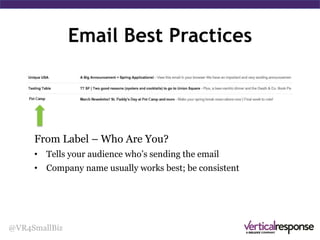
From Label
Who Are You?
• Tells your audience who’s
sending the email
• Company name usually
works best; be consistent
@VR4SmallBiz
Standing Out in the Inbox
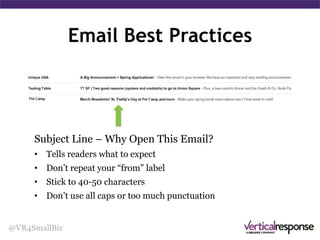
Subject line
Why Open This Email?
• Tells readers what to expect
• Don’t repeat your From label
• Stick to 40-50 characters
• Don’t use all caps or too
much punctuation
@VR4SmallBiz
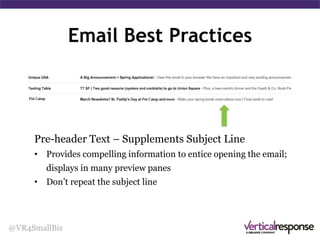
Pre-header Text
Supplements
Subject Line
• Provides compelling
information to entice
opening the email; displays
in many preview panes
• Don’t repeat the subject
line
Standing Out in the Inbox
Email Best Practices
@VR4SmallBiz
Now that they’ve opened your email …
How do you get them to engage and act?
Email Best Practices
@VR4SmallBiz
Email Best Practices
@VR4SmallBiz
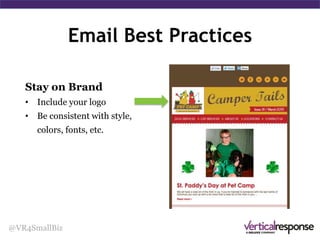
Include logos, images
• Brand with your logo
Email Best Practices
@VR4SmallBiz
Include logos, images
• Brand with your logo
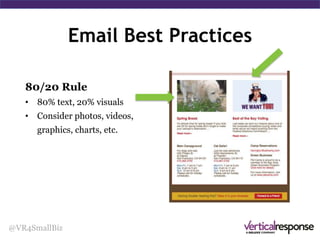
• Break up blocks of text
• Link your images
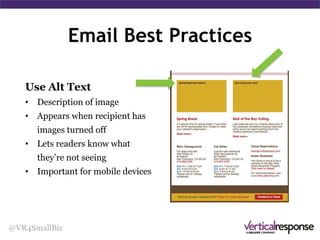
• Use alt text
• 80/20 text/image ratio
Email Best Practices
@VR4SmallBiz
Add Links
• Give your recipients lots
of opportunity to get to
your website
Email Best Practices
@VR4SmallBiz
Add Links
• Give your recipients lots of
opportunity to get to your
website
• Make them social by
including a link to post on
Twitter or Facebook
Email Best Practices
@VR4SmallBiz
Add Links
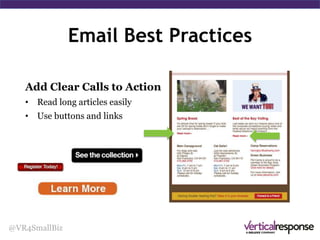
• Read long articles easily
• Use call-to-action
buttons
Email Best Practices
@VR4SmallBiz
Content is Everything
• What’s your story?
• Put your audience first
• Your readers must desire
your content
Email Best Practices
@VR4SmallBiz
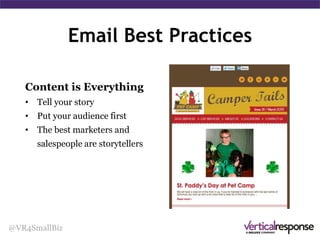
Content is Everything
• What’s your story?
• Put your audience first
• Your readers must desire
your content
• The best marketers and
salespeople are storytellers
Email Best Practices
@VR4SmallBiz
Content: More Than Words
• Images
• Video
• Infographics (visual.ly, Pinterest)
• Charts
• Live and/or recorded demos
• User generated (customer
quotes, testimonials)
Email Best Practices
@VR4SmallBiz
Use Social Media
• Increase your social media
presence
• Give recipients an incentive
to click through to your
social media pages
Email Best Practices
@VR4SmallBiz
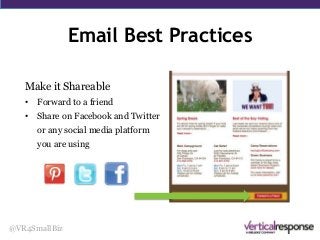
Make it Shareable
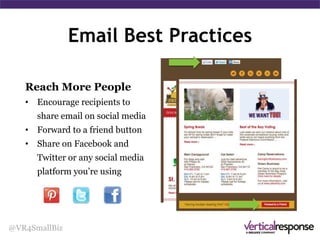
• Forward to a friend
Email Best Practices
@VR4SmallBiz
Make it Shareable
• Forward to a friend
• Share on Facebook and Twitter
or any social media platform
you are using
Email Sent … Now What?
@VR4SmallBiz
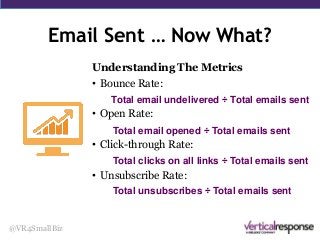
Understanding The Metrics
• Bounce Rate:
• Open Rate:
• Click-through Rate:
• Unsubscribe Rate:
Total email undelivered ÷ Total emails sent
Total email opened ÷ Total emails sent
Total clicks on all links ÷ Total emails sent
Total unsubscribes ÷ Total emails sent
Keep Up the Engagement
@VR4SmallBiz
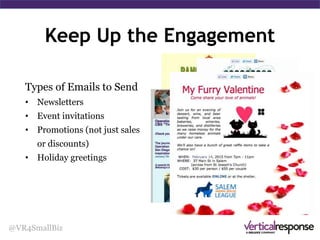
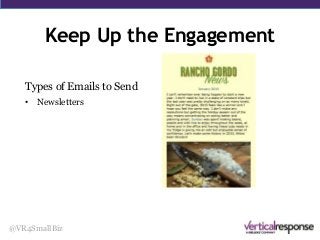
Types of Emails to Send
• Newsletters
Keep Up the Engagement
@VR4SmallBiz
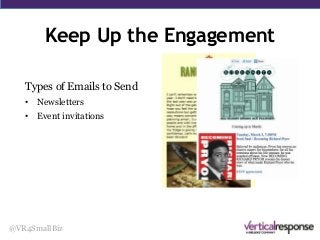
Types of Emails to Send
• Newsletters
• Event invitations
Keep Up the Engagement
@VR4SmallBiz
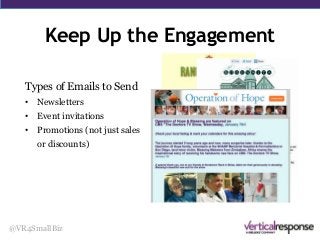
Types of Emails to Send
• Newsletters
• Event invitations
• Promotions (not just sales
or discounts)
Keep Up the Engagement
@VR4SmallBiz
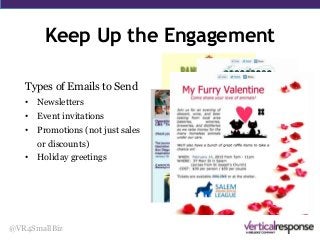
Types of Emails to Send
• Newsletters
• Event invitations
• Promotions (not just sales
or discounts)
• Holiday greetings
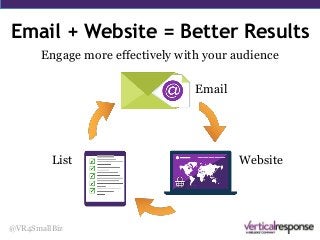
Email + Website = Better Results
@VR4SmallBiz
Use your website to grow
your email list with a sign
up form
Engage more effectively with your audience
Email + Website = Better Results
@VR4SmallBiz
Send email campaigns
to drive traffic to your
website
Engage more effectively with your audience
Email + Website = Better Results
@VR4SmallBiz
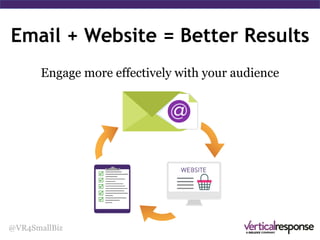
Engage more effectively with your audience
Email
WebsiteList
Summary
@VR4SmallBiz
• Keep your readers in mind – make sure your emails
are easy to read and work with or without images
• Use what you’ve got to engage your readers or
followers
• You don’t have to be everywhere, but be where your
customers are
• Leverage email and your website to get even better
results
Use VerticalResponse for FREE
@VR4SmallBiz
• Send professional-looking emails without a designer
or any HTML coding
• Use responsive templates that automatically adapt to
look great whether they’re read on desktop, phones or
tablets
• Reach even more people by sharing the same message
on Facebook and Twitter, with just a couple of clicks
• Send up to 4,000 emails to 1,000 contacts every
month for free
Tools and Resources
@VR4SmallBiz
www.verticalresponse.com/event
Get FREE access to:
The Beginner’s Guide to Email Marketing
Guide to Building Your Email List
50 Unique Ideas for Your Next Email
Button Builder
This Presentation
@VR4SmallBiz

Email Marketing 1-2-3: How to Get Started, Get Results and Get Growing

  • 1.
    Email Marketing 1-2-3 Howto Get Started, Get Results and Get Growing @VR4SmallBiz
  • 2.
    Agenda • Email MarketingBasics • Email Best Practices • Email + Website = Better Results • Tools and Resources to Get You Started • Q&A @VR4SmallBiz
  • 3.
    Email Marketing Basics Purpose: •Inform/educate • Talk about your company, product or service • Stay in front of your audience • Establish yourself as an expert • Build relationships • Drive traffic to your website @VR4SmallBiz
  • 4.
  • 5.
    How to Buildan Email List @VR4SmallBiz Online: • Sign up form on your website, blog, etc. • Link to sign up form in your email signature • E-commerce retailer: post-purchase thank you page • Social media Offline: • Sign up sheet at counter, event, etc. • Business card fish bowl
  • 6.
    Mobile Over 50% ofemails are read on a mobile device. Use a responsive template to ensure your emails look great no matter where they’re read. @VR4SmallBiz
  • 7.
    @VR4SmallBiz How to standout in an overcrowded inbox? Standing Out in the Inbox “I get 100 emails a day. Why should I open yours?”
  • 8.
    @VR4SmallBiz Standing Out inthe Inbox From Label Who Are You? • Tells your audience who’s sending the email • Company name usually works best; be consistent
  • 9.
    @VR4SmallBiz Standing Out inthe Inbox Subject line Why Open This Email? • Tells readers what to expect • Don’t repeat your From label • Stick to 40-50 characters • Don’t use all caps or too much punctuation
  • 10.
    @VR4SmallBiz Pre-header Text Supplements Subject Line •Provides compelling information to entice opening the email; displays in many preview panes • Don’t repeat the subject line Standing Out in the Inbox
  • 11.
    Email Best Practices @VR4SmallBiz Nowthat they’ve opened your email … How do you get them to engage and act?
  • 12.
  • 13.
    Email Best Practices @VR4SmallBiz Includelogos, images • Brand with your logo
  • 14.
    Email Best Practices @VR4SmallBiz Includelogos, images • Brand with your logo • Break up blocks of text • Link your images • Use alt text • 80/20 text/image ratio
  • 15.
    Email Best Practices @VR4SmallBiz AddLinks • Give your recipients lots of opportunity to get to your website
  • 16.
    Email Best Practices @VR4SmallBiz AddLinks • Give your recipients lots of opportunity to get to your website • Make them social by including a link to post on Twitter or Facebook
  • 17.
    Email Best Practices @VR4SmallBiz AddLinks • Read long articles easily • Use call-to-action buttons
  • 18.
    Email Best Practices @VR4SmallBiz Contentis Everything • What’s your story? • Put your audience first • Your readers must desire your content
  • 19.
    Email Best Practices @VR4SmallBiz Contentis Everything • What’s your story? • Put your audience first • Your readers must desire your content • The best marketers and salespeople are storytellers
  • 20.
    Email Best Practices @VR4SmallBiz Content:More Than Words • Images • Video • Infographics (visual.ly, Pinterest) • Charts • Live and/or recorded demos • User generated (customer quotes, testimonials)
  • 21.
    Email Best Practices @VR4SmallBiz UseSocial Media • Increase your social media presence • Give recipients an incentive to click through to your social media pages
  • 22.
    Email Best Practices @VR4SmallBiz Makeit Shareable • Forward to a friend
  • 23.
    Email Best Practices @VR4SmallBiz Makeit Shareable • Forward to a friend • Share on Facebook and Twitter or any social media platform you are using
  • 24.
    Email Sent …Now What? @VR4SmallBiz Understanding The Metrics • Bounce Rate: • Open Rate: • Click-through Rate: • Unsubscribe Rate: Total email undelivered ÷ Total emails sent Total email opened ÷ Total emails sent Total clicks on all links ÷ Total emails sent Total unsubscribes ÷ Total emails sent
  • 25.
    Keep Up theEngagement @VR4SmallBiz Types of Emails to Send • Newsletters
  • 26.
    Keep Up theEngagement @VR4SmallBiz Types of Emails to Send • Newsletters • Event invitations
  • 27.
    Keep Up theEngagement @VR4SmallBiz Types of Emails to Send • Newsletters • Event invitations • Promotions (not just sales or discounts)
  • 28.
    Keep Up theEngagement @VR4SmallBiz Types of Emails to Send • Newsletters • Event invitations • Promotions (not just sales or discounts) • Holiday greetings
  • 29.
    Email + Website= Better Results @VR4SmallBiz Use your website to grow your email list with a sign up form Engage more effectively with your audience
  • 30.
    Email + Website= Better Results @VR4SmallBiz Send email campaigns to drive traffic to your website Engage more effectively with your audience
  • 31.
    Email + Website= Better Results @VR4SmallBiz Engage more effectively with your audience Email WebsiteList
  • 32.
    Summary @VR4SmallBiz • Keep yourreaders in mind – make sure your emails are easy to read and work with or without images • Use what you’ve got to engage your readers or followers • You don’t have to be everywhere, but be where your customers are • Leverage email and your website to get even better results
  • 33.
    Use VerticalResponse forFREE @VR4SmallBiz • Send professional-looking emails without a designer or any HTML coding • Use responsive templates that automatically adapt to look great whether they’re read on desktop, phones or tablets • Reach even more people by sharing the same message on Facebook and Twitter, with just a couple of clicks • Send up to 4,000 emails to 1,000 contacts every month for free
  • 34.
    Tools and Resources @VR4SmallBiz www.verticalresponse.com/event GetFREE access to: The Beginner’s Guide to Email Marketing Guide to Building Your Email List 50 Unique Ideas for Your Next Email Button Builder This Presentation
  • 35.

Editor's Notes

  • #5 Email: A very good investment
  • #25 Don’t rely/depend solely on these numbers to gauge email marketing success. Things like increase in website traffic, engagement, sales/revenue, etc. are more important. Average open rates: Prospect mailings – 11-13% B2B – 22% B2C – 15-20% Non-profit – 15% Average CTR: Prospects – 1-3% B2B – 7% B2C – 6% Non-profit – 4% Average bounce rate: Regularly mailed list – .2-.5% Infrequently mailed list – 5-7% First-time mailing list – 20-30% Average unsubscribe results: Regularly mailed list – .2-.75% Infrequently maiked list – 2-5% STATS COURTESY OF THE DMA
  • #31 Your site is where your readers can get more information, buy a product, book a service, RSVP to an event, etc. Drives direct revenue, attendance, donations.