An intelligent approach to recognize sign language for deaf and dumb people of the world
Dedication


   First of all we would like to remember the
   deaf and dumb people of the world for
   whom we tried to develop a Sign language
   Recognizer (SLR).
Outline

•   Sign language
•   SLR & its necessity
•   Helping process of SLR
•   Working procedure of SLR
•   Block Diagram of SLR
•   BP training time & graph
•   Recognition accuracy
•   Limitations
•   Future plan
•   Papers
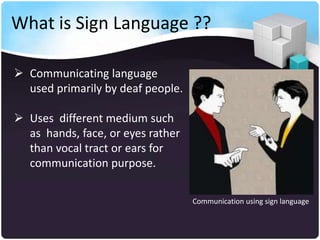
What is Sign Language ??

 Communicating language
  used primarily by deaf people.

 Uses different medium such
  as hands, face, or eyes rather
  than vocal tract or ears for
  communication purpose.

                                   Communication using sign language
What is SLR ??


  Sign language recognizer (SLR) is a tool for
  recognizing sign language of deaf and dumb
  people of the world.
Why we need SLR ??


Problems:

• About 2 million people are deaf in our world
• They are deprived from various social
  activities
• They are under-estimated to our society
• Communication problem
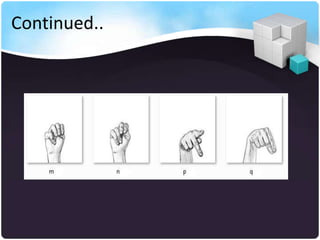
Continued..


Proposed Solution: SLR
SLR can be a desirable interpreter which can help
both the community general and deaf.
How SLR help ?? An Example.....

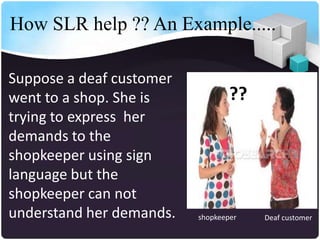
Suppose a deaf customer
went to a shop. She is            ??
trying to express her
demands to the
shopkeeper using sign
language but the
shopkeeper can not
understand her demands.   shopkeeper   Deaf customer
Continued..


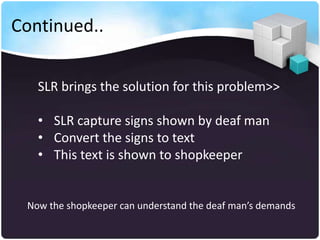
   SLR brings the solution for this problem>>

   • SLR capture signs shown by deaf man
   • Convert the signs to text
   • This text is shown to shopkeeper


 Now the shopkeeper can understand the deaf man’s demands
Continued..

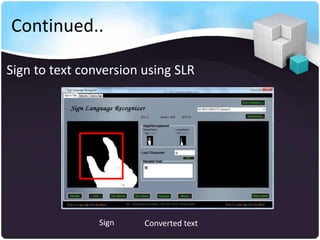
Sign to text conversion using SLR


                Sign    Converted text
Continued..

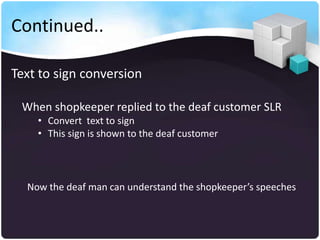
Text to sign conversion

 When shopkeeper replied to the deaf customer SLR
    • Convert text to sign
    • This sign is shown to the deaf customer


  Now the deaf man can understand the shopkeeper’s speeches
Continued..
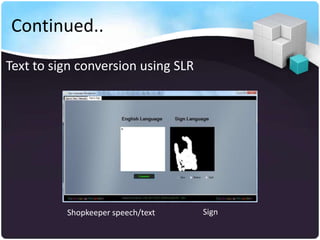
Text to sign conversion using SLR


          Shopkeeper speech/text    Sign
Text to Sign Conversion
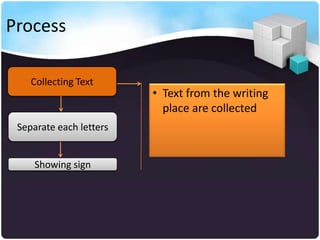
Process

    Collecting Text
                         • Text from the writing
                           place are collected
 Separate each letters


     Showing sign
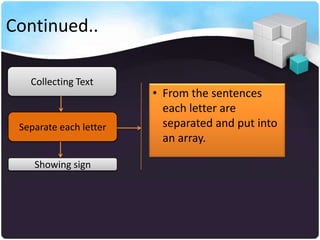
Continued..

   Collecting Text
                        • From the sentences
                          each letter are
 Separate each letter     separated and put into
                          an array.

    Showing sign
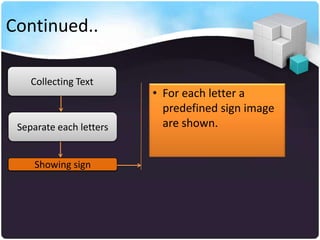
Continued..

    Collecting Text
                         • For each letter a
                           predefined sign image
 Separate each letters     are shown.


     Showing sign
Sign to Text Conversion
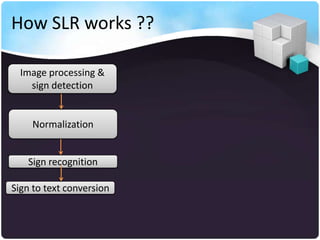
How SLR works ??

  Image processing &
    sign detection


    Normalization


   Sign recognition

Sign to text conversion
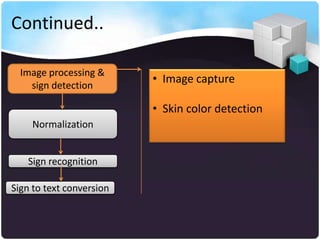
Continued..

  Image processing &
    sign detection
                          • Image capture

                          • Skin color detection
    Normalization


   Sign recognition

Sign to text conversion
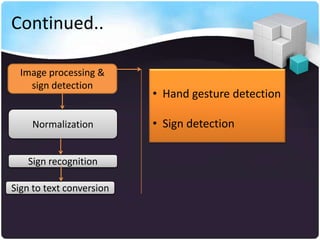
Continued..

  Image processing &
    sign detection
                          • Hand gesture detection

    Normalization         • Sign detection


   Sign recognition

Sign to text conversion
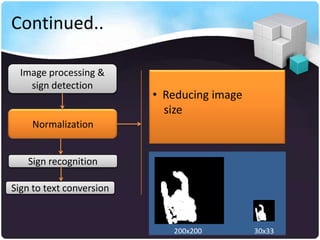
Continued..

  Image processing &
    sign detection
                          • Reducing image
                            size
    Normalization


   Sign recognition

Sign to text conversion


                             200x200         30x33
Continued..

  Image processing &
    sign detection
                          • Backpropagation
                            implementation
    Normalization


   Sign recognition

Sign to text conversion
Continued..

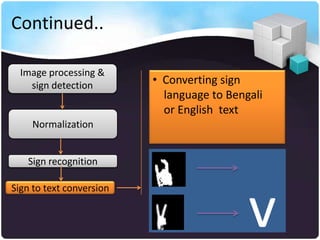
  Image processing &
    sign detection        • Converting sign
                            language to Bengali
                            or English text
    Normalization


   Sign recognition


                                            v
Sign to text conversion
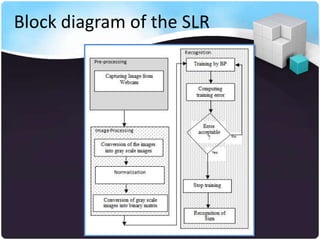
Block diagram of the SLR
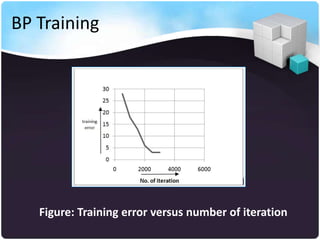
BP Training


   Figure: Training error versus number of iteration
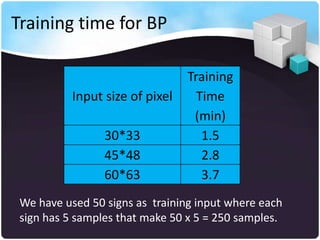
Training time for BP

                                 Training
           Input size of pixel     Time
                                  (min)
                 30*33              1.5
                 45*48              2.8
                 60*63              3.7
 We have used 50 signs as training input where each
 sign has 5 samples that make 50 x 5 = 250 samples.
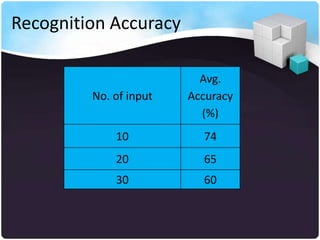
Recognition Accuracy

                          Avg.
         No. of input   Accuracy
                          (%)
             10           74
             20           65
             30           60
Limitations

• Due to brightness and contrast
  sometimes webcam can hardly detect

  the expected skin color.

• Because of the similarity of tracking
  environment background color and skin
  color the SLR gets unexpected pixels.
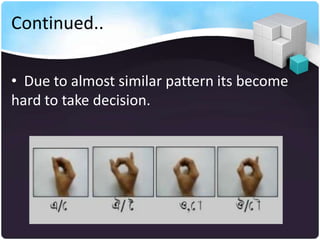
Continued..

• Due to almost similar pattern its become
hard to take decision.
Continued..
Future Plan


  • Real time word recognition of ASL & BSL
  • Implementing neural network Ensembles
  • Implementing Genetic algorithm for sign
     recognition
Required Tools


      •   Visual studio 2008
      •   XML
      •   Avro Keyboard installed
      •   Aforge .Net
      •   Open CV
      •   Webcam
References

   http://www.lifeprint.com/
   http://engineeringproject2011.webs.com/
   www.c-sharpcorner.com
   www.codeproject.com
   http://en.wikipedia.org
   www.aforgenet.com
Published papers
1. Bikash Chandra Karmokar, Kazi Md. RokibulAlam, Md.
KibriaSiddiquee, “An intelligent approach to recognize touchless
written Bengali characters”, International Conference on
Informatics, Electronics & Vision (ICIEV), ISSN: 2226-2105, 2012,
Dhaka, Bangladesh

2. Kazi Md. RokibulAlam, Bikash Chandra Karmokar, Md.
KibriaSiddiquee, “A comparison of constructive and pruning
algorithms to design neural networks”, Indian Journal of
Computer Science and Engineering (IJCSE), ISSN : 0976-5166 Vol.
2 No. 3 Jun-Jul 2011
Sign language recognizer

Sign language recognizer

  • 1.
    An intelligent approachto recognize sign language for deaf and dumb people of the world
  • 2.
    Dedication First of all we would like to remember the deaf and dumb people of the world for whom we tried to develop a Sign language Recognizer (SLR).
  • 3.
    Outline • Sign language • SLR & its necessity • Helping process of SLR • Working procedure of SLR • Block Diagram of SLR • BP training time & graph • Recognition accuracy • Limitations • Future plan • Papers
  • 4.
    What is SignLanguage ??  Communicating language used primarily by deaf people.  Uses different medium such as hands, face, or eyes rather than vocal tract or ears for communication purpose. Communication using sign language
  • 5.
    What is SLR?? Sign language recognizer (SLR) is a tool for recognizing sign language of deaf and dumb people of the world.
  • 6.
    Why we needSLR ?? Problems: • About 2 million people are deaf in our world • They are deprived from various social activities • They are under-estimated to our society • Communication problem
  • 7.
    Continued.. Proposed Solution: SLR SLRcan be a desirable interpreter which can help both the community general and deaf.
  • 8.
    How SLR help?? An Example..... Suppose a deaf customer went to a shop. She is ?? trying to express her demands to the shopkeeper using sign language but the shopkeeper can not understand her demands. shopkeeper Deaf customer
  • 9.
    Continued.. SLR brings the solution for this problem>> • SLR capture signs shown by deaf man • Convert the signs to text • This text is shown to shopkeeper Now the shopkeeper can understand the deaf man’s demands
  • 10.
    Continued.. Sign to textconversion using SLR Sign Converted text
  • 11.
    Continued.. Text to signconversion When shopkeeper replied to the deaf customer SLR • Convert text to sign • This sign is shown to the deaf customer Now the deaf man can understand the shopkeeper’s speeches
  • 12.
    Continued.. Text to signconversion using SLR Shopkeeper speech/text Sign
  • 13.
    Text to SignConversion
  • 14.
    Process Collecting Text • Text from the writing place are collected Separate each letters Showing sign
  • 15.
    Continued.. Collecting Text • From the sentences each letter are Separate each letter separated and put into an array. Showing sign
  • 16.
    Continued.. Collecting Text • For each letter a predefined sign image Separate each letters are shown. Showing sign
  • 17.
    Sign to TextConversion
  • 18.
    How SLR works?? Image processing & sign detection Normalization Sign recognition Sign to text conversion
  • 19.
    Continued.. Imageprocessing & sign detection • Image capture • Skin color detection Normalization Sign recognition Sign to text conversion
  • 20.
    Continued.. Imageprocessing & sign detection • Hand gesture detection Normalization • Sign detection Sign recognition Sign to text conversion
  • 21.
    Continued.. Imageprocessing & sign detection • Reducing image size Normalization Sign recognition Sign to text conversion 200x200 30x33
  • 22.
    Continued.. Imageprocessing & sign detection • Backpropagation implementation Normalization Sign recognition Sign to text conversion
  • 23.
    Continued.. Imageprocessing & sign detection • Converting sign language to Bengali or English text Normalization Sign recognition v Sign to text conversion
  • 24.
  • 25.
    BP Training Figure: Training error versus number of iteration
  • 26.
    Training time forBP Training Input size of pixel Time (min) 30*33 1.5 45*48 2.8 60*63 3.7 We have used 50 signs as training input where each sign has 5 samples that make 50 x 5 = 250 samples.
  • 27.
    Recognition Accuracy Avg. No. of input Accuracy (%) 10 74 20 65 30 60
  • 28.
    Limitations • Due tobrightness and contrast sometimes webcam can hardly detect the expected skin color. • Because of the similarity of tracking environment background color and skin color the SLR gets unexpected pixels.

  • 29.
    Continued.. • Due toalmost similar pattern its become hard to take decision.
  • 30.
  • 31.
    Future Plan • Real time word recognition of ASL & BSL • Implementing neural network Ensembles • Implementing Genetic algorithm for sign recognition
  • 32.
    Required Tools • Visual studio 2008 • XML • Avro Keyboard installed • Aforge .Net • Open CV • Webcam
  • 33.
    References  http://www.lifeprint.com/  http://engineeringproject2011.webs.com/  www.c-sharpcorner.com  www.codeproject.com  http://en.wikipedia.org  www.aforgenet.com
  • 34.
    Published papers 1. BikashChandra Karmokar, Kazi Md. RokibulAlam, Md. KibriaSiddiquee, “An intelligent approach to recognize touchless written Bengali characters”, International Conference on Informatics, Electronics & Vision (ICIEV), ISSN: 2226-2105, 2012, Dhaka, Bangladesh 2. Kazi Md. RokibulAlam, Bikash Chandra Karmokar, Md. KibriaSiddiquee, “A comparison of constructive and pruning algorithms to design neural networks”, Indian Journal of Computer Science and Engineering (IJCSE), ISSN : 0976-5166 Vol. 2 No. 3 Jun-Jul 2011