How to (Actually) Drive Revenue with 
        Social Media Apps.

 Entrepreneur’s Strategic Interest Group
            IABC/Houston
        Luncheon, March 11, 2010
        Provided by the Technology Task Force
        Provided by the Technology Task Force
              Moderated by Rob Bartlett
How to (Actually) Drive Revenue with 
        Social Media Apps.

                     First a definition:
           What, in 140 characters or fewer, is Twitter?
Well, it’s a money‐losing website made up of very short messages 
(like this one) where your kids (and C‐list celebrities) waste time. 

                   — Inc Dec 2009/Jan 2010
                      Inc. Dec     /Jan 
           5 Ways To Actually Make Money On Twitter
How to (Actually) Drive Revenue with 
        Social Media Apps.

          Now the program…
How to (Actually) Drive Revenue with 
        Social Media Apps.
Is Driving Business Via Social Media Really Like Dating? 
         g                                  y         g
          Social Skills for Social Media Success
               Alise Isbell, Write Wise Communications

  Fast and Easy Tricks to Increase Online Optimization
 Allie Herzog, Digital Media Director for Ward Creative Communications

Generating New Contacts From Social Business Channels
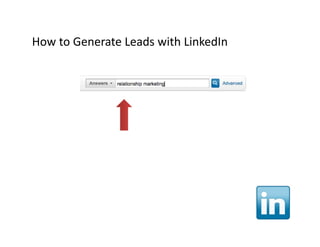
Generating New Contacts From Social Business Channels
              Susan Farrell, President and CEO of Captavi
Is Driving Business Via Social
         g
  Media Really Like Dating?


Social Skills for Social Media Success

                  Alise Isbell
   Trainer, Facilitator and Instructional Designer
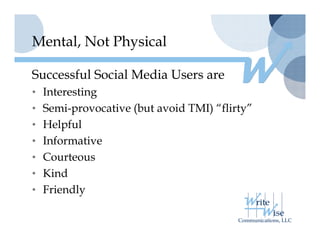
Mental, Not Physical

Successful Social Media Users are
• Interesting
• Semi provocative (but avoid TMI) “flirty”
  Semi-provocative                  flirty
• Helpful
• I f
  Informative
         ti
• Courteous
• Ki d
  Kind
• Friendly
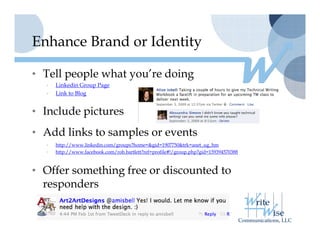
Enhance Brand or Identity

• Tell people what you’re doing
                   you re
  •   Linkedin Group Page
  •   Link to Blog


• I l d pictures
  Include i t
• Add links to samples or events
  •   http://www.linkedin.com/groups?home=&gid=1907750&trk=anet_ug_hm
  •   http://www.facebook.com/rob.bartlett?ref=profile#!/group.php?gid=159394570388


• Offer something free or discounted to
  responders
Enhance Brand or Identity

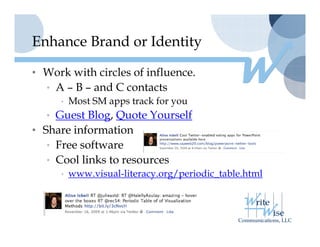
• Work with circles of influence.
  • A – B – and C contacts
     • Most SM apps track for you
  • Guest Blog, Quote Yourself
• Share information
  • Free software
  • Cool links to resources
     • www.visual-literacy.org/periodic_table.html
             i   l li         / i di      bl h l
Fast and Easy Tricks to
Increase Online Optimization

         Allie Herzog
     Digital Media Director for
   Ward Creative Communications
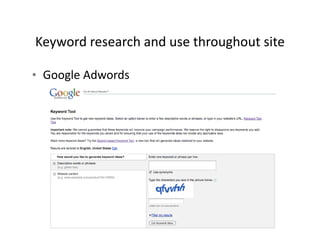
Keyword research and use throughout site 
Keyword research and use throughout site

• Google Adwords
  Google Adwords
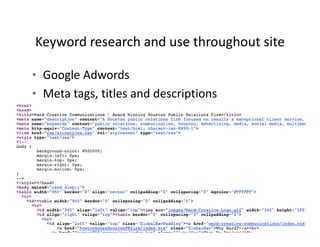
Keyword research and use throughout site 
Keyword research and use throughout site

• Google Adwords
  Google Adwords
• Meta tags, titles and descriptions
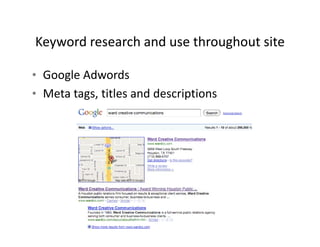
Keyword research and use throughout site 
Keyword research and use throughout site

• Google Adwords
  Google Adwords
• Meta tags, titles and descriptions
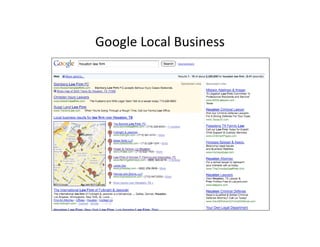
Google Local Business
Google Local Business
Google Local Business
            Google Local Business

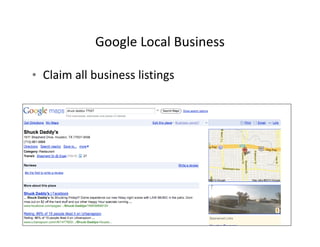
• Claim all business listings
  Claim all business listings
Google Local Business
            Google Local Business

• Claim all business listings
  Claim all business listings
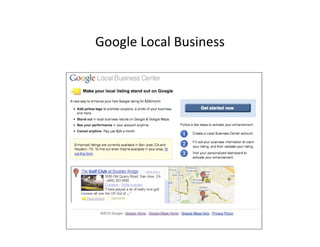
• Consider advertising
Google Local Business
Google Local Business
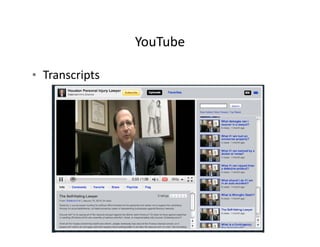
YouTube
YouTube
YouTube

• Transcripts
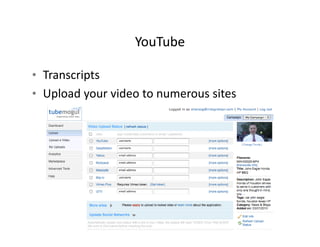
YouTube

• Transcripts
• Upload your video to numerous sites
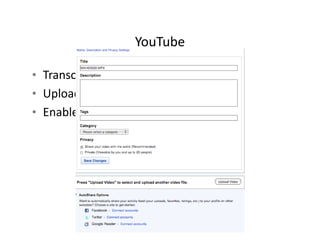
YouTube

• Transcripts
• Upload your video to numerous sites
• Enable sharing
     bl h i
YouTube

• Transcripts
• Upload your video to numerous sites
• Enable sharing
     bl h i
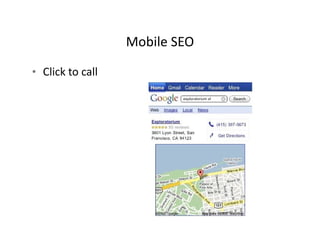
Mobile SEO
                  Mobile SEO

• Click to call
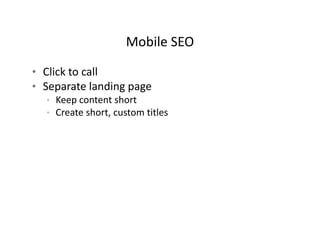
Mobile SEO
                    Mobile SEO

• Click to call
• Separate landing page
  • Keep content short
  • Create short, custom titles
Mobile SEO
                      Mobile SEO

• Click to call
• Separate landing page
   • Keep content short
   • Create short, custom titles
• Things to consider:
   • Is the most important information at the top?
     Is the most important information at the top?
   • Is your navigation still available?
   • Are the font sizes correct?
   • Does your page visibly look good?
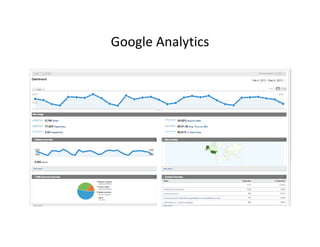
Google Analytics
Google Analytics
Generating New Contacts From
  Soc a us ess C a e s
  Social Business Channels


 Presenter:
 Susan Allen Farrell, President & CEO Captavi
Identify Your Audiences
Identify Your Audiences

• Prospects
• Customers
• Employees
     l
• Community/Public
• Investors
• Partners
• Media
Extend Keyphrases to Social Business
Extend Keyphrases to Social Business

• Relationship marketing
  Relationship marketing
• Marketing automation software
• S i lC
  Social CRM
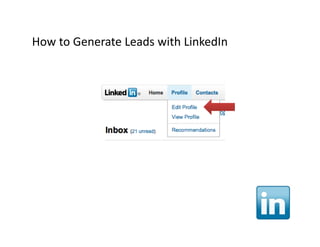
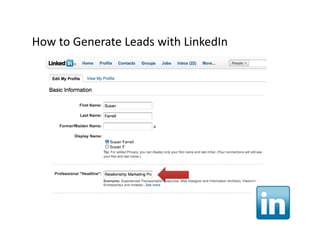
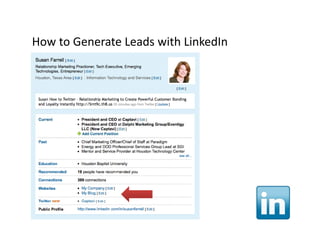
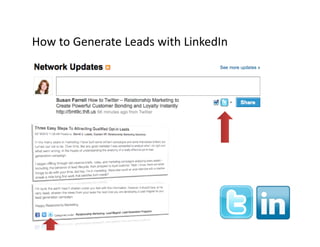
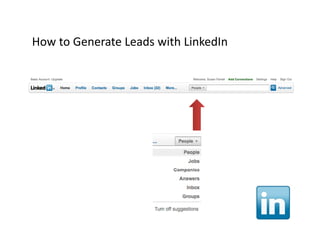
How to Generate Leads with LinkedIn
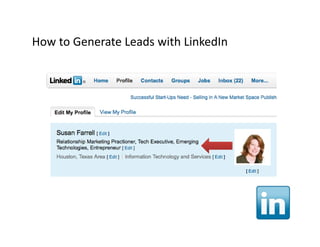
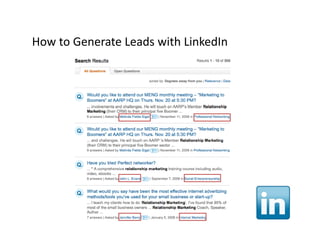
How to Generate Leads with LinkedIn
How to Generate Leads with LinkedIn
How to Generate Leads with LinkedIn
How to Generate Leads with LinkedIn
How to Generate Leads with LinkedIn
How to Generate Leads with LinkedIn
How to Generate Leads with LinkedIn
How to Generate Leads with LinkedIn
How to Generate Leads with LinkedIn
How to Generate Leads with LinkedIn
How to Generate Leads with LinkedIn
How to Generate Leads with LinkedIn
How to Generate Leads with LinkedIn
How to Generate Leads with LinkedIn
How to Generate Leads with LinkedIn
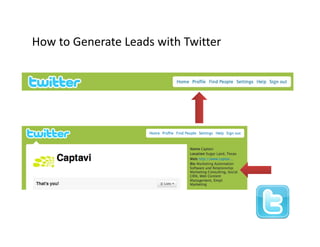
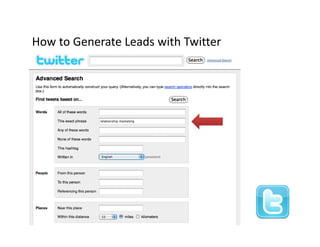
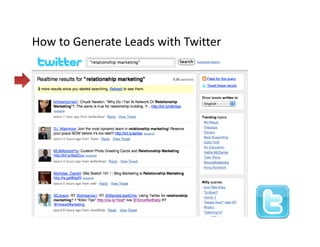
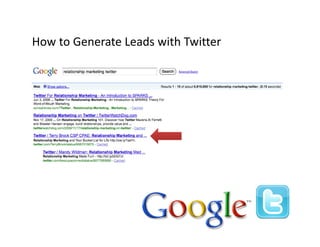
How to Generate Leads with Twitter
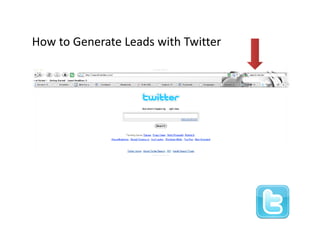
How to Generate Leads with Twitter
How to Generate Leads with Twitter
How to Generate Leads with Twitter
How to Generate Leads with Twitter
How to Generate Leads with Twitter
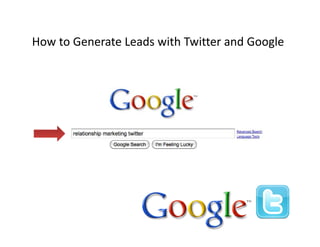
How to Generate Leads with Twitter and Google
How to Generate Leads with Twitter and Google
How to Generate Leads with Twitter
How to Generate Leads with Twitter
Measurable Success Indicators –
Check List
Ch k Li

   Number of Net‐New Qualified Twitter Followers
   Number of Net‐New LinkedIn Contacts
   Number of Social Business Referrals
   Number of Leads Generated from Social Business
   Top‐Five Organic Ranking Position in Search Engines
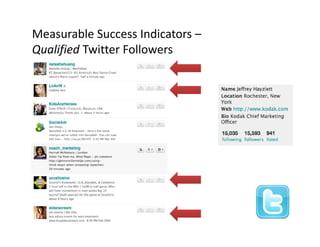
Measurable Success Indicators –
Qualified Twitter Followers
Q lifi d T i      F ll
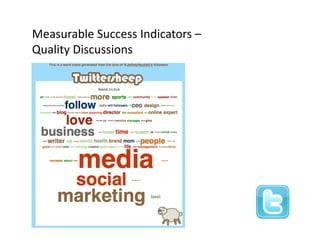
Measurable Success Indicators –
Quality Discussions
Q li Di        i
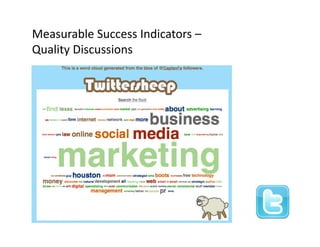
Measurable Success Indicators –
Quality Discussions
Q li Di        i
Resources

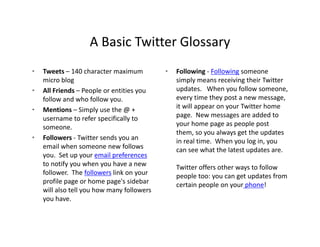
A Basic Twitter Glossary
 (
 (Provided by Alise Isbell)
            y             )
A Basic Twitter Glossary
                    A Basic Twitter Glossary
•   Tweets – 140 character maximum            •   Following ‐ Following someone 
    micro blog                                    simply means receiving their Twitter 
•   All Friends – People or entities you          updates.  When you follow someone, 
    follow and who follow you.                    every time they post a new message, 
•   Mentions – Si l
    M ti           Simply use the @ + 
                              th @                it will appear on your Twitter home 
                                                  it will appear on your Twitter home
    username to refer specifically to             page.  New messages are added to 
    someone.                                      your home page as people post 
                                                  them, so you always get the updates 
•   Followers ‐ Twitter sends you an
                  Twitter sends you an            in real time.  Wh
                                                  i      l i     When you log in, you 
                                                                           l i
    email when someone new follows                can see what the latest updates are. 
    you.  Set up your email preferences
    to notify you when you have a new             Twitter offers other ways to follow 
                                                                         y
    follower.  The followers li k
    f ll         h f ll       link on your        people too: you can get updates from 
    profile page or home page's sidebar           certain people on your phone!
    will also tell you how many followers 
    y
    you have.
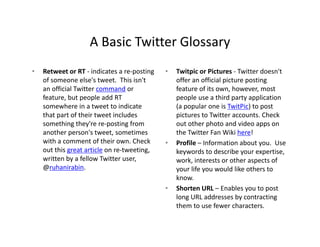
A Basic Twitter Glossary
                    A Basic Twitter Glossary
•   Retweet or RT ‐ indicates a re‐posting    •   Twitpic or Pictures ‐ Twitter doesn't 
    of someone else's tweet. This isn't           offer an official picture posting 
    an official Twitter command or                feature of its own, however, most 
    feature, but people add RT                    people use a third party application 
    somewhere in a tweet to indicate 
    somewhere in a tweet to indicate              (a popular one is TwitPic) to post 
                                                  (a popular one is TwitPic) to post
    that part of their tweet includes             pictures to Twitter accounts. Check 
    something they're re‐posting from             out other photo and video apps on 
    another person's tweet, sometimes             the Twitter Fan Wiki here!
    with a comment of their own. Check 
      ih                f h i       Ch k      •   Profile – Information about you.  Use 
    out this great article on re‐tweeting,        keywords to describe your expertise, 
    written by a fellow Twitter user,             work, interests or other aspects of 
    @
    @ruhanirabin.                                 your life you would like others to 
                                                  your life you would like others to
                                                  know.
                                              •   Shorten URL – Enables you to post 
                                                  long URL addresses by contracting 
                                                  them to use fewer characters.
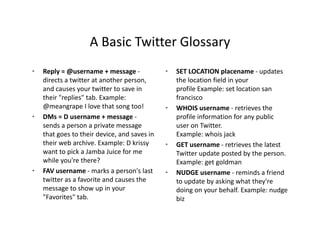
A Basic Twitter Glossary
                    A Basic Twitter Glossary
•   Reply = @username + message ‐              •   SET LOCATION placename ‐ updates 
    directs a twitter at another person,           the location field in your 
    and causes your twitter to save in             profile Example: set location san 
    their "replies" tab. Example:                  francisco
    @meangrape I love that song too!
                   I love that song too!       •   WHOIS username retrieves the 
                                                   WHOIS username ‐ retrieves the
•   DMs = D username + message ‐                   profile information for any public 
    sends a person a private message               user on Twitter. 
    that goes to their device, and saves in        Example: whois jack
    their web archive. Example: D krissy       •   GET username ‐ retrieves the latest 
    want to pick a Jamba Juice for me              Twitter update posted by the person. 
    while you're there?                            Example: get goldman
•   FAV username marks a person s last 
    FAV username ‐ marks a person's last       •   NUDGE username ‐ reminds a friend 
                                                        G                    i d fi d
    twitter as a favorite and causes the           to update by asking what they're 
    message to show up in your                     doing on your behalf. Example: nudge 
    "Favorites" tab.                               biz
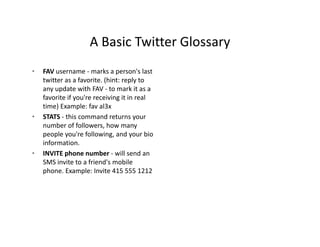
A Basic Twitter Glossary
                    A Basic Twitter Glossary
•   FAV username ‐ marks a person's last 
    twitter as a favorite. (hint: reply to 
    any update with FAV ‐ to mark it as a 
    favorite if you're receiving it in real 
    time) Example: fav al3x 
    time) Example: fav al3x
•   STATS ‐ this command returns your 
    number of followers, how many 
    people you're following, and your bio 
    information.
•   INVITE phone number ‐ will send an 
    SMS invite to a friend's mobile 
    phone. Example: Invite 415 555 1212
    phone Example: Invite 415 555 1212
Advanced Twitter
                          Advanced Twitter
•   Hashtags – Used for keywords to          •   Twitter Clients – Software client used 
    trend topics and see which are most          for Twitter website other than Twitter 
    popular at a given time.                     like Tweetdeck, Hootsuite and  
                                                 Ubertwitter
•   Search – Twitter Search enables users 
    to search for keywords, people,          •   Multiple accounts – Many people 
    companies or other entities of               have aspects of their lives they wish 
    interest                                     to compartmentalize.  Having 
•   Groups – Organizations or companies          multiple accounts enables messaging 
                                                 multiple accounts enables messaging
    can tweet about products and                 about distinct topics and targeted 
    services to generate a following or          information to different audiences
    offer special promotions to 
    offer special promotions to
    customers
Useful Links
                               Useful Links
•   PowerPoint/Twitter Tools: 
    http://www.sapweb20.com/blog/powerpoint‐
    twitter‐tools/
•   Moodle Interactive Site with More Info: 
    http://tejaslearning.com/learningnetwork/login/i
    ndex.php
•   Posterous: http://posterous.com/
•   Mark Prasatik: mprasatik@gmail.com Twitter 
    username ‐ @mprasatik 
•   Alise Isbell: Write Wise Communications, LLC 
    Alise Isbell: Write Wise Communications LLC
    Alise@writewisecommunications.com
    Twitter username ‐ @amisbell
Thank You
Thank You

Show Me the Money How to (Actually) Drive Revenue With Social Media Apps

  • 1.
    How to (Actually) Drive Revenue with  Social Media Apps. Entrepreneur’s Strategic Interest Group IABC/Houston Luncheon, March 11, 2010 Provided by the Technology Task Force Provided by the Technology Task Force Moderated by Rob Bartlett
  • 2.
    How to (Actually) Drive Revenue with  Social Media Apps. First a definition: What, in 140 characters or fewer, is Twitter? Well, it’s a money‐losing website made up of very short messages  (like this one) where your kids (and C‐list celebrities) waste time.  — Inc Dec 2009/Jan 2010 Inc. Dec  /Jan  5 Ways To Actually Make Money On Twitter
  • 3.
    How to (Actually) Drive Revenue with  Social Media Apps. Now the program…
  • 4.
    How to (Actually) Drive Revenue with  Social Media Apps. Is Driving Business Via Social Media Really Like Dating?  g y g Social Skills for Social Media Success Alise Isbell, Write Wise Communications Fast and Easy Tricks to Increase Online Optimization Allie Herzog, Digital Media Director for Ward Creative Communications Generating New Contacts From Social Business Channels Generating New Contacts From Social Business Channels Susan Farrell, President and CEO of Captavi
  • 5.
    Is Driving BusinessVia Social g Media Really Like Dating? Social Skills for Social Media Success Alise Isbell Trainer, Facilitator and Instructional Designer
  • 6.
    Mental, Not Physical SuccessfulSocial Media Users are • Interesting • Semi provocative (but avoid TMI) “flirty” Semi-provocative flirty • Helpful • I f Informative ti • Courteous • Ki d Kind • Friendly
  • 7.
    Enhance Brand orIdentity • Tell people what you’re doing you re • Linkedin Group Page • Link to Blog • I l d pictures Include i t • Add links to samples or events • http://www.linkedin.com/groups?home=&gid=1907750&trk=anet_ug_hm • http://www.facebook.com/rob.bartlett?ref=profile#!/group.php?gid=159394570388 • Offer something free or discounted to responders
  • 8.
    Enhance Brand orIdentity • Work with circles of influence. • A – B – and C contacts • Most SM apps track for you • Guest Blog, Quote Yourself • Share information • Free software • Cool links to resources • www.visual-literacy.org/periodic_table.html i l li / i di bl h l
  • 9.
    Fast and Easy Tricks to Increase Online Optimization Allie Herzog Digital Media Director for Ward Creative Communications
  • 10.
    Keyword research and use throughout site  Keyword research anduse throughout site • Google Adwords Google Adwords
  • 11.
    Keyword research and use throughout site  Keyword research anduse throughout site • Google Adwords Google Adwords • Meta tags, titles and descriptions
  • 12.
    Keyword research and use throughout site  Keyword research anduse throughout site • Google Adwords Google Adwords • Meta tags, titles and descriptions
  • 13.
  • 14.
    Google Local Business Google Local Business • Claim all business listings Claim all business listings
  • 15.
    Google Local Business Google Local Business • Claim all business listings Claim all business listings • Consider advertising
  • 16.
  • 17.
  • 18.
  • 19.
  • 20.
  • 21.
  • 22.
  • 23.
    Mobile SEO Mobile SEO • Click to call
  • 24.
    Mobile SEO Mobile SEO • Click to call • Separate landing page • Keep content short • Create short, custom titles
  • 25.
    Mobile SEO Mobile SEO • Click to call • Separate landing page • Keep content short • Create short, custom titles • Things to consider: • Is the most important information at the top? Is the most important information at the top? • Is your navigation still available? • Are the font sizes correct? • Does your page visibly look good?
  • 26.
  • 27.
    Generating New ContactsFrom Soc a us ess C a e s Social Business Channels Presenter: Susan Allen Farrell, President & CEO Captavi
  • 28.
    Identify Your Audiences Identify Your Audiences •Prospects • Customers • Employees l • Community/Public • Investors • Partners • Media
  • 29.
    Extend Keyphrases to Social Business Extend Keyphrases toSocial Business • Relationship marketing Relationship marketing • Marketing automation software • S i lC Social CRM
  • 30.
  • 31.
  • 32.
  • 33.
  • 34.
  • 35.
  • 36.
  • 37.
  • 38.
  • 39.
    How to GenerateLeads with Twitter How to Generate Leads with Twitter
  • 40.
  • 41.
  • 42.
  • 43.
  • 44.
    Measurable Success Indicators – Check List Ch k Li Number of Net‐New Qualified Twitter Followers Number of Net‐New LinkedIn Contacts Number of Social Business Referrals Number of Leads Generated from Social Business Top‐Five Organic Ranking Position in Search Engines
  • 45.
  • 46.
  • 47.
  • 48.
  • 49.
    A Basic Twitter Glossary A Basic Twitter Glossary • Tweets – 140 character maximum  • Following ‐ Following someone  micro blog simply means receiving their Twitter  • All Friends – People or entities you  updates.  When you follow someone,  follow and who follow you. every time they post a new message,  • Mentions – Si l M ti Simply use the @ +  th @ it will appear on your Twitter home  it will appear on your Twitter home username to refer specifically to  page.  New messages are added to  someone. your home page as people post  them, so you always get the updates  • Followers ‐ Twitter sends you an Twitter sends you an  in real time.  Wh i l i When you log in, you  l i email when someone new follows  can see what the latest updates are.  you.  Set up your email preferences to notify you when you have a new  Twitter offers other ways to follow  y follower.  The followers li k f ll h f ll link on your  people too: you can get updates from  profile page or home page's sidebar  certain people on your phone! will also tell you how many followers  y you have.
  • 50.
    A Basic Twitter Glossary A Basic Twitter Glossary • Retweet or RT ‐ indicates a re‐posting  • Twitpic or Pictures ‐ Twitter doesn't  of someone else's tweet. This isn't  offer an official picture posting  an official Twitter command or  feature of its own, however, most  feature, but people add RT  people use a third party application  somewhere in a tweet to indicate  somewhere in a tweet to indicate (a popular one is TwitPic) to post  (a popular one is TwitPic) to post that part of their tweet includes  pictures to Twitter accounts. Check  something they're re‐posting from  out other photo and video apps on  another person's tweet, sometimes  the Twitter Fan Wiki here! with a comment of their own. Check  ih f h i Ch k • Profile – Information about you.  Use  out this great article on re‐tweeting,  keywords to describe your expertise,  written by a fellow Twitter user,  work, interests or other aspects of  @ @ruhanirabin. your life you would like others to  your life you would like others to know. • Shorten URL – Enables you to post  long URL addresses by contracting  them to use fewer characters.
  • 51.
    A Basic Twitter Glossary A Basic Twitter Glossary • Reply = @username + message ‐ • SET LOCATION placename ‐ updates  directs a twitter at another person,  the location field in your  and causes your twitter to save in  profile Example: set location san  their "replies" tab. Example:  francisco @meangrape I love that song too! I love that song too! • WHOIS username retrieves the  WHOIS username ‐ retrieves the • DMs = D username + message ‐ profile information for any public  sends a person a private message  user on Twitter.  that goes to their device, and saves in  Example: whois jack their web archive. Example: D krissy • GET username ‐ retrieves the latest  want to pick a Jamba Juice for me  Twitter update posted by the person.  while you're there?  Example: get goldman • FAV username marks a person s last  FAV username ‐ marks a person's last • NUDGE username ‐ reminds a friend  G i d fi d twitter as a favorite and causes the  to update by asking what they're  message to show up in your  doing on your behalf. Example: nudge  "Favorites" tab. biz
  • 52.
    A Basic Twitter Glossary A Basic Twitter Glossary • FAV username ‐ marks a person's last  twitter as a favorite. (hint: reply to  any update with FAV ‐ to mark it as a  favorite if you're receiving it in real  time) Example: fav al3x  time) Example: fav al3x • STATS ‐ this command returns your  number of followers, how many  people you're following, and your bio  information. • INVITE phone number ‐ will send an  SMS invite to a friend's mobile  phone. Example: Invite 415 555 1212 phone Example: Invite 415 555 1212
  • 53.
    Advanced Twitter Advanced Twitter • Hashtags – Used for keywords to  • Twitter Clients – Software client used  trend topics and see which are most  for Twitter website other than Twitter  popular at a given time. like Tweetdeck, Hootsuite and   Ubertwitter • Search – Twitter Search enables users  to search for keywords, people,  • Multiple accounts – Many people  companies or other entities of  have aspects of their lives they wish  interest to compartmentalize.  Having  • Groups – Organizations or companies  multiple accounts enables messaging  multiple accounts enables messaging can tweet about products and  about distinct topics and targeted  services to generate a following or  information to different audiences offer special promotions to  offer special promotions to customers
  • 54.
    Useful Links Useful Links • PowerPoint/Twitter Tools:  http://www.sapweb20.com/blog/powerpoint‐ twitter‐tools/ • Moodle Interactive Site with More Info:  http://tejaslearning.com/learningnetwork/login/i ndex.php • Posterous: http://posterous.com/ • Mark Prasatik: mprasatik@gmail.com Twitter  username ‐ @mprasatik  • Alise Isbell: Write Wise Communications, LLC  Alise Isbell: Write Wise Communications LLC Alise@writewisecommunications.com Twitter username ‐ @amisbell
  • 55.