#data14 
LET’S ANALYZE SOCIAL MEDIA DATA WITH TABLEAU 
PRESENTED BY: 
Sasha Pasulka, Michelle Wallace 
Senior Product Marketing Manager, Product Marketing Analyst, Tableau Software
Agenda 
2 
• The role of data in social media 
• How to get started 
• Key questions 
• Dashboard demo 
• Key metrics 
• How-to demo
THE ROLE OF DATA 
IN SOCIAL MEDIA 
3
“How do you succeed at B-to-B 
social media?” 
4
You are asking the wrong question.
6 
P-to-P
“How do you measure ROI on 
social media?” 
7
You are asking the wrong question.
9 
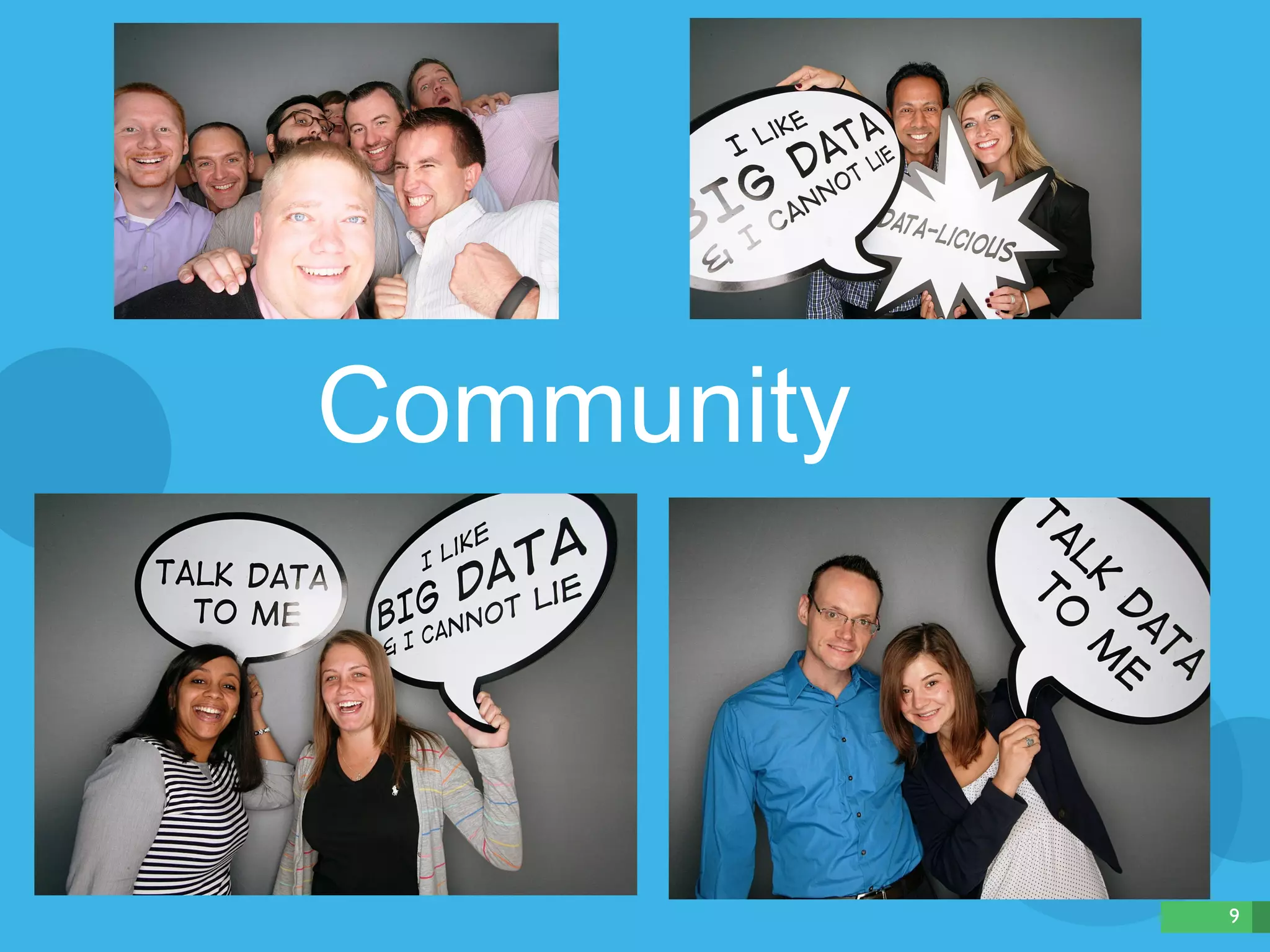
Community
10 
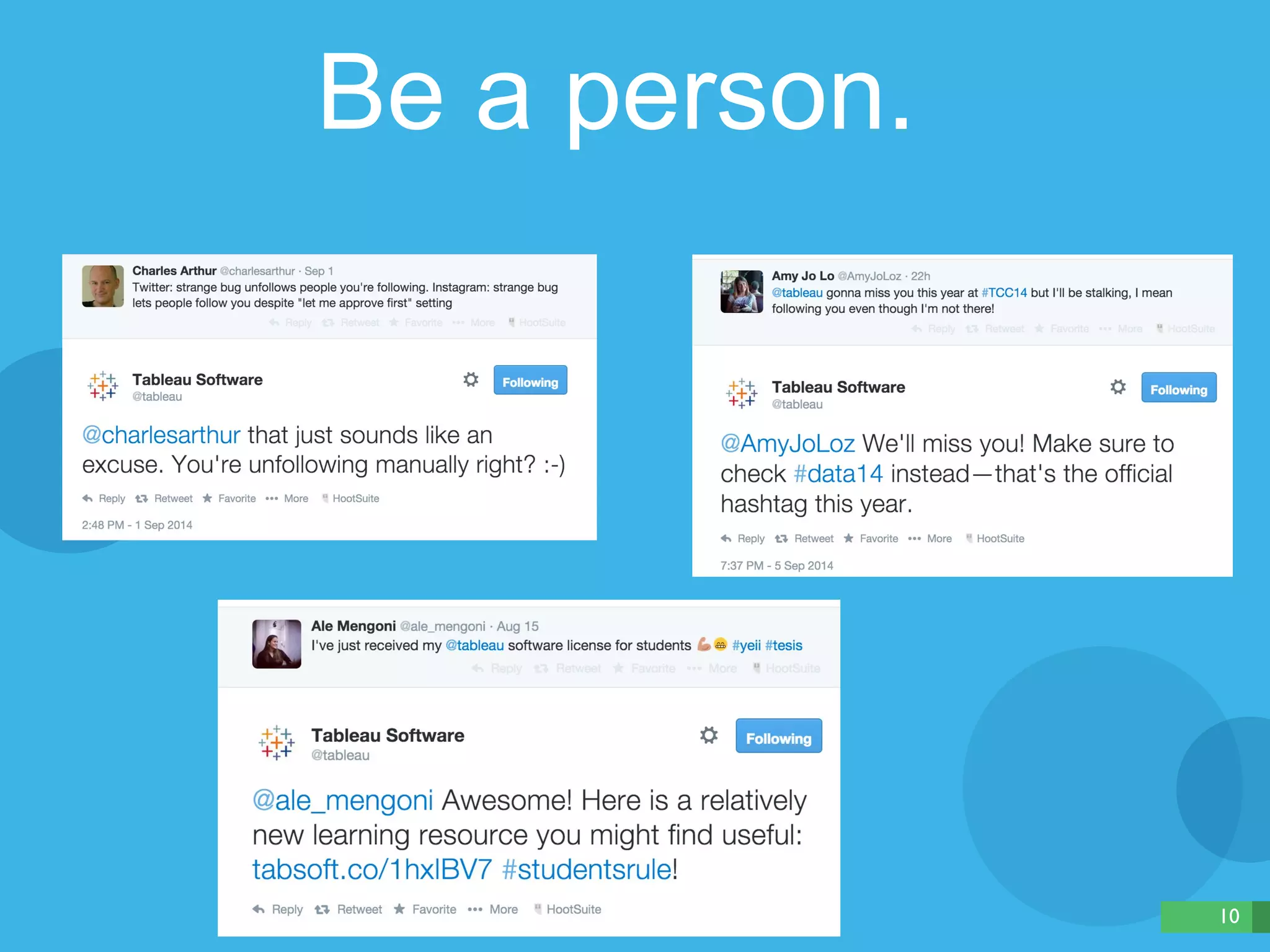
Be a person.
11 
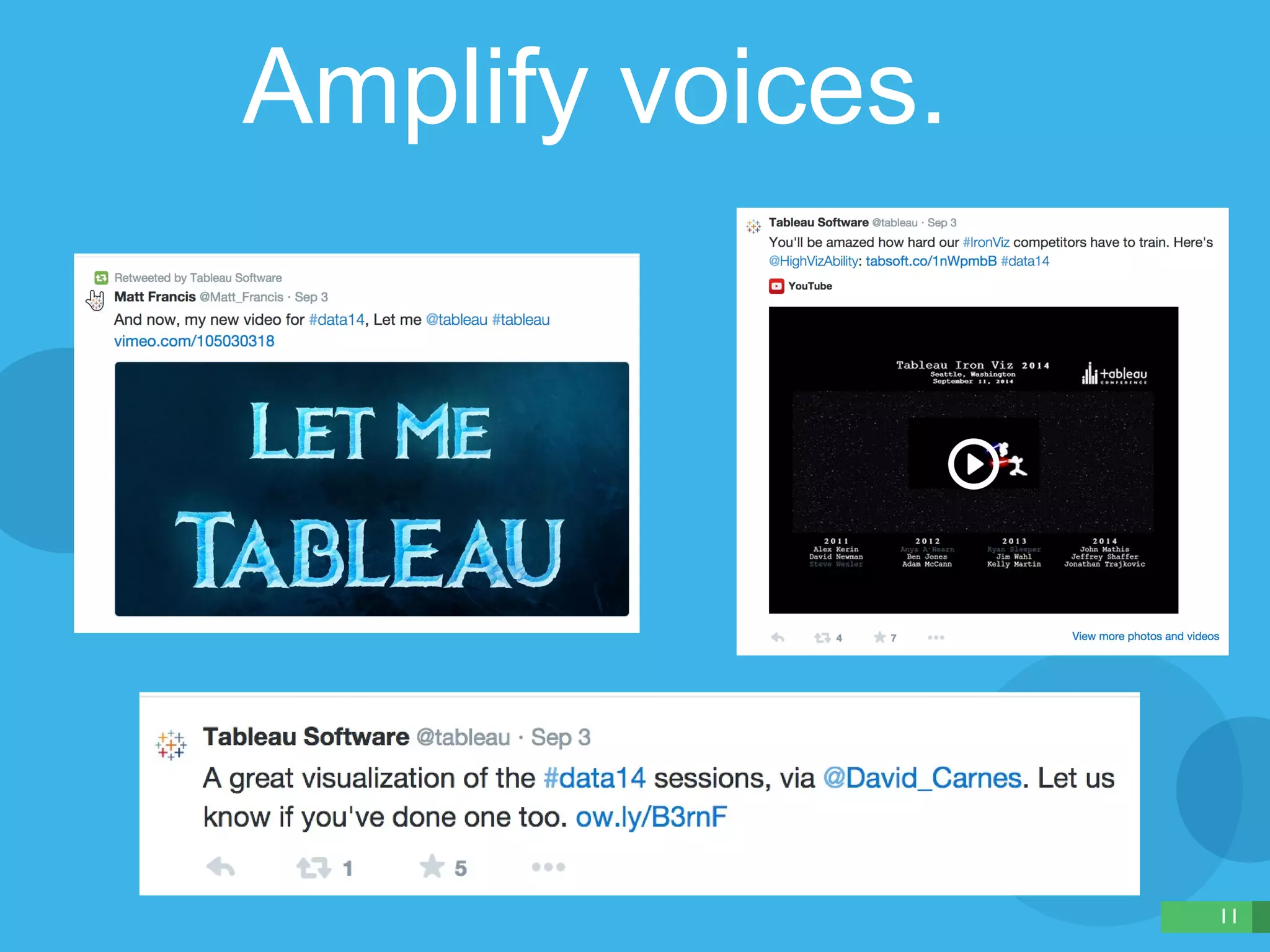
Amplify voices.
12 
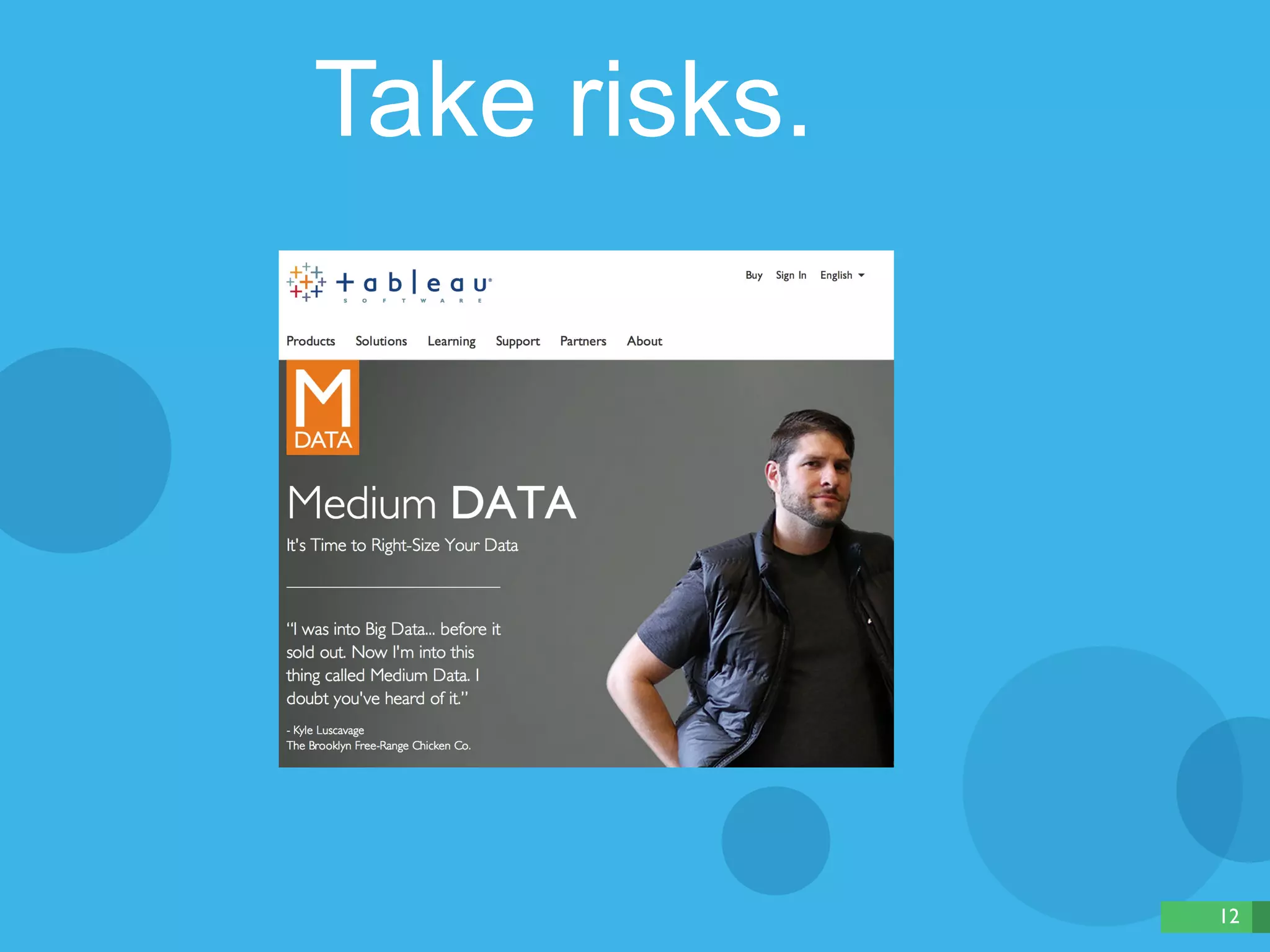
Take risks.
13 
After you’ve mastered 
all that …
14 
Use data.
HOW TO GET STARTED 
15
- Kohki Yamaguchi, 20 Reasons Why Social Analytics Is a 
Nightmare—And What To Do About It 
“Social media managers and 
analysts have one of the 
toughest jobs in digital marketing 
today.” 
16
KEY QUESTIONS 
17
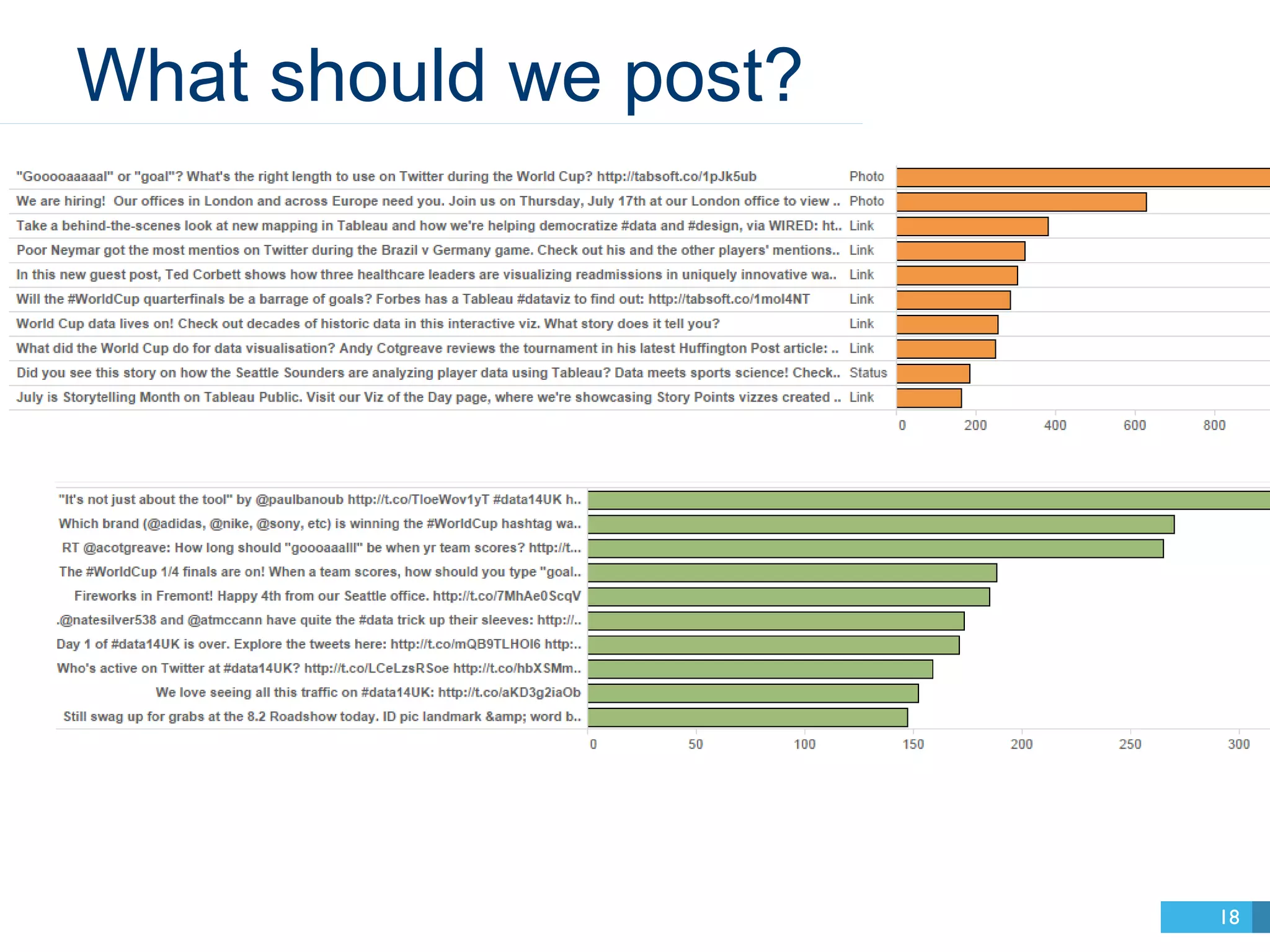
What should we post? 
18
19
20
21
22
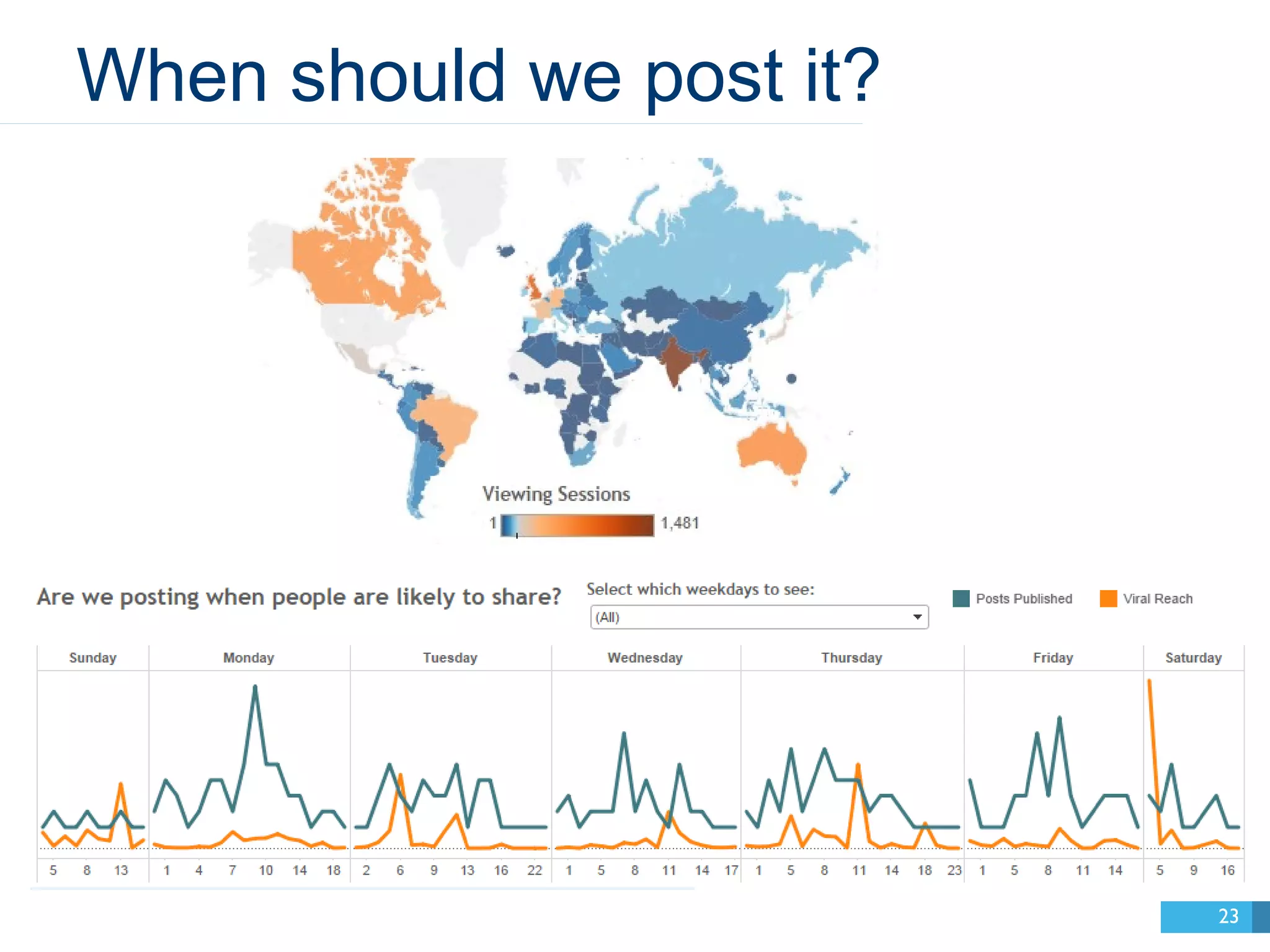
When should we post it? 
23
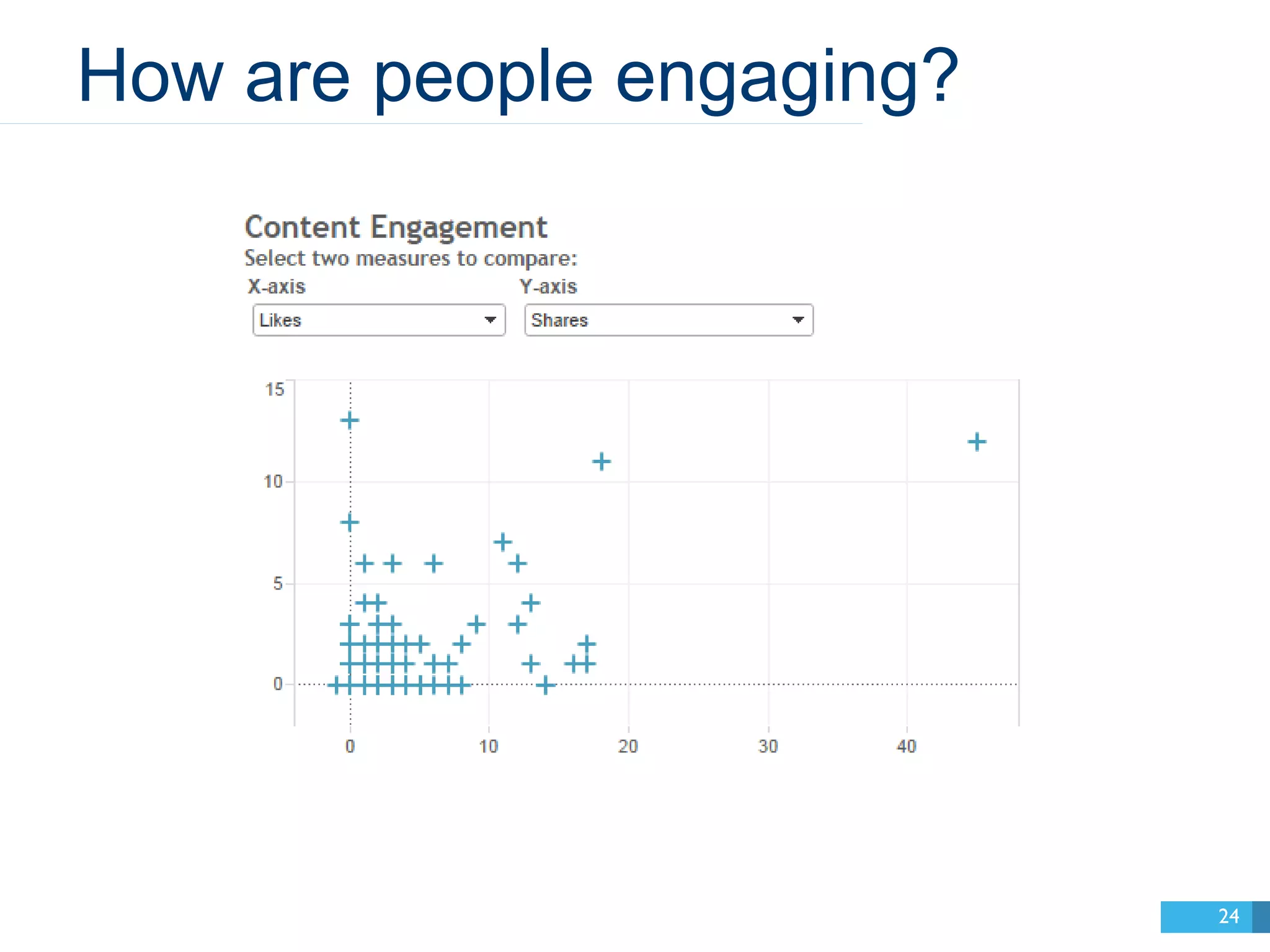
How are people engaging? 
24
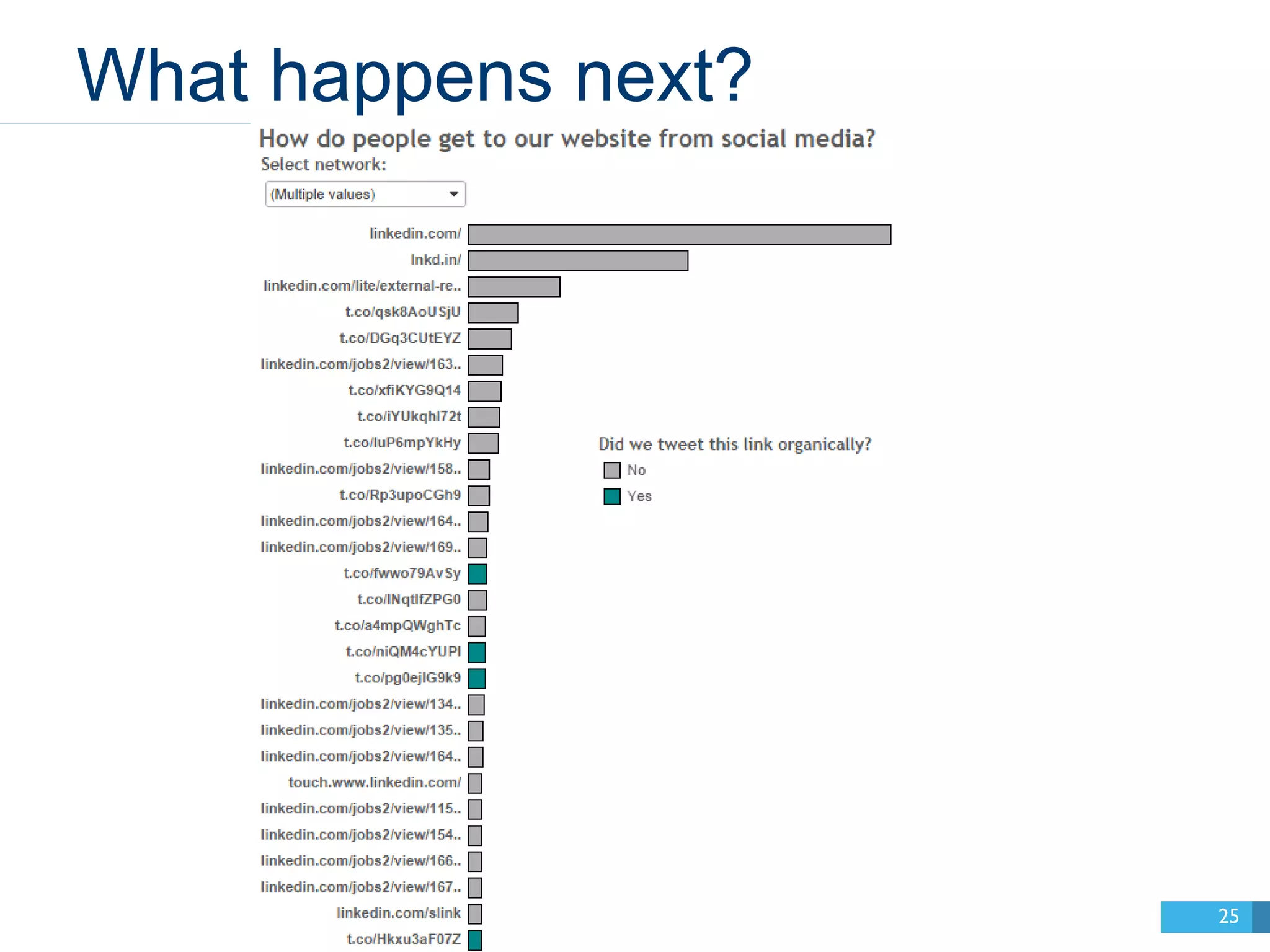
What happens next? 
25
DASHBOARD DEMO 
26
KEY METRICS 
27
Facebook 
28
Facebook 
29
Facebook 
30
Facebook 
31
LIFETIME POST TOTAL REACH 
32
LIFETIME POST STORIES 
33
HIDE_CLICKS 
34
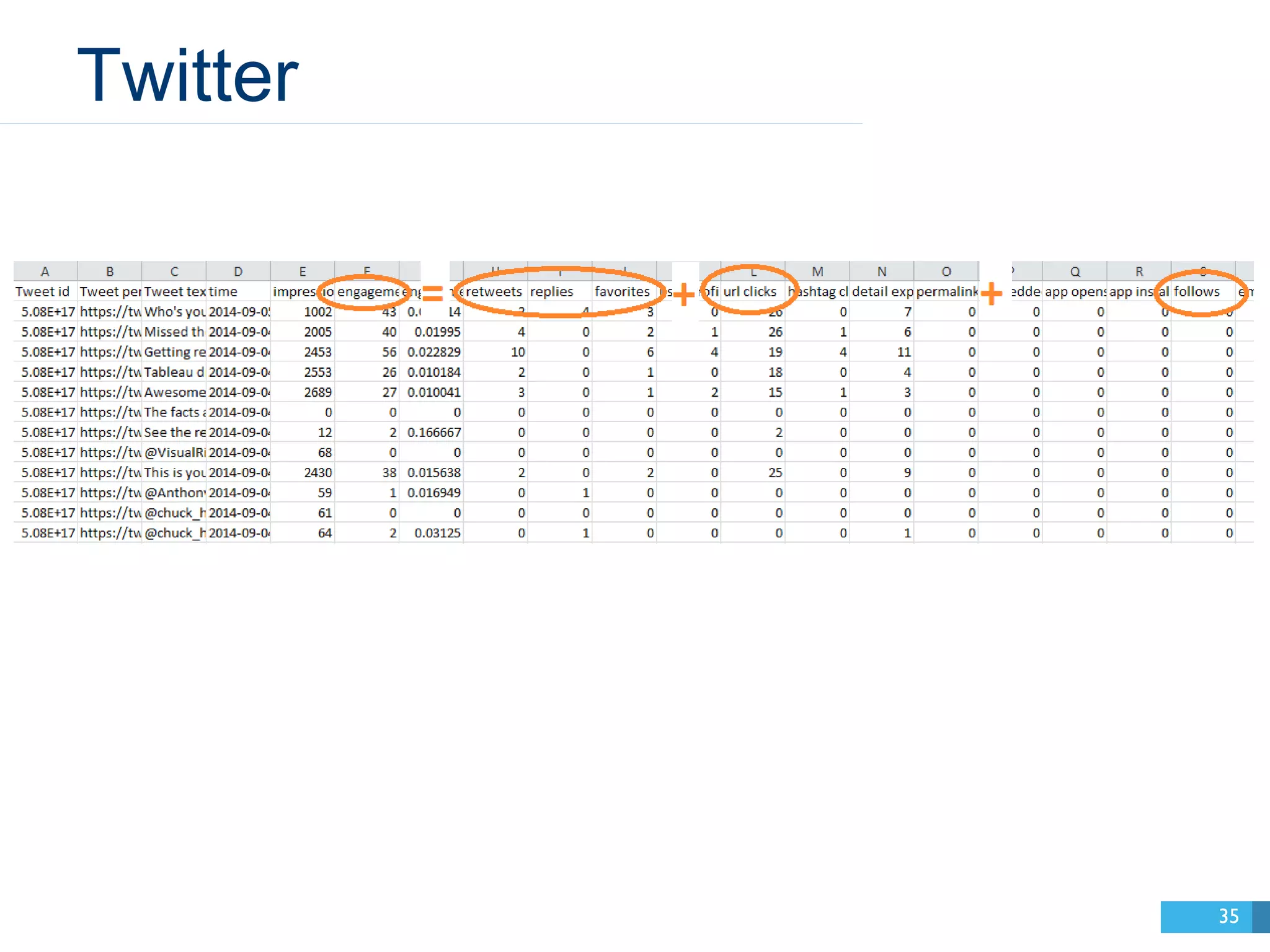
Twitter 
35
ENGAGEMENTS 
36
YouTube 
37
YouTube 
38
YouTube 
39
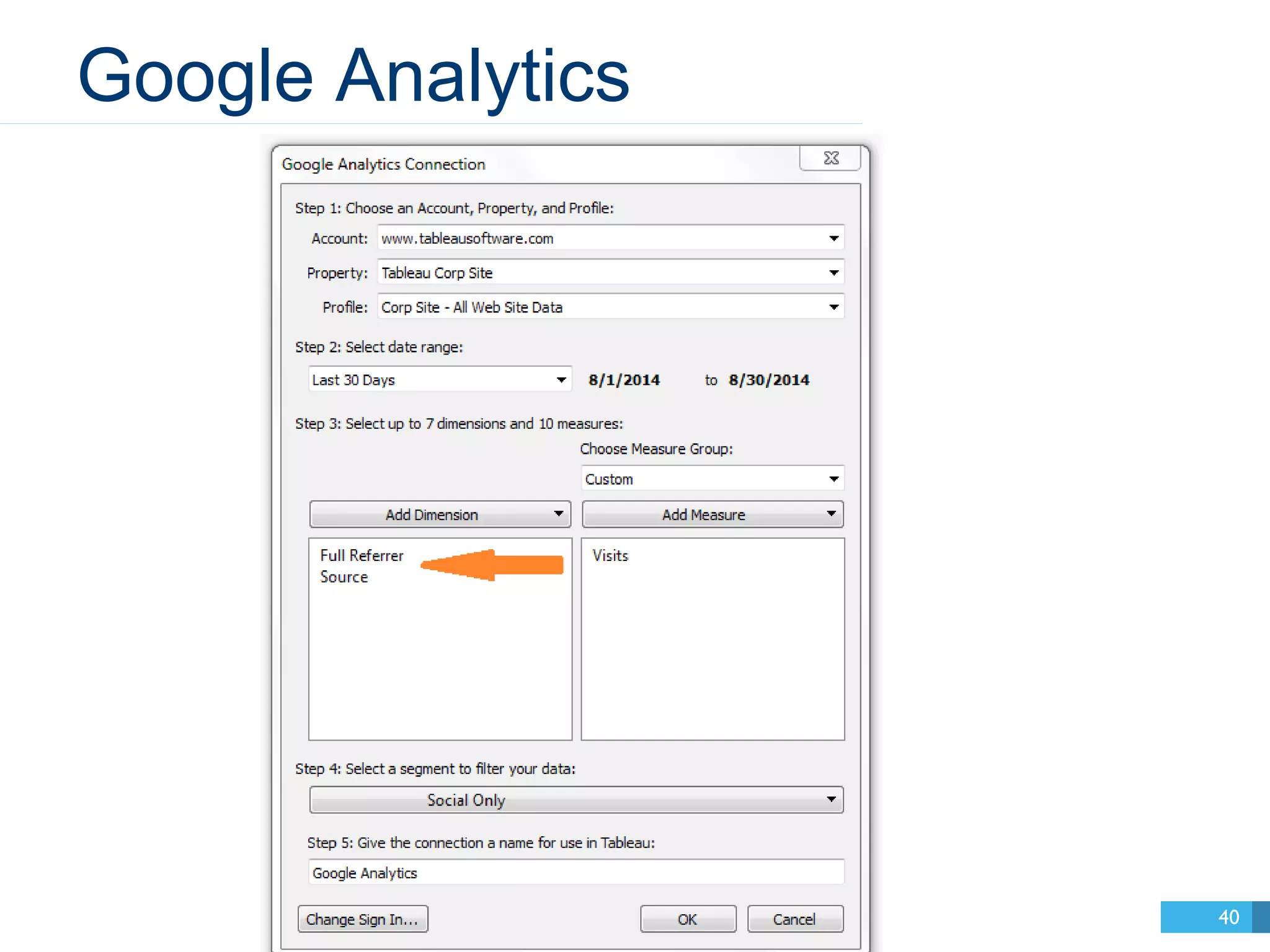
Google Analytics 
40
FULL REFERRER 
41
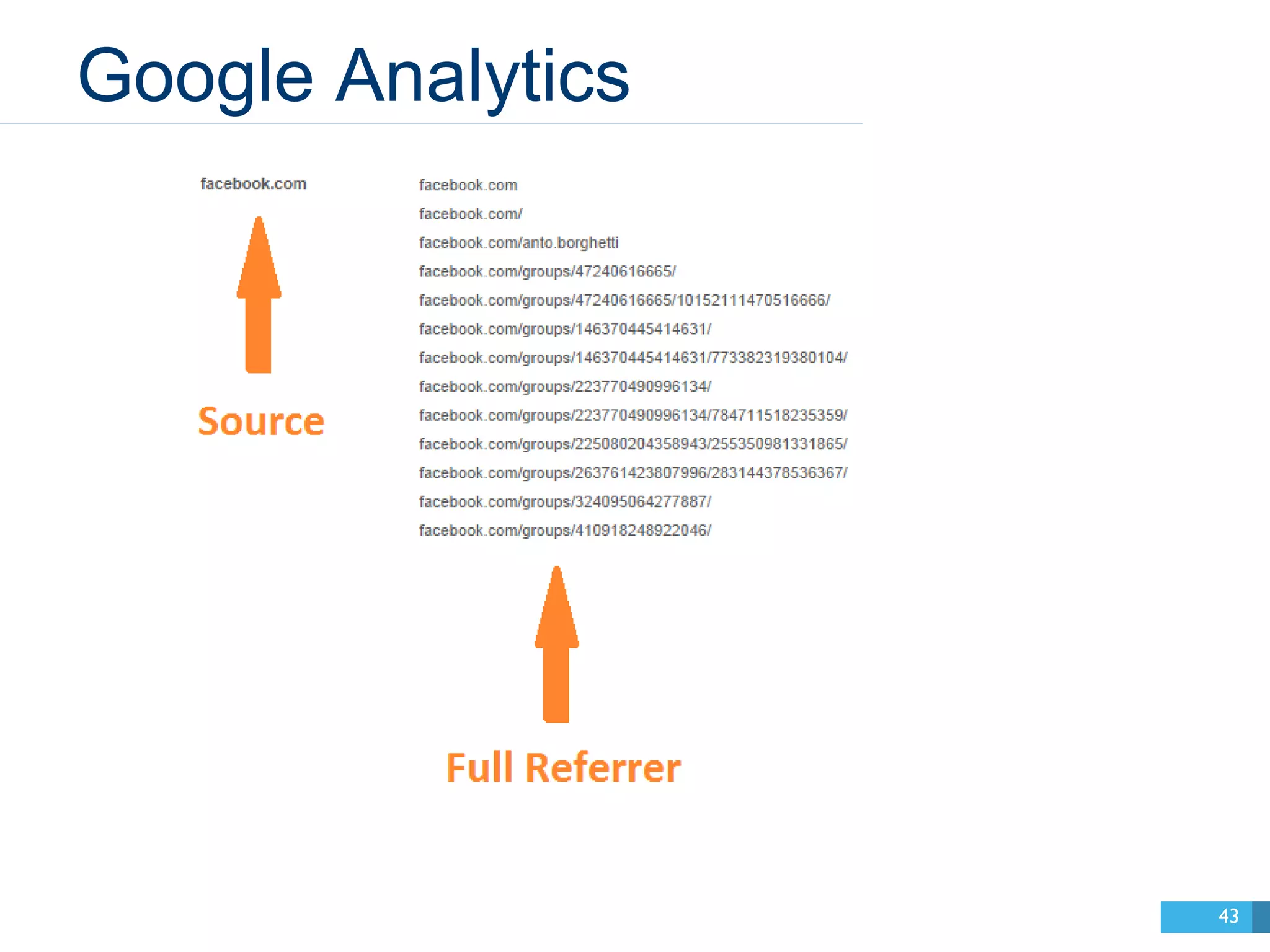
SOURCE 
42
Google Analytics 
43
HOW-TO DEMO 
44
Calculations I use in the demo 
45 
To Dynamically Choose an Engagement Metric: 
CASE [Parameters].[What I’m Measuring] 
WHEN "Retweets" THEN [Retweets] 
WHEN "Replies" THEN [Replies] 
WHEN "Follows" THEN [Follows] 
WHEN "Favorites" THEN [Favorites] 
WHEN "Url Clicks" THEN [Url Clicks] 
END 
To Group Similar Referral Sources Together: 
IF CONTAINS ([Source], "twitter") then "Twitter" 
ELSEIF CONTAINS ([Source], “facebook”) then “Facebook” 
ELSEIF CONTAINS ([Source], "plus.google") then "Google+" 
ELSEIF CONTAINS ([Source], "linkedin") then "LinkedIn" 
ELSEIF CONTAINS ([Source], "youtube") then "YouTube" 
ELSE "Other" 
END
Take-aways 
46 
• Social media data is difficult—but 
even basic insights are powerful. 
• You don’t have to analyze it all. 
Focus on the metrics that matter to 
you right now. 
• Treat each channel differently. Ask 
questions that are suited to that data. 
• Keep iterating!
Sasha Pasulka 
@SashRocks 
Michelle Wallace 
@wordsbywallace 
A Few Other People 
@tableau 
47 
#data14
Thank you! 
Check out these sessions: 
“Sifting for Deeper Insights 
from Your Social Media Data” 
by Isaac Obezo & Mike 
Klaczynski 
•Thursday at 12:00–1:00 PM 
•Room 303 
•Intermediate 
“Making Sense of Your Many 
Marketing Data Sources” by 
Sasha Pasulka 
•Wednesday at 10:45–1:45 AM 
•Room 604 
•Intermediate 
48
Please take the session survey 
1.Tap to this session on the Schedule tab of the 
Data14 app 
2.Scroll down to “Feedback” and tap through the 
3-question survey 
3.Tap Send Feedback
QUESTIONS? 
50
51

Let's Analyze Social Media Data with Tableau!

Editor's Notes

  • #2 Good afternoon, and thank you all for coming. We’re here to hopefully give you some new ideas about how to analyze social media data. Our hope is that you’ll learn something from this session that you can take back to your own job and make an impact. Show of hands: How many of you work for B-to-B companies? How many of you are involved in some way with your company’s social media strategy? Is anyone on a team responsible for social media specifically? I’m Sasha Pasulka, and I’m a Senior Manager on the Product marketing team at Tableau. I’m here with Michelle Wallace, an analyst on the product marketing team who focuses on our social media. Michelle’s one of the best and brightest around here—and at Tableau, that’s saying something. Later in the presentation, she’s going to show you some of the social media dashboards we build here at Tableau and do a live demo of how you can build them yourself. I’m a manager, so I’m neither as interesting nor talented as she is. It’s this weird thing that happens as you get older—the people who work for you are the interesting and talented ones, and yet somehow you’re still paid more. So I’m going to kick this off as managers do—by telling you why we do what we do here. I’ve worked in social media for as long as it’s existed. I grew up professionally in social media. For as long as social media has existed, I’ve managed it for someone or I’ve managed a team that manages social media. I’ve managed over 50 brands’ social media accounts. So I’ve had plenty of time to think about social media. There are a couple key questions I run into again and again, and I’m going to assume this audience has run into these questions too. So I’m going to start by answering these key questions.
  • #5 The first question comes up again and again—from bosses, from the media, on Quora, everywhere. How do you do B-to-B social media. And since many of you in here are in B-to-B companies, I think it’s important I address this question. Because, see, I’ve had the better part of a decade to think about this question. And recently, I think I’ve found the correct answer.
  • #6 The correct answer is that you’re asking the wrong question. Let me explain.
  • #7 Social media’s super-power is person-to-person marketing. Social media is a paradigm shift. It changes everything. What social media does—that nothing could do before—is connect people with other people so they can build relationships. Those relationships may become lifelong friendships, or they may pass like ships in the night, exchanging a single piece of information before disappearing. But there are no brands on social media. There are only people. And this is a superpower. Never before have businesses had such unfettered access to the people who use their products. You can take off your cape and be dissolved of your superpower quickly, though, as soon as you spend more than one meeting thinking about who your “brand” is online. Your brand is people. Let them speak.
  • #8 The first question comes up again and again—from bosses, from the media, on Quora, everywhere. How do you do B-to-B social media. And since many of you in here are in B-to-B companies, I think it’s important I address this question. Because, see, I’ve had the better part of a decade to think about this question. And recently, I think I’ve found the correct answer.
  • #9 The correct answer is that you’re asking the wrong question. Let me explain.
  • #10 Social media does not map neatly to lead flow or sales. Social media is about brand awareness and the power of community.
  • #11 Be a person. Talk like a person. Build human relationships.
  • #14 Grow a community of people who are passionate about data. Empower, inspire, and amplify the voices of that community. Keep that community informed. Listen to the feedback of that community. Treat that community as an extension of our marketing team.
  • #18 Hi, my name’s Michelle Wallace, and I’m so excited to share with you how we’re analyzing social media data at Tableau! I want to start off by talking about how to focus in a world that can be as chaotic as social media. By asking focused questions, you can reach fundamental insights. Here are the questions I always find myself asking, day in and day out.
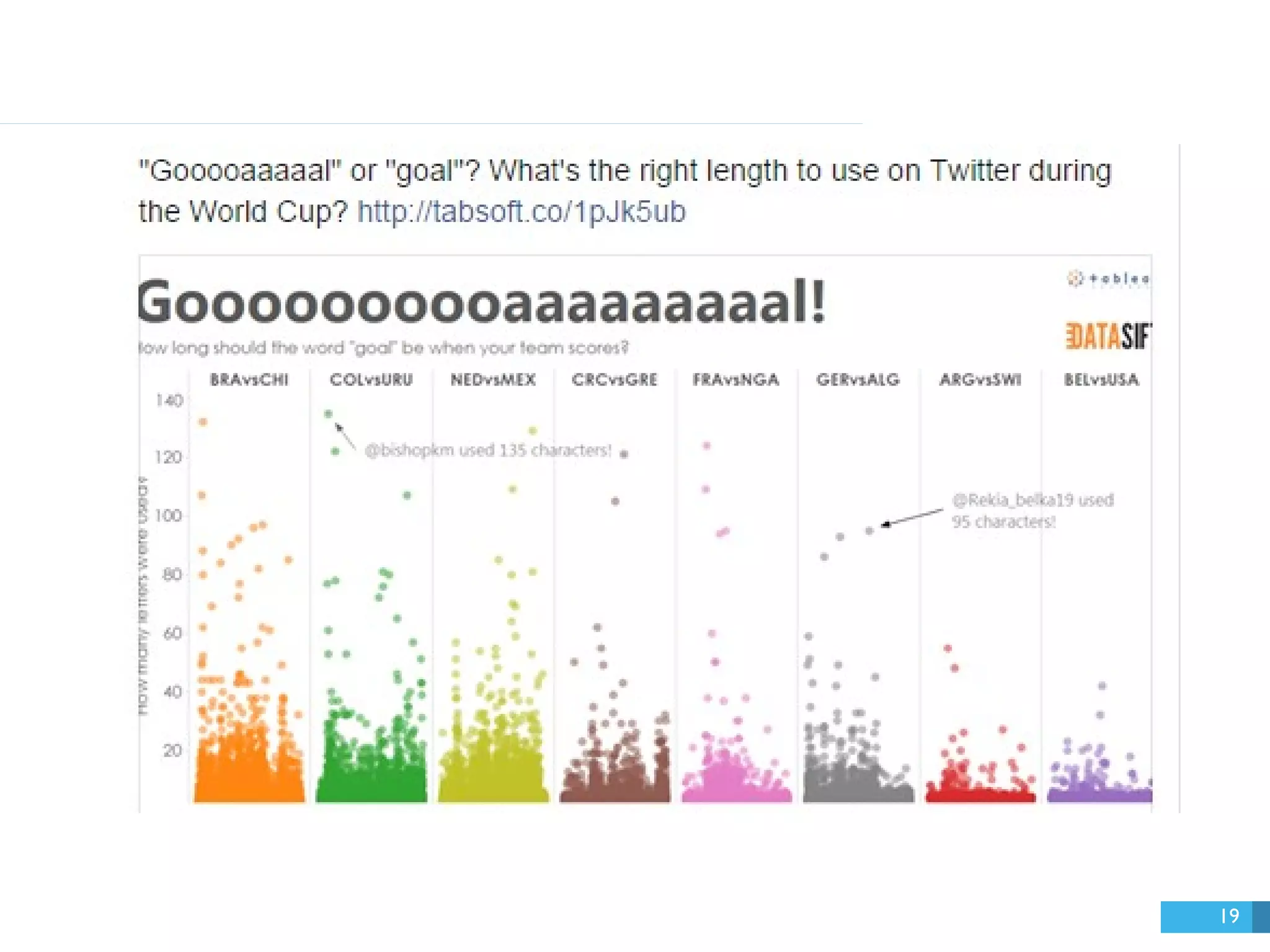
  • #19 With a basic bar chart, we can see which posts had the most likes, comments, and shares.
  • #20 Here was the top post from Facebook!
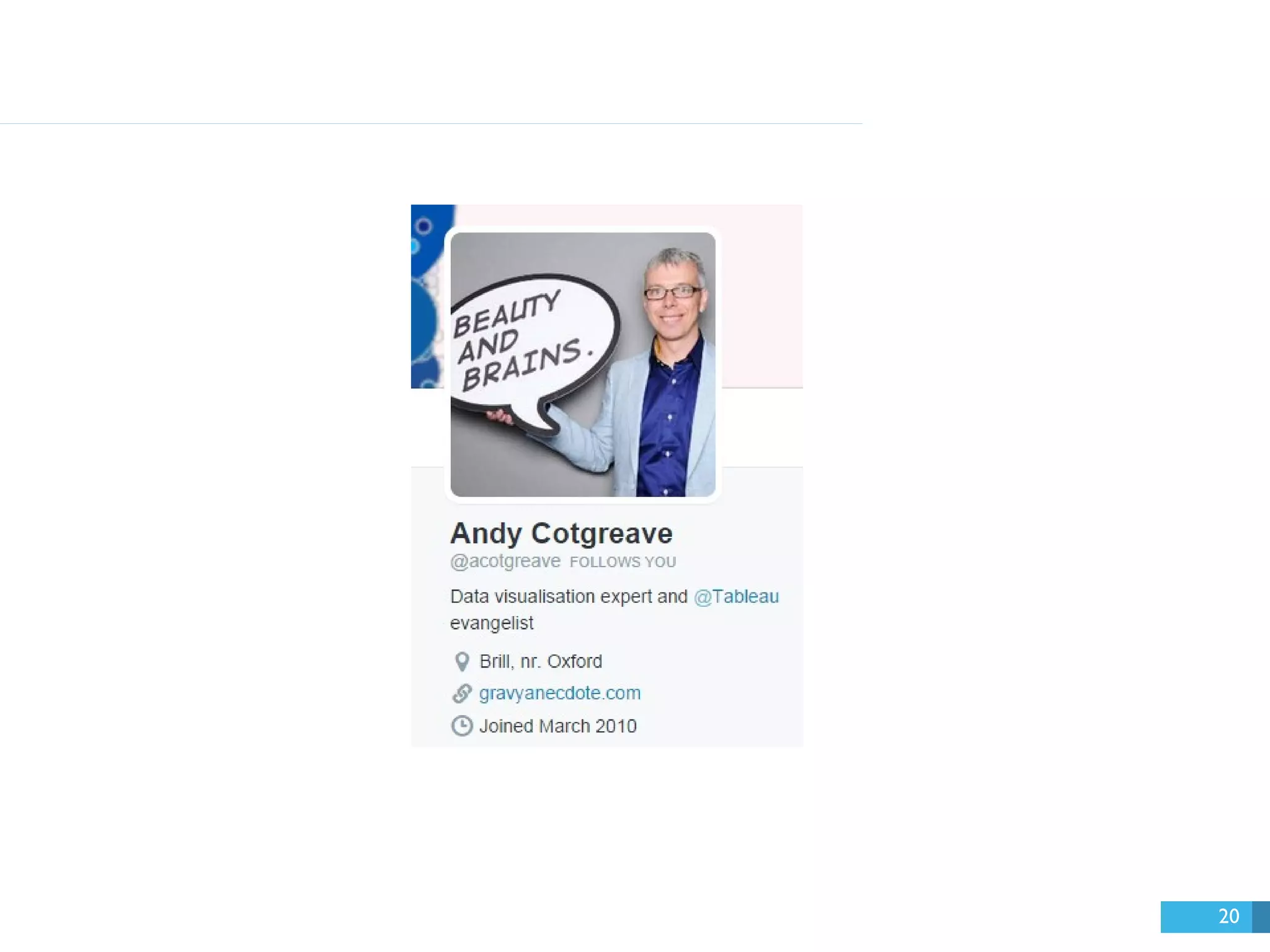
  • #21 It was written by Andy, our social content manager. It has a fun, quirky, genuine voice.
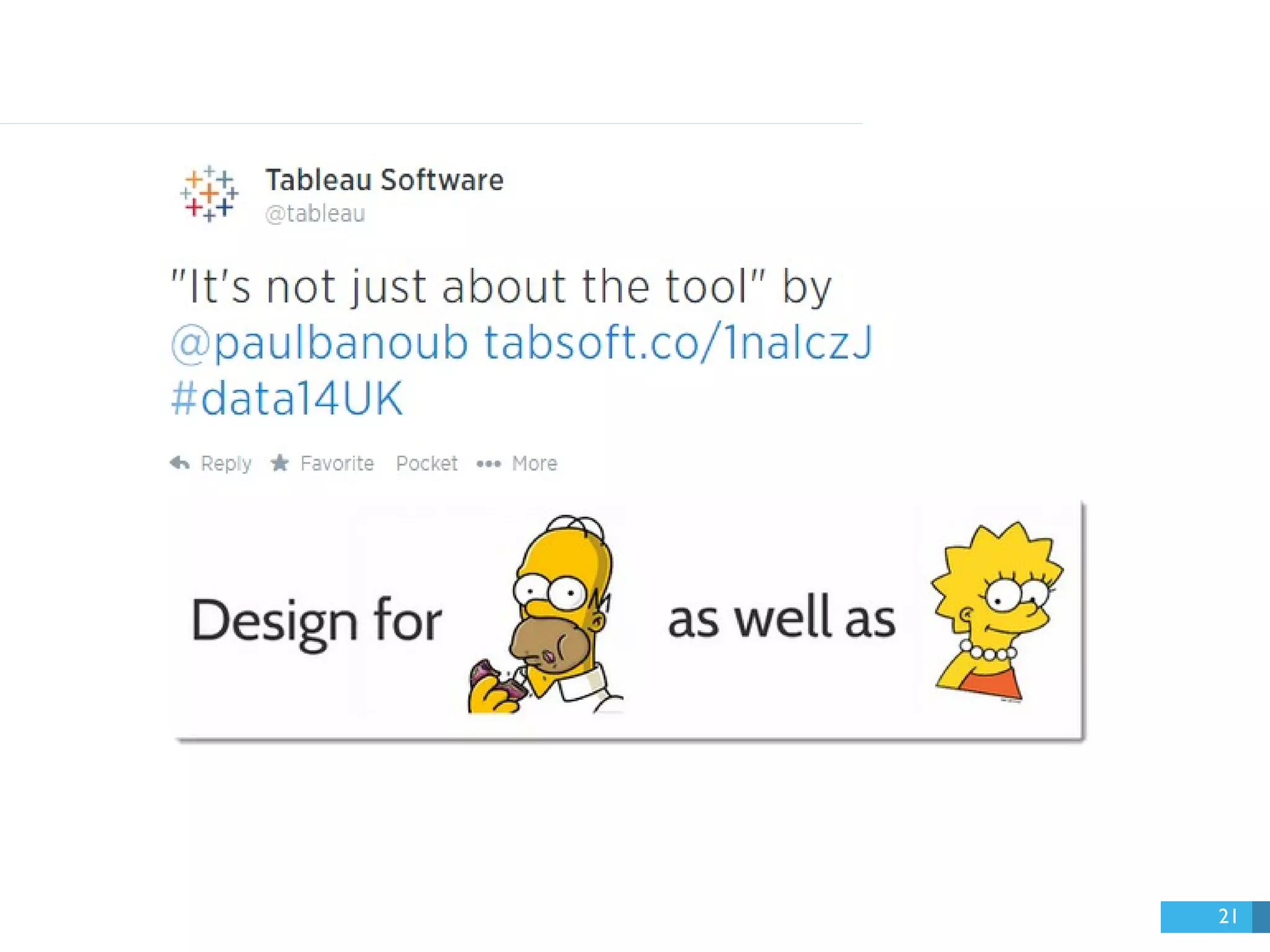
  • #22 Here was our top tweet during that same time period.
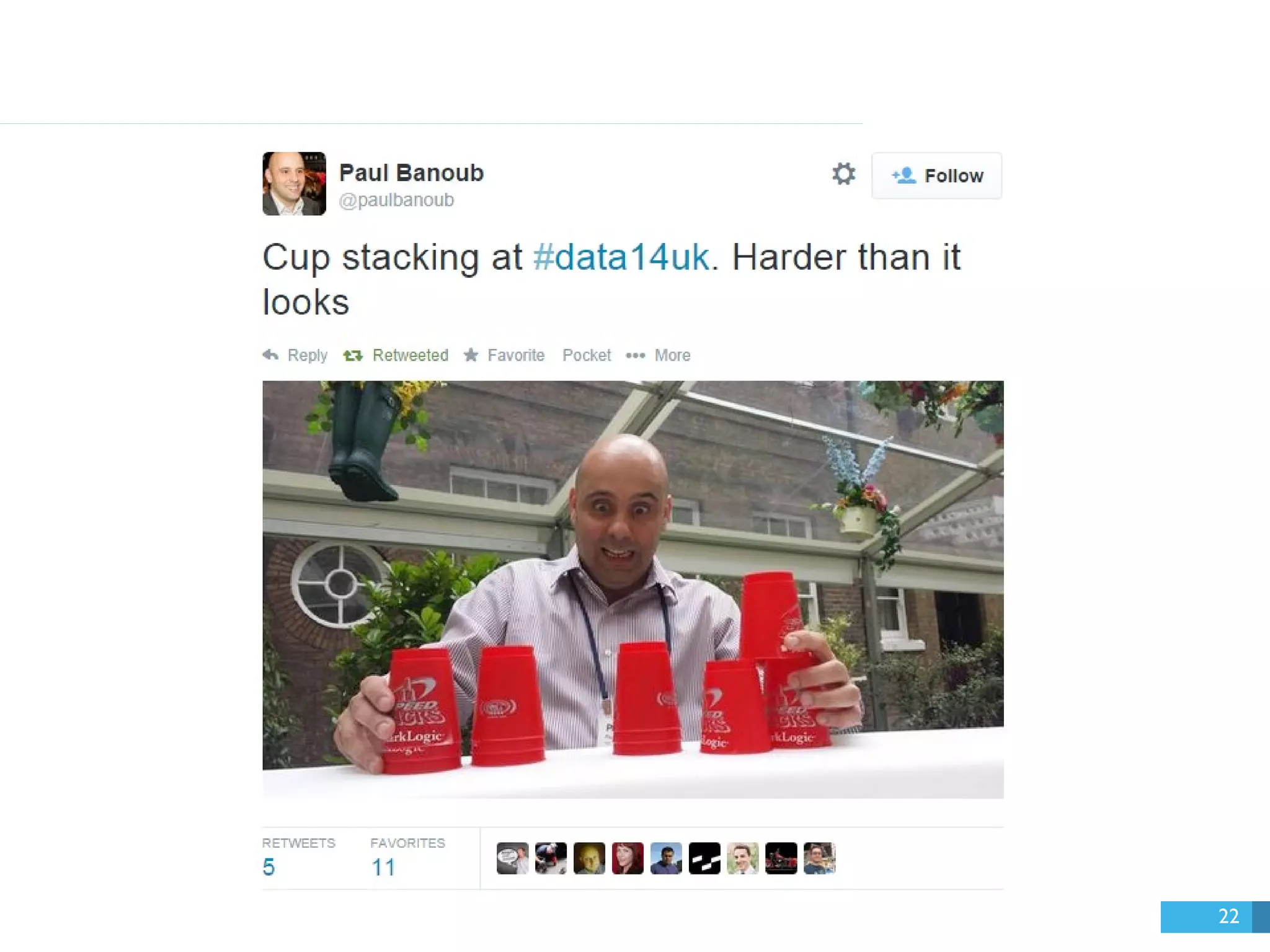
  • #23 It’s a quote by Paul, a.k.a. the cup stacking guru! Its strength was in how thought-provoking, genuine, and unscripted it was. Oh yeah, and it’s kind of cheeky—which I love!
  • #24 A map and a timeline will help you decide.
  • #25 A scatterplot can show you the most (and least) engaging videos on YouTube. This is done with a parameter. And you can flexibly apply this to multiple networks.
  • #26 With Google Analytics, you can track which social media bring people to your website. This view shows the top websites (filtered by certain domains) that people are visiting our website from. Some of them are Bitly short links that we posted on Twitter.
  • #27 We structure our dashboards around these basic questions. Let me show you in detail.
  • #28 Okay, that’s cool… But there are a bazillion metrics to choose from. Let me tell you about the ones we’ve used.
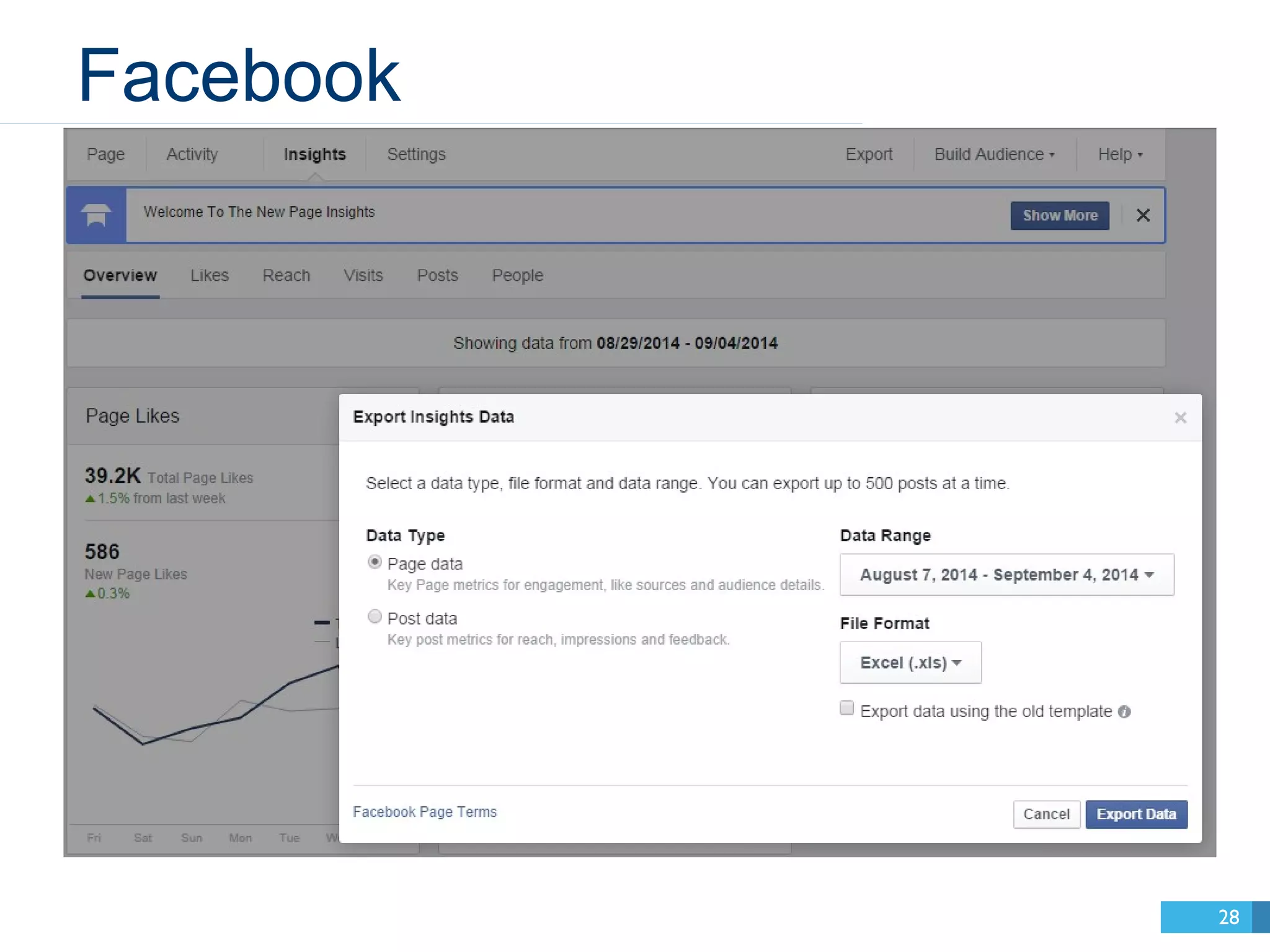
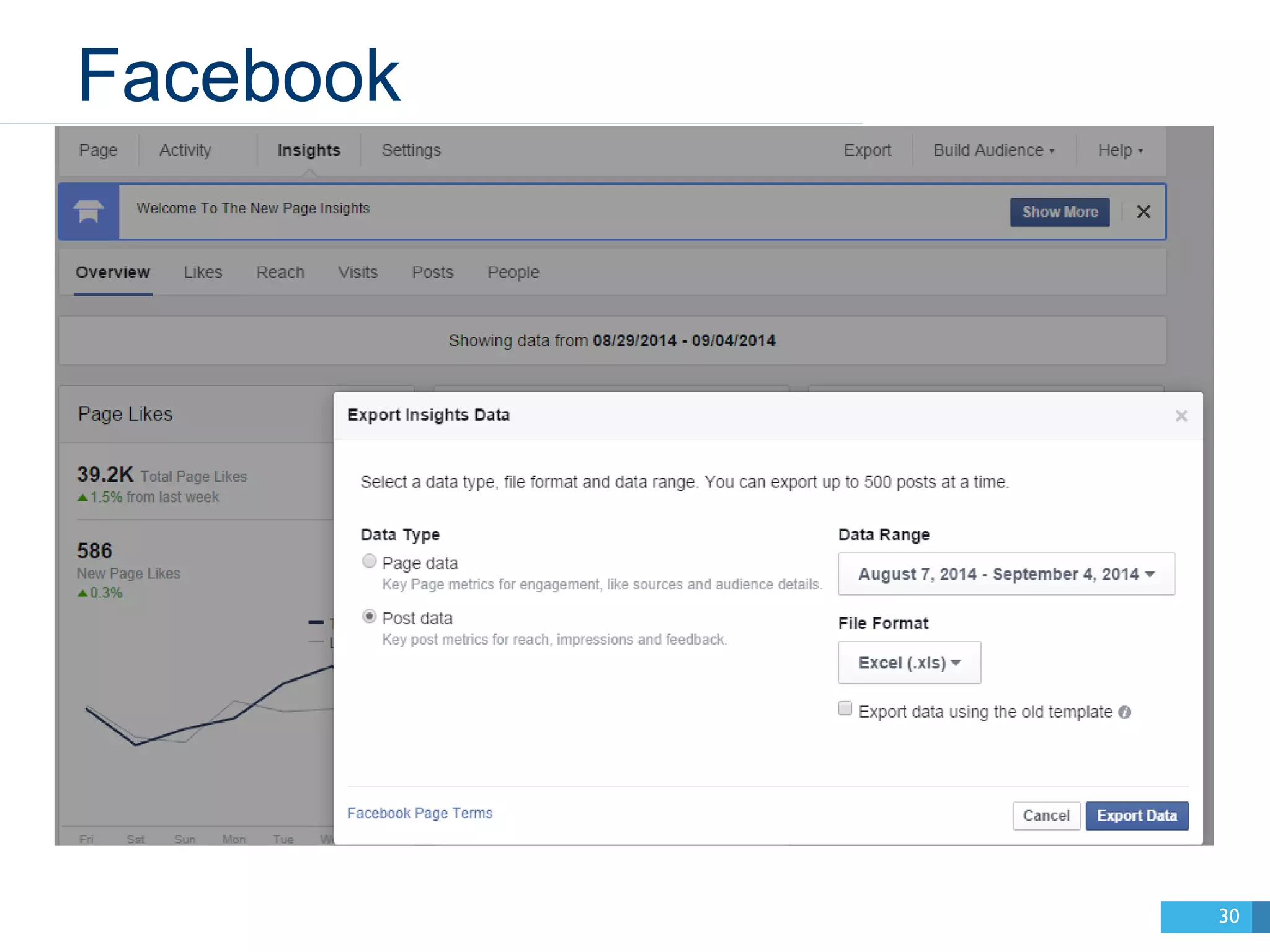
  • #29 Facebook gives you the option to download data about your Page or each of your Posts.
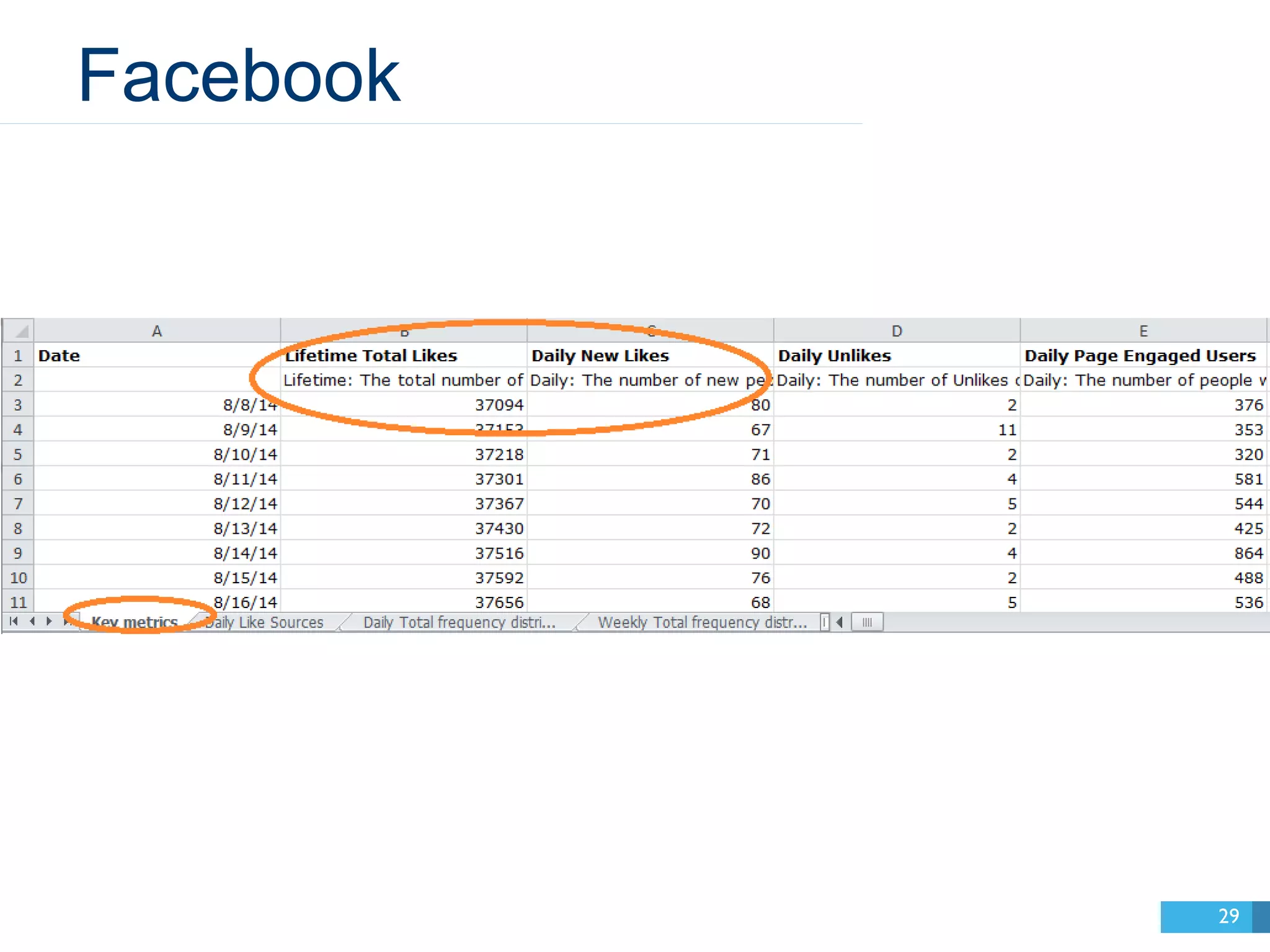
  • #30 These are the only Page metrics we’ve used. Note that they’re arranged by day.
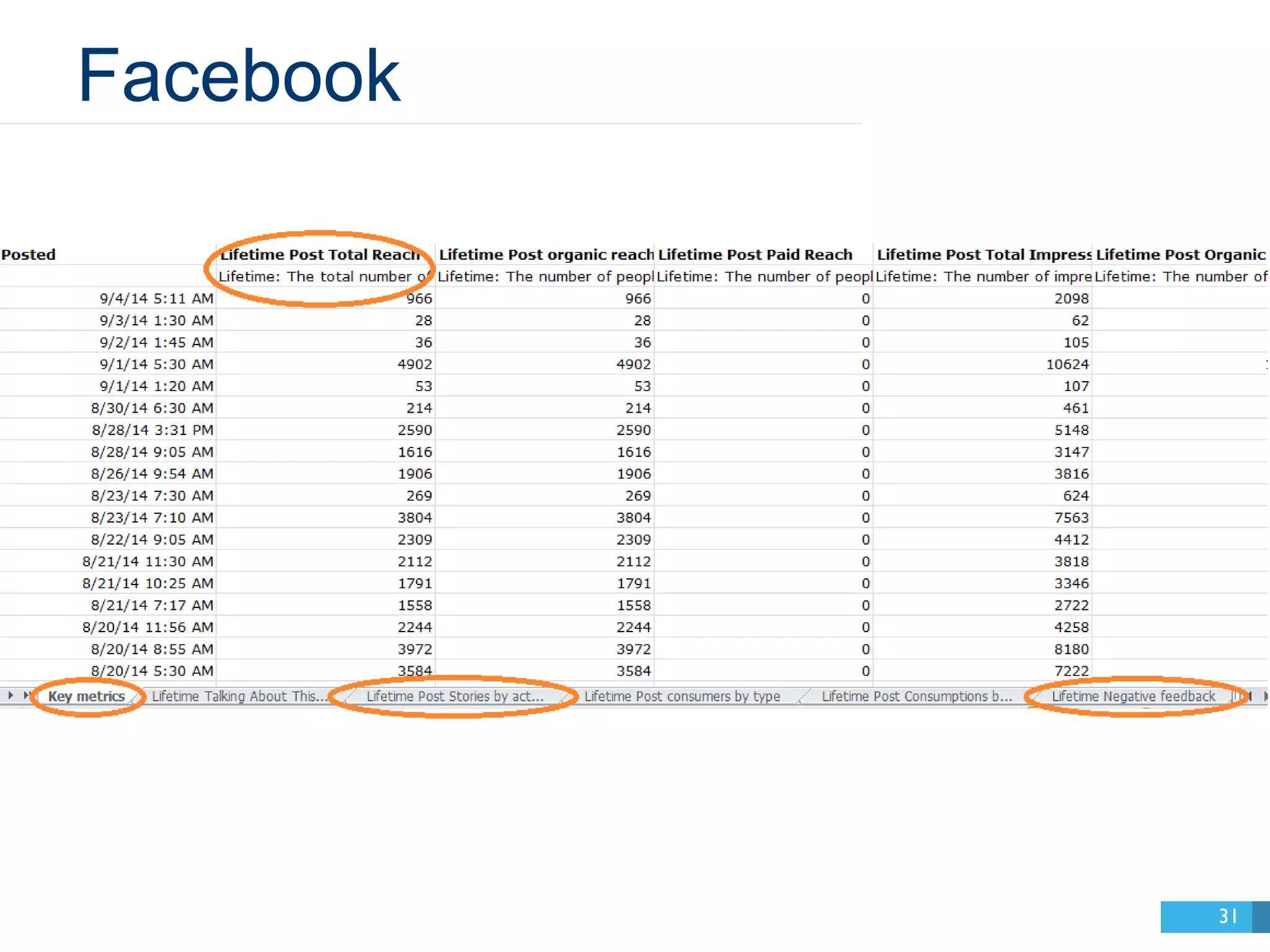
  • #31 Now let’s look at data on each of our Posts.
  • #32 I’ve used this data a little more. Note this is arranged by post (“Posted” is time). Now let’s pay attention to these circled ones.
  • #33 This is the total number of people who’ve seen a post. (Impressions is the number of times it was seen.)
  • #34 A “post story” is created when someone interacts with your post in a way that their friends can see. That’s likes, comments, and shares. Facebook also has a metric called “Viral Reach.” That’s how many people have seen one of these stories.
  • #35 This is when someone hides a post from their news feed. It’s found in the “Negative feedback” tab. Very useful!
  • #36 Plus a few other things.  This is a CSV downloaded for free from analytics.twitter.com.
  • #37 On Twitter, “Engagements” measures all retweets, replies, favorites, follows, and clicks anywhere on the Tweet. It’s sort of like Post Stories on Facebook.
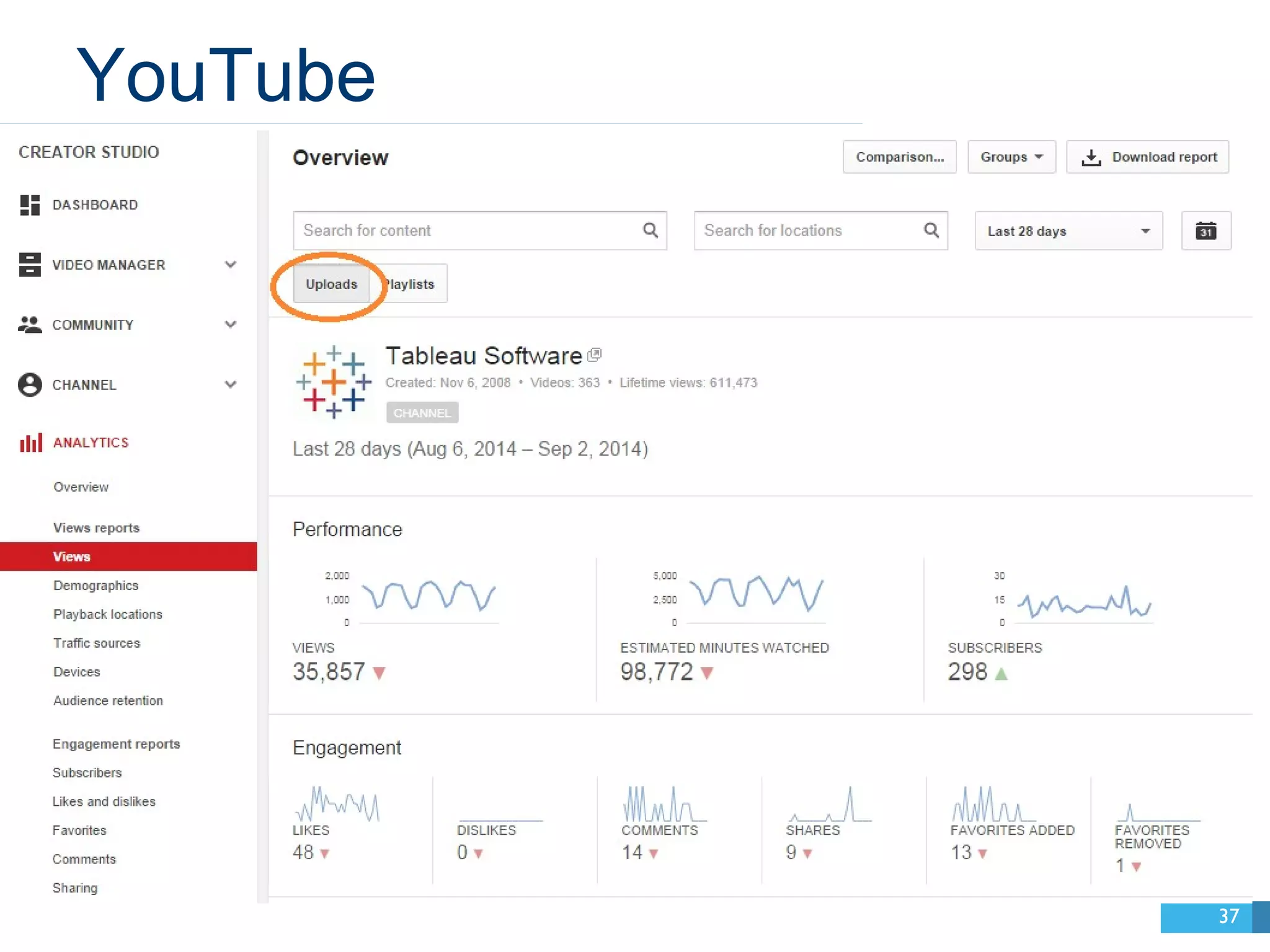
  • #38 On YouTube, we’re mainly interested in how people are interacting with our content. That can be found here.
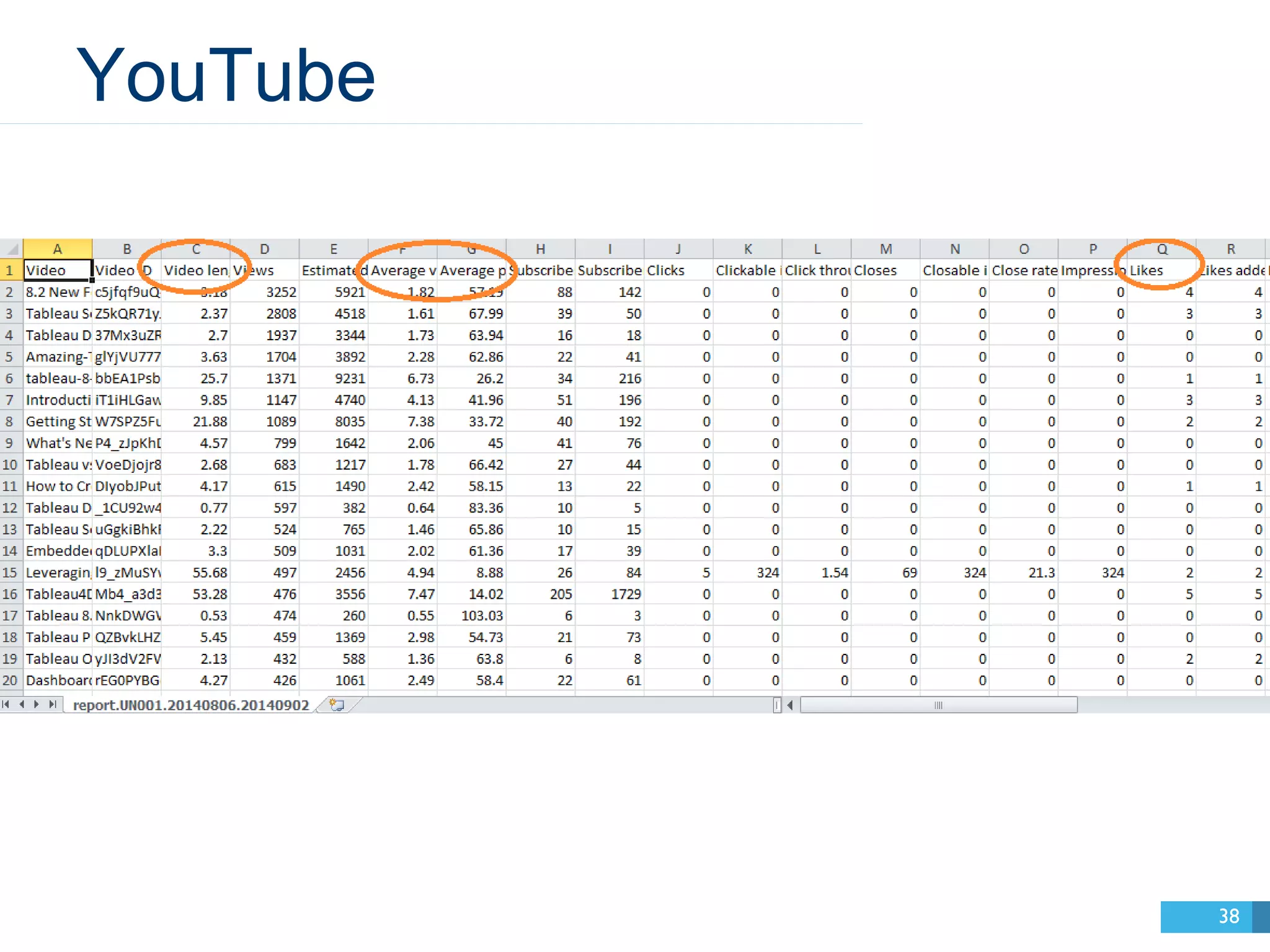
  • #39 When you download that CSV, you’ll see this. You’ll see video length, average view lengths, and simple interaction metrics (likes, comments, shares).
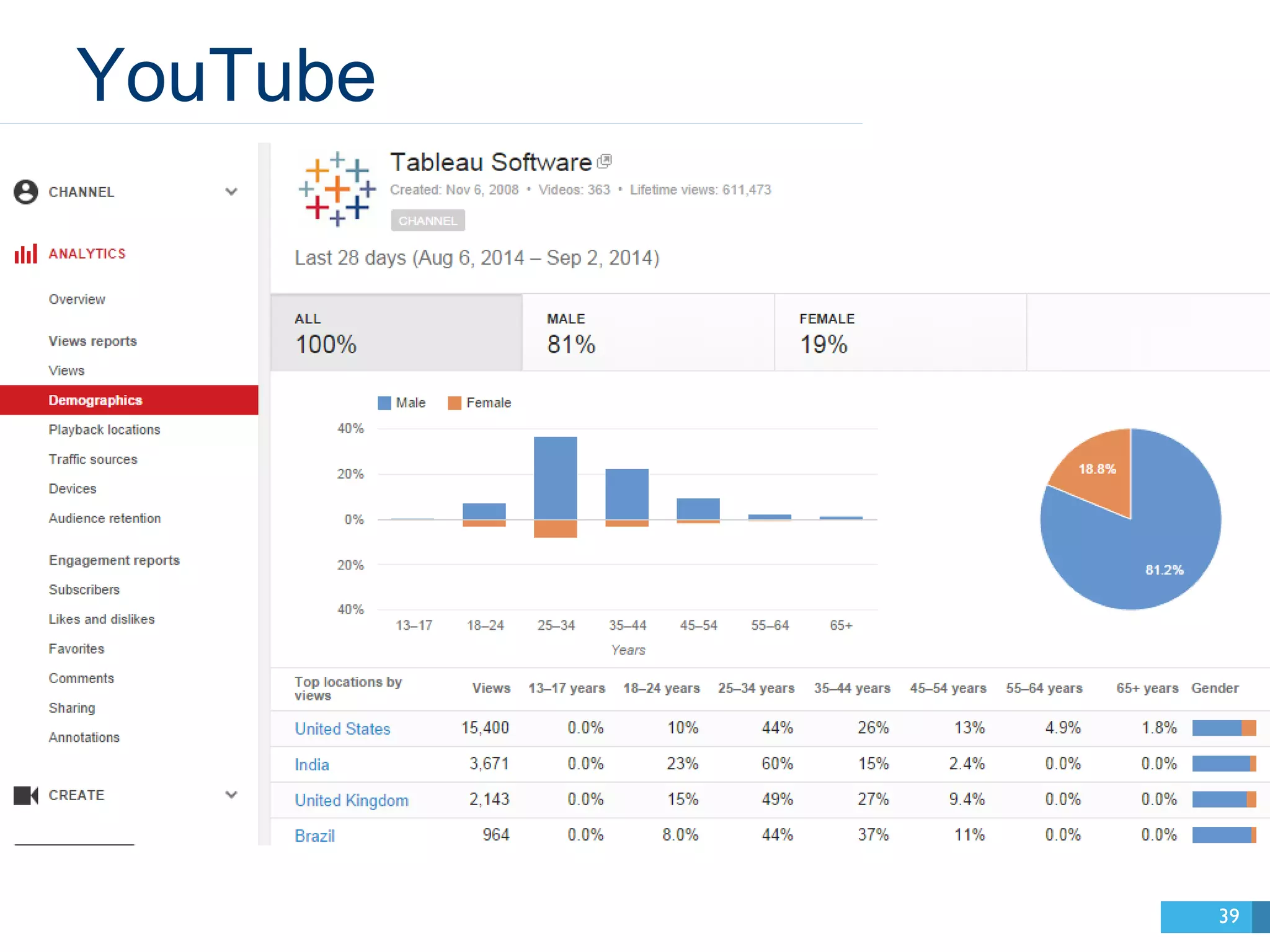
  • #40 You can also get demographic info, like where your viewers are located.
  • #41 Google Analytics provides website referral data. You can connect Tableau directly to Google Analytics. The key is to create a custom segment in Google to filter all your website traffic by only social media sources. Let’s break down these key metrics.
  • #42 This is the full URL of the page that someone came to your website from.
  • #43 This is the domain of that URL.
  • #44 Like this!
  • #45 Now let me show you how to build some views! These are the ones I’ve found most useful and versatile.
  • #46 Please feel free to use these!
  • #48 Tell us your questions and thoughts!