
Promoting Your Business with Twitter
Where are we going?
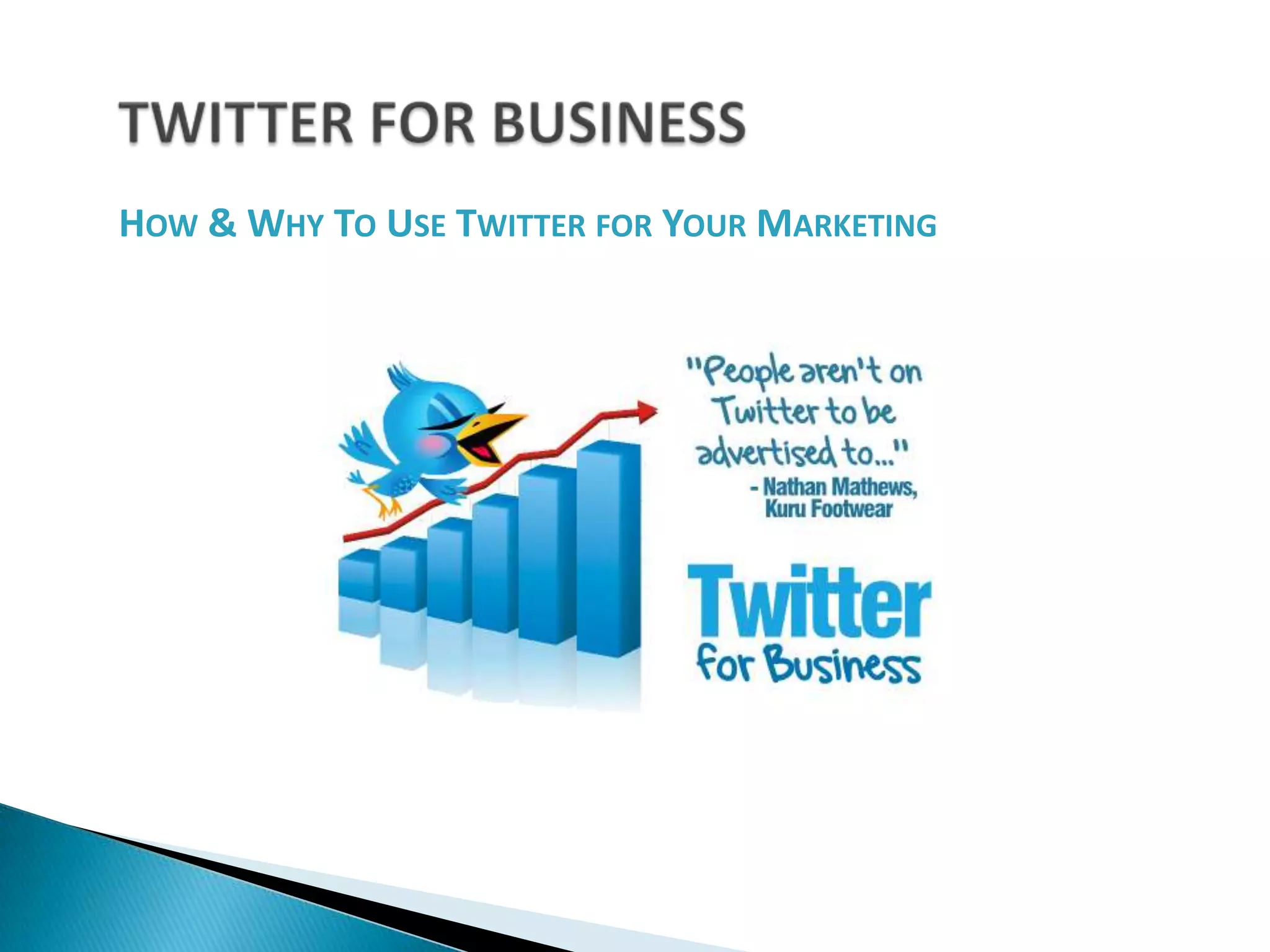
TWITTER FOR BUSINESSHow & Why To Use Twitter for Your Marketing
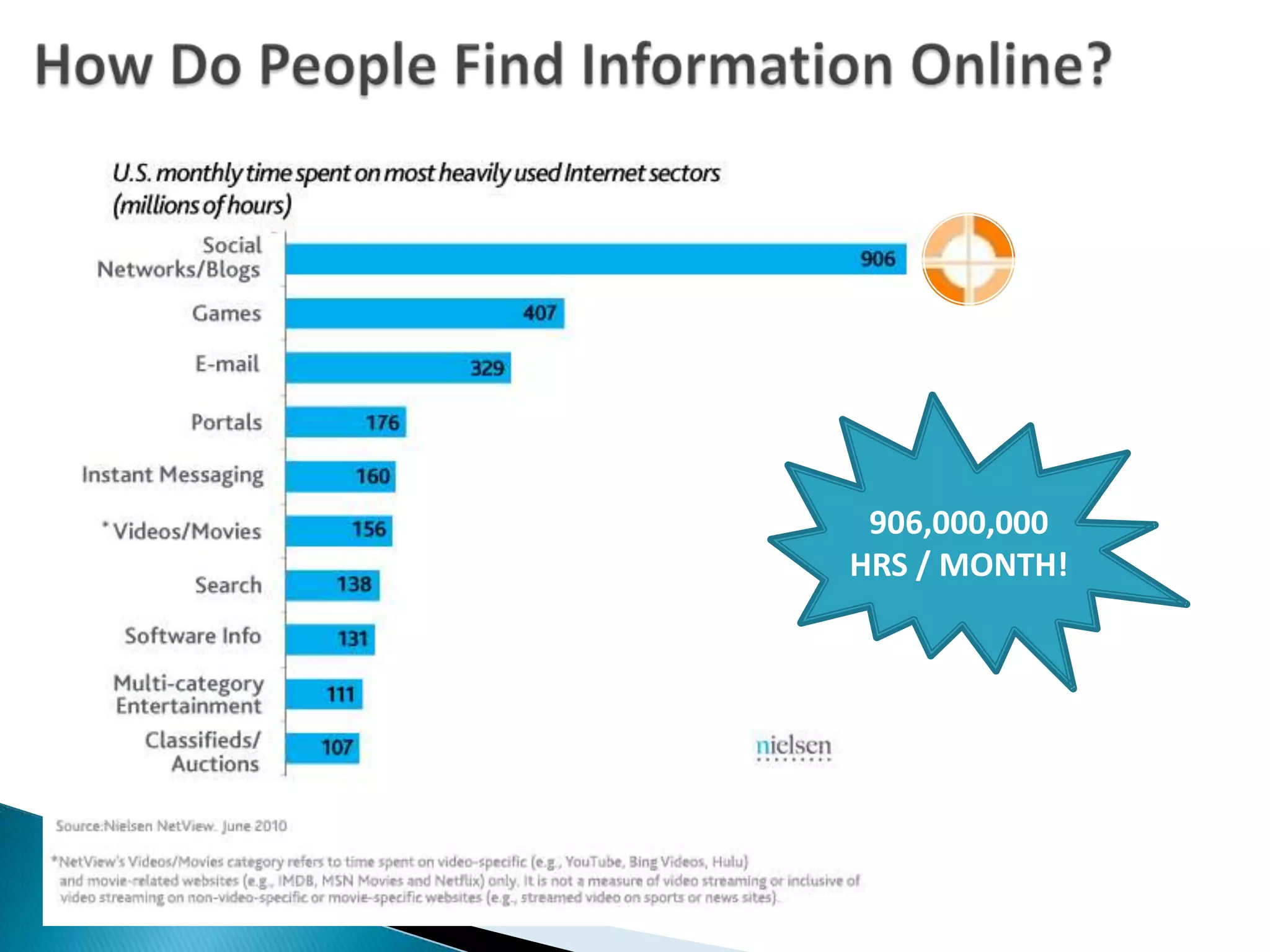
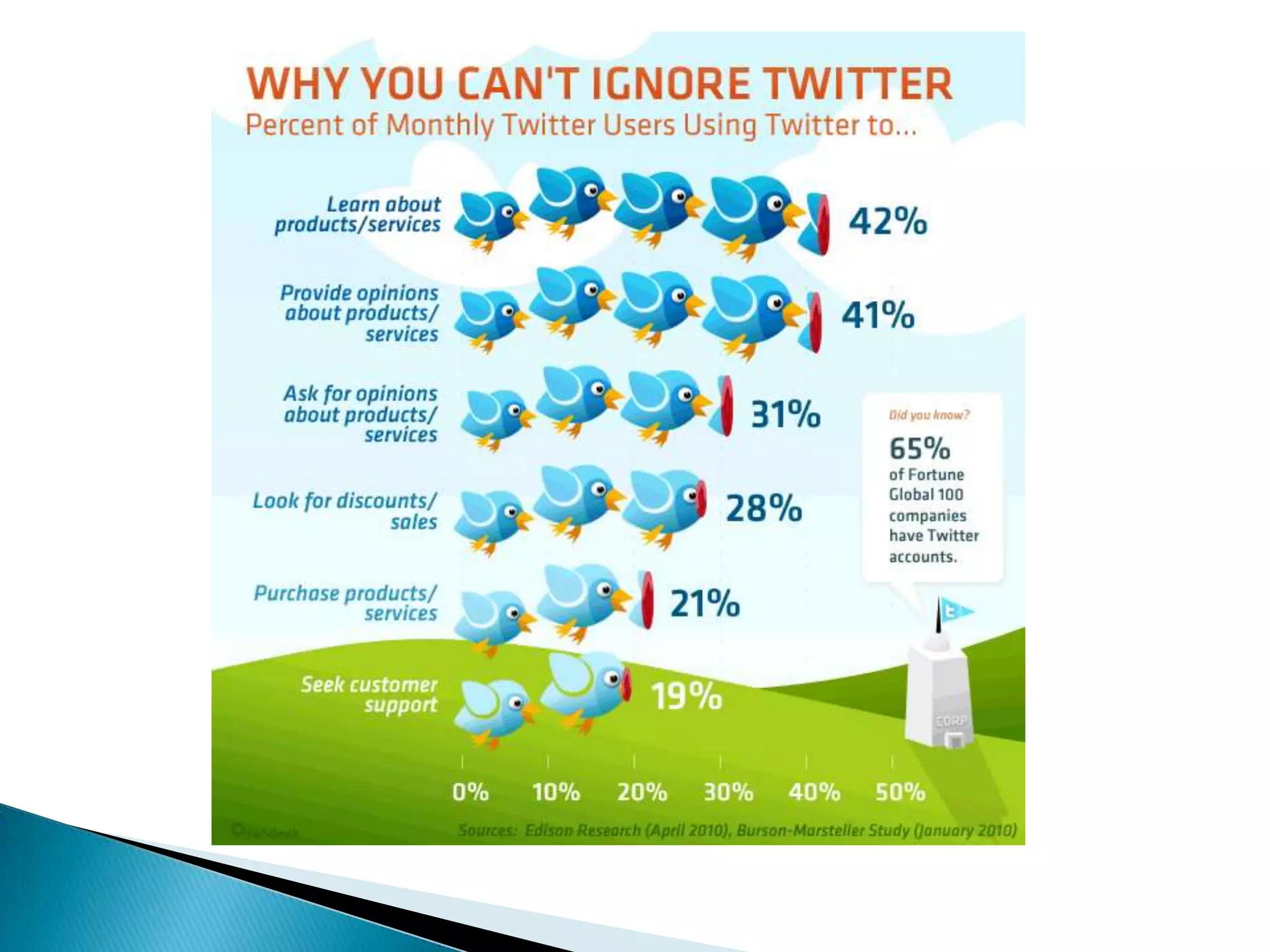
How Do People Find Information Online?906,000,000 HRS / MONTH!
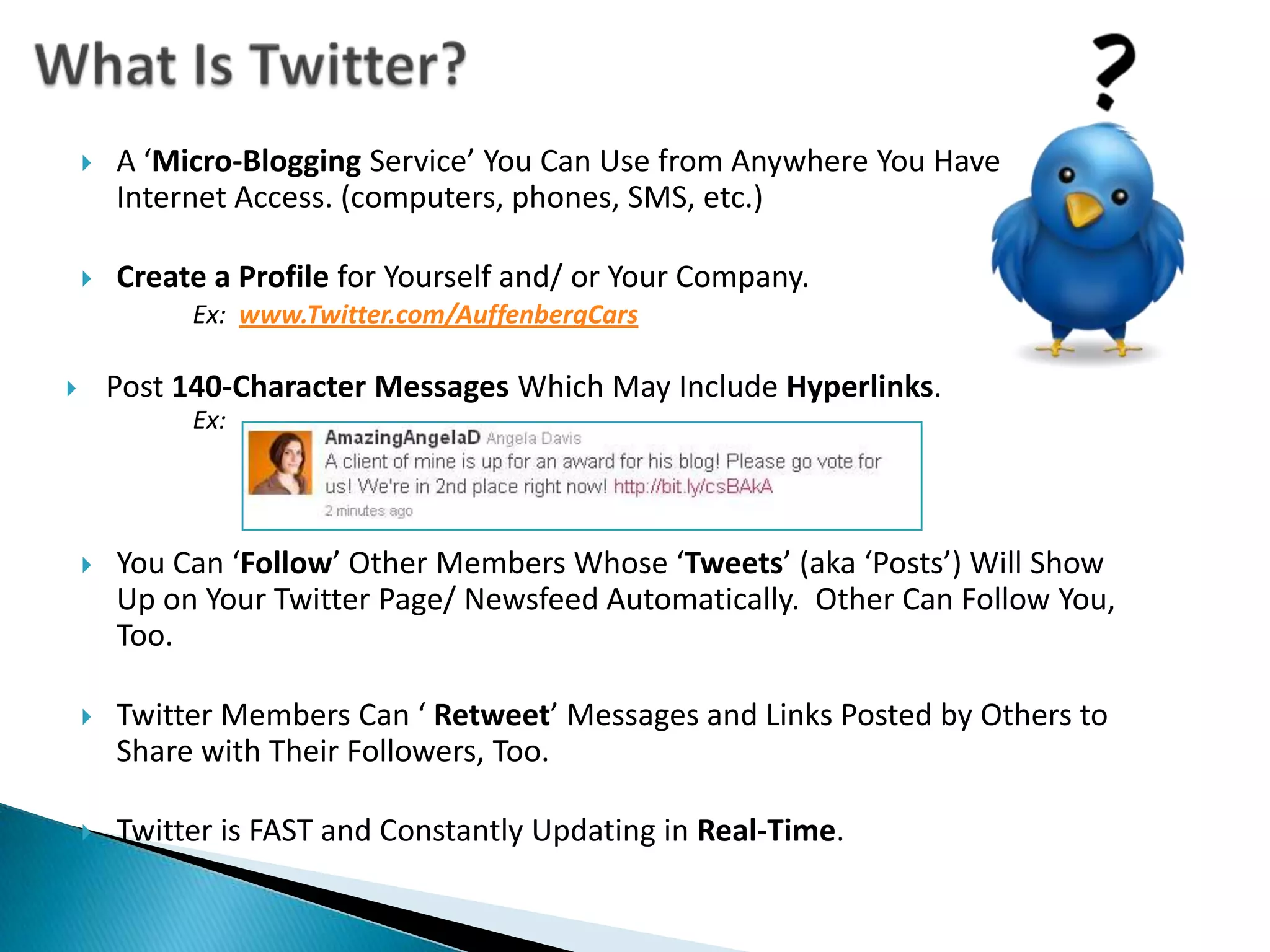
What Is Twitter?A ‘Micro-Blogging Service’ You Can Use from Anywhere You Have Internet Access. (computers, phones, SMS, etc.)Create a Profile for Yourself and/ or Your Company.Ex:www.Twitter.com/AuffenbergCarsPost 140-Character Messages Which May Include Hyperlinks.Ex: You Can ‘Follow’ Other Members Whose ‘Tweets’ (aka ‘Posts’) Will Show Up on Your Twitter Page/ Newsfeed Automatically.  Other Can Follow You, Too.Twitter Members Can ‘ Retweet’ Messages and Links Posted by Others to Share with Their Followers, Too. Twitter is FAST and Constantly Updating in Real-Time.
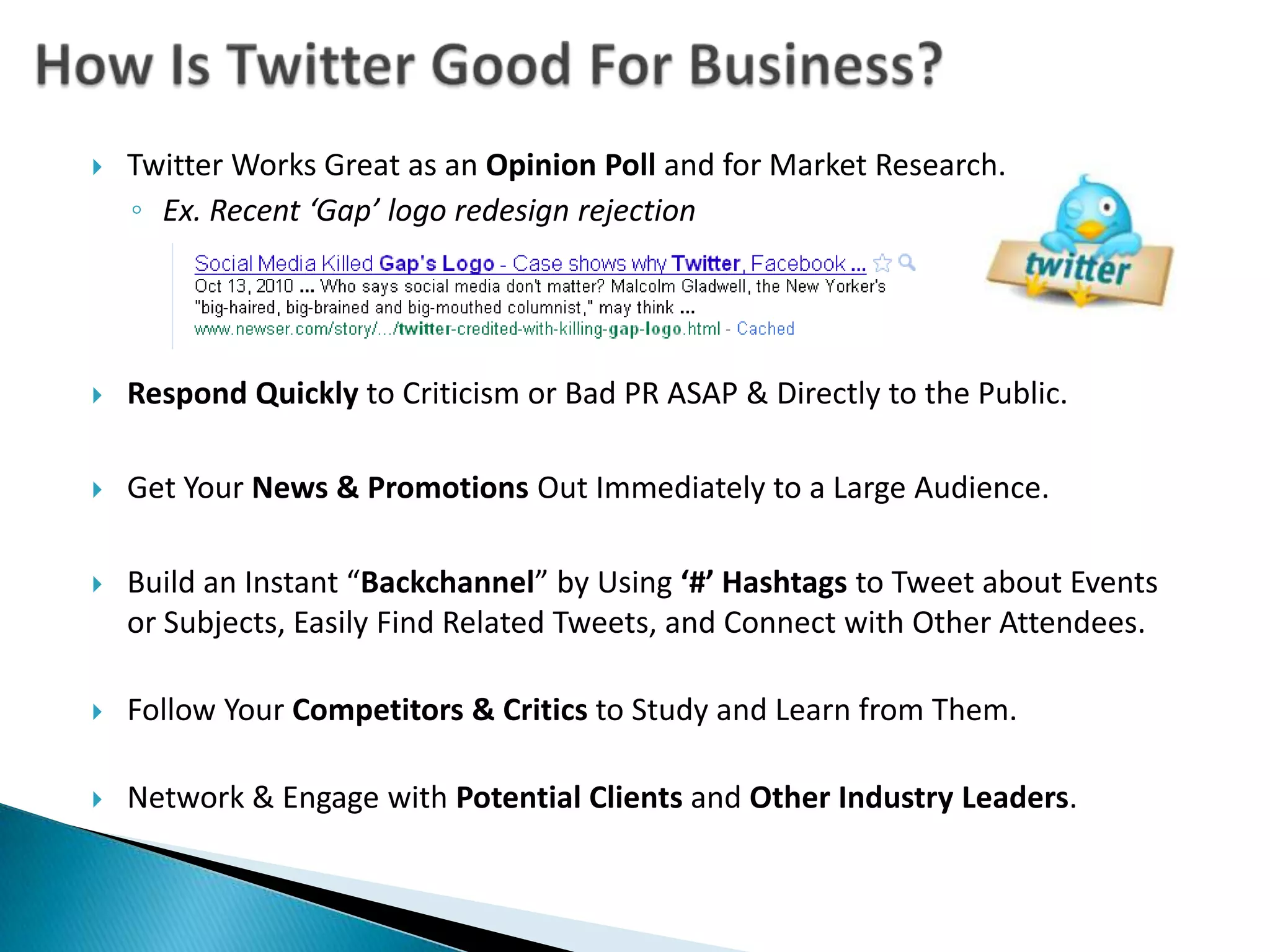
How Is Twitter Good For Business?Twitter Works Great as an Opinion Poll and for Market Research.  Ex. Recent ‘Gap’ logo redesign rejectionRespond Quickly to Criticism or Bad PR ASAP & Directly to the Public.Get Your News & Promotions Out Immediately to a Large Audience.Build an Instant “Backchannel” by Using ‘#’ Hashtagsto Tweet about Events or Subjects, Easily Find Related Tweets, and Connect with Other Attendees. Follow Your Competitors & Critics to Study and Learn from Them.Network & Engage with Potential Clients and Other Industry Leaders.
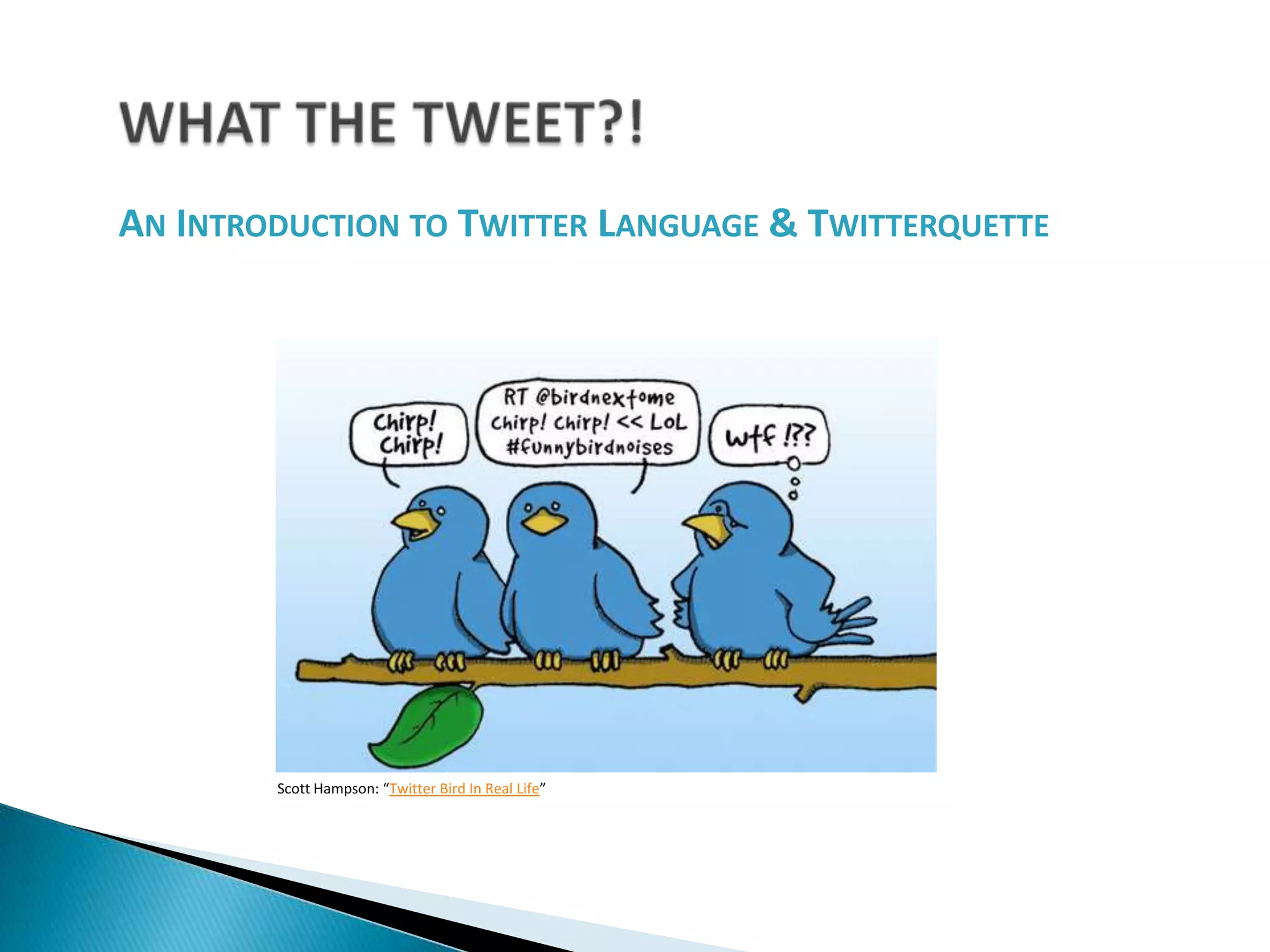
WHAT THE TWEET?!An Introduction to Twitter Language & TwitterquetteScott Hampson: “Twitter Bird In Real Life”
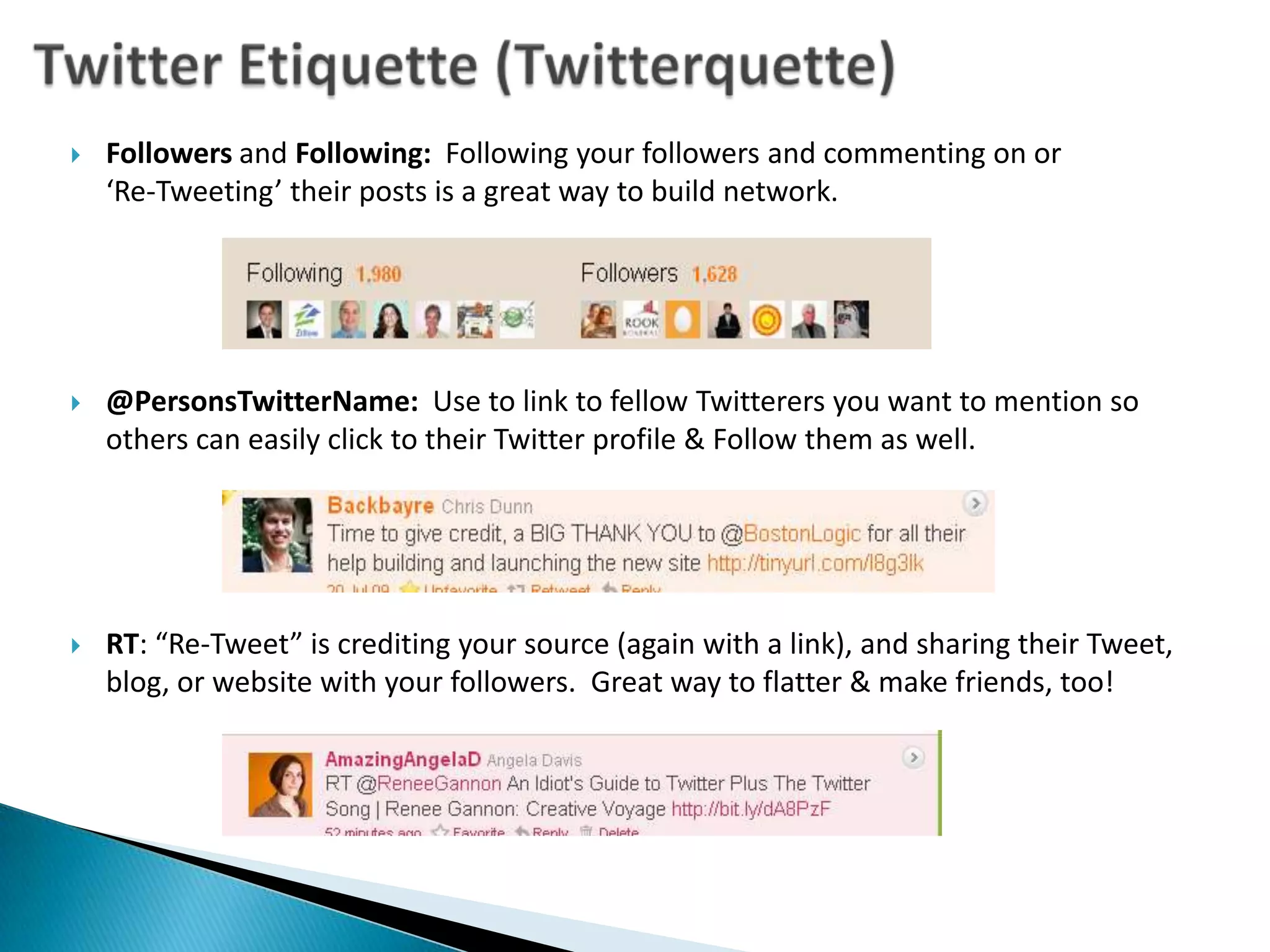
Twitter Etiquette (Twitterquette)Followers and Following:  Following your followers and commenting on or ‘Re-Tweeting’ their posts is a great way to build network.@PersonsTwitterName:  Use to link to fellow Twitterers you want to mention so others can easily click to their Twitter profile & Follow them as well.RT: “Re-Tweet” is crediting your source (again with a link), and sharing their Tweet, blog, or website with your followers.  Great way to flatter & make friends, too!
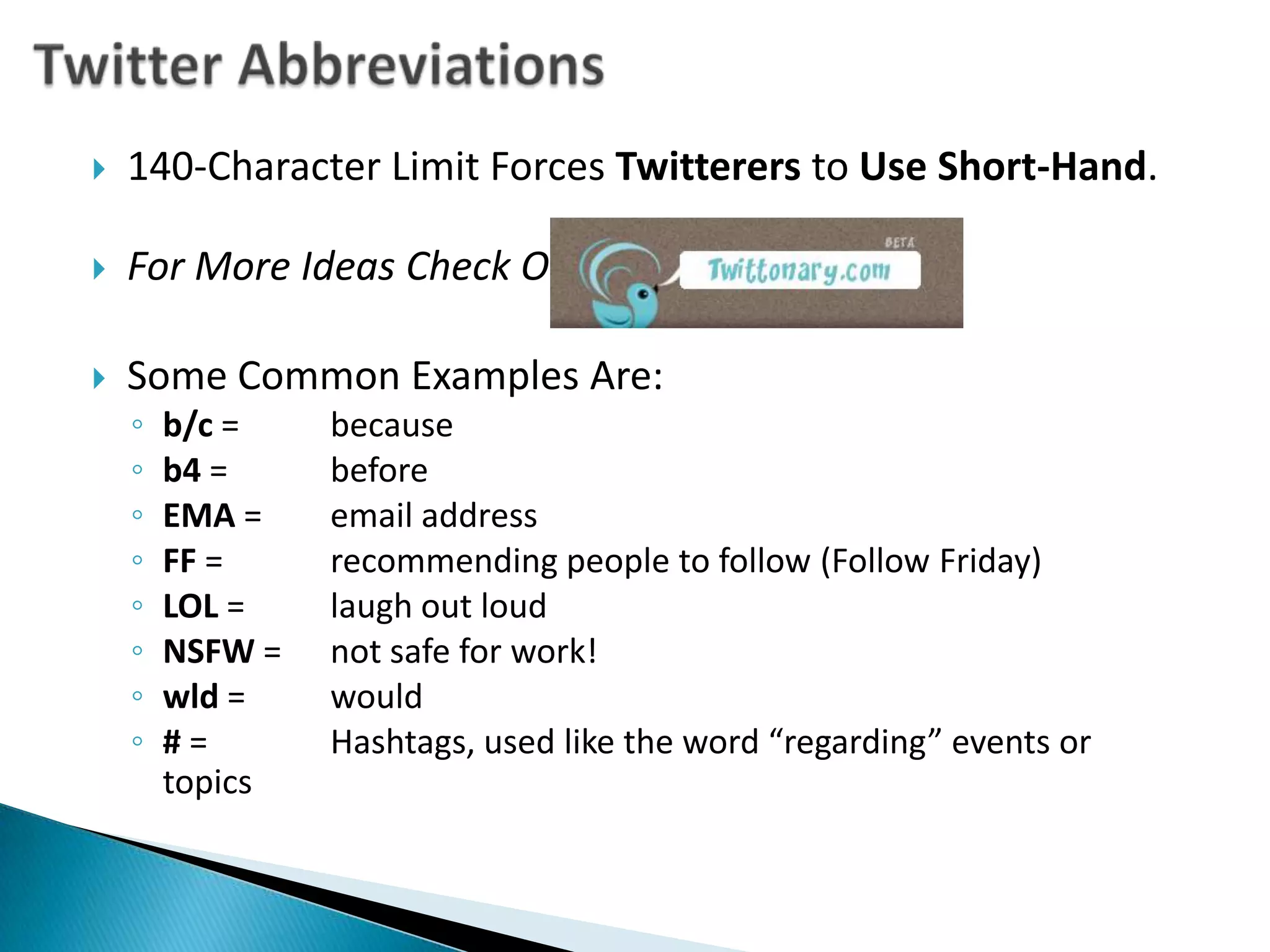
Twitter Abbreviations140-Character Limit Forces Twitterers to Use Short-Hand.For More Ideas Check Out:Some Common Examples Are:b/c = 	becauseb4 = 	beforeEMA = 	email addressFF = 	recommending people to follow (Follow Friday)LOL = 	laugh out loudNSFW = 	not safe for work!wld = 	would# = 	Hashtags, used like the word “regarding” events or topics
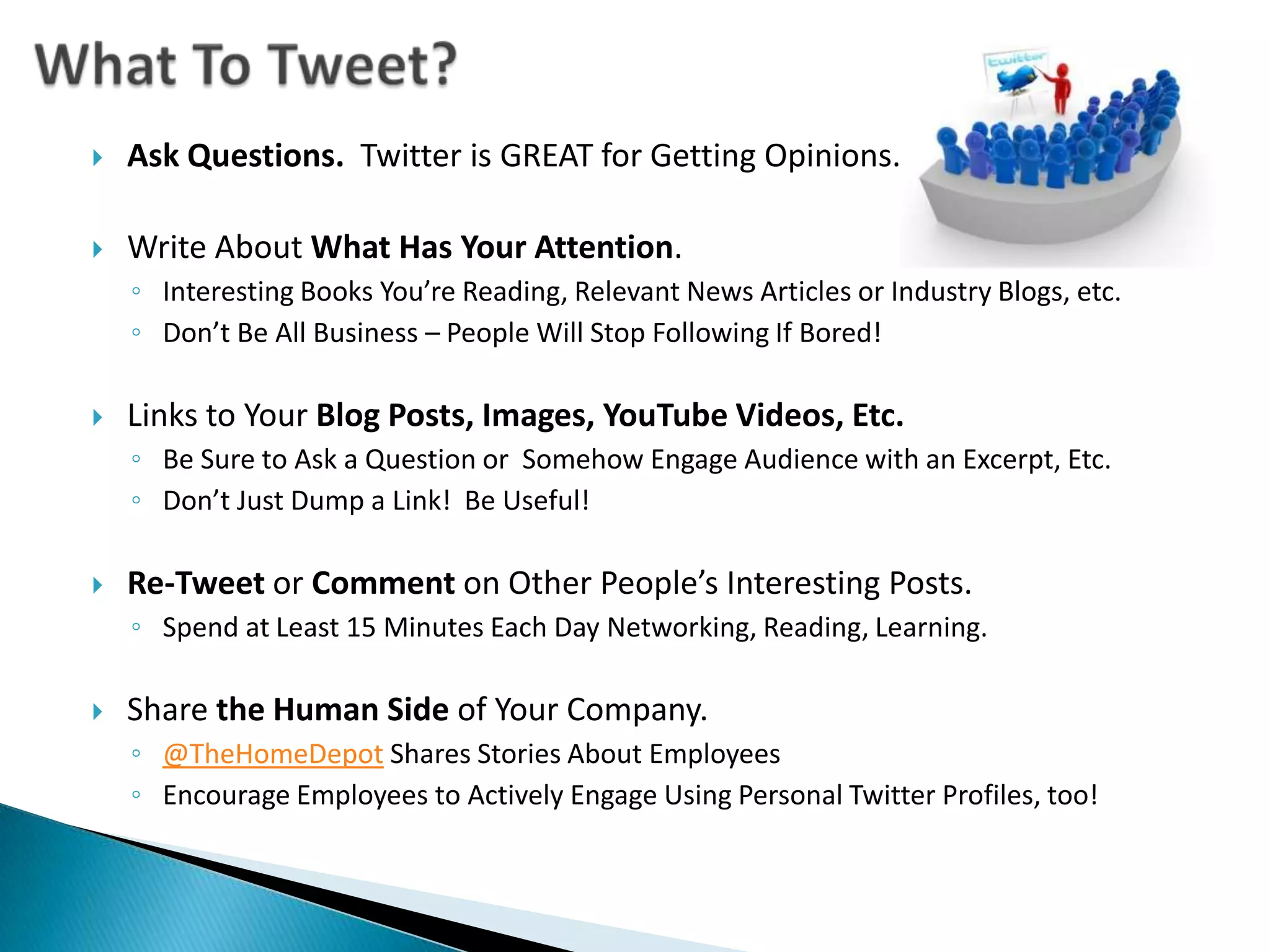
What To Tweet?Ask Questions.  Twitter is GREAT for Getting Opinions.Write About What Has Your Attention.Interesting Books You’re Reading, Relevant News Articles or Industry Blogs, etc.Don’t Be All Business – People Will Stop Following If Bored! Links to Your Blog Posts, Images, YouTube Videos, Etc. Be Sure to Ask a Question or  Somehow Engage Audience with an Excerpt, Etc.Don’t Just Dump a Link!  Be Useful!Re-Tweet or Comment on Other People’s Interesting Posts. Spend at Least 15 Minutes Each Day Networking, Reading, Learning.Share the Human Side of Your Company.@TheHomeDepot Shares Stories About EmployeesEncourage Employees to Actively Engage Using Personal Twitter Profiles, too!
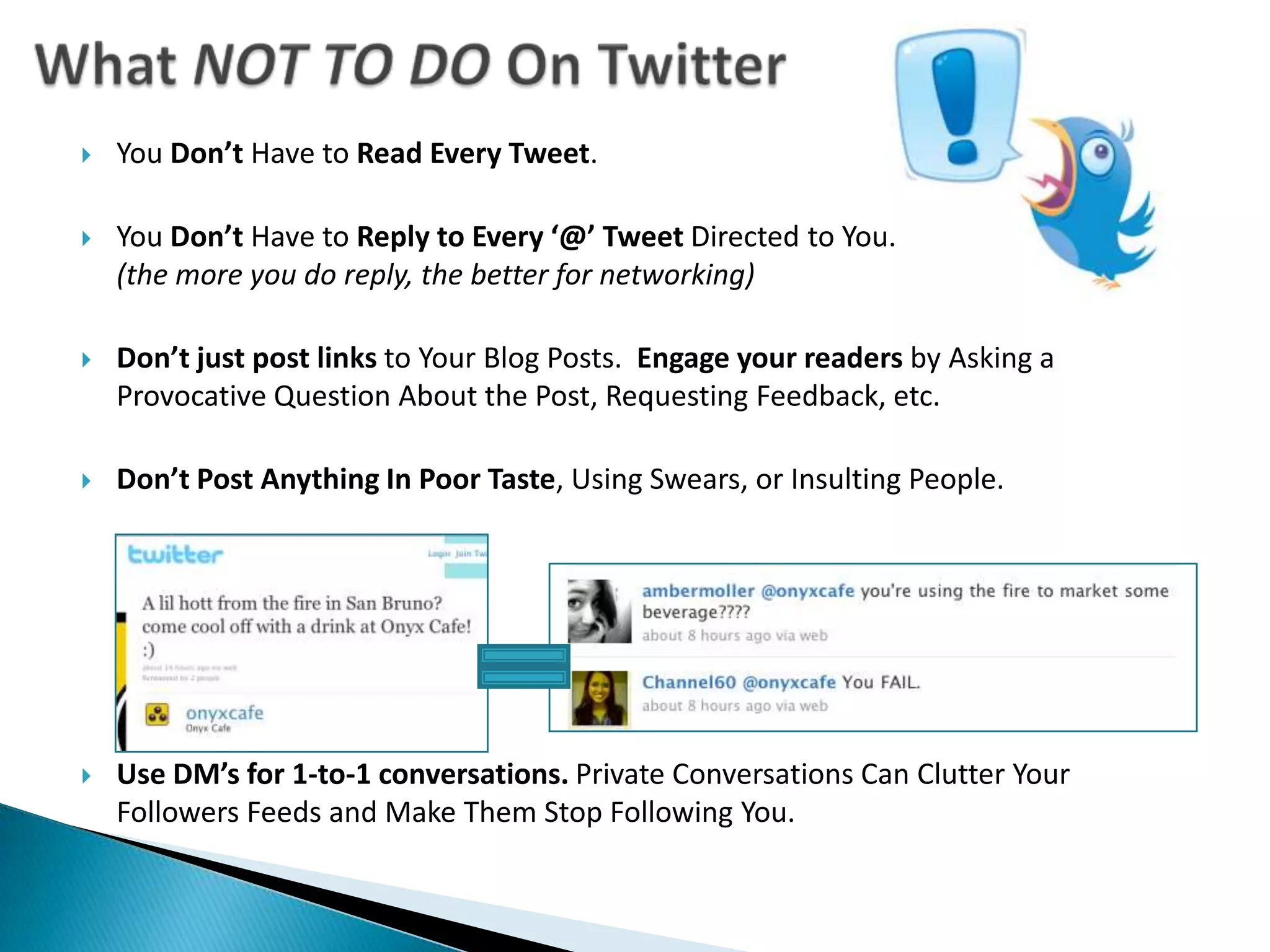
What NOT TO DO On TwitterYou Don’t Have to Read Every Tweet. You Don’t Have to Reply to Every ‘@’ Tweet Directed to You. (the more you do reply, the better for networking)Don’t just post links to Your Blog Posts.  Engage your readers by Asking a Provocative Question About the Post, Requesting Feedback, etc.Don’t Post Anything In Poor Taste, Using Swears, or Insulting People.Use DM’s for 1-to-1 conversations. Private Conversations Can Clutter Your Followers Feeds and Make Them Stop Following You.
TWITTER TOOLSTools to Make Your Twittering More Efficient & Fun!
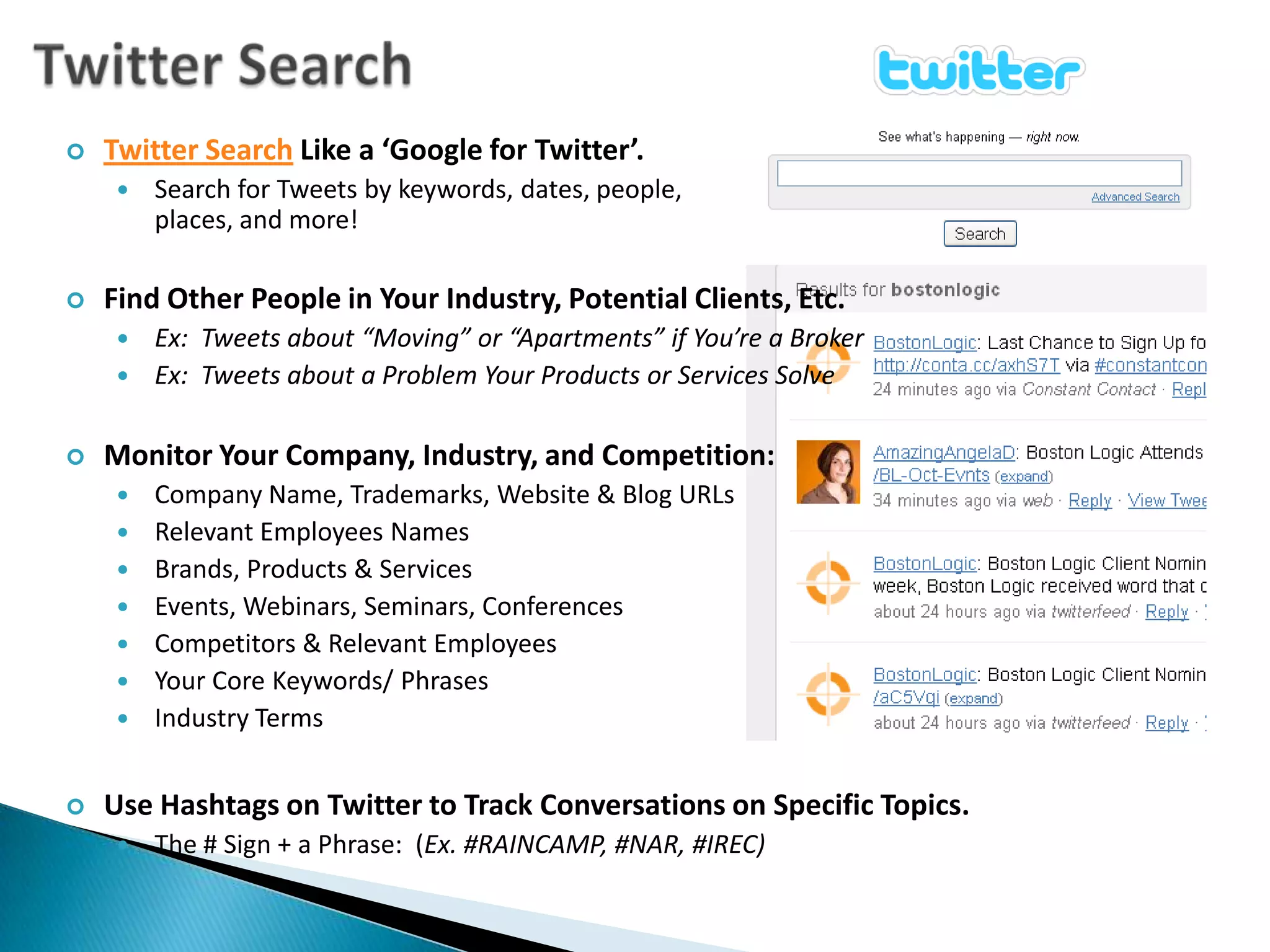
Twitter SearchTwitter SearchLike a ‘Google for Twitter’.
Search for Tweets by keywords, dates, people,places, and more!
Find Other People in Your Industry, Potential Clients, Etc.
Ex:  Tweets about “Moving” or “Apartments” if You’re a Broker
Ex:  Tweets about a Problem Your Products or Services Solve
Monitor Your Company, Industry, and Competition:
Company Name, Trademarks, Website & Blog URLs
Relevant Employees Names
Brands, Products & Services
Events, Webinars, Seminars, Conferences
Competitors & Relevant Employees
Your Core Keywords/ Phrases
Industry Terms
Use Hashtags on Twitter to Track Conversations on Specific Topics.

Twitter Basics for Business

  • 1.
  • 2.
  • 3.
    TWITTER FOR BUSINESSHow& Why To Use Twitter for Your Marketing
  • 4.
    How Do PeopleFind Information Online?906,000,000 HRS / MONTH!
  • 6.
    What Is Twitter?A‘Micro-Blogging Service’ You Can Use from Anywhere You Have Internet Access. (computers, phones, SMS, etc.)Create a Profile for Yourself and/ or Your Company.Ex:www.Twitter.com/AuffenbergCarsPost 140-Character Messages Which May Include Hyperlinks.Ex: You Can ‘Follow’ Other Members Whose ‘Tweets’ (aka ‘Posts’) Will Show Up on Your Twitter Page/ Newsfeed Automatically. Other Can Follow You, Too.Twitter Members Can ‘ Retweet’ Messages and Links Posted by Others to Share with Their Followers, Too. Twitter is FAST and Constantly Updating in Real-Time.
  • 7.
    How Is TwitterGood For Business?Twitter Works Great as an Opinion Poll and for Market Research. Ex. Recent ‘Gap’ logo redesign rejectionRespond Quickly to Criticism or Bad PR ASAP & Directly to the Public.Get Your News & Promotions Out Immediately to a Large Audience.Build an Instant “Backchannel” by Using ‘#’ Hashtagsto Tweet about Events or Subjects, Easily Find Related Tweets, and Connect with Other Attendees. Follow Your Competitors & Critics to Study and Learn from Them.Network & Engage with Potential Clients and Other Industry Leaders.
  • 8.
    WHAT THE TWEET?!AnIntroduction to Twitter Language & TwitterquetteScott Hampson: “Twitter Bird In Real Life”
  • 9.
    Twitter Etiquette (Twitterquette)Followersand Following: Following your followers and commenting on or ‘Re-Tweeting’ their posts is a great way to build network.@PersonsTwitterName: Use to link to fellow Twitterers you want to mention so others can easily click to their Twitter profile & Follow them as well.RT: “Re-Tweet” is crediting your source (again with a link), and sharing their Tweet, blog, or website with your followers. Great way to flatter & make friends, too!
  • 10.
    Twitter Abbreviations140-Character LimitForces Twitterers to Use Short-Hand.For More Ideas Check Out:Some Common Examples Are:b/c = becauseb4 = beforeEMA = email addressFF = recommending people to follow (Follow Friday)LOL = laugh out loudNSFW = not safe for work!wld = would# = Hashtags, used like the word “regarding” events or topics
  • 11.
    What To Tweet?AskQuestions. Twitter is GREAT for Getting Opinions.Write About What Has Your Attention.Interesting Books You’re Reading, Relevant News Articles or Industry Blogs, etc.Don’t Be All Business – People Will Stop Following If Bored! Links to Your Blog Posts, Images, YouTube Videos, Etc. Be Sure to Ask a Question or Somehow Engage Audience with an Excerpt, Etc.Don’t Just Dump a Link! Be Useful!Re-Tweet or Comment on Other People’s Interesting Posts. Spend at Least 15 Minutes Each Day Networking, Reading, Learning.Share the Human Side of Your Company.@TheHomeDepot Shares Stories About EmployeesEncourage Employees to Actively Engage Using Personal Twitter Profiles, too!
  • 12.
    What NOT TODO On TwitterYou Don’t Have to Read Every Tweet. You Don’t Have to Reply to Every ‘@’ Tweet Directed to You. (the more you do reply, the better for networking)Don’t just post links to Your Blog Posts. Engage your readers by Asking a Provocative Question About the Post, Requesting Feedback, etc.Don’t Post Anything In Poor Taste, Using Swears, or Insulting People.Use DM’s for 1-to-1 conversations. Private Conversations Can Clutter Your Followers Feeds and Make Them Stop Following You.
  • 13.
    TWITTER TOOLSTools toMake Your Twittering More Efficient & Fun!
  • 14.
    Twitter SearchTwitter SearchLikea ‘Google for Twitter’.
  • 15.
    Search for Tweetsby keywords, dates, people,places, and more!
  • 16.
    Find Other Peoplein Your Industry, Potential Clients, Etc.
  • 17.
    Ex: Tweetsabout “Moving” or “Apartments” if You’re a Broker
  • 18.
    Ex: Tweetsabout a Problem Your Products or Services Solve
  • 19.
    Monitor Your Company,Industry, and Competition:
  • 20.
    Company Name, Trademarks,Website & Blog URLs
  • 21.
  • 22.
  • 23.
  • 24.
  • 25.
  • 26.
  • 27.
    Use Hashtags onTwitter to Track Conversations on Specific Topics.
  • 28.
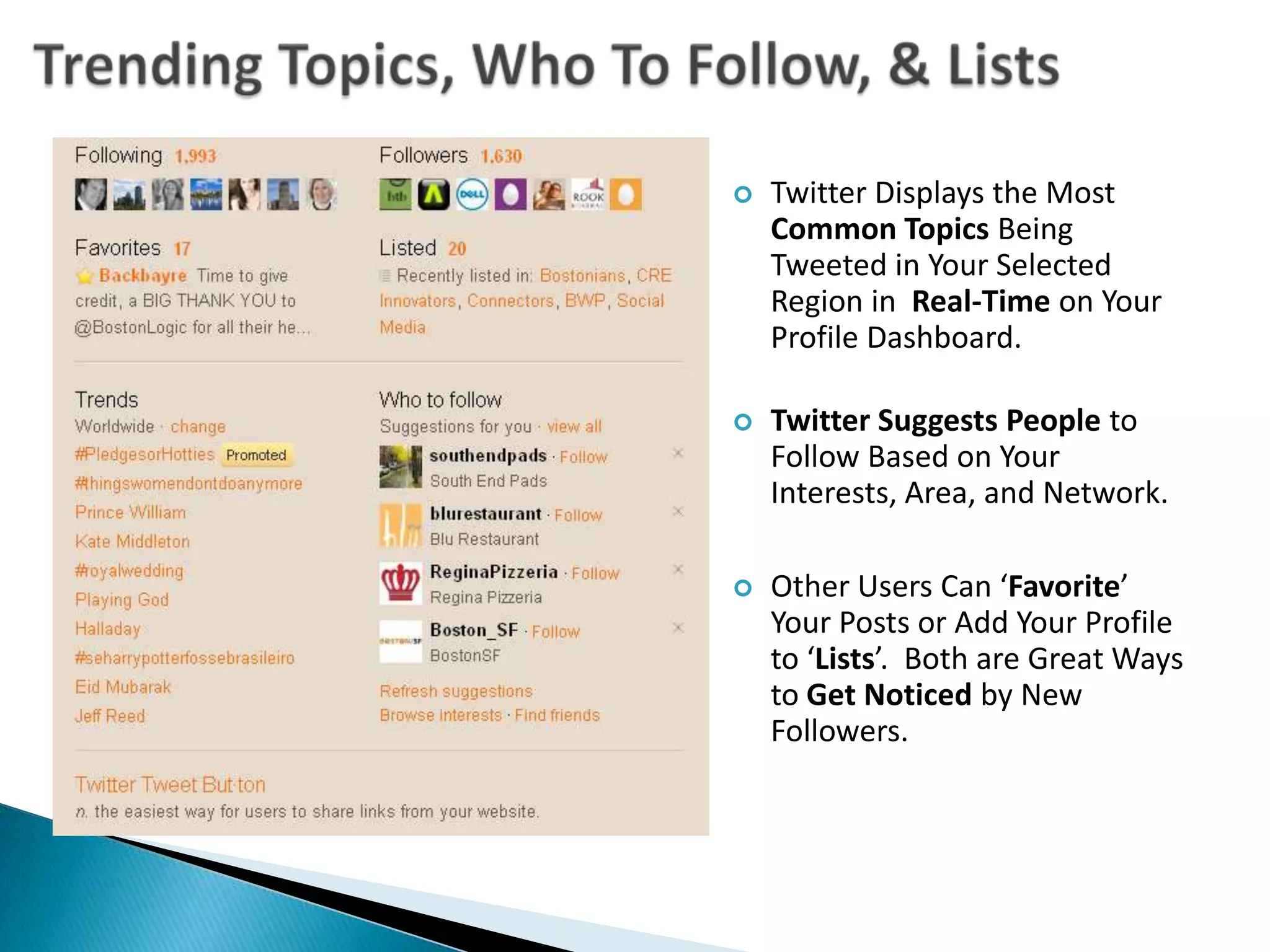
    The # Sign+ a Phrase: (Ex. #RAINCAMP, #NAR, #IREC)Trending Topics, Who To Follow, & ListsTwitter Displays the Most Common Topics Being Tweeted in Your Selected Region in Real-Time on Your Profile Dashboard.
  • 29.
    Twitter Suggests Peopleto Follow Based on Your Interests, Area, and Network.
  • 30.
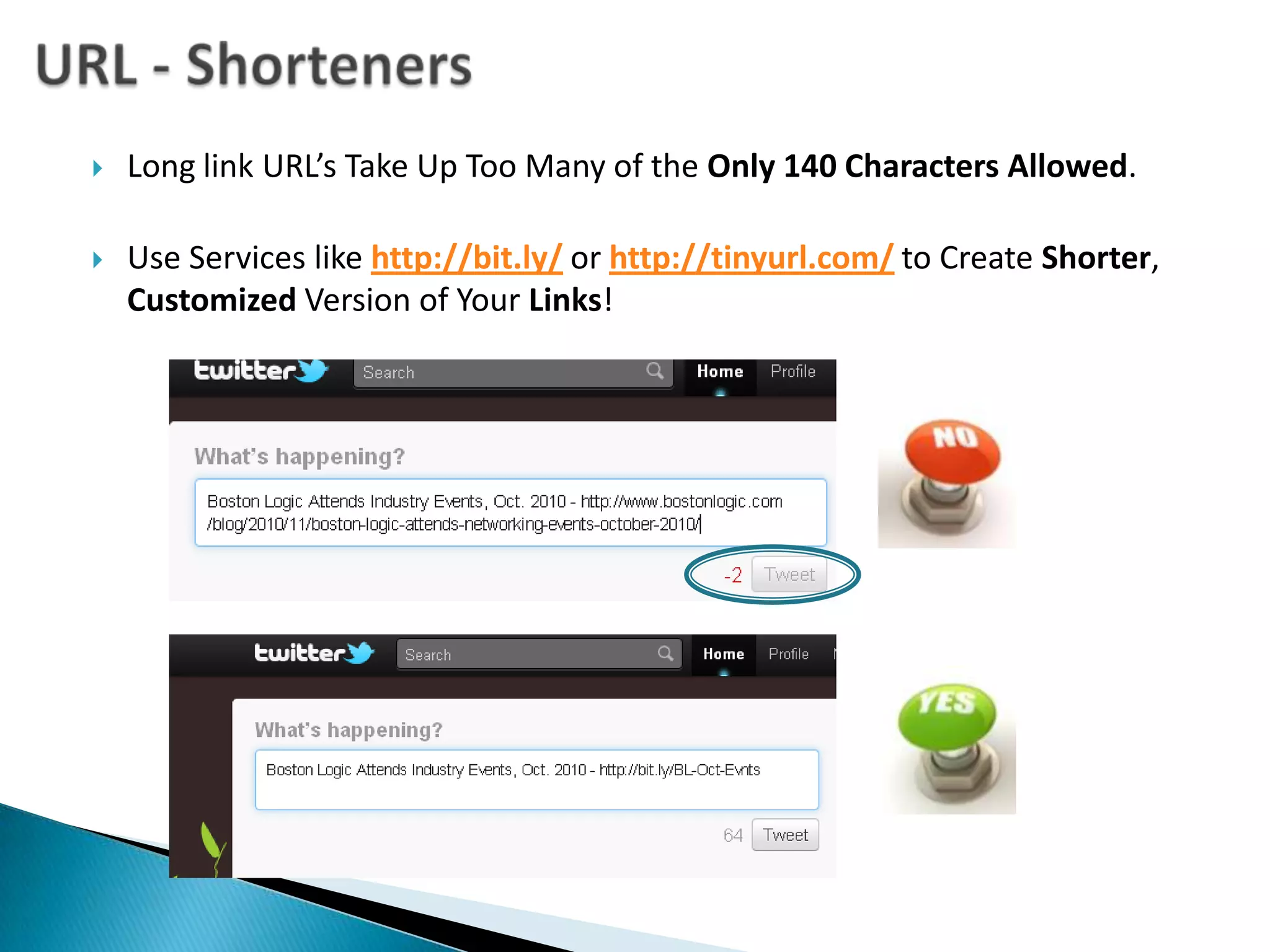
    Other Users Can‘Favorite’ Your Posts or Add Your Profile to ‘Lists’. Both are Great Ways to Get Noticed by New Followers. URL - ShortenersLong link URL’s Take Up Too Many of the Only 140 Characters Allowed.Use Services like http://bit.ly/or http://tinyurl.com/to Create Shorter, Customized Version of Your Links!
  • 31.
    Auto-Feed Your BlogYouCan Auto-Post Your Blogs to Your Twitter Profile Using TwitterFeed.Helps Save TimeBUT- Lose the Ability to Customize the URL LinkAND Lose the Opportunity to be More Engaging with Audience When Posting LinkSelect Different Update Frequencies.Anything from Every 30 Minutes to Every 24 HoursFilter Feeds by Keyword to Only Twit Posts with Certain Words Included.Supports RSS & Atom Feeds.
  • 32.
    Get Notified ofTweets with TweetBeepLike a Google Alert for Twitter, Great for Online Reputation Management.Sends Alerts to Your Email with Links to Tweets.Track Conversations that Mention You, Your Products, Your Company, Anything You Choose, with Hourly Updates! Track Who's Tweeting Your Website or Blog, Even if They Use a Shortened URL (like bit.ly or tinyurl.com).Catch All Your @Replies and @Mentions.Set Alerts for #Events You Host or Attend to Meet Up with Others.
  • 33.
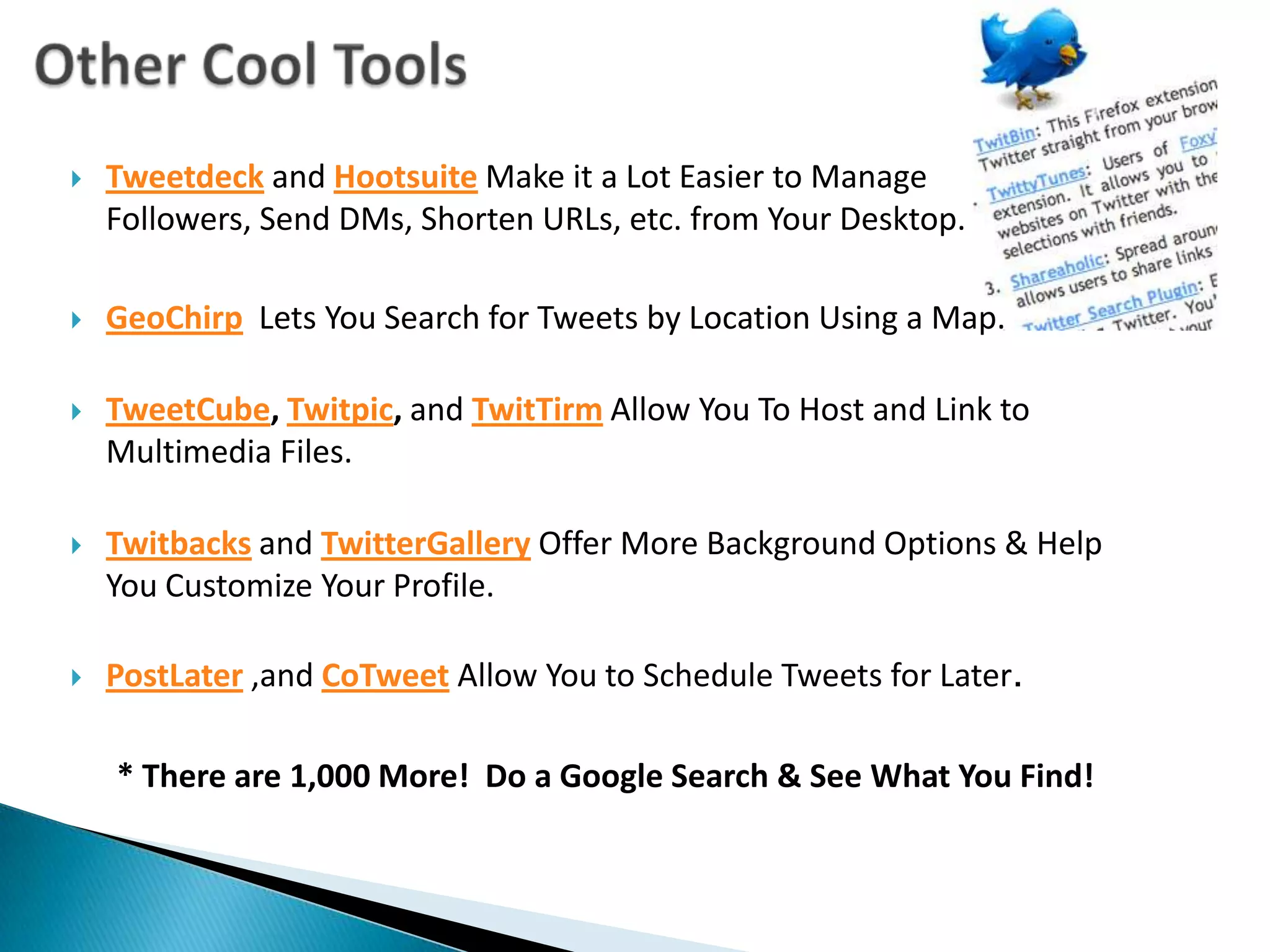
    Other Cool ToolsTweetdeckand HootsuiteMake it a Lot Easier to Manage Followers, Send DMs, Shorten URLs, etc. from Your Desktop.GeoChirpLets You Search for Tweets by Location Using a Map.TweetCube, Twitpic, and TwitTirm Allow You To Host and Link to Multimedia Files.Twitbacks and TwitterGalleryOffer More Background Options & Help You Customize Your Profile.PostLater ,and CoTweet Allow You to Schedule Tweets for Later.* There are 1,000 More! Do a Google Search & See What You Find!
  • 34.
    CREATIVE TWITTERINGHow ToGet The Most Out of Twitter for Your Business
  • 35.
    Connect To TwitterLinkto Your Twitter Profile EVERYWHERE!
  • 36.
    You Facebook, LinkedIn,and Other Online Profiles
  • 37.
    Your Websites, Blogs,Yelp Listing, Etc.
  • 38.
    Newsletters, Promos, andPresentations You Give
  • 39.
    Resumes, Business Cards,Email Signatures
  • 40.
    Make Sure YouUse Add This or Other Social Sharing Buttons on Your Blog so Readers can Syndicate Your Content to Twitter FOR YOU!
  • 41.
    Host & Attend‘Tweet-Ups’ (aka Twitter Meetings) to Get to Meet Other Twitterers in Real Life, Learn from Their Experiences, Offer Your Expertise, Etc.
  • 42.
    Use #Hashtags ToCreate ‘Groups’ for Twitter.
  • 43.
    First, Follow startfollowing #Hashtags on Twitter.
  • 44.
    Then Start Using‘#’ in Your Tweets, Preceding Event Announcements
  • 45.
    Tell Attendeesto Do the Same!Create A Twitter ContestPost Details On Blog and Website & Promote on Twitter,Facebook, LinkedIn, Your Office / Store, etc.
  • 46.
    Contest Should Lastat Least a Month for Big Prizes.
  • 47.
    Be Sure toHave a Lot of Active Followers with Lots of Followers to Share Your Contest With or it Won’t Work!
  • 48.
    Give Participants anExtra Entry for Each Tweet Mention to Build Audience Fast.
  • 49.
    Make Interacting withYour Twitter Profile and / or Website Part of Contest:
  • 50.
    “Tweet @BostonLogic withyour #1 marketing challenge for a chance to win a FREE 1hr. SEO consultation!”
  • 51.
    “#FreeCoffee if youFollow @Starbucks and Tweet About Why You Love @Starbuck.”
  • 52.
    “Post a FanVideo on Our Website & Tweet About Us to Enter to Win a Free MacBook!”
  • 53.
    Announce Your NextContest When Announcing the Winner on Twitter.
  • 54.
    Creates Buzz, Peoplethat Missed First Contest Will Follow for Next One.Host a Tweet-OffContest to See Who Tweets About You The Most!
  • 55.
    Be Sure toSet a Start and End Time.
  • 56.
    Make the PrizeSomething Desirable.
  • 57.
    Make Sure Each‘@Mention’ is Unique & Positive.
  • 58.
    This Will GiveYou a TON of Exposure.
  • 59.
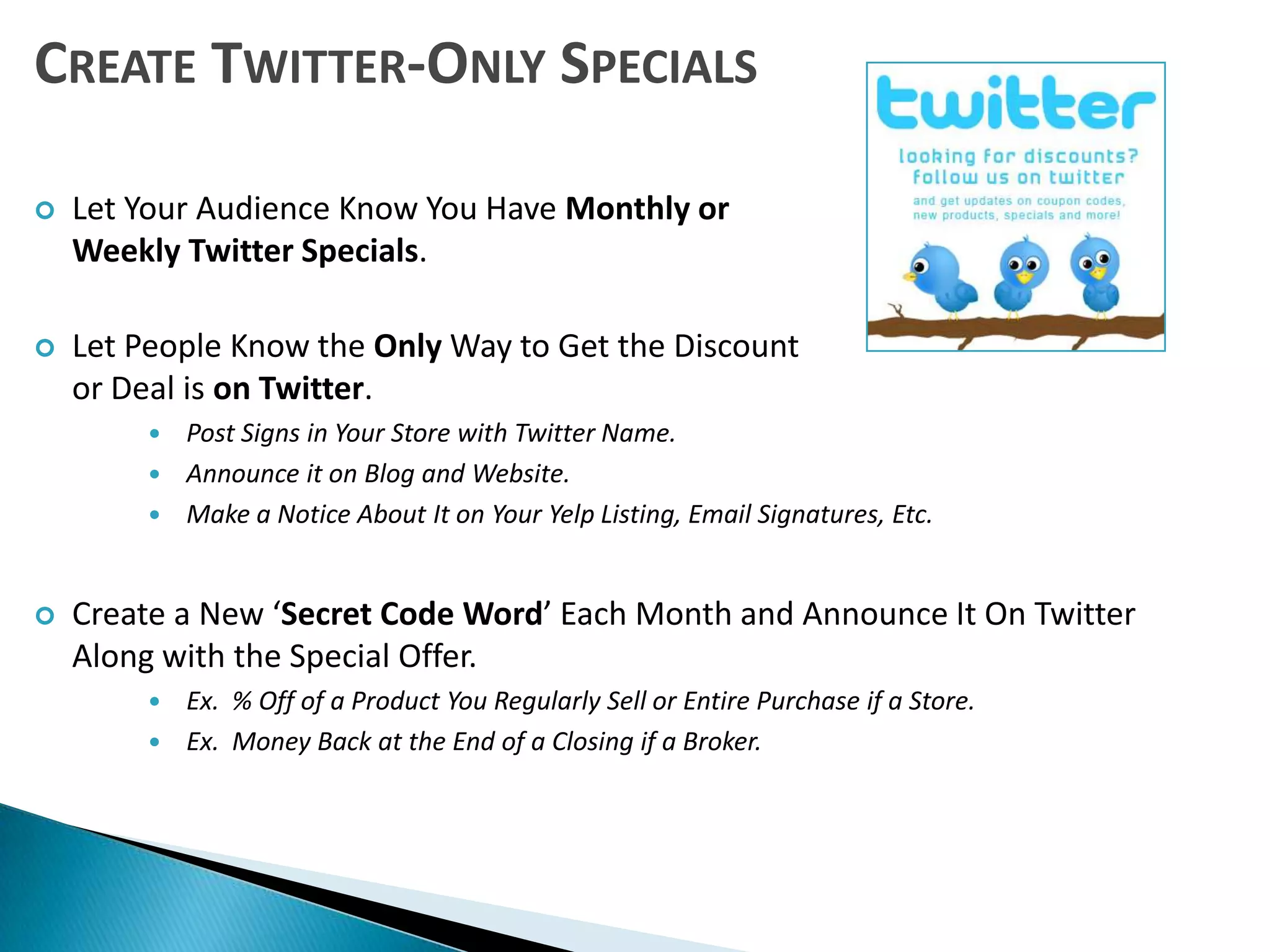
    Keep the BuzzGoing by Tweeting Regular Updates of Who’s in the Lead!Create Twitter-Only SpecialsLet Your Audience Know You Have Monthly or Weekly Twitter Specials.
  • 60.
    Let People Knowthe Only Way to Get the Discount or Deal is on Twitter.
  • 61.
    Post Signs inYour Store with Twitter Name.
  • 62.
    Announce it onBlog and Website.
  • 63.
    Make a NoticeAbout It on Your Yelp Listing, Email Signatures, Etc.
  • 64.
    Create a New‘Secret Code Word’ Each Month and Announce It On Twitter Along with the Special Offer.
  • 65.
    Ex. %Off of a Product You Regularly Sell or Entire Purchase if a Store.
  • 66.
    Ex. MoneyBack at the End of a Closing if a Broker.Twitter Contest GuidelinesDiscourage the Creation of Multiple Twitter Accounts.
  • 67.
    Discourage Posting theSame Tweet Repeatedly.
  • 68.
    Twitter Doesn’t Wantto Get Bogged Down with Your Spam.
  • 69.
    Have Them TweetSomething Unique Instead
  • 70.
    Ex: WhyThey Like You, Answer a Question, Create a Twitter Poem About You, Etc.
  • 71.
    Ask Users toInclude an “@Mention” to You in Their Tweets.
  • 72.
    So You CanEasily See & Track Entries on Your ‘@Mentions’ Tab When Logged In.
  • 73.
    Lots of PeopleWill See a Link to Your Twitter Page & Read Positive Feedback about You.
  • 74.
    Encourage the Useof Topics Relevant to the Contest.
  • 75.
    Ex: #FreeCoffee,#YourCompanyName, #ContestName, #EventName, Etc.
  • 76.
  • 77.
    Read Them Here:http://support.twitter.com/articles/18311-the-twitter-rulesRecap Twitter is About Social Networking.
  • 78.
    Find Interesting People,Follow Who They Follow.
  • 79.
    Spend At Least15 Minutes Each Day Commenting, Reading, etc.
  • 80.
    You NeedTo Engaging Users to Get the Most Out of Twitter.
  • 81.
    Re-Tweet and Commenton Other’s People’s Tweets.
  • 82.
    Ask Questions, Askfor Feedback.
  • 83.
    Syndicate VALUABLE ContentPeople Want to Read.
  • 84.
    Don’t Just Spamand Toot Your Own Horn All the Time.
  • 85.
  • 86.
    Host Tweet-Ups, CreateContests, and MORE!Now Let’s Check It Out!Slideshow Adapted From ‘LogicClassroom by Boston Logic’http://www.slideshare.net/amenter/logicclassroom-twitter-for-usiness-nov-2010