Freewriting Organizing groups to work with a story or story topic Four levels (affective, memory, symbols, patterns) Elements of fiction Tell us a story ... Group work Prepare your presentation (20 minutes) – Story Board Refer to short story (available in textbook or online) Eva de Lourdes Edwards, PhD
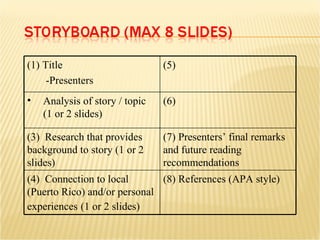
(1) Title -Presenters (5) Analysis of story / topic  (1 or 2 slides) (6) (3)  Research that provides background to story (1 or 2 slides) (7) Presenters’ final remarks and future reading recommendations (4)  Connection to local (Puerto Rico) and/or personal experiences   (1 or 2 slides) (8) References (APA style)
What is the story about? ... the background? What is your reaction? Why? What are the highlights? What does it remind you of? What are the symbols? Can you describe the language? Are there any recurring patterns (archetypes)? _______________________________ ?
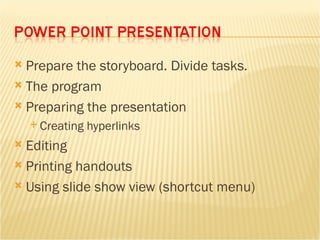
Prepare the storyboard. Divide tasks. The program Preparing the presentation Creating hyperlinks Editing Printing handouts Using slide show view (shortcut menu)
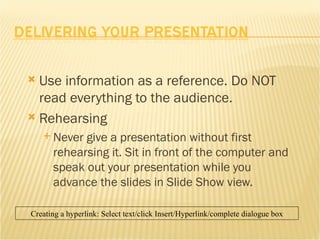
Use information as a reference. Do NOT read everything to the audience. Rehearsing Never give a presentation without first rehearsing it. Sit in front of the computer and speak out your presentation while you advance the slides in Slide Show view. Creating a hyperlink: Select text/click Insert/Hyperlink/complete dialogue box
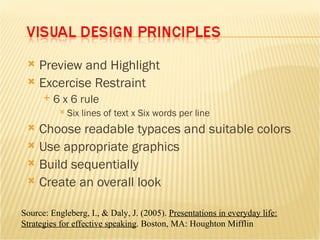
Preview and Highlight Excercise Restraint 6 x 6 rule Six lines of text x Six words per line Choose readable typaces and suitable colors Use appropriate graphics Build sequentially Create an overall look Source: Engleberg, I., & Daly, J. (2005).  Presentations in everyday life: Strategies for effective speaking . Boston, MA: Houghton Mifflin
Use UPPERCASE sparingly Avoid using more than 2 fonts Use Helvetica, Arial, or Times Roman Use 24 point size or larger
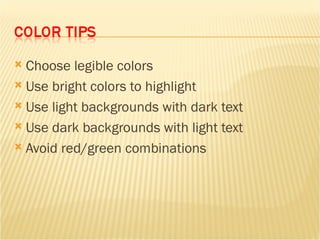
Choose legible colors Use bright colors to highlight Use light backgrounds with dark text Use dark backgrounds with light text Avoid red/green combinations
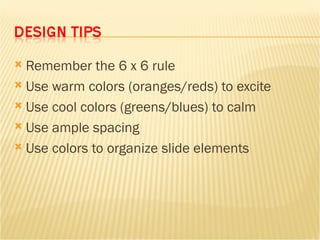
Remember the 6 x 6 rule Use warm colors (oranges/reds) to excite Use cool colors (greens/blues) to calm Use ample spacing Use colors to organize slide elements
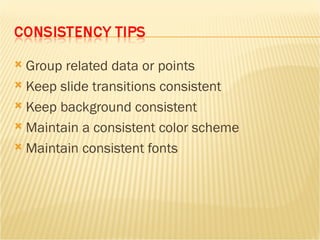
Group related data or points Keep slide transitions consistent Keep background consistent Maintain a consistent color scheme Maintain consistent fonts
[10] Time management (The team does not extend over 20 minutes.) [20] Teamwork (all participate in a coordinated manner) [10] Connecting to story (reference to pages, quotes, ...) [10] Interaction with audience (eliciting information, inviting questions, asking questions,   hands-on activities, ..)  [10] Use of multi-media (posters, charts, slides, board, music, computer, ...)   Use of examples (personal experiences, analogies, books, songs, games, props, ...) [20] Developing a convincing analysis [10] Presentation skills (eye contact, not reading each slide, 6x6 rule, at least one hyperlink, one  or two good pictures, ...) [10] Handouts (one page highlights, additional resources, related information, brochures,  ...) 100 Points

Short Story Presentation

  • 1.
    Freewriting Organizing groupsto work with a story or story topic Four levels (affective, memory, symbols, patterns) Elements of fiction Tell us a story ... Group work Prepare your presentation (20 minutes) – Story Board Refer to short story (available in textbook or online) Eva de Lourdes Edwards, PhD
  • 2.
    (1) Title -Presenters(5) Analysis of story / topic (1 or 2 slides) (6) (3) Research that provides background to story (1 or 2 slides) (7) Presenters’ final remarks and future reading recommendations (4) Connection to local (Puerto Rico) and/or personal experiences (1 or 2 slides) (8) References (APA style)
  • 3.
    What is thestory about? ... the background? What is your reaction? Why? What are the highlights? What does it remind you of? What are the symbols? Can you describe the language? Are there any recurring patterns (archetypes)? _______________________________ ?
  • 4.
    Prepare the storyboard.Divide tasks. The program Preparing the presentation Creating hyperlinks Editing Printing handouts Using slide show view (shortcut menu)
  • 5.
    Use information asa reference. Do NOT read everything to the audience. Rehearsing Never give a presentation without first rehearsing it. Sit in front of the computer and speak out your presentation while you advance the slides in Slide Show view. Creating a hyperlink: Select text/click Insert/Hyperlink/complete dialogue box
  • 6.
    Preview and HighlightExcercise Restraint 6 x 6 rule Six lines of text x Six words per line Choose readable typaces and suitable colors Use appropriate graphics Build sequentially Create an overall look Source: Engleberg, I., & Daly, J. (2005). Presentations in everyday life: Strategies for effective speaking . Boston, MA: Houghton Mifflin
  • 7.
    Use UPPERCASE sparinglyAvoid using more than 2 fonts Use Helvetica, Arial, or Times Roman Use 24 point size or larger
  • 8.
    Choose legible colorsUse bright colors to highlight Use light backgrounds with dark text Use dark backgrounds with light text Avoid red/green combinations
  • 9.
    Remember the 6x 6 rule Use warm colors (oranges/reds) to excite Use cool colors (greens/blues) to calm Use ample spacing Use colors to organize slide elements
  • 10.
    Group related dataor points Keep slide transitions consistent Keep background consistent Maintain a consistent color scheme Maintain consistent fonts
  • 11.
    [10] Time management(The team does not extend over 20 minutes.) [20] Teamwork (all participate in a coordinated manner) [10] Connecting to story (reference to pages, quotes, ...) [10] Interaction with audience (eliciting information, inviting questions, asking questions, hands-on activities, ..) [10] Use of multi-media (posters, charts, slides, board, music, computer, ...) Use of examples (personal experiences, analogies, books, songs, games, props, ...) [20] Developing a convincing analysis [10] Presentation skills (eye contact, not reading each slide, 6x6 rule, at least one hyperlink, one or two good pictures, ...) [10] Handouts (one page highlights, additional resources, related information, brochures, ...) 100 Points