Sequence Diagrams
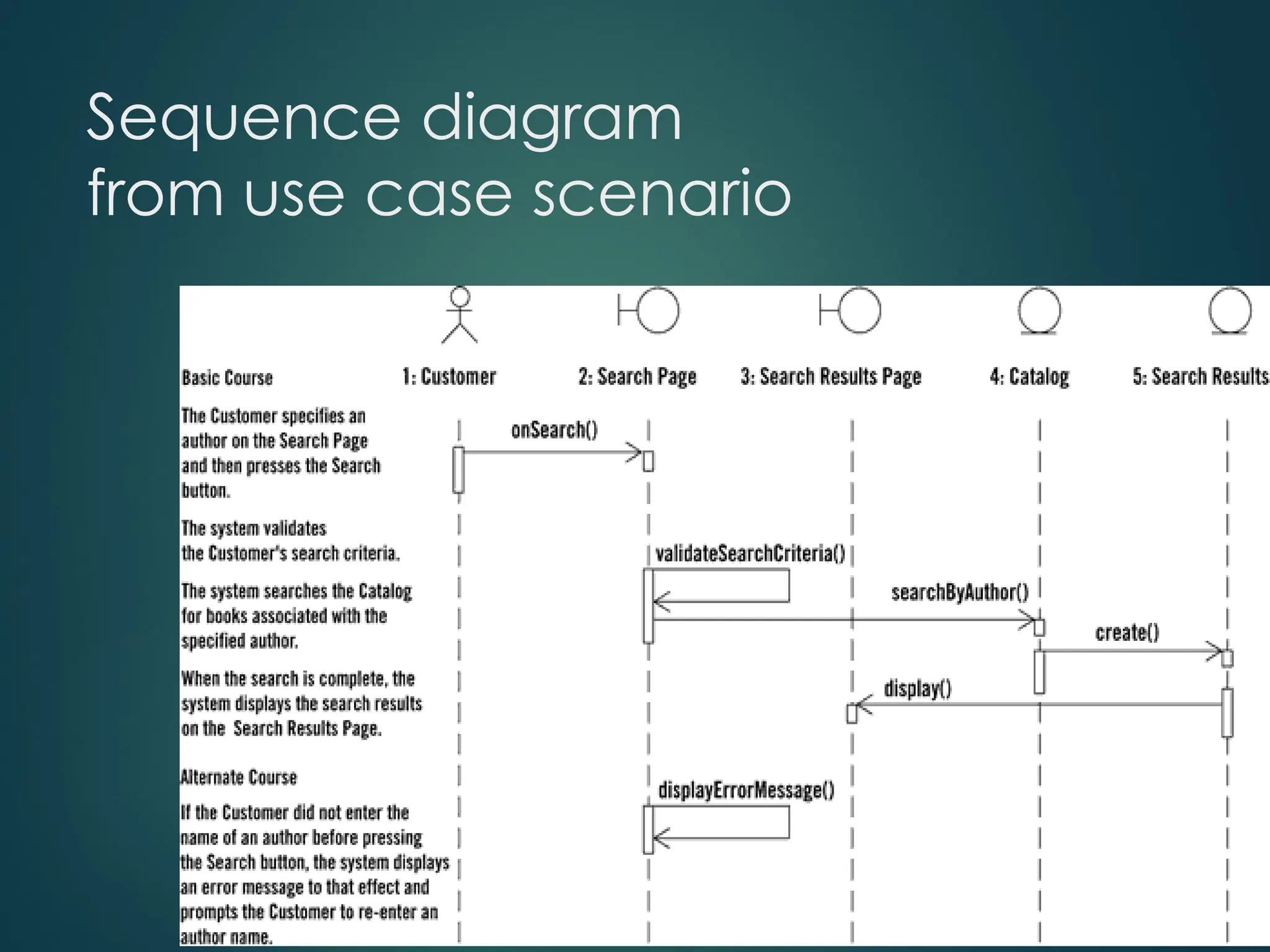
• Describethe flow of messages, events, actions
between objects
• Show concurrent processes and activations
• Show time sequences that are not easily depicted in
other diagrams
• Typically used during analysis and design to
document and understand the logical flow of your
system
Emphasis on time ordering!
3.
Sequence Diagram
Key Parts
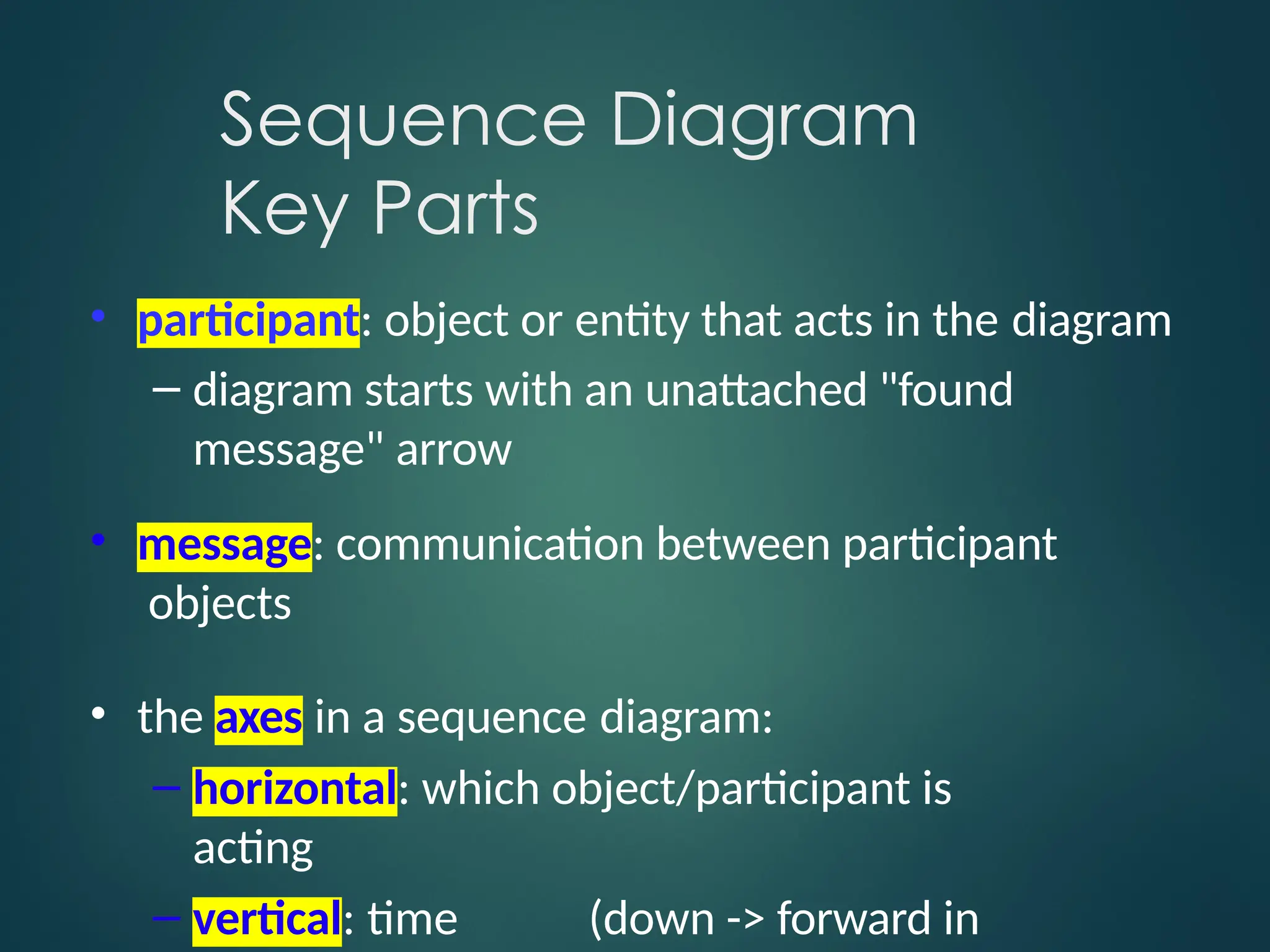
•participant: object or entity that acts in the diagram
– diagram starts with an unattached "found
message" arrow
• message: communication between participant
objects
• the axes in a sequence diagram:
– horizontal: which object/participant is
acting
– vertical: time (down -> forward in
4.
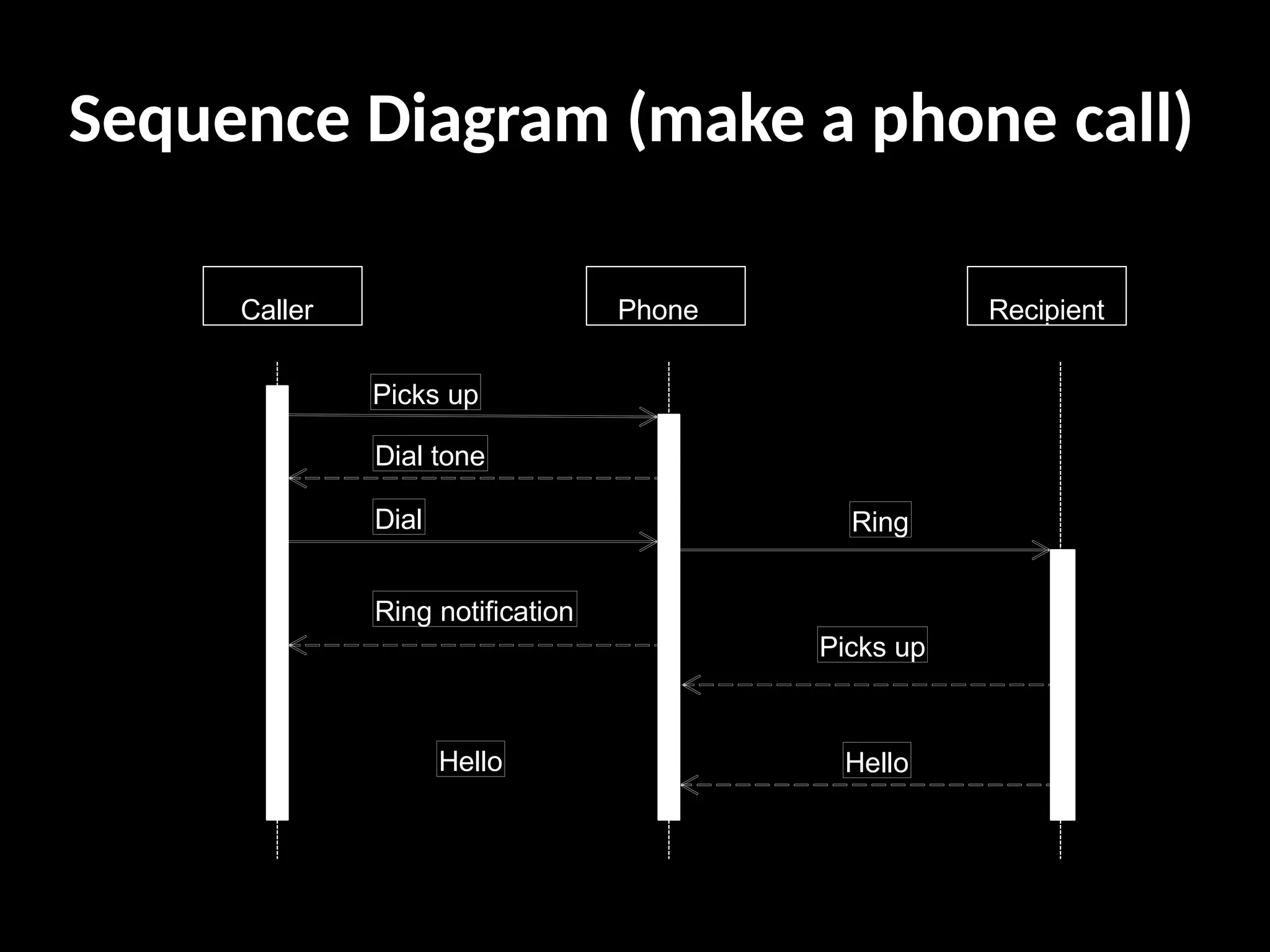
Sequence Diagram (makea phone call)
Caller Phone Recipient
Picks up
Dial tone
Dial
Ring notification
Ring
Picks up
Hello
Hello
5.
Representing Objects
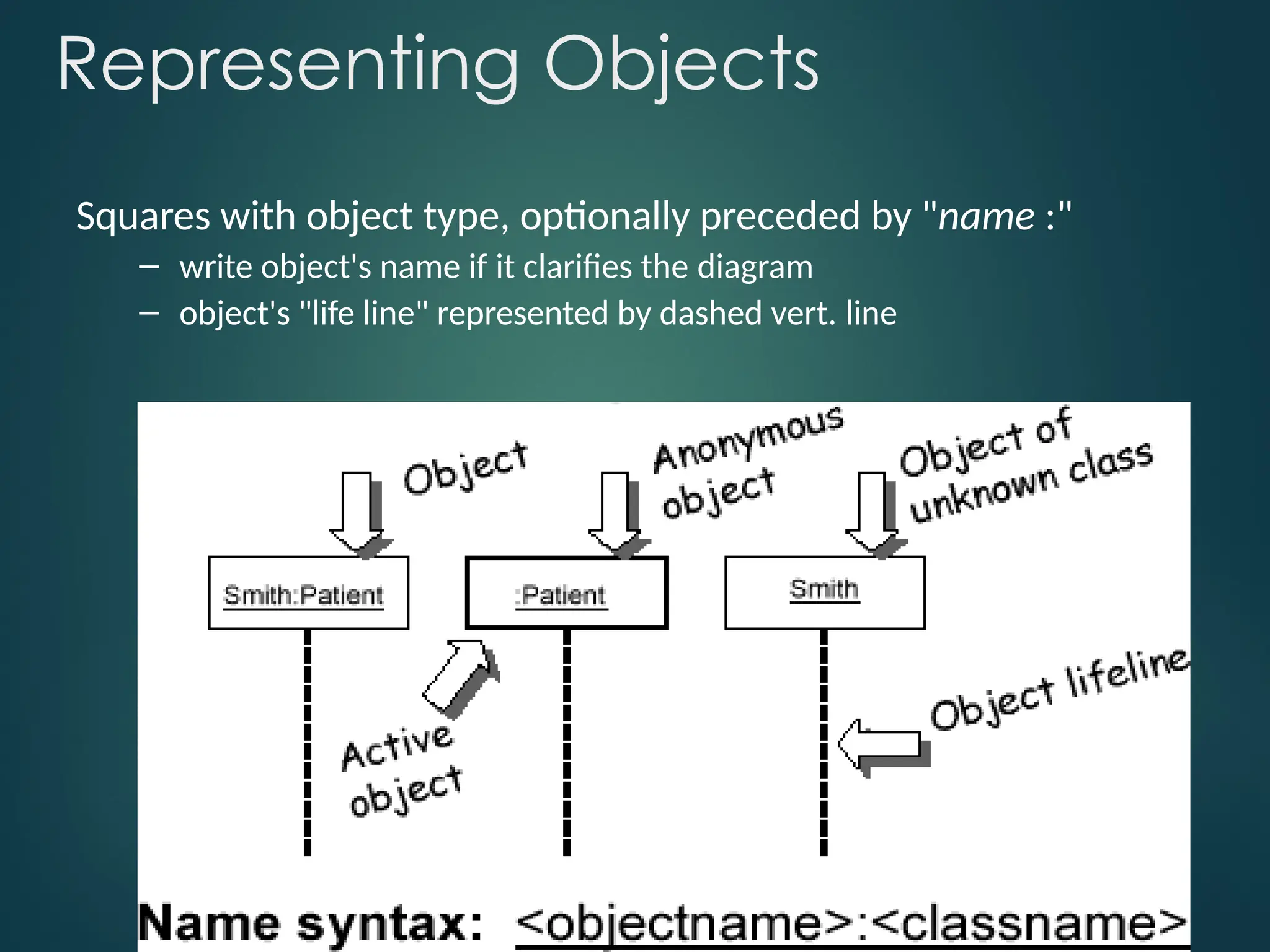
Squares withobject type, optionally preceded by "name :"
– write object's name if it clarifies the diagram
– object's "life line" represented by dashed vert. line
6.
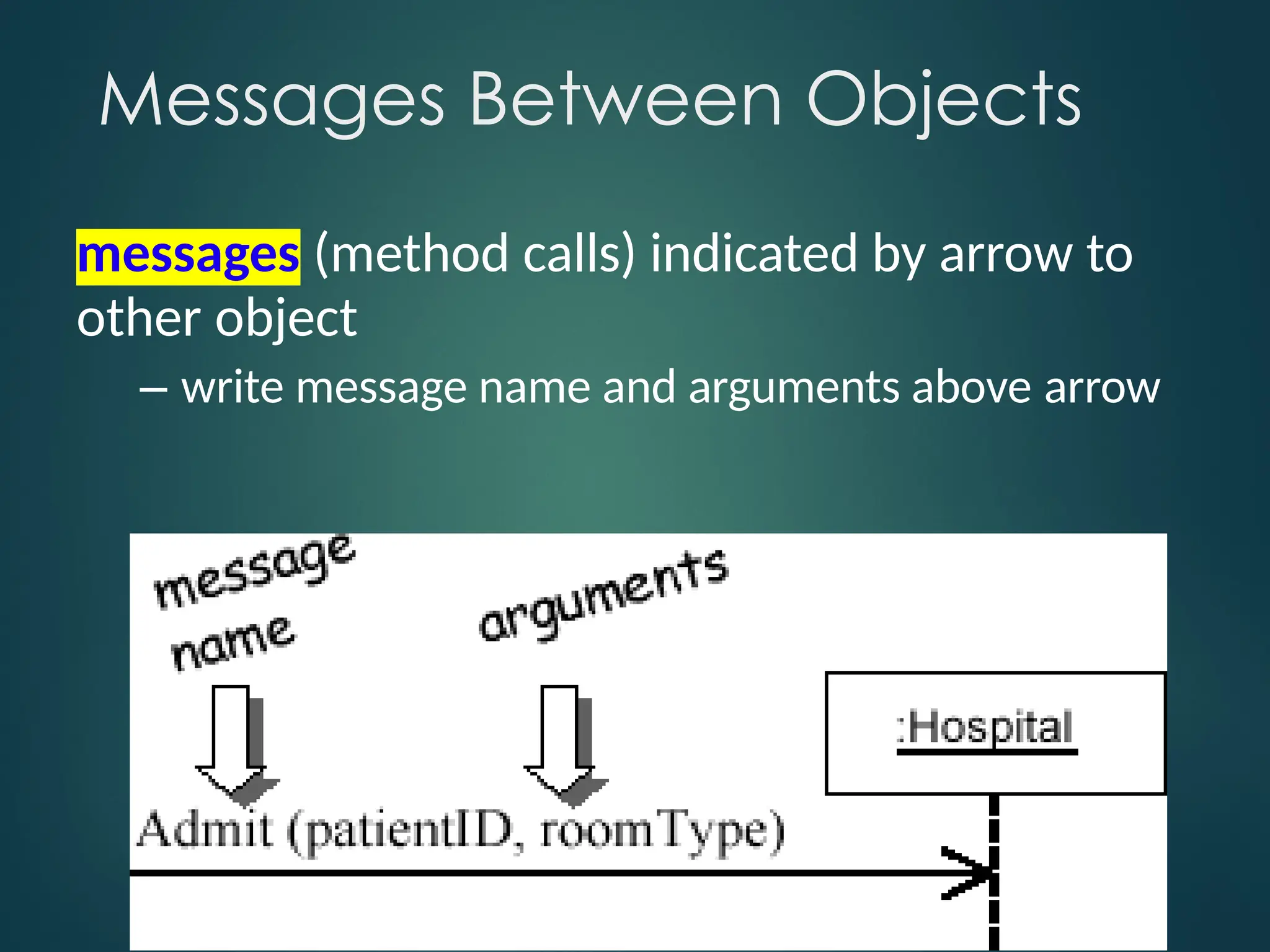
messages (method calls)indicated by arrow to
other object
– write message name and arguments above arrow
Messages Between Objects
7.
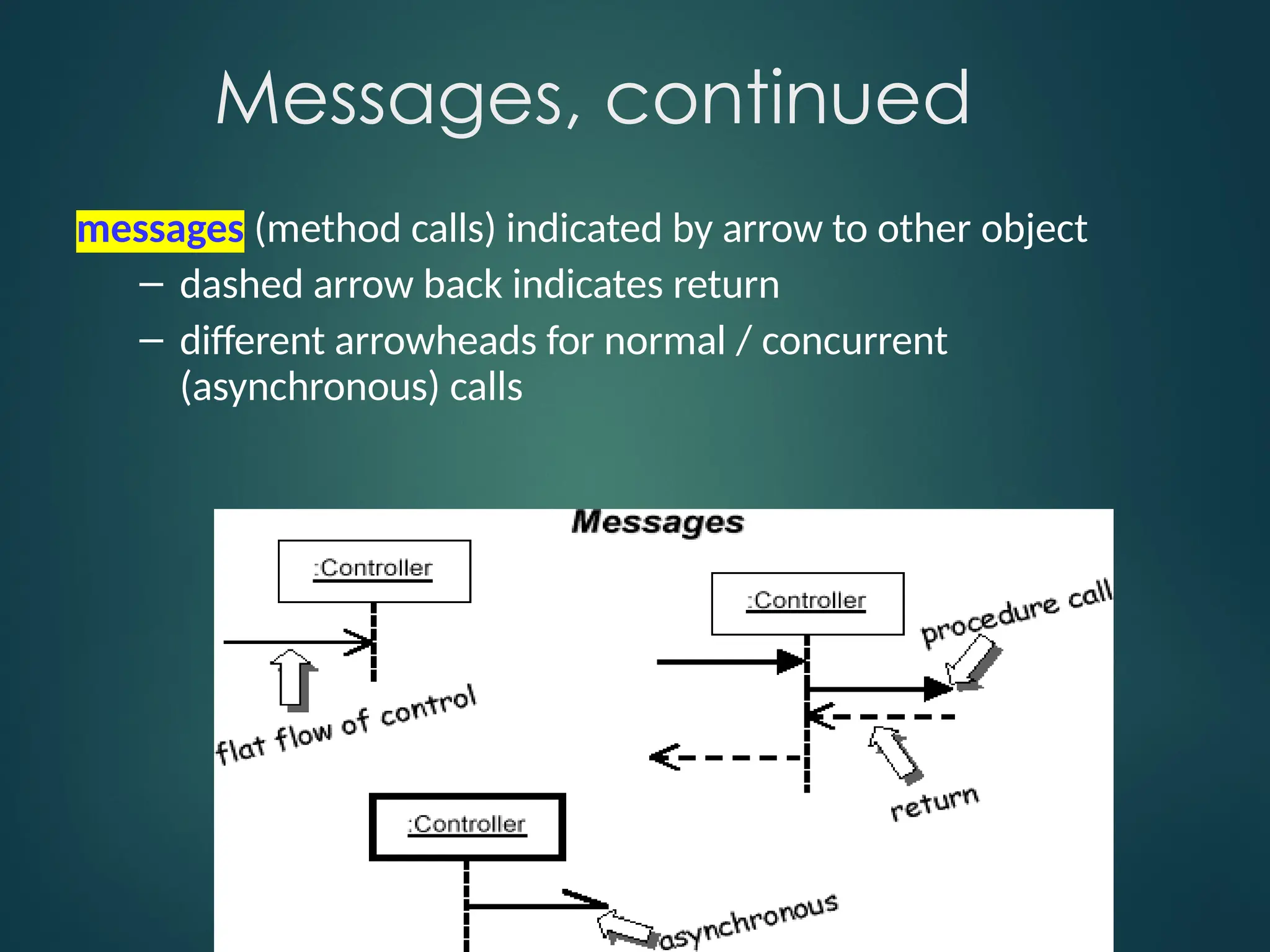
Messages, continued
messages (methodcalls) indicated by arrow to other object
– dashed arrow back indicates return
– different arrowheads for normal / concurrent
(asynchronous) calls
8.
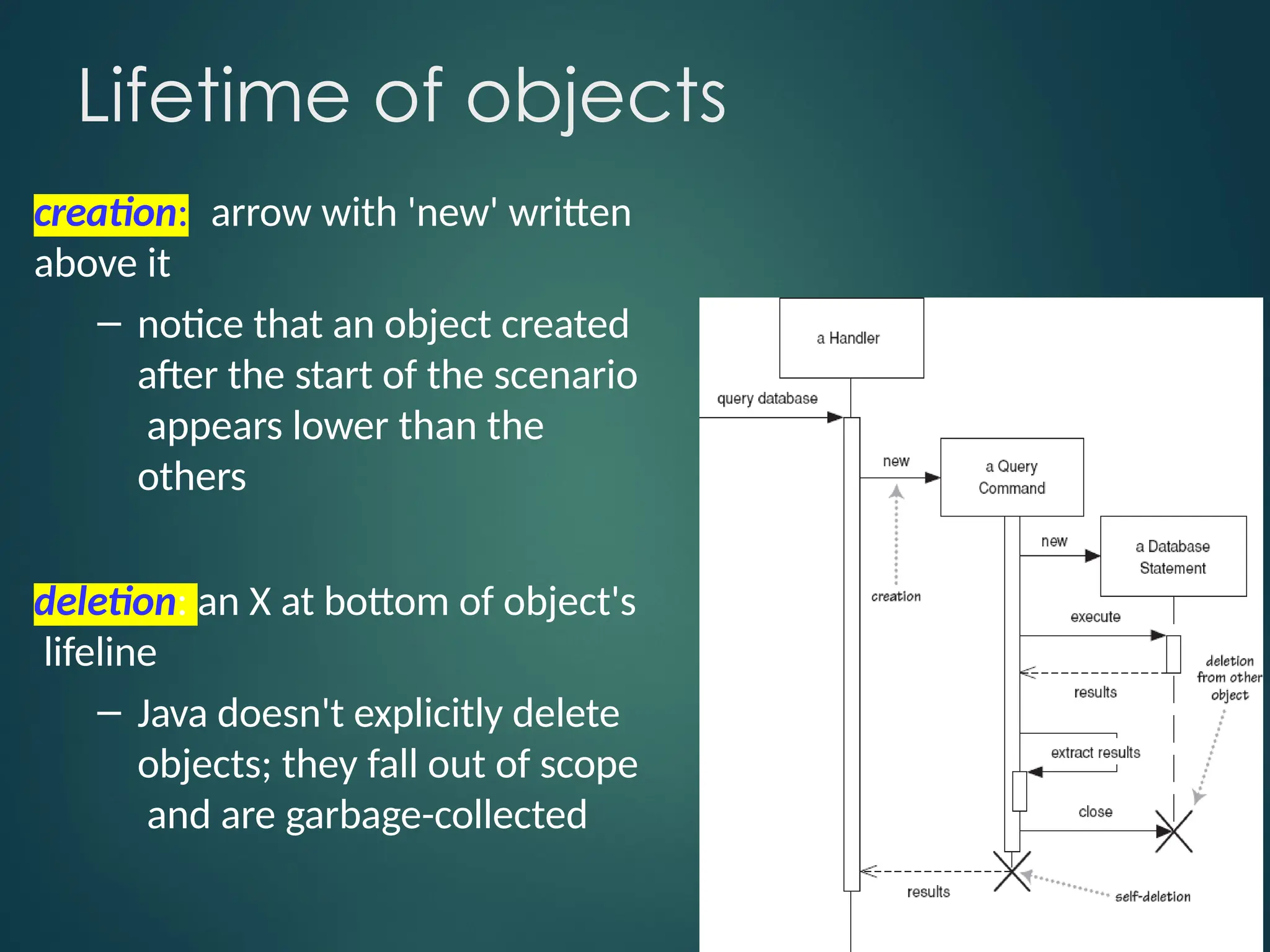
Lifetime of objects
creation:arrow with 'new' written
above it
– notice that an object created
after the start of the scenario
appears lower than the
others
deletion: an X at bottom of object's
lifeline
– Java doesn't explicitly delete
objects; they fall out of scope
and are garbage-collected
9.
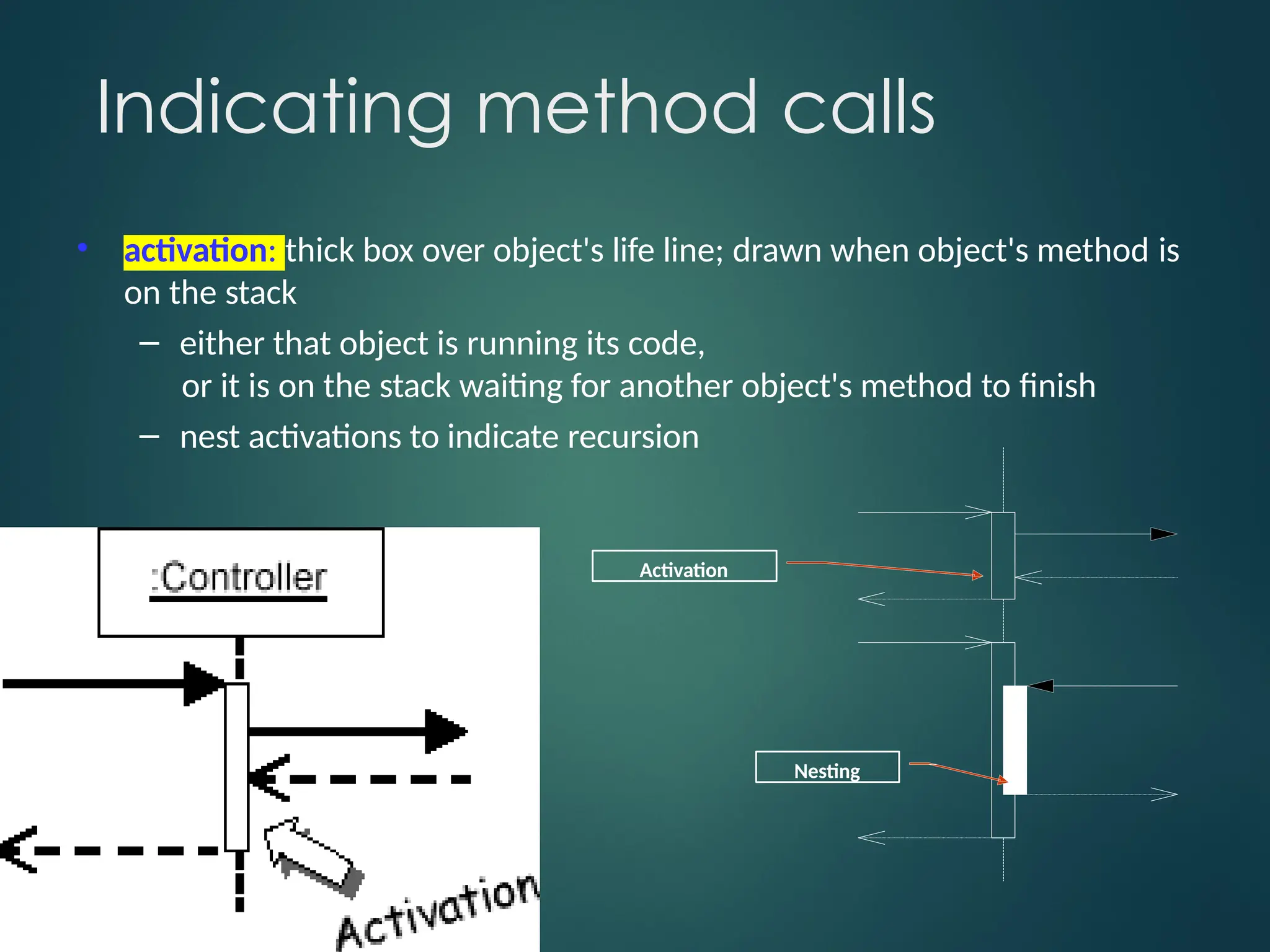
Indicating method calls
•activation: thick box over object's life line; drawn when object's method is
on the stack
– either that object is running its code,
or it is on the stack waiting for another object's method to finish
– nest activations to indicate recursion
Activation
Nesting
10.
Selection and loops
frame:box around part of diagram to indicate if or loop
-> (opt)
– if
[condition]
– if/else -> (alt)
[condition], separated by
horizontal dashed line
– loop -> (loop)
[condition or items to loop
over]
Why not justcode it?
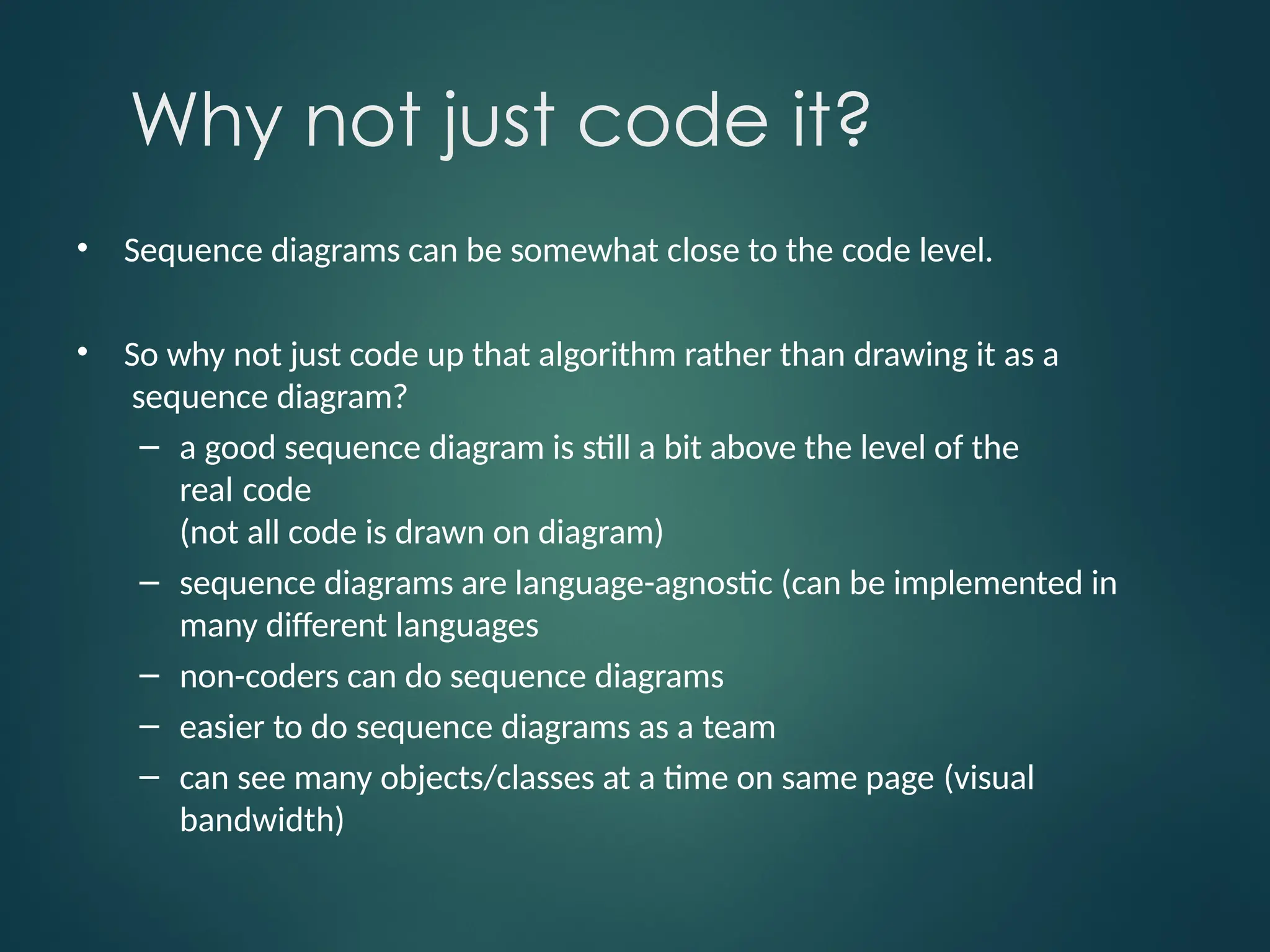
• Sequence diagrams can be somewhat close to the code level.
• So why not just code up that algorithm rather than drawing it as a
sequence diagram?
– a good sequence diagram is still a bit above the level of the
real code
(not all code is drawn on diagram)
– sequence diagrams are language-agnostic (can be implemented in
many different languages
– non-coders can do sequence diagrams
– easier to do sequence diagrams as a team
– can see many objects/classes at a time on same page (visual
bandwidth)
13.
Sequence Diagram
Exercise
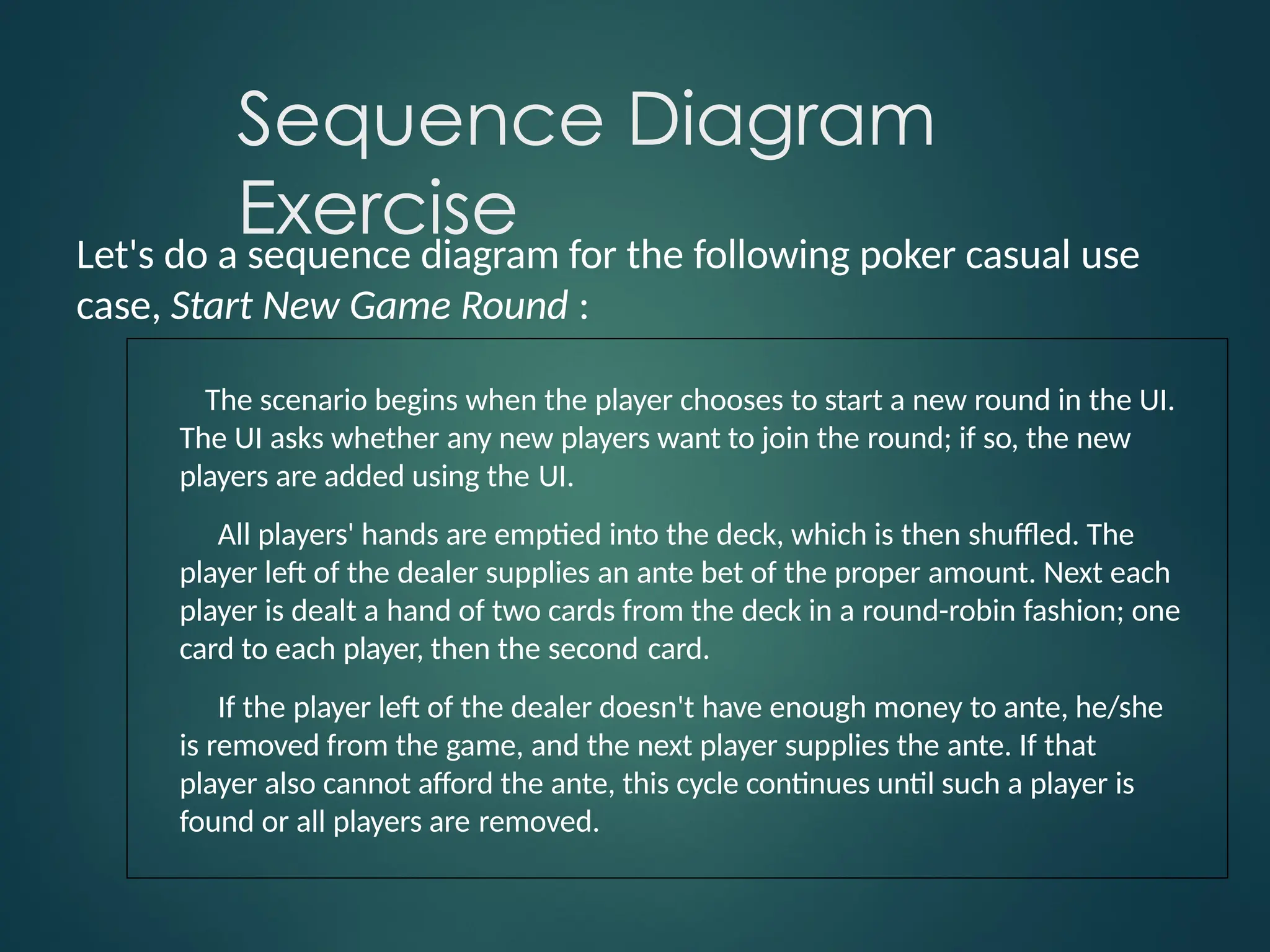
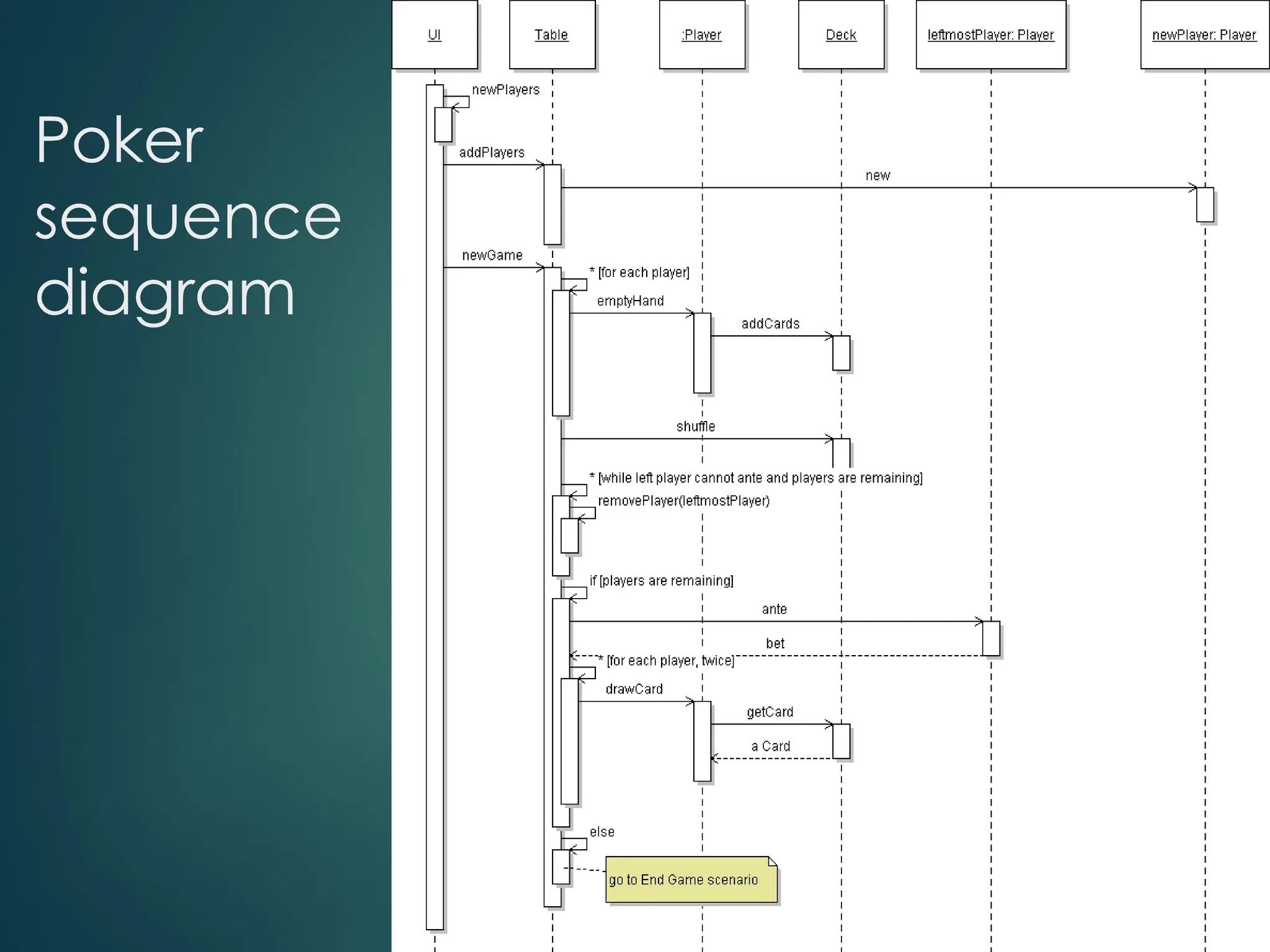
Let's doa sequence diagram for the following poker casual use
case, Start New Game Round :
The scenario begins when the player chooses to start a new round in the UI.
The UI asks whether any new players want to join the round; if so, the new
players are added using the UI.
All players' hands are emptied into the deck, which is then shuffled. The
player left of the dealer supplies an ante bet of the proper amount. Next each
player is dealt a hand of two cards from the deck in a round-robin fashion; one
card to each player, then the second card.
If the player left of the dealer doesn't have enough money to ante, he/she
is removed from the game, and the next player supplies the ante. If that
player also cannot afford the ante, this cycle continues until such a player is
found or all players are removed.
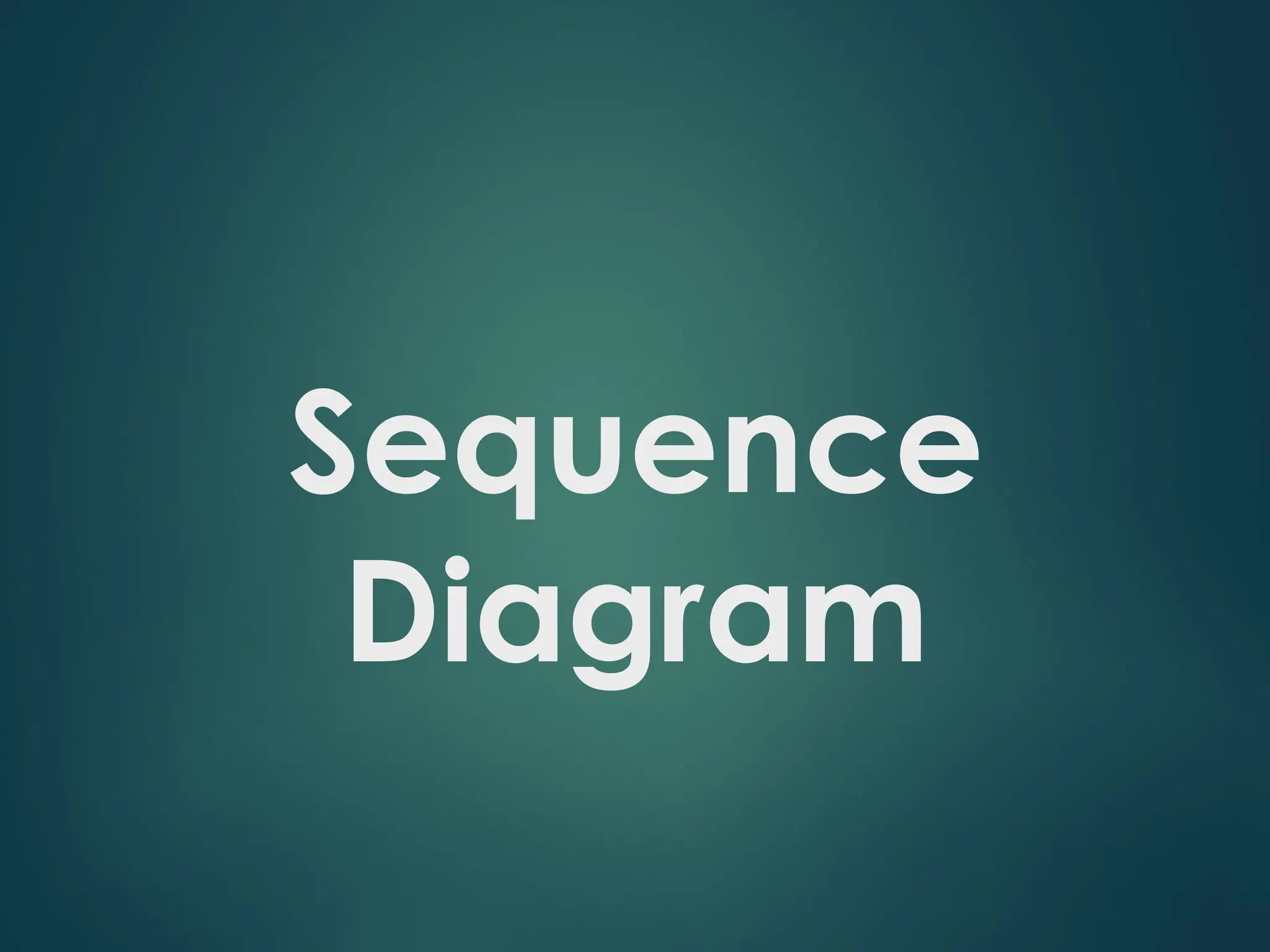
Sequence Diagram Question
Considerthe possible poker use case, Betting Round :
The scenario begins after the Start New Round case has completed. The UI asks the
first player for a bet. That player chooses to either bet a given amount, or check (no
bet).
The next player is asked what to do. If the prior player placed a bet, the next player
must either match ("see") it, or match it plus add an additional bet ("raise"), or choose
not to match and exit the round ("fold"). This continues around the table until an entire
pass is made in which all players have either matched all other players' bets or folded.
If the next player doesn't have enough money to match the current bet, the player is
allowed to bet all of their money. But they can then win only up to the amount they bet;
the rest is a "side pot" among the more wealthy players remaining in the round.
![Selection and loops
frame: box around part of diagram to indicate if or loop
-> (opt)
– if
[condition]
– if/else -> (alt)
[condition], separated by
horizontal dashed line
– loop -> (loop)
[condition or items to loop
over]](https://image.slidesharecdn.com/sequencediagramtutorial01-250319195642-6daa7a32/75/Sequence-Diagram-Tutorial_01-pptxSequence-Diagram-Tutorial_01-pptx-10-2048.jpg)