Search Engine Optimization:
The Nutshell Version

Pieter Goyens
@pietergoyens
My name is
PIETER               @pietergoyens

and I work at
REPRISE MEDIA.


                 2
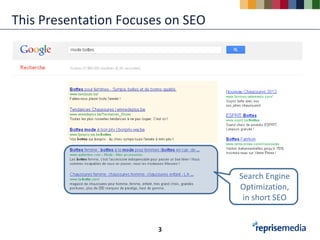
This Presentation Focuses on SEO


                                   Search Engine
                                   Optimization,
                                    in short SEO


                        3
An Overview of this Session

• Before You Build: How Search Engines Work
• How To Build Search Engine Friendly Websites
• Important SEO Factors
• Keyword Research


                               4
Before You Build:
    How Search Engines Work


5
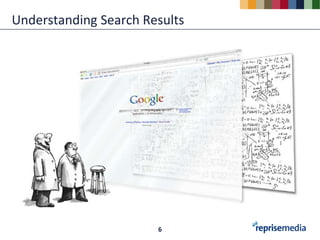
Understanding Search Results


                       6
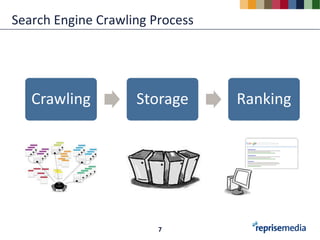
Search Engine Crawling Process


   Crawling         Storage      Ranking


                        7
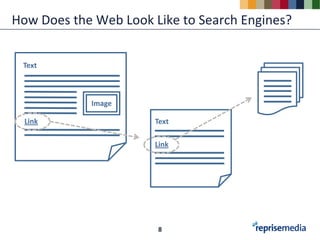
How Does the Web Look Like to Search Engines?


 Text


            Image

  Link                 Text

                       Link


                       8
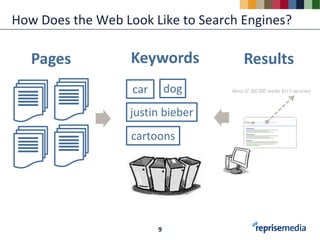
How Does the Web Look Like to Search Engines?

   Pages           Keywords          Results
                   car       dog
                   justin bieber
                   cartoons


                         9
How To Build Search Engine
     Friendly Websites


10
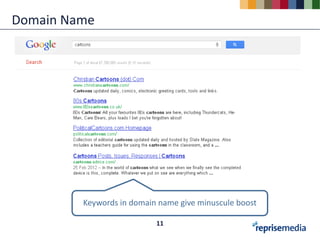
Domain Name


         Keywords in domain name give minuscule boost

                           11
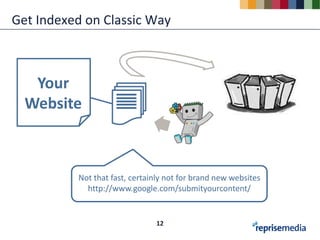
Get Indexed on Classic Way


   Your
  Website


          Not that fast, certainly not for brand new websites
            http://www.google.com/submityourcontent/


                               12
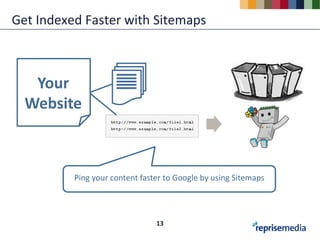
Get Indexed Faster with Sitemaps


   Your
  Website


          Ping your content faster to Google by using Sitemaps


                                13
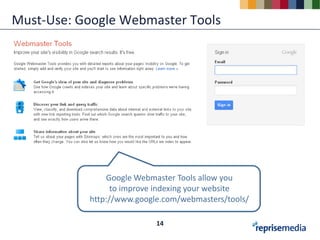
Must-Use: Google Webmaster Tools


               Google Webmaster Tools allow you
                 to improve indexing your website
           http://www.google.com/webmasters/tools/

                           14
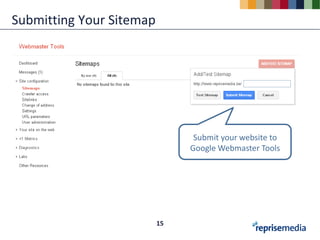
Submitting Your Sitemap


                                Submit your website to
                               Google Webmaster Tools


                          15
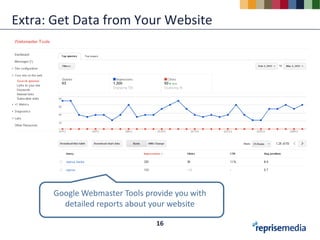
Extra: Get Data from Your Website


      Google Webmaster Tools provide you with
        detailed reports about your website

                                16
Important SEO Factors


17
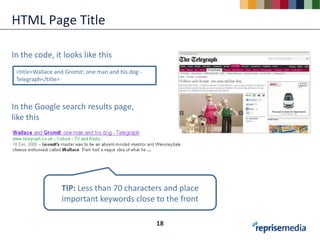
HTML Page Title

In the code, it looks like this
 <title>Wallace and Gromit: one man and his dog -
 Telegraph</title>


In the Google search results page,
like this


                  TIP: Less than 70 characters and place
                  important keywords close to the front

                                                    18
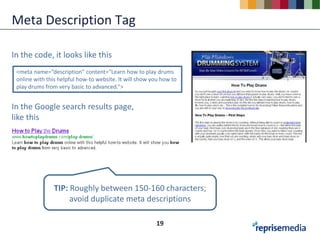
Meta Description Tag

In the code, it looks like this
 <meta name=“description” content=“Learn how to play drums
 online with this helpful how-to website. It will show you how to
 play drums from very basic to advanced.”>


In the Google search results page,
like this


                TIP: Roughly between 150-160 characters;
                     avoid duplicate meta descriptions

                                                        19
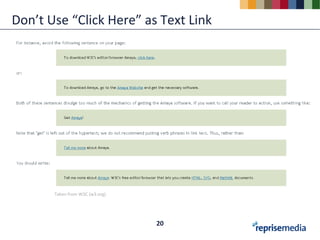
Don’t Use “Click Here” as Text Link


       Taken from W3C (w3.org)


                                 20
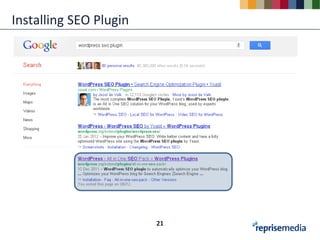
Installing SEO Plugin


                        21
Keyword Research


22
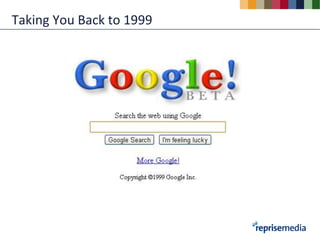
Taking You Back to 1999
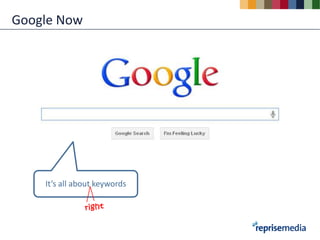
Google Now


    It’s all about keywords
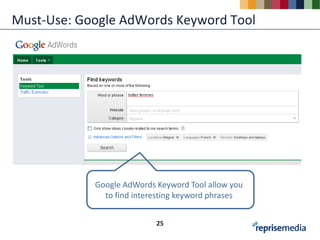
Must-Use: Google AdWords Keyword Tool


            Google AdWords Keyword Tool allow you
              to find interesting keyword phrases


                           25
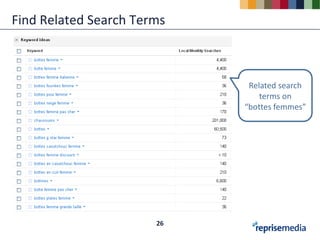
Find Related Search Terms


                             Related search
                                terms on
                            “bottes femmes”


                       26
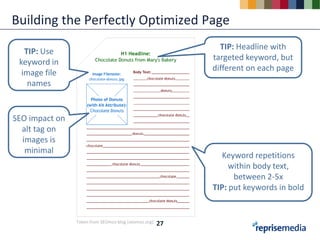
Building the Perfectly Optimized Page
                                                             TIP: Headline with
   TIP: Use
                                                           targeted keyword, but
 keyword in
                                                           different on each page
  image file
    names


SEO impact on
  alt tag on
  images is
   minimal
                                                              Keyword repetitions
                                                                within body text,
                                                                 between 2-5x
                                                           TIP: put keywords in bold


                Taken from SEOmoz blog (seomoz.org)   27
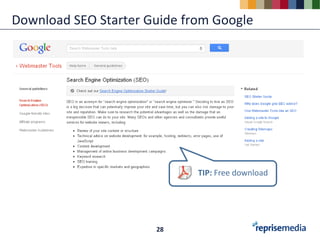
Download SEO Starter Guide from Google


                             TIP: Free download


                      28
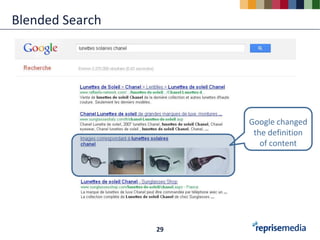
Blended Search


                      Google changed
                       the definition
                         of content


                 29
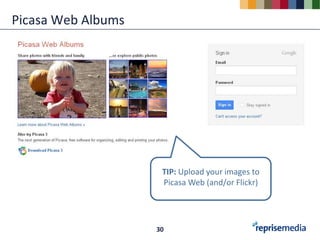
Picasa Web Albums


                     TIP: Upload your images to
                     Picasa Web (and/or Flickr)


                    30
Some Take-Aways on SEO

• The hardest part of starting SEO is knowing where to begin
• Good SEO takes time
• You must track to know which SEO efforts are bringing good
  results, and which are not working
• Most of the right choices comes from asking


                                31
Congrats!
                        slideshare.net/
You now have a basic
                          thinksearch
understanding of SEO.


                 32

SEO: The Nutshell Version

  • 1.
    Search Engine Optimization: TheNutshell Version Pieter Goyens @pietergoyens
  • 2.
    My name is PIETER @pietergoyens and I work at REPRISE MEDIA. 2
  • 3.
    This Presentation Focuseson SEO Search Engine Optimization, in short SEO 3
  • 4.
    An Overview ofthis Session • Before You Build: How Search Engines Work • How To Build Search Engine Friendly Websites • Important SEO Factors • Keyword Research 4
  • 5.
    Before You Build: How Search Engines Work 5
  • 6.
  • 7.
    Search Engine CrawlingProcess Crawling Storage Ranking 7
  • 8.
    How Does theWeb Look Like to Search Engines? Text Image Link Text Link 8
  • 9.
    How Does theWeb Look Like to Search Engines? Pages Keywords Results car dog justin bieber cartoons 9
  • 10.
    How To BuildSearch Engine Friendly Websites 10
  • 11.
    Domain Name Keywords in domain name give minuscule boost 11
  • 12.
    Get Indexed onClassic Way Your Website Not that fast, certainly not for brand new websites http://www.google.com/submityourcontent/ 12
  • 13.
    Get Indexed Fasterwith Sitemaps Your Website Ping your content faster to Google by using Sitemaps 13
  • 14.
    Must-Use: Google WebmasterTools Google Webmaster Tools allow you to improve indexing your website http://www.google.com/webmasters/tools/ 14
  • 15.
    Submitting Your Sitemap Submit your website to Google Webmaster Tools 15
  • 16.
    Extra: Get Datafrom Your Website Google Webmaster Tools provide you with detailed reports about your website 16
  • 17.
  • 18.
    HTML Page Title Inthe code, it looks like this <title>Wallace and Gromit: one man and his dog - Telegraph</title> In the Google search results page, like this TIP: Less than 70 characters and place important keywords close to the front 18
  • 19.
    Meta Description Tag Inthe code, it looks like this <meta name=“description” content=“Learn how to play drums online with this helpful how-to website. It will show you how to play drums from very basic to advanced.”> In the Google search results page, like this TIP: Roughly between 150-160 characters; avoid duplicate meta descriptions 19
  • 20.
    Don’t Use “ClickHere” as Text Link Taken from W3C (w3.org) 20
  • 21.
  • 22.
  • 23.
  • 24.
    Google Now It’s all about keywords
  • 25.
    Must-Use: Google AdWordsKeyword Tool Google AdWords Keyword Tool allow you to find interesting keyword phrases 25
  • 26.
    Find Related SearchTerms Related search terms on “bottes femmes” 26
  • 27.
    Building the PerfectlyOptimized Page TIP: Headline with TIP: Use targeted keyword, but keyword in different on each page image file names SEO impact on alt tag on images is minimal Keyword repetitions within body text, between 2-5x TIP: put keywords in bold Taken from SEOmoz blog (seomoz.org) 27
  • 28.
    Download SEO StarterGuide from Google TIP: Free download 28
  • 29.
    Blended Search Google changed the definition of content 29
  • 30.
    Picasa Web Albums TIP: Upload your images to Picasa Web (and/or Flickr) 30
  • 31.
    Some Take-Aways onSEO • The hardest part of starting SEO is knowing where to begin • Good SEO takes time • You must track to know which SEO efforts are bringing good results, and which are not working • Most of the right choices comes from asking 31
  • 32.
    Congrats! slideshare.net/ You now have a basic thinksearch understanding of SEO. 32

Editor's Notes

  • #8 We willworkon 3 set of keycomponents. In this order!Before links comes content.