Matt Raible | @mraible
September 3, 2020
Security Patterns For
Microservice Architectures
Photo by PURE - VIRTUAL on https://unsplash.com/photos/HY1XMkaIvFY
@mraible
Who is Matt Raible?
Father, Husband, Skier, Mountain
Biker, Whitewater Rafter
Bus Lover
Web Developer and Java Champion
Okta Developer Advocate
Blogger on raibledesigns.com and
developer.okta.com/blog
@mraible
@mraible
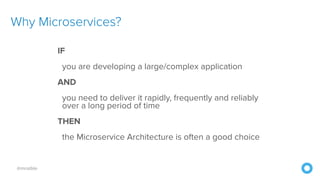
Why Microservices?
IF
you are developing a large/complex application
AND
you need to deliver it rapidly, frequently and reliably
over a long period of time
THEN
the Microservice Architecture is often a good choice
@mraible
The information on security patterns for
microservice security is limited
microservices.io
Why Security Patterns
for Microservices?
Matt to the Rescue!
@mraible
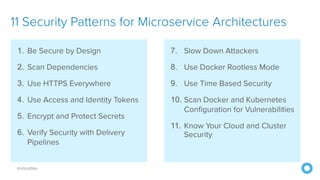
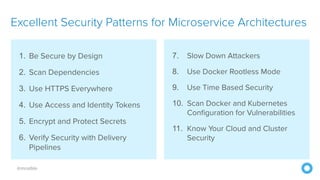
11 Security Patterns for Microservice Architectures
1. Be Secure by Design
2. Scan Dependencies
3. Use HTTPS Everywhere
4. Use Access and Identity Tokens
5. Encrypt and Protect Secrets
6. Verify Security with Delivery
Pipelines
7. Slow Down Attackers
8. Use Docker Rootless Mode
9. Use Time Based Security
10. Scan Docker and Kubernetes
Configuration for Vulnerabilities
11. Know Your Cloud and Cluster
Security
@mraible
1. Be Secure by Design
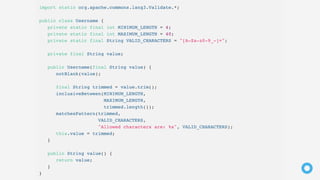
Sanitize Input
@mraible
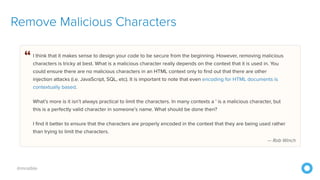
Remove Malicious Characters
Well-designed Software Architecture
is Important
@mraible
What About OWASP?
@mraible
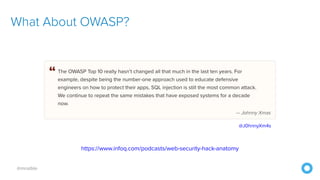
What About OWASP?
https://www.infoq.com/podcasts/web-security-hack-anatomy
@J0hnnyXm4s
@mraible
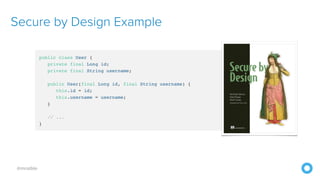
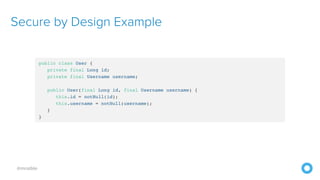
Secure by Design Example
@mraible
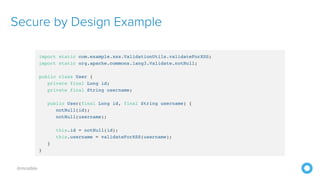
Secure by Design Example
@mraible
Secure by Design Example
@mraible
2. Scan Dependencies
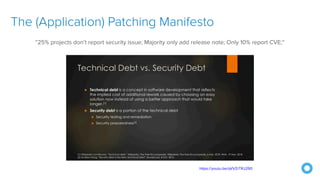
The (Application) Patching Manifesto
https://youtu.be/qVVZrTRJ290
“25% projects don’t report security issue; Majority only add release note; Only 10% report CVE;”
@mraible
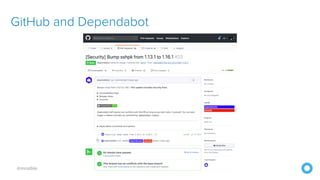
GitHub and Dependabot
@mraible
GitHub and Dependabot
@mraible
Scan Dependencies
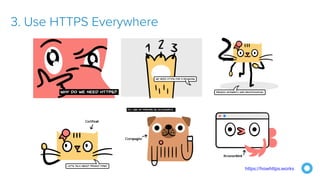
3. Use HTTPS Everywhere
https://howhttps.works
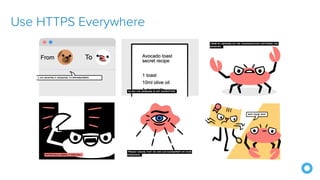
Use HTTPS Everywhere
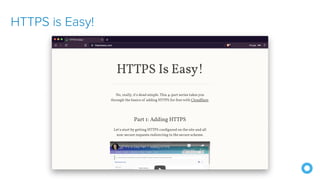
HTTPS is Easy!
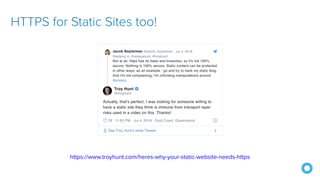
HTTPS for Static Sites too!
https://www.troyhunt.com/heres-why-your-static-website-needs-https
@mraible
TLS Certificates
@mraible
Get Free Certificates from Let’s Encrypt
@mraible
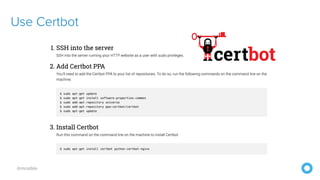
Use Certbot
@mraible
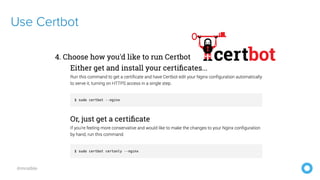
Use Certbot
@mraible
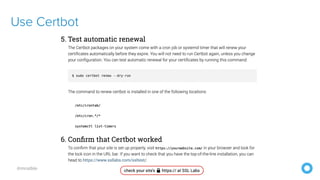
Use Certbot
@mraible
“Why do we need HTTPS 
inside our network?”
Secure GraphQL APIs
Secure RSocket Endpoints
https://rsocket.io/https://rsocket.io
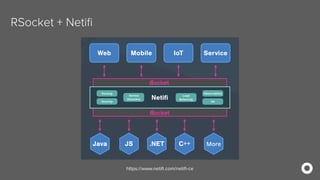
RSocket + Netifi
https://rsocket.io/https://www.netifi.com/netifi-ce
Learn More About RSocket
https://spring.io/blog/2020/03/02/getting-started-with-rsocket-spring-boot-server
@mraible
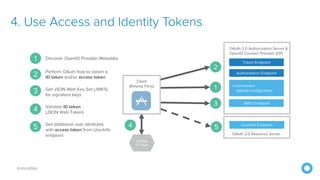
4. Use Access and Identity Tokens
@mraible
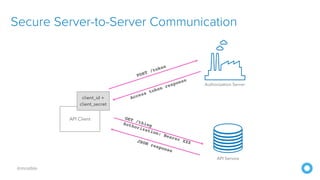
Secure Server-to-Server Communication
@mraible
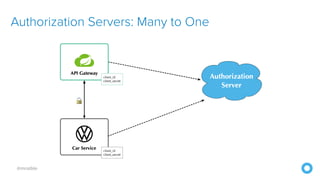
Authorization Servers: Many to One
@mraible
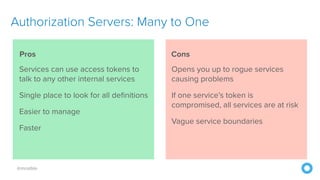
Services can use access tokens to
talk to any other internal services
Single place to look for all definitions
Easier to manage
Faster
Opens you up to rogue services
causing problems
If one service’s token is
compromised, all services are at risk
Vague service boundaries
Authorization Servers: Many to One
Pros Cons
@mraible
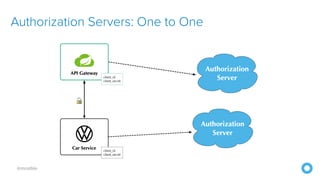
Authorization Servers: One to One
@mraible
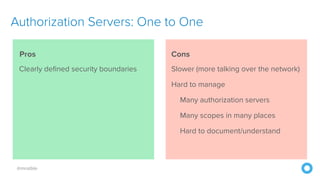
Clearly defined security boundaries Slower (more talking over the network)
Hard to manage
Many authorization servers
Many scopes in many places
Hard to document/understand
Authorization Servers: One to One
Pros Cons
@mraible Use PASETO Tokens Over JWT
Why JWTs Suck as Session Tokens
https://developer.okta.com/blog/2017/08/17/why-jwts-suck-as-session-tokens
@mraible
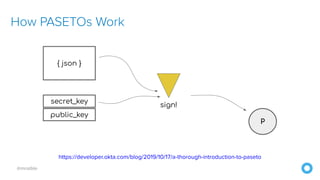
How PASETOs Work
https://developer.okta.com/blog/2019/10/17/a-thorough-introduction-to-paseto
@mraible
5. Encrypt and Protect Secrets
HashiCorp Vault and Azure Key Vault
https://developer.okta.com/blog/2020/05/04/spring-vault
Secure Secrets With Spring Cloud Config and Vault
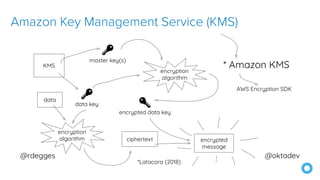
Amazon Key Management Service (KMS)
6. Verify Security with Delivery Pipelines
@mraible
7. Slow Down Attackers
Beyond CI/CD: How
Continuous Hacking of
Docker Containers and
Pipeline Driven Security
Keeps Ygrene Secure
by Zach Arnold and Austin Adams
https://bit.ly/2xrUsJe
@mraible
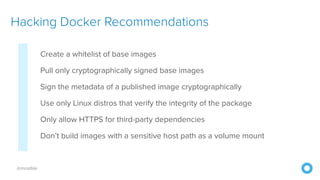
Create a whitelist of base images
Pull only cryptographically signed base images
Sign the metadata of a published image cryptographically
Use only Linux distros that verify the integrity of the package
Only allow HTTPS for third-party dependencies
Don’t build images with a sensitive host path as a volume mount
Hacking Docker Recommendations
@mraible
Run static code analysis for known vulnerabilities
Run automated dependency checkers to ensure latest versions
Spin up your service and run automated penetration bots on the
running containers
Check out zaproxy (https://www.zaproxy.org)
What About the Code?
@mraible
7. Slow Down Attackers
@mraible
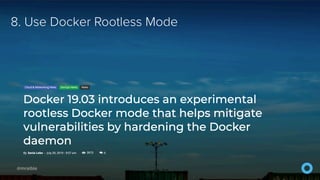
8. Use Docker Rootless Mode
9. Use Time-Based Security
https://developer.okta.com/blog/2019/12/19/multi-factor-authentication-sucks
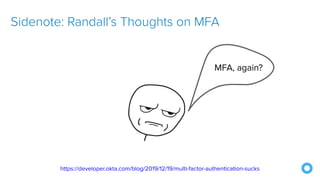
Sidenote: Randall’s Thoughts on MFA
https://developer.okta.com/blog/2019/12/19/multi-factor-authentication-sucks
Sidenote: Randall’s Thoughts on MFA
@mraible
10. Scan Docker and K8s Configurations
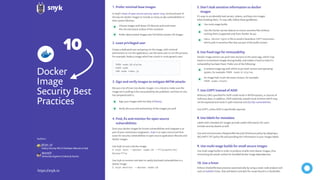
Docker
Image
Security Best
Practices
https://snyk.io
In Snyk’s State of open source security report 2019, we found each of
the top ten docker images to include as many as 580 vulnerabilities in
their system libraries.
Choose images with fewer OS libraries and tools lower
the risk and attack surface of the container
Use multi-stage builds
A verbose image tag with which to pin both version and operating
system, for example: FROM node:8-alpine
Sign your images with the help of Notary
It’s easy to accidentally leak secrets, tokens, and keys into images
when building them. To stay safe, follow these guidelines:
We put a lot of trust into docker images. It is critical to make sure the
image we’re pulling is the one pushed by the publisher, and that no one
has tampered with it.
Scan your docker images for known vulnerabilities and integrate it as
part of your continuous integration. Snyk is an open source tool that
scans for security vulnerabilities in open source application libraries and
docker images.
Use Snyk to scan a docker image:
$ snyk test --docker node:10 --file=path/to/
Dockerfile
Use Snyk to monitor and alert to newly disclosed vulnerabilities in a
docker image:
$ snyk monitor --docker node:10
Create a dedicated user and group on the image, with minimal
permissions to run the application; use the same user to run this process.
For example, Node.js image which has a built-in node generic user: Docker image owners can push new versions to the same tags, which may
result in inconsistent images during builds, and makes it hard to track if a
vulnerability has been fixed. Prefer one of the following:
Arbitrary URLs specified for ADD could result in MITM attacks, or sources of
malicious data. In addition, ADD implicitly unpacks local archives which may
not be expected and result in path traversal and Zip Slip vulnerabilities.
Use COPY, unless ADD is specifically required.
Labels with metadata for images provide useful information for users.
Include security details as well.
Use and communicate a Responsible Security Disclosure policy by adopting a
SECURITY.TXT policy file and providing this information in your images labels.
Use multi-stage builds in order to produce smaller and cleaner images, thus
minimizing the attack surface for bundled docker image dependencies.
Enforce Dockerfile best practices automatically by using a static code analysis tool
such as hadolint linter, that will detect and alert for issues found in a Dockerfile.
Don’t leak sensitive information to docker
images
Prefer minimal base images
Sign and verify images to mitigate MITM attacks
Find, fix and monitor for open source
vulnerabilities
Least privileged user
Use fixed tags for immutability
Use COPY instead of ADD
Use labels for metadata
Use multi-stage builds for small secure images
Use a linter
5.1.
3.
4.
2.
6.
7.
8.
9.
10.
Prefer alpine-based images over full-blown system OS images
Use the Docker secrets feature to mount sensitive files without
caching them (supported only from Docker 18.04).
An image hash to pin the exact contact, for example:
FROM node:<hash>
Use a .dockerignore file to avoid a hazardous COPY instruction,
which pulls in sensitive files that are part of the build context
Verify the trust and authenticity of the images you pull
FROM node:10-alpine
USER node
CMD node index.js
@omerlh
Authors:
DevSecOps Engineer at Soluto by Asurion
@liran_tal
Node.js Security WG & Developer Advocate at Snyk
10
Top 5 Docker Vulnerabilities
https://resources.whitesourcesoftware.com/blog-whitesource/top-5-docker-vulnerabilities
@mraible
11. Know Your Cloud and Cluster Security
@mraible
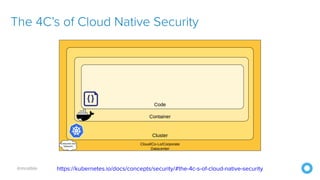
The 4C’s of Cloud Native Security
https://unsplash.com/photos/_uAVHAMjGYAhttps://kubernetes.io/docs/concepts/security/#the-4c-s-of-cloud-native-security
@mraible
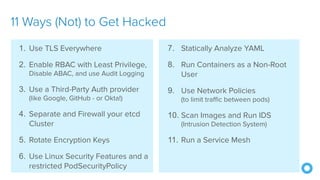
7. Statically Analyze YAML
8. Run Containers as a Non-Root
User
9. Use Network Policies
(to limit traffic between pods)
10. Scan Images and Run IDS
(Intrusion Detection System)
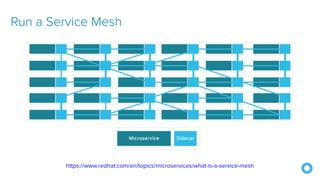
11. Run a Service Mesh
11 Ways (Not) to Get Hacked
1. Use TLS Everywhere
2. Enable RBAC with Least Privilege,
Disable ABAC, and use Audit Logging
3. Use a Third-Party Auth provider
(like Google, GitHub - or Okta!)
4. Separate and Firewall your etcd
Cluster
5. Rotate Encryption Keys
6. Use Linux Security Features and a
restricted PodSecurityPolicy
Run a Service Mesh
https://www.redhat.com/en/topics/microservices/what-is-a-service-mesh
@mraible
1. Be Secure by Design
2. Scan Dependencies
3. Use HTTPS Everywhere
4. Use Access and Identity Tokens
5. Encrypt and Protect Secrets
6. Verify Security with Delivery
Pipelines
Excellent Security Patterns for Microservice Architectures
7. Slow Down Attackers
8. Use Docker Rootless Mode
9. Use Time Based Security
10. Scan Docker and Kubernetes
Configuration for Vulnerabilities
11. Know Your Cloud and Cluster
Security
@mraible
Action!
@mraible
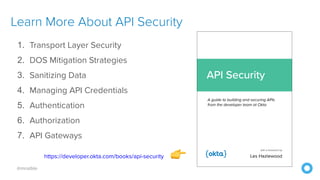
Learn More About API Security
1. Transport Layer Security 
2. DOS Mitigation Strategies 
3. Sanitizing Data 
4. Managing API Credentials 
5. Authentication 
6. Authorization
7. API Gateways
https://developer.okta.com/books/api-security 👉
developer.okta.com/blog
@oktadev
Read the Blog Post
https://developer.okta.com/blog/2020/03/23/microservice-security-patterns
Thanks!
Keep in Touch
raibledesigns.com
@mraible
Presentations
speakerdeck.com/mraible
Code
github.com/oktadeveloper
developer.okta.com
developer.okta.com

Security Patterns for Microservice Architectures