Dan Vega - Spring Developer Advocate @Broadcom
Spring into AI
Building intelligent applications with Spring AI
Learn more at danvega.dev
🧑🧑🧒🧒 Husband & Father
🏠 Cleveland
☕ Java Champion
🧑💻 Software Development 23 Years
🍃 Spring Developer Advocate
📝 Content Creator
🐦 @therealdanvega
🏃 Running
🏌 Golf
About Me
https://www.springofficehours.io
What we will cover today
What is AI?
Java & AI
Spring AI
- How to get started
- Models
- Prompts
- Output Parsers
- Bring your own data
Agenda
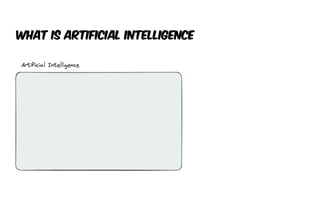
What is Artificial Intelligence (AI)?
What is Artificial Intelligence
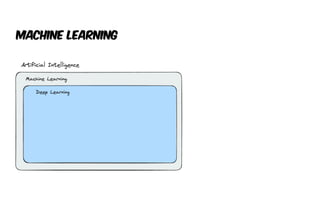
Machine learning
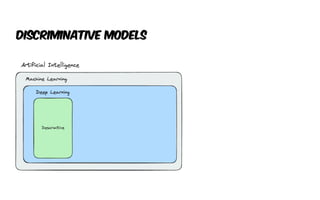
Discriminative Models
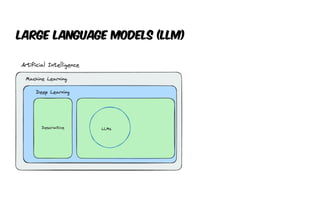
Large language models (llm)

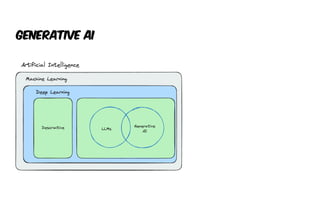
Generative AI
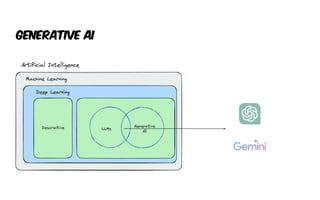
Generative AI
Machine learning
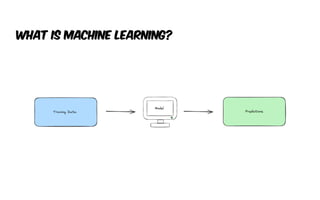
What is machine Learning?
Machine Learning
Use Cases
• Facial Recognition
• Recognize Tumors on x-ray scans
• Abnormality on ultrasounds
• Self-driving mode (recognize stop sign / pedestrian / etc)
• Fraud detection
• Product Recommendations (YouTube)
• Spam Filtering
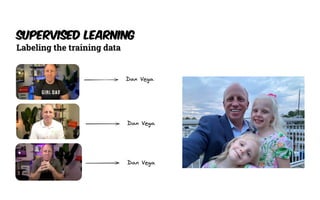
Supervised Learning
Labeling the training data
Training Data
Supervised Learning of Big Data Companies
How does machine learning work?
Deep Learning
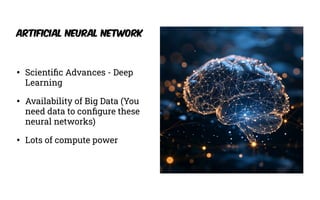
• Scienti
fi
c Advances - Deep
Learning
• Availability of Big Data (You
need data to con
fi
gure these
neural networks)
• Lots of compute power
Artificial Neural Network
Large language models (Llm)
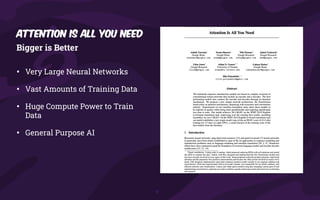
Bigger is Better
• Very Large Neural Networks
• Vast Amounts of Training Data
• Huge Compute Power to Train
Data
• General Purpose AI
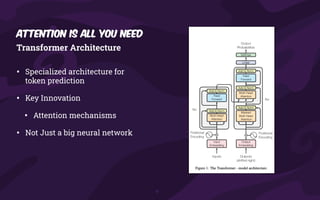
Attention is all you need
Transformer Architecture
• Specialized architecture for
token prediction
• Key Innovation
• Attention mechanisms
• Not Just a big neural network
Attention is all you need
Large Language Models
So what are LLMs
• LLMs are a type of arti
fi
cial intelligence that can generate text, understand
language, answer questions and more.
• They are large because they have a vast number of parameters, which are
the parts of the model that are learned from data during training.
• ChatGPT
• 175 Billion Parameters
• Training Data - Hundreds of Billions of words
Generative AI
Generative Pre-Trained transformer (GPT)
What is generative AI?
NOT JUST Machine Learning
• Unlike the facial recognition example we saw earlier Generative AI can take the training data and generate
something completely new
• NOT Generative Ai
• Number
• Classi
fi
cation
• Probability
• IS Generative AI
• Natural Language (Text or Speech)
• Image
• Audio
Java & AI
Java & AI
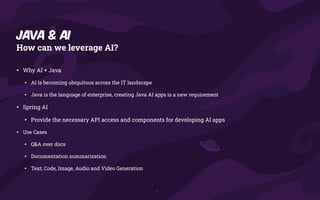
How can we leverage AI?
• Why AI + Java
• AI is becoming ubiquitous across the IT landscape
• Java is the language of enterprise, creating Java AI apps is a new requirement
• Spring AI
• Provide the necessary API access and components for developing AI apps
• Use Cases
• Q&A over docs
• Documentation summarization
• Text, Code, Image, Audio and Video Generation
#
!
/bin/bash
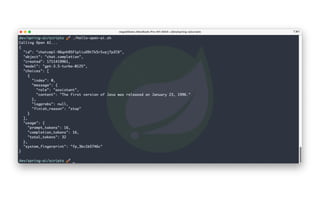
echo "Calling Open AI
.
.
.
"
MY_OPENAI_KEY="YOUR_API_KEY_HERE"
PROMPT="When was the first version of Java released?"
curl https:
/
/
api.openai.com/v1/chat/completions 
-H "Content-Type: application/json" 
-H "Authorization: Bearer $MY_OPENAI_KEY" 
-d '{"model": "gpt-3.5-turbo", "messages": [{"role":"user", "content": "'"${PROMPT}"'"}] }'
public static void main(String[] args) throws IOException, InterruptedException {
var apiKey = "YOUR_API_KEY_HERE";
var body = """
{
"model": "gpt-4",
"messages": [
{
"role": "user",
"content": "What is Spring Boot?"
}
]
}""";
HttpRequest request = HttpRequest.newBuilder()
.uri(URI.create("https:
/
/
api.openai.com/v1/chat/completions"))
.header("Content-Type", "application/json")
.header("Authorization", "Bearer " + apiKey)
.POST(HttpRequest.BodyPublishers.ofString(body))
.build();
var client = HttpClient.newHttpClient();
var response = client.send(request, HttpResponse.BodyHandlers.ofString());
System.out.println(response.body());
}
Spring ai provides us so much
more than a facility for
making rest api calls
Spring ai
What is Spring Ai?
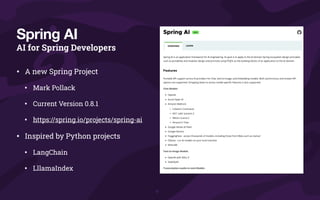
AI for Spring Developers
• A new Spring Project
• Mark Pollack
• Current Version 0.8.1
• https://spring.io/projects/spring-ai
• Inspired by Python projects
• LangChain
• LllamaIndex
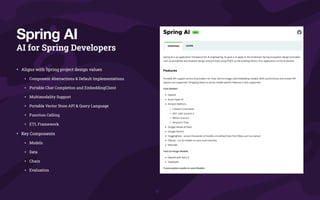
Spring AI
AI for Spring Developers
• Aligns with Spring project design values
• Component Abstractions & Default Implementations
• Portable Chat Completion and EmbeddingClient
• Multimodality Support
• Portable Vector Store API & Query Language
• Function Calling
• ETL Framework
• Key Components
• Models
• Data
• Chain
• Evaluation
Spring AI
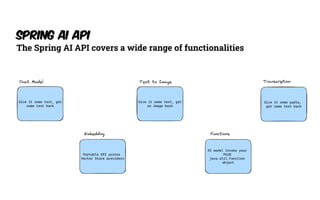
Spring AI API
The Spring AI API covers a wide range of functionalities
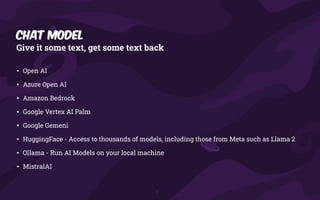
Chat Model
Give it some text, get some text back
• Open AI
• Azure Open AI
• Amazon Bedrock
• Google Vertex AI Palm
• Google Gemeni
• HuggingFace - Access to thousands of models, including those from Meta such as Llama 2
• Ollama - Run AI Models on your local machine
• MistralAI
Text-to-Image Models
Give it some text, get an image back
• OpenAI with DALL-E
• StabilityAI
Transcription
Give it some audio, get some text back
• Open AI
Embedding Models
Portable API across Vector Store providers
• Open AI
• Azure Open AI
• Ollama
• ONNX
• PostgresML
• Bedrock Cohere
• Bedrock Titan
• Google VertexAI
• MistalAI
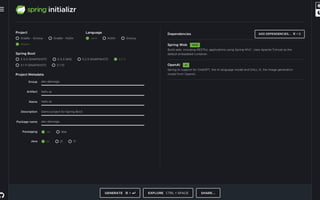
Getting started
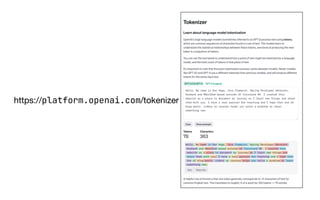
Tokens
https://platform.openai.com/tokenizer
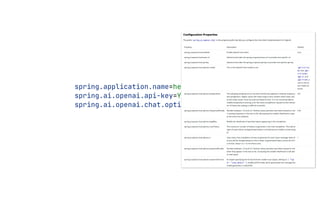
spring.application.name=hello-spring-ai
spring.ai.openai.api-key=YOUR_KEY_HERE
spring.ai.openai.chat.options.model=gpt-4
Demo - Getting Started
Prompts
Prompts serve as the foundation for the language-based inputs that guide an
AI model to produce specific outputs. For those familiar with ChatGPT, a
prompt might seem like merely the text entered into a dialog box that is
sent to the API. However, it encompasses much more than that. In many AI
Models, the text for the prompt is not just a simple string.
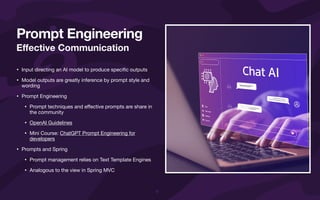
E
ff
ective Communication
• Input directing an AI model to produce speci
fi
c outputs
• Model outputs are greatly inference by prompt style and
wording
• Prompt Engineering
• Prompt techniques and e
ff
ective prompts are share in
the community
• OpenAI Guidelines
• Mini Course: ChatGPT Prompt Engineering for
developers
• Prompts and Spring
• Prompt management relies on Text Template Engines
• Analogous to the view in Spring MVC
Prompt Engineering
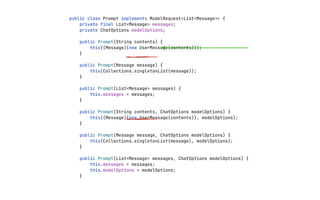
public class Prompt implements ModelRequest<List<Message
>
>
{
private final List<Message> messages;
private ChatOptions modelOptions;
public Prompt(String contents) {
this((Message)(new UserMessage(contents)));
}
public Prompt(Message message) {
this(Collections.singletonList(message));
}
public Prompt(List<Message> messages) {
this.messages = messages;
}
public Prompt(String contents, ChatOptions modelOptions) {
this((Message)(new UserMessage(contents)), modelOptions);
}
public Prompt(Message message, ChatOptions modelOptions) {
this(Collections.singletonList(message), modelOptions);
}
public Prompt(List<Message> messages, ChatOptions modelOptions) {
this.messages = messages;
this.modelOptions = modelOptions;
}
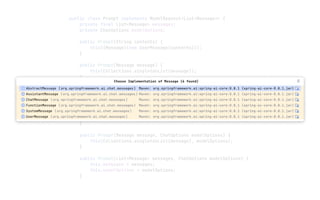
public class Prompt implements ModelRequest<List<Message
>
private final List<Message> messages;
private ChatOptions modelOptions;
public Prompt(String contents) {
this((Message)(new UserMessage(contents)));
}
public Prompt(Message message) {
this(Collections.singletonList(message));
}
public Prompt(List<Message> messages) {
this.messages = messages;
}
public Prompt(String contents, ChatOptions modelOptions) {
this((Message)(new UserMessage(contents)), modelOptions);
}
public Prompt(Message message, ChatOptions modelOptions) {
this(Collections.singletonList(message), modelOptions);
}
public Prompt(List<Message> messages, ChatOptions modelOptions) {
this.messages = messages;
this.modelOptions = modelOptions;
}
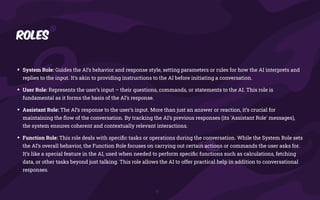
Roles
• System Role: Guides the AI’s behavior and response style, setting parameters or rules for how the AI interprets and
replies to the input. It’s akin to providing instructions to the AI before initiating a conversation.
• User Role: Represents the user’s input – their questions, commands, or statements to the AI. This role is
fundamental as it forms the basis of the AI’s response.
• Assistant Role: The AI’s response to the user’s input. More than just an answer or reaction, it’s crucial for
maintaining the
fl
ow of the conversation. By tracking the AI’s previous responses (its 'Assistant Role' messages),
the system ensures coherent and contextually relevant interactions.
• Function Role: This role deals with speci
fi
c tasks or operations during the conversation. While the System Role sets
the AI’s overall behavior, the Function Role focuses on carrying out certain actions or commands the user asks for.
It’s like a special feature in the AI, used when needed to perform speci
fi
c functions such as calculations, fetching
data, or other tasks beyond just talking. This role allows the AI to offer practical help in addition to conversational
responses.
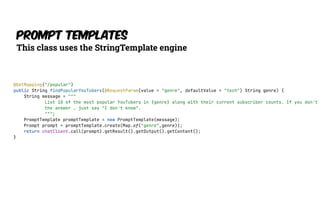
Prompt Templates
This class uses the StringTemplate engine
@GetMapping("/popular")
public String findPopularYouTubers(@RequestParam(value = "genre", defaultValue = "tech") String genre) {
String message = """
List 10 of the most popular YouTubers in {genre} along with their current subscriber counts. If you don't
the answer , just say "I don't know".
""";
PromptTemplate promptTemplate = new PromptTemplate(message);
Prompt prompt = promptTemplate.create(Map.of("genre",genre));
return chatClient.call(prompt).getResult().getOutput().getContent();
}
DEMO - prompts
Output Parsing
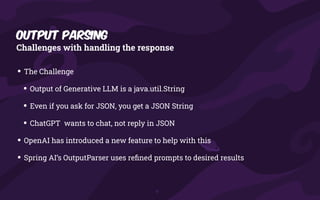
Output Parsing
Challenges with handling the response
• The Challenge
• Output of Generative LLM is a java.util.String
• Even if you ask for JSON, you get a JSON String
• ChatGPT wants to chat, not reply in JSON
• OpenAI has introduced a new feature to help with this
• Spring AI’s OutputParser uses re
fi
ned prompts to desired results
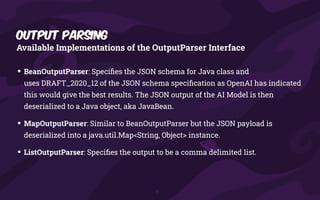
Output Parsing
Available Implementations of the OutputParser Interface
• BeanOutputParser: Speci
fi
es the JSON schema for Java class and
uses DRAFT_2020_12 of the JSON schema speci
fi
cation as OpenAI has indicated
this would give the best results. The JSON output of the AI Model is then
deserialized to a Java object, aka JavaBean.
• MapOutputParser: Similar to BeanOutputParser but the JSON payload is
deserialized into a java.util.Map<String, Object> instance.
• ListOutputParser: Speci
fi
es the output to be a comma delimited list.
DEMO - OUtput Parser
Bring your own data
How to use your own data in AI Applications
• AI Models have limitations
• They are trained with public knowledge up to a certain date.
• They don’t know about your private / corporate data.
• What can we do about this problem?
• Fine Tune the Model
• “Stuff the prompt” - add your data into the prompt
• Function Calling
• Retrieval Augmented Generation (RAG)
• How to retrieve the relevant data for the user input and add
it to your prompt
• There are many strategies
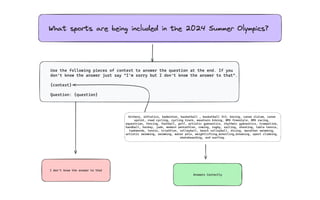
Bring your own data
Stuffing the prompt
Rag (retrieval
Augmented Generation)
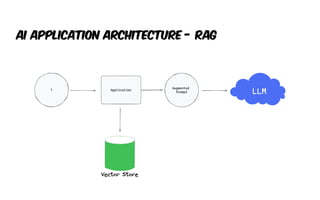
AI Application Architecture - RAG
Vector Stores
Not just for text search
• Azure Vector Search
• ChromaVectorStore
• MilvusVectorStore
• Neo4JVectorStore
• PgVectorStore
• QdrantVectorStore
• RedisVectorStore
• WeaviateVecvtorStore
• SimpleVectorStore
Function calling
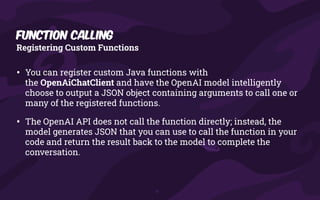
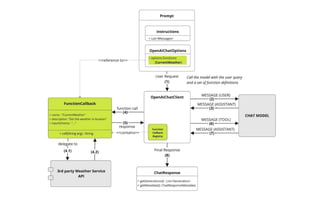
• You can register custom Java functions with
the OpenAiChatClient and have the OpenAI model intelligently
choose to output a JSON object containing arguments to call one or
many of the registered functions.
• The OpenAI API does not call the function directly; instead, the
model generates JSON that you can use to call the function in your
code and return the result back to the model to complete the
conversation.
Registering Custom Functions
Function Calling
DEMO - your own data
References
Links & Citations
• Spring AI Reference Documentation
• https://docs.spring.io/spring-ai/reference/
• The Turing Lectures: The future of generative AI
• https://www.youtube.com/watch?v=2kSl0xkq2lM
• Google Course
• https://www.cloudskillsboost.google/course_templates/536
• Spring Team
• Mark Pollack
• Craig Walls
• Josh Long
Thank You
dan.vega@broadcom.com
@therealdanvega
https://www.danvega.dev

Spring into AI presented by Dan Vega 5/14

  • 2.
    Dan Vega -Spring Developer Advocate @Broadcom Spring into AI Building intelligent applications with Spring AI
  • 3.
    Learn more atdanvega.dev 🧑🧑🧒🧒 Husband & Father 🏠 Cleveland ☕ Java Champion 🧑💻 Software Development 23 Years 🍃 Spring Developer Advocate 📝 Content Creator 🐦 @therealdanvega 🏃 Running 🏌 Golf About Me
  • 4.
  • 5.
    What we willcover today What is AI? Java & AI Spring AI - How to get started - Models - Prompts - Output Parsers - Bring your own data Agenda
  • 6.
    What is ArtificialIntelligence (AI)?
  • 7.
    What is ArtificialIntelligence
  • 8.
  • 9.
  • 10.
  • 11.
  • 12.
  • 13.
  • 15.
    What is machineLearning?
  • 16.
    Machine Learning Use Cases •Facial Recognition • Recognize Tumors on x-ray scans • Abnormality on ultrasounds • Self-driving mode (recognize stop sign / pedestrian / etc) • Fraud detection • Product Recommendations (YouTube) • Spam Filtering
  • 18.
  • 19.
    Training Data Supervised Learningof Big Data Companies
  • 20.
    How does machinelearning work?
  • 21.
  • 22.
    • Scienti fi c Advances- Deep Learning • Availability of Big Data (You need data to con fi gure these neural networks) • Lots of compute power Artificial Neural Network
  • 24.
  • 25.
    Bigger is Better •Very Large Neural Networks • Vast Amounts of Training Data • Huge Compute Power to Train Data • General Purpose AI Attention is all you need
  • 26.
    Transformer Architecture • Specializedarchitecture for token prediction • Key Innovation • Attention mechanisms • Not Just a big neural network Attention is all you need
  • 27.
    Large Language Models Sowhat are LLMs • LLMs are a type of arti fi cial intelligence that can generate text, understand language, answer questions and more. • They are large because they have a vast number of parameters, which are the parts of the model that are learned from data during training. • ChatGPT • 175 Billion Parameters • Training Data - Hundreds of Billions of words
  • 29.
  • 30.
    What is generativeAI? NOT JUST Machine Learning • Unlike the facial recognition example we saw earlier Generative AI can take the training data and generate something completely new • NOT Generative Ai • Number • Classi fi cation • Probability • IS Generative AI • Natural Language (Text or Speech) • Image • Audio
  • 31.
  • 32.
    Java & AI Howcan we leverage AI? • Why AI + Java • AI is becoming ubiquitous across the IT landscape • Java is the language of enterprise, creating Java AI apps is a new requirement • Spring AI • Provide the necessary API access and components for developing AI apps • Use Cases • Q&A over docs • Documentation summarization • Text, Code, Image, Audio and Video Generation
  • 33.
    # ! /bin/bash echo "Calling OpenAI . . . " MY_OPENAI_KEY="YOUR_API_KEY_HERE" PROMPT="When was the first version of Java released?" curl https: / / api.openai.com/v1/chat/completions -H "Content-Type: application/json" -H "Authorization: Bearer $MY_OPENAI_KEY" -d '{"model": "gpt-3.5-turbo", "messages": [{"role":"user", "content": "'"${PROMPT}"'"}] }'
  • 35.
    public static voidmain(String[] args) throws IOException, InterruptedException { var apiKey = "YOUR_API_KEY_HERE"; var body = """ { "model": "gpt-4", "messages": [ { "role": "user", "content": "What is Spring Boot?" } ] }"""; HttpRequest request = HttpRequest.newBuilder() .uri(URI.create("https: / / api.openai.com/v1/chat/completions")) .header("Content-Type", "application/json") .header("Authorization", "Bearer " + apiKey) .POST(HttpRequest.BodyPublishers.ofString(body)) .build(); var client = HttpClient.newHttpClient(); var response = client.send(request, HttpResponse.BodyHandlers.ofString()); System.out.println(response.body()); }
  • 36.
    Spring ai providesus so much more than a facility for making rest api calls
  • 37.
  • 38.
  • 39.
    AI for SpringDevelopers • A new Spring Project • Mark Pollack • Current Version 0.8.1 • https://spring.io/projects/spring-ai • Inspired by Python projects • LangChain • LllamaIndex Spring AI
  • 40.
    AI for SpringDevelopers • Aligns with Spring project design values • Component Abstractions & Default Implementations • Portable Chat Completion and EmbeddingClient • Multimodality Support • Portable Vector Store API & Query Language • Function Calling • ETL Framework • Key Components • Models • Data • Chain • Evaluation Spring AI
  • 41.
    Spring AI API TheSpring AI API covers a wide range of functionalities
  • 42.
    Chat Model Give itsome text, get some text back • Open AI • Azure Open AI • Amazon Bedrock • Google Vertex AI Palm • Google Gemeni • HuggingFace - Access to thousands of models, including those from Meta such as Llama 2 • Ollama - Run AI Models on your local machine • MistralAI
  • 43.
    Text-to-Image Models Give itsome text, get an image back • OpenAI with DALL-E • StabilityAI
  • 44.
    Transcription Give it someaudio, get some text back • Open AI
  • 45.
    Embedding Models Portable APIacross Vector Store providers • Open AI • Azure Open AI • Ollama • ONNX • PostgresML • Bedrock Cohere • Bedrock Titan • Google VertexAI • MistalAI
  • 46.
  • 50.
  • 52.
  • 53.
  • 54.
  • 55.
  • 56.
    Prompts serve asthe foundation for the language-based inputs that guide an AI model to produce specific outputs. For those familiar with ChatGPT, a prompt might seem like merely the text entered into a dialog box that is sent to the API. However, it encompasses much more than that. In many AI Models, the text for the prompt is not just a simple string.
  • 57.
    E ff ective Communication • Inputdirecting an AI model to produce speci fi c outputs • Model outputs are greatly inference by prompt style and wording • Prompt Engineering • Prompt techniques and e ff ective prompts are share in the community • OpenAI Guidelines • Mini Course: ChatGPT Prompt Engineering for developers • Prompts and Spring • Prompt management relies on Text Template Engines • Analogous to the view in Spring MVC Prompt Engineering
  • 58.
    public class Promptimplements ModelRequest<List<Message > > { private final List<Message> messages; private ChatOptions modelOptions; public Prompt(String contents) { this((Message)(new UserMessage(contents))); } public Prompt(Message message) { this(Collections.singletonList(message)); } public Prompt(List<Message> messages) { this.messages = messages; } public Prompt(String contents, ChatOptions modelOptions) { this((Message)(new UserMessage(contents)), modelOptions); } public Prompt(Message message, ChatOptions modelOptions) { this(Collections.singletonList(message), modelOptions); } public Prompt(List<Message> messages, ChatOptions modelOptions) { this.messages = messages; this.modelOptions = modelOptions; }
  • 59.
    public class Promptimplements ModelRequest<List<Message > private final List<Message> messages; private ChatOptions modelOptions; public Prompt(String contents) { this((Message)(new UserMessage(contents))); } public Prompt(Message message) { this(Collections.singletonList(message)); } public Prompt(List<Message> messages) { this.messages = messages; } public Prompt(String contents, ChatOptions modelOptions) { this((Message)(new UserMessage(contents)), modelOptions); } public Prompt(Message message, ChatOptions modelOptions) { this(Collections.singletonList(message), modelOptions); } public Prompt(List<Message> messages, ChatOptions modelOptions) { this.messages = messages; this.modelOptions = modelOptions; }
  • 60.
    Roles • System Role:Guides the AI’s behavior and response style, setting parameters or rules for how the AI interprets and replies to the input. It’s akin to providing instructions to the AI before initiating a conversation. • User Role: Represents the user’s input – their questions, commands, or statements to the AI. This role is fundamental as it forms the basis of the AI’s response. • Assistant Role: The AI’s response to the user’s input. More than just an answer or reaction, it’s crucial for maintaining the fl ow of the conversation. By tracking the AI’s previous responses (its 'Assistant Role' messages), the system ensures coherent and contextually relevant interactions. • Function Role: This role deals with speci fi c tasks or operations during the conversation. While the System Role sets the AI’s overall behavior, the Function Role focuses on carrying out certain actions or commands the user asks for. It’s like a special feature in the AI, used when needed to perform speci fi c functions such as calculations, fetching data, or other tasks beyond just talking. This role allows the AI to offer practical help in addition to conversational responses.
  • 61.
    Prompt Templates This classuses the StringTemplate engine @GetMapping("/popular") public String findPopularYouTubers(@RequestParam(value = "genre", defaultValue = "tech") String genre) { String message = """ List 10 of the most popular YouTubers in {genre} along with their current subscriber counts. If you don't the answer , just say "I don't know". """; PromptTemplate promptTemplate = new PromptTemplate(message); Prompt prompt = promptTemplate.create(Map.of("genre",genre)); return chatClient.call(prompt).getResult().getOutput().getContent(); }
  • 62.
  • 63.
  • 64.
    Output Parsing Challenges withhandling the response • The Challenge • Output of Generative LLM is a java.util.String • Even if you ask for JSON, you get a JSON String • ChatGPT wants to chat, not reply in JSON • OpenAI has introduced a new feature to help with this • Spring AI’s OutputParser uses re fi ned prompts to desired results
  • 65.
    Output Parsing Available Implementationsof the OutputParser Interface • BeanOutputParser: Speci fi es the JSON schema for Java class and uses DRAFT_2020_12 of the JSON schema speci fi cation as OpenAI has indicated this would give the best results. The JSON output of the AI Model is then deserialized to a Java object, aka JavaBean. • MapOutputParser: Similar to BeanOutputParser but the JSON payload is deserialized into a java.util.Map<String, Object> instance. • ListOutputParser: Speci fi es the output to be a comma delimited list.
  • 66.
  • 67.
  • 68.
    How to useyour own data in AI Applications • AI Models have limitations • They are trained with public knowledge up to a certain date. • They don’t know about your private / corporate data. • What can we do about this problem? • Fine Tune the Model • “Stuff the prompt” - add your data into the prompt • Function Calling • Retrieval Augmented Generation (RAG) • How to retrieve the relevant data for the user input and add it to your prompt • There are many strategies Bring your own data
  • 69.
  • 71.
  • 72.
  • 73.
    Vector Stores Not justfor text search • Azure Vector Search • ChromaVectorStore • MilvusVectorStore • Neo4JVectorStore • PgVectorStore • QdrantVectorStore • RedisVectorStore • WeaviateVecvtorStore • SimpleVectorStore
  • 74.
  • 75.
    • You canregister custom Java functions with the OpenAiChatClient and have the OpenAI model intelligently choose to output a JSON object containing arguments to call one or many of the registered functions. • The OpenAI API does not call the function directly; instead, the model generates JSON that you can use to call the function in your code and return the result back to the model to complete the conversation. Registering Custom Functions Function Calling
  • 77.
    DEMO - yourown data
  • 78.
    References Links & Citations •Spring AI Reference Documentation • https://docs.spring.io/spring-ai/reference/ • The Turing Lectures: The future of generative AI • https://www.youtube.com/watch?v=2kSl0xkq2lM • Google Course • https://www.cloudskillsboost.google/course_templates/536 • Spring Team • Mark Pollack • Craig Walls • Josh Long
  • 79.