Online Business Success
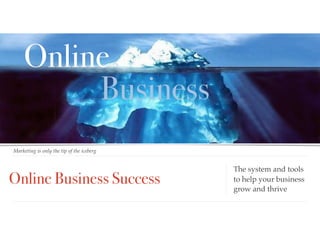
Marketing is only the tip of the iceberg
Online
Business
The system and tools
to help your business
grow and thrive
Barbara Saunders
Solo Pro Success
SoloProSuccess.com
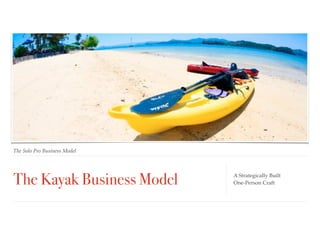
The Kayak Business Model
The Solo Pro Business Model
A Strategically Built 

One-Person Craft
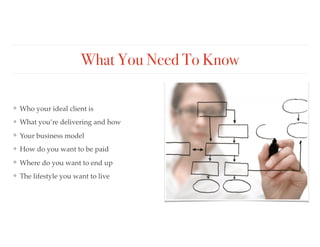
What You Need To Know
❖ Who your ideal client is
❖ What you’re delivering and how
❖ Your business model
❖ How do you want to be paid
❖ Where do you want to end up
❖ The lifestyle you want to live
One More Thing You Need To Know
You must invest in your business for it to survive.
The Systems of Business
The structure of a 21st Century business
Well-defined systems keep
your business running.
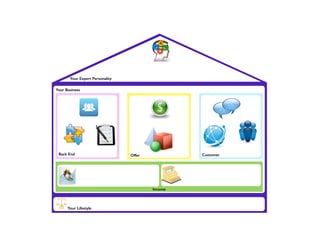
Kayak Business
Model Structure
Your Business
Income
Back End CustomerOffer
Your Expert Personality
Your Lifestyle
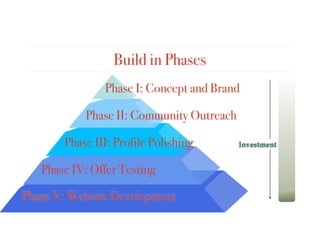
Build in Phases
Phase I: Concept and Brand
Phase II: Community Outreach
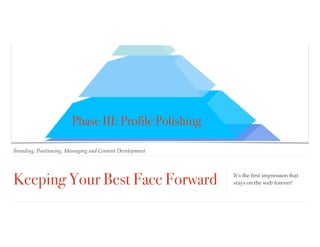
Phase III: Profile Polishing
Phase IV: Offer Testing
Phase V: Website Development
Investment
Your Business Solar System
Think beyond a digital brochure
A world of business

possibilities.
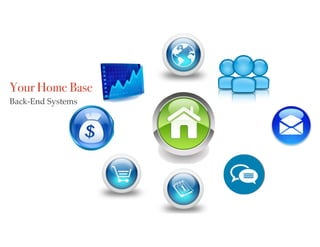
Your Home Base
Back-End Systems
Your Satellites
The cocktail parties, barbecue and water coolers of the online world
Find people to invite 

to your Home Base.
Manage your online reputation
Polish Your Profiles
Branding and positioning start with your
core message carried through your website
and social media profiles.
Note: Don’t rush out to hire a Designer!
Target, Structure & Functionality first
Then messaging - then design.
Tools Streamline Your Business
Automate. Delegate. Delete.
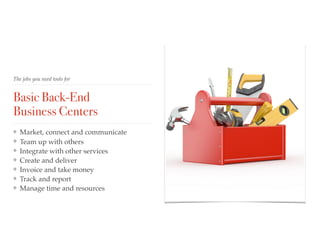
The jobs you need tools for
Basic Back-End 

Business Centers
❖ Market, connect and communicate
❖ Team up with others
❖ Integrate with other services
❖ Create and deliver
❖ Invoice and take money
❖ Track and report
❖ Manage time and resources
Modular Web Platform for Business
WordPress 

Themes & Plugins
❖ It’s powerful and user friendly
❖ Grows with you
❖ Modular and customizable
❖ Secure
❖ Tons of possibilities
Add Web-Based Tools
❖ Extend capabilities
❖ Automate and integrate
❖ Connect with your email service

and social media profiles
❖ Streamline your business process
Make Your Site Safe and Easy to Find
❖ Akismet Plugin - anti spam
❖ WordPress Security
❖ WordPress SEO Plugin by Yoast
❖ Google Analytics for WP Dashboard
❖ Google Analytics plugin to add your
tracking code to your pages
❖ Backup Buddy by iThemes ($80)
Essential Plugins for Everyone
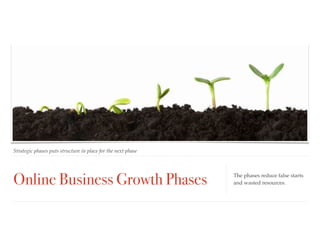
Online Business Growth Phases
Strategic phases puts structure in place for the next phase
The phases reduce false starts
and wasted resources.
Tailor Your Business
Concentrate on this first!
A custom-tailored suit
enhances your assets.
Phase I: Concept and Brand
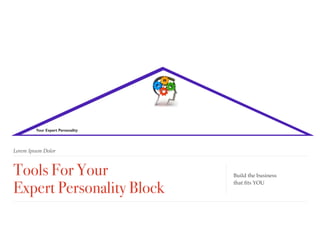
Tools For Your 

Expert Personality Block
Lorem Ipsum Dolor
Build the business 

that fits YOU
Your Expert Personality
❖ People Powered Experts
❖ The Motivator (Speaker, Author)
❖ The Teacher - (Coach, Counselor)
❖ Promoters, Sales & PR Pros
❖ The Connector
❖ Process / Outcome Focused Pros
❖ Analytic Advisor
❖ Creative Problem Solvers
❖ Experience Facilitators
❖ Skilled Creators
❖ The Artisan
❖ The Professional Creator
❖ Expert, Curator, Intelligence Center
❖ The Industry Insider
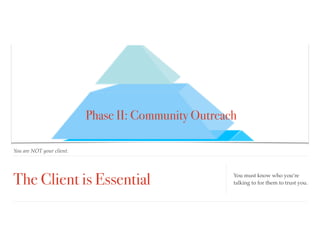
The Client is Essential
You are NOT your client.
You must know who you’re
talking to for them to trust you.
Phase II: Community Outreach
Don’t skip over this!
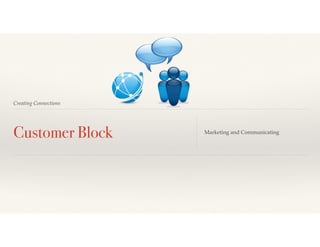
Creating Connections
Customer Block Marketing and Communicating
Social Media
Keeping Your Best Face Forward
Branding, Positioning, Messaging and Content Development
It’s the first impression that
stays on the web forever!
Phase III: Profile Polishing
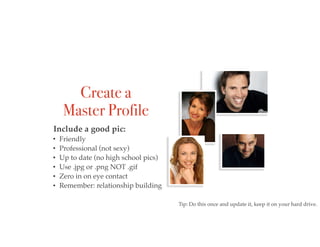
Create a 

Master Profile
Include a good pic:
• Friendly
• Professional (not sexy)
• Up to date (no high school pics)
• Use .jpg or .png NOT .gif
• Zero in on eye contact
• Remember: relationship building
Tip: Do this once and update it, keep it on your hard drive.
Profile Tips
• Be candid; show some personality
• Be the expert; not a job seeker
• Accomplishments and goals; not tasks
• What makes you different
• Include personal endeavors
• Include a link to your website, blog
• Write like you would talk—Do not
write to show how smart you are
• Keep it short: Think sound bites
Each platform is different
Your Sales Force
Online Profile Management
Social media is the outreach tool of the 21st Century.
A well-crafted profile builds credibility and builds brand
recognition.
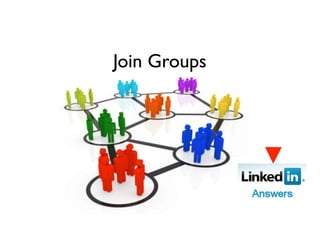
Join Groups
Pathway to Connection
Comment
Blog Post
Survey
Free Offer
Collect Emails
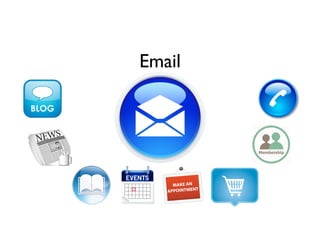
Email
Email Services
❖ Aweber
❖ MailChimp
❖ Vertical Response
❖ Constant Contact
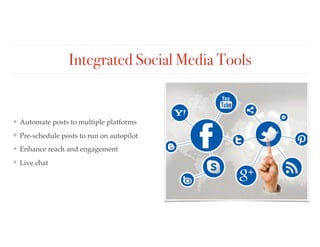
Integrated Social Media Tools
❖ Automate posts to multiple platforms
❖ Pre-schedule posts to run on autopilot
❖ Enhance reach and engagement
❖ Live chat
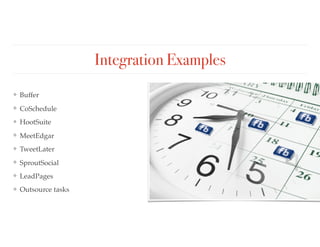
Integration Examples
❖ Buffer
❖ CoSchedule
❖ HootSuite
❖ MeetEdgar
❖ TweetLater
❖ SproutSocial
❖ LeadPages
❖ Outsource tasks
WordPress JetPack
❖ Adds customization, traffic, mobile,
content, and performance tools to your site
❖ Comes with most WP installation - just
activate
❖ Multiple features you activate:
❖ Customize site’s features (widgets…)
❖ Share content
❖ Create forms
❖ Engage Visitors
A Word About Content
You MUST create content
Learn to talk to your clients 

in different mediums
Content Strategy is King
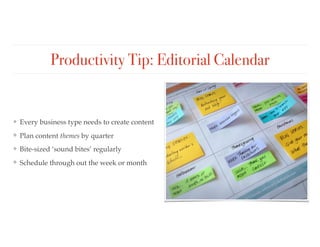
Productivity Tip: Editorial Calendar
❖ Every business type needs to create content
❖ Plan content themes by quarter
❖ Bite-sized ‘sound bites’ regularly
❖ Schedule through out the week or month
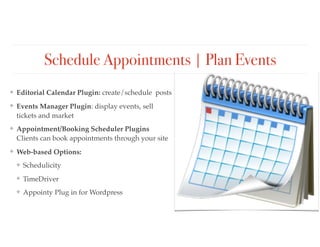
Schedule Appointments | Plan Events
❖ Editorial Calendar Plugin: create/schedule posts
❖ Events Manager Plugin: display events, sell
tickets and market
❖ Appointment/Booking Scheduler Plugins
Clients can book appointments through your site
❖ Web-based Options:
❖ Schedulicity
❖ TimeDriver
❖ Appointy Plug in for Wordpress
Content Funnels Process
Make your tools work together to grow your business
An example
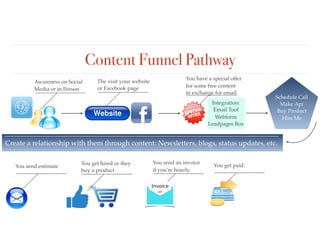
Content Funnel Pathway
Awareness on Social 

Media or in Person
The visit your website

or Facebook page
You have a special offer

for some free content

in exchange for email.
Integration:
Email Tool
Webform
Leadpages Box
Schedule Call
Make Apt
Buy Product
Hire Me
You send estimate
You get hired or they
buy a product
Create a relationship with them through content: Newsletters, blogs, status updates, etc.
You get paid.
You send an invoice 

if you’re hourly.
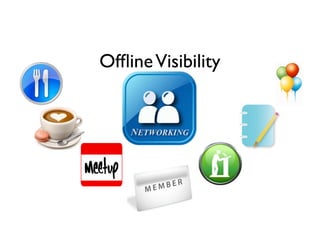
OfflineVisibility
Think Solutions
People buy on emotion and rationalize with facts
One good solid offer can be
repurposed in multiple ways.
Phase IV: Offer Testing
Offer Block
Services, Programs, Packages and Products
Transition AWAY from hourly 

work to grow your income.
Use Your Site To Create Income Generators
❖ Membership programs
❖ Online courses
❖ Downloadable information products
❖ Online events and conferences
❖ Podcasting/radio
❖ Blogs to books publishing
❖ Affiliate Programs
Your Business’s Home Base
Your website can run all the systems needed to make your business thrive.
This is where you invest
Phase V: Website Development
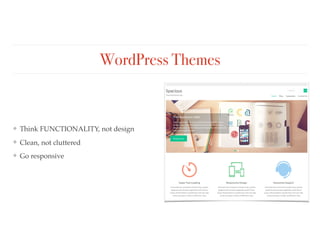
WordPress Themes
❖ Think FUNCTIONALITY, not design
❖ Clean, not cluttered
❖ Go responsive
2016 Web Design Trends
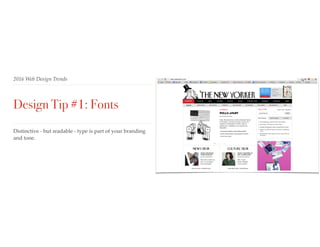
Design Tip #1: Fonts
Distinctive - but readable - type is part of your branding
and tone.
2016 Web Design Trends
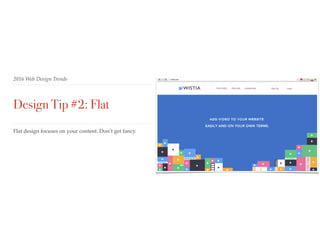
Design Tip #2: Flat
Flat design focuses on your content. Don’t get fancy.
2016 Web Design Trends
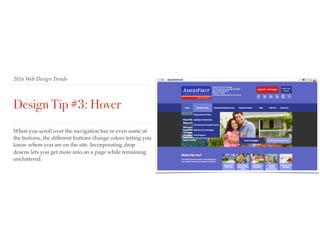
Design Tip #3: Hover
When you scroll over the navigation bar or even some of
the buttons, the different buttons change colors letting you
know where you are on the site. Incorporating drop
downs lets you get more info on a page while remaining
uncluttered.
2016 Web Design Trends
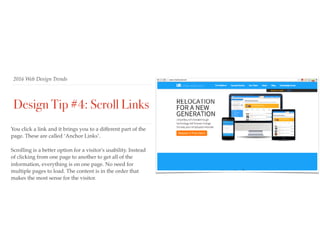
Design Tip #4: Scroll Links
You click a link and it brings you to a different part of the
page. These are called ‘Anchor Links’.
Scrolling is a better option for a visitor's usability. Instead
of clicking from one page to another to get all of the
information, everything is on one page. No need for
multiple pages to load. The content is in the order that
makes the most sense for the visitor.
2016 Web Design Trends
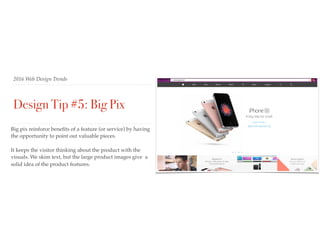
Design Tip #5: Big Pix
Big pix reinforce benefits of a feature (or service) by having
the opportunity to point out valuable pieces.
It keeps the visitor thinking about the product with the
visuals. We skim text, but the large product images give a
solid idea of the product features.
2016 Web Design Trends
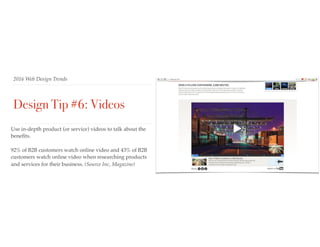
Design Tip #6: Videos
Use in-depth product (or service) videos to talk about the
benefits.
92% of B2B customers watch online video and 43% of B2B
customers watch online video when researching products
and services for their business. (Source Inc, Magazine)
2016 Web Design Trends
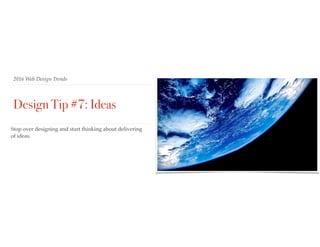
Design Tip #7: Ideas
Stop over designing and start thinking about delivering
of ideas.
Back-End Block
Tools to connect your team
Avoid paper to keep 

everyone updated
Strategy First
Don’t obsess over tools
Tools support the strategy
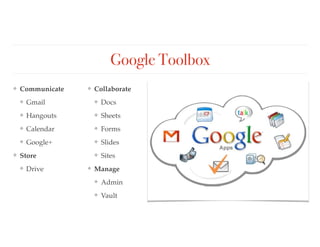
Google Toolbox
❖ Communicate
❖ Gmail
❖ Hangouts
❖ Calendar
❖ Google+
❖ Store
❖ Drive


❖ Collaborate
❖ Docs
❖ Sheets
❖ Forms
❖ Slides
❖ Sites
❖ Manage
❖ Admin
❖ Vault
Web-Based Collaboration Tools
❖ Asana
❖ Trello
❖ Basecamp
❖ Orchestra
❖ Flow
❖ Evernote
❖ WorkBoard
Your Income Block
Add functionality with plugins - or integrate outside
Sell and receive money
through your website
or a mobile device.
Payment Gateways
❖ Paypal
❖ Stripe
❖ Square
❖ ClickBank
❖ Authorize.Net
❖ BluePay
eCommerce Plugins
❖ WooCommerce and Add ons
❖ OpenCart
❖ WordPress eStore Plugin
Integrated eCommerce Solutions
❖ SendOwl.com - Sell digital products
❖ Shopify - Complete managed store
❖ ClickBank
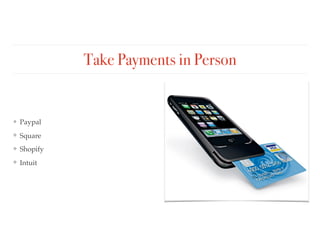
Take Payments in Person
❖ Paypal
❖ Square
❖ Shopify
❖ Intuit
Invoices and Estimates
❖ WP Invoice: create and send web-invoices
and setup recurring billing
❖ Sprout Invoices: Create estimates and
invoices within your WordPress site
❖ Invoice King Pro: Invoice King Pro makes
invoicing simple.
Integrated Invoicing Options
❖ FreshBooks.com
❖ 17Hats.com
❖ Harvest (GetHarvest.com)
If you’re charging by the hour or have contractors
Time Tracker
A simple way to track your billable time for
you, your staff and 3rd party contractors.
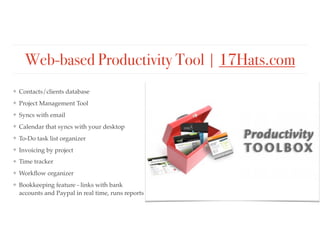
Web-based Productivity Tool | 17Hats.com
❖ Contacts/clients database
❖ Project Management Tool
❖ Syncs with email
❖ Calendar that syncs with your desktop
❖ To-Do task list organizer
❖ Invoicing by project
❖ Time tracker
❖ Workflow organizer
❖ Bookkeeping feature - links with bank
accounts and Paypal in real time, runs reports
Foundation Block
YOU are the most important asset in your business.
Tools to support 

your lifestyle.
A System of Mutual 

And Public Support
Bringing freelancers together to build smarter solutions for health care, retirement, wage security, and other broken systems.
Community, Benefits,
Insurance, Discounts
Develop Your Community
Connect with others
Clients, Partners,
Collaborators, Other Solos
Barbara Saunders
(503) 616-3188
Solo Pro Success
SoloProSuccess.com
If you need help or have questions . . .

Secrets to business online2016

  • 1.
    Online Business Success Marketingis only the tip of the iceberg Online Business The system and tools to help your business grow and thrive
  • 2.
    Barbara Saunders Solo ProSuccess SoloProSuccess.com
  • 3.
    The Kayak BusinessModel The Solo Pro Business Model A Strategically Built 
 One-Person Craft
  • 4.
    What You NeedTo Know ❖ Who your ideal client is ❖ What you’re delivering and how ❖ Your business model ❖ How do you want to be paid ❖ Where do you want to end up ❖ The lifestyle you want to live
  • 5.
    One More ThingYou Need To Know You must invest in your business for it to survive.
  • 6.
    The Systems ofBusiness The structure of a 21st Century business Well-defined systems keep your business running.
  • 7.
    Kayak Business Model Structure YourBusiness Income Back End CustomerOffer Your Expert Personality Your Lifestyle
  • 8.
    Build in Phases PhaseI: Concept and Brand Phase II: Community Outreach Phase III: Profile Polishing Phase IV: Offer Testing Phase V: Website Development Investment
  • 9.
    Your Business SolarSystem Think beyond a digital brochure A world of business
 possibilities.
  • 10.
  • 11.
    Your Satellites The cocktailparties, barbecue and water coolers of the online world Find people to invite 
 to your Home Base.
  • 12.
    Manage your onlinereputation Polish Your Profiles Branding and positioning start with your core message carried through your website and social media profiles. Note: Don’t rush out to hire a Designer! Target, Structure & Functionality first Then messaging - then design.
  • 13.
    Tools Streamline YourBusiness Automate. Delegate. Delete.
  • 14.
    The jobs youneed tools for Basic Back-End 
 Business Centers ❖ Market, connect and communicate ❖ Team up with others ❖ Integrate with other services ❖ Create and deliver ❖ Invoice and take money ❖ Track and report ❖ Manage time and resources
  • 15.
    Modular Web Platformfor Business WordPress 
 Themes & Plugins ❖ It’s powerful and user friendly ❖ Grows with you ❖ Modular and customizable ❖ Secure ❖ Tons of possibilities
  • 16.
    Add Web-Based Tools ❖Extend capabilities ❖ Automate and integrate ❖ Connect with your email service
 and social media profiles ❖ Streamline your business process
  • 17.
    Make Your SiteSafe and Easy to Find ❖ Akismet Plugin - anti spam ❖ WordPress Security ❖ WordPress SEO Plugin by Yoast ❖ Google Analytics for WP Dashboard ❖ Google Analytics plugin to add your tracking code to your pages ❖ Backup Buddy by iThemes ($80) Essential Plugins for Everyone
  • 18.
    Online Business GrowthPhases Strategic phases puts structure in place for the next phase The phases reduce false starts and wasted resources.
  • 19.
    Tailor Your Business Concentrateon this first! A custom-tailored suit enhances your assets. Phase I: Concept and Brand
  • 20.
    Tools For Your
 Expert Personality Block Lorem Ipsum Dolor Build the business 
 that fits YOU Your Expert Personality
  • 21.
    Your Expert Personality ❖People Powered Experts ❖ The Motivator (Speaker, Author) ❖ The Teacher - (Coach, Counselor) ❖ Promoters, Sales & PR Pros ❖ The Connector ❖ Process / Outcome Focused Pros ❖ Analytic Advisor ❖ Creative Problem Solvers ❖ Experience Facilitators ❖ Skilled Creators ❖ The Artisan ❖ The Professional Creator ❖ Expert, Curator, Intelligence Center ❖ The Industry Insider
  • 22.
    The Client isEssential You are NOT your client. You must know who you’re talking to for them to trust you. Phase II: Community Outreach
  • 23.
  • 24.
    Creating Connections Customer BlockMarketing and Communicating
  • 25.
  • 26.
    Keeping Your BestFace Forward Branding, Positioning, Messaging and Content Development It’s the first impression that stays on the web forever! Phase III: Profile Polishing
  • 27.
    Create a 
 MasterProfile Include a good pic: • Friendly • Professional (not sexy) • Up to date (no high school pics) • Use .jpg or .png NOT .gif • Zero in on eye contact • Remember: relationship building Tip: Do this once and update it, keep it on your hard drive.
  • 28.
    Profile Tips • Becandid; show some personality • Be the expert; not a job seeker • Accomplishments and goals; not tasks • What makes you different • Include personal endeavors • Include a link to your website, blog • Write like you would talk—Do not write to show how smart you are • Keep it short: Think sound bites Each platform is different
  • 29.
    Your Sales Force OnlineProfile Management Social media is the outreach tool of the 21st Century. A well-crafted profile builds credibility and builds brand recognition.
  • 30.
  • 31.
    Pathway to Connection Comment BlogPost Survey Free Offer Collect Emails
  • 32.
  • 33.
    Email Services ❖ Aweber ❖MailChimp ❖ Vertical Response ❖ Constant Contact
  • 34.
    Integrated Social MediaTools ❖ Automate posts to multiple platforms ❖ Pre-schedule posts to run on autopilot ❖ Enhance reach and engagement ❖ Live chat
  • 35.
    Integration Examples ❖ Buffer ❖CoSchedule ❖ HootSuite ❖ MeetEdgar ❖ TweetLater ❖ SproutSocial ❖ LeadPages ❖ Outsource tasks
  • 36.
    WordPress JetPack ❖ Addscustomization, traffic, mobile, content, and performance tools to your site ❖ Comes with most WP installation - just activate ❖ Multiple features you activate: ❖ Customize site’s features (widgets…) ❖ Share content ❖ Create forms ❖ Engage Visitors
  • 37.
    A Word AboutContent You MUST create content Learn to talk to your clients 
 in different mediums Content Strategy is King
  • 38.
    Productivity Tip: EditorialCalendar ❖ Every business type needs to create content ❖ Plan content themes by quarter ❖ Bite-sized ‘sound bites’ regularly ❖ Schedule through out the week or month
  • 39.
    Schedule Appointments |Plan Events ❖ Editorial Calendar Plugin: create/schedule posts ❖ Events Manager Plugin: display events, sell tickets and market ❖ Appointment/Booking Scheduler Plugins Clients can book appointments through your site ❖ Web-based Options: ❖ Schedulicity ❖ TimeDriver ❖ Appointy Plug in for Wordpress
  • 40.
    Content Funnels Process Makeyour tools work together to grow your business An example
  • 41.
    Content Funnel Pathway Awarenesson Social 
 Media or in Person The visit your website
 or Facebook page You have a special offer
 for some free content
 in exchange for email. Integration: Email Tool Webform Leadpages Box Schedule Call Make Apt Buy Product Hire Me You send estimate You get hired or they buy a product Create a relationship with them through content: Newsletters, blogs, status updates, etc. You get paid. You send an invoice 
 if you’re hourly.
  • 42.
  • 43.
    Think Solutions People buyon emotion and rationalize with facts One good solid offer can be repurposed in multiple ways. Phase IV: Offer Testing
  • 44.
    Offer Block Services, Programs,Packages and Products Transition AWAY from hourly 
 work to grow your income.
  • 45.
    Use Your SiteTo Create Income Generators ❖ Membership programs ❖ Online courses ❖ Downloadable information products ❖ Online events and conferences ❖ Podcasting/radio ❖ Blogs to books publishing ❖ Affiliate Programs
  • 46.
    Your Business’s HomeBase Your website can run all the systems needed to make your business thrive. This is where you invest Phase V: Website Development
  • 47.
    WordPress Themes ❖ ThinkFUNCTIONALITY, not design ❖ Clean, not cluttered ❖ Go responsive
  • 48.
    2016 Web DesignTrends Design Tip #1: Fonts Distinctive - but readable - type is part of your branding and tone.
  • 49.
    2016 Web DesignTrends Design Tip #2: Flat Flat design focuses on your content. Don’t get fancy.
  • 50.
    2016 Web DesignTrends Design Tip #3: Hover When you scroll over the navigation bar or even some of the buttons, the different buttons change colors letting you know where you are on the site. Incorporating drop downs lets you get more info on a page while remaining uncluttered.
  • 51.
    2016 Web DesignTrends Design Tip #4: Scroll Links You click a link and it brings you to a different part of the page. These are called ‘Anchor Links’. Scrolling is a better option for a visitor's usability. Instead of clicking from one page to another to get all of the information, everything is on one page. No need for multiple pages to load. The content is in the order that makes the most sense for the visitor.
  • 52.
    2016 Web DesignTrends Design Tip #5: Big Pix Big pix reinforce benefits of a feature (or service) by having the opportunity to point out valuable pieces. It keeps the visitor thinking about the product with the visuals. We skim text, but the large product images give a solid idea of the product features.
  • 53.
    2016 Web DesignTrends Design Tip #6: Videos Use in-depth product (or service) videos to talk about the benefits. 92% of B2B customers watch online video and 43% of B2B customers watch online video when researching products and services for their business. (Source Inc, Magazine)
  • 54.
    2016 Web DesignTrends Design Tip #7: Ideas Stop over designing and start thinking about delivering of ideas.
  • 55.
    Back-End Block Tools toconnect your team Avoid paper to keep 
 everyone updated
  • 56.
    Strategy First Don’t obsessover tools Tools support the strategy
  • 57.
    Google Toolbox ❖ Communicate ❖Gmail ❖ Hangouts ❖ Calendar ❖ Google+ ❖ Store ❖ Drive
 
 ❖ Collaborate ❖ Docs ❖ Sheets ❖ Forms ❖ Slides ❖ Sites ❖ Manage ❖ Admin ❖ Vault
  • 58.
    Web-Based Collaboration Tools ❖Asana ❖ Trello ❖ Basecamp ❖ Orchestra ❖ Flow ❖ Evernote ❖ WorkBoard
  • 59.
    Your Income Block Addfunctionality with plugins - or integrate outside Sell and receive money through your website or a mobile device.
  • 60.
    Payment Gateways ❖ Paypal ❖Stripe ❖ Square ❖ ClickBank ❖ Authorize.Net ❖ BluePay
  • 61.
    eCommerce Plugins ❖ WooCommerceand Add ons ❖ OpenCart ❖ WordPress eStore Plugin
  • 62.
    Integrated eCommerce Solutions ❖SendOwl.com - Sell digital products ❖ Shopify - Complete managed store ❖ ClickBank
  • 63.
    Take Payments inPerson ❖ Paypal ❖ Square ❖ Shopify ❖ Intuit
  • 64.
    Invoices and Estimates ❖WP Invoice: create and send web-invoices and setup recurring billing ❖ Sprout Invoices: Create estimates and invoices within your WordPress site ❖ Invoice King Pro: Invoice King Pro makes invoicing simple.
  • 65.
    Integrated Invoicing Options ❖FreshBooks.com ❖ 17Hats.com ❖ Harvest (GetHarvest.com)
  • 66.
    If you’re chargingby the hour or have contractors Time Tracker A simple way to track your billable time for you, your staff and 3rd party contractors.
  • 67.
    Web-based Productivity Tool| 17Hats.com ❖ Contacts/clients database ❖ Project Management Tool ❖ Syncs with email ❖ Calendar that syncs with your desktop ❖ To-Do task list organizer ❖ Invoicing by project ❖ Time tracker ❖ Workflow organizer ❖ Bookkeeping feature - links with bank accounts and Paypal in real time, runs reports
  • 68.
    Foundation Block YOU arethe most important asset in your business. Tools to support 
 your lifestyle.
  • 69.
    A System ofMutual 
 And Public Support Bringing freelancers together to build smarter solutions for health care, retirement, wage security, and other broken systems. Community, Benefits, Insurance, Discounts
  • 70.
    Develop Your Community Connectwith others Clients, Partners, Collaborators, Other Solos
  • 71.
    Barbara Saunders (503) 616-3188 SoloPro Success SoloProSuccess.com If you need help or have questions . . .