Considerations for Your Next
Cloud Project – CloudForms &
OpenStack Do’s and Don’ts
FREDERIK BIJLSMA

Cloud Business Unit Manager, EMEA
6th December 2013
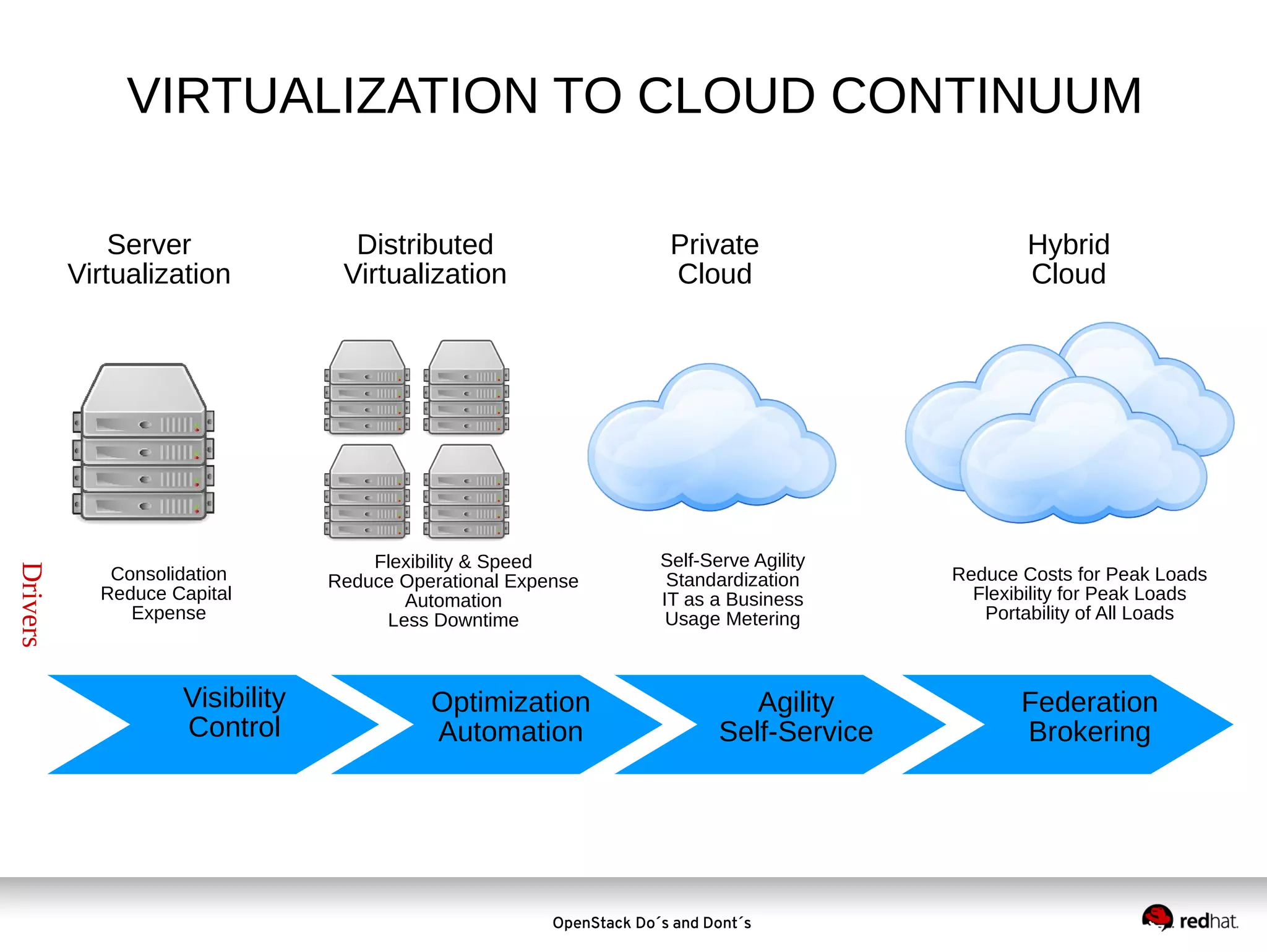
VIRTUALIZATION TO CLOUD CONTINUUM
Server
Virtualization

Drivers

Consolidation
Reduce Capital
Expense

Visibility
Control

Distributed
Virtualization

Private
Cloud

Flexibility & Speed
Reduce Operational Expense
Automation
Less Downtime

Optimization
Automation

Self-Serve Agility
Standardization
IT as a Business
Usage Metering

Agility
Self-Service

OpenStack Do´s and Dont´s

Hybrid
Cloud

Reduce Costs for Peak Loads
Flexibility for Peak Loads
Portability of All Loads

Federation
Brokering
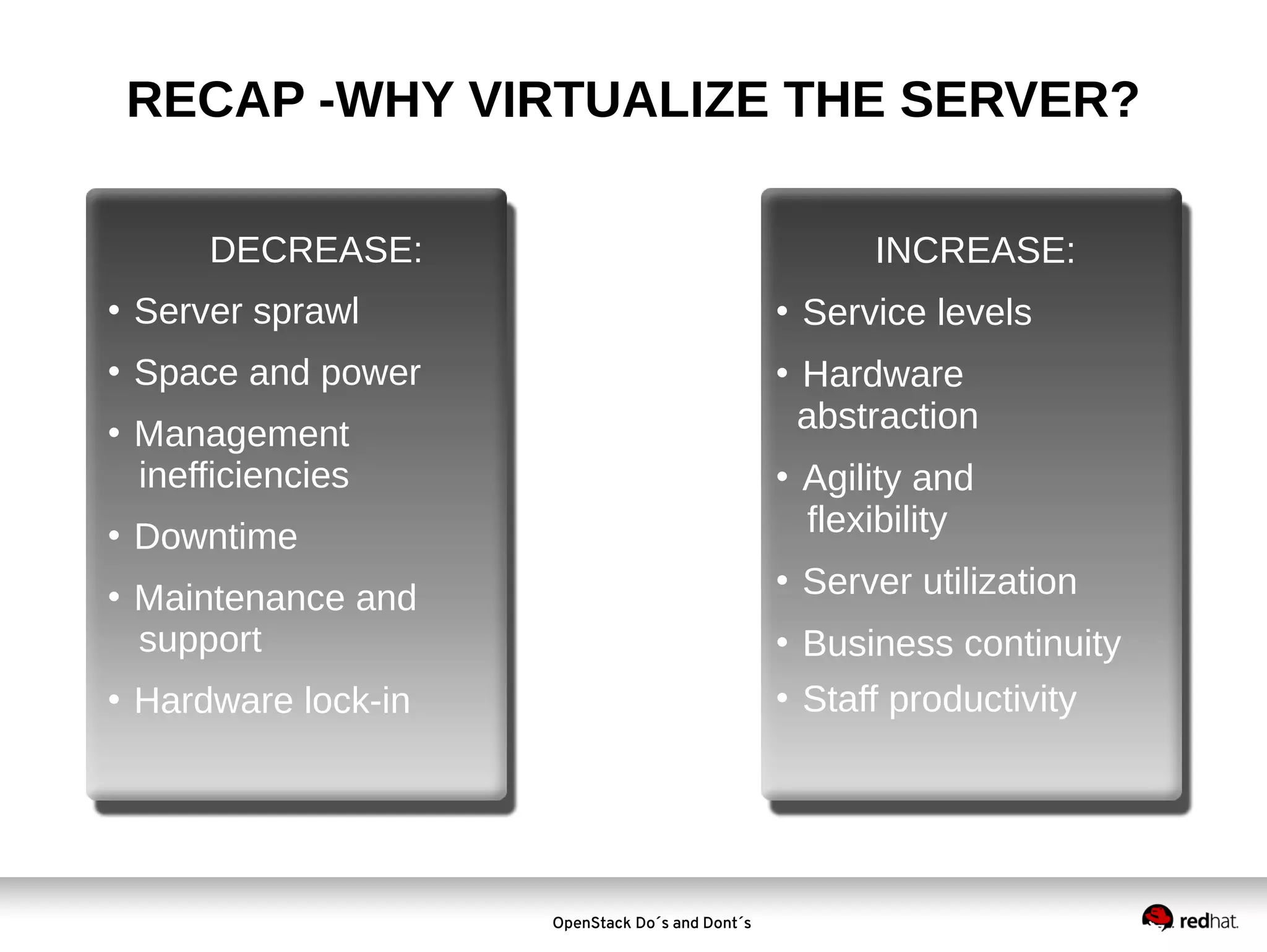
RECAP -WHY VIRTUALIZE THE SERVER?
DECREASE:

INCREASE:



Server sprawl





Space and power











Management
inefficiencies



Downtime


Maintenance and
support

Service levels
Hardware
abstraction
Agility and
flexibility
Server utilization

Business continuity
 Staff productivity


Hardware lock-in

OpenStack Do´s and Dont´s
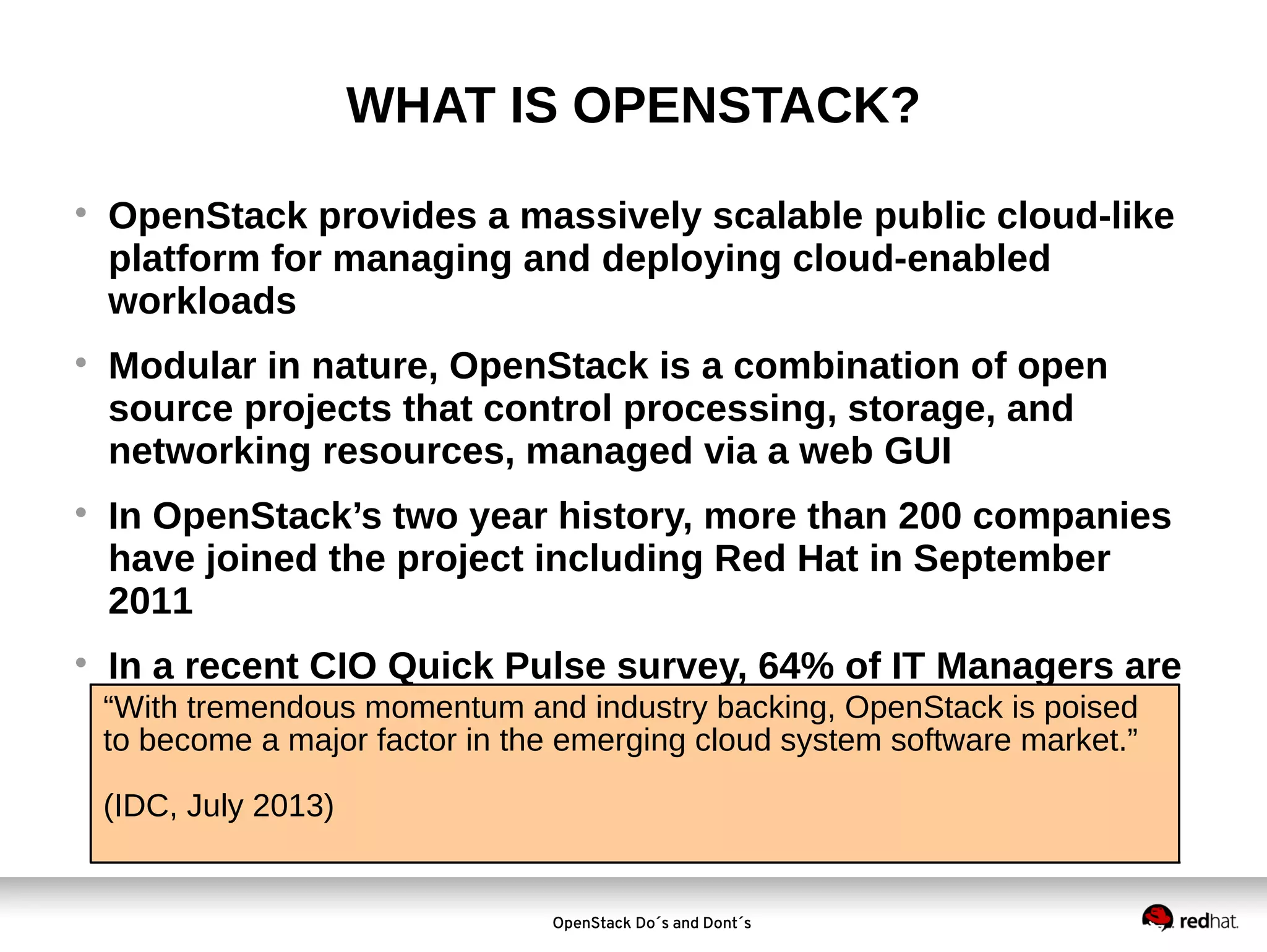
WHAT IS OPENSTACK?








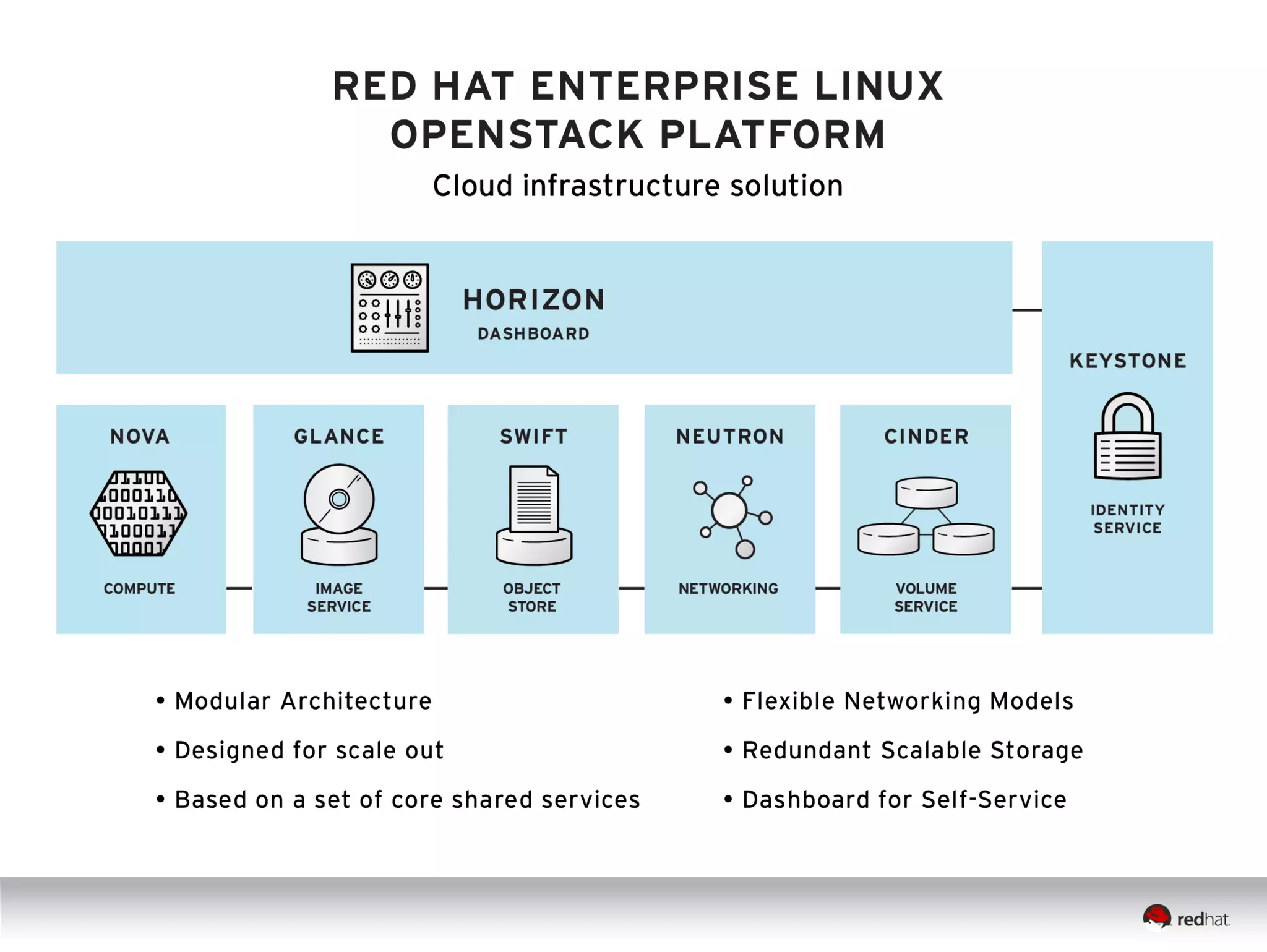
OpenStack provides a massively scalable public cloud-like
platform for managing and deploying cloud-enabled
workloads
Modular in nature, OpenStack is a combination of open
source projects that control processing, storage, and
networking resources, managed via a web GUI
In OpenStack’s two year history, more than 200 companies
have joined the project including Red Hat in September
2011
In a recent CIO Quick Pulse survey, 64% of IT Managers are
“With tremendous momentum and industry backing, OpenStack is poised
either deploying or considering OpenStack
to become a major factor in the emerging cloud system software market.”
(IDC, July 2013)

OpenStack Do´s and Dont´s
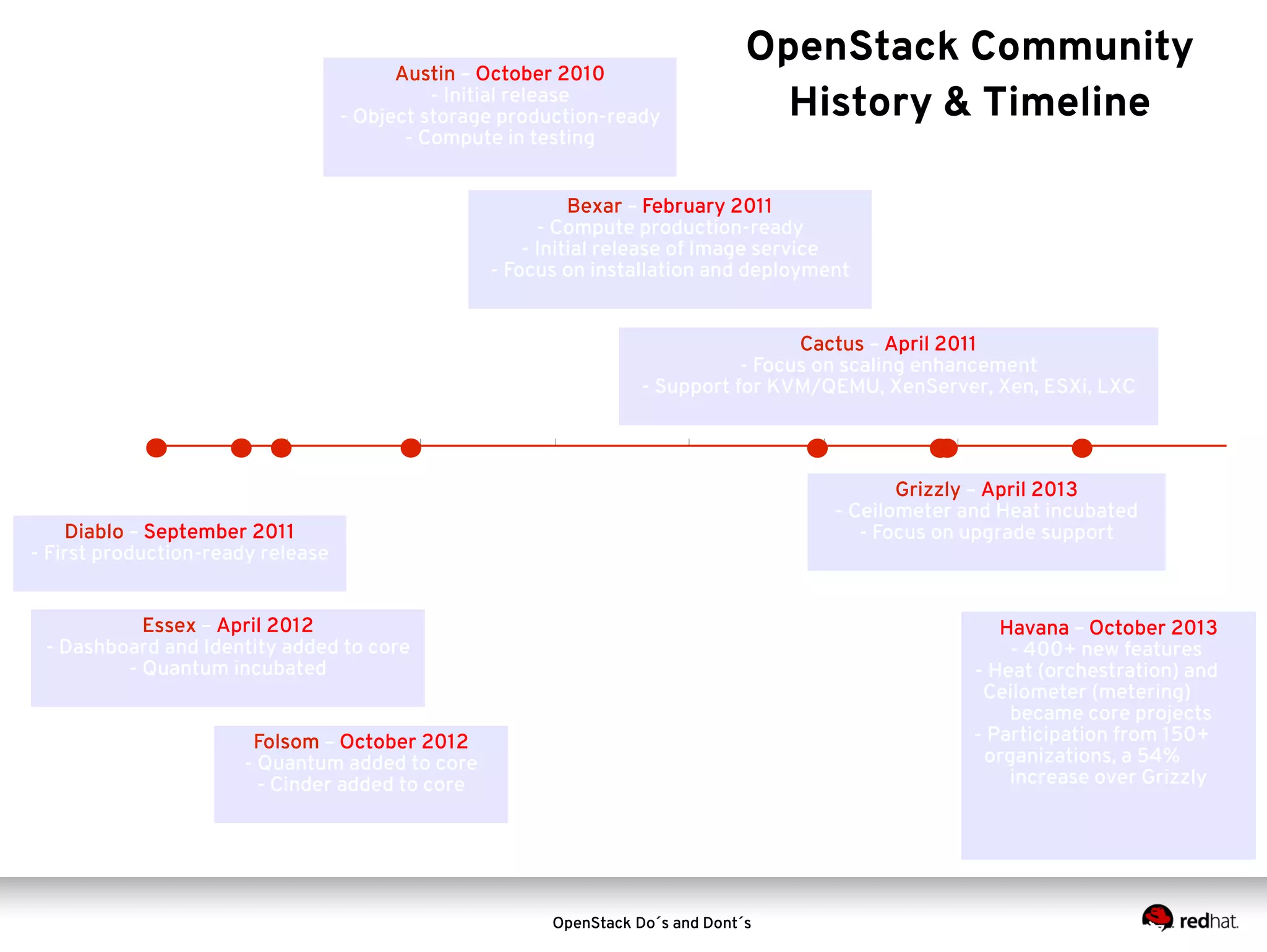
Austin – October 2010
- Initial release
- Object storage production-ready
- Compute in testing

OpenStack Community
History & Timeline

Bexar – February 2011
- Compute production-ready
- Initial release of Image service
- Focus on installation and deployment
Cactus – April 2011
- Focus on scaling enhancement
- Support for KVM/QEMU, XenServer, Xen, ESXi, LXC

Grizzly – April 2013
- Ceilometer and Heat incubated
- Focus on upgrade support

Diablo – September 2011
- First production-ready release
Essex – April 2012
- Dashboard and Identity added to core
- Quantum incubated

Havana – October 2013
- 400+ new features
- Heat (orchestration) and
Ceilometer (metering)
became core projects
- Participation from 150+
organizations, a 54%
increase over Grizzly

Folsom – October 2012
- Quantum added to core
- Cinder added to core

OpenStack Do´s and Dont´s
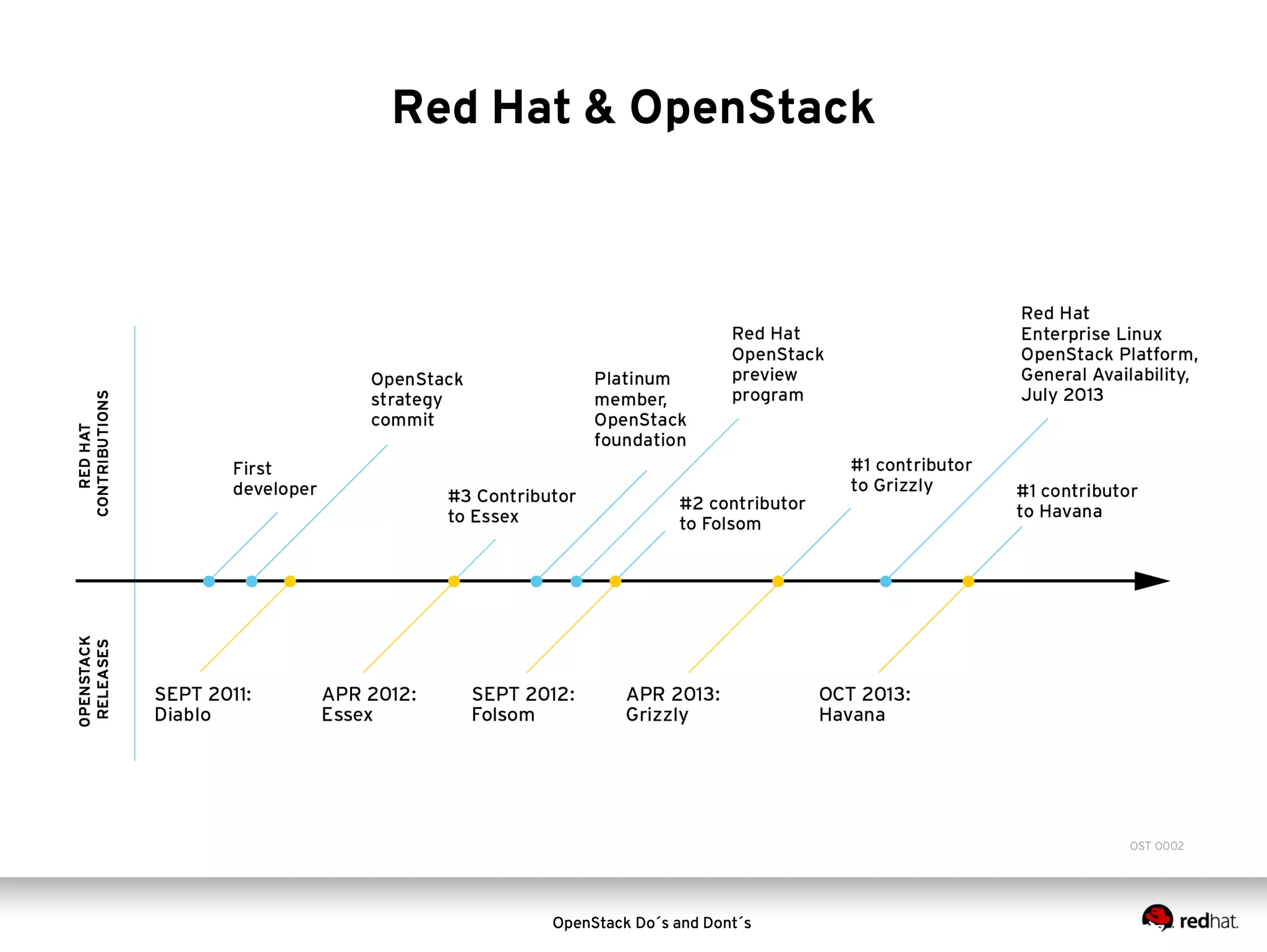
Red Hat & OpenStack

OpenStack Do´s and Dont´s
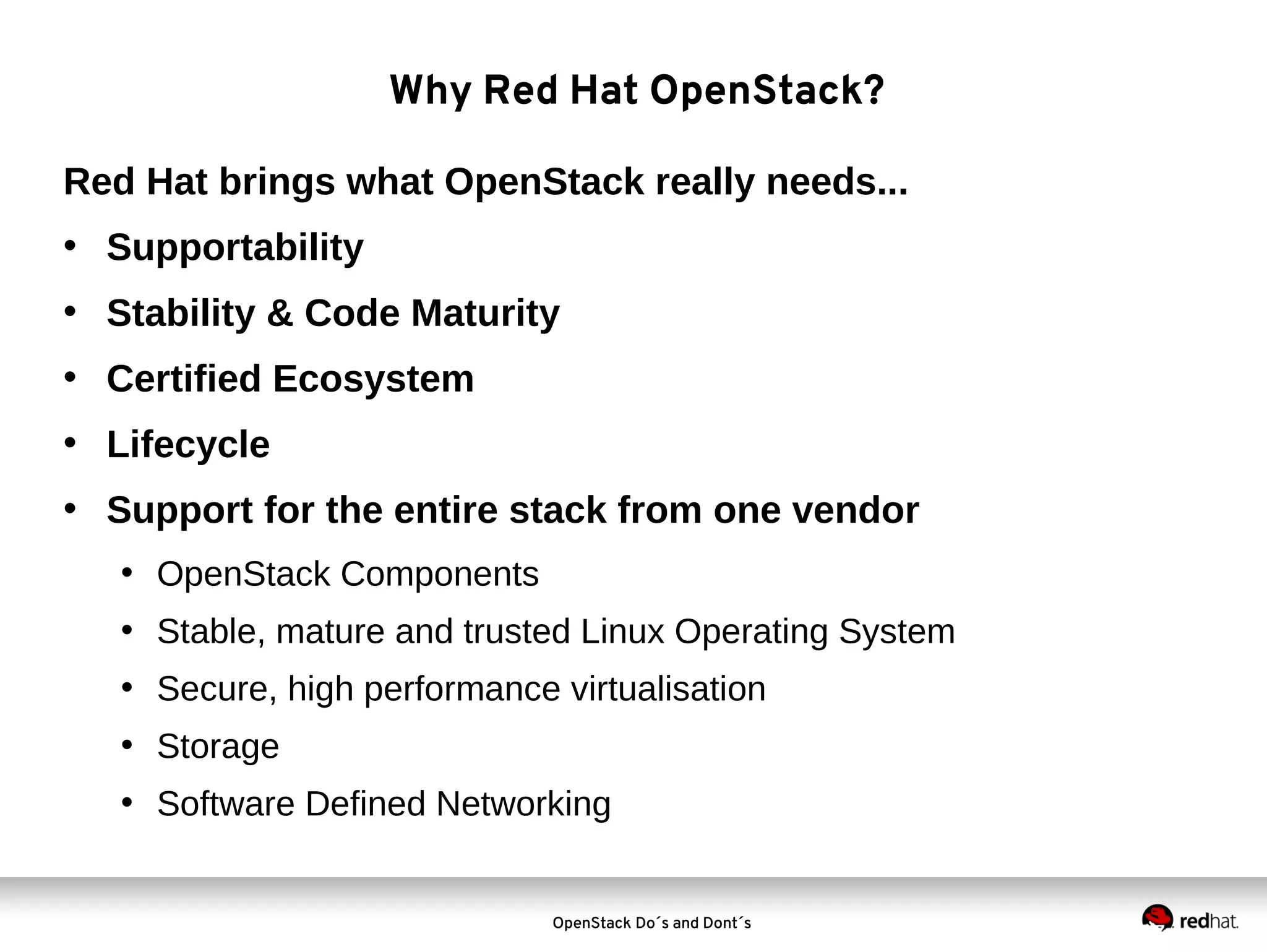
Why Red Hat OpenStack?
Red Hat brings what OpenStack really needs...
• Supportability
• Stability & Code Maturity
• Certified Ecosystem
• Lifecycle
• Support for the entire stack from one vendor
• OpenStack Components
• Stable, mature and trusted Linux Operating System
• Secure, high performance virtualisation
• Storage
• Software Defined Networking

OpenStack Do´s and Dont´s
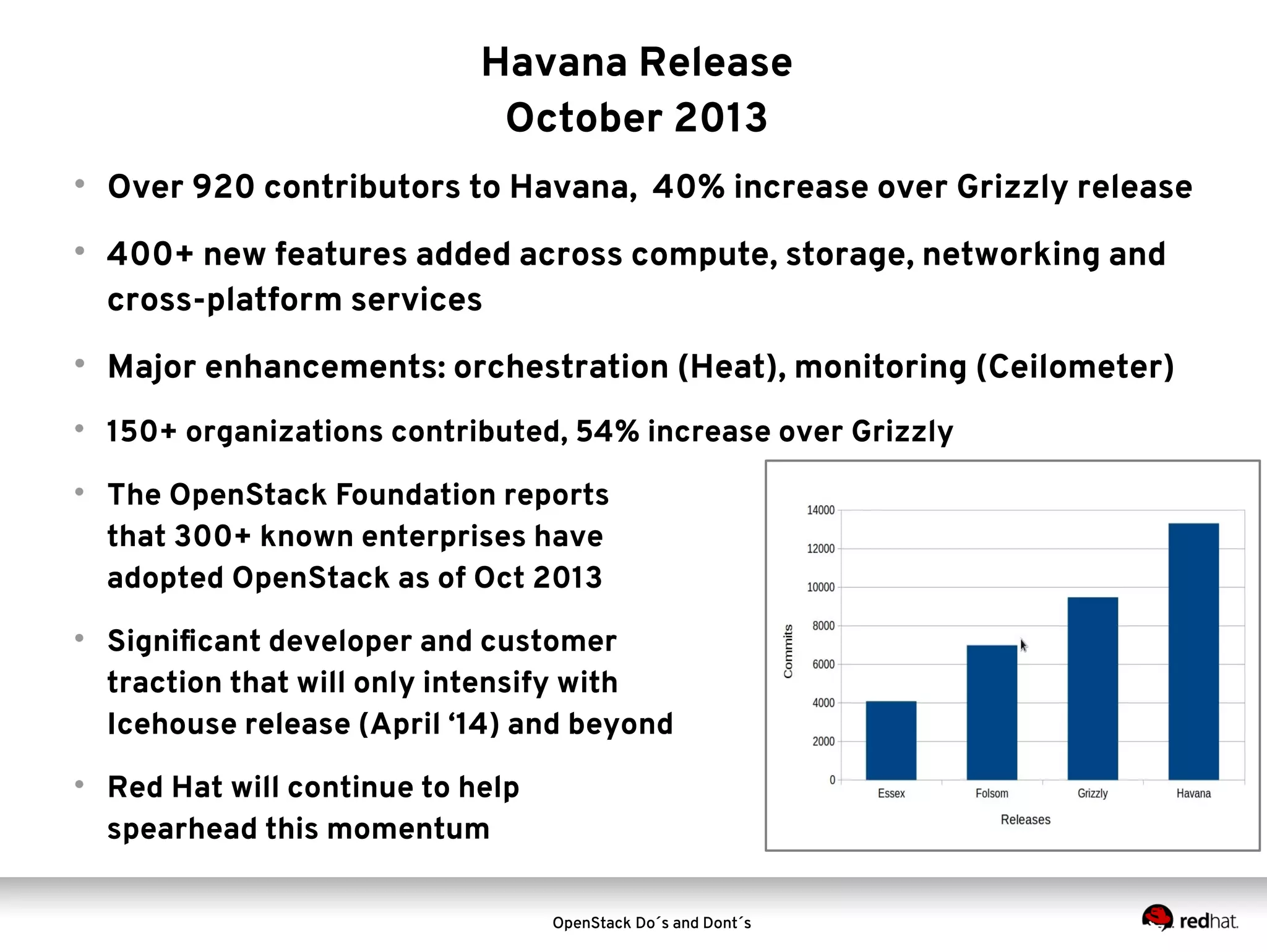
Havana Release
October 2013




Over 920 contributors to Havana, 40% increase over Grizzly release
400+ new features added across compute, storage, networking and
cross-platform services



Major enhancements: orchestration (Heat), monitoring (Ceilometer)



150+ organizations contributed, 54% increase over Grizzly







The OpenStack Foundation reports
that 300+ known enterprises have
adopted OpenStack as of Oct 2013
Significant developer and customer
traction that will only intensify with
Icehouse release (April ‘14) and beyond
Red Hat will continue to help
spearhead this momentum
OpenStack Do´s and Dont´s
500

* Includes only the top 35.
VMWARE

ENOVANCE

SUSE

OPEN STACK FOUNDATION

OpenStack Do´s and Dont´s

OBJECTIF-LIBRE

99CLOUD

KTH INSTITUTE OF TECH.

CENTRIN

NIMBIS SERVICES

BLUE BOX GROUP

CLOUDSCALING

UNIVERSITY OF MELBOURNE

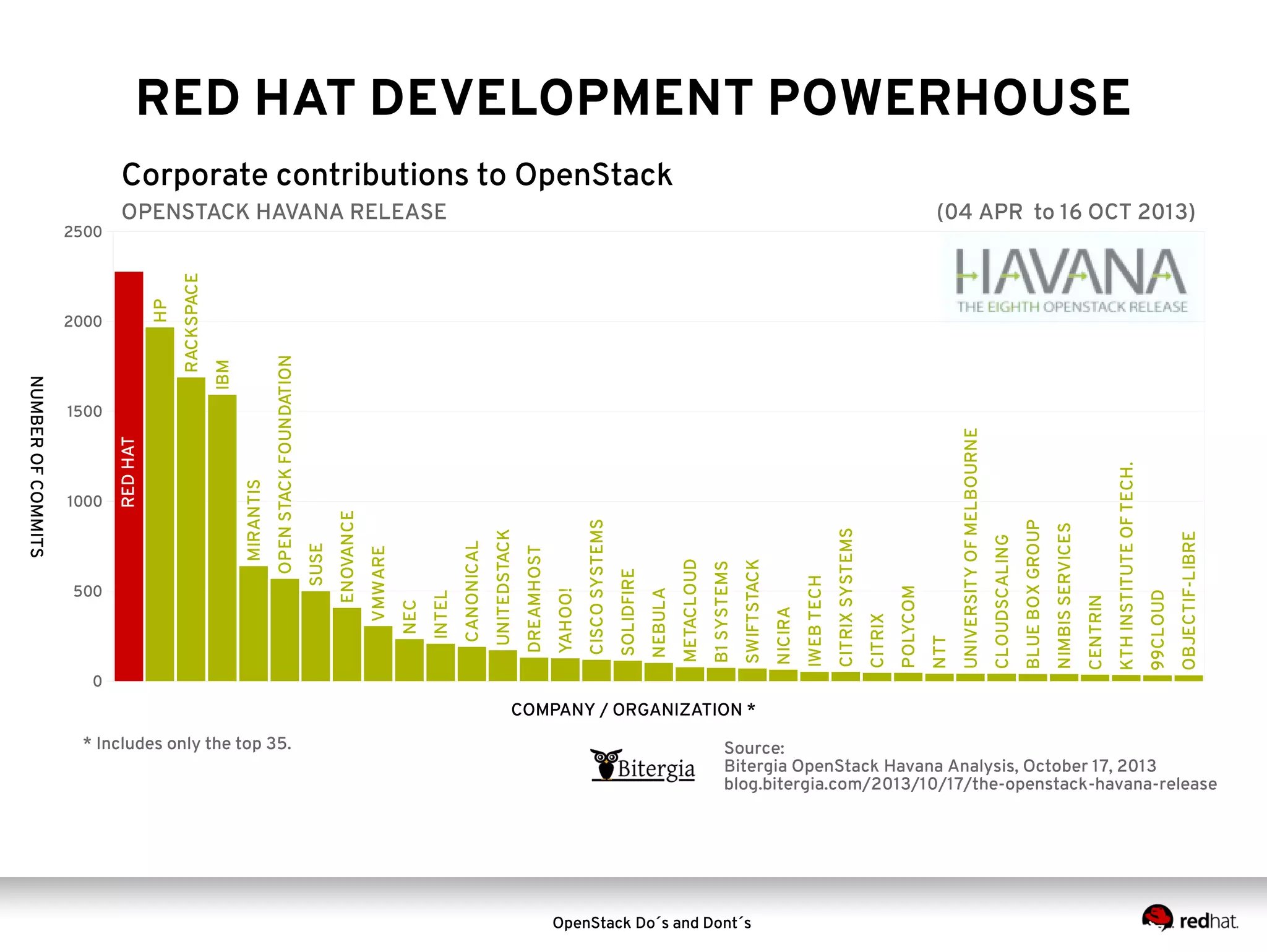
OPENSTACK HAVANA RELEASE

NTT

POLYCOM

CITRIX

CITRIX SYSTEMS

IWEB TECH

NICIRA

SWIFTSTACK

B1 SYSTEMS

METACLOUD

NEBULA

SOLIDFIRE

CISCO SYSTEMS

YAHOO!

DREAMHOST

UNITEDSTACK

CANONICAL

INTEL

1500

NEC

RACKSPACE
IBM

NUMBER OF COMMITS
1000

MIRANTIS

2000

HP

2500

RED HAT

RED HAT DEVELOPMENT POWERHOUSE

Corporate contributions to OpenStack
(04 APR to 16 OCT 2013)

0

COMPANY / ORGANIZATION *

Source:
Bitergia OpenStack Havana Analysis, October 17, 2013
blog.bitergia.com/2013/10/17/the-openstack-havana-release
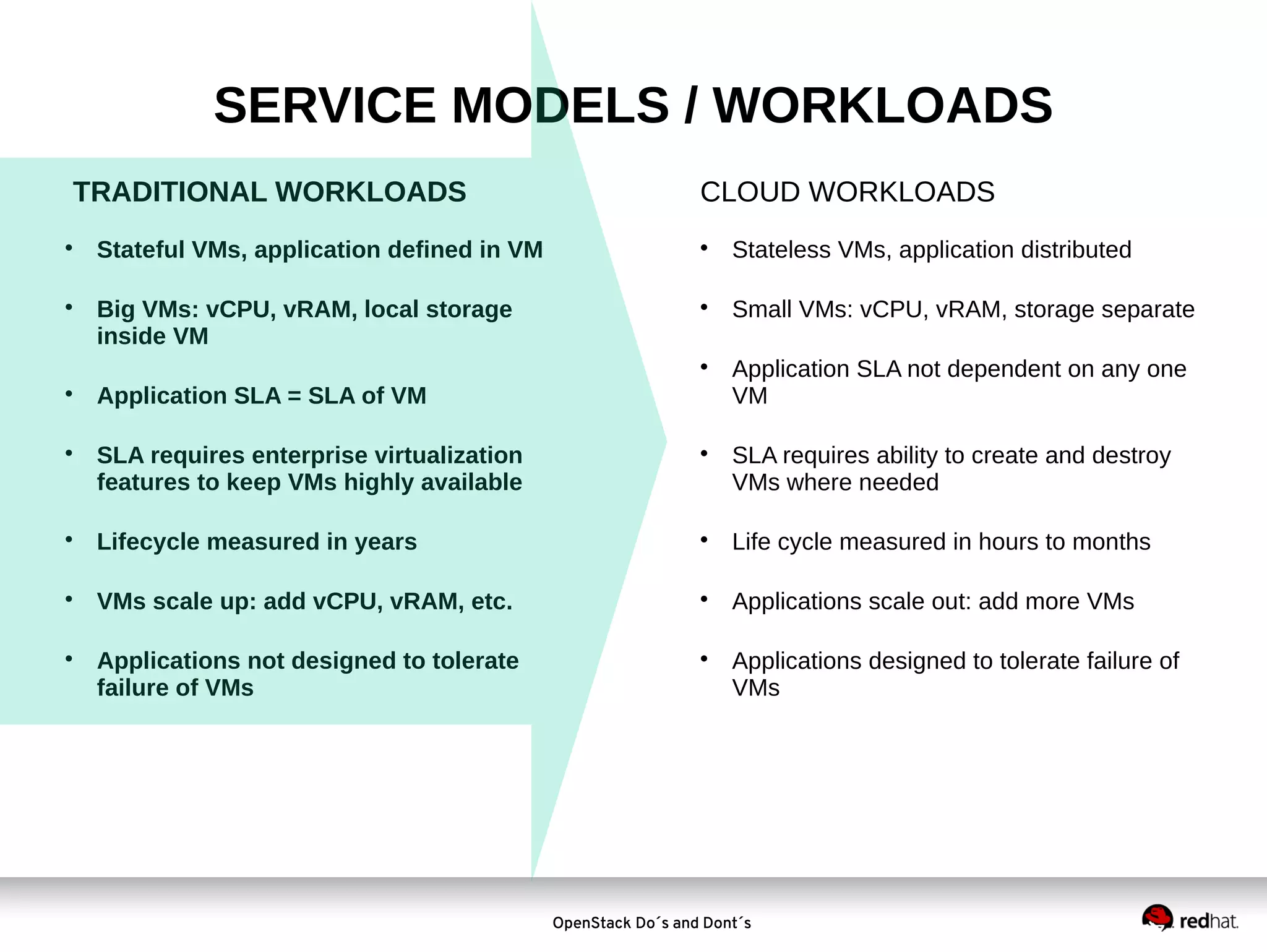
SERVICE MODELS / WORKLOADS
TRADITIONAL WORKLOADS




Stateful VMs, application defined in VM
Big VMs: vCPU, vRAM, local storage
inside VM

CLOUD WORKLOADS


Stateless VMs, application distributed



Small VMs: vCPU, vRAM, storage separate






Application SLA = SLA of VM
SLA requires enterprise virtualization
features to keep VMs highly available



Application SLA not dependent on any one
VM
SLA requires ability to create and destroy
VMs where needed



Lifecycle measured in years



Life cycle measured in hours to months



VMs scale up: add vCPU, vRAM, etc.



Applications scale out: add more VMs



Applications not designed to tolerate
failure of VMs



Applications designed to tolerate failure of
VMs

OpenStack Do´s and Dont´s
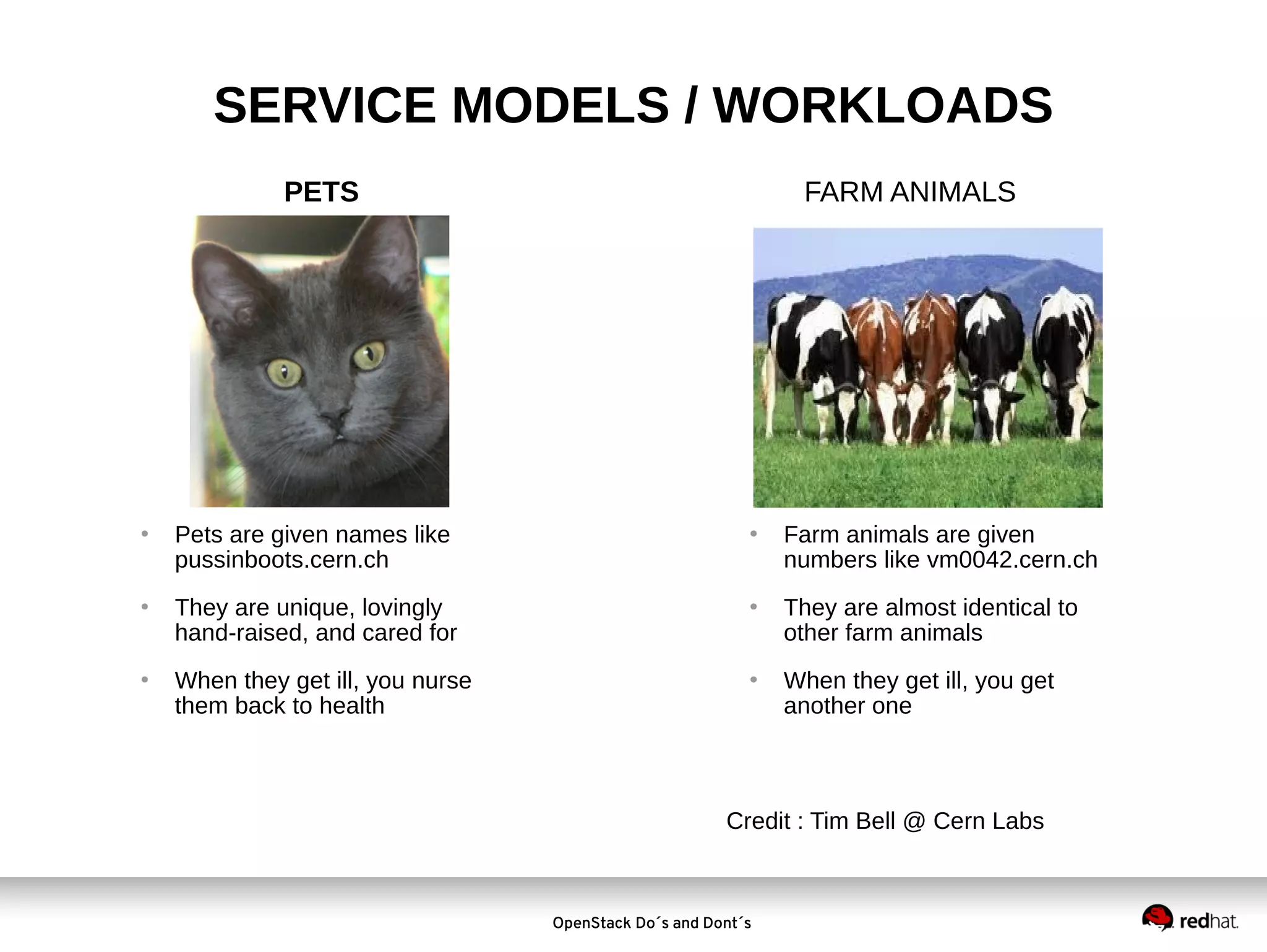
SERVICE MODELS / WORKLOADS
PETS







Pets are given names like
pussinboots.cern.ch
They are unique, lovingly
hand-raised, and cared for
When they get ill, you nurse
them back to health

FARM ANIMALS







Farm animals are given
numbers like vm0042.cern.ch
They are almost identical to
other farm animals
When they get ill, you get
another one

Credit : Tim Bell @ Cern Labs

OpenStack Do´s and Dont´s
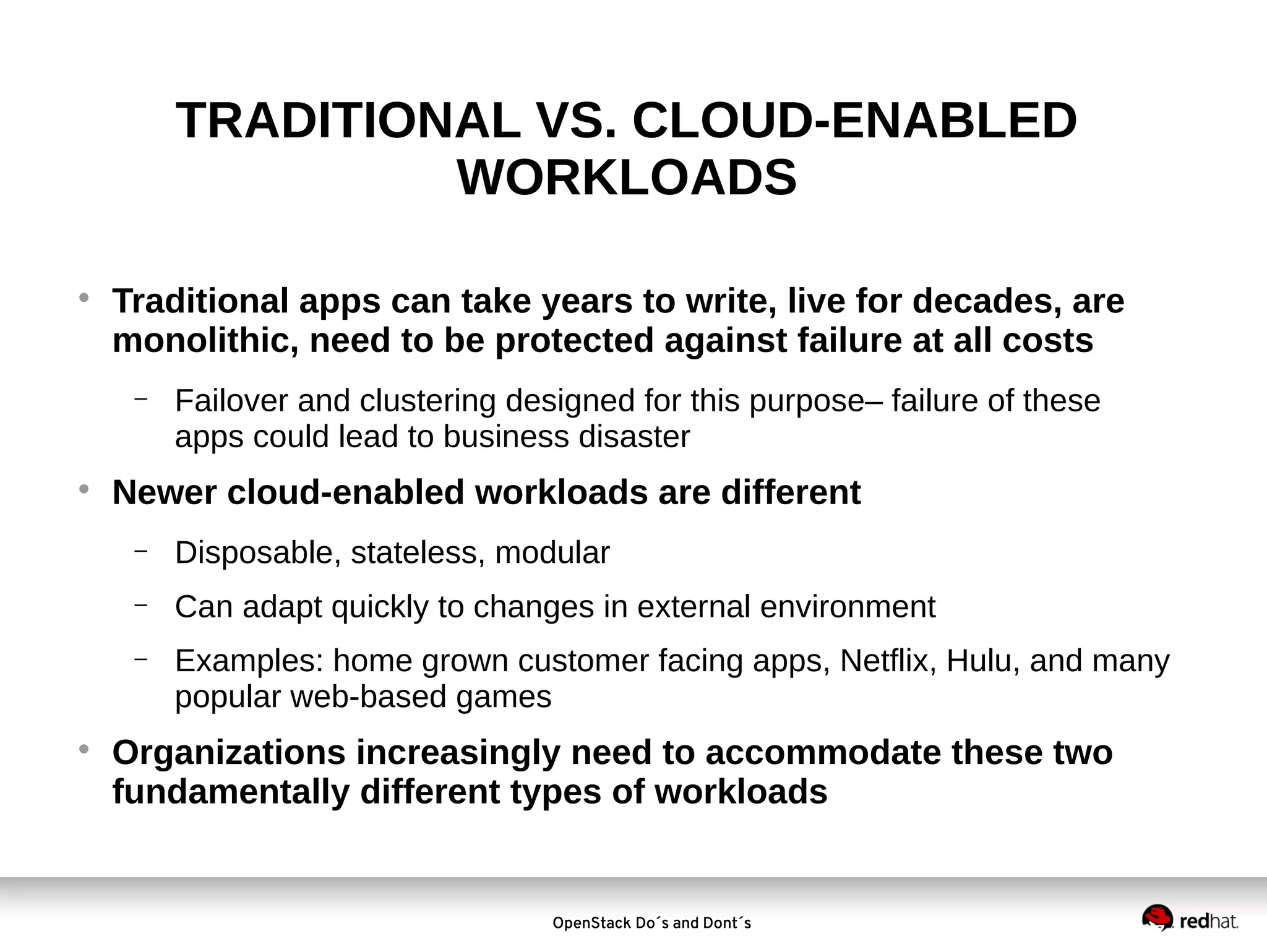
TRADITIONAL VS. CLOUD-ENABLED
WORKLOADS


Traditional apps can take years to write, live for decades, are
monolithic, need to be protected against failure at all costs
−



Failover and clustering designed for this purpose– failure of these
apps could lead to business disaster

Newer cloud-enabled workloads are different
−
−

Can adapt quickly to changes in external environment

−



Disposable, stateless, modular
Examples: home grown customer facing apps, Netflix, Hulu, and many
popular web-based games

Organizations increasingly need to accommodate these two
fundamentally different types of workloads

OpenStack Do´s and Dont´s
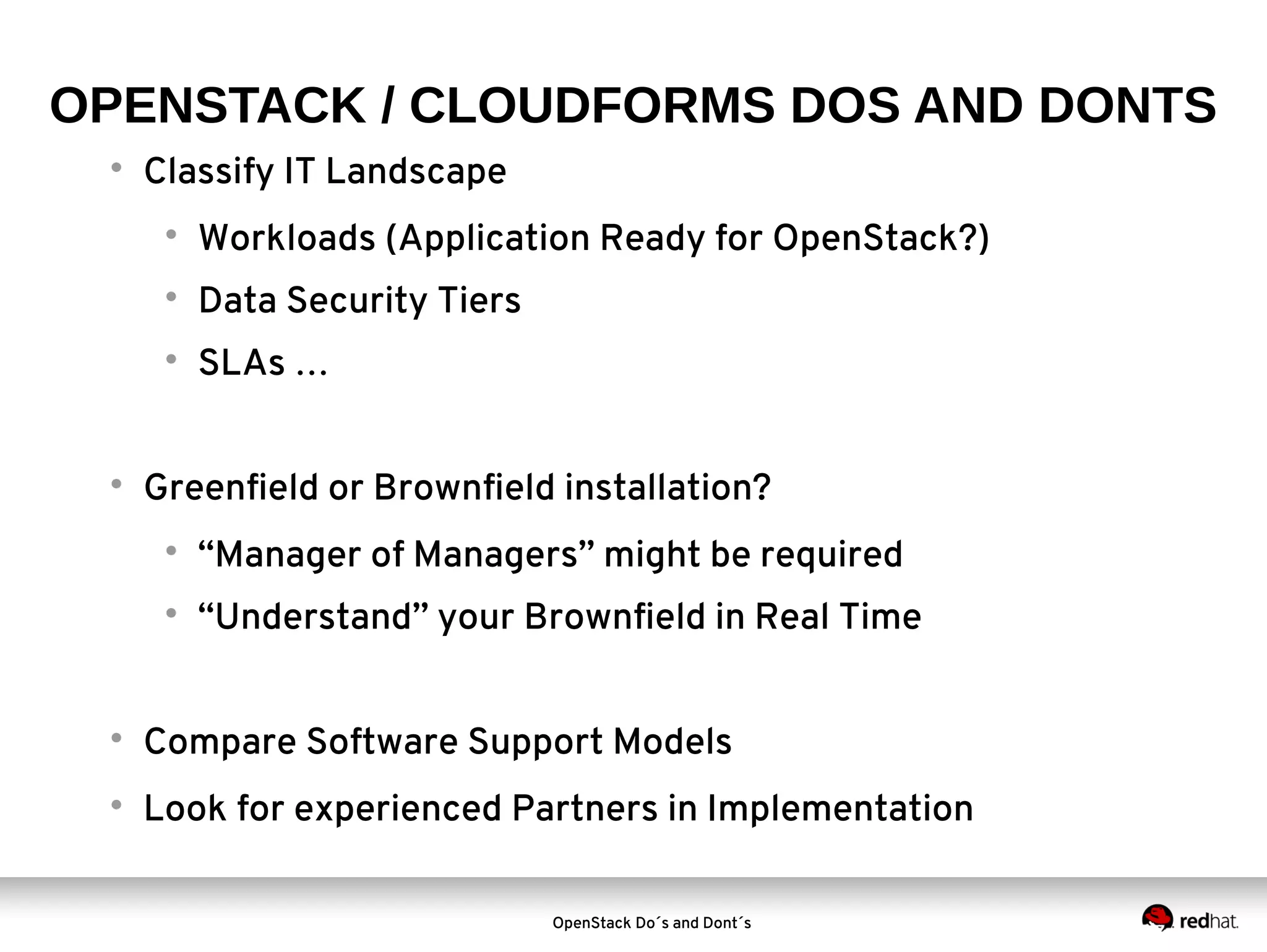
OPENSTACK / CLOUDFORMS DOS AND DONTS


Classify IT Landscape




Data Security Tiers





Workloads (Application Ready for OpenStack?)
SLAs …

Greenfield or Brownfield installation?


“Manager of Managers” might be required



“Understand” your Brownfield in Real Time



Compare Software Support Models



Look for experienced Partners in Implementation
OpenStack Do´s and Dont´s
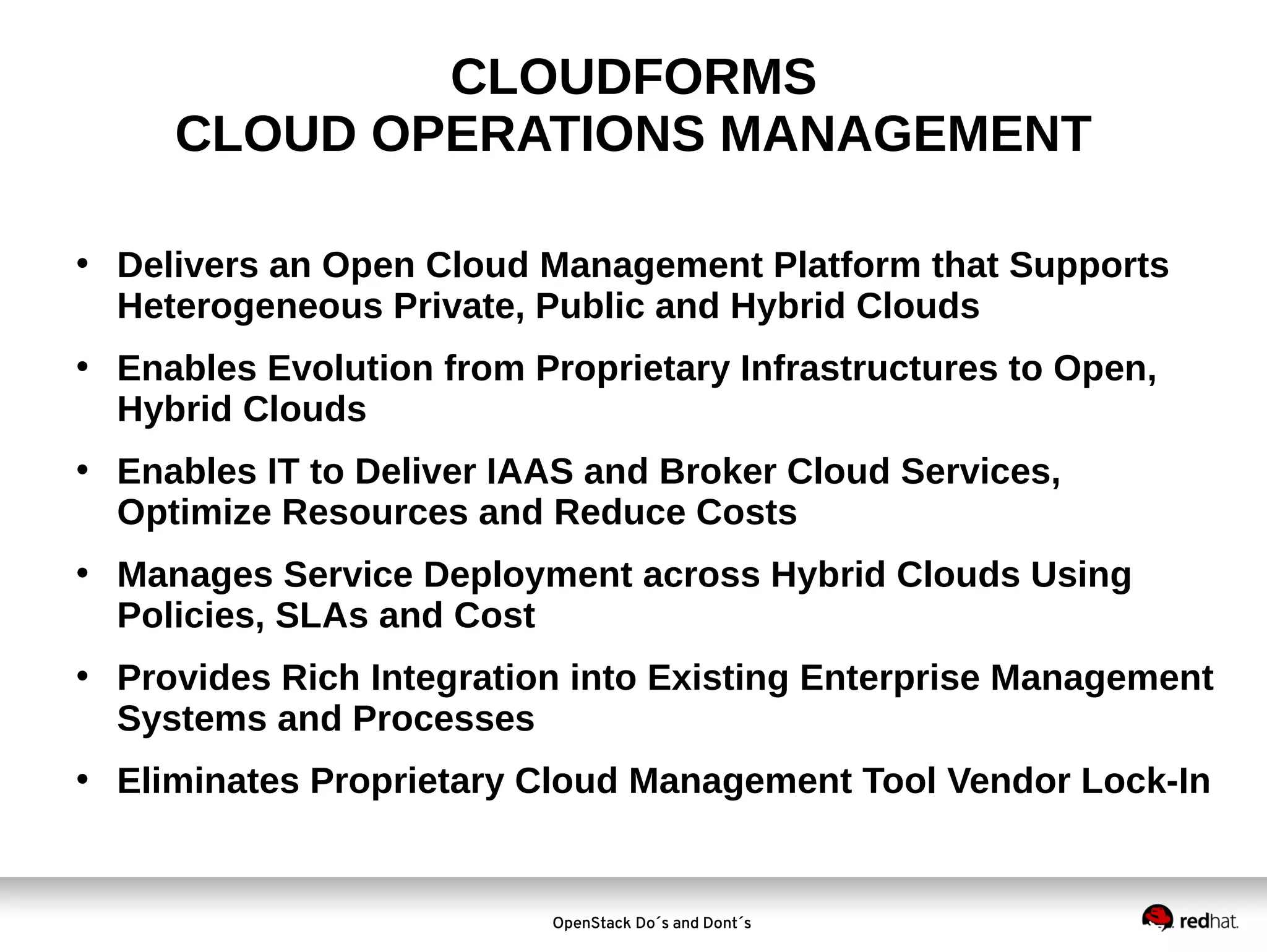
CLOUDFORMS
CLOUD OPERATIONS MANAGEMENT
• Delivers an Open Cloud Management Platform that Supports
Heterogeneous Private, Public and Hybrid Clouds
• Enables Evolution from Proprietary Infrastructures to Open,
Hybrid Clouds
• Enables IT to Deliver IAAS and Broker Cloud Services,
Optimize Resources and Reduce Costs
• Manages Service Deployment across Hybrid Clouds Using
Policies, SLAs and Cost
• Provides Rich Integration into Existing Enterprise Management
Systems and Processes
• Eliminates Proprietary Cloud Management Tool Vendor Lock-In

OpenStack Do´s and Dont´s
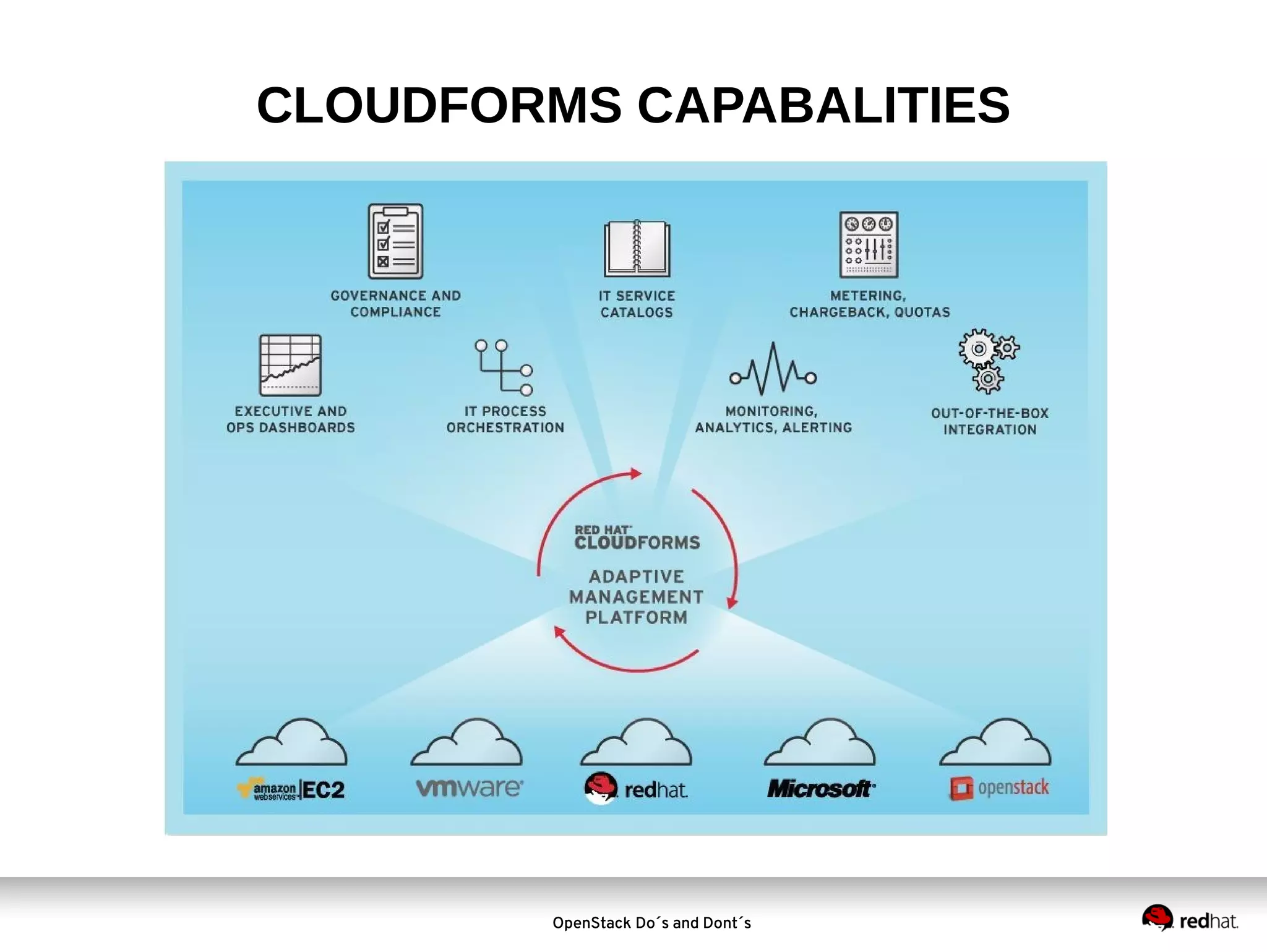
CLOUDFORMS CAPABALITIES

OpenStack Do´s and Dont´s
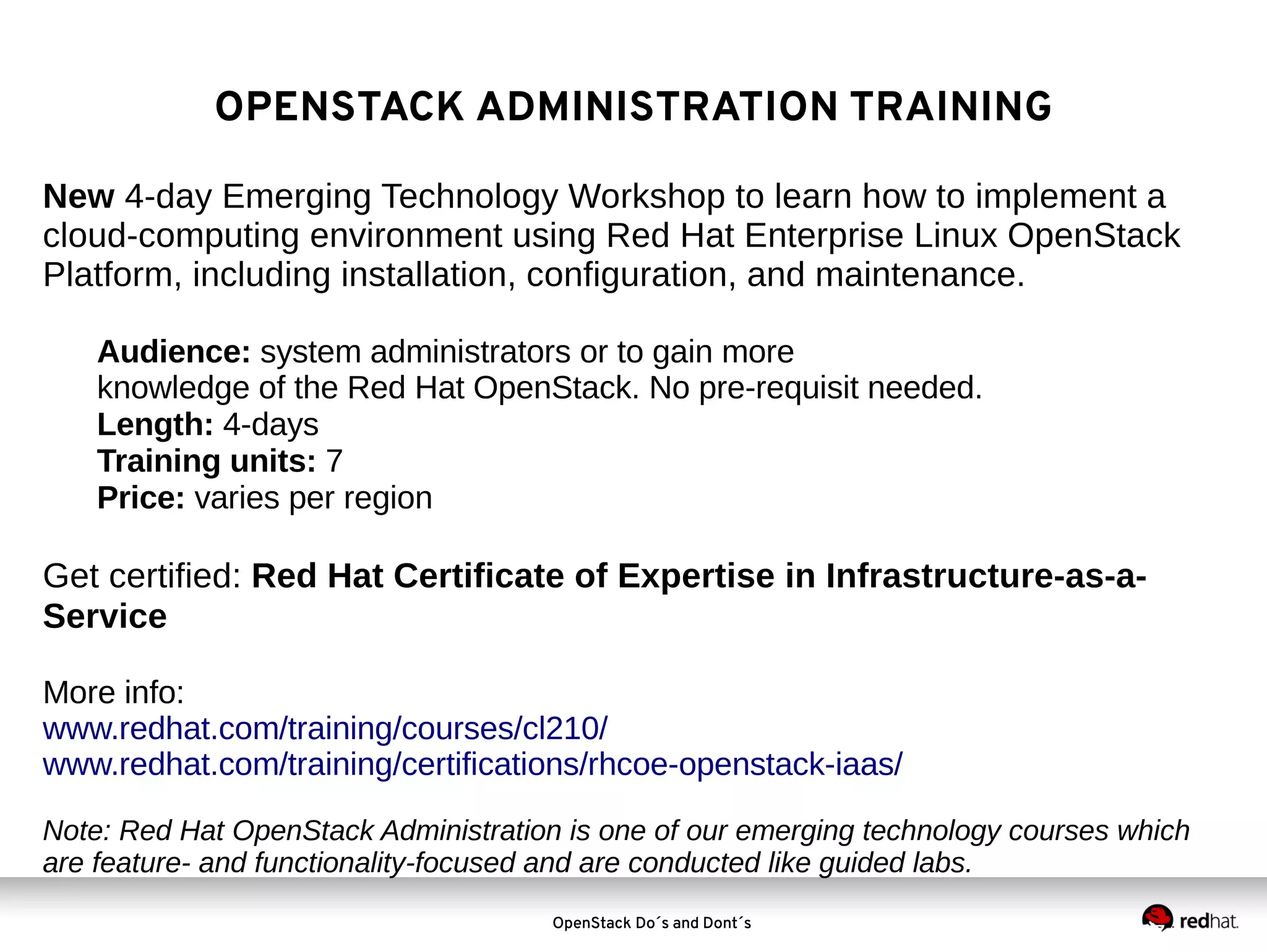
OPENSTACK ADMINISTRATION TRAINING

OpenStack Do´s and Dont´s
UPCOMING

Coming soon:
Red Hat CloudForms Hybrid Cloud Management
Note: This course will be launched early 2014. Course is
based on CloudForms 3.0 and will be offered in a virtual
training environment.

OpenStack Do´s and Dont´s
RECAP: DOS AND DONTS


Classify IT Landscape




Data Security Tiers





Workloads (Application Ready for OpenStack?)
SLAs …

Greenfield or Brownfield installation?


“Manager of Managers” might be required



“Understand” your Brownfield in Real Time



Compare Software Support Models



Look for experienced Partners in Implementation
OpenStack Do´s and Dont´s
OpenStack and CloudForms Do's and Dont's

OpenStack and CloudForms Do's and Dont's

  • 1.
    Considerations for YourNext Cloud Project – CloudForms & OpenStack Do’s and Don’ts FREDERIK BIJLSMA Cloud Business Unit Manager, EMEA 6th December 2013
  • 2.
    VIRTUALIZATION TO CLOUDCONTINUUM Server Virtualization Drivers Consolidation Reduce Capital Expense Visibility Control Distributed Virtualization Private Cloud Flexibility & Speed Reduce Operational Expense Automation Less Downtime Optimization Automation Self-Serve Agility Standardization IT as a Business Usage Metering Agility Self-Service OpenStack Do´s and Dont´s Hybrid Cloud Reduce Costs for Peak Loads Flexibility for Peak Loads Portability of All Loads Federation Brokering
  • 3.
    RECAP -WHY VIRTUALIZETHE SERVER? DECREASE: INCREASE:  Server sprawl   Space and power      Management inefficiencies  Downtime  Maintenance and support Service levels Hardware abstraction Agility and flexibility Server utilization Business continuity  Staff productivity  Hardware lock-in OpenStack Do´s and Dont´s
  • 4.
    WHAT IS OPENSTACK?     OpenStackprovides a massively scalable public cloud-like platform for managing and deploying cloud-enabled workloads Modular in nature, OpenStack is a combination of open source projects that control processing, storage, and networking resources, managed via a web GUI In OpenStack’s two year history, more than 200 companies have joined the project including Red Hat in September 2011 In a recent CIO Quick Pulse survey, 64% of IT Managers are “With tremendous momentum and industry backing, OpenStack is poised either deploying or considering OpenStack to become a major factor in the emerging cloud system software market.” (IDC, July 2013) OpenStack Do´s and Dont´s
  • 5.
  • 6.
    Austin – October2010 - Initial release - Object storage production-ready - Compute in testing OpenStack Community History & Timeline Bexar – February 2011 - Compute production-ready - Initial release of Image service - Focus on installation and deployment Cactus – April 2011 - Focus on scaling enhancement - Support for KVM/QEMU, XenServer, Xen, ESXi, LXC Grizzly – April 2013 - Ceilometer and Heat incubated - Focus on upgrade support Diablo – September 2011 - First production-ready release Essex – April 2012 - Dashboard and Identity added to core - Quantum incubated Havana – October 2013 - 400+ new features - Heat (orchestration) and Ceilometer (metering) became core projects - Participation from 150+ organizations, a 54% increase over Grizzly Folsom – October 2012 - Quantum added to core - Cinder added to core OpenStack Do´s and Dont´s
  • 7.
    Red Hat &OpenStack OpenStack Do´s and Dont´s
  • 8.
    Why Red HatOpenStack? Red Hat brings what OpenStack really needs... • Supportability • Stability & Code Maturity • Certified Ecosystem • Lifecycle • Support for the entire stack from one vendor • OpenStack Components • Stable, mature and trusted Linux Operating System • Secure, high performance virtualisation • Storage • Software Defined Networking OpenStack Do´s and Dont´s
  • 9.
    Havana Release October 2013   Over920 contributors to Havana, 40% increase over Grizzly release 400+ new features added across compute, storage, networking and cross-platform services  Major enhancements: orchestration (Heat), monitoring (Ceilometer)  150+ organizations contributed, 54% increase over Grizzly    The OpenStack Foundation reports that 300+ known enterprises have adopted OpenStack as of Oct 2013 Significant developer and customer traction that will only intensify with Icehouse release (April ‘14) and beyond Red Hat will continue to help spearhead this momentum OpenStack Do´s and Dont´s
  • 10.
    500 * Includes onlythe top 35. VMWARE ENOVANCE SUSE OPEN STACK FOUNDATION OpenStack Do´s and Dont´s OBJECTIF-LIBRE 99CLOUD KTH INSTITUTE OF TECH. CENTRIN NIMBIS SERVICES BLUE BOX GROUP CLOUDSCALING UNIVERSITY OF MELBOURNE OPENSTACK HAVANA RELEASE NTT POLYCOM CITRIX CITRIX SYSTEMS IWEB TECH NICIRA SWIFTSTACK B1 SYSTEMS METACLOUD NEBULA SOLIDFIRE CISCO SYSTEMS YAHOO! DREAMHOST UNITEDSTACK CANONICAL INTEL 1500 NEC RACKSPACE IBM NUMBER OF COMMITS 1000 MIRANTIS 2000 HP 2500 RED HAT RED HAT DEVELOPMENT POWERHOUSE Corporate contributions to OpenStack (04 APR to 16 OCT 2013) 0 COMPANY / ORGANIZATION * Source: Bitergia OpenStack Havana Analysis, October 17, 2013 blog.bitergia.com/2013/10/17/the-openstack-havana-release
  • 11.
    SERVICE MODELS /WORKLOADS TRADITIONAL WORKLOADS   Stateful VMs, application defined in VM Big VMs: vCPU, vRAM, local storage inside VM CLOUD WORKLOADS  Stateless VMs, application distributed  Small VMs: vCPU, vRAM, storage separate    Application SLA = SLA of VM SLA requires enterprise virtualization features to keep VMs highly available  Application SLA not dependent on any one VM SLA requires ability to create and destroy VMs where needed  Lifecycle measured in years  Life cycle measured in hours to months  VMs scale up: add vCPU, vRAM, etc.  Applications scale out: add more VMs  Applications not designed to tolerate failure of VMs  Applications designed to tolerate failure of VMs OpenStack Do´s and Dont´s
  • 12.
    SERVICE MODELS /WORKLOADS PETS    Pets are given names like pussinboots.cern.ch They are unique, lovingly hand-raised, and cared for When they get ill, you nurse them back to health FARM ANIMALS    Farm animals are given numbers like vm0042.cern.ch They are almost identical to other farm animals When they get ill, you get another one Credit : Tim Bell @ Cern Labs OpenStack Do´s and Dont´s
  • 13.
    TRADITIONAL VS. CLOUD-ENABLED WORKLOADS  Traditionalapps can take years to write, live for decades, are monolithic, need to be protected against failure at all costs −  Failover and clustering designed for this purpose– failure of these apps could lead to business disaster Newer cloud-enabled workloads are different − − Can adapt quickly to changes in external environment −  Disposable, stateless, modular Examples: home grown customer facing apps, Netflix, Hulu, and many popular web-based games Organizations increasingly need to accommodate these two fundamentally different types of workloads OpenStack Do´s and Dont´s
  • 14.
    OPENSTACK / CLOUDFORMSDOS AND DONTS  Classify IT Landscape   Data Security Tiers   Workloads (Application Ready for OpenStack?) SLAs … Greenfield or Brownfield installation?  “Manager of Managers” might be required  “Understand” your Brownfield in Real Time  Compare Software Support Models  Look for experienced Partners in Implementation OpenStack Do´s and Dont´s
  • 15.
  • 16.
  • 17.
  • 18.
    CLOUDFORMS CLOUD OPERATIONS MANAGEMENT •Delivers an Open Cloud Management Platform that Supports Heterogeneous Private, Public and Hybrid Clouds • Enables Evolution from Proprietary Infrastructures to Open, Hybrid Clouds • Enables IT to Deliver IAAS and Broker Cloud Services, Optimize Resources and Reduce Costs • Manages Service Deployment across Hybrid Clouds Using Policies, SLAs and Cost • Provides Rich Integration into Existing Enterprise Management Systems and Processes • Eliminates Proprietary Cloud Management Tool Vendor Lock-In OpenStack Do´s and Dont´s
  • 19.
  • 20.
  • 21.
    UPCOMING Coming soon: Red HatCloudForms Hybrid Cloud Management Note: This course will be launched early 2014. Course is based on CloudForms 3.0 and will be offered in a virtual training environment. OpenStack Do´s and Dont´s
  • 22.
    RECAP: DOS ANDDONTS  Classify IT Landscape   Data Security Tiers   Workloads (Application Ready for OpenStack?) SLAs … Greenfield or Brownfield installation?  “Manager of Managers” might be required  “Understand” your Brownfield in Real Time  Compare Software Support Models  Look for experienced Partners in Implementation OpenStack Do´s and Dont´s