Searching the Internet Ins and Outs, Dos and Don’ts
Being Careful Anyone can post anything on the Internet Web sources do not have to be proofed for accuracy There is not central clearinghouse for websites
Types of Web pages Informative pages Personal web pages Political/interest group pages Marketing-oriented or “infomercial” pages Entertainment pages
Search Engines-what are they? A search engine is an Internet tool that locates web pages and sorts them according to specified keywords. searchenginewatch.com  is a website that provides detailed information about different search engines.
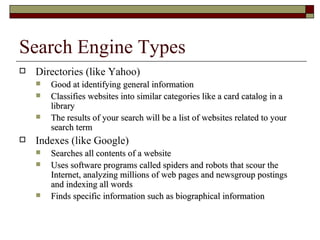
Search Engine Types Directories (like Yahoo) Good at identifying general information Classifies websites into similar categories like a card catalog in a library The results of your search will be a list of websites related to your search term Indexes (like Google) Searches all contents of a website Uses software programs called spiders and robots that scour the Internet, analyzing millions of web pages and newsgroup postings and indexing all words Finds specific information such as biographical information
Meta Search Engines Submit your query simultaneously to multiple search engines by doing a  metasearch . Momma.com ,  dogpile.com , and  clusty.com  are popular meta search engines.
Asking a question Use common words, or keywords Avoid “and” or “not”, use + or – instead Using + will make your search more focused-you will get fewer hits (pink panther will get things with pink or panther, pink + panther gets things with both) Using – also narrows the search (pink – panther gets things with pink but not panther)
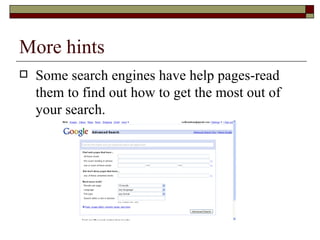
More hints Some search engines have help pages-read them to find out how to get the most out of your search.
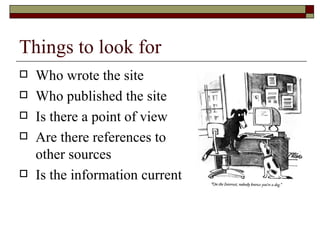
Things to look for Who wrote the site Who published the site Is there a point of view Are there references to other sources Is the information current
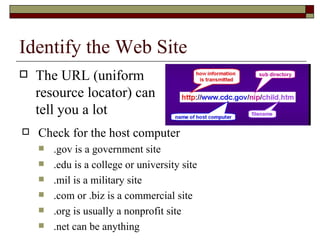
Identify the Web Site The URL (uniform resource locator) can tell you a lot Check for the host computer .gov is a government site .edu is a college or university site .mil is a military site .com or .biz is a commercial site .org is usually a nonprofit site .net can be anything
Popular Search Engines Google Yahoo Bing Wolfram Alpha

Searching The Internet

  • 1.
    Searching the InternetIns and Outs, Dos and Don’ts
  • 2.
    Being Careful Anyonecan post anything on the Internet Web sources do not have to be proofed for accuracy There is not central clearinghouse for websites
  • 3.
    Types of Webpages Informative pages Personal web pages Political/interest group pages Marketing-oriented or “infomercial” pages Entertainment pages
  • 4.
    Search Engines-what arethey? A search engine is an Internet tool that locates web pages and sorts them according to specified keywords. searchenginewatch.com is a website that provides detailed information about different search engines.
  • 5.
    Search Engine TypesDirectories (like Yahoo) Good at identifying general information Classifies websites into similar categories like a card catalog in a library The results of your search will be a list of websites related to your search term Indexes (like Google) Searches all contents of a website Uses software programs called spiders and robots that scour the Internet, analyzing millions of web pages and newsgroup postings and indexing all words Finds specific information such as biographical information
  • 6.
    Meta Search EnginesSubmit your query simultaneously to multiple search engines by doing a metasearch . Momma.com , dogpile.com , and clusty.com are popular meta search engines.
  • 7.
    Asking a questionUse common words, or keywords Avoid “and” or “not”, use + or – instead Using + will make your search more focused-you will get fewer hits (pink panther will get things with pink or panther, pink + panther gets things with both) Using – also narrows the search (pink – panther gets things with pink but not panther)
  • 8.
    More hints Somesearch engines have help pages-read them to find out how to get the most out of your search.
  • 9.
    Things to lookfor Who wrote the site Who published the site Is there a point of view Are there references to other sources Is the information current
  • 10.
    Identify the WebSite The URL (uniform resource locator) can tell you a lot Check for the host computer .gov is a government site .edu is a college or university site .mil is a military site .com or .biz is a commercial site .org is usually a nonprofit site .net can be anything
  • 11.
    Popular Search EnginesGoogle Yahoo Bing Wolfram Alpha

Editor's Notes

  • #12 Go to each site and play with it