Science on the Read/Write Web
A fun, interactive session for LIFE710 students
Robert Treharne
R.Treharne@liverpool.ac.uk
@robtreharne
solsstudent.slack.com
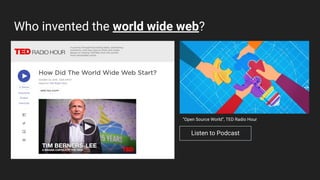
Who invented the world wide web?
Listen to Podcast
“Open Source World”, TED Radio Hour
Why was the web invented?
“The web is more a social creation than a technical one. I
designed it for a social effect—to help people work
together—and not as a technical toy. The ultimate goal of the
Web is to support and improve our weblike existence in the
world. We clump into families, associations, and companies.
We develop trust across the miles and distrust around the
corner.”
- Tim Berners-Lee
solsstudent.slack.com
What is the web?
● It is not the internet
● The web is just one part of the internet
● Billions of digital HTML pages
● All connected via HTTP
● The web is the information of the internet
solsstudent.slack.com
The web. Then, now, future
● Then: Web 1.0
○ Static. Read Only.
○ Users get information. Think Britannica.
● Now: Web 2.0
○ Dynamic, collaborative, social. Think Wikipedia.
○ Realising TBL’s original vision
● Future: Web 3.0
○ Skynet?
○ The Oasis?
○ The Matrix?
solsstudent.slack.com
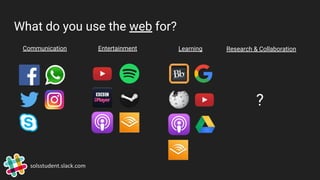
What do you use the web for?
solsstudent.slack.com
Communication Entertainment Learning Research & Collaboration
?
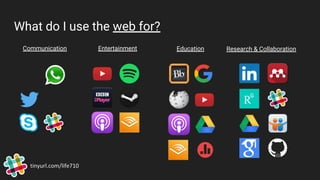
What do I use the web for?
tinyurl.com/life710
Communication Entertainment Education Research & Collaboration
The plan for the session
● Hands on activity (1hr 30 min)
○ Slack (Communication in teams)
○ Google Docs and Slides (Create collaboratively)
○ Slide Share (Publish to the world wide web!)
solsstudent.slack.com
Order of play
1. Join the Slack group and have a play around [10 min]
2. Update Topics list Google Doc pinned to #life710_201819 channel [10 min]
3. Split yourselves into teams of 3 or 4 (approx) [5 min]
4. Choose your topic - Update Google Doc and create Slack channel [10 min]
5. Build a “Deck” on topic using Google Slides. 5 slides max. [30 min]
6. Pitch it! Get #feedback from your peers via Slack [30 min]
7. Upload your slides to Slideshare. Let the world know [10 min]

Science on the read/write web

  • 1.
    Science on theRead/Write Web A fun, interactive session for LIFE710 students Robert Treharne R.Treharne@liverpool.ac.uk @robtreharne solsstudent.slack.com
  • 2.
    Who invented theworld wide web? Listen to Podcast “Open Source World”, TED Radio Hour
  • 3.
    Why was theweb invented? “The web is more a social creation than a technical one. I designed it for a social effect—to help people work together—and not as a technical toy. The ultimate goal of the Web is to support and improve our weblike existence in the world. We clump into families, associations, and companies. We develop trust across the miles and distrust around the corner.” - Tim Berners-Lee solsstudent.slack.com
  • 4.
    What is theweb? ● It is not the internet ● The web is just one part of the internet ● Billions of digital HTML pages ● All connected via HTTP ● The web is the information of the internet solsstudent.slack.com
  • 5.
    The web. Then,now, future ● Then: Web 1.0 ○ Static. Read Only. ○ Users get information. Think Britannica. ● Now: Web 2.0 ○ Dynamic, collaborative, social. Think Wikipedia. ○ Realising TBL’s original vision ● Future: Web 3.0 ○ Skynet? ○ The Oasis? ○ The Matrix? solsstudent.slack.com
  • 6.
    What do youuse the web for? solsstudent.slack.com Communication Entertainment Learning Research & Collaboration ?
  • 7.
    What do Iuse the web for? tinyurl.com/life710 Communication Entertainment Education Research & Collaboration
  • 8.
    The plan forthe session ● Hands on activity (1hr 30 min) ○ Slack (Communication in teams) ○ Google Docs and Slides (Create collaboratively) ○ Slide Share (Publish to the world wide web!) solsstudent.slack.com
  • 9.
    Order of play 1.Join the Slack group and have a play around [10 min] 2. Update Topics list Google Doc pinned to #life710_201819 channel [10 min] 3. Split yourselves into teams of 3 or 4 (approx) [5 min] 4. Choose your topic - Update Google Doc and create Slack channel [10 min] 5. Build a “Deck” on topic using Google Slides. 5 slides max. [30 min] 6. Pitch it! Get #feedback from your peers via Slack [30 min] 7. Upload your slides to Slideshare. Let the world know [10 min]