Scenario-based 
design
Media Design course
Autumn 2016
INDEX
1. Introduction
3. Scenario-based design
4. Scenarios in Participatory Design
5. Scenario types
2. Elements
6. Examples
1. INTRODUCTION
Scenarios are stories about people and their activities.
Carroll, 1999
2. ELEMENTS
•  Setting (explicit or implicit): description of the starting state of the
episode and objects that are involved
•  Agents o actors
•  Goals
•  Actions – things that actors do
•  Events – things that happen to actors
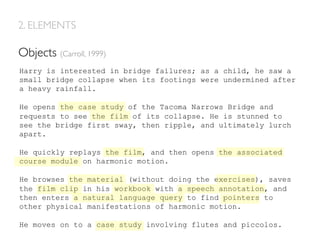
•  Objects
Harry is interested in bridge failures; as a child, he saw a
small bridge collapse when its footings were undermined after
a heavy rainfall.
He opens the case study of the Tacoma Narrows Bridge and
requests to see the film of its collapse. He is stunned to
see the bridge first sway, then ripple, and ultimately lurch
apart.
He quickly replays the film, and then opens the associated
course module on harmonic motion.
He browses the material (without doing the exercises), saves
the film clip in his workbook with a speech annotation, and
then enters a natural language query to find pointers to
other physical manifestations of harmonic motion.
He moves on to a case study involving flutes and piccolos.
Goals (Carroll, 1999)
2. ELEMENTS
Harry is interested in bridge failures; as a child, he saw a
small bridge collapse when its footings were undermined after
a heavy rainfall.
He opens the case study of the Tacoma Narrows Bridge and
requests to see the film of its collapse. He is stunned to
see the bridge first sway, then ripple, and ultimately lurch
apart.
He quickly replays the film, and then opens the associated
course module on harmonic motion.
He browses the material (without doing the exercises), saves
the film clip in his workbook with a speech annotation, and
then enters a natural language query to find pointers to
other physical manifestations of harmonic motion.
He moves on to a case study involving flutes and piccolos.
Actions (Carroll, 1999)
2. ELEMENTS
Harry is interested in bridge failures; as a child, he saw a
small bridge collapse when its footings were undermined after
a heavy rainfall.
He opens the case study of the Tacoma Narrows Bridge and
requests to see the film of its collapse. He is stunned to
see the bridge first sway, then ripple, and ultimately lurch
apart.
He quickly replays the film, and then opens the associated
course module on harmonic motion.
He browses the material (without doing the exercises), saves
the film clip in his workbook with a speech annotation, and
then enters a natural language query to find pointers to
other physical manifestations of harmonic motion.
He moves on to a case study involving flutes and piccolos.
Objects (Carroll, 1999)
2. ELEMENTS
3. SCENARIO-BASED DESIGN
•  Evoke reflection about design issues
•  Are open-ended and easily revised
•  Allow different perspectives on a same interaction
•  Can be abstracted and categorized.
•  Support communication and discussion on work processes, as well as
stakeholders’ participation
5 reasons for scenario-based design (Carroll, 1999). Scenarios:
Collaborative Analysis of Requirements and Design
Example of CARD technique (Muller et al., 1995)
4. SCENARIOS IN PARTICIPATORY DESIGN
•  Developed by Muller et al. 1995.
•  Explores work flows through playing
cards that represent screens or task
components.The sequential laying out of
cards into work flows becomes a
representation of work scenarios.
PICTIVE
Example of CARD technique (Muller et al., 1995)
4. SCENARIOS IN PARTICIPATORY DESIGN
Scenarios can be used at different stages of the lifecycle:
•  Task analysis: discussion with end-users around initial scenarios created
by designers
•  Design: users created their own scenarios that serve as a basis for
discussion with designers and developers.
•  Assessment: the scenario of a mockup is presented to end-users in
order to obtain feedback.
5. SCENARIOTYPES
•  Problem scenarios: describe current situation features
•  Activity scenarios: propose transformation from current practice into new
design features
•  Information scenarios: how users perceive, interpret and make sense of
information
•  Interaction scenarios: physical actions and system responses that enact and
respond to the users’ task goals and needs
Rosson and Carroll (1999):
6. EXAMPLES
Activity scenarios
History teacher Jana
Jana	
  is	
  a	
  history	
  teacher	
  in	
  a	
  small	
  primary	
  school	
  in	
  Poland.	
  She	
  just	
  
graduated	
  from	
  the	
  university	
  last	
  spring,	
  so	
  it	
  is	
  her	
  first	
  year	
  as	
  a	
  teacher.	
  
Jana	
  is	
  a	
  very	
  concerned	
  teacher	
  and	
  wants	
  to	
  make	
  her	
  lessons	
  interesng	
  
for	
  the	
  students.	
  She	
  has	
  been	
  using	
  computers	
  for	
  years	
  -­‐	
  mainly	
  for	
  
university	
  studies	
  and	
  communicang	
  with	
  friends.	
  She	
  is	
  also	
  interested	
  to	
  
use	
  Internet	
  and	
  ICT	
  tools	
  with	
  her	
  students.	
  
In	
  6th	
  grade	
  history	
  lessons	
  are	
  focused	
  on	
  the	
  Middle	
  Ages.	
  Currently	
  Jana	
  
is	
  preparing	
  a	
  lesson	
  about	
  life	
  in	
  medieval	
  cies.	
  She	
  looks	
  for	
  addional	
  
informaon	
  from	
  Polish	
  Wikipedia	
  and	
  Google.	
  Wikipedia	
  has	
  good	
  arcles	
  
on	
  Polish	
  cies,	
  but	
  it	
  lacks	
  the	
  detailed	
  informaon	
  about	
  medieval	
  mes.	
  
Jana	
  remembers,	
  that	
  one	
  of	
  her	
  colleagues	
  was	
  talking	
  about	
  Toolbox.	
  She	
  
finds	
  Toolbox	
  from	
  Google	
  and	
  starts	
  to	
  browse	
  the	
  website.	
  Toolbox	
  has	
  a	
  
good	
  selecon	
  of	
  learning	
  resources,	
  which	
  are	
  all	
  tagged	
  with	
  keywords.	
  
Jana	
  is	
  searching	
  for	
  history	
  and	
  receives	
  several	
  hundred	
  results.	
  Maybe	
  
there	
  is	
  something	
  on	
  medieval	
  cies	
  too?	
  New	
  search	
  gives	
  only	
  a	
  dozen	
  
results.	
  Some	
  photos,	
  some	
  slide	
  shows	
  and	
  a	
  few	
  pages	
  of	
  text.	


Escenari creat durant el disseny de LeMill
(http://lemill.org/trac/wiki/Scenarios)
Scenarios created during iTEC project by A. Keune.
Activity scenarios
Outdoor study project and Recognizing informal learning
6. EXAMPLES
Scenarios created during iTEC project.
Scenario created by Leyla Nasibova during the MA thesis project “Planet Hero”.
Information scenarios
Discovery of relevant projects in geographical proximity
1	
   2	
   3	
  
6. EXAMPLES
Ach So! app scenario.The app was developed as part of the Learning Layers project (video: L. Nasibova)
Interaction scenarios
6. EXAMPLES
Carroll, J. M. (1999). Five Reasons for Scenario-Based Design Proceedings of the 32nd Hawaii International
conference on system Sciences.
Muller, M. J.,Tudor, L. G.,Wildman, D. M.,White, E.A., Root, R.W., Dayton,T., ...  Dykstra-Erickson, E. (1995,
September). Bifocal tools for scenarios and representations in participatory activities with users. In Scenario-
based design (pp. 135-163). John Wiley  Sons, Inc..
Poldoja, H. (2011). Scenario-based Design. http://www.slideshare.net/hanspoldoja/scenariobased-design?
from_action=save
Rosson, M. B.,  Carroll, J. M. (2009). Scenario based design. Human‐computer interaction. Boca Raton, FL,
145-162.
FURTHER READINGS
This material uses Creative Commons License
Recognition – Share alike.

Scenario based design

  • 1.
  • 2.
    INDEX 1. Introduction 3. Scenario-baseddesign 4. Scenarios in Participatory Design 5. Scenario types 2. Elements 6. Examples
  • 3.
    1. INTRODUCTION Scenarios arestories about people and their activities. Carroll, 1999
  • 4.
    2. ELEMENTS •  Setting(explicit or implicit): description of the starting state of the episode and objects that are involved •  Agents o actors •  Goals •  Actions – things that actors do •  Events – things that happen to actors •  Objects
  • 5.
    Harry is interestedin bridge failures; as a child, he saw a small bridge collapse when its footings were undermined after a heavy rainfall. He opens the case study of the Tacoma Narrows Bridge and requests to see the film of its collapse. He is stunned to see the bridge first sway, then ripple, and ultimately lurch apart. He quickly replays the film, and then opens the associated course module on harmonic motion. He browses the material (without doing the exercises), saves the film clip in his workbook with a speech annotation, and then enters a natural language query to find pointers to other physical manifestations of harmonic motion. He moves on to a case study involving flutes and piccolos. Goals (Carroll, 1999) 2. ELEMENTS
  • 6.
    Harry is interestedin bridge failures; as a child, he saw a small bridge collapse when its footings were undermined after a heavy rainfall. He opens the case study of the Tacoma Narrows Bridge and requests to see the film of its collapse. He is stunned to see the bridge first sway, then ripple, and ultimately lurch apart. He quickly replays the film, and then opens the associated course module on harmonic motion. He browses the material (without doing the exercises), saves the film clip in his workbook with a speech annotation, and then enters a natural language query to find pointers to other physical manifestations of harmonic motion. He moves on to a case study involving flutes and piccolos. Actions (Carroll, 1999) 2. ELEMENTS
  • 7.
    Harry is interestedin bridge failures; as a child, he saw a small bridge collapse when its footings were undermined after a heavy rainfall. He opens the case study of the Tacoma Narrows Bridge and requests to see the film of its collapse. He is stunned to see the bridge first sway, then ripple, and ultimately lurch apart. He quickly replays the film, and then opens the associated course module on harmonic motion. He browses the material (without doing the exercises), saves the film clip in his workbook with a speech annotation, and then enters a natural language query to find pointers to other physical manifestations of harmonic motion. He moves on to a case study involving flutes and piccolos. Objects (Carroll, 1999) 2. ELEMENTS
  • 8.
    3. SCENARIO-BASED DESIGN • Evoke reflection about design issues •  Are open-ended and easily revised •  Allow different perspectives on a same interaction •  Can be abstracted and categorized. •  Support communication and discussion on work processes, as well as stakeholders’ participation 5 reasons for scenario-based design (Carroll, 1999). Scenarios:
  • 9.
    Collaborative Analysis ofRequirements and Design Example of CARD technique (Muller et al., 1995) 4. SCENARIOS IN PARTICIPATORY DESIGN •  Developed by Muller et al. 1995. •  Explores work flows through playing cards that represent screens or task components.The sequential laying out of cards into work flows becomes a representation of work scenarios.
  • 10.
    PICTIVE Example of CARDtechnique (Muller et al., 1995) 4. SCENARIOS IN PARTICIPATORY DESIGN
  • 11.
    4. SCENARIOS INPARTICIPATORY DESIGN Scenarios can be used at different stages of the lifecycle: •  Task analysis: discussion with end-users around initial scenarios created by designers •  Design: users created their own scenarios that serve as a basis for discussion with designers and developers. •  Assessment: the scenario of a mockup is presented to end-users in order to obtain feedback.
  • 12.
    5. SCENARIOTYPES •  Problemscenarios: describe current situation features •  Activity scenarios: propose transformation from current practice into new design features •  Information scenarios: how users perceive, interpret and make sense of information •  Interaction scenarios: physical actions and system responses that enact and respond to the users’ task goals and needs Rosson and Carroll (1999):
  • 13.
    6. EXAMPLES Activity scenarios Historyteacher Jana Jana  is  a  history  teacher  in  a  small  primary  school  in  Poland.  She  just   graduated  from  the  university  last  spring,  so  it  is  her  first  year  as  a  teacher.   Jana  is  a  very  concerned  teacher  and  wants  to  make  her  lessons  interesng   for  the  students.  She  has  been  using  computers  for  years  -­‐  mainly  for   university  studies  and  communicang  with  friends.  She  is  also  interested  to   use  Internet  and  ICT  tools  with  her  students.   In  6th  grade  history  lessons  are  focused  on  the  Middle  Ages.  Currently  Jana   is  preparing  a  lesson  about  life  in  medieval  cies.  She  looks  for  addional   informaon  from  Polish  Wikipedia  and  Google.  Wikipedia  has  good  arcles   on  Polish  cies,  but  it  lacks  the  detailed  informaon  about  medieval  mes.   Jana  remembers,  that  one  of  her  colleagues  was  talking  about  Toolbox.  She   finds  Toolbox  from  Google  and  starts  to  browse  the  website.  Toolbox  has  a   good  selecon  of  learning  resources,  which  are  all  tagged  with  keywords.   Jana  is  searching  for  history  and  receives  several  hundred  results.  Maybe   there  is  something  on  medieval  cies  too?  New  search  gives  only  a  dozen   results.  Some  photos,  some  slide  shows  and  a  few  pages  of  text.     Escenari creat durant el disseny de LeMill (http://lemill.org/trac/wiki/Scenarios)
  • 14.
    Scenarios created duringiTEC project by A. Keune. Activity scenarios Outdoor study project and Recognizing informal learning 6. EXAMPLES
  • 15.
  • 16.
    Scenario created byLeyla Nasibova during the MA thesis project “Planet Hero”. Information scenarios Discovery of relevant projects in geographical proximity 1   2   3   6. EXAMPLES
  • 17.
    Ach So! appscenario.The app was developed as part of the Learning Layers project (video: L. Nasibova) Interaction scenarios 6. EXAMPLES
  • 18.
    Carroll, J. M.(1999). Five Reasons for Scenario-Based Design Proceedings of the 32nd Hawaii International conference on system Sciences. Muller, M. J.,Tudor, L. G.,Wildman, D. M.,White, E.A., Root, R.W., Dayton,T., ... Dykstra-Erickson, E. (1995, September). Bifocal tools for scenarios and representations in participatory activities with users. In Scenario- based design (pp. 135-163). John Wiley Sons, Inc.. Poldoja, H. (2011). Scenario-based Design. http://www.slideshare.net/hanspoldoja/scenariobased-design? from_action=save Rosson, M. B., Carroll, J. M. (2009). Scenario based design. Human‐computer interaction. Boca Raton, FL, 145-162. FURTHER READINGS This material uses Creative Commons License Recognition – Share alike.