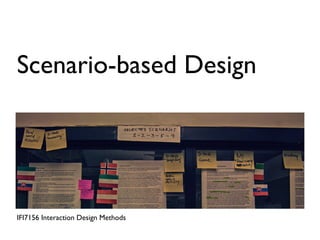
Scenario-based Design


IFI7156 Interaction Design Methods
“Scenarios are stories.They are
 stories about people and their
  activities.” (John M. Carroll)


                              (Carroll, 1999)
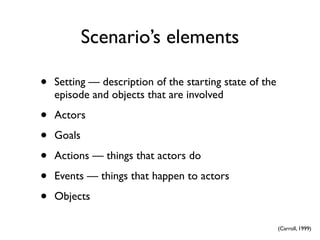
Scenario’s elements

•   Setting — description of the starting state of the
    episode and objects that are involved

•   Actors

•   Goals

•   Actions — things that actors do

•   Events — things that happen to actors

•   Objects

                                                         (Carroll, 1999)
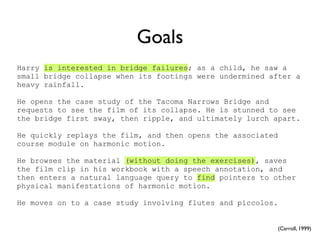
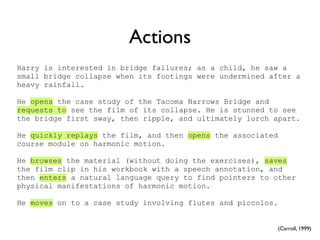
Goals
Harry is interested in bridge failures; as a child, he saw a
small bridge collapse when its footings were undermined after a
heavy rainfall.

He opens the case study of the Tacoma Narrows Bridge and
requests to see the film of its collapse. He is stunned to see
the bridge first sway, then ripple, and ultimately lurch apart.

He quickly replays the film, and then opens the associated
course module on harmonic motion.

He browses the material (without doing the exercises), saves
the film clip in his workbook with a speech annotation, and
then enters a natural language query to find pointers to other
physical manifestations of harmonic motion.

He moves on to a case study involving flutes and piccolos.


                                                          (Carroll, 1999)
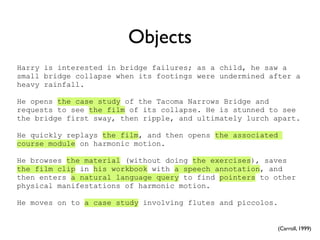
Actions
Harry is interested in bridge failures; as a child, he saw a
small bridge collapse when its footings were undermined after a
heavy rainfall.

He opens the case study of the Tacoma Narrows Bridge and
requests to see the film of its collapse. He is stunned to see
the bridge first sway, then ripple, and ultimately lurch apart.

He quickly replays the film, and then opens the associated
course module on harmonic motion.

He browses the material (without doing the exercises), saves
the film clip in his workbook with a speech annotation, and
then enters a natural language query to find pointers to other
physical manifestations of harmonic motion.

He moves on to a case study involving flutes and piccolos.


                                                             (Carroll, 1999)
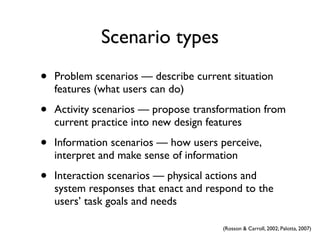
Objects
Harry is interested in bridge failures; as a child, he saw a
small bridge collapse when its footings were undermined after a
heavy rainfall.

He opens the case study of the Tacoma Narrows Bridge and
requests to see the film of its collapse. He is stunned to see
the bridge first sway, then ripple, and ultimately lurch apart.

He quickly replays the film, and then opens the associated
course module on harmonic motion.

He browses the material (without doing the exercises), saves
the film clip in his workbook with a speech annotation, and
then enters a natural language query to find pointers to other
physical manifestations of harmonic motion.

He moves on to a case study involving flutes and piccolos.


                                                             (Carroll, 1999)
Scenario types
•   Problem scenarios — describe current situation
    features (what users can do)

•   Activity scenarios — propose transformation from
    current practice into new design features

•   Information scenarios — how users perceive,
    interpret and make sense of information

•   Interaction scenarios — physical actions and
    system responses that enact and respond to the
    users’ task goals and needs

                                       (Rosson & Carroll, 2002; Palotta, 2007)
Examples
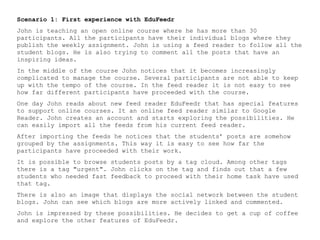
Scenario 1: First experience with EduFeedr
John is teaching an open online course where he has more than 30
participants. All the participants have their individual blogs where they
publish the weekly assignment. John is using a feed reader to follow all the
student blogs. He is also trying to comment all the posts that have an
inspiring ideas.
In the middle of the course John notices that it becomes increasingly
complicated to manage the course. Several participants are not able to keep
up with the tempo of the course. In the feed reader it is not easy to see
how far different participants have proceeded with the course.
One day John reads about new feed reader EduFeedr that has special features
to support online courses. It an online feed reader similar to Google
Reader. John creates an account and starts exploring the possibilities. He
can easily import all the feeds from his current feed reader.
After importing the feeds he notices that the students’ posts are somehow
grouped by the assignments. This way it is easy to see how far the
participants have proceeded with their work.
It is possible to browse students posts by a tag cloud. Among other tags
there is a tag "urgent". John clicks on the tag and finds out that a few
students who needed fast feedback to proceed with their home task have used
that tag.
There is also an image that displays the social network between the student
blogs. John can see which blogs are more actively linked and commented.
John is impressed by these possibilities. He decides to get a cup of coffee
and explore the other features of EduFeedr.
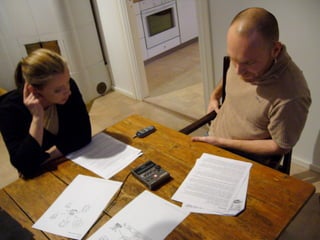
Participatory design sessions


•   2...3 participants and 1 designer

•   Structured discussion about 3...4 scenarios

•   Prepared questions about the scenarios

•   Should not last more than 2 hours
Example questions


•   Did the scenario wake-up any thoughts?

•   Could you image yourself to the role of the
    teacher?

•   Is there something you would like to change in the
    scenario?
Summarizing the design
           sessions


•   Written summary based on audio recording or
    notes

•   Concept map
References
• Carroll, J.M. (1999). Five Reasons for Scenario-Based Design. In: Proceedings of the
  32nd Hawaii International Conference on System Sciences.

• Rosson, B.M., Carroll, J.M. (2002). Usability Engineering: Scenario-Based Development
  of Human Computer Interaction. London: Academic Press.

• Palotta,V. (2007). Scenario-Based Design. http://diuf.unifr.ch/pai/uc/miscellaneous/
  Scenario-based_Design.pdf
Photos
• Hans Põldoja

• Teemu Leinonen, http://lemill.org/trac/attachment/wiki/DesignSessionResults/
  finland-02.jpg
Hans Põldoja
hans.poldoja@tlu.ee

Interaction Design Methods
http://ifi7156.wordpress.com

Tallinn University
Institute of Informatics

This work is licensed under the Creative Commons Attribution-ShareAlike 3.0
Unported License. To view a copy of this license, visit http://creativecommons.org/
licenses/by-sa/3.0/

Scenario-based Design

  • 1.
  • 2.
    “Scenarios are stories.Theyare stories about people and their activities.” (John M. Carroll) (Carroll, 1999)
  • 3.
    Scenario’s elements • Setting — description of the starting state of the episode and objects that are involved • Actors • Goals • Actions — things that actors do • Events — things that happen to actors • Objects (Carroll, 1999)
  • 4.
    Goals Harry is interestedin bridge failures; as a child, he saw a small bridge collapse when its footings were undermined after a heavy rainfall. He opens the case study of the Tacoma Narrows Bridge and requests to see the film of its collapse. He is stunned to see the bridge first sway, then ripple, and ultimately lurch apart. He quickly replays the film, and then opens the associated course module on harmonic motion. He browses the material (without doing the exercises), saves the film clip in his workbook with a speech annotation, and then enters a natural language query to find pointers to other physical manifestations of harmonic motion. He moves on to a case study involving flutes and piccolos. (Carroll, 1999)
  • 5.
    Actions Harry is interestedin bridge failures; as a child, he saw a small bridge collapse when its footings were undermined after a heavy rainfall. He opens the case study of the Tacoma Narrows Bridge and requests to see the film of its collapse. He is stunned to see the bridge first sway, then ripple, and ultimately lurch apart. He quickly replays the film, and then opens the associated course module on harmonic motion. He browses the material (without doing the exercises), saves the film clip in his workbook with a speech annotation, and then enters a natural language query to find pointers to other physical manifestations of harmonic motion. He moves on to a case study involving flutes and piccolos. (Carroll, 1999)
  • 6.
    Objects Harry is interestedin bridge failures; as a child, he saw a small bridge collapse when its footings were undermined after a heavy rainfall. He opens the case study of the Tacoma Narrows Bridge and requests to see the film of its collapse. He is stunned to see the bridge first sway, then ripple, and ultimately lurch apart. He quickly replays the film, and then opens the associated course module on harmonic motion. He browses the material (without doing the exercises), saves the film clip in his workbook with a speech annotation, and then enters a natural language query to find pointers to other physical manifestations of harmonic motion. He moves on to a case study involving flutes and piccolos. (Carroll, 1999)
  • 7.
    Scenario types • Problem scenarios — describe current situation features (what users can do) • Activity scenarios — propose transformation from current practice into new design features • Information scenarios — how users perceive, interpret and make sense of information • Interaction scenarios — physical actions and system responses that enact and respond to the users’ task goals and needs (Rosson & Carroll, 2002; Palotta, 2007)
  • 8.
  • 9.
    Scenario 1: Firstexperience with EduFeedr John is teaching an open online course where he has more than 30 participants. All the participants have their individual blogs where they publish the weekly assignment. John is using a feed reader to follow all the student blogs. He is also trying to comment all the posts that have an inspiring ideas. In the middle of the course John notices that it becomes increasingly complicated to manage the course. Several participants are not able to keep up with the tempo of the course. In the feed reader it is not easy to see how far different participants have proceeded with the course. One day John reads about new feed reader EduFeedr that has special features to support online courses. It an online feed reader similar to Google Reader. John creates an account and starts exploring the possibilities. He can easily import all the feeds from his current feed reader. After importing the feeds he notices that the students’ posts are somehow grouped by the assignments. This way it is easy to see how far the participants have proceeded with their work. It is possible to browse students posts by a tag cloud. Among other tags there is a tag "urgent". John clicks on the tag and finds out that a few students who needed fast feedback to proceed with their home task have used that tag. There is also an image that displays the social network between the student blogs. John can see which blogs are more actively linked and commented. John is impressed by these possibilities. He decides to get a cup of coffee and explore the other features of EduFeedr.
  • 10.
    Participatory design sessions • 2...3 participants and 1 designer • Structured discussion about 3...4 scenarios • Prepared questions about the scenarios • Should not last more than 2 hours
  • 12.
    Example questions • Did the scenario wake-up any thoughts? • Could you image yourself to the role of the teacher? • Is there something you would like to change in the scenario?
  • 13.
    Summarizing the design sessions • Written summary based on audio recording or notes • Concept map
  • 14.
    References • Carroll, J.M.(1999). Five Reasons for Scenario-Based Design. In: Proceedings of the 32nd Hawaii International Conference on System Sciences. • Rosson, B.M., Carroll, J.M. (2002). Usability Engineering: Scenario-Based Development of Human Computer Interaction. London: Academic Press. • Palotta,V. (2007). Scenario-Based Design. http://diuf.unifr.ch/pai/uc/miscellaneous/ Scenario-based_Design.pdf
  • 15.
    Photos • Hans Põldoja •Teemu Leinonen, http://lemill.org/trac/attachment/wiki/DesignSessionResults/ finland-02.jpg
  • 16.
    Hans Põldoja hans.poldoja@tlu.ee Interaction DesignMethods http://ifi7156.wordpress.com Tallinn University Institute of Informatics This work is licensed under the Creative Commons Attribution-ShareAlike 3.0 Unported License. To view a copy of this license, visit http://creativecommons.org/ licenses/by-sa/3.0/