Producing Design 
Solutions
Media Design course
Autumn 2016
INDEX
1. Introduction
2. Understanding Users
4. UI design Patterns
5. UI Elements Design
6. UI Aesthetics
3. Information Architecture
1. INTRODUCTION
What is a User Interface
1. INTRODUCTION
That part of a computer system with which a user interacts in
order to undertake her tasks and achieve her goals.
Stone, Jarrett et. al., 2001
What is a User Interface
1. INTRODUCTION
Image by Kapil Gohel https://en.wikipedia.org/wiki/Wearable_computer#/media/
File:Apple_Watch-.jpg
Graphical User Interface (GUI)
1. INTRODUCTION
A GUI allows the use of icons or other visual indicators to
interact with electronic devices, rather than using only text via the
command line
Graphical User Interface (GUI)
1. INTRODUCTION
Gesture based interfaces
http://static.lukew.com/TouchGestureGuide.pdf
1. INTRODUCTION
Gesture based interfaces
https://commons.wikimedia.org/wiki/File:Gesture_Recognition.jpg
A mental model represents a person’s thought process for how
something works (i.e., a person’s understanding of the surrounding
world). Mental models are based on incomplete facts, past experiences,
and even intuitive perceptions.They help shape actions and behavior,
influence what people pay attention to in complicated situations, and
define how people approach and solve problems.
Mental model
Carey (1989)
2. UNDERSTANDING USERS
Implementation model
Cooper, Reimann and Cronin (2007)	
  
The representation of how a machine or a program actually works
2. UNDERSTANDING USERS
Also called the represented model, is the way designers choose to
represent the working of the program to the user.
Conceptual model
One of the most important goals of the designer should be to
make the represented model match the mental model of
users as closely as possible.
2. UNDERSTANDING USERS
Interface Metaphors
If the product’s conceptual model doesn’t match the user’s mental
model, then the user will find the product hard to learn and use.
Conceptual model  mental model mismatch
UI PRINCIPLES / STRUCTURE
This mismatch leads to:
•  Slow performance
•  Errors
•  Frustration
2. UNDERSTANDING USERS
Conceptual model  mental model mismatch
The structural design of information systems, interactive services and user
experiences.
3. INFORMATION ARCHITECTURE
IA main components:!
•  Organization schemes and structures
•  Labeling systems
•  Navigation systems
•  Search systems 
The organization, search, and navigation systems that help people to
complete tasks, find what they need, and understand what they’ve found
3. INFORMATION ARCHITECTURE
Information Ecology
Rosenfeld and Morville (2002)	
  
Context
UsersContent
Documents/data types,
content objects, volume,
existing structure
Business goals, funding, politics,
culture technology, resources
and constraints
Audience, tasks, needs,
information seeking,
behavior, experience
3. INFORMATION ARCHITECTURE
IA Research Methods
•  Generative: gathering user input on the organization and labeling of
content
•  Evaluative: determining whether people can correctly find things in
an organizational structure we’ve created
 
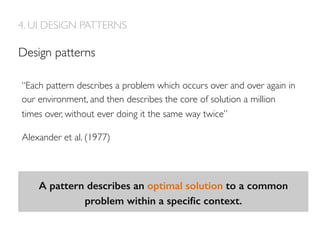
4. UI DESIGN PATTERNS
A pattern describes an optimal solution to a common
problem within a specific context.!
Design patterns
“Each pattern describes a problem which occurs over and over again in
our environment, and then describes the core of solution a million
times over, without ever doing it the same way twice”
Alexander et al. (1977)
Why using Patterns?
•  Avoid reinventing the wheel
•  Learn from expert designers
•  Promote a familiar user experience for end users
•  Free up designers to do innovative leading-edge work
4. UI DESIGN PATTERNS
Organizing the content: Dashboards
https://www.fitbit.com
Arrange data displays into a
single information-dense page,
updated regularly. Show users
relevant, actionable
information, and let them
customize the display as
necessary.
4. UI DESIGN PATTERNS
Getting around: Sign-in tools
https://www.headspace.com/
4. UI DESIGN PATTERNS
Using social media: sharing widgets
Image from http://ui-patterns.com/patterns/auto-sharing
•  Use when you want social sharing to
be an integrated part of the flow.
•  Do not use when information
shared is personal or sensitive –
when the user would be reluctant to
share the content in the first place.
4. UI DESIGN PATTERNS
Affordances  signifiers
Image byVictor Kaptelinin
5. UI ELEMENTS DESIGN
The term affordance was proposed by James Gibson (1977) to denote
action possibilities provided to the actor by the environment.
Affordances  signifiers
Affordances provide strong clues to the operations of things. Plates
are for pushing. Knobs are for turning. Slots are for inserting things
into. Balls are for throwing or bouncing.When affordances are taken
advantage of, the user knows what to do just by looking: no picture,
label, or instruction needed.
Norman (1988)
5. UI ELEMENTS DESIGN
Affordances  signifiers
Affordances define what actions are possible. Signifiers specify how
people discover those possibilities: signifiers are signs, perceptible signals
of what can be done. Signifiers are of far more importance to designers
than are affordances.
Norman (2013)
http://blog.teamtreehouse.com/affordances-web-design
5. UI ELEMENTS DESIGN
Affordances  signifiers
Image byTwitter user setharyImage by Flickr user Jodiepedia
5. UI ELEMENTS DESIGN
https://webdesign.tutsplus.com/articles/a-comprehensive-introduction-to-grids-in-web-design--cms-26521
6. UI AESTHETICS
Layout
https://developer.android.com/design/index.html
6. UI AESTHETICS
Color
6. UI AESTHETICS
Color
https://www.moves-app.com/
https://almaujudy.files.wordpress.com/2015/05/screen-shot-2015-05-31-at-10-02-18-am.png
Icons
6. UI AESTHETICS
Typography
http://blog.invisionapp.com/4-tips-on-typography-in-ui-design/
6. UI AESTHETICS
Functional animations
https://vimeo.com/126783967
6. UI AESTHETICS
https://vimeo.com/127066642
FURTHER READINGS
This material uses Creative Commons License
Recognition – Share alike.
Alexander, C. (1977). A pattern language: towns, buildings, construction. Oxford University Press.
Alexander, C. (1979). The timeless way of building (Vol. 1). NewYork: Oxford University Press.
Brown, Dan M. Communicating design: developing web site documentation for design and planning. New
Riders, 2010.
Carey, S. (1986). Cognitive Science and Education.American Psychologist, 41 (10), p1123-30
Cooper,A., Reimann, R.,  Cronin, D. (2007). About Face 3:The Essentials of Interaction Design. Indianapolis, IN:
Wiley Publishing, Inc.
Crumlish, C.,  Malone, E. (2009). Designing social interfaces: Principles, patterns, and practices for improving
the user experience.  O'Reilly Media, Inc..
Gibson, J. (1977):The theory of affordances. In: Shaw, Robert and Bransford, John (eds.). Perceiving,Acting
and Knowing. Hillsdale, USA: Lawrence Erlbaum
Krug, S. (2005). Don't make me think:A common sense approach to web usability. Pearson Education India.
FURTHER READINGS
This material uses Creative Commons License
Recognition – Share alike.
Norman, D.A. (1988): The Psychology of EverydayThings. NewYork, Basic Books
Norman,D.A. (2008): Signifiers, not affordances. In Interactions,15 (6) pp. 18-19
Norman, D.,  Wadia, B. (2013, June). 39.1: Invited Paper:The NextTouch Evolution Advancing the Consumer
Experience in Other Realms:Tasks andTough Environments. In SID Symposium Digest ofTechnical
Papers (Vol. 44, No. 1, pp. 541-543). Blackwell Publishing Ltd.
Payne, Stephen J. (2003): Users' Mental Models:TheVery Ideas. In: Carroll, John M. (eds). HCI Models,
Theories, and Frameworks Morgan Kaufman Publishers .
Raskin, J. (2000). The humane interface: new directions for designing interactive systems.Addison-Wesley
Professional.
Rosenfeld, L.,  Morville, P. (2002). Information architecture for the world wide web.  O'Reilly Media, Inc..
Stone, D., Jarrett, C.,Woodroffe, M.,  Minocha, S. (2005). User interface design and evaluation. Morgan
Kaufmann.
Tidwell, J. (2010). Designing interfaces.  O'Reilly Media, Inc..

Producing design solutions

  • 1.
    Producing Design Solutions MediaDesign course Autumn 2016
  • 2.
    INDEX 1. Introduction 2. UnderstandingUsers 4. UI design Patterns 5. UI Elements Design 6. UI Aesthetics 3. Information Architecture
  • 3.
    1. INTRODUCTION What isa User Interface
  • 4.
    1. INTRODUCTION That partof a computer system with which a user interacts in order to undertake her tasks and achieve her goals. Stone, Jarrett et. al., 2001 What is a User Interface
  • 5.
    1. INTRODUCTION Image byKapil Gohel https://en.wikipedia.org/wiki/Wearable_computer#/media/ File:Apple_Watch-.jpg Graphical User Interface (GUI)
  • 6.
    1. INTRODUCTION A GUIallows the use of icons or other visual indicators to interact with electronic devices, rather than using only text via the command line Graphical User Interface (GUI)
  • 7.
    1. INTRODUCTION Gesture basedinterfaces http://static.lukew.com/TouchGestureGuide.pdf
  • 8.
    1. INTRODUCTION Gesture basedinterfaces https://commons.wikimedia.org/wiki/File:Gesture_Recognition.jpg
  • 9.
    A mental modelrepresents a person’s thought process for how something works (i.e., a person’s understanding of the surrounding world). Mental models are based on incomplete facts, past experiences, and even intuitive perceptions.They help shape actions and behavior, influence what people pay attention to in complicated situations, and define how people approach and solve problems. Mental model Carey (1989) 2. UNDERSTANDING USERS
  • 10.
    Implementation model Cooper, Reimannand Cronin (2007)   The representation of how a machine or a program actually works 2. UNDERSTANDING USERS
  • 11.
    Also called therepresented model, is the way designers choose to represent the working of the program to the user. Conceptual model One of the most important goals of the designer should be to make the represented model match the mental model of users as closely as possible. 2. UNDERSTANDING USERS
  • 12.
  • 13.
    If the product’sconceptual model doesn’t match the user’s mental model, then the user will find the product hard to learn and use. Conceptual model mental model mismatch UI PRINCIPLES / STRUCTURE This mismatch leads to: •  Slow performance •  Errors •  Frustration
  • 14.
    2. UNDERSTANDING USERS Conceptualmodel mental model mismatch
  • 15.
    The structural designof information systems, interactive services and user experiences. 3. INFORMATION ARCHITECTURE IA main components:! •  Organization schemes and structures •  Labeling systems •  Navigation systems •  Search systems  The organization, search, and navigation systems that help people to complete tasks, find what they need, and understand what they’ve found
  • 16.
    3. INFORMATION ARCHITECTURE InformationEcology Rosenfeld and Morville (2002)   Context UsersContent Documents/data types, content objects, volume, existing structure Business goals, funding, politics, culture technology, resources and constraints Audience, tasks, needs, information seeking, behavior, experience
  • 17.
    3. INFORMATION ARCHITECTURE IAResearch Methods •  Generative: gathering user input on the organization and labeling of content •  Evaluative: determining whether people can correctly find things in an organizational structure we’ve created  
  • 18.
    4. UI DESIGNPATTERNS A pattern describes an optimal solution to a common problem within a specific context.! Design patterns “Each pattern describes a problem which occurs over and over again in our environment, and then describes the core of solution a million times over, without ever doing it the same way twice” Alexander et al. (1977)
  • 19.
    Why using Patterns? • Avoid reinventing the wheel •  Learn from expert designers •  Promote a familiar user experience for end users •  Free up designers to do innovative leading-edge work 4. UI DESIGN PATTERNS
  • 20.
    Organizing the content:Dashboards https://www.fitbit.com Arrange data displays into a single information-dense page, updated regularly. Show users relevant, actionable information, and let them customize the display as necessary. 4. UI DESIGN PATTERNS
  • 21.
    Getting around: Sign-intools https://www.headspace.com/ 4. UI DESIGN PATTERNS
  • 22.
    Using social media:sharing widgets Image from http://ui-patterns.com/patterns/auto-sharing •  Use when you want social sharing to be an integrated part of the flow. •  Do not use when information shared is personal or sensitive – when the user would be reluctant to share the content in the first place. 4. UI DESIGN PATTERNS
  • 23.
    Affordances signifiers ImagebyVictor Kaptelinin 5. UI ELEMENTS DESIGN The term affordance was proposed by James Gibson (1977) to denote action possibilities provided to the actor by the environment.
  • 24.
    Affordances signifiers Affordancesprovide strong clues to the operations of things. Plates are for pushing. Knobs are for turning. Slots are for inserting things into. Balls are for throwing or bouncing.When affordances are taken advantage of, the user knows what to do just by looking: no picture, label, or instruction needed. Norman (1988) 5. UI ELEMENTS DESIGN
  • 25.
    Affordances signifiers Affordancesdefine what actions are possible. Signifiers specify how people discover those possibilities: signifiers are signs, perceptible signals of what can be done. Signifiers are of far more importance to designers than are affordances. Norman (2013) http://blog.teamtreehouse.com/affordances-web-design 5. UI ELEMENTS DESIGN
  • 26.
    Affordances signifiers ImagebyTwitter user setharyImage by Flickr user Jodiepedia 5. UI ELEMENTS DESIGN
  • 27.
  • 28.
  • 29.
  • 30.
  • 31.
  • 32.
    Functional animations https://vimeo.com/126783967 6. UIAESTHETICS https://vimeo.com/127066642
  • 33.
    FURTHER READINGS This materialuses Creative Commons License Recognition – Share alike. Alexander, C. (1977). A pattern language: towns, buildings, construction. Oxford University Press. Alexander, C. (1979). The timeless way of building (Vol. 1). NewYork: Oxford University Press. Brown, Dan M. Communicating design: developing web site documentation for design and planning. New Riders, 2010. Carey, S. (1986). Cognitive Science and Education.American Psychologist, 41 (10), p1123-30 Cooper,A., Reimann, R., Cronin, D. (2007). About Face 3:The Essentials of Interaction Design. Indianapolis, IN: Wiley Publishing, Inc. Crumlish, C., Malone, E. (2009). Designing social interfaces: Principles, patterns, and practices for improving the user experience. O'Reilly Media, Inc.. Gibson, J. (1977):The theory of affordances. In: Shaw, Robert and Bransford, John (eds.). Perceiving,Acting and Knowing. Hillsdale, USA: Lawrence Erlbaum Krug, S. (2005). Don't make me think:A common sense approach to web usability. Pearson Education India.
  • 34.
    FURTHER READINGS This materialuses Creative Commons License Recognition – Share alike. Norman, D.A. (1988): The Psychology of EverydayThings. NewYork, Basic Books Norman,D.A. (2008): Signifiers, not affordances. In Interactions,15 (6) pp. 18-19 Norman, D., Wadia, B. (2013, June). 39.1: Invited Paper:The NextTouch Evolution Advancing the Consumer Experience in Other Realms:Tasks andTough Environments. In SID Symposium Digest ofTechnical Papers (Vol. 44, No. 1, pp. 541-543). Blackwell Publishing Ltd. Payne, Stephen J. (2003): Users' Mental Models:TheVery Ideas. In: Carroll, John M. (eds). HCI Models, Theories, and Frameworks Morgan Kaufman Publishers . Raskin, J. (2000). The humane interface: new directions for designing interactive systems.Addison-Wesley Professional. Rosenfeld, L., Morville, P. (2002). Information architecture for the world wide web. O'Reilly Media, Inc.. Stone, D., Jarrett, C.,Woodroffe, M., Minocha, S. (2005). User interface design and evaluation. Morgan Kaufmann. Tidwell, J. (2010). Designing interfaces. O'Reilly Media, Inc..