

Scaling with MongoDBAaron Stapleaaron@10gen.comMongo SeattleJuly 27, 2010
MongoDB 1.6Comes out next week!
Differences from Typical RDBMSMemory mapped dataAll data in memory (if it fits), synced to disk periodicallyNo joinsReads have greater data localityNo joins between serversNo transactionsImproves performance of various operationsNo transactions between servers
TopicsSingle server read scalingSingle server write scalingScaling reads with a master/slave clusterScaling reads with replica setsScaling reads and writes with sharding
Denormalize{ userid: 100,books: [{ title: ‘James and the Giant Peach’,author: ‘Roald Dahl’ },{ title: ‘Charlotte’s Web’,author: ‘E B White’ },{ title: ‘A Wrinkle in Time’,author: ‘Madeleine L’Engle’ }]}
Use IndicesFind by valuedb.users.find( { userid: 100 } )Find by range of valuesdb.users.find( { age: { $gte: 20, $lte: 40 } } )db.users.find( { hobbies: { $in: [ ‘biking’, ‘running’, ‘swimming’ ] } )Find with a sort specdb.users.find().sort( { signup_ts: -1 } )db.users.find( { hobbies: ‘snorkeling’ } ).sort( { signup_ts: -1 } )Index on { hobbies: 1, signup_ts: -1 }
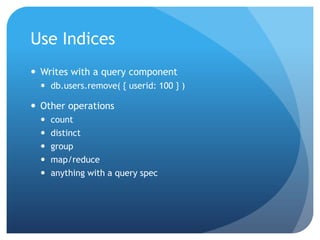
Use IndicesWrites with a query componentdb.users.remove( { userid: 100 } )Other operationscountdistinctgroupmap/reduceanything with a query spec
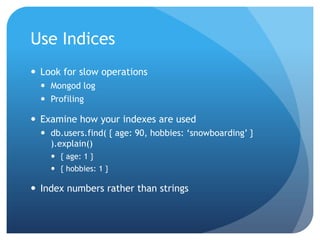
Use IndicesLook for slow operationsMongod logProfilingExamine how your indexes are useddb.users.find( { age: 90, hobbies: ‘snowboarding’ } ).explain(){ age: 1 }{ hobbies: 1 }Index numbers rather than strings
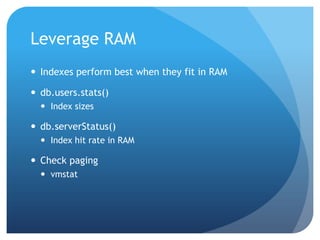
Leverage RAMIndexes perform best when they fit in RAMdb.users.stats()Index sizesdb.serverStatus()Index hit rate in RAMCheck pagingvmstat
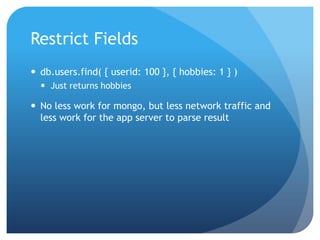
Restrict Fieldsdb.users.find( { userid: 100 }, { hobbies: 1 } )Just returns hobbiesNo less work for mongo, but less network traffic and less work for the app server to parse result
TopicsSingle server read scalingSingle server write scalingScaling reads with a master/slave clusterScaling reads with replica setsScaling reads and writes with sharding
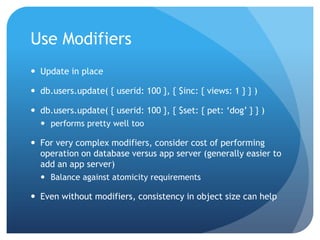
Use ModifiersUpdate in placedb.users.update( { userid: 100 }, { $inc: { views: 1 } } )db.users.update( { userid: 100 }, { $set: { pet: ‘dog’ } } )performs pretty well tooFor very complex modifiers, consider cost of performing operation on database versus app server (generally easier to add an app server)Balance against atomicity requirementsEven without modifiers, consistency in object size can help
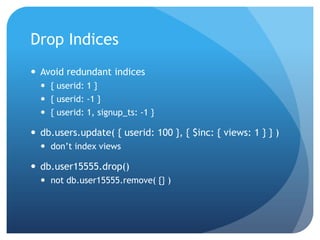
Drop IndicesAvoid redundant indices{ userid: 1 }{ userid: -1 }{ userid: 1, signup_ts: -1 }db.users.update( { userid: 100 }, { $inc: { views: 1 } } )don’t index viewsdb.user15555.drop()not db.user15555.remove( {} )
Fire and forgetUnsafe “asynchronous” writesNo confirmation from mongo that write succeededReduce latency at app serverWrites queued in mongod server’s network buffer
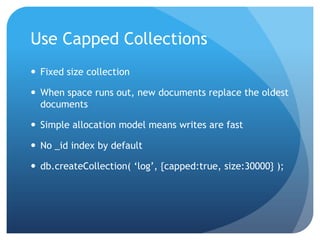
Use Capped CollectionsFixed size collectionWhen space runs out, new documents replace the oldest documentsSimple allocation model means writes are fastNo _id index by defaultdb.createCollection( ‘log’, {capped:true, size:30000} );
Wordnik Configuration1000 requests of various types / second5 billion documents (1.2TB)Single 2x4 core server 32gb ram, FC SAN non virtualizedNOTE: Virtualized storage tends to perform poorly, for example if you are on EC2 you should run several EBS volumes striped
TopicsSingle server read scalingSingle server write scalingScaling reads with a master/slave clusterScaling reads with replica setsScaling reads and writes with sharding
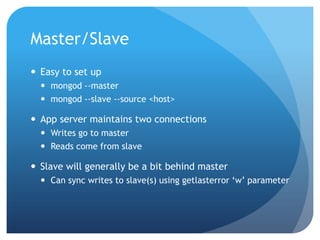
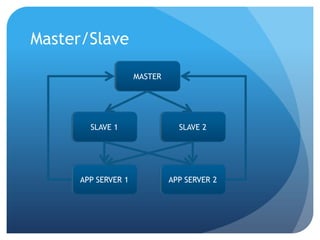
Master/SlaveEasy to set upmongod --mastermongod --slave --source <host>App server maintains two connectionsWrites go to masterReads come from slaveSlave will generally be a bit behind masterCan sync writes to slave(s) using getlasterror ‘w’ parameter
Master/SlaveMASTERSLAVE 1SLAVE 2APP SERVER 1APP SERVER 2
Monotonic Read ConsistencyMASTERSLAVE 1SLAVE 2APP SERVER 1APP SERVER 2Sourceforge uses this configuration, with 5 read slaves, to power most content for all projects
Master/SlaveA master experiences some additional read load per additional read slaveA slave experiences the same write load as the masterConsider --only option to reduce write load on slaveDelayed slave Diagnosticsuse local; db.printReplicationInfo()use local; db.printSlaveReplicationInfo()
TopicsSingle server read scalingSingle server write scalingScaling reads with a master/slave clusterScaling reads with replica setsScaling reads and writes with sharding
Replica SetsCluster of N serversOnly one node is ‘primary’ at a timeThis is equivalent to masterThe node where writes goPrimary is elected by concensusAutomatic failoverAutomatic recovery of failed nodes
Replica Sets - WritesA write is only ‘committed’ once it has been replicated to a majority of nodes in the setBefore this happens, reads to the set may or may not see the writeOn failover, data which is not ‘committed’ may be dropped (but not necessarily)If dropped, it will be rolled back from all servers which wrote itFor improved durability, use getLastError/wOther criteria – block writes when nodes go down or slaves get too far behindOr, to reduce latency, reduce getLastError/w
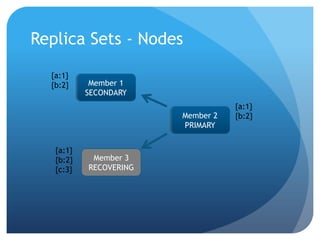
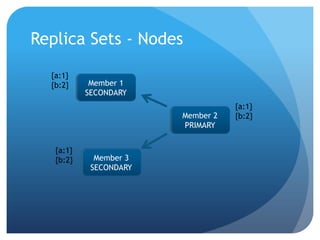
Replica Sets - NodesNodes monitor each other’s heartbeatsIf primary can’t see a majority of nodes, it relinquishes primary statusIf a majority of nodes notice there is no primary, they elect a primary using criteriaNode priorityNode data’s freshness
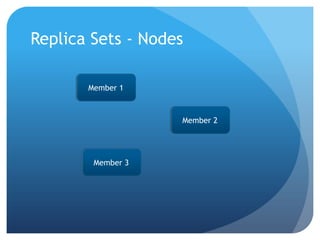
Replica Sets - NodesMember 1Member 2Member 3
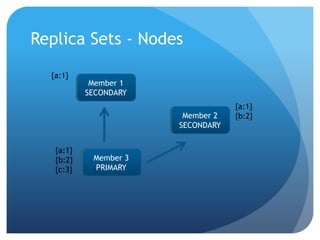
Replica Sets - Nodes{a:1}Member 1SECONDARY{a:1}{b:2}Member 2SECONDARY{a:1}{b:2}{c:3}Member 3PRIMARY
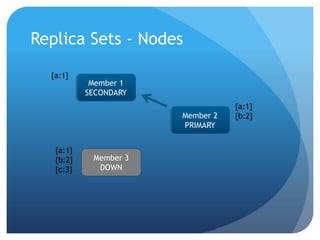
Replica Sets - Nodes{a:1}Member 1SECONDARY{a:1}{b:2}Member 2PRIMARY{a:1}{b:2}{c:3}Member 3DOWN
Replica Sets - Nodes{a:1}{b:2}Member 1SECONDARY{a:1}{b:2}Member 2PRIMARY{a:1}{b:2}{c:3}Member 3RECOVERING
Replica Sets - Nodes{a:1}{b:2}Member 1SECONDARY{a:1}{b:2}Member 2PRIMARY{a:1}{b:2}Member 3SECONDARY
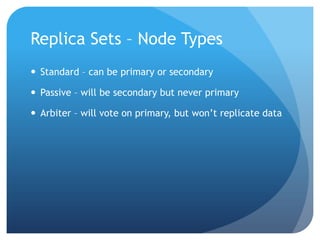
Replica Sets – Node TypesStandard – can be primary or secondaryPassive – will be secondary but never primaryArbiter – will vote on primary, but won’t replicate data
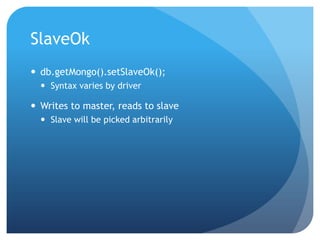
SlaveOkdb.getMongo().setSlaveOk();Syntax varies by driverWrites to master, reads to slaveSlave will be picked arbitrarily
TopicsSingle server read scalingSingle server write scalingScaling reads with a master/slave clusterScaling reads with replica setsScaling reads and writes with sharding
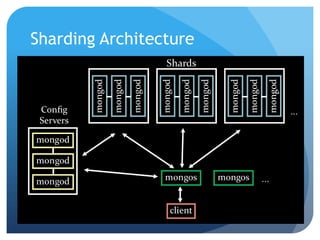
Sharding Architecture
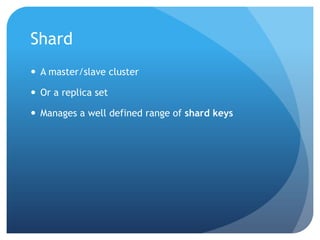
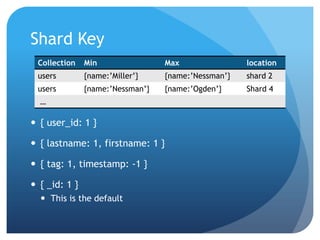
ShardA master/slave clusterOr a replica setManages a well defined range of shard keys
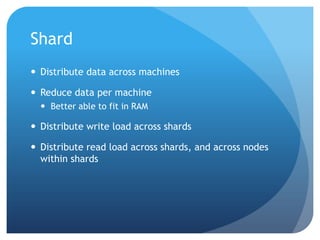
ShardDistribute data across machinesReduce data per machineBetter able to fit in RAMDistribute write load across shardsDistribute read load across shards, and across nodes within shards
Shard Key{ user_id: 1 }{ lastname: 1, firstname: 1 }{ tag: 1, timestamp: -1 }{ _id: 1 }This is the default
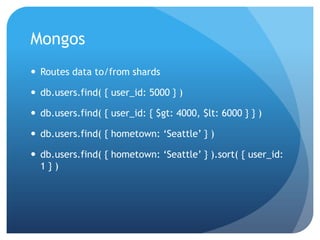
MongosRoutes data to/from shardsdb.users.find( { user_id: 5000 } )db.users.find( { user_id: { $gt: 4000, $lt: 6000 } } )db.users.find( { hometown: ‘Seattle’ } )db.users.find( { hometown: ‘Seattle’ } ).sort( { user_id: 1 } )
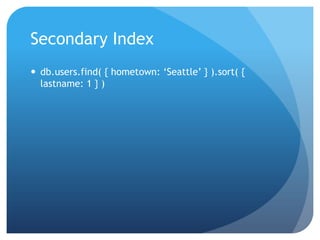
Secondary Indexdb.users.find( { hometown: ‘Seattle’ } ).sort( { lastname: 1 } )
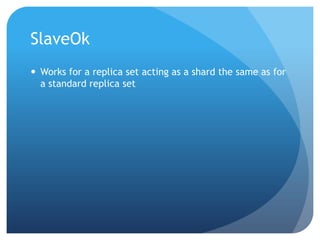
SlaveOkWorks for a replica set acting as a shard the same as for a standard replica set
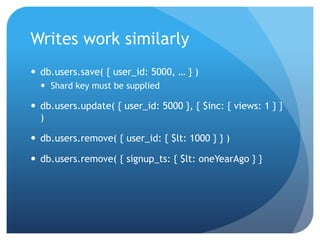
Writes work similarlydb.users.save( { user_id: 5000, … } )Shard key must be supplieddb.users.update( { user_id: 5000 }, { $inc: { views: 1 } } )db.users.remove( { user_id: { $lt: 1000 } } )db.users.remove( { signup_ts: { $lt: oneYearAgo } }
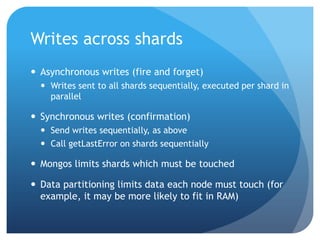
Writes across shardsAsynchronous writes (fire and forget)Writes sent to all shards sequentially, executed per shard in parallelSynchronous writes (confirmation)Send writes sequentially, as aboveCall getLastError on shards sequentiallyMongos limits shards which must be touchedData partitioning limits data each node must touch (for example, it may be more likely to fit in RAM)
Increasing Shard KeyWhat if I keep inserting data with increasing values for the shard key?All new data will go to last shard initiallyWe have special purpose code to handle this case, but it can still be less performant than a more uniformally distributed keyExample: auto generated mongo ObjectId
Adding a ShardMonitor your performanceIf you need more disk bandwidth for writes, add a shardMonitor your RAM usage – vmstatIf you are paging too much, add a shard
BalancingMongo automatically adjusts the key ranges per shard to balance data size between shardsOther metrics will be possible in future – disk ops, cpuCurrently move just one “chunk” at a timeKeeps overhead of balancing slow
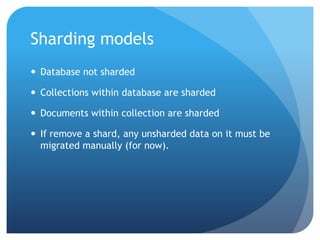
Sharding modelsDatabase not shardedCollections within database are shardedDocuments within collection are shardedIf remove a shard, any unsharded data on it must be migrated manually (for now).
Give it a Try!Download from mongodb.orgSharding and replica sets production ready in 1.6, which is scheduled for release next weekFor now use 1.5 (unstable) to try sharding and replica sets

Scaling with MongoDB

  • 1.
    Scaling with MongoDBAaronStapleaaron@10gen.comMongo SeattleJuly 27, 2010
  • 2.
  • 3.
    Differences from TypicalRDBMSMemory mapped dataAll data in memory (if it fits), synced to disk periodicallyNo joinsReads have greater data localityNo joins between serversNo transactionsImproves performance of various operationsNo transactions between servers
  • 4.
    TopicsSingle server readscalingSingle server write scalingScaling reads with a master/slave clusterScaling reads with replica setsScaling reads and writes with sharding
  • 5.
    Denormalize{ userid: 100,books:[{ title: ‘James and the Giant Peach’,author: ‘Roald Dahl’ },{ title: ‘Charlotte’s Web’,author: ‘E B White’ },{ title: ‘A Wrinkle in Time’,author: ‘Madeleine L’Engle’ }]}
  • 6.
    Use IndicesFind byvaluedb.users.find( { userid: 100 } )Find by range of valuesdb.users.find( { age: { $gte: 20, $lte: 40 } } )db.users.find( { hobbies: { $in: [ ‘biking’, ‘running’, ‘swimming’ ] } )Find with a sort specdb.users.find().sort( { signup_ts: -1 } )db.users.find( { hobbies: ‘snorkeling’ } ).sort( { signup_ts: -1 } )Index on { hobbies: 1, signup_ts: -1 }
  • 7.
    Use IndicesWrites witha query componentdb.users.remove( { userid: 100 } )Other operationscountdistinctgroupmap/reduceanything with a query spec
  • 8.
    Use IndicesLook forslow operationsMongod logProfilingExamine how your indexes are useddb.users.find( { age: 90, hobbies: ‘snowboarding’ } ).explain(){ age: 1 }{ hobbies: 1 }Index numbers rather than strings
  • 9.
    Leverage RAMIndexes performbest when they fit in RAMdb.users.stats()Index sizesdb.serverStatus()Index hit rate in RAMCheck pagingvmstat
  • 10.
    Restrict Fieldsdb.users.find( {userid: 100 }, { hobbies: 1 } )Just returns hobbiesNo less work for mongo, but less network traffic and less work for the app server to parse result
  • 11.
    TopicsSingle server readscalingSingle server write scalingScaling reads with a master/slave clusterScaling reads with replica setsScaling reads and writes with sharding
  • 12.
    Use ModifiersUpdate inplacedb.users.update( { userid: 100 }, { $inc: { views: 1 } } )db.users.update( { userid: 100 }, { $set: { pet: ‘dog’ } } )performs pretty well tooFor very complex modifiers, consider cost of performing operation on database versus app server (generally easier to add an app server)Balance against atomicity requirementsEven without modifiers, consistency in object size can help
  • 13.
    Drop IndicesAvoid redundantindices{ userid: 1 }{ userid: -1 }{ userid: 1, signup_ts: -1 }db.users.update( { userid: 100 }, { $inc: { views: 1 } } )don’t index viewsdb.user15555.drop()not db.user15555.remove( {} )
  • 14.
    Fire and forgetUnsafe“asynchronous” writesNo confirmation from mongo that write succeededReduce latency at app serverWrites queued in mongod server’s network buffer
  • 15.
    Use Capped CollectionsFixedsize collectionWhen space runs out, new documents replace the oldest documentsSimple allocation model means writes are fastNo _id index by defaultdb.createCollection( ‘log’, {capped:true, size:30000} );
  • 16.
    Wordnik Configuration1000 requestsof various types / second5 billion documents (1.2TB)Single 2x4 core server 32gb ram, FC SAN non virtualizedNOTE: Virtualized storage tends to perform poorly, for example if you are on EC2 you should run several EBS volumes striped
  • 17.
    TopicsSingle server readscalingSingle server write scalingScaling reads with a master/slave clusterScaling reads with replica setsScaling reads and writes with sharding
  • 18.
    Master/SlaveEasy to setupmongod --mastermongod --slave --source <host>App server maintains two connectionsWrites go to masterReads come from slaveSlave will generally be a bit behind masterCan sync writes to slave(s) using getlasterror ‘w’ parameter
  • 19.
  • 20.
    Monotonic Read ConsistencyMASTERSLAVE1SLAVE 2APP SERVER 1APP SERVER 2Sourceforge uses this configuration, with 5 read slaves, to power most content for all projects
  • 21.
    Master/SlaveA master experiencessome additional read load per additional read slaveA slave experiences the same write load as the masterConsider --only option to reduce write load on slaveDelayed slave Diagnosticsuse local; db.printReplicationInfo()use local; db.printSlaveReplicationInfo()
  • 22.
    TopicsSingle server readscalingSingle server write scalingScaling reads with a master/slave clusterScaling reads with replica setsScaling reads and writes with sharding
  • 23.
    Replica SetsCluster ofN serversOnly one node is ‘primary’ at a timeThis is equivalent to masterThe node where writes goPrimary is elected by concensusAutomatic failoverAutomatic recovery of failed nodes
  • 24.
    Replica Sets -WritesA write is only ‘committed’ once it has been replicated to a majority of nodes in the setBefore this happens, reads to the set may or may not see the writeOn failover, data which is not ‘committed’ may be dropped (but not necessarily)If dropped, it will be rolled back from all servers which wrote itFor improved durability, use getLastError/wOther criteria – block writes when nodes go down or slaves get too far behindOr, to reduce latency, reduce getLastError/w
  • 25.
    Replica Sets -NodesNodes monitor each other’s heartbeatsIf primary can’t see a majority of nodes, it relinquishes primary statusIf a majority of nodes notice there is no primary, they elect a primary using criteriaNode priorityNode data’s freshness
  • 26.
    Replica Sets -NodesMember 1Member 2Member 3
  • 27.
    Replica Sets -Nodes{a:1}Member 1SECONDARY{a:1}{b:2}Member 2SECONDARY{a:1}{b:2}{c:3}Member 3PRIMARY
  • 28.
    Replica Sets -Nodes{a:1}Member 1SECONDARY{a:1}{b:2}Member 2PRIMARY{a:1}{b:2}{c:3}Member 3DOWN
  • 29.
    Replica Sets -Nodes{a:1}{b:2}Member 1SECONDARY{a:1}{b:2}Member 2PRIMARY{a:1}{b:2}{c:3}Member 3RECOVERING
  • 30.
    Replica Sets -Nodes{a:1}{b:2}Member 1SECONDARY{a:1}{b:2}Member 2PRIMARY{a:1}{b:2}Member 3SECONDARY
  • 31.
    Replica Sets –Node TypesStandard – can be primary or secondaryPassive – will be secondary but never primaryArbiter – will vote on primary, but won’t replicate data
  • 32.
    SlaveOkdb.getMongo().setSlaveOk();Syntax varies bydriverWrites to master, reads to slaveSlave will be picked arbitrarily
  • 33.
    TopicsSingle server readscalingSingle server write scalingScaling reads with a master/slave clusterScaling reads with replica setsScaling reads and writes with sharding
  • 34.
  • 35.
    ShardA master/slave clusterOra replica setManages a well defined range of shard keys
  • 36.
    ShardDistribute data acrossmachinesReduce data per machineBetter able to fit in RAMDistribute write load across shardsDistribute read load across shards, and across nodes within shards
  • 37.
    Shard Key{ user_id:1 }{ lastname: 1, firstname: 1 }{ tag: 1, timestamp: -1 }{ _id: 1 }This is the default
  • 38.
    MongosRoutes data to/fromshardsdb.users.find( { user_id: 5000 } )db.users.find( { user_id: { $gt: 4000, $lt: 6000 } } )db.users.find( { hometown: ‘Seattle’ } )db.users.find( { hometown: ‘Seattle’ } ).sort( { user_id: 1 } )
  • 39.
    Secondary Indexdb.users.find( {hometown: ‘Seattle’ } ).sort( { lastname: 1 } )
  • 40.
    SlaveOkWorks for areplica set acting as a shard the same as for a standard replica set
  • 41.
    Writes work similarlydb.users.save({ user_id: 5000, … } )Shard key must be supplieddb.users.update( { user_id: 5000 }, { $inc: { views: 1 } } )db.users.remove( { user_id: { $lt: 1000 } } )db.users.remove( { signup_ts: { $lt: oneYearAgo } }
  • 42.
    Writes across shardsAsynchronouswrites (fire and forget)Writes sent to all shards sequentially, executed per shard in parallelSynchronous writes (confirmation)Send writes sequentially, as aboveCall getLastError on shards sequentiallyMongos limits shards which must be touchedData partitioning limits data each node must touch (for example, it may be more likely to fit in RAM)
  • 43.
    Increasing Shard KeyWhatif I keep inserting data with increasing values for the shard key?All new data will go to last shard initiallyWe have special purpose code to handle this case, but it can still be less performant than a more uniformally distributed keyExample: auto generated mongo ObjectId
  • 44.
    Adding a ShardMonitoryour performanceIf you need more disk bandwidth for writes, add a shardMonitor your RAM usage – vmstatIf you are paging too much, add a shard
  • 45.
    BalancingMongo automatically adjuststhe key ranges per shard to balance data size between shardsOther metrics will be possible in future – disk ops, cpuCurrently move just one “chunk” at a timeKeeps overhead of balancing slow
  • 46.
    Sharding modelsDatabase notshardedCollections within database are shardedDocuments within collection are shardedIf remove a shard, any unsharded data on it must be migrated manually (for now).
  • 47.
    Give it aTry!Download from mongodb.orgSharding and replica sets production ready in 1.6, which is scheduled for release next weekFor now use 1.5 (unstable) to try sharding and replica sets