CSS 開發加速指南
Cloud Computing-Based Services Design and Programming
Lucien Lee
SASS & COMPASS
BeFore TaLk SASS
letMetellsomethingaboutCSS
2
CSS is Hard to learn
• So many property need to know
• Layout property is hard to realize
• How the cascade works
• So many selectors need to know
• Browser issue make developer crazy
3
CSS is pain
• NO Variables
• NO Math
• NO Functions
• NO Obvious Structure
• Repetitive, Repetitive and Repetitive
4
– CSS co-inventor, Bert Bos
CSS stops short of even more powerful features
that programmers use in their programming
languages: macros, variables, symbolic
constants, conditionals, expressions over
variables, etc. That is because these things give
power-users a lot of rope, but less experienced
users will unwittingly hang themselves; or, more
likely, be so scared that they won’t even touch
CSS. It’s a balance. And for CSS the balance is
different than for some other things.
5
– CSS co-inventor, Bert Bos
CSS stops short of even more powerful features
that programmers use in their programming
languages: macros, variables, symbolic
constants, conditionals, expressions over
variables, etc. That is because these things give
power-users a lot of rope, but less experienced
users will unwittingly hang themselves; or, more
likely, be so scared that they won’t even touch
CSS. It’s a balance. And for CSS the balance is
different than for some other things.
5
CSS 當初設計時
根本沒有考慮到當今 Web UI 排版的情況
⽽而是讓⼤大家好懂他的語法
that’s Why we have
6
補上 CSS 的部份缺陷,讓樣式表更有結構、重複使⽤用性
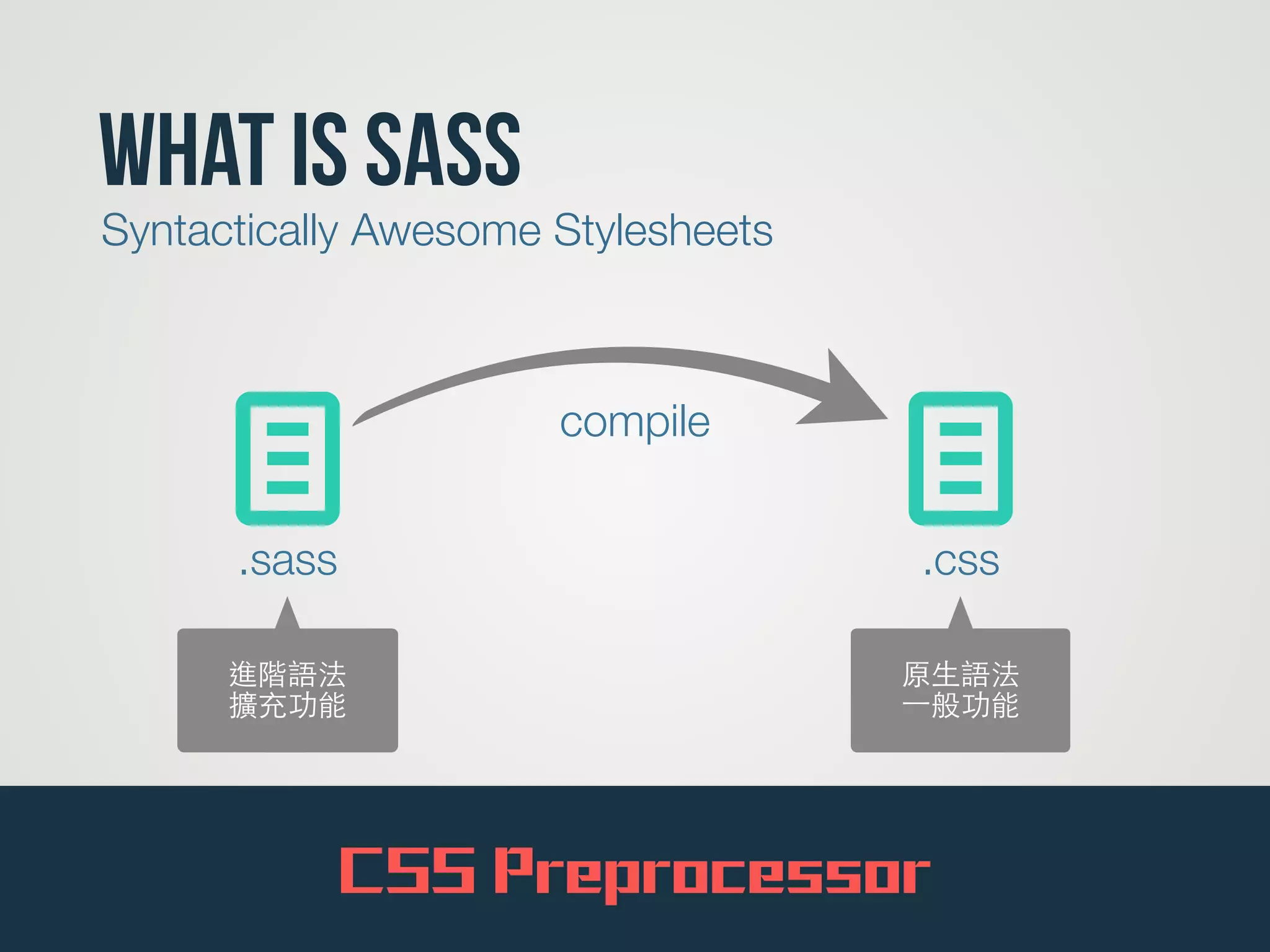
What is SASS
7
Syntactically Awesome Stylesheets
l.sass
l.css
compile
進階語法
擴充功能
原⽣生語法
⼀一般功能
CSS Preprocessor
‣安裝
‣使用語法
set up your sass
Command line VS GUI
作為⼀一個⼯工程師,我會建議你擁抱 command line
9
easy one GUI
10
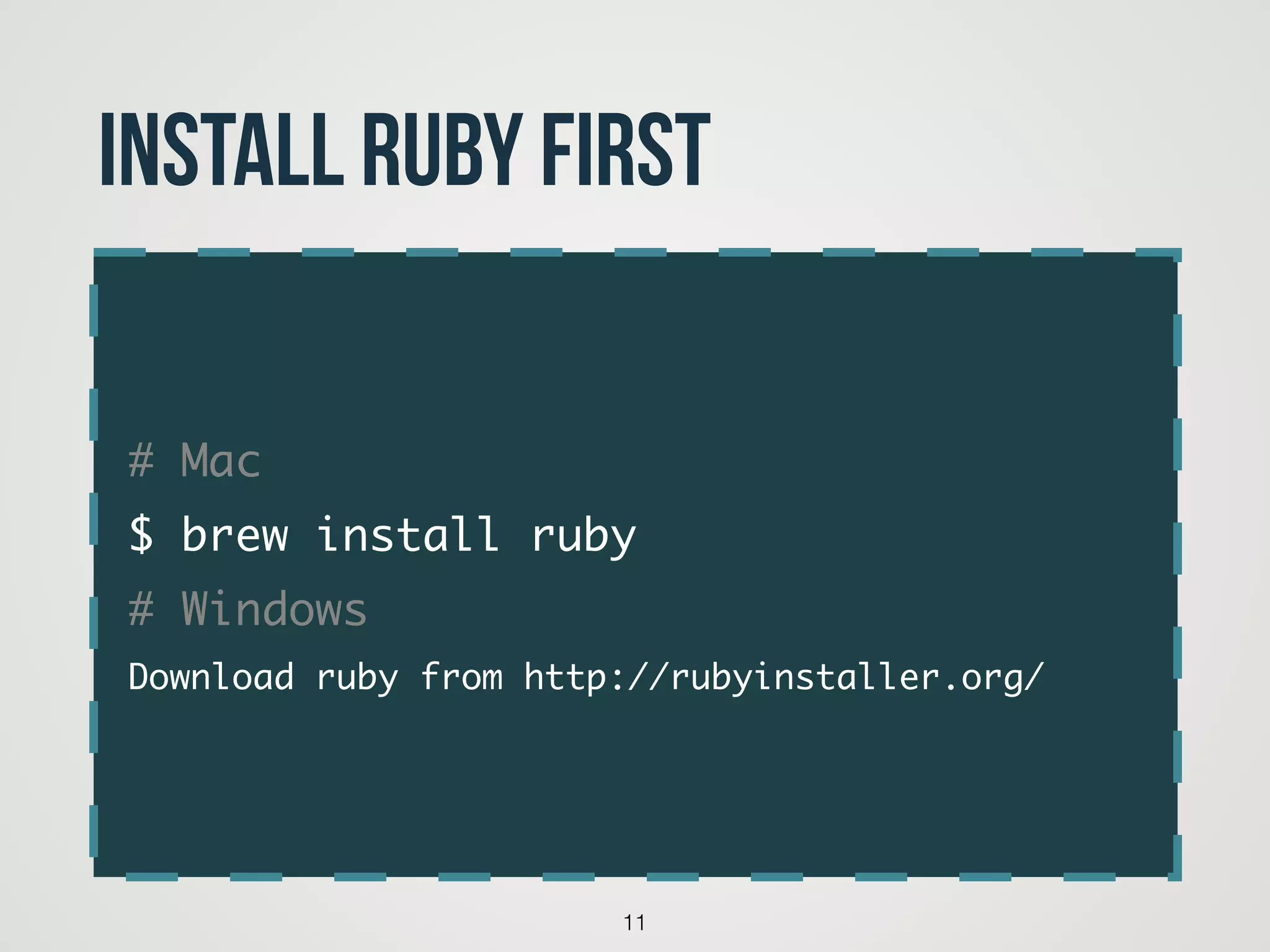
# Mac	
$ brew install ruby	
# Windows	
Download ruby from http://rubyinstaller.org/
11
Install Ruby First
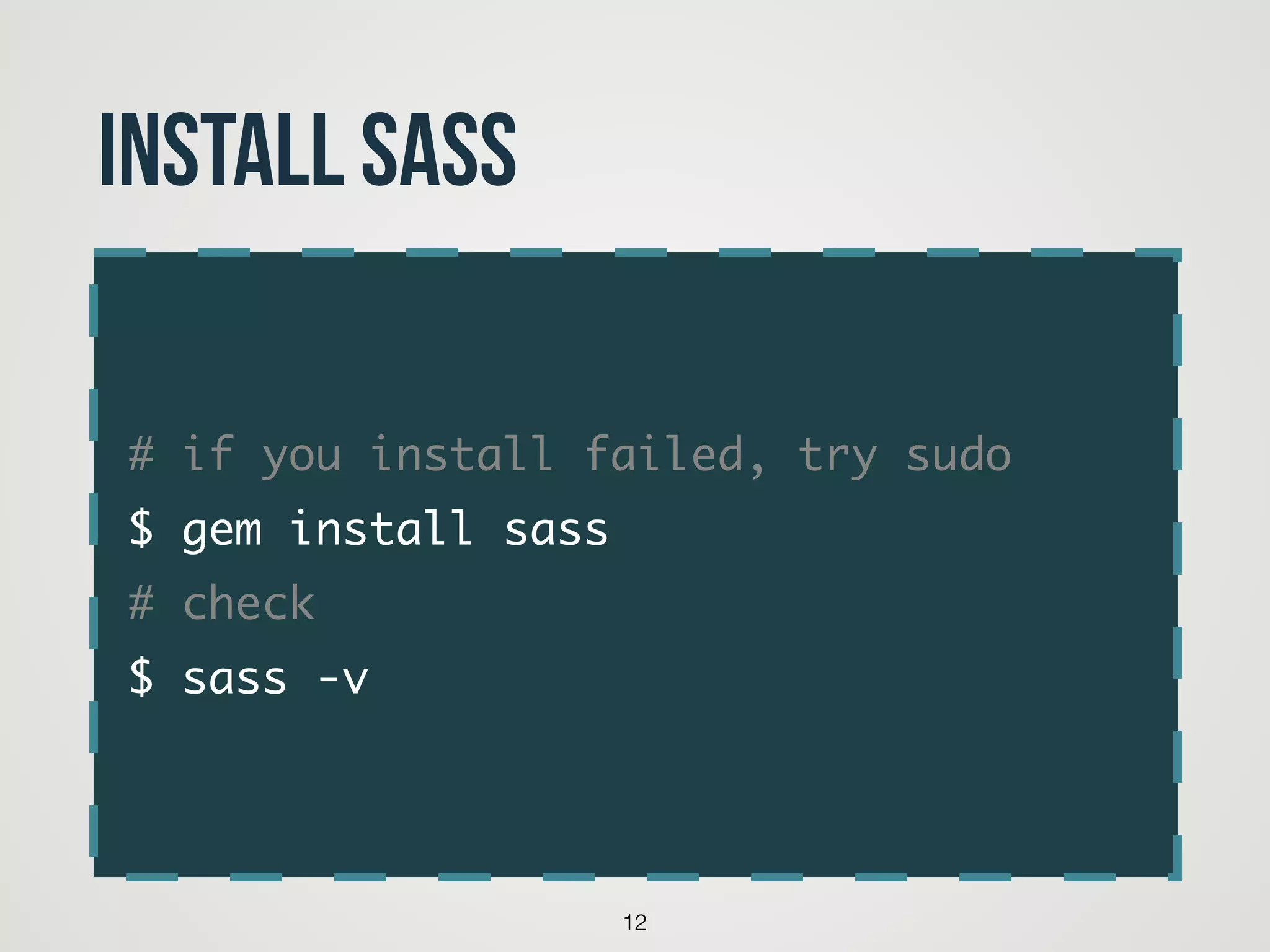
# if you install failed, try sudo	
$ gem install sass	
# check 	
$ sass -v
12
Install Sass
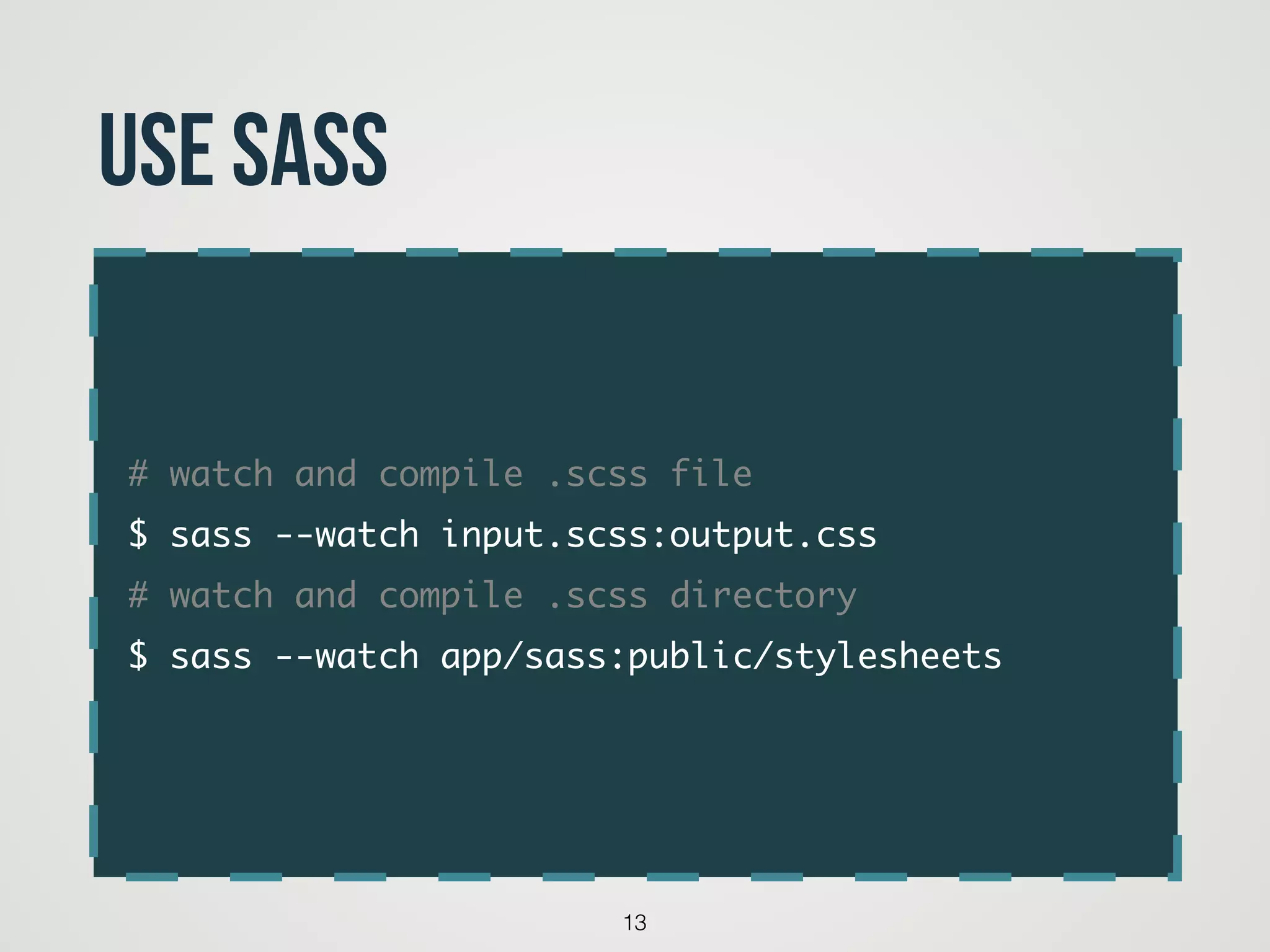
# watch and compile .scss file	
$ sass --watch input.scss:output.css	
# watch and compile .scss directory	
$ sass --watch app/sass:public/stylesheets
13
Use sass
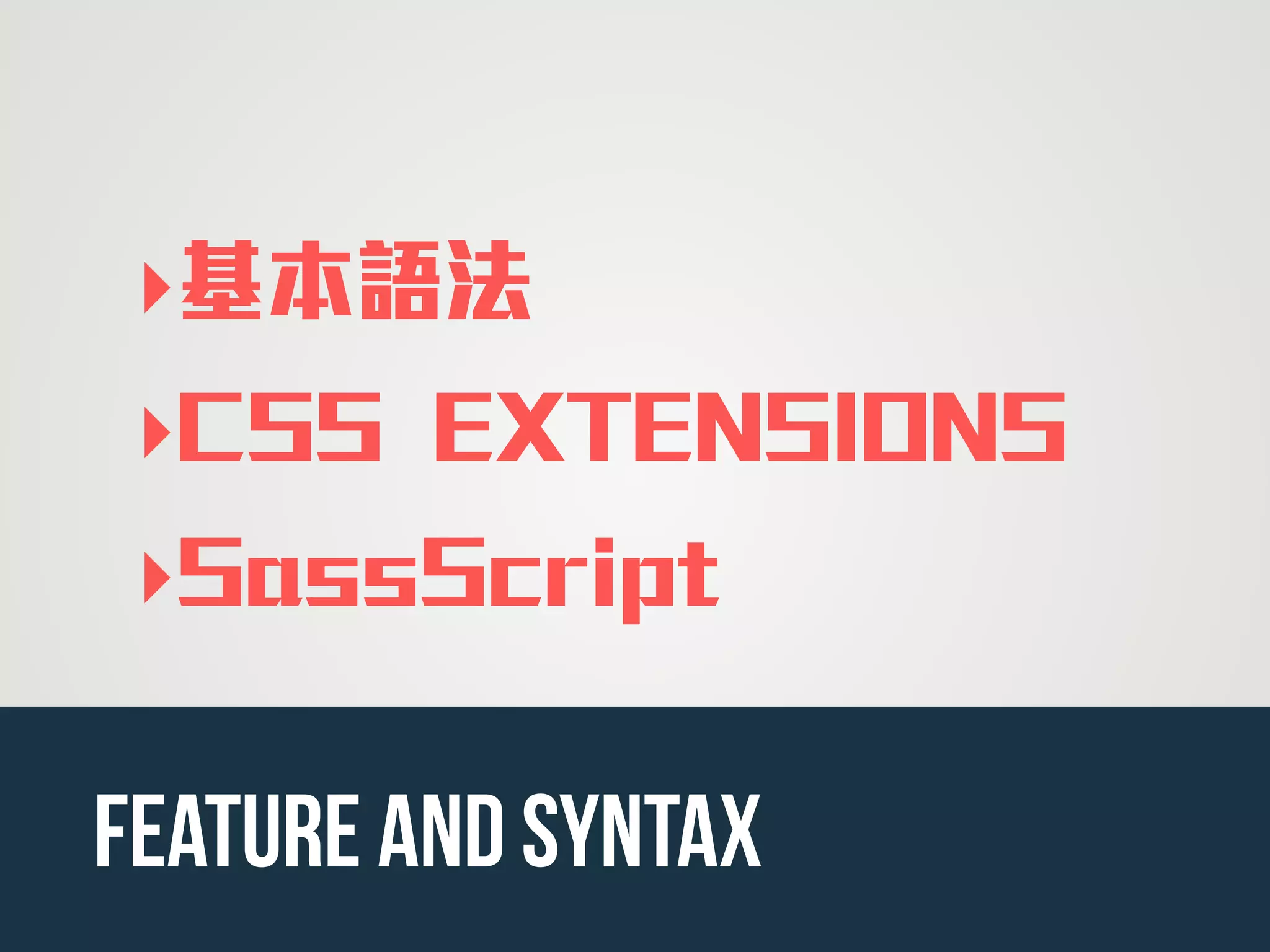
‣基本語法
‣CSS EXTENSIONS
‣SassScript
feature and syntax
15
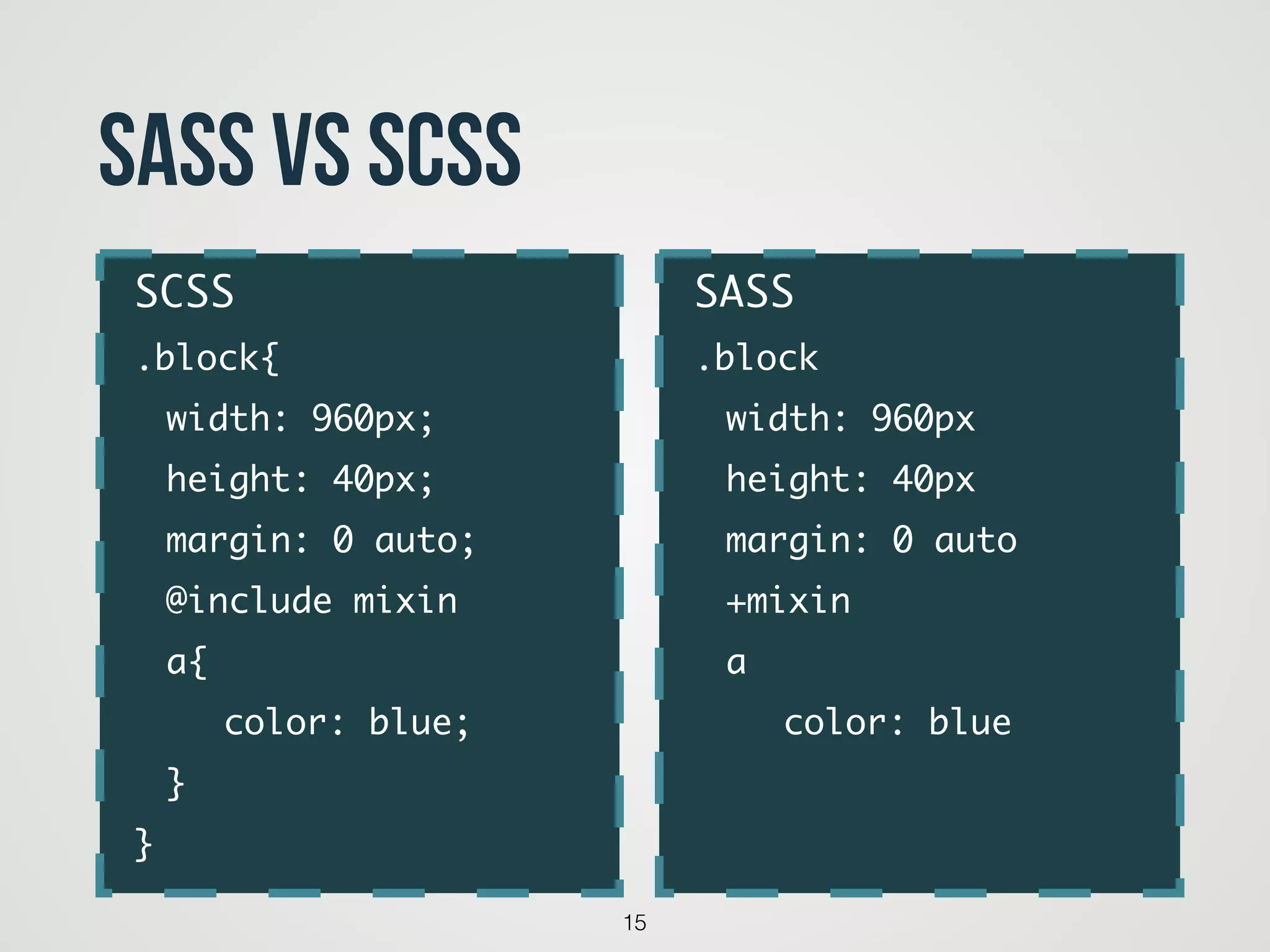
SASS VS SCSS
SASS	
.block	
	 width: 960px	
	 height: 40px	
	 margin: 0 auto	
	 +mixin	
	 a	
	 	 color: blue	
	
SCSS	
.block{	
	 width: 960px;	
	 height: 40px;	
	 margin: 0 auto;	
	 @include mixin	 	
	 a{	
	 	 color: blue;	
	 } 	
}
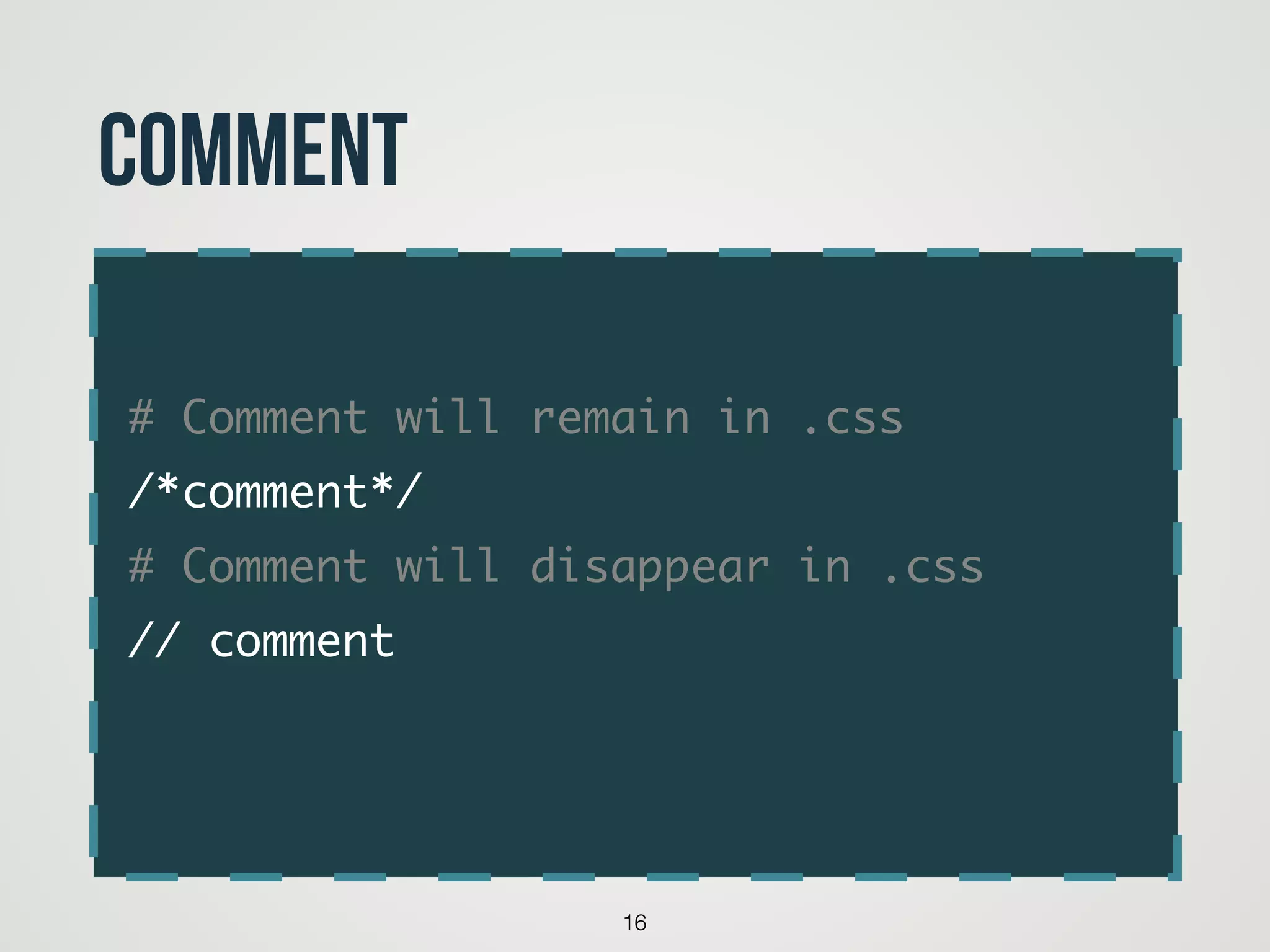
# Comment will remain in .css	
/*comment*/	
# Comment will disappear in .css	
// comment	
16
Comment
17
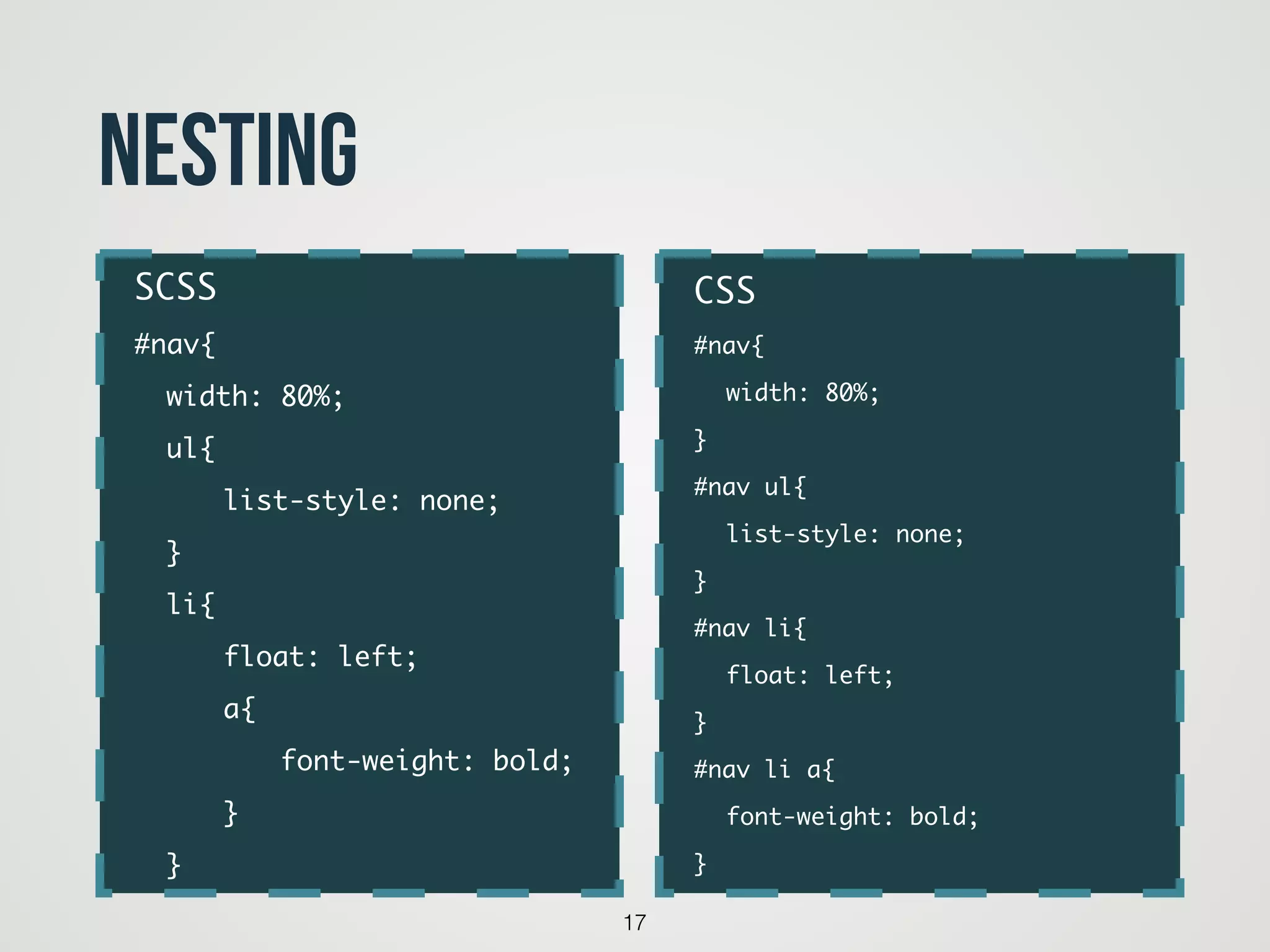
nesting
CSS	
#nav{	
	 width: 80%;	
}	
#nav ul{ 	
	 list-style: none;	
}	
#nav li{	
	 float: left;	
}	
#nav li a{	
	 font-weight: bold;	
}
SCSS	
#nav{	
	 width: 80%;	
	 ul{ 	
	 	 list-style: none;	
	 }	
	 li{	
	 	 float: left;	
	 	 a{	
	 	 	 font-weight: bold;	
	 	 }	
	 }
18
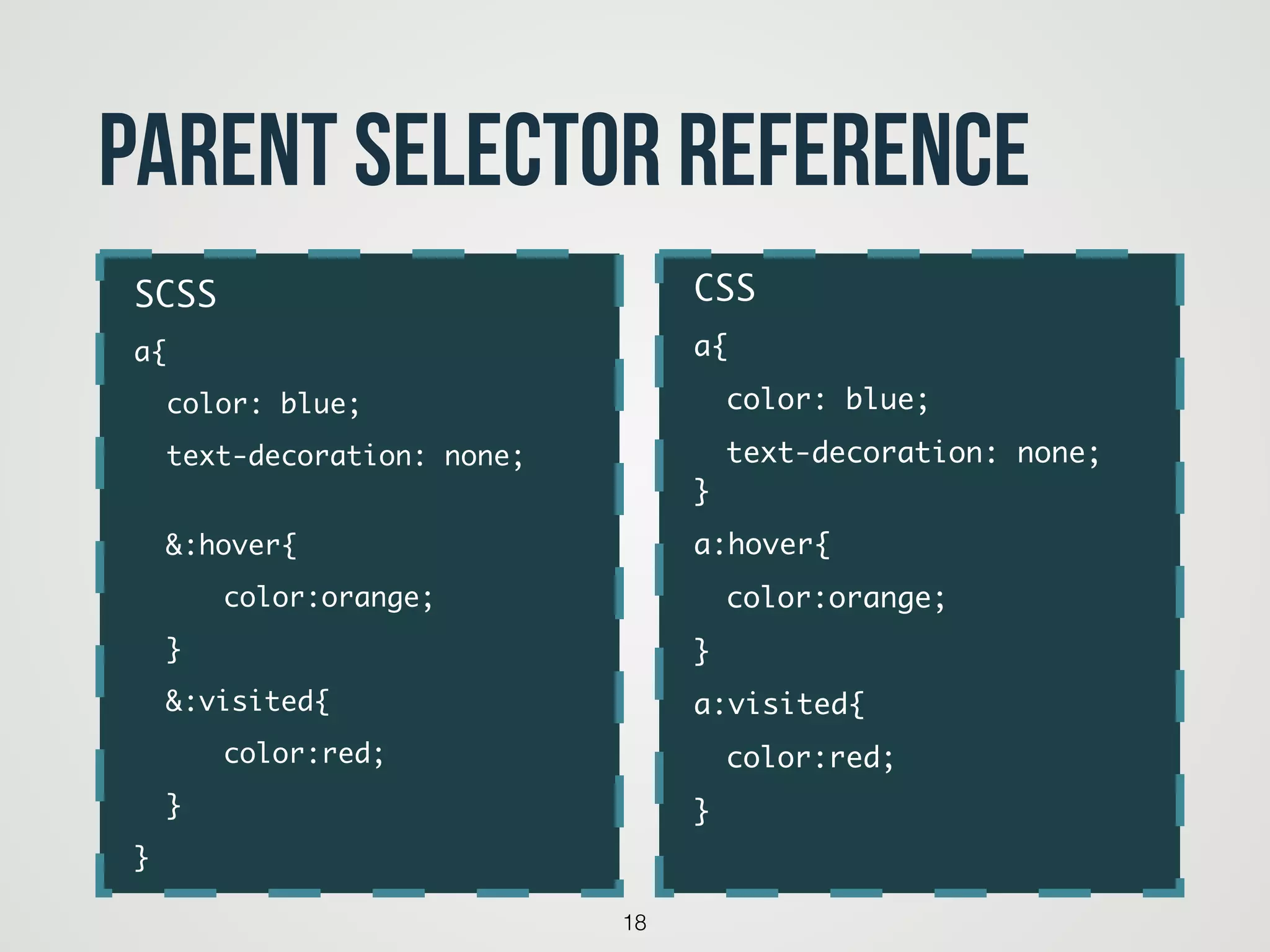
Parent Selector Reference
CSS	
a{	
	 color: blue;	
	 text-decoration: none;

}	
a:hover{	
	 color:orange;		
}	
a:visited{	
	 color:red;	 	
}	
SCSS	
a{	
	 color: blue;	
	 text-decoration: none;

	 	
	 &:hover{	
	 	 color:orange;		
	 }	
	 &:visited{	
	 	 color:red;		
	 }	
}
19
Parent Selector Reference
code
SCSS	
button{	
	 background: gray;	
	 &[type=submit]{	
	 	 background: blue;	
	 }	
}
CSS	
button{	
	 background: gray;	
}	
button[type=submit]{	
	 background: blue;	
}
20
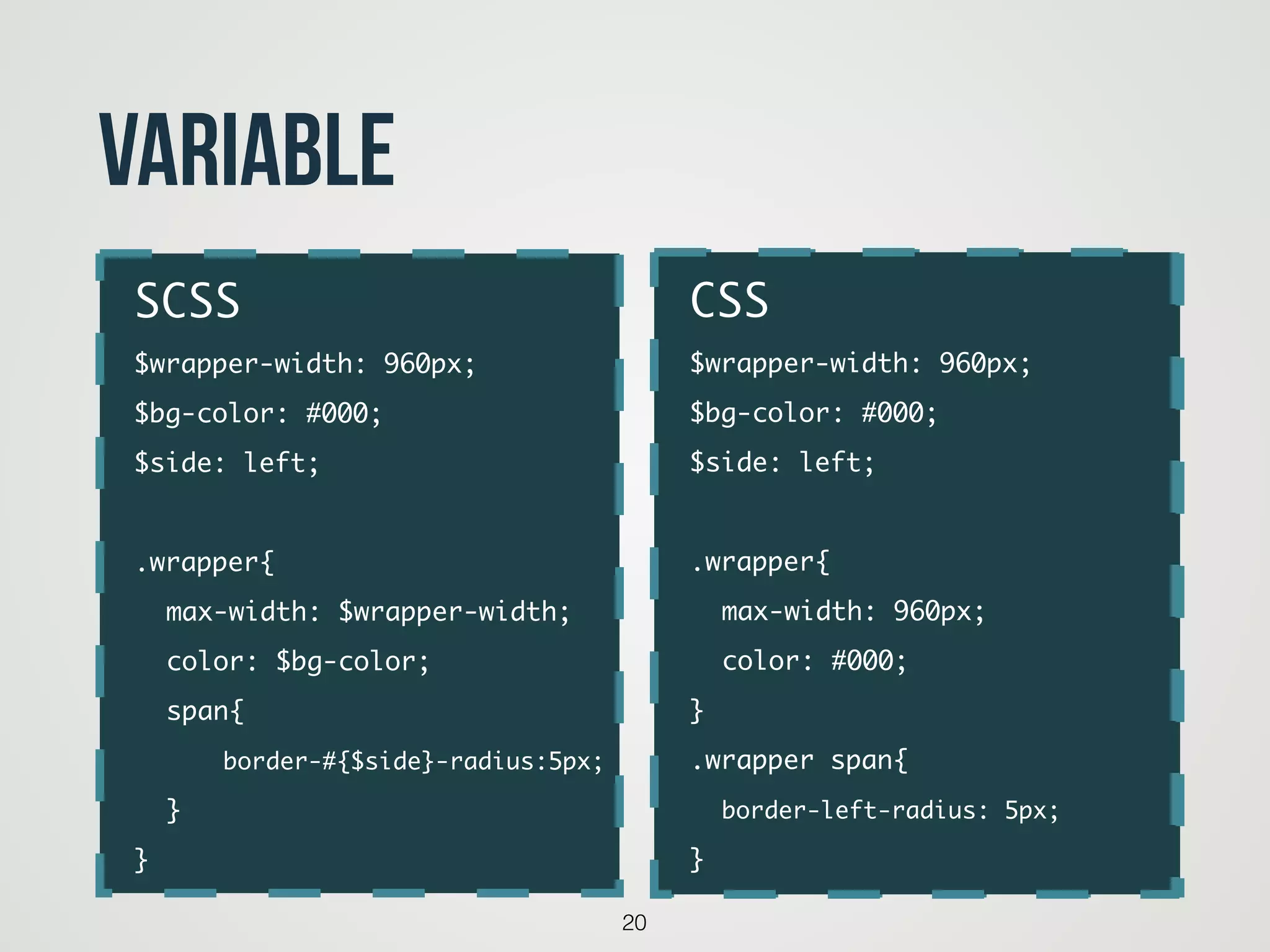
Variable
code
SCSS	
$wrapper-width: 960px;	
$bg-color: #000;	
$side: left;	
!
.wrapper{	
	 max-width: $wrapper-width;	
	 color: $bg-color;	
	 span{	
	 	 border-#{$side}-radius:5px;	
	 }	
}
CSS	
$wrapper-width: 960px;	
$bg-color: #000;	
$side: left;	
!
.wrapper{	
	 max-width: 960px;	
	 color: #000;	
}	
.wrapper span{	
	 border-left-radius: 5px;	
}
21
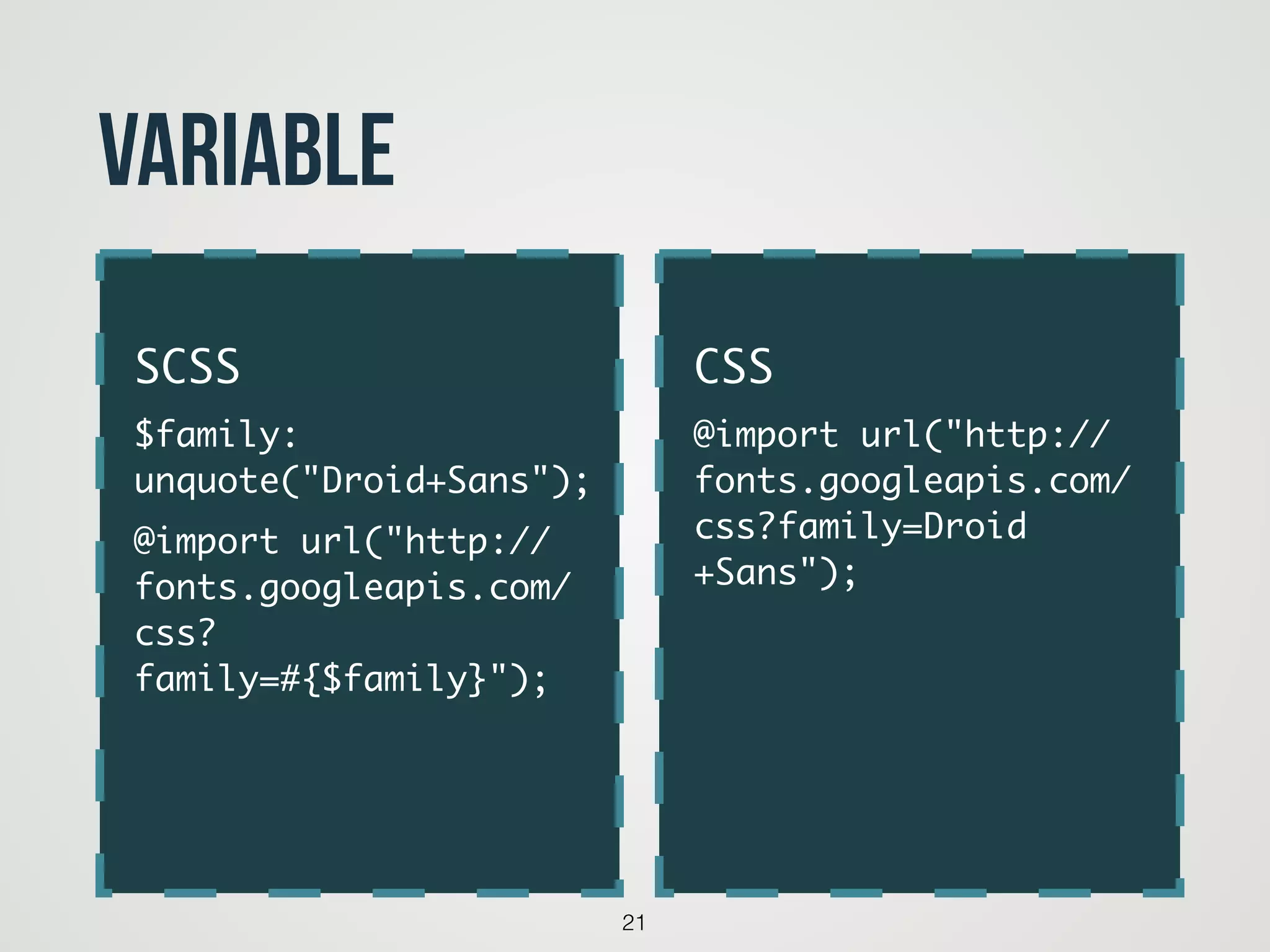
Variable
!
CSS	
@import url("http://
fonts.googleapis.com/
css?family=Droid
+Sans");	
!
SCSS	
$family:
unquote("Droid+Sans");	
@import url("http://
fonts.googleapis.com/
css?
family=#{$family}");
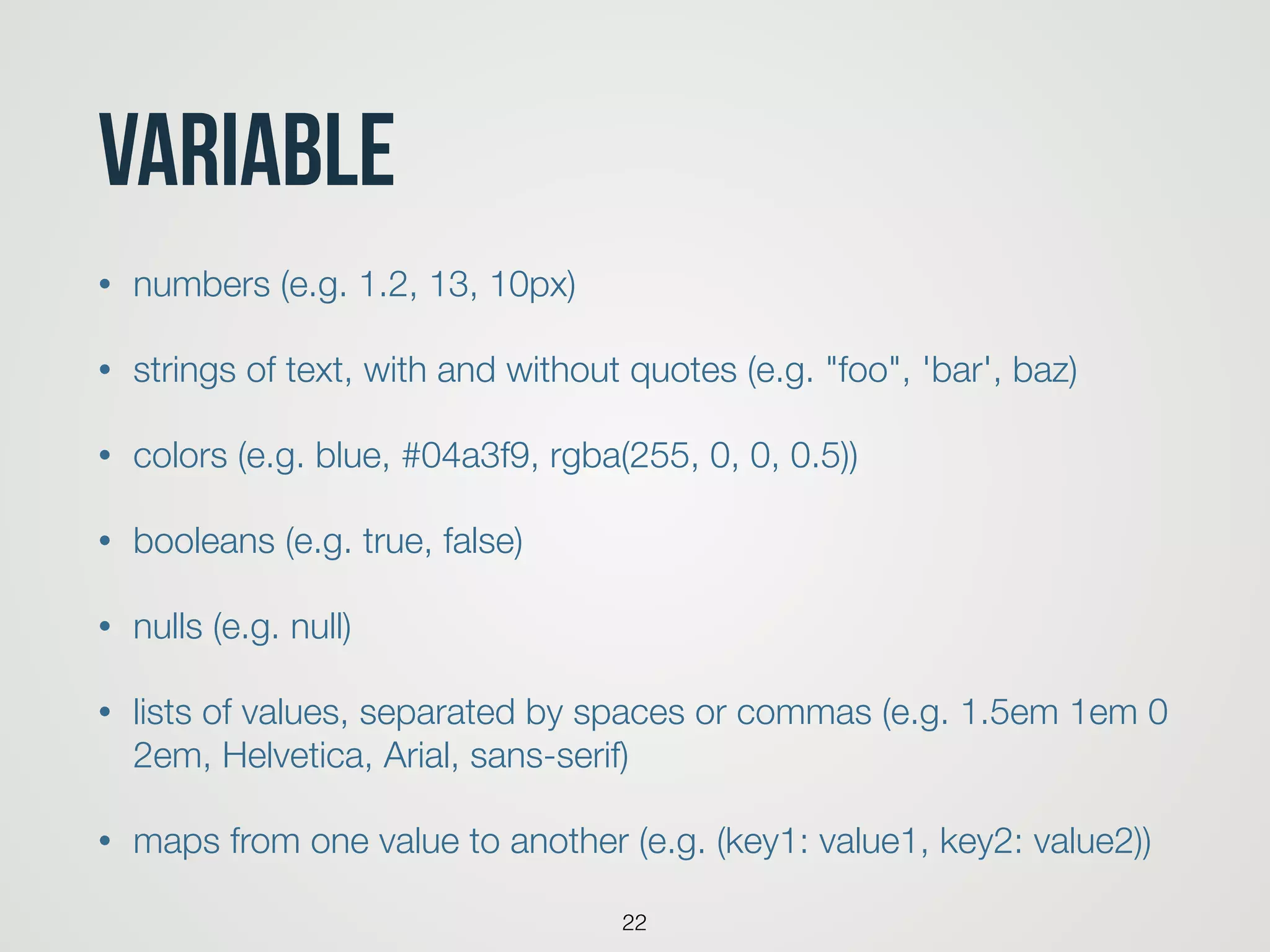
Variable
• numbers (e.g. 1.2, 13, 10px)
• strings of text, with and without quotes (e.g. "foo", 'bar', baz)
• colors (e.g. blue, #04a3f9, rgba(255, 0, 0, 0.5))
• booleans (e.g. true, false)
• nulls (e.g. null)
• lists of values, separated by spaces or commas (e.g. 1.5em 1em 0
2em, Helvetica, Arial, sans-serif)
• maps from one value to another (e.g. (key1: value1, key2: value2))
22
23
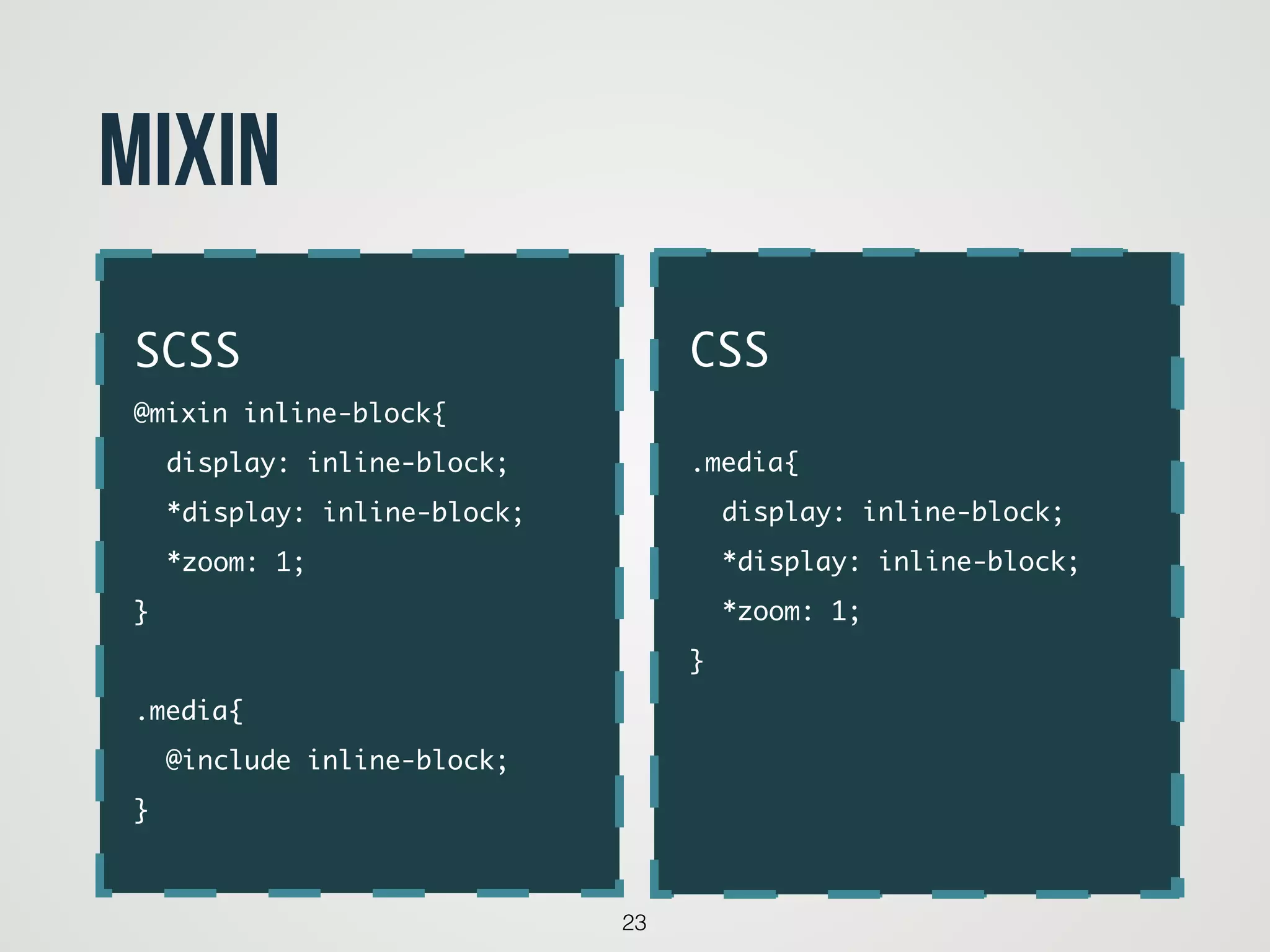
Mixin
code
SCSS	
@mixin inline-block{	
	 display: inline-block;	
	 *display: inline-block;	
	 *zoom: 1;	
}	
!
.media{	
	 @include inline-block;	
}
CSS	
!
.media{	
	 display: inline-block;	
	 *display: inline-block;	
	 *zoom: 1;	
}	
!
!
24
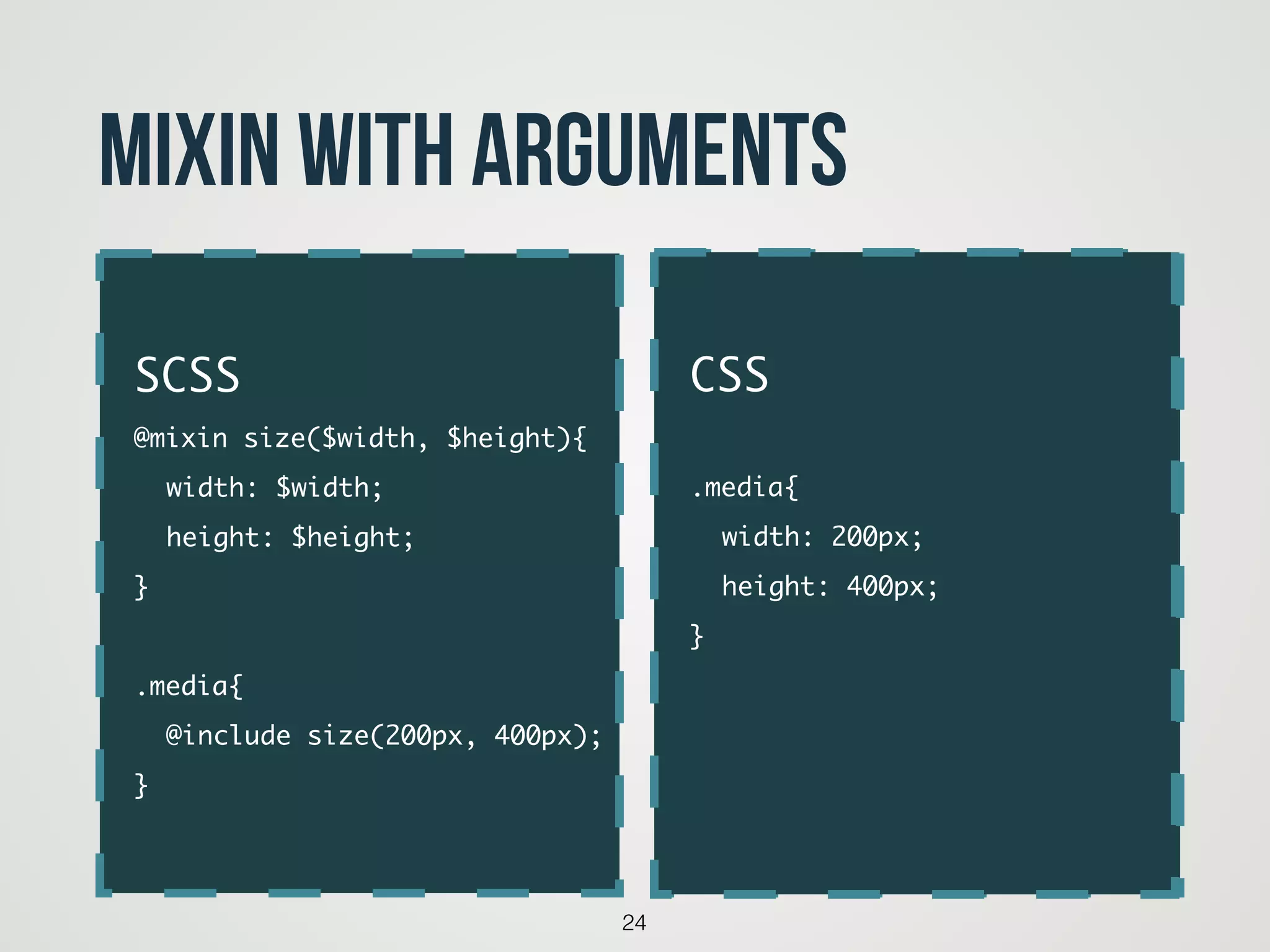
Mixin with arguments
code
SCSS	
@mixin size($width, $height){	
	 width: $width;	
	 height: $height;	
}	
!
.media{	
	 @include size(200px, 400px);	
}
CSS	
!
.media{	
	 width: 200px;	
	 height: 400px;	
}	
!
!
25
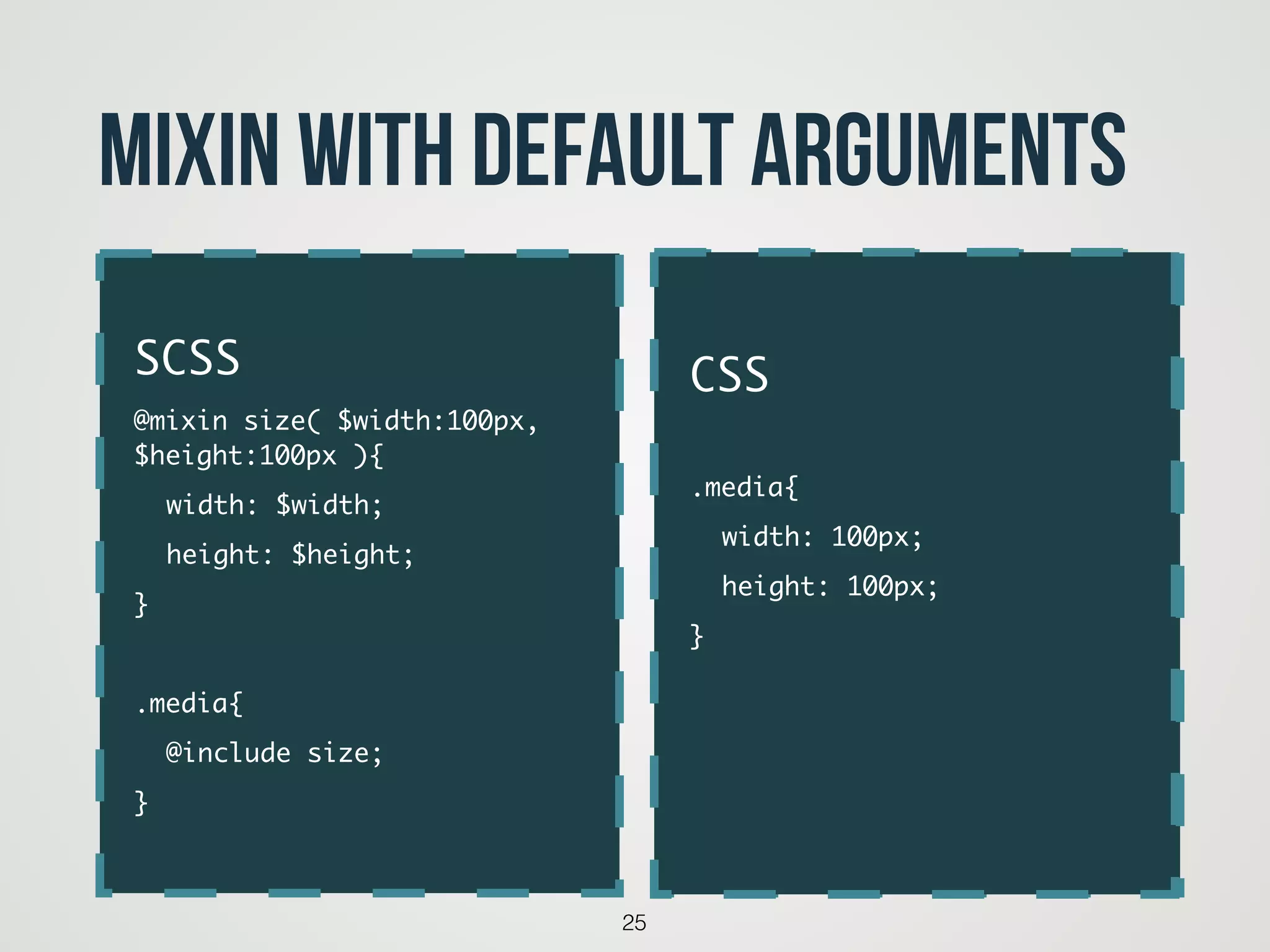
Mixin with default arguments
code
SCSS	
@mixin size( $width:100px,
$height:100px ){	
	 width: $width;	
	 height: $height;	
}	
!
.media{	
	 @include size;	
}
CSS	
!
.media{	
	 width: 100px;	
	 height: 100px;	
}	
!
!
26
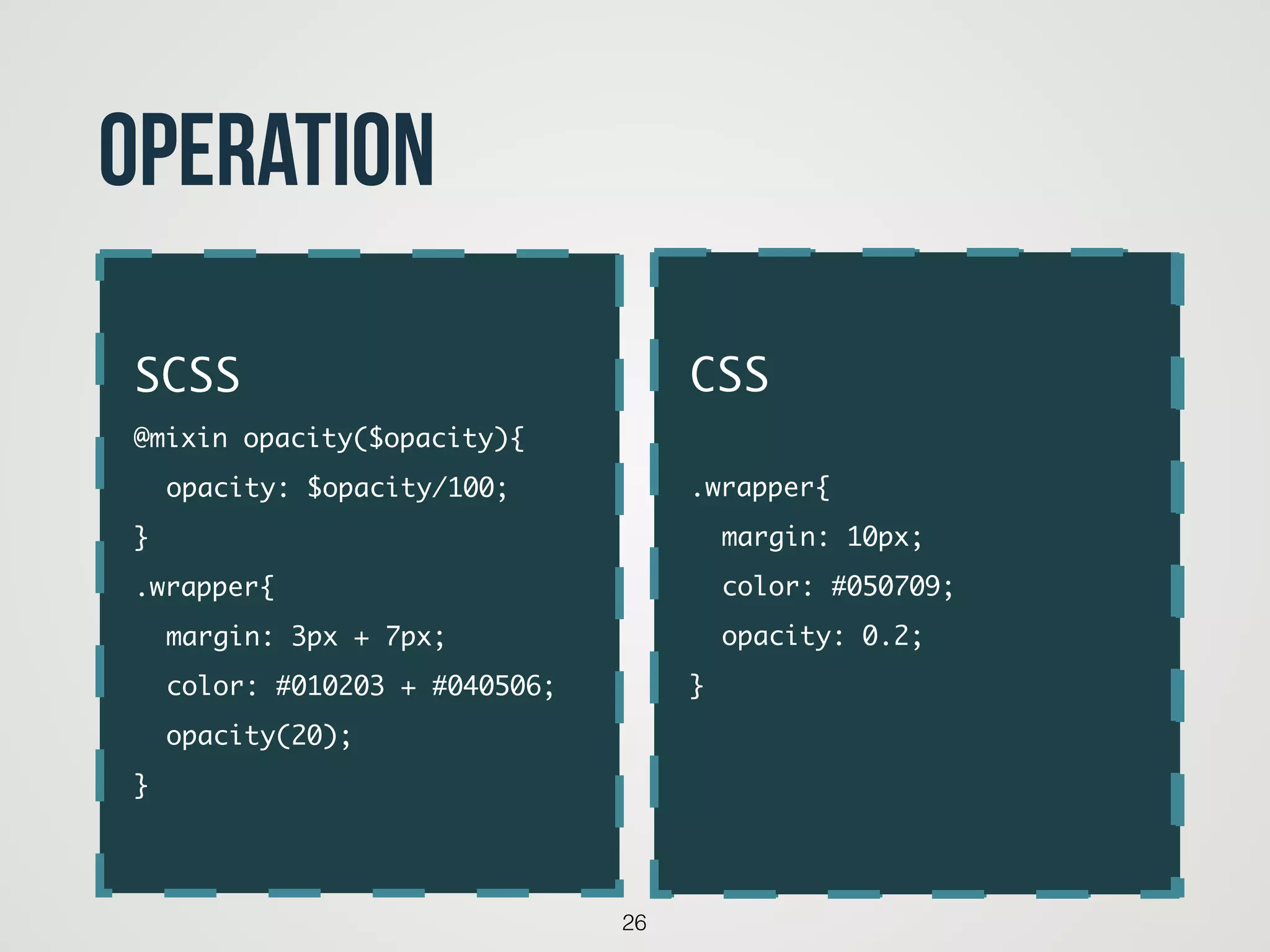
operation
code
SCSS	
@mixin opacity($opacity){	
	 opacity: $opacity/100;	
}	
.wrapper{	
	 margin: 3px + 7px;	
	 color: #010203 + #040506;	
	 opacity(20);	
}
CSS	
!
.wrapper{	
	 margin: 10px;	
	 color: #050709;	
	 opacity: 0.2;	
}	
!
27
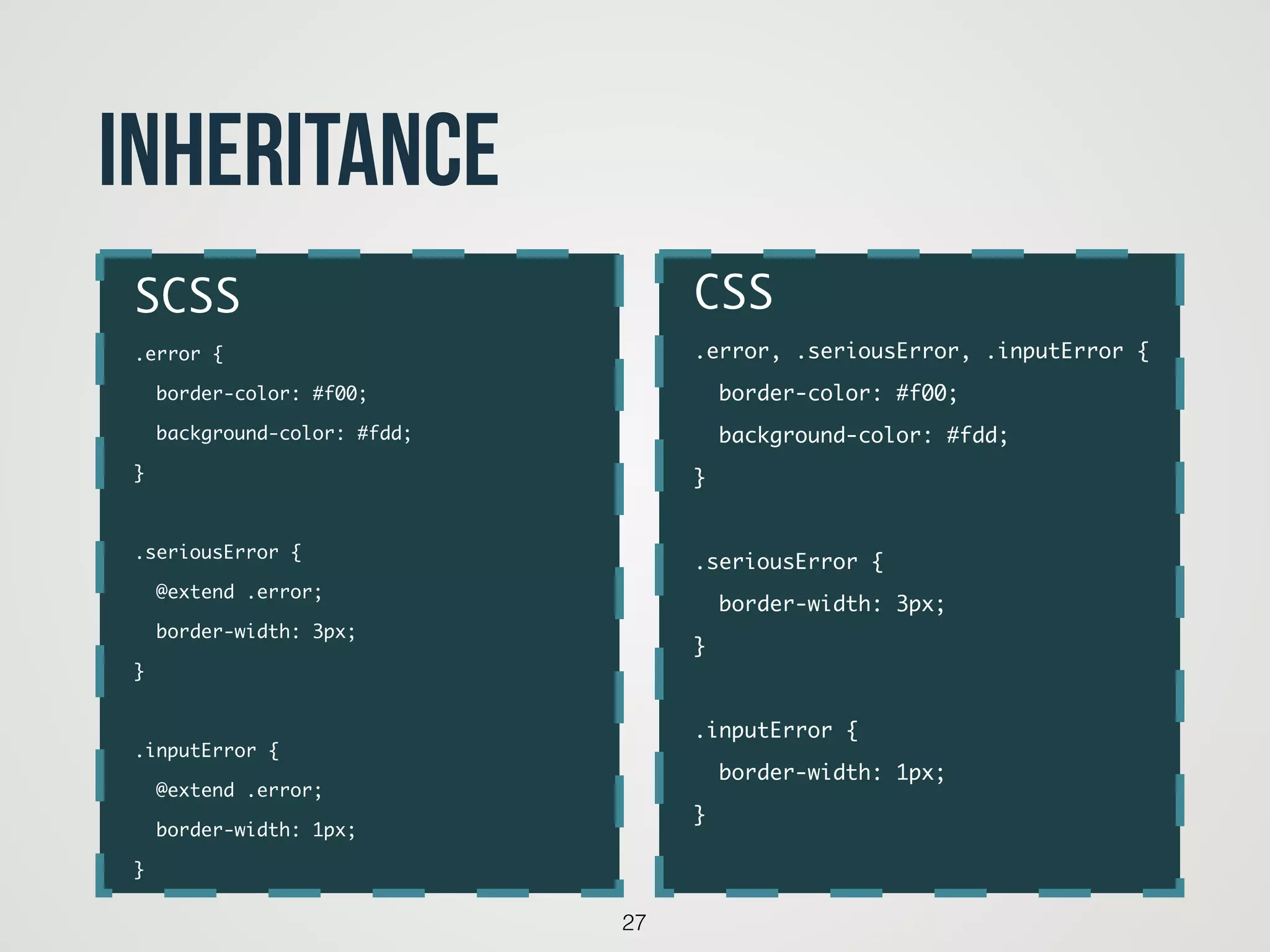
inheritance
CSS	
.error, .seriousError, .inputError {	
border-color: #f00;	
background-color: #fdd;	
}	
!
.seriousError {	
border-width: 3px;	
}	
!
.inputError {	
border-width: 1px;	
}
SCSS	
.error {	
border-color: #f00;	
background-color: #fdd;	
}	
!
.seriousError {	
@extend .error;	
border-width: 3px;	
}	
!
.inputError {	
@extend .error;	
border-width: 1px;	
}
28
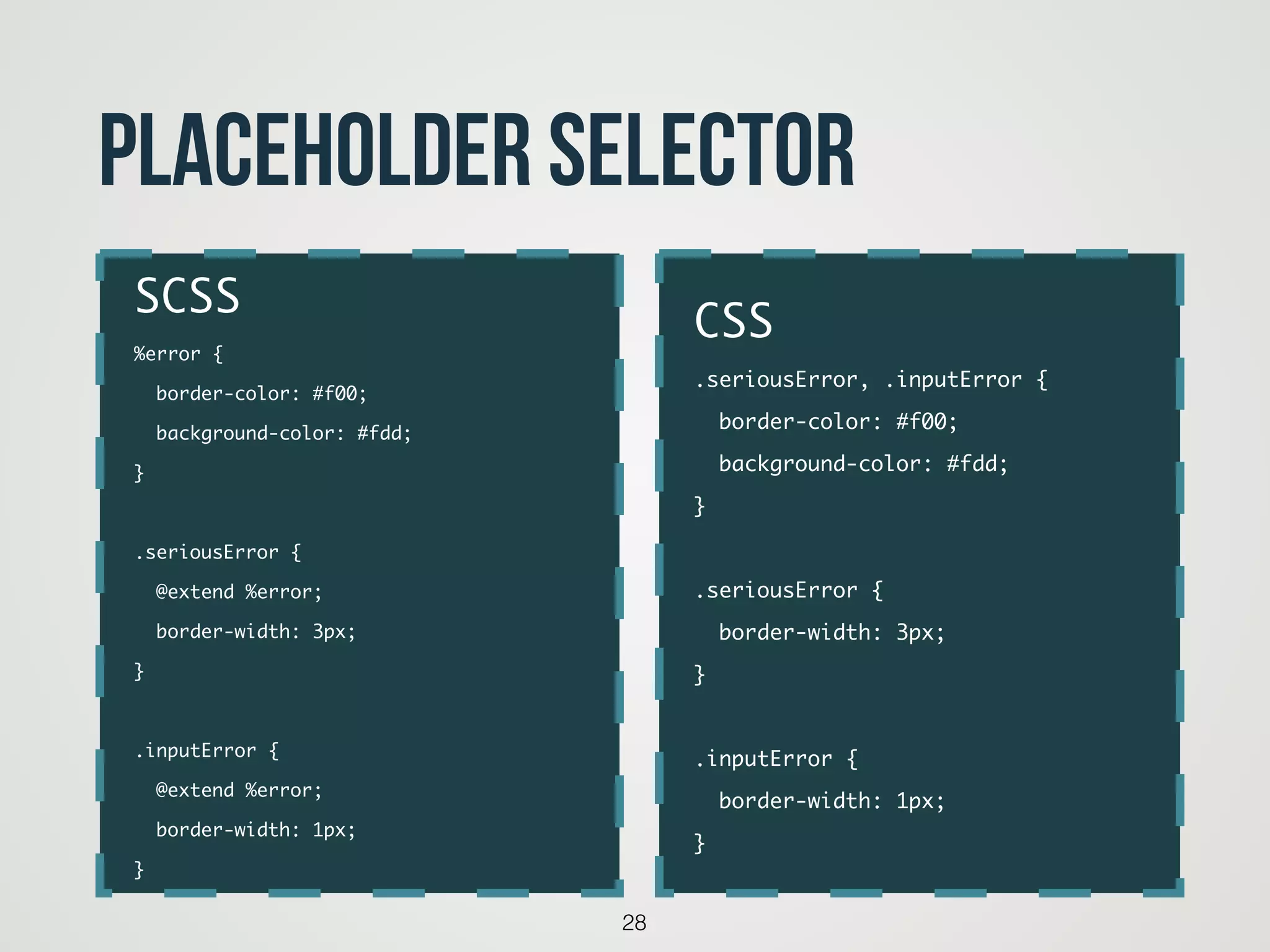
placeholder selector
CSS	
.seriousError, .inputError {	
border-color: #f00;	
background-color: #fdd;	
}	
!
.seriousError {	
border-width: 3px;	
}	
!
.inputError {	
border-width: 1px;	
}
SCSS	
%error {	
border-color: #f00;	
background-color: #fdd;	
}	
!
.seriousError {	
@extend %error;	
border-width: 3px;	
}	
!
.inputError {	
@extend %error;	
border-width: 1px;	
}
29
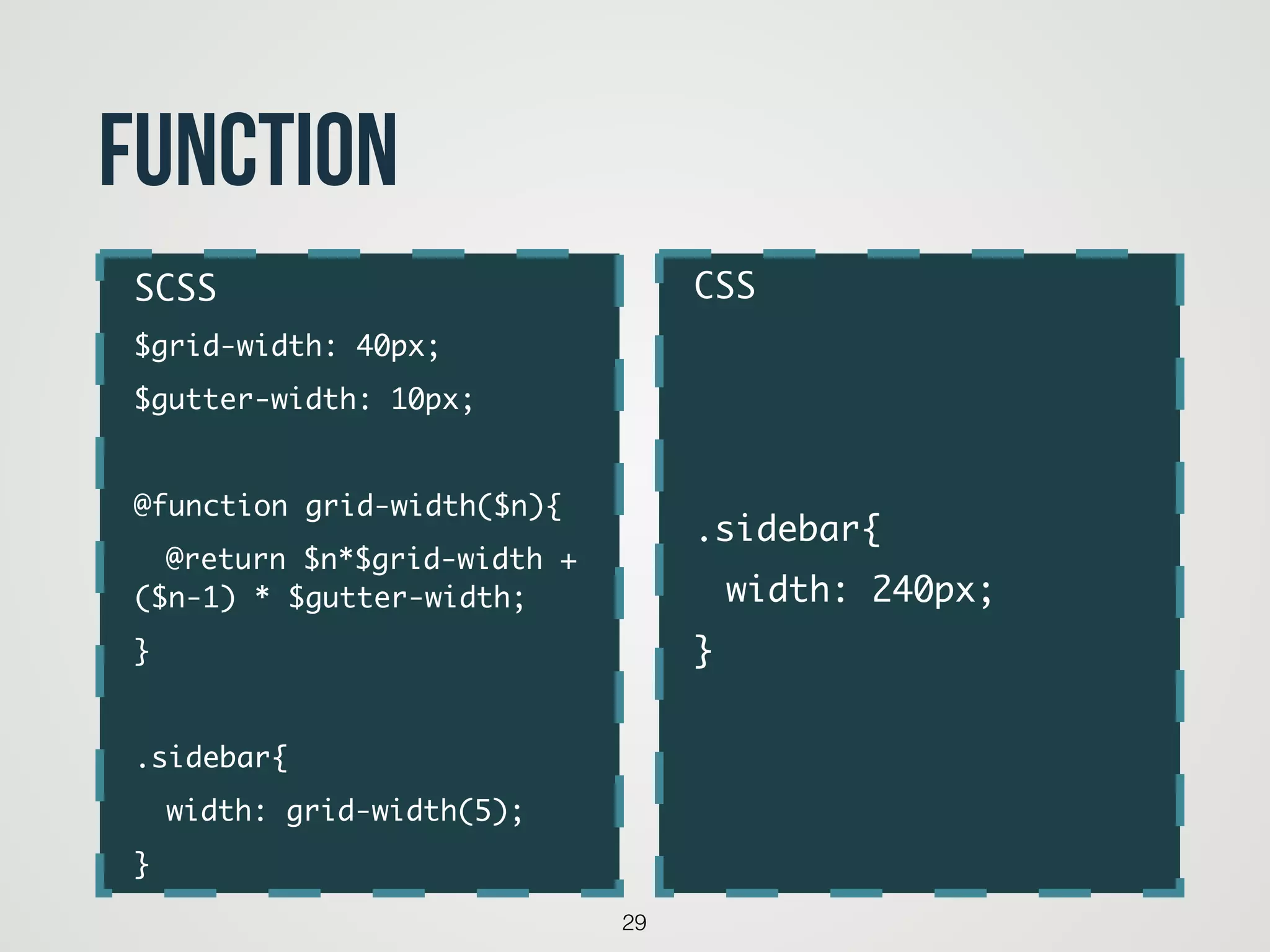
function
CSS	
!
!
!
.sidebar{	
	 width: 240px;	
}
SCSS	
$grid-width: 40px;	
$gutter-width: 10px;	
!
@function grid-width($n){	
	 @return $n*$grid-width +
($n-1) * $gutter-width;	
}	
!
.sidebar{	
	 width: grid-width(5);	
}
30
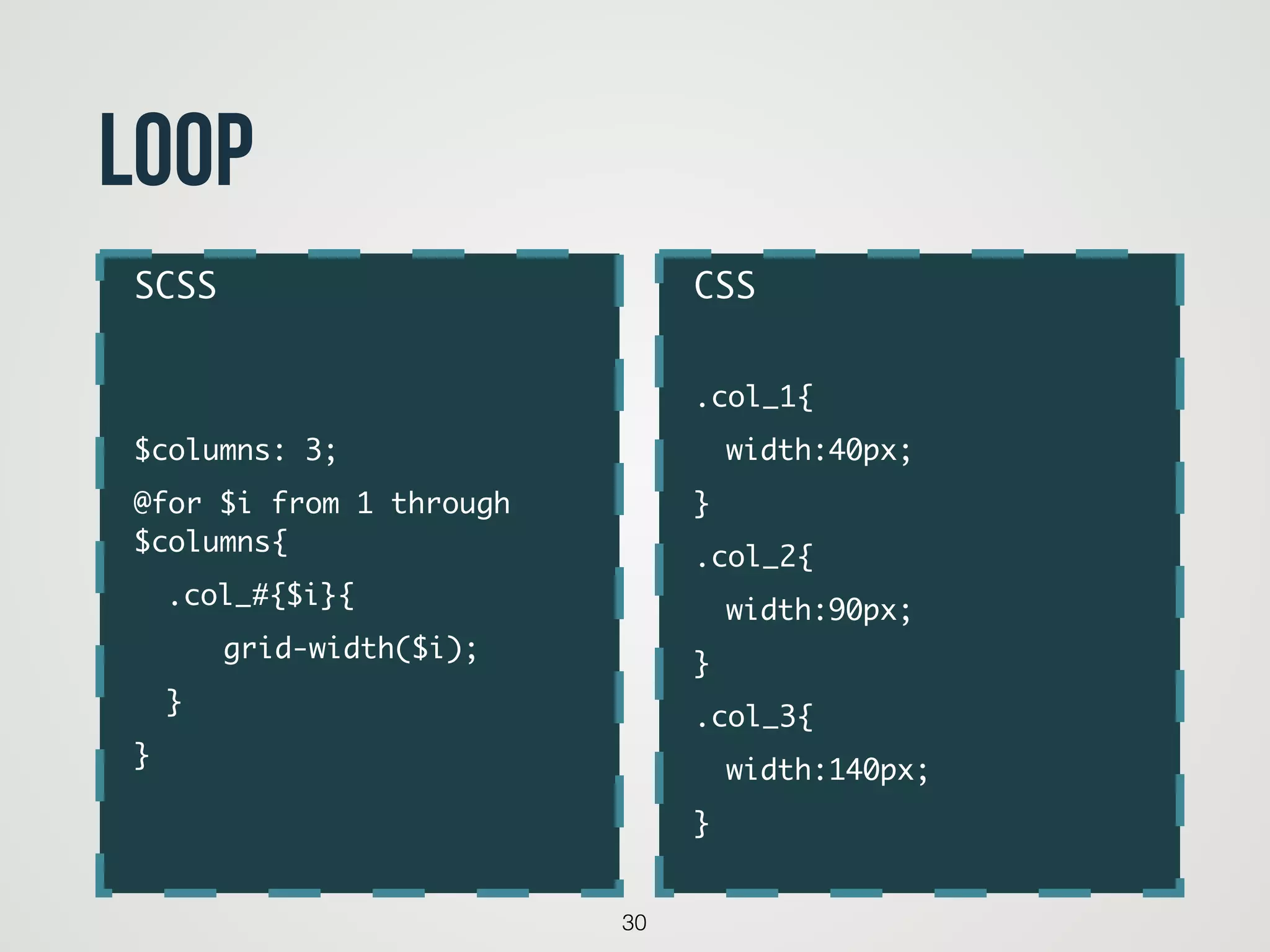
loop
CSS	
!
.col_1{	
	 width:40px;	
}	
.col_2{	
	 width:90px;	
}	
.col_3{	
	 width:140px;	
}
SCSS	
!
!
$columns: 3;	
@for $i from 1 through
$columns{	
	 .col_#{$i}{	
	 	 grid-width($i);	 	
	 }	
}
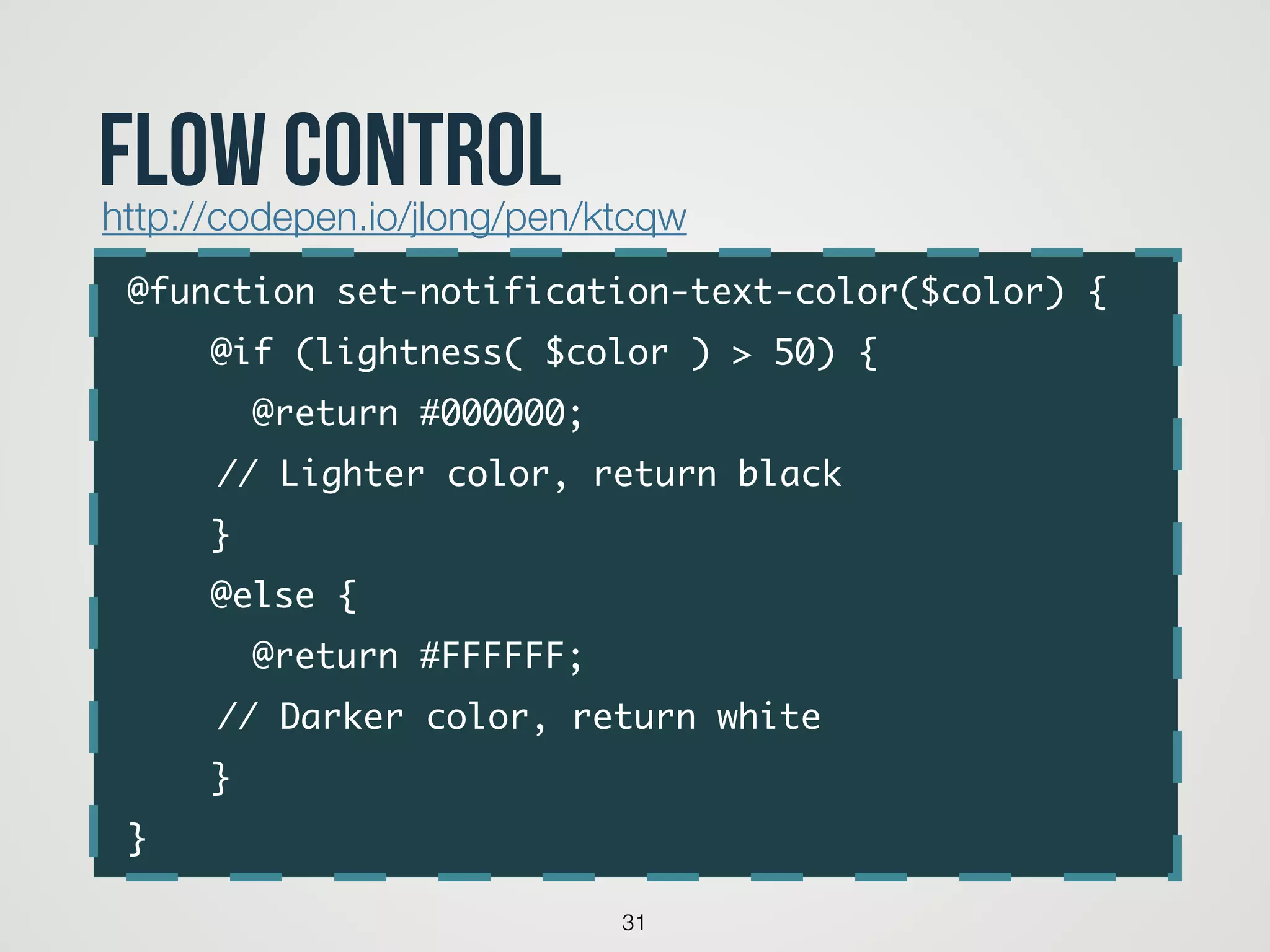
@function set-notification-text-color($color) {	
@if (lightness( $color ) > 50) {	
@return #000000; 	
	 	 // Lighter color, return black	
}	
@else {	
@return #FFFFFF; 	
	 	 // Darker color, return white	
}	
}
31
flow controlhttp://codepen.io/jlong/pen/ktcqw
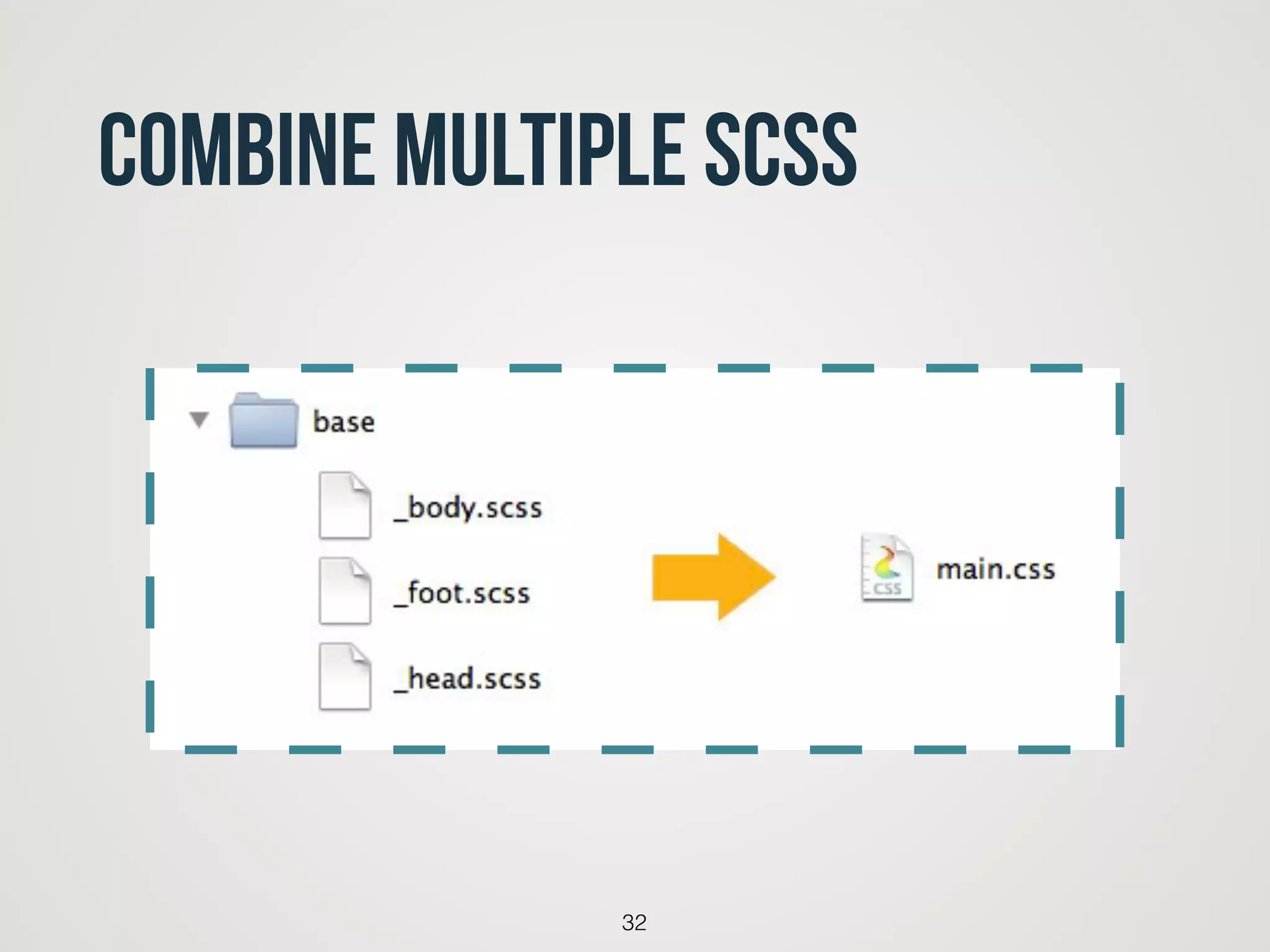
combine multiple scss
32
33
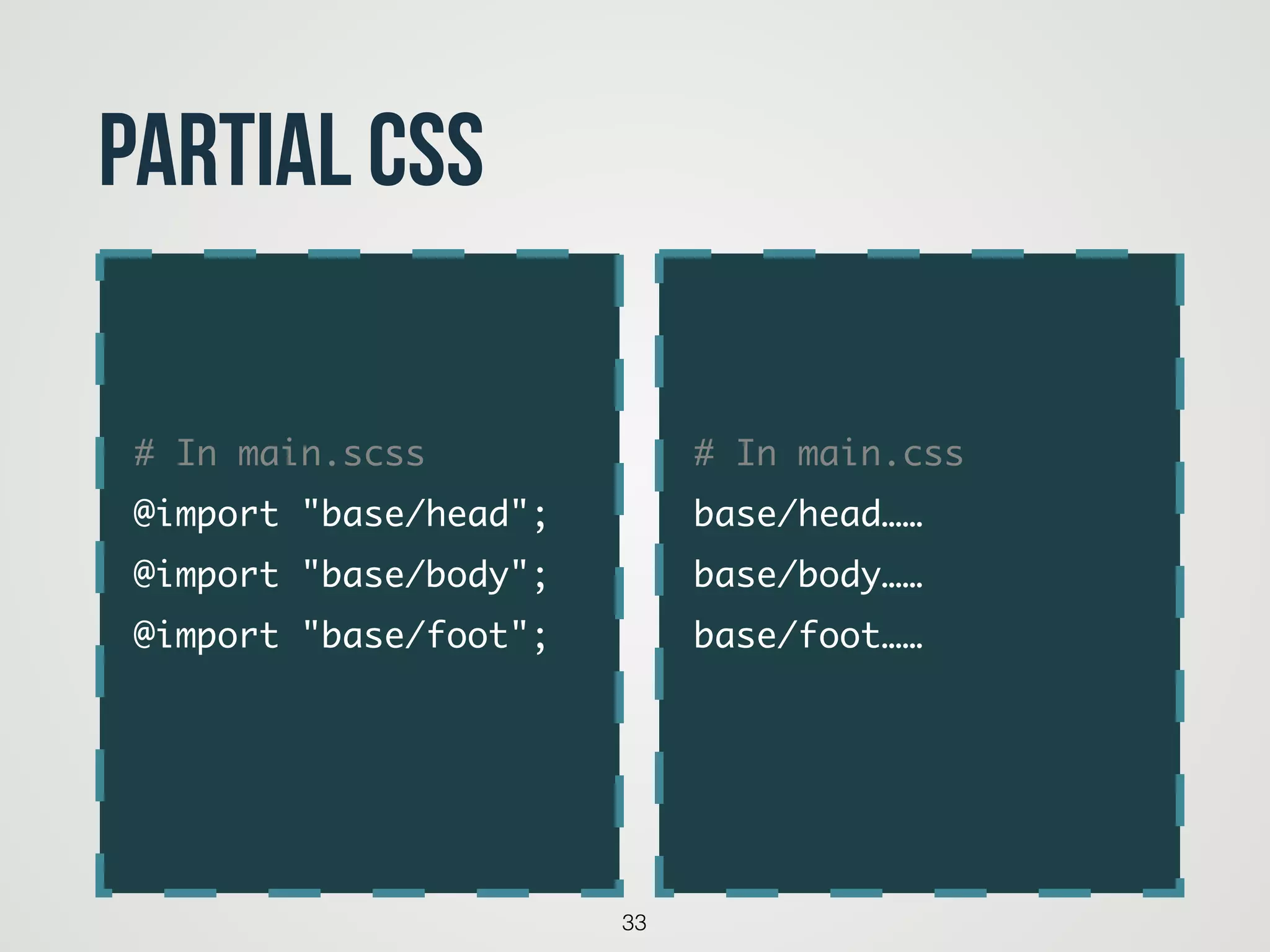
partial CSS
# In main.css	
base/head……	
base/body……	
base/foot……	
# In main.scss	
@import "base/head";	
@import "base/body";	
@import "base/foot";
‣常用函式
‣實際範例
Utility and Example
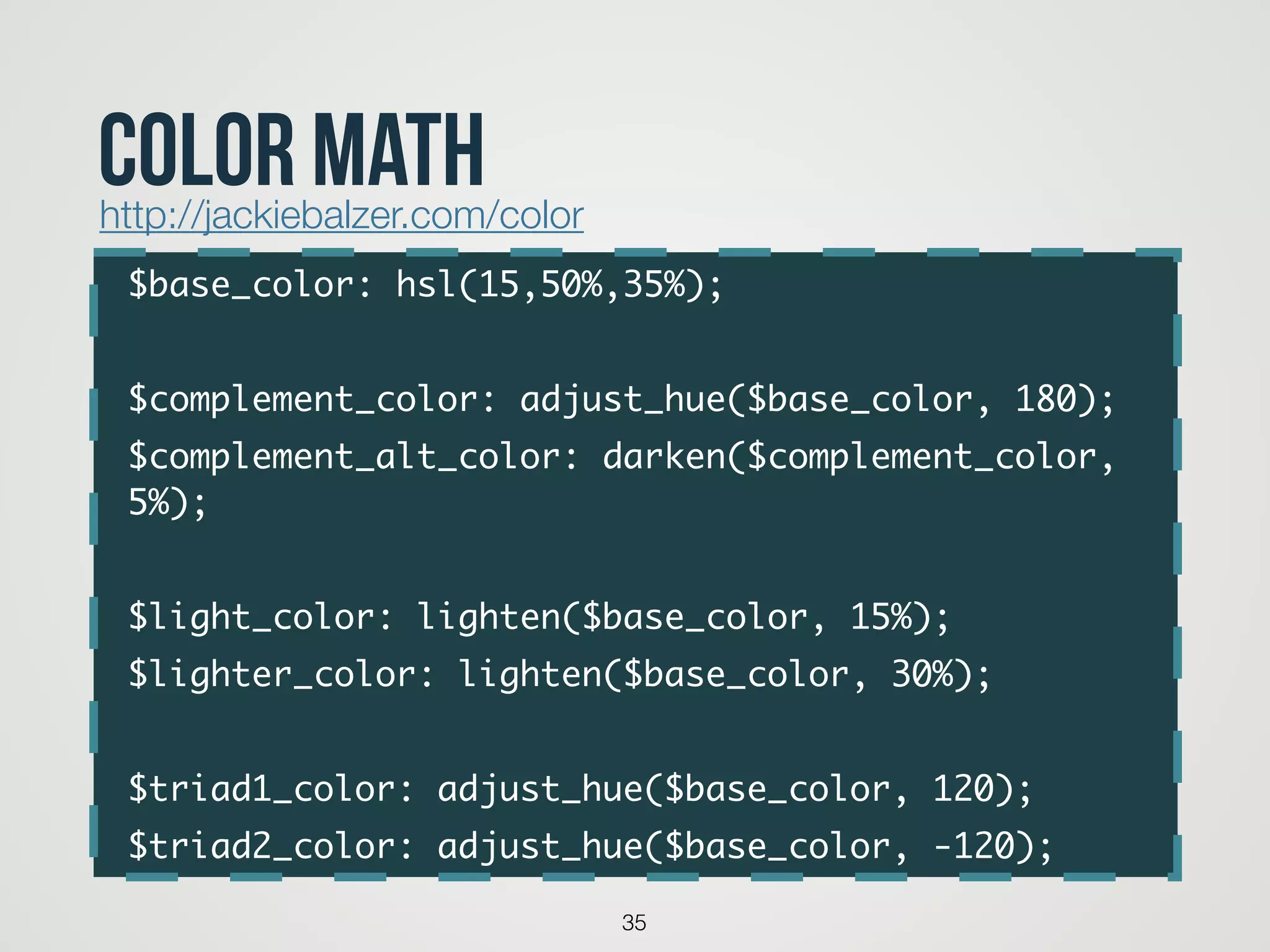
$base_color: hsl(15,50%,35%);	
!
$complement_color: adjust_hue($base_color, 180);	
$complement_alt_color: darken($complement_color,
5%);	
!
$light_color: lighten($base_color, 15%);	
$lighter_color: lighten($base_color, 30%);	
!
$triad1_color: adjust_hue($base_color, 120);	
$triad2_color: adjust_hue($base_color, -120);
35
color mathhttp://jackiebalzer.com/color
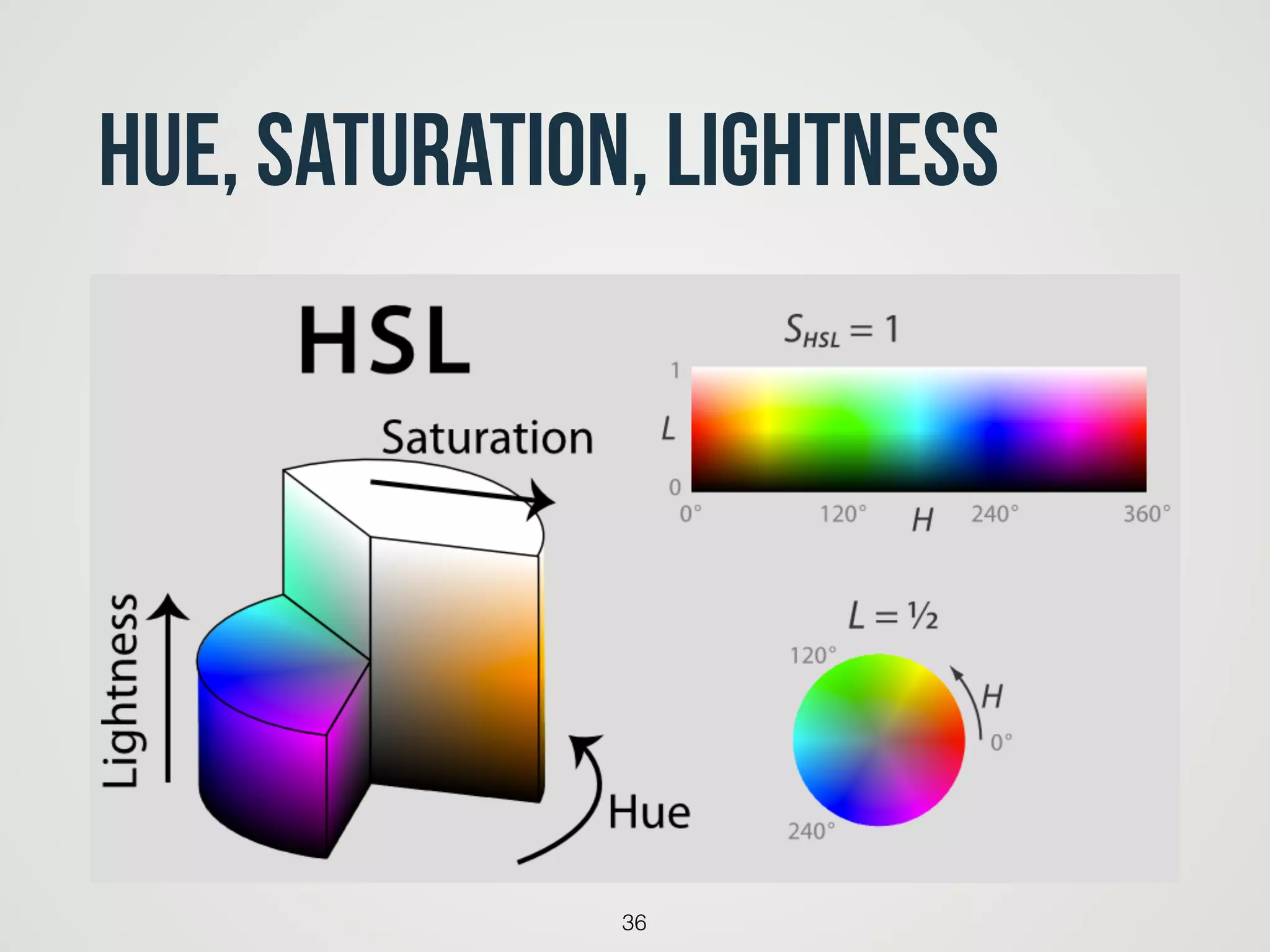
Hue, Saturation, Lightness
36
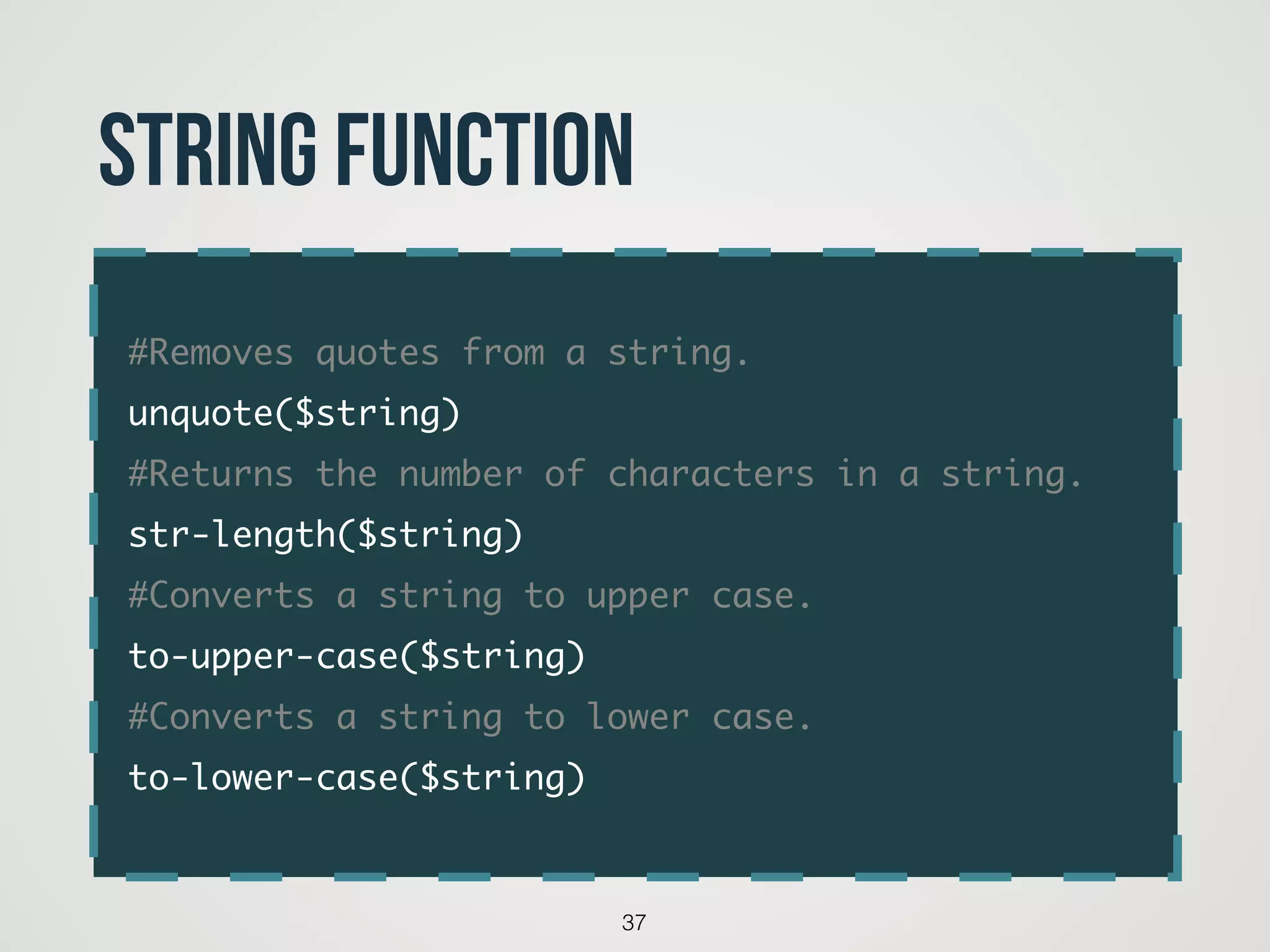
#Removes quotes from a string.	
unquote($string)	
#Returns the number of characters in a string.	
str-length($string)	
#Converts a string to upper case.	
to-upper-case($string)	
#Converts a string to lower case.	
to-lower-case($string)
37
String function
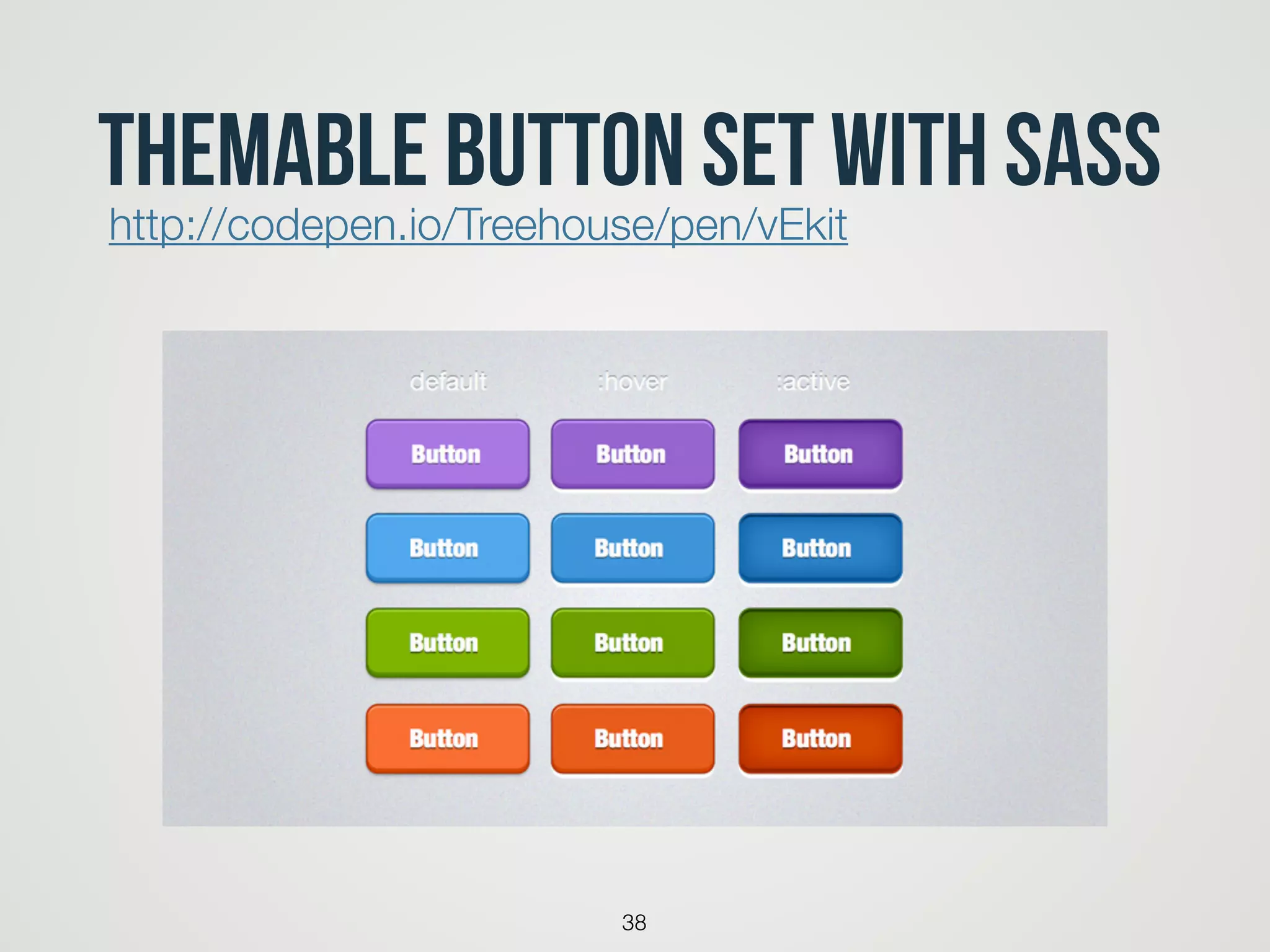
Themable Button Set with Sass
38
http://codepen.io/Treehouse/pen/vEkit
You want more MIXINs?
39
40
41
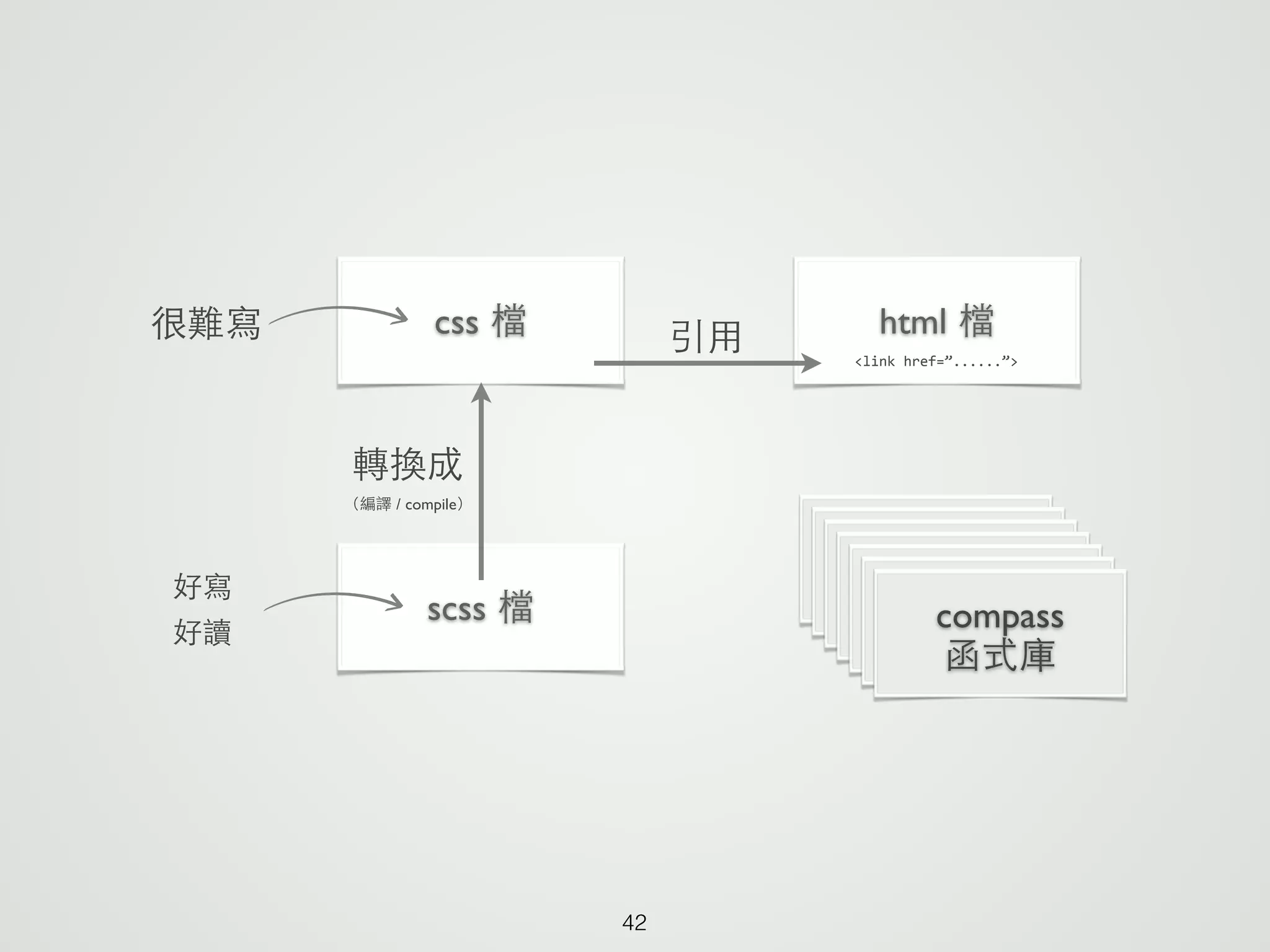
42
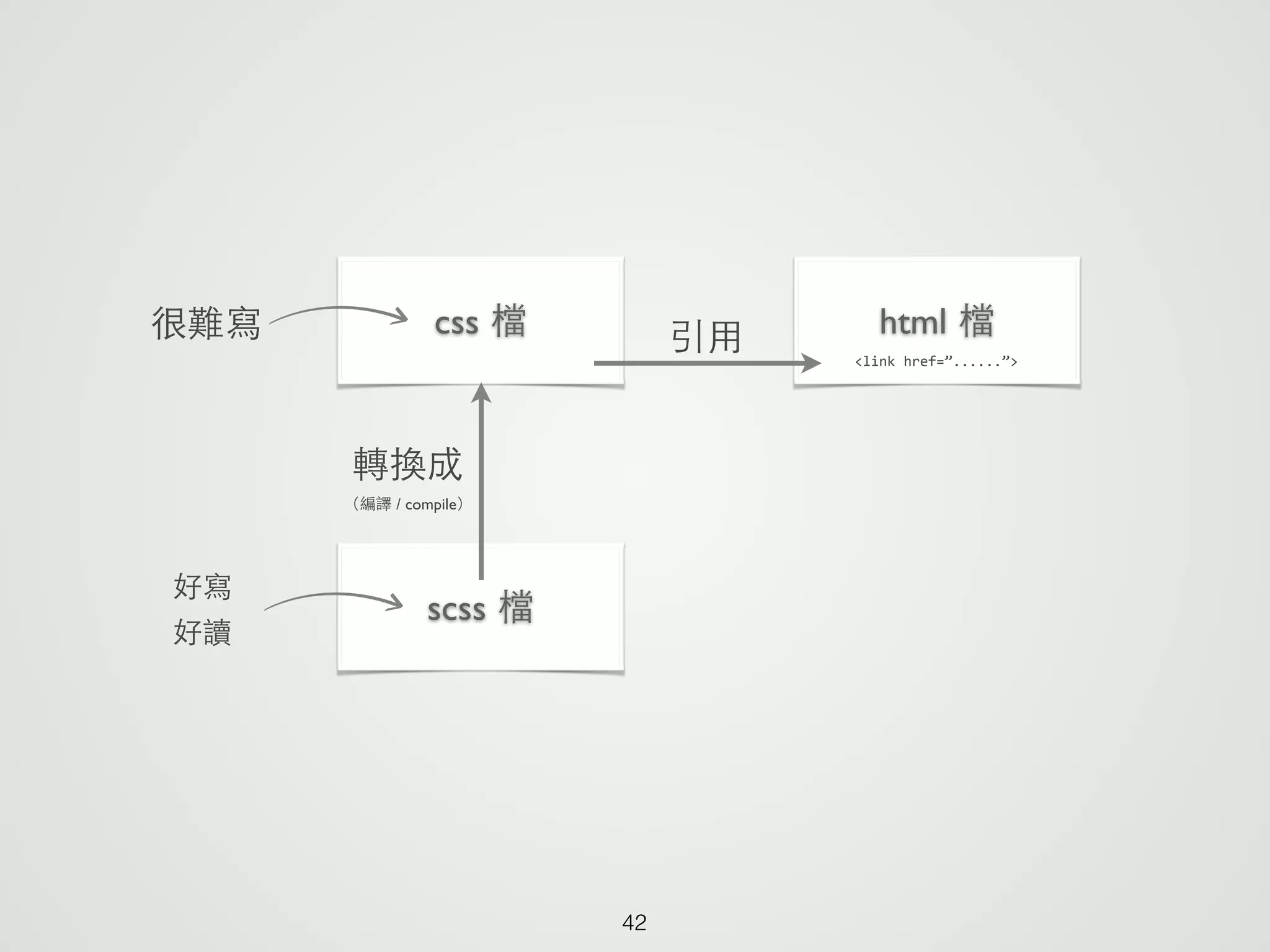
html 檔css 檔 引⽤用 <link	
  href=”......”>
很難寫
scss 檔
好寫	

好讀
轉換成	

(編譯 / compile)
42
html 檔css 檔 引⽤用 <link	
  href=”......”>
很難寫
scss 檔
好寫	

好讀
轉換成	

(編譯 / compile)
compass	

函式庫
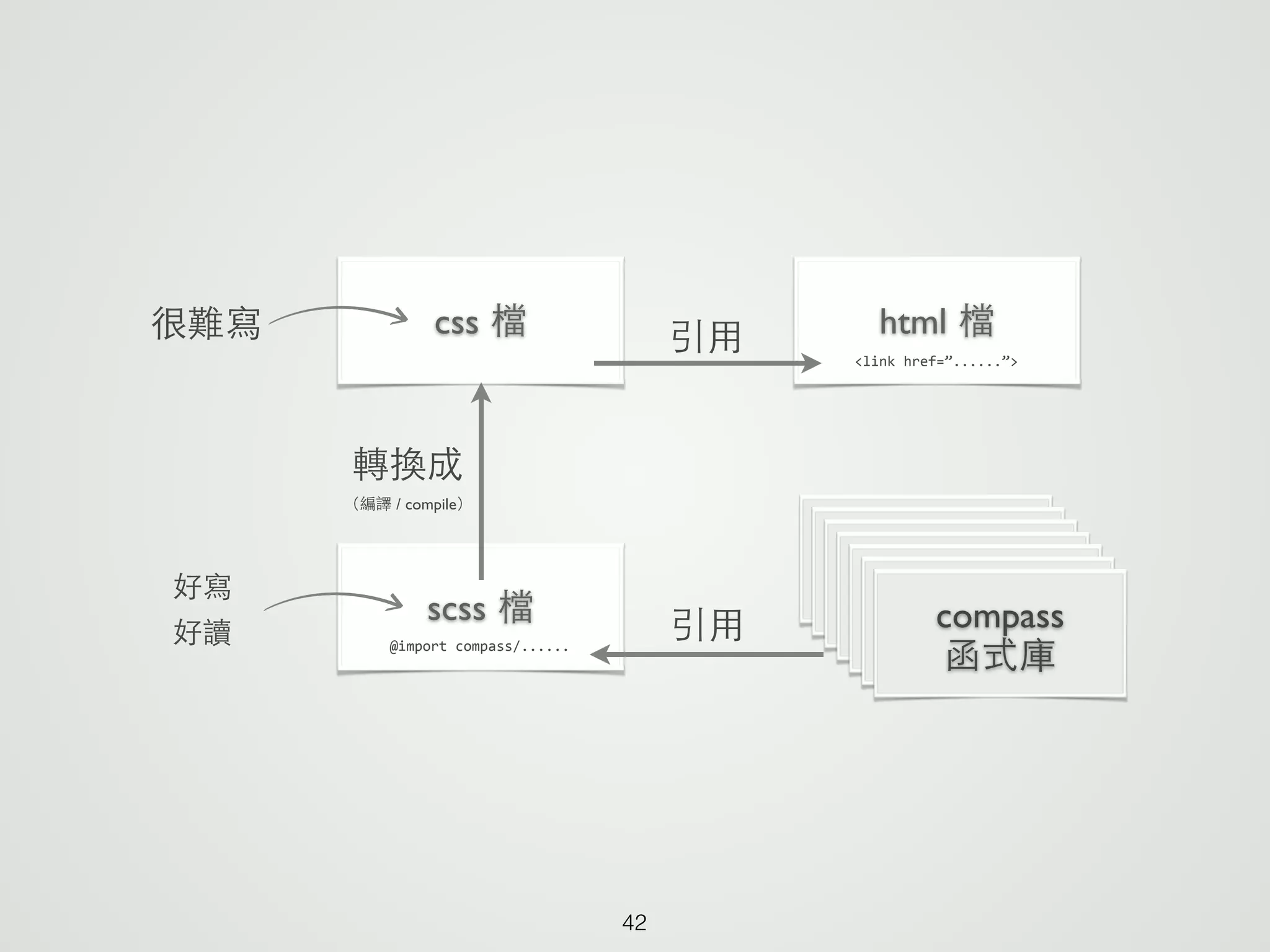
42
html 檔css 檔 引⽤用 <link	
  href=”......”>
很難寫
scss 檔
好寫	

好讀
轉換成	

(編譯 / compile)
compass	

函式庫@import	
  compass/......
引⽤用
‣安裝
‣專案設定
Set up your compass
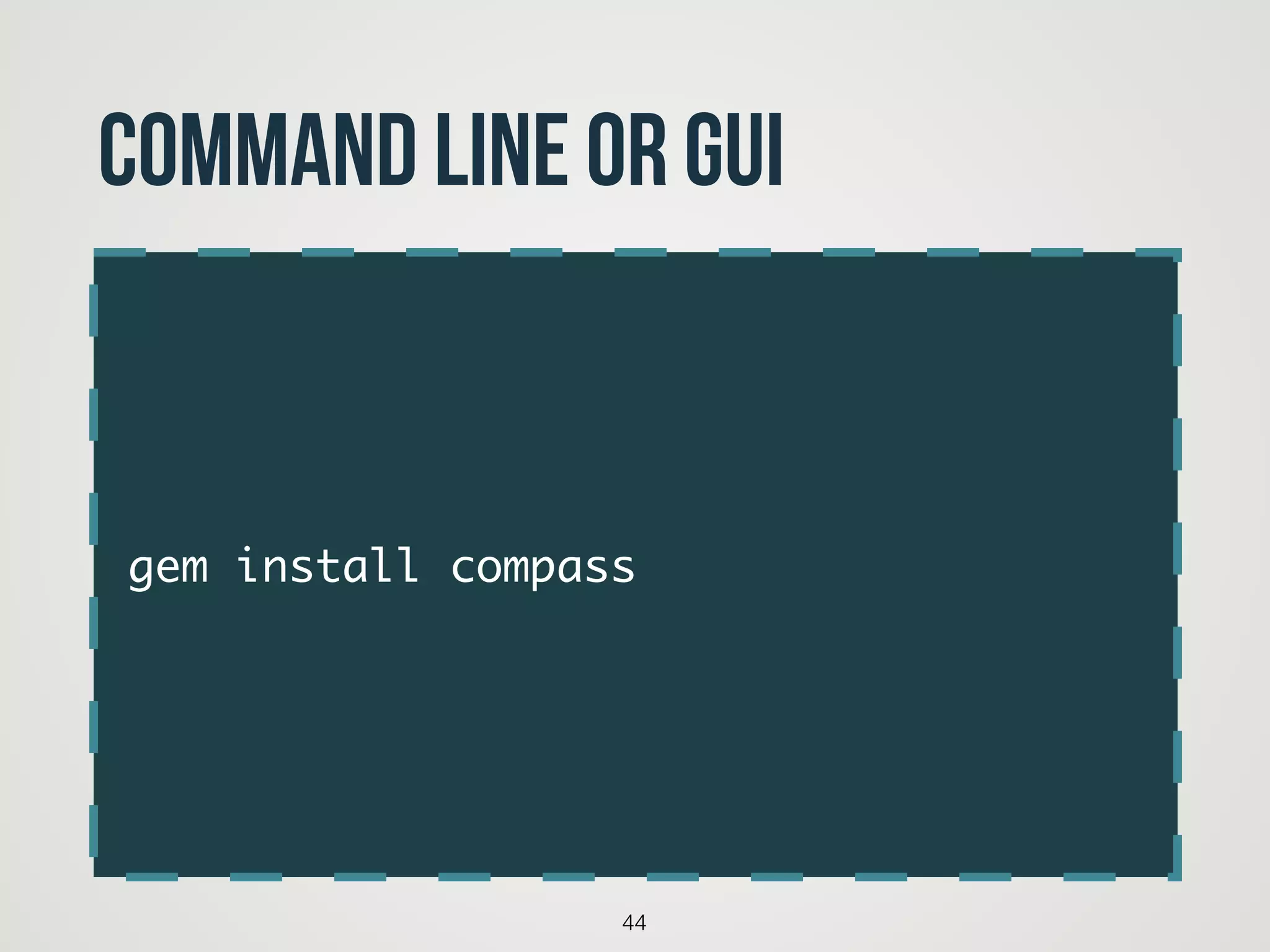
gem install compass
44
command Line or GUI
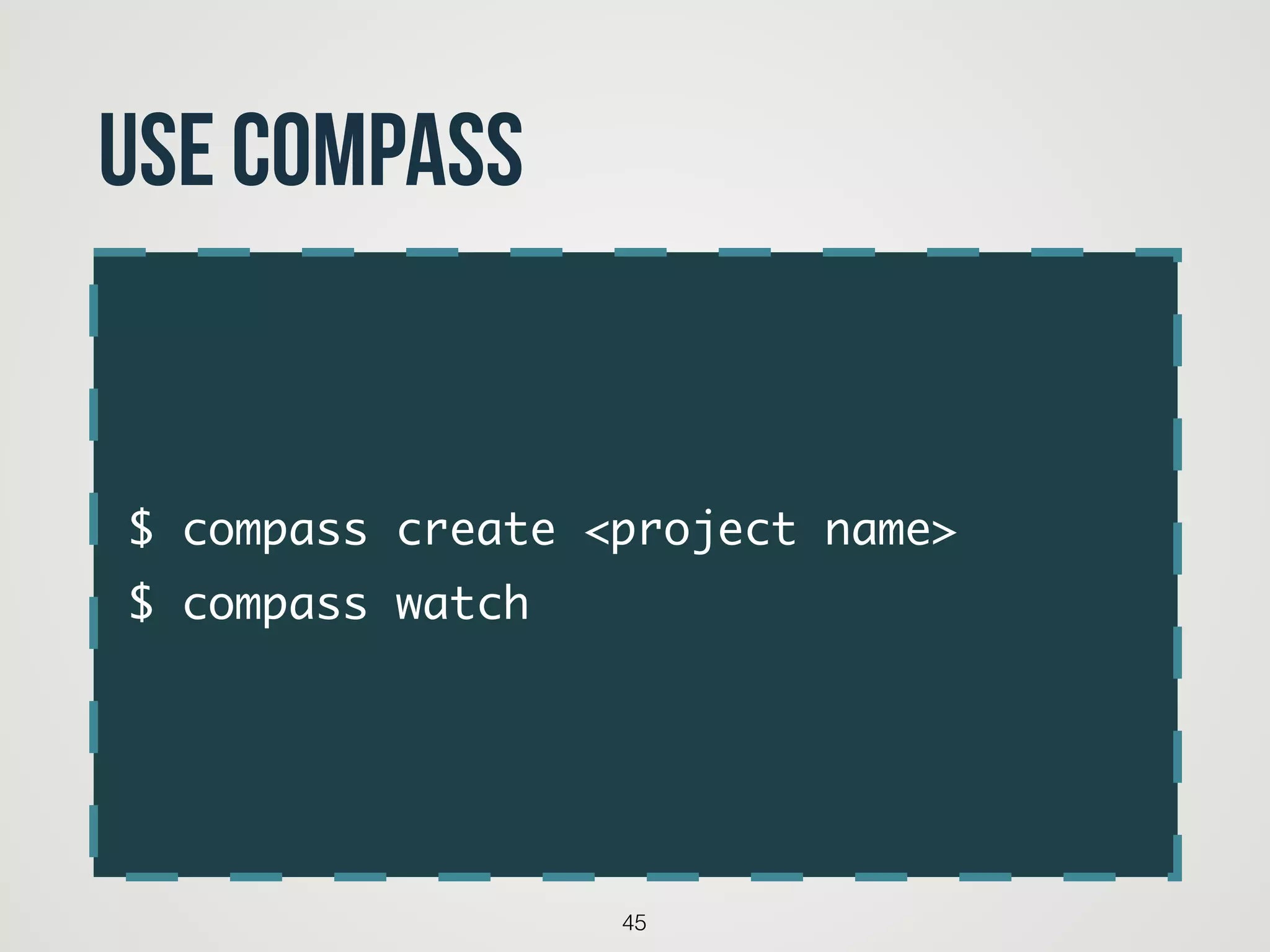
$ compass create <project name>	
$ compass watch
45
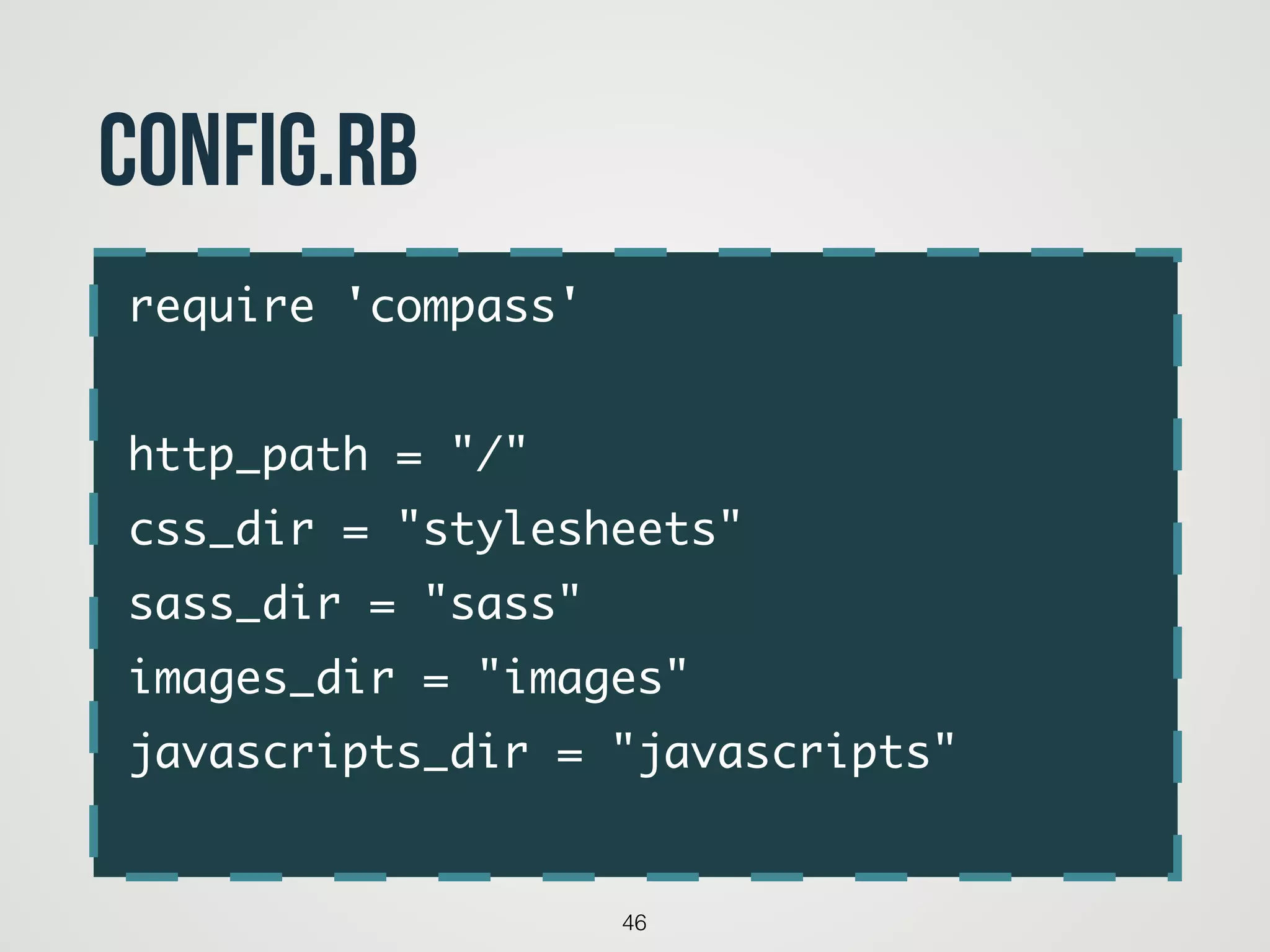
Use compass
require 'compass'	
!
http_path = "/"	
css_dir = "stylesheets"	
sass_dir = "sass"	
images_dir = "images"	
javascripts_dir = "javascripts"	
46
config.rb
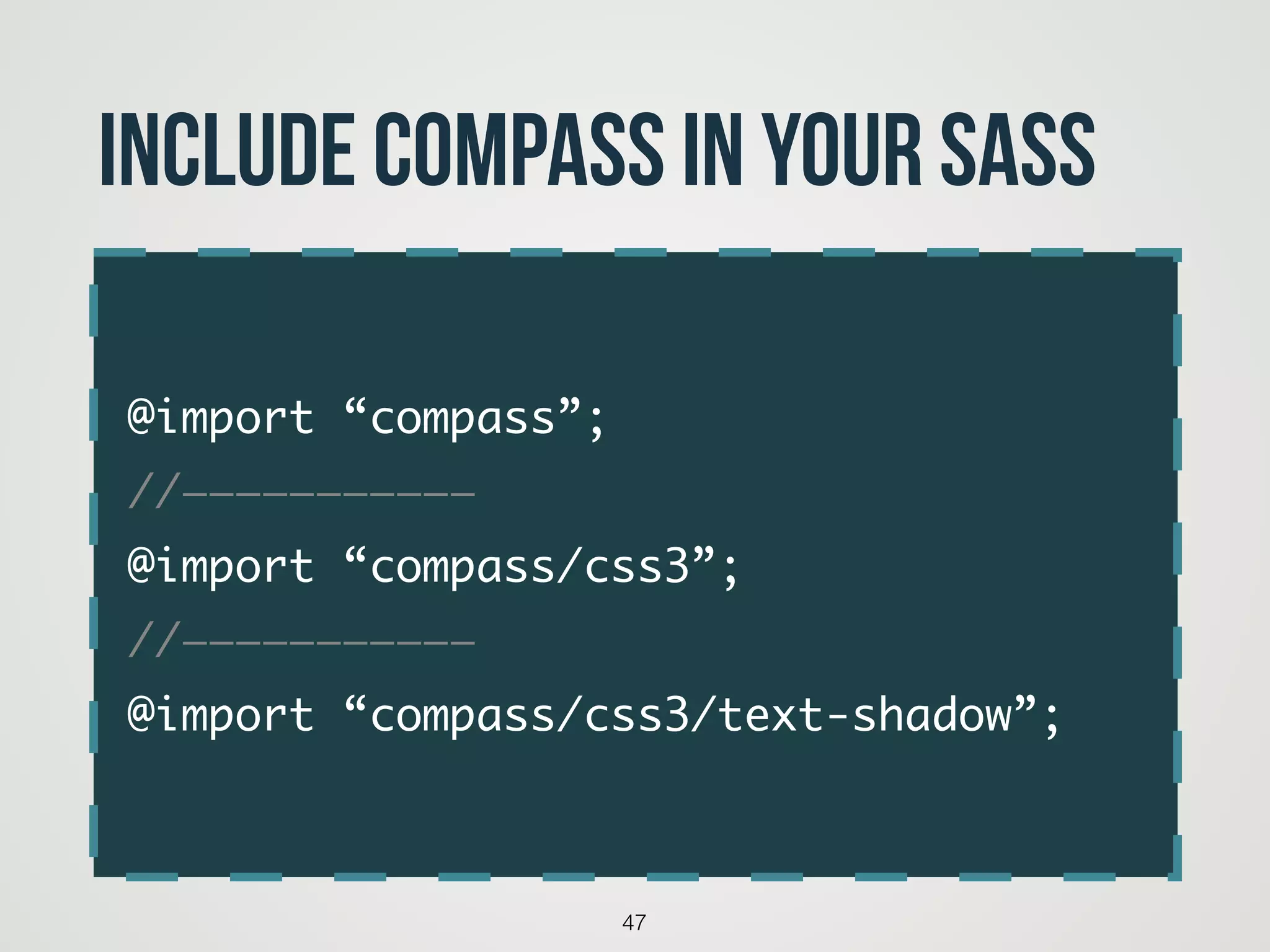
@import “compass”;	
//———————————	
@import “compass/css3”;	
//———————————	
@import “compass/css3/text-shadow”;
47
include compass in your sass
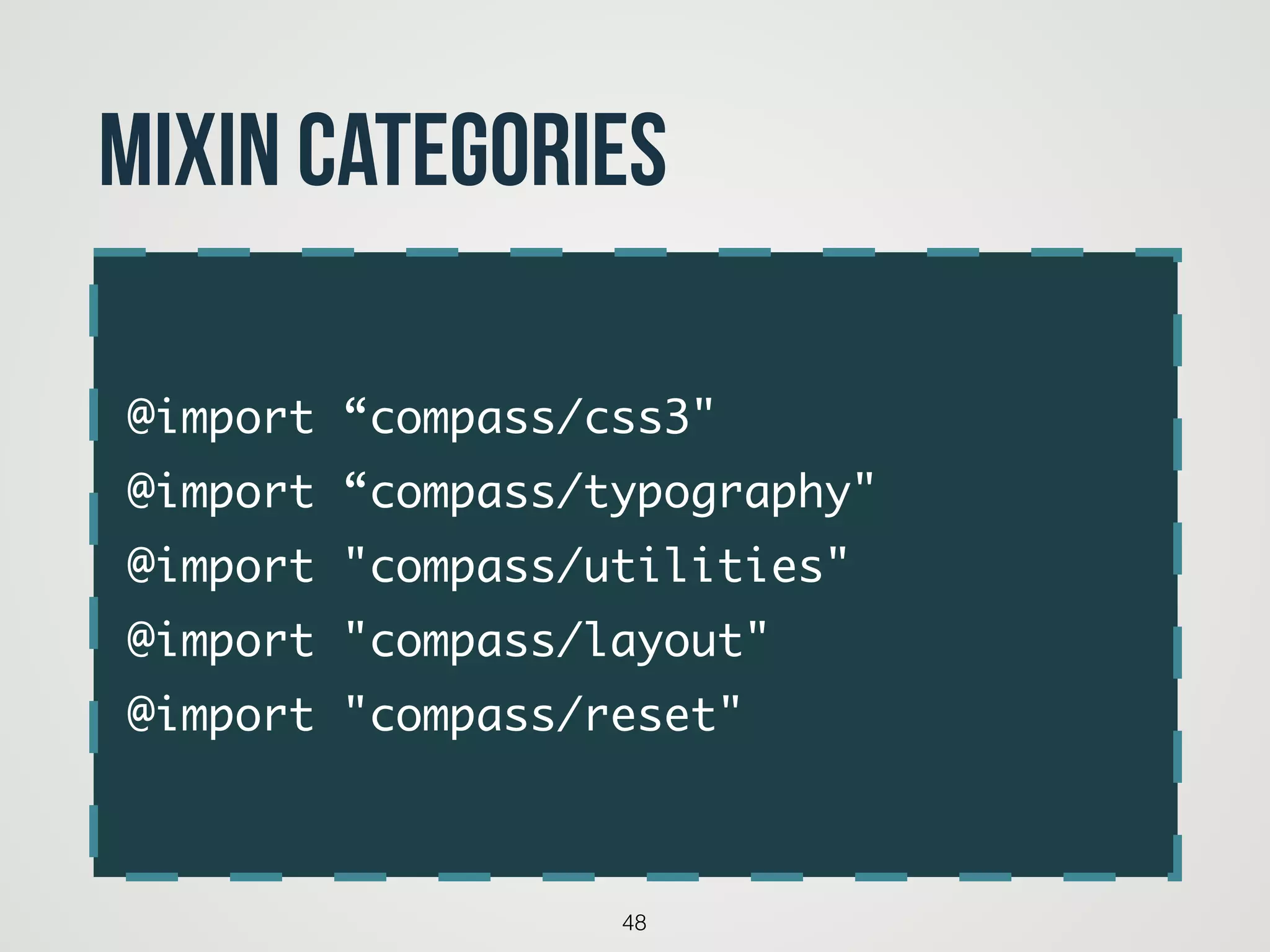
@import “compass/css3"	
@import “compass/typography"	
@import "compass/utilities"	
@import "compass/layout"	
@import "compass/reset"
48
Mixin categories
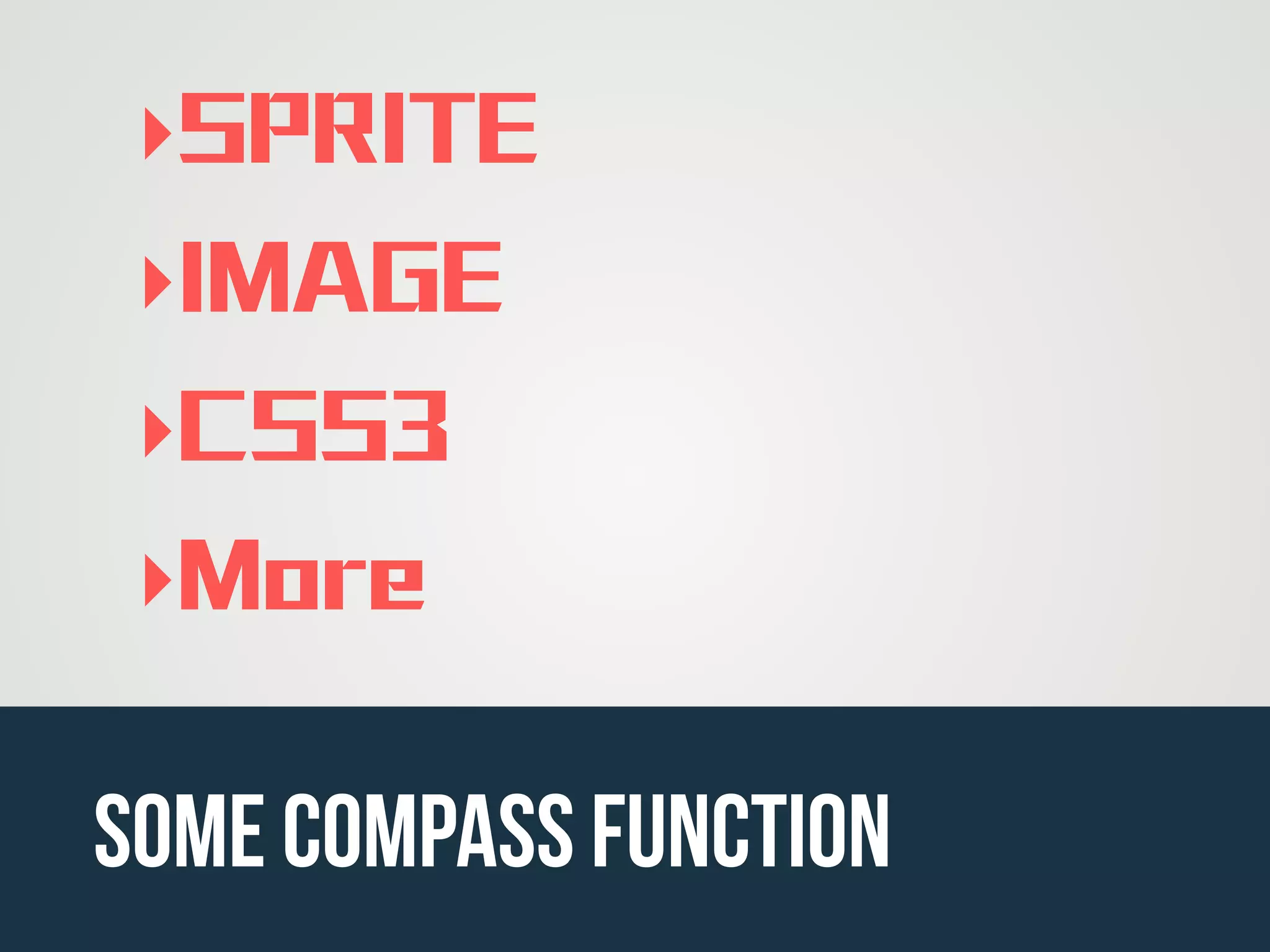
‣SPRITE
‣IMAGE
‣CSS3
‣More
some compass function
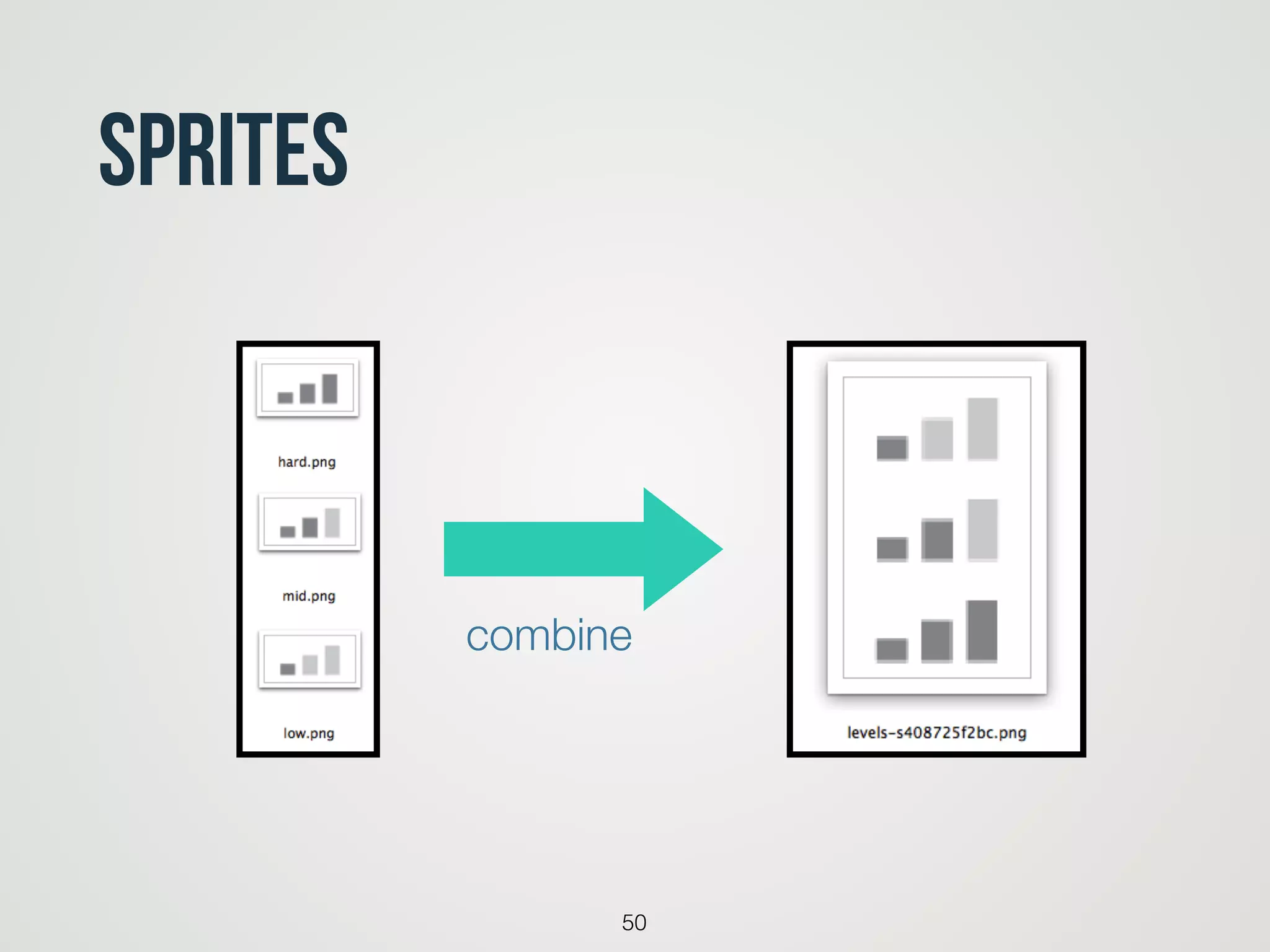
Sprites
50
combine
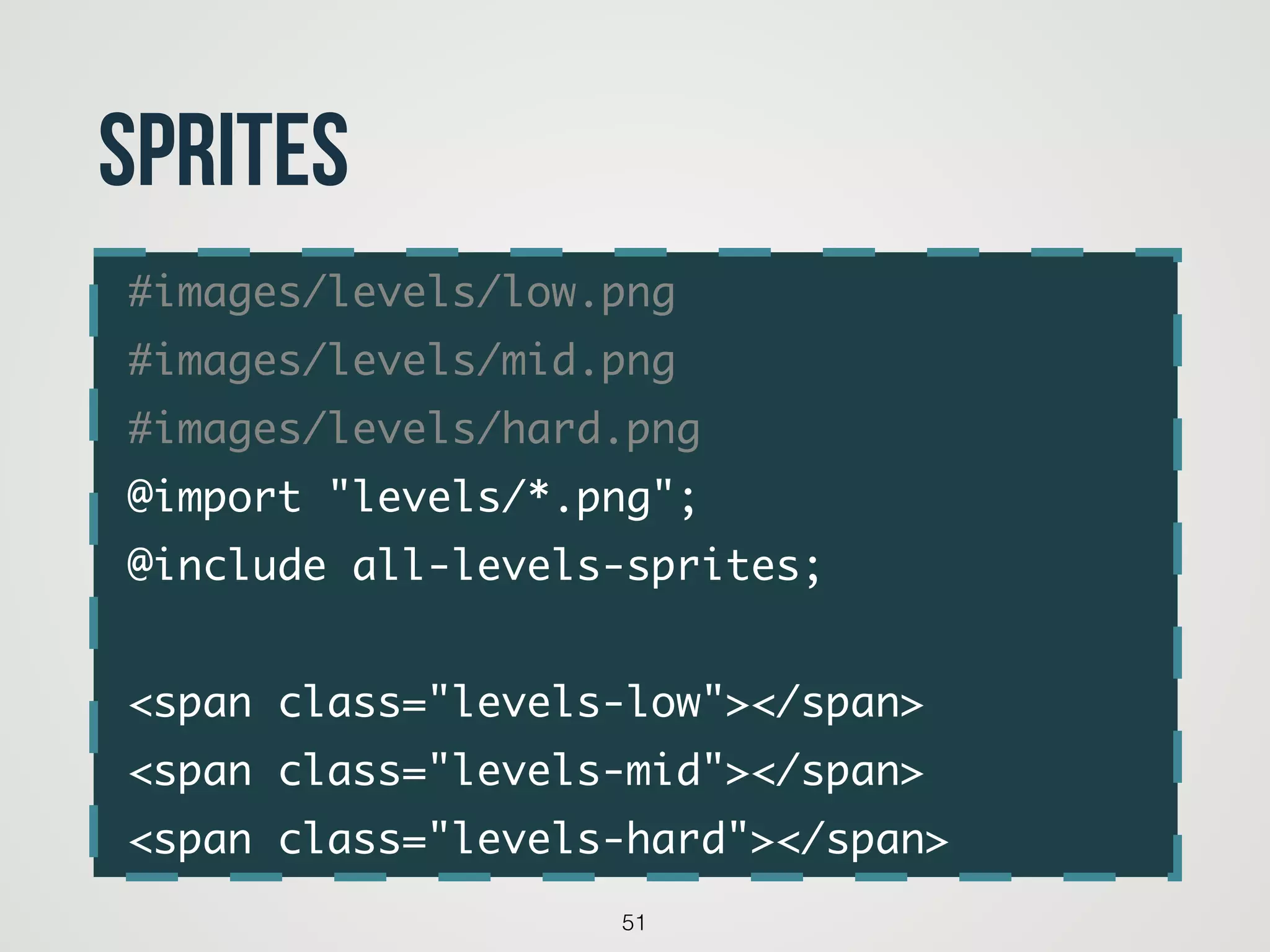
#images/levels/low.png	
#images/levels/mid.png	
#images/levels/hard.png	
@import "levels/*.png";	
@include all-levels-sprites;	
!
<span class="levels-low"></span>	
<span class="levels-mid"></span>	
<span class="levels-hard"></span>
51
Sprites
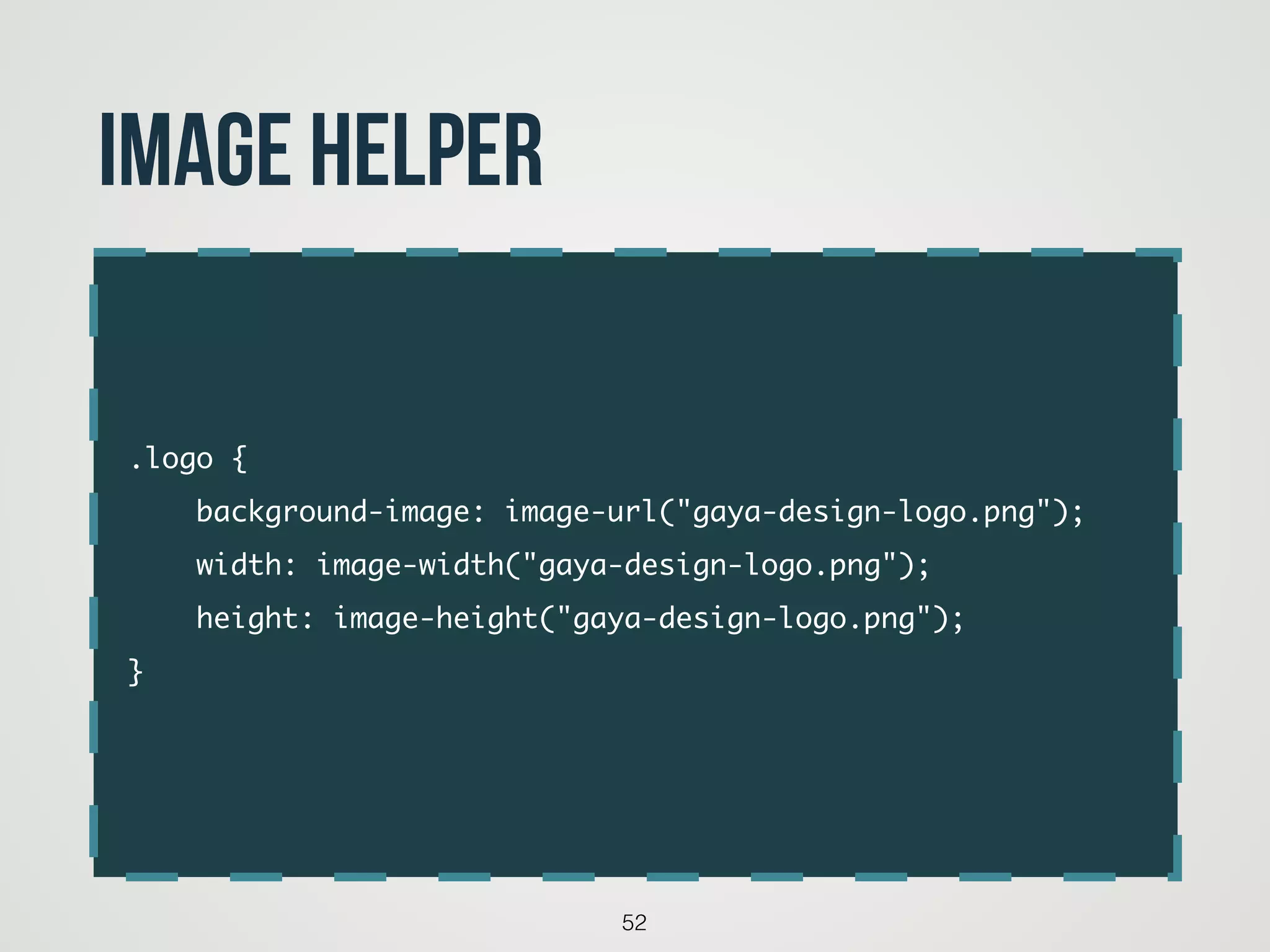
.logo {	
background-image: image-url("gaya-design-logo.png");	
width: image-width("gaya-design-logo.png");	
height: image-height("gaya-design-logo.png");	
}
52
image helper
53
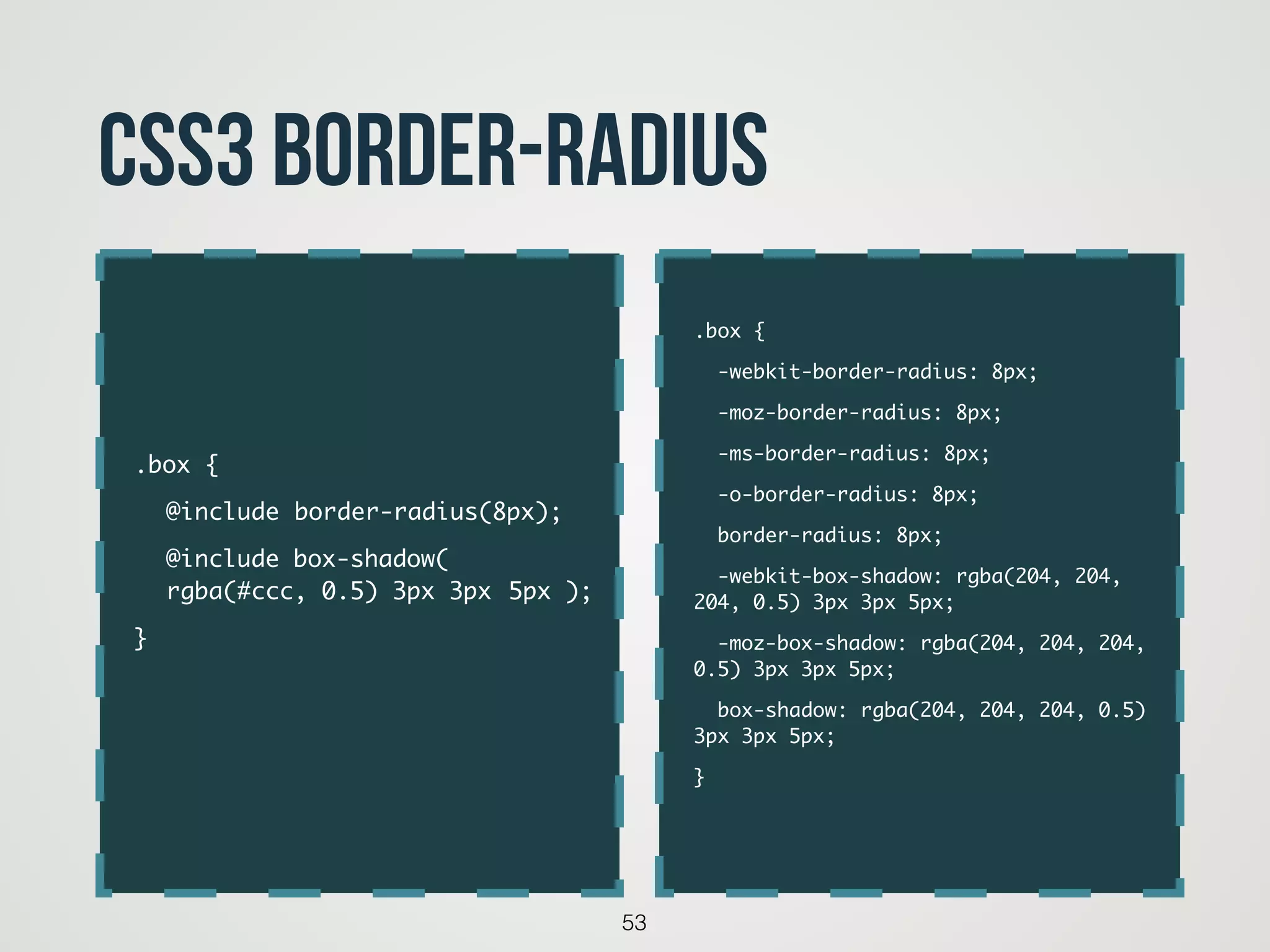
CSS3 border-radius
.box {	
-webkit-border-radius: 8px;	
-moz-border-radius: 8px;	
-ms-border-radius: 8px;	
-o-border-radius: 8px;	
border-radius: 8px;	
-webkit-box-shadow: rgba(204, 204,
204, 0.5) 3px 3px 5px;	
-moz-box-shadow: rgba(204, 204, 204,
0.5) 3px 3px 5px;	
box-shadow: rgba(204, 204, 204, 0.5)
3px 3px 5px;	
}	
.box {	
	 @include	border-radius(8px);	
	 @include box-shadow( 

	 rgba(#ccc, 0.5) 3px 3px 	5px );	
}
54
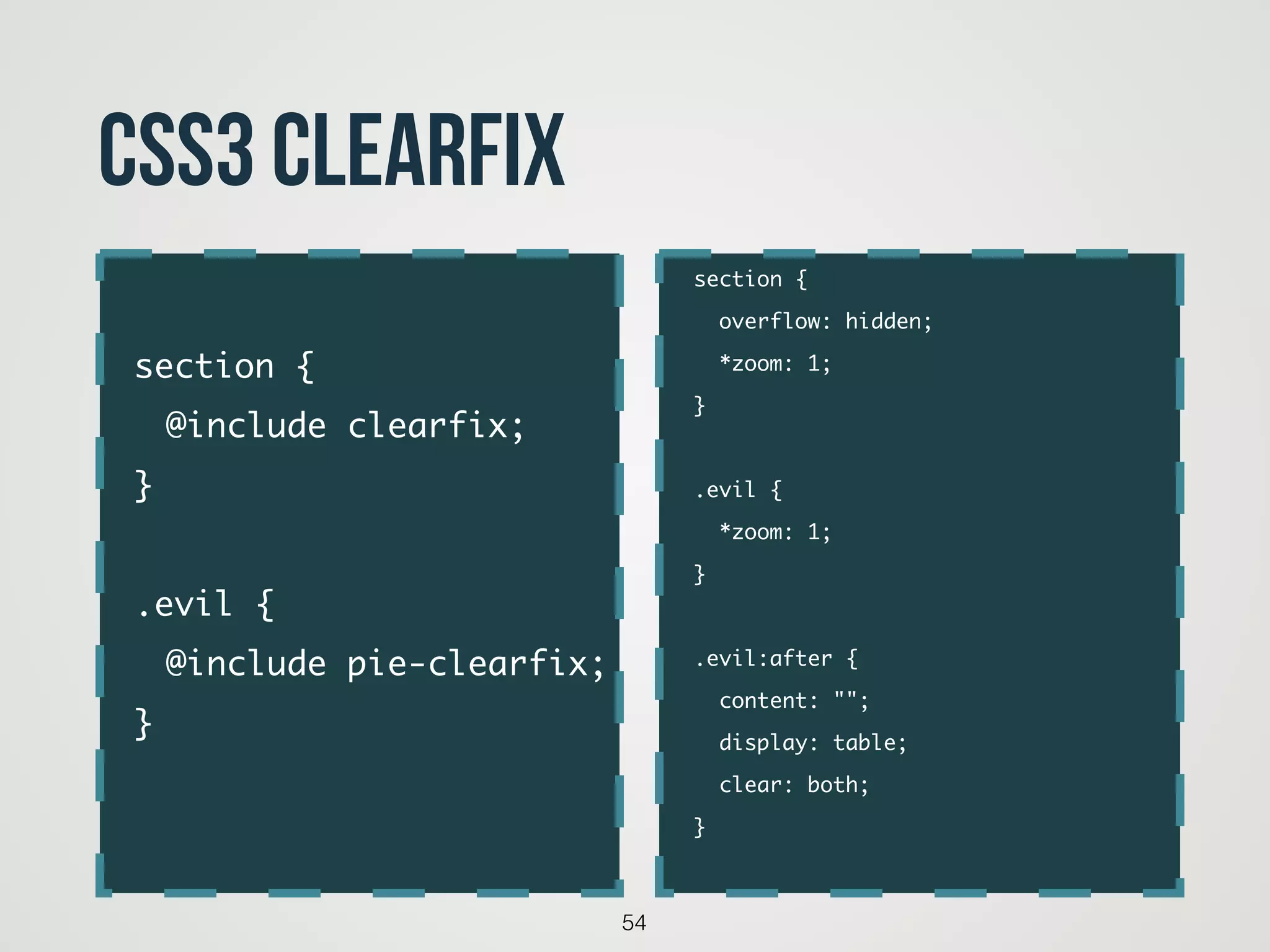
CSS3 clearfix
section {	
overflow: hidden;	
*zoom: 1;	
}	
!
.evil {	
*zoom: 1;	
}	
!
.evil:after {	
content: "";	
display: table;	
clear: both;	
}	
section {	
	 @include clearfix;	
}	
!
.evil {	
	 @include pie-clearfix;	
}
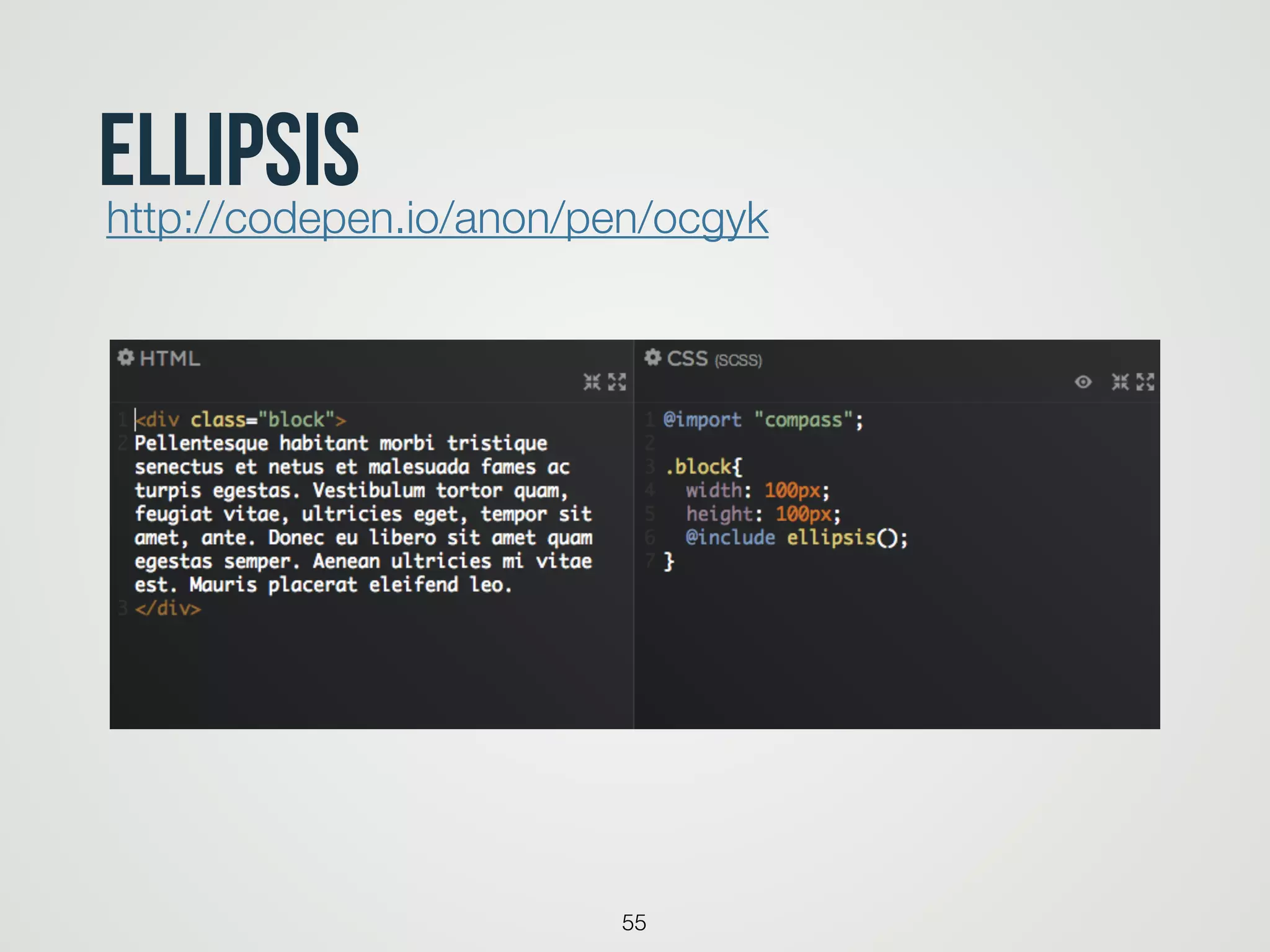
ellipsis
55
http://codepen.io/anon/pen/ocgyk
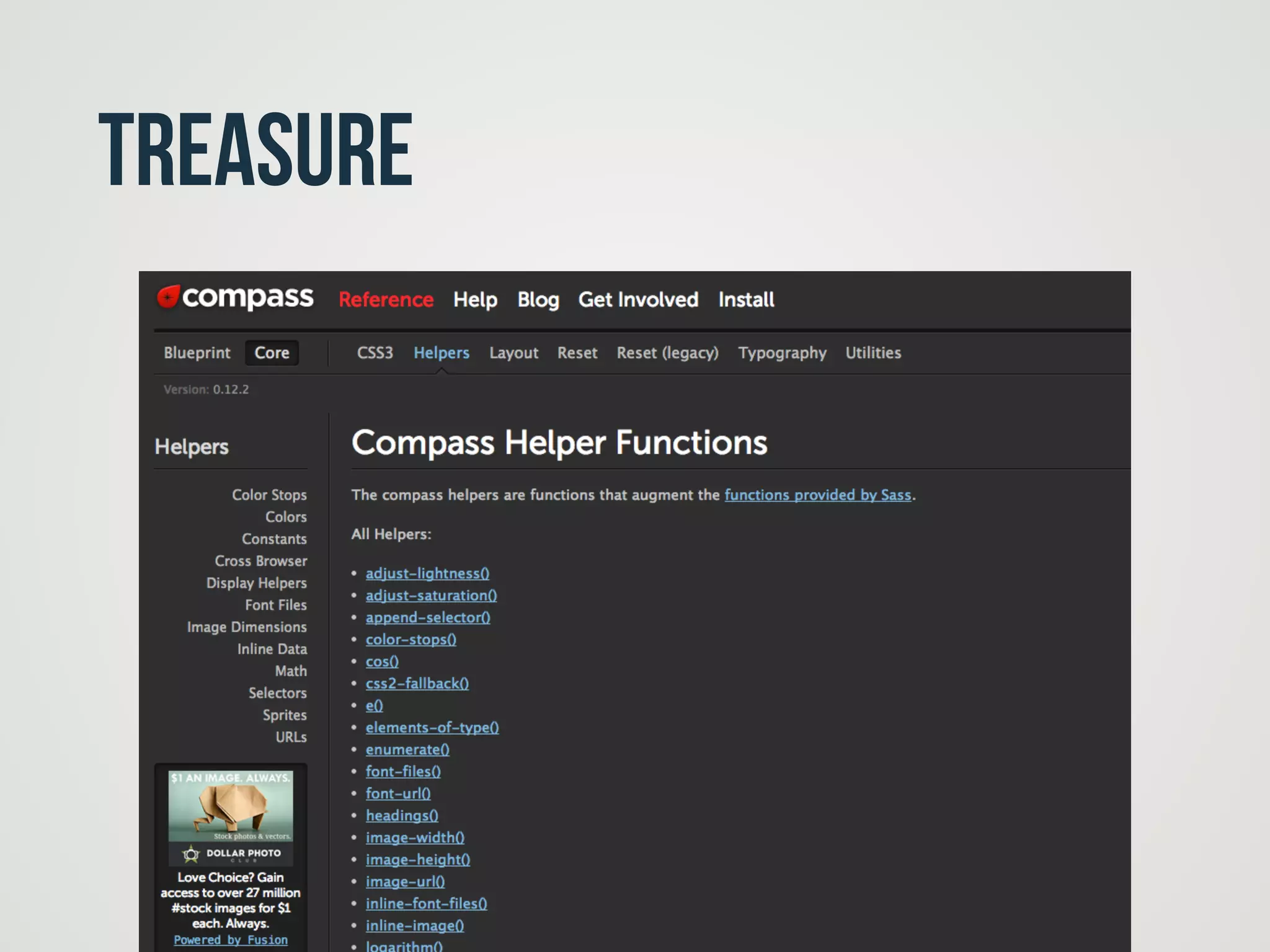
treasure
56
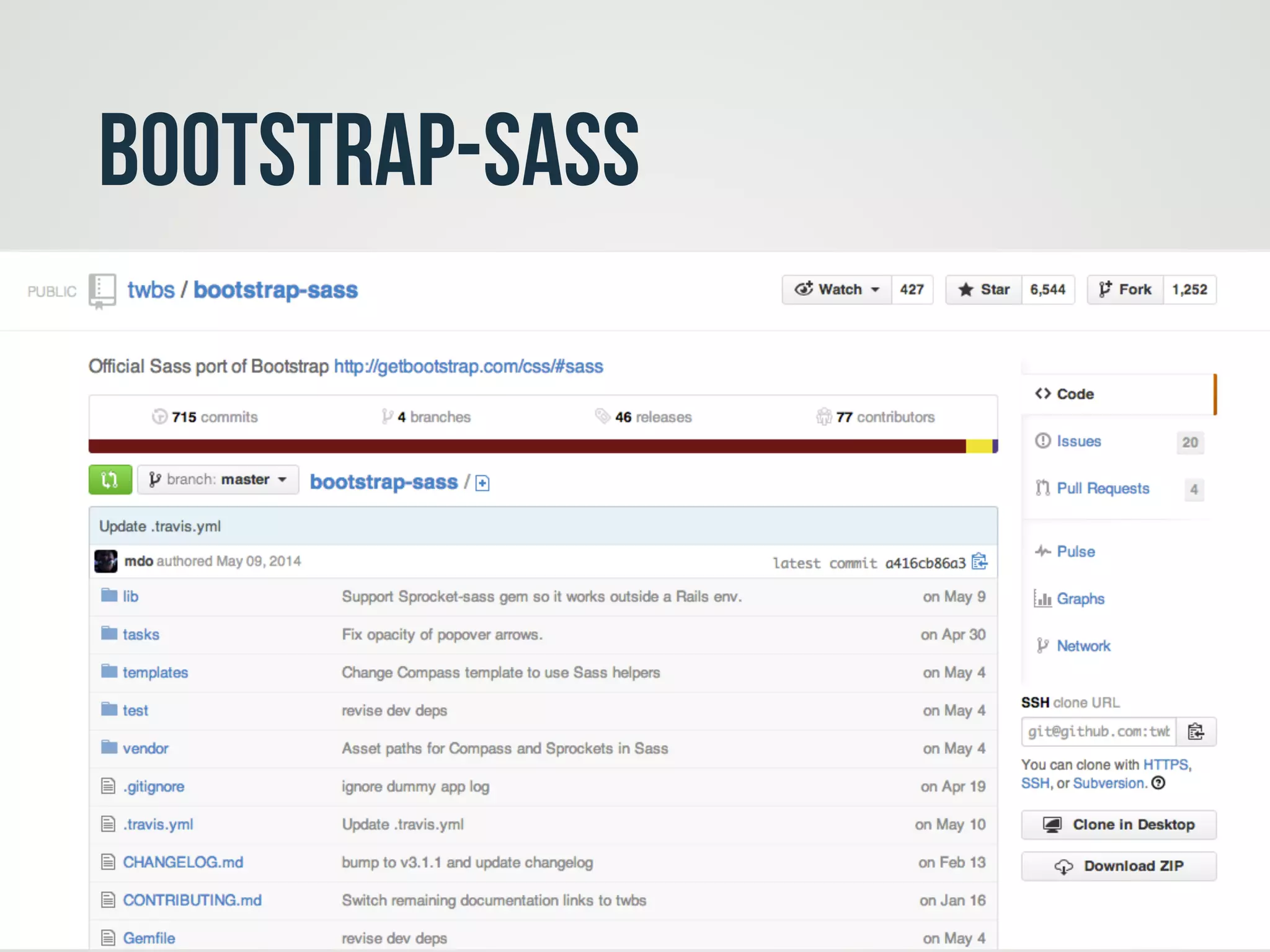
Bootstrap-sass
57
CopyRight
• http://sass-lang.com
• http://alistapart.com/article/why-sass
• http://blog.visioncan.com/2011/sass-scss-your-css/
• http://blog.teamtreehouse.com/create-a-themable-
button-set-with-sass
58

CSS 開發加速指南-Sass & Compass