Arghadip Kar provides a tutorial on developing a purchase order workflow in SAP. The tutorial covers: 1) understanding SAP workflow and its components like business objects, events, methods, and workflow templates; 2) using transaction codes to develop a purchase order approval workflow; and 3) testing the workflow template from a purchase order transaction. The goal is to build a real-life workflow that requires approval for purchase orders over $25,000 and provides automated notifications.
Overview of the course on Purchase Order Workflow in SAP led by instructor Arghadip Kar.
Provides a link to the tutorial and outlines the agenda covering SAP Workflow Development.
Explains what SAP Workflow is and the necessary knowledge for developers to build workflows.
Defines the approval process based on PO value, including conditions for approval and notifications.
List of transaction codes essential for developing and managing Purchase Order workflows.Instructions on saving SAP transaction codes and using them effectively within SAP.
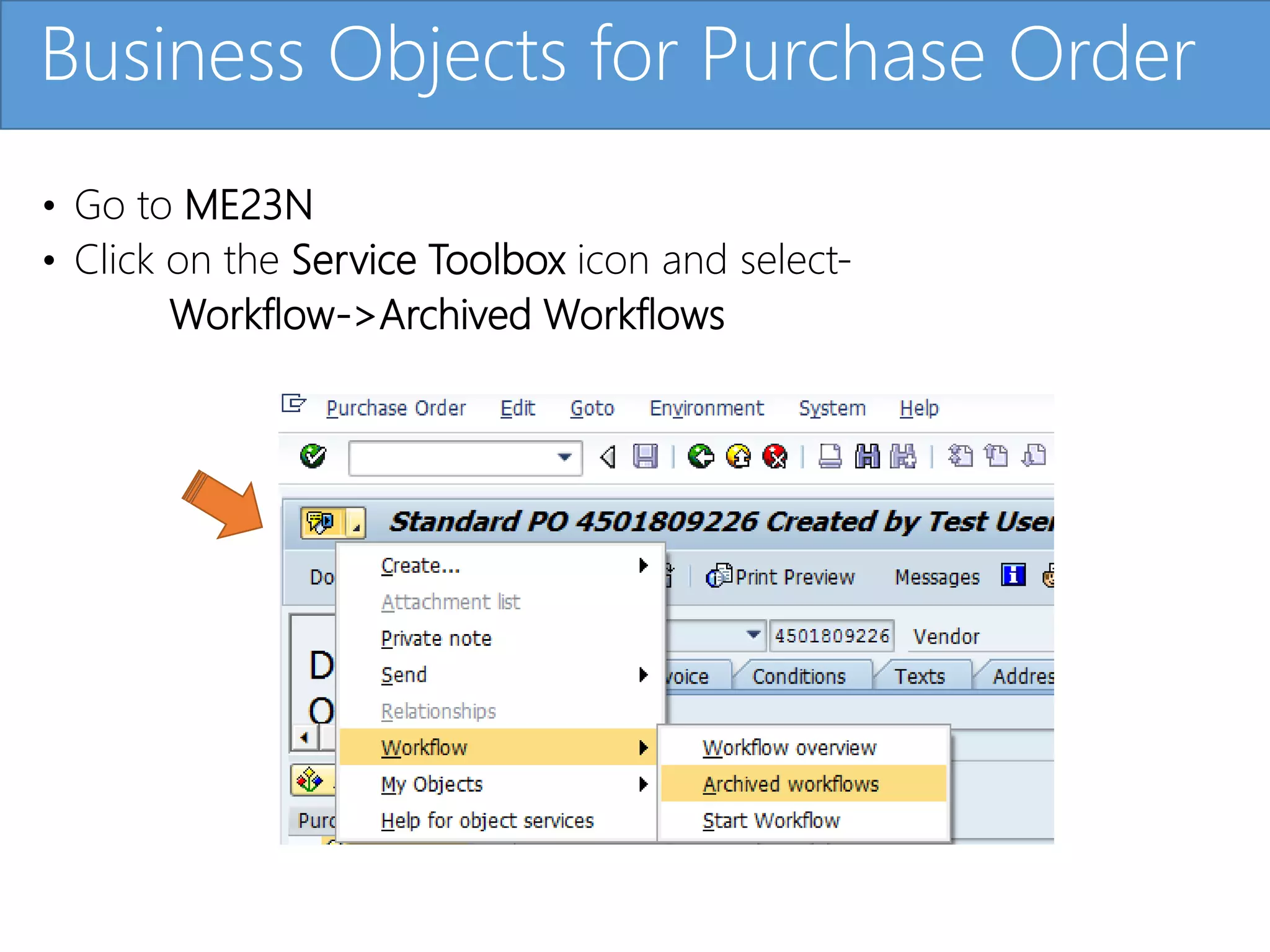
Demonstrates how to access and manage Purchase Order release strategies and archived workflows.
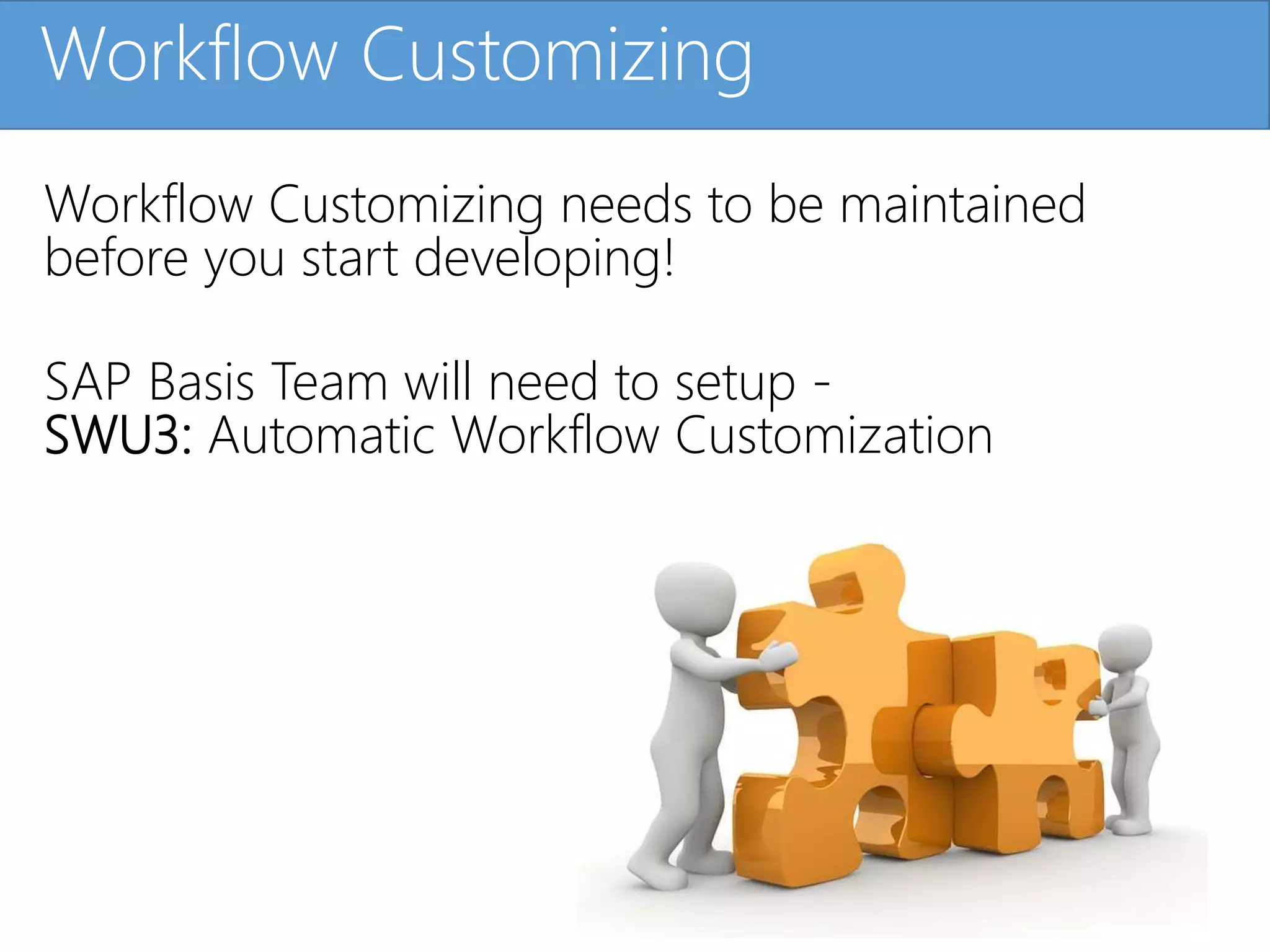
Details the importance of workflow customization setup prior to development.
Introduces key concepts such as Containers, Elements, and Binding within workflow programming.
Describes various components including business objects, events, methods, and their roles in workflows.
Discusses events, methods, standard tasks, and templates in the context of workflow functionalities.
Explains the process of creating subtypes and their relationship with parent business objects.
Instructions on developing SAP Workflow Templates utilizing the PFTC transaction code.
Overview of different testing phases for business objects and workflow templates using relevant codes.
Highlights common errors encountered during workflow development and testing.
Demonstrates how to test event linkage and trace workflow actions.
Steps to ultimately test the workflow template through actual business transactions.
Information on how to view SAP workflow data using relevant transaction codes.
Details the transport process for workflow templates, including the use of transport requests.
Recaps what has been learned and hints at further topics related to workflow designs.
Click to editMaster title style
Developing
Purchase Order Workflow in SAP
with Arghadip Kar
SAP Workflow Expert
2.
Click to editMaster title styleMeet your Instructor
Arghadip Kar
Currently an SAP ABAP Architect in the energy
industry – I work developing new reusable tools to
help business with SAP features used in everyday
work activities. Developing programs where
production monitoring is minimal and optimizing
ABAP coding to add flexibility across SAP modules.
Previously worked at IBM Global Services as an SAP
ABAP Workflow/Open Text Consultant.
3.
Click to editMaster title styleLink to Tutorial
• https://www.michaelmanagement.com/sap-training-
course/developing-purchase-order-workflow-in-sap
4.
Click to editMaster title styleAgenda
• Understanding SAP Workflow Development for Purchase Order
Process
• How to use transaction codes for SAP Workflow Development
• Programming in Business Objects for Workflow
• Using Workflow Builder to build a Workflow Template
5.
Click to editMaster title styleIntroduction
What is SAP Workflow?
• Tool available inside SAP ECC 6.0 and SAP S/4
Hana environments
• Used to automate business processes
• Manages all approval processes for Transaction
Data and Master Data
6.
Click to editMaster title styleIntroduction
SAP Workflow Development
• If you are running SAP, you will have SAP
Workflow. In this course, you will step through
the process for Purchase Order Approval in SAP.
• An SAP Workflow Developer is expected to have
knowledge in SAP ABAP so that they can
perform the ABAP programming required for
building
SAP Workflow.
7.
Click to editMaster title stylePurchase Order Workflow Requirement
SAP Purchase Order Workflow Scenario
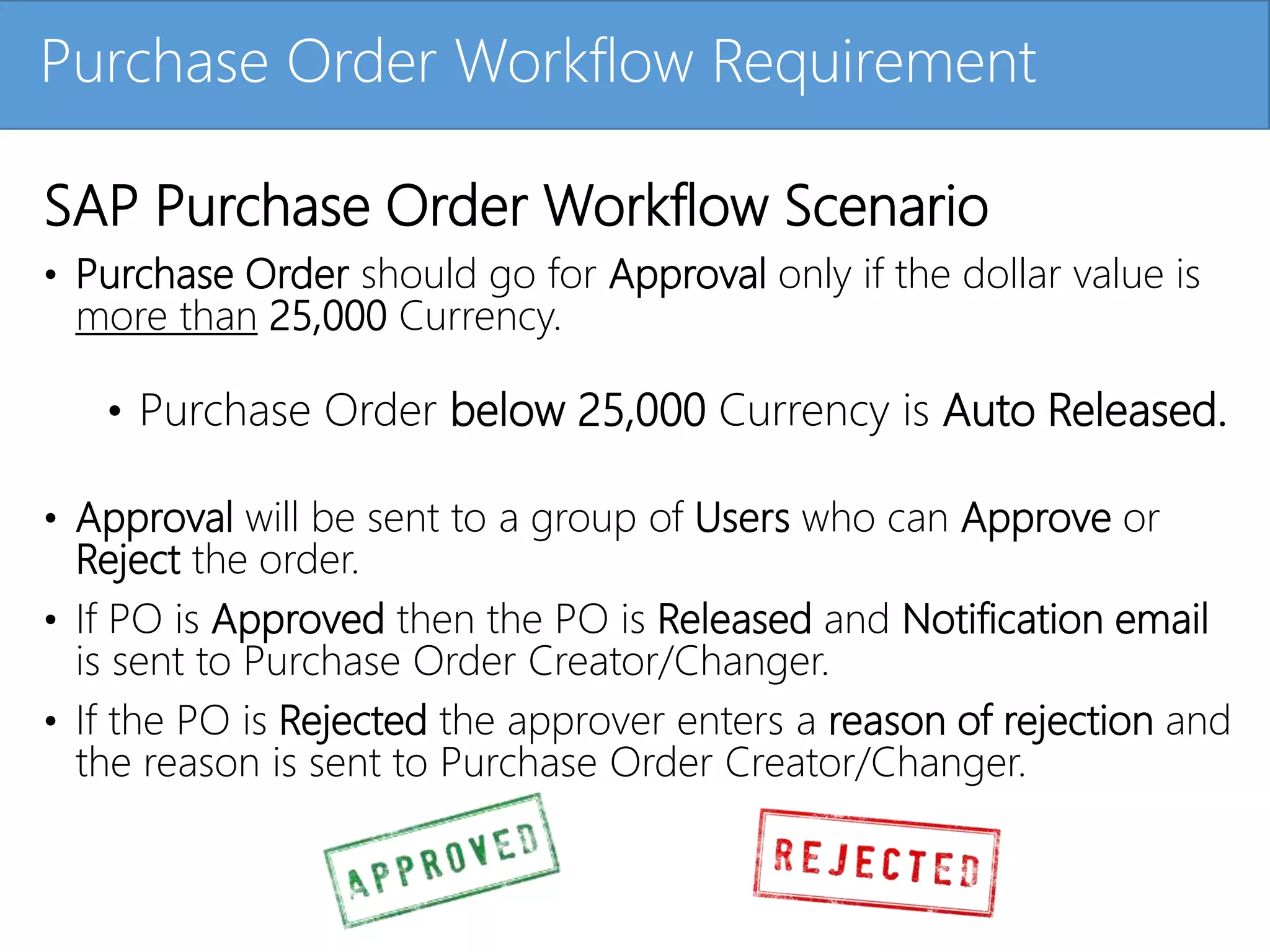
• Purchase Order should go for Approval only if the dollar value is
more than 25,000 Currency.
• Purchase Order below 25,000 Currency is Auto Released.
• Approval will be sent to a group of Users who can Approve or
Reject the order.
• If PO is Approved then the PO is Released and Notification email
is sent to Purchase Order Creator/Changer.
• If the PO is Rejected the approver enters a reason of rejection and
the reason is sent to Purchase Order Creator/Changer.
8.
Click to editMaster title stylePurchase Order Workflow Design
SAP Purchase Order Workflow Scenario
9.
Click to editMaster title styleTransaction Codes
Transaction codes used for Purchase Order Workflow Development
• ME23N: Display Purchase Order
• ME21N: Create Purchase Order
• SWU3: Automatic Workflow Customization
• SWO1: Business Object Builder(Workflow Coding)
• PFTC: Create Workflow Template
• SWUS: Test Workflow
• SWEL: Event Trace
• SWE2: Event Linkage
• SBWP: Business Workplace
• SWIA: Administrative Forward
• SWI2_FREQ: Work Items per Task
10.
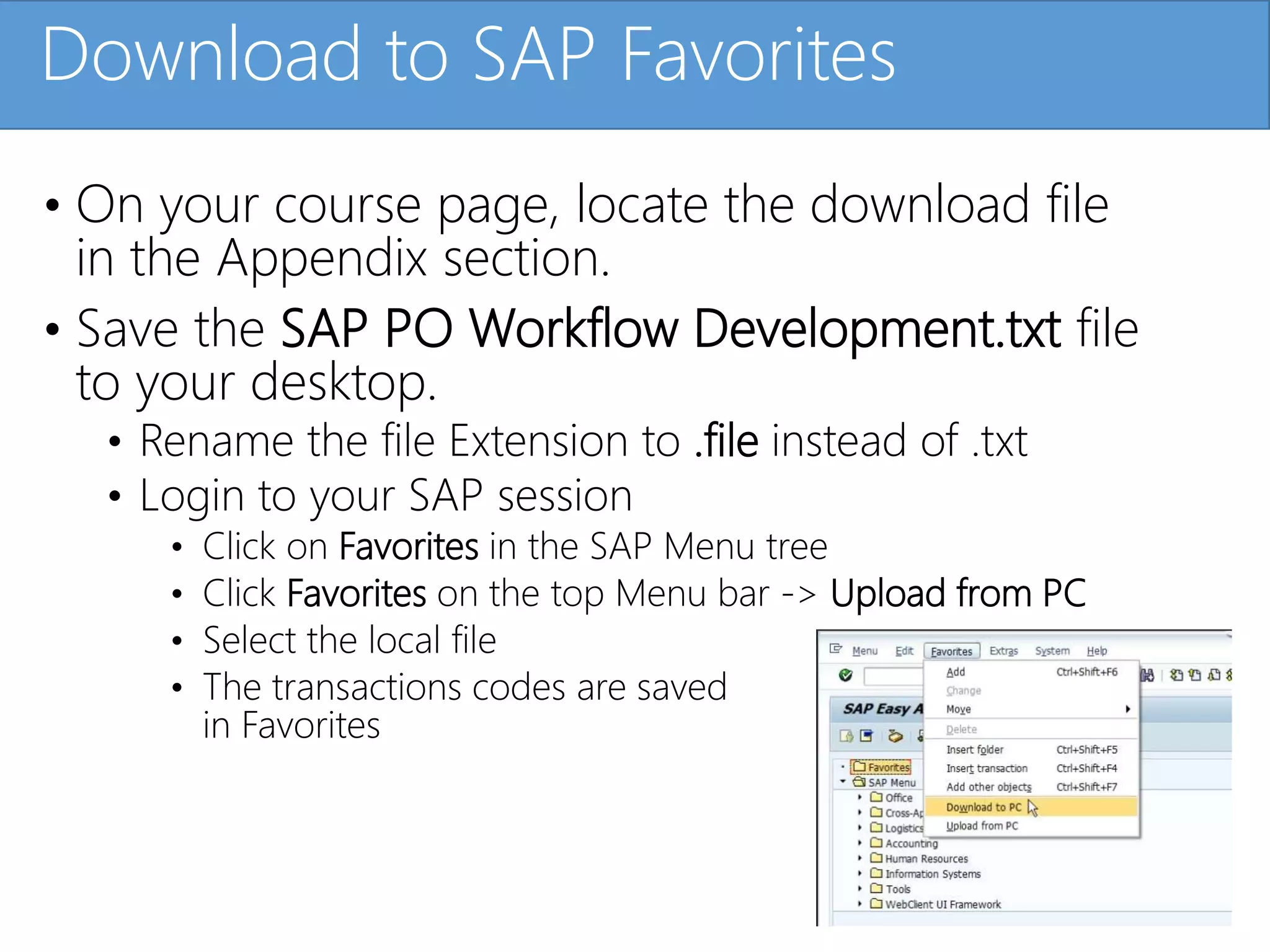
Click to editMaster title styleDownload to SAP Favorites
• On your course page, locate the download file
in the Appendix section.
• Save the SAP PO Workflow Development.txt file
to your desktop.
• Rename the file Extension to .file instead of .txt
• Login to your SAP session
• Click on Favorites in the SAP Menu tree
• Click Favorites on the top Menu bar -> Upload from PC
• Select the local file
• The transactions codes are saved
in Favorites
11.
Click to editMaster title styleDownload to SAP Favorites – Demo
KAR – Insert your MP4 file here
12.
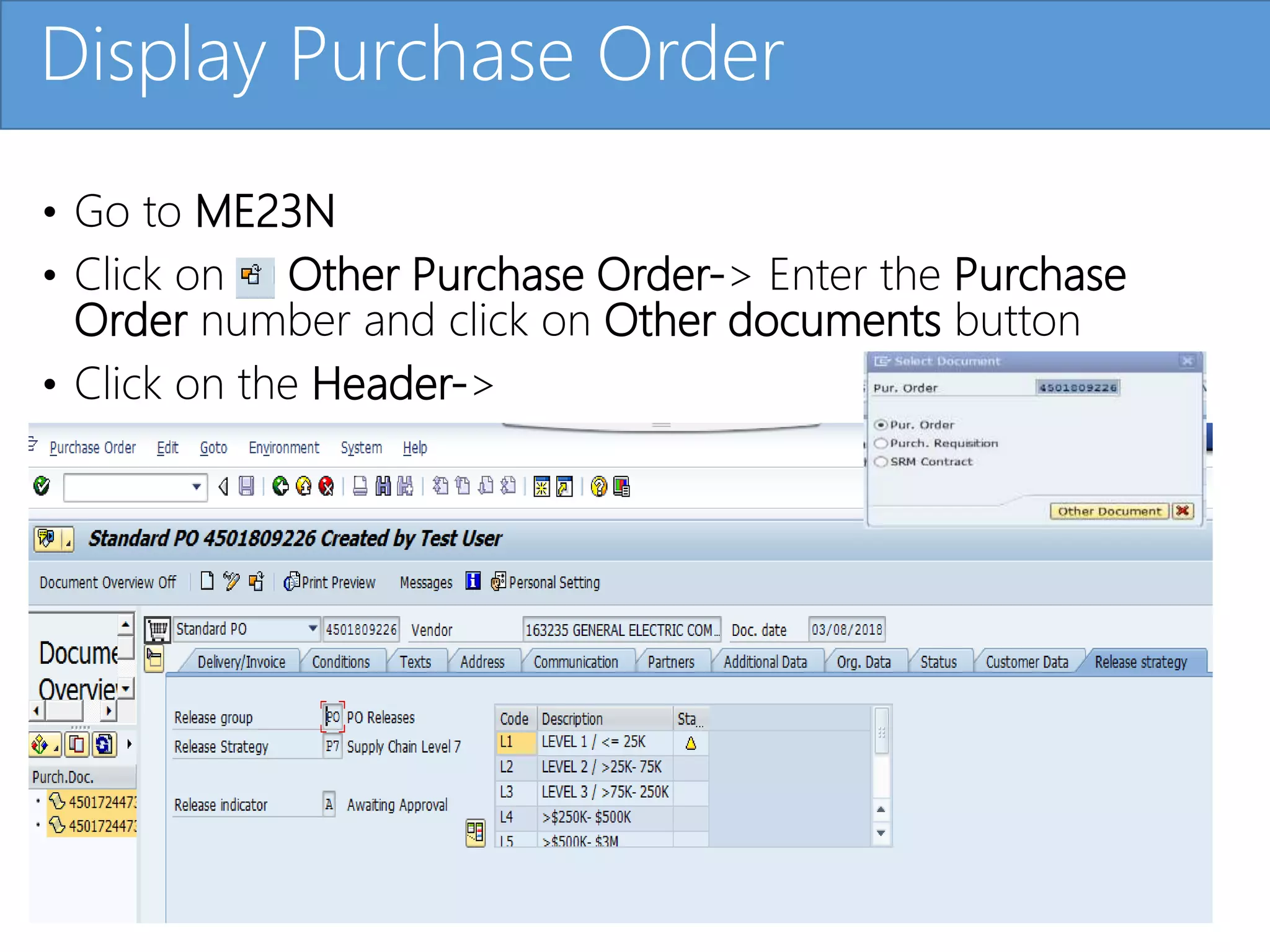
Click to editMaster title style
• Go to ME23N
• Click on Other Purchase Order-> Enter the Purchase
Order number and click on Other documents button
• Click on the Header->
Display Purchase Order
13.
Click to editMaster title styleDisplay Purchase Order- Demo
14.
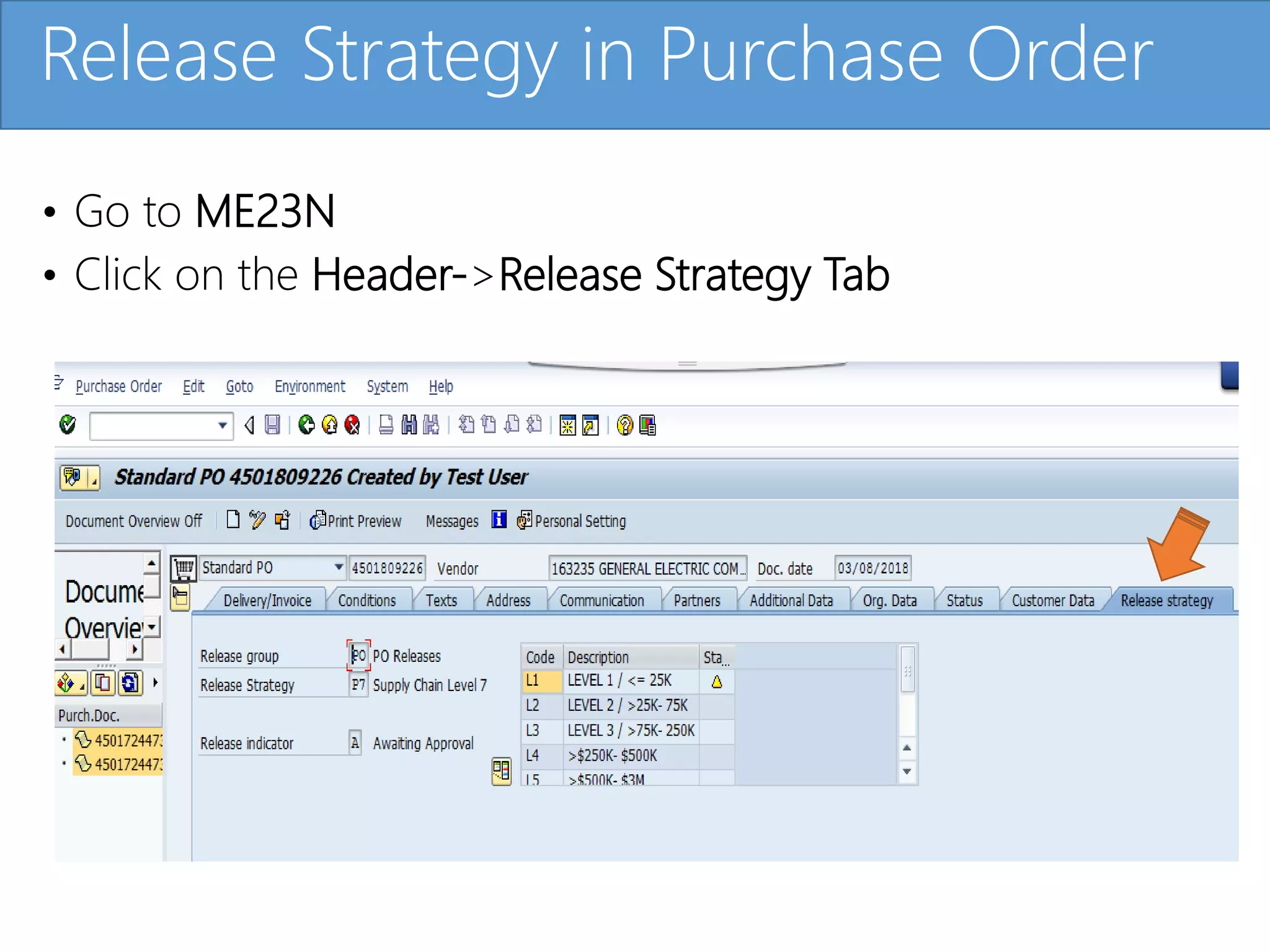
Click to editMaster title style
• Go to ME23N
• Click on the Header->Release Strategy Tab
Release Strategy in Purchase Order
15.
Click to editMaster title styleRelease Strategy in Purchase Order- Demo
16.
Click to editMaster title style
• Go to ME23N
• Click on the Service Toolbox icon and select-
Workflow->Archived Workflows
Business Objects for Purchase Order
17.
Click to editMaster title styleBusiness Objects for Purchase Order - Demo
18.
Click to editMaster title styleWorkflow Customizing
Workflow Customizing needs to be maintained
before you start developing!
SAP Basis Team will need to setup -
SWU3: Automatic Workflow Customization
19.
Click to editMaster title styleWorkflow Customizing - Demo
20.
Click to editMaster title styleWorkflow Development Terms and
Methodology
• Container: Placeholder which stores different
Variables/Elements.
• Container Element: A variable that refers to a Field/Business
Object/Table/Structure which stores data and is used to
pass data to another entity.
• Binding: Data Migration to and from between two entity
using Container operation.
21.
Click to editMaster title style
Workflow Container Task Container
Binding
Container Elements
Workflow Development Terms and
Methodology
22.
Click to editMaster title styleWorkflow Development Terms and Methodology - Demo
23.
Click to editMaster title style
• Business Objects
• Events
• Methods
• Standard Task
• Workflow Template
Different Parts of Workflow Development
24.
Click to editMaster title style
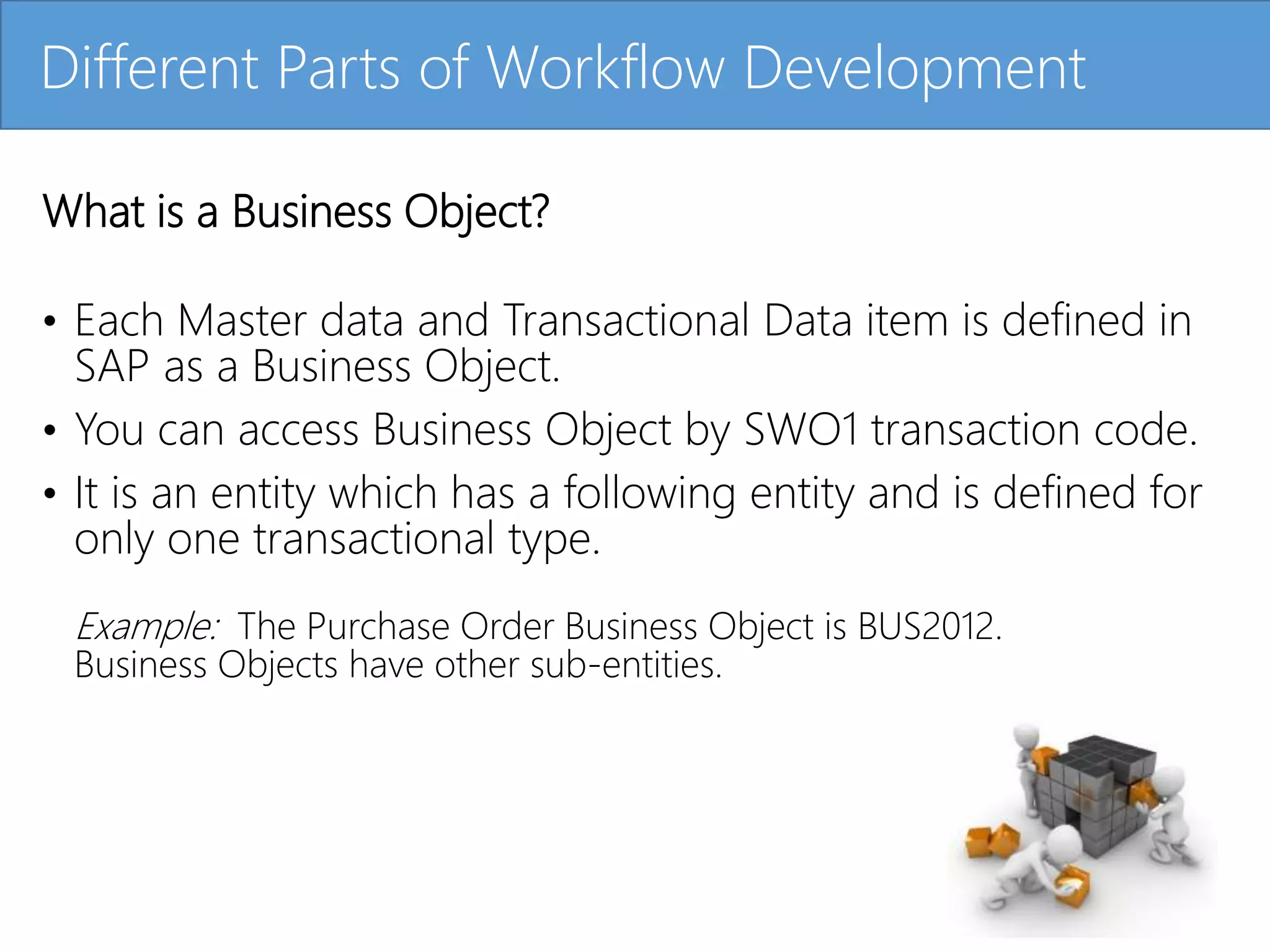
What is a Business Object?
• Each Master data and Transactional Data item is defined in
SAP as a Business Object.
• You can access Business Object by SWO1 transaction code.
• It is an entity which has a following entity and is defined for
only one transactional type.
Example: The Purchase Order Business Object is BUS2012.
Business Objects have other sub-entities.
Different Parts of Workflow Development
25.
Click to editMaster title style
Sub entities defined in Business Objects
• Key Field: Defines the Primary Key of that Data.
Example PO Number in Purchase Order
• Attributes: Characteristics of the Data.
Example Purchasing Group in a Purchase Order
• Methods: Action you want to Perform on the Data.
Example Changing the PO
• Events: An event can be anything from creating a Transaction
document or Changing a Transaction document which is a
Purchase Order in this case.
Different Parts of Workflow Development
26.
Click to editMaster title styleDifferent Parts of Workflow Development - Demo
27.
Click to editMaster title style
What are Events?
An event can be anything from creating a Transaction
document or Changing a Transaction document,
which is a Purchase Order in this case.
• Used to Trigger Workflow.
• Also used to Terminate Workflow.
• Used to Save data from Master or Transaction
(Purchase Order) to Event and then Pass this data
to SAP Workflow using Binding process.
• An Event is defined in a Business Object using the SWO1
Transaction code.
Different Parts of Workflow Development
28.
Click to editMaster title styleDifferent Parts of Workflow Development - Demo
29.
Click to editMaster title style
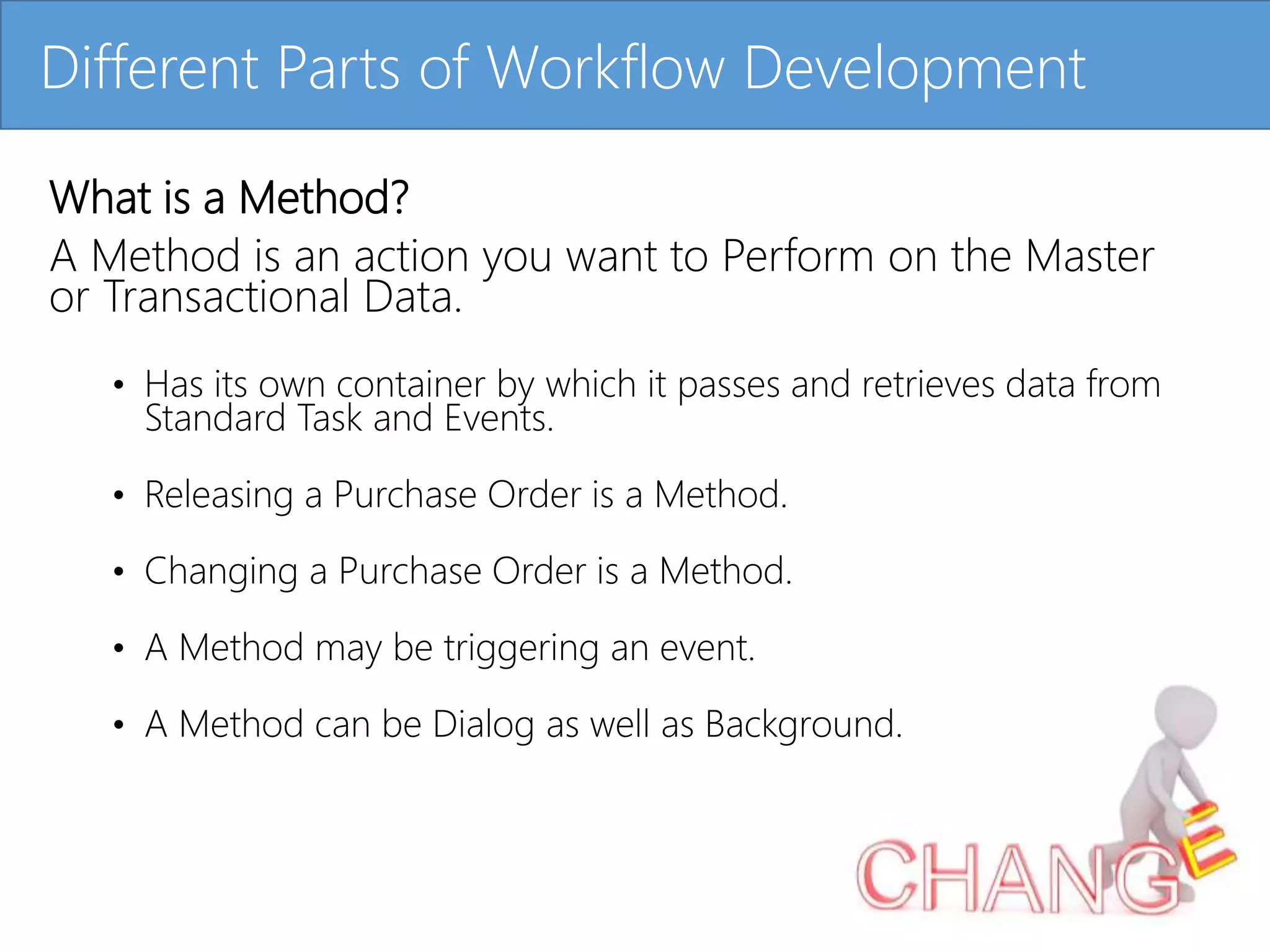
What is a Method?
A Method is an action you want to Perform on the Master
or Transactional Data.
• Has its own container by which it passes and retrieves data from
Standard Task and Events.
• Releasing a Purchase Order is a Method.
• Changing a Purchase Order is a Method.
• A Method may be triggering an event.
• A Method can be Dialog as well as Background.
Different Parts of Workflow Development
30.
Click to editMaster title styleDifferent Parts of Workflow Development - Demo
31.
Click to editMaster title style
What is a Standard Task?
A Standard Task is always associated with a Method.
• Used to call a Method inside a Workflow Template.
• Passes and retrieves data from a Workflow Container,
Method Container and Event Container.
• Releasing a Purchase Order inside a workflow Template is a
Standard task.
• A Standard Task can be triggered or terminated
by an event.
Different Parts of Workflow Development
32.
Click to editMaster title styleDifferent Parts of Workflow Development - Demo
33.
Click to editMaster title style
What is a Workflow Template?
A Workflow Template performs one or more multiple
business function generally involving a Dialog interaction
which can be an approval in this case.
• Passes and retrieves data from Task Container and
Event Container.
• Workflow Template can be comprised of a single or
multiple Standard task.
• A Workflow Template can be Triggered or
Terminated by an event.
Different Parts of Workflow Development
34.
Click to editMaster title styleDifferent Parts of Workflow Development - Demo
35.
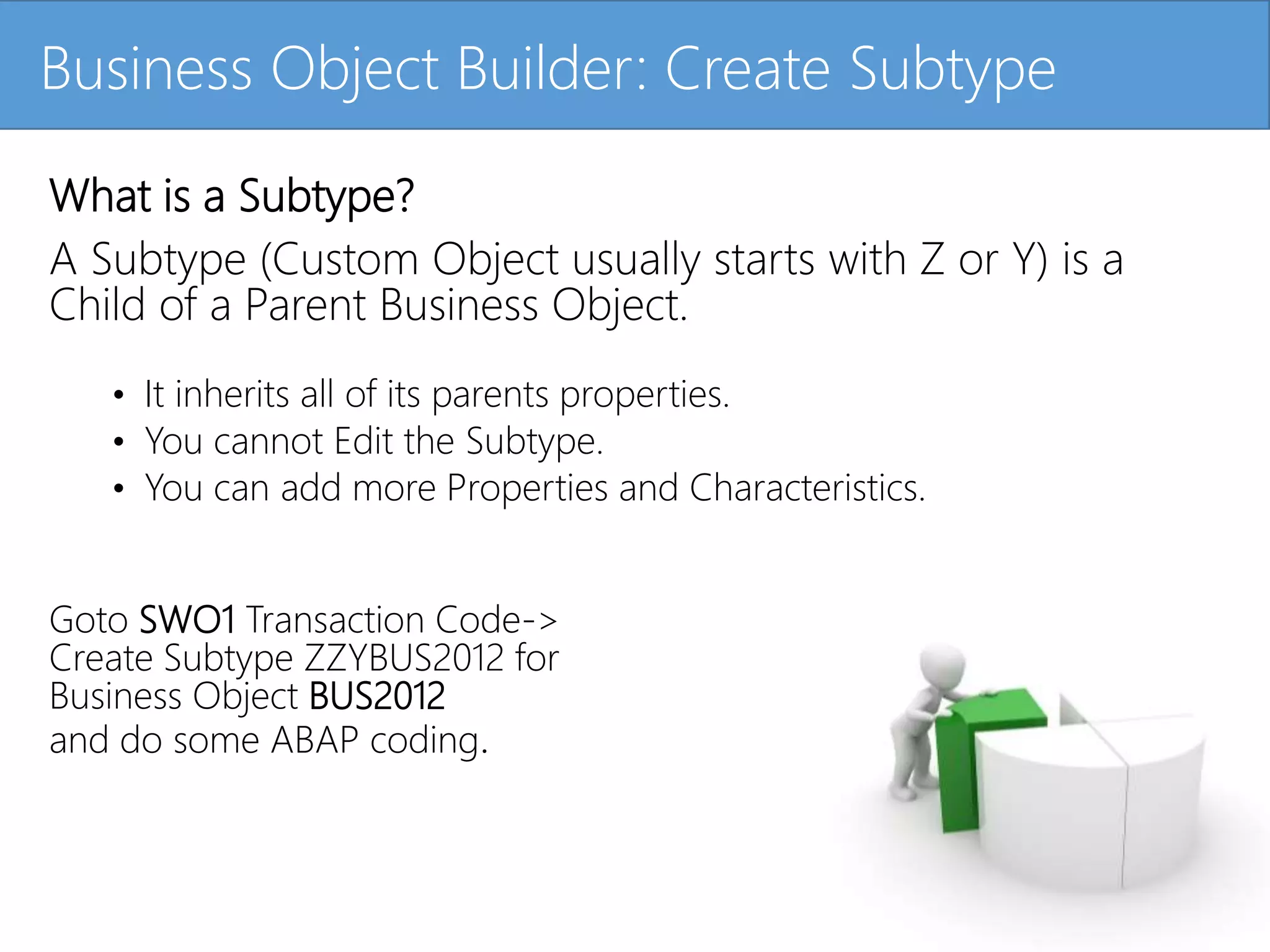
Click to editMaster title styleBusiness Object Builder: Create Subtype
What is a Subtype?
A Subtype (Custom Object usually starts with Z or Y) is a
Child of a Parent Business Object.
• It inherits all of its parents properties.
• You cannot Edit the Subtype.
• You can add more Properties and Characteristics.
Goto SWO1 Transaction Code->
Create Subtype ZZYBUS2012 for
Business Object BUS2012
and do some ABAP coding.
36.
Click to editMaster title styleBusiness Object Builder: Create Subtype - Demo
37.
Click to editMaster title styleDevelop SAP Workflow Template
Transaction Code: PFTC
38.
Click to editMaster title styleDevelop SAP Workflow Template - Demo
39.
Click to editMaster title styleTesting Phase Of Workflow
1. Test Business Object
2. Test Workflow Template through Single Testing
3. Test Workflow Template from standard Transaction.
40.
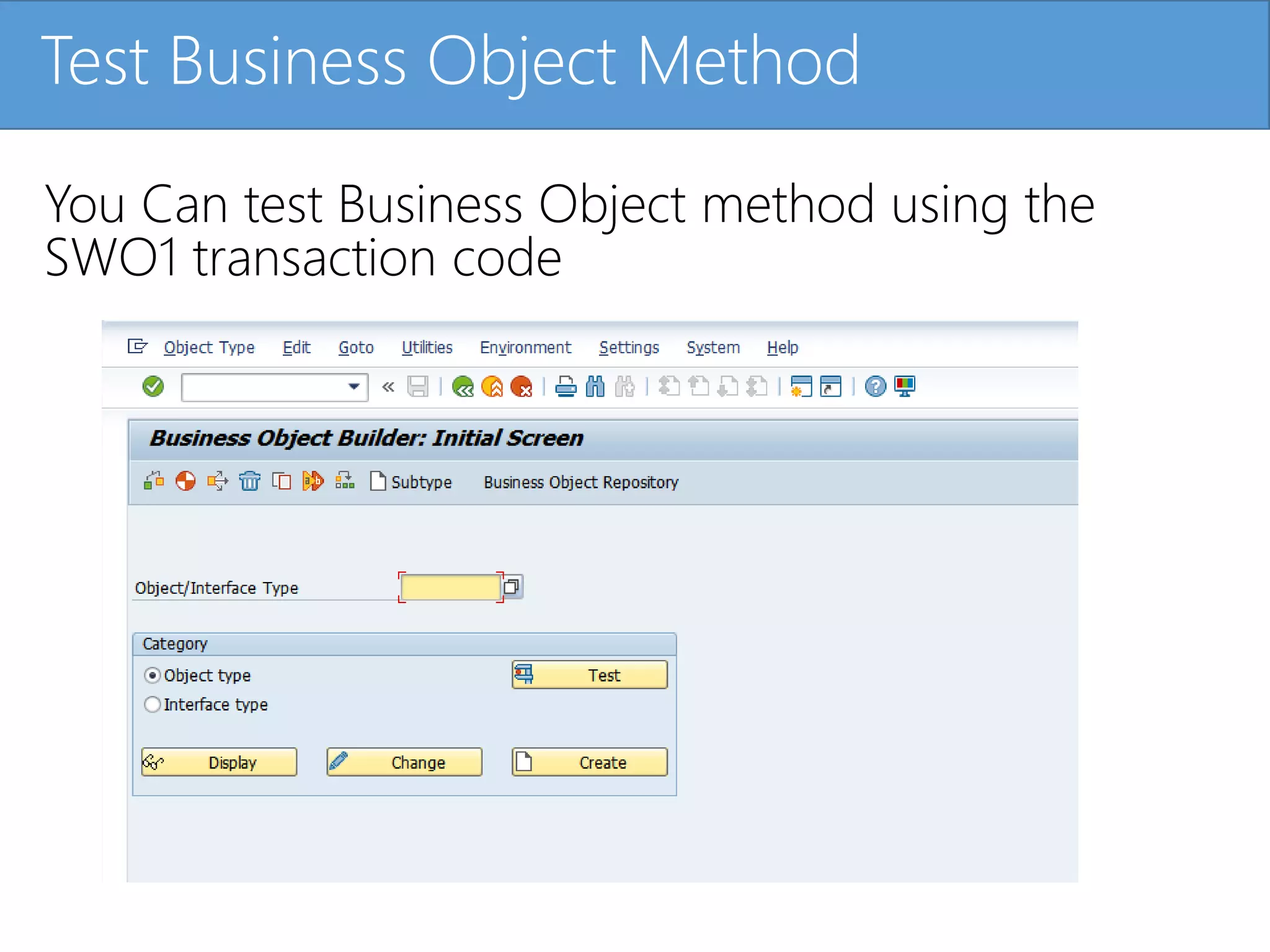
Click to editMaster title styleTest Business Object Method
You Can test Business Object method using the
SWO1 transaction code
41.
Click to editMaster title styleTest SAP Workflow single Testing
Tcode SWUS
42.
Click to editMaster title styleTest SAP Workflow - Demo
43.
Click to editMaster title styleProbable Error
The most common error happens when –
the Dialog Task is not mentioned as General Task
and the Attributes are not Transported.
Click to editMaster title styleTest Event Linkage and Trace
Tcode SWEL
46.
Click to editMaster title styleTest Event Linkage and Trace -
Demo
47.
Click to editMaster title styleTest the Workflow Template from the Actual
Business Transaction
Create PO in ME21N
48.
Click to editMaster title styleTest the Workflow Template - Demo
49.
Click to editMaster title styleTable for SAP Workflow Data
View Table – SWWWIHEAD in data browser
Check SE16 Transaction code
50.
Click to editMaster title styleView Workflow Table - Demo
51.
Click to editMaster title styleHow to Transport PO Workflow
Every Workflow Template will have 2 transports initially.
• Workbench Request:
Contains Development object like Business Object and Workflow
Template.
• Customizing Request:
Contains Attributes of Standard task and Workflow Template.
Customizing Request also contains the Event linkage between event
and Workflow to pass Data.
Use Transaction Code SE09 to Transport Objects.
52.
Click to editMaster title styleView demo Transport PO Workflow
53.
Click to editMaster title styleSummary
• What is SAP Workflow Template?
• What are the different portion of SAP Workflow Template?
• Transaction Codes used to Develop the SAP Workflow Template.
• We learned how to build a real life Purchase Order Approval Workflow
from Scratch.
• Transport Workflow to QA system.
• Test the SAP Workflow which is very important.
• Using this Tutorial we can build other Workflow for Purchase Order.
Stay tuned for other Workflow design courses!





















![]project-open[ Workflow Developer Tutorial Part 2](https://cdn.slidesharecdn.com/ss_thumbnails/po-workflow-tutorial-2-edi-example-100603-101013103908-phpapp01-thumbnail.jpg?width=640&height=640&fit=bounds)


