
This document provides instructions for configuring and running the Automatic Payment Program (APP) in SAP ECC 6.0. It involves 6 steps: 1) Setting up payment methods per country and company code; 2) Configuring company codes; 3) Setting up the paying company code; 4) Determining banks; 5) Assigning payment methods to vendor accounts; 6) Running APP after creating an open item by generating a vendor invoice. The APP allows automatically posting accounts payable based on vendor invoices.
Introduction to SAP FI Automatic Payment Program (APP) configuration and its significance in SAP ECC 6.0.
Outline of the document covering steps for configuring APP, including step-by-step processes.
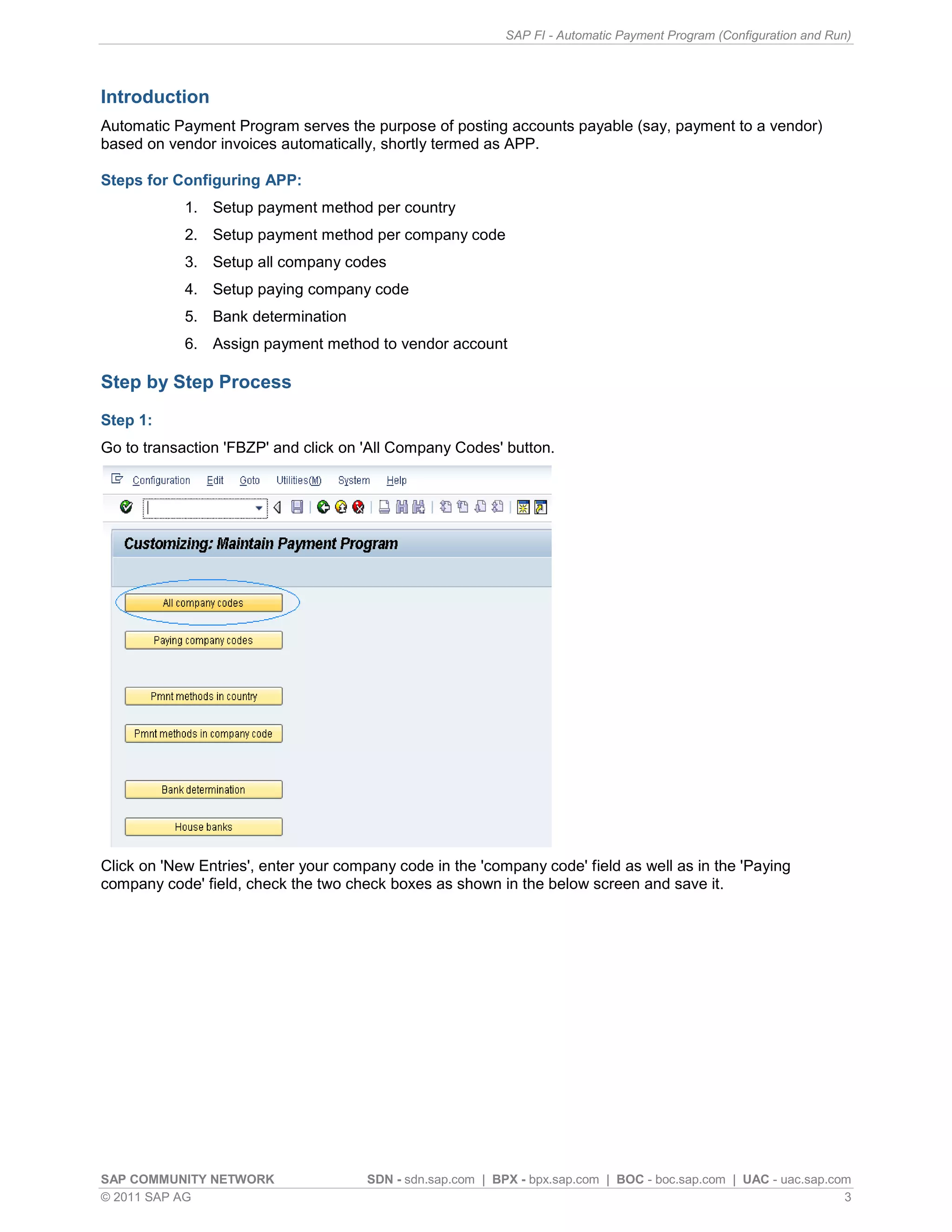
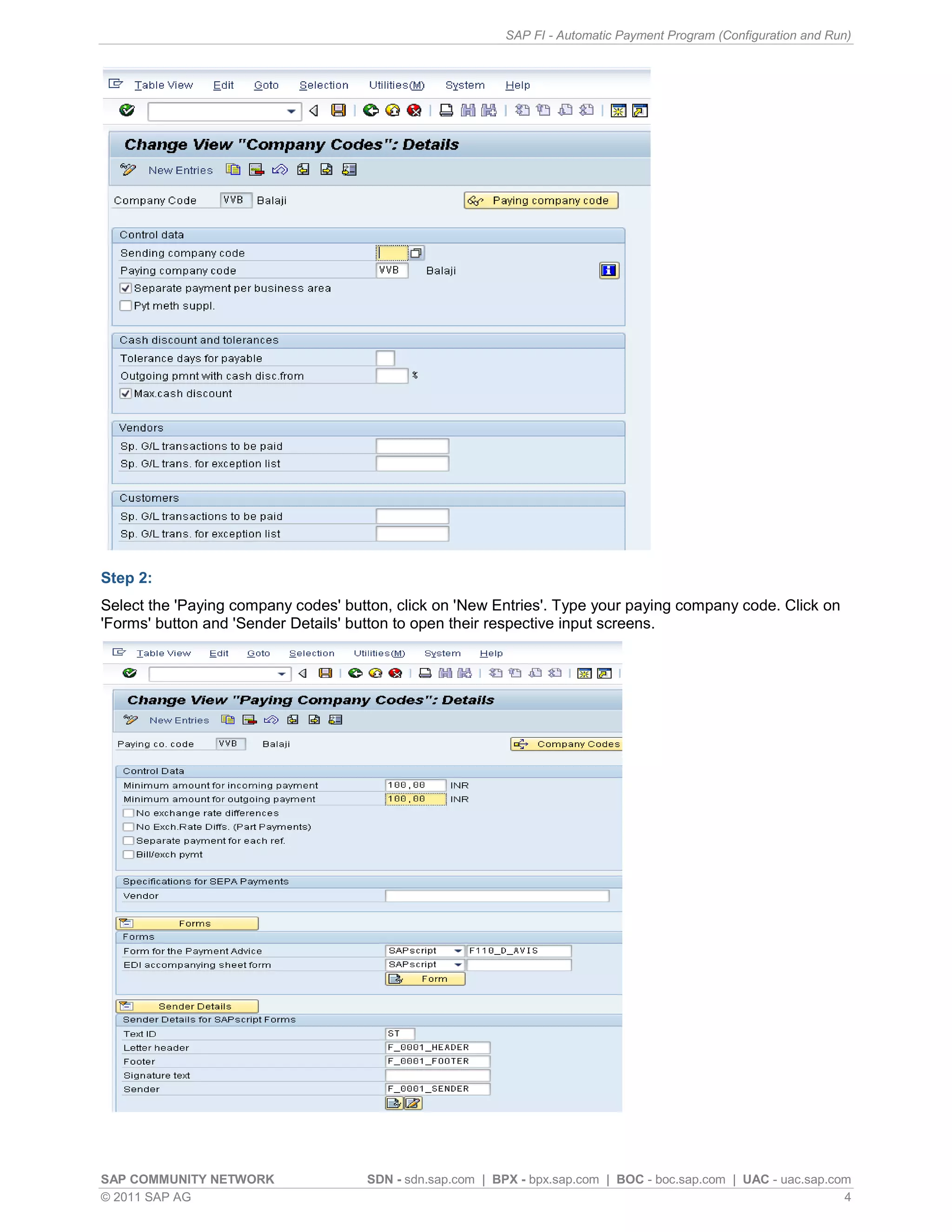
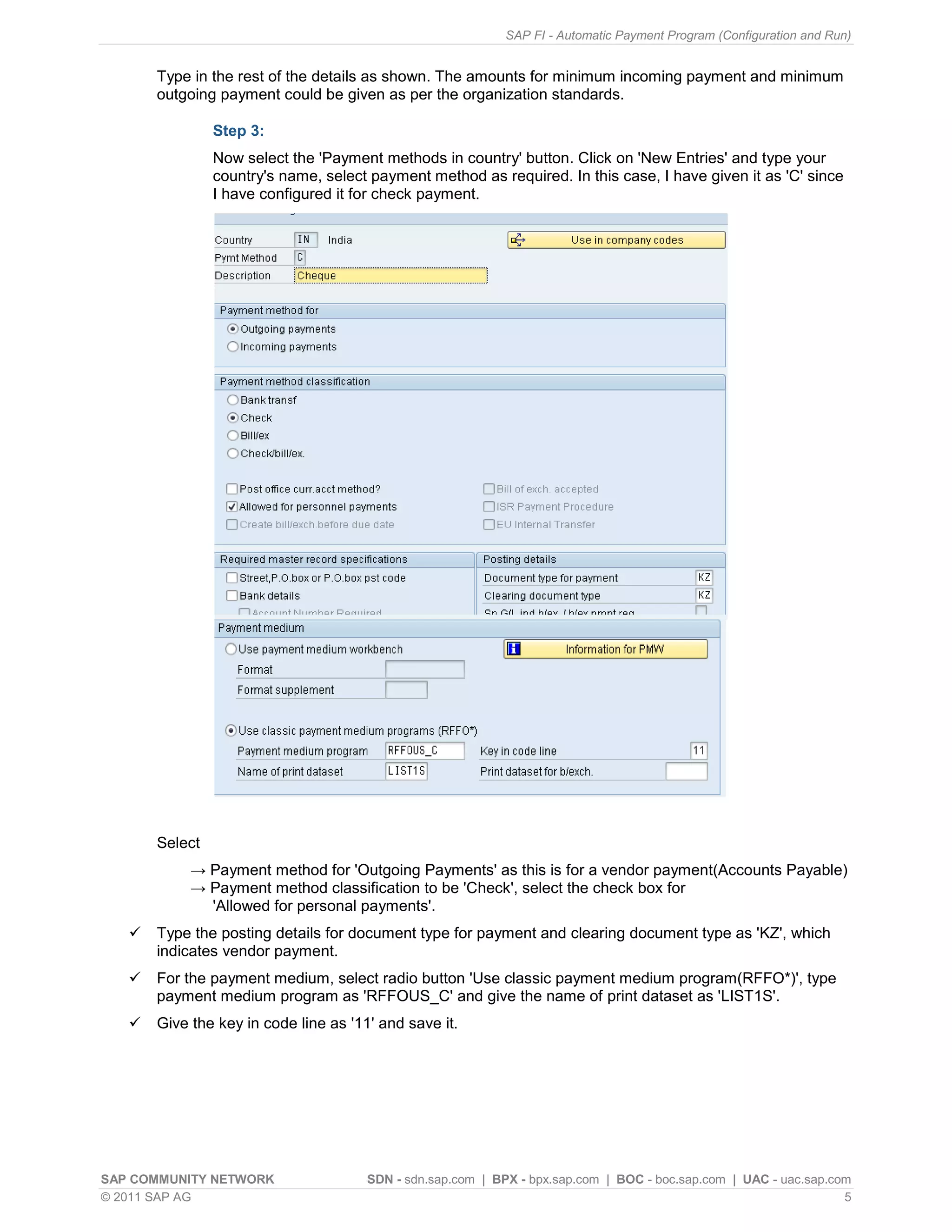
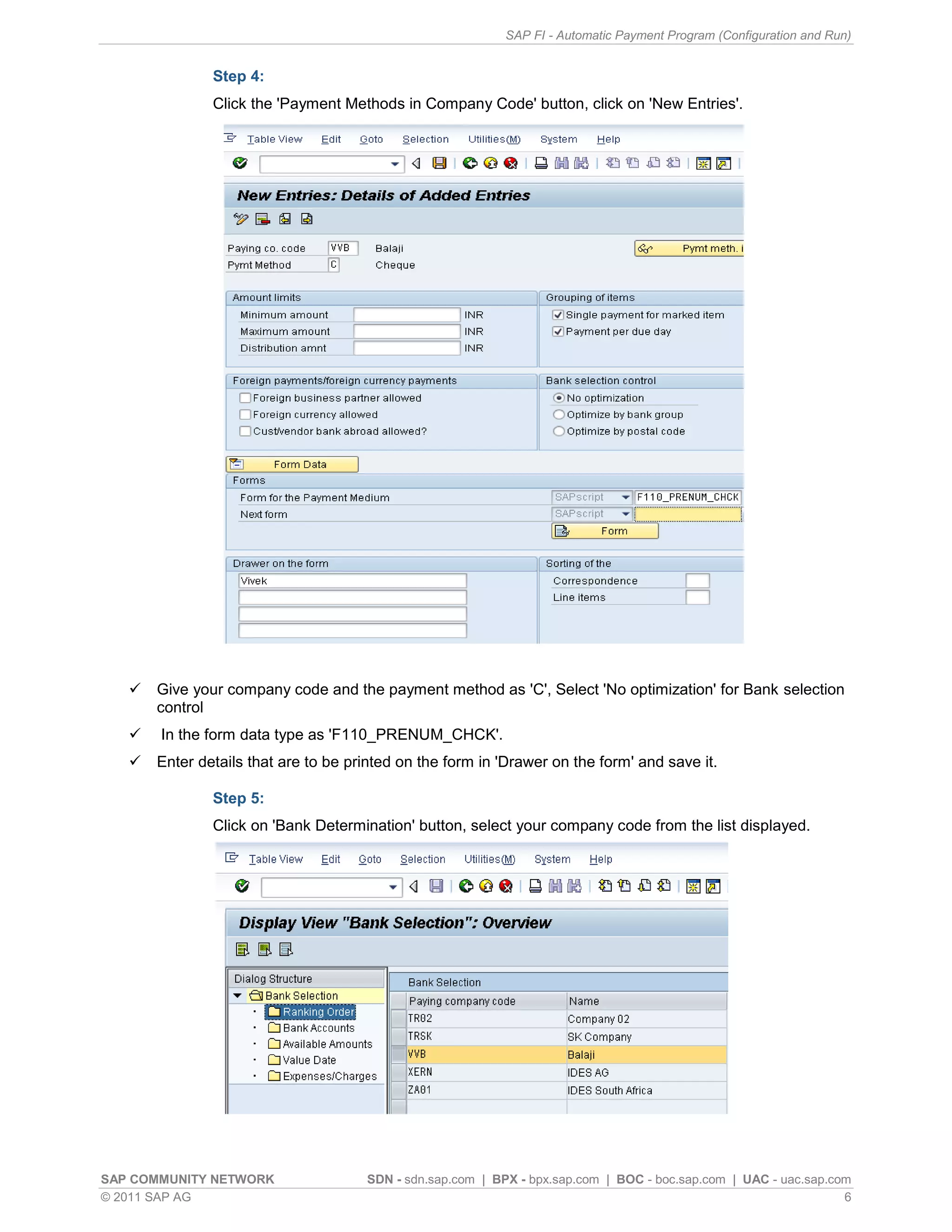
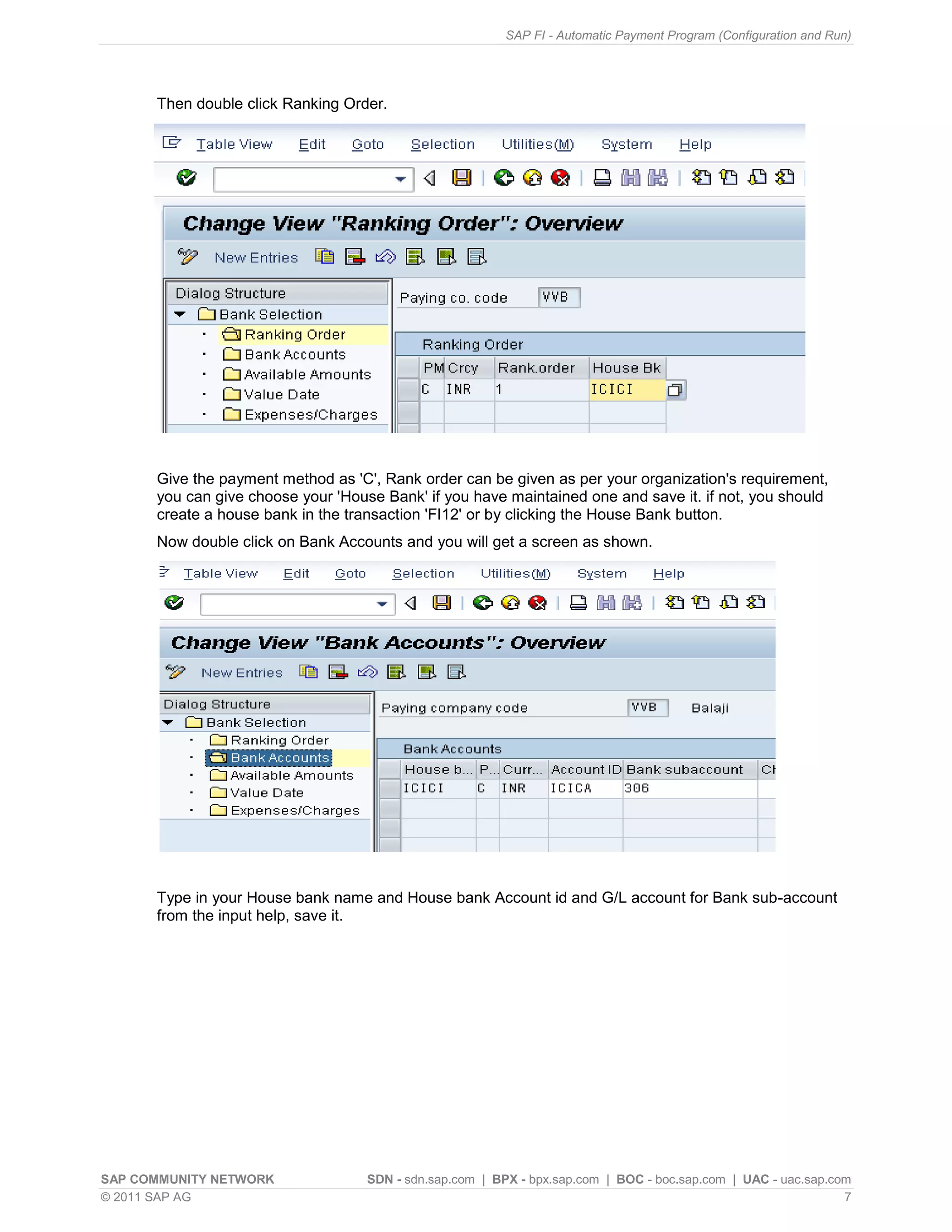
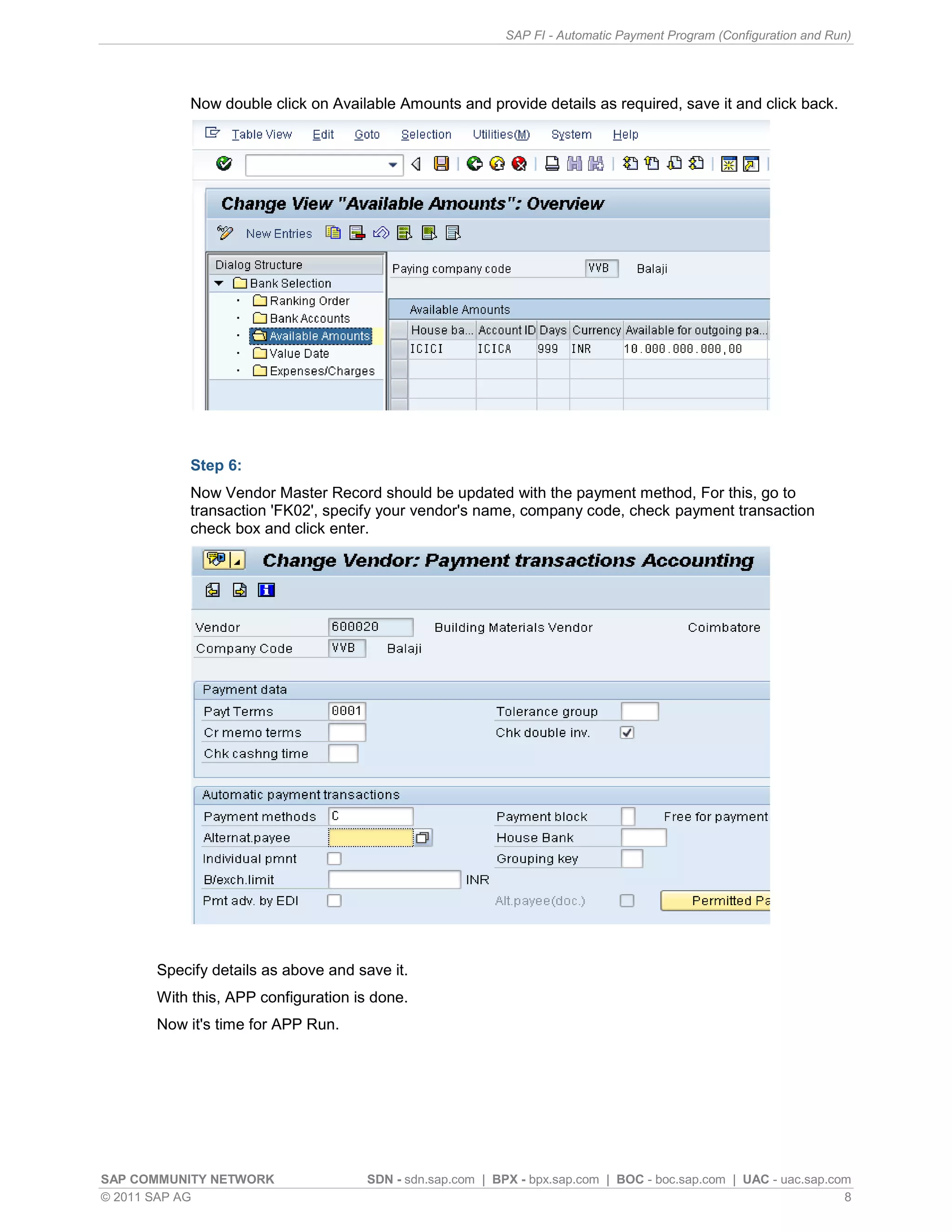
Detailed steps (1-6) on configuring APP, including payment method setups, bank determination, and setting up vendor accounts.
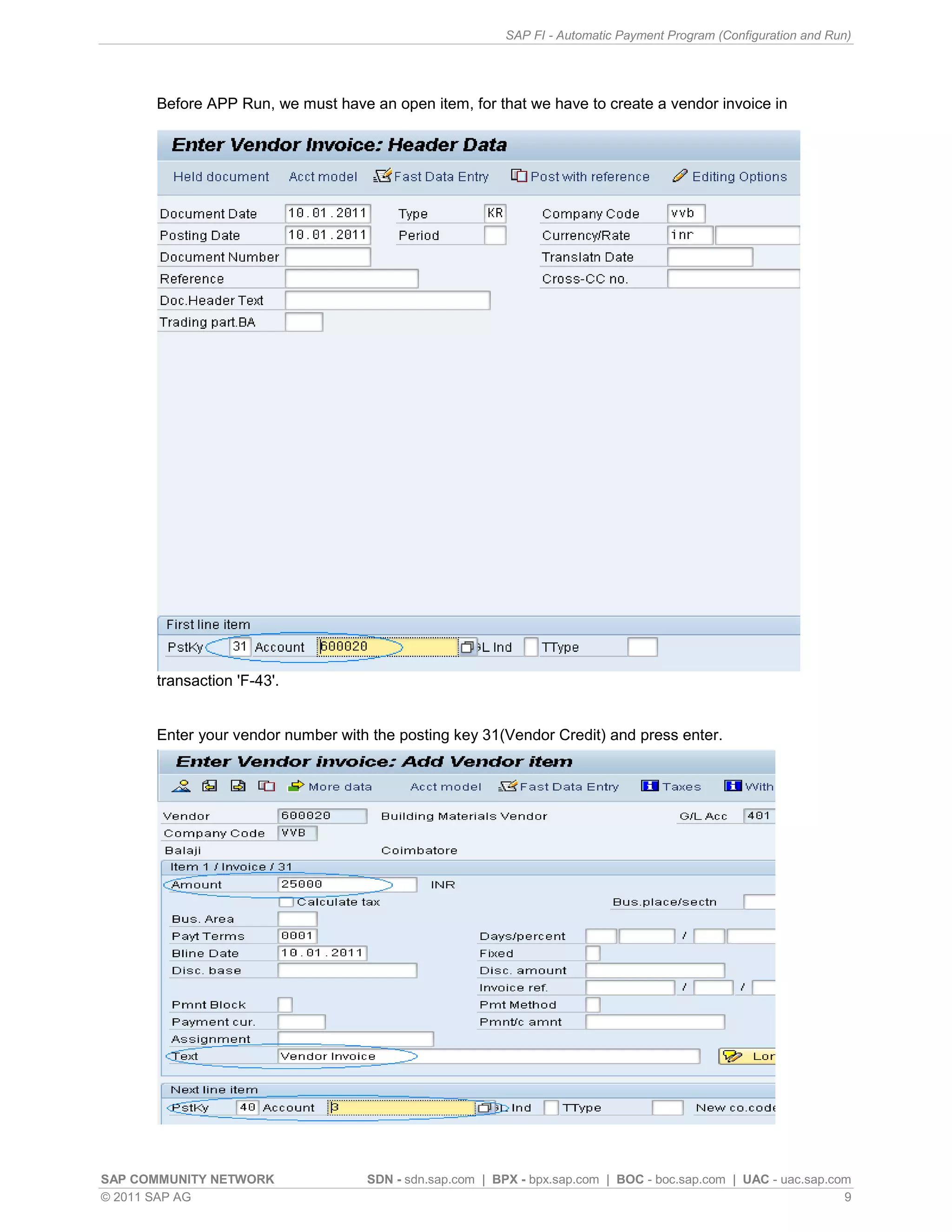
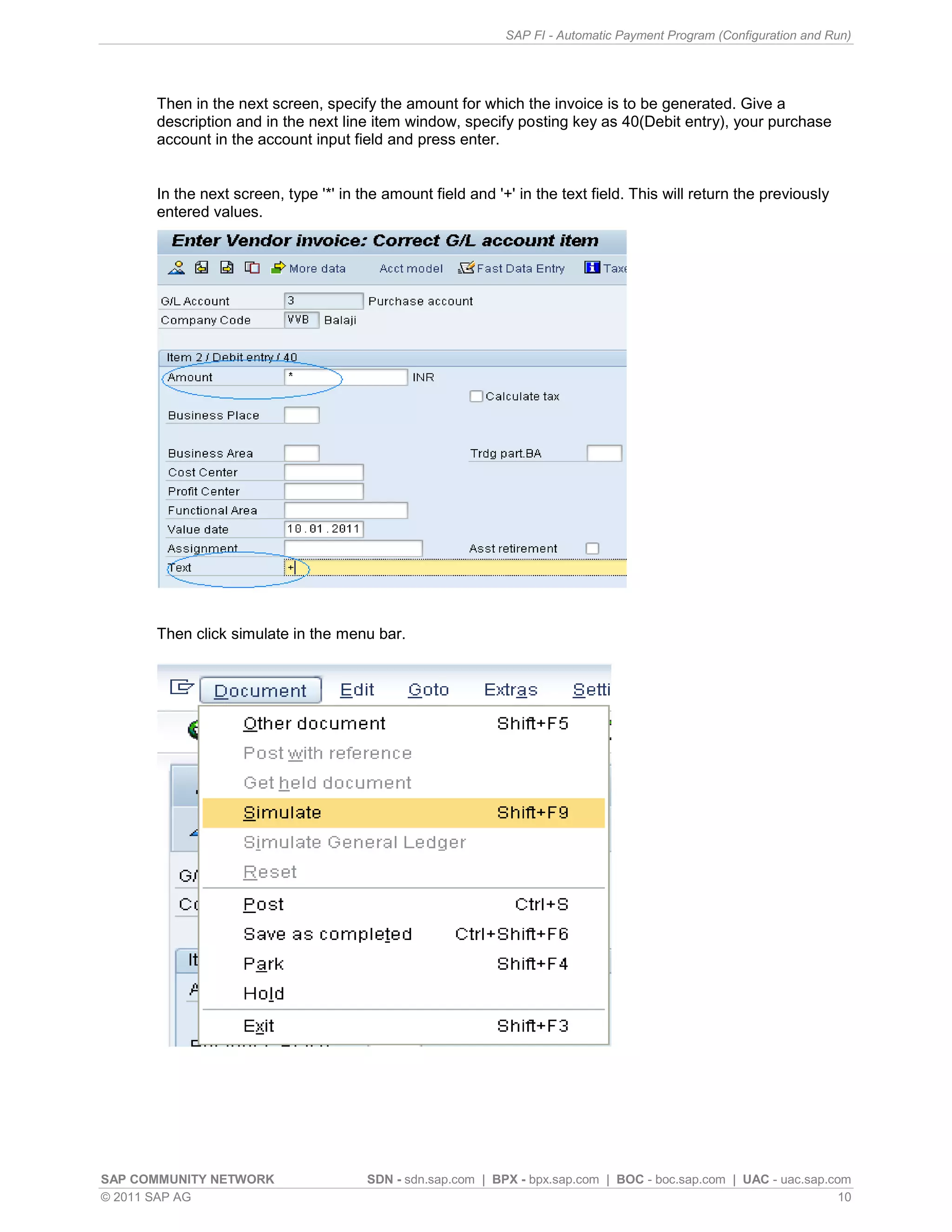
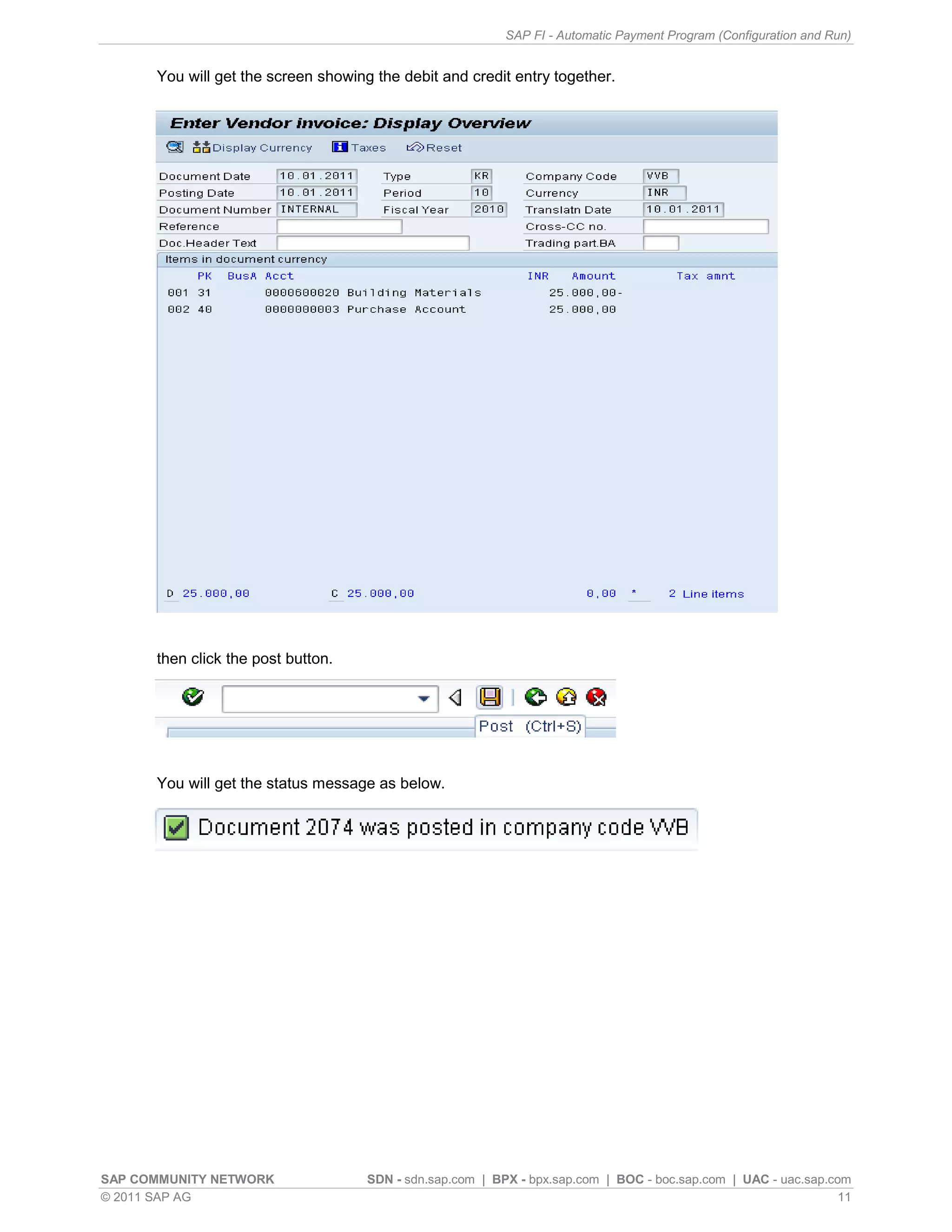
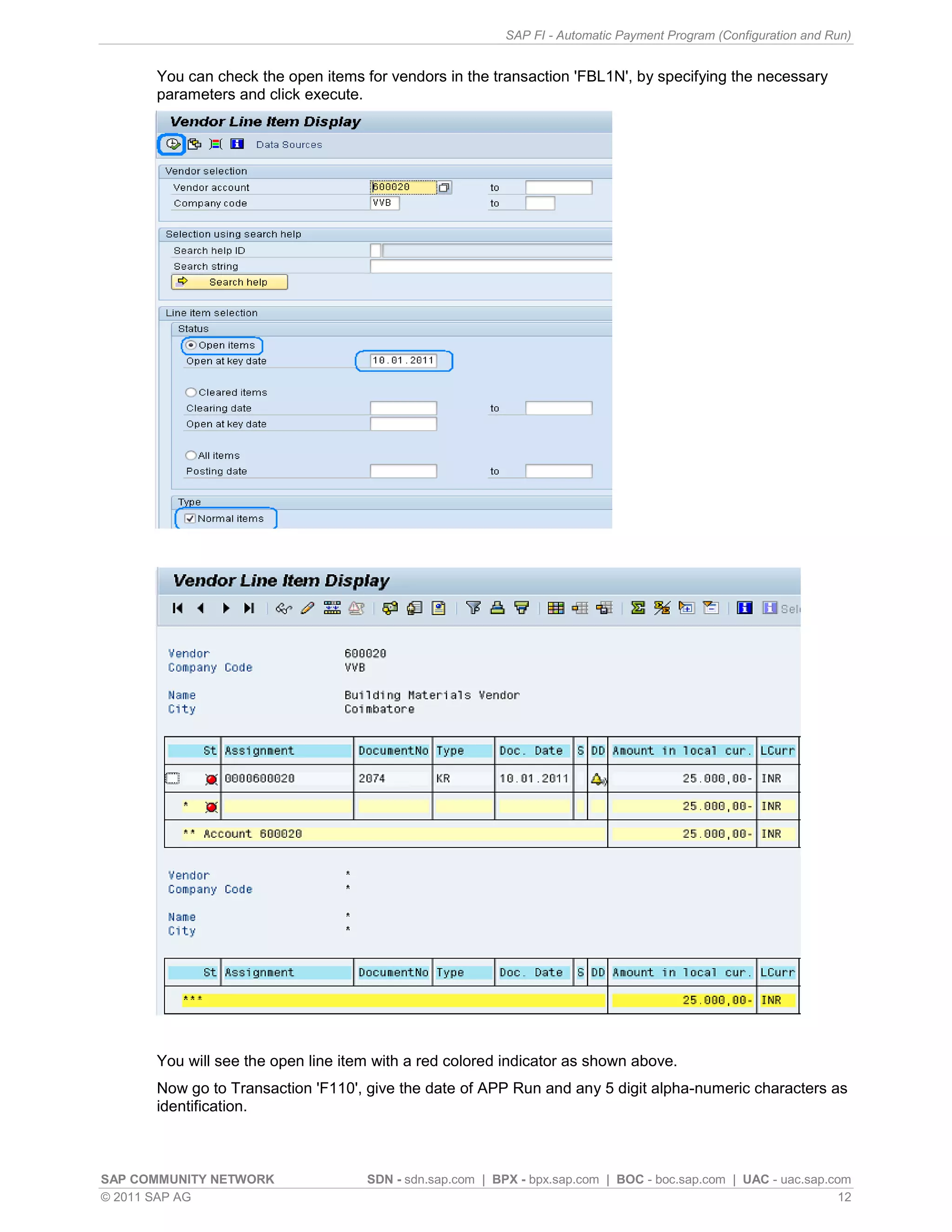
Instructions for creating a vendor invoice in SAP prior to running APP, including entering amounts and posting transactions.
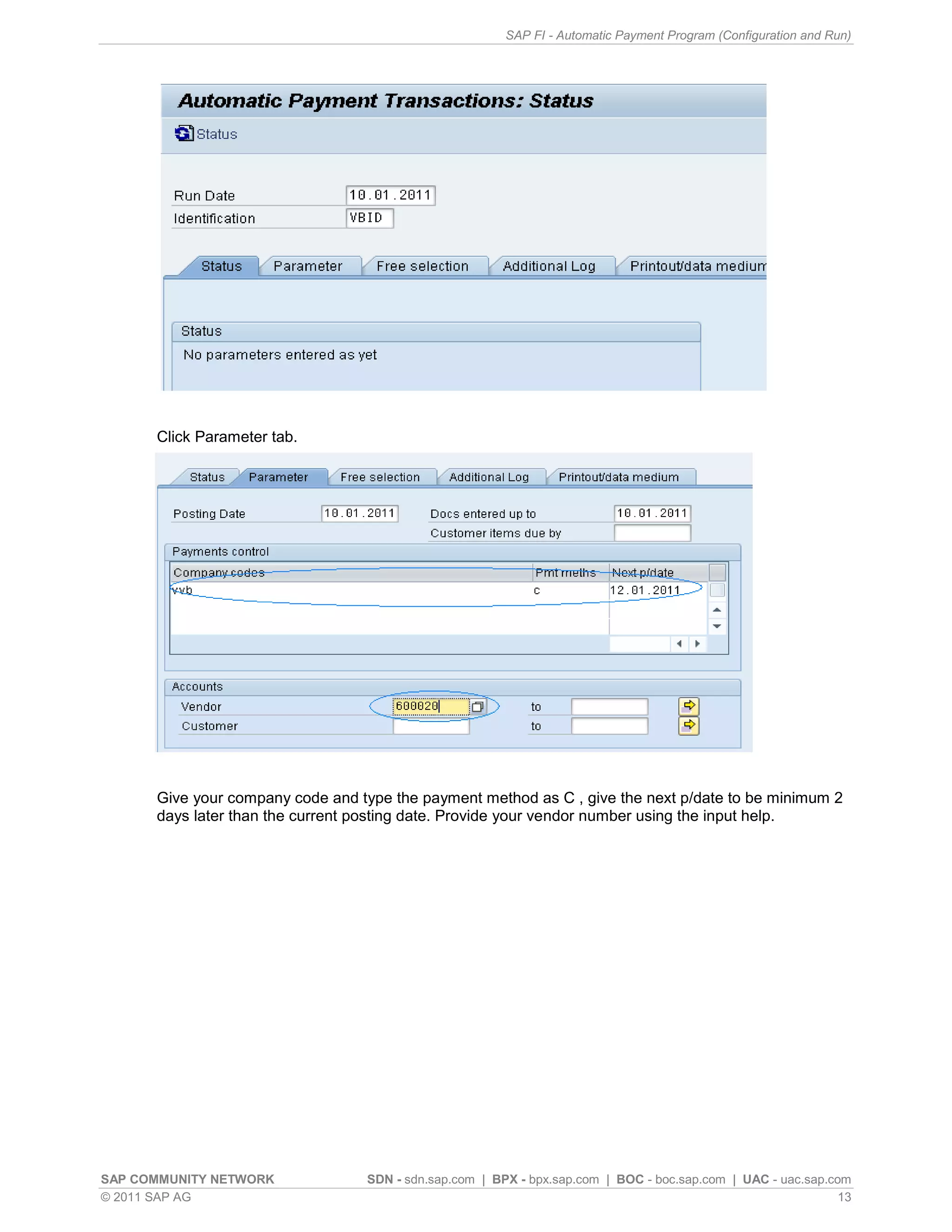
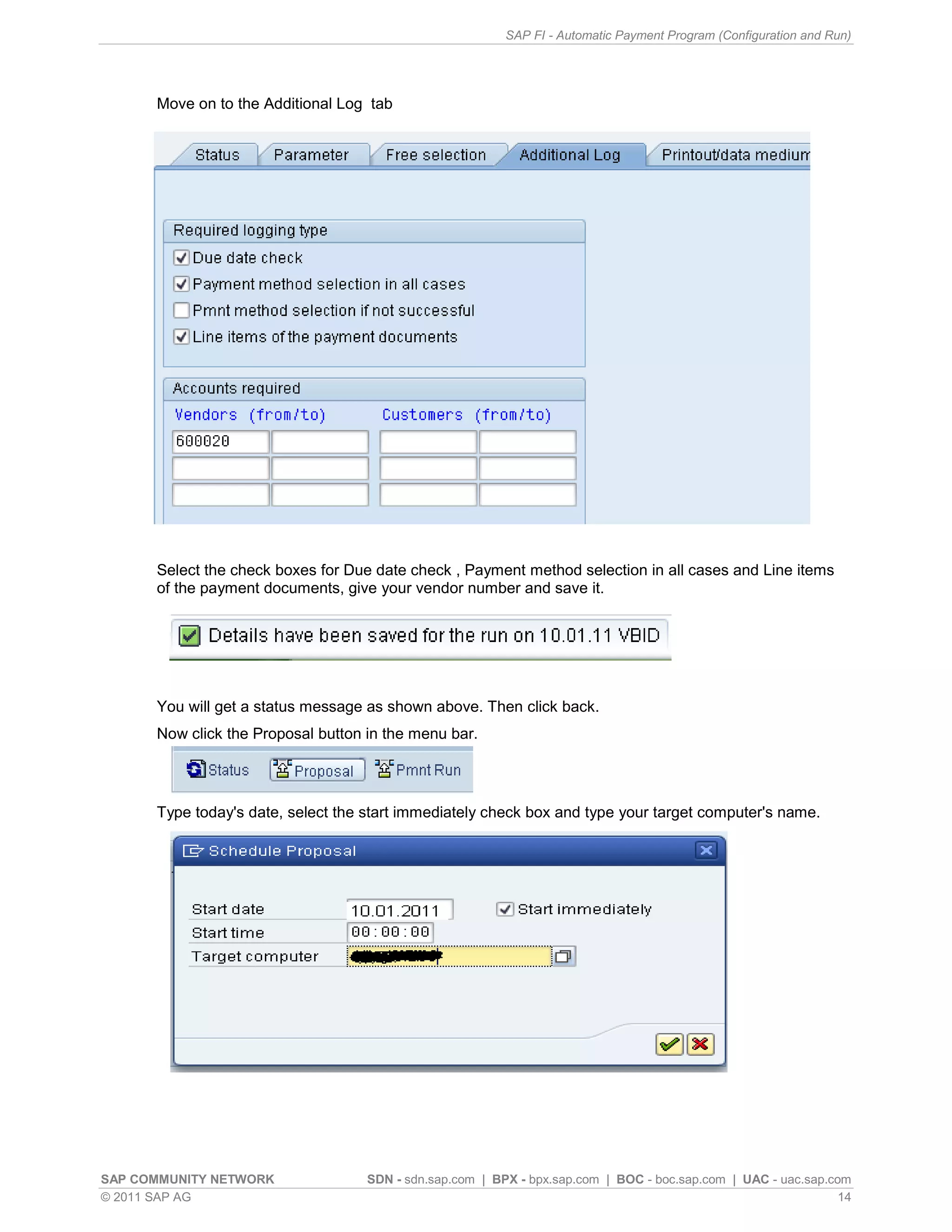
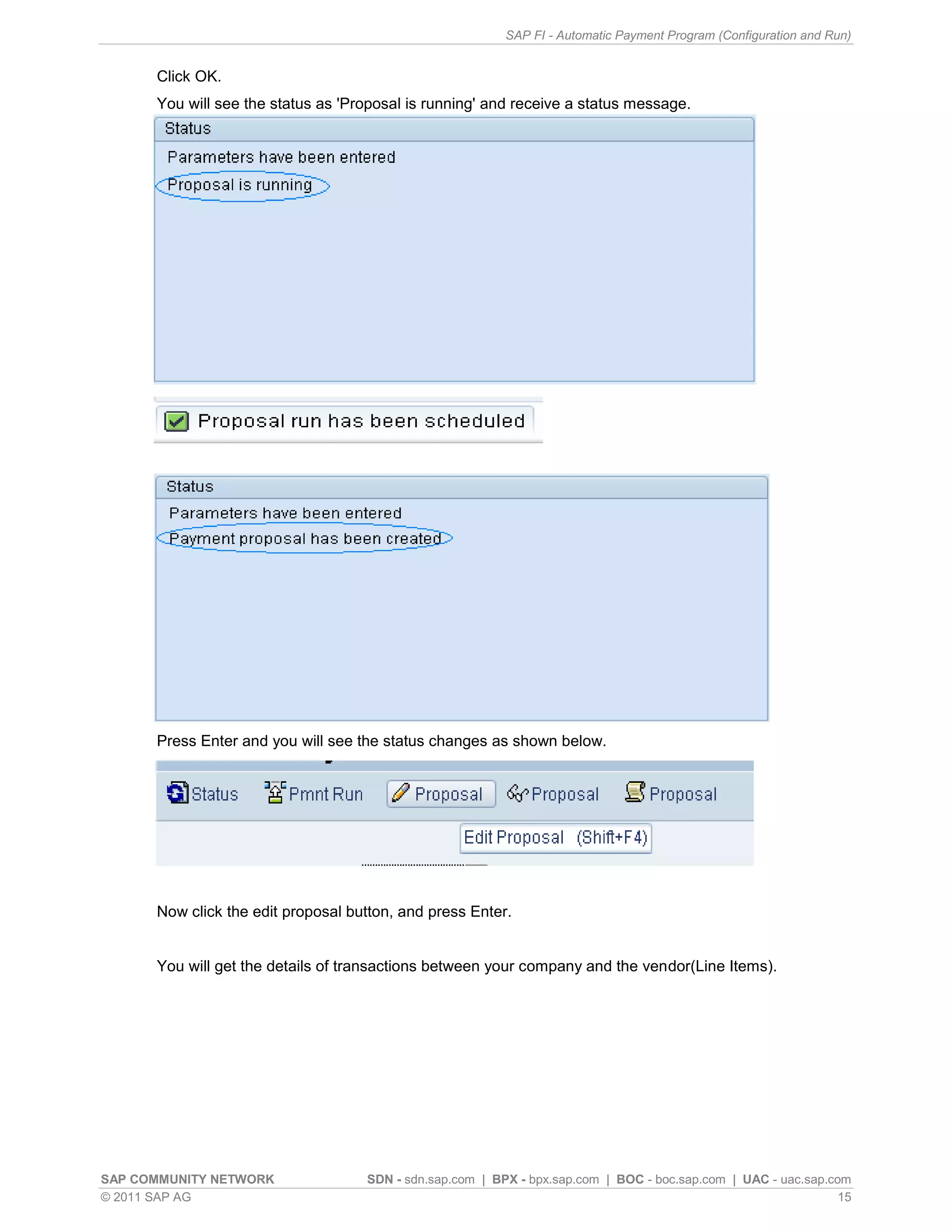
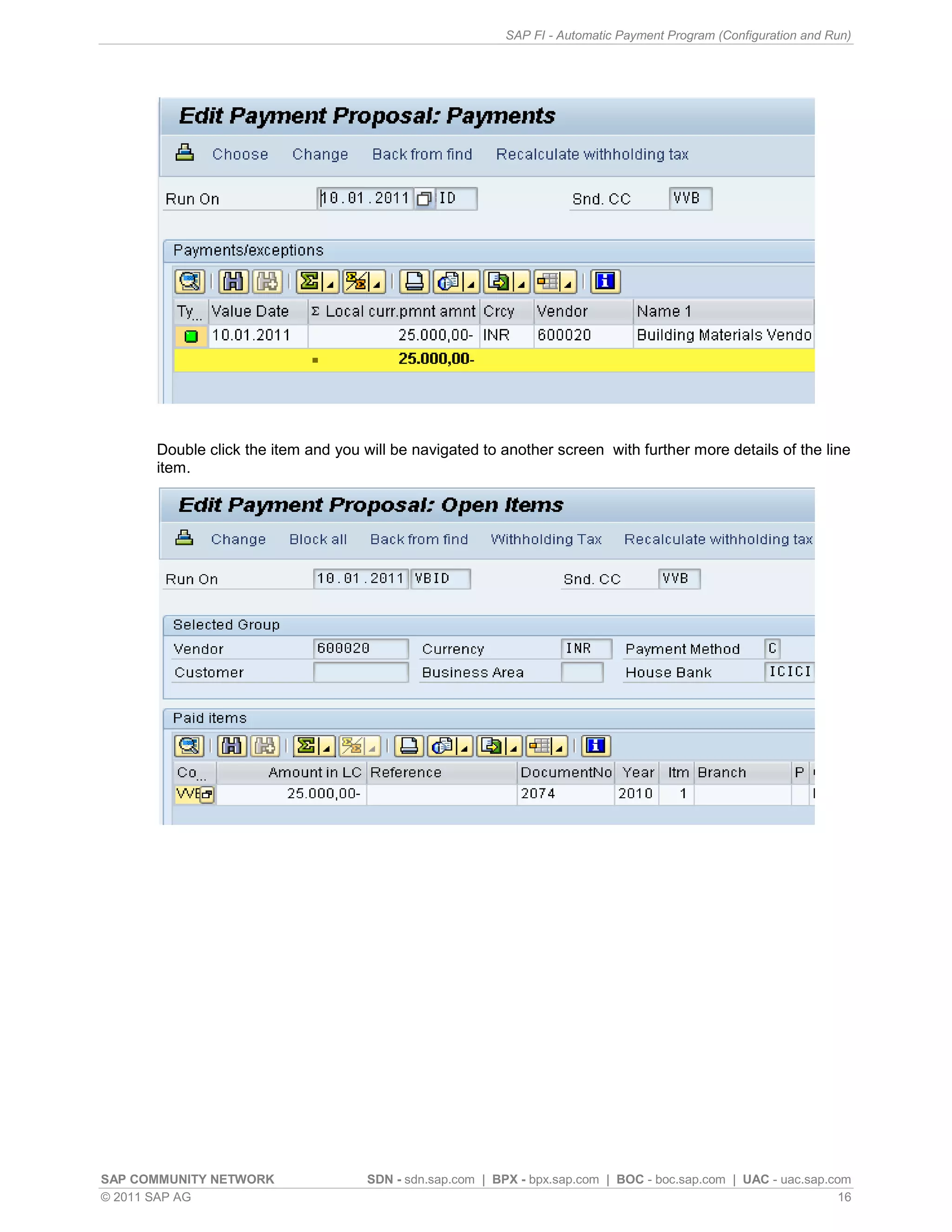
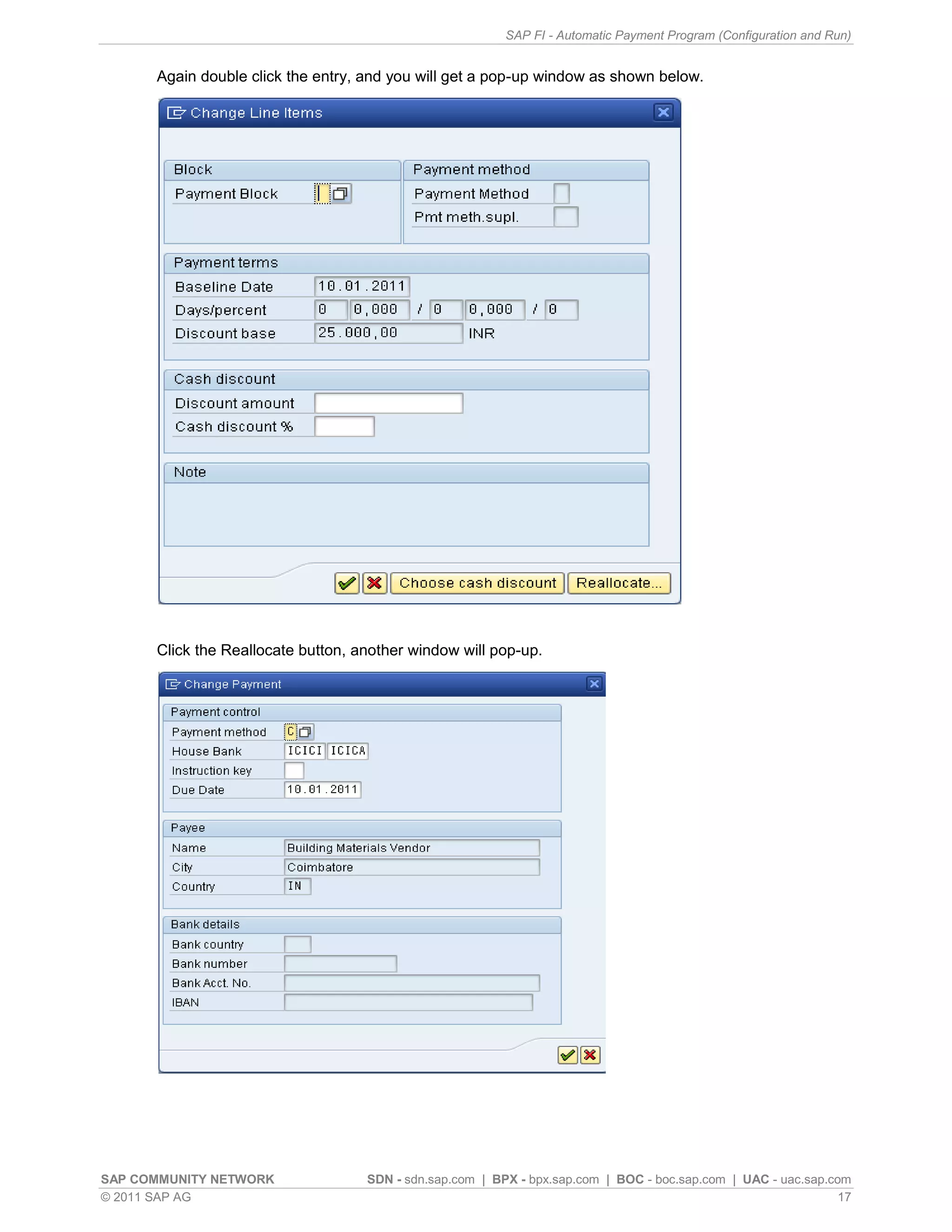
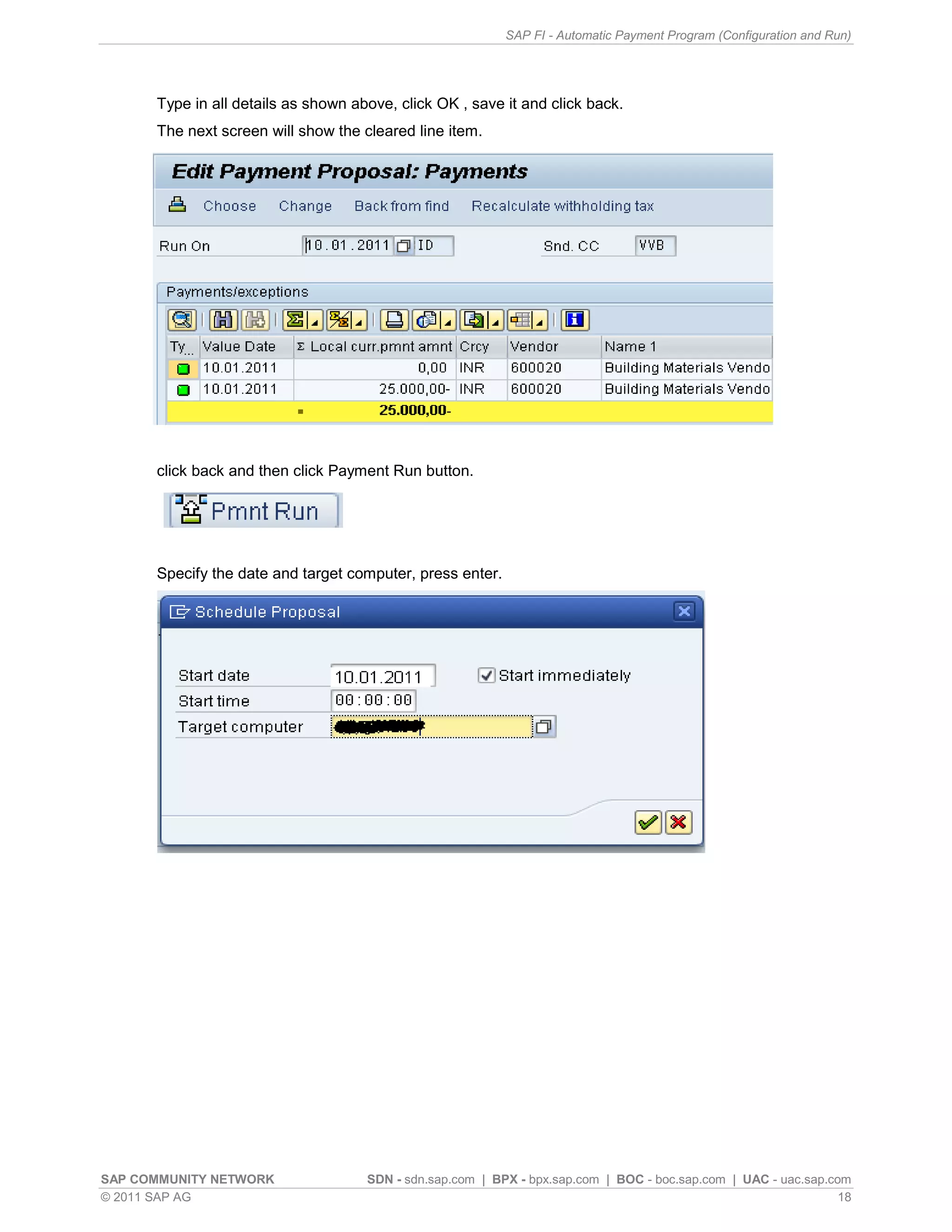
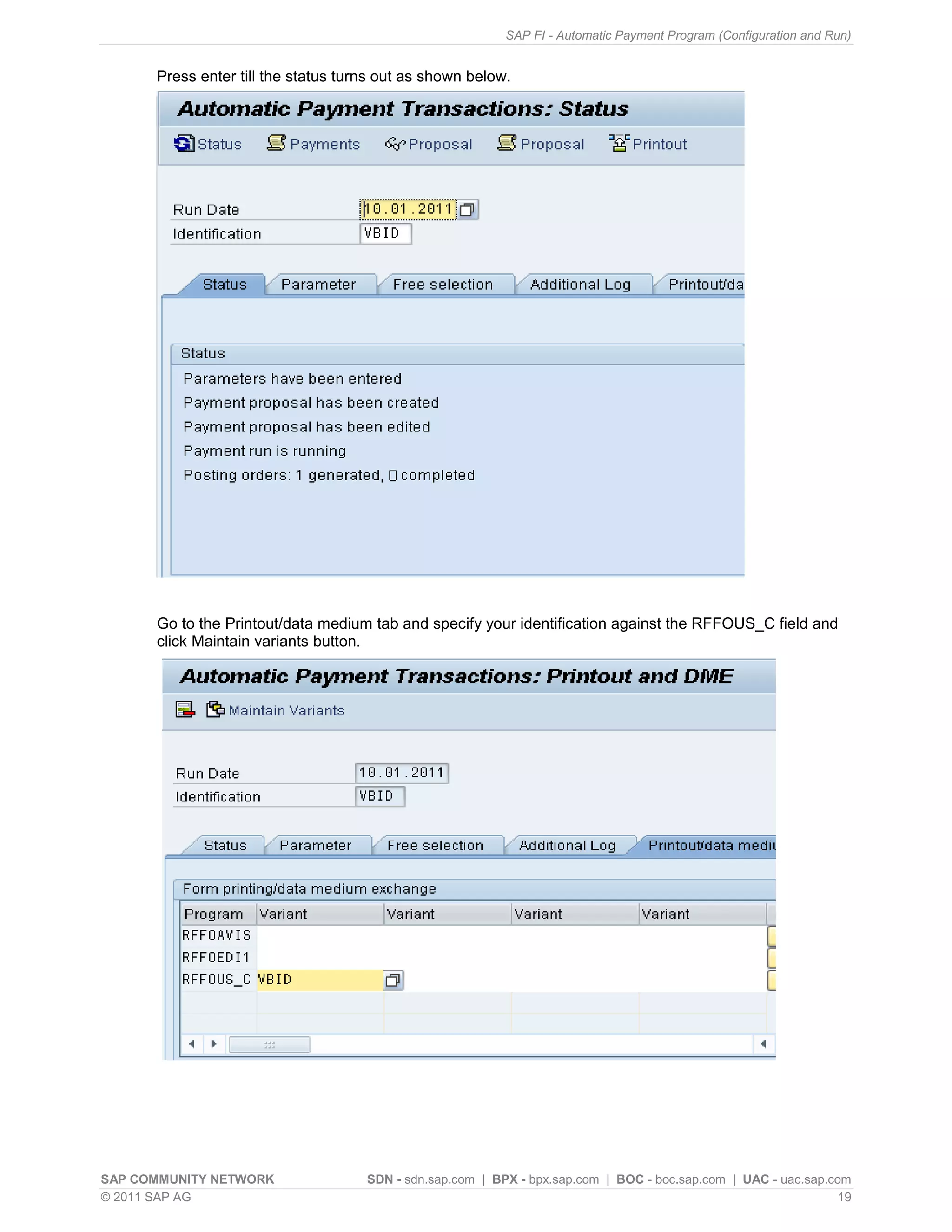
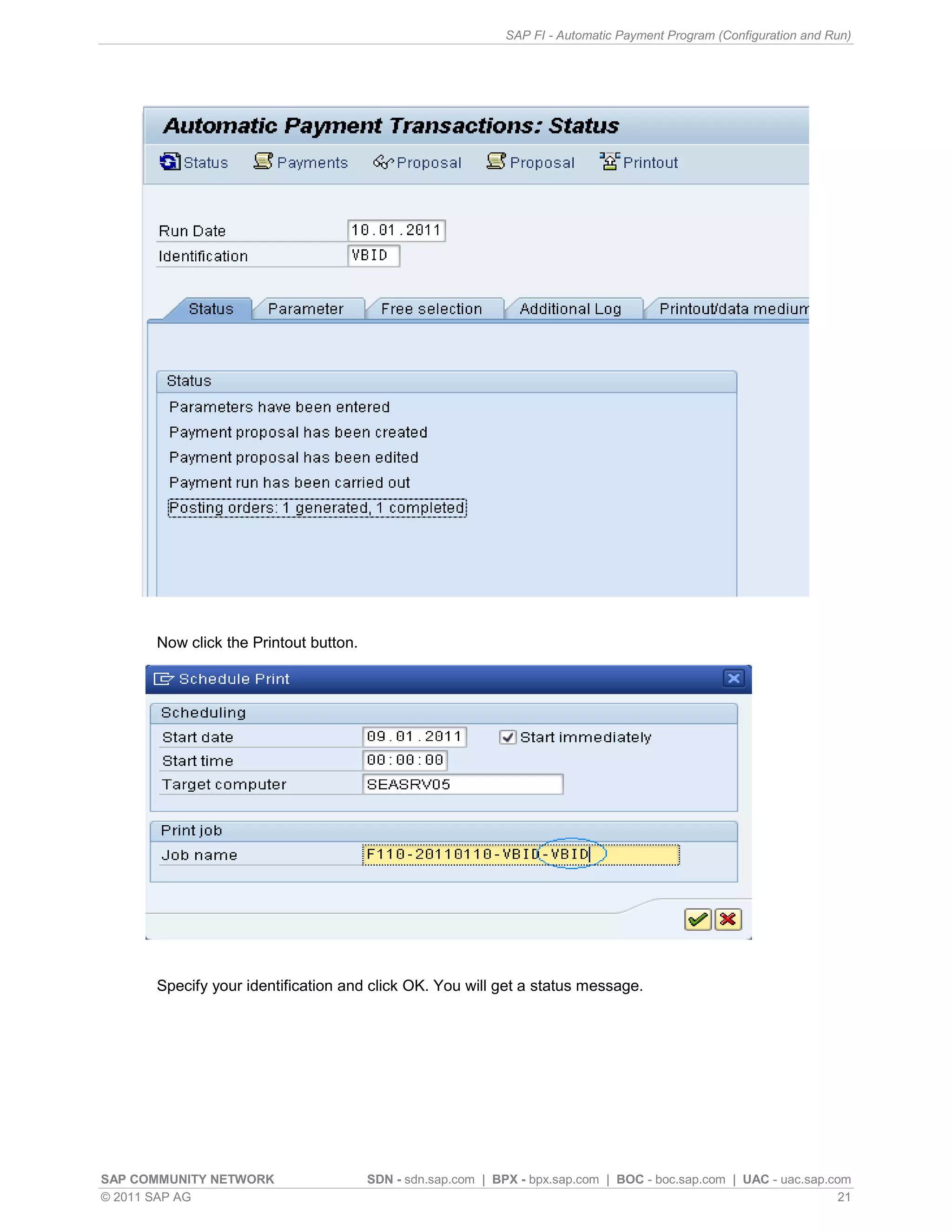
Procedure to run the APP, including parameters setup, proposal creation, and running the payment process.
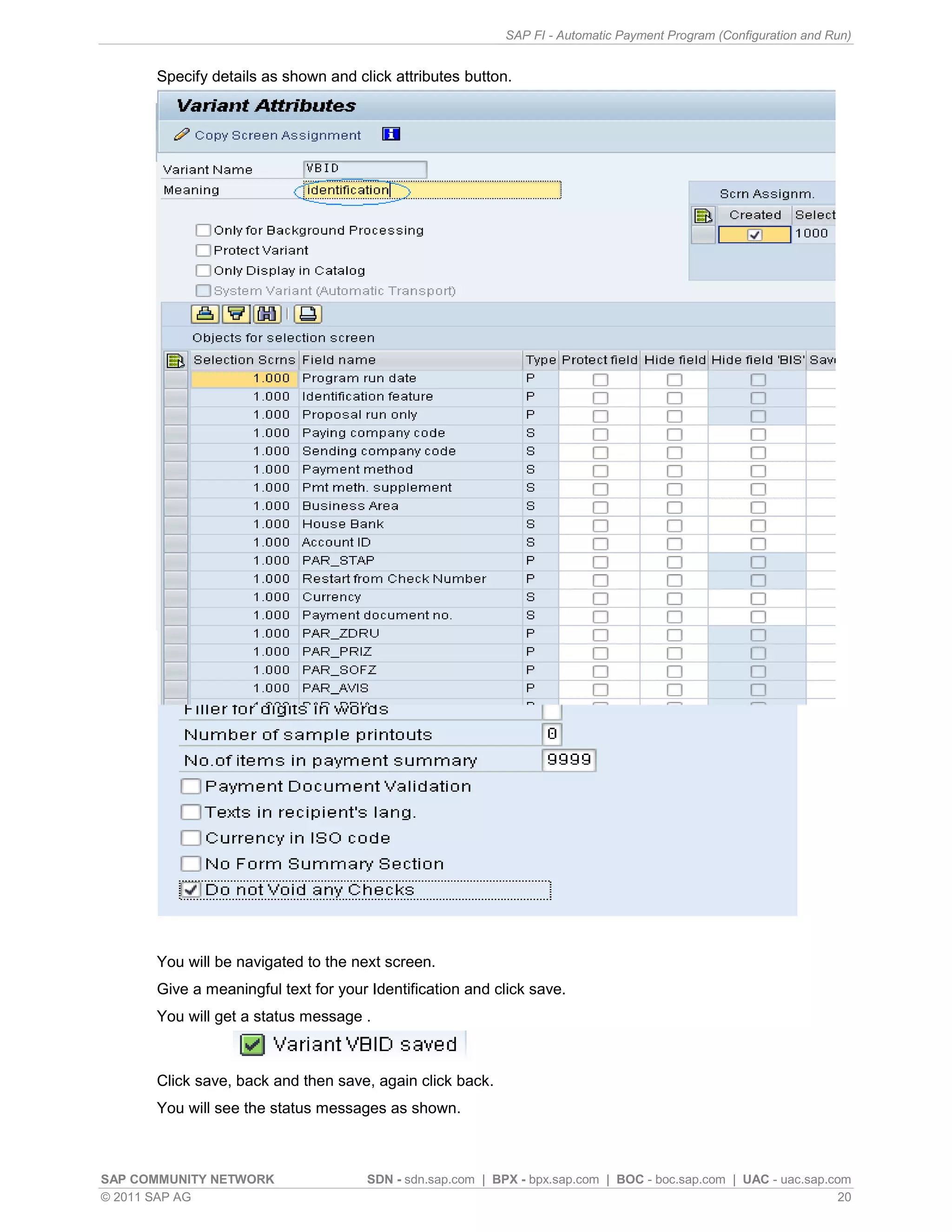
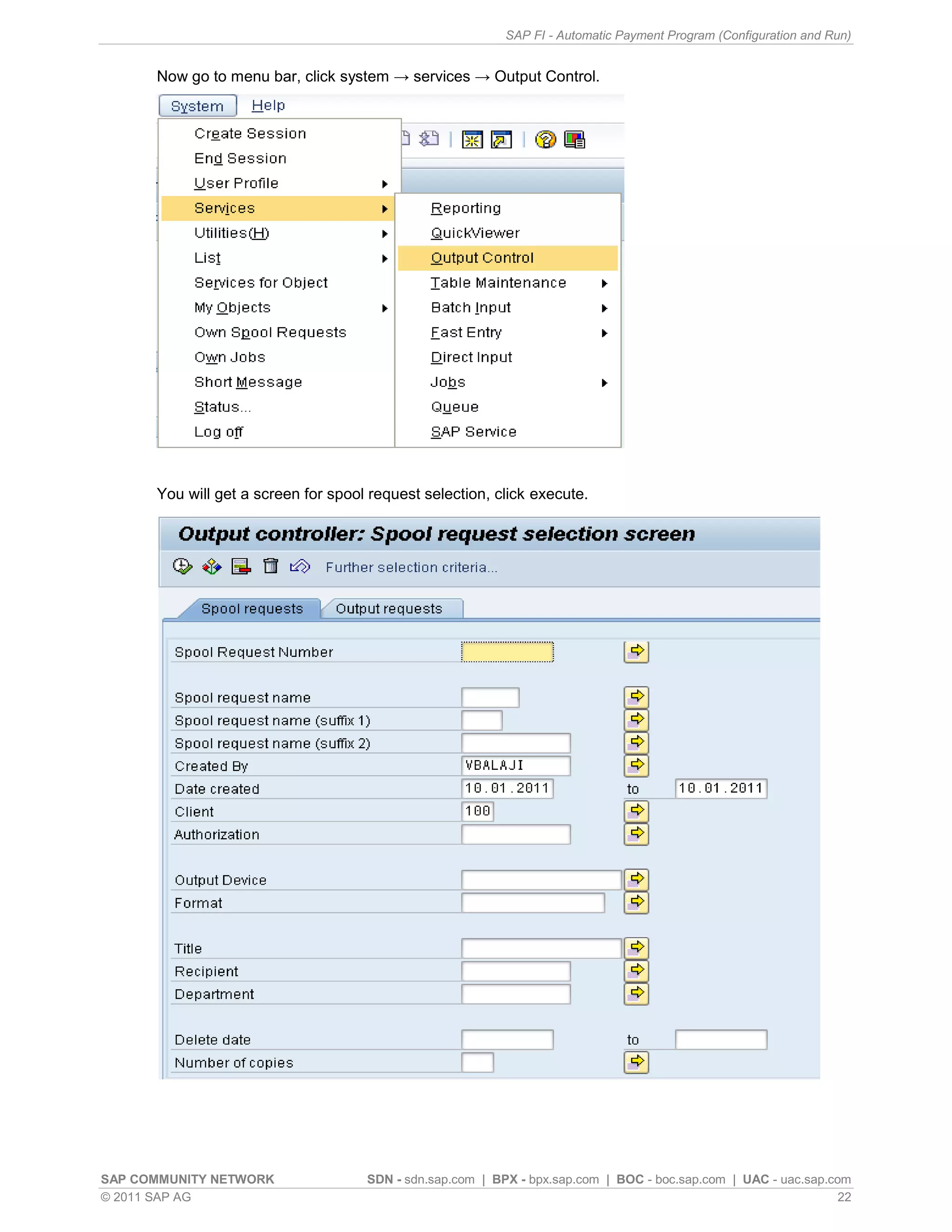
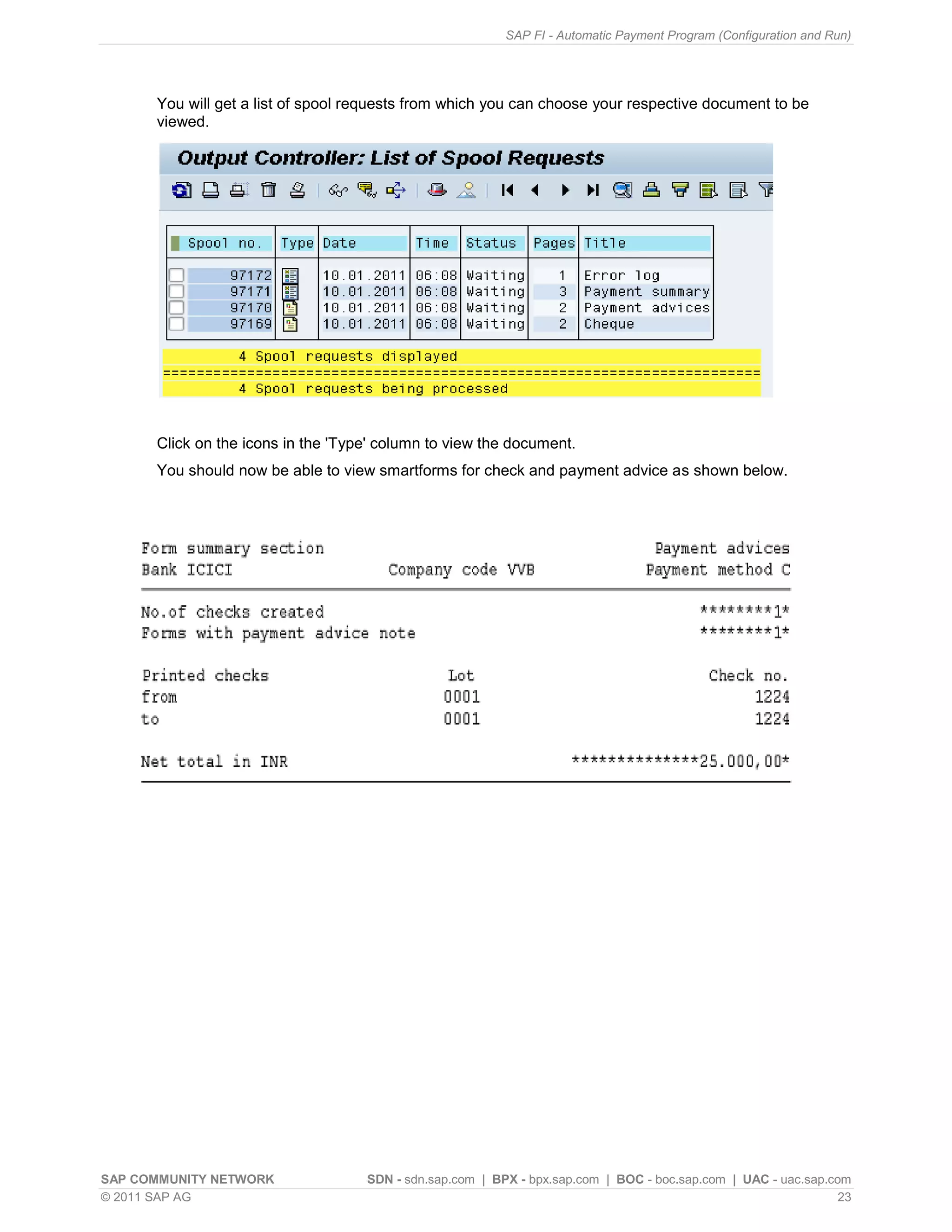
Managing output control for APP, viewing spool requests, and ensuring printouts for payments are executed correctly.
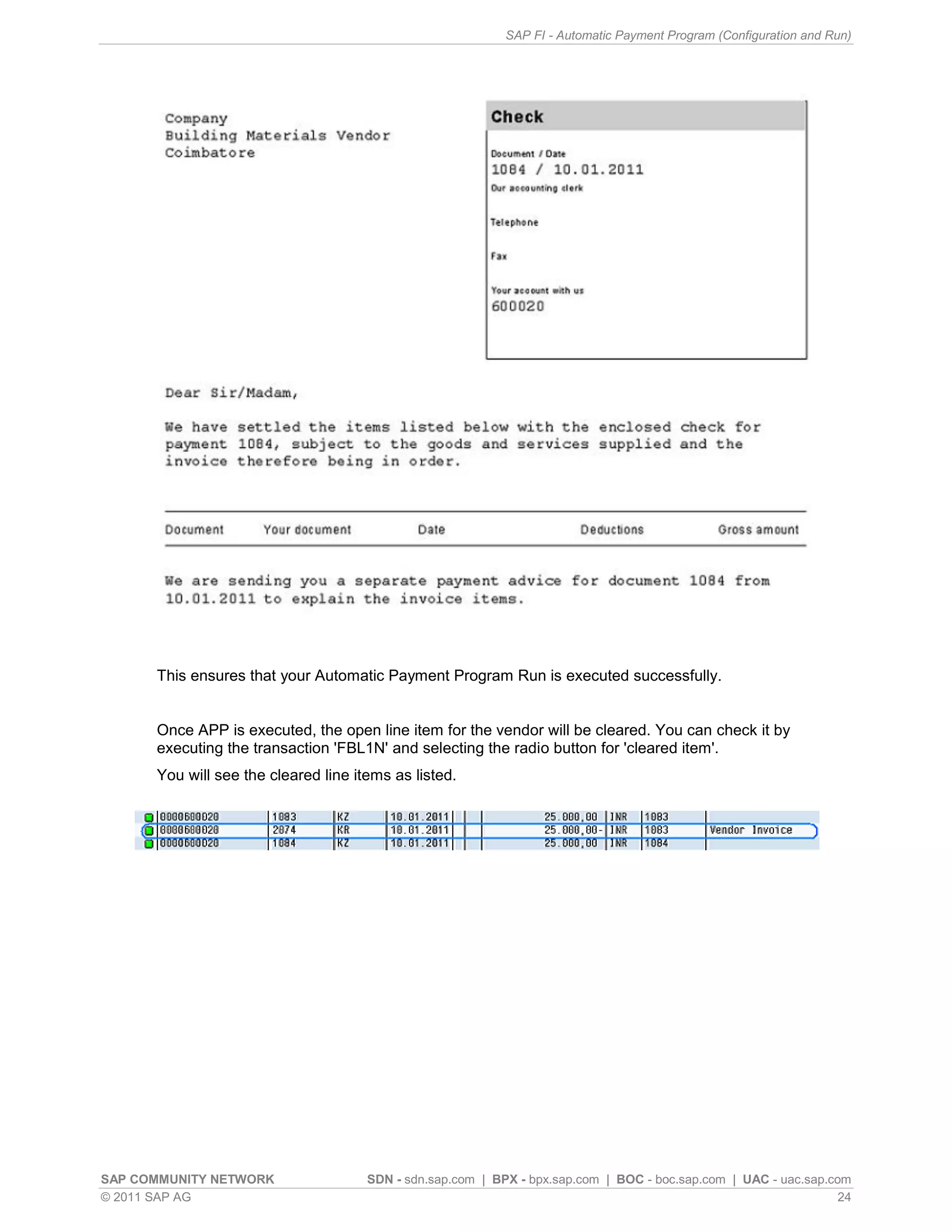
Confirmation of successful APP run and verification of cleared line items for vendors.
Additional resources related to Automatic Payment Transactions and a liability disclaimer regarding information in the document.


