SAP in 24 Hours
SAP Technology Basics
Presented by:
Nisha Adhikary 14609045
Aishwarya Alagh 14609116
17 October 2015 SAP in 24 Hours
SAP Technology 101: SAP Basis
• Business architecture covers logical business processes and
work streams, technology architecture is about the technologies
under the covers used to support business processes.
• Hardware, operating systems, databases, and application-
specific technologies come together to create a foundation for a
business application.
• The layers of technology that combine to create the basis of an
SAP system.
7 October 2015 SAP in 24 Hours 2
SAP Hardware Basics
• Hardware comprises the servers (big and powerful computers),
disk storage systems (ranging from storage area networks or
network-attached storage to cloud-based virtualized storage
space), and network gear (such as routers, network switches,
and security firewalls) must work together to create an
effective infrastructure for SAP.
• Well-known vendors such as Amazon, Microsoft, and Cisco
can sell you virtualized server platforms, called Infrastructure
as a Service (IaaS) or cloud infrastructure, represents an
interesting and cost-effective method of providing the
technical foundation for SAP.
7 October 2015 SAP in 24 Hours 3
Servers
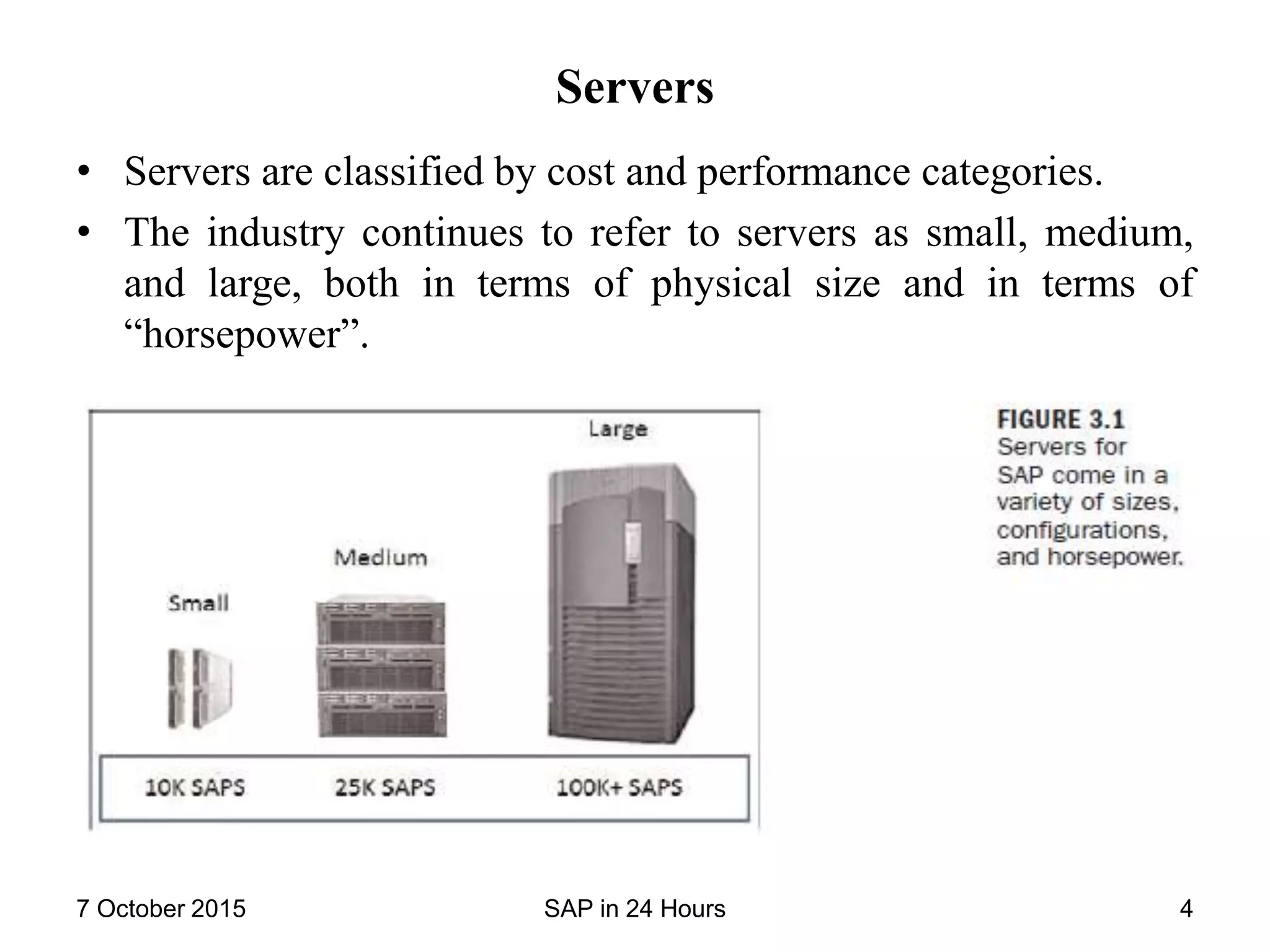
• Servers are classified by cost and performance categories.
• The industry continues to refer to servers as small, medium,
and large, both in terms of physical size and in terms of
“horsepower”.
7 October 2015 SAP in 24 Hours 4
SAPS Benchmark
• The SAP Application Performance Standard (SAPS) compares
SAP-benchmarked computing platforms with one another.
• The SAPS unit of measurement is based on the Sales and
Distribution (SD) module of SAP Enterprise Resource
Processing (ERP) and is the most popular SAP benchmark.
7 October 2015 SAP in 24 Hours 5
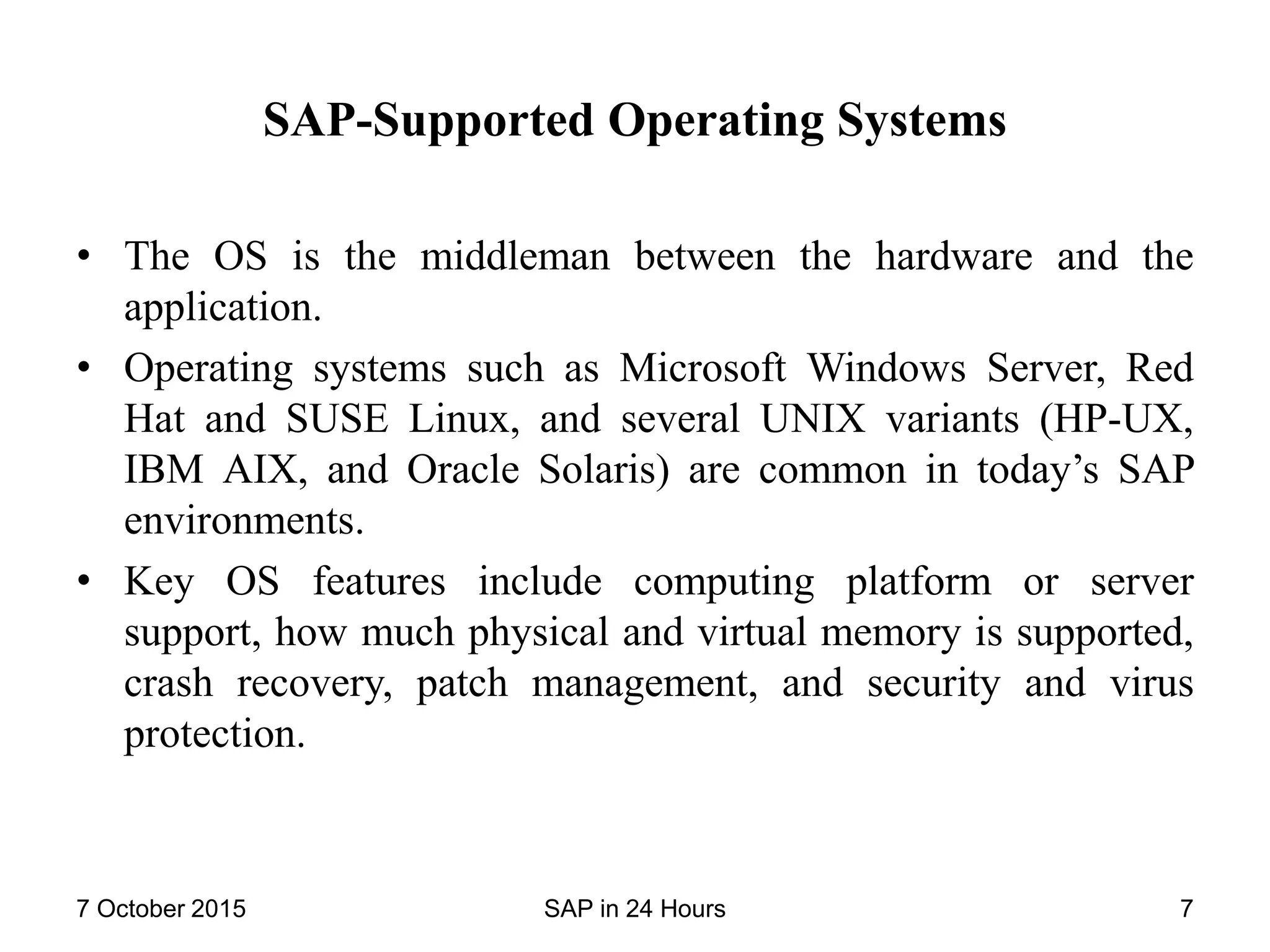
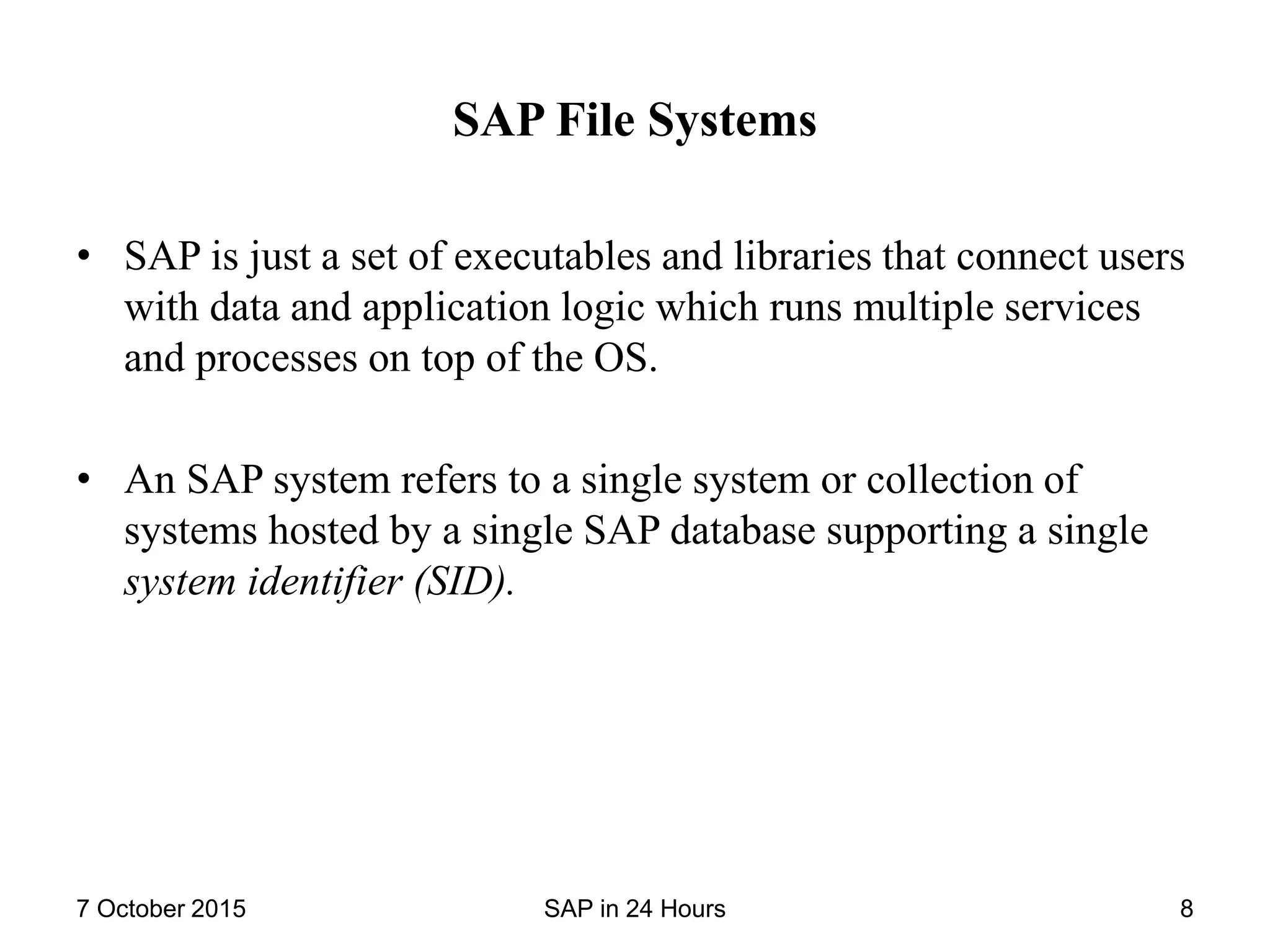
• Server Hardware Vendors: The best-known vendors Fujitsu,
HP, IBM, Oracle, and Unisys sell servers based on Intel,
AMD, and often their own proprietary CPUs.
• Server Availability Features
• Disk Storage Systems
• Storage Area Networks
• Network-Attached Storage
• Direct-Attached Storage
• Cloud Storage
• Storage System Performance
• Storage System Availability
7 October 2015 SAP in 24 Hours 6
SAP-Supported Operating Systems
• The OS is the middleman between the hardware and the
application.
• Operating systems such as Microsoft Windows Server, Red
Hat and SUSE Linux, and several UNIX variants (HP-UX,
IBM AIX, and Oracle Solaris) are common in today’s SAP
environments.
• Key OS features include computing platform or server
support, how much physical and virtual memory is supported,
crash recovery, patch management, and security and virus
protection.
7 October 2015 SAP in 24 Hours 7
SAP File Systems
• SAP is just a set of executables and libraries that connect users
with data and application logic which runs multiple services
and processes on top of the OS.
• An SAP system refers to a single system or collection of
systems hosted by a single SAP database supporting a single
system identifier (SID).
7 October 2015 SAP in 24 Hours 8
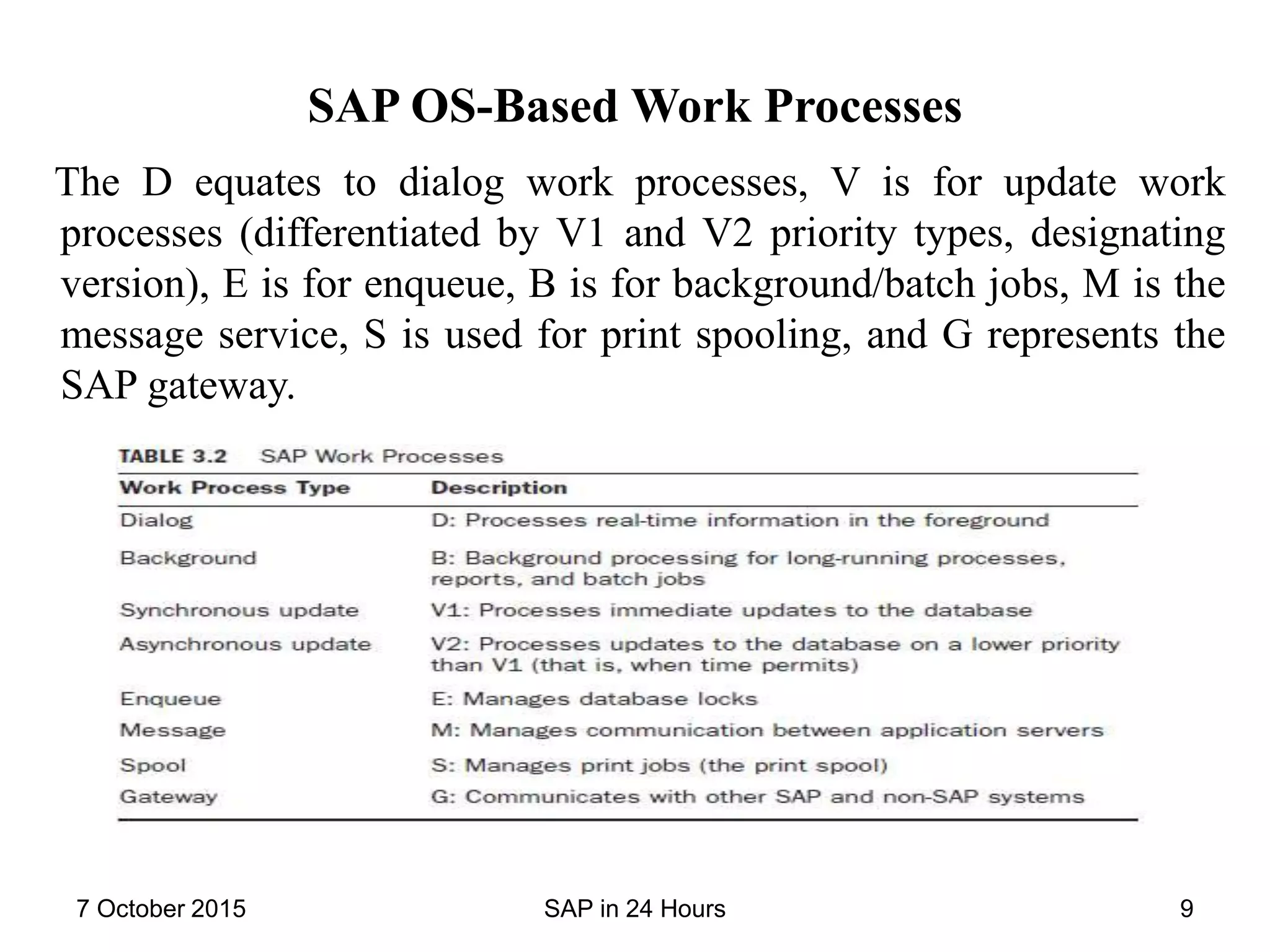
SAP OS-Based Work Processes
The D equates to dialog work processes, V is for update work
processes (differentiated by V1 and V2 priority types, designating
version), E is for enqueue, B is for background/batch jobs, M is the
message service, S is used for print spooling, and G represents the
SAP gateway.
7 October 2015 SAP in 24 Hours 9
SAP OS-Level Profiles
• Each SAP instance comprises three profiles: the default
profile, start profile, and instance profile.
• Profiles are text files that are imported into and maintained by
the SAP database and used to start and run the instance.
Database Basics for SAP
• Depending on your platform and SAP version, you might be
restricted to only one or a few database choices.
• SAP supports most mainstream databases, including Microsoft
SQL Server (and ultimately its cloud counterpart SQL Azure),
IBM DB2, and several Oracle database products. SAP also
supports its own database, called MaxDB.
7 October 2015 SAP in 24 Hours 10
Tables, Indexes, and Structure
• In SAP systems, 10% of the tables house 90% of the data.
• All these tables are tied to each other through established
relationships.
• The series of connected multiple tables that creates is known
as a relational database management system.(RDBMS)
• Beyond housing raw data, databases house indexes, which are
used to speed up the retrieval of data. An index is described as
a table of contents or viewed as a copy of a database table
reduced to only the key fields. The index contains a pointer to
the associated record of the actual table.
• Transparent tables which are SAP database tables that contain
data only at runtime. A transparent table is automatically
created in the database when a table is activated in the ABAP/4
Data Dictionary.
7 October 2015 SAP in 24 Hours 11
• Database structures are groups of internal fields that logically
belong together.
• Structures are activated and defined in the SAP ABAP/4 Data
Dictionary, and they contain data only temporarily (during the
execution of a program).
• Structures are differentiated from database tables based on the
following three criteria:
-A structure does not contain or reflect an associated ABAP/4
Data Dictionary table.
-A structure does not contain a primary key.
-A structure does not have any technical properties such as
class, size, category, or buffering specifications.
7 October 2015 SAP in 24 Hours 12
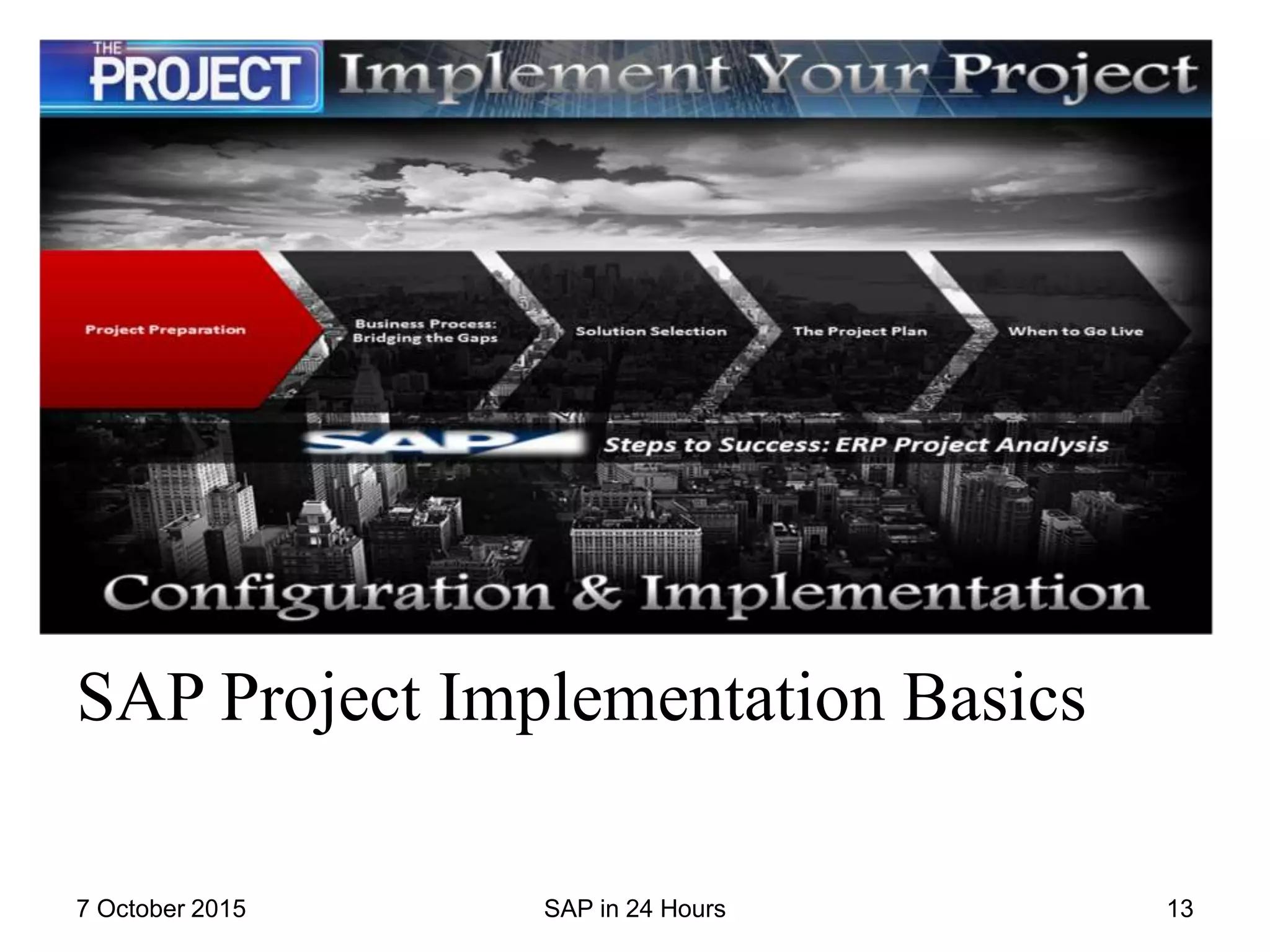
SAP Project Implementation Basics
7 October 2015 SAP in 24 Hours 13
Contents
• SAP Basics
• SAP Realization : Resources and Timelines
• Business and Configuration Teams
• Integration and Development teams
• Test/QA Teams
• The Data team
• The Security Team
• Technical and Other Teams
• Accessing Your New SAP Systems
• Accessing SAP using the SAPGUI
• Accessing SAP using a web browser
• Behind the Scenes : The Access Process
• SAP User IDs and Sessions
7 October 2015 SAP in 24 Hours 14
SAP Basics
• If someone tells you his company is busy implementing SAP,
be sure to ask what exactly is the company developing? SAP
Enterprise Resource planning(ERP) , The SAP Supply Chain
Management (SCM) or Customer Relationship
Management(CRM) application?
7 October 2015 SAP in 24 Hours 15
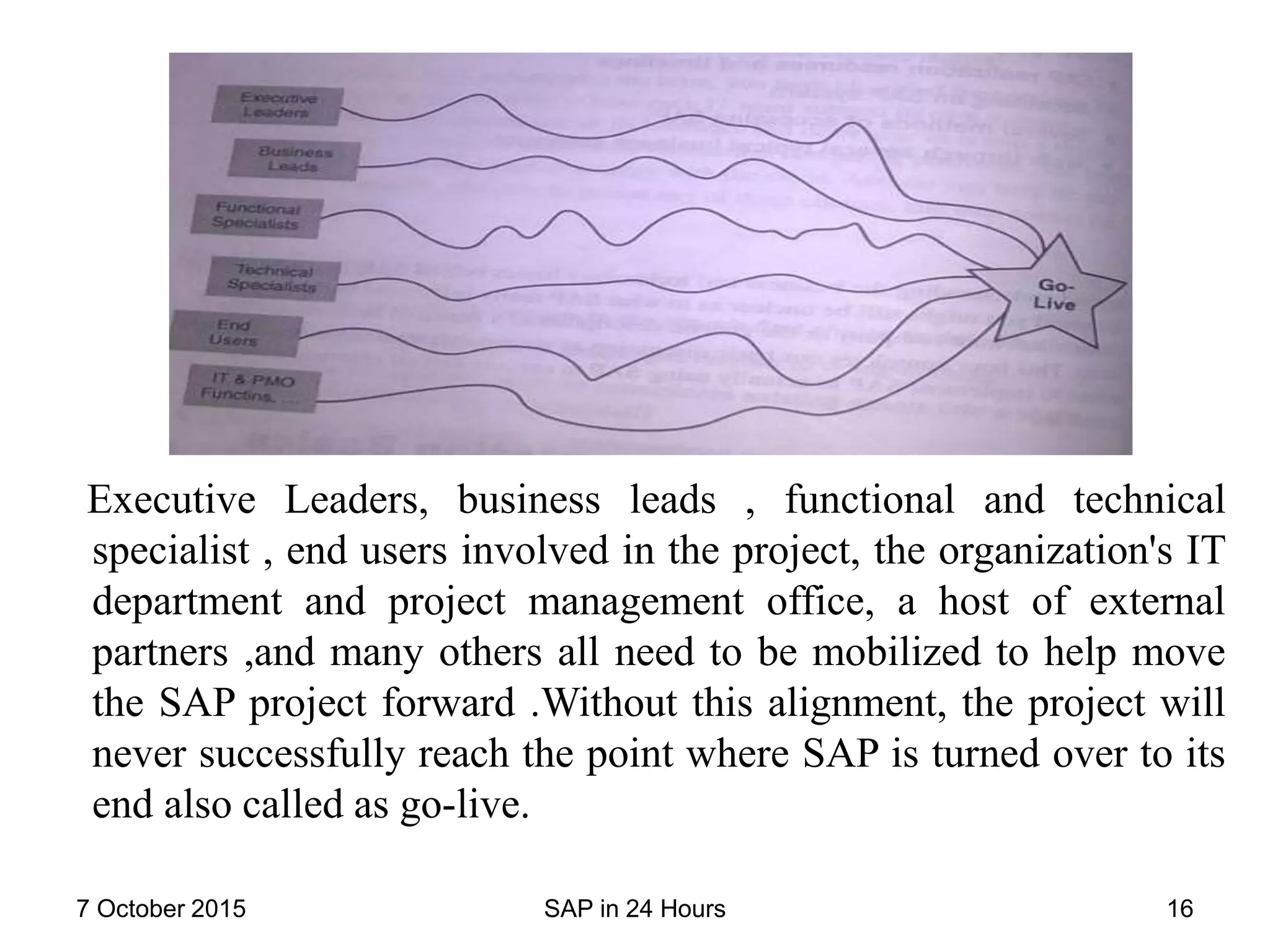
Executive Leaders, business leads , functional and technical
specialist , end users involved in the project, the organization's IT
department and project management office, a host of external
partners ,and many others all need to be mobilized to help move
the SAP project forward .Without this alignment, the project will
never successfully reach the point where SAP is turned over to its
end also called as go-live.
7 October 2015 SAP in 24 Hours 16
SAP Realization : Resources and Timelines
In the realization phase(3rd phase) most of the project resources
are used such as:
• Time
• Budgets
• People
At this point,
• All the project planning tools and process are in place
• The business blue print has been established and agreed
7 October 2015 SAP in 24 Hours 17
Business and Configuration Teams
Business teams might be organized by
• Mega process
• Functional modules
During the first part of realization, the business teams work on
prototyping each of the business process.
After prototyping, business process modeled well and
configuration of SAP starts.
7 October 2015 SAP in 24 Hours 18
Integration and Development teams
One part of the business team focus on integrating business
functionality across different applications an d modules.
This is one of the critical process as it ensures that SAP works
proper on:
• Application
• Modules
• Technologies
and it also checks whether everything is within the boundaries
or not.
7 October 2015 SAP in 24 Hours 19
The Data team
• This team works to understand how data flows between
business processes ,systems and stakeholders.
• The data specialist figure out how much of the old system's
data need to be kept , where , and for how long.
The Security Team
A team that works to ensure that
• Systems are physically secured
• protected from viruses
• and Otherwise safeguard
There work start as soon as realization commences and continue
through out the project.
7 October 2015 SAP in 24 Hours 20
Technical and Other Teams
A host of technical teams work throughout the realization phase .
They see
• setting up the necessary servers
• operating system
• disk subsystem
• database required
They even install and patch computing platform infrastructure
and SAP application.
Later they run test/QA systems, production systems and they
synchronize configuration updates between these systems.
7 October 2015 SAP in 24 Hours 21
Accessing Your New SAP Systems
• After all the work of designing ,configuration ,testing , and
deploying the new SAP business processes has been
completed, an SAP end user is finally allowed to actually use
the system.
• Before an SAP system's end users can get to work they must
be trained to use the new system.
Accessing SAP using the SAPGUI
• First the installation of SAP specific software is done which
acts as the user interface to the SAP system.
• Microsoft Windows is still one of the most popular user
interfaces available for SAP system today.
• SAP calls this piece of software the presentation layer of an
solution also called the WinGUI or the FAT client.
• As it takes a chunky amount of disk space.
7 October 2015 SAP in 24 Hours 22
Accessing SAP using a web browser
• Instead of a fat client ,access via a web browser has become
much more popular in the past few years.
• It used to be that the web browser was aimed at users running
less-powerful desktops.
• The web browser has become ubiquitous ,whether hosted on a
personal computer, Smartphone, tablet or something in
between.
Behind the Scenes: The Access Process
• Regardless of the client device, the user interface connects to
the SAP central instance and then to an SAP application
server, which in turn talks to the back end database holding all
the programs , data and so on.
7 October 2015 SAP in 24 Hours 23
SAP User IDs and Sessions
• All SAP users are assigned a username or user id.
• Your SAP administrator sets the initial password when ID is
created.
• Upon first signing in you are forced to change the password.
• Each time you connect to SAP via SAPGUI or any other
interface you begin a user Session.
• An SAP session simply means you have started the SAPGUI
and established a connection with a particular SAP-system.
• You can have multiple session open with multiple SAP
components. You can have multiple session with single
system.
7 October 2015 SAP in 24 Hours 24
7 October 2015 SAP in 24 Hours 25

SAP

  • 1.
    SAP in 24Hours SAP Technology Basics Presented by: Nisha Adhikary 14609045 Aishwarya Alagh 14609116 17 October 2015 SAP in 24 Hours
  • 2.
    SAP Technology 101:SAP Basis • Business architecture covers logical business processes and work streams, technology architecture is about the technologies under the covers used to support business processes. • Hardware, operating systems, databases, and application- specific technologies come together to create a foundation for a business application. • The layers of technology that combine to create the basis of an SAP system. 7 October 2015 SAP in 24 Hours 2
  • 3.
    SAP Hardware Basics •Hardware comprises the servers (big and powerful computers), disk storage systems (ranging from storage area networks or network-attached storage to cloud-based virtualized storage space), and network gear (such as routers, network switches, and security firewalls) must work together to create an effective infrastructure for SAP. • Well-known vendors such as Amazon, Microsoft, and Cisco can sell you virtualized server platforms, called Infrastructure as a Service (IaaS) or cloud infrastructure, represents an interesting and cost-effective method of providing the technical foundation for SAP. 7 October 2015 SAP in 24 Hours 3
  • 4.
    Servers • Servers areclassified by cost and performance categories. • The industry continues to refer to servers as small, medium, and large, both in terms of physical size and in terms of “horsepower”. 7 October 2015 SAP in 24 Hours 4
  • 5.
    SAPS Benchmark • TheSAP Application Performance Standard (SAPS) compares SAP-benchmarked computing platforms with one another. • The SAPS unit of measurement is based on the Sales and Distribution (SD) module of SAP Enterprise Resource Processing (ERP) and is the most popular SAP benchmark. 7 October 2015 SAP in 24 Hours 5
  • 6.
    • Server HardwareVendors: The best-known vendors Fujitsu, HP, IBM, Oracle, and Unisys sell servers based on Intel, AMD, and often their own proprietary CPUs. • Server Availability Features • Disk Storage Systems • Storage Area Networks • Network-Attached Storage • Direct-Attached Storage • Cloud Storage • Storage System Performance • Storage System Availability 7 October 2015 SAP in 24 Hours 6
  • 7.
    SAP-Supported Operating Systems •The OS is the middleman between the hardware and the application. • Operating systems such as Microsoft Windows Server, Red Hat and SUSE Linux, and several UNIX variants (HP-UX, IBM AIX, and Oracle Solaris) are common in today’s SAP environments. • Key OS features include computing platform or server support, how much physical and virtual memory is supported, crash recovery, patch management, and security and virus protection. 7 October 2015 SAP in 24 Hours 7
  • 8.
    SAP File Systems •SAP is just a set of executables and libraries that connect users with data and application logic which runs multiple services and processes on top of the OS. • An SAP system refers to a single system or collection of systems hosted by a single SAP database supporting a single system identifier (SID). 7 October 2015 SAP in 24 Hours 8
  • 9.
    SAP OS-Based WorkProcesses The D equates to dialog work processes, V is for update work processes (differentiated by V1 and V2 priority types, designating version), E is for enqueue, B is for background/batch jobs, M is the message service, S is used for print spooling, and G represents the SAP gateway. 7 October 2015 SAP in 24 Hours 9
  • 10.
    SAP OS-Level Profiles •Each SAP instance comprises three profiles: the default profile, start profile, and instance profile. • Profiles are text files that are imported into and maintained by the SAP database and used to start and run the instance. Database Basics for SAP • Depending on your platform and SAP version, you might be restricted to only one or a few database choices. • SAP supports most mainstream databases, including Microsoft SQL Server (and ultimately its cloud counterpart SQL Azure), IBM DB2, and several Oracle database products. SAP also supports its own database, called MaxDB. 7 October 2015 SAP in 24 Hours 10
  • 11.
    Tables, Indexes, andStructure • In SAP systems, 10% of the tables house 90% of the data. • All these tables are tied to each other through established relationships. • The series of connected multiple tables that creates is known as a relational database management system.(RDBMS) • Beyond housing raw data, databases house indexes, which are used to speed up the retrieval of data. An index is described as a table of contents or viewed as a copy of a database table reduced to only the key fields. The index contains a pointer to the associated record of the actual table. • Transparent tables which are SAP database tables that contain data only at runtime. A transparent table is automatically created in the database when a table is activated in the ABAP/4 Data Dictionary. 7 October 2015 SAP in 24 Hours 11
  • 12.
    • Database structuresare groups of internal fields that logically belong together. • Structures are activated and defined in the SAP ABAP/4 Data Dictionary, and they contain data only temporarily (during the execution of a program). • Structures are differentiated from database tables based on the following three criteria: -A structure does not contain or reflect an associated ABAP/4 Data Dictionary table. -A structure does not contain a primary key. -A structure does not have any technical properties such as class, size, category, or buffering specifications. 7 October 2015 SAP in 24 Hours 12
  • 13.
    SAP Project ImplementationBasics 7 October 2015 SAP in 24 Hours 13
  • 14.
    Contents • SAP Basics •SAP Realization : Resources and Timelines • Business and Configuration Teams • Integration and Development teams • Test/QA Teams • The Data team • The Security Team • Technical and Other Teams • Accessing Your New SAP Systems • Accessing SAP using the SAPGUI • Accessing SAP using a web browser • Behind the Scenes : The Access Process • SAP User IDs and Sessions 7 October 2015 SAP in 24 Hours 14
  • 15.
    SAP Basics • Ifsomeone tells you his company is busy implementing SAP, be sure to ask what exactly is the company developing? SAP Enterprise Resource planning(ERP) , The SAP Supply Chain Management (SCM) or Customer Relationship Management(CRM) application? 7 October 2015 SAP in 24 Hours 15
  • 16.
    Executive Leaders, businessleads , functional and technical specialist , end users involved in the project, the organization's IT department and project management office, a host of external partners ,and many others all need to be mobilized to help move the SAP project forward .Without this alignment, the project will never successfully reach the point where SAP is turned over to its end also called as go-live. 7 October 2015 SAP in 24 Hours 16
  • 17.
    SAP Realization :Resources and Timelines In the realization phase(3rd phase) most of the project resources are used such as: • Time • Budgets • People At this point, • All the project planning tools and process are in place • The business blue print has been established and agreed 7 October 2015 SAP in 24 Hours 17
  • 18.
    Business and ConfigurationTeams Business teams might be organized by • Mega process • Functional modules During the first part of realization, the business teams work on prototyping each of the business process. After prototyping, business process modeled well and configuration of SAP starts. 7 October 2015 SAP in 24 Hours 18
  • 19.
    Integration and Developmentteams One part of the business team focus on integrating business functionality across different applications an d modules. This is one of the critical process as it ensures that SAP works proper on: • Application • Modules • Technologies and it also checks whether everything is within the boundaries or not. 7 October 2015 SAP in 24 Hours 19
  • 20.
    The Data team •This team works to understand how data flows between business processes ,systems and stakeholders. • The data specialist figure out how much of the old system's data need to be kept , where , and for how long. The Security Team A team that works to ensure that • Systems are physically secured • protected from viruses • and Otherwise safeguard There work start as soon as realization commences and continue through out the project. 7 October 2015 SAP in 24 Hours 20
  • 21.
    Technical and OtherTeams A host of technical teams work throughout the realization phase . They see • setting up the necessary servers • operating system • disk subsystem • database required They even install and patch computing platform infrastructure and SAP application. Later they run test/QA systems, production systems and they synchronize configuration updates between these systems. 7 October 2015 SAP in 24 Hours 21
  • 22.
    Accessing Your NewSAP Systems • After all the work of designing ,configuration ,testing , and deploying the new SAP business processes has been completed, an SAP end user is finally allowed to actually use the system. • Before an SAP system's end users can get to work they must be trained to use the new system. Accessing SAP using the SAPGUI • First the installation of SAP specific software is done which acts as the user interface to the SAP system. • Microsoft Windows is still one of the most popular user interfaces available for SAP system today. • SAP calls this piece of software the presentation layer of an solution also called the WinGUI or the FAT client. • As it takes a chunky amount of disk space. 7 October 2015 SAP in 24 Hours 22
  • 23.
    Accessing SAP usinga web browser • Instead of a fat client ,access via a web browser has become much more popular in the past few years. • It used to be that the web browser was aimed at users running less-powerful desktops. • The web browser has become ubiquitous ,whether hosted on a personal computer, Smartphone, tablet or something in between. Behind the Scenes: The Access Process • Regardless of the client device, the user interface connects to the SAP central instance and then to an SAP application server, which in turn talks to the back end database holding all the programs , data and so on. 7 October 2015 SAP in 24 Hours 23
  • 24.
    SAP User IDsand Sessions • All SAP users are assigned a username or user id. • Your SAP administrator sets the initial password when ID is created. • Upon first signing in you are forced to change the password. • Each time you connect to SAP via SAPGUI or any other interface you begin a user Session. • An SAP session simply means you have started the SAPGUI and established a connection with a particular SAP-system. • You can have multiple session open with multiple SAP components. You can have multiple session with single system. 7 October 2015 SAP in 24 Hours 24
  • 25.
    7 October 2015SAP in 24 Hours 25

Editor's Notes

  • #3 we call this layered combination of technologies SAP Basis.