By
Md. Sajedul Haque Romi
Email: romi@codebangla.com
• Understanding Internationalization
& localization
• Tools for localization
•Implementation localization in WP
themes
•Implementation localization in WP
plugins
Internationalization is the process of
designing a software application so that it
can be adapted to various languages and
regions without engineering changes.
Localization is the process of adapting
internationalized software for a specific
region or language by adding locale-
specific components and translating text.
WordPress uses the gettext libraries
and tools for i18n.
In WordPress, you should use the
__() wordpress-defined PHP gettext-
compliant translation function.
There are three types of files used in the
gettext translation framework.
•POT (Portable Object Template) files
•PO (Portable Object) files
•MO (Machine Object) files
In your theme or plugin PHP files, write
codes in the following way.
__('message') passes the translation
to the PHP return statement.
_e('message') passes the translation
to the PHP echo statement.
Example:
<?php
$translated_text = __( 'text', 'domain' );
?>
Domain: Unique identifier for retrieving
translated strings
•Load a text domain
•Process text messages with WordPress
functions
•Extract these messages with the appropriate
software
•Provide a translation for each message
•Create a language file for a particular locale
•Instruct WordPress to enable localization and to
load the language file
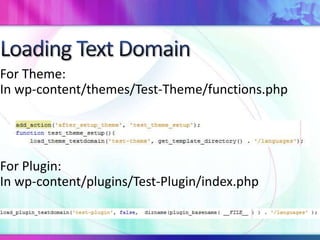
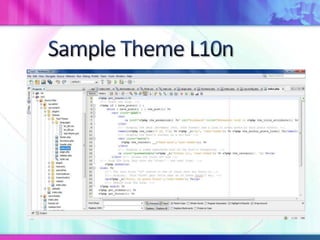
For Theme:
In wp-content/themes/Test-Theme/functions.php
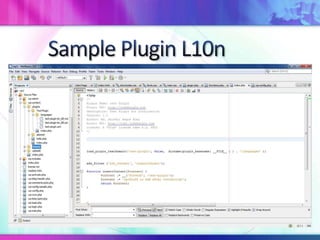
For Plugin:
In wp-content/plugins/Test-Plugin/index.php
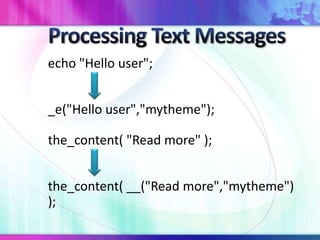
echo "Hello user";
_e("Hello user","mytheme");
the_content( "Read more" );
the_content( __("Read more","mytheme")
);
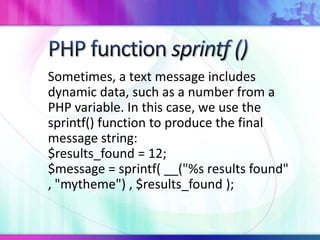
Sometimes, a text message includes
dynamic data, such as a number from a
PHP variable. In this case, we use the
sprintf() function to produce the final
message string:
$results_found = 12;
$message = sprintf( __("%s results found"
, "mytheme") , $results_found );
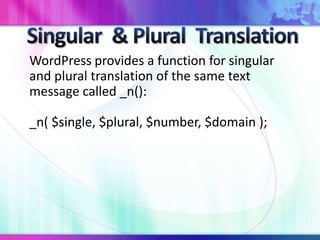
WordPress provides a function for singular
and plural translation of the same text
message called _n():
_n( $single, $plural, $number, $domain );
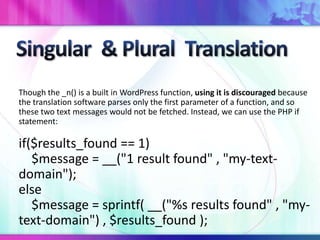
Though the _n() is a built in WordPress function, using it is discouraged because
the translation software parses only the first parameter of a function, and so
these two text messages would not be fetched. Instead, we can use the PHP if
statement:
if($results_found == 1)
$message = __("1 result found" , "my-text-
domain");
else
$message = sprintf( __("%s results found" , "my-
text-domain") , $results_found );
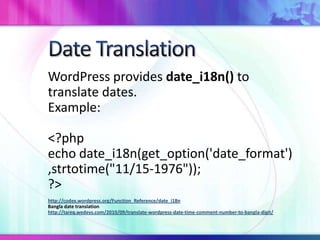
WordPress provides date_i18n() to
translate dates.
Example:
<?php
echo date_i18n(get_option('date_format')
,strtotime("11/15-1976"));
?>
http://codex.wordpress.org/Function_Reference/date_i18n
Bangla date translation
http://tareq.wedevs.com/2010/09/translate-wordpress-date-time-comment-number-to-bangla-digit/
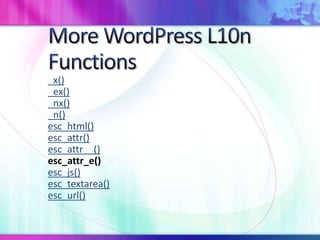
_x()
_ex()
_nx()
_n()
esc_html()
esc_attr()
esc_attr__()
esc_attr_e()
esc_js()
esc_textarea()
esc_url()
•Poedit
•GlotPress
•GNU gettext
Among them, Poedit is widely used for
WordPress I18n & l10n. So we will be
focused on Poedit translation method.
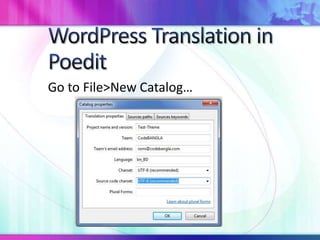
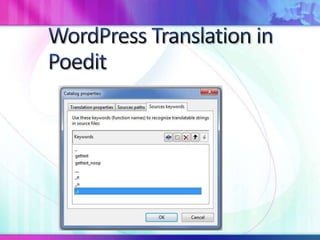
Go to File>New Catalog…
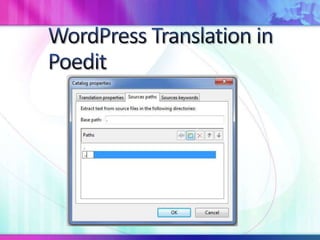
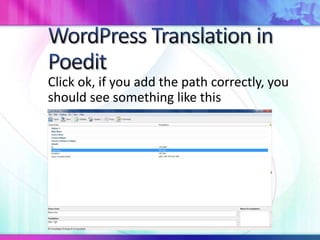
Click ok, if you add the path correctly, you
should see something like this
Save the file as .pot ( not default.po)
For theme ex: languages/test-theme.pot
For plugin ex: languages/test-plugin.pot
Then in Poedit, go to File>New catalog
from POT file… you will see your template
for translation
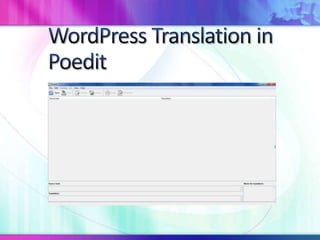
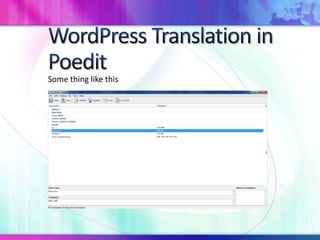
Some thing like this
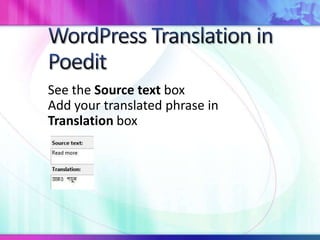
See the Source text box
Add your translated phrase in
Translation box
When you are done adding your translated phrases, save the file in
the WordPress
theme as en_US.po or your language code
.po file like bn_BD.po
For plugin
must save your-plugin-en_US.po
Ex: test-plugin-bn_BD.po
When you save the .po file a .mo file will be generated.
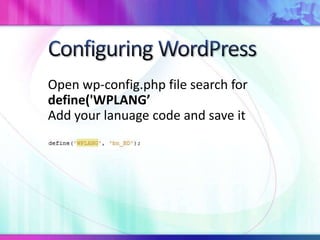
Open wp-config.php file search for
define('WPLANG’
Add your lanuage code and save it
Congratulation!
You have successfully finished your
WordPress Theme & Plugin Translations.
Reference:
http://codex.wordpress.org/Translating_WordPress
http://wp.smashingmagazine.com/2011/12/29/internationalizing-
localizing-wordpress-theme/
Md. Sajedul Haque Romi
Founder & CEO
CodeBANGLA
Email: romi@codebangla.com

WordPress Theme & Plugin i18n & L10n

  • 1.
    By Md. Sajedul HaqueRomi Email: romi@codebangla.com
  • 2.
    • Understanding Internationalization &localization • Tools for localization •Implementation localization in WP themes •Implementation localization in WP plugins
  • 3.
    Internationalization is theprocess of designing a software application so that it can be adapted to various languages and regions without engineering changes.
  • 4.
    Localization is theprocess of adapting internationalized software for a specific region or language by adding locale- specific components and translating text.
  • 5.
    WordPress uses thegettext libraries and tools for i18n. In WordPress, you should use the __() wordpress-defined PHP gettext- compliant translation function.
  • 6.
    There are threetypes of files used in the gettext translation framework. •POT (Portable Object Template) files •PO (Portable Object) files •MO (Machine Object) files
  • 7.
    In your themeor plugin PHP files, write codes in the following way. __('message') passes the translation to the PHP return statement. _e('message') passes the translation to the PHP echo statement. Example: <?php $translated_text = __( 'text', 'domain' ); ?> Domain: Unique identifier for retrieving translated strings
  • 8.
    •Load a textdomain •Process text messages with WordPress functions •Extract these messages with the appropriate software •Provide a translation for each message •Create a language file for a particular locale •Instruct WordPress to enable localization and to load the language file
  • 9.
    For Theme: In wp-content/themes/Test-Theme/functions.php ForPlugin: In wp-content/plugins/Test-Plugin/index.php
  • 10.
    echo "Hello user"; _e("Hellouser","mytheme"); the_content( "Read more" ); the_content( __("Read more","mytheme") );
  • 11.
    Sometimes, a textmessage includes dynamic data, such as a number from a PHP variable. In this case, we use the sprintf() function to produce the final message string: $results_found = 12; $message = sprintf( __("%s results found" , "mytheme") , $results_found );
  • 12.
    WordPress provides afunction for singular and plural translation of the same text message called _n(): _n( $single, $plural, $number, $domain );
  • 13.
    Though the _n()is a built in WordPress function, using it is discouraged because the translation software parses only the first parameter of a function, and so these two text messages would not be fetched. Instead, we can use the PHP if statement: if($results_found == 1) $message = __("1 result found" , "my-text- domain"); else $message = sprintf( __("%s results found" , "my- text-domain") , $results_found );
  • 14.
    WordPress provides date_i18n()to translate dates. Example: <?php echo date_i18n(get_option('date_format') ,strtotime("11/15-1976")); ?> http://codex.wordpress.org/Function_Reference/date_i18n Bangla date translation http://tareq.wedevs.com/2010/09/translate-wordpress-date-time-comment-number-to-bangla-digit/
  • 15.
  • 18.
    •Poedit •GlotPress •GNU gettext Among them,Poedit is widely used for WordPress I18n & l10n. So we will be focused on Poedit translation method.
  • 20.
    Go to File>NewCatalog…
  • 23.
    Click ok, ifyou add the path correctly, you should see something like this
  • 24.
    Save the fileas .pot ( not default.po) For theme ex: languages/test-theme.pot For plugin ex: languages/test-plugin.pot Then in Poedit, go to File>New catalog from POT file… you will see your template for translation
  • 25.
  • 26.
    See the Sourcetext box Add your translated phrase in Translation box
  • 27.
    When you aredone adding your translated phrases, save the file in the WordPress theme as en_US.po or your language code .po file like bn_BD.po For plugin must save your-plugin-en_US.po Ex: test-plugin-bn_BD.po When you save the .po file a .mo file will be generated.
  • 28.
    Open wp-config.php filesearch for define('WPLANG’ Add your lanuage code and save it
  • 30.
    Congratulation! You have successfullyfinished your WordPress Theme & Plugin Translations.
  • 31.
  • 32.
    Md. Sajedul HaqueRomi Founder & CEO CodeBANGLA Email: romi@codebangla.com