Start Time: 2:00pm EST
Welcome!
Webinar Audio:
You can dial the telephone numbers located on your webinar panel.
Or listen in using your headset or computer speakers.
Live Webinar
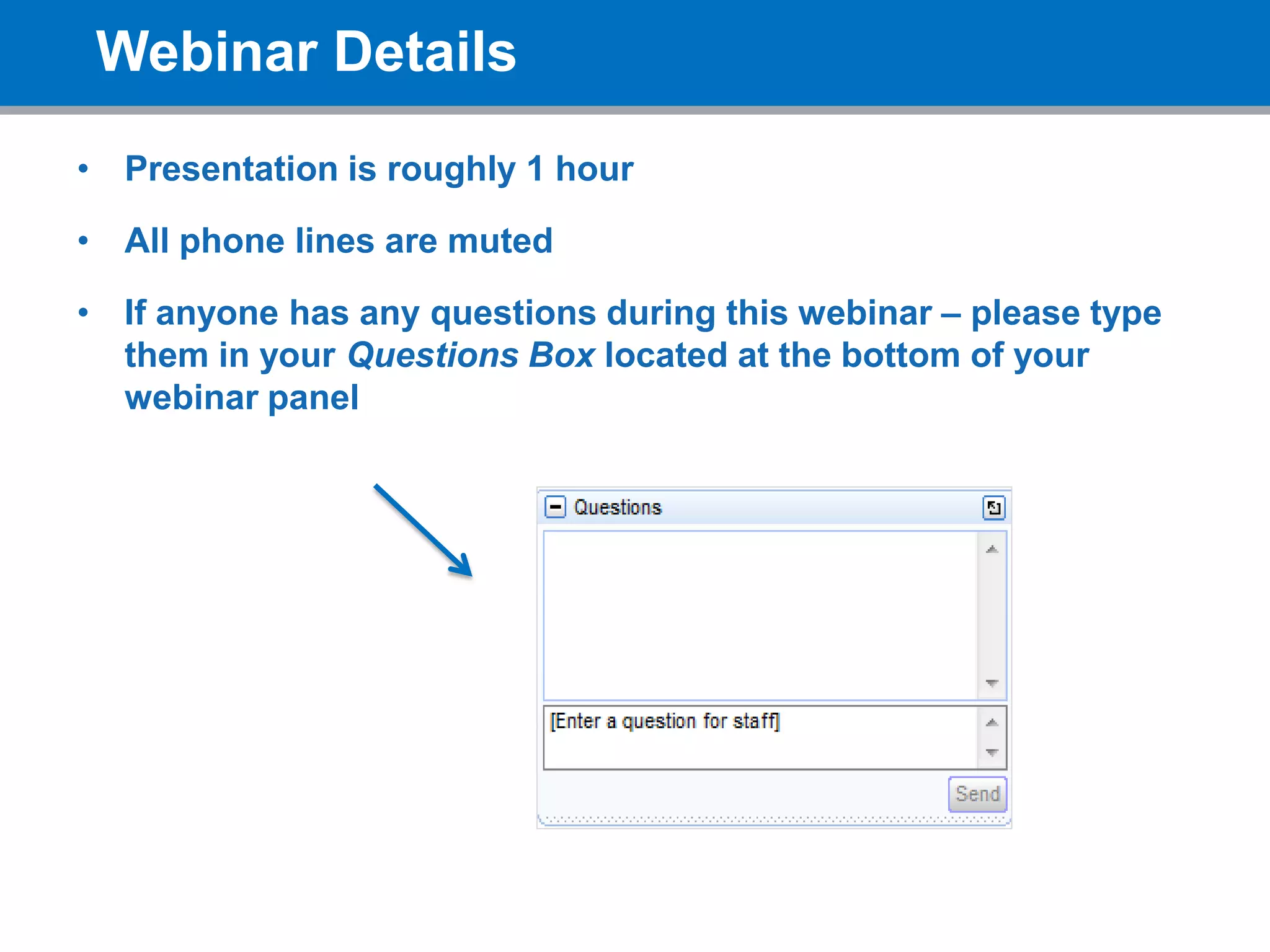
Webinar Details
• Presentation is roughly 1 hour
• All phone lines are muted
• If anyone has any questions during this webinar – please type
them in your Questions Box located at the bottom of your
webinar panel
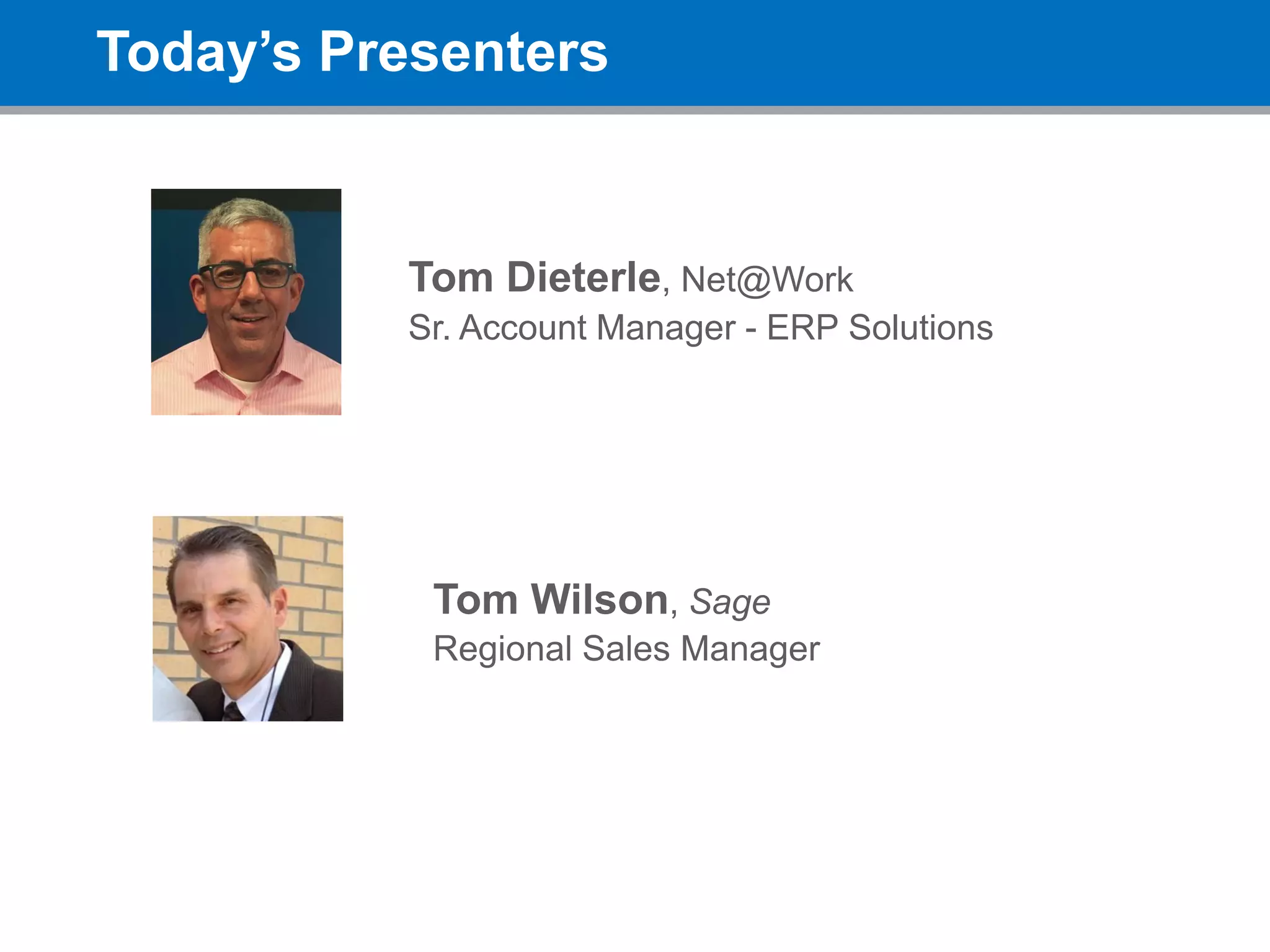
Today’s Presenters
Tom Dieterle, Net@Work
Sr. Account Manager - ERP Solutions
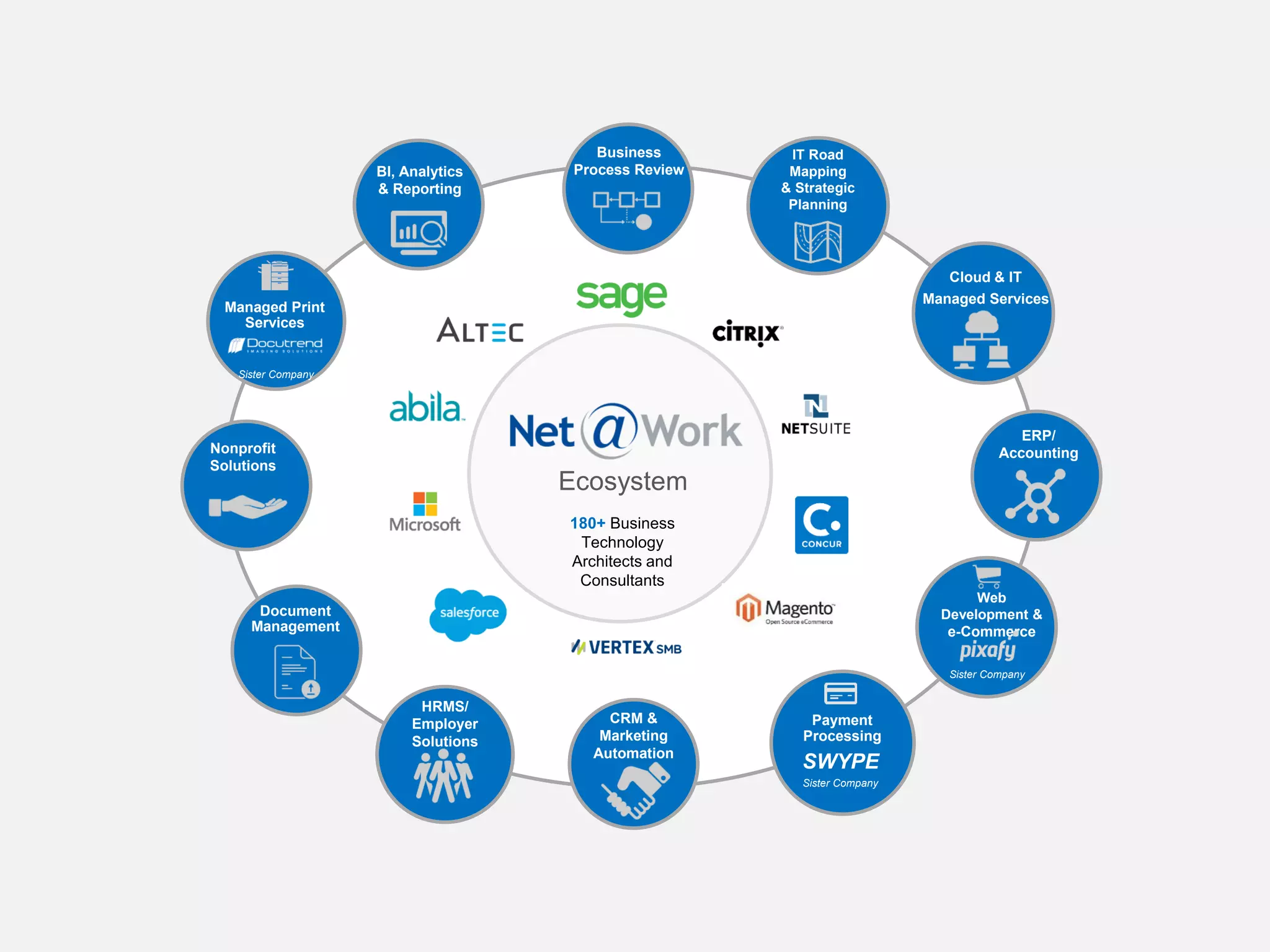
180+ Business
Technology
Architects and
Consultants
IT Road
Mapping
& Strategic
Planning
Business
Process Review
Ecosystem
BI, Analytics
& Reporting
Cloud & IT
Managed Services
ERP/
Accounting
Web
Development &
e-Commerce
Sister Company
Payment
Processing
SWYPE
Sister Company
CRM &
Marketing
Automation
HRMS/
Employer
Solutions
Document
Management
Nonprofit
Solutions
Managed Print
Services
Sister Company
Sage Inventory
Advisor
Inventory Optimization
Tom Wilson – SIA Product Sales Specialist
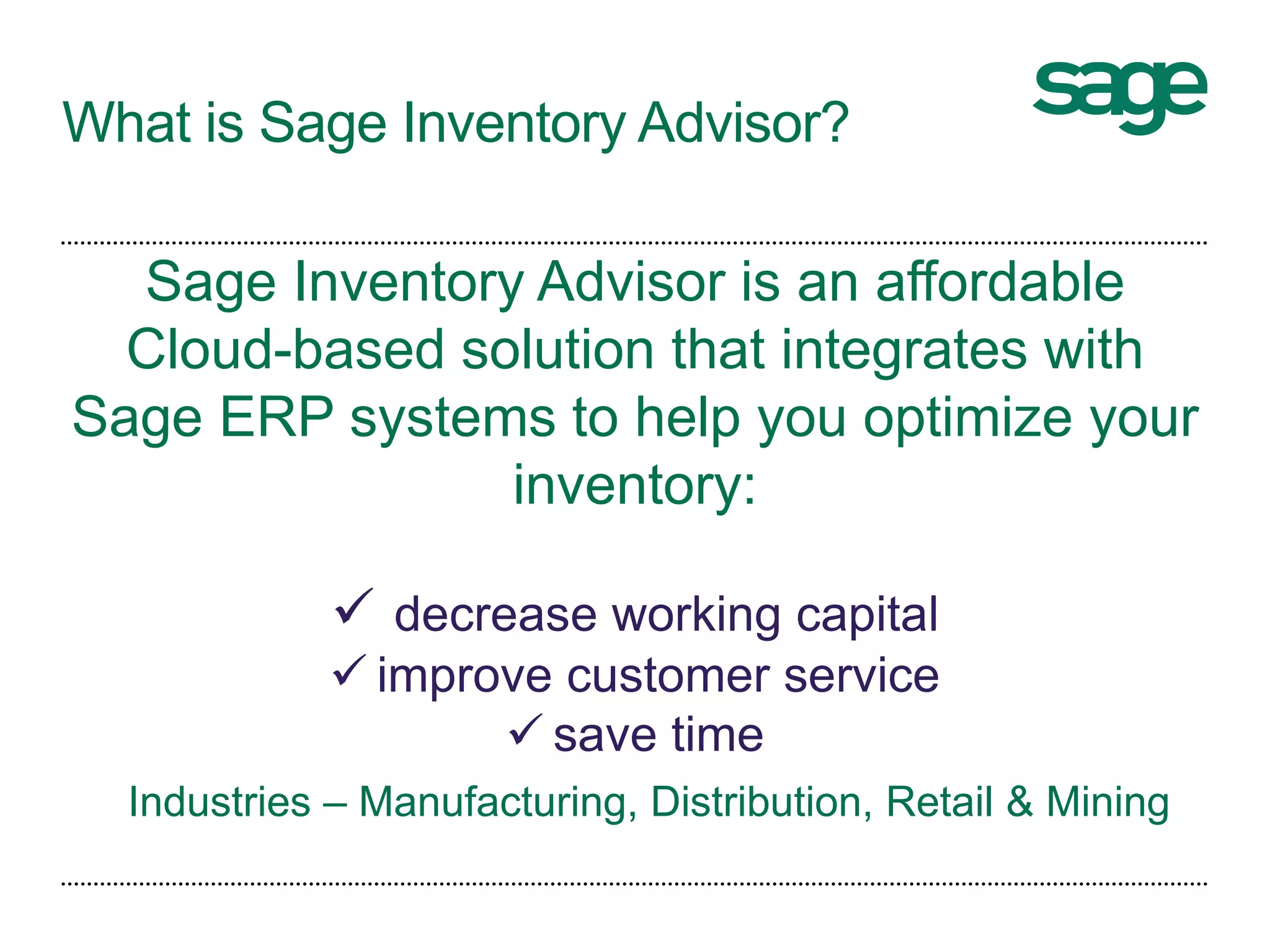
What is Sage Inventory Advisor?
Sage Inventory Advisor is an affordable
Cloud-based solution that integrates with
Sage ERP systems to help you optimize your
inventory:
 decrease working capital
 improve customer service
 save time
Industries – Manufacturing, Distribution, Retail & Mining
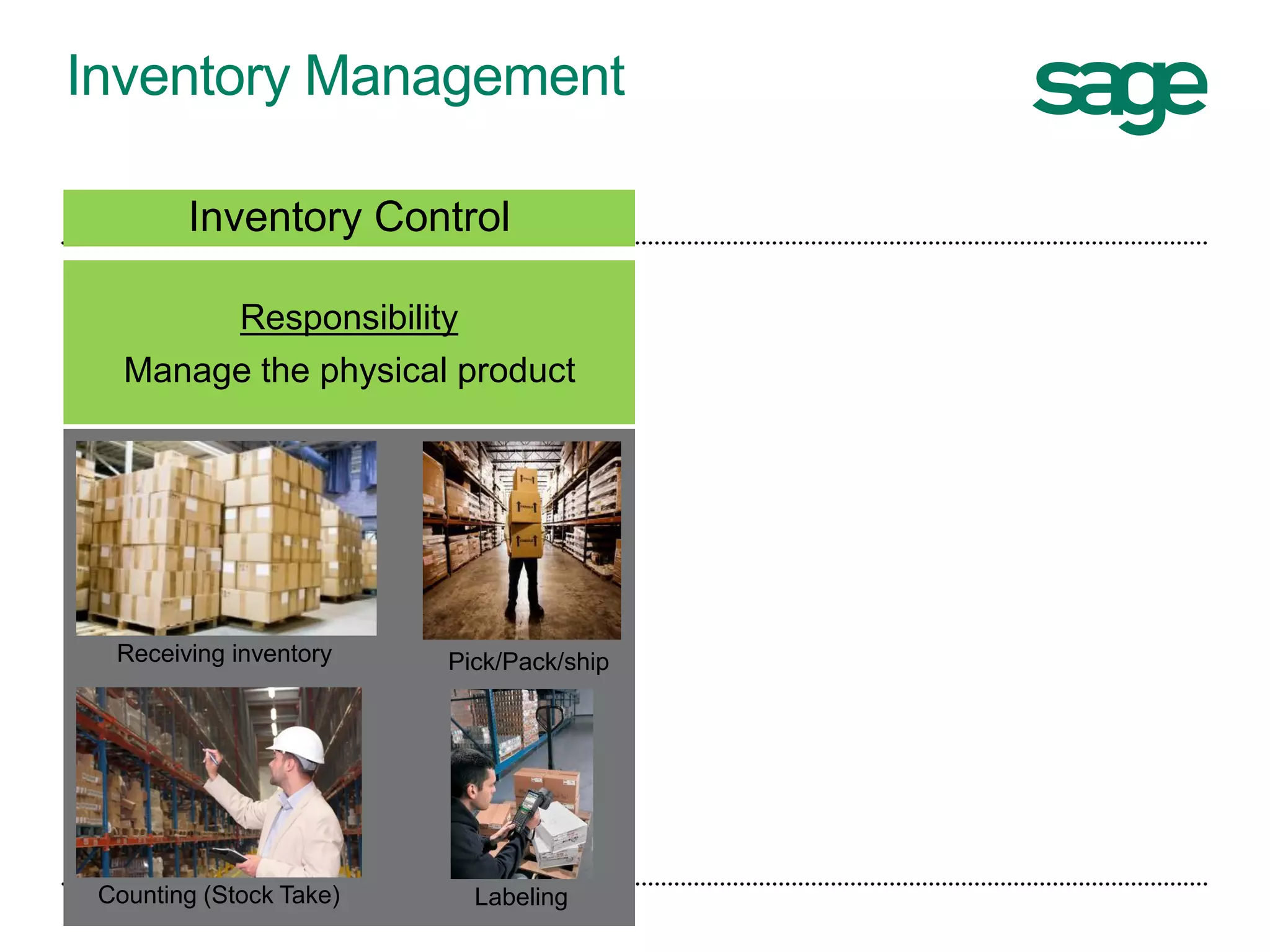
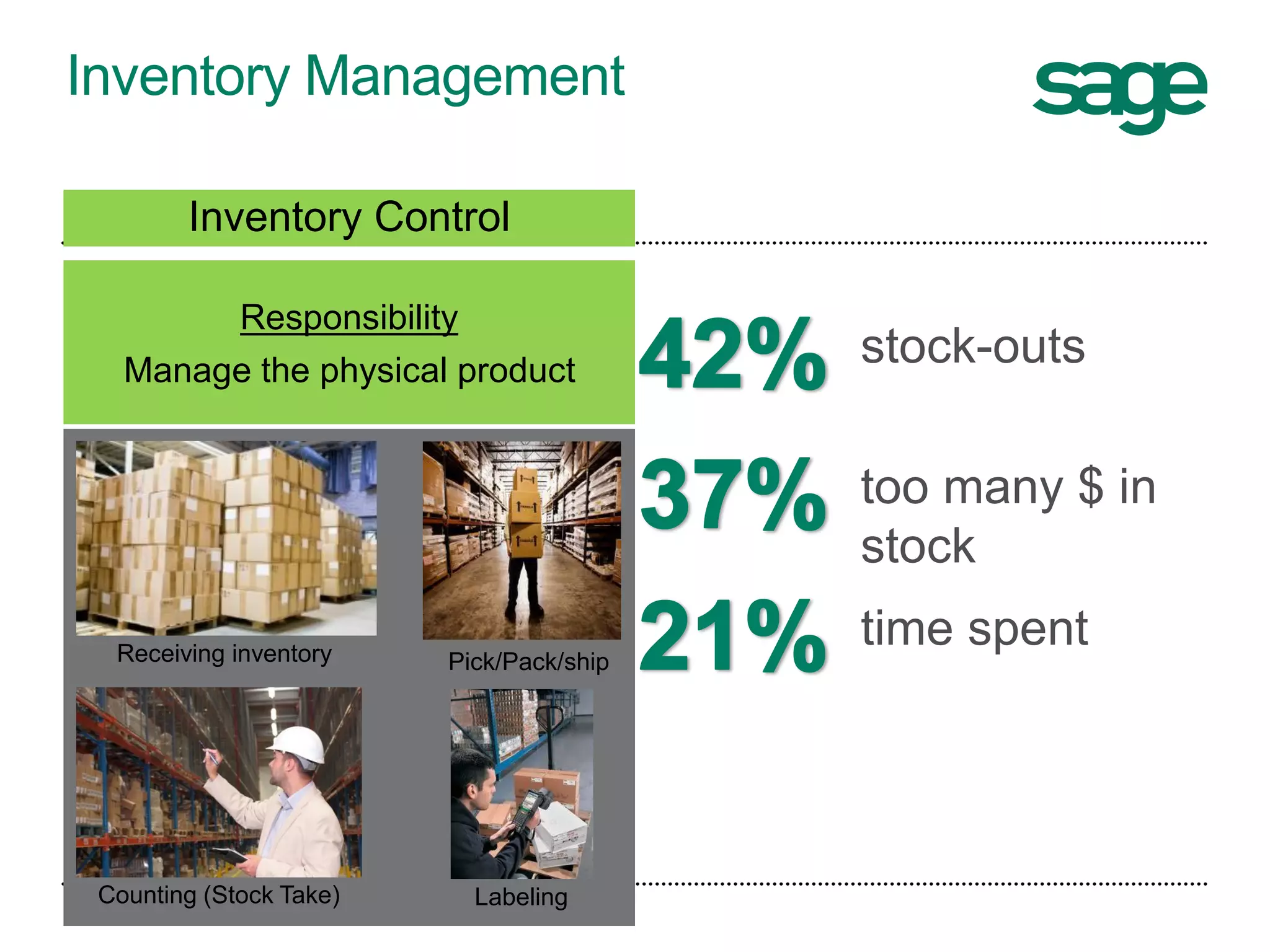
Inventory Management
Receiving inventory
LabelingCounting (Stock Take)
Inventory Control
Responsibility
Manage the physical product
Pick/Pack/ship
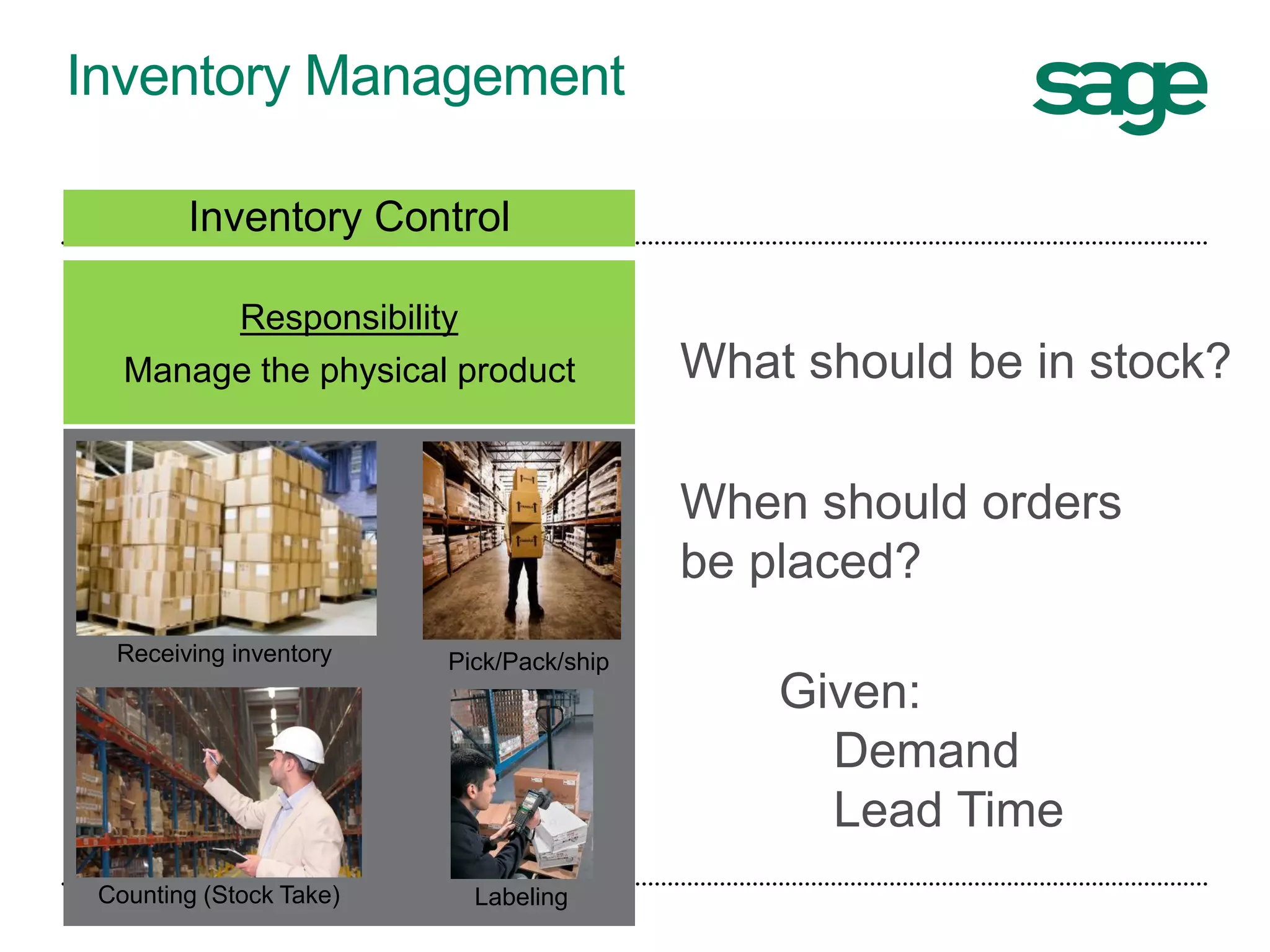
Inventory Management
Receiving inventory
LabelingCounting (Stock Take)
Inventory Control
Responsibility
Manage the physical product What should be in stock?
When should orders
be placed?
Given:
Demand
Lead Time
Pick/Pack/ship
Inventory Management
Receiving inventory
LabelingCounting (Stock Take)
Inventory Control
Responsibility
Manage the physical product
stock-outs
too many $ in
stock
time spent
Pick/Pack/ship
Inventory Management
Inventory Replenishment
Responsibility
To have the right stock at the right
place at the right time
Forecasting Ordering
Expediting
Receiving inventory Pick/Pack/ship
LabelingCounting (Stock Take)
Inventory Control
Responsibility
Manage the physical product
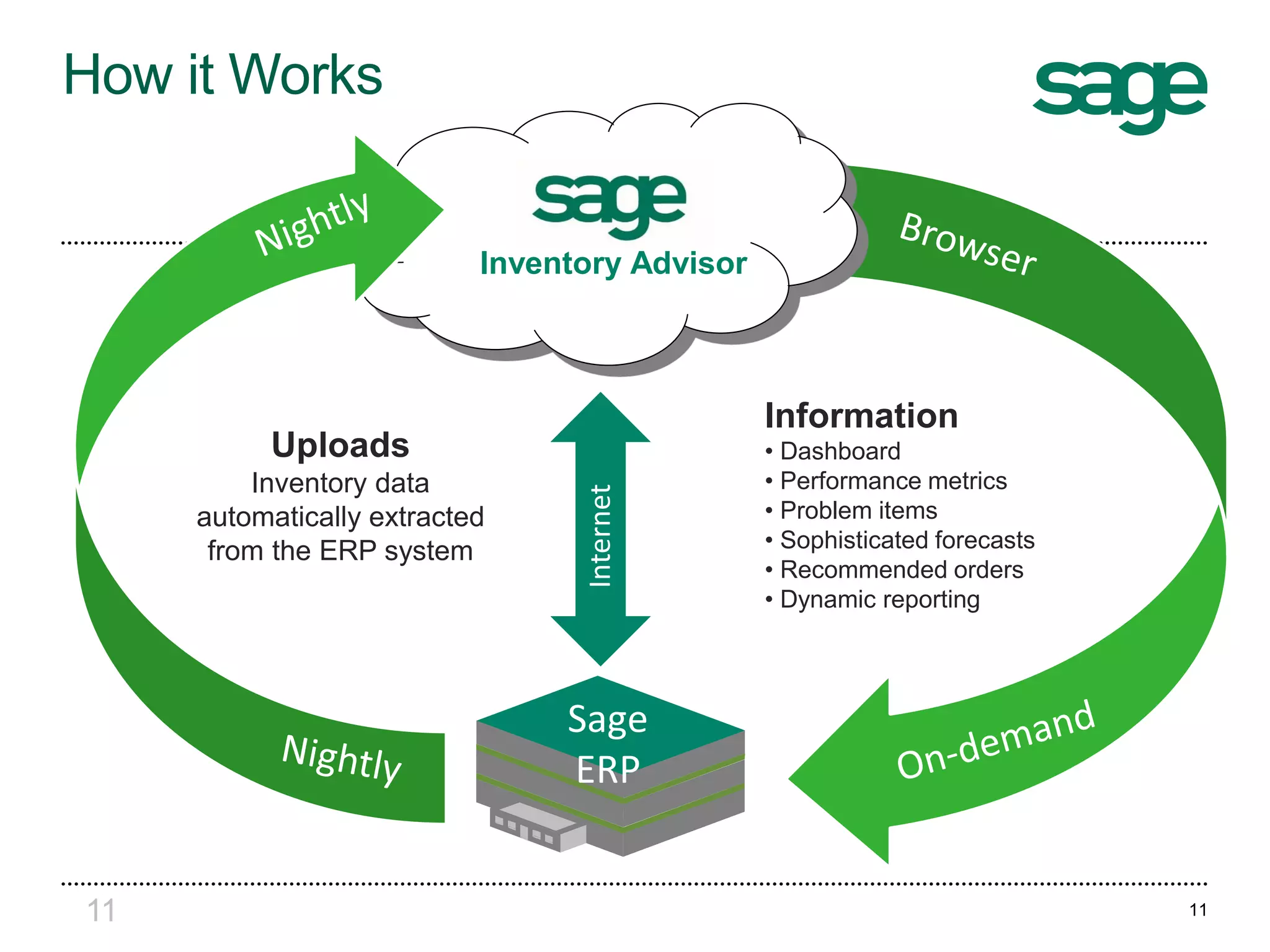
11
Information
• Dashboard
• Performance metrics
• Problem items
• Sophisticated forecasts
• Recommended orders
• Dynamic reporting
Sage
ERP
Internet
Uploads
Inventory data
automatically extracted
from the ERP system
Inventory Advisor
How it Works
11
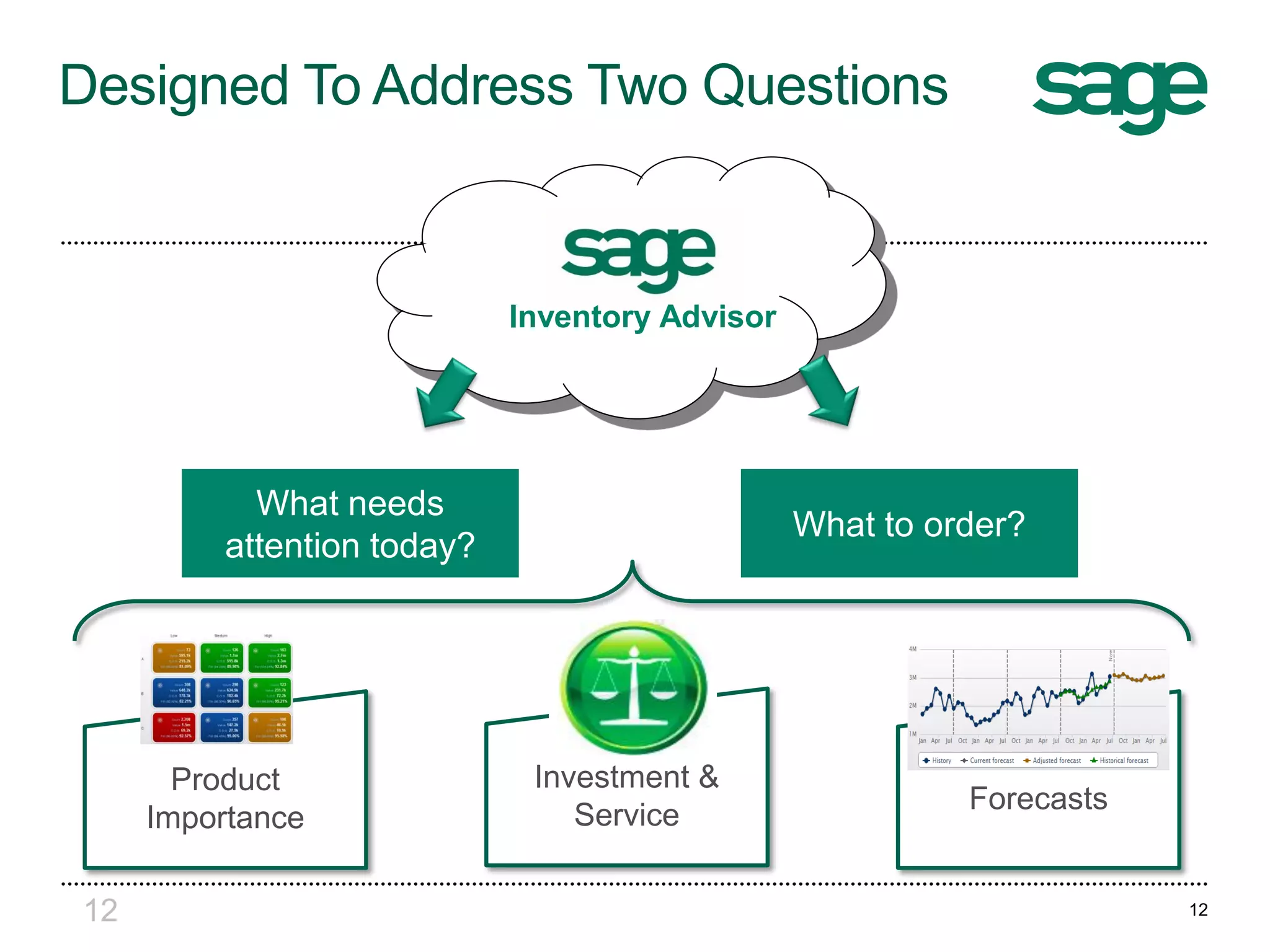
Designed To Address Two Questions
What needs
attention today?
What to order?
Product
Importance
Forecasts
Investment &
Service
Inventory Advisor
12 12
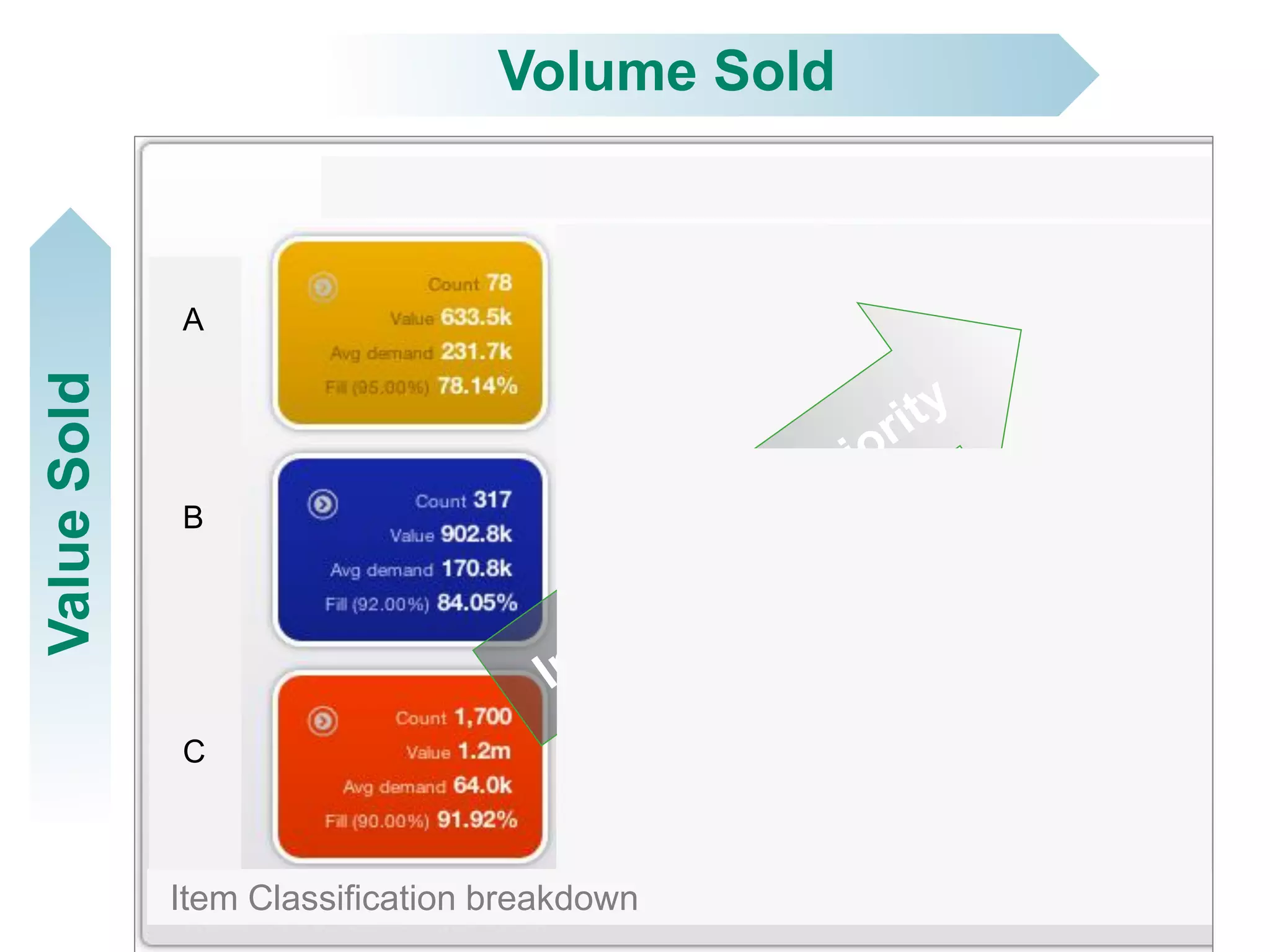
Low Medium High
A
B
C
Volume SoldValueSold
Item Classification breakdown
Sage Inventory Advisor
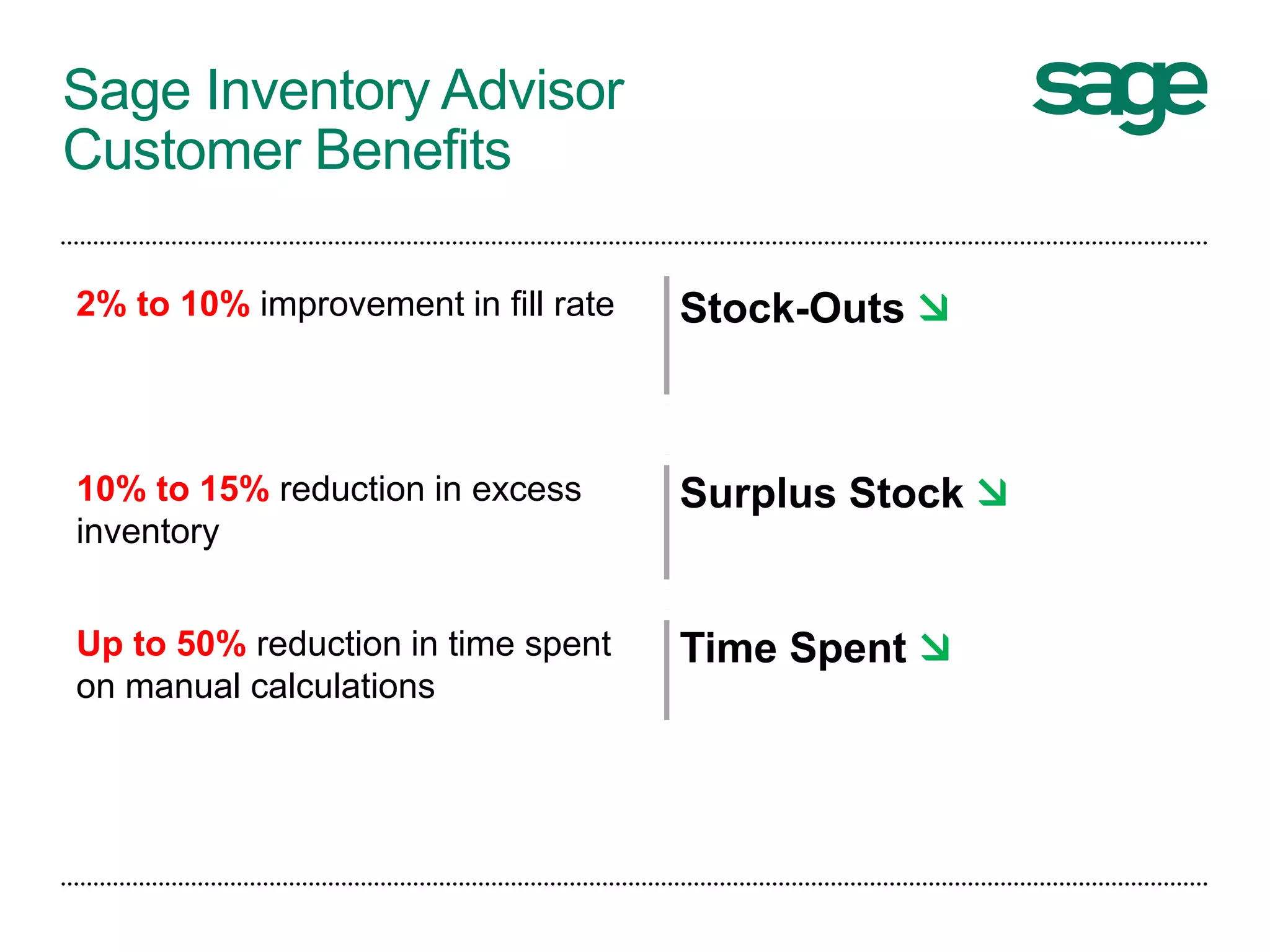
Customer Benefits
2% to 10% improvement in fill rate Stock-Outs 
10% to 15% reduction in excess
inventory
Surplus Stock 
Up to 50% reduction in time spent
on manual calculations
Time Spent 
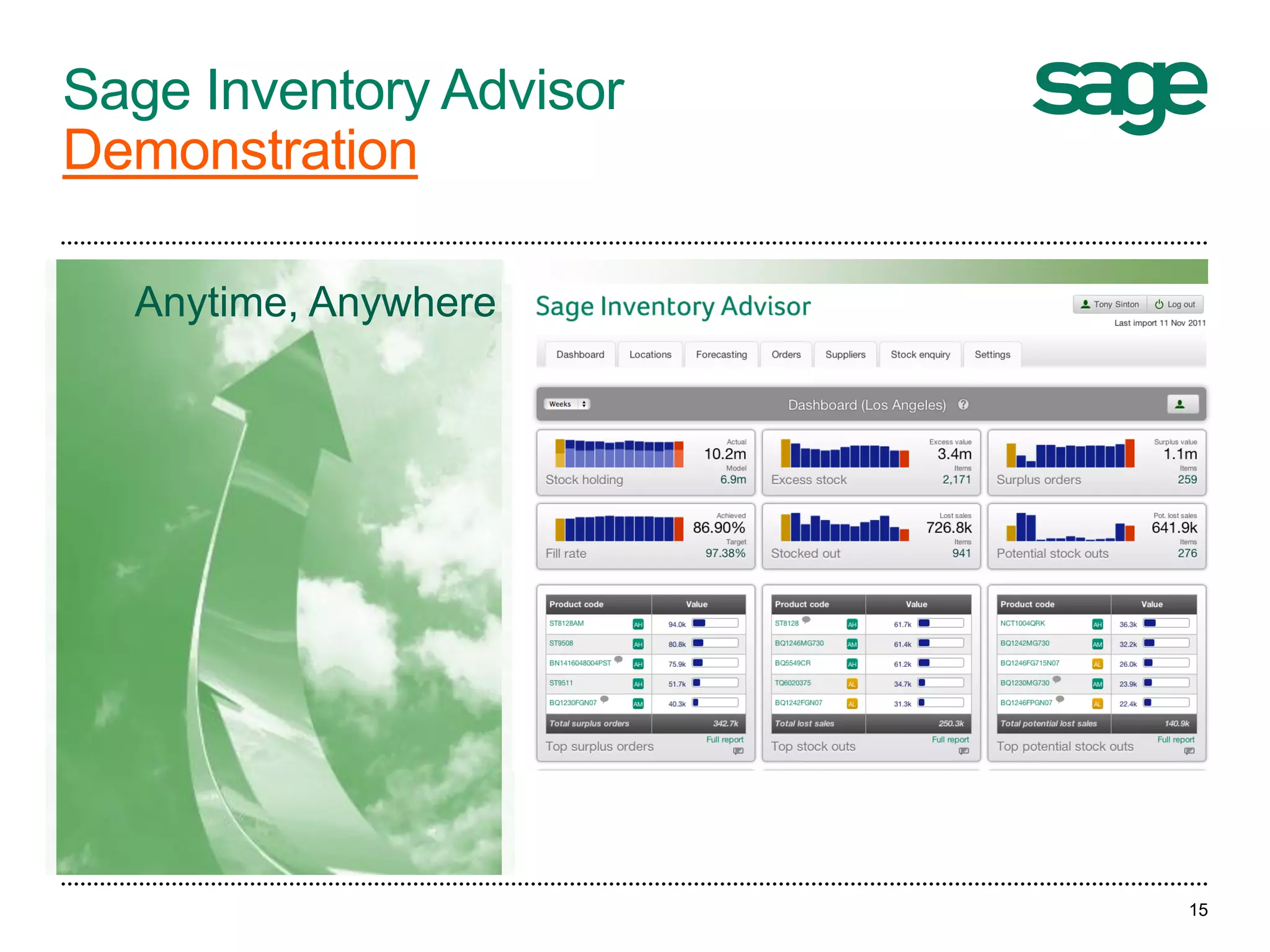
Sage Inventory Advisor
Demonstration
15
Anytime,
anywhere
Anytime, Anywhere
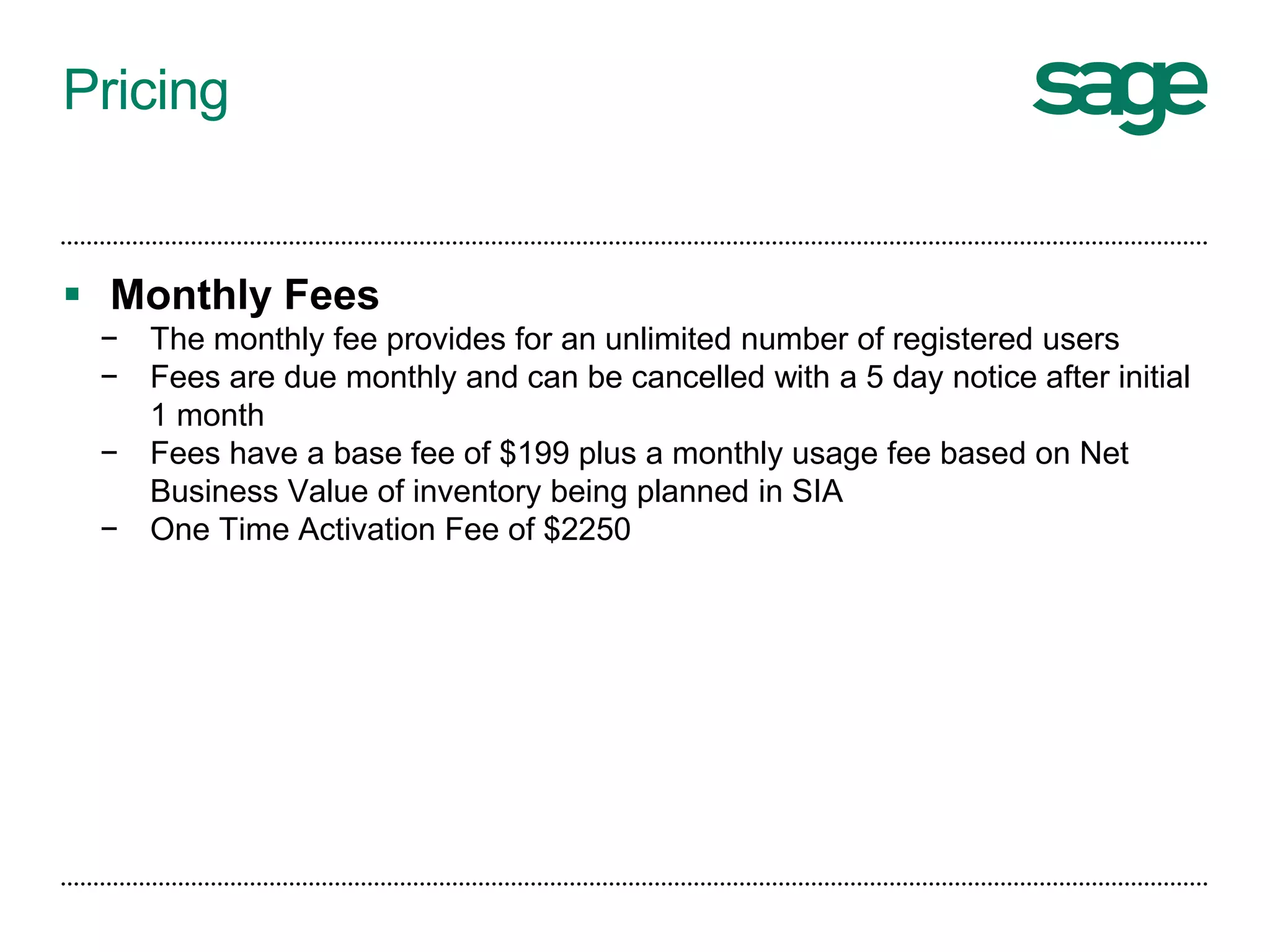
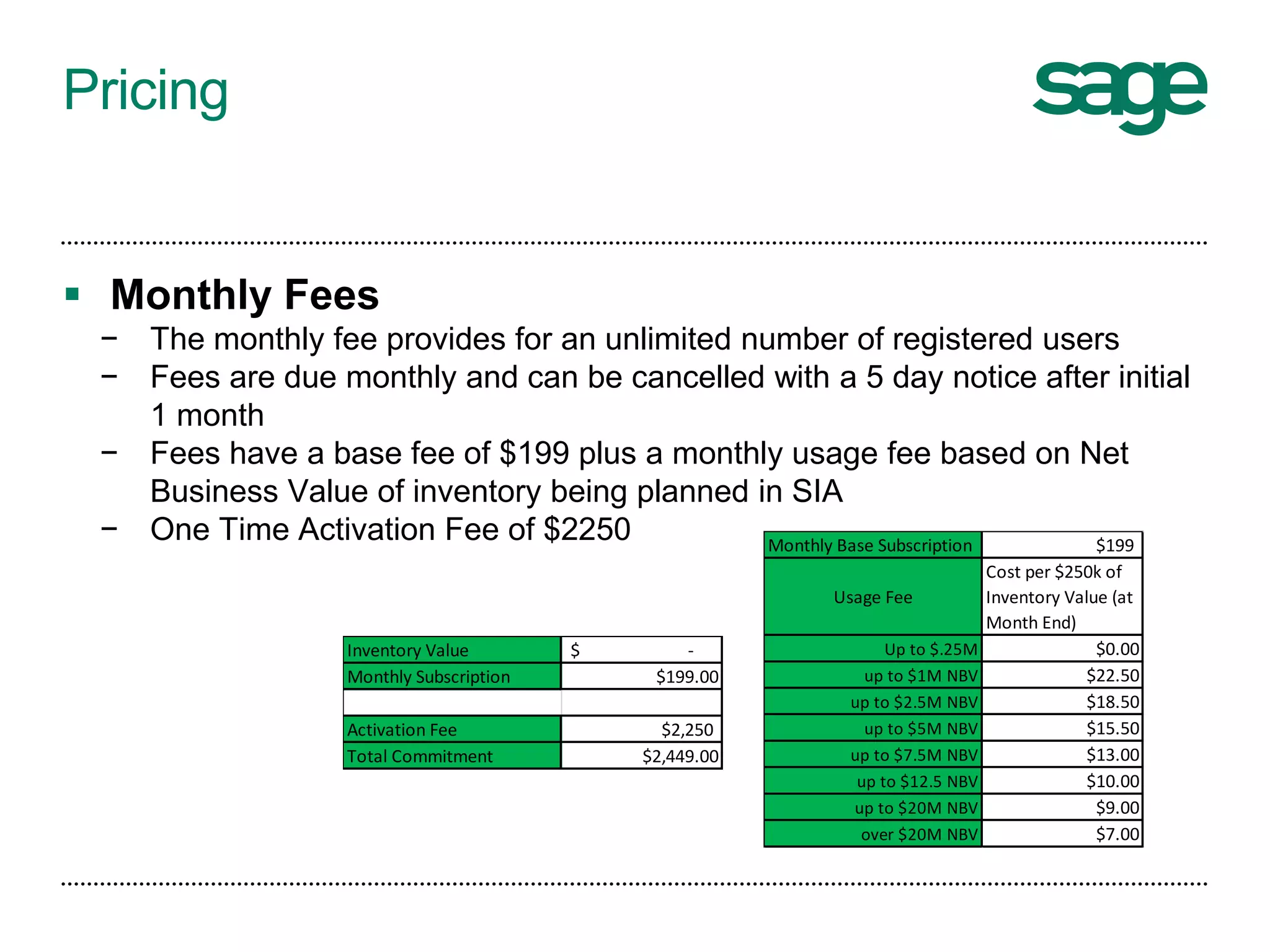
Pricing
 Monthly Fees
− The monthly fee provides for an unlimited number of registered users
− Fees are due monthly and can be cancelled with a 5 day notice after initial
1 month
− Fees have a base fee of $199 plus a monthly usage fee based on Net
Business Value of inventory being planned in SIA
− One Time Activation Fee of $2250
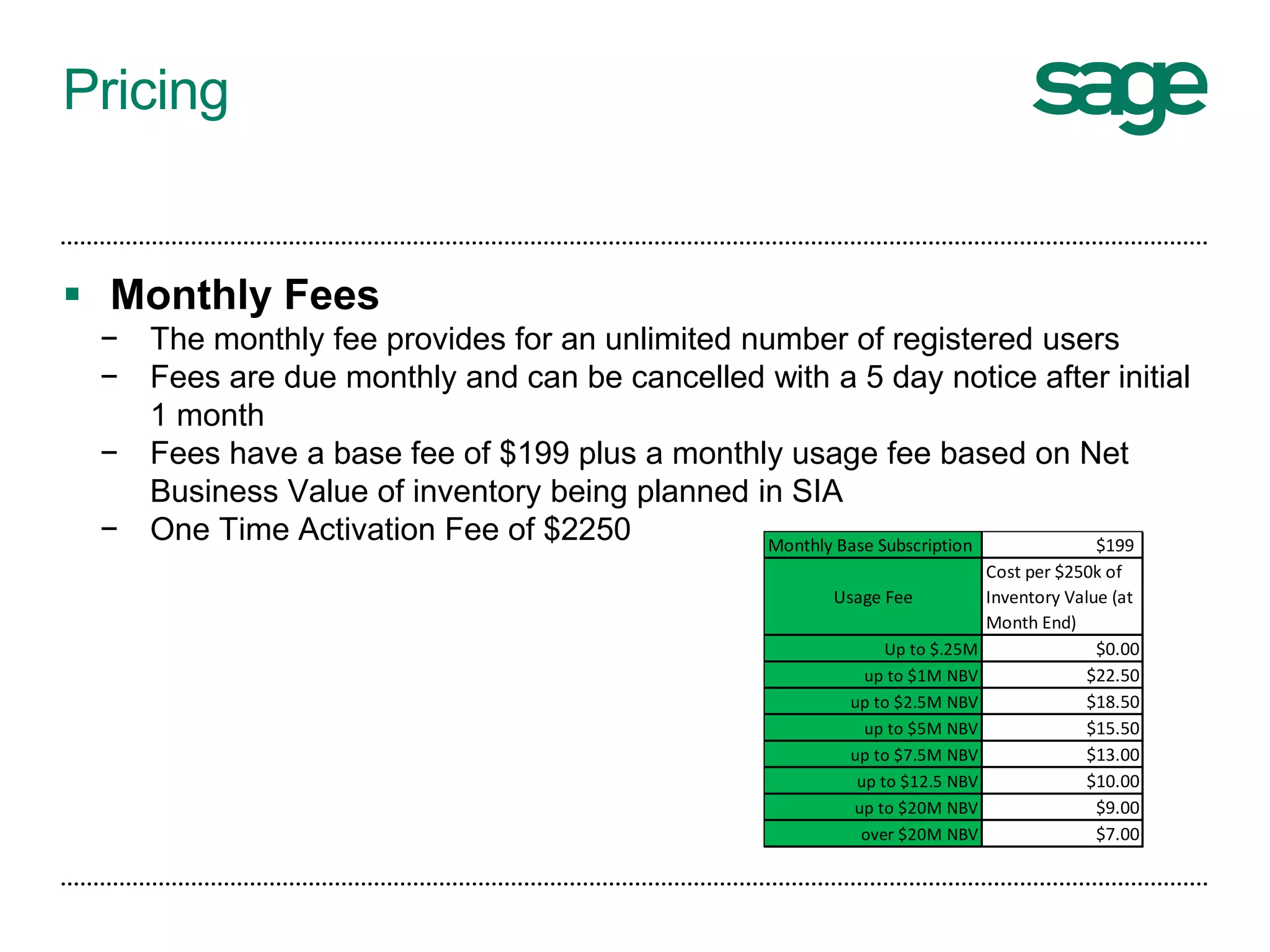
Pricing
 Monthly Fees
− The monthly fee provides for an unlimited number of registered users
− Fees are due monthly and can be cancelled with a 5 day notice after initial
1 month
− Fees have a base fee of $199 plus a monthly usage fee based on Net
Business Value of inventory being planned in SIA
− One Time Activation Fee of $2250 Monthly Base Subscription $199
Usage Fee
Cost per $250k of
Inventory Value (at
Month End)
Up to $.25M $0.00
up to $1M NBV $22.50
up to $2.5M NBV $18.50
up to $5M NBV $15.50
up to $7.5M NBV $13.00
up to $12.5 NBV $10.00
up to $20M NBV $9.00
over $20M NBV $7.00
Pricing
 Monthly Fees
− The monthly fee provides for an unlimited number of registered users
− Fees are due monthly and can be cancelled with a 5 day notice after initial
1 month
− Fees have a base fee of $199 plus a monthly usage fee based on Net
Business Value of inventory being planned in SIA
− One Time Activation Fee of $2250
Inventory Value -$
Monthly Subscription $199.00
Activation Fee $2,250
Total Commitment $2,449.00
Monthly Base Subscription $199
Usage Fee
Cost per $250k of
Inventory Value (at
Month End)
Up to $.25M $0.00
up to $1M NBV $22.50
up to $2.5M NBV $18.50
up to $5M NBV $15.50
up to $7.5M NBV $13.00
up to $12.5 NBV $10.00
up to $20M NBV $9.00
over $20M NBV $7.00
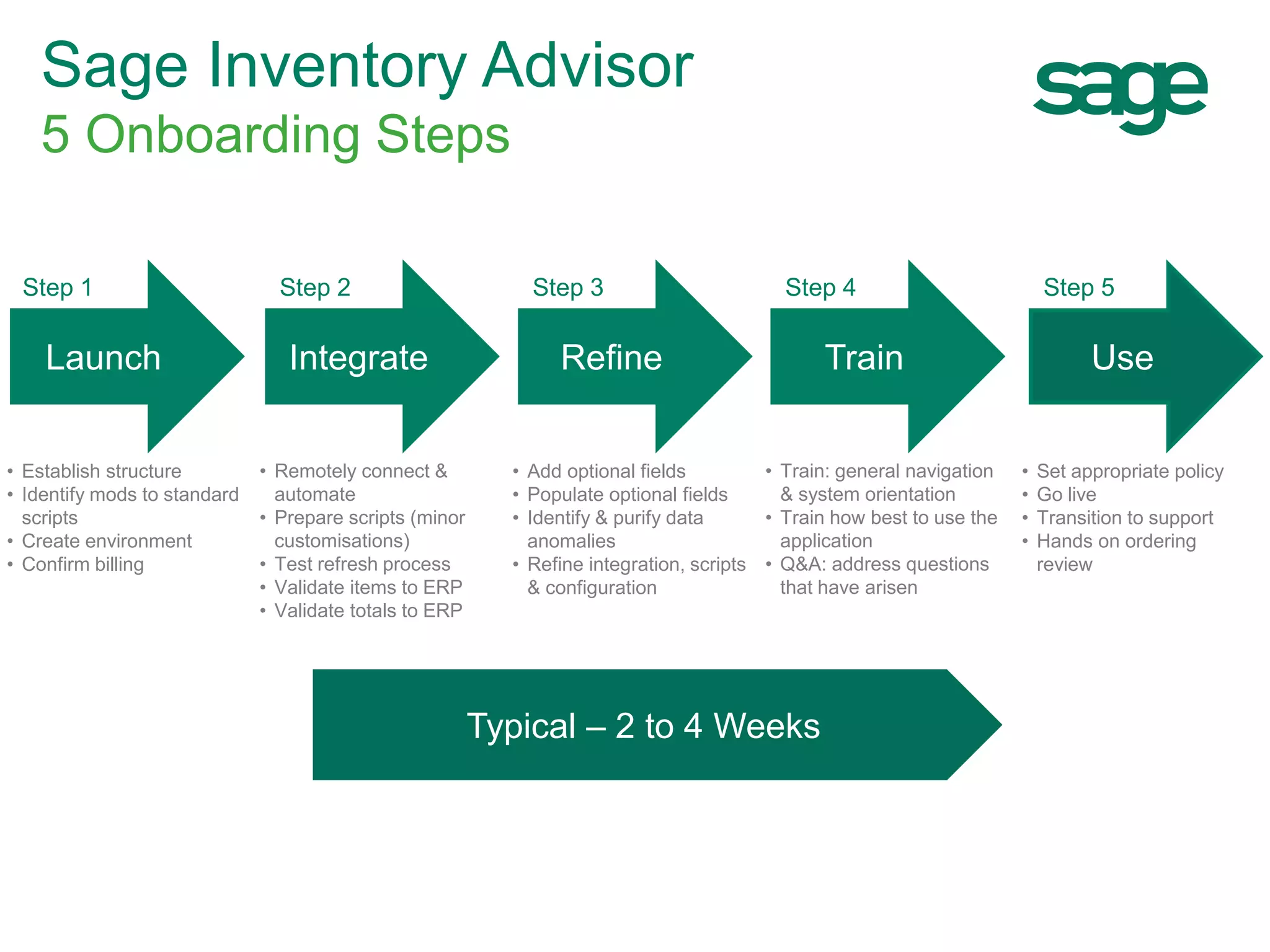
Getting going with NETSTOCK
Sage Inventory Advisor
5 Onboarding Steps
Launch Integrate Refine Train Use
Step 1 Step 2 Step 3 Step 4 Step 5
• Establish structure
• Identify mods to standard
scripts
• Create environment
• Confirm billing
• Remotely connect &
automate
• Prepare scripts (minor
customisations)
• Test refresh process
• Validate items to ERP
• Validate totals to ERP
• Add optional fields
• Populate optional fields
• Identify & purify data
anomalies
• Refine integration, scripts
& configuration
• Train: general navigation
& system orientation
• Train how best to use the
application
• Q&A: address questions
that have arisen
• Set appropriate policy
• Go live
• Transition to support
• Hands on ordering
review
Typical – 2 to 4 Weeks
Next Steps
 To learn more
http://www.sage.com/us/sage-inventory-advisor
 Tom Wilson
949-754-3576
tom.wilson@sage.com
Start Time: 2:00pm EST
Please type in
your
questions
Thank You For Attending!
Connect with
800-719-3307
www.netatwork.com
netatwork.com/blog
Net@Work YouTube
Follow us on Twitter: @netatwork_corp
Follow Net@Work on LinkedIn
Follow Net@Work on Google+
Follow Net@Work on Facebook
For More Information Contact:
Tom Dieterle, Net@Work
Sr. Account Manager - ERP Solutions
Phone: 646-293-1786
Email: tdieterle@netatwork.com

Sage Inventory Advisor for Sage X3 & Sage 500

  • 1.
    Start Time: 2:00pmEST Welcome! Webinar Audio: You can dial the telephone numbers located on your webinar panel. Or listen in using your headset or computer speakers. Live Webinar
  • 2.
    Webinar Details • Presentationis roughly 1 hour • All phone lines are muted • If anyone has any questions during this webinar – please type them in your Questions Box located at the bottom of your webinar panel
  • 3.
    Today’s Presenters Tom Dieterle,Net@Work Sr. Account Manager - ERP Solutions
  • 4.
    180+ Business Technology Architects and Consultants ITRoad Mapping & Strategic Planning Business Process Review Ecosystem BI, Analytics & Reporting Cloud & IT Managed Services ERP/ Accounting Web Development & e-Commerce Sister Company Payment Processing SWYPE Sister Company CRM & Marketing Automation HRMS/ Employer Solutions Document Management Nonprofit Solutions Managed Print Services Sister Company
  • 5.
    Sage Inventory Advisor Inventory Optimization TomWilson – SIA Product Sales Specialist
  • 6.
    What is SageInventory Advisor? Sage Inventory Advisor is an affordable Cloud-based solution that integrates with Sage ERP systems to help you optimize your inventory:  decrease working capital  improve customer service  save time Industries – Manufacturing, Distribution, Retail & Mining
  • 7.
    Inventory Management Receiving inventory LabelingCounting(Stock Take) Inventory Control Responsibility Manage the physical product Pick/Pack/ship
  • 8.
    Inventory Management Receiving inventory LabelingCounting(Stock Take) Inventory Control Responsibility Manage the physical product What should be in stock? When should orders be placed? Given: Demand Lead Time Pick/Pack/ship
  • 9.
    Inventory Management Receiving inventory LabelingCounting(Stock Take) Inventory Control Responsibility Manage the physical product stock-outs too many $ in stock time spent Pick/Pack/ship
  • 10.
    Inventory Management Inventory Replenishment Responsibility Tohave the right stock at the right place at the right time Forecasting Ordering Expediting Receiving inventory Pick/Pack/ship LabelingCounting (Stock Take) Inventory Control Responsibility Manage the physical product
  • 11.
    11 Information • Dashboard • Performancemetrics • Problem items • Sophisticated forecasts • Recommended orders • Dynamic reporting Sage ERP Internet Uploads Inventory data automatically extracted from the ERP system Inventory Advisor How it Works 11
  • 12.
    Designed To AddressTwo Questions What needs attention today? What to order? Product Importance Forecasts Investment & Service Inventory Advisor 12 12
  • 13.
    Low Medium High A B C VolumeSoldValueSold Item Classification breakdown
  • 14.
    Sage Inventory Advisor CustomerBenefits 2% to 10% improvement in fill rate Stock-Outs  10% to 15% reduction in excess inventory Surplus Stock  Up to 50% reduction in time spent on manual calculations Time Spent 
  • 15.
  • 16.
    Pricing  Monthly Fees −The monthly fee provides for an unlimited number of registered users − Fees are due monthly and can be cancelled with a 5 day notice after initial 1 month − Fees have a base fee of $199 plus a monthly usage fee based on Net Business Value of inventory being planned in SIA − One Time Activation Fee of $2250
  • 17.
    Pricing  Monthly Fees −The monthly fee provides for an unlimited number of registered users − Fees are due monthly and can be cancelled with a 5 day notice after initial 1 month − Fees have a base fee of $199 plus a monthly usage fee based on Net Business Value of inventory being planned in SIA − One Time Activation Fee of $2250 Monthly Base Subscription $199 Usage Fee Cost per $250k of Inventory Value (at Month End) Up to $.25M $0.00 up to $1M NBV $22.50 up to $2.5M NBV $18.50 up to $5M NBV $15.50 up to $7.5M NBV $13.00 up to $12.5 NBV $10.00 up to $20M NBV $9.00 over $20M NBV $7.00
  • 18.
    Pricing  Monthly Fees −The monthly fee provides for an unlimited number of registered users − Fees are due monthly and can be cancelled with a 5 day notice after initial 1 month − Fees have a base fee of $199 plus a monthly usage fee based on Net Business Value of inventory being planned in SIA − One Time Activation Fee of $2250 Inventory Value -$ Monthly Subscription $199.00 Activation Fee $2,250 Total Commitment $2,449.00 Monthly Base Subscription $199 Usage Fee Cost per $250k of Inventory Value (at Month End) Up to $.25M $0.00 up to $1M NBV $22.50 up to $2.5M NBV $18.50 up to $5M NBV $15.50 up to $7.5M NBV $13.00 up to $12.5 NBV $10.00 up to $20M NBV $9.00 over $20M NBV $7.00
  • 19.
    Getting going withNETSTOCK Sage Inventory Advisor 5 Onboarding Steps Launch Integrate Refine Train Use Step 1 Step 2 Step 3 Step 4 Step 5 • Establish structure • Identify mods to standard scripts • Create environment • Confirm billing • Remotely connect & automate • Prepare scripts (minor customisations) • Test refresh process • Validate items to ERP • Validate totals to ERP • Add optional fields • Populate optional fields • Identify & purify data anomalies • Refine integration, scripts & configuration • Train: general navigation & system orientation • Train how best to use the application • Q&A: address questions that have arisen • Set appropriate policy • Go live • Transition to support • Hands on ordering review Typical – 2 to 4 Weeks
  • 20.
    Next Steps  Tolearn more http://www.sage.com/us/sage-inventory-advisor  Tom Wilson 949-754-3576 tom.wilson@sage.com
  • 21.
    Start Time: 2:00pmEST Please type in your questions
  • 22.
    Thank You ForAttending! Connect with 800-719-3307 www.netatwork.com netatwork.com/blog Net@Work YouTube Follow us on Twitter: @netatwork_corp Follow Net@Work on LinkedIn Follow Net@Work on Google+ Follow Net@Work on Facebook For More Information Contact: Tom Dieterle, Net@Work Sr. Account Manager - ERP Solutions Phone: 646-293-1786 Email: tdieterle@netatwork.com