Crash Course in FatWire
For Site Studio Developers

Brian “Bex” Huff
Chief Software Architect
Agenda


  WebCenter product comparisons

  Architectural overview

  Overview of site resources

  Site management tools

  High performance and cache strategies

  Security and Workflow


                                           2
Content, Sites, Or Portal?


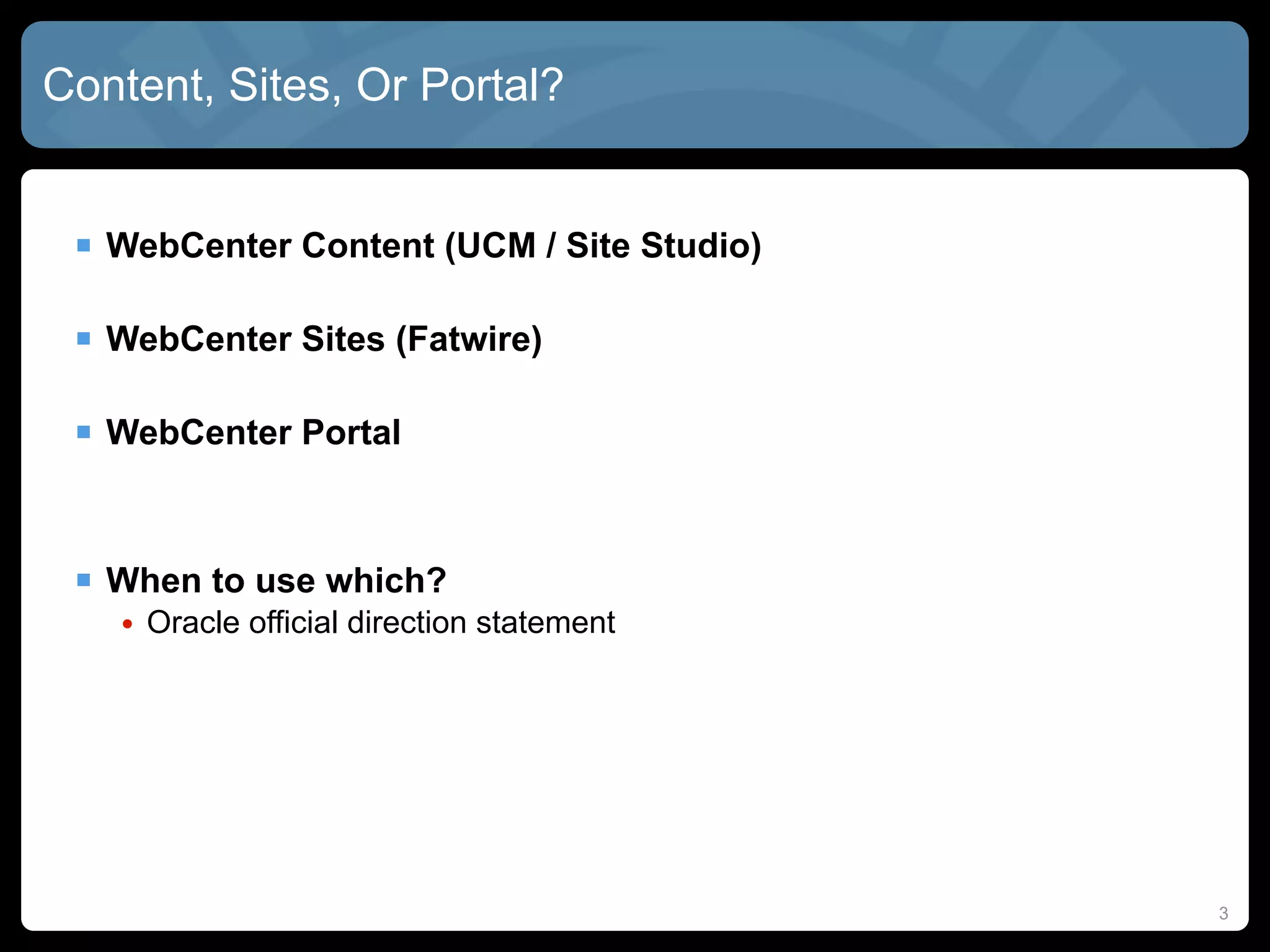
  WebCenter Content (UCM / Site Studio)

  WebCenter Sites (Fatwire)

  WebCenter Portal


  When to use which?
   • Oracle official direction statement


                                           3
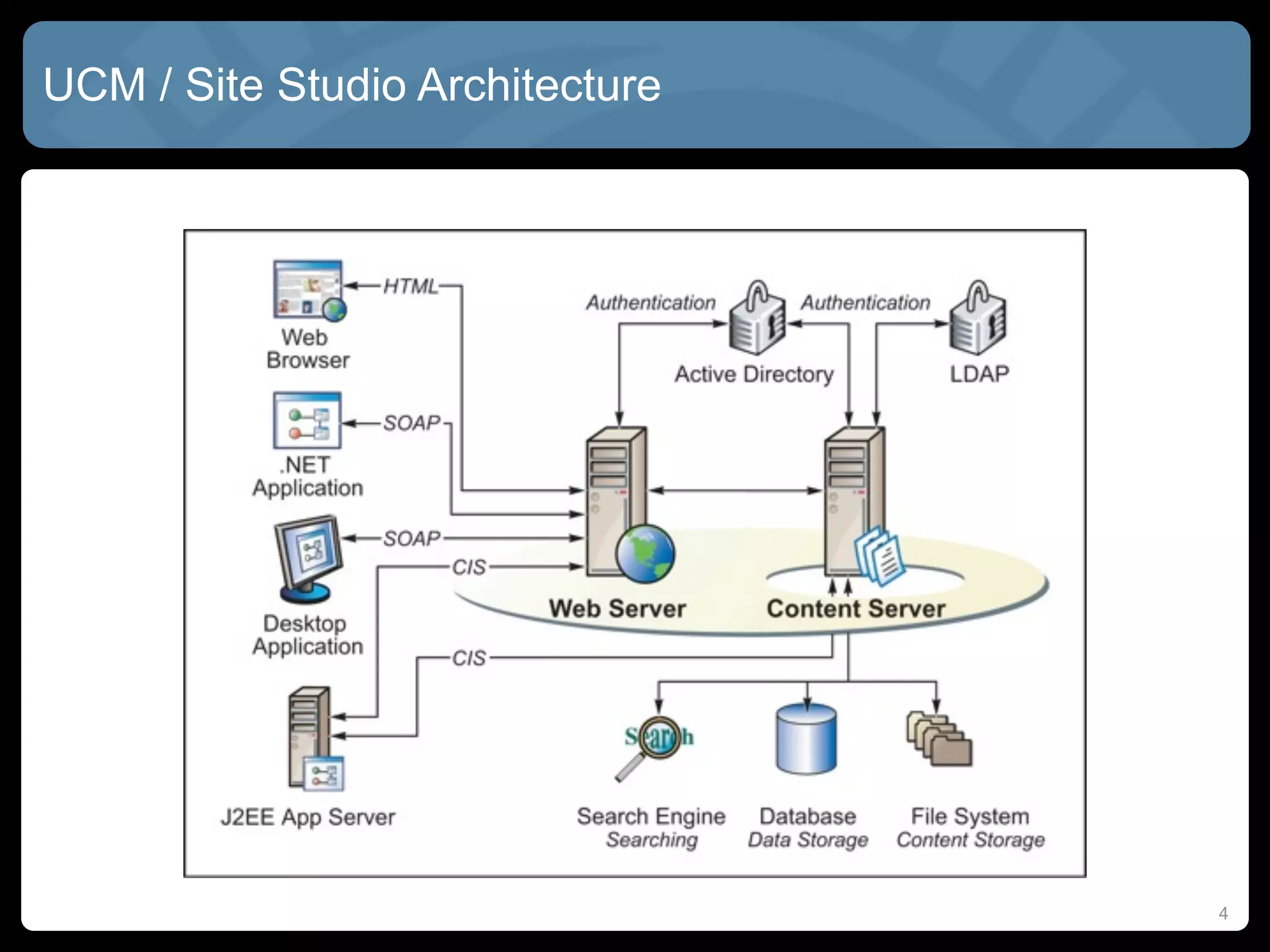
UCM / Site Studio Architecture


                                 4
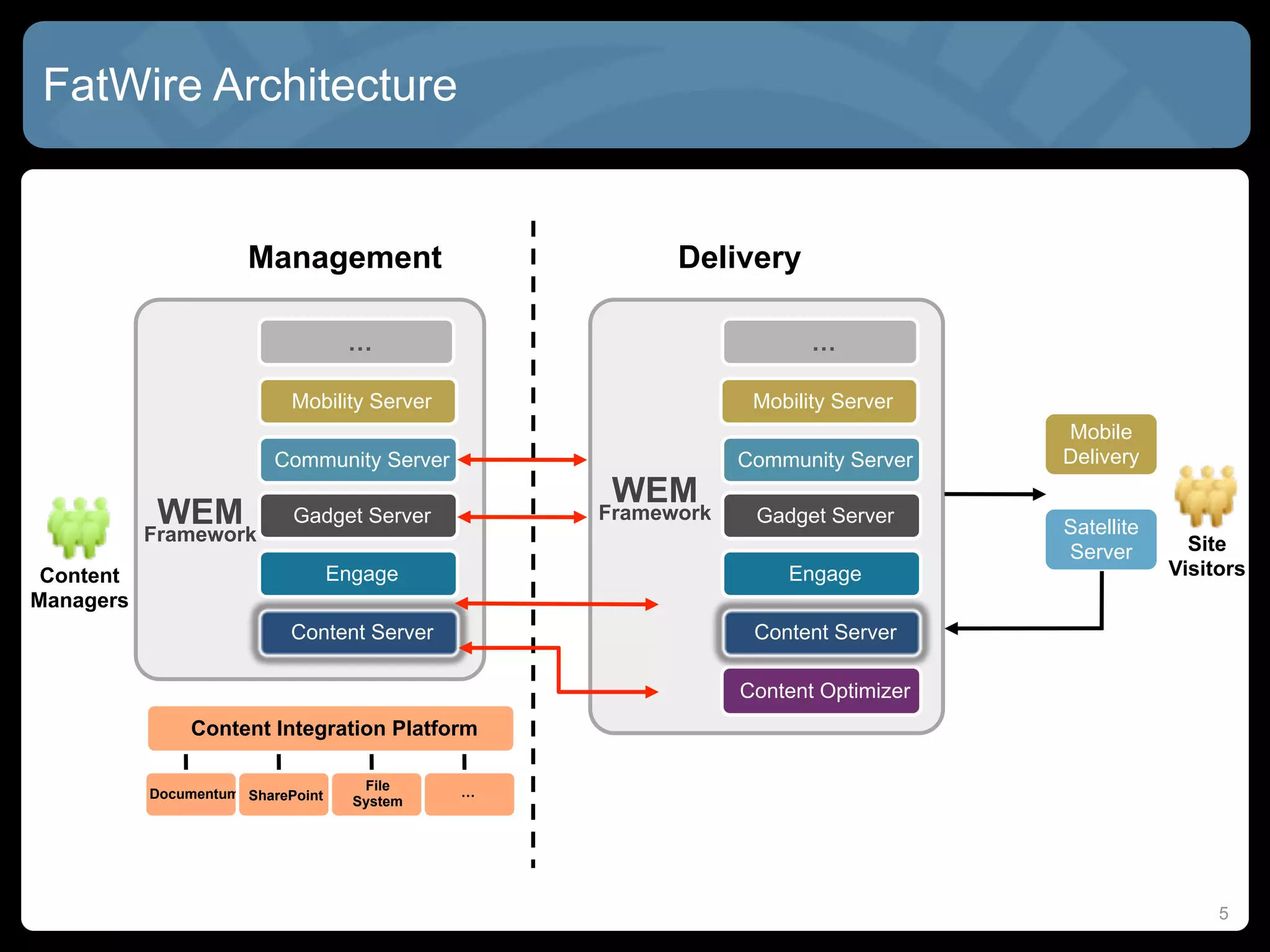
FatWire Architecture


                      Management                        Delivery

                                    …                                …

                            Mobility Server                    Mobility Server
                                                                                  Mobile
                          Community Server                    Community Server    Delivery
                                                   WEM
            WEM             Gadget Server         Framework    Gadget Server
                                                                                  Satellite
           Framework                                                                            Site
                                                                                  Server
 Content                           Engage                         Engage                      Visitors
Managers
                            Content Server                     Content Server

                                                              Content Optimizer
                Content Integration Platform

                                      File    …
           Documentum SharePoint
                                     System


                                                                                                   5
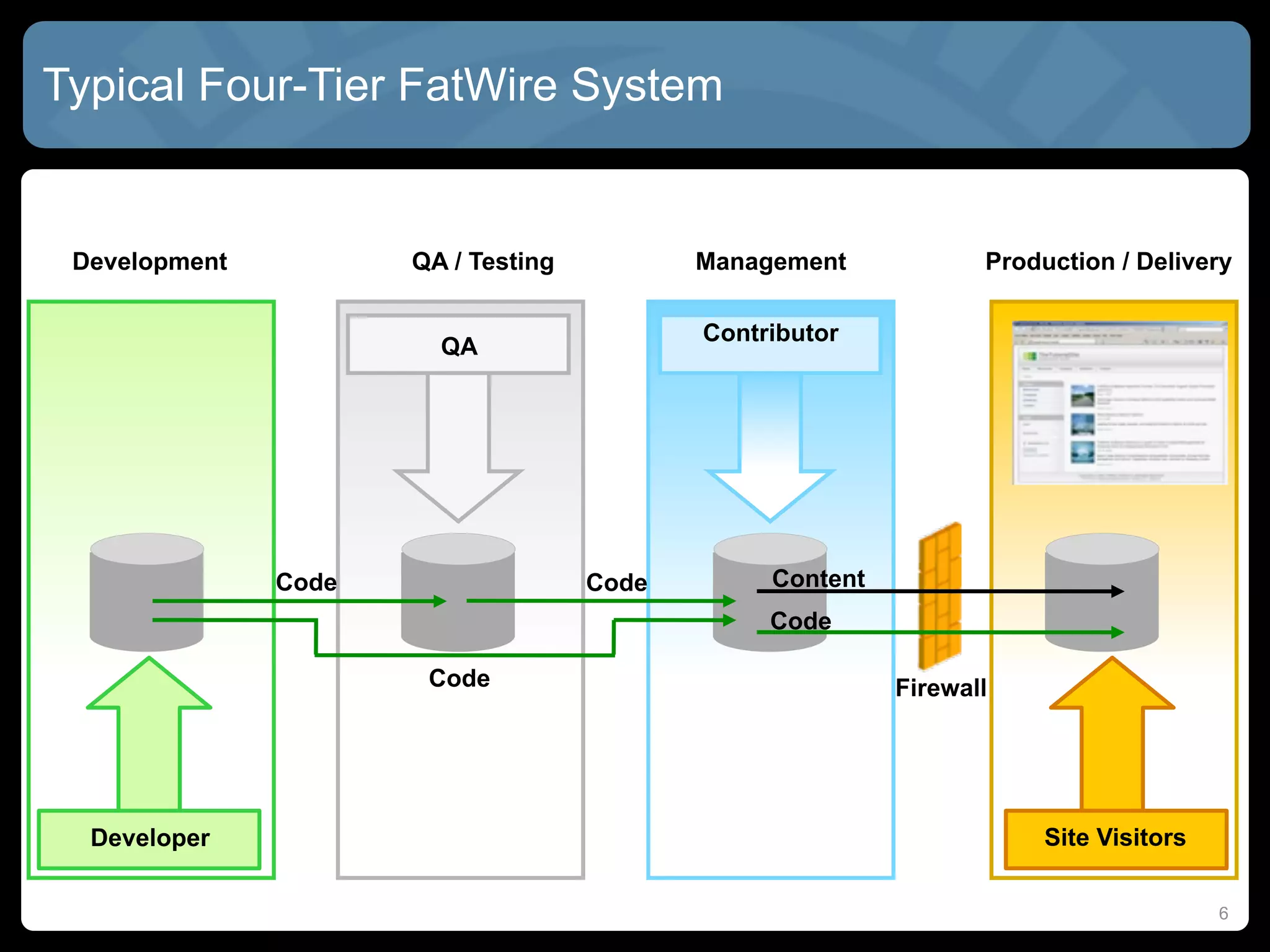
Typical Four-Tier FatWire System


 Development          QA / Testing          Management            Production / Delivery

                                            Contributor
                        QA


               Code                  Code        Content
                                                 Code

                       Code                                Firewall


  Developer                                                            Site Visitors

                                                                                       6
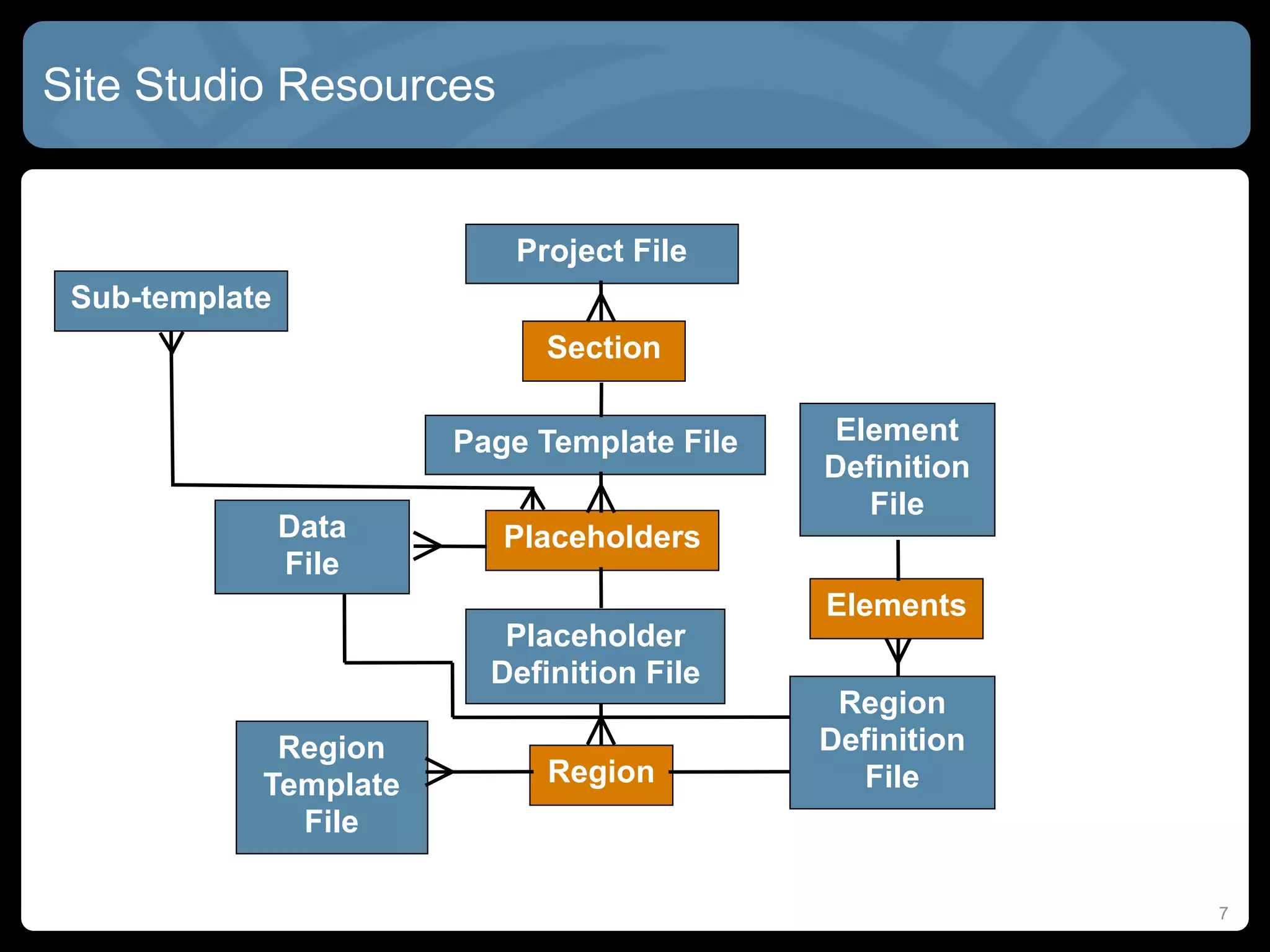
Site Studio Resources


                          Project File
 Sub-template
                             Section

                       Page Template File   Element
                                            Definition
                                              File
                Data      Placeholders
                File
                                            Elements
                          Placeholder
                         Definition File
                                             Region
             Region                         Definition
            Template         Region           File
              File

                                                         7
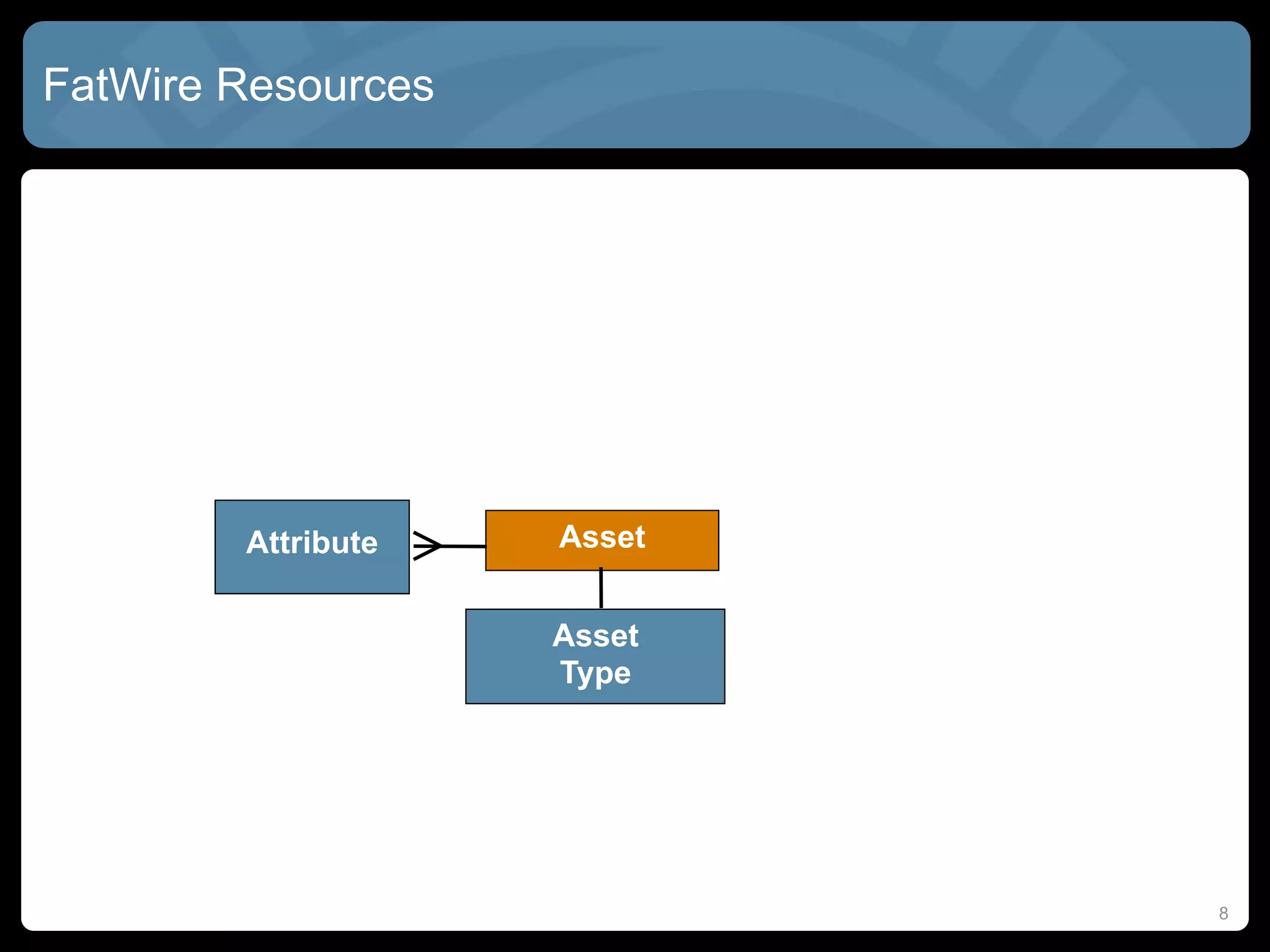
FatWire Resources


        Attribute   Asset


                    Asset
                    Type


                            8
Everything is an Asset! Almost...


  MOST of the resources you use are “assets”
    • Pages, stylesheets, content, templates, collections, queries


  Assets have “types”
    • Image, press releases, copyright
    • Like Site Studio “region definitions”


  Assets have “attributes”
    • Title, body, image, alt image text, or even other assets!
    • Like Site Studio” elements”, or metadata, or related content


  Attributes might have “attribute editors”
    • Image picker, date picker, FCK Editor
    • Like Site Studio “custom element forms”

                                                                     9
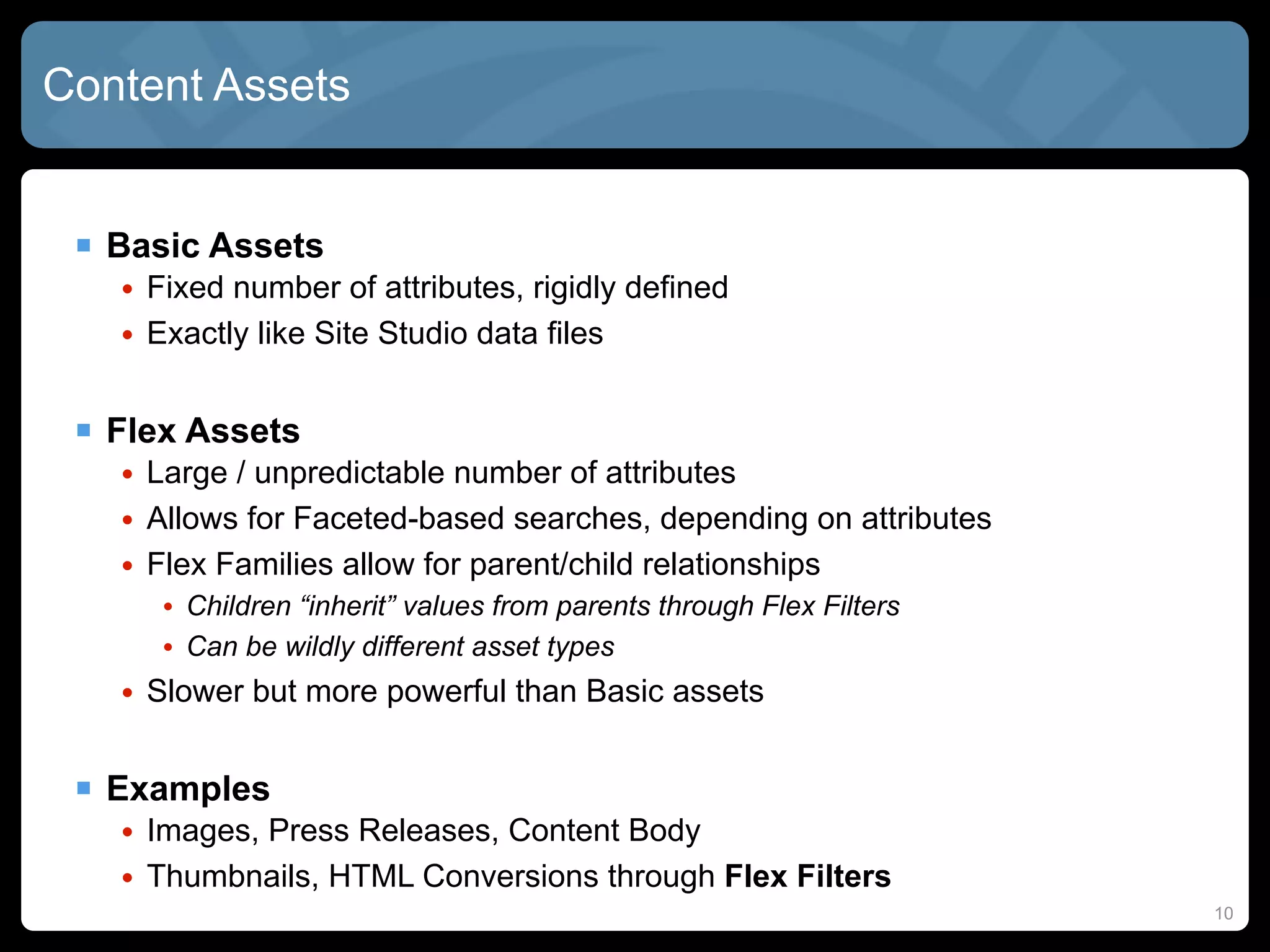
Content Assets


  Basic Assets
   • Fixed number of attributes, rigidly defined
   • Exactly like Site Studio data files


  Flex Assets
   • Large / unpredictable number of attributes
   • Allows for Faceted-based searches, depending on attributes
   • Flex Families allow for parent/child relationships
      • Children “inherit” values from parents through Flex Filters
      • Can be wildly different asset types
   • Slower but more powerful than Basic assets


  Examples
   • Images, Press Releases, Content Body
   • Thumbnails, HTML Conversions through Flex Filters
                                                                      10
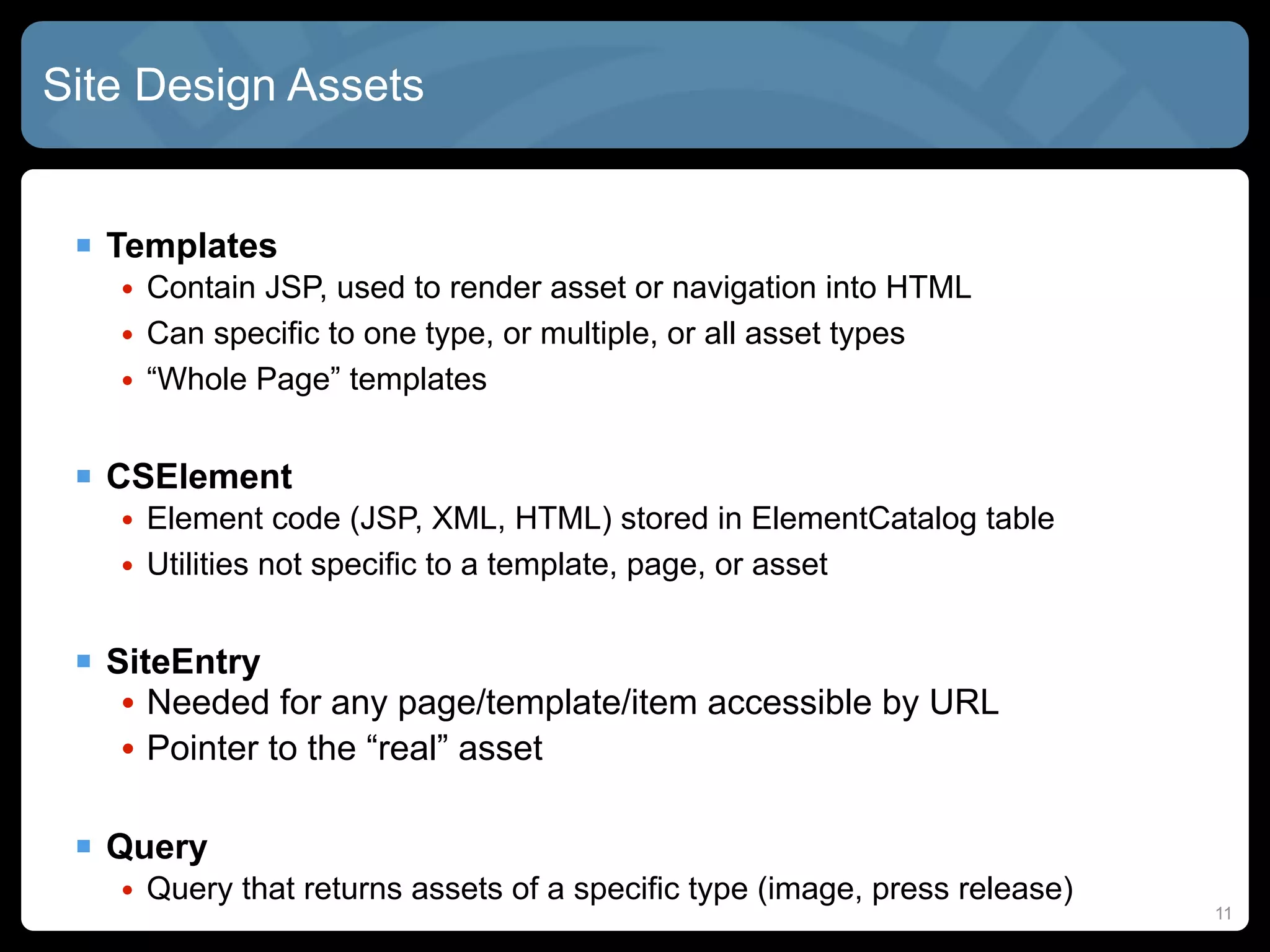
Site Design Assets


  Templates
   • Contain JSP, used to render asset or navigation into HTML
   • Can specific to one type, or multiple, or all asset types
   • “Whole Page” templates


  CSElement
   • Element code (JSP, XML, HTML) stored in ElementCatalog table
   • Utilities not specific to a template, page, or asset


  SiteEntry
   • Needed for any page/template/item accessible by URL
   • Pointer to the “real” asset

  Query
   • Query that returns assets of a specific type (image, press release)
                                                                           11
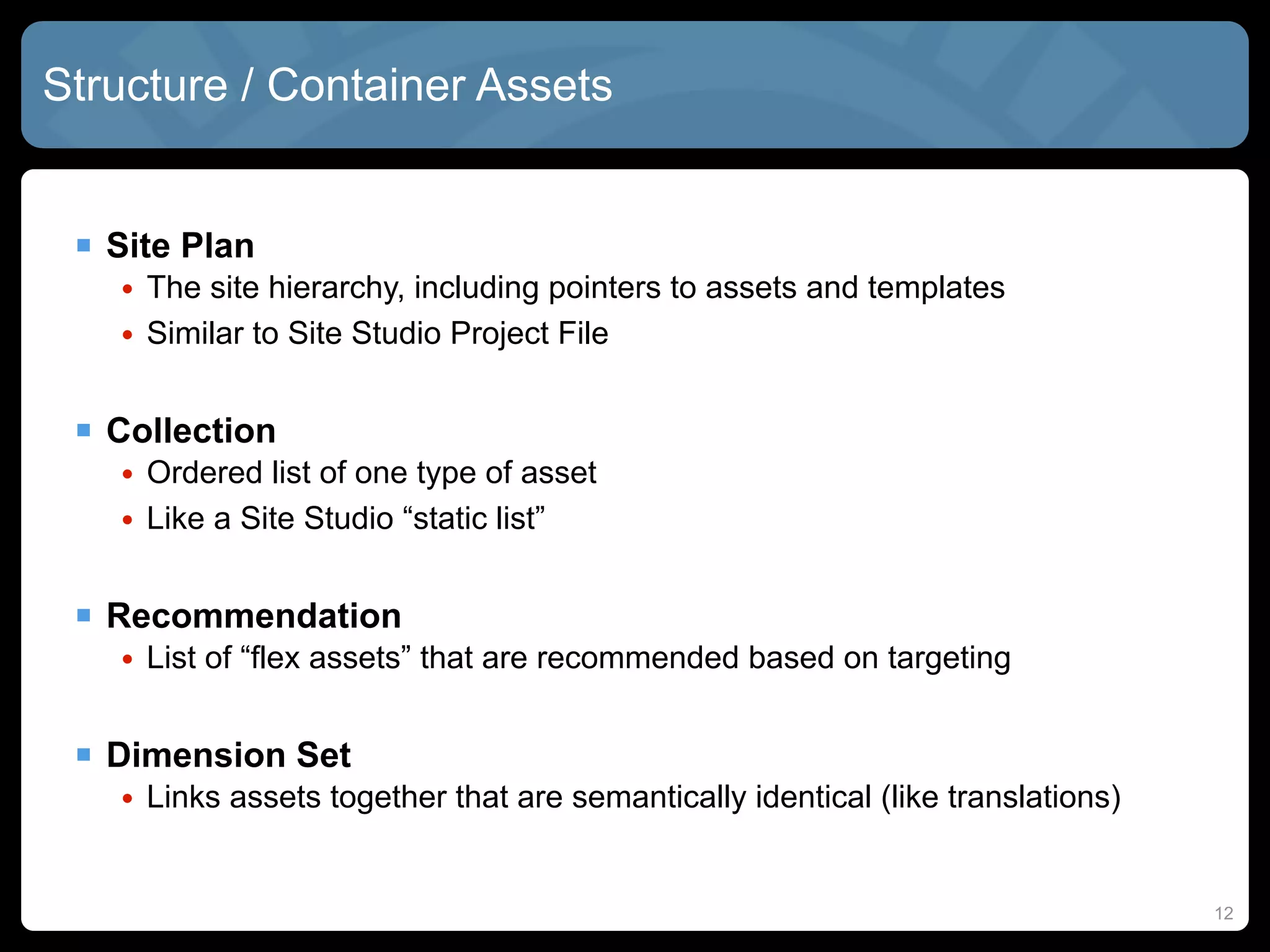
Structure / Container Assets


  Site Plan
   • The site hierarchy, including pointers to assets and templates
   • Similar to Site Studio Project File


  Collection
   • Ordered list of one type of asset
   • Like a Site Studio “static list”


  Recommendation
   • List of “flex assets” that are recommended based on targeting


  Dimension Set
   • Links assets together that are semantically identical (like translations)


                                                                                 12
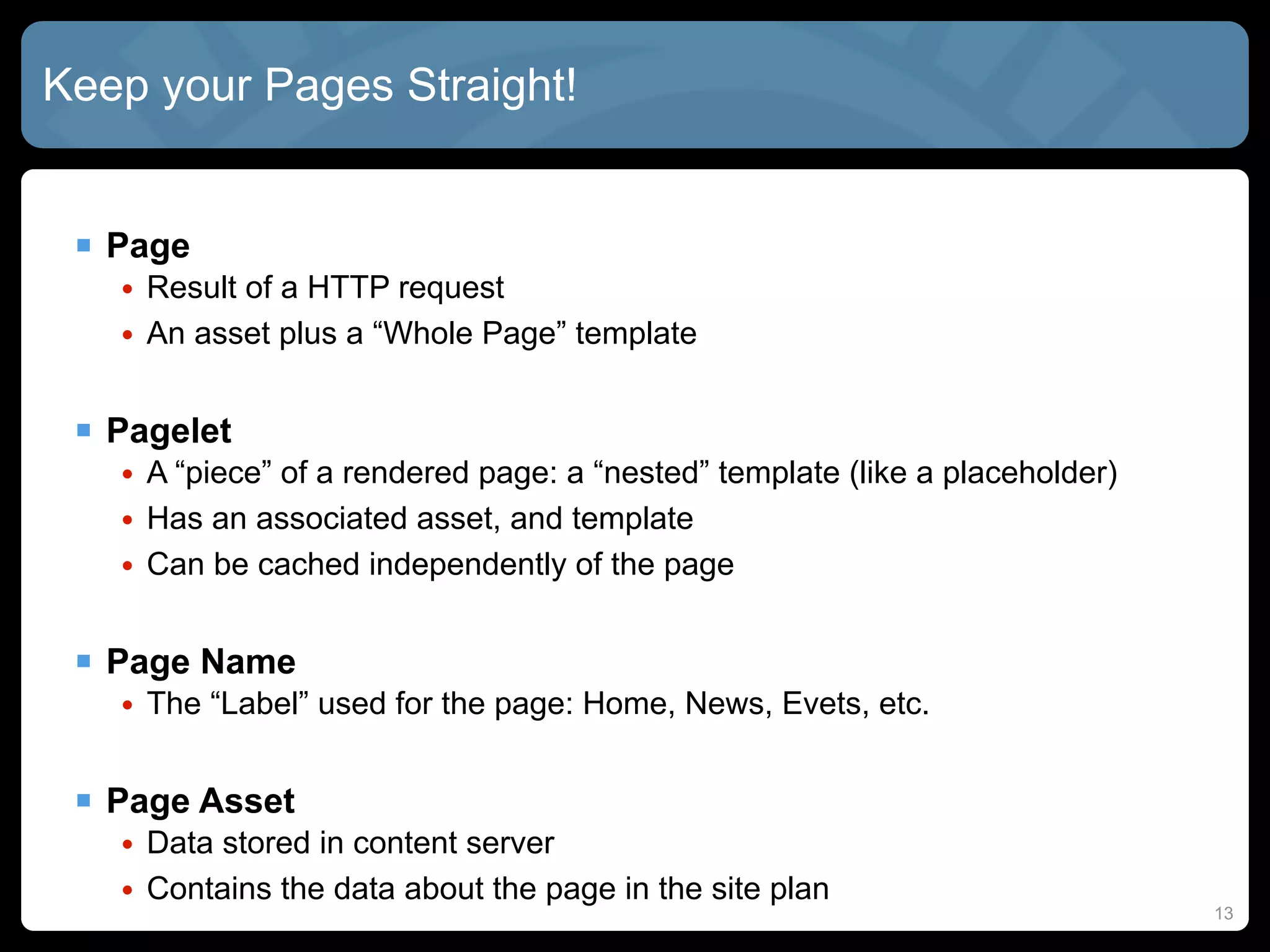
Keep your Pages Straight!


  Page
   • Result of a HTTP request
   • An asset plus a “Whole Page” template


  Pagelet
   • A “piece” of a rendered page: a “nested” template (like a placeholder)
   • Has an associated asset, and template
   • Can be cached independently of the page


  Page Name
   • The “Label” used for the page: Home, News, Evets, etc.


  Page Asset
   • Data stored in content server
   • Contains the data about the page in the site plan
                                                                              13
How They Fit Together


  A Site Plan has Pages
   • Like how a Site Studio Project File has Sections/Nodes
   • Maps to a URL, can be called externally


  Pages have “Whole Page” Templates
   • Maps to a URL, thus can be called externally
   • Like a SS “Page Template”, used mainly for layout


  Templates have “nested Templates”
   • Also called “Pagelets”, or sometimes “Slots”
   • Asset / template combination


  Templates convert Asset Attributes into HTML
   • Using JSP taglibraries

                                                              14
Rendering Patterns


  Which “best practice” should you use?

  Page Detail
   • Simplistic breakdown of site into regions
  Modular Design
   • Breakdown further into reusable and cacheable components
  MVC
   • For complex sites with lots of user interaction


  GST Site Foundation (GSF)
   • A huge collection of best practices and sample code
   • In use by many major clients
   • Not officially supported... but...


                                                                15
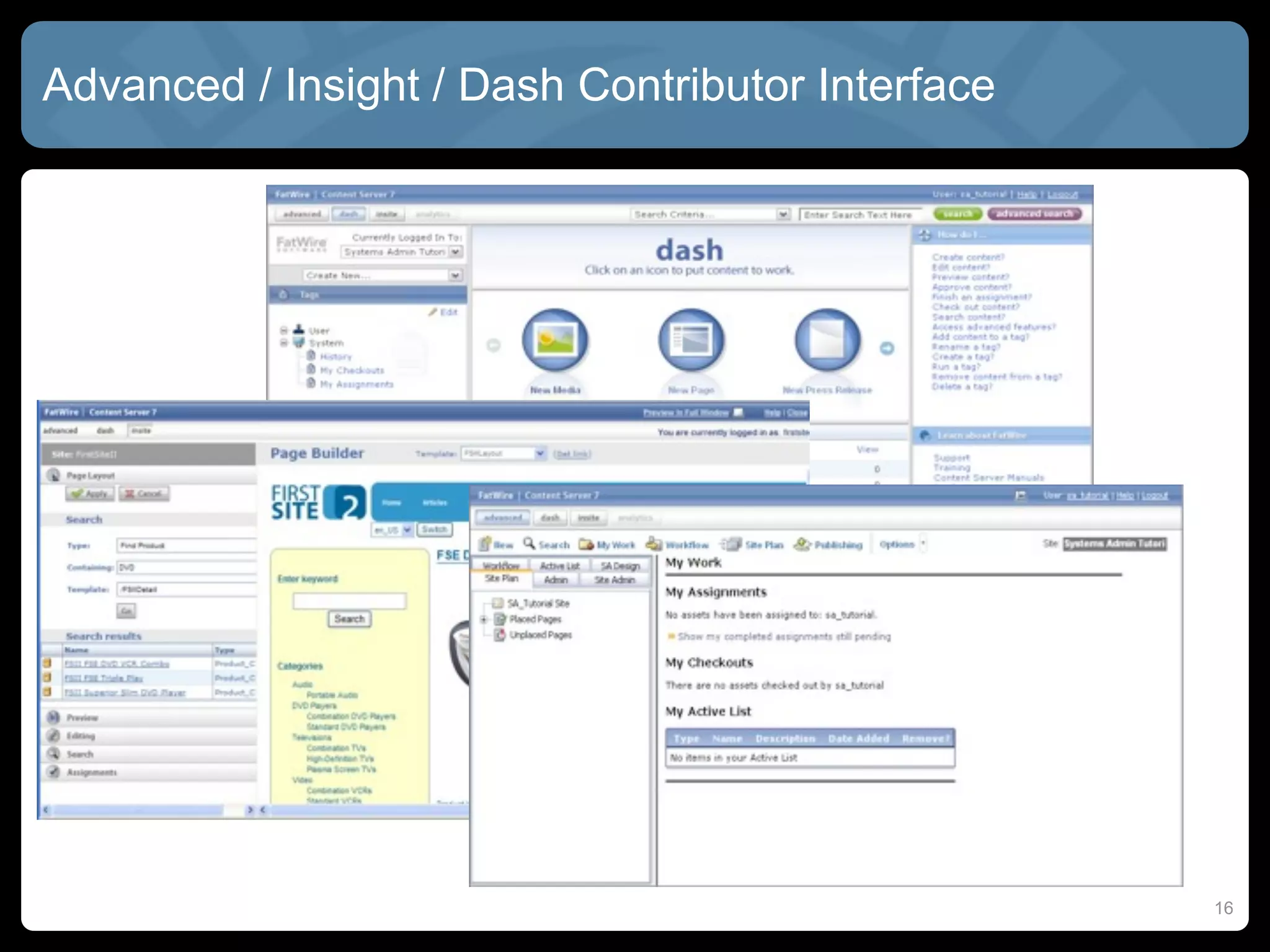
Advanced / Insight / Dash Contributor Interface


                                                  16
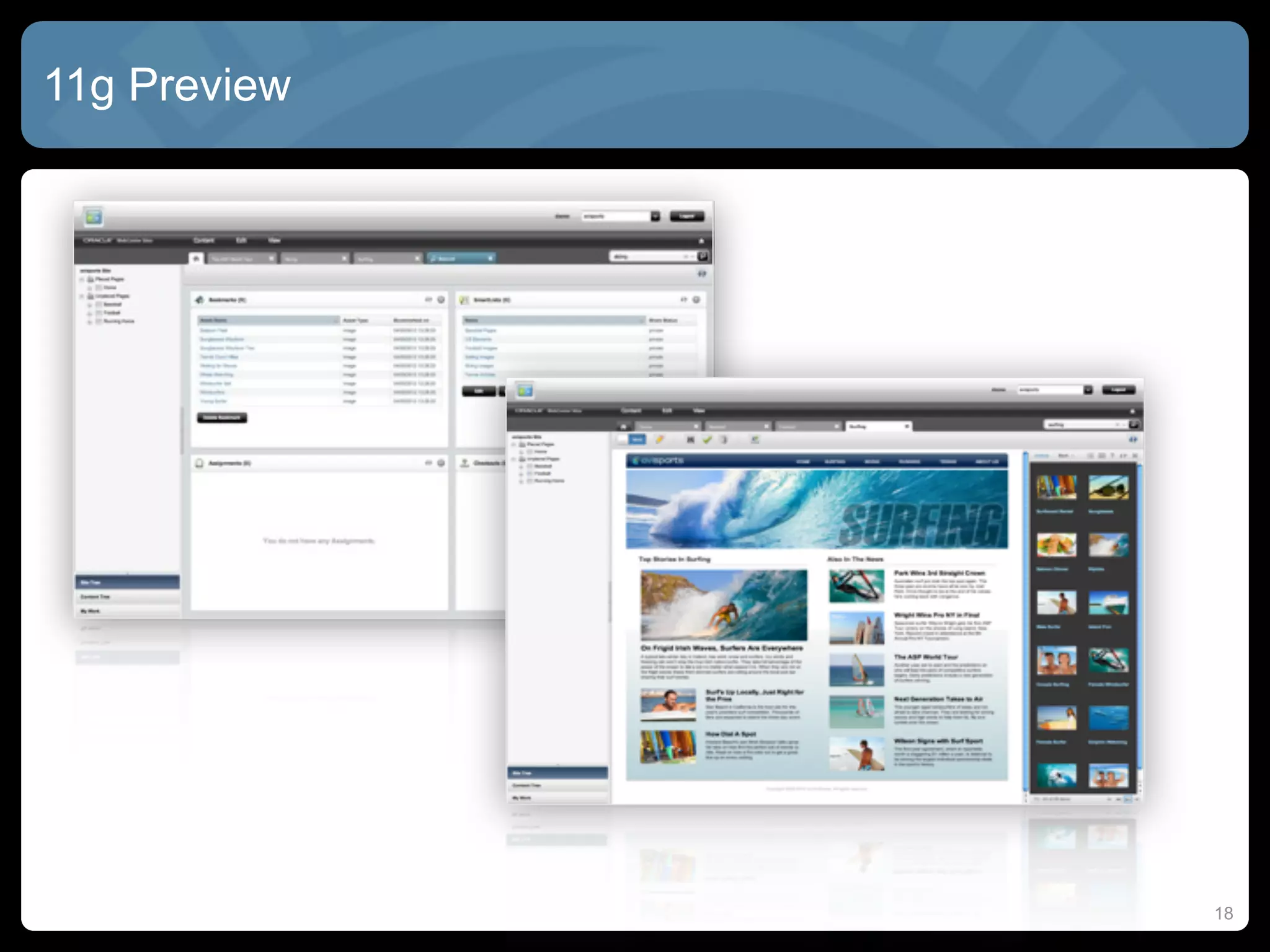
WebCenter Sites 11g


  Dash UI deprecated in 11g

  Completely new contribution UI
   • Drag-and-drop assets into web pages
   • Thumbnails for asset templates


  One place to access:
   •   Bookmarked site pages
   •   Workflow tasks
   •   Checked-out content
   •   SmartLists for content groupings


                                           17
11g Preview


              18
Publishing


  Static Export to Disk
   • Render as instant screenshots based on template rules


  Export Assets to XML
   • Export tool for archiving/migration


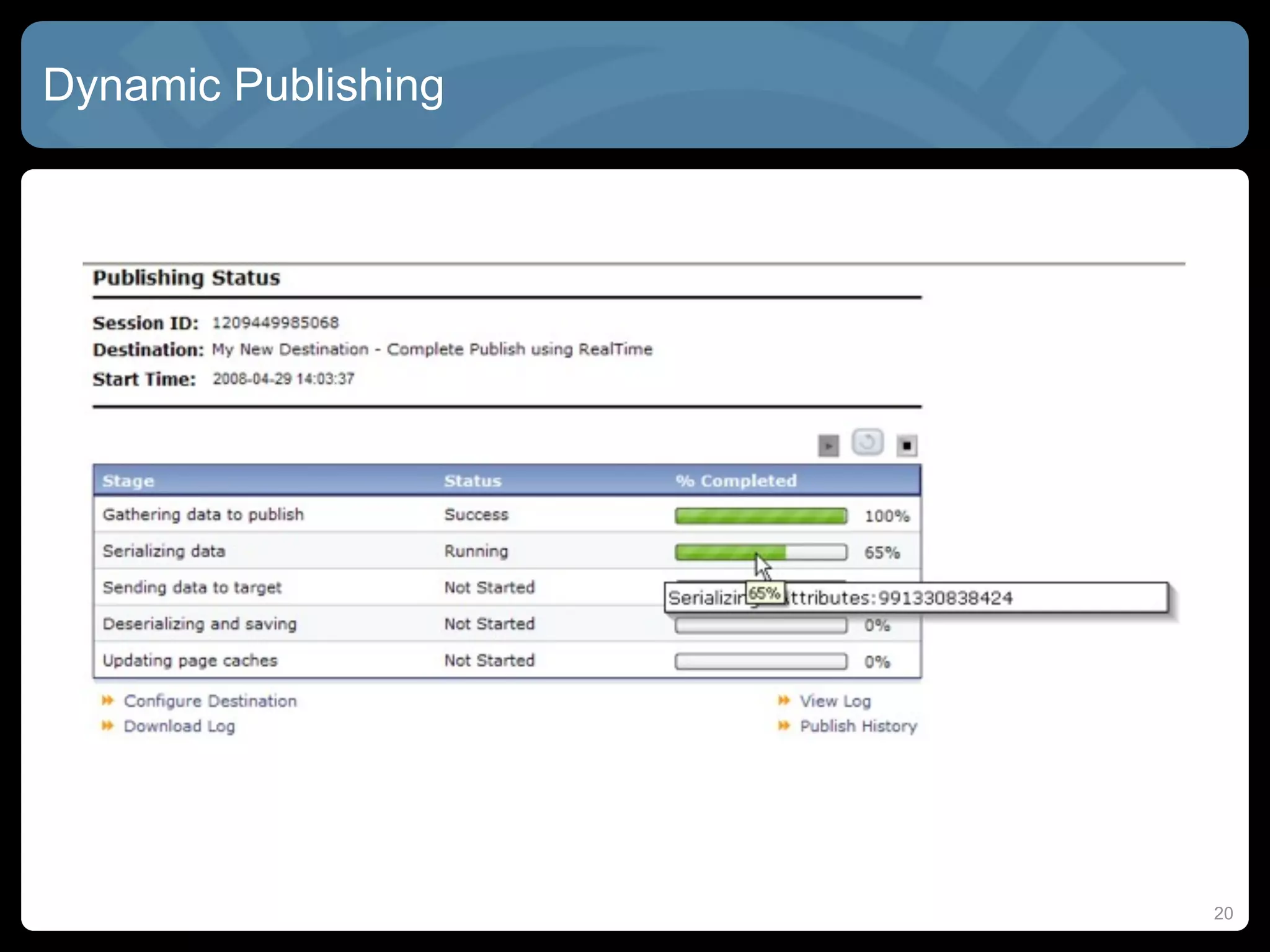
  RealTime Publishing
   • Dynamic publishing, requiring workflow approval
   • Publish immediately upon approval, or on a schedule
      • Dependent assets must ALSO be approved!
   • From DEV to CONTRIBUTION to DELIVERY environment
   • Similar to Contribution / Consumption in Site Studio


                                                             19
Dynamic Publishing


                     20
High-Performance: Strategies


  Whole page caching
    • Cache fully files (HTML/CSS/JS) in user’s browser or reverse proxy
  Page fragment caching
    • Cache page “chunks” instead of whole pages
  Data caching
    • Queries and ResultSets from the database


  Difficult to cache:
    • Personalized content
    • Frequently changing content
    • Highly parameterized content


  Need to plan ahead to make resources “cachable”

                                                                           21
High-Performance: Site Studio


  Dynamic Publishing
   • Need multiple “Consumption Servers”
   • Expensive to scale to server-farm levels


  Static Publishing with SSPU
   • Good for web farms, but unfortunately fairly clunky
   • Consumes many resources to publish just part of the site
   • Lose all benefits of dynamic content: search, forms, etc.


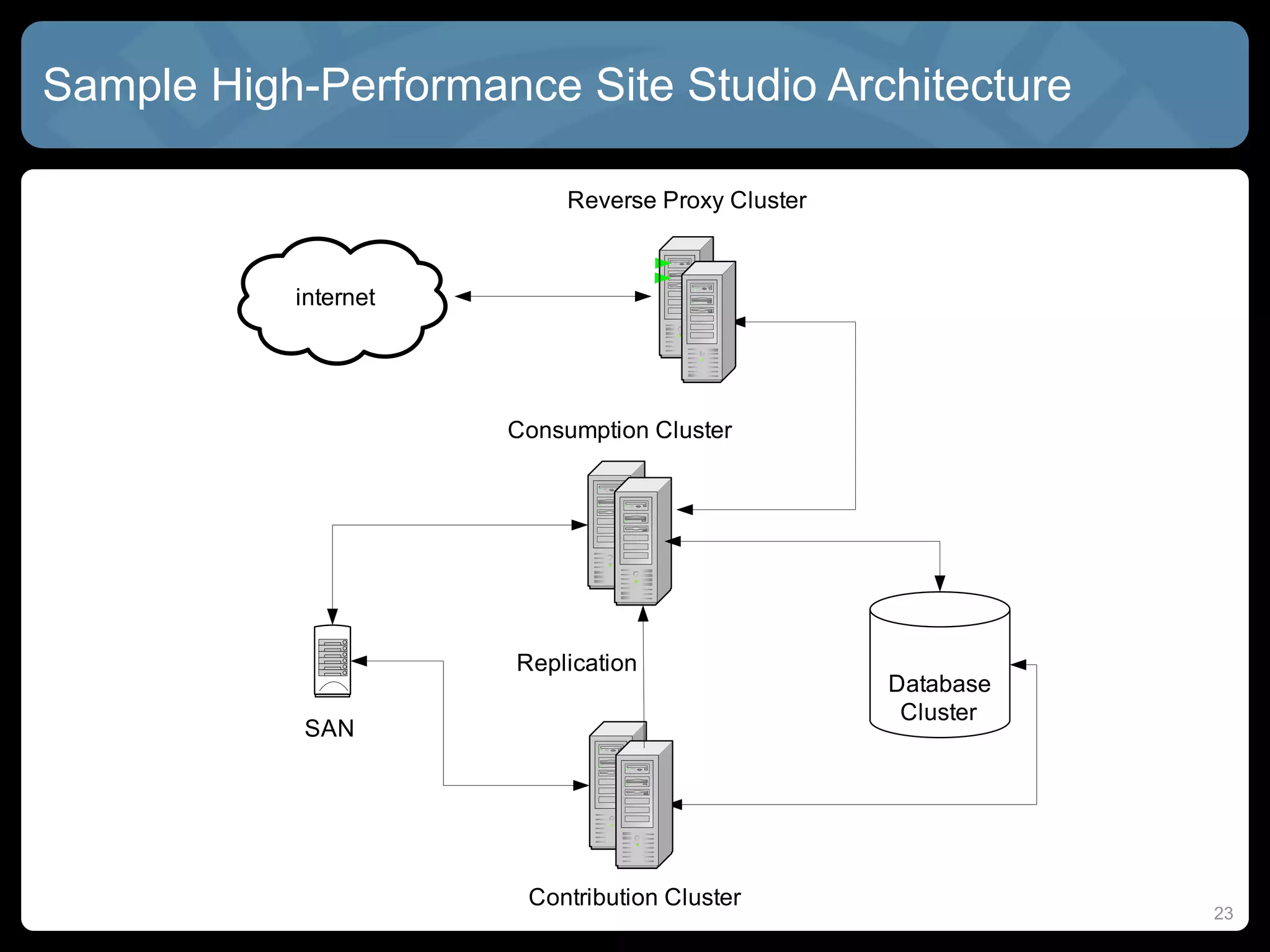
  Dynamic Publishing with Reverse Proxy
   • Fairly common compromise
   • But... Reverse proxy can only do “whole page” caching
   • Personalization can be very complex


                                                                 22
Sample High-Performance Site Studio Architecture


                                                   23
High-Performance: FatWire


  ResultSet caching
    • Cache SQL queries to database until underlying DB is updated


  Satellite Server
    •   Like a “smart” reverse proxy
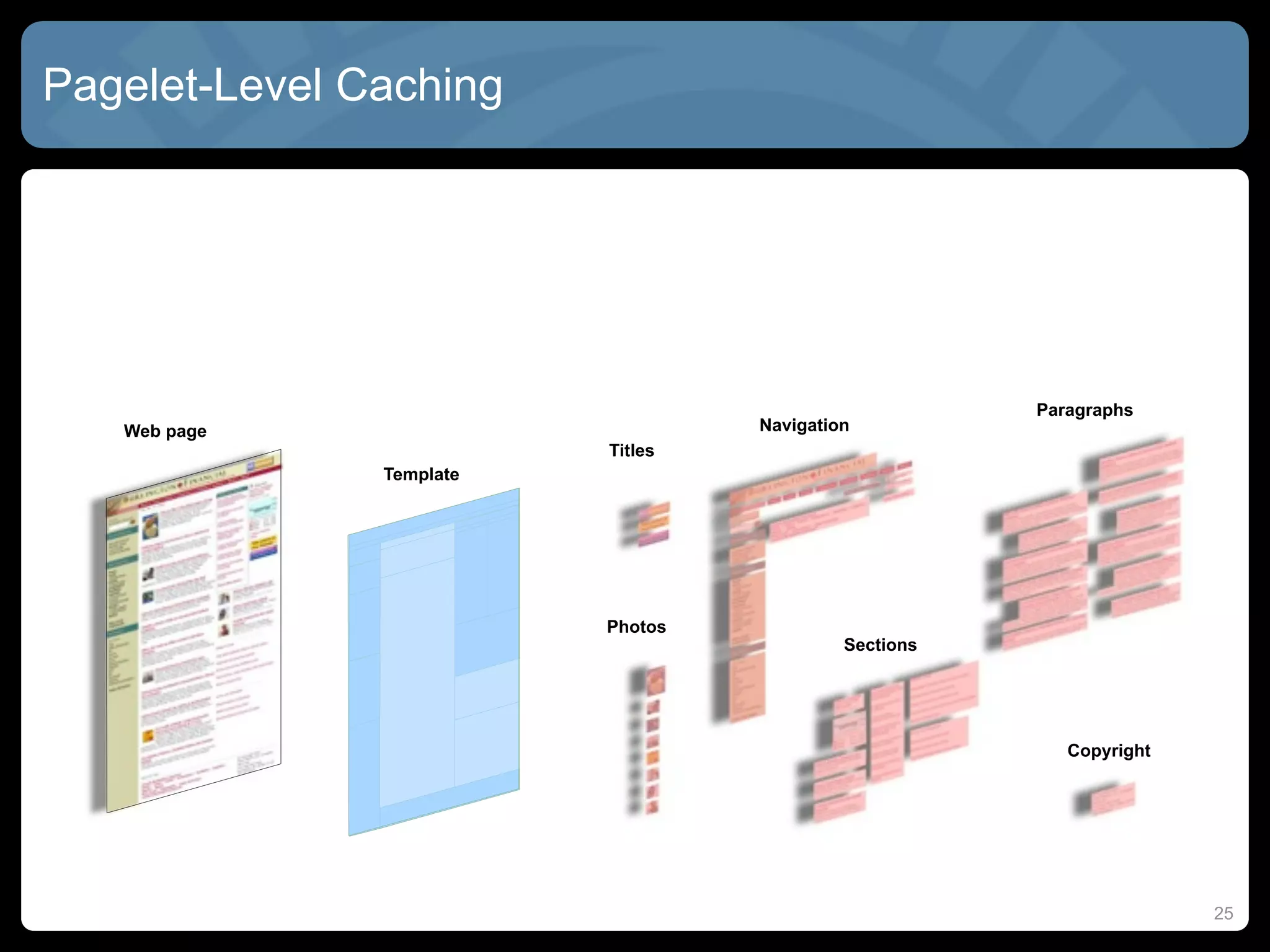
    •   Caches “pagelets” instead of pages
    •   Better for pages that change frequently
    •   Knows when assets and dependent assets are out of date


  inCache
    •   New in CS 7.6
    •   Adds dependency information to satellite server
    •   Knows which parent/child resources also need to be refreshed
    •   Also caches raw Java objects for faster template rendering

                                                                       24
Pagelet-Level Caching


                                                       Paragraphs
   Web page                        Navigation
                          Titles
               Template


                          Photos
                                            Sections


                                                          Copyright


                                                                      25
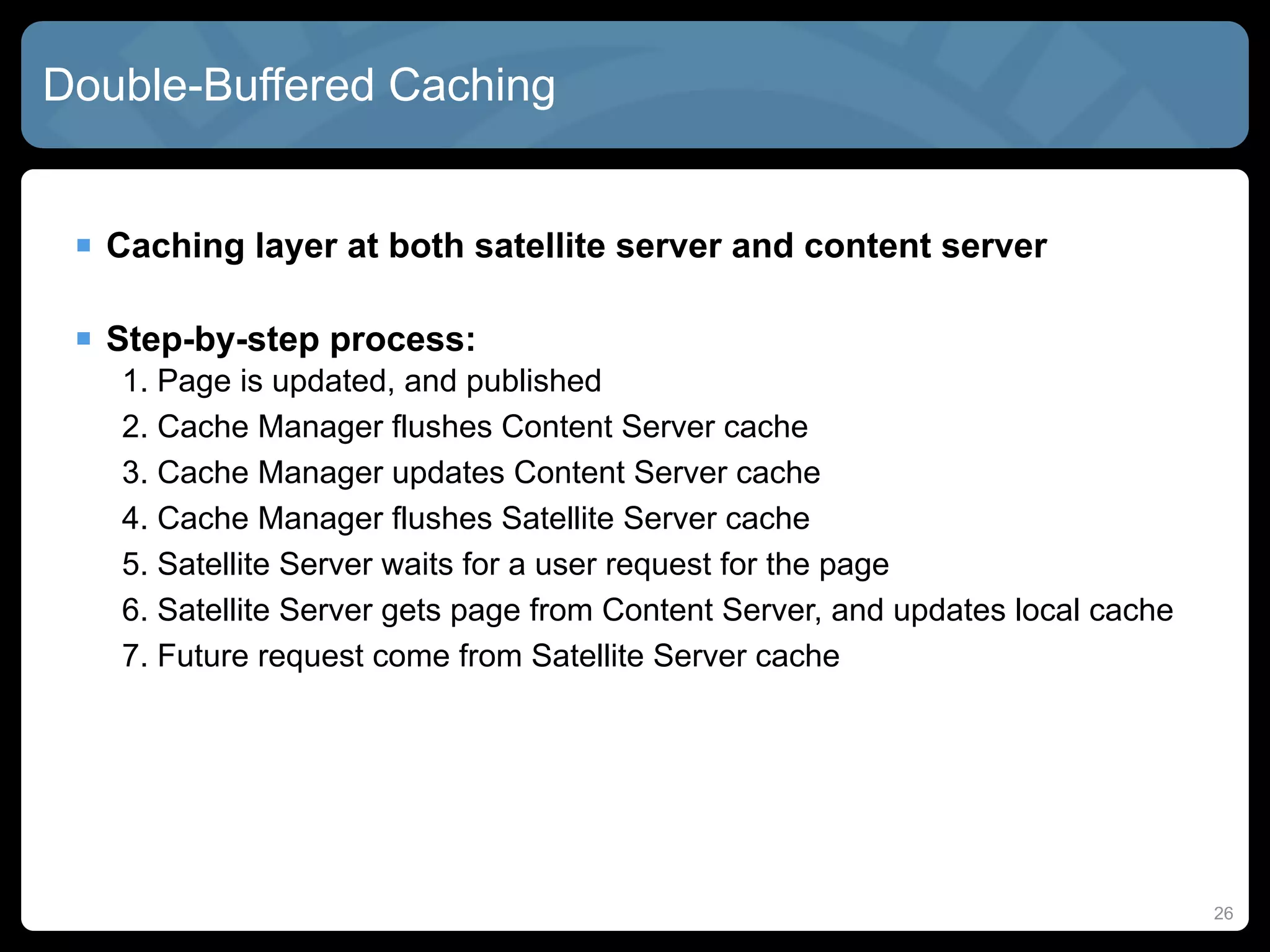
Double-Buffered Caching


  Caching layer at both satellite server and content server

  Step-by-step process:
   1. Page is updated, and published
   2. Cache Manager flushes Content Server cache
   3. Cache Manager updates Content Server cache
   4. Cache Manager flushes Satellite Server cache
   5. Satellite Server waits for a user request for the page
   6. Satellite Server gets page from Content Server, and updates local cache
   7. Future request come from Satellite Server cache


                                                                                26
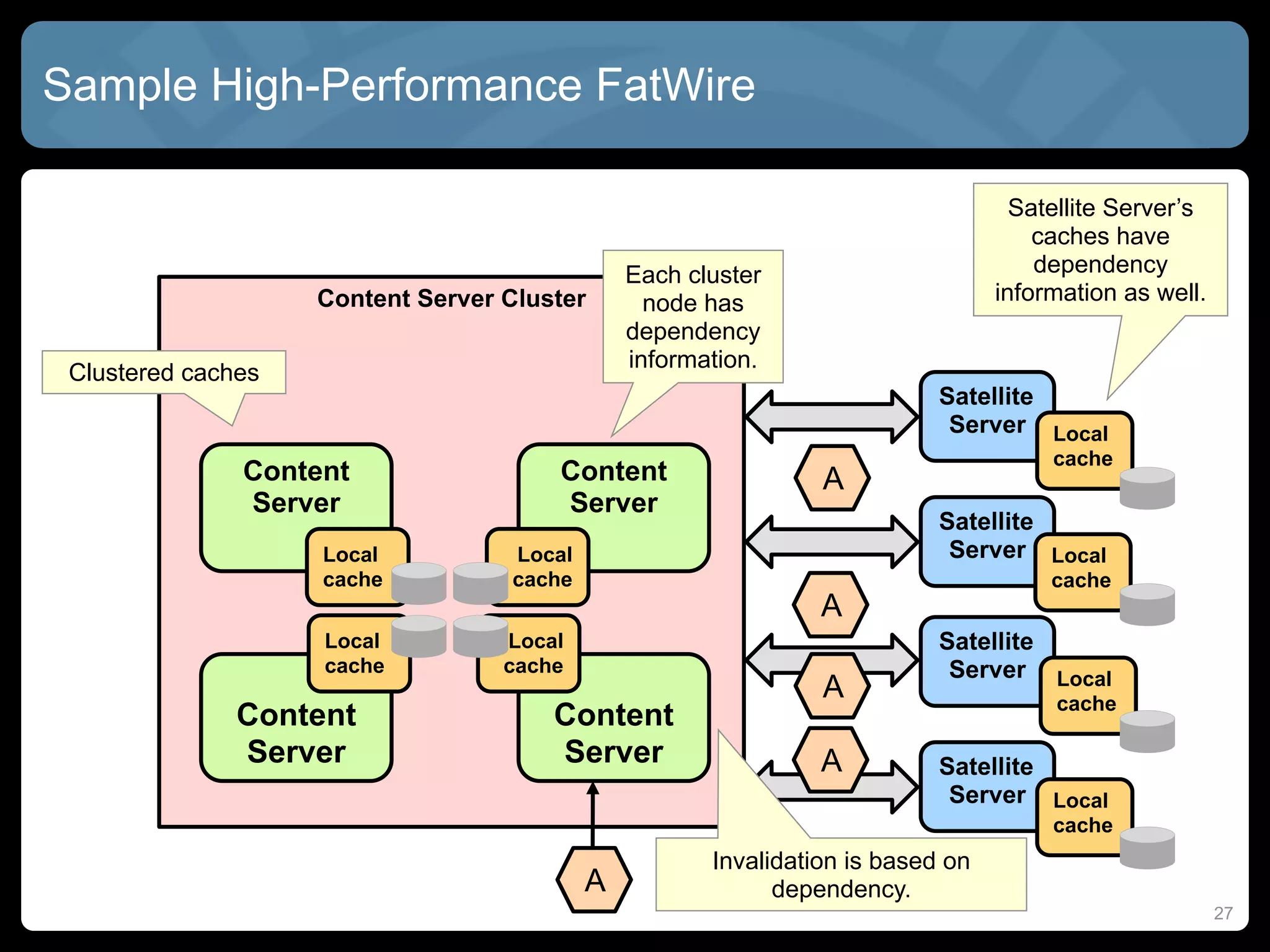
Sample High-Performance FatWire

                                                                                   Satellite Server’s
                                                                                     caches have
                                               Each cluster                          dependency
                    Content Server Cluster       node has                        information as well.
                                               dependency
                                               information.
 Clustered caches
                                                                           Satellite
                                                                            Server Local
                                                                                      cache
               Content                 Content                  A
               Server                  Server
                                                                           Satellite
                    Local          Local                                    Server Local
                    cache          cache                                              cache
                                                                A
                    Local          Local                                   Satellite
                    cache          cache                                    Server Local
                                                                A                     cache
               Content                 Content
               Server                  Server                   A          Satellite
                                                                            Server Local
                                                                                      cache
                                                      Invalidation is based on
                                           A                dependency.
                                                                                                        27
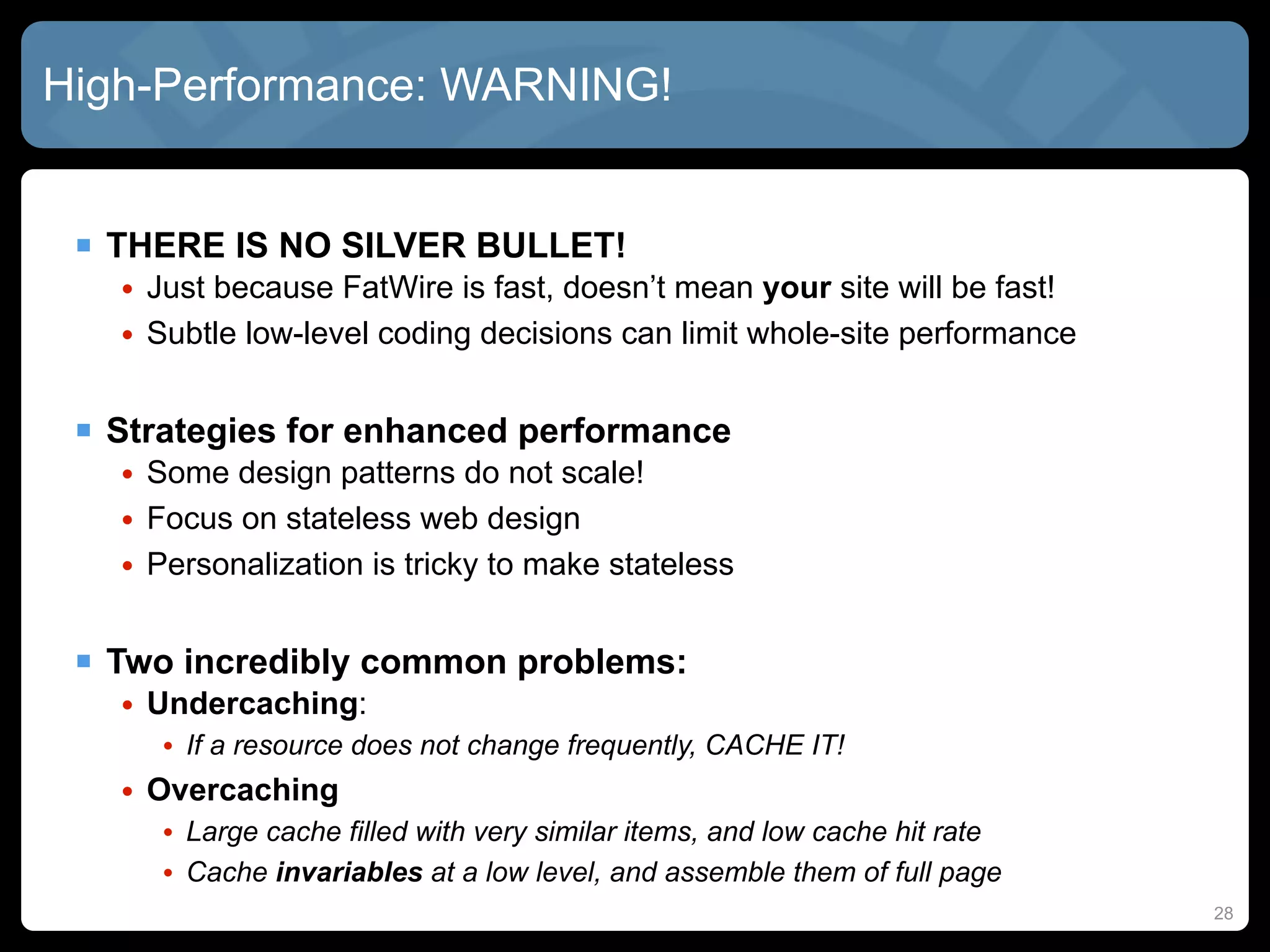
High-Performance: WARNING!


  THERE IS NO SILVER BULLET!
   • Just because FatWire is fast, doesn’t mean your site will be fast!
   • Subtle low-level coding decisions can limit whole-site performance


  Strategies for enhanced performance
   • Some design patterns do not scale!
   • Focus on stateless web design
   • Personalization is tricky to make stateless


  Two incredibly common problems:
   • Undercaching:
      • If a resource does not change frequently, CACHE IT!
   • Overcaching
      • Large cache filled with very similar items, and low cache hit rate
      • Cache invariables at a low level, and assemble them of full page
                                                                             28
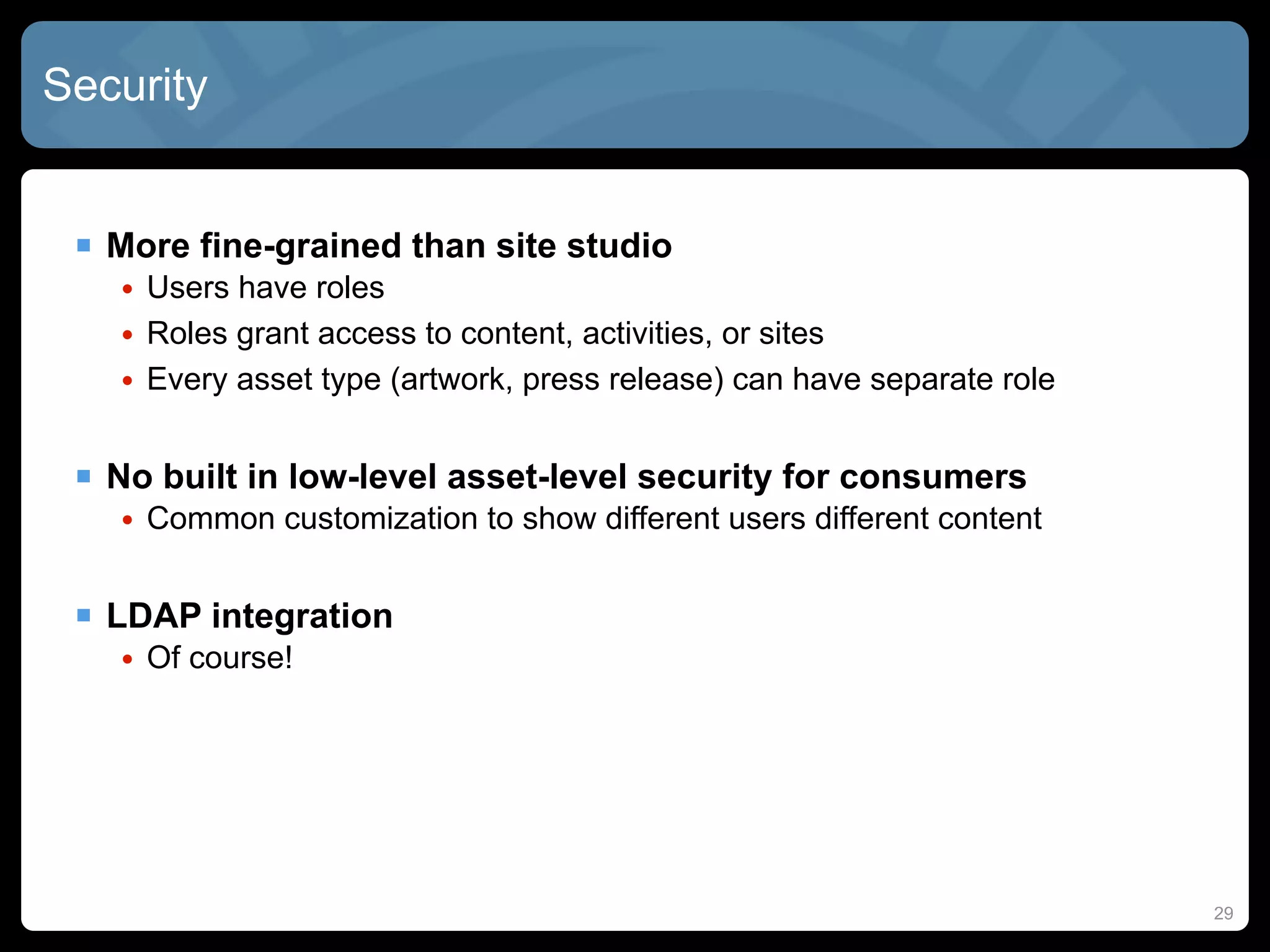
Security


  More fine-grained than site studio
   • Users have roles
   • Roles grant access to content, activities, or sites
   • Every asset type (artwork, press release) can have separate role


  No built in low-level asset-level security for consumers
   • Common customization to show different users different content


  LDAP integration
   • Of course!


                                                                        29
Workflow


  States
   • Current state of the asset
  Steps
   • Similar to UCM: workflows have multiple steps
  Actions/Events
   • Deadlines: action required by a certain date
   • Delegation: assign task to another user
   • Publish: item is ‘released’
  Participants and Events
   • Role-based access to items


  New features:
   • Automated workflows: publish without user intervention
   • Full-page preview of future site look-and-feel
                                                              30
FatWire Dev Tools


  Content Server Dev Tools
   •   Eclipse Plug-in
   •   Syntax highlighting
   •   Code completion
   •   CS Advanced UI View
   •   Preview Browser
   •   FW Log View
   •   Configure Log4J
   •   Wizards for creating new Templates and CS Elements
   •   Direct access to CS Documentation
   •   Tag Reference / JavaDocs


                                                            31
Important JSP Tags


  Common tags for page control and display
   •   <ics:if />
   •   <ics:then />
   •   <ics:getvar />
   •   <ics:listloop />
   •   <ics:listget />


  Render assets on a page
   •   <render:satellitepage />
   •   <render:argument />
   •   <render:calltemplate />
   •   <render:gettemplateurl />
   •   <render:calltemplate />
   •   <render:stream />

                                              32
Important JSP Tags, cont.


  Load assets to the page, store in variables
   •   <asset:load />
   •   <asset:get />
   •   <asset:children />
   •   <asset:getsidenode />
   •   <assetset:setasset />
   •   <assetset:getattributevalues />
   •   <assetset:getmultiplevalues />


  Load navigation
   • <siteplan:load />
   • <siteplan:children />


  Recommendations / related content
   • <commercecontext:getrecommendations />
                                                 33
Important Resources!


  Oracle JumpStart Kit
   • ~500Mb dev version of FatWire, plus some sample sites
   • Available thru support, and OTN soon


  GST Site Foundation
   • A community-driven collection of code and best practices
   • Common assets, Friendly URLs, handy custom taglibraries
   • http://www.gst-foundation.org/


  Online forums
   • http://www.fatwirecommunity.net


                                                                34
Questions?


  My Company: http://bezzotech.com

  My Blog: http://bexhuff.com

  My Self: bex@bezzotech.com

  Visit us in Booth 1179 on Main Street!


  For the latest version of this presentation, go to SlideShare:
                    http://slideshare.com/bexmex
                                                                    35

FatWire Tutorial For Site Studio Developers

  • 1.
    Crash Course inFatWire For Site Studio Developers Brian “Bex” Huff Chief Software Architect
  • 2.
    Agenda  WebCenterproduct comparisons  Architectural overview  Overview of site resources  Site management tools  High performance and cache strategies  Security and Workflow 2
  • 3.
    Content, Sites, OrPortal?  WebCenter Content (UCM / Site Studio)  WebCenter Sites (Fatwire)  WebCenter Portal  When to use which? • Oracle official direction statement 3
  • 4.
    UCM / SiteStudio Architecture 4
  • 5.
    FatWire Architecture Management Delivery … … Mobility Server Mobility Server Mobile Community Server Community Server Delivery WEM WEM Gadget Server Framework Gadget Server Satellite Framework Site Server Content Engage Engage Visitors Managers Content Server Content Server Content Optimizer Content Integration Platform File … Documentum SharePoint System 5
  • 6.
    Typical Four-Tier FatWireSystem Development QA / Testing Management Production / Delivery Contributor QA Code Code Content Code Code Firewall Developer Site Visitors 6
  • 7.
    Site Studio Resources Project File Sub-template Section Page Template File Element Definition File Data Placeholders File Elements Placeholder Definition File Region Region Definition Template Region File File 7
  • 8.
    FatWire Resources Attribute Asset Asset Type 8
  • 9.
    Everything is anAsset! Almost...  MOST of the resources you use are “assets” • Pages, stylesheets, content, templates, collections, queries  Assets have “types” • Image, press releases, copyright • Like Site Studio “region definitions”  Assets have “attributes” • Title, body, image, alt image text, or even other assets! • Like Site Studio” elements”, or metadata, or related content  Attributes might have “attribute editors” • Image picker, date picker, FCK Editor • Like Site Studio “custom element forms” 9
  • 10.
    Content Assets Basic Assets • Fixed number of attributes, rigidly defined • Exactly like Site Studio data files  Flex Assets • Large / unpredictable number of attributes • Allows for Faceted-based searches, depending on attributes • Flex Families allow for parent/child relationships • Children “inherit” values from parents through Flex Filters • Can be wildly different asset types • Slower but more powerful than Basic assets  Examples • Images, Press Releases, Content Body • Thumbnails, HTML Conversions through Flex Filters 10
  • 11.
    Site Design Assets  Templates • Contain JSP, used to render asset or navigation into HTML • Can specific to one type, or multiple, or all asset types • “Whole Page” templates  CSElement • Element code (JSP, XML, HTML) stored in ElementCatalog table • Utilities not specific to a template, page, or asset  SiteEntry • Needed for any page/template/item accessible by URL • Pointer to the “real” asset  Query • Query that returns assets of a specific type (image, press release) 11
  • 12.
    Structure / ContainerAssets  Site Plan • The site hierarchy, including pointers to assets and templates • Similar to Site Studio Project File  Collection • Ordered list of one type of asset • Like a Site Studio “static list”  Recommendation • List of “flex assets” that are recommended based on targeting  Dimension Set • Links assets together that are semantically identical (like translations) 12
  • 13.
    Keep your PagesStraight!  Page • Result of a HTTP request • An asset plus a “Whole Page” template  Pagelet • A “piece” of a rendered page: a “nested” template (like a placeholder) • Has an associated asset, and template • Can be cached independently of the page  Page Name • The “Label” used for the page: Home, News, Evets, etc.  Page Asset • Data stored in content server • Contains the data about the page in the site plan 13
  • 14.
    How They FitTogether  A Site Plan has Pages • Like how a Site Studio Project File has Sections/Nodes • Maps to a URL, can be called externally  Pages have “Whole Page” Templates • Maps to a URL, thus can be called externally • Like a SS “Page Template”, used mainly for layout  Templates have “nested Templates” • Also called “Pagelets”, or sometimes “Slots” • Asset / template combination  Templates convert Asset Attributes into HTML • Using JSP taglibraries 14
  • 15.
    Rendering Patterns Which “best practice” should you use?  Page Detail • Simplistic breakdown of site into regions  Modular Design • Breakdown further into reusable and cacheable components  MVC • For complex sites with lots of user interaction  GST Site Foundation (GSF) • A huge collection of best practices and sample code • In use by many major clients • Not officially supported... but... 15
  • 16.
    Advanced / Insight/ Dash Contributor Interface 16
  • 17.
    WebCenter Sites 11g  Dash UI deprecated in 11g  Completely new contribution UI • Drag-and-drop assets into web pages • Thumbnails for asset templates  One place to access: • Bookmarked site pages • Workflow tasks • Checked-out content • SmartLists for content groupings 17
  • 18.
  • 19.
    Publishing  StaticExport to Disk • Render as instant screenshots based on template rules  Export Assets to XML • Export tool for archiving/migration  RealTime Publishing • Dynamic publishing, requiring workflow approval • Publish immediately upon approval, or on a schedule • Dependent assets must ALSO be approved! • From DEV to CONTRIBUTION to DELIVERY environment • Similar to Contribution / Consumption in Site Studio 19
  • 20.
  • 21.
    High-Performance: Strategies Whole page caching • Cache fully files (HTML/CSS/JS) in user’s browser or reverse proxy  Page fragment caching • Cache page “chunks” instead of whole pages  Data caching • Queries and ResultSets from the database  Difficult to cache: • Personalized content • Frequently changing content • Highly parameterized content  Need to plan ahead to make resources “cachable” 21
  • 22.
    High-Performance: Site Studio  Dynamic Publishing • Need multiple “Consumption Servers” • Expensive to scale to server-farm levels  Static Publishing with SSPU • Good for web farms, but unfortunately fairly clunky • Consumes many resources to publish just part of the site • Lose all benefits of dynamic content: search, forms, etc.  Dynamic Publishing with Reverse Proxy • Fairly common compromise • But... Reverse proxy can only do “whole page” caching • Personalization can be very complex 22
  • 23.
    Sample High-Performance SiteStudio Architecture 23
  • 24.
    High-Performance: FatWire ResultSet caching • Cache SQL queries to database until underlying DB is updated  Satellite Server • Like a “smart” reverse proxy • Caches “pagelets” instead of pages • Better for pages that change frequently • Knows when assets and dependent assets are out of date  inCache • New in CS 7.6 • Adds dependency information to satellite server • Knows which parent/child resources also need to be refreshed • Also caches raw Java objects for faster template rendering 24
  • 25.
    Pagelet-Level Caching Paragraphs Web page Navigation Titles Template Photos Sections Copyright 25
  • 26.
    Double-Buffered Caching Caching layer at both satellite server and content server  Step-by-step process: 1. Page is updated, and published 2. Cache Manager flushes Content Server cache 3. Cache Manager updates Content Server cache 4. Cache Manager flushes Satellite Server cache 5. Satellite Server waits for a user request for the page 6. Satellite Server gets page from Content Server, and updates local cache 7. Future request come from Satellite Server cache 26
  • 27.
    Sample High-Performance FatWire Satellite Server’s caches have Each cluster dependency Content Server Cluster node has information as well. dependency information. Clustered caches Satellite Server Local cache Content Content A Server Server Satellite Local Local Server Local cache cache cache A Local Local Satellite cache cache Server Local A cache Content Content Server Server A Satellite Server Local cache Invalidation is based on A dependency. 27
  • 28.
    High-Performance: WARNING! THERE IS NO SILVER BULLET! • Just because FatWire is fast, doesn’t mean your site will be fast! • Subtle low-level coding decisions can limit whole-site performance  Strategies for enhanced performance • Some design patterns do not scale! • Focus on stateless web design • Personalization is tricky to make stateless  Two incredibly common problems: • Undercaching: • If a resource does not change frequently, CACHE IT! • Overcaching • Large cache filled with very similar items, and low cache hit rate • Cache invariables at a low level, and assemble them of full page 28
  • 29.
    Security  Morefine-grained than site studio • Users have roles • Roles grant access to content, activities, or sites • Every asset type (artwork, press release) can have separate role  No built in low-level asset-level security for consumers • Common customization to show different users different content  LDAP integration • Of course! 29
  • 30.
    Workflow  States • Current state of the asset  Steps • Similar to UCM: workflows have multiple steps  Actions/Events • Deadlines: action required by a certain date • Delegation: assign task to another user • Publish: item is ‘released’  Participants and Events • Role-based access to items  New features: • Automated workflows: publish without user intervention • Full-page preview of future site look-and-feel 30
  • 31.
    FatWire Dev Tools  Content Server Dev Tools • Eclipse Plug-in • Syntax highlighting • Code completion • CS Advanced UI View • Preview Browser • FW Log View • Configure Log4J • Wizards for creating new Templates and CS Elements • Direct access to CS Documentation • Tag Reference / JavaDocs 31
  • 32.
    Important JSP Tags  Common tags for page control and display • <ics:if /> • <ics:then /> • <ics:getvar /> • <ics:listloop /> • <ics:listget />  Render assets on a page • <render:satellitepage /> • <render:argument /> • <render:calltemplate /> • <render:gettemplateurl /> • <render:calltemplate /> • <render:stream /> 32
  • 33.
    Important JSP Tags,cont.  Load assets to the page, store in variables • <asset:load /> • <asset:get /> • <asset:children /> • <asset:getsidenode /> • <assetset:setasset /> • <assetset:getattributevalues /> • <assetset:getmultiplevalues />  Load navigation • <siteplan:load /> • <siteplan:children />  Recommendations / related content • <commercecontext:getrecommendations /> 33
  • 34.
    Important Resources! Oracle JumpStart Kit • ~500Mb dev version of FatWire, plus some sample sites • Available thru support, and OTN soon  GST Site Foundation • A community-driven collection of code and best practices • Common assets, Friendly URLs, handy custom taglibraries • http://www.gst-foundation.org/  Online forums • http://www.fatwirecommunity.net 34
  • 35.
    Questions?  MyCompany: http://bezzotech.com  My Blog: http://bexhuff.com  My Self: bex@bezzotech.com  Visit us in Booth 1179 on Main Street!  For the latest version of this presentation, go to SlideShare: http://slideshare.com/bexmex 35