REPOSITORY
 Submitted to:
Sir H.M Shafique sahib
Submitted by:
Shafiq-ur-rehman
Roll. no. 04 BS(hons)
The Islamia university of
Bahawalpur
REPOSITORY
1. A repository can be a place where multiple databases
or files are located for distribution over a network, or
a repository can be a location that is directly
accessible to the user without having to travel across
a network.
 2. In a CASE development system, a
database of information about the software,
including data elements, processes, inputs,
outputs and interrelationships. A CASE
system uses a repository to identify objects
and rules for reuse.
Repository
Are two types of
There
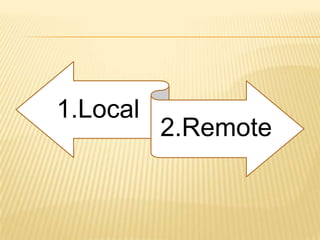
1.Local
2.Remote
THE LOCAL REPOSITORY:
Refers to a copy on your own installation
that is a cache of the remote downloads,
and also contains the temporary build
artifacts that you have not yet released.
REMOTE REPOSITORIES:
 refer to any other type of repository,
accessed by a variety of protocols such as
file:// and http://. These repositories might be
a truly remote repository set up by a third
party to provide their artifacts for downloading
(for example, repo.maven.apache.org and
uk.maven.org house Maven's central
repository). Other "remote" repositories may
be internal repositories set up on a file or
HTTP server within your company, used to
share private artifacts between development
teams and for releases.
THIS HAS THE FOLLOWING ADVANTAGES:
 It uses less storage - while a repository is
typically quite large, because each JAR is
only kept in the one place it is actually
saving space, even though it may not
seem that way
 It makes checking out a project quicker -
initial checkout, and to a small degree
updating, a project will be faster if there
are no large binary files in CVS. While
they may need to be downloaded again
afterwards anyway, this only happens
once and may not be necessary for some
common JARs already in place.
 No need for versioning - CVS and other
source control systems are designed for
versioning files, but external dependencies
typically don't change, or if they do their
filename changes anyway to indicate the
new version. Storing these in CVS doesn't
have any added benefit over keeping them in
a local artifact cache.
USING REPOSITORIES
 In general, you should not need to do
anything with the local repository on a
regular basis, except clean it out if you are
short on disk space (or erase it completely if
you are willing to download everything
again).
 For the remote repositories, they are used for
both downloading and uploading (if you have
the permission to do so).
 You can set this in your settings.xml file to
globally use a certain mirror, however note
that it is common for a project to customize
the repository in their pom.xml and that your
setting will take precedence. If you find that
dependencies are not being found, check
you have not overridden the remote
repository.
UPLOADING TO A REMOTE REPOSITORY
 While this is possible for any type of remote
repository, you must have the permission to
do so. To have someone upload to the
central Maven repository, see Repository
Center
INTERNAL REPOSITORIES
Particularly in a corporate environment,
connecting to the internet to download
dependencies is not acceptable for security,
speed or bandwidth reasons. For that reason, it
is desirable to set up an internal repository to
house a copy of artifacts, and to publish private
artifacts to. Such an internal repository can be
downloaded from using HTTP or the file system
(using a file:// URL), and uploaded to using SCP,
FTP, or a file copy.
 To set up an internal repository just requires
that you have a place to put it, and then start
copying required artifacts there using the
same layout as in a remote repository such
as repo.maven.apache.org.
Thanks

Repository

  • 1.
    REPOSITORY  Submitted to: SirH.M Shafique sahib Submitted by: Shafiq-ur-rehman Roll. no. 04 BS(hons) The Islamia university of Bahawalpur
  • 2.
    REPOSITORY 1. A repositorycan be a place where multiple databases or files are located for distribution over a network, or a repository can be a location that is directly accessible to the user without having to travel across a network.
  • 3.
     2. Ina CASE development system, a database of information about the software, including data elements, processes, inputs, outputs and interrelationships. A CASE system uses a repository to identify objects and rules for reuse.
  • 5.
  • 6.
  • 7.
    THE LOCAL REPOSITORY: Refersto a copy on your own installation that is a cache of the remote downloads, and also contains the temporary build artifacts that you have not yet released.
  • 8.
    REMOTE REPOSITORIES:  referto any other type of repository, accessed by a variety of protocols such as file:// and http://. These repositories might be a truly remote repository set up by a third party to provide their artifacts for downloading (for example, repo.maven.apache.org and uk.maven.org house Maven's central repository). Other "remote" repositories may be internal repositories set up on a file or HTTP server within your company, used to share private artifacts between development teams and for releases.
  • 9.
    THIS HAS THEFOLLOWING ADVANTAGES:
  • 10.
     It usesless storage - while a repository is typically quite large, because each JAR is only kept in the one place it is actually saving space, even though it may not seem that way
  • 11.
     It makeschecking out a project quicker - initial checkout, and to a small degree updating, a project will be faster if there are no large binary files in CVS. While they may need to be downloaded again afterwards anyway, this only happens once and may not be necessary for some common JARs already in place.
  • 12.
     No needfor versioning - CVS and other source control systems are designed for versioning files, but external dependencies typically don't change, or if they do their filename changes anyway to indicate the new version. Storing these in CVS doesn't have any added benefit over keeping them in a local artifact cache.
  • 13.
    USING REPOSITORIES  Ingeneral, you should not need to do anything with the local repository on a regular basis, except clean it out if you are short on disk space (or erase it completely if you are willing to download everything again).  For the remote repositories, they are used for both downloading and uploading (if you have the permission to do so).
  • 14.
     You canset this in your settings.xml file to globally use a certain mirror, however note that it is common for a project to customize the repository in their pom.xml and that your setting will take precedence. If you find that dependencies are not being found, check you have not overridden the remote repository.
  • 15.
    UPLOADING TO AREMOTE REPOSITORY  While this is possible for any type of remote repository, you must have the permission to do so. To have someone upload to the central Maven repository, see Repository Center
  • 16.
    INTERNAL REPOSITORIES Particularly ina corporate environment, connecting to the internet to download dependencies is not acceptable for security, speed or bandwidth reasons. For that reason, it is desirable to set up an internal repository to house a copy of artifacts, and to publish private artifacts to. Such an internal repository can be downloaded from using HTTP or the file system (using a file:// URL), and uploaded to using SCP, FTP, or a file copy.
  • 17.
     To setup an internal repository just requires that you have a place to put it, and then start copying required artifacts there using the same layout as in a remote repository such as repo.maven.apache.org.
  • 18.