Reference	
  Architectures:	
  
Architec/ng	
  Ceph	
  Storage	
  Solu/ons	
  
Brent	
  Compton	
  
Director	
  Storage	
  Solu/ons,	
  Red	
  Hat	


Kyle	
  Bader	
  
Senior	
  Solu/on	
  Architect,	
  Red	
  Hat	
  
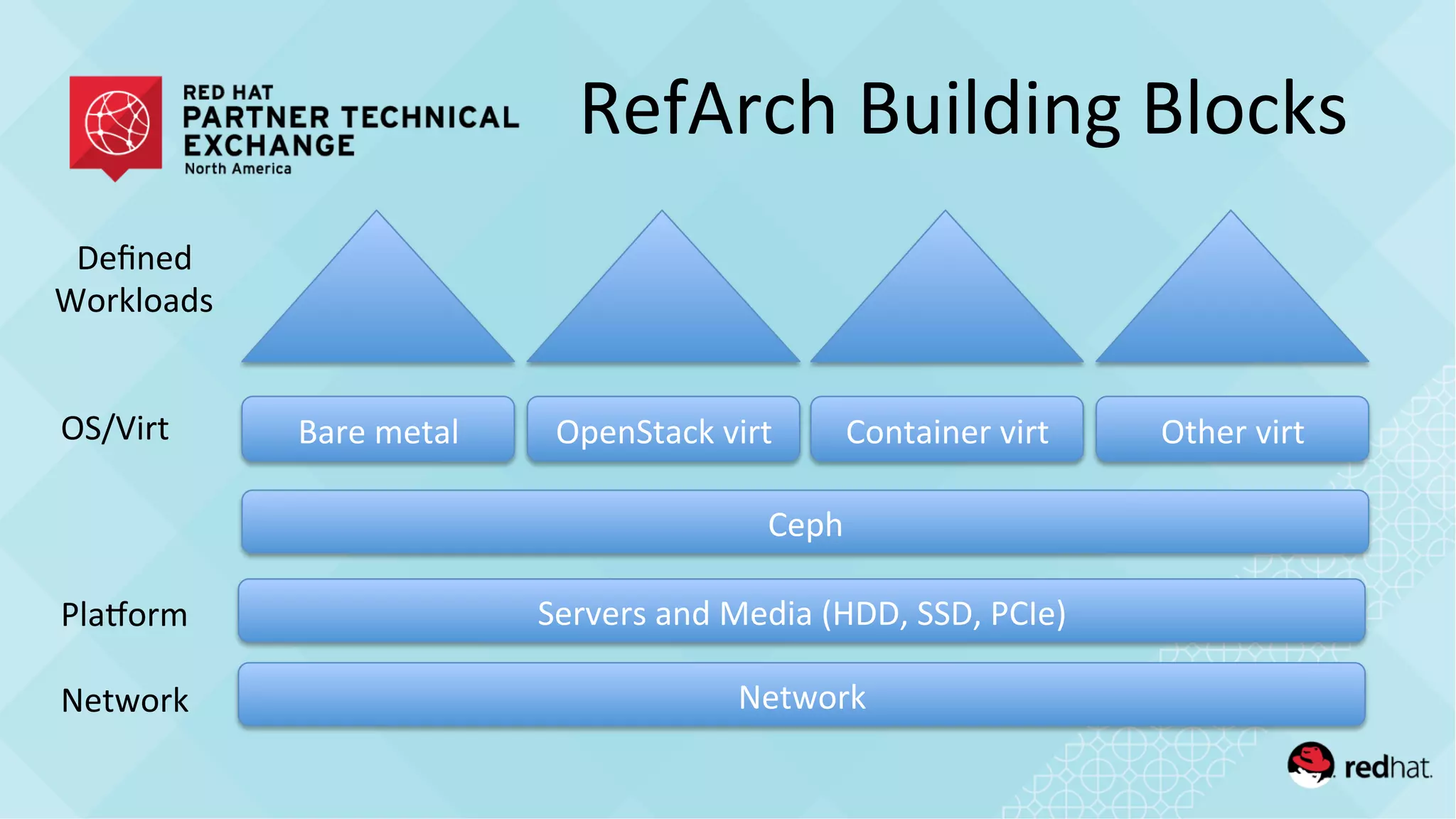
RefArch	
  Building	
  Blocks	
  
Servers	
  and	
  Media	
  (HDD,	
  SSD,	
  PCIe)	
  
Network	
  
Bare	
  metal	
   OpenStack	
  virt	
   Container	
  virt	
   Other	
  virt	
  
Defined	
  
Workloads	
  
OS/Virt	
  
PlaMorm	
  
Network	
  
Ceph	
  
RefArch	
  Flavors	
  
•  How-­‐to	
  integra/on	
  guides	
  
(Ceph+OS/Virt,	
  or	
  Ceph+OS/Virt+Workloads)	
  
hQp://www.dell.com/learn/us/en/04/shared-­‐content~data-­‐sheets~en/documents~dell-­‐red-­‐hat-­‐cloud-­‐
solu/ons.pdf	


•  Performance	
  and	
  sizing	
  guides	
  
(Network+Server+Ceph+[OS/Virt])	
  
hQp://www.redhat.com/en/resources/red-­‐hat-­‐ceph-­‐storage-­‐clusters-­‐supermicro-­‐storage-­‐servers	
  
	
  hQps://www.redhat.com/en/resources/cisco-­‐ucs-­‐c3160-­‐rack-­‐server-­‐red-­‐hat-­‐ceph-­‐storage	
  	
  
hQps://www.scalableinforma/cs.com/assets/documents/Unison-­‐Ceph-­‐Performance.pdf	
  	
  
1.  Qualify	
  need	
  for	
  scale-­‐out	
  storage	
  
2.  Design	
  for	
  target	
  workload	
  IO	
  profile(s)	
  
3.  Choose	
  storage	
  access	
  method(s)	
  
4.  Iden/fy	
  capacity	
  
5.  Determine	
  fault-­‐domain	
  risk	
  tolerance	
  
6.  Select	
  data	
  protec/on	
  method	
  
•  Target	
  server	
  and	
  network	
  hardware	
  architecture	
  
(performance	
  and	
  sizing)	
  
Design	
  Considera/ons	
  
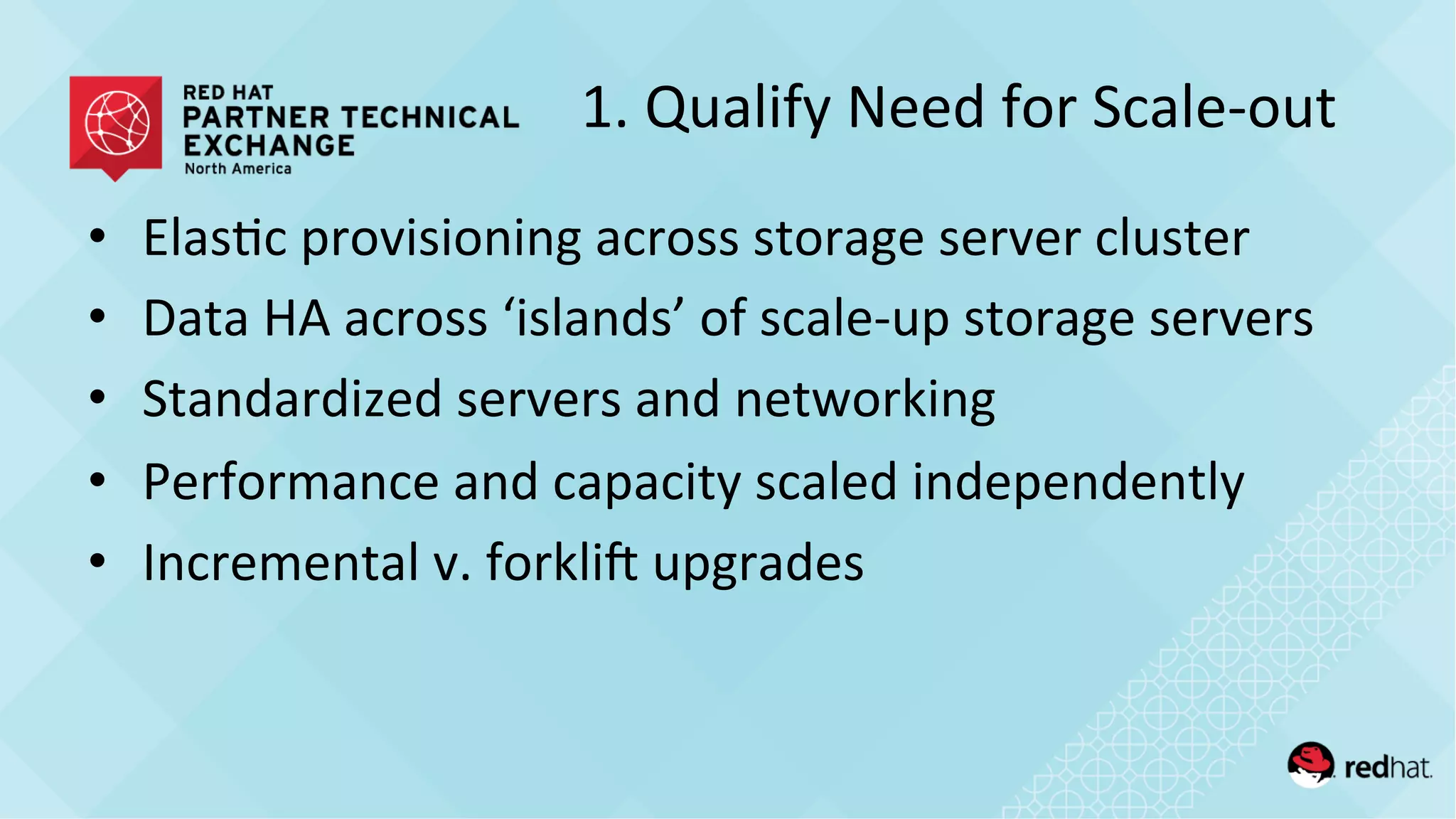
1.	
  Qualify	
  Need	
  for	
  Scale-­‐out	
  
•  Elas/c	
  provisioning	
  across	
  storage	
  server	
  cluster	
  
•  Data	
  HA	
  across	
  ‘islands’	
  of	
  scale-­‐up	
  storage	
  servers	
  
•  Standardized	
  servers	
  and	
  networking	
  
•  Performance	
  and	
  capacity	
  scaled	
  independently	
  
•  Incremental	
  v.	
  forklie	
  upgrades	
  
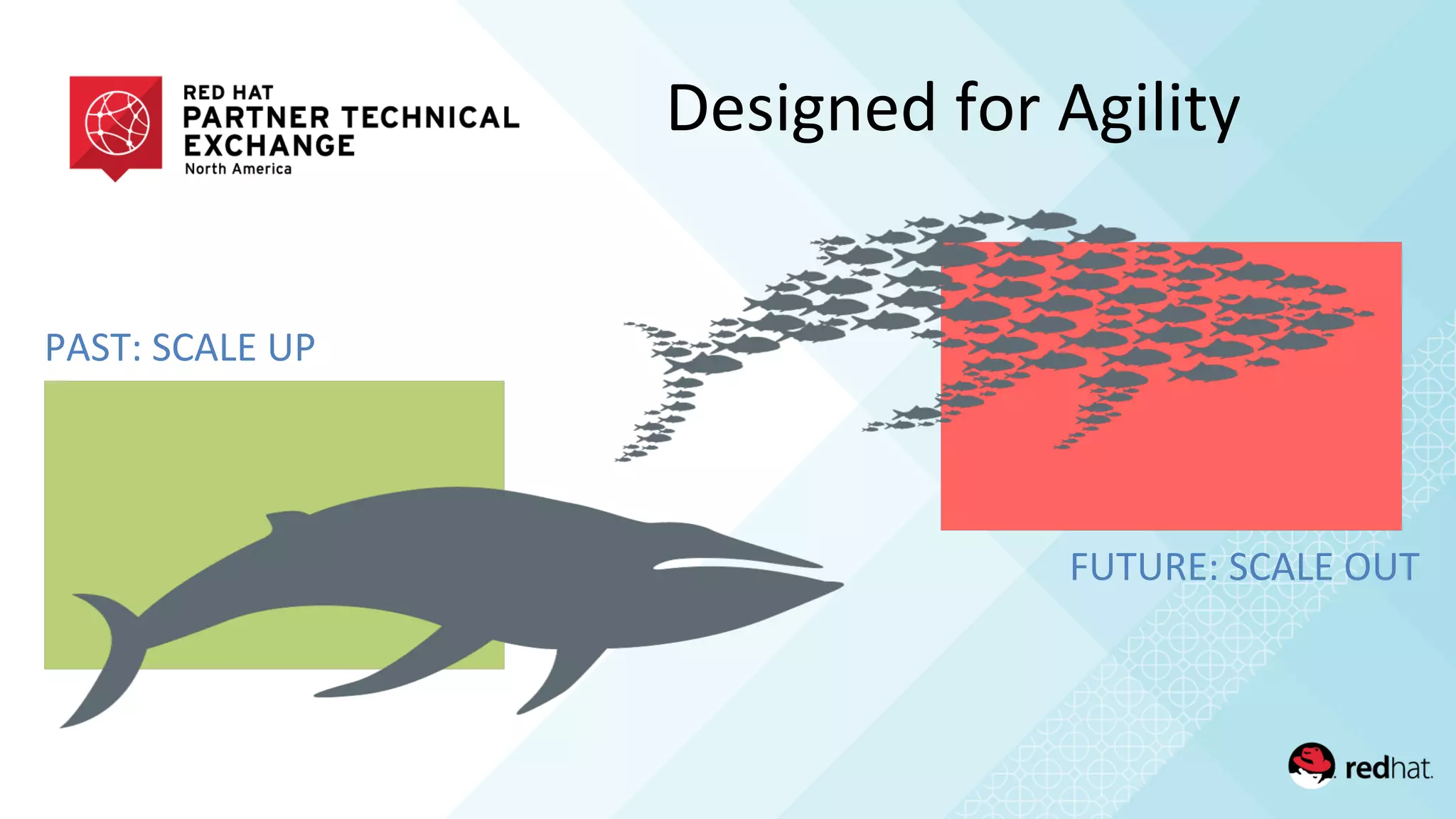
PAST:	
  SCALE	
  UP	
  
FUTURE:	
  SCALE	
  OUT	
  
Designed	
  for	
  Agility	
  
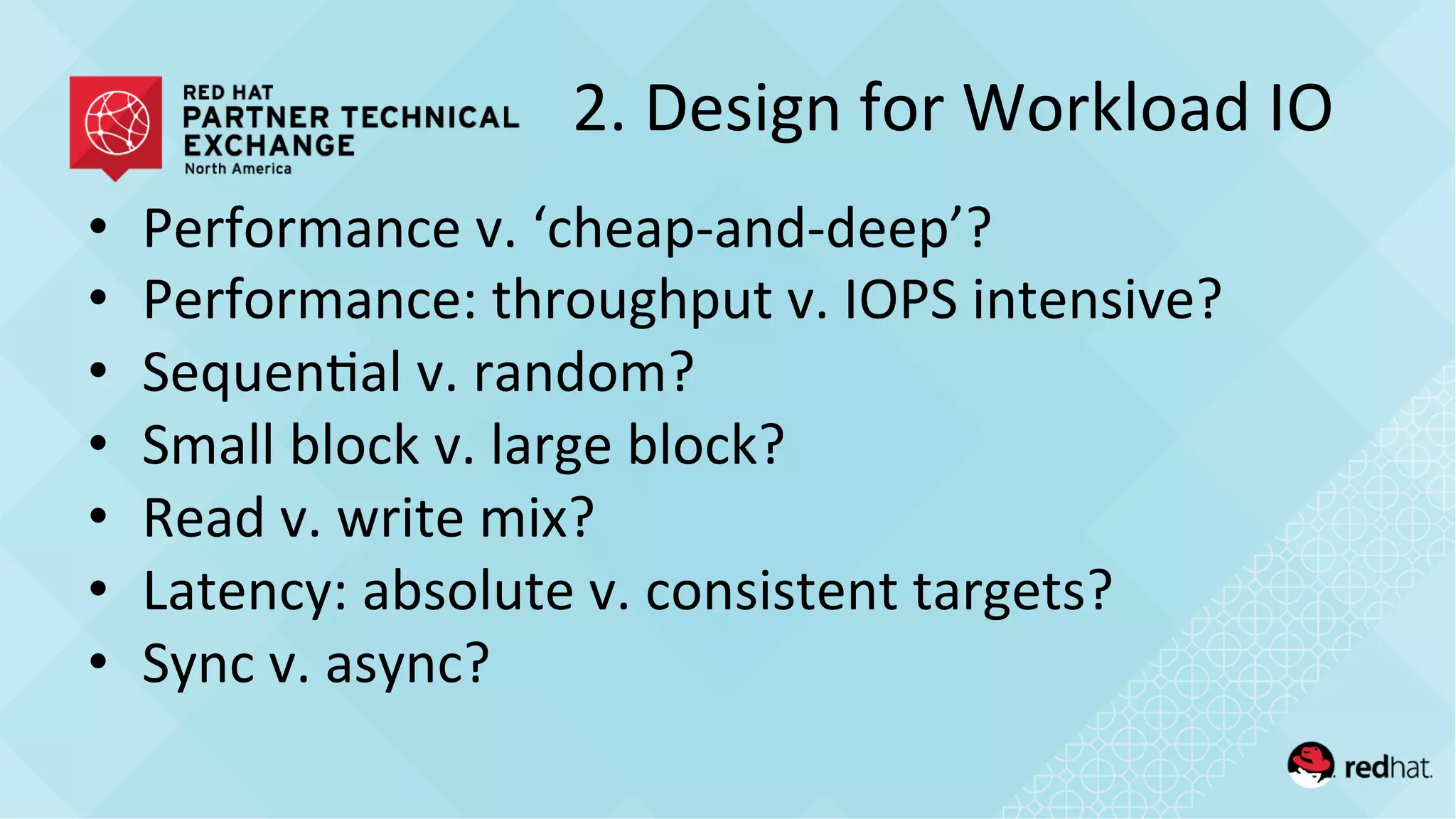
2.	
  Design	
  for	
  Workload	
  IO	
  
•  Performance	
  v.	
  ‘cheap-­‐and-­‐deep’?	
  
•  Performance:	
  throughput	
  v.	
  IOPS	
  intensive?	
  
•  Sequen/al	
  v.	
  random?	
  
•  Small	
  block	
  v.	
  large	
  block?	
  
•  Read	
  v.	
  write	
  mix?	
  
•  Latency:	
  absolute	
  v.	
  consistent	
  targets?	
  
•  Sync	
  v.	
  async?	
  
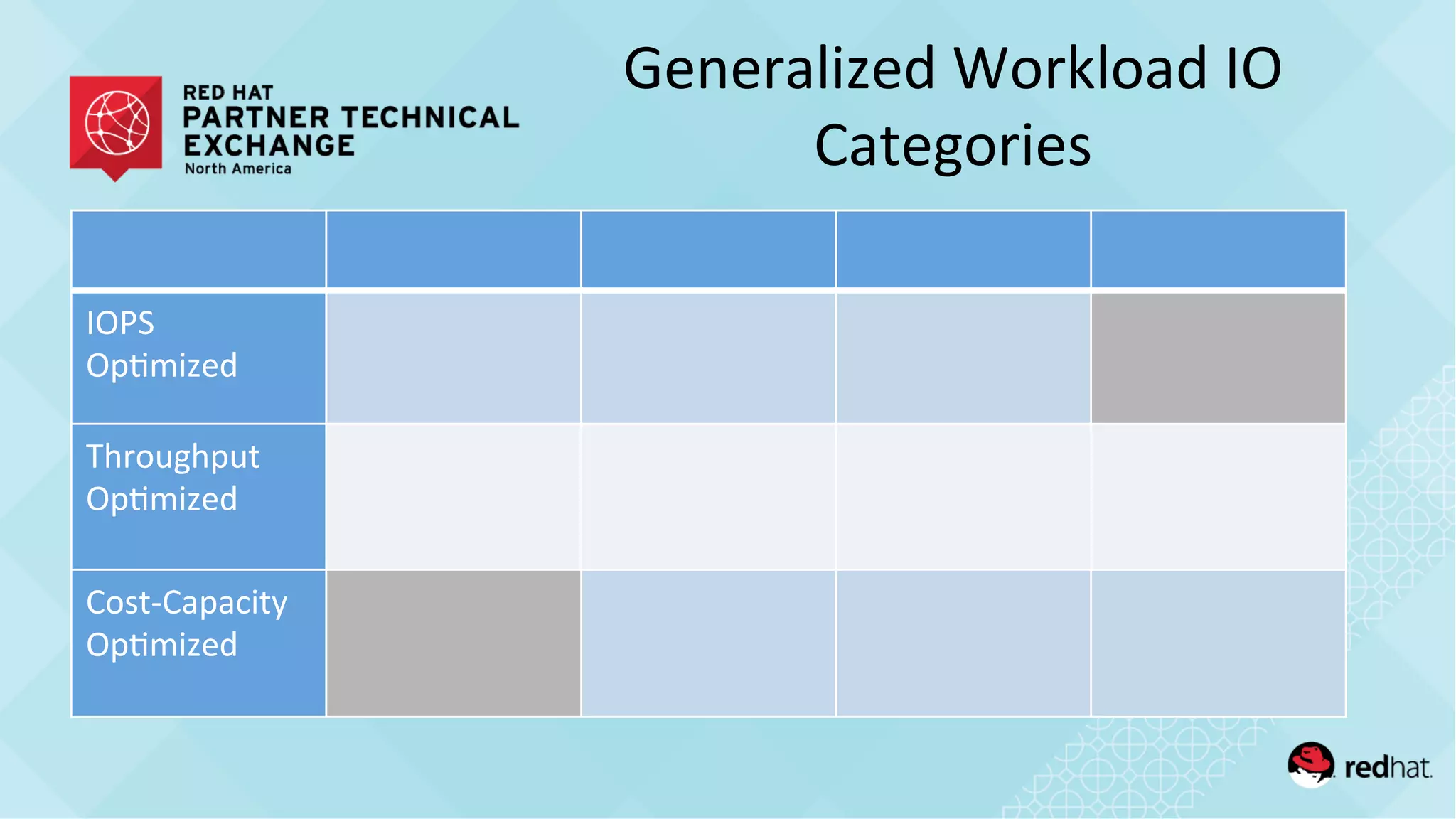
Generalized	
  Workload	
  IO	
  
Categories	
  
IOPS	
  	
  
Op/mized	
  
Throughput	
  
Op/mized	
  
Cost-­‐Capacity	
  
Op/mized	
  
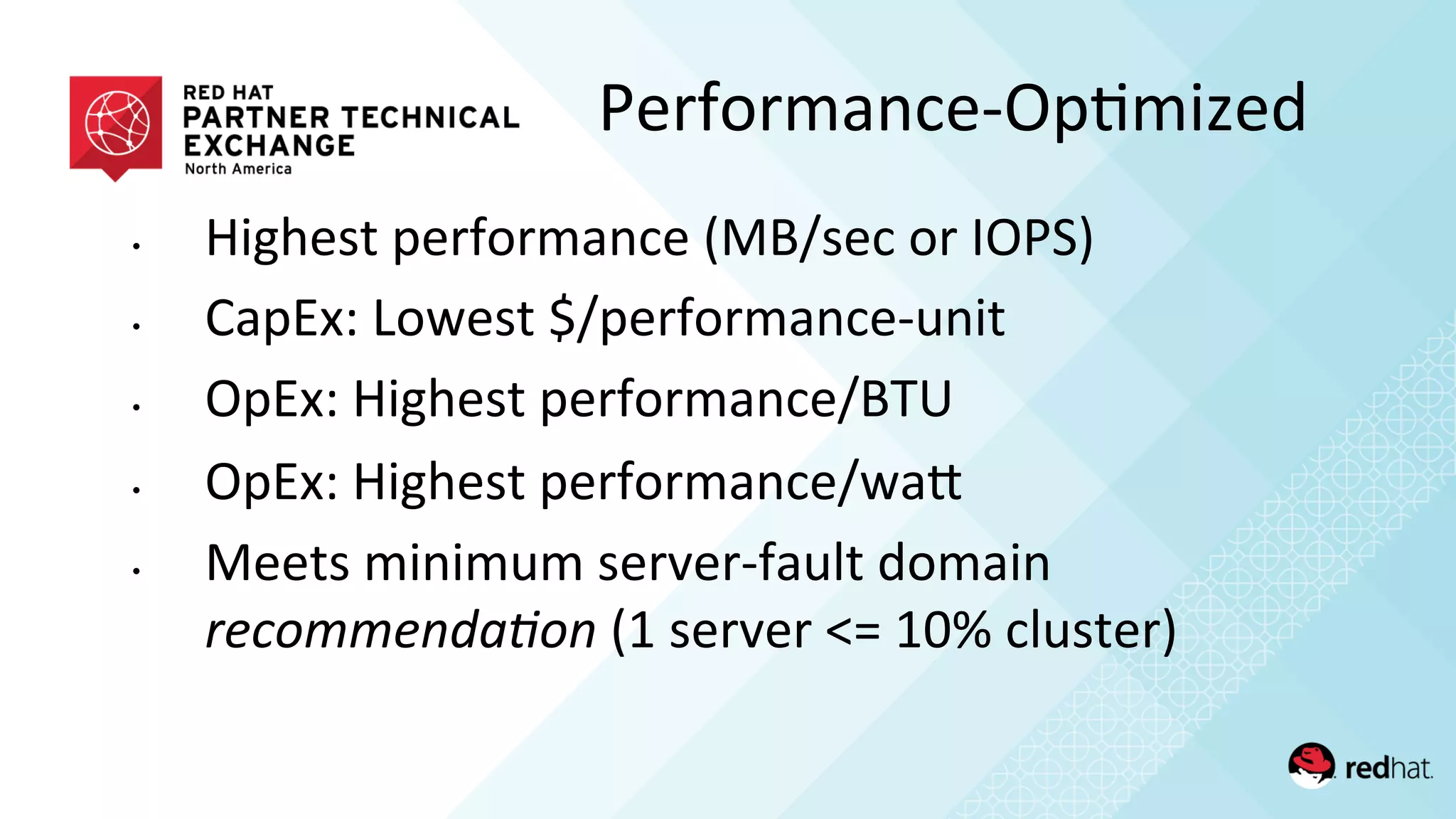
•  Highest	
  performance	
  (MB/sec	
  or	
  IOPS)	
  
•  CapEx:	
  Lowest	
  $/performance-­‐unit	
  
•  OpEx:	
  Highest	
  performance/BTU	
  
•  OpEx:	
  Highest	
  performance/waQ	
  
•  Meets	
  minimum	
  server-­‐fault	
  domain	
  
recommenda)on	
  (1	
  server	
  <=	
  10%	
  cluster)	
  
Performance-­‐Op/mized	
  
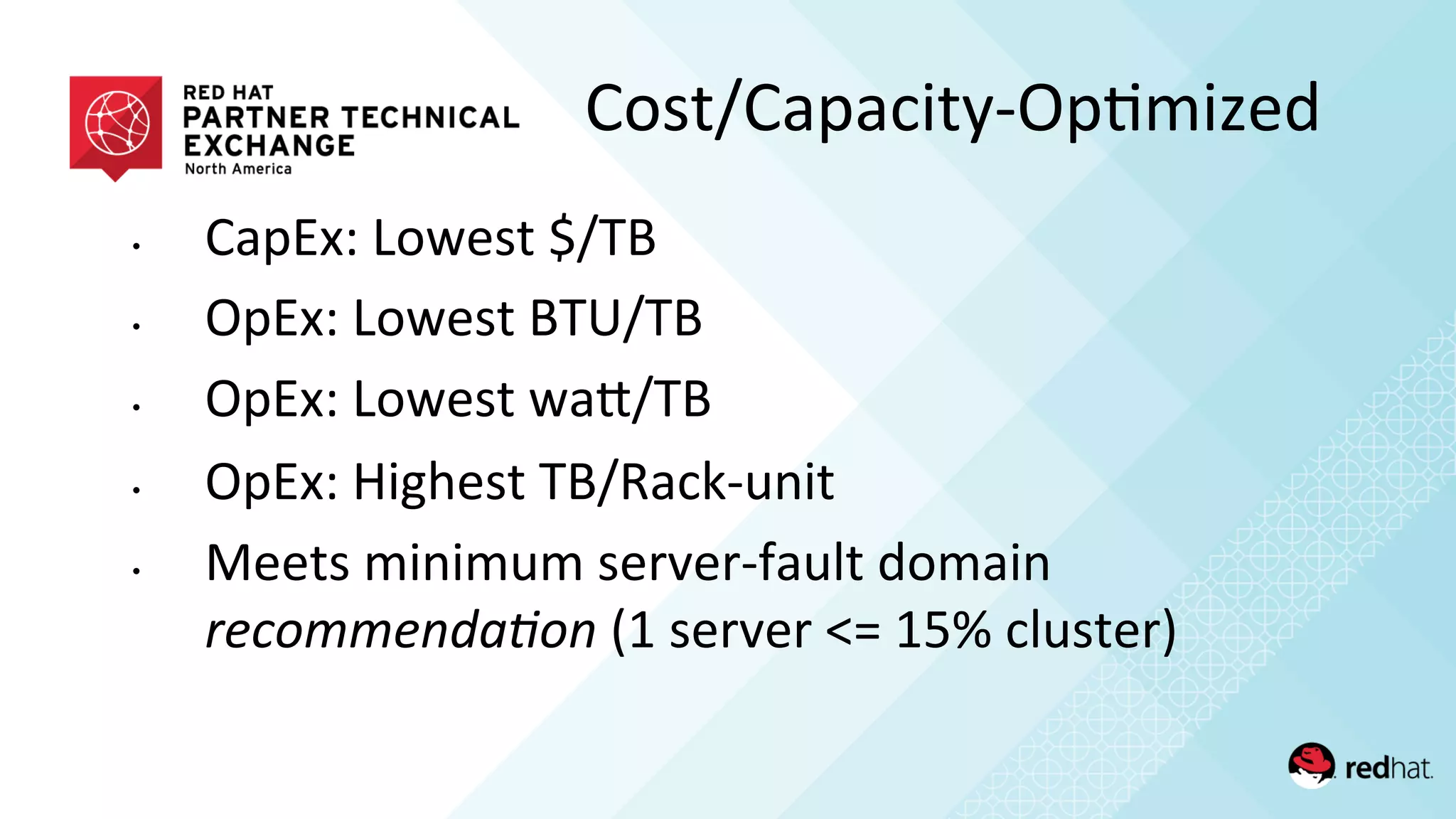
•  CapEx:	
  Lowest	
  $/TB	
  
•  OpEx:	
  Lowest	
  BTU/TB	
  
•  OpEx:	
  Lowest	
  waQ/TB	
  
•  OpEx:	
  Highest	
  TB/Rack-­‐unit	
  
•  Meets	
  minimum	
  server-­‐fault	
  domain	
  
recommenda)on	
  (1	
  server	
  <=	
  15%	
  cluster)	
  
Cost/Capacity-­‐Op/mized	
  
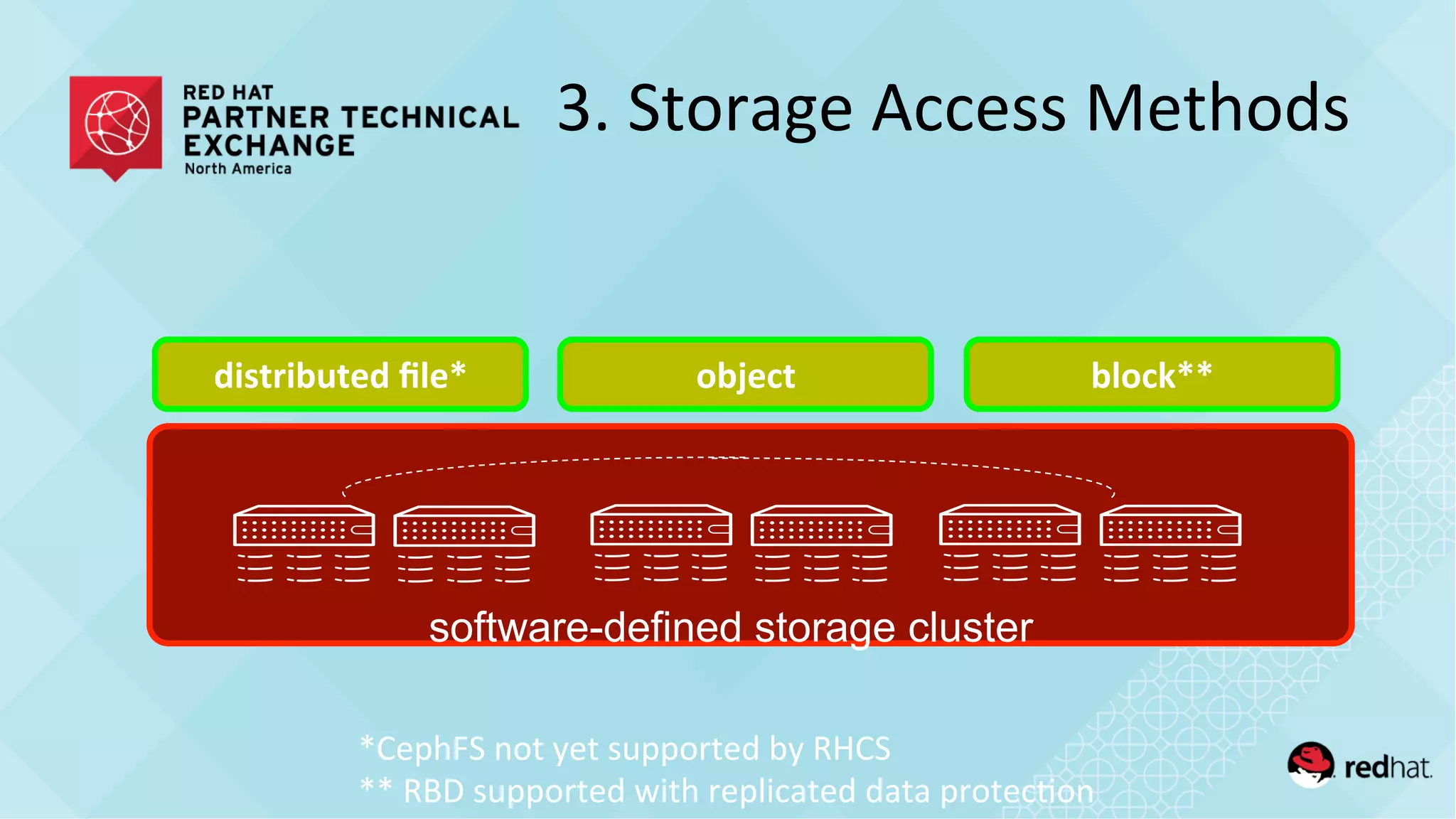
3.	
  Storage	
  Access	
  Methods	
  
distributed	
  file*	
   object	
   block**	
  
software-defined storage cluster
*CephFS	
  not	
  yet	
  supported	
  by	
  RHCS	
  
**	
  RBD	
  supported	
  with	
  replicated	
  data	
  protec/on	
  
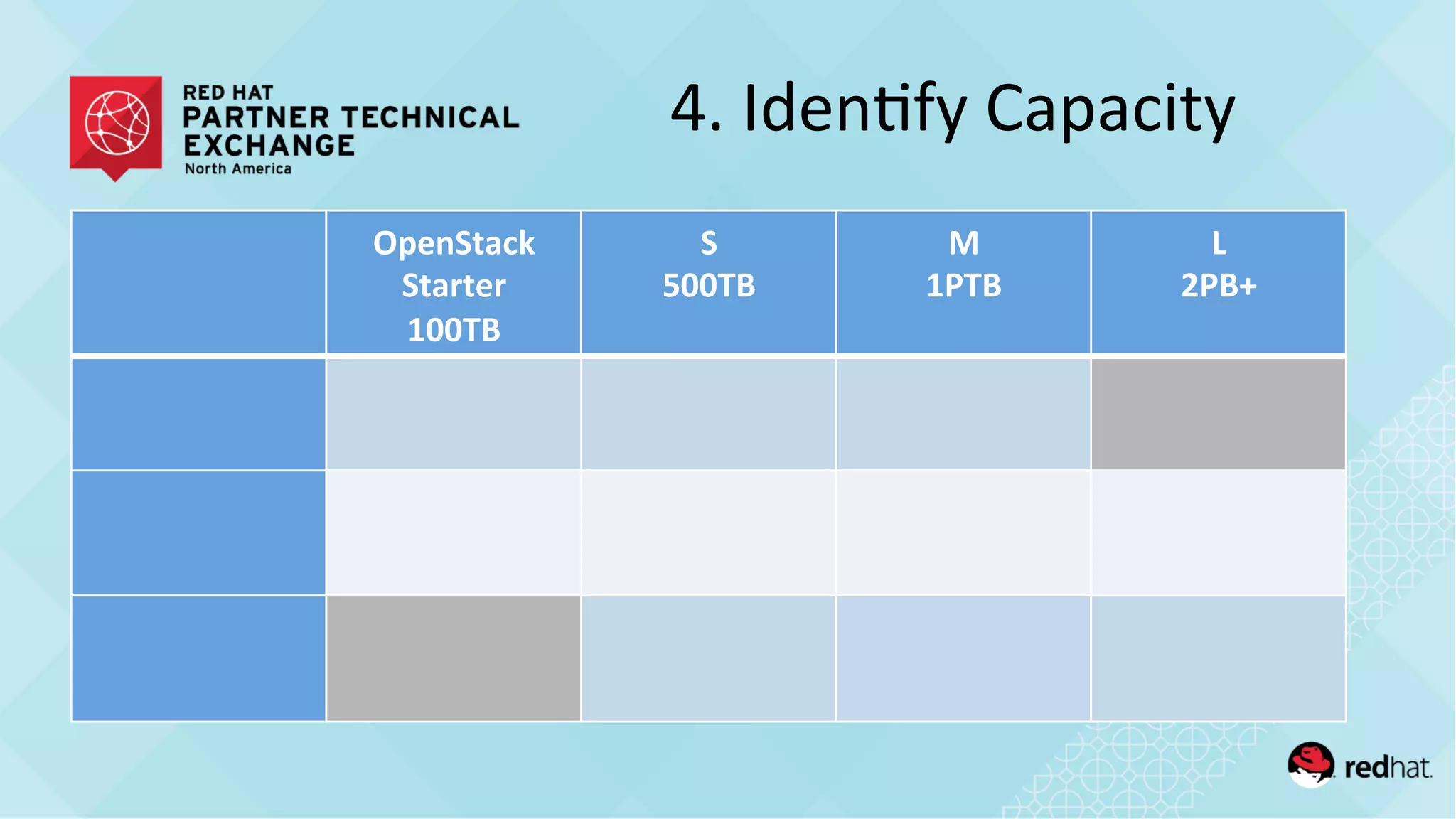
4.	
  Iden/fy	
  Capacity	
  
OpenStack	
  
Starter	
  
100TB	
  
S	
  
500TB	
  
M	
  
1PTB	
  
L	
  
2PB+	
  
5.	
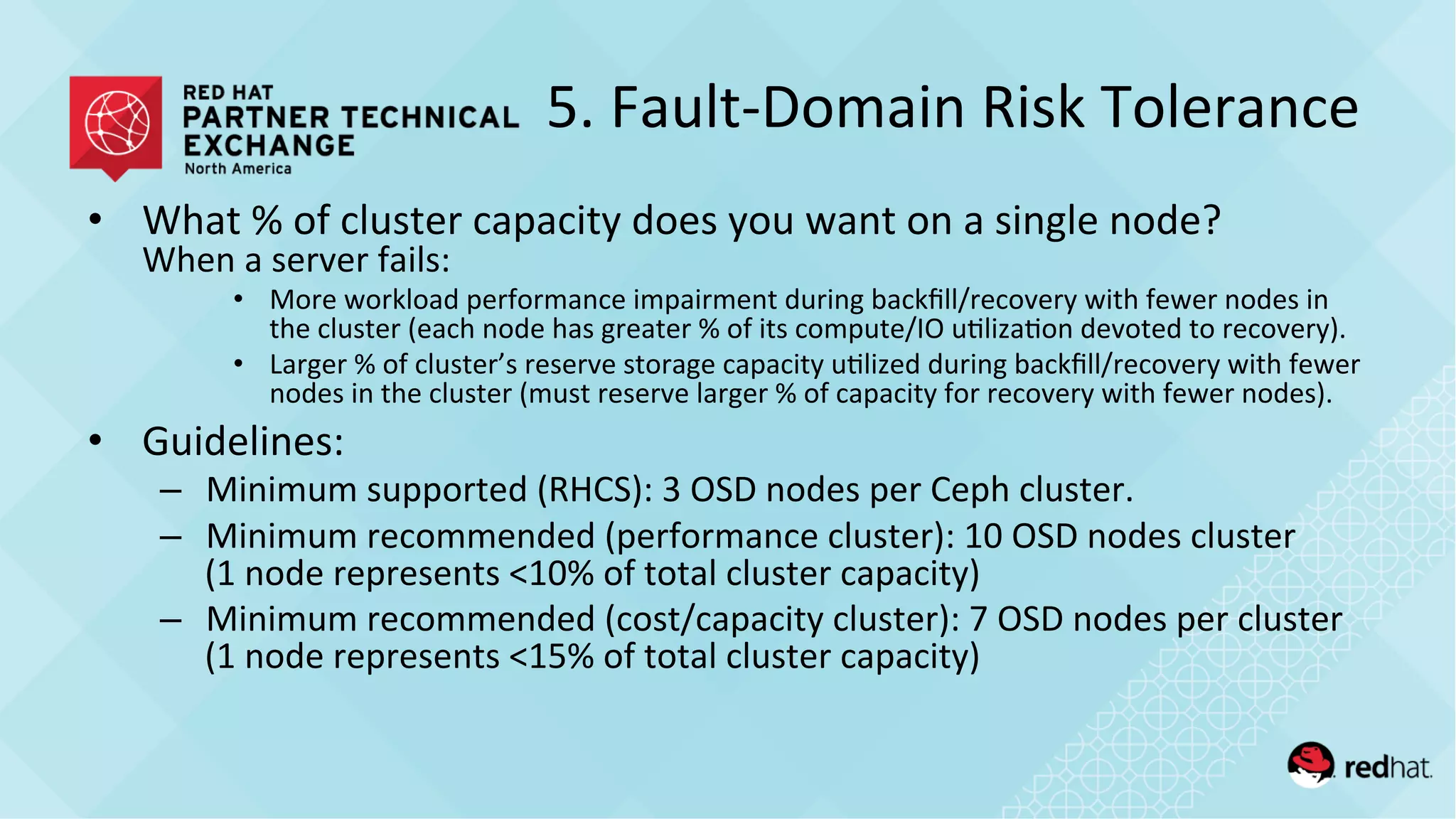
  Fault-­‐Domain	
  Risk	
  Tolerance	
  
•  What	
  %	
  of	
  cluster	
  capacity	
  does	
  you	
  want	
  on	
  a	
  single	
  node?	
  
When	
  a	
  server	
  fails:	
  
•  More	
  workload	
  performance	
  impairment	
  during	
  backfill/recovery	
  with	
  fewer	
  nodes	
  in	
  
the	
  cluster	
  (each	
  node	
  has	
  greater	
  %	
  of	
  its	
  compute/IO	
  u/liza/on	
  devoted	
  to	
  recovery).	
  	
  
•  Larger	
  %	
  of	
  cluster’s	
  reserve	
  storage	
  capacity	
  u/lized	
  during	
  backfill/recovery	
  with	
  fewer	
  
nodes	
  in	
  the	
  cluster	
  (must	
  reserve	
  larger	
  %	
  of	
  capacity	
  for	
  recovery	
  with	
  fewer	
  nodes).	
  
•  Guidelines:	
  
–  Minimum	
  supported	
  (RHCS):	
  3	
  OSD	
  nodes	
  per	
  Ceph	
  cluster.	
  
–  Minimum	
  recommended	
  (performance	
  cluster):	
  10	
  OSD	
  nodes	
  cluster	
  
(1	
  node	
  represents	
  <10%	
  of	
  total	
  cluster	
  capacity)	
  
–  Minimum	
  recommended	
  (cost/capacity	
  cluster):	
  7	
  OSD	
  nodes	
  per	
  cluster	
  
(1	
  node	
  represents	
  <15%	
  of	
  total	
  cluster	
  capacity)	
  
6.	
  Data	
  Protec/on	
  Schemes	
  
•  Replica/on	
  
•  Erasure	
  Coding	
  (analogous	
  to	
  network	
  RAID)	


One	
  of	
  the	
  biggest	
  choices	
  affec)ng	
  TCO	
  in	
  the	
  en)re	
  
solu)on!	
  
•  Replica/on	
  
– 3x	
  rep	
  over	
  JBOD	
  =	
  33%	
  usable:raw	
  capacity	
  ra/o	


•  Erasure	
  Coding	
  (analogous	
  to	
  network	
  RAID)	
  
– 8+3	
  over	
  JBOD	
  =	
  73%	
  usable:raw	
  
Data	
  Protec/on	
  Schemes	
  
•  Replica/on	
  
–  Ceph	
  block	
  storage	
  default:	
  3x	
  rep	
  over	
  JBOD	
  disks.	
  
–  Gluster	
  file	
  storage	
  default:	
  2x	
  rep	
  over	
  RAID6	
  bricks.	


•  Erasure	
  Coding	
  (analogous	
  to	
  network	
  RAID)	
  
–  Data	
  encoded	
  into	
  k	
  chunks	
  with	
  m	
  parity	
  chunks	
  and	
  
spread	
  onto	
  different	
  disks	
  (frequently	
  on	
  different	
  
servers).	
  	
  Can	
  tolerate	
  m	
  disk	
  failures	
  without	
  data	
  
loss.	
  	
  8+3	
  popular.	
  
Data	
  Protec/on	
  Schemes	
  
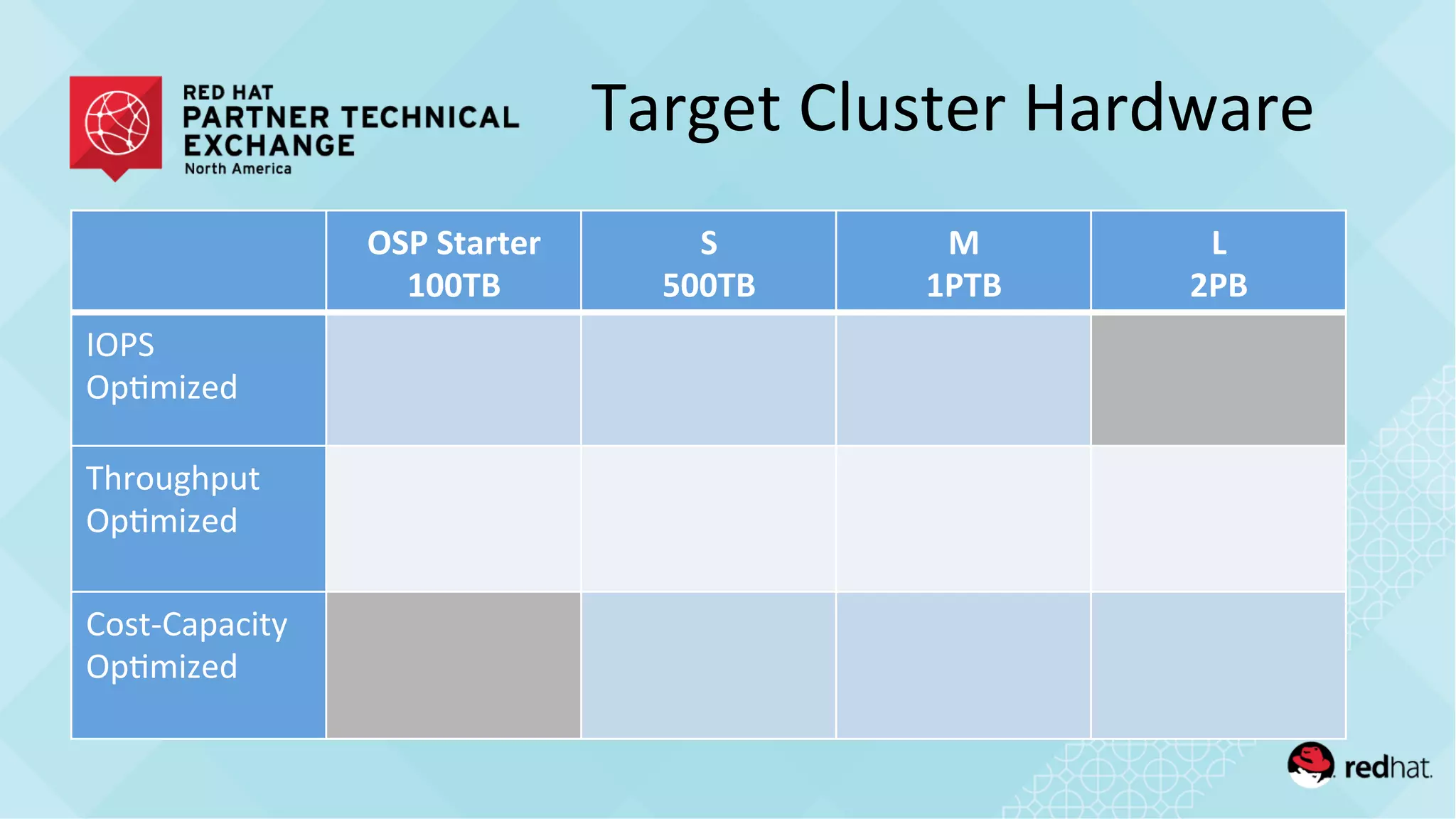
Target	
  Cluster	
  Hardware	
  
OSP	
  Starter	
  
100TB	
  
S	
  
500TB	
  
M	
  
1PTB	
  
L	
  
2PB	
  
IOPS	
  	
  
Op/mized	
  
Throughput	
  
Op/mized	
  
Cost-­‐Capacity	
  
Op/mized	
  
•  Following	
  are	
  extracts	
  from	
  the	
  recently	
  
published	
  Ceph	
  on	
  Supermicro	
  RefArch	
  
•  Based	
  on	
  lab	
  benchmarking	
  results	
  from	
  many	
  
different	
  configura/ons	
  
RefArch	
  Examples	
  
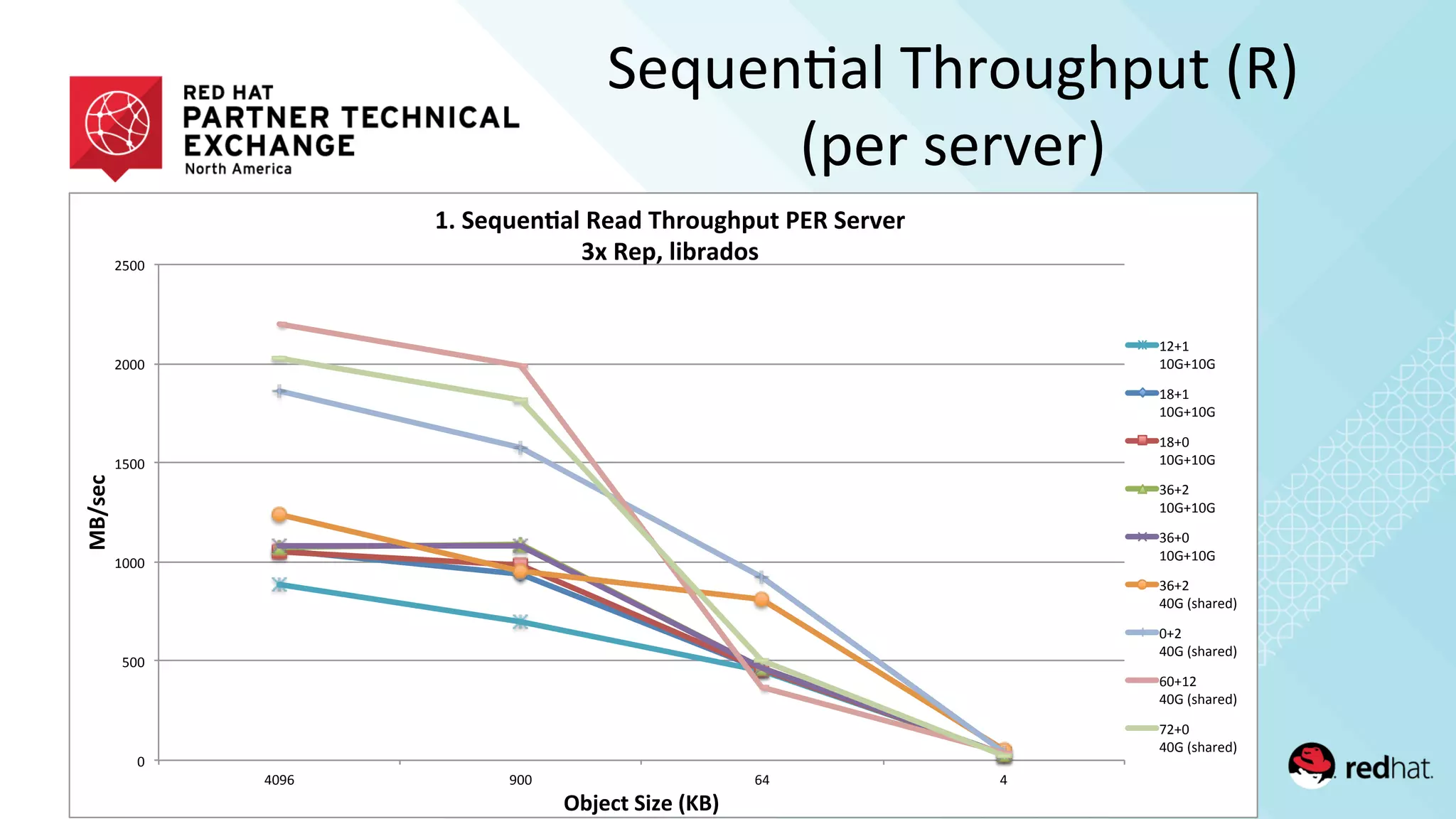
Sequen/al	
  Throughput	
  (R)	
  
(per	
  server)	
  
!"
#!!"
$!!!"
$#!!"
%!!!"
%#!!"
&!'(" '!!" (&" &"
!"#$%&'
()*%&+',-.%'/0"1'
23',%45%6789':%8;'<=>?5@=A5+'BC:',%>D%>'
EF':%AG'9-)>8;?$'
$%)$"
$!*)$!*"
$+)$"
$!*)$!*"
$+)!"
$!*)$!*"
,()%"
$!*)$!*"
,()!"
$!*)$!*"
,()%"
&!*"-./01234"
!)%"
&!*"-./01234"
(!)$%"
&!*"-./01234"
5%)!"
&!*"-./01234"
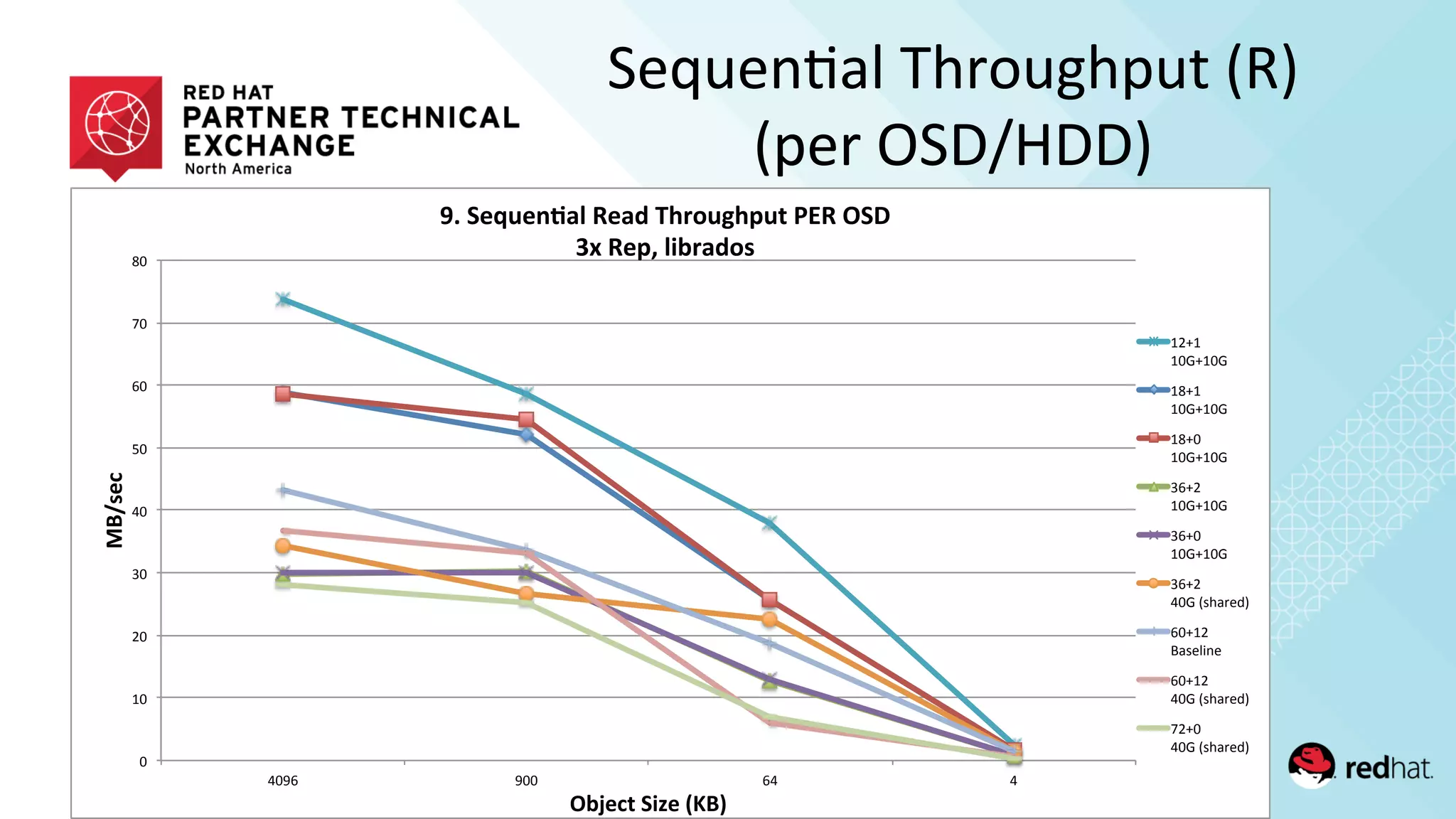
Sequen/al	
  Throughput	
  (R)	
  
(per	
  OSD/HDD)	
  
!"
#!"
$!"
%!"
&!"
'!"
(!"
)!"
*!"
&!+(" +!!" (&" &"
!"#$%&'
()*%&+',-.%'/0"1'
23',%45%6789':%8;'<=>?5@=A5+'BC:'(,D'
EF':%AG'9-)>8;?$'
#$,#"
#!-,#!-"
#*,#"
#!-,#!-"
#*,!"
#!-,#!-"
%(,$"
#!-,#!-"
%(,!"
#!-,#!-"
%(,$"
&!-"./012345"
(!,#$"
61/37893"
(!,#$"
&!-"./012345"
)$,!"
&!-"./012345"
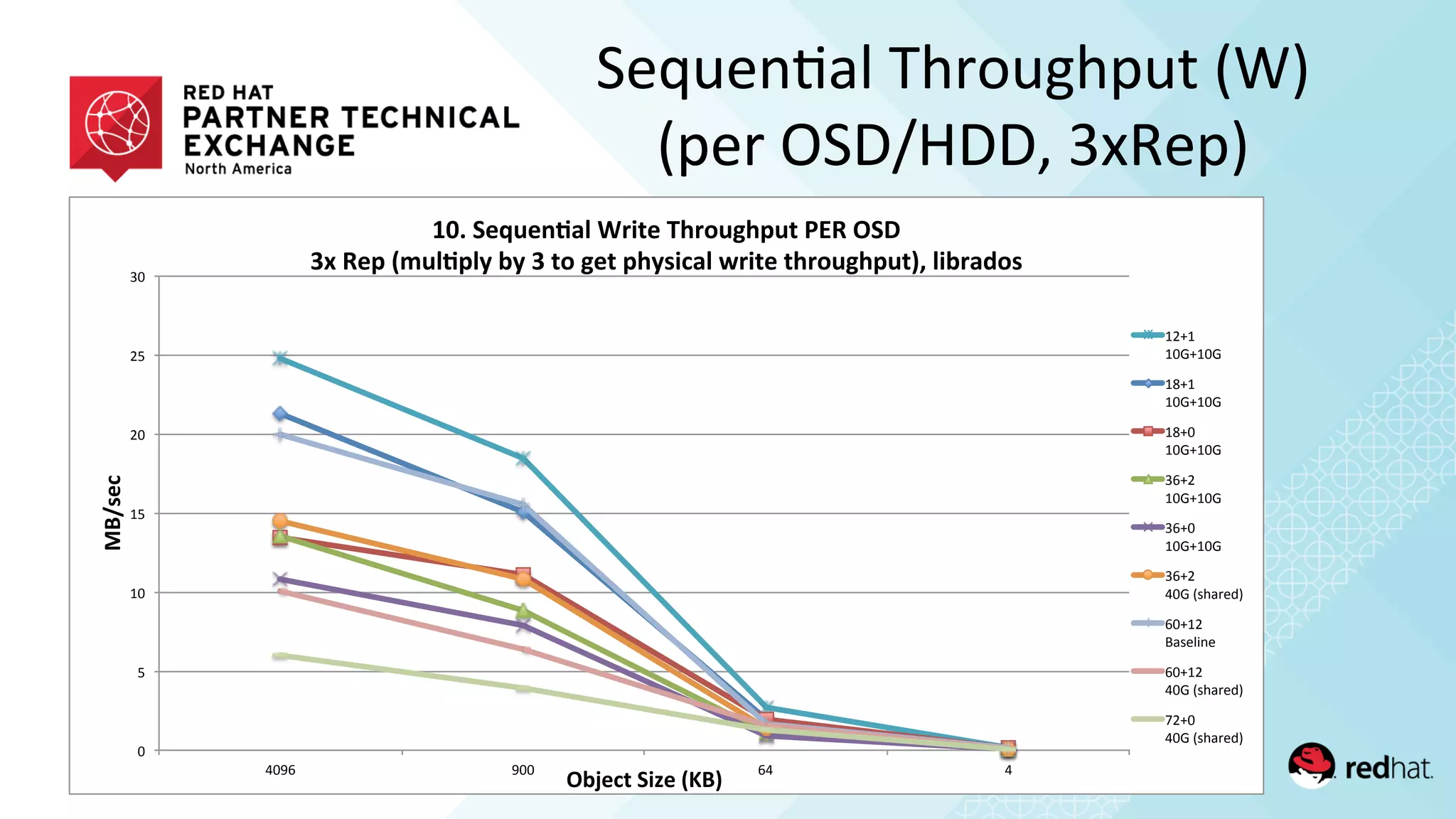
Sequen/al	
  Throughput	
  (W)	
  
(per	
  OSD/HDD,	
  3xRep)	
  
!"
#"
$!"
$#"
%!"
%#"
&!"
'!()" (!!" )'" '"
!"#$%&'
()*%&+',-.%'/0"1'
234',%56%789:';<-+%'=><?6@>A6+'BCD'(,E'
FG'D%A'/H6:8A:I')I'F'+?'@%+'A>I$-&9:'J<-+%'+><?6@>A6+1K':-)<9L?$'
$%*$"
$!+*$!+"
$,*$"
$!+*$!+"
$,*!"
$!+*$!+"
&)*%"
$!+*$!+"
&)*!"
$!+*$!+"
&)*%"
'!+"-./01234"
)!*$%"
50.26782"
)!*$%"
'!+"-./01234"
9%*!"
'!+"-./01234"
!"
#"
$!"
$#"
%!"
%#"
&!"
&#"
'!"
'#"
'!()" (!!" )'" '"
!"#$%&'
()*%&+',-.%'/0"1'
234',%56%789:';<-+%'=><?6@>A6+'BCD'(,E'
CF'GH3'/I6:8A:J')J'/2H/K#/KHI11'+?'@%+'A>J$-&9:'L<-+%'+><?6@>A6+1M':-)<9N?$'
$%*$"
$!+*$!+"
$,*$"
$!+*$!+"
$,*!"
$!+*$!+"
&)*%"
$!+*$!+"
&)*!"
$!+*$!+"
&)*%"
'!+"-./01234"
)!*$%"
50.26782"
$%*!"
$!+*$!+"
)!*$%"
'!+"-./01234"
9%*!"
'!+"-./01234"
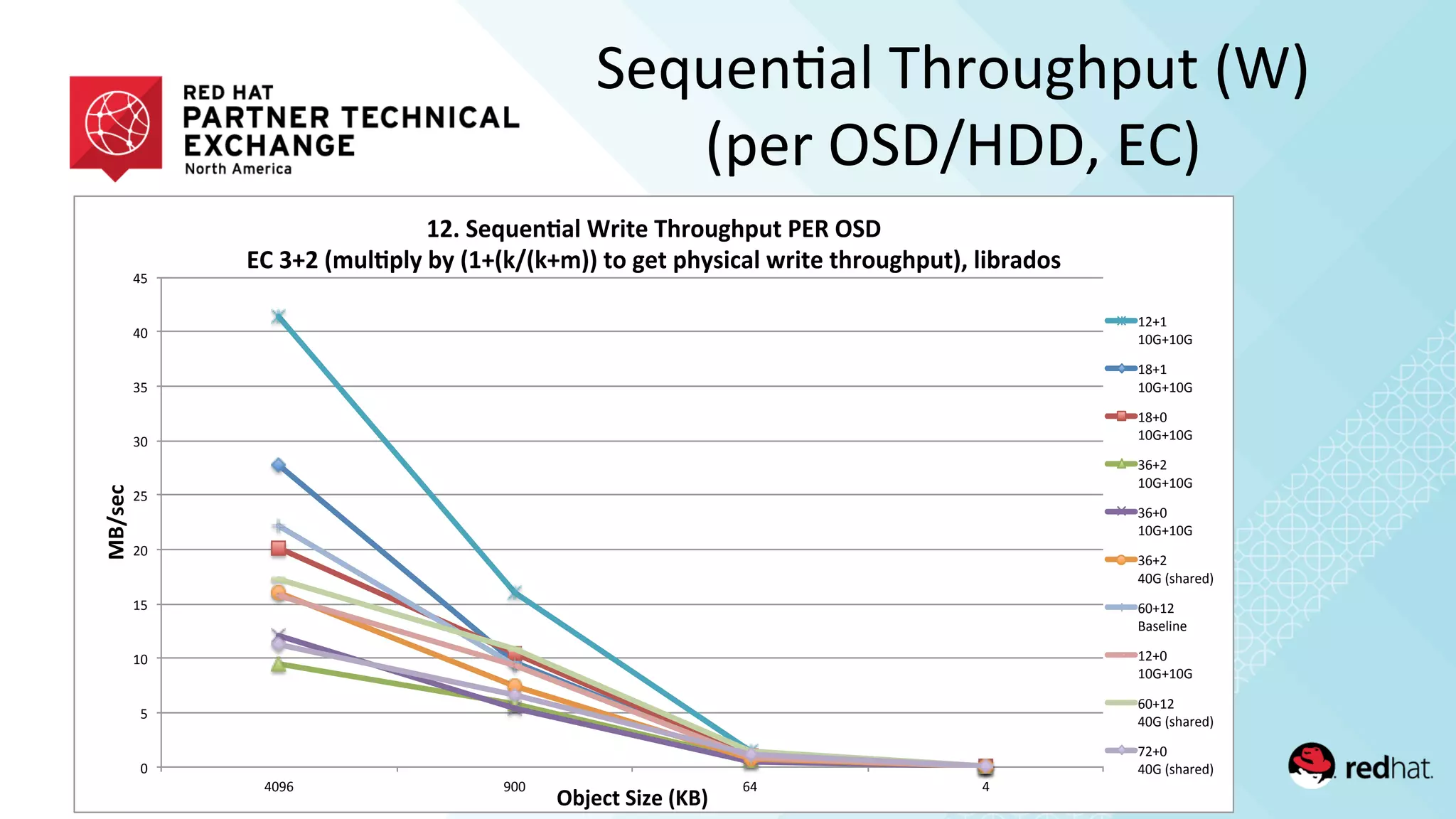
Sequen/al	
  Throughput	
  (W)	
  
(per	
  OSD/HDD,	
  EC)	
  
!"#$%"&'()$*"+,&")$-"%$./)0"
12%3452#46"7#89:;.83<=">$./"
?%:*$"#$%"4<:6"3@"A3%B"
+C3A$)6"#%:*$"D"E$)60"
!"#$%&'&())*&
$(#+%&'&,"#))*&
-$#+%&'&"#./01&
-(#+%&'&$#))*&
,"#+%&'&,#./01&
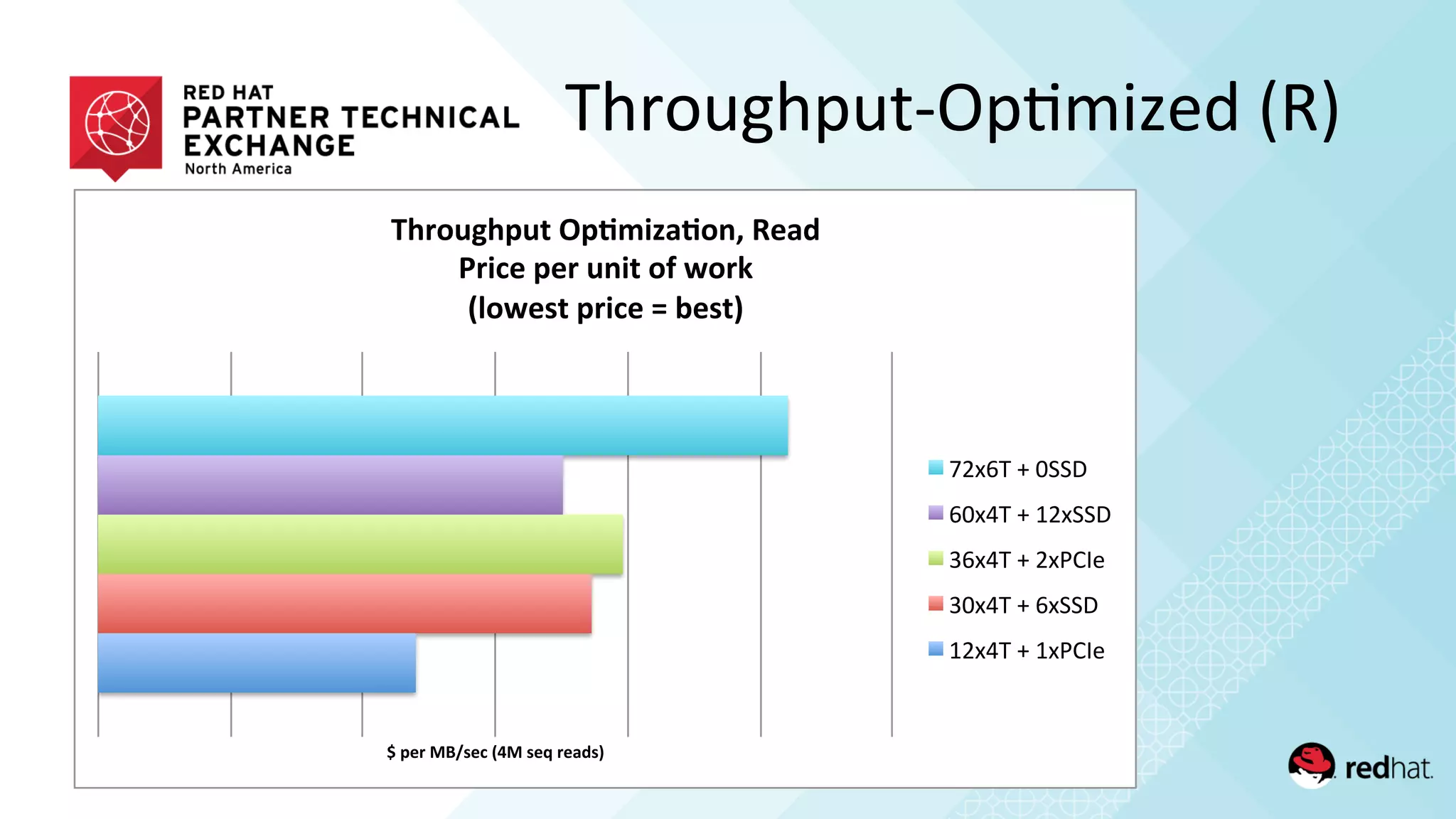
Throughput-­‐Op/mized	
  (R)	
  
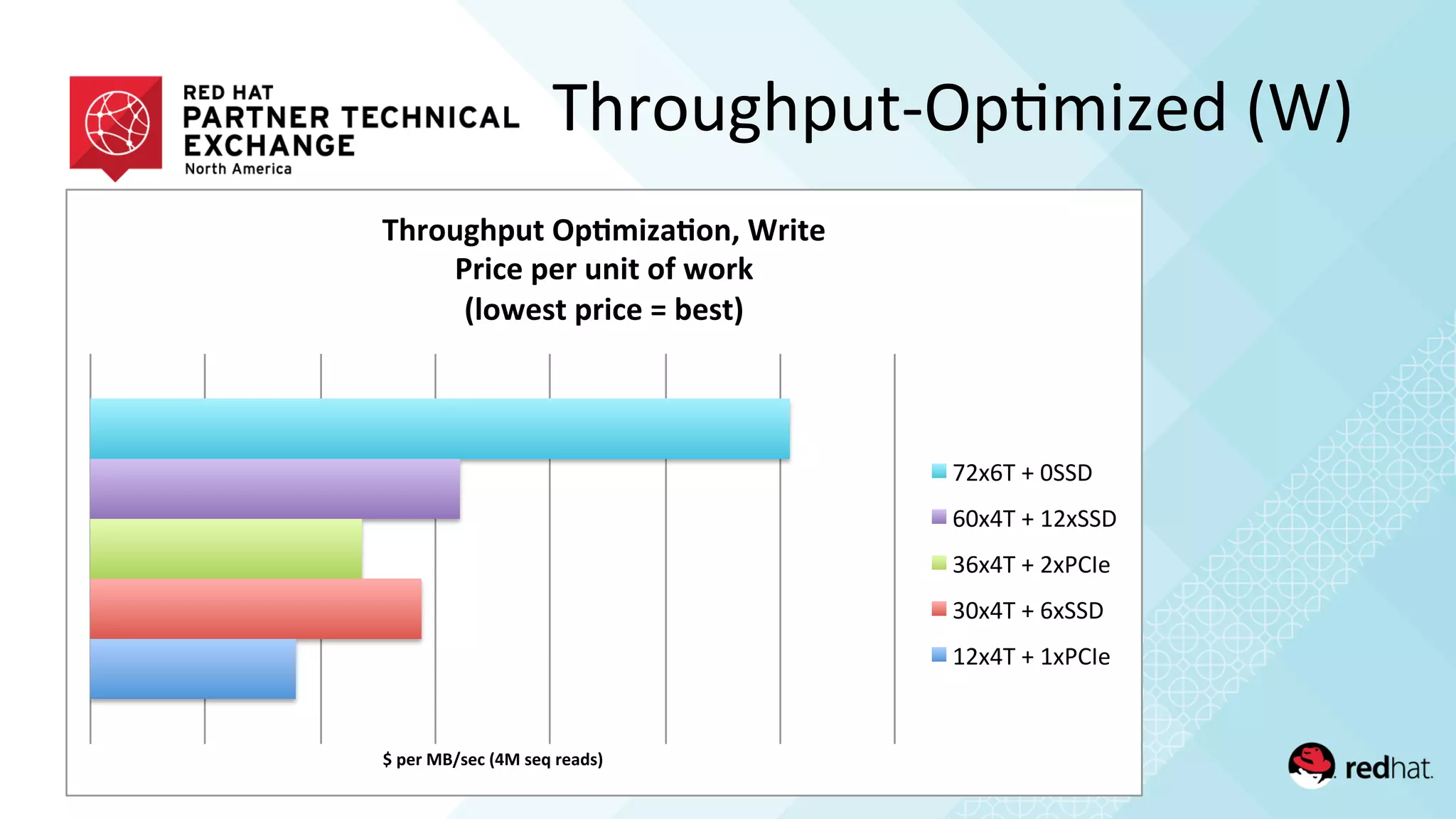
Throughput-­‐Op/mized	
  (W)	
  
!"#$%"&'()$*"+,&")$-"%$./)0"
12%3452#46"7#89:;.83<=">%:6$"
?%:*$"#$%"4<:6"3@"A3%B"
+C3A$)6"#%:*$"D"E$)60"
!"#$%&'&())*&
$(#+%&'&,"#))*&
-$#+%&'&"#./01&
-(#+%&'&$#))*&
,"#+%&'&,#./01&
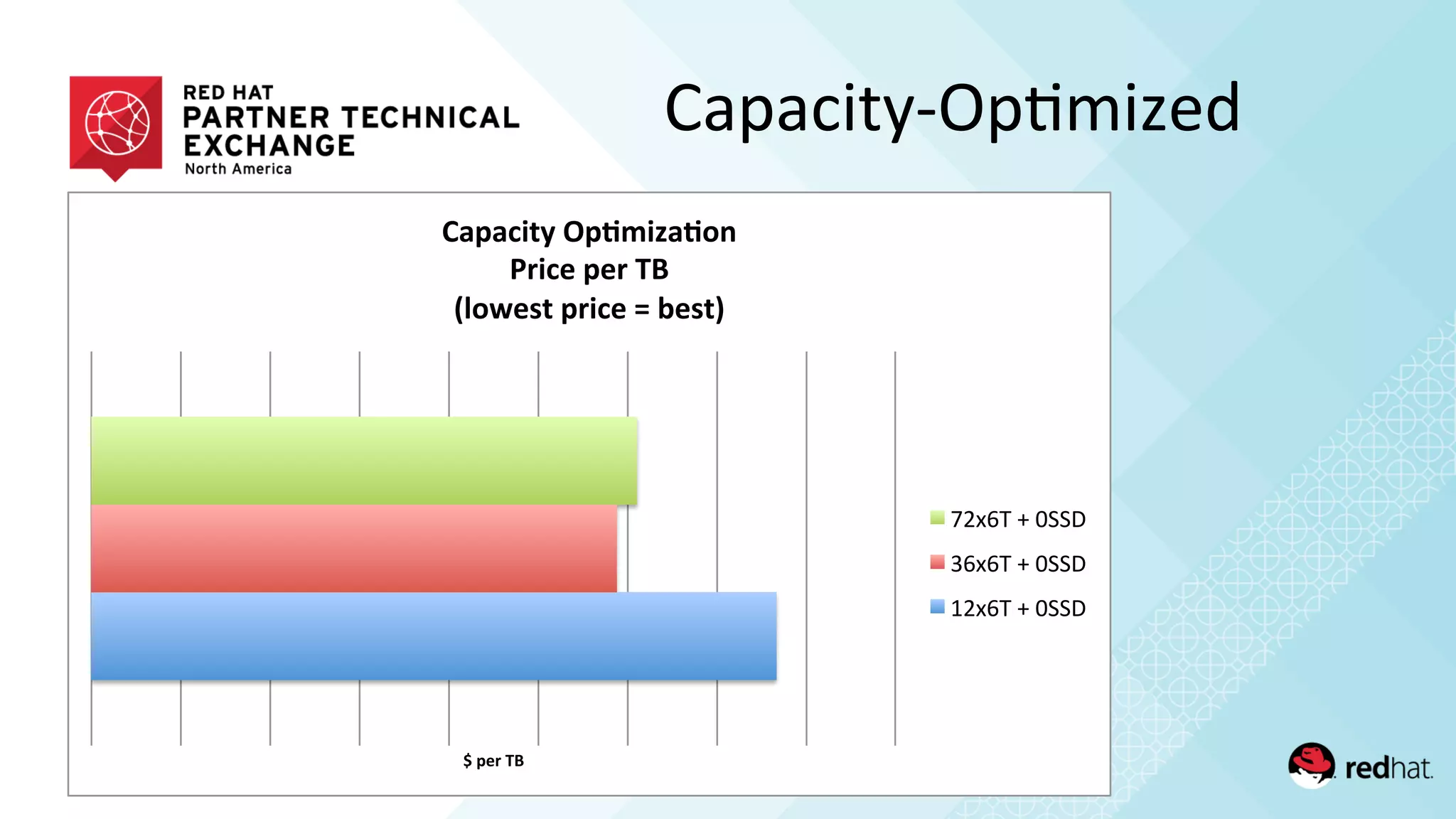
Capacity-­‐Op/mized	
  
!"#$%"&'"
()#)*+,-".#/0+1)/23"
4%+*$"#$%"&'"
5627$8,"#%+*$"9":$8,;"
!"#$%&'&())*&
+$#$%&'&())*&
,"#$%&'&())*&
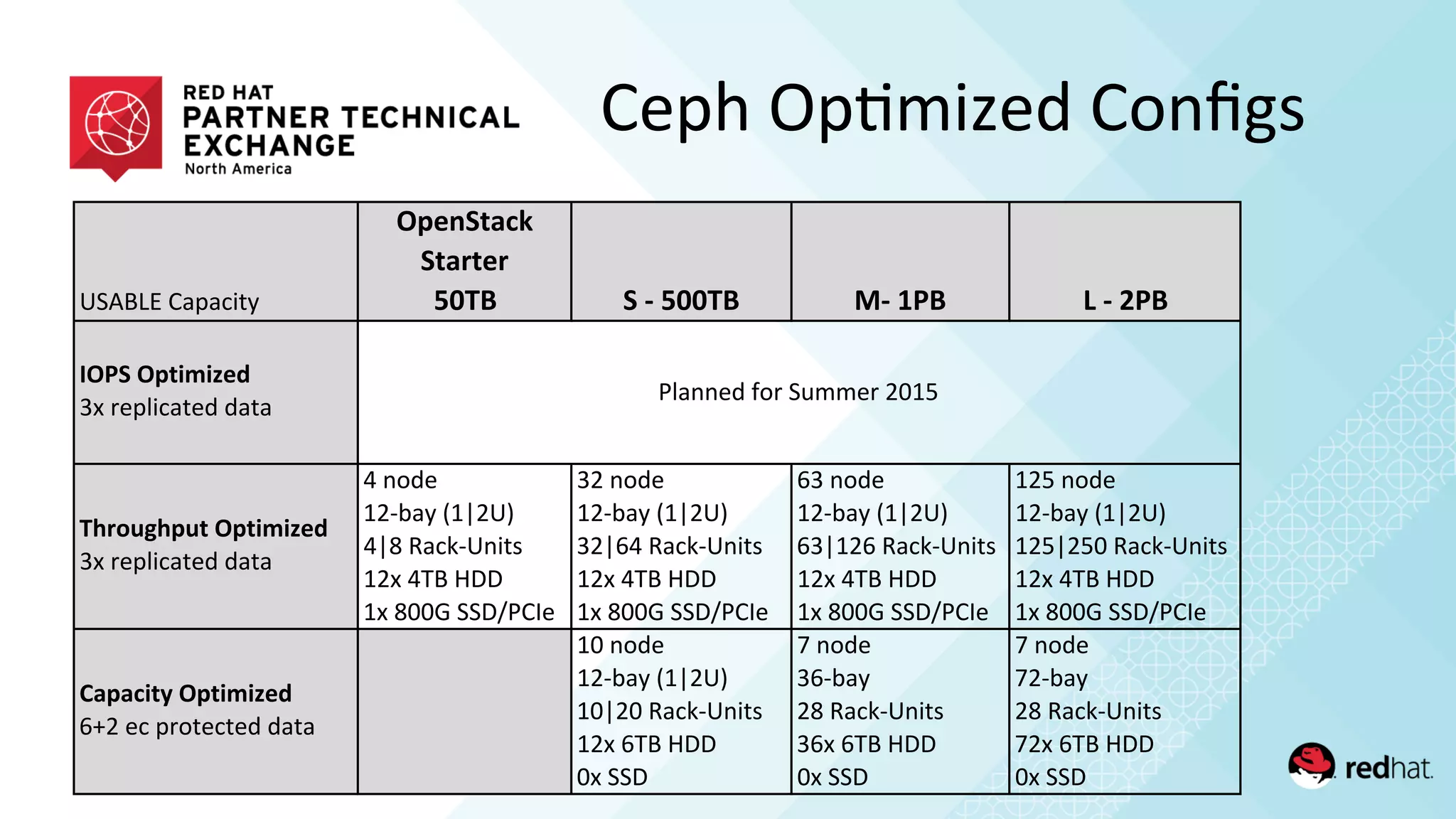
!"#$%&'()*)+,-.
!"#$%&'()*
%&'+&#+
,-./ %*0*,--./ 10*23/ 4*0*53/
6!3%*!"&7879#:
/0'12*3,+)-24'4)-)
.;+<=>;"=&*!"&7879#:
/0'12*3,+)-24'4)-)
5'6742
89:;).'<8=9!>
5=?'@)+A:!6,-B
890'5C$'DEE
80'?FFG'""EHI(J2
/9'6742
89:;).'<8=9!>
/9=K5'@)+A:!6,-B
890'5C$'DEE
80'?FFG'""EHI(J2
K/'6742
89:;).'<8=9!>
K/=89K'@)+A:!6,-B
890'5C$'DEE
80'?FFG'""EHI(J2
89L'6742
89:;).'<8=9!>
89L=9LF'@)+A:!6,-B
890'5C$'DEE
80'?FFG'""EHI(J2
?'"'(7&@*!"&7879#:
KM9'2+'*17-2+-24'4)-)
8F'6742
89:;).'<8=9!>
8F=9F'@)+A:!6,-B
890'KC$'DEE
F0'""E
N'6742
/K:;).
9?'@)+A:!6,-B
/K0'KC$'DEE
F0'""E
N'6742
N9:;).
9?'@)+A:!6,-B
N90'KC$'DEE
F0'""E
I3)6624'O71'"PQQ21'9F8L
Ceph	
  Op/mized	
  Configs	
  
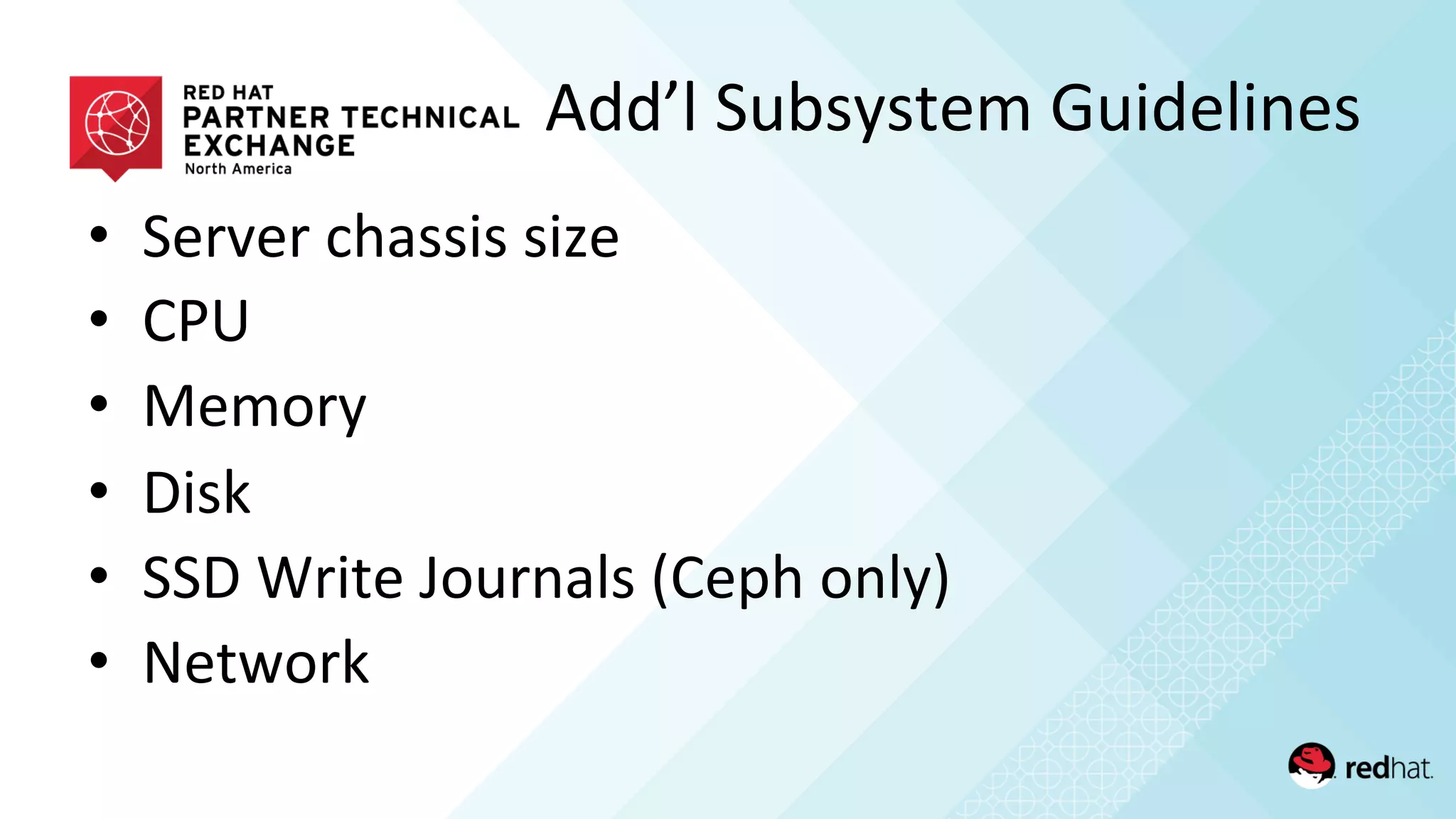
•  Server	
  chassis	
  size	
  
•  CPU	
  
•  Memory	
  
•  Disk	
  
•  SSD	
  Write	
  Journals	
  (Ceph	
  only)	
  
•  Network	
  
Add’l	
  Subsystem	
  Guidelines	
  
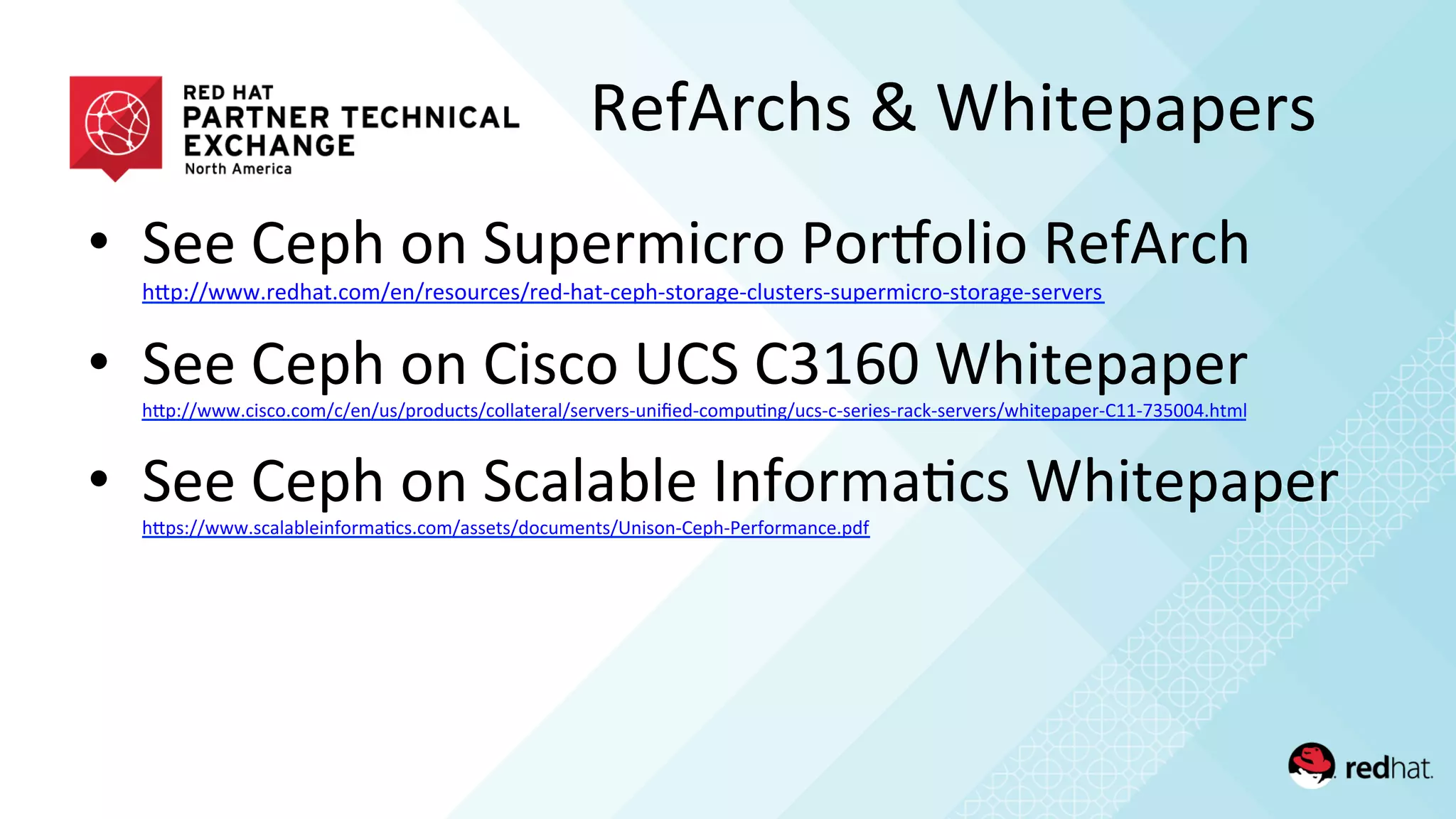
•  See	
  Ceph	
  on	
  Supermicro	
  PorMolio	
  RefArch	
  
hQp://www.redhat.com/en/resources/red-­‐hat-­‐ceph-­‐storage-­‐clusters-­‐supermicro-­‐storage-­‐servers	
  	
  
•  See	
  Ceph	
  on	
  Cisco	
  UCS	
  C3160	
  Whitepaper	
  
hQp://www.cisco.com/c/en/us/products/collateral/servers-­‐unified-­‐compu/ng/ucs-­‐c-­‐series-­‐rack-­‐servers/whitepaper-­‐C11-­‐735004.html	
  	
  
•  See	
  Ceph	
  on	
  Scalable	
  Informa/cs	
  Whitepaper	
  
hQps://www.scalableinforma/cs.com/assets/documents/Unison-­‐Ceph-­‐Performance.pdf	
  	
  
RefArchs	
  &	
  Whitepapers	
  
THANK	
  YOU	
  

Reference Architecture: Architecting Ceph Storage Solutions

  • 1.
    Reference  Architectures:   Architec/ng  Ceph  Storage  Solu/ons   Brent  Compton   Director  Storage  Solu/ons,  Red  Hat     Kyle  Bader   Senior  Solu/on  Architect,  Red  Hat  
  • 2.
    RefArch  Building  Blocks   Servers  and  Media  (HDD,  SSD,  PCIe)   Network   Bare  metal   OpenStack  virt   Container  virt   Other  virt   Defined   Workloads   OS/Virt   PlaMorm   Network   Ceph  
  • 3.
    RefArch  Flavors   • How-­‐to  integra/on  guides   (Ceph+OS/Virt,  or  Ceph+OS/Virt+Workloads)   hQp://www.dell.com/learn/us/en/04/shared-­‐content~data-­‐sheets~en/documents~dell-­‐red-­‐hat-­‐cloud-­‐ solu/ons.pdf       •  Performance  and  sizing  guides   (Network+Server+Ceph+[OS/Virt])   hQp://www.redhat.com/en/resources/red-­‐hat-­‐ceph-­‐storage-­‐clusters-­‐supermicro-­‐storage-­‐servers    hQps://www.redhat.com/en/resources/cisco-­‐ucs-­‐c3160-­‐rack-­‐server-­‐red-­‐hat-­‐ceph-­‐storage     hQps://www.scalableinforma/cs.com/assets/documents/Unison-­‐Ceph-­‐Performance.pdf    
  • 4.
    1.  Qualify  need  for  scale-­‐out  storage   2.  Design  for  target  workload  IO  profile(s)   3.  Choose  storage  access  method(s)   4.  Iden/fy  capacity   5.  Determine  fault-­‐domain  risk  tolerance   6.  Select  data  protec/on  method   •  Target  server  and  network  hardware  architecture   (performance  and  sizing)   Design  Considera/ons  
  • 5.
    1.  Qualify  Need  for  Scale-­‐out   •  Elas/c  provisioning  across  storage  server  cluster   •  Data  HA  across  ‘islands’  of  scale-­‐up  storage  servers   •  Standardized  servers  and  networking   •  Performance  and  capacity  scaled  independently   •  Incremental  v.  forklie  upgrades  
  • 7.
    PAST:  SCALE  UP   FUTURE:  SCALE  OUT   Designed  for  Agility  
  • 8.
    2.  Design  for  Workload  IO   •  Performance  v.  ‘cheap-­‐and-­‐deep’?   •  Performance:  throughput  v.  IOPS  intensive?   •  Sequen/al  v.  random?   •  Small  block  v.  large  block?   •  Read  v.  write  mix?   •  Latency:  absolute  v.  consistent  targets?   •  Sync  v.  async?  
  • 9.
    Generalized  Workload  IO   Categories   IOPS     Op/mized   Throughput   Op/mized   Cost-­‐Capacity   Op/mized  
  • 10.
    •  Highest  performance  (MB/sec  or  IOPS)   •  CapEx:  Lowest  $/performance-­‐unit   •  OpEx:  Highest  performance/BTU   •  OpEx:  Highest  performance/waQ   •  Meets  minimum  server-­‐fault  domain   recommenda)on  (1  server  <=  10%  cluster)   Performance-­‐Op/mized  
  • 11.
    •  CapEx:  Lowest  $/TB   •  OpEx:  Lowest  BTU/TB   •  OpEx:  Lowest  waQ/TB   •  OpEx:  Highest  TB/Rack-­‐unit   •  Meets  minimum  server-­‐fault  domain   recommenda)on  (1  server  <=  15%  cluster)   Cost/Capacity-­‐Op/mized  
  • 12.
    3.  Storage  Access  Methods   distributed  file*   object   block**   software-defined storage cluster *CephFS  not  yet  supported  by  RHCS   **  RBD  supported  with  replicated  data  protec/on  
  • 13.
    4.  Iden/fy  Capacity   OpenStack   Starter   100TB   S   500TB   M   1PTB   L   2PB+  
  • 14.
    5.  Fault-­‐Domain  Risk  Tolerance   •  What  %  of  cluster  capacity  does  you  want  on  a  single  node?   When  a  server  fails:   •  More  workload  performance  impairment  during  backfill/recovery  with  fewer  nodes  in   the  cluster  (each  node  has  greater  %  of  its  compute/IO  u/liza/on  devoted  to  recovery).     •  Larger  %  of  cluster’s  reserve  storage  capacity  u/lized  during  backfill/recovery  with  fewer   nodes  in  the  cluster  (must  reserve  larger  %  of  capacity  for  recovery  with  fewer  nodes).   •  Guidelines:   –  Minimum  supported  (RHCS):  3  OSD  nodes  per  Ceph  cluster.   –  Minimum  recommended  (performance  cluster):  10  OSD  nodes  cluster   (1  node  represents  <10%  of  total  cluster  capacity)   –  Minimum  recommended  (cost/capacity  cluster):  7  OSD  nodes  per  cluster   (1  node  represents  <15%  of  total  cluster  capacity)  
  • 15.
    6.  Data  Protec/on  Schemes   •  Replica/on   •  Erasure  Coding  (analogous  to  network  RAID)     One  of  the  biggest  choices  affec)ng  TCO  in  the  en)re   solu)on!  
  • 16.
    •  Replica/on   – 3x  rep  over  JBOD  =  33%  usable:raw  capacity  ra/o     •  Erasure  Coding  (analogous  to  network  RAID)   – 8+3  over  JBOD  =  73%  usable:raw   Data  Protec/on  Schemes  
  • 17.
    •  Replica/on   – Ceph  block  storage  default:  3x  rep  over  JBOD  disks.   –  Gluster  file  storage  default:  2x  rep  over  RAID6  bricks.     •  Erasure  Coding  (analogous  to  network  RAID)   –  Data  encoded  into  k  chunks  with  m  parity  chunks  and   spread  onto  different  disks  (frequently  on  different   servers).    Can  tolerate  m  disk  failures  without  data   loss.    8+3  popular.   Data  Protec/on  Schemes  
  • 18.
    Target  Cluster  Hardware   OSP  Starter   100TB   S   500TB   M   1PTB   L   2PB   IOPS     Op/mized   Throughput   Op/mized   Cost-­‐Capacity   Op/mized  
  • 19.
    •  Following  are  extracts  from  the  recently   published  Ceph  on  Supermicro  RefArch   •  Based  on  lab  benchmarking  results  from  many   different  configura/ons   RefArch  Examples  
  • 20.
    Sequen/al  Throughput  (R)   (per  server)   !" #!!" $!!!" $#!!" %!!!" %#!!" &!'(" '!!" (&" &" !"#$%&' ()*%&+',-.%'/0"1' 23',%45%6789':%8;'<=>?5@=A5+'BC:',%>D%>' EF':%AG'9-)>8;?$' $%)$" $!*)$!*" $+)$" $!*)$!*" $+)!" $!*)$!*" ,()%" $!*)$!*" ,()!" $!*)$!*" ,()%" &!*"-./01234" !)%" &!*"-./01234" (!)$%" &!*"-./01234" 5%)!" &!*"-./01234"
  • 21.
    Sequen/al  Throughput  (R)   (per  OSD/HDD)   !" #!" $!" %!" &!" '!" (!" )!" *!" &!+(" +!!" (&" &" !"#$%&' ()*%&+',-.%'/0"1' 23',%45%6789':%8;'<=>?5@=A5+'BC:'(,D' EF':%AG'9-)>8;?$' #$,#" #!-,#!-" #*,#" #!-,#!-" #*,!" #!-,#!-" %(,$" #!-,#!-" %(,!" #!-,#!-" %(,$" &!-"./012345" (!,#$" 61/37893" (!,#$" &!-"./012345" )$,!" &!-"./012345"
  • 22.
    Sequen/al  Throughput  (W)   (per  OSD/HDD,  3xRep)   !" #" $!" $#" %!" %#" &!" '!()" (!!" )'" '" !"#$%&' ()*%&+',-.%'/0"1' 234',%56%789:';<-+%'=><?6@>A6+'BCD'(,E' FG'D%A'/H6:8A:I')I'F'+?'@%+'A>I$-&9:'J<-+%'+><?6@>A6+1K':-)<9L?$' $%*$" $!+*$!+" $,*$" $!+*$!+" $,*!" $!+*$!+" &)*%" $!+*$!+" &)*!" $!+*$!+" &)*%" '!+"-./01234" )!*$%" 50.26782" )!*$%" '!+"-./01234" 9%*!" '!+"-./01234"
  • 23.
    !" #" $!" $#" %!" %#" &!" &#" '!" '#" '!()" (!!" )'"'" !"#$%&' ()*%&+',-.%'/0"1' 234',%56%789:';<-+%'=><?6@>A6+'BCD'(,E' CF'GH3'/I6:8A:J')J'/2H/K#/KHI11'+?'@%+'A>J$-&9:'L<-+%'+><?6@>A6+1M':-)<9N?$' $%*$" $!+*$!+" $,*$" $!+*$!+" $,*!" $!+*$!+" &)*%" $!+*$!+" &)*!" $!+*$!+" &)*%" '!+"-./01234" )!*$%" 50.26782" $%*!" $!+*$!+" )!*$%" '!+"-./01234" 9%*!" '!+"-./01234" Sequen/al  Throughput  (W)   (per  OSD/HDD,  EC)  
  • 24.
  • 25.
  • 26.
  • 27.
    !"#$%&'()*)+,-. !"#$%&'()* %&'+&#+ ,-./ %*0*,--./ 10*23/4*0*53/ 6!3%*!"&7879#: /0'12*3,+)-24'4)-) .;+<=>;"=&*!"&7879#: /0'12*3,+)-24'4)-) 5'6742 89:;).'<8=9!> 5=?'@)+A:!6,-B 890'5C$'DEE 80'?FFG'""EHI(J2 /9'6742 89:;).'<8=9!> /9=K5'@)+A:!6,-B 890'5C$'DEE 80'?FFG'""EHI(J2 K/'6742 89:;).'<8=9!> K/=89K'@)+A:!6,-B 890'5C$'DEE 80'?FFG'""EHI(J2 89L'6742 89:;).'<8=9!> 89L=9LF'@)+A:!6,-B 890'5C$'DEE 80'?FFG'""EHI(J2 ?'"'(7&@*!"&7879#: KM9'2+'*17-2+-24'4)-) 8F'6742 89:;).'<8=9!> 8F=9F'@)+A:!6,-B 890'KC$'DEE F0'""E N'6742 /K:;). 9?'@)+A:!6,-B /K0'KC$'DEE F0'""E N'6742 N9:;). 9?'@)+A:!6,-B N90'KC$'DEE F0'""E I3)6624'O71'"PQQ21'9F8L Ceph  Op/mized  Configs  
  • 28.
    •  Server  chassis  size   •  CPU   •  Memory   •  Disk   •  SSD  Write  Journals  (Ceph  only)   •  Network   Add’l  Subsystem  Guidelines  
  • 29.
    •  See  Ceph  on  Supermicro  PorMolio  RefArch   hQp://www.redhat.com/en/resources/red-­‐hat-­‐ceph-­‐storage-­‐clusters-­‐supermicro-­‐storage-­‐servers     •  See  Ceph  on  Cisco  UCS  C3160  Whitepaper   hQp://www.cisco.com/c/en/us/products/collateral/servers-­‐unified-­‐compu/ng/ucs-­‐c-­‐series-­‐rack-­‐servers/whitepaper-­‐C11-­‐735004.html     •  See  Ceph  on  Scalable  Informa/cs  Whitepaper   hQps://www.scalableinforma/cs.com/assets/documents/Unison-­‐Ceph-­‐Performance.pdf     RefArchs  &  Whitepapers  
  • 30.