Recursive Computing
AMD on AMD…
Quentin Fennessy
Oct 2009 2
Who am I?
•Quentin Fennessy
– Worked at AMD (Advanced Micro Devices) for 10 years
– Compute Clusters: 10 years with clustered computing
– Unix: 20+ years in various industries (telecomm, automation,
semiconductors)
– BA in Computer Science from University of Massachusetts
– Manager for Core Services of Global Engineering IT
3
Recursive Computing--What?
•Definition: See RECURSIVE
Oct 2009
4
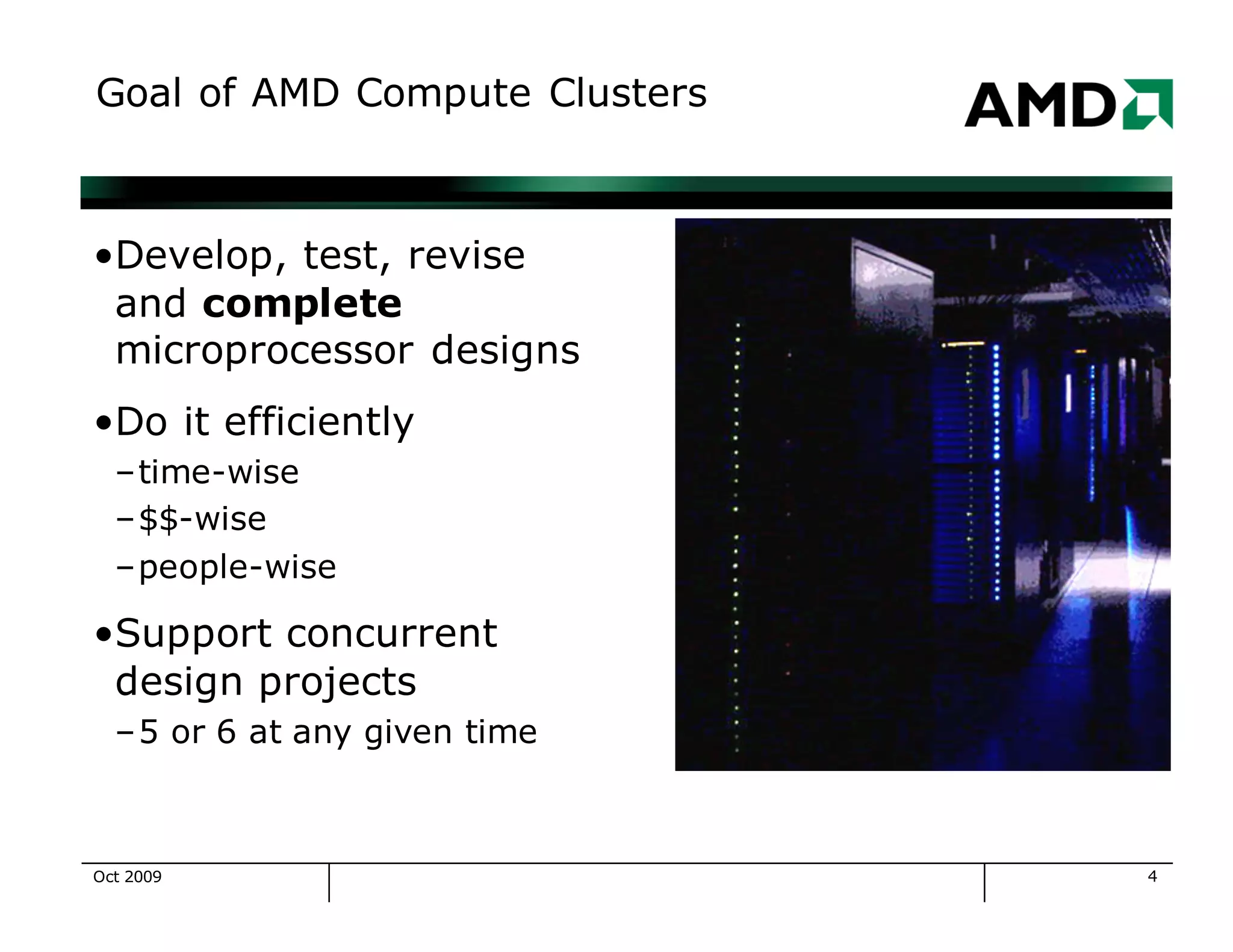
Goal of AMD Compute Clusters
•Develop, test, revise
and complete
microprocessor designs
•Do it efficiently
–time-wise
–$$-wise
–people-wise
•Support concurrent
design projects
–5 or 6 at any given time
Oct 2009
5
High Level Attainable Goals
•Plan to meet your business needs
•Understand the technical possibilities now
– work with your vendors
– hire and grow a great staff
•Understand the technical possibilities for the future
•Be flexible to accommodate changing business needs and
technical possibilities
Oct 2009
6
Compute Clusters at AMD
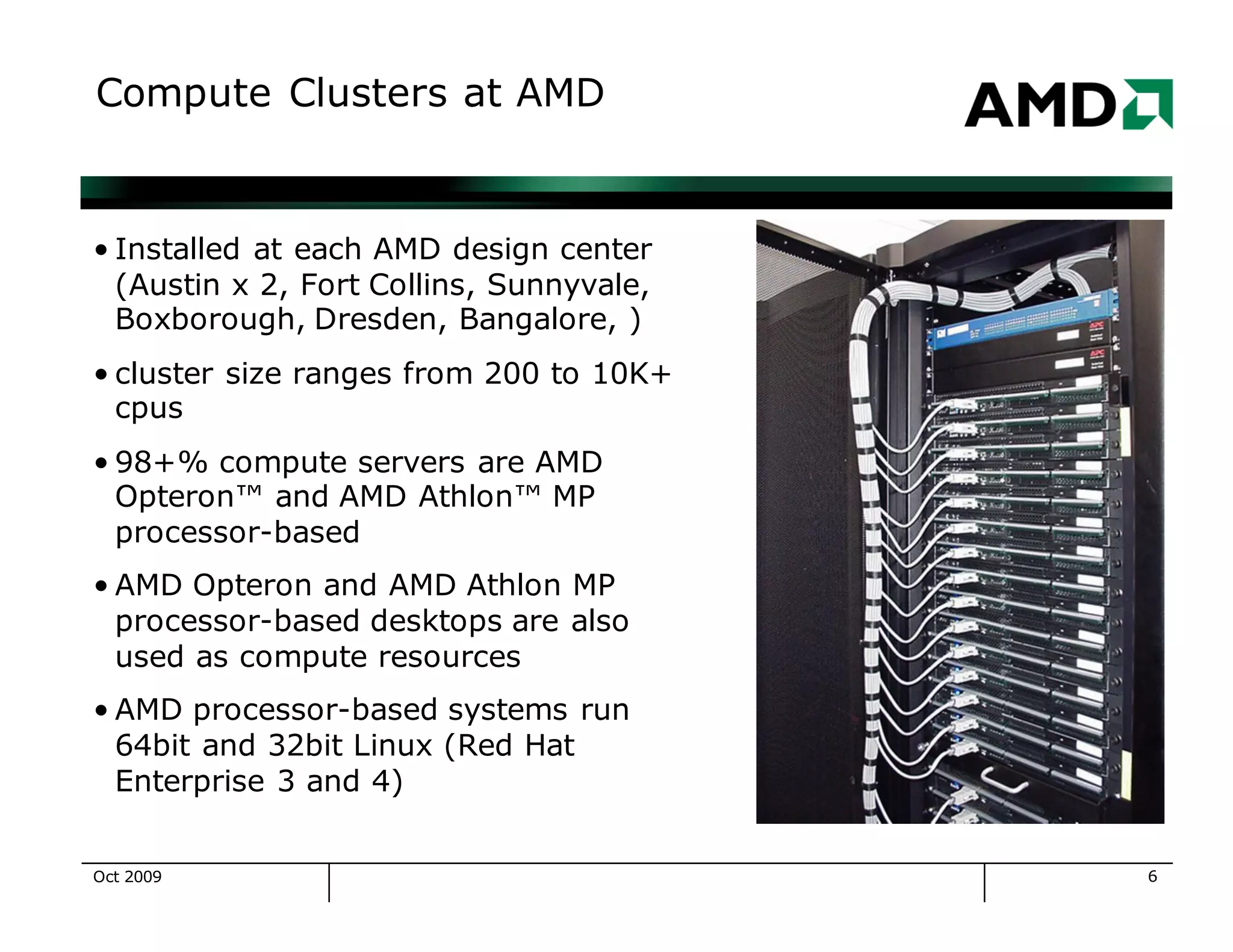
• Installed at each AMD design center
(Austin x 2, Fort Collins, Sunnyvale,
Boxborough, Dresden, Bangalore, )
• cluster size ranges from 200 to 10K+
cpus
• 98+% compute servers are AMD
Opteron™ and AMD Athlon™ MP
processor-based
• AMD Opteron and AMD Athlon MP
processor-based desktops are also
used as compute resources
• AMD processor-based systems run
64bit and 32bit Linux (Red Hat
Enterprise 3 and 4)
Oct 2009
7
History of AMD Clusters
c 1998: AMD K6 processors, Linux, ~400 systems
• c 2000: AMD Athlon™ processors, Linux, ~1K systems
• c 2001: More AMD Athlon processors, Linux, ~2K systems
• c 2002: More AMD Athlon processors, Linux, ~3K systems
•c 2003: AMD Opteron™ processors, Linux, ~4.5K
systems
•c 2004: More AMD Opteron processors, Linux, ~6K
systems
•c 2005: Dual Core AMD Opteron processors, Linux,
~7K systems, ~15K+ cpus
•c 2006: ~8K systems, ~23K+ cpus
Oct 2009
8
OS Transitions for AMD Clusters
•HP-UX → Solaris, painful as it was our first transition
•Solaris → HP-UX, painful because we forgot our first
•Solaris+HP-UX → 32 bit Linux, easier
•32bit Linux → 64bit Linux, easy! because of compatibility
•What makes an OS transition hard?
– implicit assumption that we will always use OS Foo-X
– the imagination and creativity of OS vendors
•What makes an OS transition easy?
– never assume anything will be the same next year
– avoid buying into OS-specific infrastructure tools
Oct 2009
9
HW Transitions for AMD Clusters
• HP → Sun, easy (Sun does a great job
maintaining systems)
• Sun → HP, easy (HP does a great job
maintaining systems)
• Sun, HP → AMD Athlon™ processor-based
systems (32bit), HARD (Linux device
issues, no system integration)
• AMD Athlon™ MP (32bit) → AMD Opteron™
processors, easy, it just worked
• Transition → Sun and HP AMD Opteron™
processor-based systems (easy, fast, very
nice systems)
Oct 2009
10
Historic Bottlenecks
•Every system, every cluster
has a bottleneck—the
slowest part of the system
•Goal—provide a balanced
cluster
•Bottleneck Candidates
–Fileservers
–Network
–Application licenses
–Cluster manager systems
Oct 2009
11
Data Storage
•2PB+ of network attached storage in 46 Netapp filers
•>50% are Opteron-based Netapp filers
•Typically Quad-GbE attached, with 10GbE testing in 1H07
•Fibre-channel and ATA disks, RAID-DP and RAID4 volumes
•Challenge 1: a few hundred jobs can overwhelm a
filer...either with raw I/O or relentless meta-data requests
•Challenge 2: moving data between filers is a division-visible
change and makes fileserver upgrades difficult
•Goal: a fileserver that can add cpu and network capacity as
easily as we add disk capacity
Oct 2009
12
Networking
•We use commodity networking from Nortel, Cisco (100baseT,
GbE)
•Post-2003 compute servers are connected via GbE switches
•Older systems are connected via 100baseT
•We use VLANs for partitioning, routing to connect to the rest
of AMD
•Our network provides redundant paths and management
components, except for the last mile to each compute server.
Oct 2009
13
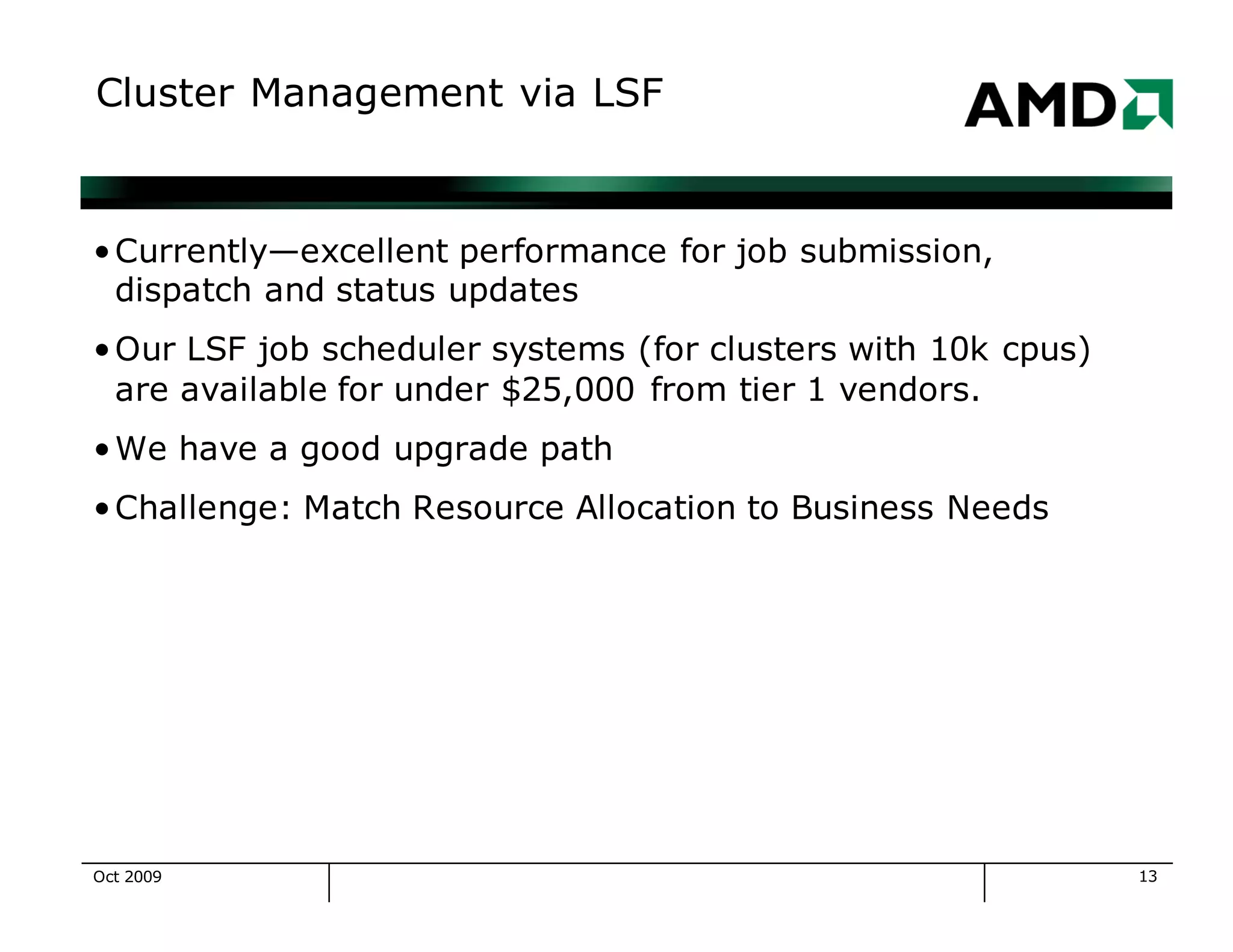
Cluster Management via LSF
•Currently—excellent performance for job submission,
dispatch and status updates
•Our LSF job scheduler systems (for clusters with 10k cpus)
are available for under $25,000 from tier 1 vendors.
•We have a good upgrade path
•Challenge: Match Resource Allocation to Business Needs
Oct 2009
14
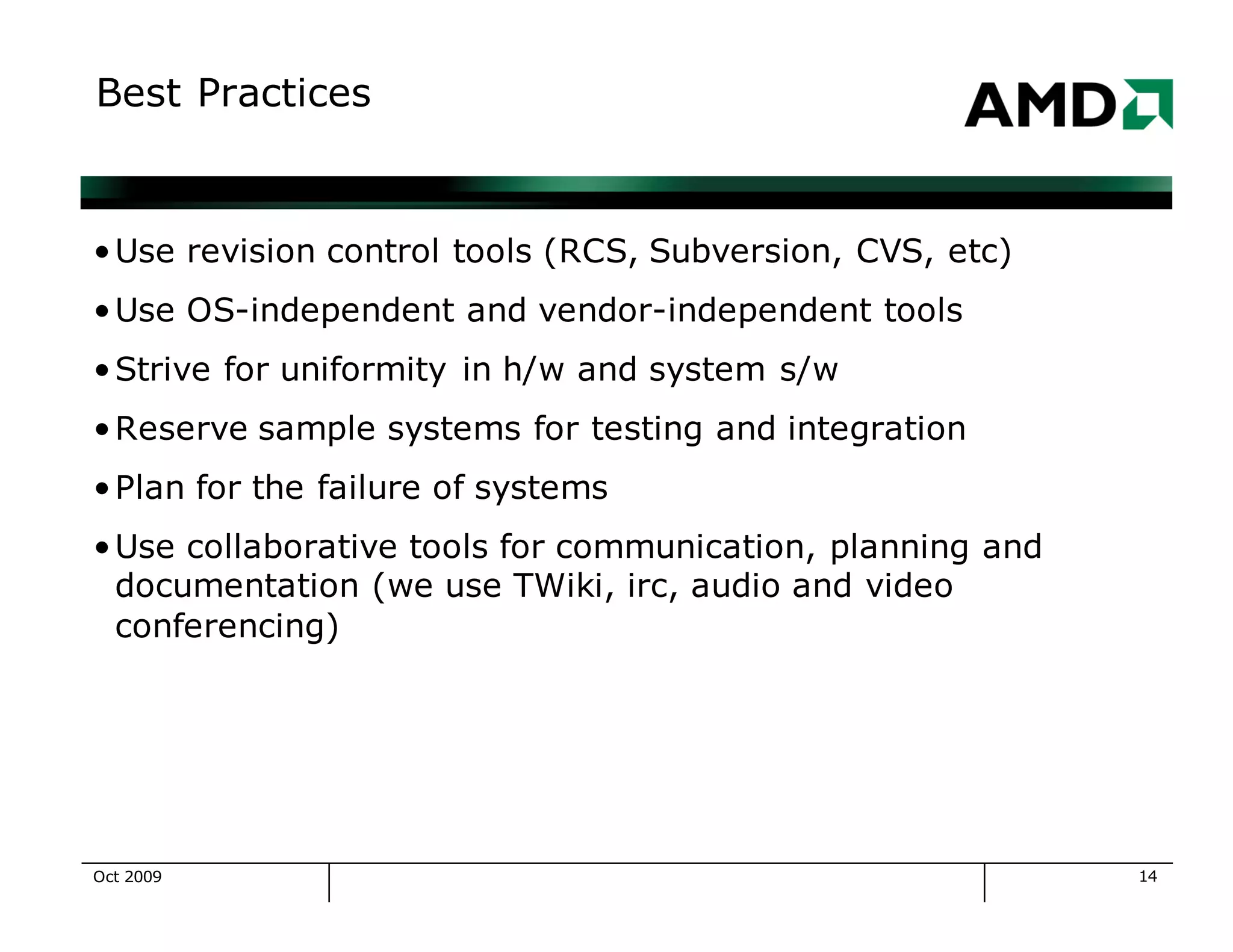
Best Practices
•Use revision control tools (RCS, Subversion, CVS, etc)
•Use OS-independent and vendor-independent tools
•Strive for uniformity in h/w and system s/w
•Reserve sample systems for testing and integration
•Plan for the failure of systems
•Use collaborative tools for communication, planning and
documentation (we use TWiki, irc, audio and video
conferencing)
Oct 2009
15
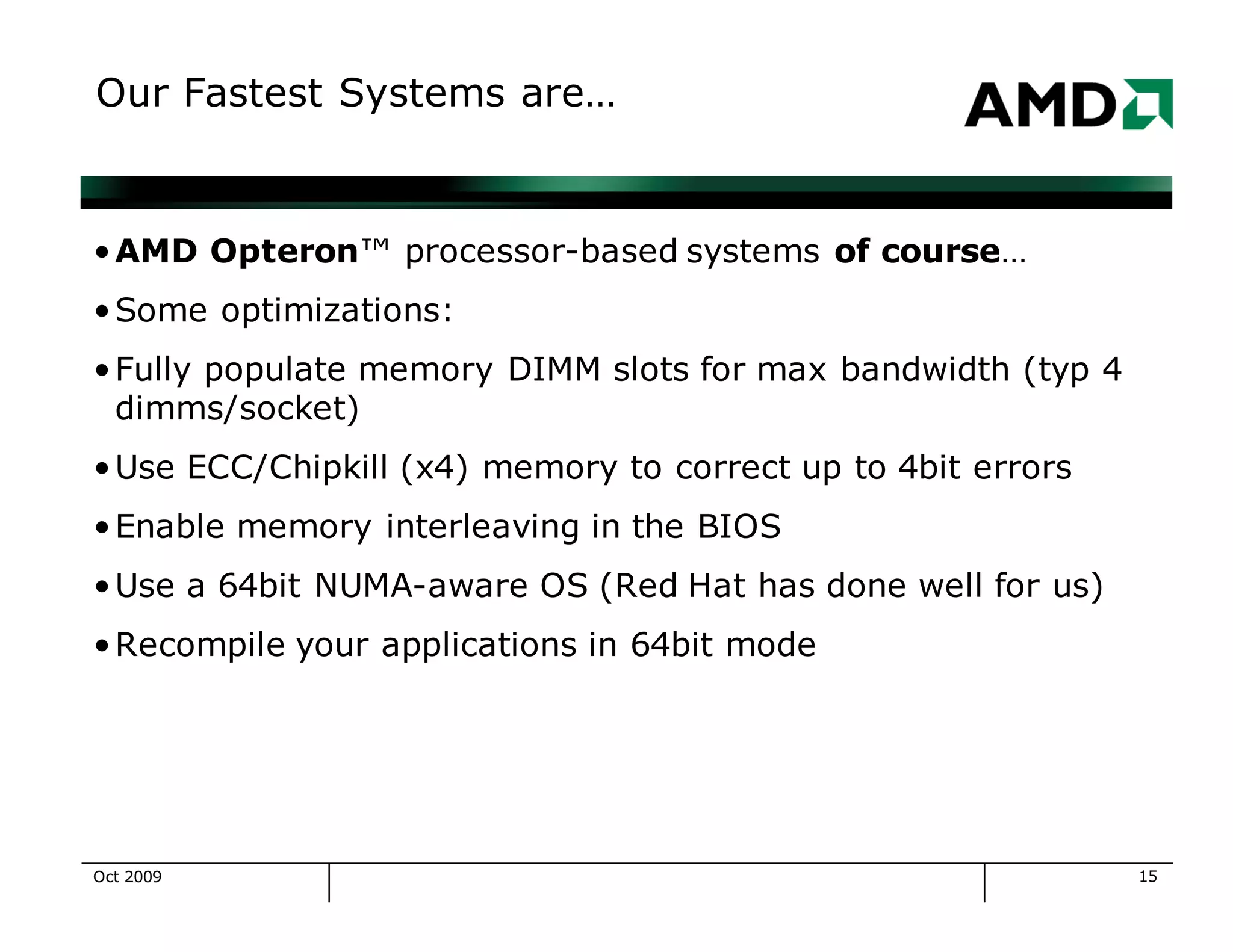
Our Fastest Systems are…
•AMD Opteron™ processor-based systems of course…
•Some optimizations:
•Fully populate memory DIMM slots for max bandwidth (typ 4
dimms/socket)
•Use ECC/Chipkill (x4) memory to correct up to 4bit errors
•Enable memory interleaving in the BIOS
•Use a 64bit NUMA-aware OS (Red Hat has done well for us)
•Recompile your applications in 64bit mode
Oct 2009
16
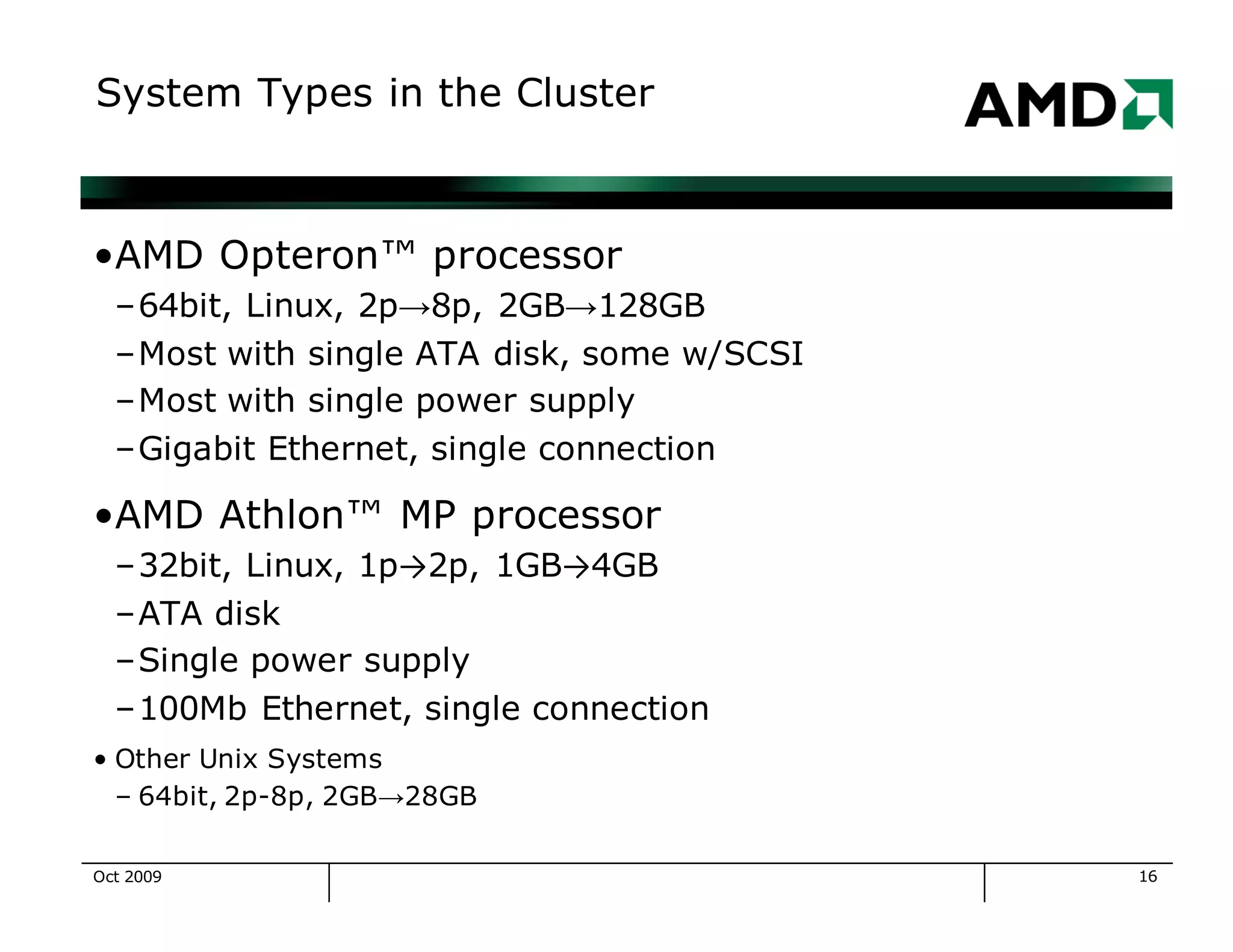
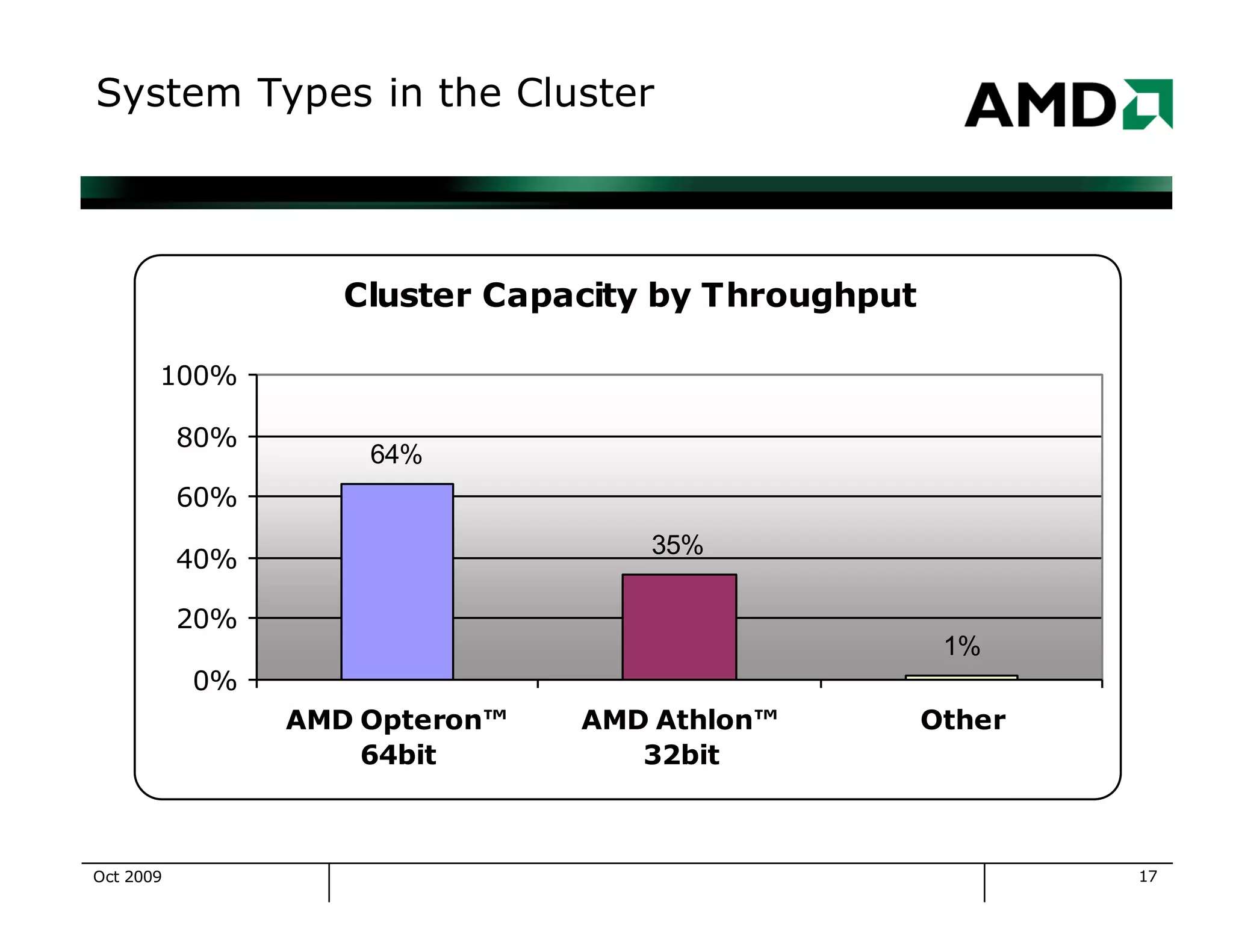
System Types in the Cluster
•AMD Opteron™ processor
–64bit, Linux, 2p→8p, 2GB→128GB
–Most with single ATA disk, some w/SCSI
–Most with single power supply
–Gigabit Ethernet, single connection
•AMD Athlon™ MP processor
–32bit, Linux, 1p→2p, 1GB→4GB
–ATA disk
–Single power supply
–100Mb Ethernet, single connection
• Other Unix Systems
– 64bit, 2p-8p, 2GB→28GB
Oct 2009
17
System Types in the Cluster
Cluster Capacity by Throughput
64%
35%
1%
0%
20%
40%
60%
80%
100%
AMD Opteron™
64bit
AMD Athlon™
32bit
Other
Oct 2009
18
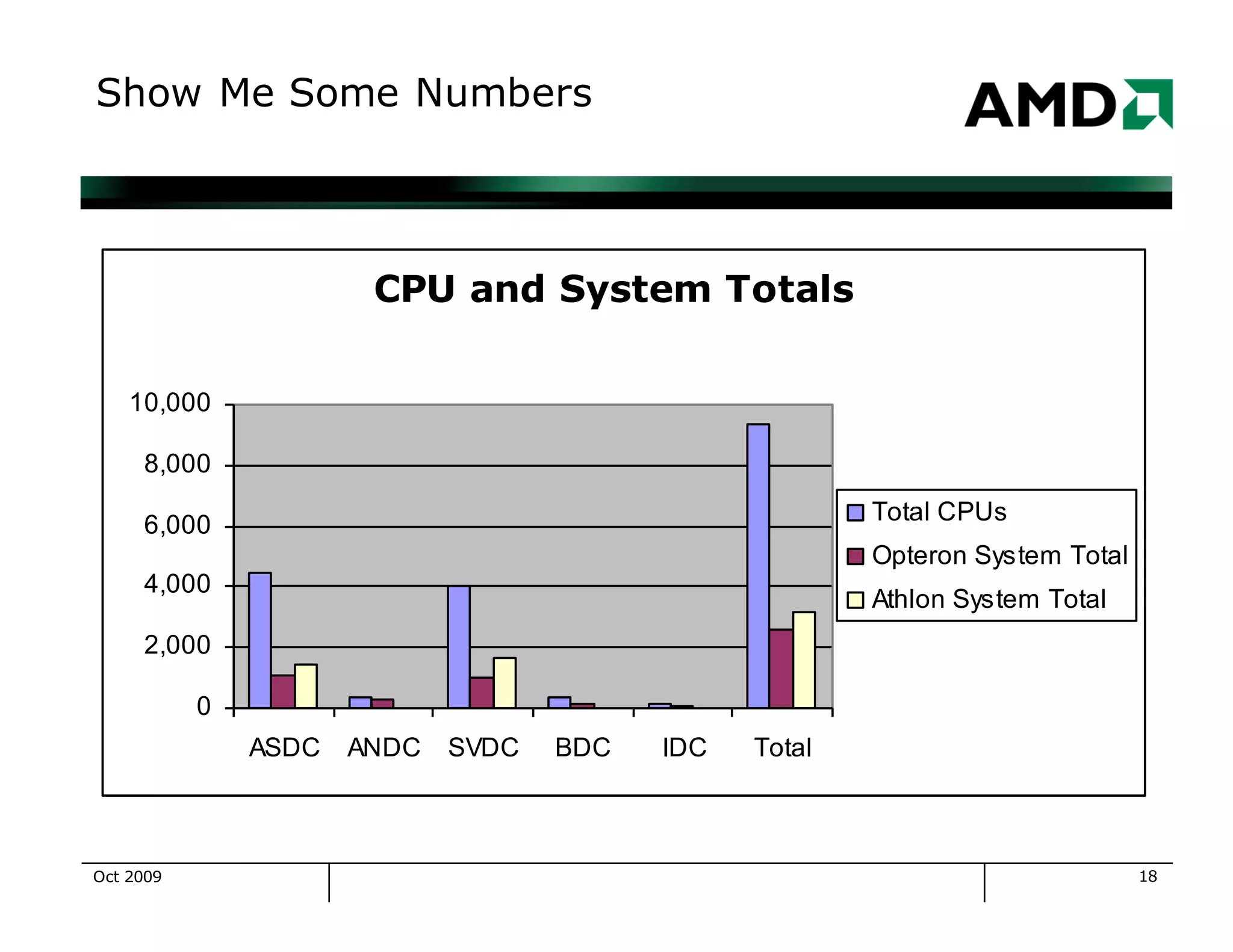
Show Me Some Numbers
CPU and System Totals
0
2,000
4,000
6,000
8,000
10,000
ASDC ANDC SVDC BDC IDC Total
Total CPUs
Opteron System Total
Athlon System Total
Oct 2009
19
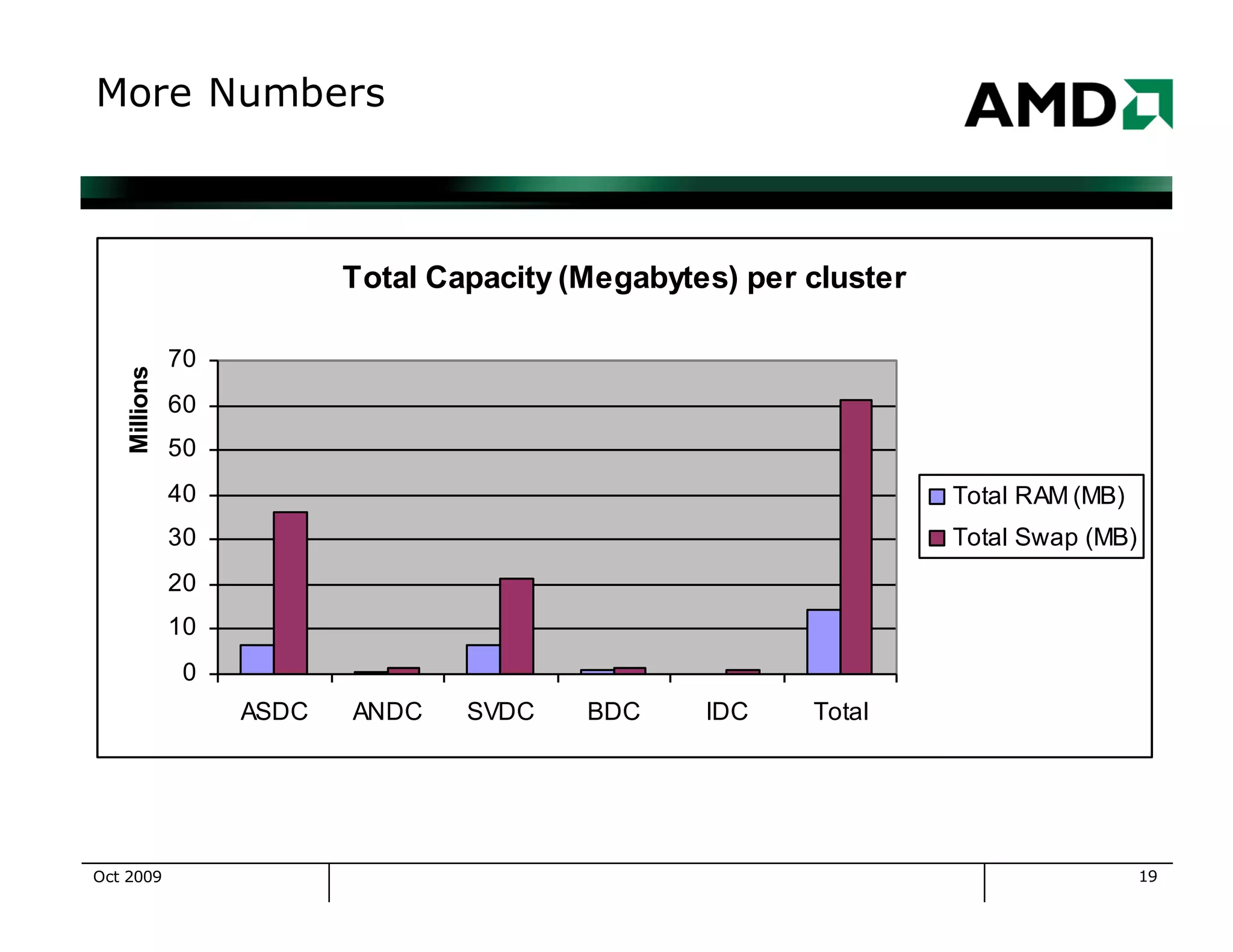
More Numbers
Total Capacity (Megabytes) per cluster
0
10
20
30
40
50
60
70
ASDC ANDC SVDC BDC IDC Total
Millions
Total RAM (MB)
Total Swap (MB)
Oct 2009
20
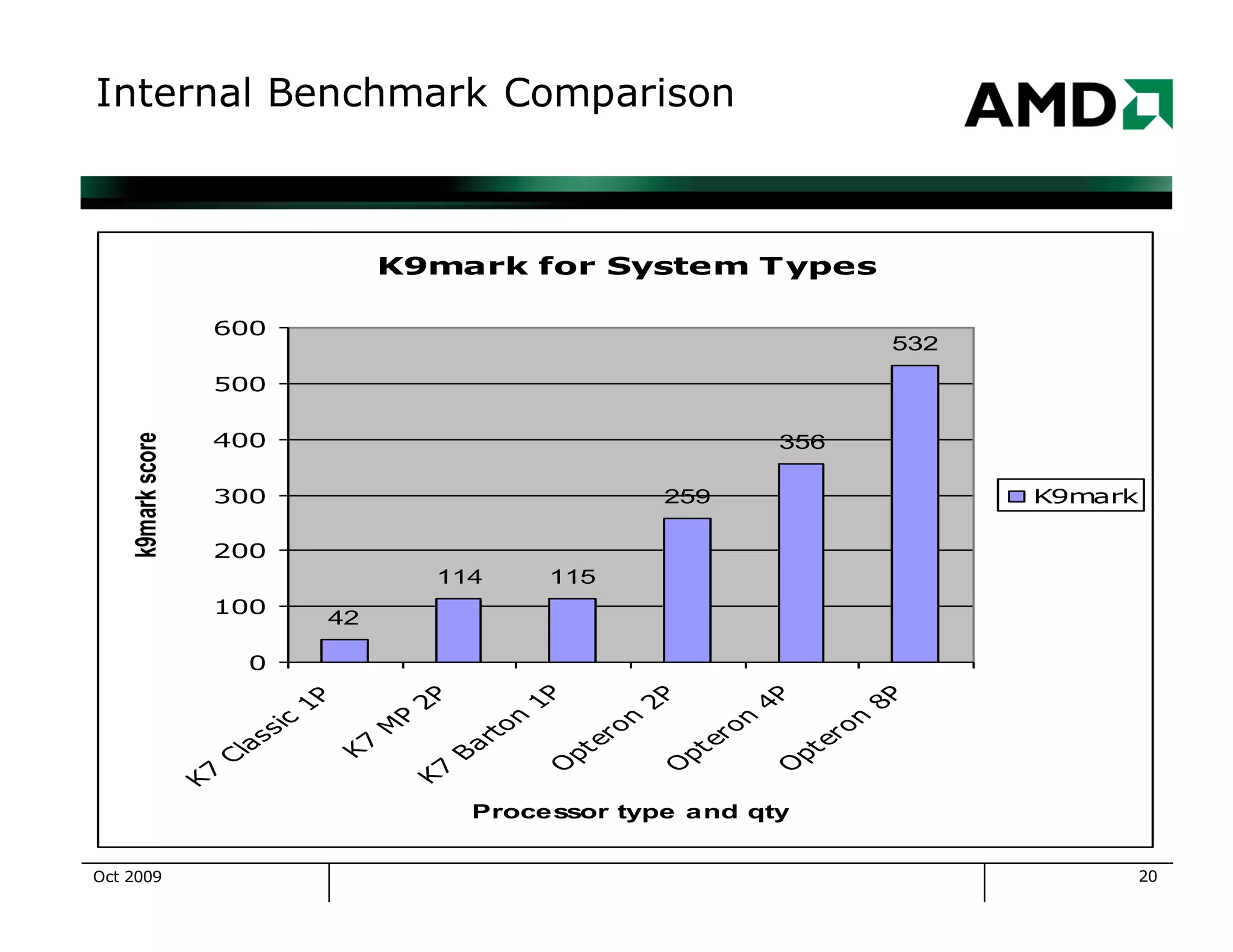
Internal Benchmark Comparison
K9mark for System Types
42
114 115
259
356
532
0
100
200
300
400
500
600
K
7
C
la
ssic
1
P
K
7
M
P
2
PK
7
B
a
rto
n
1
PO
p
tero
n
2
PO
p
tero
n
4
PO
p
tero
n
8
P
Processor type and qty
k9markscore
K9mark
Oct 2009
21
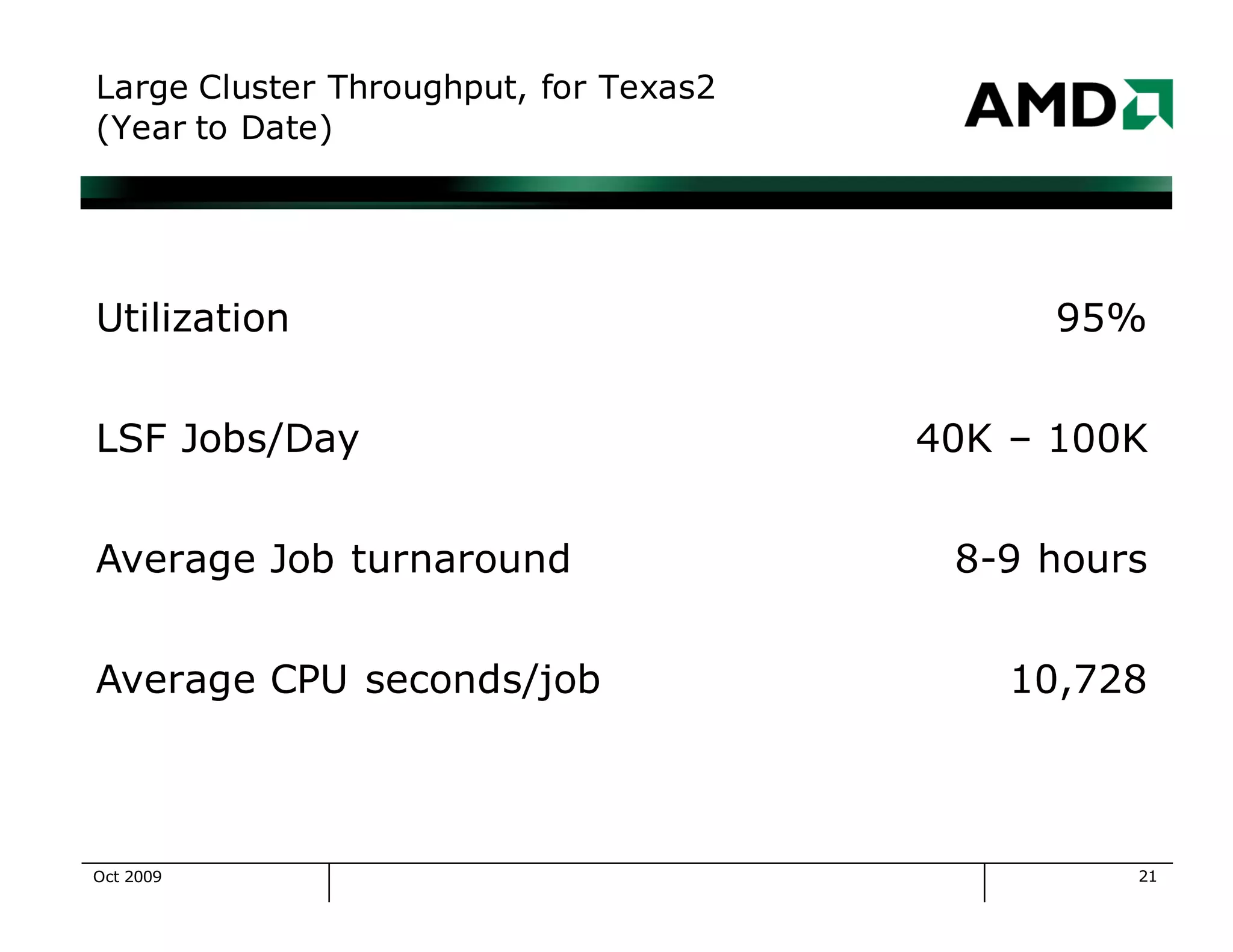
Large Cluster Throughput, for Texas2
(Year to Date)
Utilization 95%
LSF Jobs/Day 40K – 100K
Average Job turnaround 8-9 hours
Average CPU seconds/job 10,728
Oct 2009
22
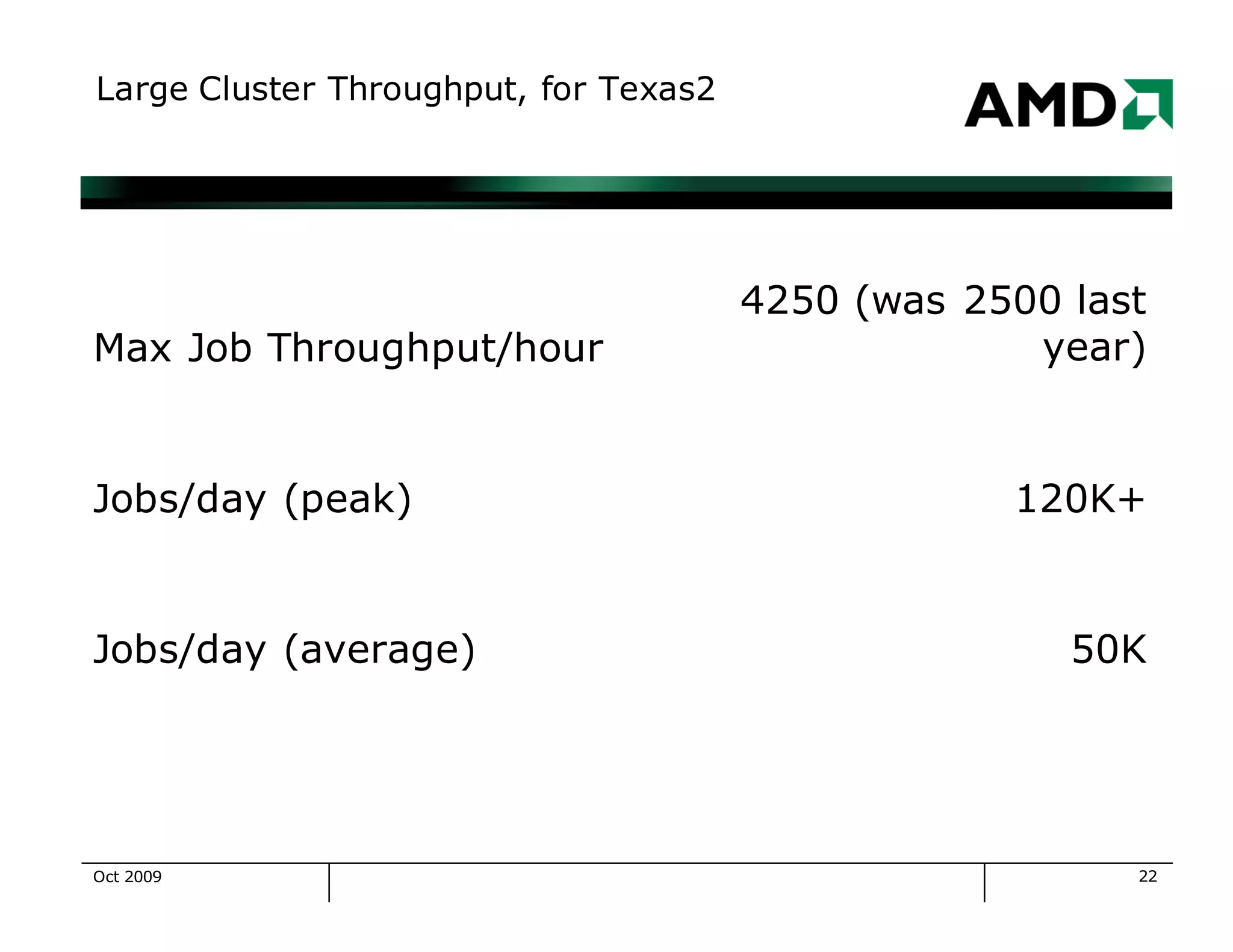
Large Cluster Throughput, for Texas2
Max Job Throughput/hour
4250 (was 2500 last
year)
Jobs/day (peak) 120K+
Jobs/day (average) 50K
Oct 2009
23
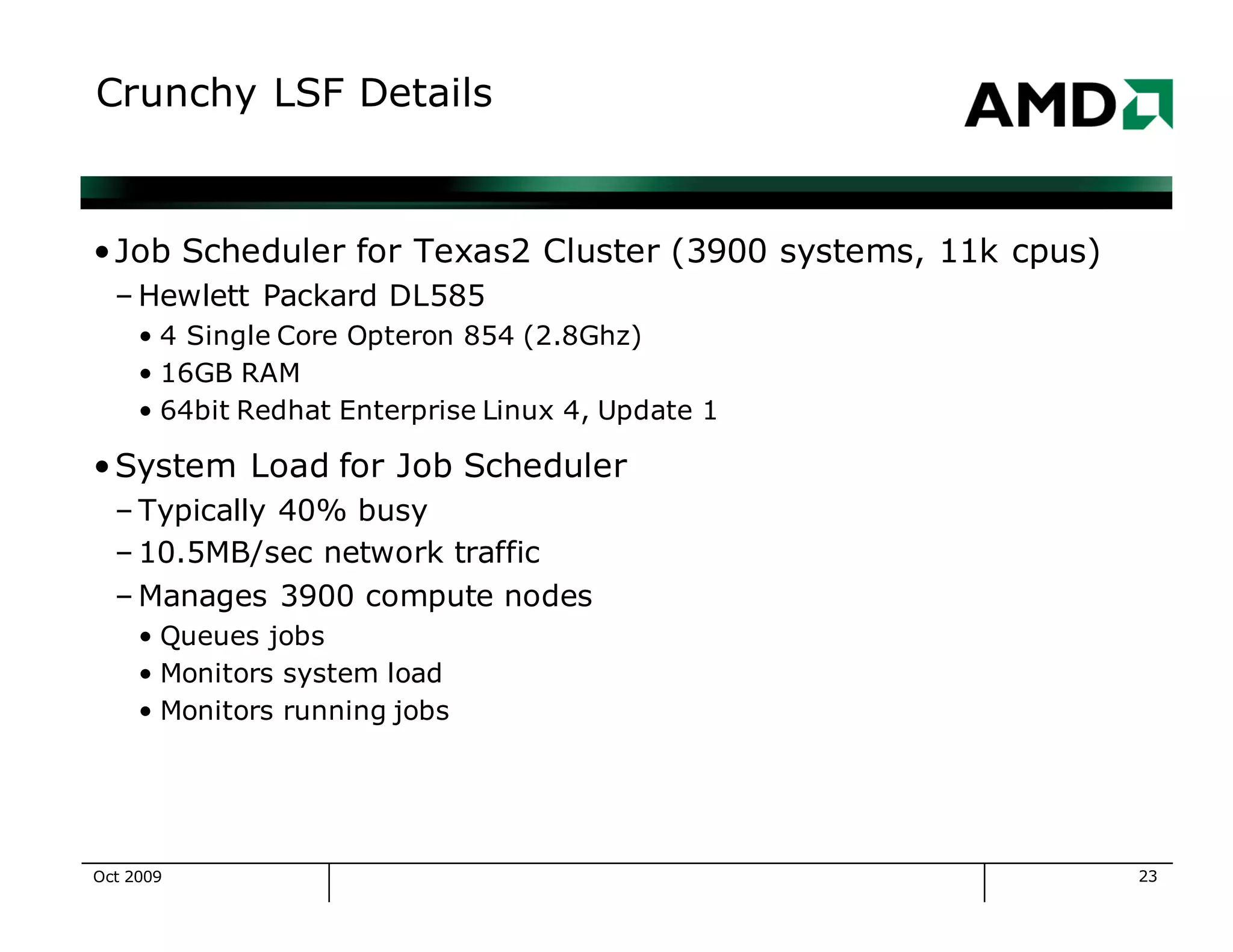
Crunchy LSF Details
•Job Scheduler for Texas2 Cluster (3900 systems, 11k cpus)
– Hewlett Packard DL585
• 4 Single Core Opteron 854 (2.8Ghz)
• 16GB RAM
• 64bit Redhat Enterprise Linux 4, Update 1
•System Load for Job Scheduler
– Typically 40% busy
– 10.5MB/sec network traffic
– Manages 3900 compute nodes
• Queues jobs
• Monitors system load
• Monitors running jobs
Oct 2009
24
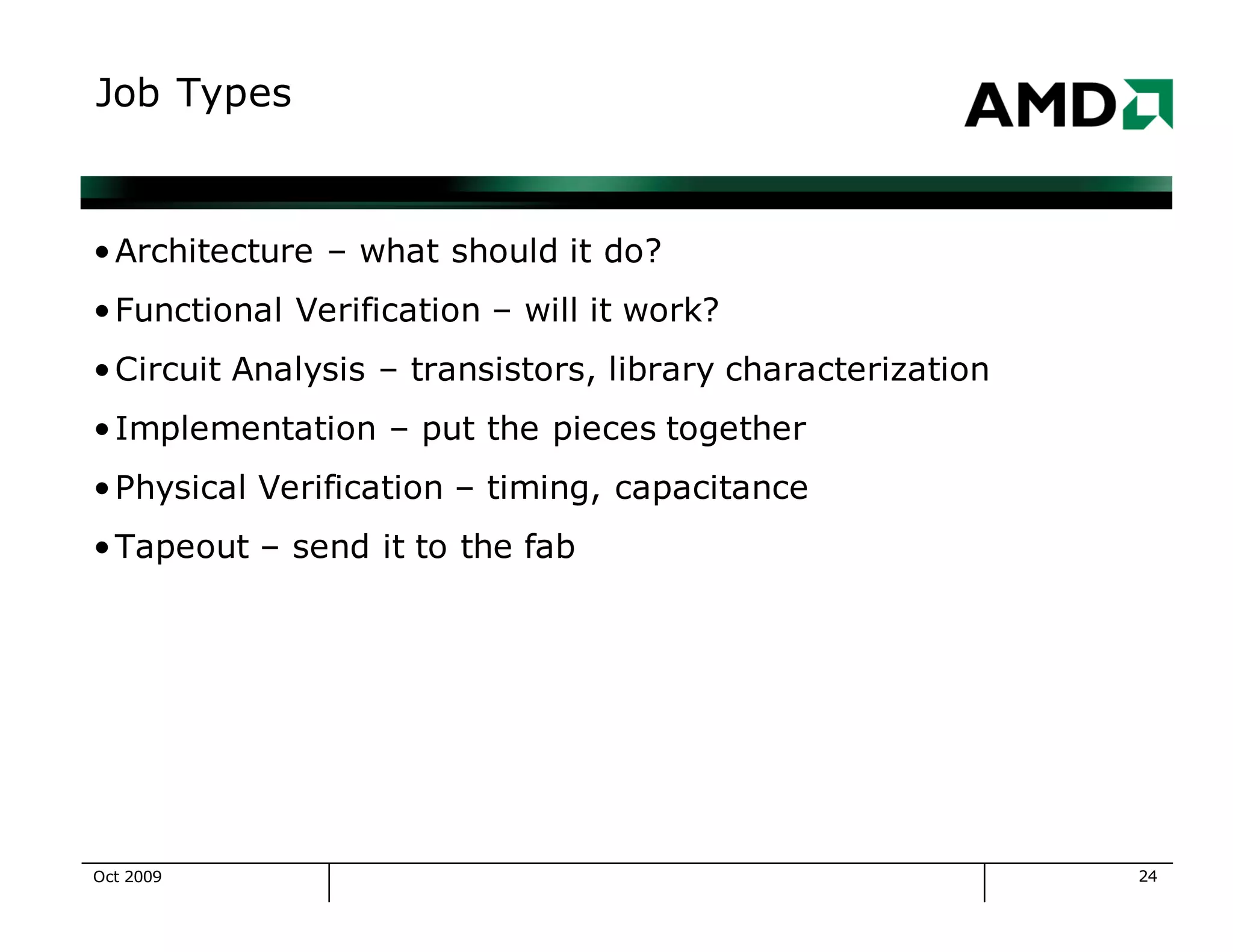
Job Types
•Architecture – what should it do?
•Functional Verification – will it work?
•Circuit Analysis – transistors, library characterization
•Implementation – put the pieces together
•Physical Verification – timing, capacitance
•Tapeout – send it to the fab
Oct 2009
25
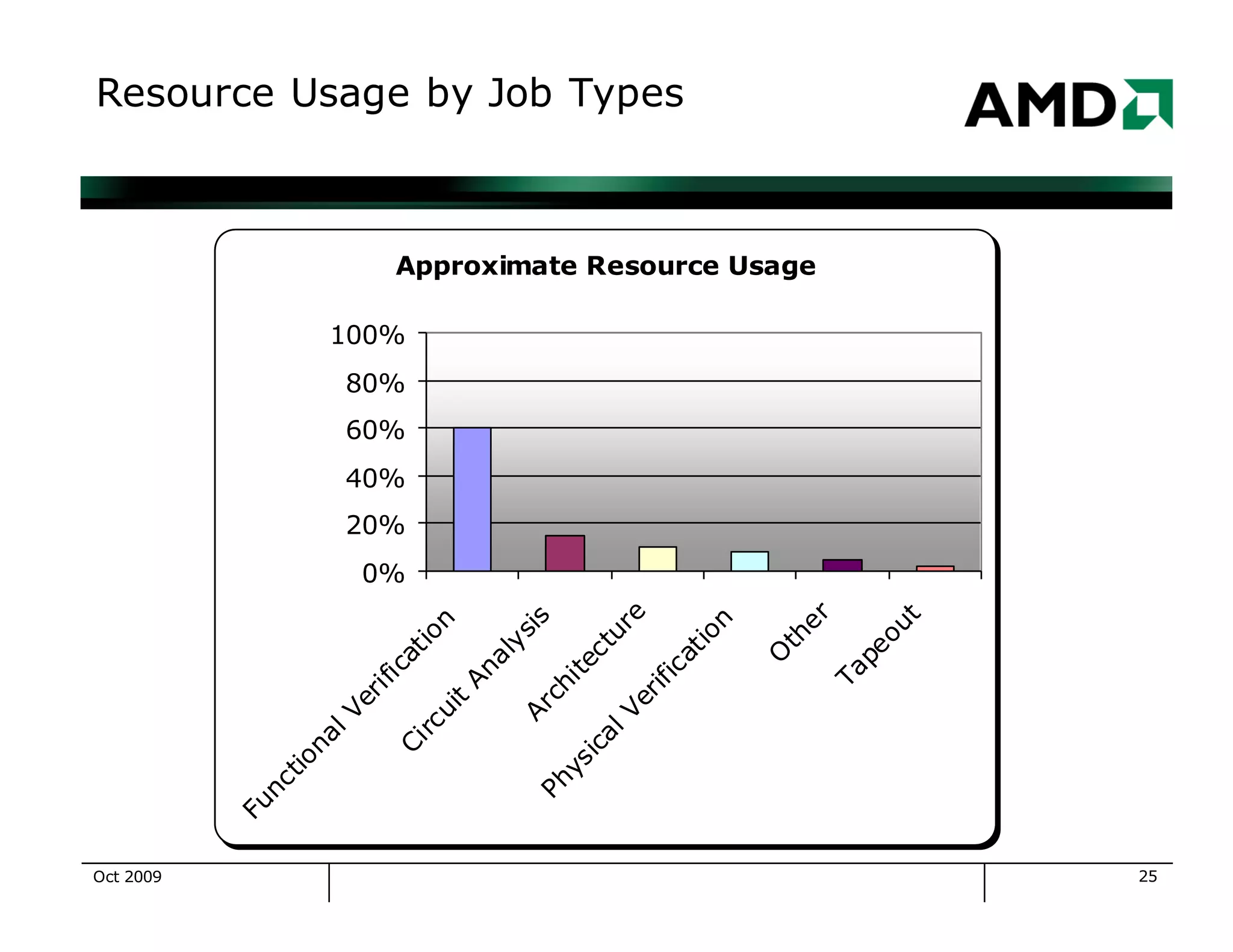
Resource Usage by Job Types
Approximate Resource Usage
0%
20%
40%
60%
80%
100%
FunctionalVerification
Circuit
AnalysisArchitecture
PhysicalVerification
O
ther
Tapeout
Oct 2009
26
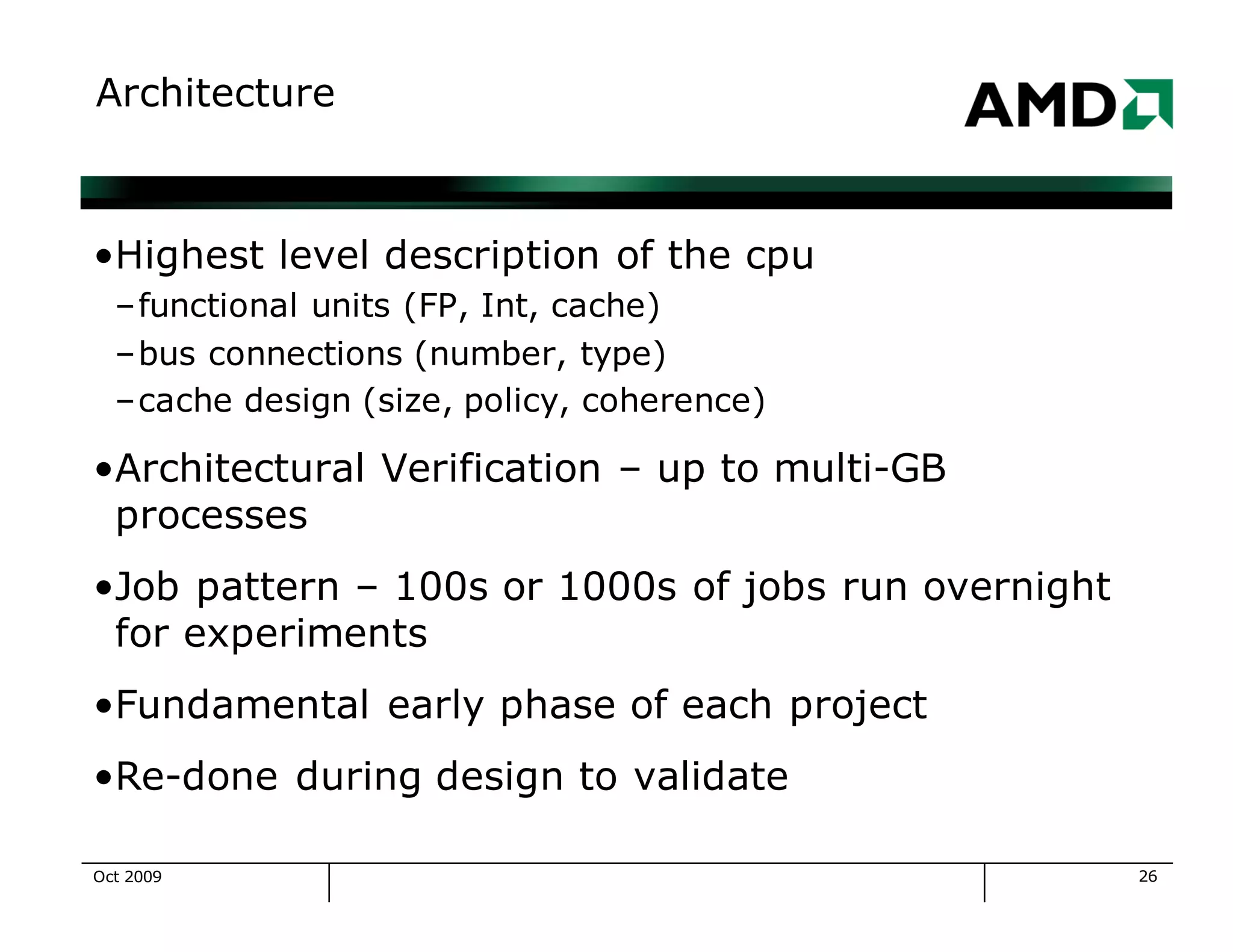
Architecture
•Highest level description of the cpu
–functional units (FP, Int, cache)
–bus connections (number, type)
–cache design (size, policy, coherence)
•Architectural Verification – up to multi-GB
processes
•Job pattern – 100s or 1000s of jobs run overnight
for experiments
•Fundamental early phase of each project
•Re-done during design to validate
Oct 2009
27
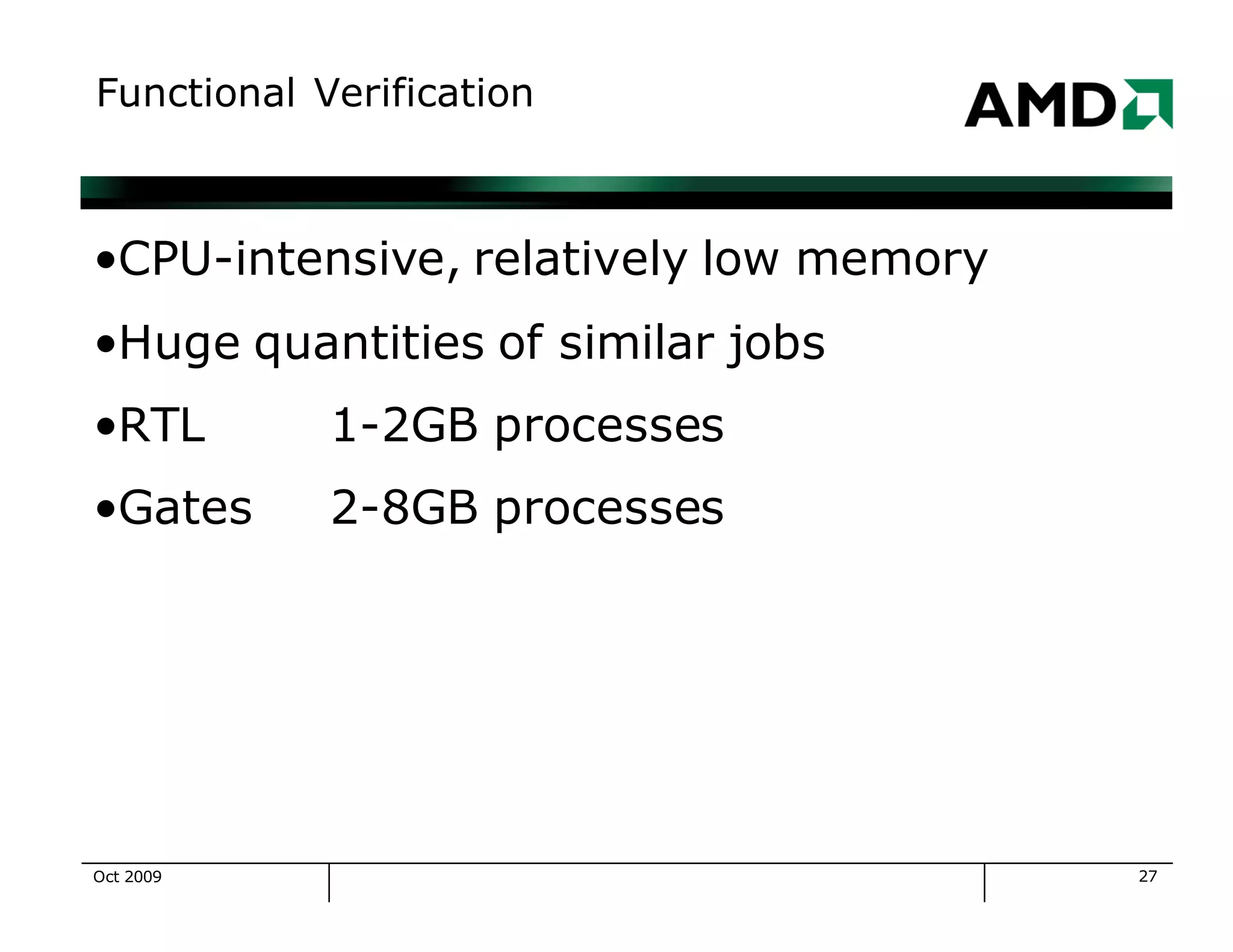
Functional Verification
•CPU-intensive, relatively low memory
•Huge quantities of similar jobs
•RTL 1-2GB processes
•Gates 2-8GB processes
Oct 2009
28
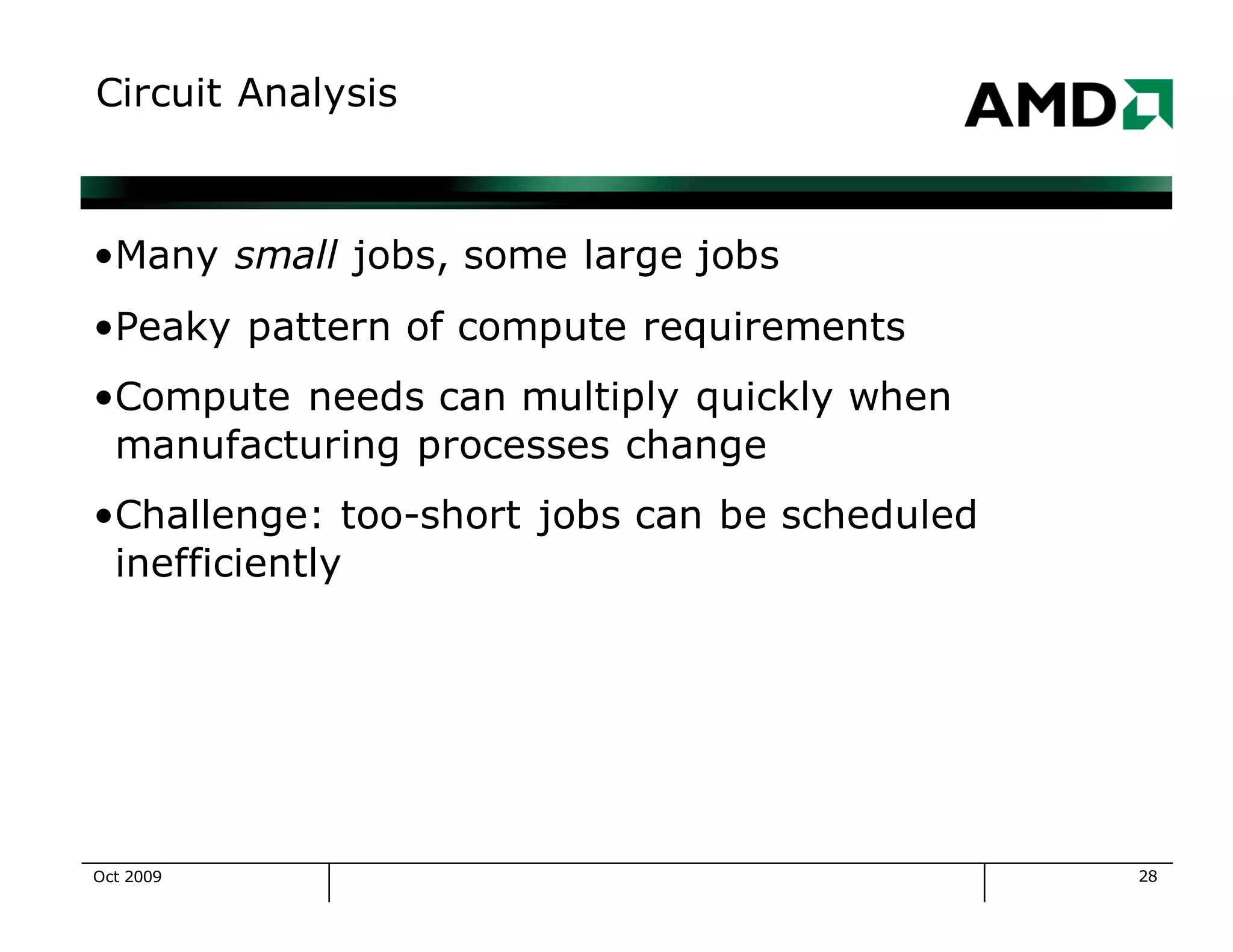
Circuit Analysis
•Many small jobs, some large jobs
•Peaky pattern of compute requirements
•Compute needs can multiply quickly when
manufacturing processes change
•Challenge: too-short jobs can be scheduled
inefficiently
Oct 2009
29
Physical Verification
•Physical Design & Routing
•Extraction of Electrical Characteristics including
Timing and Capacitance
•Memory intensive + compute intensive
Oct 2009
30
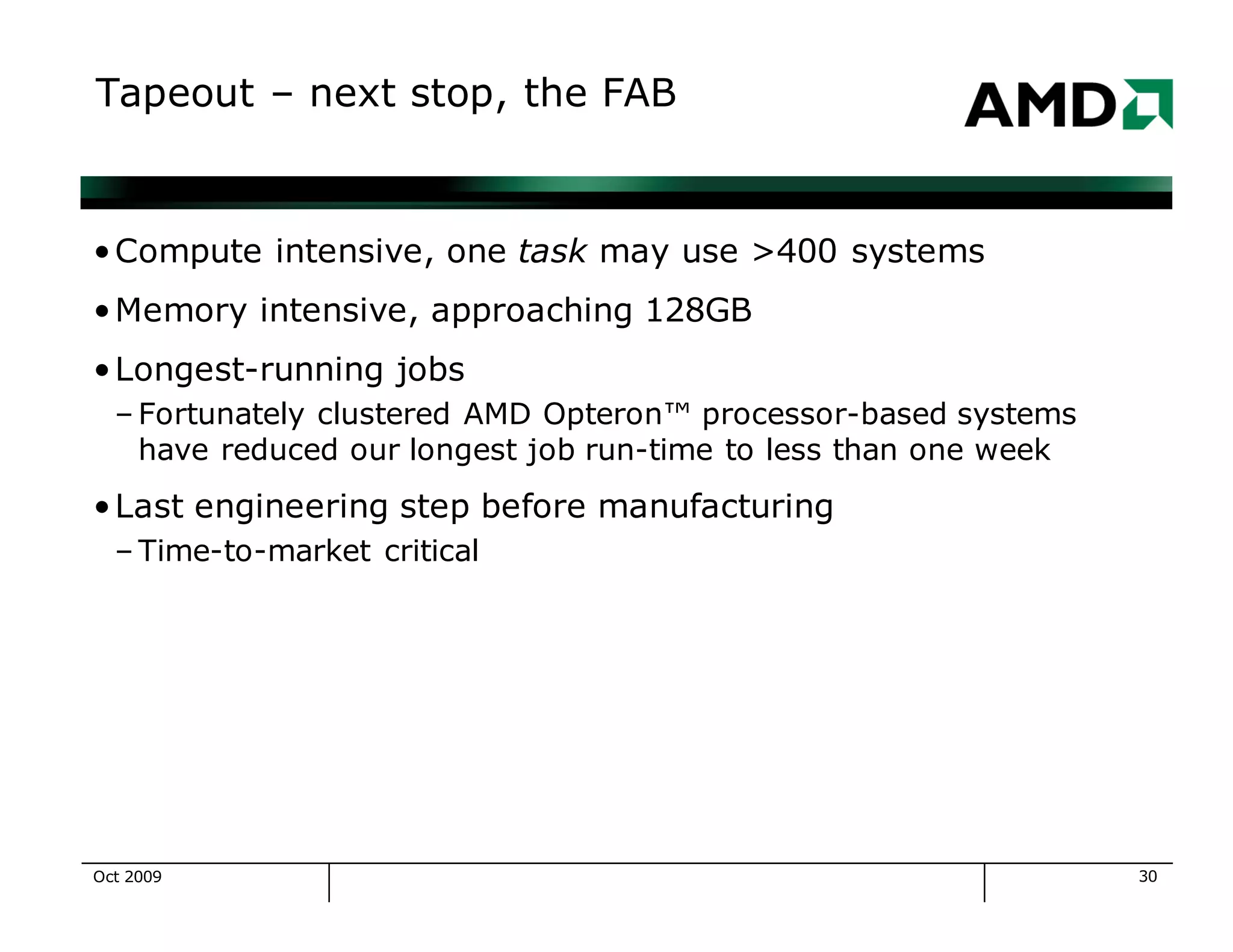
Tapeout – next stop, the FAB
•Compute intensive, one task may use >400 systems
•Memory intensive, approaching 128GB
•Longest-running jobs
– Fortunately clustered AMD Opteron™ processor-based systems
have reduced our longest job run-time to less than one week
•Last engineering step before manufacturing
– Time-to-market critical
Oct 2009
31
Challenges
•Growth
– Cluster size = X today, 2X in 18 months?
•Manageability
– Sysadmin/system ratio – can we stay the same or improve?
– Since 1999 the ratio has improved 3X
•Linux
– Improve quality
– Manage the rapid rate of change
•Scalability
– What decisions today will help us grow?
Oct 2009
32
Linux Challenges
•Linux Progression
– Redhat 6.x
– Redhat 7.x
– Suse Linux Enterprise Server 8.x
– Redhat Fedora Core 1
– Redhat Enterprise Linux 3.x
– Redhat Enterprise Linux 4.x
•Additional efforts include:
– Revision Control with CVS
– System installation with Kickstart
– Configuration Management with cfengine, yum
Oct 2009
33
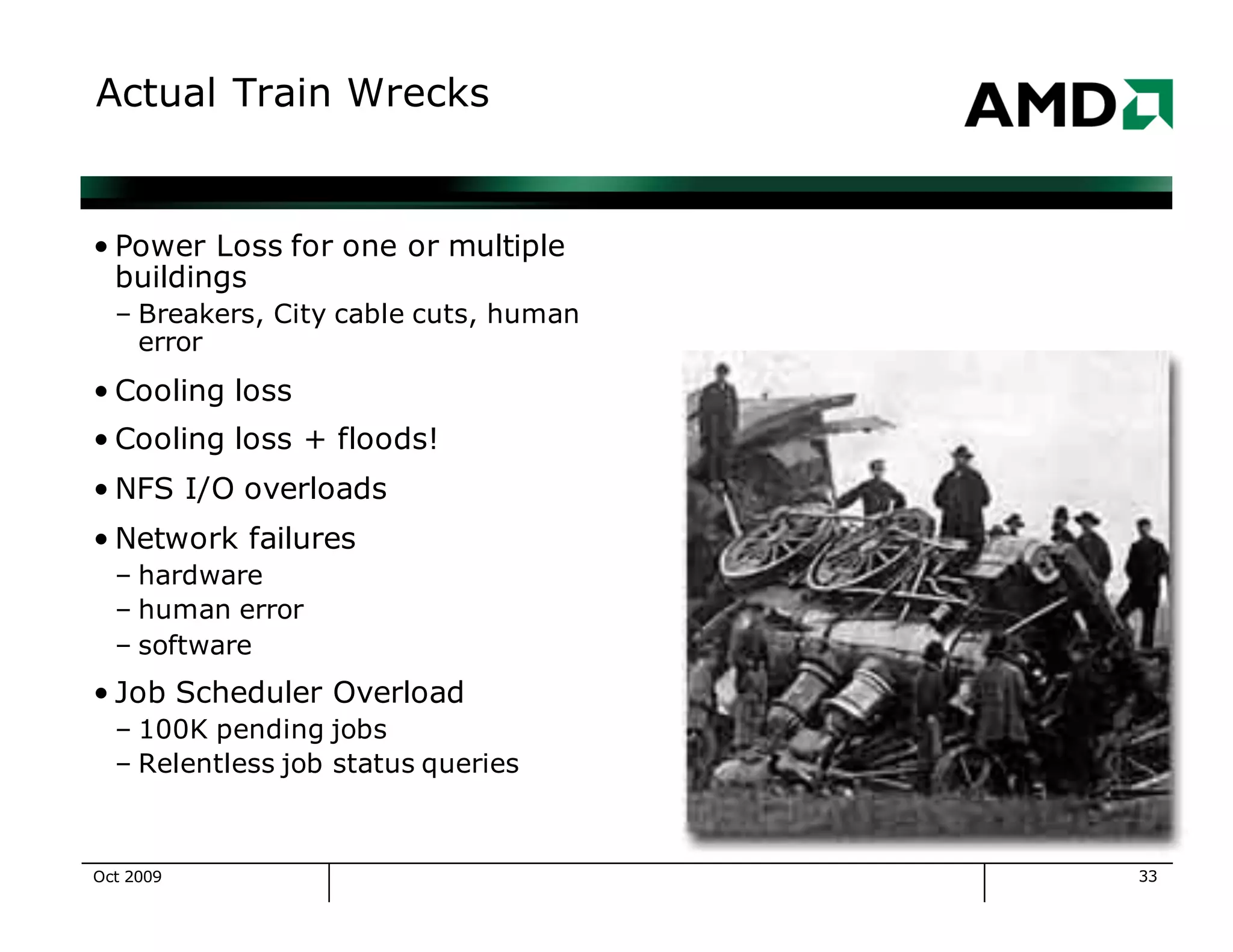
Actual Train Wrecks
• Power Loss for one or multiple
buildings
– Breakers, City cable cuts, human
error
• Cooling loss
• Cooling loss + floods!
• NFS I/O overloads
• Network failures
– hardware
– human error
– software
• Job Scheduler Overload
– 100K pending jobs
– Relentless job status queries
Oct 2009
34
System Installation Progression
•1 Manual installation, no updates
•2 Automated installation, no updates
•3 Automated installation, manual updates
•4 Automated installation, automated updates
•We are currently at level 3, approaching level 4
– Kickstart for installation
– cfengine for all localization
– yum for package management
Oct 2009
35
Tools for Clusters
•We use LSF from Platform Computing on our clusters
•Locally written tools are easier sed than done
•Freely available software keeps everything working
•Perl, CVS, kickstart, cfengine, yum
•ethereal, tcpdump, ping, mtr, …
•ssh, rsync, clsh, syslog-ng, …
•Apache, TWiki
•Mysql
•RT
Oct 2009
36
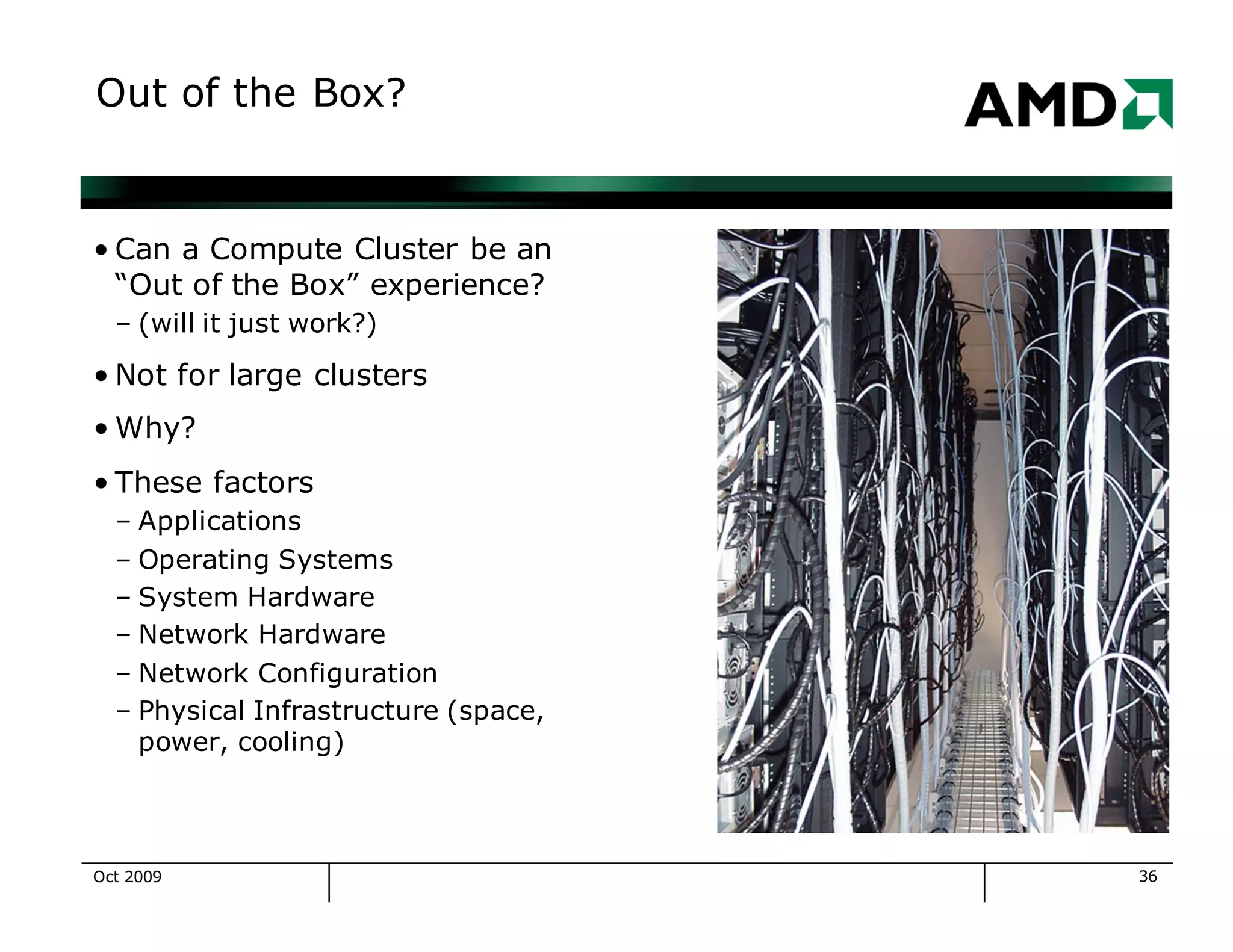
Out of the Box?
• Can a Compute Cluster be an
“Out of the Box” experience?
– (will it just work?)
• Not for large clusters
• Why?
• These factors
– Applications
– Operating Systems
– System Hardware
– Network Hardware
– Network Configuration
– Physical Infrastructure (space,
power, cooling)
Oct 2009
37
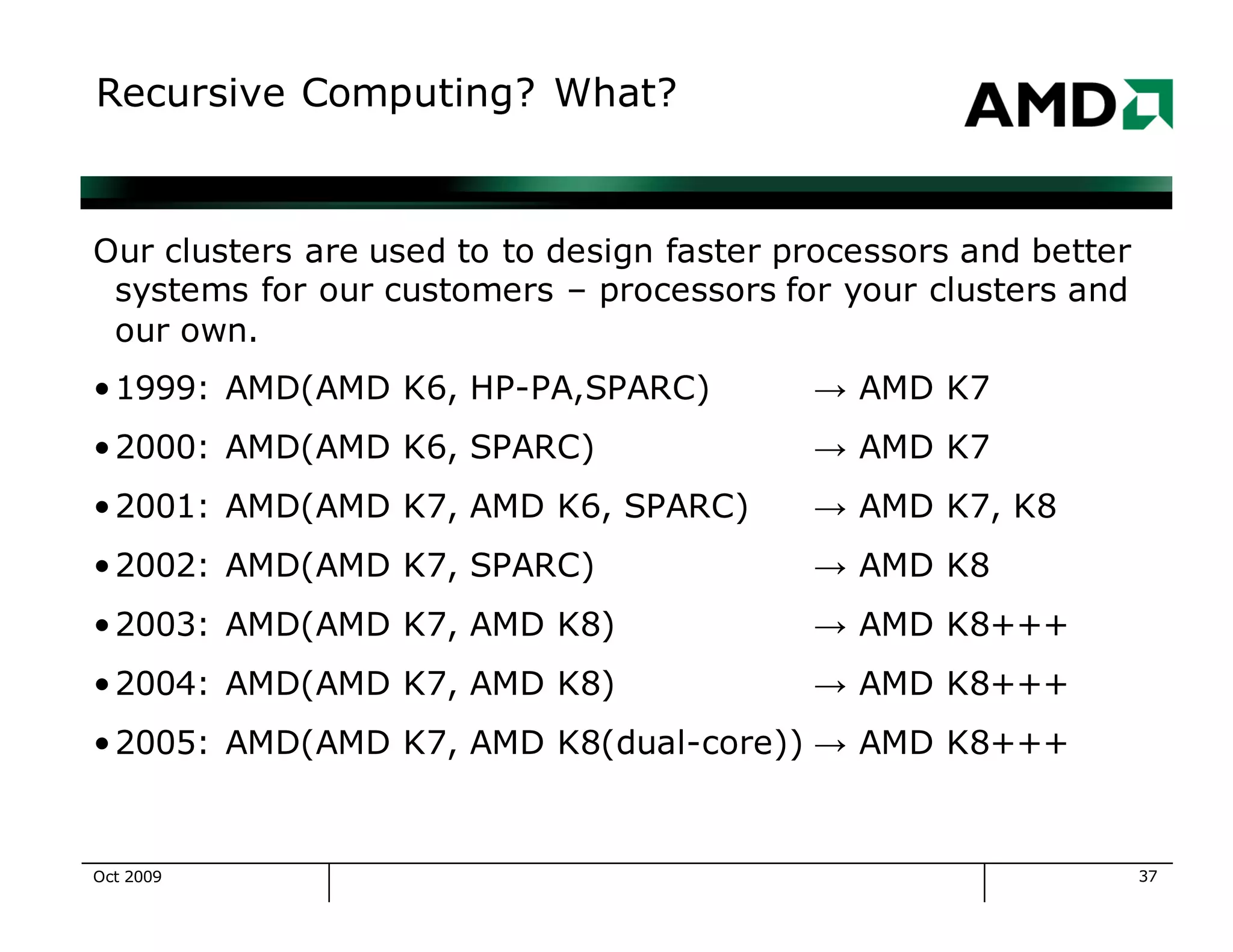
Recursive Computing? What?
Our clusters are used to to design faster processors and better
systems for our customers – processors for your clusters and
our own.
•1999: AMD(AMD K6, HP-PA,SPARC) → AMD K7
•2000: AMD(AMD K6, SPARC) → AMD K7
•2001: AMD(AMD K7, AMD K6, SPARC) → AMD K7, K8
•2002: AMD(AMD K7, SPARC) → AMD K8
•2003: AMD(AMD K7, AMD K8) → AMD K8+++
•2004: AMD(AMD K7, AMD K8) → AMD K8+++
•2005: AMD(AMD K7, AMD K8(dual-core)) → AMD K8+++
Oct 2009
38
Trademark Attribution
AMD, the AMD Arrow Logo, AMD Athlon, AMD Opteron and
combinations thereof are trademarks of Advanced Micro
Devices, Inc. Other product names used in this presentation
are for identification purposes only and may be trademarks of
their respective companies.
Oct 2009

Recursive Grid Computing AMD on AMD

  • 1.
    Recursive Computing AMD onAMD… Quentin Fennessy
  • 2.
    Oct 2009 2 Whoam I? •Quentin Fennessy – Worked at AMD (Advanced Micro Devices) for 10 years – Compute Clusters: 10 years with clustered computing – Unix: 20+ years in various industries (telecomm, automation, semiconductors) – BA in Computer Science from University of Massachusetts – Manager for Core Services of Global Engineering IT
  • 3.
  • 4.
    4 Goal of AMDCompute Clusters •Develop, test, revise and complete microprocessor designs •Do it efficiently –time-wise –$$-wise –people-wise •Support concurrent design projects –5 or 6 at any given time Oct 2009
  • 5.
    5 High Level AttainableGoals •Plan to meet your business needs •Understand the technical possibilities now – work with your vendors – hire and grow a great staff •Understand the technical possibilities for the future •Be flexible to accommodate changing business needs and technical possibilities Oct 2009
  • 6.
    6 Compute Clusters atAMD • Installed at each AMD design center (Austin x 2, Fort Collins, Sunnyvale, Boxborough, Dresden, Bangalore, ) • cluster size ranges from 200 to 10K+ cpus • 98+% compute servers are AMD Opteron™ and AMD Athlon™ MP processor-based • AMD Opteron and AMD Athlon MP processor-based desktops are also used as compute resources • AMD processor-based systems run 64bit and 32bit Linux (Red Hat Enterprise 3 and 4) Oct 2009
  • 7.
    7 History of AMDClusters c 1998: AMD K6 processors, Linux, ~400 systems • c 2000: AMD Athlon™ processors, Linux, ~1K systems • c 2001: More AMD Athlon processors, Linux, ~2K systems • c 2002: More AMD Athlon processors, Linux, ~3K systems •c 2003: AMD Opteron™ processors, Linux, ~4.5K systems •c 2004: More AMD Opteron processors, Linux, ~6K systems •c 2005: Dual Core AMD Opteron processors, Linux, ~7K systems, ~15K+ cpus •c 2006: ~8K systems, ~23K+ cpus Oct 2009
  • 8.
    8 OS Transitions forAMD Clusters •HP-UX → Solaris, painful as it was our first transition •Solaris → HP-UX, painful because we forgot our first •Solaris+HP-UX → 32 bit Linux, easier •32bit Linux → 64bit Linux, easy! because of compatibility •What makes an OS transition hard? – implicit assumption that we will always use OS Foo-X – the imagination and creativity of OS vendors •What makes an OS transition easy? – never assume anything will be the same next year – avoid buying into OS-specific infrastructure tools Oct 2009
  • 9.
    9 HW Transitions forAMD Clusters • HP → Sun, easy (Sun does a great job maintaining systems) • Sun → HP, easy (HP does a great job maintaining systems) • Sun, HP → AMD Athlon™ processor-based systems (32bit), HARD (Linux device issues, no system integration) • AMD Athlon™ MP (32bit) → AMD Opteron™ processors, easy, it just worked • Transition → Sun and HP AMD Opteron™ processor-based systems (easy, fast, very nice systems) Oct 2009
  • 10.
    10 Historic Bottlenecks •Every system,every cluster has a bottleneck—the slowest part of the system •Goal—provide a balanced cluster •Bottleneck Candidates –Fileservers –Network –Application licenses –Cluster manager systems Oct 2009
  • 11.
    11 Data Storage •2PB+ ofnetwork attached storage in 46 Netapp filers •>50% are Opteron-based Netapp filers •Typically Quad-GbE attached, with 10GbE testing in 1H07 •Fibre-channel and ATA disks, RAID-DP and RAID4 volumes •Challenge 1: a few hundred jobs can overwhelm a filer...either with raw I/O or relentless meta-data requests •Challenge 2: moving data between filers is a division-visible change and makes fileserver upgrades difficult •Goal: a fileserver that can add cpu and network capacity as easily as we add disk capacity Oct 2009
  • 12.
    12 Networking •We use commoditynetworking from Nortel, Cisco (100baseT, GbE) •Post-2003 compute servers are connected via GbE switches •Older systems are connected via 100baseT •We use VLANs for partitioning, routing to connect to the rest of AMD •Our network provides redundant paths and management components, except for the last mile to each compute server. Oct 2009
  • 13.
    13 Cluster Management viaLSF •Currently—excellent performance for job submission, dispatch and status updates •Our LSF job scheduler systems (for clusters with 10k cpus) are available for under $25,000 from tier 1 vendors. •We have a good upgrade path •Challenge: Match Resource Allocation to Business Needs Oct 2009
  • 14.
    14 Best Practices •Use revisioncontrol tools (RCS, Subversion, CVS, etc) •Use OS-independent and vendor-independent tools •Strive for uniformity in h/w and system s/w •Reserve sample systems for testing and integration •Plan for the failure of systems •Use collaborative tools for communication, planning and documentation (we use TWiki, irc, audio and video conferencing) Oct 2009
  • 15.
    15 Our Fastest Systemsare… •AMD Opteron™ processor-based systems of course… •Some optimizations: •Fully populate memory DIMM slots for max bandwidth (typ 4 dimms/socket) •Use ECC/Chipkill (x4) memory to correct up to 4bit errors •Enable memory interleaving in the BIOS •Use a 64bit NUMA-aware OS (Red Hat has done well for us) •Recompile your applications in 64bit mode Oct 2009
  • 16.
    16 System Types inthe Cluster •AMD Opteron™ processor –64bit, Linux, 2p→8p, 2GB→128GB –Most with single ATA disk, some w/SCSI –Most with single power supply –Gigabit Ethernet, single connection •AMD Athlon™ MP processor –32bit, Linux, 1p→2p, 1GB→4GB –ATA disk –Single power supply –100Mb Ethernet, single connection • Other Unix Systems – 64bit, 2p-8p, 2GB→28GB Oct 2009
  • 17.
    17 System Types inthe Cluster Cluster Capacity by Throughput 64% 35% 1% 0% 20% 40% 60% 80% 100% AMD Opteron™ 64bit AMD Athlon™ 32bit Other Oct 2009
  • 18.
    18 Show Me SomeNumbers CPU and System Totals 0 2,000 4,000 6,000 8,000 10,000 ASDC ANDC SVDC BDC IDC Total Total CPUs Opteron System Total Athlon System Total Oct 2009
  • 19.
    19 More Numbers Total Capacity(Megabytes) per cluster 0 10 20 30 40 50 60 70 ASDC ANDC SVDC BDC IDC Total Millions Total RAM (MB) Total Swap (MB) Oct 2009
  • 20.
    20 Internal Benchmark Comparison K9markfor System Types 42 114 115 259 356 532 0 100 200 300 400 500 600 K 7 C la ssic 1 P K 7 M P 2 PK 7 B a rto n 1 PO p tero n 2 PO p tero n 4 PO p tero n 8 P Processor type and qty k9markscore K9mark Oct 2009
  • 21.
    21 Large Cluster Throughput,for Texas2 (Year to Date) Utilization 95% LSF Jobs/Day 40K – 100K Average Job turnaround 8-9 hours Average CPU seconds/job 10,728 Oct 2009
  • 22.
    22 Large Cluster Throughput,for Texas2 Max Job Throughput/hour 4250 (was 2500 last year) Jobs/day (peak) 120K+ Jobs/day (average) 50K Oct 2009
  • 23.
    23 Crunchy LSF Details •JobScheduler for Texas2 Cluster (3900 systems, 11k cpus) – Hewlett Packard DL585 • 4 Single Core Opteron 854 (2.8Ghz) • 16GB RAM • 64bit Redhat Enterprise Linux 4, Update 1 •System Load for Job Scheduler – Typically 40% busy – 10.5MB/sec network traffic – Manages 3900 compute nodes • Queues jobs • Monitors system load • Monitors running jobs Oct 2009
  • 24.
    24 Job Types •Architecture –what should it do? •Functional Verification – will it work? •Circuit Analysis – transistors, library characterization •Implementation – put the pieces together •Physical Verification – timing, capacitance •Tapeout – send it to the fab Oct 2009
  • 25.
    25 Resource Usage byJob Types Approximate Resource Usage 0% 20% 40% 60% 80% 100% FunctionalVerification Circuit AnalysisArchitecture PhysicalVerification O ther Tapeout Oct 2009
  • 26.
    26 Architecture •Highest level descriptionof the cpu –functional units (FP, Int, cache) –bus connections (number, type) –cache design (size, policy, coherence) •Architectural Verification – up to multi-GB processes •Job pattern – 100s or 1000s of jobs run overnight for experiments •Fundamental early phase of each project •Re-done during design to validate Oct 2009
  • 27.
    27 Functional Verification •CPU-intensive, relativelylow memory •Huge quantities of similar jobs •RTL 1-2GB processes •Gates 2-8GB processes Oct 2009
  • 28.
    28 Circuit Analysis •Many smalljobs, some large jobs •Peaky pattern of compute requirements •Compute needs can multiply quickly when manufacturing processes change •Challenge: too-short jobs can be scheduled inefficiently Oct 2009
  • 29.
    29 Physical Verification •Physical Design& Routing •Extraction of Electrical Characteristics including Timing and Capacitance •Memory intensive + compute intensive Oct 2009
  • 30.
    30 Tapeout – nextstop, the FAB •Compute intensive, one task may use >400 systems •Memory intensive, approaching 128GB •Longest-running jobs – Fortunately clustered AMD Opteron™ processor-based systems have reduced our longest job run-time to less than one week •Last engineering step before manufacturing – Time-to-market critical Oct 2009
  • 31.
    31 Challenges •Growth – Cluster size= X today, 2X in 18 months? •Manageability – Sysadmin/system ratio – can we stay the same or improve? – Since 1999 the ratio has improved 3X •Linux – Improve quality – Manage the rapid rate of change •Scalability – What decisions today will help us grow? Oct 2009
  • 32.
    32 Linux Challenges •Linux Progression –Redhat 6.x – Redhat 7.x – Suse Linux Enterprise Server 8.x – Redhat Fedora Core 1 – Redhat Enterprise Linux 3.x – Redhat Enterprise Linux 4.x •Additional efforts include: – Revision Control with CVS – System installation with Kickstart – Configuration Management with cfengine, yum Oct 2009
  • 33.
    33 Actual Train Wrecks •Power Loss for one or multiple buildings – Breakers, City cable cuts, human error • Cooling loss • Cooling loss + floods! • NFS I/O overloads • Network failures – hardware – human error – software • Job Scheduler Overload – 100K pending jobs – Relentless job status queries Oct 2009
  • 34.
    34 System Installation Progression •1Manual installation, no updates •2 Automated installation, no updates •3 Automated installation, manual updates •4 Automated installation, automated updates •We are currently at level 3, approaching level 4 – Kickstart for installation – cfengine for all localization – yum for package management Oct 2009
  • 35.
    35 Tools for Clusters •Weuse LSF from Platform Computing on our clusters •Locally written tools are easier sed than done •Freely available software keeps everything working •Perl, CVS, kickstart, cfengine, yum •ethereal, tcpdump, ping, mtr, … •ssh, rsync, clsh, syslog-ng, … •Apache, TWiki •Mysql •RT Oct 2009
  • 36.
    36 Out of theBox? • Can a Compute Cluster be an “Out of the Box” experience? – (will it just work?) • Not for large clusters • Why? • These factors – Applications – Operating Systems – System Hardware – Network Hardware – Network Configuration – Physical Infrastructure (space, power, cooling) Oct 2009
  • 37.
    37 Recursive Computing? What? Ourclusters are used to to design faster processors and better systems for our customers – processors for your clusters and our own. •1999: AMD(AMD K6, HP-PA,SPARC) → AMD K7 •2000: AMD(AMD K6, SPARC) → AMD K7 •2001: AMD(AMD K7, AMD K6, SPARC) → AMD K7, K8 •2002: AMD(AMD K7, SPARC) → AMD K8 •2003: AMD(AMD K7, AMD K8) → AMD K8+++ •2004: AMD(AMD K7, AMD K8) → AMD K8+++ •2005: AMD(AMD K7, AMD K8(dual-core)) → AMD K8+++ Oct 2009
  • 38.
    38 Trademark Attribution AMD, theAMD Arrow Logo, AMD Athlon, AMD Opteron and combinations thereof are trademarks of Advanced Micro Devices, Inc. Other product names used in this presentation are for identification purposes only and may be trademarks of their respective companies. Oct 2009