Content Marketing
Why it’s so important for a mobile website
The primary purpose of a website
Is to hold all of your valuable
            content!
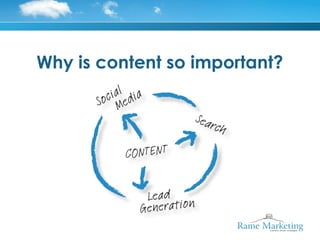
Why is content so important?
Supports your business plan
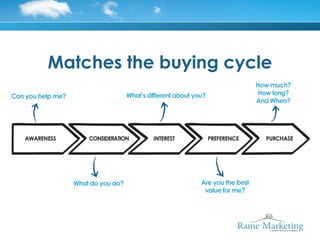
Matches the buying cycle
Optimised for search and share
      Share your page with the world
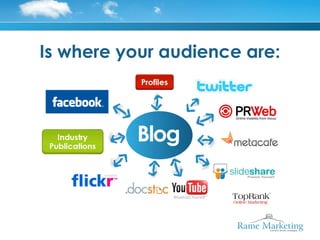
Is where your audience are:
Content: Targeted to
a mobile audience
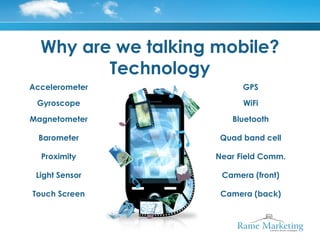
Why are we talking mobile?
         Technology
Accelerometer              GPS

 Gyroscope                 WiFi

Magnetometer            Bluetooth

  Barometer           Quad band cell

  Proximity          Near Field Comm.

 Light Sensor         Camera (front)

Touch Screen          Camera (back)
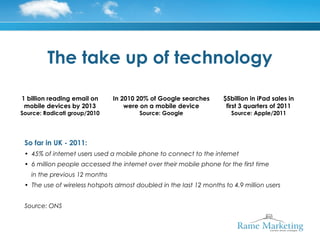
The take up of technology

1 billion reading email on       In 2010 20% of Google searches      $5billion in iPad sales in
 mobile devices by 2013              were on a mobile device          first 3 quarters of 2011
Source: Radicati group/2010              Source: Google                 Source: Apple/2011


 So far in UK - 2011:
 • 45% of internet users used a mobile phone to connect to the internet
 • 6 million people accessed the internet over their mobile phone for the first time
     in the previous 12 months
 • The use of wireless hotspots almost doubled in the last 12 months to 4.9 million users
  
 Source: ONS
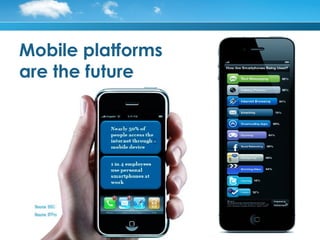
Mobile platforms
are the future
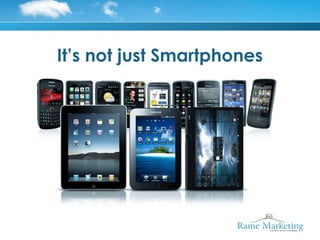
It’s not just Smartphones
Mobile users need to be
  treated differently
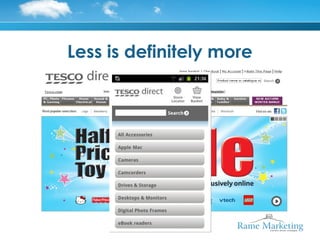
Less is definitely more
Design your content for an
 audience on the move
              Smaller screens
              Smaller keypads
                 No mouse
             Bandwidth issues
        Different search objectives

70% of mobile search is acted upon within the hour
                Source: Google 2010
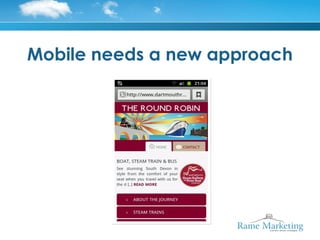
Mobile needs a new approach
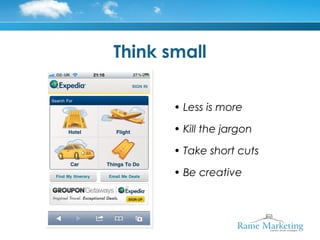
Think small

       • Less is more

       • Kill the jargon

       • Take short cuts

       • Be creative
Design for on-the-go

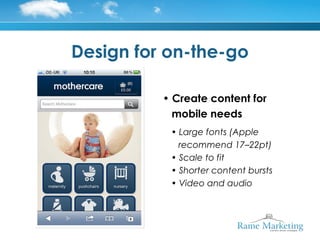
          • Create content for
            mobile needs
           • Large fonts (Apple
             recommend 17–22pt)
           • Scale to fit
           • Shorter content bursts
           • Video and audio
Design for on-the-go

• Images and large files

 • Try to limit to around 20k
 • Affect download times
Design for on-the-go


             • Encourage
               sharing
Design for on-the-go

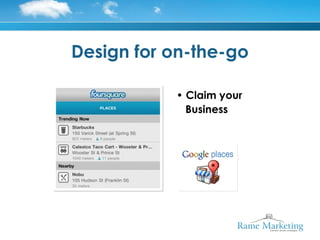
           • Claim your
             Business
Repurpose existing content
       • Chop up articles into
          200 word pieces

            • Video Q&A

        • Video case studies

        • Video sales demos

      • 5 minute audio podcasts

       • Interview your experts
Create new content
• SMS alerts around industry news
• Company announcements when new
  articles published (sign up)
• Event centric content
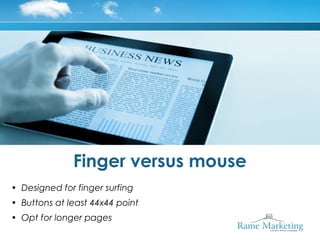
Finger versus mouse
• Designed for finger surfing
• Buttons at least 44x44 point
• Opt for longer pages
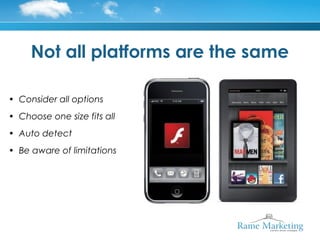
Not all platforms are the same

• Consider all options
• Choose one size fits all
• Auto detect
• Be aware of limitations
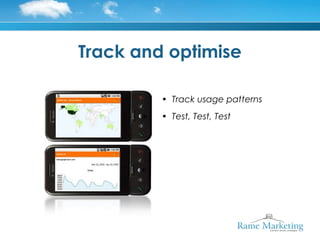
Track and optimise

         • Track usage patterns
         • Test, Test, Test
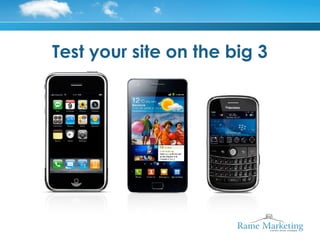
Test your site on the big 3
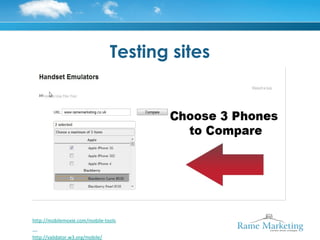
Testing sites


http://mobilemoxie.com/mobile-tools


http://validator.w3.org/mobile/
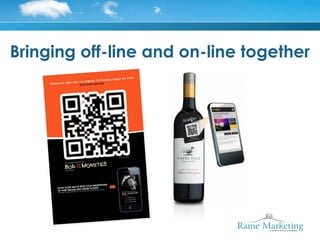
Bringing off-line and on-line together
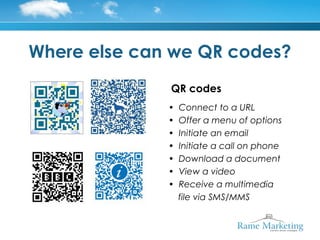
Where else can we QR codes?
              QR codes
              •   Connect to a URL
              •   Offer a menu of options
              •   Initiate an email
              •   Initiate a call on phone
              •   Download a document
              •   View a video
              •   Receive a multimedia
                  file via SMS/MMS
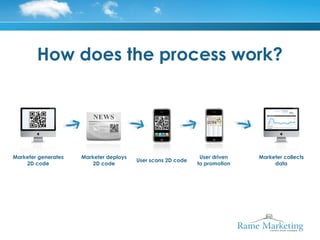
How does the process work?


Marketer generates   Marketer deploys                         User driven   Marketer collects
                                        User scans 2D code
    2D code              2D code                             to promotion        data
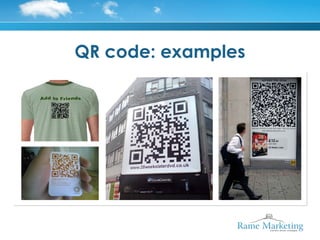
QR code: examples
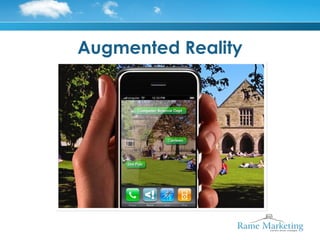
Augmented Reality
Summary

• Create a mobile friendly       • Re-purpose existing content
   websites                      • Create new way to engage
• Optimise your content              – QR code campaign
• Think Video
                                     – Augmented reality
• Think Audio
                                 • Track results
• Use bite sized articles
                                 • Test
• Claim your business on
   Location Based Applications
Andrew Walker
MA DipM MCIM Chartered
  Marketer

Web:
www.ramemarketing.co.uk

Twitter:
@ramemarketing

Email:
andrew@ramemarketing.co.uk

LinkedIn:
www.linkedin.com/in/andrewleonwalker

Rame mobile conference

  • 1.
    Content Marketing Why it’sso important for a mobile website
  • 2.
    The primary purposeof a website
  • 3.
    Is to holdall of your valuable content!
  • 4.
    Why is contentso important?
  • 5.
  • 6.
  • 7.
    Optimised for searchand share Share your page with the world
  • 8.
    Is where youraudience are:
  • 9.
    Content: Targeted to amobile audience
  • 10.
    Why are wetalking mobile? Technology Accelerometer GPS Gyroscope WiFi Magnetometer Bluetooth Barometer Quad band cell Proximity Near Field Comm. Light Sensor Camera (front) Touch Screen Camera (back)
  • 11.
    The take upof technology 1 billion reading email on In 2010 20% of Google searches $5billion in iPad sales in mobile devices by 2013 were on a mobile device first 3 quarters of 2011 Source: Radicati group/2010 Source: Google Source: Apple/2011 So far in UK - 2011: • 45% of internet users used a mobile phone to connect to the internet • 6 million people accessed the internet over their mobile phone for the first time in the previous 12 months • The use of wireless hotspots almost doubled in the last 12 months to 4.9 million users   Source: ONS
  • 12.
  • 13.
    It’s not justSmartphones
  • 14.
    Mobile users needto be treated differently
  • 15.
  • 16.
    Design your contentfor an audience on the move Smaller screens Smaller keypads No mouse Bandwidth issues Different search objectives 70% of mobile search is acted upon within the hour Source: Google 2010
  • 17.
    Mobile needs anew approach
  • 18.
    Think small • Less is more • Kill the jargon • Take short cuts • Be creative
  • 19.
    Design for on-the-go • Create content for mobile needs • Large fonts (Apple recommend 17–22pt) • Scale to fit • Shorter content bursts • Video and audio
  • 20.
    Design for on-the-go •Images and large files • Try to limit to around 20k • Affect download times
  • 21.
    Design for on-the-go • Encourage sharing
  • 22.
    Design for on-the-go • Claim your Business
  • 23.
    Repurpose existing content • Chop up articles into 200 word pieces • Video Q&A • Video case studies • Video sales demos • 5 minute audio podcasts • Interview your experts
  • 24.
    Create new content •SMS alerts around industry news • Company announcements when new articles published (sign up) • Event centric content
  • 25.
    Finger versus mouse •Designed for finger surfing • Buttons at least 44x44 point • Opt for longer pages
  • 26.
    Not all platformsare the same • Consider all options • Choose one size fits all • Auto detect • Be aware of limitations
  • 27.
    Track and optimise • Track usage patterns • Test, Test, Test
  • 28.
    Test your siteon the big 3
  • 29.
  • 30.
    Bringing off-line andon-line together
  • 31.
    Where else canwe QR codes? QR codes • Connect to a URL • Offer a menu of options • Initiate an email • Initiate a call on phone • Download a document • View a video • Receive a multimedia file via SMS/MMS
  • 32.
    How does theprocess work? Marketer generates Marketer deploys User driven Marketer collects User scans 2D code 2D code 2D code to promotion data
  • 33.
  • 34.
  • 35.
    Summary • Create amobile friendly • Re-purpose existing content websites • Create new way to engage • Optimise your content – QR code campaign • Think Video – Augmented reality • Think Audio • Track results • Use bite sized articles • Test • Claim your business on Location Based Applications
  • 36.
    Andrew Walker MA DipMMCIM Chartered Marketer Web: www.ramemarketing.co.uk Twitter: @ramemarketing Email: andrew@ramemarketing.co.uk LinkedIn: www.linkedin.com/in/andrewleonwalker

Editor's Notes

  • #2 Slide 4 Why is content so important? Because content drives search Because content drives lead generation And because content drives social media Without the hook of great content it’s difficult to engage with an audience. Great content acts like a magnet and pulls people towards you. And the search engines love it. So it’s important that - Click
  • #3 Slide 2: The primary purpose of a website When it comes to websites we put a great deal of time and effort into getting our sites to look good with great graphics and images and we try to make it as easy as possible for users to navigate. No more than 3 clicks to whatever we want people to find. And all of these factors are important because the look and feel of a website plays an import part in whether a visitor moves deeper into the site or bounces out. But’s there’s a tendency to forget the main purpose of our website Click
  • #4 Slide 3: Content And that main purpose is to hold all of the relevant, compelling and valuable content that you’ve put together. Content that you want your audience to find. Content that can make the difference between winning and losing business. Click
  • #5 Slide 4 Why is content so important? Because content drives search Because content drives lead generation And because content drives social media Without the hook of great content it’s difficult to engage with an audience. Great content acts like a magnet and pulls people towards you. And the search engines love it. So it’s important that - Click
  • #6 You actually have good content that supports your overall business plan. Content that highlights to your audience that you understand their problems and issues. And more importantly, that you can help them, you can add value.   Remember it’s about them, not you Click
  • #7 You actually have good content that supports your overall business plan. Content that highlights to your audience that you understand their problems and issues. And more importantly, that you can help them, you can add value.   Remember it’s about them, not you Click
  • #8 Slide 7: Optimised   Your content needs to be optimised for search and share. It’s not just about your website, there are plenty of social media sites that your audience visit. You want to have content good enough for others to feel happy about sharing with their friends and colleagues Click
  • #9 Slide 8: Repurpose And right from the off you need to start thinking about where you can re-purpose that content, as many ways as possible to can to ensure you get the best ROI for your efforts and again, you post that content where your audience are active
  • #10 Slide 9: Targeted to a mobile audience But today were talking about a mobile audience And whereas everything I’ve just mentioned is critical for your main website and search in general, mobile users need to be treated differently. But before we get into that. Why are we talking about mobile anyway? Click
  • #11 Slide 10: Why are we talking mobile Firstly, It’s about technology. Mobile platforms are now mini computers with GPS capability, Wi-Fi, NFC and Bluetooth and other sensors. All ideal for location based services applications. And 4G or LTE or wireless broadband is already here. But its also the speed of the take up of this technology But before we get into that. Why are we talking about mobile anyway? Click
  • #12 Slide 11: The take up of this technology “ Globally more people have a mobile phone than a bank account”   “ In 2010 eBay achieved between $1.5/2M from m-commerce, selling an item on eBay mobile every 2 seconds”   “ Morgan Stanley expect mobile internet usage to overtake desktop usage by 2015”   And according to Comscore in 2010 there were almost 17m smartphone subscribers in the UK We’re living in a wireless world - Click
  • #13 Slide 12: Mobile platforms are the future   And we need to understand their usage and our audience Remember many people have their mobile phone with them 24 hours a day. This is the first real opportunity for one-to-one marketing Click  
  • #14 Slide 13: It’s not just smartphones   You also need to consider Tablets and eReaders
  • #15 Slide 14: Mobile users need to be treated differently I mentioned earlier that mobile users need to be treated differently. Why, we’ll because they’re mobile, active, on the go. The network might be slow, coverage might be patchy. All of this has got to be considered when you put your content together. Click
  • #16 Slide 15: In the mobile world less is definitely more I know, some of you have only just got your main websites up and running in a way you’re happy with but if you want to be successful in the mobile world you need to take a fresh look at things and not just replicate what we’ve already done. It's easy to get carried away with offers, content, and information on your main website; after all, you have plenty of real estate to work with. But if you simply take all of that information and replicate it on a much smaller screen you’ll find out that there just isn't the space. Click Mobile sites are not the same as websites. So ensure your website has a mobile-friendly version; not one that just that it works on mobiles.
  • #17 Slide 16: Design content for an audience on the move Your audience will also be looking at your content on a much smaller viewing area. Smaller screens, smaller keyboards and a completely different browsing experience from a desktop computer screen. So they’ll be less likely to be interested in your “about us” page or “meet the team” page. They’ll be looking for a quick response to enable them to take an action. Click
  • #18 Slide 17: Mobile needs a new approach Mobile is a new environment, one that demands a new design and a new approach to keep customers and win new ones. And to do that you need to prioritise your mobile strategy and make it a key element of your overall e-commerce plan. Click That way you will you be able to prove its worth—via customer retention, measureable revenue, and an attractive return on investment. Re-purpose existing content for a mobile audience Create new ways to engage an audience around your content You need to think mobile and social media  Smartphones, tablets, and a slew of other mobile technologies are taking the world by storm. As a result, more online content is being served up to much smaller screens. There are a variety of considerations to build into your content in order to optimize for this portable world. So here are a number of hints and tips Click
  • #19 Slide 18: Think small In the mobile world less is more As you begin building your mobile marketing strategy, start with what you’ve got and then begin to remove items or content from your website that you think might be superfluous to a mobile browser. Analytics can help. You're likely already storing a lot of analytics data about how your consumers interact on your site. Use that information to determine what your customers need from you, what can (and should) be translated to your mobile environment—and what you can get rid of. Click
  • #20 Bear in mind the mobile environment, mobile browsers are probably not interested in knowing all about the team, or your company history. Use large fonts for key messaging (Apple recommends a 17 to 22 point font) and create an interface that scales to fit different device specs. Similarly, use fluid layouts with fluid images so that your content can self-adjust for various screen sizes. Since less fits on these screens, try to create shorter content “bursts” and keep your copy tight. Avoid splicing it into multiple pages because scrolling is quicker than waiting for multiple pages to load. Also consider using alternate formats such as video and audio to conserve space.
  • #21 Slide 20: Design for on the go But it’s not just space that you need to consider: load times and screen rendering are just as important. Try to limit your file size to 20k to accommodate slower connection speeds. Use image files wisely to avoid impacting accessibility and download times. Also avoid using Flash if your content will be consumed on an Apple product. Click
  • #22 Slide 21: Design for on the go Encourage sharing, Mobile users are avid sharers, make it easy for them Click
  • #23 Slide 22: Design for on the go You should claim your business on location-based platforms like Foursquare Gowalla and Google Places, especially if you have a brick-and-mortar location. Claiming your business is similar to calling up the phone company to get a free listing in the Yellow Pages, only now you’re reaching out to these location-based services instead of BT. Click
  • #24 Slide 24: Create new content There are many ways to create content that you may not have considered
  • #25 Dan will talk all about how you can use SMS later I get an alert from my kids school if there’s an event or as a reminder for me to do something Click
  • #26 Slide 25: Finger versus mouse Design for finger surfing navigation, including pinching and zooming. Make any tappable UI elements such as buttons at least 44x44pts, or larger when the touch target is placed close to the edge of the screen. Once you've cleared out the clutter, it's time to focus on making the best of the remaining content. Click
  • #27 Slide 26: Not all platforms are the same Get out that smartphone of yours, type in your brand's URL, and take note of the load times and overall layout. Click Keep an eye out for new devices coming to market like the Amazon Kindle Fire Click Are any large graphics or Flash pieces killing the mobile experience? What is hard or easy to find? Hold on to what works, get rid of what seems clunky or cumbersome in a mobile browser, and if there's any must-keep content that will need new presentation, make note of that, too. Click
  • #28 Slide 27 Track and optimise You've repurposed and redecorated, but you'll only know if you got it right by testing your new look. A must for e-commerce sites, multivariate and A/B testing are just as important for mobile commerce sites. Because mobile is still new, best-practices for mobile conversion are thin on the ground. So it’s difficult to predict what will work and what won’t. So you need to experiment and test. Small elements, such as headline placement, colour of buttons, or tone/copy tweaks can have a significant impact on sales—but you won't get it just right until you test. Developing your mobile site isn't a do it once and forget about it project. Mobile requires the same continual care and feeding that traditional websites do. Click
  • #29 Slide 28: Test your site on the big 3 The first step is to get your hands on the Big 3 mobile devices—iPhone, Android, and BlackBerry—and view your site on each. Next, spend some time visiting mobile sites within your industry or of competitors, and download various types of apps on each device to understand what works—and what doesn't. What items do you like and dislike? What features and design components seem to be the most user-friendly... or unnecessary? Whether you're simply looking for general inspiration or cross-industry best-practices, check out successful mobile sites, such as those of Google, Amazon, or eBay. Click
  • #30 Slide 29: Testing sites There are test sites around that allow you to view your site as it would be seen on a mobile or you can have your site rated for validity http://mobilemoxie.com/mobile-tools http://validator.w3.org/mobile/
  • #31 Slide 31: Bringing the off-line and on-line together would be remiss of me not to mention QR codes. The jury is still out on QR codes but they are gaining popularity and recognition Hers are 2 examples I scanned recently. MI5 recruitment from one of the broadsheets last Sunday. Click QR code on the label of a Bulmers cider bottle. The Bulmers Cider was purely for research and Bulmers took me to a dedicated landing page But after watching several series of Spooks I chickened out of clicking through on the MI5 link
  • #32 Slide 32: What else can QR codes be used for? A lot of people don’t know what they are or what to do with them and others have used them badly So what’s a QR or quick response tag? Standard bar codes are linear one-dimensional codes and can only hold up to 20/30 numerical digits, whereas QR codes are two-dimensional (2D) matrix barcodes that can hold thousands of alphanumeric characters of information. This ability to hold more information and their ease of use makes them practical for marketing purposes. And as you can see, you can be quite creative with the design When you scan or read a QR code with your iPhone, Android or other camera-enabled Smartphone, you can link to digital content on the web; activate a number of phone functions including email, IM and SMS; and connect the mobile device to a web browser.
  • #34 Slide 33: QR code examples With a QR code you can get across a large amount of information without paying for the ad space by linking the ad to the information on your own site You can target customers more individually by giving options when they reach the website The trick is to get people to click on the QR code in the first place and to do that you may need to offer an incentive rather than just ask them to click for more information. And it’s possible to offer location or time-based offers rather than just a generic ad