








Who are you?
Todd Barr
Spatial Statistician/GeoData Sherpa
Outline
• Spatial Libraries
• GeoData
• Spatial Joins/Cholorpleth Map
• Heat Map
BackgRound on R
• Developed in the 90s base on a Proprietary Statistical Language called
‘S’ and S-Plus, by Statisticians for Statistical Models.
Advantages of R - Spatial
• Command Line Interface
• Customizable Graphics
• Native Spatial Data
• Easily Extensible through Libraries
• Many Tools to Munge Data, both Spatial and Tabular
• Native Modeling and Analysis in Code
• Levels the Playing Field
Disadvantages of R - Spatial
• Steepish Learning Curve (even with Rstudio)
• Difficult to Visualize Data (lack of interactive canvas in Rstudio)
• Difficult to Dynamically Select things from a map
• Single Core Processing (can be augmented with Libraries)
• Libraries with overlapping functionalities
R in “Traditional” Spatial/GIS
• Spatial
• ArcGIS
• R interface supported by ESRI Open Project “R Bridge”
• QGIS
• Imbedded a Functionality
• Use R in the Native Script Editor
• GeoDA
• Native R code, and functionality
• gvSIG
• R plugin to allow
R in “Traditional” Spatial/GIS
•Kinda Spatial
•Tableau
•Spotfire
R in “Traditional” Spatial/GIS
• Capable of GeoAnalytics
• SAS
• SPSS
0
10
20
30
40
50
60
70
80
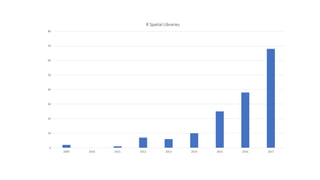
2009 2010 2011 2012 2013 2014 2015 2016 2017
R Spatial Libraries
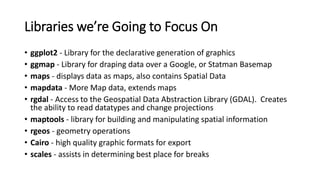
Libraries we’re Going to Focus On
• ggplot2 - Library for the declarative generation of graphics
• ggmap - Library for draping data over a Google, or Statman Basemap
• maps - displays data as maps, also contains Spatial Data
• mapdata - More Map data, extends maps
• rgdal - Access to the Geospatial Data Abstraction Library (GDAL). Creates
the ability to read datatypes and change projections
• maptools - library for building and manipulating spatial information
• rgeos - geometry operations
• Cairo - high quality graphic formats for export
• scales - assists in determining best place for breaks
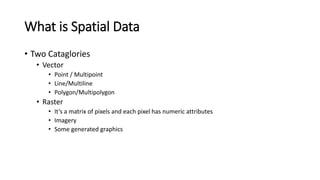
What is Spatial Data
• Two Cataglories
• Vector
• Point / Multipoint
• Line/Multiline
• Polygon/Multipolygon
• Raster
• It’s a matrix of pixels and each pixel has numeric attributes
• Imagery
• Some generated graphics
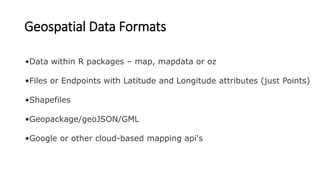
Geospatial Data Formats
•Data within R packages – map, mapdata or oz
•Files or Endpoints with Latitude and Longitude attributes (just Points)
•Shapefiles
•Geopackage/geoJSON/GML
•Google or other cloud-based mapping api's
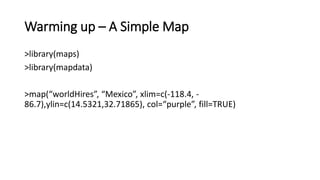
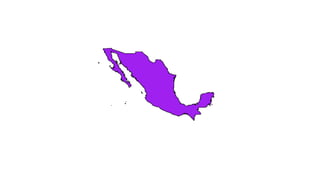
Warming up – A Simple Map
>library(maps)
>library(mapdata)
>map(“worldHires”, “Mexico”, xlim=c(-118.4, -
86.7),ylin=c(14.5321,32.71865), col=“purple”, fill=TRUE)
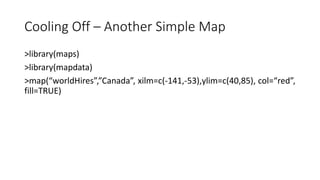
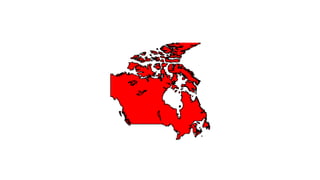
Cooling Off – Another Simple Map
>library(maps)
>library(mapdata)
>map(“worldHires”,”Canada”, xilm=c(-141,-53),ylim=c(40,85), col=“red”,
fill=TRUE)
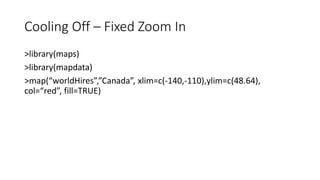
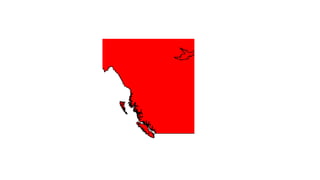
Cooling Off – Fixed Zoom In
>library(maps)
>library(mapdata)
>map(“worldHires”,”Canada”, xlim=c(-140,-110),ylim=c(48.64),
col=“red”, fill=TRUE)
map meet ggplot2
>co <- map(“county”,”colorado”, plot=FALSE, fill=TRUE)
Map meet ggplot2
>head(co)
map and ggplot2
>library(ggplot3)
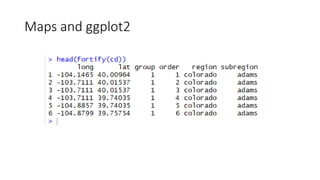
>head(fortify(co))
Maps and ggplot2
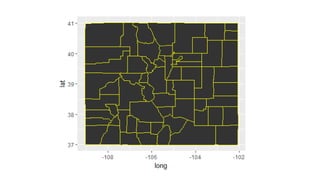
map and ggplot2
>ggplot(co,aes(long, lat)) +
>geom_polygon(aes(group=group), color=“yellow”)
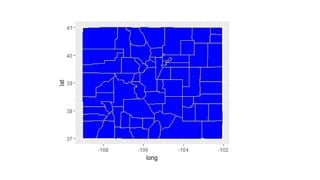
maps and ggplot2
>ggplot(co,aes(long, lat)) +
>geom_polygon(aes(group=group), color=“yellow”, fill=“blue”)
ggplot and shapefiles and choropleths
>library(ggplot2)
>library(maptools)
>library(rgeos)
>library(ggmap)
>library(scales)
>library(RColorBrewer)
ggplot and shapefiles and choropleths
>setwd(“$Folder_here”)
>co.shp<-readShapeSpatial(“ACS1014_county.shp”)
>class(co.shp)
>names(co.shp)
ggplot and shapefiles and choropleths
>print(co.shp$GEOID)
>print(co.shp$NAME)
ggplot and shapefiles and choropleths
>age_40<-data.frame(NAME_CO=co.shp$NAME, id=co.shp$COUNTYFP,
prevalence=co.shp$age_40_49)
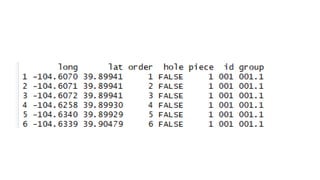
>combine<-fortify(co.shp,region=“COUNTYFP”)
>head(combine)
ggplot and shapefiles and choropleths
>merge.shp<-merge(combine, age_40, by=“id”, all.x=TRUE)
>final_join<-merge.shp[order(merge.shp$order),]
ggplot and shapefiles and choropleths
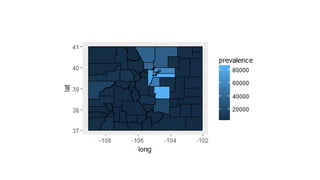
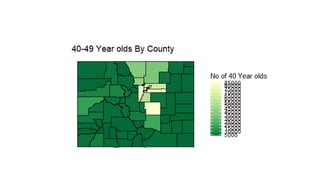
>ggplot() +
+geom_polygon(data=final_join, aes(x=long, y=lat,group=group,
fill=prevalence),color=“black”, size=0.25) +
+coord_map()
ggplot and shapefiles and choropleths
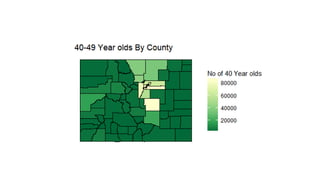
>ggplot() +
+ geom_polygon(data=final_join, aes(x=long, y=lat, group=group,
fill=prevalence), color=“black”, size=0.25) +
+ coord_map +
+ scale_fill_distiller(name=“Population”, palette=“YlGn”,
breaks=pretty_breaks(n=5)) +
+ theme_nothing(legend=TRUE) +
+ labs(title=“40-49 year olds by County)
Heat Map
>library(ggplot2)
>library(ggmap)
Heat Map
>co_fm<-read.csv(path_to_fm_xy.csv)
>head(co_fm)
Heat Map
>co_map<-get_map(location=“Colorado”, maptype=“satellite/roadmap”,
zoom=7)
Heat Map
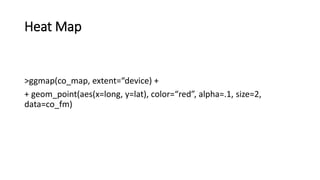
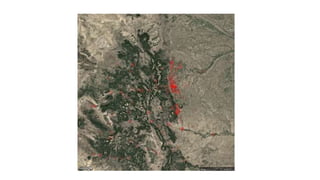
>ggmap(co_map, extent=“device) +
+ geom_point(aes(x=long, y=lat), color=“red”, alpha=.1, size=2,
data=co_fm)
Heat Map 2.0
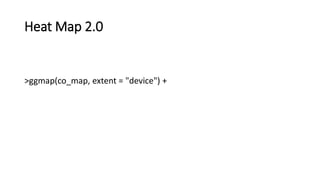
>ggmap(co_map, extent = "device") +
Heat Map 2.0
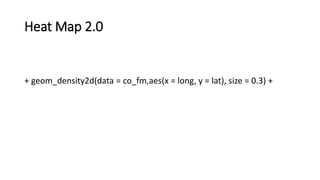
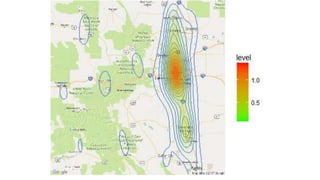
+ geom_density2d(data = co_fm,aes(x = long, y = lat), size = 0.3) +
Heat Map 2.0
+ stat_density2d(data =co_fm,
aes(x = lon, y = lat, fill = ..level.., alpha = ..level..), size = 0.01,
bins = 16, geom = "polygon") +
Heat Map 2.0
+ scale_fill_gradient(low = "green", high = "red") +
Heat Map 2.0
+ scale_alpha(range = c(0, 0.3), guide = FALSE)
http://rspatial.org/
https://cran.r-project.org/web/views/Spatial.html
https://www.datacamp.com/courses/working-with-geospatial-data-in-r
Resources

R spatial presentation