The changing learning landscape What are the ‘pros and cons’ of social learning, networking and communities for learning?  Coach Carole 22 October 2008 " Put  e-learning on  your  map'
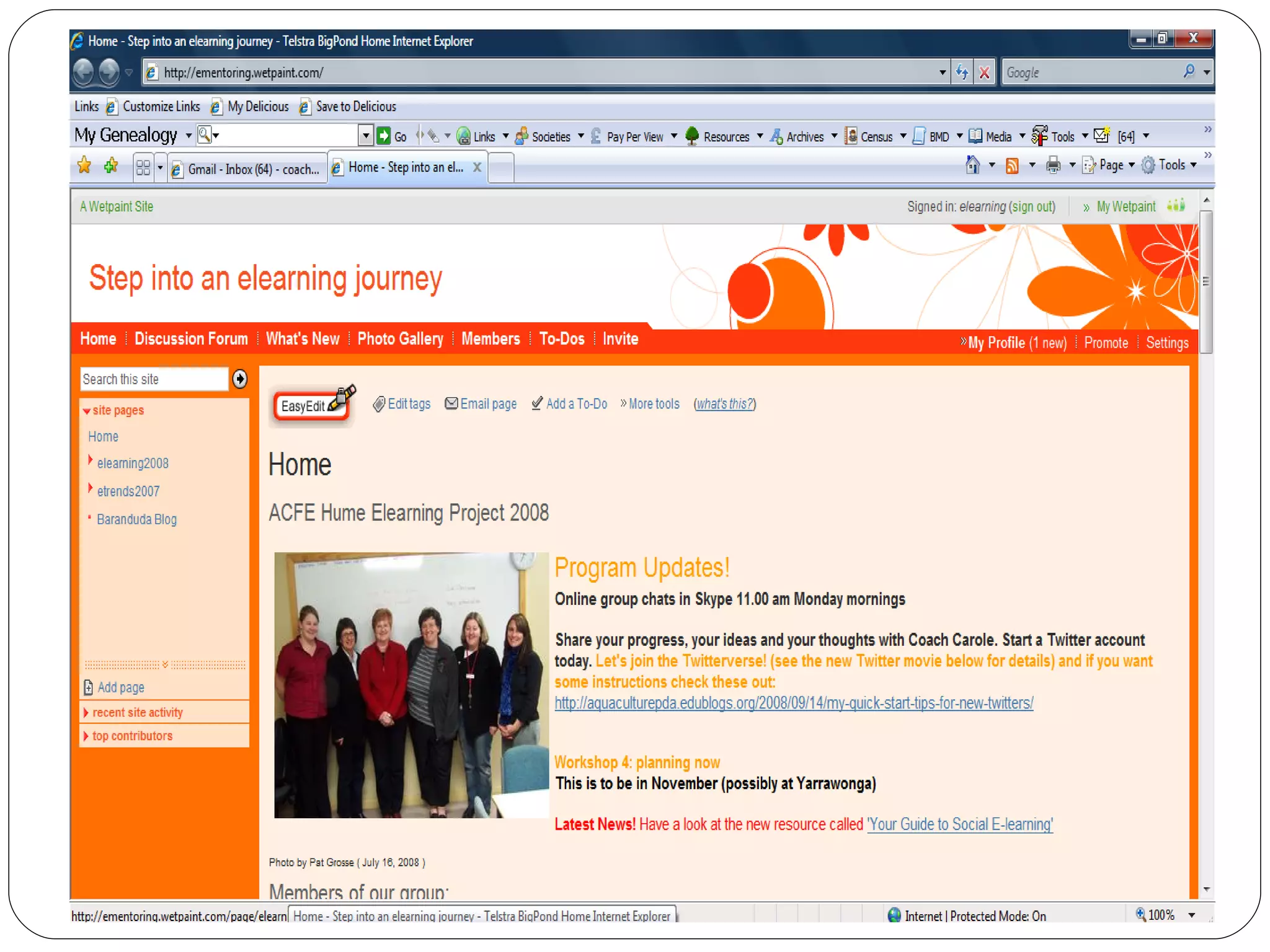
" Put  e-learning on  your  map' Where are you going? How will you communicate during your travels? How can e-learning help you? In this session we will explore some innovative methods of engaging others in e-learning from a social networking point of view. Introducing the concepts of e-learning to groups of tutors and teachers can be a real challenge and this year I've used the metaphor of 'journey' to engage with my e-mentors in the Hume region. In this session I'm going to take the concept one step further and look at how you can 'map' the journey using some of the social networking (Web 2.0) tools from a travel perspective. Over the years I've seen great successes with the introduction of digital storytelling into educational activities - one of the main reasons for its success has been its engagement with the participants from a personally rewarding perspective. I can now see that the use of such tools as wikis, blogs, flickr, you tube, delicious and twitter can be the vehicles for enabling a greater understanding and implementation of e-learning if you first appeal to the 'social' aspects of e-learning for the participant.
Rationale My recent trips to England, Egypt and Europe provided an opportunity to make use of some social networking tools to keep in touch with family and friends This caused me to rethink how I might introduce such tools to groups of new e-learning enthusiasts using a mapping approach Make use of travel pictures, blogs, and stories to engage new learners in using: flickr, blogger and photo story OR bubbleshare, wordpress and voicethread It is important to formulate strategies for providing exploration and communication time for participants
Key message 1: Make the new learning relevant to social aspects of participants’ lives e.g. travel
 
Reflections of our elearning Journey From Wikis to Live Blogging One month before – set up a collaborative wiki First contact in a Live Blog . From Blogs to Learning Management Systems One month in – provide blog posting experience On request – provide information on Moodle . From Skype to Elluminate For the duration of the project – use Skype Occasionally – use Elluminate .
Emerging Issues Lack of time to explore Finding space and avoiding interruptions Getting colleagues onside Preparing a plan ...... ...... ......
Key Message 2: Start slowly and build an itinerary collaboratively
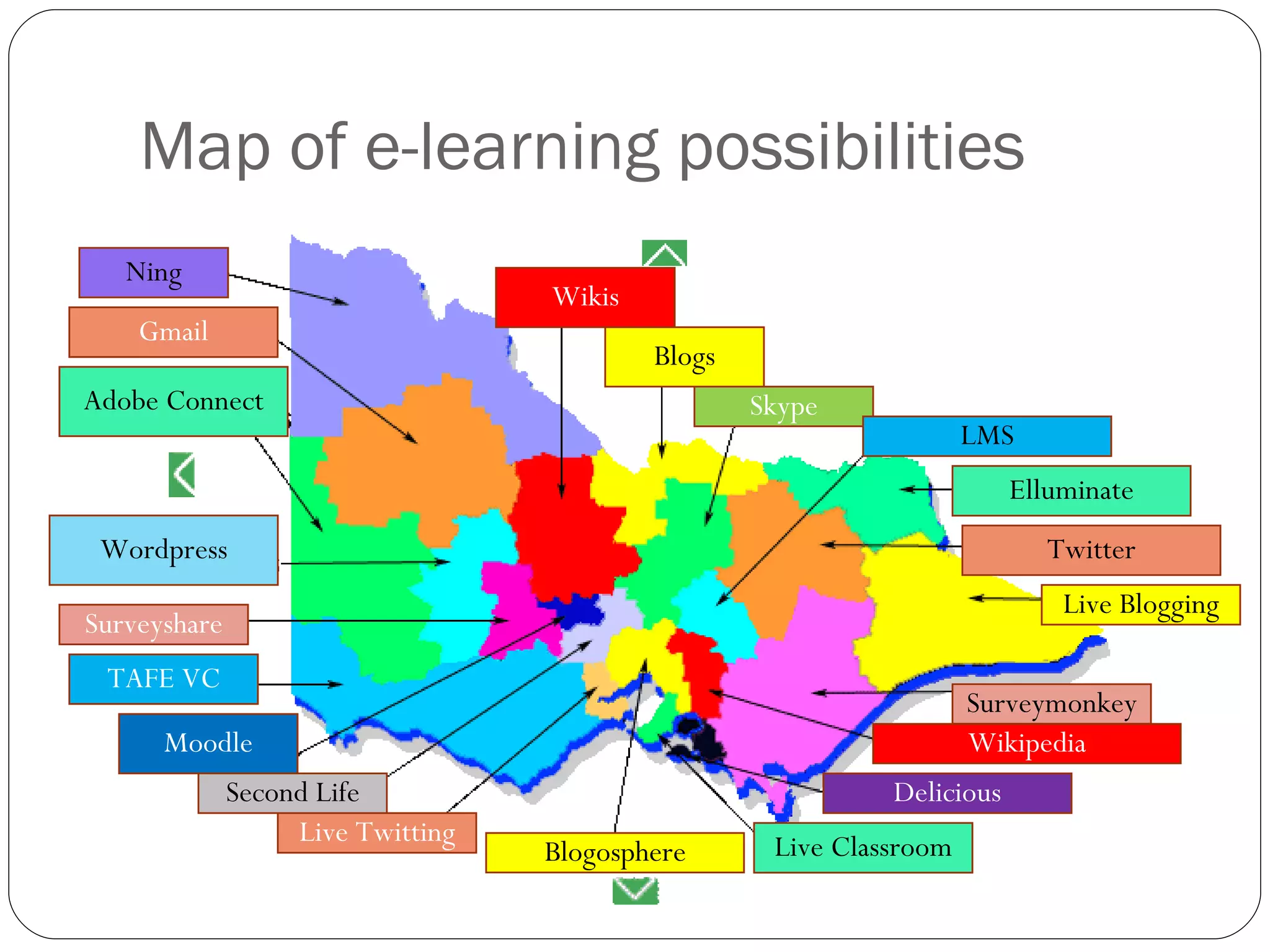
Map of e-learning possibilities Wikis Blogs Skype LMS Elluminate Twitter Live Blogging Surveymonkey Wikipedia Delicious Live Classroom Blogosphere Live Twitting Second Life Moodle TAFE VC Surveyshare Wordpress Adobe Connect Gmail Ning
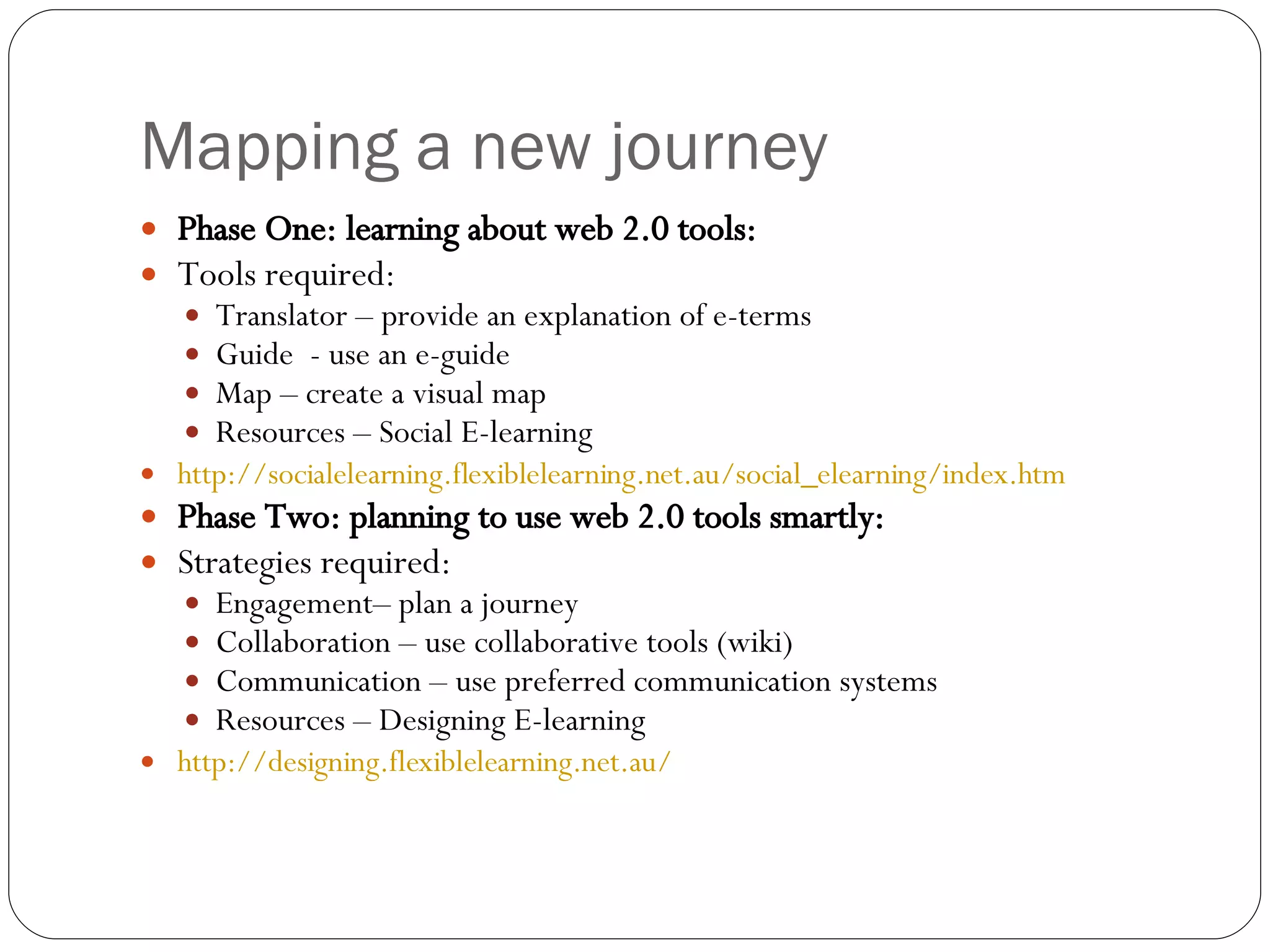
Mapping a new journey Phase One: learning about web 2.0 tools: Tools required: Translator – provide an explanation of e-terms Guide  - use an e-guide Map – create a visual map Resources – Social E-learning http://socialelearning.flexiblelearning.net.au/social_elearning/index.htm   Phase Two: planning to use web 2.0 tools smartly: Strategies required: Engagement– plan a journey Collaboration – use collaborative tools (wiki) Communication – use preferred communication systems Resources – Designing E-learning  http://designing.flexiblelearning.net.au/
Phase One: learning about web 2.0 tools:
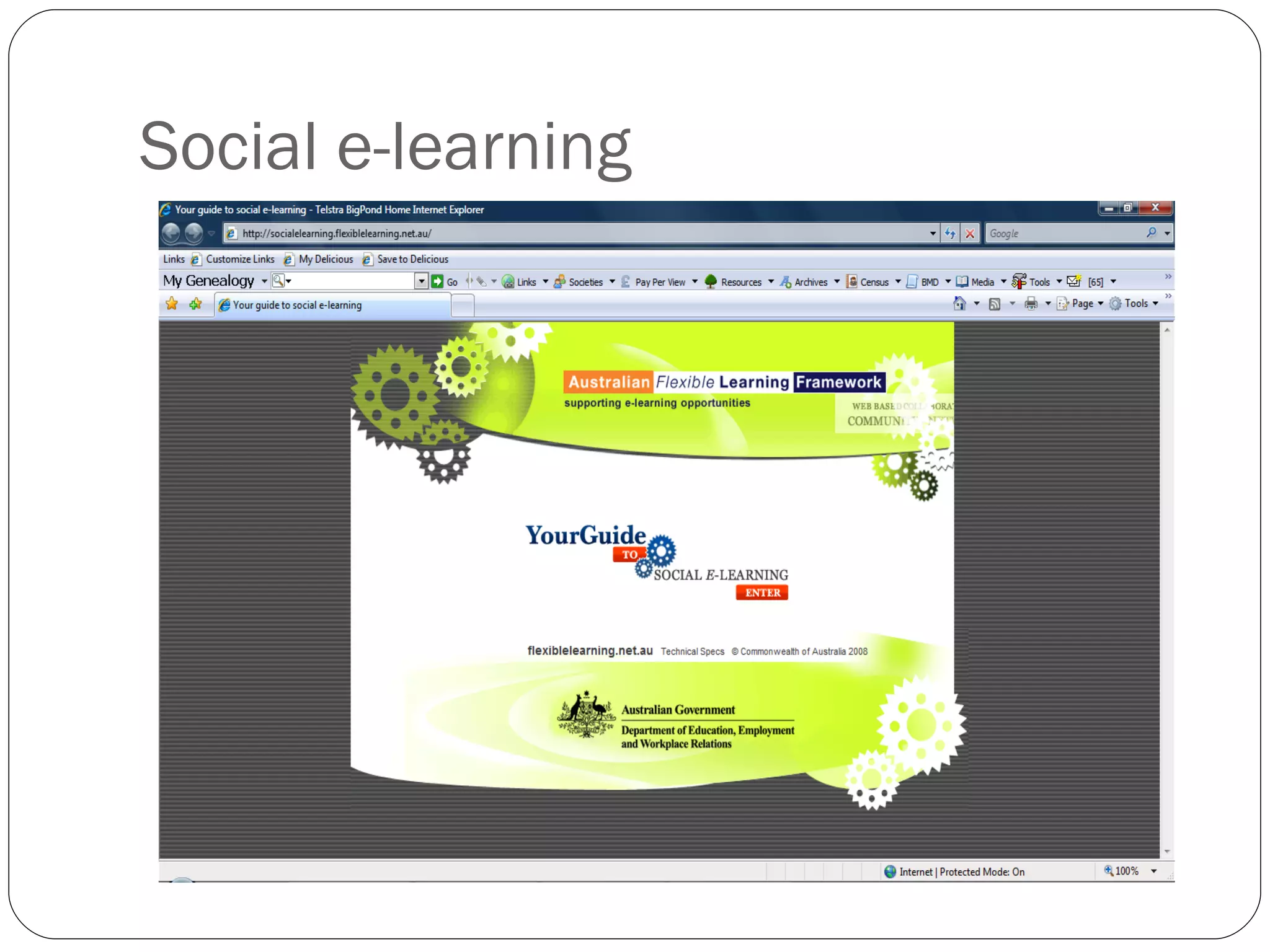
Social e-learning
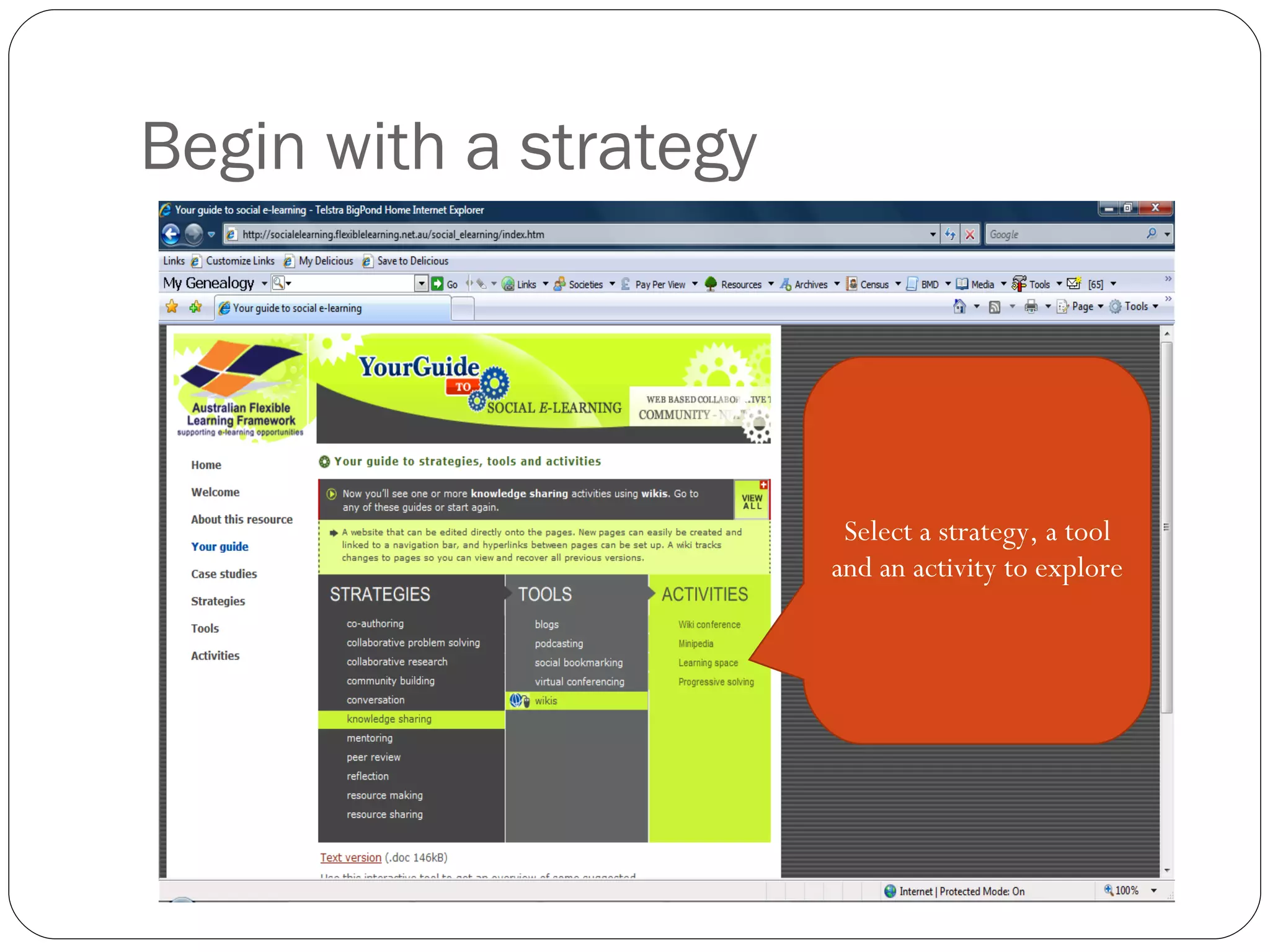
Begin with a strategy Select a strategy, a tool and an activity to explore
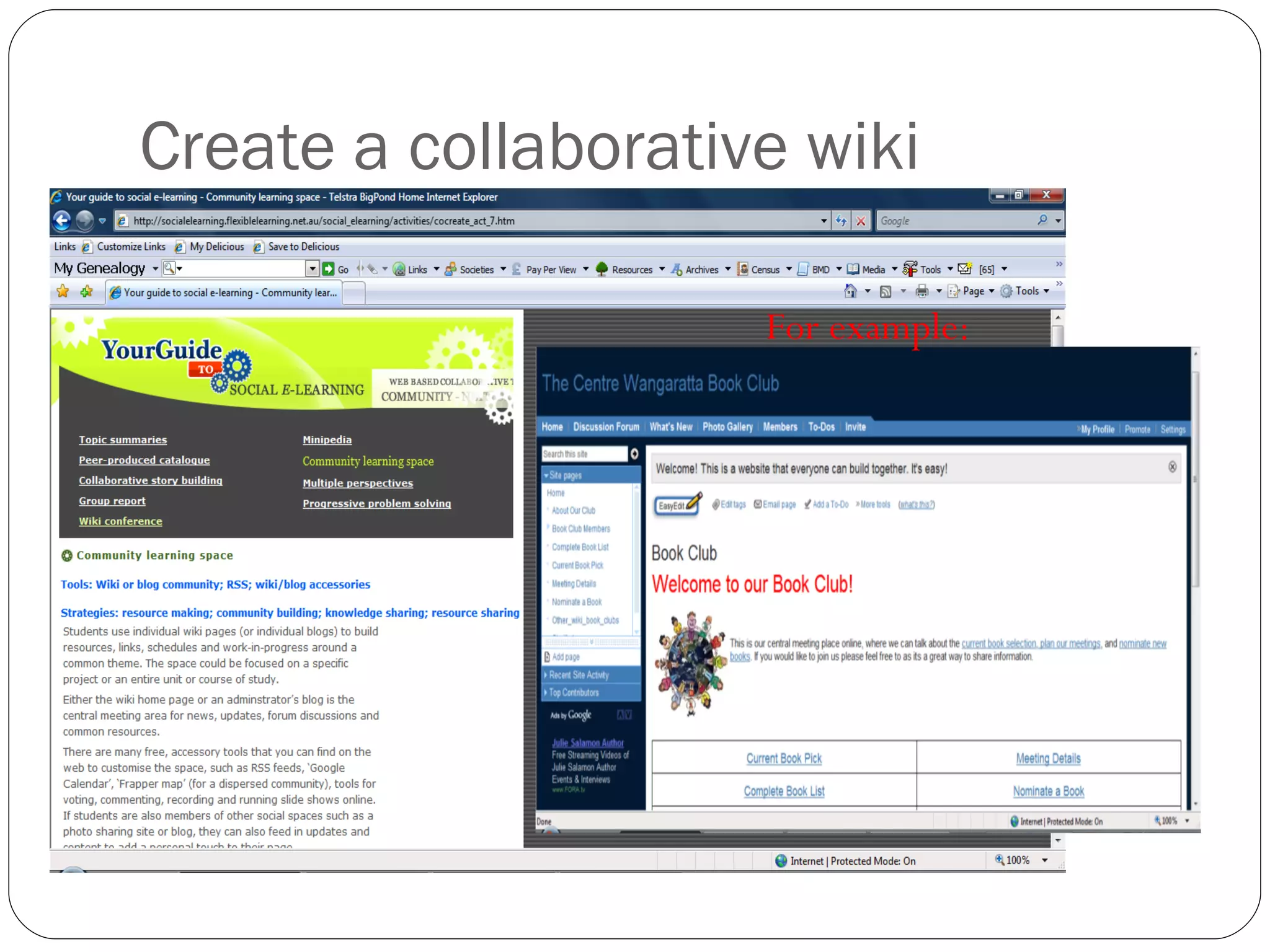
Create a collaborative wiki For example:
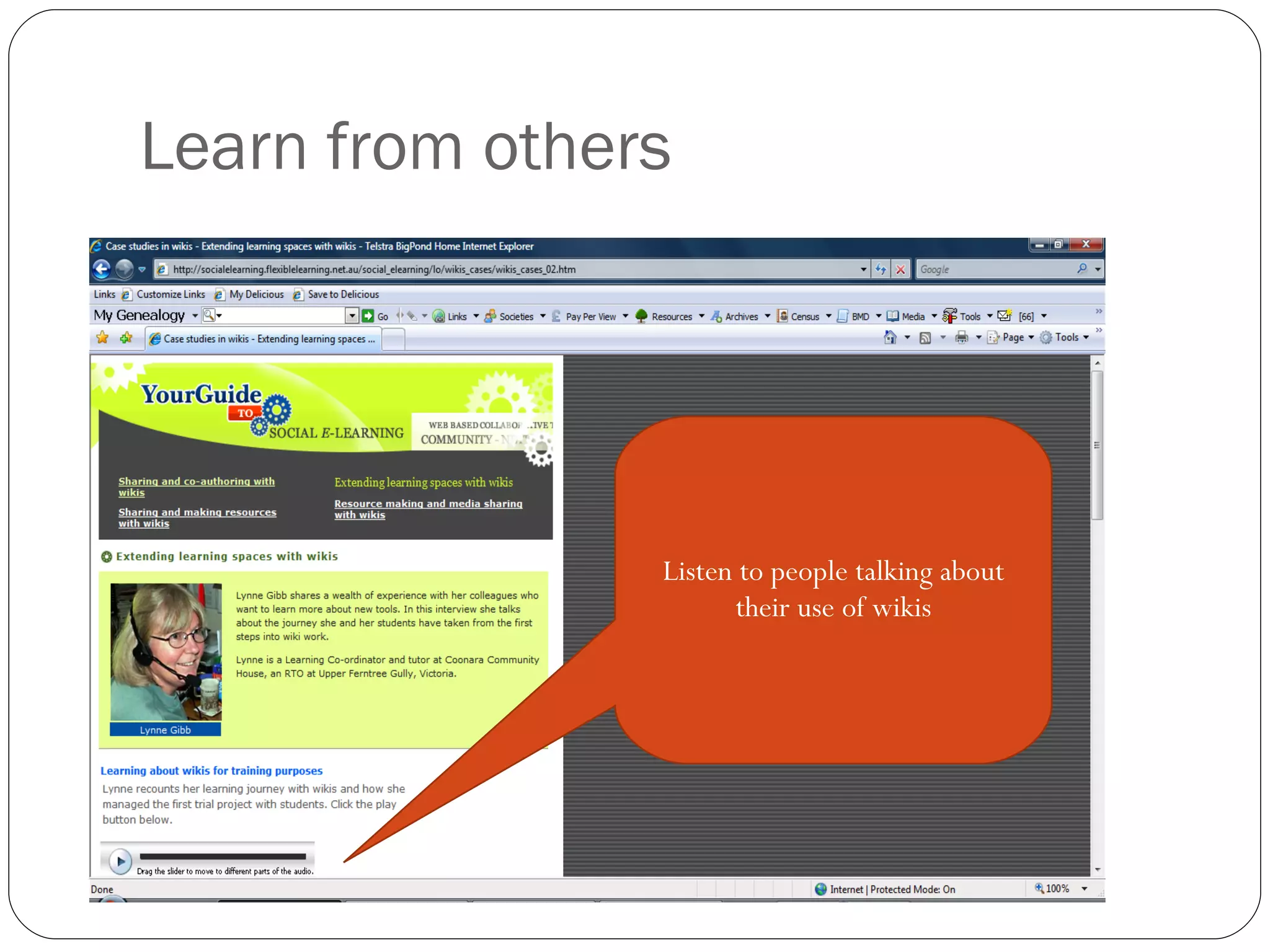
Learn from others Listen to people talking about their use of wikis
Wiki activities for participants Create a page for themselves in the collaborative wiki Post some reflections about the use of wikis in their page Create their own wikispace Discuss the pros and cons of using wikis in a discussion forum Discuss how wikis could be used in their centres at a f2f meeting or at an online meeting in Skype
Key message 3: Begin slowly with a guided tour
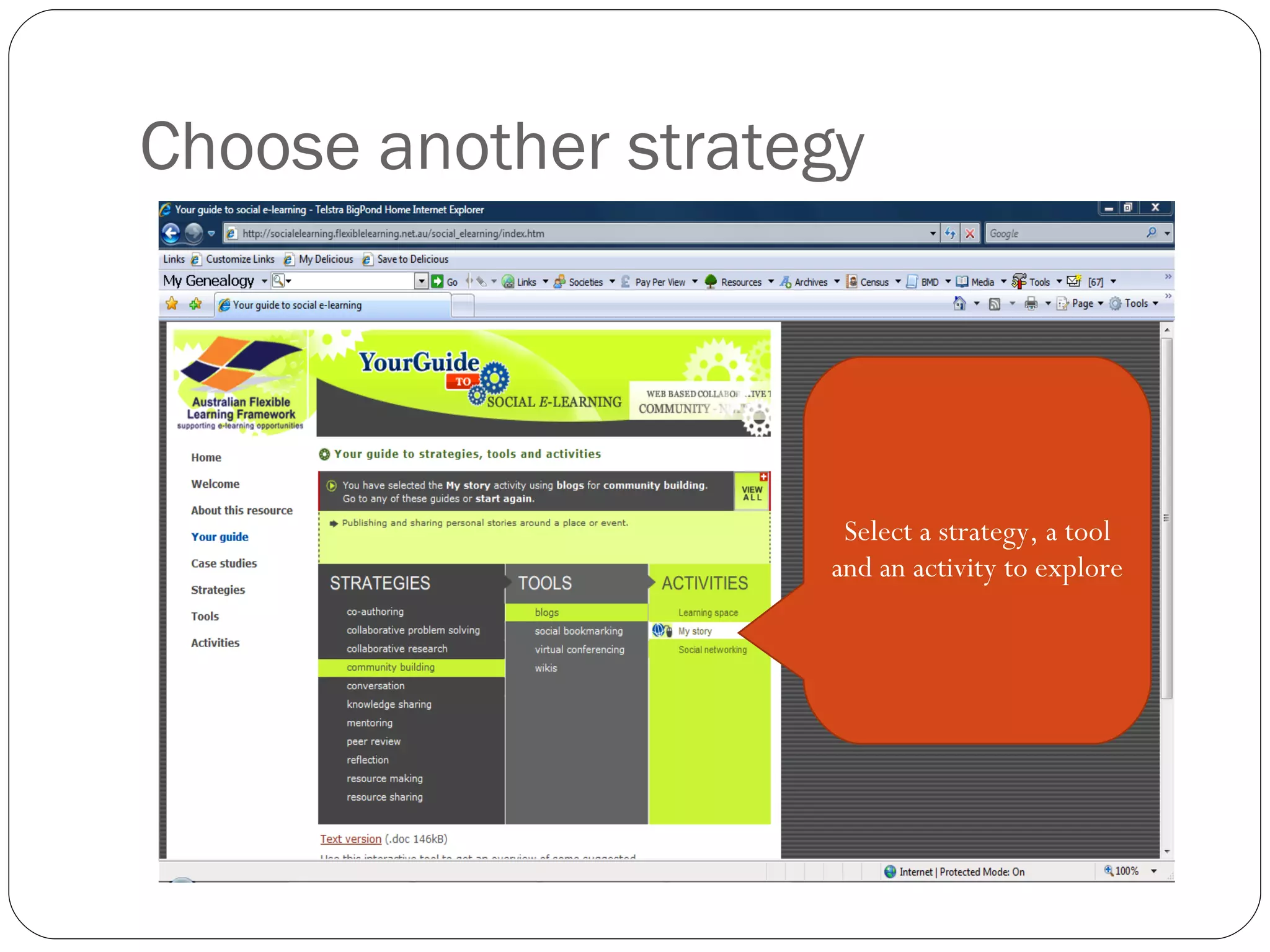
Choose another strategy Select a strategy, a tool and an activity to explore
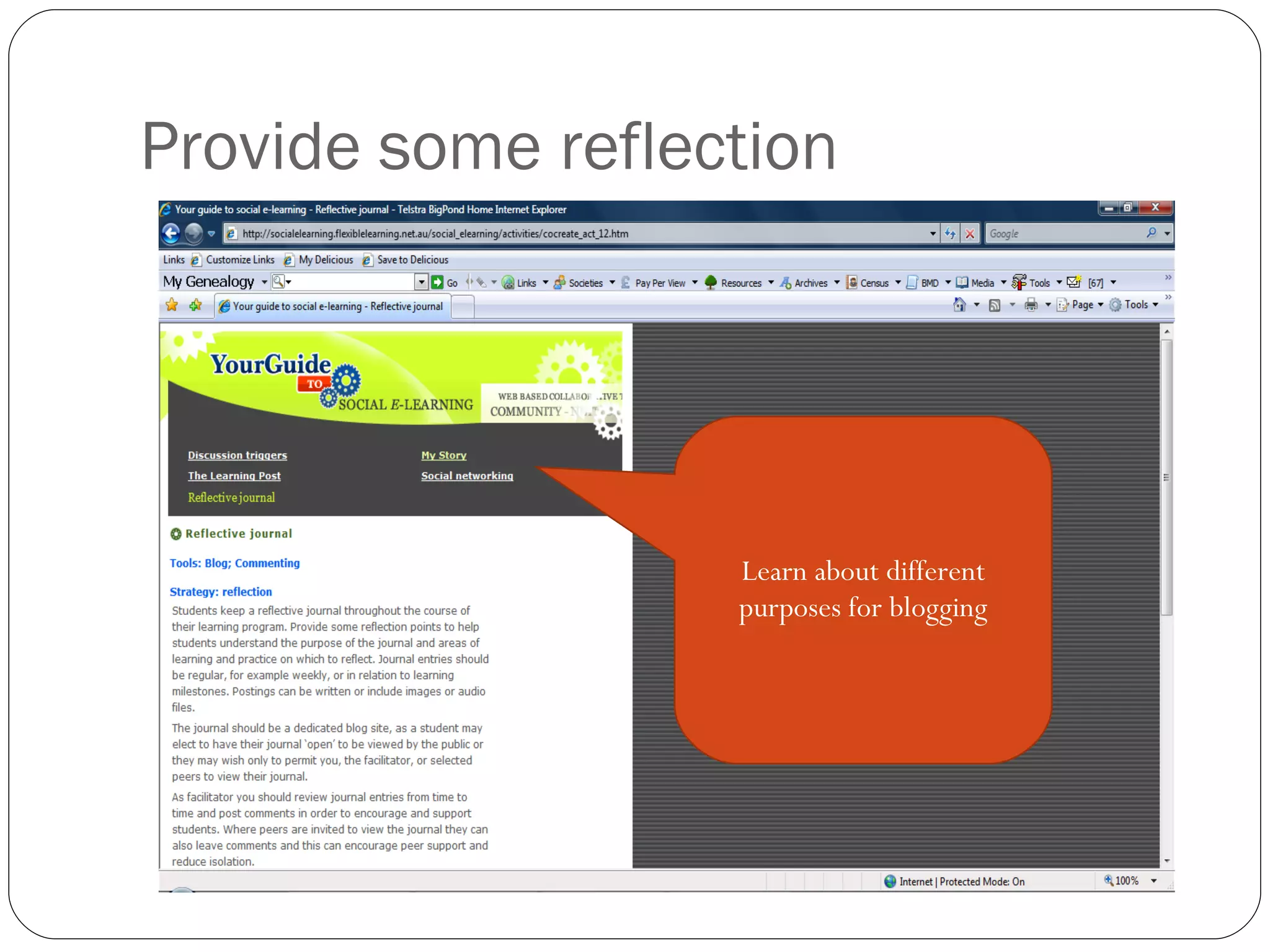
Provide some reflection Learn about different purposes for blogging
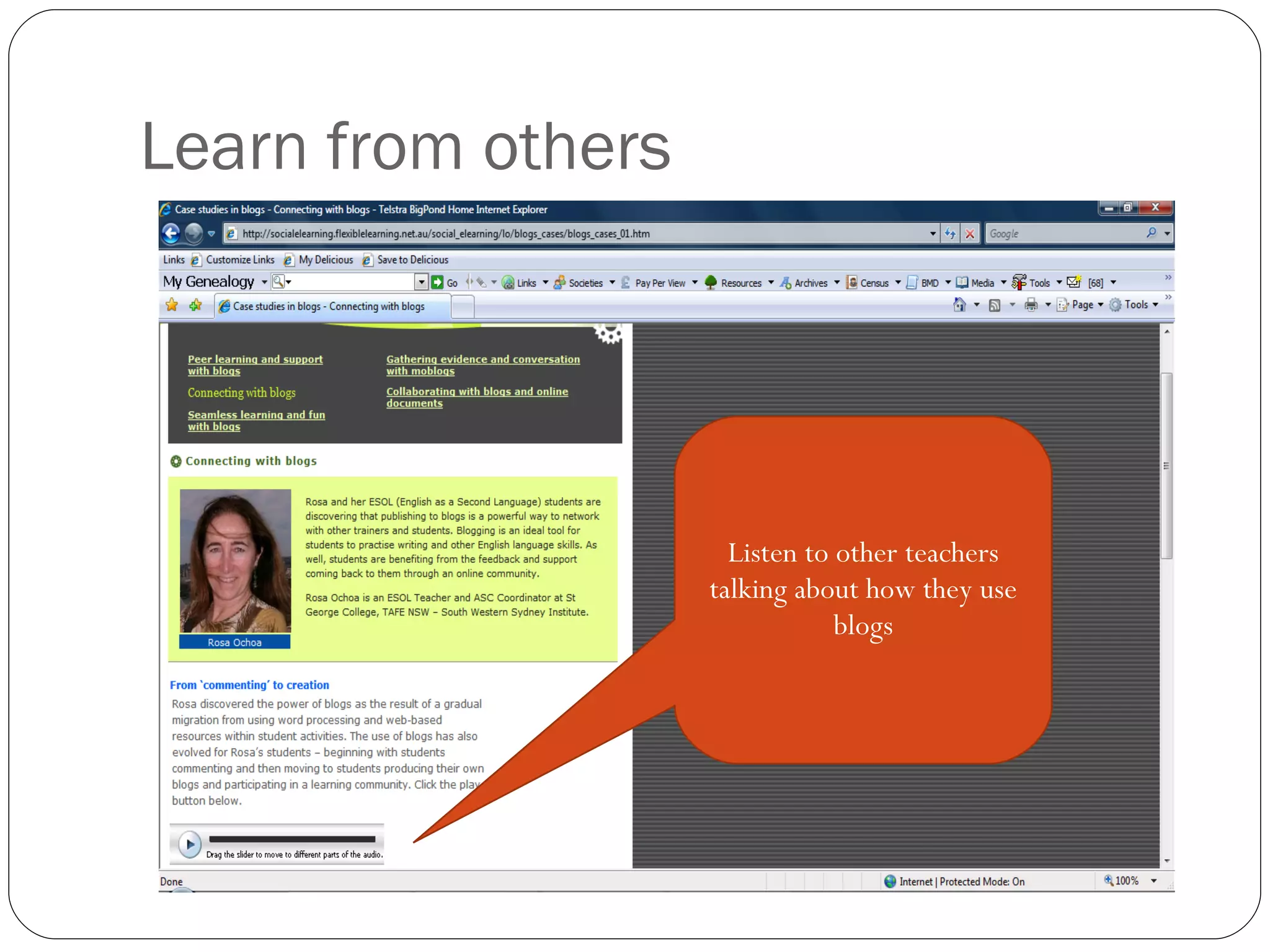
Learn from others Listen to other teachers talking about how they use blogs
Blog activities Create a blog for yourself and post entries to it Send the blog URL to your colleagues and ask them to post comments Discuss the issues about the use of blogs in a discussion forum Ask them to create their own blog and post entries, share the URLs with others Discuss the issues about using blogs in a f2f meeting or at an online meeting in Skype
Key message 4: Ensure that there is time to explore and consolidate learning
Phase Two: planning to use web 2.0 tools smartly:
Blended E-learning Models What could they look like?
Students Teachers Thin blended model Learning Management System Email Virtual Classroom
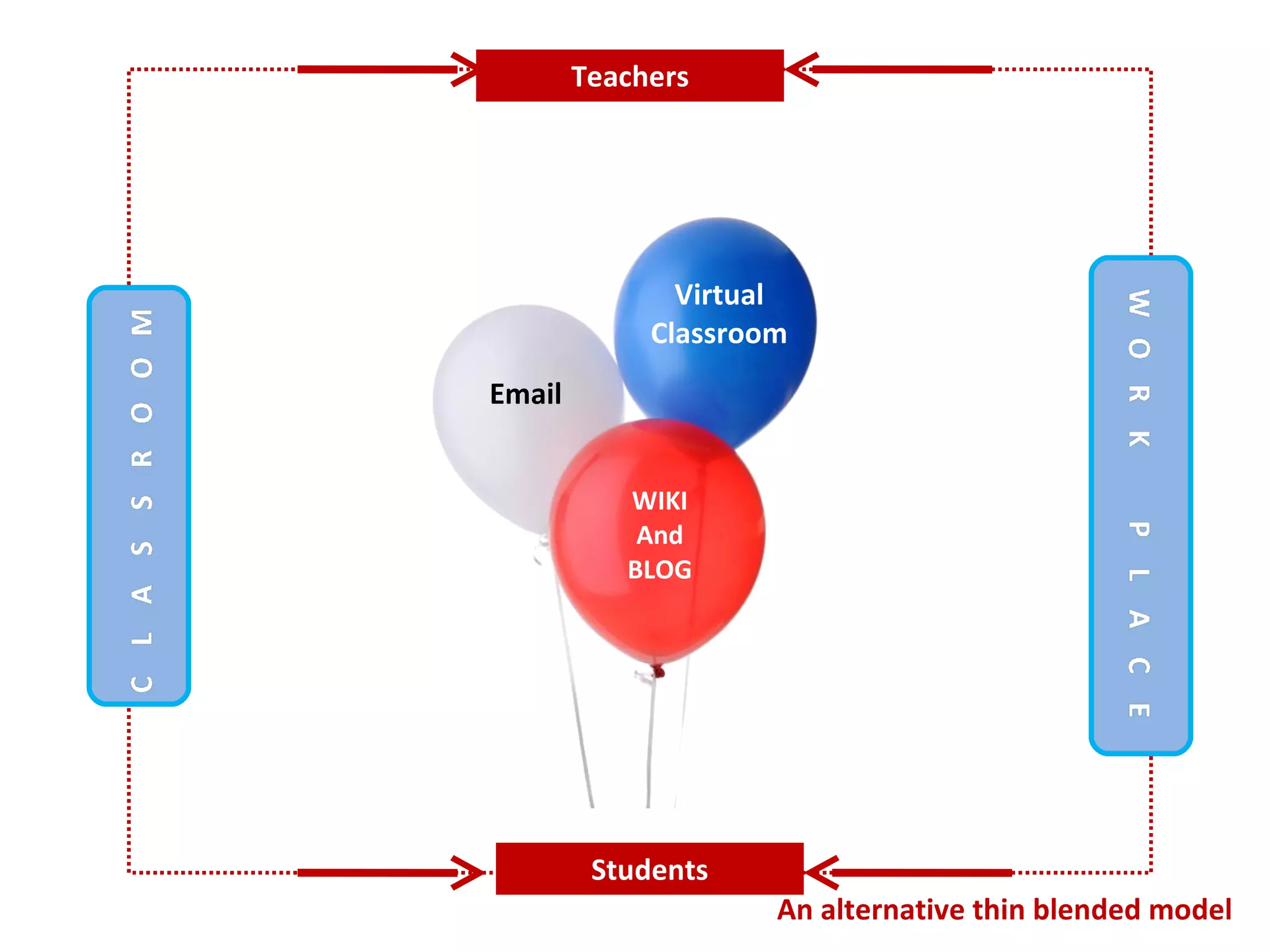
Students Teachers An alternative thin blended model WIKI And BLOG Email Virtual Classroom
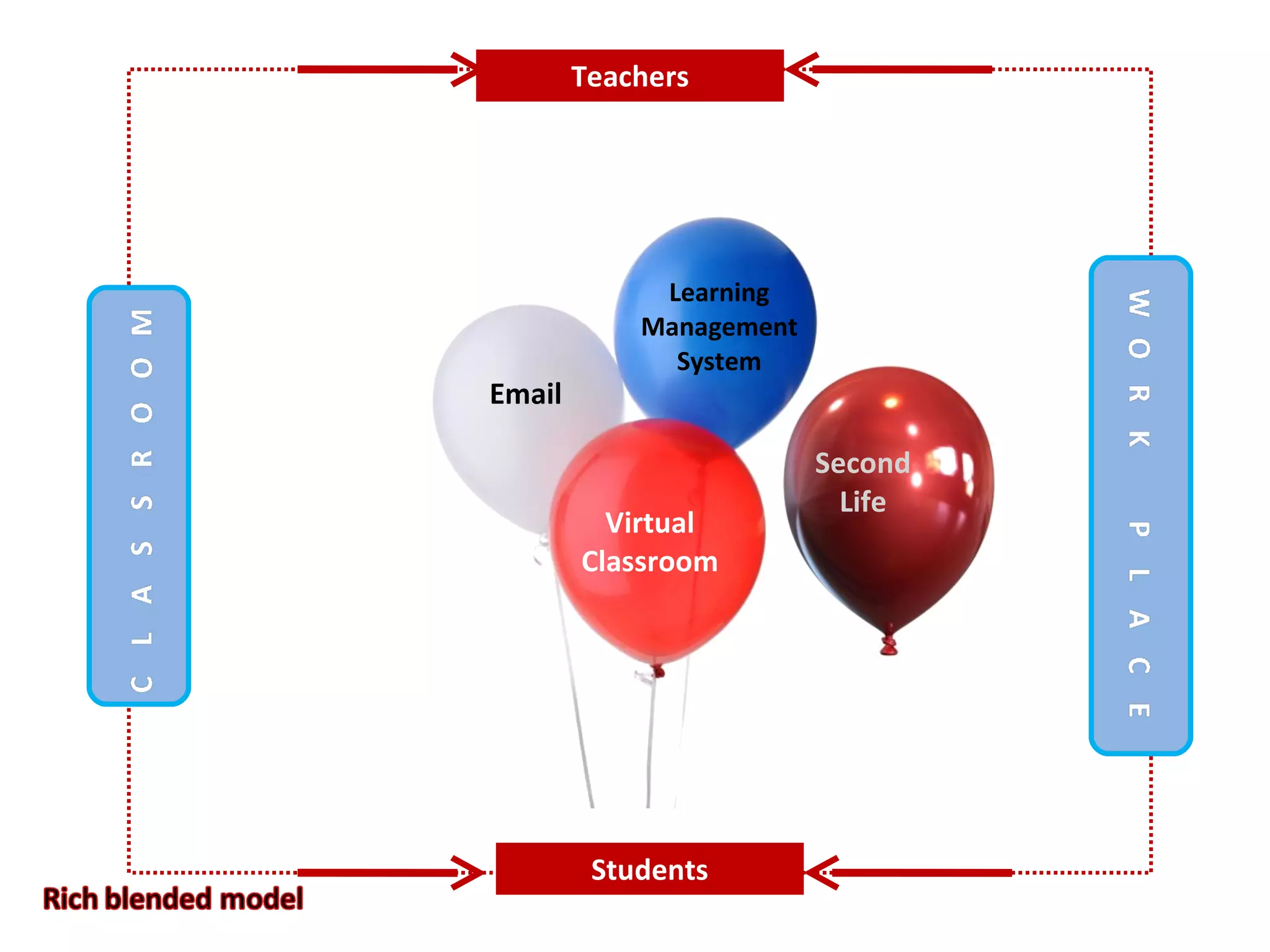
Students Teachers Learning Management System Email Virtual Classroom Second Life
Students Teachers One with the lot
Students Teachers Choose your own
Students Teachers
Designing e-learning
Key message 4: Make use of the planning tools already provided
? Questions/Comments

Put elearning on your Map

  • 1.
    The changing learninglandscape What are the ‘pros and cons’ of social learning, networking and communities for learning? Coach Carole 22 October 2008 " Put e-learning on your map'
  • 2.
    " Put e-learning on your map' Where are you going? How will you communicate during your travels? How can e-learning help you? In this session we will explore some innovative methods of engaging others in e-learning from a social networking point of view. Introducing the concepts of e-learning to groups of tutors and teachers can be a real challenge and this year I've used the metaphor of 'journey' to engage with my e-mentors in the Hume region. In this session I'm going to take the concept one step further and look at how you can 'map' the journey using some of the social networking (Web 2.0) tools from a travel perspective. Over the years I've seen great successes with the introduction of digital storytelling into educational activities - one of the main reasons for its success has been its engagement with the participants from a personally rewarding perspective. I can now see that the use of such tools as wikis, blogs, flickr, you tube, delicious and twitter can be the vehicles for enabling a greater understanding and implementation of e-learning if you first appeal to the 'social' aspects of e-learning for the participant.
  • 3.
    Rationale My recenttrips to England, Egypt and Europe provided an opportunity to make use of some social networking tools to keep in touch with family and friends This caused me to rethink how I might introduce such tools to groups of new e-learning enthusiasts using a mapping approach Make use of travel pictures, blogs, and stories to engage new learners in using: flickr, blogger and photo story OR bubbleshare, wordpress and voicethread It is important to formulate strategies for providing exploration and communication time for participants
  • 4.
    Key message 1:Make the new learning relevant to social aspects of participants’ lives e.g. travel
  • 5.
  • 6.
    Reflections of ourelearning Journey From Wikis to Live Blogging One month before – set up a collaborative wiki First contact in a Live Blog . From Blogs to Learning Management Systems One month in – provide blog posting experience On request – provide information on Moodle . From Skype to Elluminate For the duration of the project – use Skype Occasionally – use Elluminate .
  • 7.
    Emerging Issues Lackof time to explore Finding space and avoiding interruptions Getting colleagues onside Preparing a plan ...... ...... ......
  • 8.
    Key Message 2:Start slowly and build an itinerary collaboratively
  • 9.
    Map of e-learningpossibilities Wikis Blogs Skype LMS Elluminate Twitter Live Blogging Surveymonkey Wikipedia Delicious Live Classroom Blogosphere Live Twitting Second Life Moodle TAFE VC Surveyshare Wordpress Adobe Connect Gmail Ning
  • 10.
    Mapping a newjourney Phase One: learning about web 2.0 tools: Tools required: Translator – provide an explanation of e-terms Guide - use an e-guide Map – create a visual map Resources – Social E-learning http://socialelearning.flexiblelearning.net.au/social_elearning/index.htm Phase Two: planning to use web 2.0 tools smartly: Strategies required: Engagement– plan a journey Collaboration – use collaborative tools (wiki) Communication – use preferred communication systems Resources – Designing E-learning http://designing.flexiblelearning.net.au/
  • 11.
    Phase One: learningabout web 2.0 tools:
  • 12.
  • 13.
    Begin with astrategy Select a strategy, a tool and an activity to explore
  • 14.
    Create a collaborativewiki For example:
  • 15.
    Learn from othersListen to people talking about their use of wikis
  • 16.
    Wiki activities forparticipants Create a page for themselves in the collaborative wiki Post some reflections about the use of wikis in their page Create their own wikispace Discuss the pros and cons of using wikis in a discussion forum Discuss how wikis could be used in their centres at a f2f meeting or at an online meeting in Skype
  • 17.
    Key message 3:Begin slowly with a guided tour
  • 18.
    Choose another strategySelect a strategy, a tool and an activity to explore
  • 19.
    Provide some reflectionLearn about different purposes for blogging
  • 20.
    Learn from othersListen to other teachers talking about how they use blogs
  • 21.
    Blog activities Createa blog for yourself and post entries to it Send the blog URL to your colleagues and ask them to post comments Discuss the issues about the use of blogs in a discussion forum Ask them to create their own blog and post entries, share the URLs with others Discuss the issues about using blogs in a f2f meeting or at an online meeting in Skype
  • 22.
    Key message 4:Ensure that there is time to explore and consolidate learning
  • 23.
    Phase Two: planningto use web 2.0 tools smartly:
  • 24.
    Blended E-learning ModelsWhat could they look like?
  • 25.
    Students Teachers Thinblended model Learning Management System Email Virtual Classroom
  • 26.
    Students Teachers Analternative thin blended model WIKI And BLOG Email Virtual Classroom
  • 27.
    Students Teachers LearningManagement System Email Virtual Classroom Second Life
  • 28.
  • 29.
  • 30.
  • 31.
  • 32.
    Key message 4:Make use of the planning tools already provided
  • 33.