Puppet Configuration Management Tool
• In brief
• Setup
• Demo
Sanjeev Tripurari
Puppet Configuration Management tool in DevOps community
Lets understand what is the problem and why is puppet required.
Situation:
As the business environment grows and there is need for more machines been added,
there is possiblitiy of pushing similar configuration on these multiple machines.
Problem:
To keep the state of changes, there might be different linux flavours like centos and
ubuntu, which have different way to install and deploy.
Solution:
So in DevOps community we use configuration management system like puppet, chef, salt.
Puppet Configuration Management
What is Puppet?
Puppet is Ruby-based, licensed as GPLv2 and can run in either client-server or stand-
alone modes.
Puppet is principally developed by Luke Kanies and his company, Puppet Labs.
Puppet can be used to manage configuration on UNIX, Linux platforms, OSX and
Microsoft Windows.
Puppet Configuration Management
Puppet is often used to manage a host throughout its lifecycle:
from initial build and installation, to upgrades, maintenance, and finally to end-of-life,
when you move services elsewhere. Puppet is designed to continuously interact with
your hosts
Puppet has a simple operating model that is easy to understand and implement.
The model is made up of three components:
• Deployment
• Configuration Language and Resource Abstraction Layer
• Transactional Layer
Puppet Configuration Management
Depoloyment:
Puppet is usually deployed in a simple client-server model. The server is called a
“Puppet master”, the Puppet client software is called an agent and the host itself is
defined as a node.
The Puppet master runs as a daemon on a host and contains the configuration required
for your environment.
The Puppet agents connect to the Puppet master via an encrypted and authenticated
connection using standard SSL, and retrieve or “pull” any configuration to be applied.
Puppet Configuration Management
Configuration Language
Puppet uses a declarative language to define your configuration items, which Puppet
calls “resources.”
A declarative language makes statements about the state of your configuration - for
example, it declares that a package should be installed or a service should be started.
E.g. In Puppet, we define a configuration resource for the vim package.
A Puppet Resource
package { "vim":
ensure => present,
}
Puppet further takes care of installing it appropriately on different linux flavoures
Puppet Configuration Management
Configuration Language
Puppet uses a declarative language to define your configuration items, which Puppet
calls “resources.”
A declarative language makes statements about the state of your configuration - for
example, it declares that a package should be installed or a service should be started.
E.g. In Puppet, we define a configuration resource for the vim package.
A Puppet Resource
package { "vim":
ensure => present,
}
Puppet further takes care of installing it appropriately on different linux flavoures
Puppet Configuration Management
Resource Abstraction Layer
With our resource created, Puppet takes care of the details of how to manage that
resource when our agents connect.
Puppet handles the “how” by knowing how different platforms and operating systems
manage certain types of resources.
Each type has a number of “providers.” A provider contains the “how” of managing
packages using a particular package management tool.
For the package type, for example, for there are more than 20 providers covering a
variety of tools including yum, aptitude, pkgadd, ports, and emerge.
Puppet Configuration Management
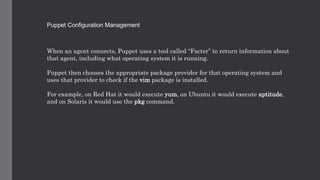
When an agent connects, Puppet uses a tool called “Facter” to return information about
that agent, including what operating system it is running.
Puppet then chooses the appropriate package provider for that operating system and
uses that provider to check if the vim package is installed.
For example, on Red Hat it would execute yum, on Ubuntu it would execute aptitude,
and on Solaris it would use the pkg command.
Puppet Configuration Management
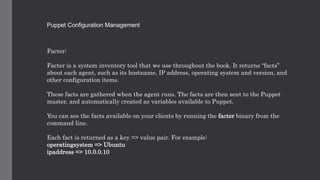
Facter:
Facter is a system inventory tool that we use throughout the book. It returns “facts”
about each agent, such as its hostname, IP address, operating system and version, and
other configuration items.
These facts are gathered when the agent runs. The facts are then sent to the Puppet
master, and automatically created as variables available to Puppet.
You can see the facts available on your clients by running the facter binary from the
command line.
Each fact is returned as a key => value pair. For example:
operatingsystem => Ubuntu
ipaddress => 10.0.0.10
Puppet Configuration Management
Quick setup for demo
We have two vagrant boxes, updated in /etc/hosts files for name to ip resolution.
File:/etc/hosts
172.28.128.5 ubuntu.my.home.net ubuntu
172.28.128.4 centos.my.home.net centos
172.28.128.1 windows.my.home.net windows
Centos repo does not have puppet, so we fetch from puppet labs
[vagrant@centos manifests]$ sudo rpm -ivh https://yum.puppetlabs.com/puppetlabs-rel
ease-pc1-el-7.noarch.rpm
yum install puppetserver puppet facter
Puppet Configuration Management
Puppet server setup, let our server be also client
File: /etc/puppetlabs/puppet/puppet.conf
[master]
certname=centos.my.home.net
ssl_client_header = SSL_CLIENT_S_DN
ssl_client_verify_header = SSL_CLIENT_VERIFY
[agent]
server=centos.my.home.net
Puppet Configuration Management
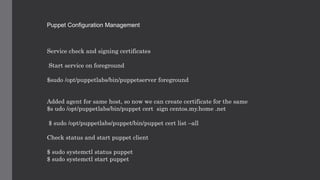
Service check and signing certificates
Start service on foreground
$sudo /opt/puppetlabs/bin/puppetserver foreground
Added agent for same host, so now we can create certificate for the same
$s udo /opt/puppetlabs/bin/puppet cert sign centos.my.home .net
$ sudo /opt/puppetlabs/puppet/bin/puppet cert list –all
Check status and start puppet client
$ sudo systemctl status puppet
$ sudo systemctl start puppet
Puppet Configuration Management
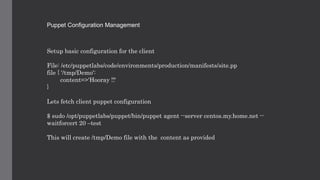
Setup basic configuration for the client
File: /etc/puppetlabs/code/environments/production/manifests/site.pp
file { '/tmp/Demo':
content=>'Hooray !!'
}
Lets fetch client puppet configuration
$ sudo /opt/puppetlabs/puppet/bin/puppet agent --server centos.my.home.net --
waitforcert 20 –test
This will create /tmp/Demo file with the content as provided
Puppet Configuration Management
Adding Ubuntu machine as a client
On centos puppet server, certify the host
$ sudo /opt/puppetlabs/bin/puppet cert sign ubuntu.my.home.net
On Ubuntu make the changes
vagrant@ubuntu:~$ cat /etc/puppet/puppet.conf
[agent]
server=centos.my.home.net
$ sudo puppet agent –test --debug
This will create /tmp/Demo file with the content as provided

Puppet demo

  • 1.
    Puppet Configuration ManagementTool • In brief • Setup • Demo Sanjeev Tripurari
  • 2.
    Puppet Configuration Managementtool in DevOps community Lets understand what is the problem and why is puppet required. Situation: As the business environment grows and there is need for more machines been added, there is possiblitiy of pushing similar configuration on these multiple machines. Problem: To keep the state of changes, there might be different linux flavours like centos and ubuntu, which have different way to install and deploy. Solution: So in DevOps community we use configuration management system like puppet, chef, salt.
  • 3.
    Puppet Configuration Management Whatis Puppet? Puppet is Ruby-based, licensed as GPLv2 and can run in either client-server or stand- alone modes. Puppet is principally developed by Luke Kanies and his company, Puppet Labs. Puppet can be used to manage configuration on UNIX, Linux platforms, OSX and Microsoft Windows.
  • 4.
    Puppet Configuration Management Puppetis often used to manage a host throughout its lifecycle: from initial build and installation, to upgrades, maintenance, and finally to end-of-life, when you move services elsewhere. Puppet is designed to continuously interact with your hosts Puppet has a simple operating model that is easy to understand and implement. The model is made up of three components: • Deployment • Configuration Language and Resource Abstraction Layer • Transactional Layer
  • 5.
    Puppet Configuration Management Depoloyment: Puppetis usually deployed in a simple client-server model. The server is called a “Puppet master”, the Puppet client software is called an agent and the host itself is defined as a node. The Puppet master runs as a daemon on a host and contains the configuration required for your environment. The Puppet agents connect to the Puppet master via an encrypted and authenticated connection using standard SSL, and retrieve or “pull” any configuration to be applied.
  • 6.
    Puppet Configuration Management ConfigurationLanguage Puppet uses a declarative language to define your configuration items, which Puppet calls “resources.” A declarative language makes statements about the state of your configuration - for example, it declares that a package should be installed or a service should be started. E.g. In Puppet, we define a configuration resource for the vim package. A Puppet Resource package { "vim": ensure => present, } Puppet further takes care of installing it appropriately on different linux flavoures
  • 7.
    Puppet Configuration Management ConfigurationLanguage Puppet uses a declarative language to define your configuration items, which Puppet calls “resources.” A declarative language makes statements about the state of your configuration - for example, it declares that a package should be installed or a service should be started. E.g. In Puppet, we define a configuration resource for the vim package. A Puppet Resource package { "vim": ensure => present, } Puppet further takes care of installing it appropriately on different linux flavoures
  • 8.
    Puppet Configuration Management ResourceAbstraction Layer With our resource created, Puppet takes care of the details of how to manage that resource when our agents connect. Puppet handles the “how” by knowing how different platforms and operating systems manage certain types of resources. Each type has a number of “providers.” A provider contains the “how” of managing packages using a particular package management tool. For the package type, for example, for there are more than 20 providers covering a variety of tools including yum, aptitude, pkgadd, ports, and emerge.
  • 9.
    Puppet Configuration Management Whenan agent connects, Puppet uses a tool called “Facter” to return information about that agent, including what operating system it is running. Puppet then chooses the appropriate package provider for that operating system and uses that provider to check if the vim package is installed. For example, on Red Hat it would execute yum, on Ubuntu it would execute aptitude, and on Solaris it would use the pkg command.
  • 10.
    Puppet Configuration Management Facter: Facteris a system inventory tool that we use throughout the book. It returns “facts” about each agent, such as its hostname, IP address, operating system and version, and other configuration items. These facts are gathered when the agent runs. The facts are then sent to the Puppet master, and automatically created as variables available to Puppet. You can see the facts available on your clients by running the facter binary from the command line. Each fact is returned as a key => value pair. For example: operatingsystem => Ubuntu ipaddress => 10.0.0.10
  • 11.
    Puppet Configuration Management Quicksetup for demo We have two vagrant boxes, updated in /etc/hosts files for name to ip resolution. File:/etc/hosts 172.28.128.5 ubuntu.my.home.net ubuntu 172.28.128.4 centos.my.home.net centos 172.28.128.1 windows.my.home.net windows Centos repo does not have puppet, so we fetch from puppet labs [vagrant@centos manifests]$ sudo rpm -ivh https://yum.puppetlabs.com/puppetlabs-rel ease-pc1-el-7.noarch.rpm yum install puppetserver puppet facter
  • 12.
    Puppet Configuration Management Puppetserver setup, let our server be also client File: /etc/puppetlabs/puppet/puppet.conf [master] certname=centos.my.home.net ssl_client_header = SSL_CLIENT_S_DN ssl_client_verify_header = SSL_CLIENT_VERIFY [agent] server=centos.my.home.net
  • 13.
    Puppet Configuration Management Servicecheck and signing certificates Start service on foreground $sudo /opt/puppetlabs/bin/puppetserver foreground Added agent for same host, so now we can create certificate for the same $s udo /opt/puppetlabs/bin/puppet cert sign centos.my.home .net $ sudo /opt/puppetlabs/puppet/bin/puppet cert list –all Check status and start puppet client $ sudo systemctl status puppet $ sudo systemctl start puppet
  • 14.
    Puppet Configuration Management Setupbasic configuration for the client File: /etc/puppetlabs/code/environments/production/manifests/site.pp file { '/tmp/Demo': content=>'Hooray !!' } Lets fetch client puppet configuration $ sudo /opt/puppetlabs/puppet/bin/puppet agent --server centos.my.home.net -- waitforcert 20 –test This will create /tmp/Demo file with the content as provided
  • 15.
    Puppet Configuration Management AddingUbuntu machine as a client On centos puppet server, certify the host $ sudo /opt/puppetlabs/bin/puppet cert sign ubuntu.my.home.net On Ubuntu make the changes vagrant@ubuntu:~$ cat /etc/puppet/puppet.conf [agent] server=centos.my.home.net $ sudo puppet agent –test --debug This will create /tmp/Demo file with the content as provided