Version 3
 About Puppet
 Basic Puppet Concepts
 Classroom Environment
 Puppet Roles
 Modules and Classes
 Node Classification
 Resources
 Resource Relationships
 Language Constructs
 ERB Templates
 Puppet Forge
 Advanced Classes
 Report Handlers
 Live Management
 Data Separation (Hiera)
About Puppet
 IT Automation Software for System
Administrators:
◦ Founded in 2005
◦ First commercial product release in 2011
◦ 3,000+ Puppet Forge modules
◦ 9,000+ Community Members
◦ 40,000+ Users
◦ 50,000+ Nodes managed in the largest deployments
◦ Support for Red Hat, CentOS, Ubuntu, Debian, SUSE,
Solaris 10, Windows, Mac OS X.
◦ Investments from Google Ventures, Cisco, Vmware,
Kleiner Perkins, Microsoft and True Ventures.
 Manually Configure
◦ Literally logging in to every node to configure it
 Golden Images
◦ Creating a single copy of a node’s software and
replicating that across nodes
 Custom One-off Scripts
◦ Custom code written to address a specific, tactical
problem
 Software Packages
◦ Typically all or nothing approach
 Difficult to scale
 Impossible, for all intents and purposes, to
maintain consistency from node-to-node.
 Need separate images for different
deployment environments, eg, development,
QA, production, or different geo locations.
 As number of images multiply it becomes
very difficult to keep track and keep
consistent.
 Since they’re monolithic copies, golden
images are rigid and thus difficult to update
as the business needs change.
 No leverage – effort typically cannot be re-
used for different applications or
deployments.
 Brittle – as needs change, the entire script
must be often be re-written.
 Difficult to maintain when the original author
leaves the organization.
 These packages typically require that all
resources be placed under management –
cannot selectively adopt and scale
automation.
 As a result, longer deployments times.
 Dated technology developed before
virtualization and cloud computing – lacks
responsiveness to changing requirements.
 Configuration Management for system
administrators.
 Discover , Configure and Manage
 Provides following customer benefits:
◦ Productivity / Efficiency
◦ Visibility
◦ Scalability
◦ Consistency
◦ Operational efficiency
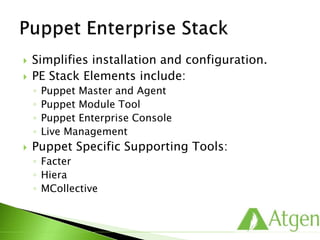
 Simplifies installation and configuration.
 PE Stack Elements include:
◦ Puppet Master and Agent
◦ Puppet Module Tool
◦ Puppet Enterprise Console
◦ Live Management
 Puppet Specific Supporting Tools:
◦ Facter
◦ Hiera
◦ MCollective
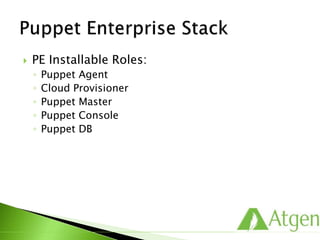
 PE Installable Roles:
◦ Puppet Agent
◦ Cloud Provisioner
◦ Puppet Master
◦ Puppet Console
◦ Puppet DB
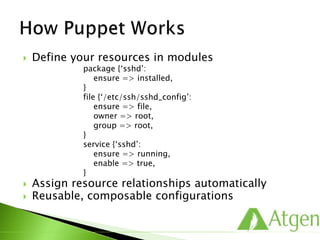
 Define your resources in modules
package {‘sshd’:
ensure => installed,
}
file {‘/etc/ssh/sshd_config’:
ensure => file,
owner => root,
group => root,
}
service {‘sshd’:
ensure => running,
enable => true,
}
 Assign resource relationships automatically
 Reusable, composable configurations
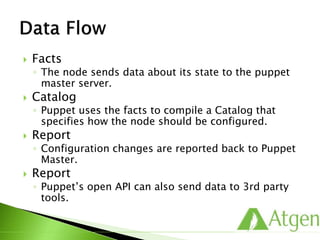
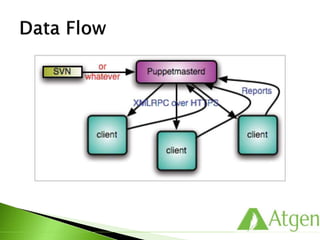
 Facts
◦ The node sends data about its state to the puppet
master server.
 Catalog
◦ Puppet uses the facts to compile a Catalog that
specifies how the node should be configured.
 Report
◦ Configuration changes are reported back to Puppet
Master.
 Report
◦ Puppet’s open API can also send data to 3rd party
tools.
Basic Puppet Concepts
 You need to manage a user, Elmo.
 You care specifically about:
◦ his existence
◦ his primary group
◦ his home directory
 Tools built into most distro’s that can help:
◦ useradd
◦ usermod
◦ groupadd
◦ groupmod
◦ mkdir
◦ chmod
◦ chgrp
◦ chown
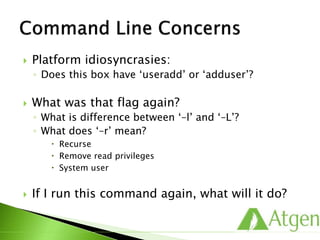
 Platform idiosyncrasies:
◦ Does this box have ‘useradd’ or ‘adduser’?
 What was that flag again?
◦ What is difference between ‘–l’ and ‘–L’?
◦ What does ‘–r’ mean?
 Recurse
 Remove read privileges
 System user
 If I run this command again, what will it do?
 You could do something like this:
#!/bin/sh
USER=$1 ; GROUP=$2 ; HOME=$3
if [ 0 –ne $(getent passwd $USER > /dev/null)$? ]
then useradd $USER –home $HOME –gid $GROUP –n ; fi
OLDGID=`getent passwd $USER | awk –F: ‘{print $4}’`
OLDGROUP=`getent group $OLDGID | awk –F: ‘{print $1}’`
OLDHOME=`getent passwd $USER | awk –F: ‘{print $6}’`
if [ “$GROUP” != “$OLDGID” ] && [“$GROUP” != “$OLDGROUP” ]
then usermod –gid $GROUP $USER; fi
if [ “$HOME” != “$OLDHOME” ]
then usermod –home $HOME $USER; fi
 Robust error checking?
 Solaris and Windows support?
 Robust logging of changes?
 Readable code?
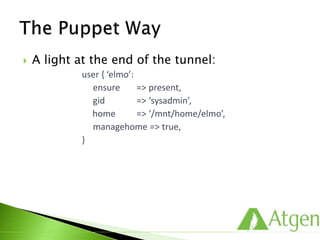
 A light at the end of the tunnel:
user { ‘elmo’:
ensure => present,
gid => ‘sysadmin’,
home => ‘/mnt/home/elmo’,
managehome => true,
}
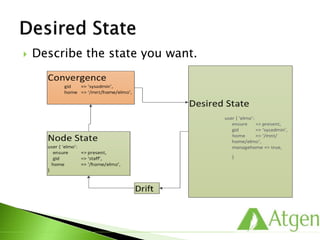
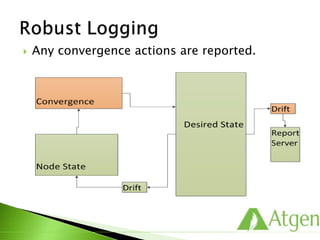
 Describe the state you want.
 Any convergence actions are reported.
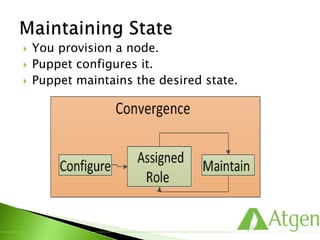
 You provision a node.
 Puppet configures it.
 Puppet maintains the desired state.
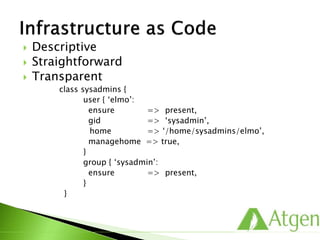
 Descriptive
 Straightforward
 Transparent
class sysadmins {
user { ‘elmo’:
ensure => present,
gid => ‘sysadmin’,
home => ‘/home/elmo’,
managehome => true,
}
group { ‘sysadmin’:
ensure => present,
}
}
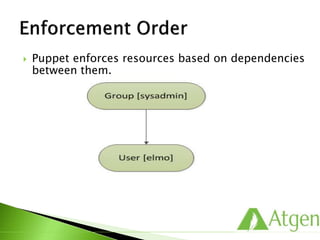
 Puppet enforces resources based on dependencies
between them.
 Puppet enforces in an idempotent way.
 The property of certain operations in
mathematics or computer science in that they
can be applied multiple times without further
changing the result beyond the initial
application.
 Able to be applied multiple times with the
same outcome.
 Puppet resources are idempotent, since they
describe a desired final state rather than a
series of steps to follow.
 Resources are building blocks.
 They can be combined to make larger
components
 Together they can model the expected state
of your system.
 Below is details about ‘sshd’ service.
◦ Service : sshd
◦ Package: openssh
◦ File: ssh.config
 Resources are managed in terms of
attributes.
◦ Instruct Puppet to manage a package:
package { ‘openssh’:
ensure => present,
}
◦ Instruct Puppet to manage a user:
user { ‘elvis’:
ensure => absent,
}
 Attributes describe the state that Puppet
should converge the resource to.
 Resources in Puppet are abstracted from
underlying providers.
package { ‘ssh’:
ensure => present,
name => $::operatingsystem ? {
‘RedHat’ => ‘openssh’,
‘Ubuntu’ => ‘ssh’,
},
}
 This resource declaration will use different tools
on different platforms. For Example, For RedHat
family, It will use “yum install openssh” and for
Debian family, IT will use “apt-get install ssh”.
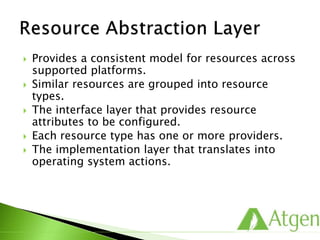
 Provides a consistent model for resources across
supported platforms.
 Similar resources are grouped into resource
types.
 The interface layer that provides resource
attributes to be configured.
 Each resource type has one or more providers.
 The implementation layer that translates into
operating system actions.
Classroom Environment
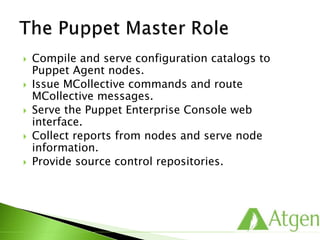
 Compile and serve configuration catalogs to
Puppet Agent nodes.
 Issue MCollective commands and route
MCollective messages.
 Serve the Puppet Enterprise Console web
interface.
 Collect reports from nodes and serve node
information.
 Provide source control repositories.
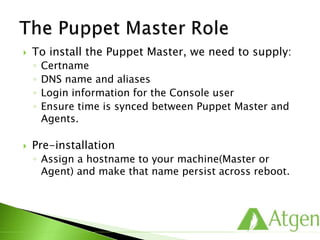
 To install the Puppet Master, we need to supply:
◦ Certname
◦ DNS name and aliases
◦ Login information for the Console user
◦ Ensure time is synced between Puppet Master and
Agents.
 Pre-installation
◦ Assign a hostname to your machine(Master or
Agent) and make that name persist across reboot.
 Puppet Master would be installed on Training
Environment as demo LAB.
 Puppet uses “facter” to gather information about
the host system.
 Executing the “facter” command returns a list of
key value pairs.
 The returned key value pairs are “facts”.
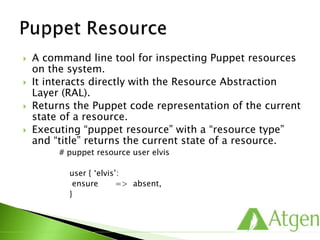
 A command line tool for inspecting Puppet resources
on the system.
 It interacts directly with the Resource Abstraction
Layer (RAL).
 Returns the Puppet code representation of the current
state of a resource.
 Executing “puppet resource” with a “resource type”
and “title” returns the current state of a resource.
# puppet resource user elvis
user { ‘elvis’:
ensure => absent,
}
 Executing “puppet resource” and providing a
“resource type” queries all known instances of that
resource on the system.
# puppet resource user
 Puppet uses SSL to facilitate secure Agent – Master
communication.
 Once the Agents and the Master are set up, the
Master needs to sign the Agent certificates to enable
trusted communication.
 Provides a framework for:
◦ safe and recoverable change sets.
◦ seamless collaboration with others.
◦ viewing complete change history of code.
◦ backing out problematic changes.
 Update local working directory.
 Edit code and make any changes required.
 Validate and style check code locally.
 Test code locally by applying test manifests.
 Update Puppet Master manifest repository.
 Test on development nodes in agent mode.
 Free and open source distributed version control
system.
 Tiny footprint with lighting fast performance as
doesn’t constantly communicate with server and most
operations are performed locally.
 Cryptographic integrity (checksum) of every bit of
your project is ensured.
 Few commands:
◦ git status
◦ git add <file>
◦ git commit
◦ git push
◦ git diff
◦ git log
◦ git show
◦ git checkout
Puppet Roles
 Puppet Enterprise Console
 Puppet Forge Modules
 3rd Party Systems
 Puppet Agents
 Puppet Master
 “puppet agent” runs on all managed nodes.
 It is responsible for:
◦ Initiating a secure and authenticated connection to
the Puppet Master.
◦ Sending information about its current state.
◦ Enforcing a retrieved “catalog”.
 /etc/puppetlabs/puppet/puppet.conf
[main]
vardir = /var/opt/lib/pe-puppet
logdir = /var/log/pe-puppet
rundir = /var/run/pe-puppet
[agent]
certname = webdb1
server = puppet
 Other configuration variables
◦ vardir: location where Puppet stores dynamically
growing information.
◦ rundir: location where Puppet PID files are stored.
◦ ssldir: location where SSL certificates are stored.
◦ ca_server: the server to use for certificate authority
requests.
◦ certname: the certificate name to use when
communicating with the master.
◦ server: the host name of the puppetmaster.
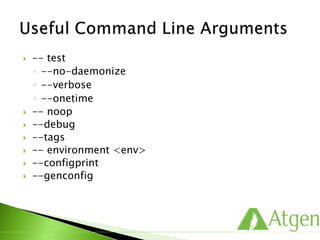
 -- test
◦ --no-daemonize
◦ --verbose
◦ --onetime
 -- noop
 --debug
 --tags
 -- environment <env>
 --configprint
 --genconfig
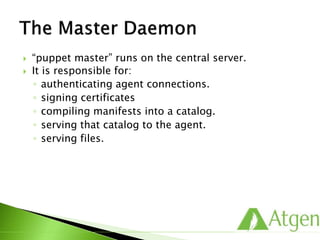
 “puppet master” runs on the central server.
 It is responsible for:
◦ authenticating agent connections.
◦ signing certificates
◦ compiling manifests into a catalog.
◦ serving that catalog to the agent.
◦ serving files.
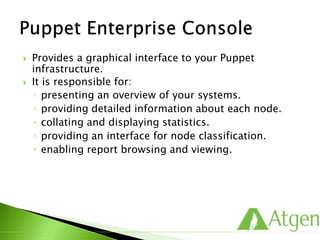
 Provides a graphical interface to your Puppet
infrastructure.
 It is responsible for:
◦ presenting an overview of your systems.
◦ providing detailed information about each node.
◦ collating and displaying statistics.
◦ providing an interface for node classification.
◦ enabling report browsing and viewing.
 Infrastructure Overview
 Node Details Statistics
 Browsing Latest Reports
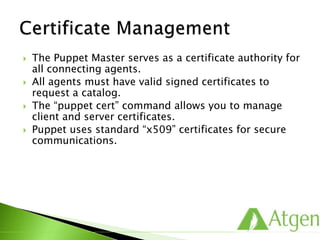
 The Puppet Master serves as a certificate authority for
all connecting agents.
 All agents must have valid signed certificates to
request a catalog.
 The “puppet cert” command allows you to manage
client and server certificates.
 Puppet uses standard “x509” certificates for secure
communications.
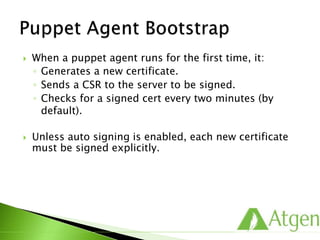
 When a puppet agent runs for the first time, it:
◦ Generates a new certificate.
◦ Sends a CSR to the server to be signed.
◦ Checks for a signed cert every two minutes (by
default).
 Unless auto signing is enabled, each new certificate
must be signed explicitly.
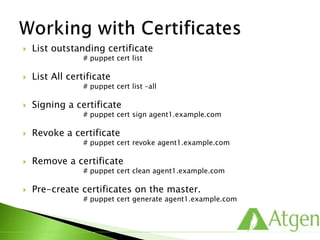
 List outstanding certificate
# puppet cert list
 List All certificate
# puppet cert list –all
 Signing a certificate
# puppet cert sign agent1.example.com
 Revoke a certificate
# puppet cert revoke agent1.example.com
 Remove a certificate
# puppet cert clean agent1.example.com
 Pre-create certificates on the master.
# puppet cert generate agent1.example.com
 Viewing Node Requests
 Rejecting or Approving Node Requests
Modules and Classes
 Classes define a collection of resources that are
managed together as a single unit.
# /etc/puppetlabs/puppet/modules/ssh/manifests/init.pp
class ssh {
package { ‘openssh-clients’:
ensure => present,
}
file { ‘/etc/ssh/ssh_config’:
owner => ‘root’,
group => ‘root’,
mode => ‘0644’,
require => Package[‘openssh-clients’],
source => ‘puppet:///modules/ssh/ssh_config’,
}
service { ‘sshd’:
ensure => stopped,
enable => false,
}
}
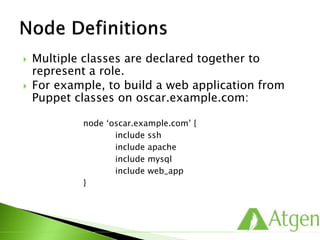
 Multiple classes are declared together to
represent a role.
 For example, to build a web application from
Puppet classes on oscar.example.com:
node ‘oscar.example.com’ {
include ssh
include apache
include mysql
include web_app
}
 Composable node configurations.
 Save effort and reduces error.
 Designing reusable classes means that node
configurations can be composed by stacking
classes together, which is both more reliable
and more efficient than writing each
configuration from the ground up.
 Define your infrastructure by simply assigning
classes to nodes as needed.
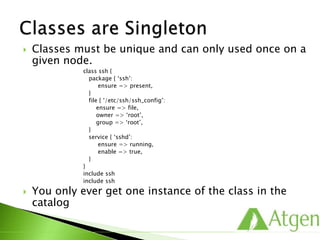
 Classes must be unique and can only used once on a
given node.
class ssh {
package { ‘ssh’:
ensure => present,
}
file { ‘/etc/ssh/ssh_config’:
ensure => file,
owner => ‘root’,
group => ‘root’,
}
service { ‘sshd’:
ensure => running,
enable => true,
}
}
include ssh
include ssh
 You only ever get one instance of the class in the
catalog
 Modules are directories that contain your
configuration.
 They are designed to encapsulate all of the
components related to a given configuration in a
single folder hierarchy.
 They have a pre-defined structure that enable the
following:
◦ auto-loading of classes
◦ file-serving for templates and files
◦ auto-delivery of custom Puppet extensions
◦ easy sharing with others
 Modules enable class auto-discovery.
 First, Puppet needs to know where to find your modules.
 Then, your classes are placed in this predictable structure.
# tree /etc/puppetlabs/puppet/modules/ssh
…
|- manifests
|- init.pp
|- server.pp
 Puppets expects to find classes in the manifests directory of
your module.
# puppet.conf on puppet master
[main]
basemodulepath=/etc/puppetlabs/puppet/modules:/opt/puppe
t/share/project/modules
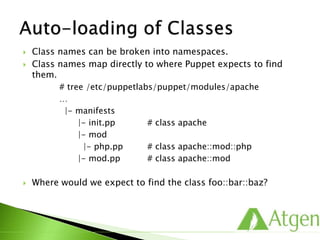
 Class names can be broken into namespaces.
 Class names map directly to where Puppet expects to find
them.
# tree /etc/puppetlabs/puppet/modules/apache
…
|- manifests
|- init.pp # class apache
|- mod
|- php.pp # class apache::mod::php
|- mod.pp # class apache::mod
 Where would we expect to find the class foo::bar::baz?
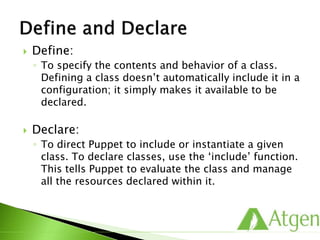
 Define:
◦ To specify the contents and behavior of a class.
Defining a class doesn’t automatically include it in a
configuration; it simply makes it available to be
declared.
 Declare:
◦ To direct Puppet to include or instantiate a given
class. To declare classes, use the ‘include’ function.
This tells Puppet to evaluate the class and manage
all the resources declared within it.
 When you build a class like the following, you
are defining it.
class ssh {
package { ‘openssh-clients’:
ensure => present,
}
file { ‘/etc/ssh/ssh_config’:
owner => ‘root’,
group => ‘root’,
mode => ‘0644’,
require => Package[‘openssh-clients’],
source => ‘puppet:///modules/ssh/ssh_config’,
}
service { ‘sshd’:
ensure => stopped,
enable => false,
}
}
 To use it, you need to declare the class.
include ssh
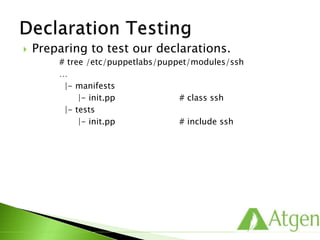
 Preparing to test our declarations.
# tree /etc/puppetlabs/puppet/modules/ssh
…
|- manifests
|- init.pp # class ssh
|- tests
|- init.pp # include ssh
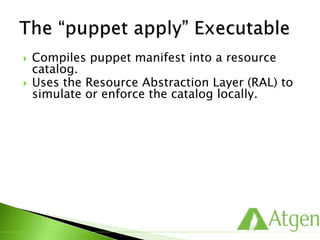
 Compiles puppet manifest into a resource
catalog.
 Uses the Resource Abstraction Layer (RAL) to
simulate or enforce the catalog locally.
 One-off manifest enforcement.
 Validate your code.
 Temporary changes that may be overridden
on the next Agent run.
 ‘puppet apply’ compiles a manifest file and
enforces it immediately.
# puppet apply tests/init.pp
notice: /Stage[main]/Ssh/Service[sshd]/ensure: ensure
change ‘stopped’ to run….
notice: Finished catalog run in 0.14 seconds
 ‘--noop’ mode simulates without enforcing.
 Resource Abstraction Layer [RAL] can
simulate events rather than taking action.
 Inform you of system drift and expected
convergence actions.
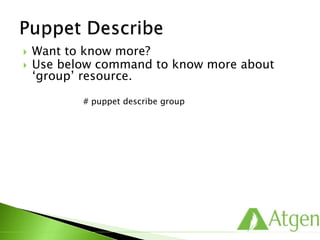
 Want to know more?
 Use below command to know more about
‘group’ resource.
# puppet describe group
Classification
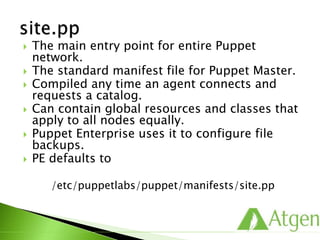
 The main entry point for entire Puppet
network.
 The standard manifest file for Puppet Master.
 Compiled any time an agent connects and
requests a catalog.
 Can contain global resources and classes that
apply to all nodes equally.
 Puppet Enterprise uses it to configure file
backups.
 PE defaults to
/etc/puppetlabs/puppet/manifests/site.pp
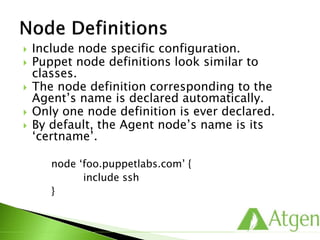
 Include node specific configuration.
 Puppet node definitions look similar to
classes.
 The node definition corresponding to the
Agent’s name is declared automatically.
 Only one node definition is ever declared.
 By default, the Agent node’s name is its
‘certname’.
node ‘foo.puppetlabs.com’ {
include ssh
}
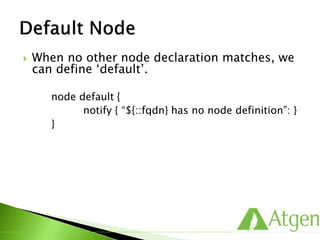
 When no other node declaration matches, we
can define ‘default’.
node default {
notify { “${::fqdn} has no node definition”: }
}
 Node Definition
Resources
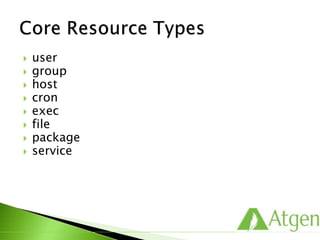
 user
 group
 host
 cron
 exec
 file
 package
 service
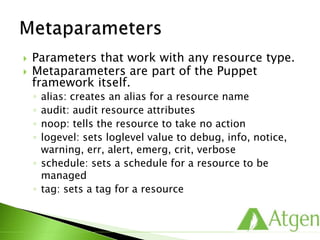
 Parameters that work with any resource type.
 Metaparameters are part of the Puppet
framework itself.
◦ alias: creates an alias for a resource name
◦ audit: audit resource attributes
◦ noop: tells the resource to take no action
◦ logevel: sets loglevel value to debug, info, notice,
warning, err, alert, emerg, crit, verbose
◦ schedule: sets a schedule for a resource to be
managed
◦ tag: sets a tag for a resource
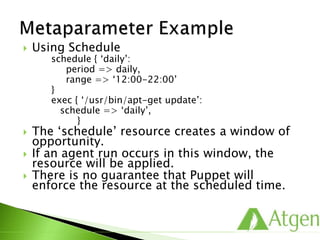
 Using Schedule
schedule { ‘daily’:
period => daily,
range => ‘12:00-22:00’
}
exec { ‘/usr/bin/apt-get update’:
schedule => ‘daily’,
}
 The ‘schedule’ resource creates a window of
opportunity.
 If an agent run occurs in this window, the
resource will be applied.
 There is no guarantee that Puppet will
enforce the resource at the scheduled time.
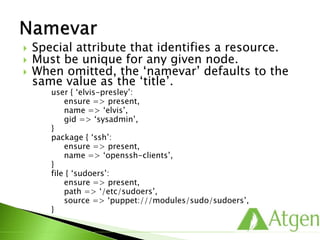
 Special attribute that identifies a resource.
 Must be unique for any given node.
 When omitted, the ‘namevar’ defaults to the
same value as the ‘title’.
user { ‘elvis-presley’:
ensure => present,
name => ‘elvis’,
gid => ‘sysadmin’,
}
package { ‘ssh’:
ensure => present,
name => ‘openssh-clients’,
}
file { ‘sudoers’:
ensure => present,
path => ‘/etc/sudoers’,
source => ‘puppet:///modules/sudo/sudoers’,
}
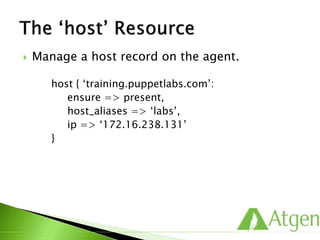
 Manage a host record on the agent.
host { ‘training.puppetlabs.com’:
ensure => present,
host_aliases => ‘labs’,
ip => ‘172.16.238.131’
}
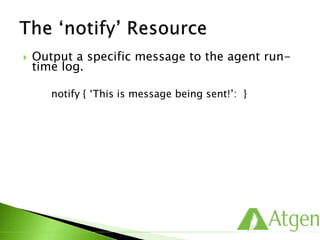
 Output a specific message to the agent run-
time log.
notify { ‘This is message being sent!’: }
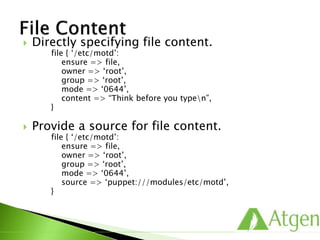
 Directly specifying file content.
file { ‘/etc/motd’:
ensure => file,
owner => ‘root’,
group => ‘root’,
mode => ‘0644’,
content => “Think before you typen”,
}
 Provide a source for file content.
file { ‘/etc/motd’:
ensure => file,
owner => ‘root’,
group => ‘root’,
mode => ‘0644’,
source => ‘puppet:///modules/etc/motd’,
}
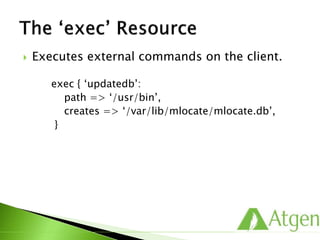
 Executes external commands on the client.
exec { ‘updatedb’:
path => ‘/usr/bin’,
creates => ‘/var/lib/mlocate/mlocate.db’,
}
Resource Relationships
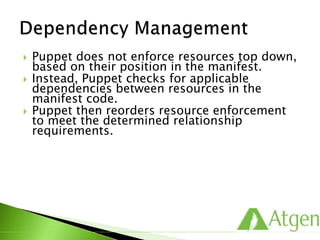
 Puppet does not enforce resources top down,
based on their position in the manifest.
 Instead, Puppet checks for applicable
dependencies between resources in the
manifest code.
 Puppet then reorders resource enforcement
to meet the determined relationship
requirements.
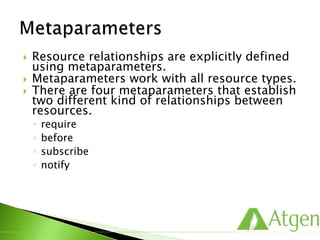
 Resource relationships are explicitly defined
using metaparameters.
 Metaparameters work with all resource types.
 There are four metaparameters that establish
two different kind of relationships between
resources.
◦ require
◦ before
◦ subscribe
◦ notify
 The following ensures that the ‘sshd’ service
is started after the ‘openssh’ package is
installed.
package { ‘openssh’:
ensure => present,
}
service { ‘sshd’:
ensure => running,
enable => true,
require => Package[‘openssh’],
}
 The also ensures that the ‘sshd’ service is
started after the ‘openssh’ package is
installed.
package { ‘openssh’:
ensure => present,
before => Service[‘sshd’],
}
service { ‘sshd’:
ensure => running,
enable => true,
}
 This ensures that the ‘ssh’ service is
restarted if Puppet changes the
‘/etc/ssh/sshd_config’ file resource.
file { ‘/etc/ssh/sshd_config’:
ensure => present,
source => ‘puppet:///modules/ssh/ssh_cofig’,
}
service { ‘sshd’:
ensure => running,
enable => true,
subscribe => File[‘/etc/ssh/sshd_config’],
}
 This also ensures that the ‘ssh’ service is
restarted if Puppet changes the
‘/etc/ssh/sshd_config’ file resource.
file { ‘/etc/ssh/sshd_config’:
ensure => present,
source => ‘puppet:///modules/ssh/ssh_cofig’,
notify => Service[‘sshd’],
}
service { ‘sshd’:
ensure => running,
enable => true,
}
Language Constructs
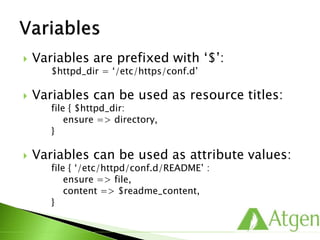
 Variables are prefixed with ‘$’:
$httpd_dir = ‘/etc/https/conf.d’
 Variables can be used as resource titles:
file { $httpd_dir:
ensure => directory,
}
 Variables can be used as attribute values:
file { ‘/etc/httpd/conf.d/README’ :
ensure => file,
content => $readme_content,
}
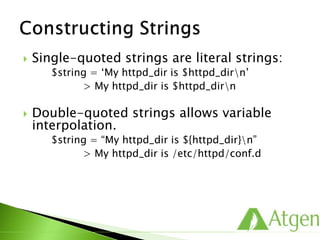
 Single-quoted strings are literal strings:
$string = ‘My httpd_dir is $httpd_dirn’
> My httpd_dir is $httpd_dirn
 Double-quoted strings allows variable
interpolation.
$string = “My httpd_dir is ${httpd_dir}n”
> My httpd_dir is /etc/httpd/conf.d
 Availability of variables is dictated by the
variable’s scope.
 Local scope locally overrides variables of the
same name from the parent.
class apache::params {
$logroot = ‘/var/log/httpd’
[…]
}
class apache::logs {
include apache::params
file { “${logroot}/httpd.log”:
owner => ‘apache’,
group => ‘apache’,
}
}
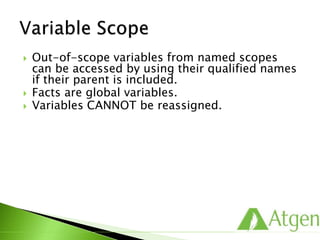
 Out-of-scope variables from named scopes
can be accessed by using their qualified names
if their parent is included.
 Facts are global variables.
 Variables CANNOT be reassigned.
 The Puppet language supports simple arrays:
$somearray = [ ‘one’, ‘two’, ‘three’ ]
 Arrays can be used as an argument to some resource
parameters:
user { ‘elvis’:
ensure => present,
home => ‘/home/elvis’,
uid => ‘5000’,
gid => ‘hounddog’,
shell => ‘/bin/bash’,
groups => [‘jailhouse’, ‘surfer’, ‘legend’],
}
 Arrays can also be used as title for resources:
file { [‘/tmp/one’, ‘/tmp/two’, ‘/tmp/three’]:
[…]
}
 Puppet support three conditional expressions:
◦ the selector
◦ case statements
◦ if/else/elsif statements
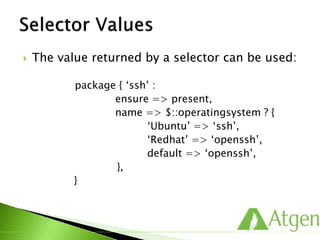
 The value returned by a selector can be used:
package { ‘ssh’ :
ensure => present,
name => $::operatingsystem ? {
‘Ubuntu’ => ‘ssh’,
‘Redhat’ => ‘openssh’,
default => ‘openssh’,
},
}
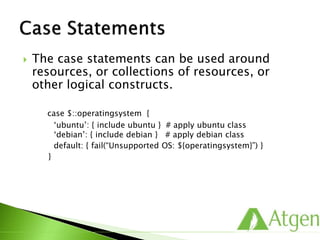
 The case statements can be used around
resources, or collections of resources, or
other logical constructs.
case $::operatingsystem {
‘ubuntu’: { include ubuntu } # apply ubuntu class
‘debian’: { include debian } # apply debian class
default: { fail(“Unsupported OS: ${operatingsystem}”) }
}
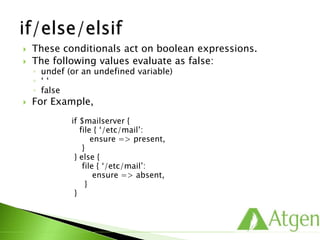
 These conditionals act on boolean expressions.
 The following values evaluate as false:
◦ undef (or an undefined variable)
◦ ‘ ‘
◦ false
 For Example,
if $mailserver {
file { ‘/etc/mail’:
ensure => present,
}
} else {
file { ‘/etc/mail’:
ensure => absent,
}
}
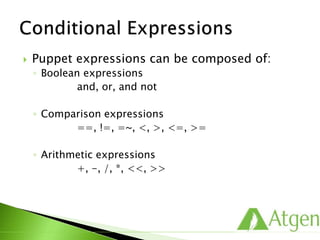
 Puppet expressions can be composed of:
◦ Boolean expressions
and, or, and not
◦ Comparison expressions
==, !=, =~, <, >, <=, >=
◦ Arithmetic expressions
+, -, /, *, <<, >>
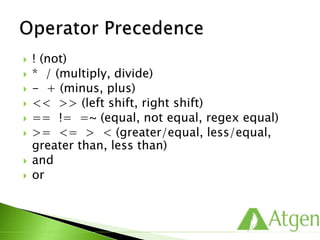
 ! (not)
 * / (multiply, divide)
 - + (minus, plus)
 << >> (left shift, right shift)
 == != =~ (equal, not equal, regex equal)
 >= <= > < (greater/equal, less/equal,
greater than, less than)
 and
 or
ERB Templates
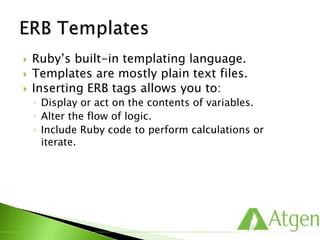
 Ruby’s built-in templating language.
 Templates are mostly plain text files.
 Inserting ERB tags allows you to:
◦ Display or act on the contents of variables.
◦ Alter the flow of logic.
◦ Include Ruby code to perform calculations or
iterate.
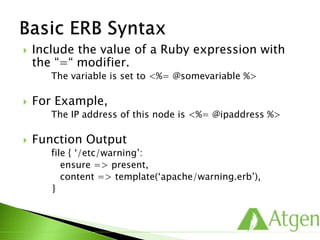
 Include the value of a Ruby expression with
the “=“ modifier.
The variable is set to <%= @somevariable %>
 For Example,
The IP address of this node is <%= @ipaddress %>
 Function Output
file { ‘/etc/warning’:
ensure => present,
content => template(‘apache/warning.erb’),
}
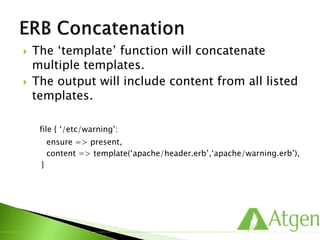
 The ‘template’ function will concatenate
multiple templates.
 The output will include content from all listed
templates.
file { ‘/etc/warning’:
ensure => present,
content => template(‘apache/header.erb’,‘apache/warning.erb’),
}
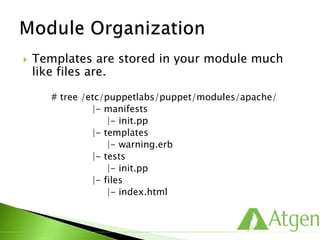
 Templates are stored in your module much
like files are.
# tree /etc/puppetlabs/puppet/modules/apache/
|- manifests
|- init.pp
|- templates
|- warning.erb
|- tests
|- init.pp
|- files
|- index.html
Puppet Forge
 Share & Download Puppet Modules.
 http://forge.puppetlabs.com/
 You can search the different modules and use
it as per requirement.
 You can also play a role in puppet
development by developing puppet modules
and sharing with global community.
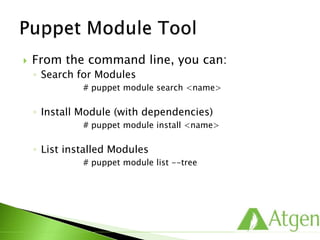
 From the command line, you can:
◦ Search for Modules
# puppet module search <name>
◦ Install Module (with dependencies)
# puppet module install <name>
◦ List installed Modules
# puppet module list --tree
Advanced Classes
 Share common behavior among multiple classes.
 Start with a base class:
class ssh {
package { ‘openssh-clients’:
ensure => present,
}
file { ‘/etc/ssh/ssh_config’:
owner => ‘root’,
group => ‘root’,
mode => ‘0644’,
require => Package[‘openssh-clients’],
source => ‘puppet://modules/ssh/ssh_config’,
}
service { ‘sshd’:
ensure => stopped,
enable => false,
}
}
 Inherit a base class and customize behavior:
class ssh::server inherits ssh {
package { ‘openssh-server’:
ensure => present,
}
file { ‘/etc/ssh/ssh_config’:
owner => ‘root’,
group => ‘root’,
mode => ‘0644’,
require => Package[‘openssh-server’],
source => ‘puppet://modules/ssh/ssh_config’,
}
Service[‘sshd’] {
ensure => running,
enable => true,
subscribe => File[‘/etc/ssh/ssh_config’],
}
}
 Resources from both classes are managed:
◦ From Class [‘ssh’]:
 Package [‘openssh-clients’]
 File [‘/etc/ssh/ssh_config’]
 Service [‘sshd’]
◦ From Class [‘ssh::server’]:
 Package [‘openssh-server’]
 File [‘/etc/ssh/ssh_config’]
 Service [‘sshd’] parameters are overridden in
Class [‘ssh::server’].
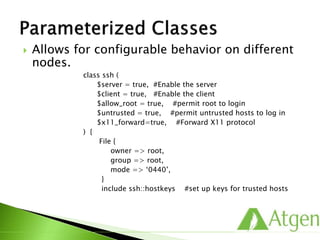
 Allows for configurable behavior on different
nodes.
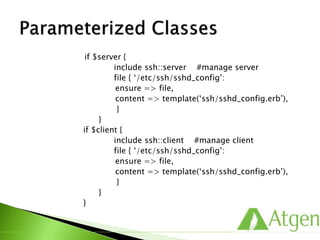
class ssh (
$server = true, #Enable the server
$client = true, #Enable the client
$allow_root = true, #permit root to login
$untrusted = true, #permit untrusted hosts to log in
$x11_forward=true, #Forward X11 protocol
) {
File {
owner => root,
group => root,
mode => ‘0440’,
}
include ssh::hostkeys #set up keys for trusted hosts
if $server {
include ssh::server #manage server
file { ‘/etc/ssh/sshd_config’:
ensure => file,
content => template(‘ssh/sshd_config.erb’),
}
}
if $client {
include ssh::client #manage client
file { ‘/etc/ssh/sshd_config’:
ensure => file,
content => template(‘ssh/sshd_config.erb’),
}
}
}
Report Handlers
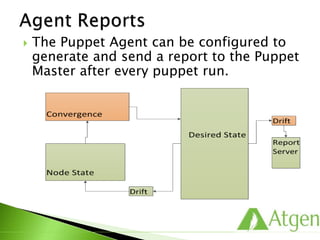
 The Puppet Agent can be configured to
generate and send a report to the Puppet
Master after every puppet run.
 Basic Example
info: Applying configuration version ‘1328975856’
notice: Hello World!
notice: /Notify[example]/message: defined ‘message’
as ‘Hello World!’
notice: Finished catalog run in 0.03 seconds
 Transaction Data
notice: /Notify[example]/message: defined ‘message’
as ‘Hello World!’
 Metric Data
notice: Finished catalog run in 0.03 seconds
 Process reports on the Master
 Build-in Report Handlers:
◦ http/https
◦ log
◦ puppetdb
◦ tagmail
◦ rrdgraph
◦ store
 Contains every log message in a
transaction.
 Can be used to centralize client logs into
syslog.
 Example:
# /var/log/messages
Compiled catalog for training.puppetlabs.vm in 0.86
seconds
Caching catalog for training.puppetlabs.vm
Applying configuration version ‘1328975856’ Hello World!
/Notify[example]/message: defined ‘message’ as ‘Hello
World!’
Finished catalog run in 0.69 seconds
 Generates RRD graphs from transaction
report data.
 Requires Ruby’s ‘rrdtool’ library and the
‘rrd’ binary.
 Stores report data on Puppet Master as
YAML.
 Available for third party report
processing.
 Delivers log reports via email based on
tags.
 Example Configuration:
#
# /etc/puppetlabs/puppet/tagmail.conf
#
all: support@atgensoft.com
webserver: partners@atgensoft.com
 Sample Emal:
From: report@atgensoft.com
Subject: Puppet Report for training.puppetlabs.vm
To: support@atgensoft.com
/Notify[example]/message: defined ‘message’ as ‘Hello World!’
 Puppet Agent
#
# /etc/puppetlabs/puppet/puppet.conf
#
[agent]
report = true # true is default for Puppet
Enterprise
 Puppet Master
#
# /etc/puppetlabs/puppet/puppet.conf
#
[master]
reports = https,tagmail, store, log
# https,puppetdb is default for Puppet Enterprise
 Many report handlers are available on
the Forge
◦ Splunk
◦ Campfire
◦ Twitter
◦ IRC
 Writing your own is straightforward.
Live Management
 Gain instant insight into the state of the
infrastructure.
 Live Management resource browsing
gives you:
◦ Instant visibility into the state of the resources on
all nodes in the cluster.
◦ Ability to quickly filter and browse to find the
information you need.
◦ Variation reports that can be generated in just a few
clicks of the mouse.
 Live Management demo
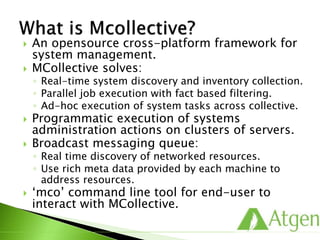
 An opensource cross-platform framework for
system management.
 MCollective solves:
◦ Real-time system discovery and inventory collection.
◦ Parallel job execution with fact based filtering.
◦ Ad-hoc execution of system tasks across collective.
 Programmatic execution of systems
administration actions on clusters of servers.
 Broadcast messaging queue:
◦ Real time discovery of networked resources.
◦ Use rich meta data provided by each machine to
address resources.
 ‘mco’ command line tool for end-user to
interact with MCollective.
Data Separation
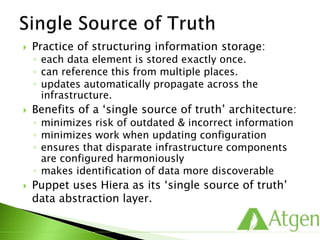
 Practice of structuring information storage:
◦ each data element is stored exactly once.
◦ can reference this from multiple places.
◦ updates automatically propagate across the
infrastructure.
 Benefits of a ‘single source of truth’ architecture:
◦ minimizes risk of outdated & incorrect information
◦ minimizes work when updating configuration
◦ ensures that disparate infrastructure components
are configured harmoniously
◦ makes identification of data more discoverable
 Puppet uses Hiera as its ‘single source of truth’
data abstraction layer.
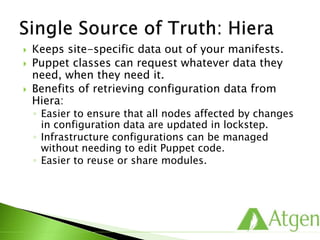
 Keeps site-specific data out of your manifests.
 Puppet classes can request whatever data they
need, when they need it.
 Benefits of retrieving configuration data from
Hiera:
◦ Easier to ensure that all nodes affected by changes
in configuration data are updated in lockstep.
◦ Infrastructure configurations can be managed
without needing to edit Puppet code.
◦ Easier to reuse or share modules.
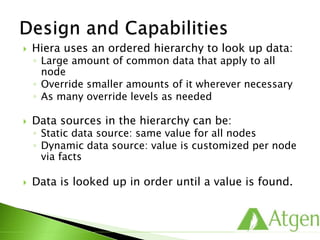
 Hiera uses an ordered hierarchy to look up data:
◦ Large amount of common data that apply to all
node
◦ Override smaller amounts of it wherever necessary
◦ As many override levels as needed
 Data sources in the hierarchy can be:
◦ Static data source: same value for all nodes
◦ Dynamic data source: value is customized per node
via facts
 Data is looked up in order until a value is found.
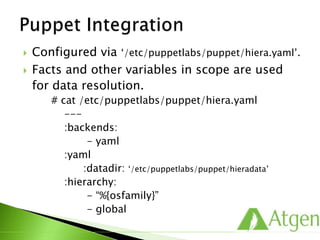
 Configured via ‘/etc/puppetlabs/puppet/hiera.yaml’.
 Facts and other variables in scope are used
for data resolution.
# cat /etc/puppetlabs/puppet/hiera.yaml
---
:backends:
- yaml
:yaml
:datadir: ‘/etc/puppetlabs/puppet/hieradata’
:hierarchy:
- “%{osfamily}”
- global
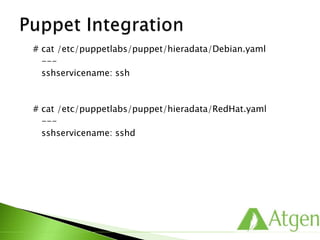
# cat /etc/puppetlabs/puppet/hieradata/Debian.yaml
---
sshservicename: ssh
# cat /etc/puppetlabs/puppet/hieradata/RedHat.yaml
---
sshservicename: sshd
#cd /etc/puppetlabs/puppet/modules/sshdconfig/
#cat manifests/init.pp
class sshdconfig ( $serviceName = hiera(“sshservicename”) ) {
file { “/etc/ssh/sshd_config”:
owner => ‘root’,
group => ‘root’,
mode => ‘0644’,
source => “puppet:///modules/sshdconfig/sshd_config”,
notify => Service[$serviceName],
}
service { $serviceName:
ensure => running,
enable => true,
}
}
 Contact @ http://www.atgensoft.com/ for
specialized customized solutions.
 Our Products & Services:
◦ Sked Automation Software
◦ DevOps Training, Consulting & Implementation
◦ Workload Automation Solutions
Thank You !!

Puppet for Developers

  • 1.
  • 2.
     About Puppet Basic Puppet Concepts  Classroom Environment  Puppet Roles  Modules and Classes  Node Classification  Resources  Resource Relationships  Language Constructs  ERB Templates  Puppet Forge  Advanced Classes  Report Handlers  Live Management  Data Separation (Hiera)
  • 3.
  • 4.
     IT AutomationSoftware for System Administrators: ◦ Founded in 2005 ◦ First commercial product release in 2011 ◦ 3,000+ Puppet Forge modules ◦ 9,000+ Community Members ◦ 40,000+ Users ◦ 50,000+ Nodes managed in the largest deployments ◦ Support for Red Hat, CentOS, Ubuntu, Debian, SUSE, Solaris 10, Windows, Mac OS X. ◦ Investments from Google Ventures, Cisco, Vmware, Kleiner Perkins, Microsoft and True Ventures.
  • 5.
     Manually Configure ◦Literally logging in to every node to configure it  Golden Images ◦ Creating a single copy of a node’s software and replicating that across nodes  Custom One-off Scripts ◦ Custom code written to address a specific, tactical problem  Software Packages ◦ Typically all or nothing approach
  • 6.
     Difficult toscale  Impossible, for all intents and purposes, to maintain consistency from node-to-node.
  • 7.
     Need separateimages for different deployment environments, eg, development, QA, production, or different geo locations.  As number of images multiply it becomes very difficult to keep track and keep consistent.  Since they’re monolithic copies, golden images are rigid and thus difficult to update as the business needs change.
  • 8.
     No leverage– effort typically cannot be re- used for different applications or deployments.  Brittle – as needs change, the entire script must be often be re-written.  Difficult to maintain when the original author leaves the organization.
  • 9.
     These packagestypically require that all resources be placed under management – cannot selectively adopt and scale automation.  As a result, longer deployments times.  Dated technology developed before virtualization and cloud computing – lacks responsiveness to changing requirements.
  • 10.
     Configuration Managementfor system administrators.  Discover , Configure and Manage  Provides following customer benefits: ◦ Productivity / Efficiency ◦ Visibility ◦ Scalability ◦ Consistency ◦ Operational efficiency
  • 11.
     Simplifies installationand configuration.  PE Stack Elements include: ◦ Puppet Master and Agent ◦ Puppet Module Tool ◦ Puppet Enterprise Console ◦ Live Management  Puppet Specific Supporting Tools: ◦ Facter ◦ Hiera ◦ MCollective
  • 12.
     PE InstallableRoles: ◦ Puppet Agent ◦ Cloud Provisioner ◦ Puppet Master ◦ Puppet Console ◦ Puppet DB
  • 13.
     Define yourresources in modules package {‘sshd’: ensure => installed, } file {‘/etc/ssh/sshd_config’: ensure => file, owner => root, group => root, } service {‘sshd’: ensure => running, enable => true, }  Assign resource relationships automatically  Reusable, composable configurations
  • 14.
     Facts ◦ Thenode sends data about its state to the puppet master server.  Catalog ◦ Puppet uses the facts to compile a Catalog that specifies how the node should be configured.  Report ◦ Configuration changes are reported back to Puppet Master.  Report ◦ Puppet’s open API can also send data to 3rd party tools.
  • 16.
  • 17.
     You needto manage a user, Elmo.  You care specifically about: ◦ his existence ◦ his primary group ◦ his home directory
  • 18.
     Tools builtinto most distro’s that can help: ◦ useradd ◦ usermod ◦ groupadd ◦ groupmod ◦ mkdir ◦ chmod ◦ chgrp ◦ chown
  • 19.
     Platform idiosyncrasies: ◦Does this box have ‘useradd’ or ‘adduser’?  What was that flag again? ◦ What is difference between ‘–l’ and ‘–L’? ◦ What does ‘–r’ mean?  Recurse  Remove read privileges  System user  If I run this command again, what will it do?
  • 20.
     You coulddo something like this: #!/bin/sh USER=$1 ; GROUP=$2 ; HOME=$3 if [ 0 –ne $(getent passwd $USER > /dev/null)$? ] then useradd $USER –home $HOME –gid $GROUP –n ; fi OLDGID=`getent passwd $USER | awk –F: ‘{print $4}’` OLDGROUP=`getent group $OLDGID | awk –F: ‘{print $1}’` OLDHOME=`getent passwd $USER | awk –F: ‘{print $6}’` if [ “$GROUP” != “$OLDGID” ] && [“$GROUP” != “$OLDGROUP” ] then usermod –gid $GROUP $USER; fi if [ “$HOME” != “$OLDHOME” ] then usermod –home $HOME $USER; fi
  • 21.
     Robust errorchecking?  Solaris and Windows support?  Robust logging of changes?  Readable code?
  • 22.
     A lightat the end of the tunnel: user { ‘elmo’: ensure => present, gid => ‘sysadmin’, home => ‘/mnt/home/elmo’, managehome => true, }
  • 23.
     Describe thestate you want.
  • 24.
     Any convergenceactions are reported.
  • 25.
     You provisiona node.  Puppet configures it.  Puppet maintains the desired state.
  • 26.
     Descriptive  Straightforward Transparent class sysadmins { user { ‘elmo’: ensure => present, gid => ‘sysadmin’, home => ‘/home/elmo’, managehome => true, } group { ‘sysadmin’: ensure => present, } }
  • 27.
     Puppet enforcesresources based on dependencies between them.
  • 28.
     Puppet enforcesin an idempotent way.  The property of certain operations in mathematics or computer science in that they can be applied multiple times without further changing the result beyond the initial application.  Able to be applied multiple times with the same outcome.  Puppet resources are idempotent, since they describe a desired final state rather than a series of steps to follow.
  • 29.
     Resources arebuilding blocks.  They can be combined to make larger components  Together they can model the expected state of your system.  Below is details about ‘sshd’ service. ◦ Service : sshd ◦ Package: openssh ◦ File: ssh.config
  • 30.
     Resources aremanaged in terms of attributes. ◦ Instruct Puppet to manage a package: package { ‘openssh’: ensure => present, } ◦ Instruct Puppet to manage a user: user { ‘elvis’: ensure => absent, }  Attributes describe the state that Puppet should converge the resource to.
  • 31.
     Resources inPuppet are abstracted from underlying providers. package { ‘ssh’: ensure => present, name => $::operatingsystem ? { ‘RedHat’ => ‘openssh’, ‘Ubuntu’ => ‘ssh’, }, }  This resource declaration will use different tools on different platforms. For Example, For RedHat family, It will use “yum install openssh” and for Debian family, IT will use “apt-get install ssh”.
  • 32.
     Provides aconsistent model for resources across supported platforms.  Similar resources are grouped into resource types.  The interface layer that provides resource attributes to be configured.  Each resource type has one or more providers.  The implementation layer that translates into operating system actions.
  • 33.
  • 34.
     Compile andserve configuration catalogs to Puppet Agent nodes.  Issue MCollective commands and route MCollective messages.  Serve the Puppet Enterprise Console web interface.  Collect reports from nodes and serve node information.  Provide source control repositories.
  • 35.
     To installthe Puppet Master, we need to supply: ◦ Certname ◦ DNS name and aliases ◦ Login information for the Console user ◦ Ensure time is synced between Puppet Master and Agents.  Pre-installation ◦ Assign a hostname to your machine(Master or Agent) and make that name persist across reboot.
  • 36.
     Puppet Masterwould be installed on Training Environment as demo LAB.
  • 37.
     Puppet uses“facter” to gather information about the host system.  Executing the “facter” command returns a list of key value pairs.  The returned key value pairs are “facts”.
  • 38.
     A commandline tool for inspecting Puppet resources on the system.  It interacts directly with the Resource Abstraction Layer (RAL).  Returns the Puppet code representation of the current state of a resource.  Executing “puppet resource” with a “resource type” and “title” returns the current state of a resource. # puppet resource user elvis user { ‘elvis’: ensure => absent, }
  • 39.
     Executing “puppetresource” and providing a “resource type” queries all known instances of that resource on the system. # puppet resource user
  • 40.
     Puppet usesSSL to facilitate secure Agent – Master communication.  Once the Agents and the Master are set up, the Master needs to sign the Agent certificates to enable trusted communication.
  • 41.
     Provides aframework for: ◦ safe and recoverable change sets. ◦ seamless collaboration with others. ◦ viewing complete change history of code. ◦ backing out problematic changes.
  • 42.
     Update localworking directory.  Edit code and make any changes required.  Validate and style check code locally.  Test code locally by applying test manifests.  Update Puppet Master manifest repository.  Test on development nodes in agent mode.
  • 43.
     Free andopen source distributed version control system.  Tiny footprint with lighting fast performance as doesn’t constantly communicate with server and most operations are performed locally.  Cryptographic integrity (checksum) of every bit of your project is ensured.
  • 44.
     Few commands: ◦git status ◦ git add <file> ◦ git commit ◦ git push ◦ git diff ◦ git log ◦ git show ◦ git checkout
  • 45.
  • 46.
     Puppet EnterpriseConsole  Puppet Forge Modules  3rd Party Systems  Puppet Agents  Puppet Master
  • 47.
     “puppet agent”runs on all managed nodes.  It is responsible for: ◦ Initiating a secure and authenticated connection to the Puppet Master. ◦ Sending information about its current state. ◦ Enforcing a retrieved “catalog”.
  • 48.
     /etc/puppetlabs/puppet/puppet.conf [main] vardir =/var/opt/lib/pe-puppet logdir = /var/log/pe-puppet rundir = /var/run/pe-puppet [agent] certname = webdb1 server = puppet
  • 49.
     Other configurationvariables ◦ vardir: location where Puppet stores dynamically growing information. ◦ rundir: location where Puppet PID files are stored. ◦ ssldir: location where SSL certificates are stored. ◦ ca_server: the server to use for certificate authority requests. ◦ certname: the certificate name to use when communicating with the master. ◦ server: the host name of the puppetmaster.
  • 50.
     -- test ◦--no-daemonize ◦ --verbose ◦ --onetime  -- noop  --debug  --tags  -- environment <env>  --configprint  --genconfig
  • 51.
     “puppet master”runs on the central server.  It is responsible for: ◦ authenticating agent connections. ◦ signing certificates ◦ compiling manifests into a catalog. ◦ serving that catalog to the agent. ◦ serving files.
  • 52.
     Provides agraphical interface to your Puppet infrastructure.  It is responsible for: ◦ presenting an overview of your systems. ◦ providing detailed information about each node. ◦ collating and displaying statistics. ◦ providing an interface for node classification. ◦ enabling report browsing and viewing.
  • 53.
     Infrastructure Overview Node Details Statistics  Browsing Latest Reports
  • 54.
     The PuppetMaster serves as a certificate authority for all connecting agents.  All agents must have valid signed certificates to request a catalog.  The “puppet cert” command allows you to manage client and server certificates.  Puppet uses standard “x509” certificates for secure communications.
  • 55.
     When apuppet agent runs for the first time, it: ◦ Generates a new certificate. ◦ Sends a CSR to the server to be signed. ◦ Checks for a signed cert every two minutes (by default).  Unless auto signing is enabled, each new certificate must be signed explicitly.
  • 56.
     List outstandingcertificate # puppet cert list  List All certificate # puppet cert list –all  Signing a certificate # puppet cert sign agent1.example.com  Revoke a certificate # puppet cert revoke agent1.example.com  Remove a certificate # puppet cert clean agent1.example.com  Pre-create certificates on the master. # puppet cert generate agent1.example.com
  • 57.
     Viewing NodeRequests  Rejecting or Approving Node Requests
  • 58.
  • 59.
     Classes definea collection of resources that are managed together as a single unit. # /etc/puppetlabs/puppet/modules/ssh/manifests/init.pp class ssh { package { ‘openssh-clients’: ensure => present, } file { ‘/etc/ssh/ssh_config’: owner => ‘root’, group => ‘root’, mode => ‘0644’, require => Package[‘openssh-clients’], source => ‘puppet:///modules/ssh/ssh_config’, } service { ‘sshd’: ensure => stopped, enable => false, } }
  • 60.
     Multiple classesare declared together to represent a role.  For example, to build a web application from Puppet classes on oscar.example.com: node ‘oscar.example.com’ { include ssh include apache include mysql include web_app }
  • 61.
     Composable nodeconfigurations.  Save effort and reduces error.  Designing reusable classes means that node configurations can be composed by stacking classes together, which is both more reliable and more efficient than writing each configuration from the ground up.  Define your infrastructure by simply assigning classes to nodes as needed.
  • 62.
     Classes mustbe unique and can only used once on a given node. class ssh { package { ‘ssh’: ensure => present, } file { ‘/etc/ssh/ssh_config’: ensure => file, owner => ‘root’, group => ‘root’, } service { ‘sshd’: ensure => running, enable => true, } } include ssh include ssh  You only ever get one instance of the class in the catalog
  • 63.
     Modules aredirectories that contain your configuration.  They are designed to encapsulate all of the components related to a given configuration in a single folder hierarchy.  They have a pre-defined structure that enable the following: ◦ auto-loading of classes ◦ file-serving for templates and files ◦ auto-delivery of custom Puppet extensions ◦ easy sharing with others
  • 64.
     Modules enableclass auto-discovery.  First, Puppet needs to know where to find your modules.  Then, your classes are placed in this predictable structure. # tree /etc/puppetlabs/puppet/modules/ssh … |- manifests |- init.pp |- server.pp  Puppets expects to find classes in the manifests directory of your module. # puppet.conf on puppet master [main] basemodulepath=/etc/puppetlabs/puppet/modules:/opt/puppe t/share/project/modules
  • 65.
     Class namescan be broken into namespaces.  Class names map directly to where Puppet expects to find them. # tree /etc/puppetlabs/puppet/modules/apache … |- manifests |- init.pp # class apache |- mod |- php.pp # class apache::mod::php |- mod.pp # class apache::mod  Where would we expect to find the class foo::bar::baz?
  • 66.
     Define: ◦ Tospecify the contents and behavior of a class. Defining a class doesn’t automatically include it in a configuration; it simply makes it available to be declared.  Declare: ◦ To direct Puppet to include or instantiate a given class. To declare classes, use the ‘include’ function. This tells Puppet to evaluate the class and manage all the resources declared within it.
  • 67.
     When youbuild a class like the following, you are defining it. class ssh { package { ‘openssh-clients’: ensure => present, } file { ‘/etc/ssh/ssh_config’: owner => ‘root’, group => ‘root’, mode => ‘0644’, require => Package[‘openssh-clients’], source => ‘puppet:///modules/ssh/ssh_config’, } service { ‘sshd’: ensure => stopped, enable => false, } }  To use it, you need to declare the class. include ssh
  • 68.
     Preparing totest our declarations. # tree /etc/puppetlabs/puppet/modules/ssh … |- manifests |- init.pp # class ssh |- tests |- init.pp # include ssh
  • 69.
     Compiles puppetmanifest into a resource catalog.  Uses the Resource Abstraction Layer (RAL) to simulate or enforce the catalog locally.
  • 70.
     One-off manifestenforcement.  Validate your code.  Temporary changes that may be overridden on the next Agent run.  ‘puppet apply’ compiles a manifest file and enforces it immediately. # puppet apply tests/init.pp notice: /Stage[main]/Ssh/Service[sshd]/ensure: ensure change ‘stopped’ to run…. notice: Finished catalog run in 0.14 seconds
  • 71.
     ‘--noop’ modesimulates without enforcing.  Resource Abstraction Layer [RAL] can simulate events rather than taking action.  Inform you of system drift and expected convergence actions.
  • 72.
     Want toknow more?  Use below command to know more about ‘group’ resource. # puppet describe group
  • 73.
  • 74.
     The mainentry point for entire Puppet network.  The standard manifest file for Puppet Master.  Compiled any time an agent connects and requests a catalog.  Can contain global resources and classes that apply to all nodes equally.  Puppet Enterprise uses it to configure file backups.  PE defaults to /etc/puppetlabs/puppet/manifests/site.pp
  • 75.
     Include nodespecific configuration.  Puppet node definitions look similar to classes.  The node definition corresponding to the Agent’s name is declared automatically.  Only one node definition is ever declared.  By default, the Agent node’s name is its ‘certname’. node ‘foo.puppetlabs.com’ { include ssh }
  • 76.
     When noother node declaration matches, we can define ‘default’. node default { notify { “${::fqdn} has no node definition”: } }
  • 77.
  • 78.
  • 79.
     user  group host  cron  exec  file  package  service
  • 80.
     Parameters thatwork with any resource type.  Metaparameters are part of the Puppet framework itself. ◦ alias: creates an alias for a resource name ◦ audit: audit resource attributes ◦ noop: tells the resource to take no action ◦ logevel: sets loglevel value to debug, info, notice, warning, err, alert, emerg, crit, verbose ◦ schedule: sets a schedule for a resource to be managed ◦ tag: sets a tag for a resource
  • 81.
     Using Schedule schedule{ ‘daily’: period => daily, range => ‘12:00-22:00’ } exec { ‘/usr/bin/apt-get update’: schedule => ‘daily’, }  The ‘schedule’ resource creates a window of opportunity.  If an agent run occurs in this window, the resource will be applied.  There is no guarantee that Puppet will enforce the resource at the scheduled time.
  • 82.
     Special attributethat identifies a resource.  Must be unique for any given node.  When omitted, the ‘namevar’ defaults to the same value as the ‘title’. user { ‘elvis-presley’: ensure => present, name => ‘elvis’, gid => ‘sysadmin’, } package { ‘ssh’: ensure => present, name => ‘openssh-clients’, } file { ‘sudoers’: ensure => present, path => ‘/etc/sudoers’, source => ‘puppet:///modules/sudo/sudoers’, }
  • 83.
     Manage ahost record on the agent. host { ‘training.puppetlabs.com’: ensure => present, host_aliases => ‘labs’, ip => ‘172.16.238.131’ }
  • 84.
     Output aspecific message to the agent run- time log. notify { ‘This is message being sent!’: }
  • 85.
     Directly specifyingfile content. file { ‘/etc/motd’: ensure => file, owner => ‘root’, group => ‘root’, mode => ‘0644’, content => “Think before you typen”, }  Provide a source for file content. file { ‘/etc/motd’: ensure => file, owner => ‘root’, group => ‘root’, mode => ‘0644’, source => ‘puppet:///modules/etc/motd’, }
  • 86.
     Executes externalcommands on the client. exec { ‘updatedb’: path => ‘/usr/bin’, creates => ‘/var/lib/mlocate/mlocate.db’, }
  • 87.
  • 88.
     Puppet doesnot enforce resources top down, based on their position in the manifest.  Instead, Puppet checks for applicable dependencies between resources in the manifest code.  Puppet then reorders resource enforcement to meet the determined relationship requirements.
  • 89.
     Resource relationshipsare explicitly defined using metaparameters.  Metaparameters work with all resource types.  There are four metaparameters that establish two different kind of relationships between resources. ◦ require ◦ before ◦ subscribe ◦ notify
  • 90.
     The followingensures that the ‘sshd’ service is started after the ‘openssh’ package is installed. package { ‘openssh’: ensure => present, } service { ‘sshd’: ensure => running, enable => true, require => Package[‘openssh’], }
  • 91.
     The alsoensures that the ‘sshd’ service is started after the ‘openssh’ package is installed. package { ‘openssh’: ensure => present, before => Service[‘sshd’], } service { ‘sshd’: ensure => running, enable => true, }
  • 92.
     This ensuresthat the ‘ssh’ service is restarted if Puppet changes the ‘/etc/ssh/sshd_config’ file resource. file { ‘/etc/ssh/sshd_config’: ensure => present, source => ‘puppet:///modules/ssh/ssh_cofig’, } service { ‘sshd’: ensure => running, enable => true, subscribe => File[‘/etc/ssh/sshd_config’], }
  • 93.
     This alsoensures that the ‘ssh’ service is restarted if Puppet changes the ‘/etc/ssh/sshd_config’ file resource. file { ‘/etc/ssh/sshd_config’: ensure => present, source => ‘puppet:///modules/ssh/ssh_cofig’, notify => Service[‘sshd’], } service { ‘sshd’: ensure => running, enable => true, }
  • 94.
  • 95.
     Variables areprefixed with ‘$’: $httpd_dir = ‘/etc/https/conf.d’  Variables can be used as resource titles: file { $httpd_dir: ensure => directory, }  Variables can be used as attribute values: file { ‘/etc/httpd/conf.d/README’ : ensure => file, content => $readme_content, }
  • 96.
     Single-quoted stringsare literal strings: $string = ‘My httpd_dir is $httpd_dirn’ > My httpd_dir is $httpd_dirn  Double-quoted strings allows variable interpolation. $string = “My httpd_dir is ${httpd_dir}n” > My httpd_dir is /etc/httpd/conf.d
  • 97.
     Availability ofvariables is dictated by the variable’s scope.  Local scope locally overrides variables of the same name from the parent. class apache::params { $logroot = ‘/var/log/httpd’ […] } class apache::logs { include apache::params file { “${logroot}/httpd.log”: owner => ‘apache’, group => ‘apache’, } }
  • 98.
     Out-of-scope variablesfrom named scopes can be accessed by using their qualified names if their parent is included.  Facts are global variables.  Variables CANNOT be reassigned.
  • 99.
     The Puppetlanguage supports simple arrays: $somearray = [ ‘one’, ‘two’, ‘three’ ]  Arrays can be used as an argument to some resource parameters: user { ‘elvis’: ensure => present, home => ‘/home/elvis’, uid => ‘5000’, gid => ‘hounddog’, shell => ‘/bin/bash’, groups => [‘jailhouse’, ‘surfer’, ‘legend’], }  Arrays can also be used as title for resources: file { [‘/tmp/one’, ‘/tmp/two’, ‘/tmp/three’]: […] }
  • 100.
     Puppet supportthree conditional expressions: ◦ the selector ◦ case statements ◦ if/else/elsif statements
  • 101.
     The valuereturned by a selector can be used: package { ‘ssh’ : ensure => present, name => $::operatingsystem ? { ‘Ubuntu’ => ‘ssh’, ‘Redhat’ => ‘openssh’, default => ‘openssh’, }, }
  • 102.
     The casestatements can be used around resources, or collections of resources, or other logical constructs. case $::operatingsystem { ‘ubuntu’: { include ubuntu } # apply ubuntu class ‘debian’: { include debian } # apply debian class default: { fail(“Unsupported OS: ${operatingsystem}”) } }
  • 103.
     These conditionalsact on boolean expressions.  The following values evaluate as false: ◦ undef (or an undefined variable) ◦ ‘ ‘ ◦ false  For Example, if $mailserver { file { ‘/etc/mail’: ensure => present, } } else { file { ‘/etc/mail’: ensure => absent, } }
  • 104.
     Puppet expressionscan be composed of: ◦ Boolean expressions and, or, and not ◦ Comparison expressions ==, !=, =~, <, >, <=, >= ◦ Arithmetic expressions +, -, /, *, <<, >>
  • 105.
     ! (not) * / (multiply, divide)  - + (minus, plus)  << >> (left shift, right shift)  == != =~ (equal, not equal, regex equal)  >= <= > < (greater/equal, less/equal, greater than, less than)  and  or
  • 106.
  • 107.
     Ruby’s built-intemplating language.  Templates are mostly plain text files.  Inserting ERB tags allows you to: ◦ Display or act on the contents of variables. ◦ Alter the flow of logic. ◦ Include Ruby code to perform calculations or iterate.
  • 108.
     Include thevalue of a Ruby expression with the “=“ modifier. The variable is set to <%= @somevariable %>  For Example, The IP address of this node is <%= @ipaddress %>  Function Output file { ‘/etc/warning’: ensure => present, content => template(‘apache/warning.erb’), }
  • 109.
     The ‘template’function will concatenate multiple templates.  The output will include content from all listed templates. file { ‘/etc/warning’: ensure => present, content => template(‘apache/header.erb’,‘apache/warning.erb’), }
  • 110.
     Templates arestored in your module much like files are. # tree /etc/puppetlabs/puppet/modules/apache/ |- manifests |- init.pp |- templates |- warning.erb |- tests |- init.pp |- files |- index.html
  • 111.
  • 112.
     Share &Download Puppet Modules.  http://forge.puppetlabs.com/  You can search the different modules and use it as per requirement.  You can also play a role in puppet development by developing puppet modules and sharing with global community.
  • 113.
     From thecommand line, you can: ◦ Search for Modules # puppet module search <name> ◦ Install Module (with dependencies) # puppet module install <name> ◦ List installed Modules # puppet module list --tree
  • 114.
  • 115.
     Share commonbehavior among multiple classes.  Start with a base class: class ssh { package { ‘openssh-clients’: ensure => present, } file { ‘/etc/ssh/ssh_config’: owner => ‘root’, group => ‘root’, mode => ‘0644’, require => Package[‘openssh-clients’], source => ‘puppet://modules/ssh/ssh_config’, } service { ‘sshd’: ensure => stopped, enable => false, } }
  • 116.
     Inherit abase class and customize behavior: class ssh::server inherits ssh { package { ‘openssh-server’: ensure => present, } file { ‘/etc/ssh/ssh_config’: owner => ‘root’, group => ‘root’, mode => ‘0644’, require => Package[‘openssh-server’], source => ‘puppet://modules/ssh/ssh_config’, } Service[‘sshd’] { ensure => running, enable => true, subscribe => File[‘/etc/ssh/ssh_config’], } }
  • 117.
     Resources fromboth classes are managed: ◦ From Class [‘ssh’]:  Package [‘openssh-clients’]  File [‘/etc/ssh/ssh_config’]  Service [‘sshd’] ◦ From Class [‘ssh::server’]:  Package [‘openssh-server’]  File [‘/etc/ssh/ssh_config’]  Service [‘sshd’] parameters are overridden in Class [‘ssh::server’].
  • 118.
     Allows forconfigurable behavior on different nodes. class ssh ( $server = true, #Enable the server $client = true, #Enable the client $allow_root = true, #permit root to login $untrusted = true, #permit untrusted hosts to log in $x11_forward=true, #Forward X11 protocol ) { File { owner => root, group => root, mode => ‘0440’, } include ssh::hostkeys #set up keys for trusted hosts
  • 119.
    if $server { includessh::server #manage server file { ‘/etc/ssh/sshd_config’: ensure => file, content => template(‘ssh/sshd_config.erb’), } } if $client { include ssh::client #manage client file { ‘/etc/ssh/sshd_config’: ensure => file, content => template(‘ssh/sshd_config.erb’), } } }
  • 120.
  • 121.
     The PuppetAgent can be configured to generate and send a report to the Puppet Master after every puppet run.
  • 122.
     Basic Example info:Applying configuration version ‘1328975856’ notice: Hello World! notice: /Notify[example]/message: defined ‘message’ as ‘Hello World!’ notice: Finished catalog run in 0.03 seconds  Transaction Data notice: /Notify[example]/message: defined ‘message’ as ‘Hello World!’  Metric Data notice: Finished catalog run in 0.03 seconds
  • 123.
     Process reportson the Master  Build-in Report Handlers: ◦ http/https ◦ log ◦ puppetdb ◦ tagmail ◦ rrdgraph ◦ store
  • 124.
     Contains everylog message in a transaction.  Can be used to centralize client logs into syslog.  Example: # /var/log/messages Compiled catalog for training.puppetlabs.vm in 0.86 seconds Caching catalog for training.puppetlabs.vm Applying configuration version ‘1328975856’ Hello World! /Notify[example]/message: defined ‘message’ as ‘Hello World!’ Finished catalog run in 0.69 seconds
  • 125.
     Generates RRDgraphs from transaction report data.  Requires Ruby’s ‘rrdtool’ library and the ‘rrd’ binary.
  • 126.
     Stores reportdata on Puppet Master as YAML.  Available for third party report processing.
  • 127.
     Delivers logreports via email based on tags.  Example Configuration: # # /etc/puppetlabs/puppet/tagmail.conf # all: support@atgensoft.com webserver: partners@atgensoft.com  Sample Emal: From: report@atgensoft.com Subject: Puppet Report for training.puppetlabs.vm To: support@atgensoft.com /Notify[example]/message: defined ‘message’ as ‘Hello World!’
  • 128.
     Puppet Agent # #/etc/puppetlabs/puppet/puppet.conf # [agent] report = true # true is default for Puppet Enterprise  Puppet Master # # /etc/puppetlabs/puppet/puppet.conf # [master] reports = https,tagmail, store, log # https,puppetdb is default for Puppet Enterprise
  • 129.
     Many reporthandlers are available on the Forge ◦ Splunk ◦ Campfire ◦ Twitter ◦ IRC  Writing your own is straightforward.
  • 130.
  • 131.
     Gain instantinsight into the state of the infrastructure.  Live Management resource browsing gives you: ◦ Instant visibility into the state of the resources on all nodes in the cluster. ◦ Ability to quickly filter and browse to find the information you need. ◦ Variation reports that can be generated in just a few clicks of the mouse.
  • 132.
  • 133.
     An opensourcecross-platform framework for system management.  MCollective solves: ◦ Real-time system discovery and inventory collection. ◦ Parallel job execution with fact based filtering. ◦ Ad-hoc execution of system tasks across collective.  Programmatic execution of systems administration actions on clusters of servers.  Broadcast messaging queue: ◦ Real time discovery of networked resources. ◦ Use rich meta data provided by each machine to address resources.  ‘mco’ command line tool for end-user to interact with MCollective.
  • 134.
  • 135.
     Practice ofstructuring information storage: ◦ each data element is stored exactly once. ◦ can reference this from multiple places. ◦ updates automatically propagate across the infrastructure.  Benefits of a ‘single source of truth’ architecture: ◦ minimizes risk of outdated & incorrect information ◦ minimizes work when updating configuration ◦ ensures that disparate infrastructure components are configured harmoniously ◦ makes identification of data more discoverable  Puppet uses Hiera as its ‘single source of truth’ data abstraction layer.
  • 136.
     Keeps site-specificdata out of your manifests.  Puppet classes can request whatever data they need, when they need it.  Benefits of retrieving configuration data from Hiera: ◦ Easier to ensure that all nodes affected by changes in configuration data are updated in lockstep. ◦ Infrastructure configurations can be managed without needing to edit Puppet code. ◦ Easier to reuse or share modules.
  • 137.
     Hiera usesan ordered hierarchy to look up data: ◦ Large amount of common data that apply to all node ◦ Override smaller amounts of it wherever necessary ◦ As many override levels as needed  Data sources in the hierarchy can be: ◦ Static data source: same value for all nodes ◦ Dynamic data source: value is customized per node via facts  Data is looked up in order until a value is found.
  • 138.
     Configured via‘/etc/puppetlabs/puppet/hiera.yaml’.  Facts and other variables in scope are used for data resolution. # cat /etc/puppetlabs/puppet/hiera.yaml --- :backends: - yaml :yaml :datadir: ‘/etc/puppetlabs/puppet/hieradata’ :hierarchy: - “%{osfamily}” - global
  • 139.
    # cat /etc/puppetlabs/puppet/hieradata/Debian.yaml --- sshservicename:ssh # cat /etc/puppetlabs/puppet/hieradata/RedHat.yaml --- sshservicename: sshd
  • 140.
    #cd /etc/puppetlabs/puppet/modules/sshdconfig/ #cat manifests/init.pp classsshdconfig ( $serviceName = hiera(“sshservicename”) ) { file { “/etc/ssh/sshd_config”: owner => ‘root’, group => ‘root’, mode => ‘0644’, source => “puppet:///modules/sshdconfig/sshd_config”, notify => Service[$serviceName], } service { $serviceName: ensure => running, enable => true, } }
  • 141.
     Contact @http://www.atgensoft.com/ for specialized customized solutions.  Our Products & Services: ◦ Sked Automation Software ◦ DevOps Training, Consulting & Implementation ◦ Workload Automation Solutions
  • 143.