Scalable Systems Management with Puppet Nick Jones and Stephen McNally HPC Operations Group August 2, 2010
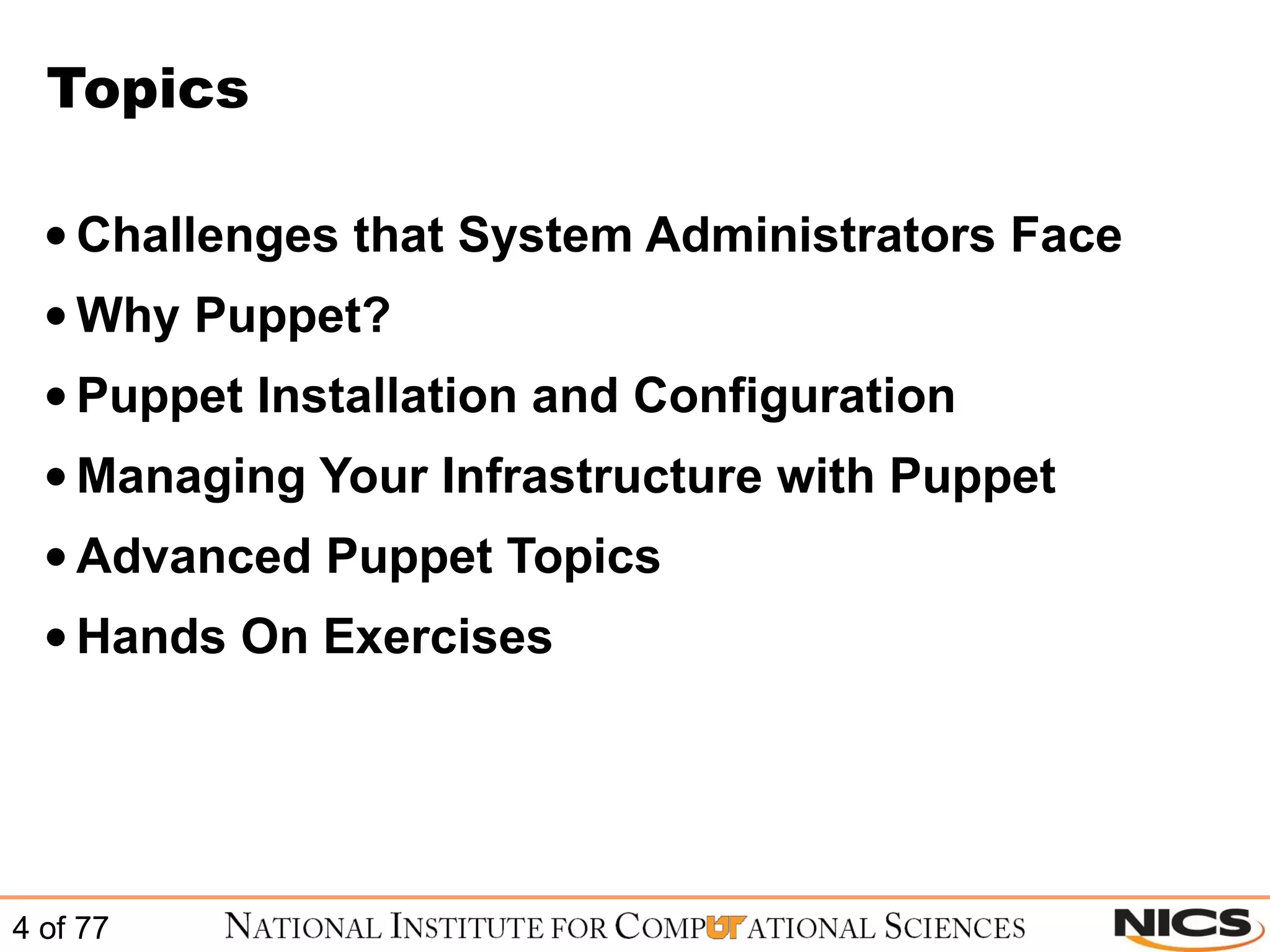
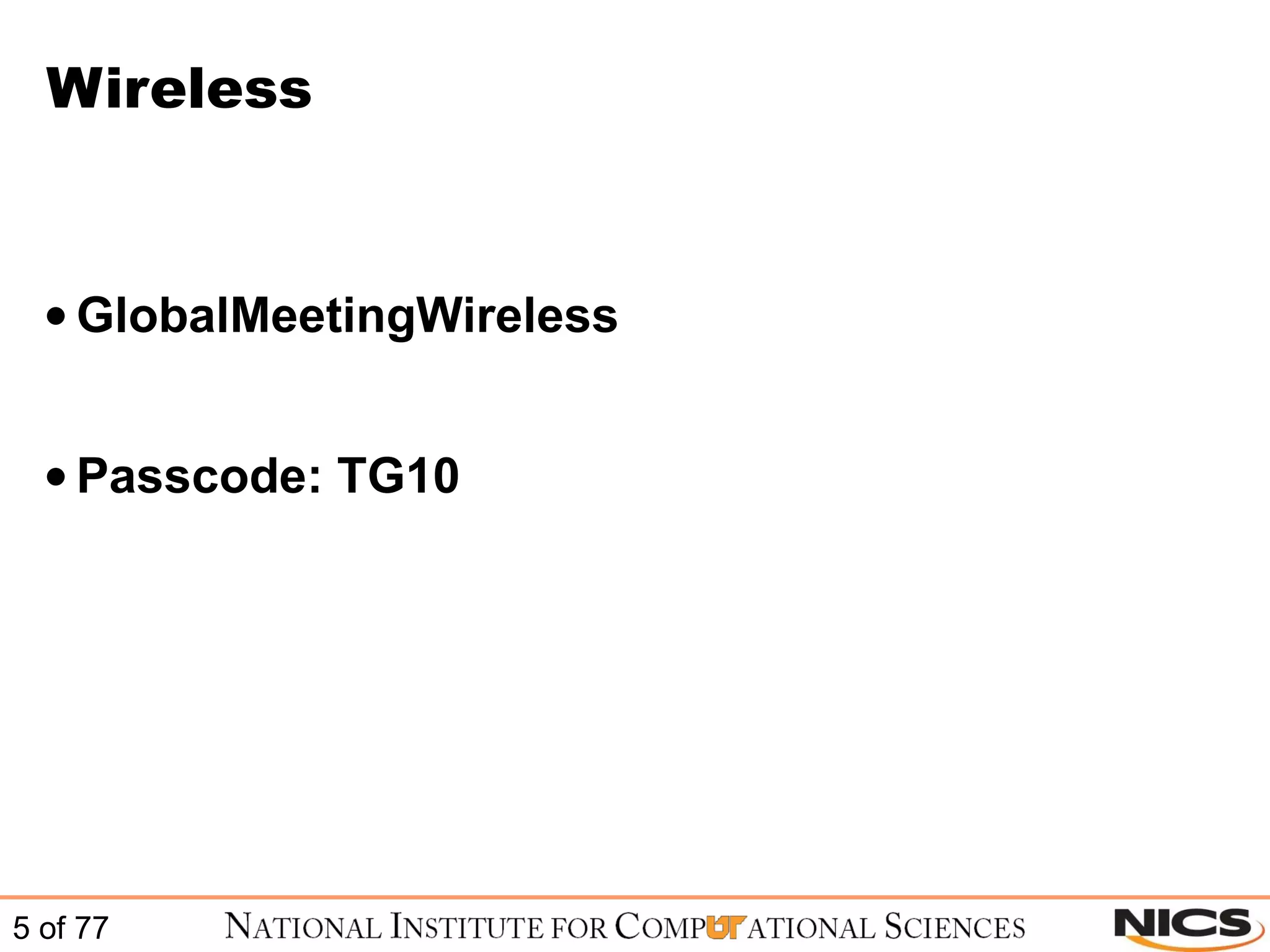
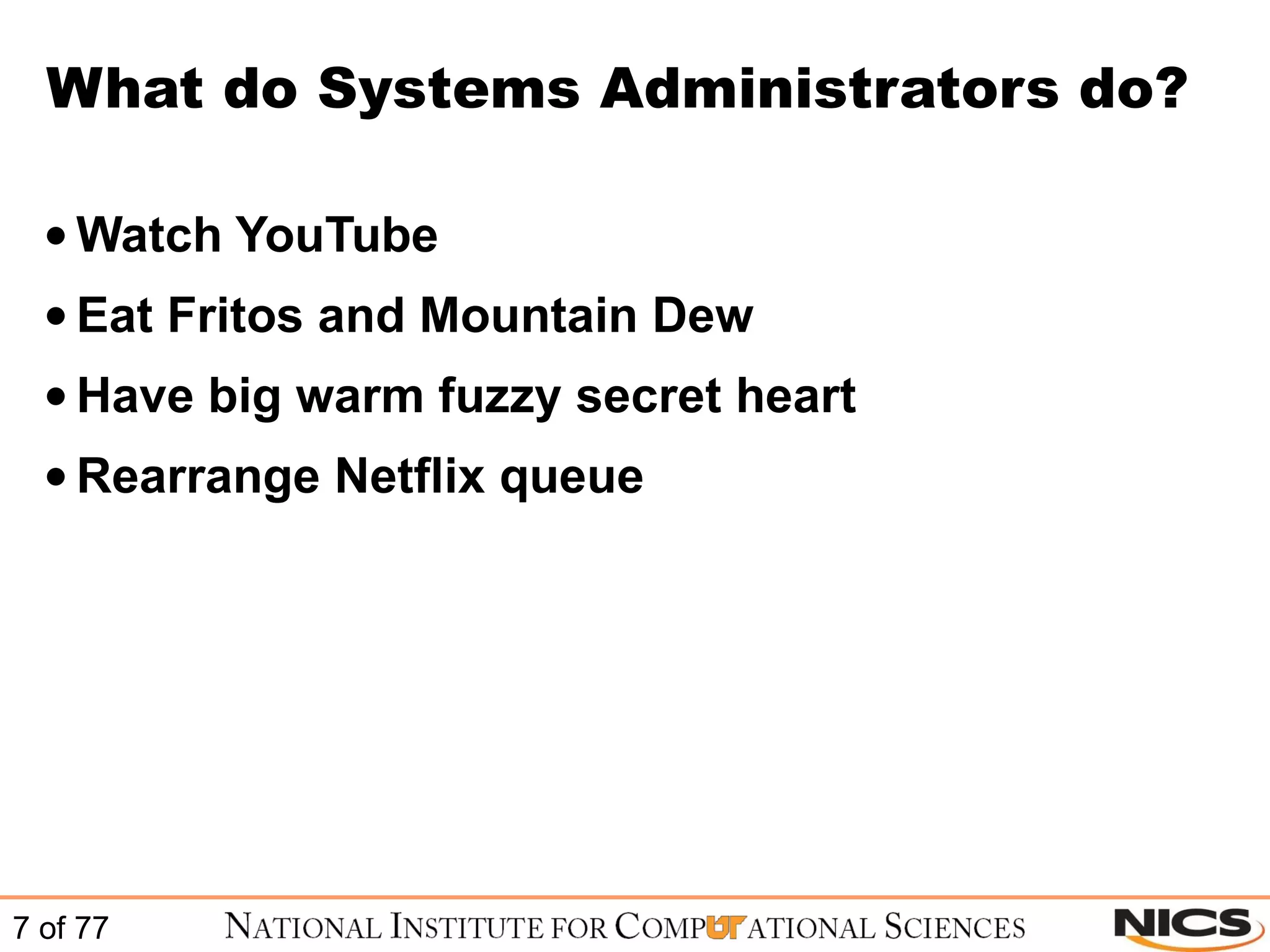
National Institute for  Computational Sciences NICS is a collaboration between UT and ORNL Awarded the NSF Track 2B ($65M) Phased deployment of Cray XT systems Staffed with 25 FTEs, funding for 15 more Total JICS funding  ~$92M
#4 Top500 June 2010
Topics Challenges that System Administrators Face Why Puppet? Puppet Installation and Configuration Managing Your Infrastructure with Puppet Advanced Puppet Topics Hands On Exercises
Wireless GlobalMeetingWireless Passcode: TG10
Challenges that System Administrators Face
What do Systems Administrators do? Watch YouTube Eat Fritos and Mountain Dew Have big warm fuzzy secret heart Rearrange Netflix queue
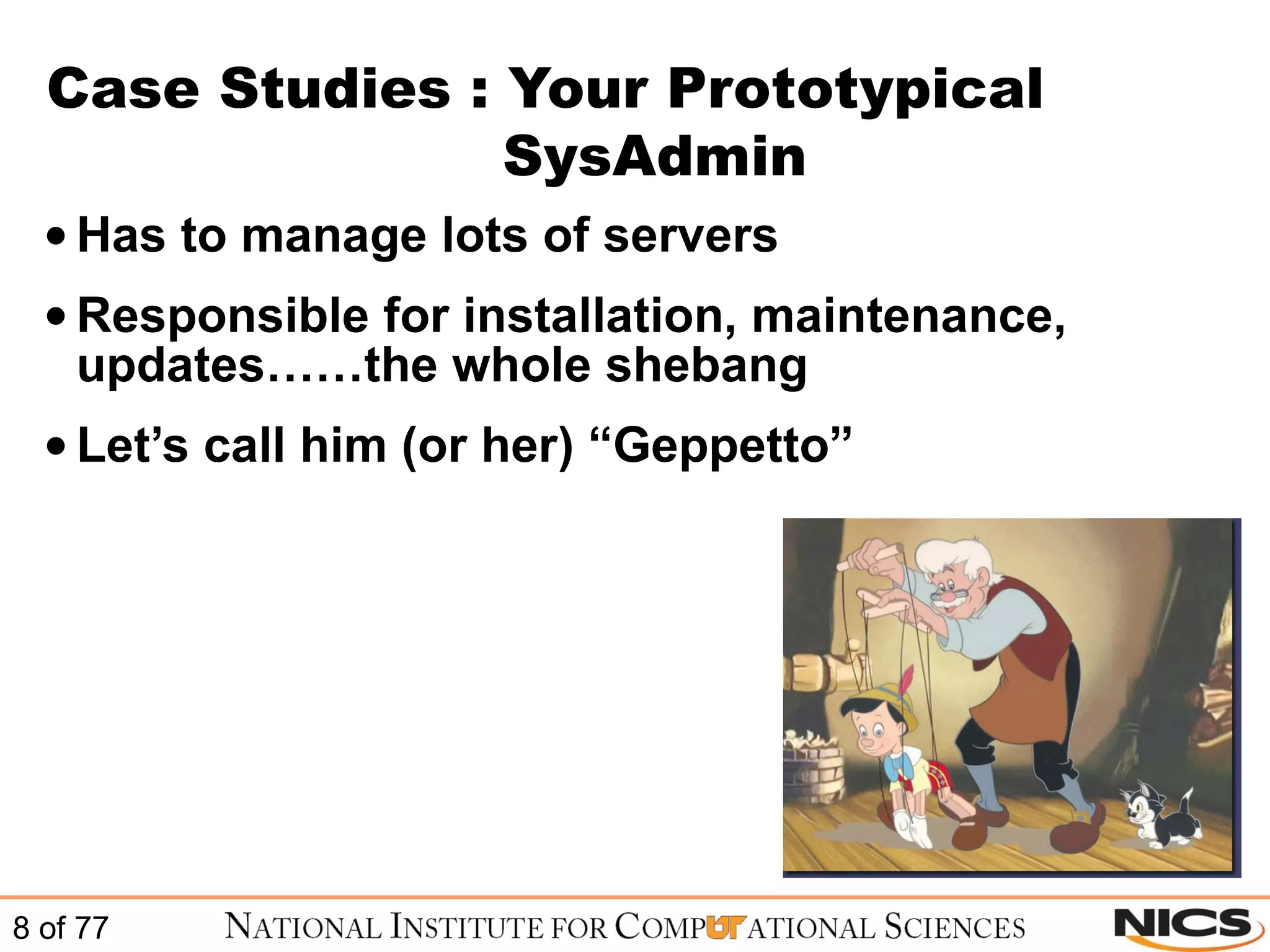
Case Studies : Your Prototypical    SysAdmin Has to manage lots of servers Responsible for installation, maintenance, updates……the whole shebang Let’s call him (or her) “Geppetto”
Case Study 1 : Sudo Organization gets new interns Need to give interns sudo privileges on appropriate machines
Case Study 1 : Sudo The old way: Edit the sudoers file on one server Use scp, pdsh, rsync or some combination of the above to deploy to necessary systems Pitfalls: What if you have different distros, and they store the sudoers file in different locations? How do you detect errors?
Case Study 1 : Sudo The Puppet way: Edit the sudoers file on one server Every other server automatically pulls down the updated Puppet file and installs it into the proper location for its distro Advantages: Easy Centralized Logged
Case Study 2 : iptables Need to collaborate with outside group Must allow them SSH access to internal network
Case Study 2 : iptables The old way: Update the iptables rules to allow access from the right ip ranges Copy the rules to each machine Restart iptables on each machine, and check that the rule worked
Case Study 2 : iptables The Puppet way: Update the iptables rule to allow access from the right ip ranges Tell Puppet to ensure that the iptables service is running Each client machine automatically pulls the updated iptables rule Each client intelligently knows that iptables must be restarted after a rule update, and it does this automatically using dependencies
Case Study 3 : Doomsday Centralized web server goes down due to hardware failure Must get the website back up quickly
Case Study 3 : Doomsday The old way: Multiple sysadmins get stressed out Reinstall the server and reconfigure by hand Restore Apache configs by hand from tape or other backup (you did backup right?)
Case Study 3 : Doomsday The Puppet way: Take any other spare server Change the MAC address in DHCP to the new server Puppet automatically enforces and deploys the new configuration on the new server Installs and updates all necessary configurations, including ensuring that the proper services are running
Why Puppet?
What is Puppet? Puppet is a configuration management utility Puppet is not the only configuration management utility
Puppet Competitors cFengine Bcfg2 Chef … ..and the list goes on
Puppet vs cFengine cFengine focuses on managing textfiles Puppet focuses on managing constructs like users, services, and packages
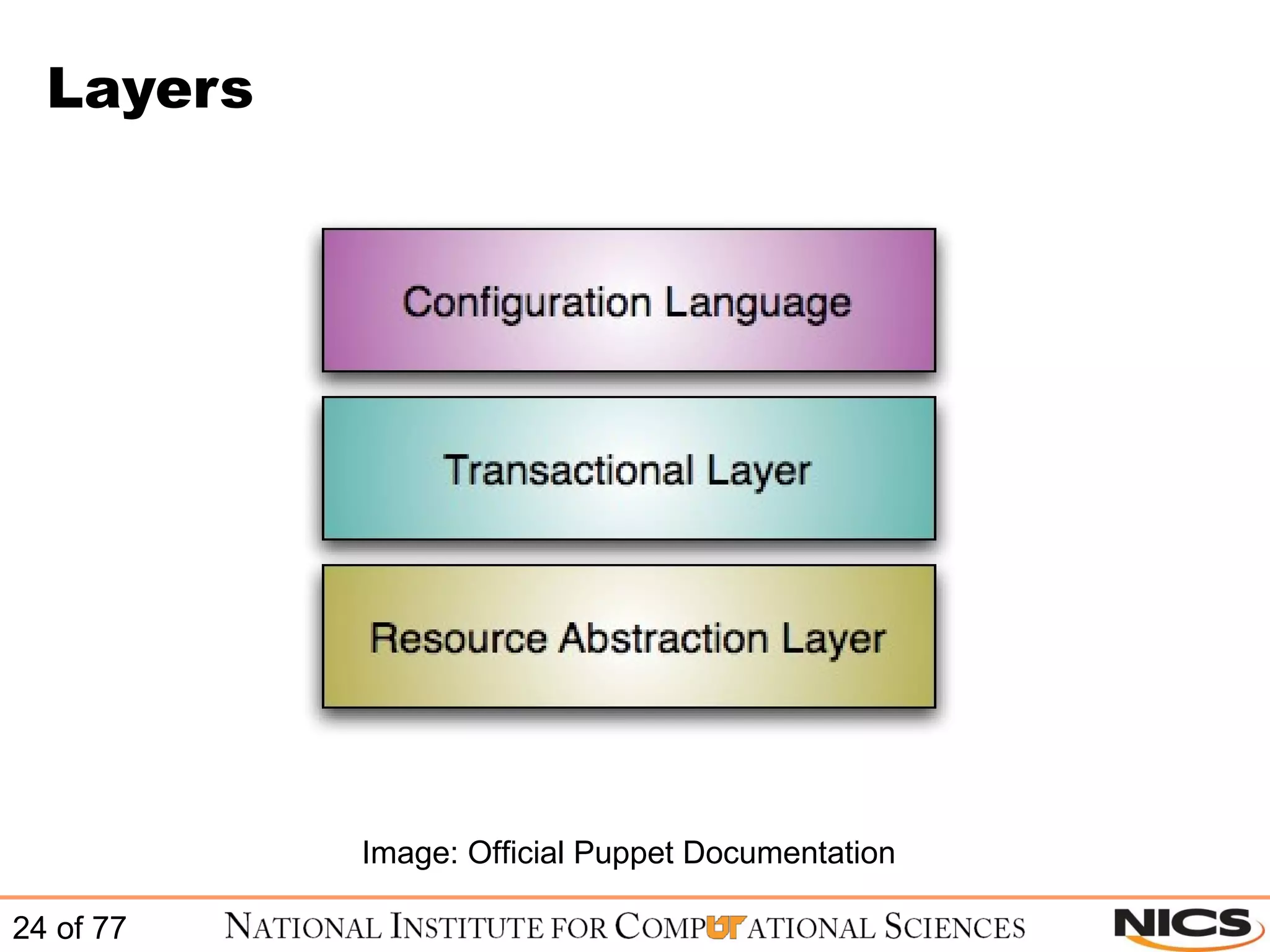
Puppet vs cFengine Puppet is model driven  The lowest layer is responsible for resource modeling Eg. User on Solaris vs User on Linux The language handles high level relationships Think  users  instead of  /etc/passwd
Puppet Language Puppet uses Ruby Puppet’s Language is declarative You specify the configuration – Puppet handles the implementation Must use detailed specification Need things like dependencies to get the full power of Puppet
Layers Image: Official Puppet Documentation
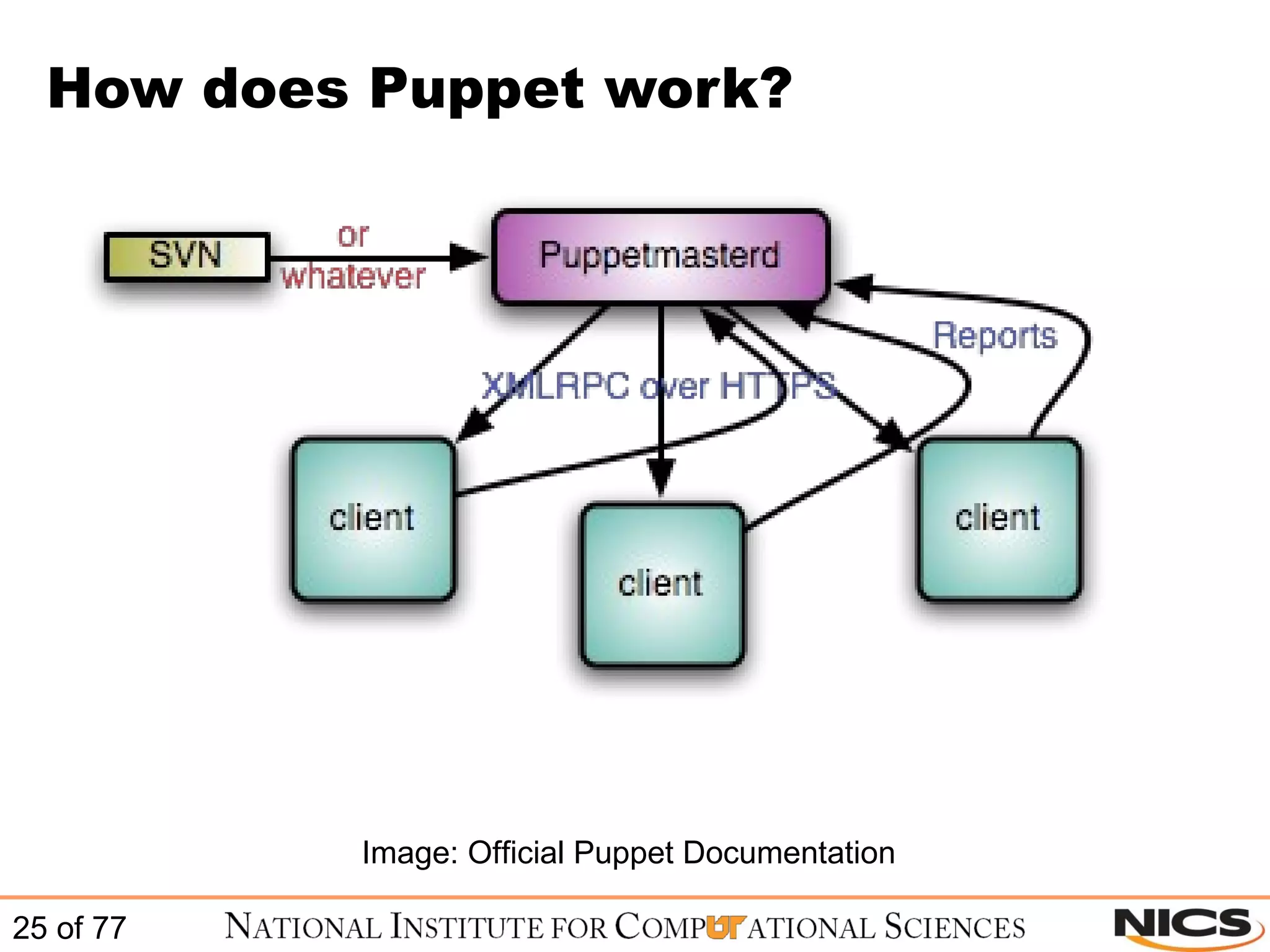
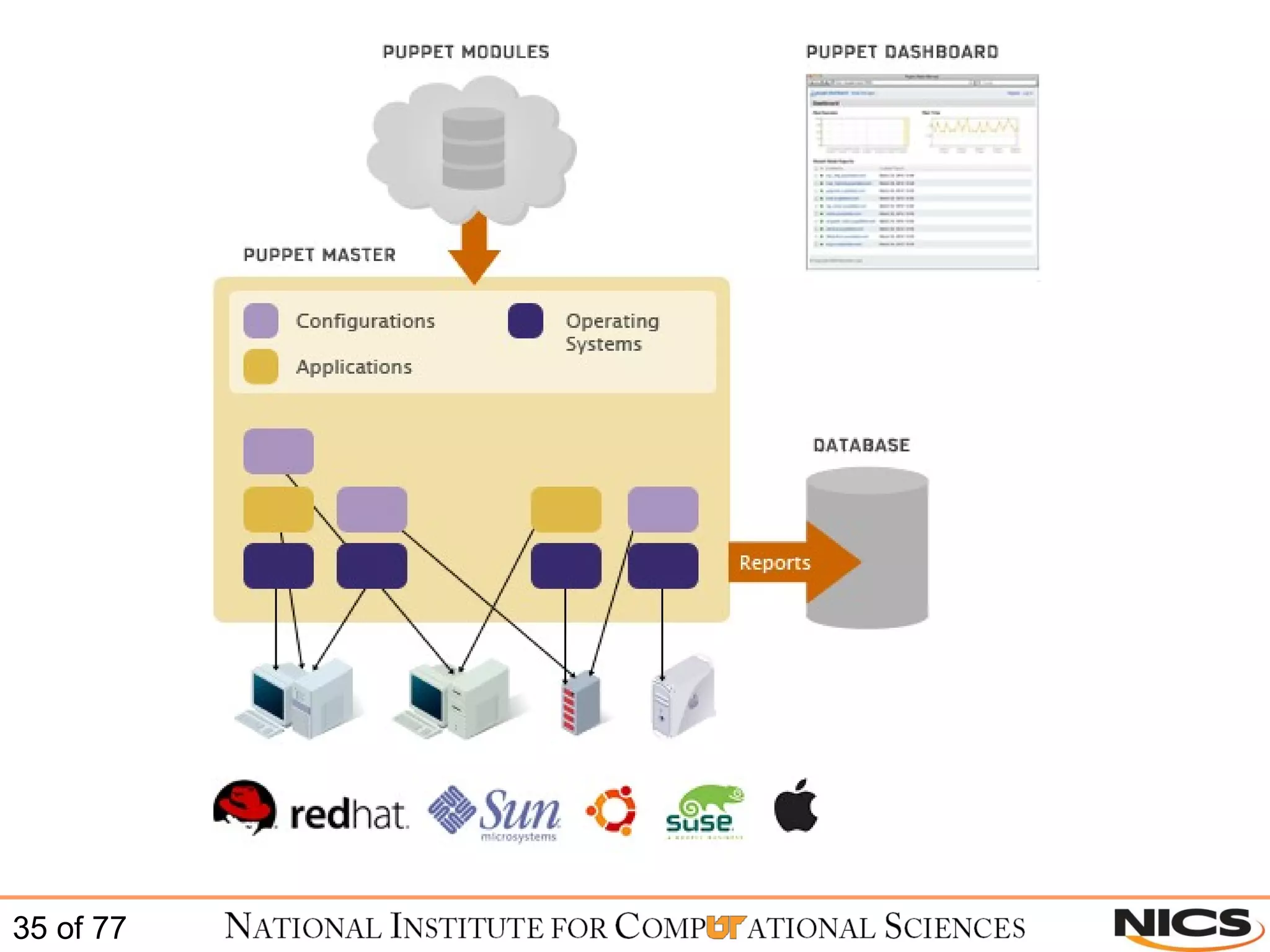
How does Puppet work? Image: Official Puppet Documentation
Idempotency Puppet configurations are idempotent – they can safely be run multiple times By default, Puppet runs every 30 minutes Unlike say --- kickstart --- Puppet can detect the current state of the system Won’t make changes unless necessary
Cross Platform Abstraction Puppet doesn’t care about specifics unique to your system All handled automatically (facter!) Manage users, files, packages, etc. the same way regardless of OS or distro
Providers Providers fulfill resources Example: package management Both ‘yum’ and ‘apt’ are valid package managers Puppet uses ‘providers’ to abstract package management away from the user
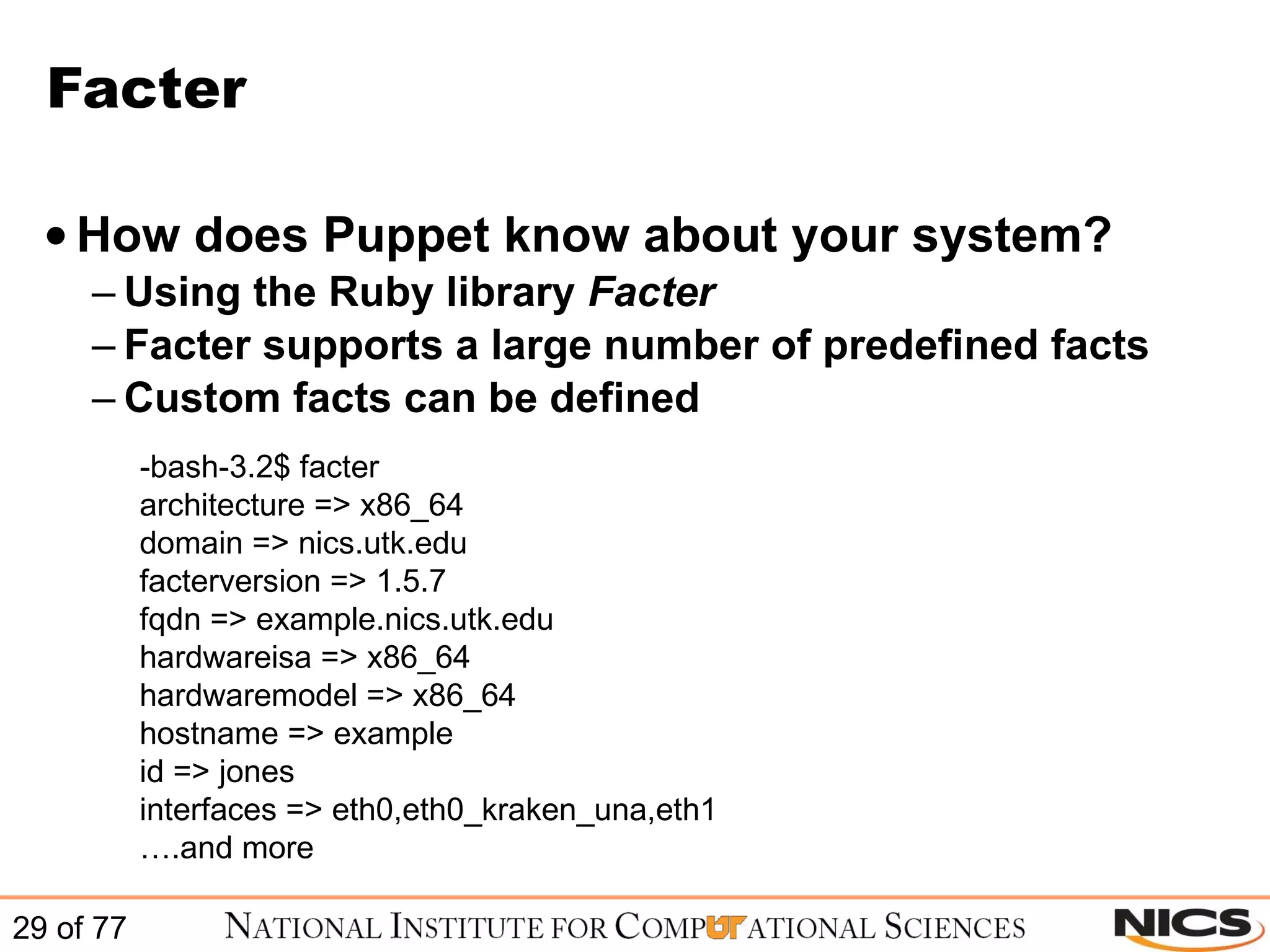
Facter How does Puppet know about your system? Using the Ruby library  Facter Facter supports a large number of predefined facts Custom facts can be defined   -bash-3.2$ facter architecture => x86_64 domain => nics.utk.edu facterversion => 1.5.7 fqdn => example.nics.utk.edu hardwareisa => x86_64 hardwaremodel => x86_64 hostname => example id => jones interfaces => eth0,eth0_kraken_una,eth1 … .and more
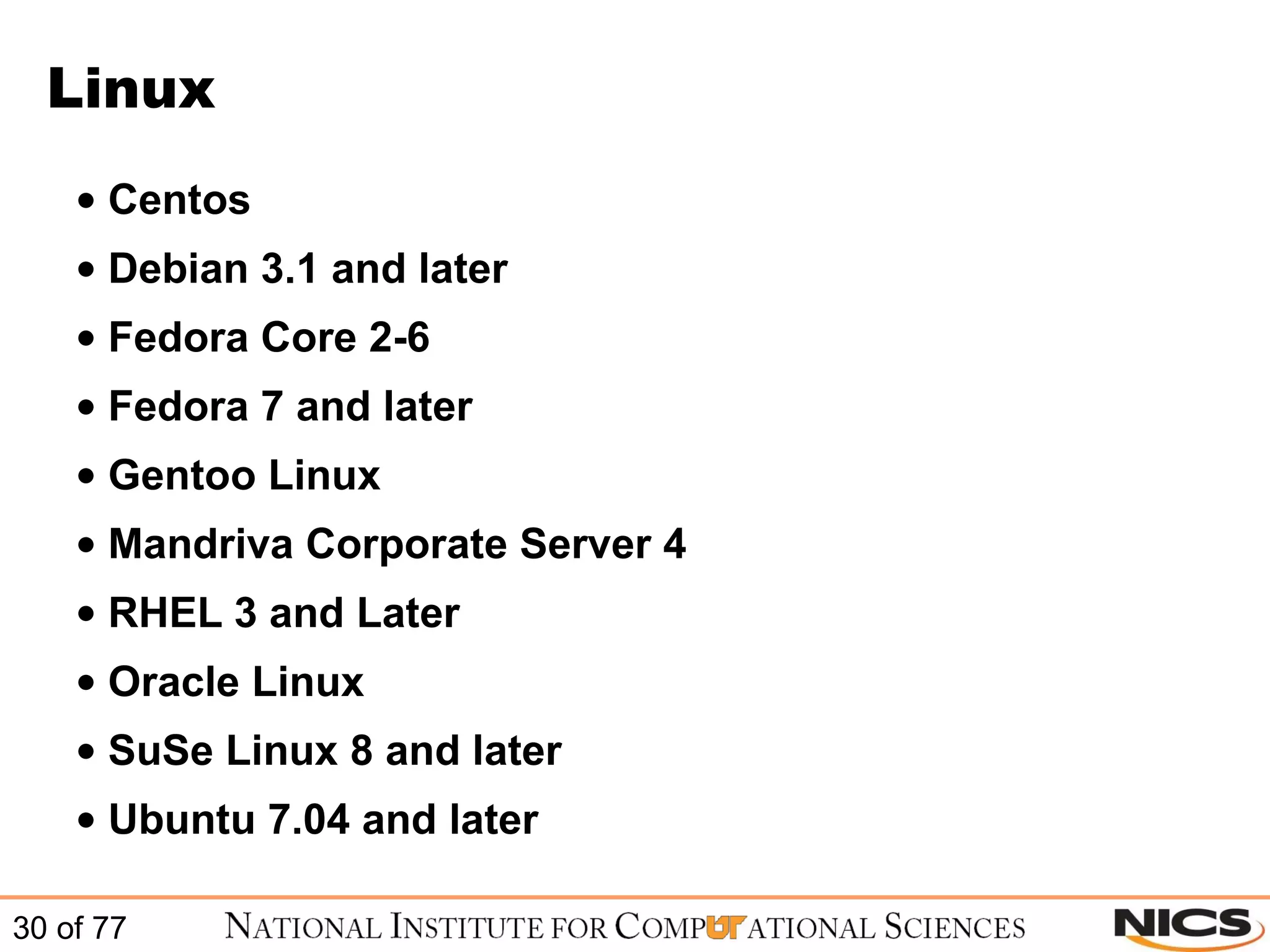
Linux Centos Debian 3.1 and later Fedora Core 2-6 Fedora 7 and later Gentoo Linux Mandriva Corporate Server 4 RHEL 3 and Later Oracle Linux SuSe Linux 8 and later Ubuntu 7.04 and later
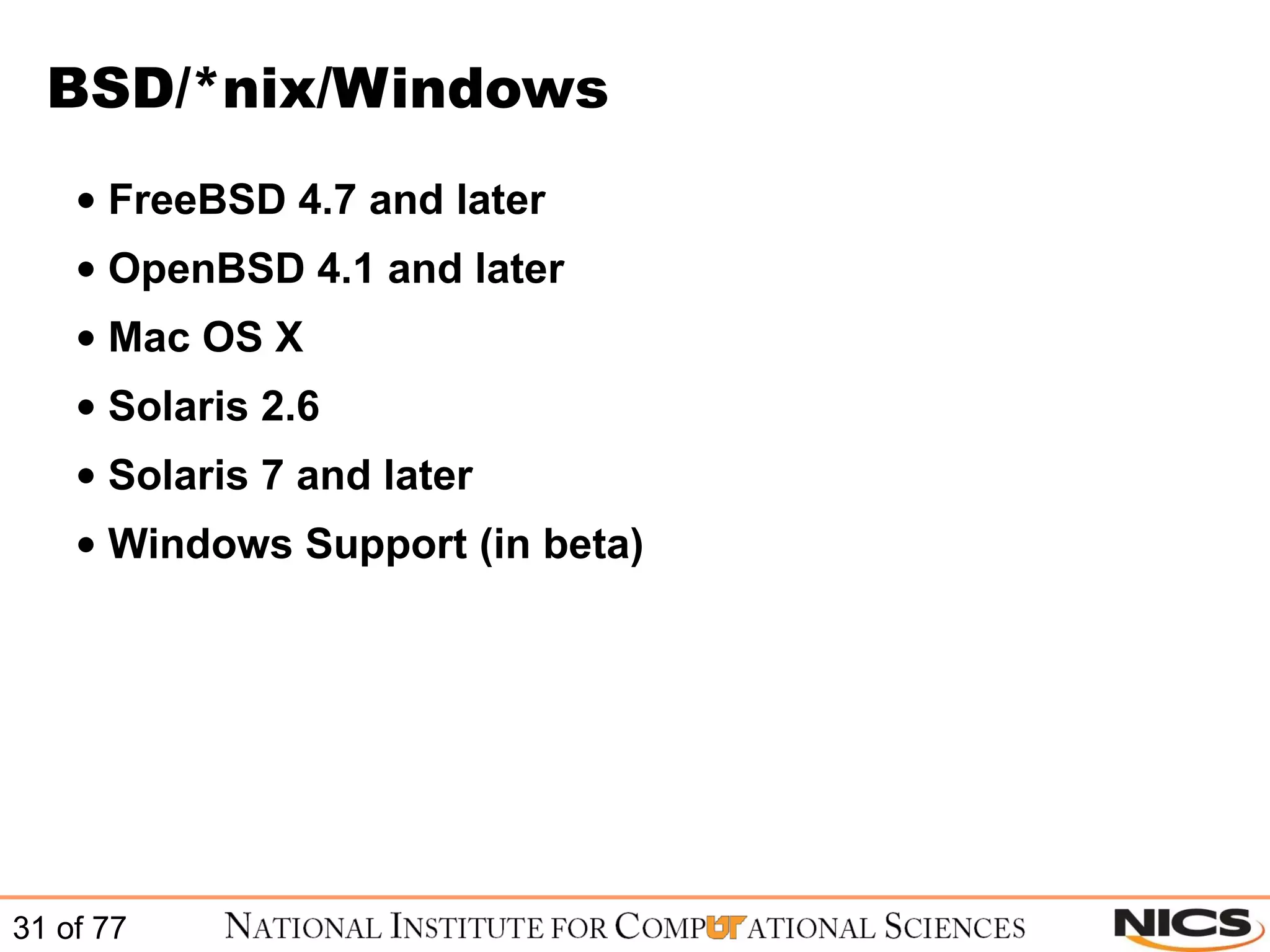
BSD/*nix/Windows FreeBSD 4.7 and later OpenBSD 4.1 and later Mac OS X Solaris 2.6 Solaris 7 and later Windows Support (in beta)
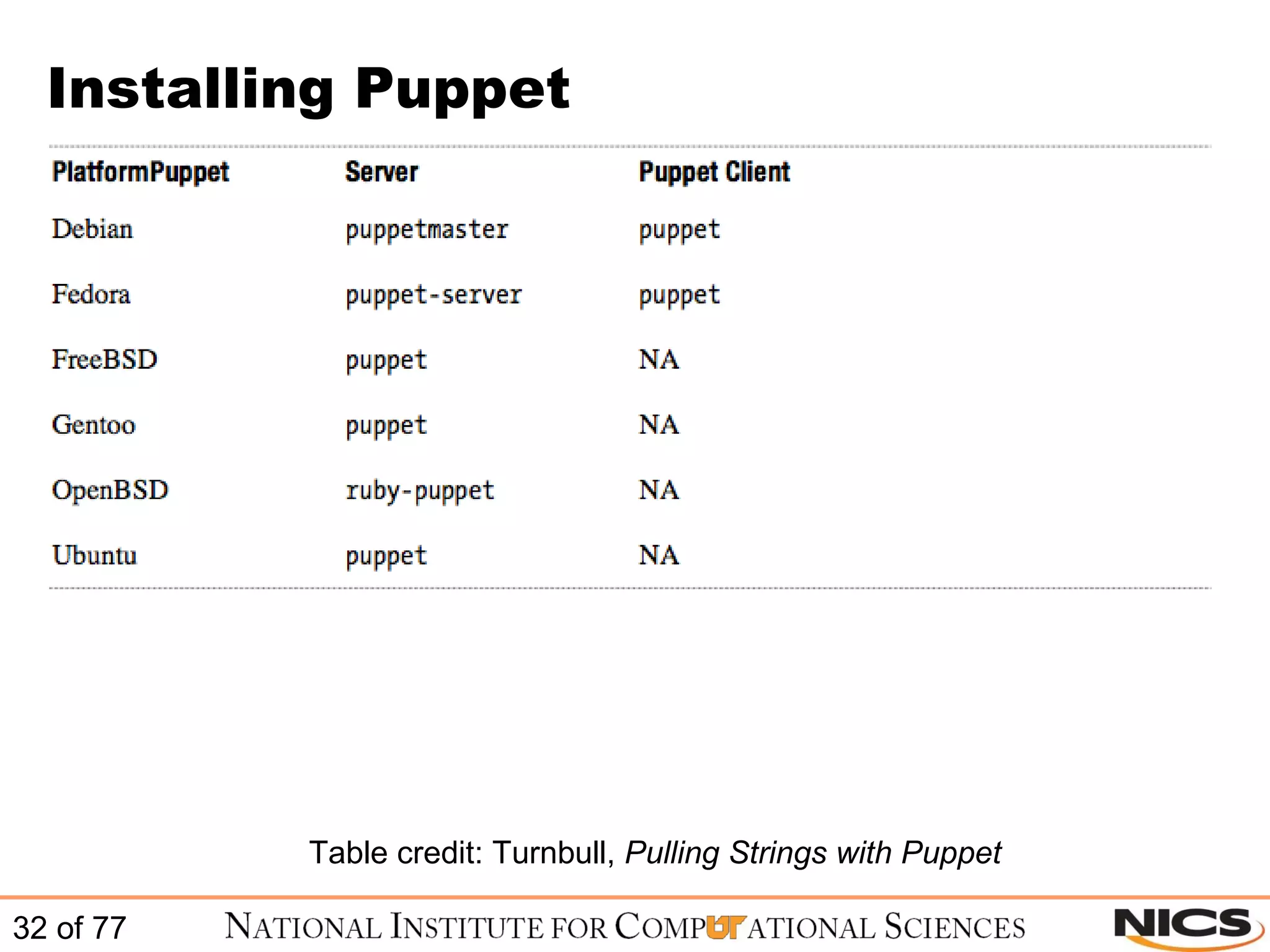
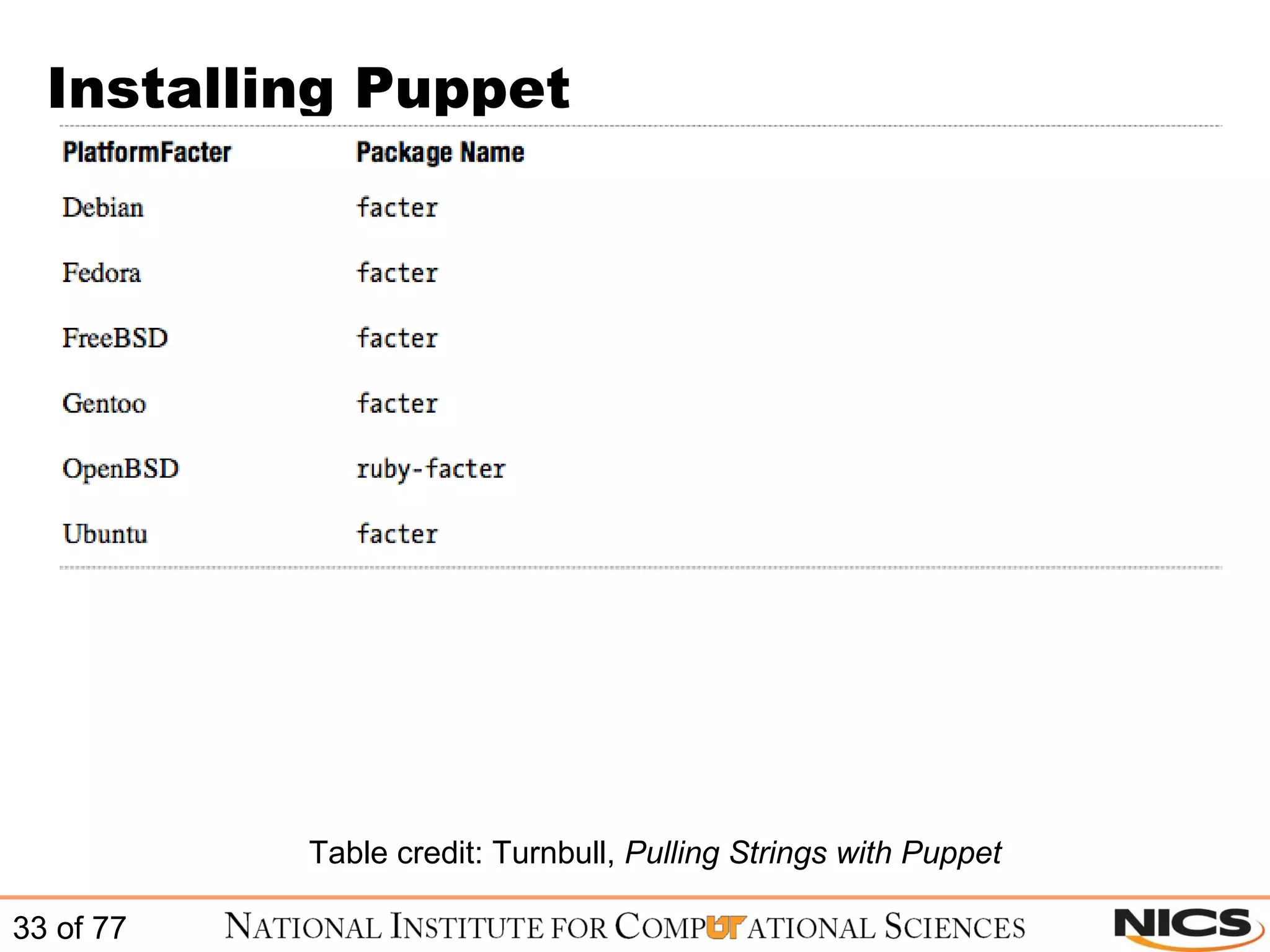
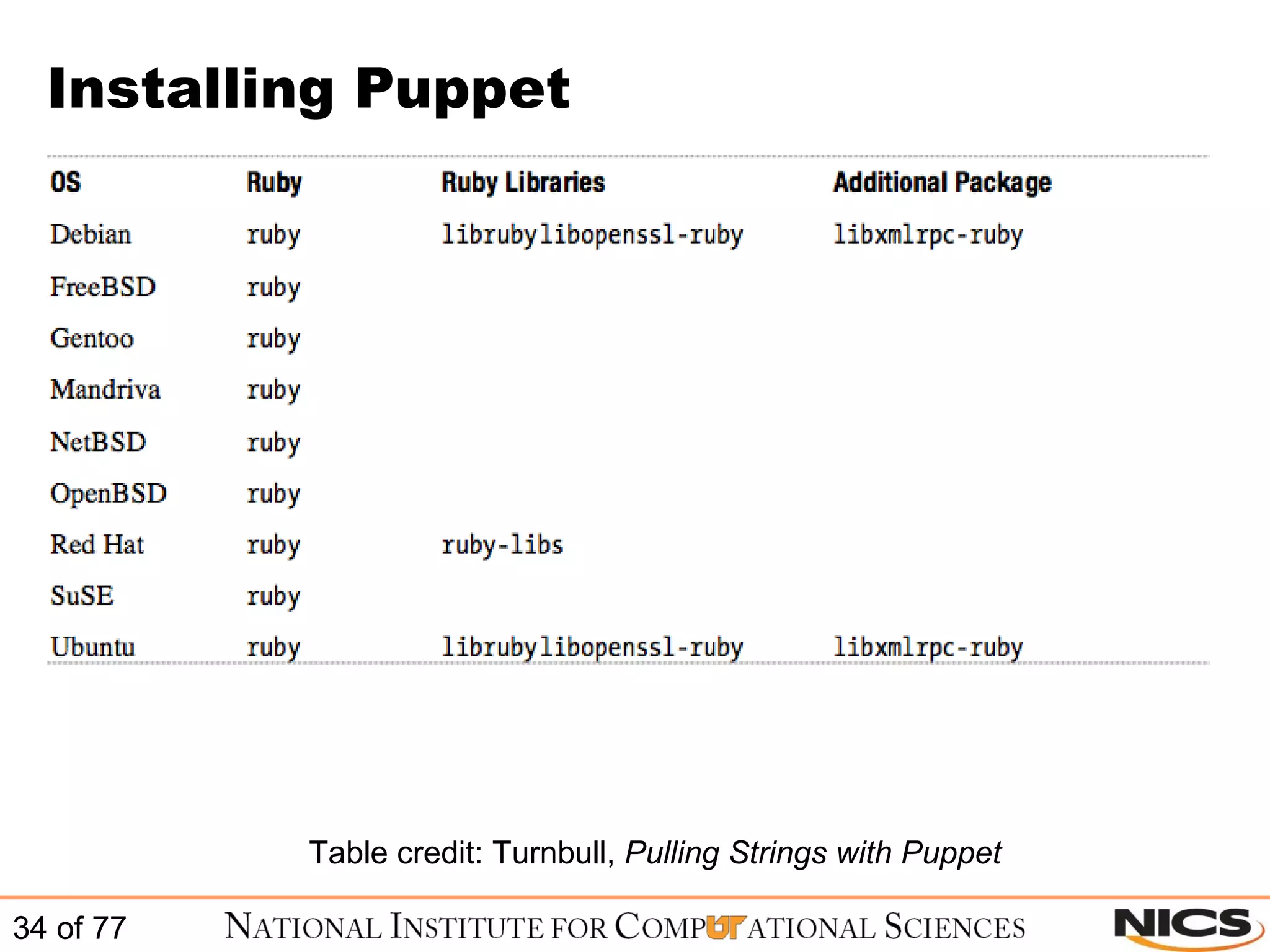
Installing Puppet Table credit: Turnbull,  Pulling Strings with Puppet
 
Puppet Installation and Configuration
Manual Installation of Puppet Puppet is a client / server based application Puppet clients are often referred to as nodes, clients, or hosts The Puppet server is often referred to as the puppetmaster Not:
Manual Installation of Puppet Currently Reductive Labs offers support for the following operating systems: Linux :  CentOS, Debian, Fedora, Gentoo, Mandriva, RHEL, Oracle Linux, SUSE, and Ubuntu BSD :  FreeBSD, and OpenBSD Other Unix :  Mac OS-X, and Sun Solaris Windows :  None currently Source:  http://docs.puppetlabs.com/guides/platforms.html
Manual Installation of Puppet The Puppet client must be installed on every system – even your Puppetmaster Most platforms will use the default package manager to install Puppet If you use a package management system (i.e. - yum) you will automatically get most prerequisite libraries Facter is not installed by default when using the package manager Reductive Labs provides source tar balls in case you want to torture yourself
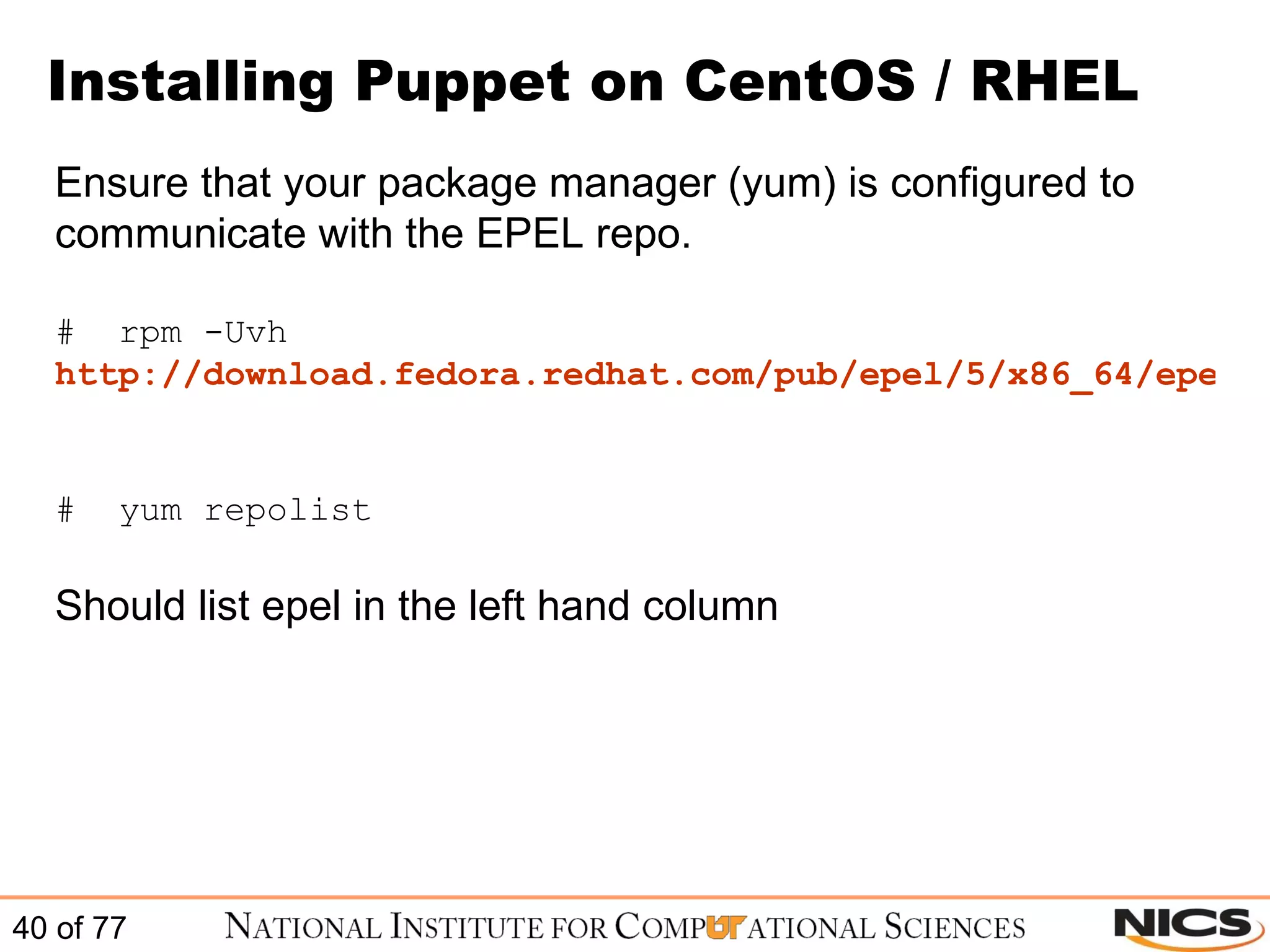
Installing Puppet on CentOS / RHEL Ensure that your package manager (yum) is configured to communicate with the EPEL repo. #  rpm -Uvh  http://download.fedora.redhat.com/pub/epel/5/x86_64/epel-release-5-3.noarch.rpm   #  yum repolist Should list epel in the left hand column
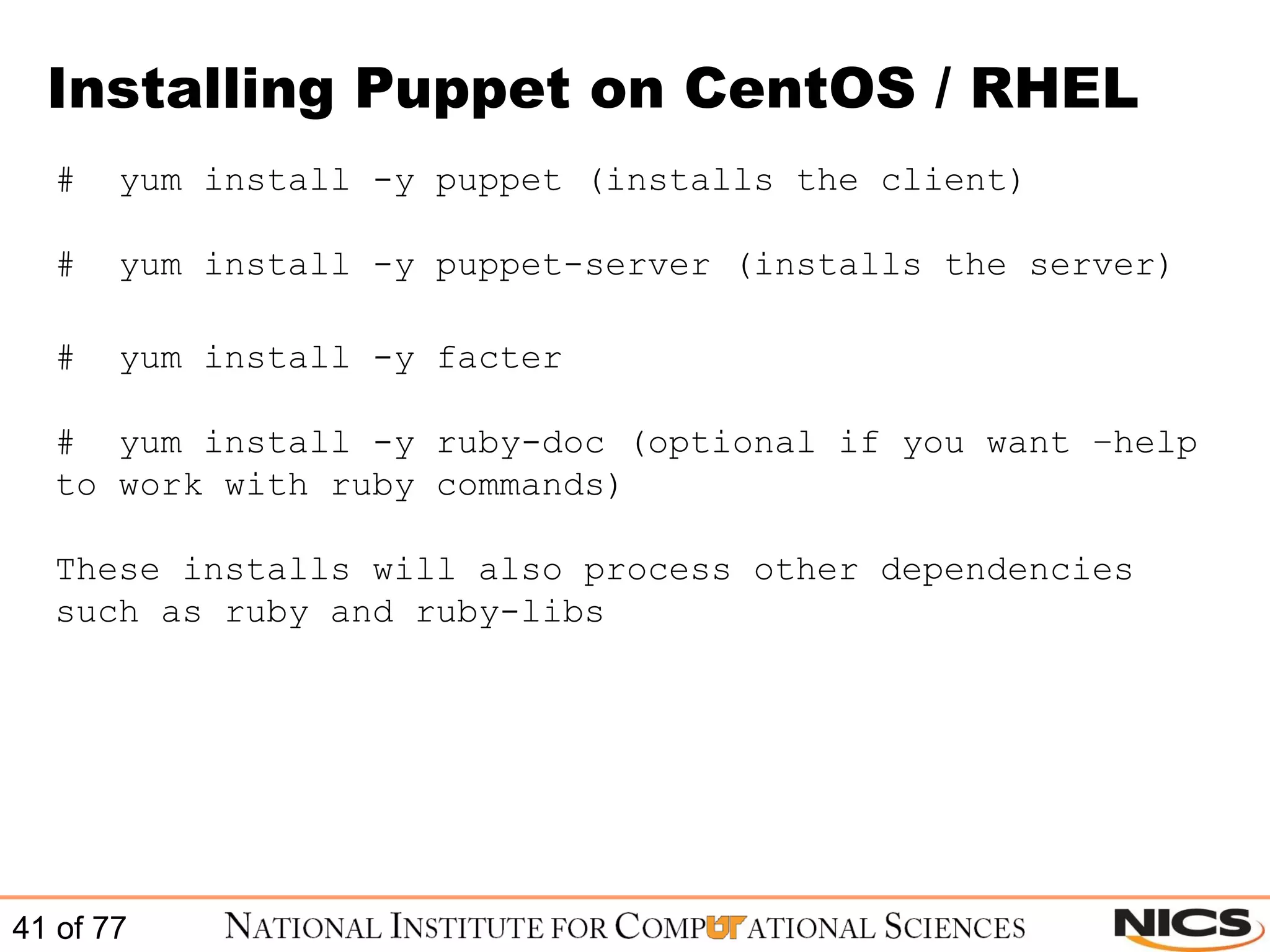
Installing Puppet on CentOS / RHEL #  yum install -y puppet (installs the client) #  yum install -y puppet-server (installs the server) #  yum install -y facter #  yum install -y ruby-doc (optional if you want –help to work with ruby commands) These installs will also process other dependencies such as ruby and ruby-libs
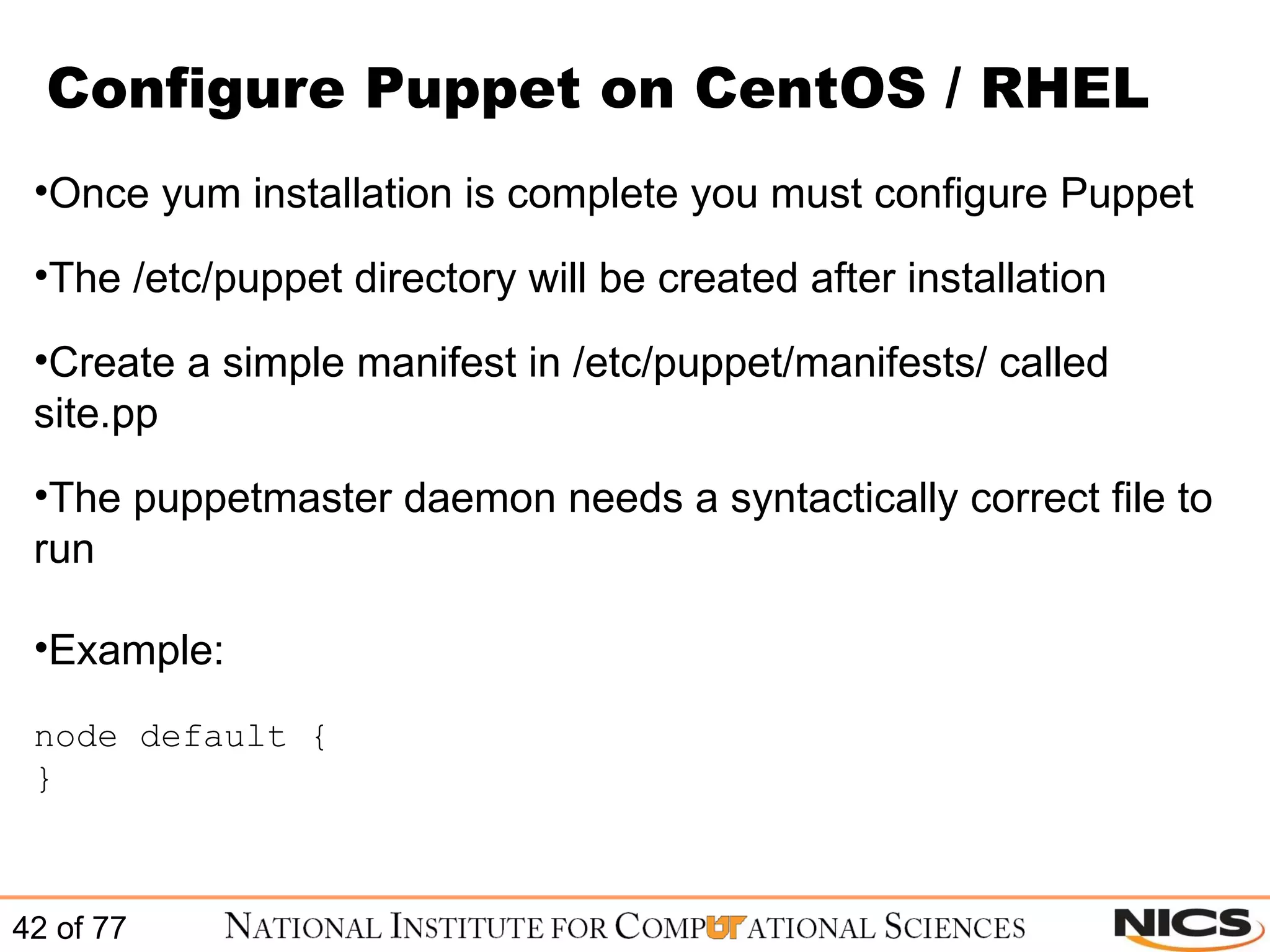
Configure Puppet on CentOS / RHEL Once yum installation is complete you must configure Puppet The /etc/puppet directory will be created after installation Create a simple manifest in /etc/puppet/manifests/ called site.pp The puppetmaster daemon needs a syntactically correct file to run Example: node default {  }
Configure Puppet on CentOS / RHEL The default config file is located at /etc/puppet/puppet.conf It is initially created with a basic set of options These options control the behavior of the Puppet suite
Configure Puppet on CentOS / RHEL Sample puppet.conf file (to see all values use # puppet –genconfig): #  cat /etc/puppet/puppet.conf [main] vardir = /var/lib/puppet logdir = /var/log/puppet rundir = /var/run/puppet ssldir = $vardir/ssl tagmap = /etc/puppet/tagmail.conf reportfrom = puppet@sample.domain.com [puppetd] classfile = $vardir/classes.txt localconfig = $vardir/localconfig report = true [puppetmasterd] reports = tagmail autosign = /etc/puppet/autosign.conf
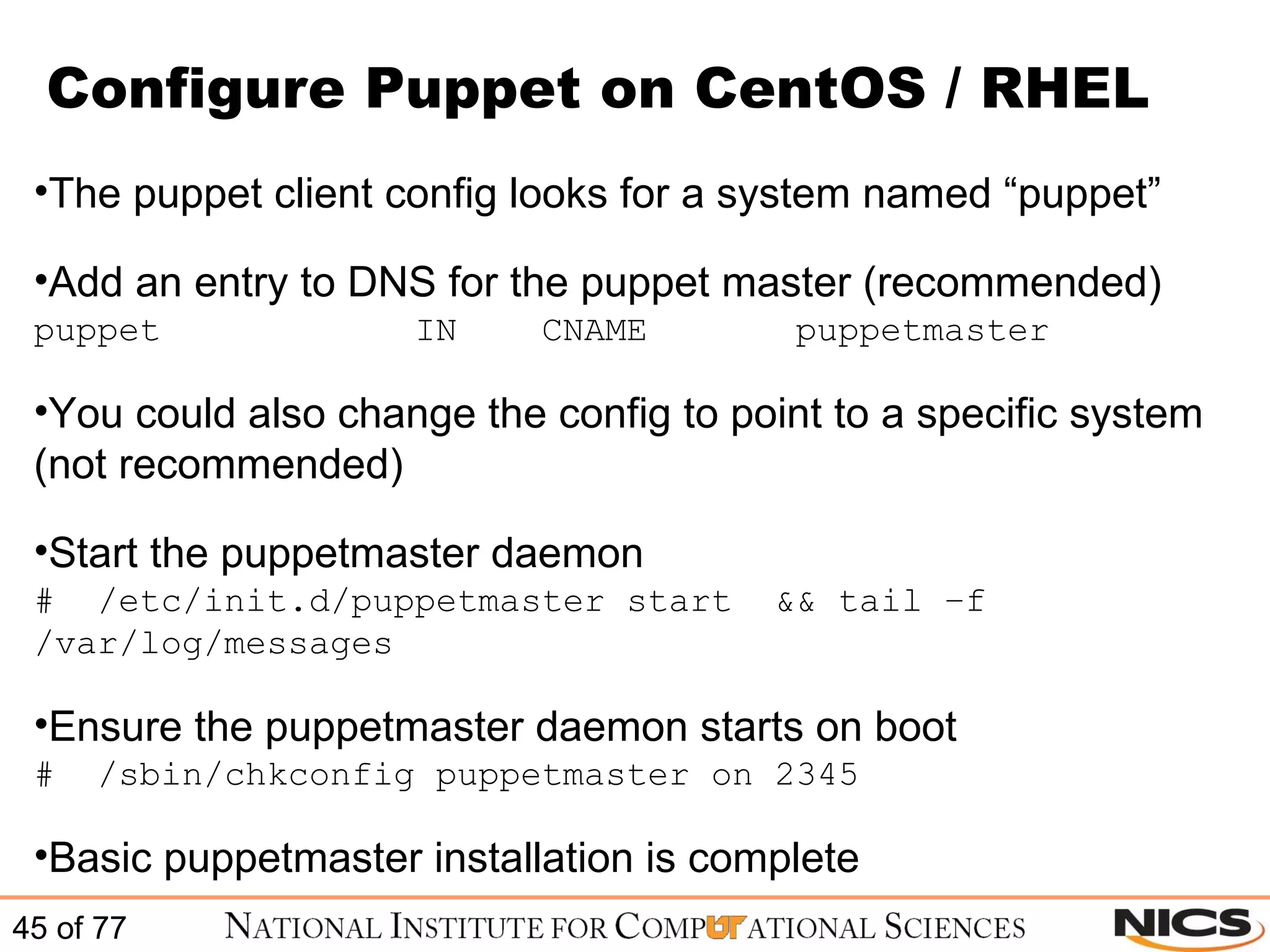
Configure Puppet on CentOS / RHEL The puppet client config looks for a system named “puppet” Add an entry to DNS for the puppet master (recommended) puppet IN CNAME puppetmaster You could also change the config to point to a specific system (not recommended) Start the puppetmaster daemon #  /etc/init.d/puppetmaster start  && tail –f /var/log/messages Ensure the puppetmaster daemon starts on boot #  /sbin/chkconfig puppetmaster on 2345 Basic puppetmaster installation is complete
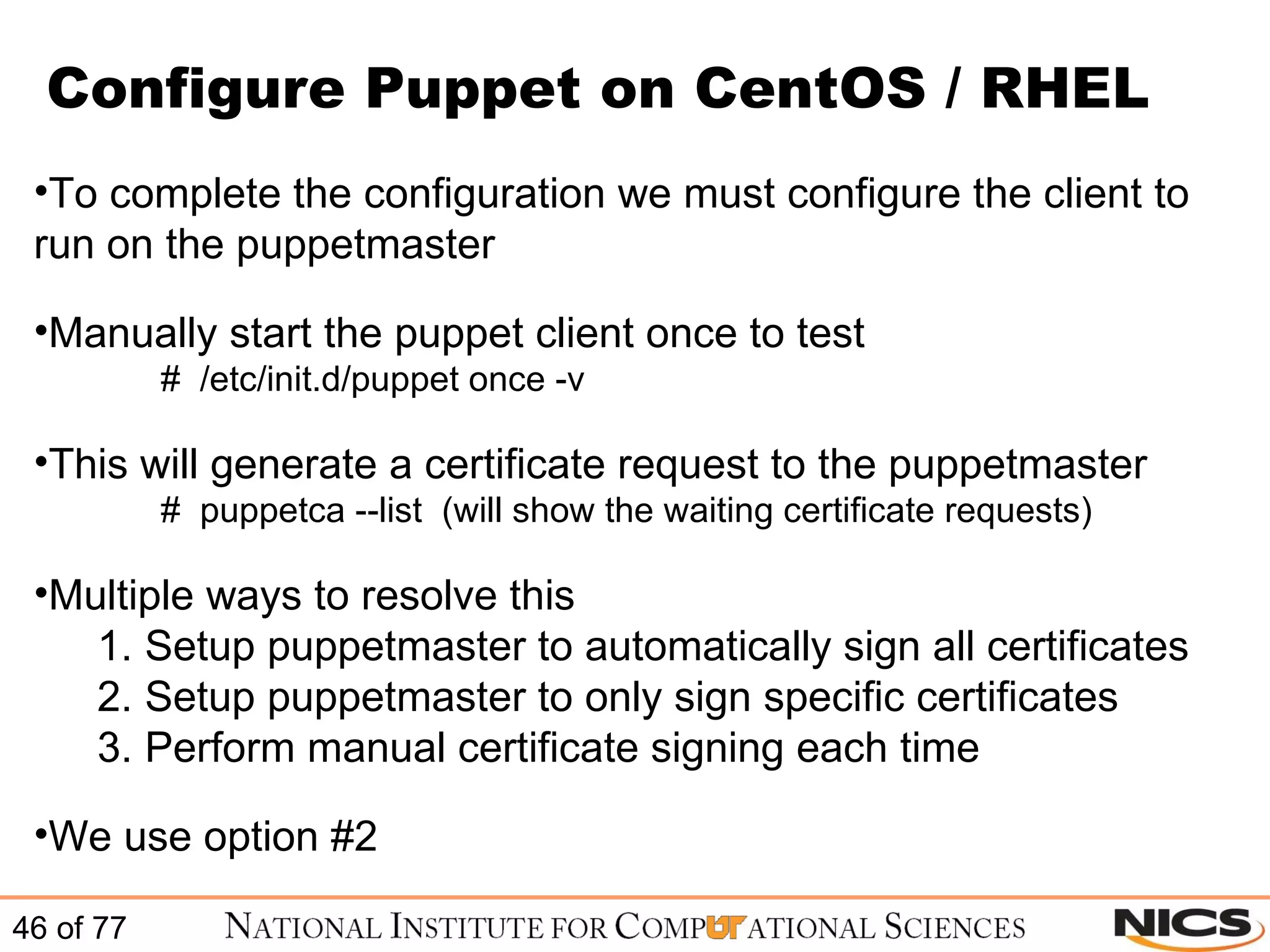
Configure Puppet on CentOS / RHEL To complete the configuration we must configure the client to run on the puppetmaster Manually start the puppet client once to test #  /etc/init.d/puppet once -v  This will generate a certificate request to the puppetmaster #  puppetca --list  (will show the waiting certificate requests) Multiple ways to resolve this Setup puppetmaster to automatically sign all certificates Setup puppetmaster to only sign specific certificates Perform manual certificate signing each time We use option #2
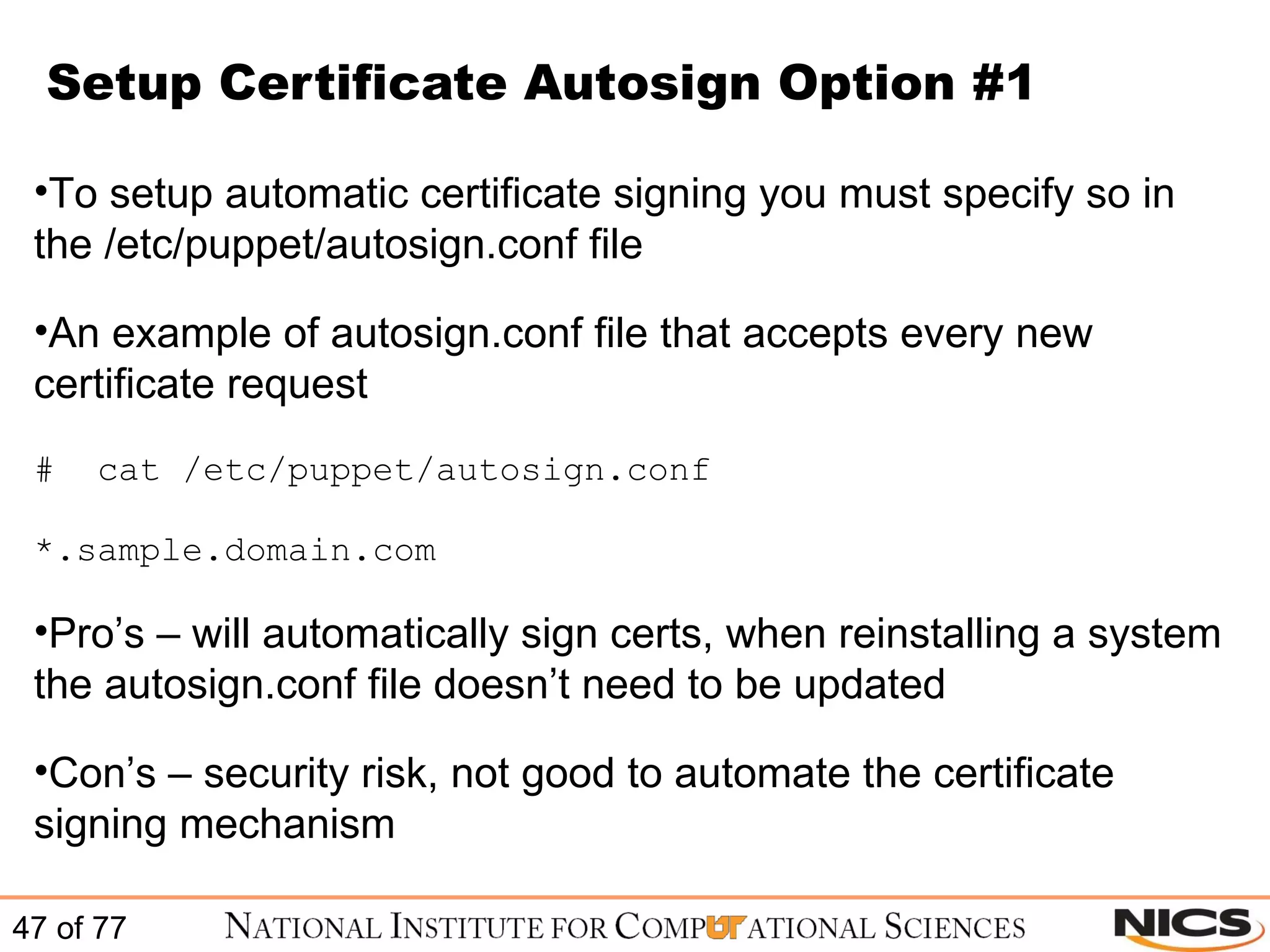
Setup Certificate Autosign Option #1 To setup automatic certificate signing you must specify so in the /etc/puppet/autosign.conf file An example of autosign.conf file that accepts every new certificate request #  cat /etc/puppet/autosign.conf *.sample.domain.com Pro’s – will automatically sign certs, when reinstalling a system the autosign.conf file doesn’t need to be updated Con’s – security risk, not good to automate the certificate signing mechanism
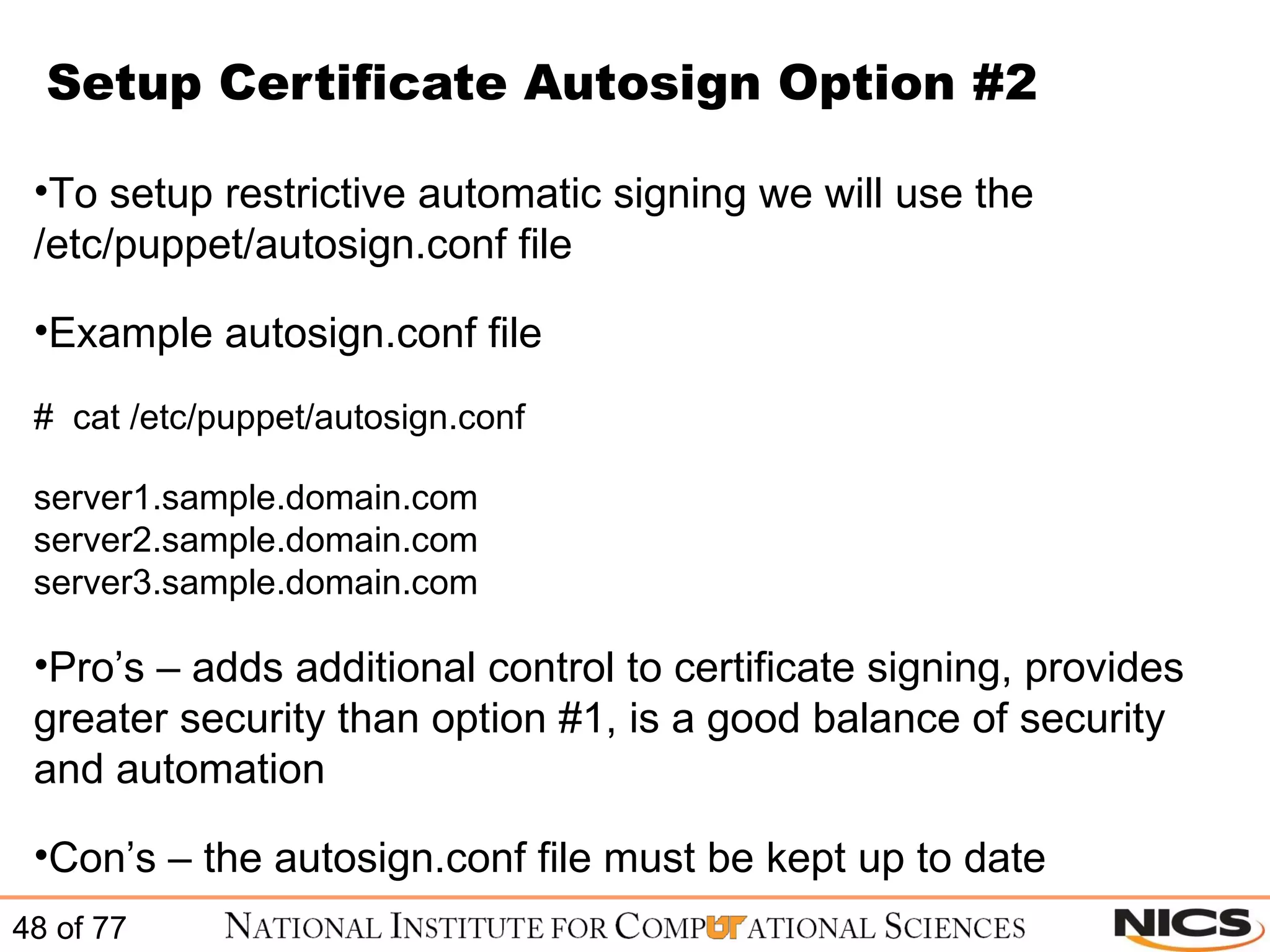
Setup Certificate Autosign Option #2 To setup restrictive automatic signing we will use the /etc/puppet/autosign.conf file Example autosign.conf file #  cat /etc/puppet/autosign.conf server1.sample.domain.com server2.sample.domain.com server3.sample.domain.com Pro’s – adds additional control to certificate signing, provides greater security than option #1, is a good balance of security and automation Con’s – the autosign.conf file must be kept up to date
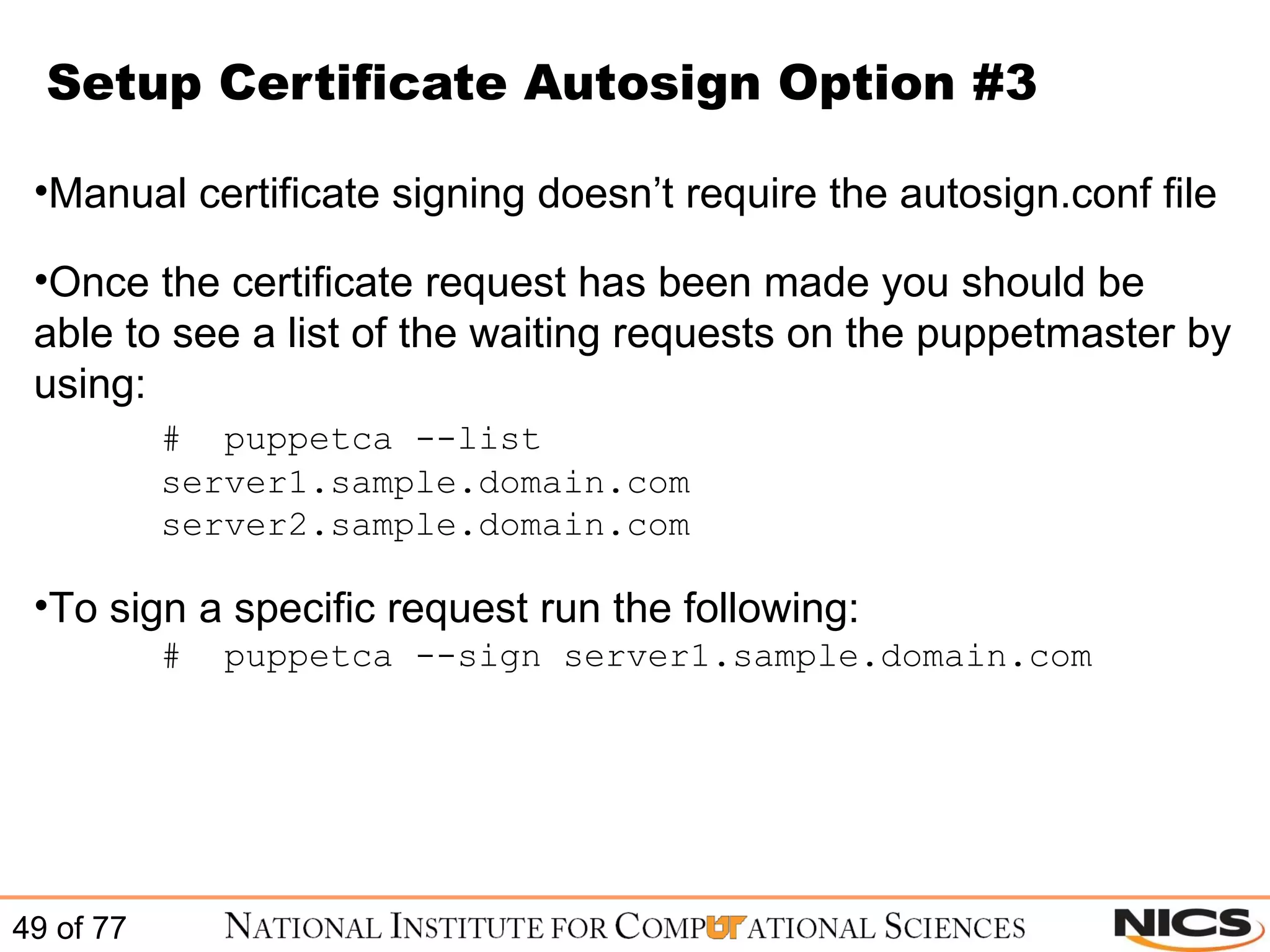
Setup Certificate Autosign Option #3 Manual certificate signing doesn’t require the autosign.conf file Once the certificate request has been made you should be able to see a list of the waiting requests on the puppetmaster by using: #  puppetca --list server1.sample.domain.com server2.sample.domain.com To sign a specific request run the following: #  puppetca --sign server1.sample.domain.com
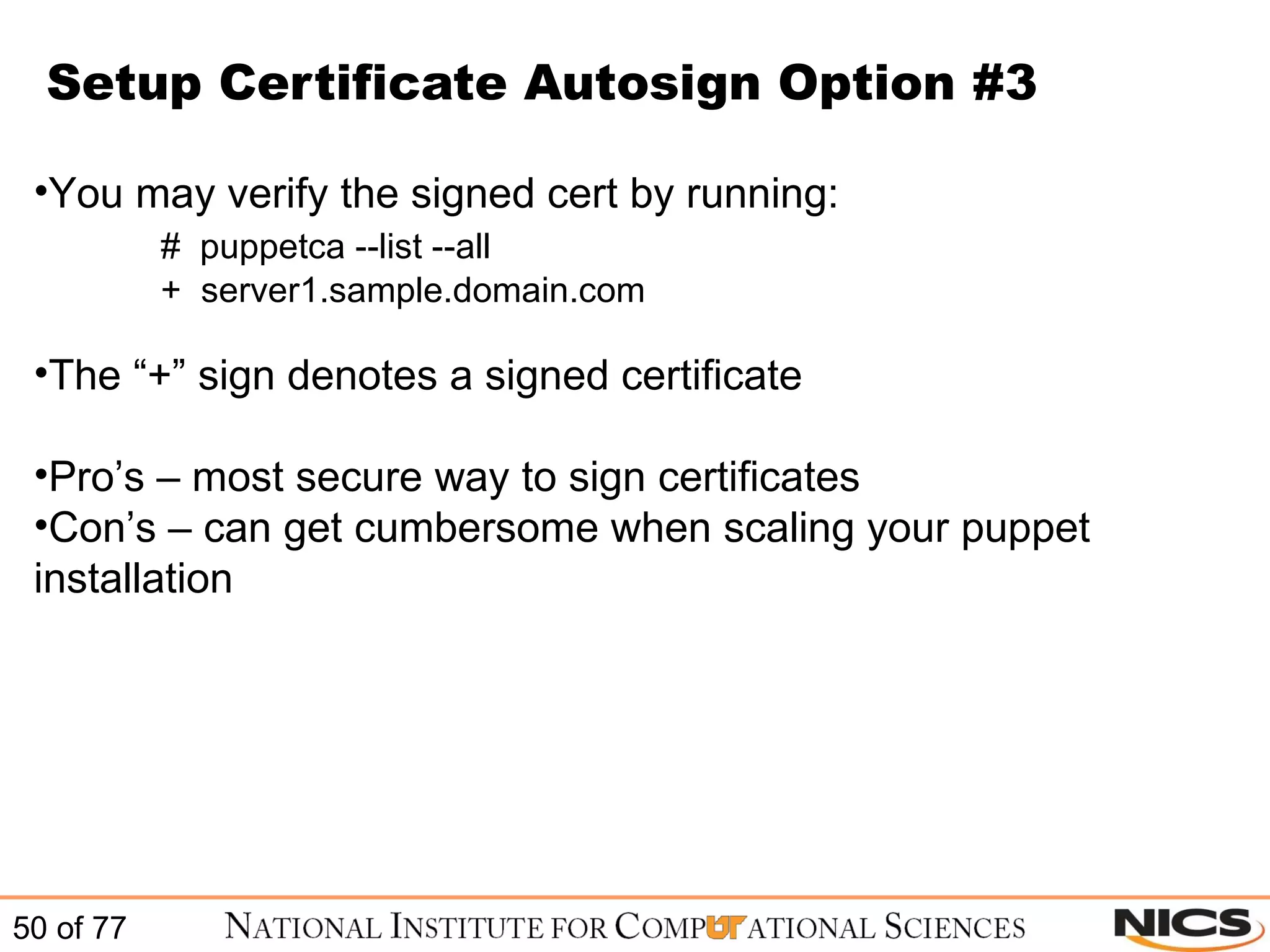
Setup Certificate Autosign Option #3 You may verify the signed cert by running: #  puppetca --list --all +  server1.sample.domain.com The “+” sign denotes a signed certificate Pro’s – most secure way to sign certificates Con’s – can get cumbersome when scaling your puppet installation
Configure Puppet on CentOS / RHEL After the certificate is accepted you can retest by starting the puppet client #  /etc/init.d/puppet once –v In syslog you will see entries similar to the following: puppetd[18704]: Starting Puppet client version 0.25.4 puppetmasterd[18047]: Compiled catalog for server1.sample.domain.com in 0.25 seconds puppetd[18704]: Finished catalog run in 2.96 seconds Puppet client should start and should finish the catalog run without any errors
Installation is complete! Basic Puppet installation is complete! (seriously, we aren’t joking)
BREAK
Managing Your Infrastructure with  Puppet
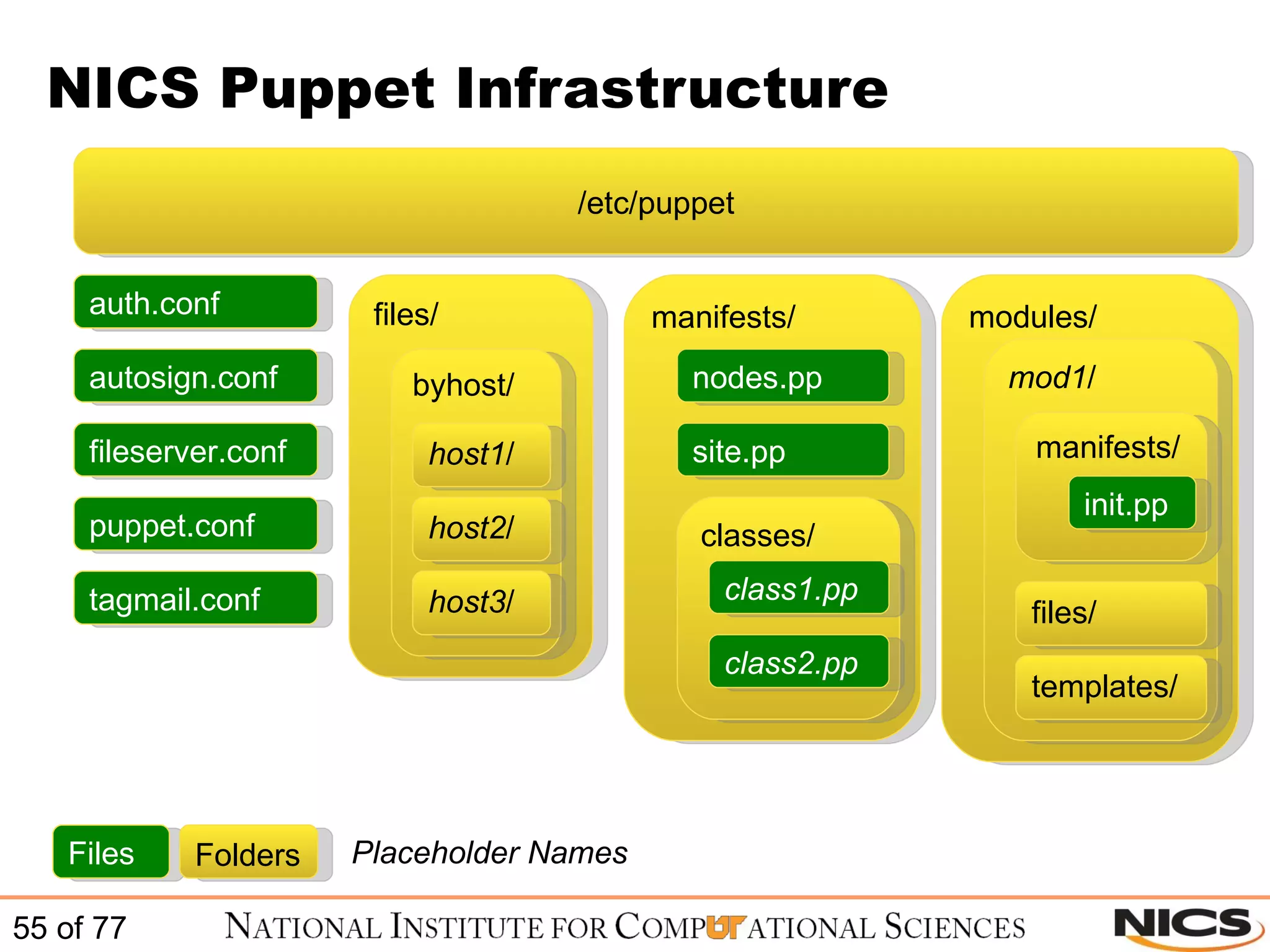
NICS Puppet Infrastructure /etc/puppet files/ manifests/ modules/ auth.conf autosign.conf fileserver.conf puppet.conf tagmail.conf byhost/ classes/ nodes.pp site.pp host1 / host2 / host3 / class1.pp class2.pp mod1 / manifests/ files/ templates/ init.pp Files Folders Placeholder Names
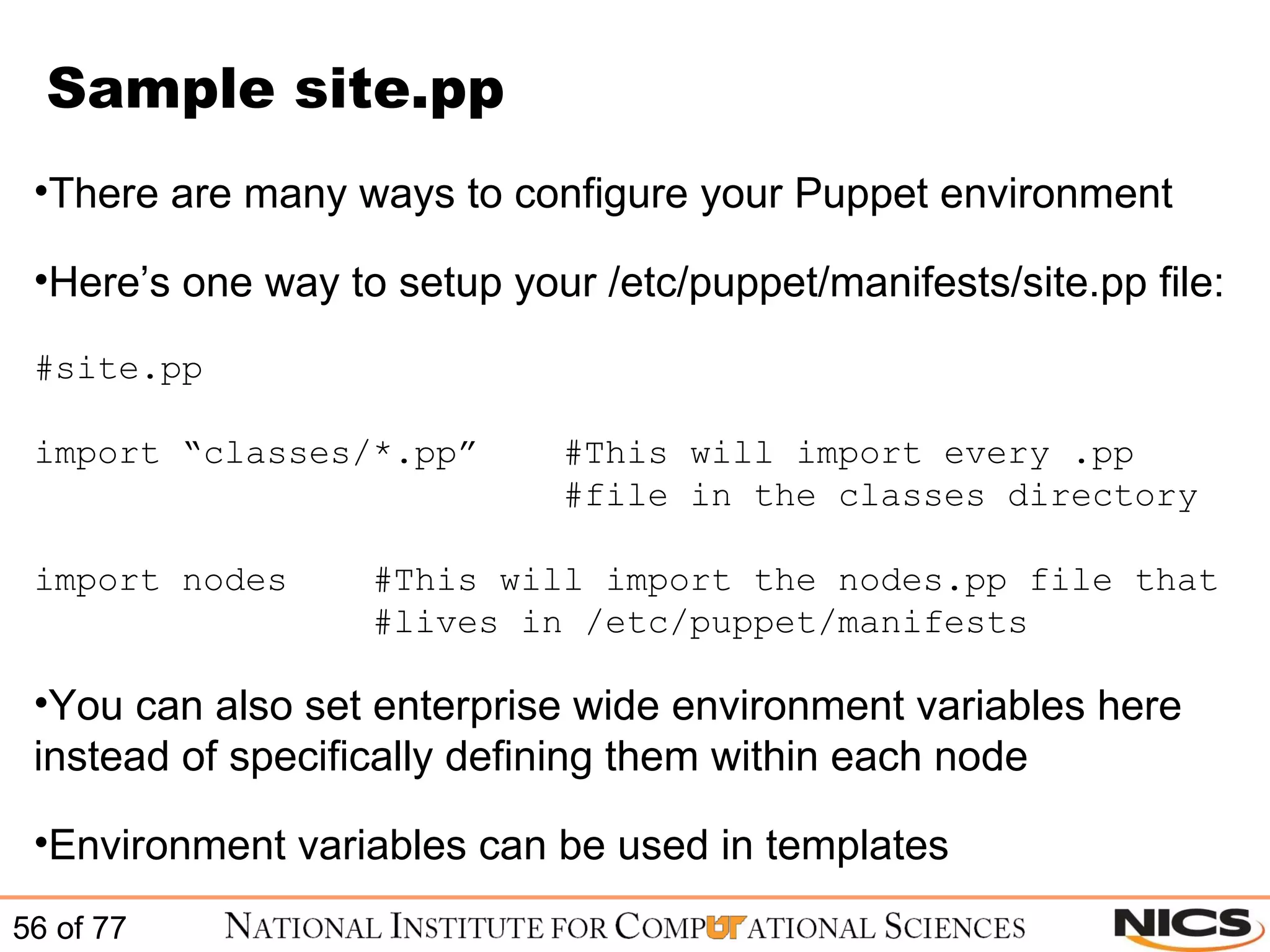
Sample site.pp There are many ways to configure your Puppet environment Here’s one way to setup your /etc/puppet/manifests/site.pp file: #site.pp import “classes/*.pp”  #This will import every .pp   #file in the classes directory import nodes  #This will import the nodes.pp file that    #lives in /etc/puppet/manifests You can also set enterprise wide environment variables here instead of specifically defining them within each node Environment variables can be used in templates
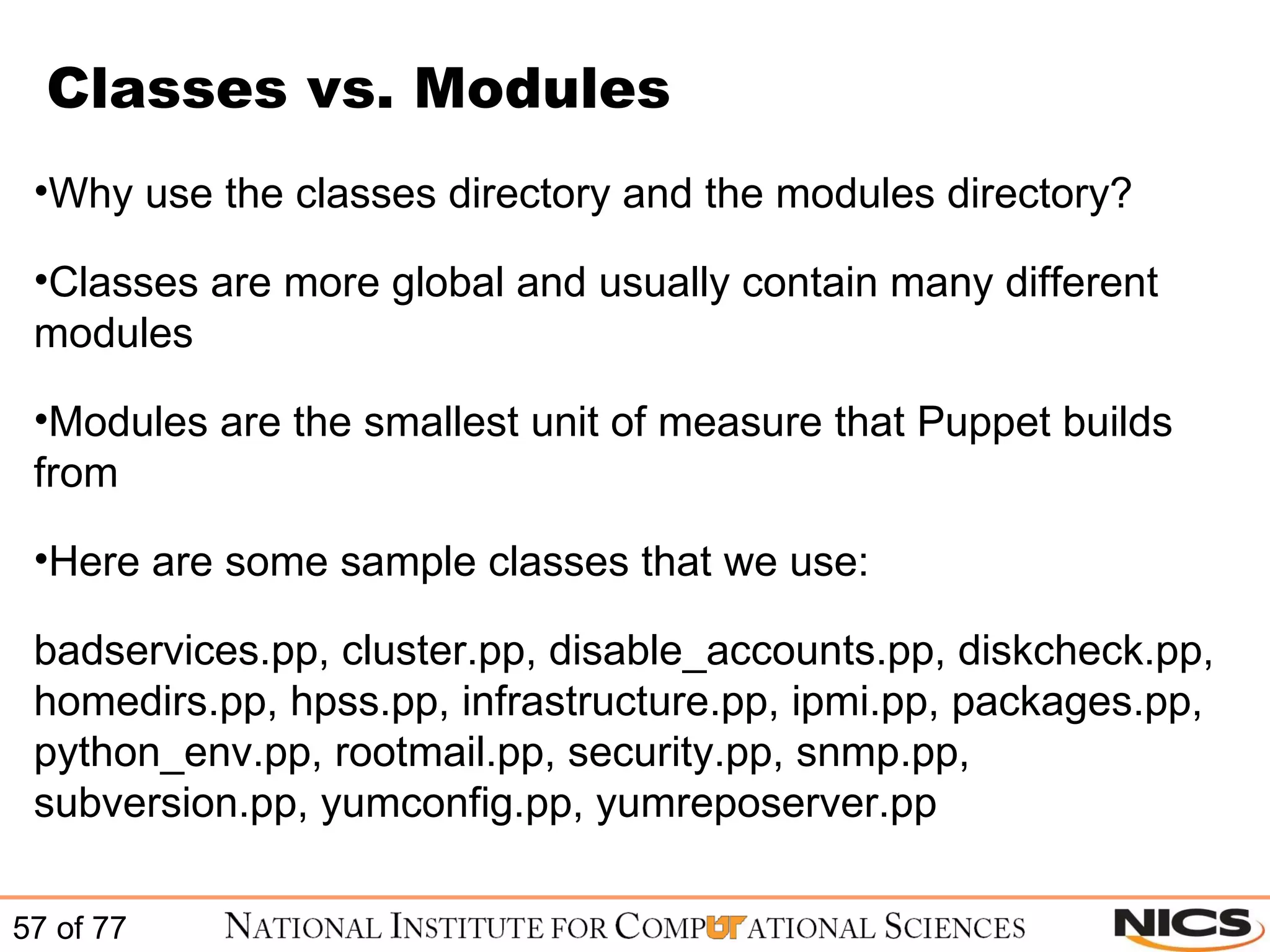
Classes vs. Modules Why use the classes directory and the modules directory? Classes are more global and usually contain many different modules Modules are the smallest unit of measure that Puppet builds from Here are some sample classes that we use: badservices.pp, cluster.pp, disable_accounts.pp, diskcheck.pp, homedirs.pp, hpss.pp, infrastructure.pp, ipmi.pp, packages.pp, python_env.pp, rootmail.pp, security.pp, snmp.pp, subversion.pp, yumconfig.pp, yumreposerver.pp
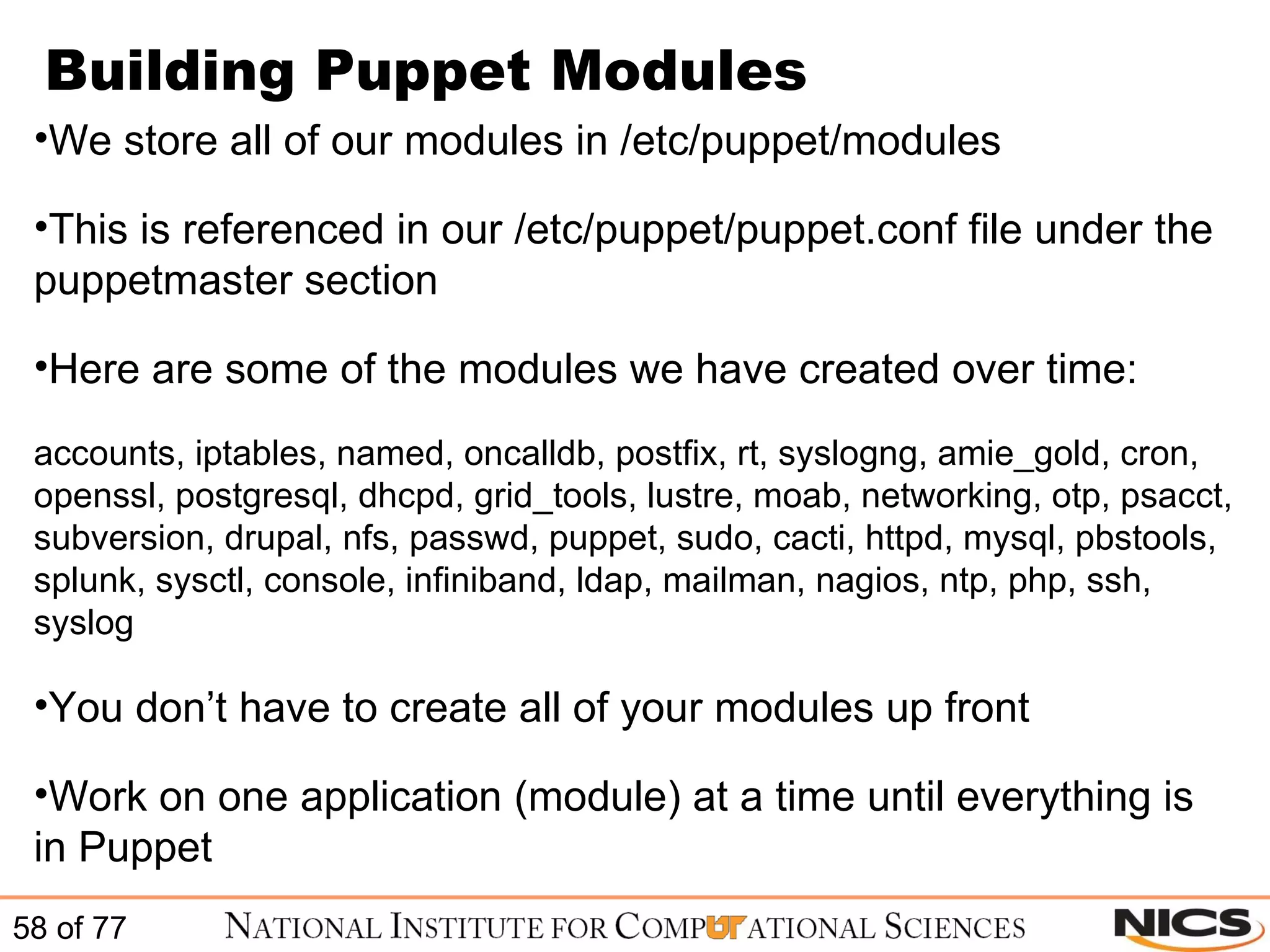
Building Puppet Modules We store all of our modules in /etc/puppet/modules This is referenced in our /etc/puppet/puppet.conf file under the puppetmaster section Here are some of the modules we have created over time: accounts, iptables, named, oncalldb, postfix, rt, syslogng, amie_gold, cron, openssl, postgresql, dhcpd, grid_tools, lustre, moab, networking, otp, psacct, subversion, drupal, nfs, passwd, puppet, sudo, cacti, httpd, mysql, pbstools, splunk, sysctl, console, infiniband, ldap, mailman, nagios, ntp, php, ssh, syslog You don’t have to create all of your modules up front Work on one application (module) at a time until everything is in Puppet
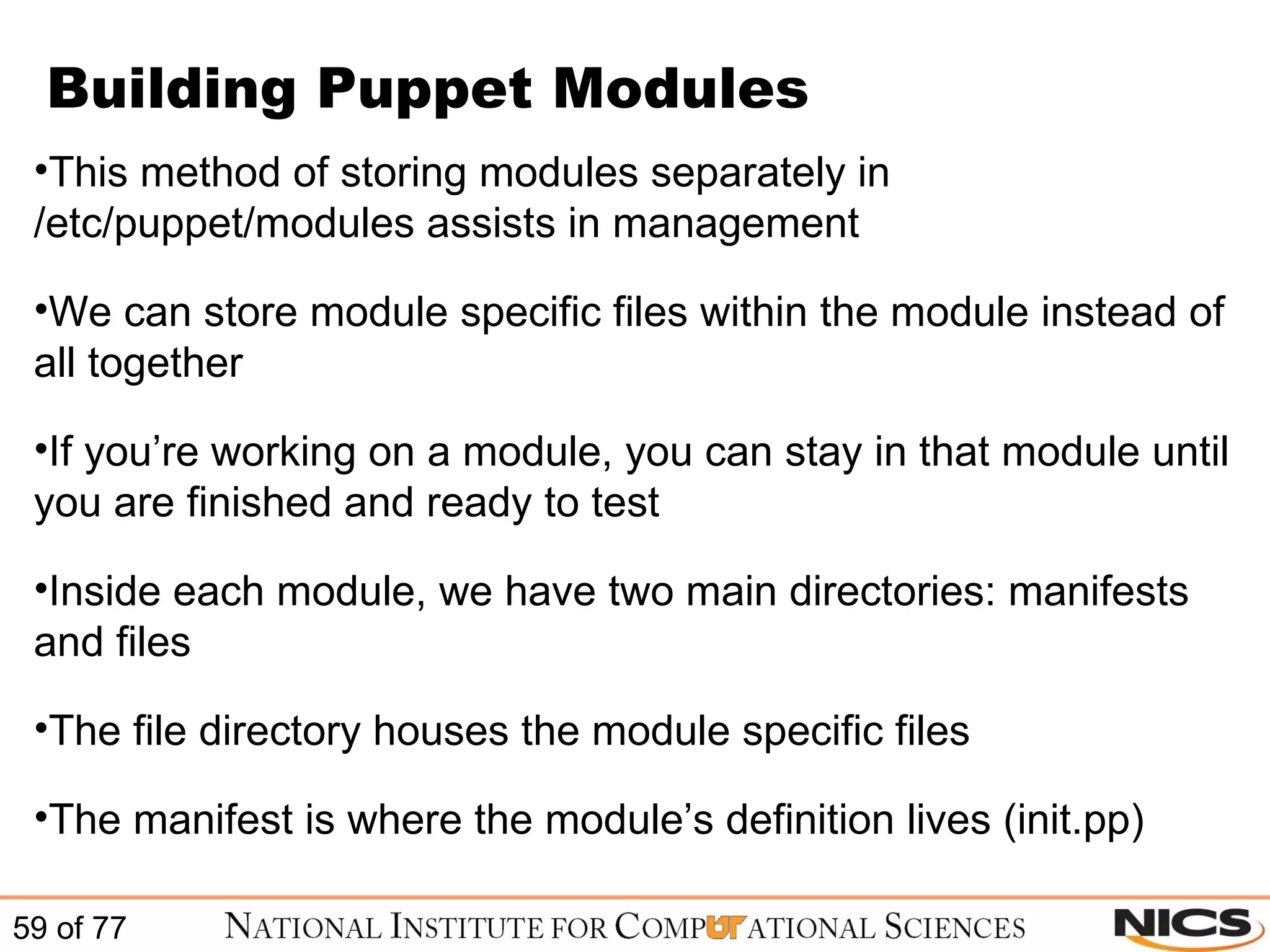
Building Puppet Modules This method of storing modules separately in /etc/puppet/modules assists in management We can store module specific files within the module instead of all together If you’re working on a module, you can stay in that module until you are finished and ready to test Inside each module, we have two main directories: manifests and files The file directory houses the module specific files The manifest is where the module’s definition lives (init.pp)
Sample module init.pp Below is a simple example of the named (DNS) class: class named { package { bind: ensure => installed; bind-chroot: ensure => installed; } service { "named": enable => true, ensure  => running, require => [ Package["bind"], Package["bind-chroot"] ]; } file { "/var/named/chroot/etc/rndc.key": path => "/var/named/chroot/etc/rndc.key", source => "puppet:///named/var/named/chroot/etc/rndc.key", require => [ Package["bind"], Package["bind-chroot"] ]; } }
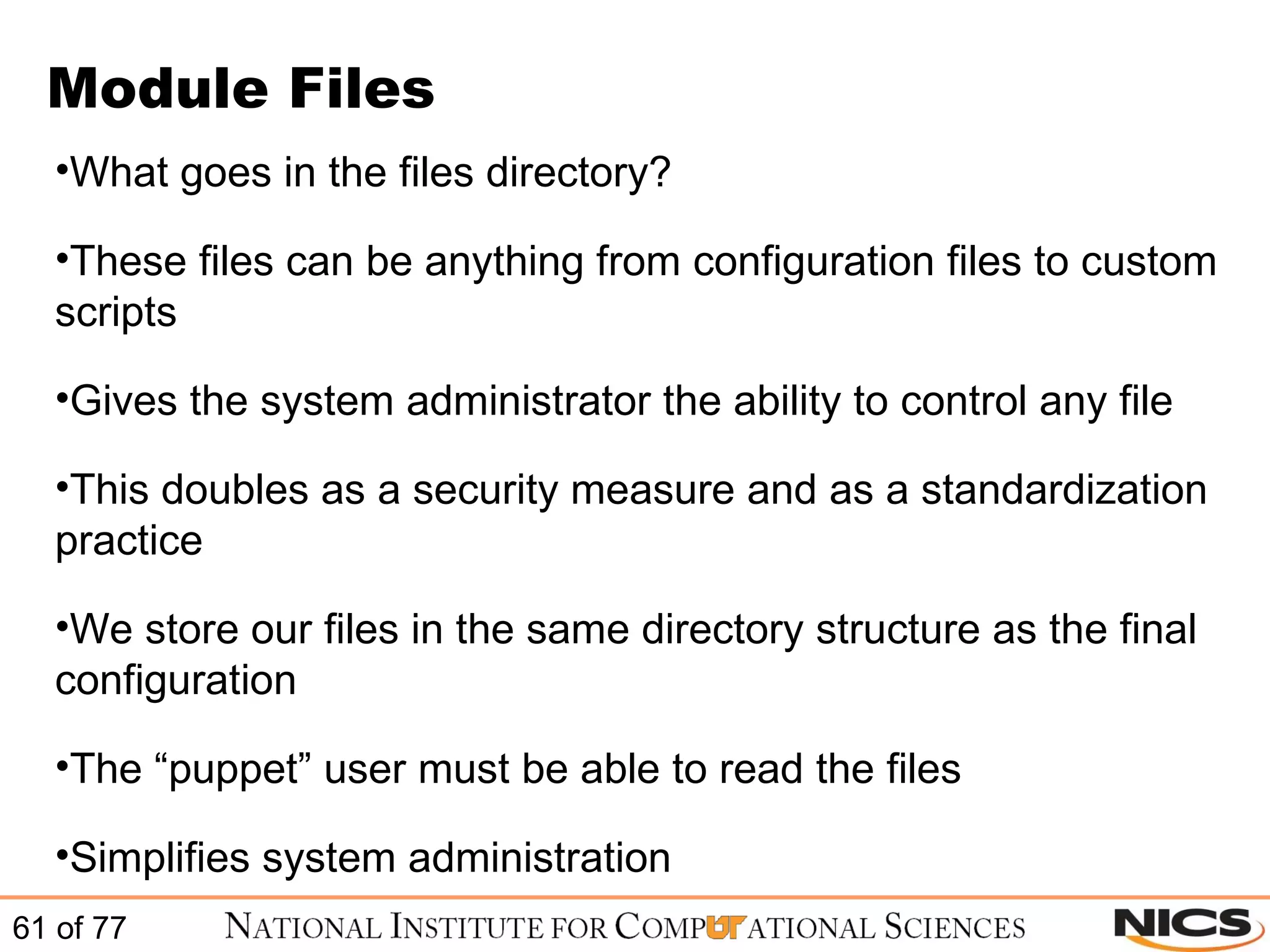
Module Files What goes in the files directory? These files can be anything from configuration files to custom scripts Gives the system administrator the ability to control any file This doubles as a security measure and as a standardization practice We store our files in the same directory structure as the final configuration The “puppet” user must be able to read the files Simplifies system administration
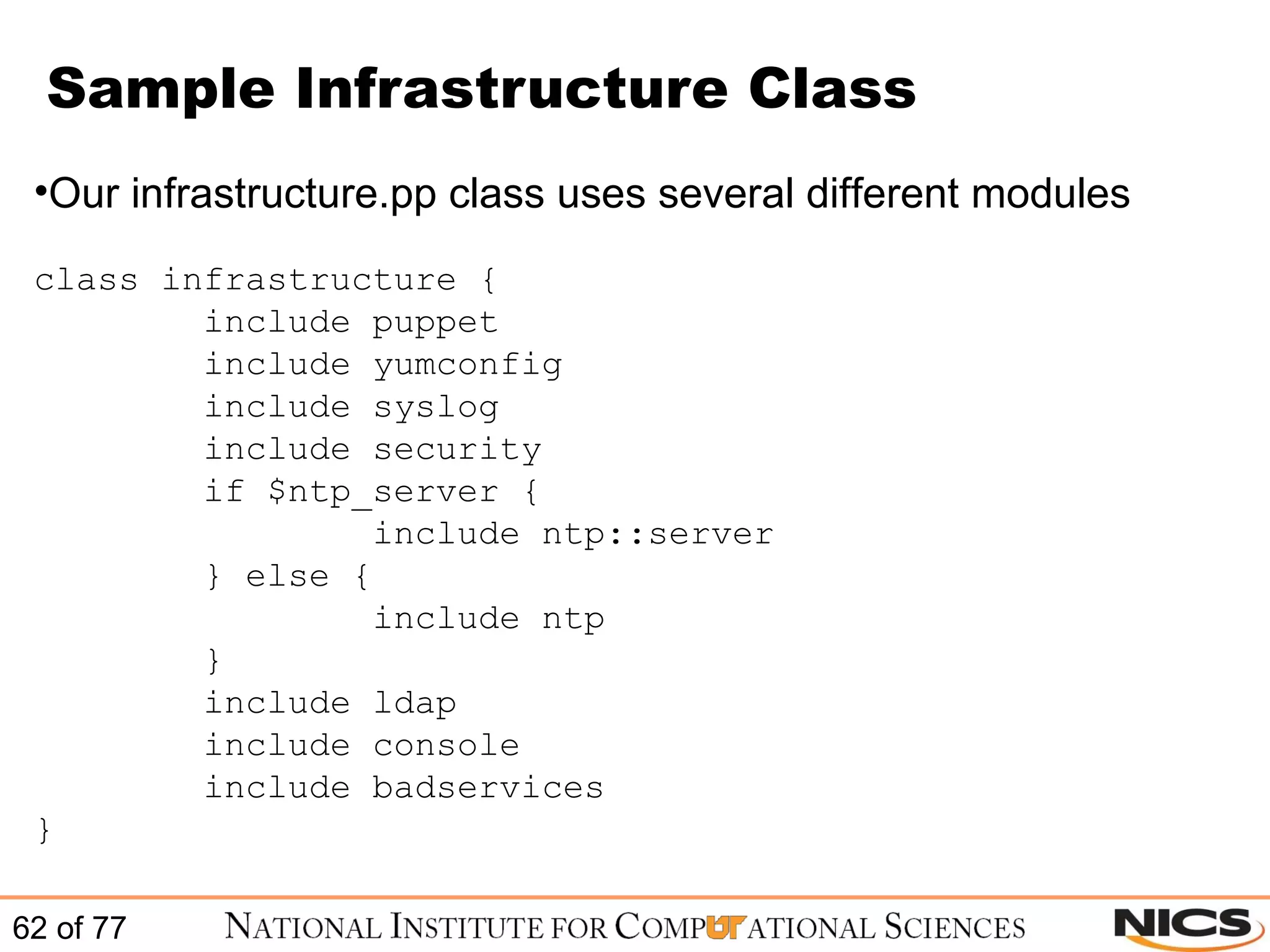
Sample Infrastructure Class Our infrastructure.pp class uses several different modules class infrastructure { include puppet include yumconfig include syslog include security if $ntp_server { include ntp::server } else { include ntp } include ldap include console include badservices }
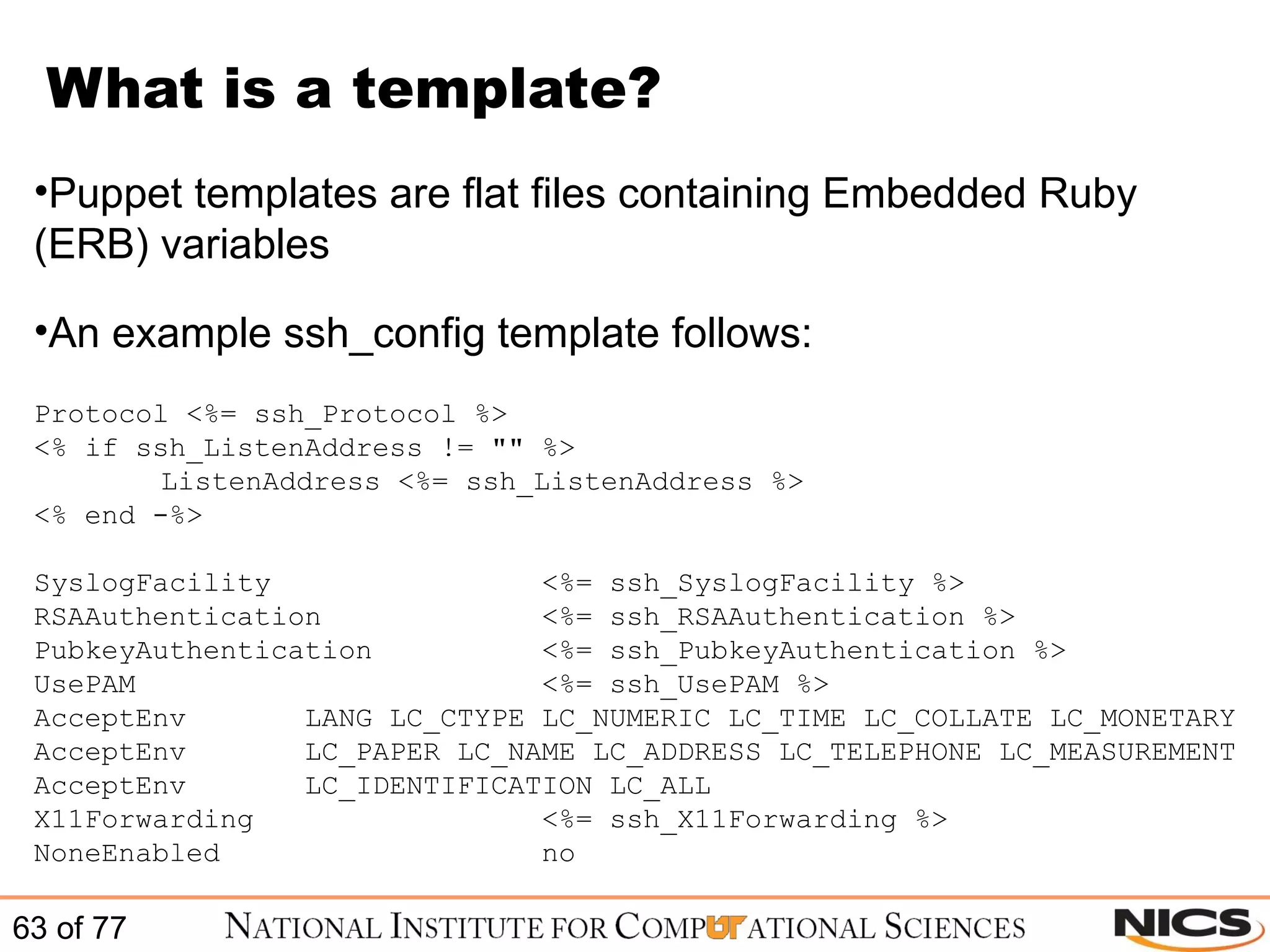
What is a template? Puppet templates are flat files containing Embedded Ruby (ERB) variables An example ssh_config template follows: Protocol <%= ssh_Protocol %> <% if ssh_ListenAddress != &quot;&quot; %> ListenAddress <%= ssh_ListenAddress %> <% end -%> SyslogFacility    <%= ssh_SyslogFacility %> RSAAuthentication    <%= ssh_RSAAuthentication %> PubkeyAuthentication  <%= ssh_PubkeyAuthentication %> UsePAM    <%= ssh_UsePAM %> AcceptEnv  LANG LC_CTYPE LC_NUMERIC LC_TIME LC_COLLATE LC_MONETARY AcceptEnv  LC_PAPER LC_NAME LC_ADDRESS LC_TELEPHONE LC_MEASUREMENT AcceptEnv  LC_IDENTIFICATION LC_ALL X11Forwarding  <%= ssh_X11Forwarding %> NoneEnabled  no
ERB variable declaration Ruby ERB variables can be set in different places They can be specified in the class that calls them: class resolv { $searchpath = &quot;testing.com&quot;  $nameservers = [&quot;192.168.0.1&quot;, &quot;192.168.0.2&quot;] file { &quot;resolv.conf&quot;:  name => &quot;/etc/resolv.conf&quot;, content => template(&quot;resolv-template.erb&quot;)  } }
ERB variable declaration Or you can set them for each node in /etc/puppet/manifests/nodes.pp node server1 { $searchpath = &quot;testing.com&quot;  $nameservers = [&quot;192.168.0.1&quot;, &quot;192.168.0.2&quot;] include resolv } node server2 { $searchpath = &quot;testing.com&quot;  $nameservers = [&quot;192.168.0.1&quot;, &quot;192.168.0.2&quot;] include resolv }
Hands on Exercises Install and configure Puppet client/server Create a basic MySQL client module Create a basic MySQL server module
Install and Configure Puppet client / server Using the handouts install and configure the Puppetmaster and Puppet client These systems are CentOS 5.5 virtual machines Login and pw will be given
Create a module Now that we have Puppet up and running, create a MySQL client module using the handout Once you have created the MySQL client module, we would then like to work through creating a MySQL server module
Advanced Puppet Topics
Module Dependency Module dependencies can serialize module installation Handy when an application needs to have certain files in place before installing the rest Puppet runs in a “shotgun” manner Different pieces of each class are installed a completely different times This is where module dependency comes in Example:  YUM repositories and application specific installs
Intra-module dependencies Most of the time dependencies are in the context of the same module The application must be installed before it is configured class rt { package {&quot;rt3&quot;:  ensure  => installed, } file {  &quot;/etc/rt3/RT_SiteConfig.pm&quot;: source => &quot;puppet:///rt/etc/rt3/RT_SiteConfig.pm&quot;, ensure => present, owner => apache, group => apache, mode => 640, require => Package[rt3]; } }
Inter-module dependencies The more complex your Puppet environment becomes the greater the need for inter-module dependencies are. This is where a specific resource defined in module “A” is dependent on a resource in module “B” class rt { package { &quot;rt3&quot;:  ensure  => installed, require => Yumrepo[epel]; &quot;mod_fcgid&quot;: ensure => installed; &quot;perl-Authen-PAM&quot;: ensure => installed; } }
Module Inheritance Inherit statements do exactly what they sound like they do Come in handy when you only need to change something specific for a node or two class ntp::verne inherits ntp { file { &quot;/etc/sysconfig/ntpd&quot;: ensure => file, source => &quot;puppet:///verne/etc/sysconfig/ntpd&quot;, owner  => root, group  => root, mode  => 0644, notify  => [ Service[ntpd], ], } }
Optimize your MySQL modules for use with dependencies HINT - The MySQL server module should have an inheritance    from the MySQL client module
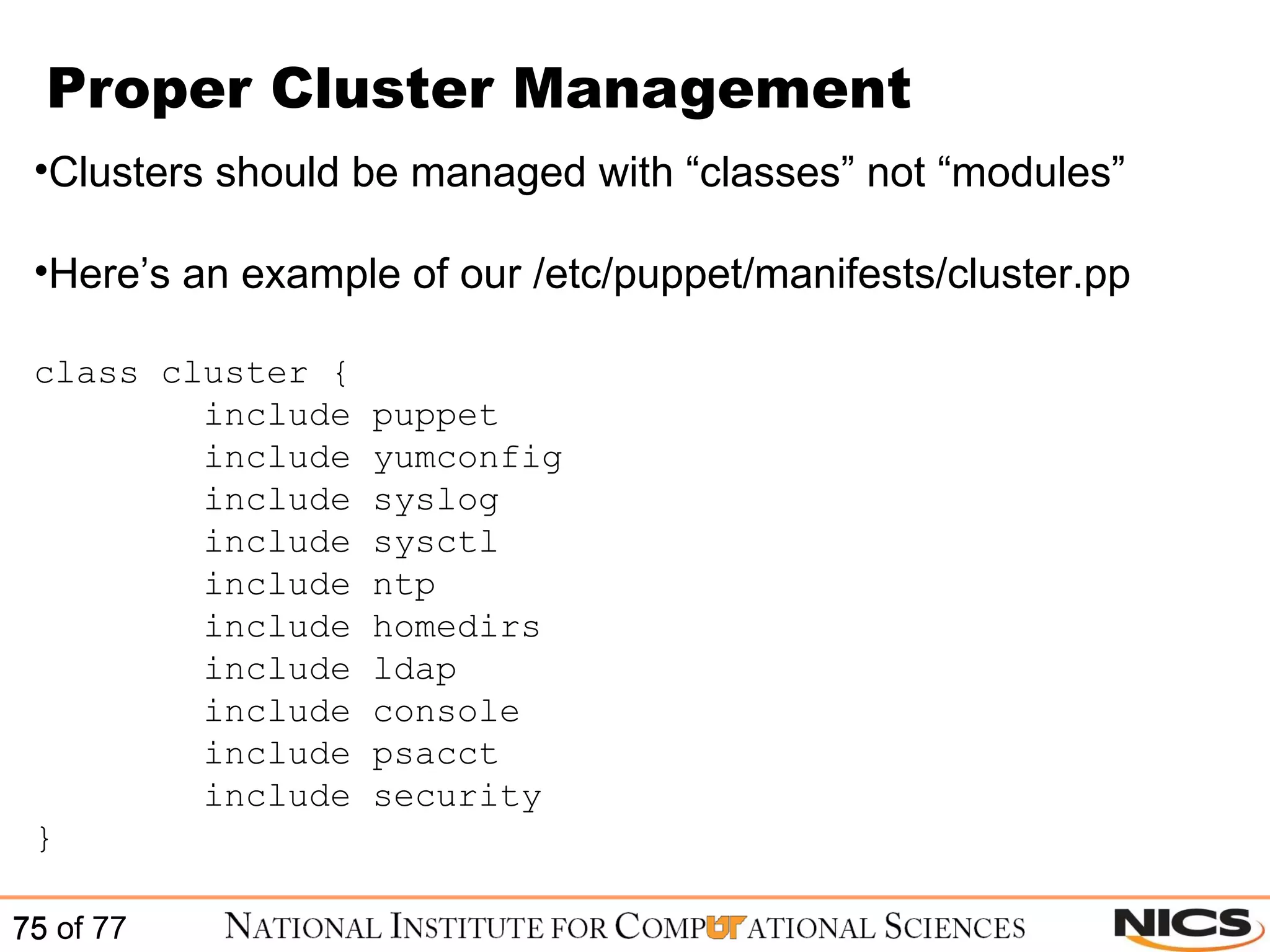
Proper Cluster Management Clusters should be managed with “classes” not “modules” Here’s an example of our /etc/puppet/manifests/cluster.pp class cluster { include puppet include yumconfig include syslog include sysctl include ntp include homedirs include ldap include console include psacct include security }
Proper Cluster Management More recent version of Puppet support ruby regex Here’s an example of how to efficiently manage a cluster of 10 node /^clusternode[0-9]+/ { $disable_ipv6 = False include cluster include kernel-utils boot_kernel { &quot;2.6.18-164.15.1.el5&quot;: } }  To test out your ruby regex use: http://rubular.com/
Questions?? Nick Jones  [email_address] Stephen McNally  [email_address]

Scalable systems management with puppet

  • 1.
    Scalable Systems Managementwith Puppet Nick Jones and Stephen McNally HPC Operations Group August 2, 2010
  • 2.
    National Institute for Computational Sciences NICS is a collaboration between UT and ORNL Awarded the NSF Track 2B ($65M) Phased deployment of Cray XT systems Staffed with 25 FTEs, funding for 15 more Total JICS funding ~$92M
  • 3.
  • 4.
    Topics Challenges thatSystem Administrators Face Why Puppet? Puppet Installation and Configuration Managing Your Infrastructure with Puppet Advanced Puppet Topics Hands On Exercises
  • 5.
  • 6.
    Challenges that SystemAdministrators Face
  • 7.
    What do SystemsAdministrators do? Watch YouTube Eat Fritos and Mountain Dew Have big warm fuzzy secret heart Rearrange Netflix queue
  • 8.
    Case Studies :Your Prototypical SysAdmin Has to manage lots of servers Responsible for installation, maintenance, updates……the whole shebang Let’s call him (or her) “Geppetto”
  • 9.
    Case Study 1: Sudo Organization gets new interns Need to give interns sudo privileges on appropriate machines
  • 10.
    Case Study 1: Sudo The old way: Edit the sudoers file on one server Use scp, pdsh, rsync or some combination of the above to deploy to necessary systems Pitfalls: What if you have different distros, and they store the sudoers file in different locations? How do you detect errors?
  • 11.
    Case Study 1: Sudo The Puppet way: Edit the sudoers file on one server Every other server automatically pulls down the updated Puppet file and installs it into the proper location for its distro Advantages: Easy Centralized Logged
  • 12.
    Case Study 2: iptables Need to collaborate with outside group Must allow them SSH access to internal network
  • 13.
    Case Study 2: iptables The old way: Update the iptables rules to allow access from the right ip ranges Copy the rules to each machine Restart iptables on each machine, and check that the rule worked
  • 14.
    Case Study 2: iptables The Puppet way: Update the iptables rule to allow access from the right ip ranges Tell Puppet to ensure that the iptables service is running Each client machine automatically pulls the updated iptables rule Each client intelligently knows that iptables must be restarted after a rule update, and it does this automatically using dependencies
  • 15.
    Case Study 3: Doomsday Centralized web server goes down due to hardware failure Must get the website back up quickly
  • 16.
    Case Study 3: Doomsday The old way: Multiple sysadmins get stressed out Reinstall the server and reconfigure by hand Restore Apache configs by hand from tape or other backup (you did backup right?)
  • 17.
    Case Study 3: Doomsday The Puppet way: Take any other spare server Change the MAC address in DHCP to the new server Puppet automatically enforces and deploys the new configuration on the new server Installs and updates all necessary configurations, including ensuring that the proper services are running
  • 18.
  • 19.
    What is Puppet?Puppet is a configuration management utility Puppet is not the only configuration management utility
  • 20.
    Puppet Competitors cFengineBcfg2 Chef … ..and the list goes on
  • 21.
    Puppet vs cFenginecFengine focuses on managing textfiles Puppet focuses on managing constructs like users, services, and packages
  • 22.
    Puppet vs cFenginePuppet is model driven The lowest layer is responsible for resource modeling Eg. User on Solaris vs User on Linux The language handles high level relationships Think users instead of /etc/passwd
  • 23.
    Puppet Language Puppetuses Ruby Puppet’s Language is declarative You specify the configuration – Puppet handles the implementation Must use detailed specification Need things like dependencies to get the full power of Puppet
  • 24.
    Layers Image: OfficialPuppet Documentation
  • 25.
    How does Puppetwork? Image: Official Puppet Documentation
  • 26.
    Idempotency Puppet configurationsare idempotent – they can safely be run multiple times By default, Puppet runs every 30 minutes Unlike say --- kickstart --- Puppet can detect the current state of the system Won’t make changes unless necessary

  • 27.
    Cross Platform AbstractionPuppet doesn’t care about specifics unique to your system All handled automatically (facter!) Manage users, files, packages, etc. the same way regardless of OS or distro
  • 28.
    Providers Providers fulfillresources Example: package management Both ‘yum’ and ‘apt’ are valid package managers Puppet uses ‘providers’ to abstract package management away from the user
  • 29.
    Facter How doesPuppet know about your system? Using the Ruby library Facter Facter supports a large number of predefined facts Custom facts can be defined -bash-3.2$ facter architecture => x86_64 domain => nics.utk.edu facterversion => 1.5.7 fqdn => example.nics.utk.edu hardwareisa => x86_64 hardwaremodel => x86_64 hostname => example id => jones interfaces => eth0,eth0_kraken_una,eth1 … .and more
  • 30.
    Linux Centos Debian3.1 and later Fedora Core 2-6 Fedora 7 and later Gentoo Linux Mandriva Corporate Server 4 RHEL 3 and Later Oracle Linux SuSe Linux 8 and later Ubuntu 7.04 and later
  • 31.
    BSD/*nix/Windows FreeBSD 4.7and later OpenBSD 4.1 and later Mac OS X Solaris 2.6 Solaris 7 and later Windows Support (in beta)
  • 32.
    Installing Puppet Tablecredit: Turnbull, Pulling Strings with Puppet
  • 33.
    Installing Puppet Tablecredit: Turnbull, Pulling Strings with Puppet
  • 34.
    Installing Puppet Tablecredit: Turnbull, Pulling Strings with Puppet
  • 35.
  • 36.
  • 37.
    Manual Installation ofPuppet Puppet is a client / server based application Puppet clients are often referred to as nodes, clients, or hosts The Puppet server is often referred to as the puppetmaster Not:
  • 38.
    Manual Installation ofPuppet Currently Reductive Labs offers support for the following operating systems: Linux : CentOS, Debian, Fedora, Gentoo, Mandriva, RHEL, Oracle Linux, SUSE, and Ubuntu BSD : FreeBSD, and OpenBSD Other Unix : Mac OS-X, and Sun Solaris Windows : None currently Source: http://docs.puppetlabs.com/guides/platforms.html
  • 39.
    Manual Installation ofPuppet The Puppet client must be installed on every system – even your Puppetmaster Most platforms will use the default package manager to install Puppet If you use a package management system (i.e. - yum) you will automatically get most prerequisite libraries Facter is not installed by default when using the package manager Reductive Labs provides source tar balls in case you want to torture yourself
  • 40.
    Installing Puppet onCentOS / RHEL Ensure that your package manager (yum) is configured to communicate with the EPEL repo. # rpm -Uvh http://download.fedora.redhat.com/pub/epel/5/x86_64/epel-release-5-3.noarch.rpm # yum repolist Should list epel in the left hand column
  • 41.
    Installing Puppet onCentOS / RHEL # yum install -y puppet (installs the client) # yum install -y puppet-server (installs the server) # yum install -y facter # yum install -y ruby-doc (optional if you want –help to work with ruby commands) These installs will also process other dependencies such as ruby and ruby-libs
  • 42.
    Configure Puppet onCentOS / RHEL Once yum installation is complete you must configure Puppet The /etc/puppet directory will be created after installation Create a simple manifest in /etc/puppet/manifests/ called site.pp The puppetmaster daemon needs a syntactically correct file to run Example: node default { }
  • 43.
    Configure Puppet onCentOS / RHEL The default config file is located at /etc/puppet/puppet.conf It is initially created with a basic set of options These options control the behavior of the Puppet suite
  • 44.
    Configure Puppet onCentOS / RHEL Sample puppet.conf file (to see all values use # puppet –genconfig): # cat /etc/puppet/puppet.conf [main] vardir = /var/lib/puppet logdir = /var/log/puppet rundir = /var/run/puppet ssldir = $vardir/ssl tagmap = /etc/puppet/tagmail.conf reportfrom = puppet@sample.domain.com [puppetd] classfile = $vardir/classes.txt localconfig = $vardir/localconfig report = true [puppetmasterd] reports = tagmail autosign = /etc/puppet/autosign.conf
  • 45.
    Configure Puppet onCentOS / RHEL The puppet client config looks for a system named “puppet” Add an entry to DNS for the puppet master (recommended) puppet IN CNAME puppetmaster You could also change the config to point to a specific system (not recommended) Start the puppetmaster daemon # /etc/init.d/puppetmaster start && tail –f /var/log/messages Ensure the puppetmaster daemon starts on boot # /sbin/chkconfig puppetmaster on 2345 Basic puppetmaster installation is complete
  • 46.
    Configure Puppet onCentOS / RHEL To complete the configuration we must configure the client to run on the puppetmaster Manually start the puppet client once to test # /etc/init.d/puppet once -v This will generate a certificate request to the puppetmaster # puppetca --list (will show the waiting certificate requests) Multiple ways to resolve this Setup puppetmaster to automatically sign all certificates Setup puppetmaster to only sign specific certificates Perform manual certificate signing each time We use option #2
  • 47.
    Setup Certificate AutosignOption #1 To setup automatic certificate signing you must specify so in the /etc/puppet/autosign.conf file An example of autosign.conf file that accepts every new certificate request # cat /etc/puppet/autosign.conf *.sample.domain.com Pro’s – will automatically sign certs, when reinstalling a system the autosign.conf file doesn’t need to be updated Con’s – security risk, not good to automate the certificate signing mechanism
  • 48.
    Setup Certificate AutosignOption #2 To setup restrictive automatic signing we will use the /etc/puppet/autosign.conf file Example autosign.conf file # cat /etc/puppet/autosign.conf server1.sample.domain.com server2.sample.domain.com server3.sample.domain.com Pro’s – adds additional control to certificate signing, provides greater security than option #1, is a good balance of security and automation Con’s – the autosign.conf file must be kept up to date
  • 49.
    Setup Certificate AutosignOption #3 Manual certificate signing doesn’t require the autosign.conf file Once the certificate request has been made you should be able to see a list of the waiting requests on the puppetmaster by using: # puppetca --list server1.sample.domain.com server2.sample.domain.com To sign a specific request run the following: # puppetca --sign server1.sample.domain.com
  • 50.
    Setup Certificate AutosignOption #3 You may verify the signed cert by running: # puppetca --list --all + server1.sample.domain.com The “+” sign denotes a signed certificate Pro’s – most secure way to sign certificates Con’s – can get cumbersome when scaling your puppet installation
  • 51.
    Configure Puppet onCentOS / RHEL After the certificate is accepted you can retest by starting the puppet client # /etc/init.d/puppet once –v In syslog you will see entries similar to the following: puppetd[18704]: Starting Puppet client version 0.25.4 puppetmasterd[18047]: Compiled catalog for server1.sample.domain.com in 0.25 seconds puppetd[18704]: Finished catalog run in 2.96 seconds Puppet client should start and should finish the catalog run without any errors
  • 52.
    Installation is complete!Basic Puppet installation is complete! (seriously, we aren’t joking)
  • 53.
  • 54.
  • 55.
    NICS Puppet Infrastructure/etc/puppet files/ manifests/ modules/ auth.conf autosign.conf fileserver.conf puppet.conf tagmail.conf byhost/ classes/ nodes.pp site.pp host1 / host2 / host3 / class1.pp class2.pp mod1 / manifests/ files/ templates/ init.pp Files Folders Placeholder Names
  • 56.
    Sample site.pp Thereare many ways to configure your Puppet environment Here’s one way to setup your /etc/puppet/manifests/site.pp file: #site.pp import “classes/*.pp” #This will import every .pp #file in the classes directory import nodes #This will import the nodes.pp file that #lives in /etc/puppet/manifests You can also set enterprise wide environment variables here instead of specifically defining them within each node Environment variables can be used in templates
  • 57.
    Classes vs. ModulesWhy use the classes directory and the modules directory? Classes are more global and usually contain many different modules Modules are the smallest unit of measure that Puppet builds from Here are some sample classes that we use: badservices.pp, cluster.pp, disable_accounts.pp, diskcheck.pp, homedirs.pp, hpss.pp, infrastructure.pp, ipmi.pp, packages.pp, python_env.pp, rootmail.pp, security.pp, snmp.pp, subversion.pp, yumconfig.pp, yumreposerver.pp
  • 58.
    Building Puppet ModulesWe store all of our modules in /etc/puppet/modules This is referenced in our /etc/puppet/puppet.conf file under the puppetmaster section Here are some of the modules we have created over time: accounts, iptables, named, oncalldb, postfix, rt, syslogng, amie_gold, cron, openssl, postgresql, dhcpd, grid_tools, lustre, moab, networking, otp, psacct, subversion, drupal, nfs, passwd, puppet, sudo, cacti, httpd, mysql, pbstools, splunk, sysctl, console, infiniband, ldap, mailman, nagios, ntp, php, ssh, syslog You don’t have to create all of your modules up front Work on one application (module) at a time until everything is in Puppet
  • 59.
    Building Puppet ModulesThis method of storing modules separately in /etc/puppet/modules assists in management We can store module specific files within the module instead of all together If you’re working on a module, you can stay in that module until you are finished and ready to test Inside each module, we have two main directories: manifests and files The file directory houses the module specific files The manifest is where the module’s definition lives (init.pp)
  • 60.
    Sample module init.ppBelow is a simple example of the named (DNS) class: class named { package { bind: ensure => installed; bind-chroot: ensure => installed; } service { &quot;named&quot;: enable => true, ensure => running, require => [ Package[&quot;bind&quot;], Package[&quot;bind-chroot&quot;] ]; } file { &quot;/var/named/chroot/etc/rndc.key&quot;: path => &quot;/var/named/chroot/etc/rndc.key&quot;, source => &quot;puppet:///named/var/named/chroot/etc/rndc.key&quot;, require => [ Package[&quot;bind&quot;], Package[&quot;bind-chroot&quot;] ]; } }
  • 61.
    Module Files Whatgoes in the files directory? These files can be anything from configuration files to custom scripts Gives the system administrator the ability to control any file This doubles as a security measure and as a standardization practice We store our files in the same directory structure as the final configuration The “puppet” user must be able to read the files Simplifies system administration
  • 62.
    Sample Infrastructure ClassOur infrastructure.pp class uses several different modules class infrastructure { include puppet include yumconfig include syslog include security if $ntp_server { include ntp::server } else { include ntp } include ldap include console include badservices }
  • 63.
    What is atemplate? Puppet templates are flat files containing Embedded Ruby (ERB) variables An example ssh_config template follows: Protocol <%= ssh_Protocol %> <% if ssh_ListenAddress != &quot;&quot; %> ListenAddress <%= ssh_ListenAddress %> <% end -%> SyslogFacility <%= ssh_SyslogFacility %> RSAAuthentication <%= ssh_RSAAuthentication %> PubkeyAuthentication <%= ssh_PubkeyAuthentication %> UsePAM <%= ssh_UsePAM %> AcceptEnv LANG LC_CTYPE LC_NUMERIC LC_TIME LC_COLLATE LC_MONETARY AcceptEnv LC_PAPER LC_NAME LC_ADDRESS LC_TELEPHONE LC_MEASUREMENT AcceptEnv LC_IDENTIFICATION LC_ALL X11Forwarding <%= ssh_X11Forwarding %> NoneEnabled no
  • 64.
    ERB variable declarationRuby ERB variables can be set in different places They can be specified in the class that calls them: class resolv { $searchpath = &quot;testing.com&quot; $nameservers = [&quot;192.168.0.1&quot;, &quot;192.168.0.2&quot;] file { &quot;resolv.conf&quot;: name => &quot;/etc/resolv.conf&quot;, content => template(&quot;resolv-template.erb&quot;) } }
  • 65.
    ERB variable declarationOr you can set them for each node in /etc/puppet/manifests/nodes.pp node server1 { $searchpath = &quot;testing.com&quot; $nameservers = [&quot;192.168.0.1&quot;, &quot;192.168.0.2&quot;] include resolv } node server2 { $searchpath = &quot;testing.com&quot; $nameservers = [&quot;192.168.0.1&quot;, &quot;192.168.0.2&quot;] include resolv }
  • 66.
    Hands on ExercisesInstall and configure Puppet client/server Create a basic MySQL client module Create a basic MySQL server module
  • 67.
    Install and ConfigurePuppet client / server Using the handouts install and configure the Puppetmaster and Puppet client These systems are CentOS 5.5 virtual machines Login and pw will be given
  • 68.
    Create a moduleNow that we have Puppet up and running, create a MySQL client module using the handout Once you have created the MySQL client module, we would then like to work through creating a MySQL server module
  • 69.
  • 70.
    Module Dependency Moduledependencies can serialize module installation Handy when an application needs to have certain files in place before installing the rest Puppet runs in a “shotgun” manner Different pieces of each class are installed a completely different times This is where module dependency comes in Example: YUM repositories and application specific installs
  • 71.
    Intra-module dependencies Mostof the time dependencies are in the context of the same module The application must be installed before it is configured class rt { package {&quot;rt3&quot;: ensure => installed, } file { &quot;/etc/rt3/RT_SiteConfig.pm&quot;: source => &quot;puppet:///rt/etc/rt3/RT_SiteConfig.pm&quot;, ensure => present, owner => apache, group => apache, mode => 640, require => Package[rt3]; } }
  • 72.
    Inter-module dependencies Themore complex your Puppet environment becomes the greater the need for inter-module dependencies are. This is where a specific resource defined in module “A” is dependent on a resource in module “B” class rt { package { &quot;rt3&quot;: ensure => installed, require => Yumrepo[epel]; &quot;mod_fcgid&quot;: ensure => installed; &quot;perl-Authen-PAM&quot;: ensure => installed; } }
  • 73.
    Module Inheritance Inheritstatements do exactly what they sound like they do Come in handy when you only need to change something specific for a node or two class ntp::verne inherits ntp { file { &quot;/etc/sysconfig/ntpd&quot;: ensure => file, source => &quot;puppet:///verne/etc/sysconfig/ntpd&quot;, owner => root, group => root, mode => 0644, notify => [ Service[ntpd], ], } }
  • 74.
    Optimize your MySQLmodules for use with dependencies HINT - The MySQL server module should have an inheritance from the MySQL client module
  • 75.
    Proper Cluster ManagementClusters should be managed with “classes” not “modules” Here’s an example of our /etc/puppet/manifests/cluster.pp class cluster { include puppet include yumconfig include syslog include sysctl include ntp include homedirs include ldap include console include psacct include security }
  • 76.
    Proper Cluster ManagementMore recent version of Puppet support ruby regex Here’s an example of how to efficiently manage a cluster of 10 node /^clusternode[0-9]+/ { $disable_ipv6 = False include cluster include kernel-utils boot_kernel { &quot;2.6.18-164.15.1.el5&quot;: } } To test out your ruby regex use: http://rubular.com/
  • 77.
    Questions?? Nick Jones [email_address] Stephen McNally [email_address]