COMMUNICATION
PRESENTATION

GROUP NO:1

PRESENTED BY ,
•ABHISHEK.A
•JYOTHISH
•LIVYA PHILIP
•RADHIKA
&
•SINU SIBICHAN

1
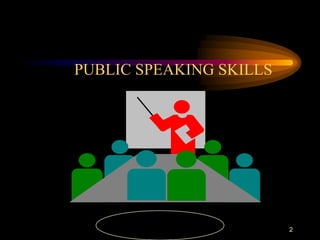
PUBLIC SPEAKING SKILLS

2
Why Speak in Public ?

The ability to speak in front of

audience is considered as a sign of
Self-confidence.

3
The unique features of this
presentation is the tips given here
are time tested over 25 years
among youth
4
Public Speaking

• Matter
• Language
• Style

INTRODUCTION

5
Public Speaking

• #1

• Start with a proper GREETING to
the judges and audience

Matter

6
Public Speaking

• #2
• ORGANISE your speech into three
basic parts
• Attractive - INTRODUCTION
• Meaningful - MAIN SPEECH
• Clear & Crisp - CONCLUSION

Matter

7
Public Speaking

• #3
• MAKE the introduction BRIEF
but ATTENTION GATHERING

Matter

8
Public Speaking

• #4
• OPEN your speech with any one of
the three techniques :
•
Quotation
•
Example
•
Definition

Matter

9
Public Speaking

• #5
• MAKE NO more than THREE
major points in a three minutes
speech

Matter

10
Public Speaking

• #6
• STRUCTURE the points as under
• a) MAKE a single & clear statement
of your point
• b) ELABORATE the point in few
sentences
• c) Give one or two examples to
support the point
Matter

11
Public Speaking

• #7
• BALANCE the points to consider
all aspects of situation.
Matter

12
Public Speaking

• #8

• MOVE from one point to another LOGICALLY & SMOOTHLY

Matter

13
Public Speaking

• #9
• END with a word of thanks.

Matter

14
Public SpeakingLANGUAGE

#10

• AVOID grammatical faults

LANGUAGE

15
Public Speaking

• #11
• USE correct pronunciation

LANGUAGE

16
Public Speaking

• #12
• CREATE word pictures
• Example - say : “My friend Ram”,
instead of “a friend”
• Say : “It is hard as maths to me” ,
not weakly “it is hard”
LANGUAGE

17
Public Speaking

• #13
• SPEAK fluently

LANGUAGE

18
Public Speaking

• #14
• AVOID :
• Use of big words to show off
jargon, slang

LANGUAGE

19
Public Speaking- STYLE

• #15
• TAKE a good look at the audience,
judges and the arrangements while
you are waiting for your turn to
speak.
STYLE

20
Public Speaking

• #16
• WALK at your normal pace to the
dais / speaker podium when called
to speak

STYLE

21
Public Speaking

• #17
• STAND erect, but not stiff

STYLE

22
Public Speaking

• #18
• LOOK at judges, audience and
take a deep breath.

STYLE

23
Public Speaking

• #19
• SMILE at the most friendly face
(pretty / handsome one) you can
see in the audience - if you prefer !
Now begin speaking.
STYLE

24
Public Speaking

• #20
• KEEP your voice at a level that
suits the size of the audience and
the hall / room

STYLE

25
Public Speaking

• #21
• SPEAK at your natural speed
(like when you talk to your friends
or at home)

STYLE

26
Public Speaking

• #22
• LOOK at different sections of the
audience once in a while.
(Don’t stare at someone or a
particular object in the room)
STYLE

27
Public Speaking

• #23
• ALLOW your hands the natural
gestures they are used to, while
you speak.

STYLE

28
Public Speaking

• #24
• After you finish your speech pause
briefly, take a couple of steps back
and then RETURN to your seat.

STYLE

29
Business presentation
Business
• Business is all about selling -- a product,
topic or concept.
• When making a business presentation, the
most important thing is to know your
material.
• If you do not know everything about what
you are selling, it is not likely that the
audience will be buying.
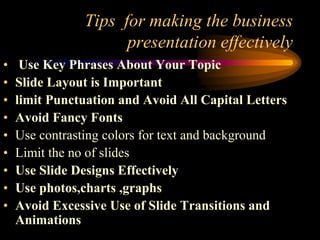
Tips for making the business
presentation effectively
•
•
•
•
•
•
•
•
•

Use Key Phrases About Your Topic
Slide Layout is Important
limit Punctuation and Avoid All Capital Letters
Avoid Fancy Fonts
Use contrasting colors for text and background
Limit the no of slides
Use Slide Designs Effectively
Use photos,charts ,graphs
Avoid Excessive Use of Slide Transitions and
Animations
Use key phrases about your topic
• Presenters use key phrases and include only
limited information
• Not use more than three bullets per slide
• Limit the no of words on each screen
Slide layout is important
• Make the slides simple
• Phrases should read left to right and top to
bottom
Limit punctuation and capital letters
• Punctuation can clutter the slide
• Caps statements difficult to understand
Avoid fancy fonts

• Choose a font that is simple and easy
• Use two different fonts for topic and content
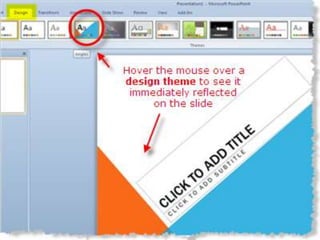
Use slide design effectively
• Appropriate theme or templates
• Make the presentations with full of colors
• Variety of shapes can also be included in
slides
Limit the no of slides
• keeping the number of slides to a minimum,
ensures that the presentation will not
become too long and drawn out.
• It also avoids the problem of continually
changing slides during the presentation that
can be a distraction to your audience.
• On average, one slide per minute is about
right.
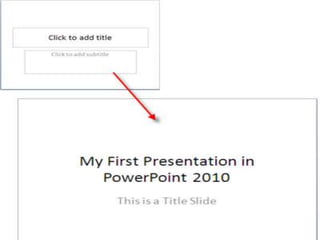
Use photos,charts,pictures
• Combining photos, charts and graphs and
even embedding digitized videos with text,
will add variety and keep your audience
interested in the presentation.
• Avoid having text only slides.
Avoid excessive use of slides
transitions and animations
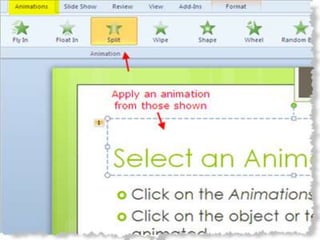
• While transitions and animations can
heighten your audience’s interest in the
presentation, too much of a good thing can
distract them from what you are saying
• Keep animations consistent in the
presentation by using animation schemes
and apply the same transition throughout
the presentation.
Make Sure Your Presentation Can
Run On Any Computer
• Use PowerPoint's Package for CD
(PowerPoint 2007 and 2003) or Pack and
Go (PowerPoint 2000 and before) feature
when burning your presentation onto a CD
STRUCTURING YOUR SPEECH
Using Outlines
• Outline provides a framework
• Contains your main ideas
• Shows how main ideas relate to one another
and support your thesis.
Working Outline
• Rough draft of your speech
• Work in progress
• Will move to a formal outline
Formal Outline
• Uses a specific format
• Provides a clear structure to a speech
The Basic Structure of a Speech
All speeches contain at least three parts:
An Introduction
A Body
A conclusion
In the Introduction, you state the topic of your speech. You tell the
audience the main points of your speech. In other words, you say what
you are going to speak about.
In the Body, you speak about each point in detail. For each point you
must give the audience some evidence or information that will help
explain and support each point. The Body is the longest of the three
parts.
In the Conclusion, you should summarise the main points of your
speech, and emphasise what you want the audience to remember.

Matter

51
1. Introduction
What is the topic of your speech?
Why should the audience listen to your speech ?
What will your main points be?
2. The body
What are your main points and ideas (sub-topics)?
What is your supporting evidence and information
(sub-sub-topics)?
3. The conclusion
What were the main main points of your speech, and
what do you want the audience to remember?
Matter

52
Principles of outlining
• There are specific rules and principles to
follow when constructing an outline
• These rules are based on the use of standard
symbols and format
• Outlines either include full sentences, or
keyword statements
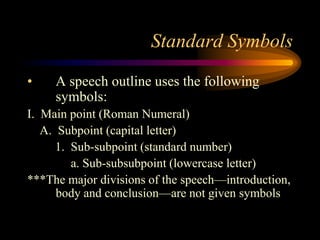
Standard Symbols
•

A speech outline uses the following
symbols:

I. Main point (Roman Numeral)
A. Subpoint (capital letter)
1. Sub-subpoint (standard number)
a. Sub-subsubpoint (lowercase letter)
***The major divisions of the speech—introduction,
body and conclusion—are not given symbols
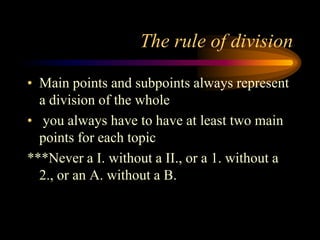
The rule of division
• Main points and subpoints always represent
a division of the whole
• you always have to have at least two main
points for each topic
***Never a I. without a II., or a 1. without a
2., or an A. without a B.
Remember:
• The ideal number of main points is three to
five
• The ideal number of subpoints is also three
to five
• Each point should include only one idea
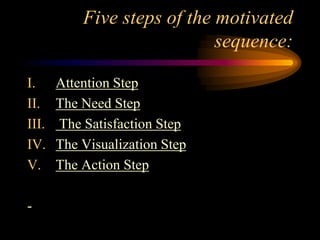
Five steps of the motivated
sequence:
I.
II.
III.
IV.
V.
-

Attention Step
The Need Step
The Satisfaction Step
The Visualization Step
The Action Step
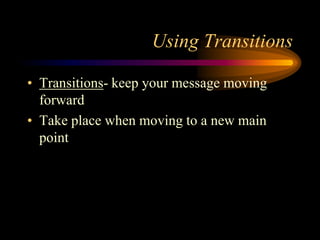
Using Transitions
• Transitions- keep your message moving
forward
• Take place when moving to a new main
point
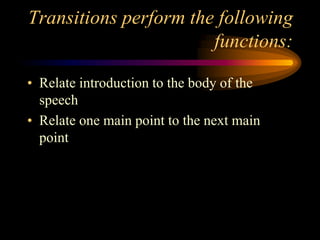
Transitions perform the following
functions:
• Relate introduction to the body of the
speech
• Relate one main point to the next main
point
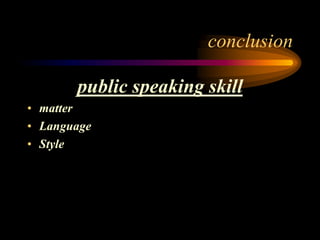
conclusion

public speaking skill
• matter
• Language
• Style
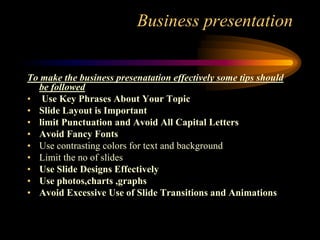
Business presentation
To make the business presenatation effectively some tips should
be followed
• Use Key Phrases About Your Topic
• Slide Layout is Important
• limit Punctuation and Avoid All Capital Letters
• Avoid Fancy Fonts
• Use contrasting colors for text and background
• Limit the no of slides
• Use Slide Designs Effectively
• Use photos,charts ,graphs
• Avoid Excessive Use of Slide Transitions and Animations
In conclusion
• It is clear that a formal outline is an
important element in constructing a
successful speech
• Transitions are used to help guide listeners
smoothly from one point to the next
THE END

63

public speaking

  • 1.
    COMMUNICATION PRESENTATION GROUP NO:1 PRESENTED BY, •ABHISHEK.A •JYOTHISH •LIVYA PHILIP •RADHIKA & •SINU SIBICHAN 1
  • 2.
  • 3.
    Why Speak inPublic ? The ability to speak in front of audience is considered as a sign of Self-confidence. 3
  • 4.
    The unique featuresof this presentation is the tips given here are time tested over 25 years among youth 4
  • 5.
    Public Speaking • Matter •Language • Style INTRODUCTION 5
  • 6.
    Public Speaking • #1 •Start with a proper GREETING to the judges and audience Matter 6
  • 7.
    Public Speaking • #2 •ORGANISE your speech into three basic parts • Attractive - INTRODUCTION • Meaningful - MAIN SPEECH • Clear & Crisp - CONCLUSION Matter 7
  • 8.
    Public Speaking • #3 •MAKE the introduction BRIEF but ATTENTION GATHERING Matter 8
  • 9.
    Public Speaking • #4 •OPEN your speech with any one of the three techniques : • Quotation • Example • Definition Matter 9
  • 10.
    Public Speaking • #5 •MAKE NO more than THREE major points in a three minutes speech Matter 10
  • 11.
    Public Speaking • #6 •STRUCTURE the points as under • a) MAKE a single & clear statement of your point • b) ELABORATE the point in few sentences • c) Give one or two examples to support the point Matter 11
  • 12.
    Public Speaking • #7 •BALANCE the points to consider all aspects of situation. Matter 12
  • 13.
    Public Speaking • #8 •MOVE from one point to another LOGICALLY & SMOOTHLY Matter 13
  • 14.
    Public Speaking • #9 •END with a word of thanks. Matter 14
  • 15.
    Public SpeakingLANGUAGE #10 • AVOIDgrammatical faults LANGUAGE 15
  • 16.
    Public Speaking • #11 •USE correct pronunciation LANGUAGE 16
  • 17.
    Public Speaking • #12 •CREATE word pictures • Example - say : “My friend Ram”, instead of “a friend” • Say : “It is hard as maths to me” , not weakly “it is hard” LANGUAGE 17
  • 18.
    Public Speaking • #13 •SPEAK fluently LANGUAGE 18
  • 19.
    Public Speaking • #14 •AVOID : • Use of big words to show off jargon, slang LANGUAGE 19
  • 20.
    Public Speaking- STYLE •#15 • TAKE a good look at the audience, judges and the arrangements while you are waiting for your turn to speak. STYLE 20
  • 21.
    Public Speaking • #16 •WALK at your normal pace to the dais / speaker podium when called to speak STYLE 21
  • 22.
    Public Speaking • #17 •STAND erect, but not stiff STYLE 22
  • 23.
    Public Speaking • #18 •LOOK at judges, audience and take a deep breath. STYLE 23
  • 24.
    Public Speaking • #19 •SMILE at the most friendly face (pretty / handsome one) you can see in the audience - if you prefer ! Now begin speaking. STYLE 24
  • 25.
    Public Speaking • #20 •KEEP your voice at a level that suits the size of the audience and the hall / room STYLE 25
  • 26.
    Public Speaking • #21 •SPEAK at your natural speed (like when you talk to your friends or at home) STYLE 26
  • 27.
    Public Speaking • #22 •LOOK at different sections of the audience once in a while. (Don’t stare at someone or a particular object in the room) STYLE 27
  • 28.
    Public Speaking • #23 •ALLOW your hands the natural gestures they are used to, while you speak. STYLE 28
  • 29.
    Public Speaking • #24 •After you finish your speech pause briefly, take a couple of steps back and then RETURN to your seat. STYLE 29
  • 30.
  • 31.
    Business • Business isall about selling -- a product, topic or concept. • When making a business presentation, the most important thing is to know your material. • If you do not know everything about what you are selling, it is not likely that the audience will be buying.
  • 32.
    Tips for makingthe business presentation effectively • • • • • • • • • Use Key Phrases About Your Topic Slide Layout is Important limit Punctuation and Avoid All Capital Letters Avoid Fancy Fonts Use contrasting colors for text and background Limit the no of slides Use Slide Designs Effectively Use photos,charts ,graphs Avoid Excessive Use of Slide Transitions and Animations
  • 33.
    Use key phrasesabout your topic • Presenters use key phrases and include only limited information • Not use more than three bullets per slide • Limit the no of words on each screen
  • 34.
    Slide layout isimportant • Make the slides simple • Phrases should read left to right and top to bottom
  • 36.
    Limit punctuation andcapital letters • Punctuation can clutter the slide • Caps statements difficult to understand
  • 37.
    Avoid fancy fonts •Choose a font that is simple and easy • Use two different fonts for topic and content
  • 39.
    Use slide designeffectively • Appropriate theme or templates • Make the presentations with full of colors • Variety of shapes can also be included in slides
  • 41.
    Limit the noof slides • keeping the number of slides to a minimum, ensures that the presentation will not become too long and drawn out. • It also avoids the problem of continually changing slides during the presentation that can be a distraction to your audience. • On average, one slide per minute is about right.
  • 42.
    Use photos,charts,pictures • Combiningphotos, charts and graphs and even embedding digitized videos with text, will add variety and keep your audience interested in the presentation. • Avoid having text only slides.
  • 43.
    Avoid excessive useof slides transitions and animations • While transitions and animations can heighten your audience’s interest in the presentation, too much of a good thing can distract them from what you are saying • Keep animations consistent in the presentation by using animation schemes and apply the same transition throughout the presentation.
  • 45.
    Make Sure YourPresentation Can Run On Any Computer • Use PowerPoint's Package for CD (PowerPoint 2007 and 2003) or Pack and Go (PowerPoint 2000 and before) feature when burning your presentation onto a CD
  • 47.
  • 48.
    Using Outlines • Outlineprovides a framework • Contains your main ideas • Shows how main ideas relate to one another and support your thesis.
  • 49.
    Working Outline • Roughdraft of your speech • Work in progress • Will move to a formal outline
  • 50.
    Formal Outline • Usesa specific format • Provides a clear structure to a speech
  • 51.
    The Basic Structureof a Speech All speeches contain at least three parts: An Introduction A Body A conclusion In the Introduction, you state the topic of your speech. You tell the audience the main points of your speech. In other words, you say what you are going to speak about. In the Body, you speak about each point in detail. For each point you must give the audience some evidence or information that will help explain and support each point. The Body is the longest of the three parts. In the Conclusion, you should summarise the main points of your speech, and emphasise what you want the audience to remember. Matter 51
  • 52.
    1. Introduction What isthe topic of your speech? Why should the audience listen to your speech ? What will your main points be? 2. The body What are your main points and ideas (sub-topics)? What is your supporting evidence and information (sub-sub-topics)? 3. The conclusion What were the main main points of your speech, and what do you want the audience to remember? Matter 52
  • 53.
    Principles of outlining •There are specific rules and principles to follow when constructing an outline • These rules are based on the use of standard symbols and format • Outlines either include full sentences, or keyword statements
  • 54.
    Standard Symbols • A speechoutline uses the following symbols: I. Main point (Roman Numeral) A. Subpoint (capital letter) 1. Sub-subpoint (standard number) a. Sub-subsubpoint (lowercase letter) ***The major divisions of the speech—introduction, body and conclusion—are not given symbols
  • 55.
    The rule ofdivision • Main points and subpoints always represent a division of the whole • you always have to have at least two main points for each topic ***Never a I. without a II., or a 1. without a 2., or an A. without a B.
  • 56.
    Remember: • The idealnumber of main points is three to five • The ideal number of subpoints is also three to five • Each point should include only one idea
  • 57.
    Five steps ofthe motivated sequence: I. II. III. IV. V. - Attention Step The Need Step The Satisfaction Step The Visualization Step The Action Step
  • 58.
    Using Transitions • Transitions-keep your message moving forward • Take place when moving to a new main point
  • 59.
    Transitions perform thefollowing functions: • Relate introduction to the body of the speech • Relate one main point to the next main point
  • 60.
    conclusion public speaking skill •matter • Language • Style
  • 61.
    Business presentation To makethe business presenatation effectively some tips should be followed • Use Key Phrases About Your Topic • Slide Layout is Important • limit Punctuation and Avoid All Capital Letters • Avoid Fancy Fonts • Use contrasting colors for text and background • Limit the no of slides • Use Slide Designs Effectively • Use photos,charts ,graphs • Avoid Excessive Use of Slide Transitions and Animations
  • 62.
    In conclusion • Itis clear that a formal outline is an important element in constructing a successful speech • Transitions are used to help guide listeners smoothly from one point to the next
  • 63.